November 2025

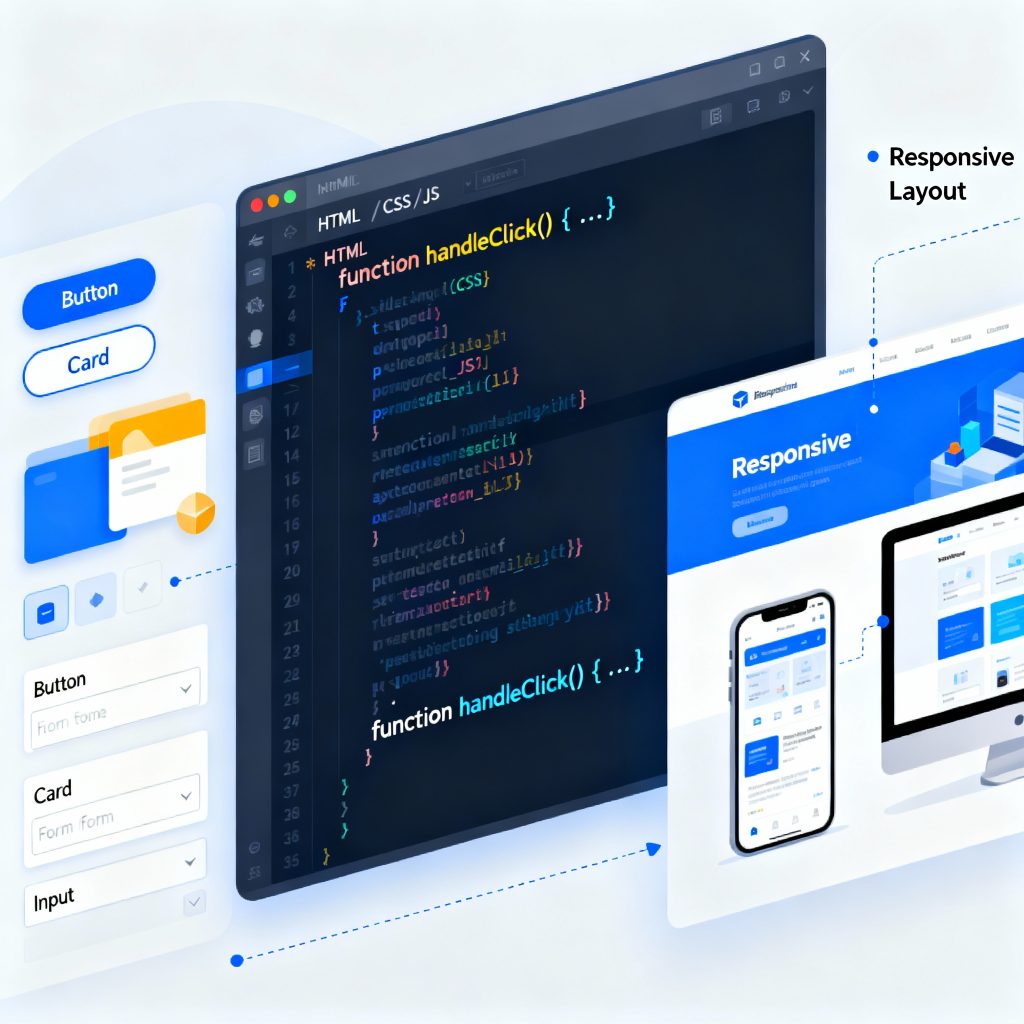
Illustration of frontend development showing a laptop with code editor, browser window, and UI components.
Frontend Developer

The Complete Guide to Becoming a Frontend Developer in 2025

Introduction In 2025, the role of a frontend developer has become one of the most exciting and creative careers in the tech world. A frontend developer builds everything a user sees and interacts with — from website layouts and animations to responsive buttons and navigation menus. This guide will help you understand what a frontend developer does, which skills you need, the tools used in 2025, and how to start your career. What is Frontend Development? Frontend development, often called the client-side of web development, deals with what users see on the screen. When you open a website, the design, color scheme, buttons, and animations — all are handled by frontend developers. Their main job is to transform static designs into fully functional, interactive web pages that look great on any device. Core Technologies You Must Learn To become a successful frontend developer, master these three building blocks: HTML (Structure)Defines the skeleton of a website using tags and elements. Example: headings, images, and links. CSS (Styling)Controls colors, fonts, and layout. Frameworks like Tailwind CSS and Bootstrap simplify this process. JavaScript (Interactivity)Adds logic and animations. In 2025, frameworks like React.js, Vue.js, and Next.js are industry favorites. Learn these three deeply, then move to advanced topics like APIs, TypeScript, and Performance Optimization. Frontend Developer Tools in 2025 Frontend developers rely on tools that enhance efficiency and quality: VS Code: Code editor with built-in extensions for HTML/CSS/JS. Git & GitHub: Manage versions and collaborate with teams. Figma: Understand design prototypes. Chrome DevTools: Debug and test performance. Node.js: Run tools and frameworks locally. MDN Web Docs on HTML — a trusted resource to strengthen your fundamentals. Frontend Developer Roadmap Follow this 7-step roadmap to become a frontend developer: Learn Basics: HTML, CSS, JS. Build Mini Projects: Portfolio, calculator, or to-do app. Learn Frameworks: React.js or Vue.js. Understand Version Control: Git and GitHub. Responsive Design: Make your site mobile-friendly. Deploy Projects: Use Netlify or Vercel. Build a Portfolio Website: Showcase your best work online. Career Growth and Salary Role Experience Salary (India) Junior Frontend Developer 0–2 years ₹4–6 LPA Frontend Engineer 2–5 years ₹6–10 LPA React Developer 3–6 years ₹8–15 LPA Frontend Architect 6+ years ₹15–25 LPA The more frameworks and tools you master, the higher your value in the market. Common Mistakes Beginners Should Avoid Ignoring responsive design Overusing frameworks without strong fundamentals Skipping Git version control Not learning debugging tools Not optimizing performance Future of Frontend Development In 2025, AI tools, WebAssembly, and Progressive Web Apps (PWA) are shaping the future. Frontend developers who stay updated with these trends will continue to be in high demand. Conclusion Becoming a frontend developer in 2025 is an incredible opportunity. It’s a mix of creativity, logic, and design. Learn the fundamentals, build projects, and continuously update your skills. Whether you work for a company or freelance, the demand for skilled frontend developers isn’t going anywhere. FAQs Is frontend development beginner-friendly?Yes, you can start with HTML, CSS, and JS even without prior coding experience. Which framework should I learn first?React.js — it’s the most popular in 2025. Do I need a degree to become a frontend developer?No, skill and portfolio matter more than degrees. How can I improve my frontend skills?Build projects, contribute to open source, and follow tutorials. What is the difference between frontend and backend?Frontend deals with visuals; backend handles logic and databases. Can AI replace frontend developers?No, AI assists — but creativity and user experience still need humans.


Futuristic digital city with glowing data analytics icons and brain hologram symbolizing smart business intelligence
Data Analytics

The Power Behind Smart Business Decisions in the Digital Era

Introduction In today’s digital-first world, data has become one of the most valuable resources for organizations. From e-commerce and healthcare to banking and education, every industry relies on data to make smarter, evidence-based decisions. Data Analytics bridges the gap between raw information and meaningful insights, empowering businesses to innovate, optimize operations, and predict future trends. What is Data Analytics? Data Analytics is the process of examining raw data to discover patterns, trends, and insights that can help make informed decisions. It involves collecting, cleaning, processing, and interpreting data using statistical and computational methods. Simply put, it helps answer questions like: What happened? Why did it happen? What will happen next? What should we do about it? Why Data Analytics Matters Organizations generate massive amounts of data every day — from customer interactions to online transactions. Data analytics helps transform this chaos into clarity. It enables companies to: Understand customer behavior Optimize marketing strategies Reduce operational costs Improve product quality Predict future market trends Businesses using data analytics are more agile, customer-centric, and profitable compared to those relying solely on intuition. Types of Data Analytics There are four main types of data analytics, each serving a unique purpose: Descriptive Analytics – Answers “What happened?” by summarizing past data. Diagnostic Analytics – Answers “Why did it happen?” by identifying causes and relationships. Predictive Analytics – Answers “What might happen?” using statistical models and machine learning. Prescriptive Analytics – Answers “What should we do?” by suggesting data-driven actions. Key Components of Data Analytics Data Collection: Gathering data from various sources like databases, APIs, and IoT devices. Data Cleaning: Removing inconsistencies, duplicates, and errors to ensure accuracy. Data Processing: Structuring data for analysis using tools and programming languages. Data Analysis: Applying algorithms, visualization, and statistical techniques. Data Interpretation: Turning results into actionable business strategies. Data Analytics Tools and Technologies Some popular tools and technologies include: Excel – Basic analytics and visualization. Python and R – For advanced statistical and machine learning models. Tableau and Power BI – For creating interactive dashboards. Apache Hadoop and Spark – For handling large-scale data. SQL – For querying structured databases. Google Analytics – For web and marketing analytics. Real-World Applications of Data Analytics Retail: Personalized recommendations and inventory optimization. Healthcare: Predicting disease outbreaks and improving patient care. Finance: Fraud detection and credit risk assessment. Manufacturing: Quality control and predictive maintenance. Education: Tracking student performance and customizing learning plans. Sports: Enhancing team performance using real-time stats. Benefits of Implementing Data Analytics Improved decision-making Enhanced customer experience Reduced costs and inefficiencies Increased innovation and competitiveness Real-time monitoring and performance evaluation Challenges in Data Analytics Despite its advantages, data analytics faces several challenges: Data privacy and security concerns Shortage of skilled professionals Integrating data from multiple sources Managing data quality and governance High implementation costs for small businesses Future Trends in Data Analytics Artificial Intelligence (AI) Integration: AI-driven analytics will automate insights. Edge Analytics: Real-time analysis on devices close to data sources. Augmented Analytics: Natural language processing (NLP) for easier data interaction. Cloud-Based Analytics: Scalable and cost-effective solutions for businesses of all sizes. Data Democratization: Empowering non-technical users to make data-driven decisions. Conclusion Data Analytics is no longer a luxury — it’s a necessity for organizations aiming to stay competitive in the digital age. From improving customer engagement to predicting market behavior, it helps businesses make informed, timely, and impactful decisions. As technology evolves, the role of analytics will continue to expand, unlocking even more opportunities for innovation and growth. Top Mobile App Development Frameworks in 2025 FAQs Q1. What is data analytics in simple terms?It is the process of analyzing raw data to find useful information for decision-making. Q2. How is data analytics different from data science?Data science focuses on developing algorithms and models, while analytics focuses on applying those models for business insights. Q3. Which industries use data analytics the most?Finance, healthcare, retail, e-commerce, and manufacturing industries rely heavily on analytics. Q4. What skills are needed for a career in data analytics?Statistical knowledge, Python/R programming, SQL, data visualization, and critical thinking. Q5. Is data analytics a good career option?Yes! It’s one of the most in-demand and high-paying career paths in the tech industry. Q6. What are some free tools to start learning data analytics?Google Analytics, Tableau Public, Power BI (free version), and Excel.

Futuristic business setting showing a diverse team collaborating around digital devices, surrounded by AI icons, smart data graphs, and a city skyline with the blog title “AI Readiness” prominently displayed(see the generated image above).
Artificial Intelligence

AI Readiness: The Foundation for Successful AI Integration

Introduction AI readiness is quickly becoming essential for businesses navigating the future of digital transformation. Organizations in every sector want to harness artificial intelligence (AI) to streamline processes, unlock strategic insights, and stay ahead of competitors. Yet, success is determined not by enthusiasm alone, but by how thoroughly an organization prepares for effective AI adoption. This blog explores what AI readiness means, why it matters, and how to chart a clear path toward responsible, scalable, and profitable AI initiatives.​   What Is AI Readiness? AI readiness measures an organization’s preparedness to implement and scale AI technologies effectively across its operations.​ It goes beyond having advanced technology—encompassing data management, infrastructure, workforce skills, ethical governance, and change management.​ Achieving readiness means developing a strategic vision, clarifying objectives, and building a roadmap that aligns AI projects with core business goals.​ Key Components of AI Readiness Strategy and Objectives Define clear business challenges and goals for AI initiatives. Align AI projects with overall corporate strategy and measurable KPIs.​ Secure leadership buy-in for long-term success.​ Data and Infrastructure Ensure high-quality, accessible data with strong governance and security.​ Upgrade technical infrastructure to support AI workloads (processing power, storage, network capabilities).​ Talent and Culture Invest in workforce training—AI skills, change management, and digital literacy.​ Foster a culture that welcomes innovation and adapts to new technologies.​ Governance and Risk Management Create policies for ethical, legal, and regulatory compliance in AI usage.​ Embed monitoring and feedback mechanisms to manage risks and ensure responsible AI deployment.​ How AI Readiness Drives Business Value Enhanced Efficiency: Automating repetitive tasks and leveraging AI for data analysis improves productivity and decision-making.​ Smarter Investments: Readiness assessments help businesses target high-impact projects and avoid costly missteps.​ Reduced Risks: Careful planning and training minimize failures and ensure robust, secure implementations.​ Competitive Advantage: Organizations ready for AI gain insights faster and innovate more effectively than competitors.​ Practical Steps For Building AI Readiness Conduct an AI readiness assessment to identify strengths and gaps.​ Implement the 11-step AI readiness checklist: Establish clear objectives Map current capabilities Develop an AI strategy and roadmap Improve data foundations Upgrade infrastructure Set governance policies Invest in talent and culture Pilot targeted projects Measure and iterate Engage leadership and stakeholders Ensure continuous learning and adaptation.​ Leverage real-world examples: Shell uses AI-driven predictive analytics for drilling optimization. IBM Watson analyzes healthcare data to guide treatment decisions.​ Retailers optimize inventory and supply chains with AI-powered demand forecasting.​ Conclusion AI readiness is the cornerstone of successful and sustainable AI transformation. By preparing across strategy, infrastructure, people, and governance, businesses unleash AI’s full potential—while mitigating risks and maximizing returns. Start by assessing your organization’s readiness, implementing targeted improvements, and fostering a future-ready culture. Ready to future-proof your business through AI? Begin your AI readiness assessment today and accelerate your journey to digital leadership! Flutter vs React Native — Which Framework Should You Choose in 2025? FAQ 1. What is an AI readiness assessment? An AI readiness assessment evaluates your organization’s strength across strategy, data, infrastructure, talent, culture, and governance to identify areas for improvement before adopting AI technologies.​ 2. Why should businesses focus on AI readiness? AI readiness prevents costly failures, boosts ROI, and enables responsible, scalable adoption—helping businesses realize the full value of AI investments.​ 3. What’s the most common barrier to AI readiness? Weak data infrastructure and insufficient workforce skills are frequent obstacles. Addressing these challenges is critical for smooth and effective AI integration.​ 4. Can small and medium businesses benefit from AI readiness? Yes. Clear objectives, practical assessments, and phased implementation plans help businesses of any size capitalize on AI opportunities.​ 5. How does AI readiness impact compliance and ethical use? Robust governance ensures AI systems are deployed responsibly, minimizing regulatory risk and building stakeholder trust.  

Person holding smartphone with floating 3D app interface elements including charts, profile icons, user forms, and settings.
Mobile App Development

The Future of Mobile App Development — Trends to Watch in 2025 and Beyond

Introduction The mobile app industry has evolved from basic utilities to sophisticated, AI-driven digital ecosystems. From finance and healthcare to entertainment and e-commerce, mobile apps have reshaped how we live, work, and connect. But as we step deeper into 2025, new technologies are transforming mobile app development faster than ever. Artificial intelligence, augmented reality, IoT, blockchain, and 5G are not just buzzwords — they are fundamental forces shaping the future of the mobile landscape. In this blog, we’ll explore the top mobile app development trends of 2025 and beyond, understand their real-world impact, and see how businesses and developers can stay ahead in the race. The Evolution of Mobile App Development Over the past decade, mobile app development has transitioned through multiple phases: 2010–2015: The era of native apps (Android & iOS) 2016–2020: Rise of cross-platform development (Flutter, React Native) 2021–2023: Emergence of cloud-based and AI-integrated mobile apps 2024–2025: Automation, personalization, and immersive app experiences Now, mobile apps aren’t just tools — they’re intelligent digital partners. Users expect real-time personalization, predictive responses, and seamless device integration — all powered by modern technologies. Top Mobile App Development Trends for 2025 Let’s explore the trends that are transforming mobile app development this year and will continue to do so beyond 2025. 1. AI-Powered Apps Artificial Intelligence (AI) and Machine Learning (ML) have become the backbone of modern apps. In 2025, AI integration is no longer optional — it’s essential. The Future of Mobile App Development — Trends to Watch in 2025 and Beyond Examples: Netflix’s recommendation system Siri and Alexa’s voice assistance Chatbots in e-commerce and banking apps How It Helps Developers: Enables smart personalization Improves predictive analytics Automates tasks like customer support and fraud detection Future Outlook:AI-driven apps will learn user habits and adapt in real-time, creating hyper-personalized digital experiences. 2. Internet of Things (IoT) Integration IoT continues to connect our world — from smart homes and wearable devices to connected vehicles and industrial systems. IoT-Enabled Apps Examples: Smart home apps like Google Home and Alexa Fitness trackers like Fitbit and Apple Health Vehicle monitoring apps like Tesla Why It Matters:IoT-enabled apps allow users to control and monitor real-world objects remotely, improving convenience, automation, and data-driven decision-making. 3. Augmented Reality (AR) & Virtual Reality (VR) AR and VR technologies are redefining user experiences in gaming, retail, real estate, and education. Examples: IKEA Place app lets users visualize furniture in their home. Pokémon GO popularized AR gaming. VR-based educational apps provide immersive learning environments. What’s New in 2025: 3D holographic experiences AR-powered virtual shopping Virtual collaboration workspaces Future Potential:AR/VR will blend physical and digital realities, turning smartphones into immersive gateways. 4. 5G Technology Revolution 5G is the key enabler behind most modern mobile innovations. Its high speed and low latency unlock new possibilities for app performance. Benefits of 5G in App Development: Faster data transfer rates Real-time cloud processing Better streaming quality Improved AR/VR and IoT experiences Example Applications: Real-time multiplayer gaming Remote surgery and telemedicine Live AR-based sports and entertainment Verdict:In 2025, every high-performance mobile app will be 5G-optimized by default. 5. Cross-Platform Development Dominance Frameworks like Flutter, React Native, and Kotlin Multiplatform are revolutionizing mobile app development by enabling developers to build apps for multiple platforms with a single codebase. Benefits: Lower development cost Faster time to market Consistent performance across platforms Prediction:By 2026, more than 70% of all mobile apps will be built using cross-platform frameworks. 6. Blockchain-Integrated Mobile Apps Blockchain technology is no longer limited to cryptocurrency. It’s enhancing security, transparency, and traceability across industries. Examples: Secure digital wallets Supply chain tracking apps Decentralized finance (DeFi) and voting systems Use Cases in 2025: Authentication via decentralized identity (DID) Smart contract integration for e-commerce Secure healthcare data sharing Why It Matters:Blockchain ensures data integrity and trust — essential for future-ready apps. 7. Wearable App Development The wearable tech market is booming, with smartwatches, fitness trackers, and AR glasses gaining traction. Examples: Apple Watch apps for health monitoring Fitbit sleep analysis AR-powered smart glasses Future Trend:Integration between mobile and wearable apps will become seamless, enabling unified health, communication, and entertainment ecosystems. 8. Low-Code & No-Code Development Low-code/no-code platforms empower entrepreneurs and non-developers to build apps using visual interfaces instead of manual coding. Top Platforms: AppyPie Adalo Bubble Why It’s Popular: Reduces time-to-market Cuts development costs Encourages innovation among startups Future Insight:By 2030, over 40% of new mobile apps will be built using low-code or no-code tools. 9. Super Apps — The All-in-One Ecosystem Super apps like WeChat, Grab, and Paytm combine multiple services (messaging, shopping, payments, etc.) into one platform. Why Super Apps Are Growing: Users prefer unified experiences Businesses can increase engagement Simplifies user onboarding Future Outlook:Expect to see more “Super App” ecosystems in sectors like travel, fintech, and healthcare. 10. Voice and Gesture-Based Interfaces The future of mobile UI is hands-free. With smart assistants and gesture control technologies, mobile apps are becoming more intuitive. Examples: Google Assistant voice commands Gesture control in Samsung and Pixel devices Voice-based healthcare or accessibility apps Prediction:Voice and gesture-driven apps will dominate in accessibility, IoT control, and automotive industries by 2027. The Future of App Monetization In 2025, monetization strategies are evolving beyond ads and subscriptions. Developers are exploring new models like: Microtransactions and digital collectibles (NFTs) Tokenized loyalty systems AI-powered recommendations for premium upgrades Businesses will focus more on sustainable engagement than just downloads. Challenges Developers Will Face Even with innovation, developers must tackle: Privacy and data security laws (GDPR 2.0, India DPDP Act) Device fragmentation and OS updates Battery optimization for 5G & AI-powered apps Rising user expectations for UX/UI design Success will depend on balancing innovation with compliance and performance. Conclusion The future of mobile app development in 2025 and beyond is intelligent, immersive, and interconnected. Apps will no longer just perform tasks — they’ll think, predict, and adapt in real time. To stay competitive: Embrace AI and automation. Focus on cross-platform performance. Prioritize security and privacy. Design for accessibility and sustainability. Whether you’re a developer or a business

Developer comparing Flutter and React Native frameworks
Mobile App Development

Flutter vs React Native — Which Framework Should You Choose in 2025?

Introduction In the world of mobile app development, two frameworks continue to dominate — Flutter by Google and React Native by Meta. Both have revolutionized cross-platform development by enabling developers to write one codebase that runs seamlessly on Android and iOS. But as the technology landscape evolves in 2025, developers and businesses alike face the same crucial question: “Should I choose Flutter or React Native for my next mobile app project?” In this comprehensive guide, we’ll break down every aspect — from performance and UI to community support and cost — to help you make the right decision. Overview of Flutter and React Native Flutter (by Google) Flutter is Google’s open-source UI framework for building natively compiled applications for mobile, web, and desktop — all from a single codebase. It uses the Dart programming language, and its “widget-based architecture” makes UI design fast, consistent, and beautiful. First Release: 2017Language: DartOwned By: GoogleUsed By: Google Ads, BMW, Reflectly, Alibaba React Native (by Meta) React Native is an open-source JavaScript framework developed by Facebook (now Meta) that allows developers to build mobile apps using React — a popular front-end library for web development. First Release: 2015Language: JavaScript (or TypeScript)Owned By: MetaUsed By: Instagram, Facebook, Walmart, Bloomberg Development Approach Feature Flutter React Native Language Dart JavaScript/TypeScript UI Building Uses its own widget system Uses native components Rendering Engine Skia Graphics Engine Native rendering bridge Hot Reload Instant Slight delay Learning Curve Moderate (Dart needed) Easier (JS familiarity) Verdict:If your team already knows JavaScript, React Native will feel familiar. But if you want full control over UI and performance, Flutter’s widget-based system is more powerful. Performance Comparison Flutter is known for near-native performance, thanks to its compiled (ahead-of-time) Dart code and direct rendering engine (Skia). It doesn’t rely on a JavaScript bridge to communicate with native components, which reduces lag. React Native, on the other hand, uses a bridge to connect JavaScript code to native APIs. Although it performs well for most apps, it can face delays under heavy animations or graphics-intensive tasks. Verdict:✅ Winner: Flutter — Faster, smoother animations and better GPU utilization. User Interface and Design Flutter comes with its own extensive widget library (Material and Cupertino), allowing developers to create uniform designs across platforms. It gives complete control over every pixel of the screen. React Native uses native components — meaning your app looks more “platform-native,” but customization might require third-party libraries. Verdict:✅ Winner: Flutter — More flexible and visually consistent UI. Development Speed and Productivity Flutter’s hot reload is incredibly fast, allowing real-time UI updates during coding. However, developers must learn Dart first. React Native’s fast refresh is also effective and benefits from JavaScript’s vast ecosystem, making development faster for web developers transitioning to mobile. Verdict:🤝 Tie — Flutter is faster for UI-heavy apps, React Native for simple apps. Community and Ecosystem React Native has a larger community because it’s older and built on JavaScript, the most widely used programming language. It also offers countless third-party libraries and plugins. Flutter’s community is younger but growing rapidly. Google’s strong support and increasing adoption make it a long-term contender. Verdict:✅ Winner: React Native — Larger ecosystem and developer base (for now). App Size Flutter apps tend to be larger in size (typically 20–50MB) due to its built-in rendering engine.React Native apps are lighter (smaller binaries), which makes them ideal for simpler applications. Verdict:✅ Winner: React Native — Smaller initial app size. Stability and Maintenance Flutter provides a consistent development experience since everything — UI, rendering, and logic — runs within the Flutter ecosystem.React Native depends more on third-party libraries, which sometimes leads to compatibility issues when libraries aren’t maintained. Verdict:✅ Winner: Flutter — More stable and predictable maintenance. Cost and Hiring Developers Flutter Developers: Slightly higher in demand (and costlier) due to specialized Dart knowledge.React Native Developers: Easier to find because JavaScript skills are common. Verdict:✅ Winner: React Native — Easier and more cost-effective to hire developers. Use Case Scenarios Type of App Recommended Framework Reason MVP / Prototype React Native Fast development & cost efficiency High-performance game / animation app Flutter Superior rendering & smooth performance Enterprise-level cross-platform app Flutter Scalability & Google support Simple business app React Native Faster and cheaper to develop Apps with heavy UI customization Flutter Complete UI control Popular Apps Comparison App Framework Highlights Google Ads Flutter Real-time analytics, consistent UI BMW Flutter 30+ countries, high performance Reflectly Flutter Smooth animations, AI journaling Instagram React Native Hybrid model for Android & iOS Facebook React Native Core app partially built using RN Discord React Native High performance & scalability Future Outlook in 2025 In 2025, both frameworks are evolving: Flutter 4.0+ introduces AI-assisted widgets, WebAssembly compilation, and improved memory management. React Native New Architecture (Fabric + TurboModules) is closing the performance gap with Flutter. Both frameworks are mature, enterprise-ready, and supported by tech giants. The choice ultimately depends on your team’s skillset and project goals. Conclusion Both Flutter and React Native are powerful frameworks that enable faster, cost-effective mobile app development in 2025. If you prioritize performance, design flexibility, and long-term scalability, go with Flutter.If you prefer familiarity, a large ecosystem, and cost efficiency, choose React Native. Ultimately, there’s no absolute winner — the “best framework” depends on your project type, budget, and developer expertise. In 2025, Flutter and React Native are not rivals — they’re two sides of the same innovation coin driving the mobile revolution. FAQs 1. Is Flutter faster than React Native?Yes, Flutter is faster because it uses a direct rendering engine without needing a JavaScript bridge. 2. Can I use both Flutter and React Native in the same project?Technically yes, but it’s uncommon. It’s best to stick with one framework for consistency. 3. Which framework is better for startups?React Native — due to its lower learning curve and abundance of JavaScript developers. 4. Which framework has better job opportunities in 2025?Flutter jobs are growing faster, but React Native still offers a broader market due to existing usage. 5. Which framework supports better

Illustration showing a hand holding a smartphone with the Android logo on the screen and the text "ANDROID APPS," connected via colorful lines to various icons representing different app categories and cloud services.
Mobile App Development

Top Mobile App Development Frameworks in 2025

Introduction The mobile app industry is growing faster than ever, and the demand for high-performing apps has reached new heights. Developers now need frameworks that offer speed, scalability, and cross-platform compatibility. In 2025, several frameworks dominate the app development world — each with its own unique advantages. Whether you’re an experienced developer or a beginner planning your first project, choosing the right mobile app development framework can significantly impact your app’s success. This guide explores the top mobile app development frameworks of 2025, comparing their features, performance, and use cases to help you make an informed decision. What is a Mobile App Development Framework? A mobile app development framework is a software toolkit that provides a foundation for building mobile applications. It includes reusable components like UI elements, API integrations, and development tools that speed up the process. Frameworks allow developers to: Write cleaner and reusable code Build cross-platform apps with a single codebase Reduce development time and costs Improve performance and scalability Frameworks are broadly divided into: Native frameworks (built specifically for iOS or Android) Cross-platform frameworks (run on multiple platforms) Hybrid frameworks (combine web and native technologies) Top Mobile App Development Frameworks in 2025 Let’s explore the best frameworks developers are using this year to build world-class mobile apps. 1. Flutter (by Google) Overview:Flutter continues to dominate the mobile app development space in 2025. It’s Google’s open-source UI framework for building natively compiled apps for mobile, web, and desktop from a single codebase. Key Features: Uses the Dart programming language Offers hot reload for real-time code updates Pre-built Material Design and Cupertino widgets Great performance, near-native experience Strong community and Google’s continuous updates Best For:Startups and enterprises that want visually rich, high-performing cross-platform apps. Popular Apps Built with Flutter:Google Ads, BMW App, eBay Motors, Reflectly 2. React Native (by Meta) Overview:React Native remains a favorite for developers who love JavaScript. It’s an open-source framework that enables developers to build mobile apps using React — the popular web library. Key Features: Uses JavaScript + React Near-native performance Vast community support Can integrate native modules for advanced functionality Supports both Android and iOS with a single codebase Best For:Developers who want a faster, flexible framework for building cross-platform apps. Popular Apps Built with React Native:Instagram, Facebook, Tesla, Walmart 3. SwiftUI (by Apple) Overview:For iOS developers, SwiftUI is a game-changer. Introduced by Apple, it allows developers to build interfaces declaratively using Swift — making it easier to design visually stunning apps for iPhone, iPad, and macOS. Key Features: Declarative UI syntax Real-time previews in Xcode Works seamlessly across Apple platforms Excellent integration with Combine framework Faster, cleaner codebase Best For:iOS developers who want to build modern apps within the Apple ecosystem. Popular Apps Built with SwiftUI:Apple’s own apps, productivity tools, finance apps, and more. 4. Kotlin Multiplatform (by JetBrains) Overview:Kotlin Multiplatform allows developers to share code between Android, iOS, desktop, and web apps. It’s ideal for businesses seeking efficiency without compromising native experience. Key Features: Code sharing across platforms Native performance and flexibility Interoperable with existing Java and Swift code Excellent IDE support (Android Studio + IntelliJ) Backed by JetBrains, creators of Kotlin Best For:Teams working on Android-first projects who also want iOS compatibility. 5. Ionic Overview:Ionic is an open-source framework built on top of Angular and Apache Cordova. It enables developers to build hybrid apps using standard web technologies like HTML, CSS, and JavaScript. Key Features: Based on web components Huge plugin library Easy learning curve for web developers Works with Angular, React, and Vue Rapid prototyping capability Best For:Web developers transitioning to mobile app development. Popular Apps Built with Ionic:MarketWatch, JustWatch, Diesel 6. Xamarin (by Microsoft) Overview:Xamarin is a mature framework backed by Microsoft that allows developers to build Android and iOS apps using C#. It’s integrated deeply with Visual Studio, offering great tooling support. Key Features: Code sharing up to 90% Uses C# and .NET Native-like performance Full access to native APIs Backed by Microsoft ecosystem Best For:Enterprise-level applications and teams already using Microsoft tools. 7. Apache Cordova Overview:Apache Cordova allows developers to create hybrid mobile apps using HTML, CSS, and JavaScript. It wraps web apps into native containers for distribution. Key Features: Simple for web developers Access to device features via plugins Works across all major platforms Strong community Best For:Lightweight apps and prototypes with basic device features. Comparison Table of Frameworks (2025) Framework Language Platform Performance Ideal For Community Support Flutter Dart Cross-Platform ★★★★★ Startups & Enterprises Excellent React Native JavaScript Cross-Platform ★★★★☆ Web Devs & Startups Excellent SwiftUI Swift iOS/macOS ★★★★★ Apple Ecosystem Strong Kotlin Multiplatform Kotlin Multi ★★★★☆ Android-first Teams Growing Ionic JS + Web Tech Hybrid ★★★☆☆ Web Developers Good Xamarin C# Cross-Platform ★★★★☆ Enterprises Strong Cordova JS Hybrid ★★☆☆☆ Simple Apps Moderate How to Choose the Right Framework When selecting a framework, consider the following factors: Target Platform – Are you developing for Android, iOS, or both? Budget & Timeline – Flutter and React Native offer cost efficiency for cross-platform projects. Performance Needs – Native frameworks like SwiftUI or Kotlin offer the best performance. Developer Skillset – Choose a framework aligned with your team’s expertise. Community Support – Strong ecosystems ensure faster problem-solving. Future of App Development Frameworks In 2025, frameworks are moving toward: AI-driven UI generation Low-code integration Seamless IoT and wearable support Improved 3D rendering for AR/VR apps Serverless backend integration Flutter and React Native are expected to remain top contenders, while Kotlin Multiplatform and SwiftUI will continue dominating their native ecosystems. Conclusion Choosing the right mobile app development framework is one of the most important decisions you’ll make as a developer or business owner. Frameworks like Flutter, React Native, SwiftUI, and Kotlin Multiplatform are shaping the future of mobile innovation. If you aim for performance and user experience, go native. If your priority is speed, flexibility, and cost efficiency, cross-platform frameworks are the way forward. In 2025, the best framework is not about popularity — it’s about what fits your project goals and audience. FAQs 1. Which framework

Hands holding a tablet displaying the words "Mobile Apps Development" surrounded by digital icons representing technology and app functions.
Mobile App Development

Mobile App Development: A Complete Guide for 2025

Introduction Mobile app development has become one of the most dynamic and in-demand fields in today’s digital world. With more than 6.5 billion smartphone users globally, mobile applications are now the bridge between businesses and consumers. From e-commerce and social media to healthcare and education, every industry is investing in mobile technology to provide better accessibility and user engagement. In this comprehensive guide, we’ll explore the mobile app development process, latest frameworks, industry trends for 2025, and strategies to build successful apps that deliver exceptional user experiences. What is Mobile App Development? Mobile app development is the process of creating software applications designed to run on mobile devices such as smartphones and tablets. These apps can be native (built for a specific platform like Android or iOS), hybrid (built using web technologies), or cross-platform (single codebase for multiple platforms). The key stages of mobile app development include: Idea and Research Planning and Wireframing UI/UX Design Development and Coding Testing and Quality Assurance Deployment and Maintenance Types of Mobile Applications a) Native Apps Native apps are built for a specific operating system (like iOS using Swift or Android using Kotlin). They deliver the best performance and user experience. b) Hybrid Apps Hybrid apps use a combination of web and native technologies. Tools like Ionic and Cordova help developers create apps quickly for both platforms. c) Cross-Platform Apps These apps are developed using frameworks like Flutter, React Native, and Xamarin. The single codebase runs smoothly on both Android and iOS. d) Progressive Web Apps (PWAs) PWAs are web applications that behave like native apps. They’re lightweight and don’t require installation from an app store. The Mobile App Development Process Step 1: Idea and Research The first step is identifying the problem your app will solve. Conduct market research to understand user pain points and analyze competitors. Step 2: Planning and Strategy Define your app’s purpose, target audience, and features. Create a roadmap and choose the right tech stack. Step 3: UI/UX Design Design is the soul of any app. Focus on user-friendly interfaces, minimalistic layouts, and intuitive navigation. Step 4: App Development Developers start coding based on design prototypes. This includes backend APIs, front-end development, and database integration. Step 5: Testing Testing ensures that the app functions as expected on all devices. QA engineers test for bugs, usability, security, and performance. Step 6: Deployment Once the app passes testing, it’s submitted to the Google Play Store or Apple App Store. Step 7: Maintenance Continuous updates, performance optimization, and feature enhancements keep your app relevant and secure Top Mobile App Development Frameworks in 2025 Flutter – Google’s UI toolkit for building beautiful, natively compiled apps. React Native – Developed by Meta, it allows JavaScript developers to create native-like apps. SwiftUI – Apple’s modern framework for iOS app development. Kotlin Multiplatform – Ideal for Android developers who want to expand cross-platform. Ionic & Xamarin – Great options for hybrid development. Key Mobile App Development Trends for 2025 AI and Machine Learning IntegrationSmart recommendations, chatbots, and predictive analytics are reshaping mobile UX. 5G ConnectivityFaster speed and lower latency enable richer app experiences. Augmented Reality (AR) and Virtual Reality (VR)Used in gaming, retail, and education to enhance interactivity. Wearable App DevelopmentSmartwatches and fitness bands require lightweight, synchronized mobile apps. Low-Code/No-Code PlatformsBusinesses can now build simple apps without extensive coding. App Security FocusBiometric authentication, encryption, and data privacy laws are top priorities. Cost of Mobile App Development The cost depends on factors such as app complexity, features, platform choice, and developer expertise. Basic App: $5,000 – $20,000 Mid-Level App: $20,000 – $50,000 Complex App: $50,000+ Choosing offshore or freelance developers can also impact pricing. Monetization Strategies Freemium Model – Free app with paid premium features. In-App Advertising – Revenue from displayed ads. Subscriptions – Recurring payments for continuous use. One-Time Purchases – Paid download model. Sponsorships & Partnerships – Collaborations with brands. Challenges in Mobile App Development Device fragmentation Security vulnerabilities Battery optimization App store approval delays Keeping up with OS updates Overcoming these challenges requires continuous learning, testing, and optimization. Conclusion Mobile app development in 2025 is evolving faster than ever. Whether you’re an entrepreneur, developer, or business owner, understanding the latest tools, frameworks, and trends will help you build successful mobile applications. Focus on user experience, performance, and security — and your app will stand out in the crowded marketplace. FAQs 1. What programming languages are best for mobile app development?Swift, Kotlin, JavaScript (React Native), and Dart (Flutter) are among the top languages used. 2. How long does it take to develop a mobile app?On average, simple apps take 2–3 months, while complex apps may take 6–12 months. 3. Can I build an app without coding skills?Yes. Low-code/no-code platforms like Adalo, Glide, and AppyPie make it possible. 4. How do I choose between native and cross-platform development?Choose native if performance is critical; go for cross-platform if you want faster, cost-efficient development. 5. How can I ensure my app is secure?Implement encryption, secure APIs, two-factor authentication, and regular updates. 6. What’s the future of mobile app development?AI-driven apps, IoT integration, AR/VR experiences, and blockchain-based apps will dominate the next decade.

AWS cloud servers in a modern data center showcasing cloud infrastructure for enterprises.
aws

Real-World Applications

Introduction In today’s hyper-connected world, Amazon Web Services (AWS) is not just a technology platform — it’s the digital backbone that drives innovation across startups, enterprises, and even governments. From Netflix streaming billions of hours of content to Airbnb hosting millions of travelers, AWS quietly powers some of the most successful businesses in the world.Real-World Applications using AWS In this blog, we’ll explore how AWS helps modern businesses innovate, scale, and stay secure, with real-world examples and industry use cases. Why Businesses Choose AWS AWS is the global leader in cloud computing, offering: 200+ cloud services across compute, storage, AI, networking, and IoT. Global presence with 30+ regions and 100+ availability zones. Pay-as-you-go pricing — no upfront infrastructure costs. High reliability and security, trusted by Fortune 500 companies and startups alike. Simply put, AWS helps businesses reduce costs, increase agility, and accelerate innovation. Real-World Business Applications of AWS Let’s explore how organizations across different industries are using AWS to drive transformation: A. Entertainment & Media: Netflix Netflix, one of the biggest streaming platforms, runs almost its entire infrastructure on AWS. How AWS Helps: Amazon EC2 & S3 handle massive video storage and global streaming. AWS Lambda automates backend tasks. Amazon CloudFront delivers content with minimal buffering worldwide. Amazon Personalize enhances recommendations using AI. Impact: Netflix streams content to over 250 million users seamlessly across the globe. B. E-Commerce: Amazon & Flipkart AWS is the foundation of e-commerce scalability. Whether it’s Black Friday or Diwali sales, platforms like Amazon and Flipkart rely on AWS to manage unpredictable traffic. How AWS Helps: Elastic Load Balancing (ELB) distributes incoming traffic efficiently. Amazon DynamoDB handles real-time transactions. AWS Lambda supports serverless order processing. Amazon CloudWatch monitors system health. Impact: Businesses can serve millions of concurrent users without downtime. C. Banking & Finance: Capital One Capital One, a leading U.S. bank, uses AWS for secure data management and AI-driven fraud detection.  How AWS Helps: Amazon SageMaker trains AI models for fraud prevention. Amazon RDS and Redshift manage sensitive financial data. AWS KMS and IAM ensure security and compliance. Impact: Faster data insights, improved fraud detection, and reduced operational risk. D. Healthcare: Pfizer In healthcare, data privacy and scalability are crucial. Pfizer uses AWS to support vaccine research, testing, and supply chain operations. How AWS Helps: AWS High Performance Computing (HPC) accelerates research simulations. Amazon S3 stores medical data securely. Amazon SageMaker assists in predictive analysis and drug discovery. Impact: Accelerated vaccine development and real-time data collaboration globally. E. Smart Cities & IoT: Siemens Siemens, a leader in smart infrastructure, uses AWS IoT and analytics tools to build intelligent, connected cities. How AWS Helps: AWS IoT Core connects millions of sensors and devices. Amazon Kinesis processes streaming data in real-time. AWS Greengrass enables local computation on IoT devices. Impact: Reduced energy waste, smarter transportation, and predictive maintenance systems. Core Benefits for Businesses 1. Scalability AWS lets companies scale up or down based on demand — no hardware needed. 2. Cost Efficiency With AWS’s pay-per-use model, businesses pay only for resources they consume. 3. Security & Compliance AWS complies with global standards like ISO, GDPR, HIPAA, ensuring enterprise-grade security. 4. Innovation & Speed AWS tools for AI, ML, DevOps, and IoT help companies launch products faster. 5. Global Reach With data centers in every continent, AWS enables businesses to go global instantly. Emerging AWS Use Cases in 2025 Industry AWS Use Case Service Used Retail AI-driven product recommendations Amazon Personalize Education Online learning platforms AWS Amplify, CloudFront Manufacturing Predictive equipment maintenance AWS IoT Analytics Logistics Smart tracking systems AWS Lambda, DynamoDB Gaming Real-time multiplayer servers Amazon GameLift, EC2 How Startups Leverage AWS Startups often struggle with limited resources — AWS bridges that gap. AWS offers a Startup Program providing: $1,000–$100,000 in credits Technical mentorship Access to global startup communities From Zomato to Slack, countless startups have grown into unicorns using AWS’s flexible ecosystem. The Future of AWS in Business By 2025 and beyond, AWS is expected to focus more on: AI-driven automation Sustainable green data centers Quantum computing (Amazon Braket) Industry-specific cloud platforms This evolution ensures AWS remains the cornerstone of business technology innovation. Conclusion AWS isn’t just a hosting platform — it’s a complete digital ecosystem that empowers businesses to innovate, scale, and secure their operations. From Netflix’s streaming empire to Pfizer’s medical breakthroughs, AWS proves that cloud computing is the true engine of modern business growth. In the future, every industry — from education to space exploration — will likely run on the AWS cloud. FAQs Q1. Which companies use AWS in real life? Major companies like Netflix, Capital One, Pfizer, Airbnb, and Siemens rely on AWS for scalability, security, and global performance. Q2. How does AWS help startups? AWS provides free credits, mentorship, and tools to help startups build and scale cost-effectively through the AWS Activate Program. Q3. Why do enterprises prefer AWS over other cloud providers? Because AWS offers the widest range of services, stronger global infrastructure, and enterprise-grade security compliance. Q4. How does AWS ensure data security for businesses? AWS uses encryption, IAM policies, firewalls, and compliance frameworks like ISO and GDPR to protect data integrity and privacy. Q5. What’s the future of AWS in business? AWS will continue to lead innovations in AI, sustainability, and industry-specific cloud solutions, shaping how companies operate in the digital era.

Developers using top AWS cloud computing services in a data center.
aws

Top AWS Services Every Developer Should Know in 2025

Introduction In 2025, cloud computing has become the backbone of nearly every digital product — from web apps and mobile platforms to data analytics and AI. Among the top players, Amazon Web Services (AWS) continues to dominate with its vast portfolio of cloud solutions. But with over 200+ services, developers often wonder: Which AWS services are truly essential to learn and master? This blog breaks down the top AWS services every developer should know in 2025, whether you’re building scalable applications, deploying AI models, or managing infrastructure efficiently. Amazon EC2 (Elastic Compute Cloud)  What It Is: Amazon EC2 is the foundation of AWS — a service that provides virtual servers (instances) in the cloud. Developers can deploy, configure, and manage applications without owning physical hardware.      Key Features: Choose from hundreds of instance types. Autoscaling to adjust capacity based on demand. Pay only for what you use (per second billing). Integrates with EBS, VPC, and CloudWatch for full control.  Developer Use Case: Host web servers, run backend applications, or deploy testing environments quickly. Amazon S3 (Simple Storage Service) What It Is: Amazon S3 provides scalable object storage for files, backups, and media. It’s the go-to service for storing and retrieving data anytime, anywhere.  Key Features: Store unlimited data securely. Versioning and lifecycle management. Encryption and access control. High durability (99.999999999% uptime). Developer Use Case: Used to store static website content, images, logs, videos, or data backups for apps. AWS Lambda What It Is: AWS Lambda is a serverless computing service that lets developers run code without provisioning or managing servers. Key Features: Automatically scales based on requests. Supports multiple languages (Python, Node.js, Java, etc.). Triggers functions using AWS services like S3 or API Gateway. Developer Use Case: Ideal for microservices, real-time file processing, or automation workflows. Amazon RDS (Relational Database Service) What It Is: Amazon RDS makes it simple to set up, operate, and scale a relational database in the cloud.     Key Features: Supports MySQL, PostgreSQL, Oracle, and SQL Server. Automated backups and patching. Multi-AZ replication for high availability.   Developer Use Case: Perfect for managing web app databases without worrying about hardware or maintenance. Amazon DynamoDB What It Is: DynamoDB is AWS’s fully managed NoSQL database that provides lightning-fast performance and seamless scalability.  Key Features: Handles millions of requests per second. Fully serverless — no infrastructure management. Integrates with Lambda and API Gateway for real-time apps. Developer Use Case: Used for e-commerce, gaming, IoT, and chat applications that require low-latency reads/writes. AWS CloudFormation What It Is: CloudFormation automates the deployment of AWS resources using code templates written in YAML or JSON — a process known as Infrastructure as Code (IaC).  Key Features: Repeatable, consistent environment setup. Version control with Git. Works with almost all AWS services. Developer Use Case: Set up complex infrastructure automatically across multiple environments (e.g., dev, test, production). AWS IAM (Identity and Access Management)  What It Is: AWS IAM controls access to AWS services and resources securely.  Key Features: Fine-grained permissions and policies. Role-based access control (RBAC). Integration with Multi-Factor Authentication (MFA). Developer Use Case: Manage users, groups, and roles for safe collaboration within a development team. Amazon CloudFront What It Is: CloudFront is a Content Delivery Network (CDN) that speeds up content delivery globally using edge locations. Key Features: Low latency data delivery. DDoS protection through AWS Shield. Integrates with S3 and EC2. Developer Use Case: Host and deliver websites, videos, or APIs faster to users worldwide. Amazon SageMaker What It Is: A fully managed Machine Learning (ML) service that helps developers and data scientists build, train, and deploy models at scale. Key Features: Pre-built ML algorithms. Integrated Jupyter notebooks. Supports model deployment and monitoring. Developer Use Case: Create predictive analytics systems, AI chatbots, or computer vision models. Amazon ECS & EKS  What It Is: ECS (Elastic Container Service) and EKS (Elastic Kubernetes Service) are AWS container orchestration tools for managing Docker and Kubernetes workloads.  Key Features: Container-based deployments. Auto-scaling and load balancing. Integrated with AWS Fargate (serverless containers).  Developer Use Case: Ideal for modern microservice-based applications. Bonus: AWS Amplify For front-end and mobile developers, AWS Amplify simplifies app development by integrating hosting, authentication, and APIs — all through a single platform. Developer Use Case: Deploy full-stack web and mobile apps (React, Angular, Flutter) with integrated backend support. Why Developers Should Learn AWS in 2025 High Demand: AWS-certified professionals are among the most sought-after in the IT world. Scalability: Build applications that grow as your user base increases. AI/ML Integration: AWS makes it easy to implement intelligent automation. Career Growth: AWS knowledge is a gateway to cloud engineering, DevOps, and data science roles. Conclusion In 2025, AWS continues to dominate the cloud landscape, empowering developers with the tools to build anything — from simple web apps to AI-driven platforms. Mastering these core AWS services will not only make you a more efficient developer but also open doors to endless opportunities in the evolving tech world. Whether you’re just starting or scaling enterprise systems, AWS remains your most powerful ally in the cloud journey. FAQs Q1. Which AWS services are most important for developers? The most essential AWS services include EC2, S3, Lambda, RDS, DynamoDB, CloudFront, and IAM for compute, storage, and security management. Q2. What is the easiest AWS service to learn first? Amazon S3 is often the easiest starting point — it’s user-friendly, visual, and requires minimal coding to store and retrieve files. Q3. Which AWS services are used for machine learning? Amazon SageMaker, AWS Lex, and AWS Rekognition are popular for AI and ML development. Q4. What are container services in AWS? AWS offers ECS (Elastic Container Service) and EKS (Elastic Kubernetes Service) for running containerized applications. Q5. How do developers deploy code on AWS? Developers can deploy code using AWS CodePipeline, Elastic Beanstalk, or Lambda functions depending on the application type. Q6. Which AWS service helps automate infrastructure setup? AWS CloudFormation enables Infrastructure as Code (IaC), allowing automated deployment of servers, databases, and networking. Q7. Is AWS still

Modern data center with servers representing AWS cloud computing
aws

Understanding AWS Cloud Computing: A Complete Beginner’s Guide

Introduction In today’s digital era, cloud computing has become the foundation of modern IT infrastructure — and Amazon Web Services (AWS) stands tall as its undisputed leader. From small startups to Fortune 500 giants, businesses worldwide rely on AWS to build, scale, and innovate faster than ever before. But what exactly is AWS? How does it work? And why has it become so essential for the global tech ecosystem? This detailed guide breaks down AWS Cloud Computing in simple terms — exploring its services, advantages, architecture, and how it’s shaping the future of business and technology. What is AWS (Amazon Web Services)? Amazon Web Services (AWS) is a cloud computing platform developed by Amazon that provides on-demand IT resources over the internet on a pay-as-you-go basis. Instead of purchasing expensive hardware or managing physical servers, users can rent computing power, storage, databases, and other services from AWS and scale them as needed. In short, AWS allows you to: Build and host applications Store and process data Analyze large datasets Deploy AI and machine learning models Create global-scale systems — all without owning any physical infrastructure How AWS Cloud Computing Works AWS operates on a shared infrastructure model, which means multiple customers share the same underlying hardware and resources securely through virtualization. The AWS ecosystem consists of three main layers: Infrastructure as a Service (IaaS): Virtual servers, storage, and networking (e.g., EC2, S3). Platform as a Service (PaaS): Managed environments for application development (e.g., AWS Elastic Beanstalk). Software as a Service (SaaS): Ready-to-use cloud-based software applications. You can manage everything through: AWS Management Console (Web UI) AWS CLI (Command Line Interface) AWS SDKs (for programming languages) Key AWS Services Explained AWS offers 200+ fully featured services — here are some of the most popular ones categorized for better understanding 👇 1. Compute Services These handle your application’s processing power. Amazon EC2 (Elastic Compute Cloud): Virtual servers that run applications. AWS Lambda: Serverless computing — runs code automatically when triggered. Elastic Beanstalk: Automatically deploys and manages web applications. ECS / EKS: Manage Docker containers and Kubernetes clusters. 2. Storage Services For storing and retrieving any amount of data anytime. Amazon S3 (Simple Storage Service): Scalable object storage for files, images, backups. Amazon EBS: Persistent block storage for EC2 instances. Amazon Glacier / S3 Glacier Deep Archive: Long-term data archiving at low cost. 3. Database Services Fully managed databases for different needs. Amazon RDS: Relational databases like MySQL, PostgreSQL, Oracle, SQL Server. Amazon DynamoDB: Fast NoSQL database for real-time applications. Amazon Redshift: Data warehousing and analytics. 4. Security and Identity AWS Identity and Access Management (IAM): Manage user permissions and roles. AWS Shield & WAF: Protection against DDoS and web attacks. AWS KMS: Manage encryption keys for data protection. 5. Networking and Content Delivery Amazon VPC (Virtual Private Cloud): Isolated cloud network environment. Route 53: Domain name service and routing. AWS CloudFront: Global content delivery network (CDN) for faster website loading. 6. Artificial Intelligence & Machine Learning AWS provides advanced AI capabilities through easy-to-use APIs and frameworks. Amazon SageMaker: Build, train, and deploy machine learning models. AWS Lex: Natural language chatbot framework (used in Alexa). AWS Rekognition: Image and video recognition API. AWS Polly: Text-to-speech service. 7. Developer and Management Tools AWS CloudFormation: Automate resource deployment using templates. AWS CloudWatch: Monitor system health and performance. AWS CodeBuild / CodePipeline: Continuous integration and deployment tools. Benefits of Using AWS Cloud Computing Scalability and FlexibilityInstantly scale up or down based on demand. Perfect for growing startups and large enterprises alike. Cost-Effective (Pay-as-You-Go)No upfront investment — pay only for what you use. Reliability and AvailabilityAWS operates data centers in multiple Availability Zones (AZs) worldwide ensuring 99.99% uptime. Security and ComplianceAdvanced encryption, network isolation, and compliance with international standards like ISO and GDPR. Global ReachWith over 30 regions worldwide, AWS delivers low-latency experiences anywhere. Integration and EcosystemSeamless integration with third-party apps and other AWS services. Real-World Examples of AWS in Action 1. Netflix Netflix runs its entire global streaming infrastructure on AWS, using EC2, S3, and CloudFront to deliver videos to millions of users in real time. 2. Amazon.com Naturally, Amazon itself uses AWS to power e-commerce operations, analytics, and logistics automation. 3. NASA NASA uses AWS to store and analyze satellite data, making it available for researchers worldwide. 4. Capital One The financial giant uses AWS for secure cloud-based banking applications, fraud detection, and data analysis. AWS Pricing Explained AWS follows a pay-as-you-go model, meaning you only pay for the computing resources you use.Pricing depends on: Service type (e.g., EC2 vs. S3) Usage time (per hour or per second) Region (data center location) Data transfer and storage You can also use: AWS Free Tier: Try 100+ services free for 12 months. AWS Pricing Calculator: Estimate monthly costs before deploying. Challenges of AWS Despite its power, AWS isn’t perfect. Common challenges include: Complex pricing structure. Learning curve for beginners. Over-dependence on one provider (vendor lock-in). Cost overruns if resources aren’t monitored properly. The Future of AWS AWS is rapidly evolving beyond traditional cloud computing. Emerging trends include: Serverless computing becoming mainstream. AI and ML integration across services. Quantum computing development (via Amazon Braket). Sustainability initiatives, making AWS data centers carbon-neutral. AWS is no longer just infrastructure — it’s an innovation ecosystem that powers the digital transformation of the modern world. Conclusion AWS Cloud Computing has revolutionized the way organizations build, deploy, and scale applications. With its vast array of services, global reach, and flexible pricing, AWS remains the go-to platform for startups, enterprises, and developers alike. Whether you’re launching a new app, running data analytics, or exploring AI, AWS gives you the tools, flexibility, and speed to innovate at scale — all from the cloud. Frequently Asked Questions (FAQs) Q1. What is AWS Cloud Computing? Answer: AWS (Amazon Web Services) is a comprehensive cloud platform that provides on-demand access to IT resources like servers, storage, databases, and software — all accessible over the internet on a pay-as-you-go basis. It helps organizations build and scale applications without

How would you like me to respond?

Select a personality for your AI assistant

Normal
Happy
Sad
Angry

Your selection will affect how the AI assistant responds to your messages

Chat Assistant

Let's discuss your project!

Hear from our clients and why 3000+ businesses trust TechOTD

Tell us what you need, and we'll get back with a cost and timeline estimate

Scroll to Top