
news & events

news & events

Microsoft is Turning Outlook into a Progressive Web App (PWA)

Introduction Microsoft is making a significant shift by transforming Outlook into a Progressive Web App (PWA), signaling a new era in how users will access one of the world’s most widely used email and productivity platforms. PWAs merge the best of web and mobile apps, offering faster loading times, offline access, and enhanced responsiveness, all while maintaining the ease of use of a web browser. This blog explores what the transformation of Outlook into a PWA means for users and businesses, the benefits of PWAs, and how this evolution reflects broader trends in cloud-based software and cross-platform accessibility. For deeper insights into cloud computing, AI integrations, and modern app development strategies, visit TechOTD’s AI and cloud services and their technology blog. What is a Progressive Web App (PWA)? A PWA is essentially a web application that offers a native app-like experience through modern web technologies. It works in any browser but can be installed on desktops or mobile devices, features offline functionality, push notifications, fast load times, and responsive design. Why Is Microsoft Turning Outlook into a PWA? Cross-Platform Consistency: The Outlook PWA provides a uniform experience across Windows, macOS, Linux, Android, and iOS, simplifying maintenance and updates. Instant Access and Offline Use: PWAs load quickly, even on slow connections, and can be used offline with cached data, ensuring continuous productivity. Reduced Disk Space Usage: Unlike traditional native apps, PWAs have smaller footprints since they run through browsers but still offer app-like features. Faster Updates and Deployment: Updates can be rolled out centrally on the web, bypassing app store approval delays and ensuring users always have the latest features. Key Benefits for Users and Businesses Improved Performance and Reliability: The Outlook PWA loads quickly and handles network fluctuations gracefully. Seamless Integration with Microsoft 365: The app works smoothly with Microsoft’s suite of productivity tools in the cloud. Enhanced Security: PWAs benefit from browser-level security enhancements and centralized update management. Simplified IT Management: Easier deployment and management for businesses reducing support overhead. Broader Implications for Cloud and App Development Microsoft’s move underscores a growing industry trend toward cloud-native, browser-first applications that prioritize accessibility, speed, and security. This approach aligns with the increasing adoption of cloud platforms powered by AI and continuous integration/deployment pipelines. Learn how cloud computing and AI are shaping modern business applications: Cloud Computing in Banking and Finance. How TechOTD Can Help TechOTD offers expert consulting and development services to help businesses leverage PWAs, cloud computing, and AI-driven digital transformation strategies that align with their operational goals. Explore TechOTD’s cloud and mobile app development services: TechOTD Services. Conclusion Microsoft turning Outlook into a Progressive Web App represents a pivotal step toward more accessible, agile, and user-friendly productivity tools. PWAs offer promise in delivering fast, reliable experiences without sacrificing features or security, paving the way for the future of enterprise software. Businesses and users alike stand to benefit from this innovative approach as cloud-first strategies continue to dominate. Stay informed about evolving app technologies and cloud trends with expert insights from TechOTD Blog. FAQs Q1: What platforms will Outlook PWA support? It will support Windows, macOS, Linux, Android, and iOS. Q2: Can Outlook PWA be used offline? Yes, it supports offline access through cached data. Q3: How does PWA improve update cycles? Updates are deployed on the web instantly without app store delays. Q4: Is Outlook PWA secure? Yes, it benefits from browser security and centralized update control. Q5: How does this affect IT management? Simplifies deployment, reduces update overhead, and eases support efforts.
news & events

Google Acquires AppSheet: A Leap Forward in No-Code Mobile App Development

Introduction In a significant move advancing the no-code development landscape, Google has officially acquired AppSheet, a leading no-code mobile app development platform. This acquisition marks a strategic step by Google to empower businesses and citizen developers to create powerful mobile and web applications without writing traditional code. By integrating AppSheet’s capabilities with Google Cloud’s robust infrastructure and AI tools, Google aims to revolutionize application development and accelerate digital transformation across industries. This blog explores the details of Google’s acquisition of AppSheet, its implications for the no-code market, how it benefits enterprises, and the future of app development powered by AI and cloud. For deeper insights on AI-enhanced software development and cloud solutions, explore TechOTD’s AI services and their technology blog. What is AppSheet? AppSheet is a no-code development platform that enables users to build customized mobile and web applications using data sources like Google Sheets, Excel, and cloud databases. It offers an intuitive drag-and-drop interface, automation capabilities, and integration with various SaaS tools, allowing business users and developers to rapidly prototype and deploy apps tailored to specific workflows without writing code. Why Google Acquired AppSheet? 1. Democratizing App Development Google’s acquisition endorses its philosophy of making technology accessible to everyone, enabling “citizen developers” to innovate independently within organizations. 2. Enhancing Google Cloud Offerings AppSheet enriches Google Cloud’s ecosystem by adding powerful no-code tools, facilitating faster digital transformation and adoption of cloud-native application models. 3. Accelerating AI Integration Combined with Google’s AI and machine learning technologies, AppSheet apps can incorporate intelligent automation, predictive analytics, and personalized experiences seamlessly. Benefits to Businesses and Developers Fast, Cost-Effective Development: Business teams can deploy apps to address operational needs without lengthy coding cycles. Reduced Dependence on IT: Non-technical users gain autonomy to build and modify apps, lightening IT burdens. Integration with Google Workspace: Smooth workflows with Google Sheets, Drive, BigQuery, and other cloud services. Scalable and Secure: Deployed on Google Cloud infrastructure with enterprise-grade security and compliance. Learn how predictive analytics and AI enhance such app solutions: Predictive Analytics Software Development. The Future of No-Code and Low-Code Development The acquisition underscores a broader industry trend toward no-code/low-code platforms, which are revolutionizing software development by: Expanding developer ecosystems and speeding innovation Enabling rapid response to business process changes Reducing software development backlogs and costs At the same time, challenges remain around governance, integration, and scaling no-code applications securely. How TechOTD Supports No-Code Innovation TechOTD helps businesses leverage no-code and low-code platforms alongside traditional development to build hybrid solutions tailored for scalability and performance. Their AI-powered tools assist rapid prototyping, integration, and process automation for digital success. Discover their mobile and AI solutions here: TechOTD Mobile and AI Services. Conclusion Google’s acquisition of AppSheet is a game-changer, making no-code app development more accessible, scalable, and intelligent. By blending AppSheet’s ease of use with Google Cloud’s powerful AI and infrastructure, businesses can accelerate digital transformation while empowering non-technical users to innovate rapidly. This milestone signals a future where software creation is a collaborative, inclusive process supported by AI-driven tools. Stay updated on the latest in app development and AI technologies with TechOTD’s expert insights at TechOTD Blog. FAQs Q1: What is AppSheet’s core offering? A no-code platform for building mobile and web apps using existing data sources and drag-and-drop tools. Q2: How does Google benefit from acquiring AppSheet? It enhances Google Cloud’s portfolio with powerful no-code development capabilities and AI integration. Q3: Who can benefit from AppSheet? Both business users without coding skills and professional developers streamline app development. Q4: What industries can leverage no-code platforms? Virtually all, including healthcare, finance, retail, manufacturing, and logistics. Q5: Does AppSheet integrate with AI and analytics? Yes, especially post-acquisition, it is increasingly integrated with Google’s AI and predictive analytics services.

news & events

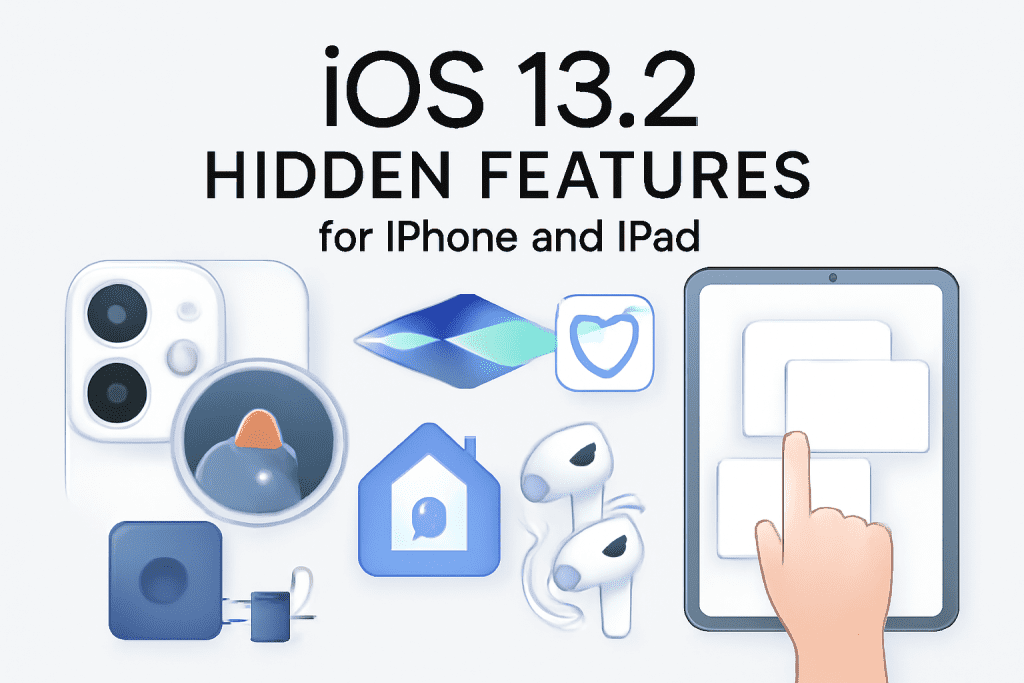
iOS 13.2 Is Here: Unlocking Hidden Features for iPhone and iPad

Introduction Apple continues to refine its iOS ecosystem, and the release of iOS 13.2 brings a host of exciting features and enhancements specifically designed for iPhones and iPads. Beyond the usual performance improvements and bug fixes, this update unlocks several hidden functionalities that elevate user experience, privacy, and device capabilities. Whether you’re an everyday user or a tech enthusiast, understanding these lesser-known features is key to getting the most out of your Apple devices. This blog delves into the standout hidden features of iOS 13.2 for iPhones and iPads, how to access them, and why they matter. Discover the cutting-edge innovations Apple integrates subtly but powerfully, further enriching the user experience. Explore more technology insights and software updates at TechOTD Blog with expert analyses and tips. What’s New in iOS 13.2? While Apple lists headline features in its release notes, iOS 13.2 includes several hidden or underappreciated enhancements: 1. Advanced Deep Fusion for Better Photos Deep Fusion is Apple’s new AI-driven imaging technique improving detail and reducing noise in medium to low-light photos. Available on iPhone 11, 11 Pro, and 11 Pro Max, it processes multiple exposures pixel by pixel to deliver studio-quality imagery. 2. Enhanced Siri Privacy Controls Users can now opt out of sharing Siri and Dictation audio recordings with Apple, enhancing user privacy and data control. This shift reflects growing concerns over voice assistant data security. 3. HomeKit Secure Video and HomeKit-enabled Routers iOS 13.2 introduces HomeKit Secure Video support, allowing secure surveillance video storage with iCloud, while HomeKit-enabled routers provide segmented network security to better protect smart home devices. 4. New Emojis and Unicode 12 Support Over 70 new emojis, including animals, food, and accessibility symbols, bring more expressive options to messaging and social media. 5. Improved Multitasking Gestures on iPad Hidden improvements in gesture responsiveness and multiwindow management make multitasking on iPad smoother and more intuitive. 6. AirPods Pro Support and Spatial Audio With iOS 13.2, Apple introduces AirPods Pro support featuring active noise cancellation and spatial audio, enhancing immersive sound experiences. How to Access and Use These Hidden Features Deep Fusion: Automatically enabled on supported iPhone models, capturing optimized photos in the background. Siri Privacy: Go to Settings > Siri & Search > Siri & Dictation History to control audio sharing preferences. HomeKit Secure Video: Requires a compatible HomeKit camera and iCloud storage plan; configure via Home app. iPad Multitasking: Try new gestures such as dragging apps into split view more fluidly with updated system responsiveness. AirPods Pro: Pair your AirPods Pro with an iPhone running iOS 13.2 or later to unlock exclusive audio features. Why These Features Matter These lesser-known enhancements reveal Apple’s commitment to user privacy (Siri controls), superior multimedia experiences (Deep Fusion, AirPods Pro), and smarter smart-home security (HomeKit features). For iPad users, improved multitasking gestures elevate productivity, emphasizing the device’s role as a powerful mobile workstation. TechOTD’s Role in Apple Ecosystem Innovation TechOTD leverages emerging Apple technologies in its app development and AI-driven solutions, ensuring clients harness the latest iOS capabilities to build next-generation applications. Stay informed about evolving Apple trends and related software development insights through TechOTD’s blogs. Conclusion iOS 13.2 is not just about visible new features but also packed with subtle yet powerful updates that refine privacy, photography, audio, and productivity on iPhones and iPads. Users and developers should explore these hidden gems to fully leverage their devices’ capabilities amid Apple’s continuing innovation trajectory. Keep your devices updated to enjoy these benefits seamlessly. FAQs Q1: Which iPhone models support Deep Fusion? iPhone 11, 11 Pro, and 11 Pro Max. Q2: How do I disable Siri audio sharing? Navigate to Settings > Siri & Search > Siri & Dictation History and opt-out. Q3: What is HomeKit Secure Video? A feature that securely stores video from HomeKit-enabled cameras in iCloud. Q4: Does iOS 13.2 improve iPad multitasking? Yes, with enhanced gestures and multiwindow responsiveness. Q5: What audio experience does iOS 13.2 add for AirPods? It introduces support for AirPods Pro with active noise cancellation and spatial audio.

How would you like me to respond?

Select a personality for your AI assistant

Normal
Happy
Sad
Angry

Your selection will affect how the AI assistant responds to your messages

Chat Assistant

Let's discuss your project!

Hear from our clients and why 3000+ businesses trust TechOTD

Tell us what you need, and we'll get back with a cost and timeline estimate

Scroll to Top