Author name: Kirti Sharma

Koishu Digital web development and digital marketing services banner
Digital Marketing

Koishu Digital – Building Smart Digital Solutions for Modern Businesses

Introduction In today’s competitive digital landscape, businesses require more than just an online presence. They need modern websites, effective branding, strong SEO strategies, and scalable digital platforms to stay ahead in the market. Koishu Digital focuses on helping businesses establish a strong digital identity through innovative web development and digital marketing solutions. Whether it is website design, e-commerce development, or online branding, Koishu Digital aims to create user-friendly and performance-driven digital experiences that help businesses grow successfully. Why Businesses Need Digital Transformation Digital transformation is no longer optional for businesses. Customers now search online before purchasing products or services. A professionally developed website and strategic digital marketing plan help businesses improve visibility and attract potential customers. Benefits of digital transformation include: Increased online visibility Better customer engagement Stronger brand reputation Higher conversion rates Improved business scalability Businesses that invest in modern digital solutions gain a competitive advantage in today’s fast-changing online market. Web Development Services by Koishu Digital Responsive Website Development A responsive website is essential for providing a smooth user experience across all devices. Koishu Digital develops websites that are optimized for desktops, tablets, and smartphones. Key features include: Mobile-friendly layouts Fast-loading web pages Modern user interface design SEO-friendly structure Secure browsing experience Responsive websites improve customer engagement and reduce bounce rates, helping businesses achieve better online performance. E-Commerce Development Solutions The e-commerce industry continues to expand rapidly. Businesses need secure and scalable online stores that provide seamless shopping experiences for customers. Koishu Digital offers e-commerce solutions with features such as: Secure payment integration Inventory management systems Product management tools Fast checkout process Smart product recommendations These features help businesses improve customer satisfaction and streamline operations. Digital Marketing Services Search Engine Optimization (SEO) SEO is one of the most effective ways to improve online visibility. Proper SEO strategies help websites rank higher on search engines and attract targeted traffic. SEO benefits include: Higher search engine rankings Increased website traffic Better lead generation Improved brand authority Long-term online growth Koishu Digital focuses on building SEO-friendly digital platforms that help businesses strengthen their online presence. Social Media Marketing Social media platforms play a major role in brand promotion and customer engagement. Effective social media marketing helps businesses connect directly with their audience. Social media marketing strategies may include: Brand awareness campaigns Content promotion Audience engagement Lead generation campaigns Paid advertising strategies Strong social media presence improves customer trust and business credibility. Google Search Central SEO Guide Schema.org Official Website Importance of Branding and User Experience Professional Branding A strong brand identity helps businesses stand out from competitors. Professional branding creates trust and leaves a lasting impression on customers. Branding services may include: Logo design Creative visual identity Website UI/UX design Brand consistency Digital graphics creation Strong branding supports long-term business growth and recognition. User Experience and Performance User experience is one of the most important factors for online success. Customers prefer websites that are easy to navigate, fast, and visually appealing. Important elements of good user experience include: Clean design layout Easy navigation Mobile responsiveness Fast page speed Secure browsing Websites with better user experience often achieve higher engagement and conversion rates. Future of Digital Business Growth Technology is continuously evolving, and businesses must adapt to changing digital trends. Artificial intelligence, automation, analytics, and modern marketing strategies are shaping the future of online business growth. Koishu Digital focuses on providing scalable and innovative digital solutions that help businesses stay competitive in the digital era. Businesses that embrace digital transformation today are more likely to succeed in the future. Koishu Digital Home TechOTD Portfolio Page Conclusion A professional website and effective digital strategy are essential for modern business success. Koishu Digital helps businesses grow through web development, e-commerce solutions, SEO, branding, and digital marketing services. By combining technology, creativity, and business-focused strategies, the company supports brands in building strong digital identities and achieving long-term online growth. Frequently Asked Questions What is Koishu Digital? Koishu Digital is a digital solutions company that provides web development, e-commerce development, branding, SEO, and digital marketing services. Why is SEO important for websites? SEO improves search engine rankings, increases website traffic, and helps businesses reach more customers online. Does Koishu Digital provide responsive website development? Yes, the company develops responsive websites optimized for desktops, tablets, and mobile devices. What are the benefits of digital marketing? Digital marketing helps businesses increase visibility, improve engagement, generate leads, and grow their online presence. Why is branding important for businesses? Branding creates trust, improves recognition, and helps businesses establish a strong identity in competitive markets.

Futuristic data center control room featuring holographic dashboards with real-time energy metrics, AI-optimized power flows, declining PUE graphs, and server racks illuminated in blue-green neon; symbolizes advanced energy management software architecture and benefits (see the generated image above
Software development

Data Center Energy Management Software Development Guide

Introduction Data centers consume massive energy, accounting for up to 4.4% of U.S. electricity today and projected to reach 6.7–12% by 2028, driven by AI and cloud growth. Developing custom energy management software addresses this by enabling real-time monitoring, AI optimization, and cost control. This guide explores architecture, key benefits, and development costs to help enterprises build efficient, scalable solutions amid rising demands and sustainability pressures. Software Architecture Overview Modern data center energy management software follows a phased, modular architecture for reliability and scalability. Discovery & Audit: Map infrastructure, identify inefficiencies via sensors and PDUs. Core Layers: Real-time data ingestion (IoT/Kafka), backend analytics (Spark), AI forecasting, and automated controls for cooling/power. Frontend & Integration: Intuitive dashboards with UI/UX for PUE tracking; APIs link BMS, HVAC, servers. Scalability Features: Cloud/hybrid setup, digital twins for simulation, anomaly detection. This microservices-based design handles high-throughput data, ensuring 99.9% uptime in dynamic AI workloads. This futuristic dashboard visualizes real-time energy flows, PUE metrics, and AI predictions in a clean, professional interface. Key Development Phases Development spans 3–12 months, starting with prototyping to minimize risks. Planning & Design: Define requirements, prototype data pipelines. Build & Integrate: Develop backend/AI modules, connect IoT devices. Test & Deploy: Load testing, phased rollout; continuous optimization post-launch. Advanced Tech: Incorporate ML for load forecasting, physics-aware thermal models. Phased execution allows mid-scale platforms in 6 months, enterprise solutions longer. Major Benefits Custom software delivers measurable ROI through efficiency and compliance. Cost Reduction: Optimizes loads, cuts cooling energy by 15–30%; ROI in 12–18 months. Sustainability: Tracks carbon footprint, supports net-zero via renewable integration. Reliability: Predictive maintenance extends hardware life, boosts uptime. Compliance: Automates ISO 50001/ESG reports. Hyperscalers like Google use AI cooling for 30% savings. Data shows PUE drops from 1.7+ to 1.1–1.3. Cost Breakdown Total costs range $80K–$800K+, varying by scope. Component Cost Range Key Factors IoT/Data Integration $10K–$50K Sensors, APIs Backend/Analytics $40K–$150K Processing, optimization AI Modules $50K–$200K Forecasting, automation UI/Testing/Deploy $50K–$200K Dashboards, QA Enterprise multi-site: $400K+; save via modular builds, existing frameworks. Ongoing maintenance: $1.5K–$4K/month. Real-World Use Cases Google DeepMind: AI cooling automation cut energy 30%, fully hands-free. HPC Supercomputers: Physics-ML reclaimed 85 MWh/year via setpoint tweaks. Hyperscalers: Real-time PUE tracking avoids overages. These prove software outperforms hardware alone for dynamic loads. Conclusion Data center energy management software architecture enables real-time control, delivering 15–30% savings, extended uptime, and ESG compliance. Enterprises gain scalability for AI growth while cutting costs from $80K investments. Start your development journey today—audit your infrastructure and request a custom quote for optimized, future-proof efficiency. FAQ What is data center energy management software? Specialized platforms monitor/optimize power, cooling via AI for efficiency. How much does development cost? $80K–$800K based on features like AI/multi-site support. What are key benefits? Reduced costs (15–30%), predictive maintenance, sustainability reporting. How long to develop? 3–12 months; simple monitoring faster than enterprise AI systems. Why custom over off-the-shelf? Tailored integrations, scalability beat generic tools.

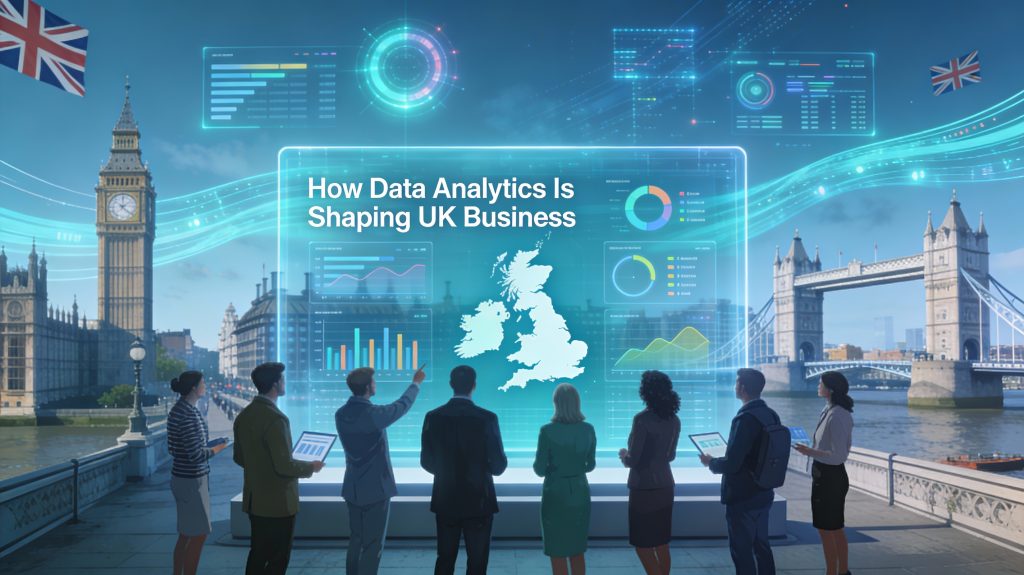
How Data Analytics Is Shaping UK Business
Data Analytics

Data Analytics in UK SMEs and Startups

Introduction Across the UK, data analytics has shifted from back-office reporting to a strategic capability that determines which businesses grow, adapt, and outperform competitors. The UK data analytics market was valued at roughly USD 3.5–4.7 billion in 2024 and is expected to grow to around USD 17–25 billion by 2030–2033, reflecting rapid adoption across industries. This blog explores how data analytics is transforming key UK sectors, the benefits for organisations of all sizes, and where the next wave of innovation is heading.​ How to Build Demand Forecasting Software Why Data Analytics Matters to UK Businesses UK companies increasingly see data as a core asset that underpins competitiveness, resilience, and innovation.​ Around three-quarters of UK businesses now prioritise data to drive performance, highlighting a shift from intuition-led to insight-led decisions.​ Analytics helps organisations anticipate market shifts, simulate scenarios, and respond faster to changing customer needs and economic pressures.​ For SMEs, data analytics supports improved decision making, better understanding of customers, and more efficient operations, narrowing the gap with larger competitors.​ Key benefits frequently cited by UK businesses include:​ Faster, evidence-based decisions instead of guesswork. Reduced costs through process optimisation and elimination of bottlenecks. Stronger customer relationships through targeted, personalised engagement. Sector-by-Sector Impact Across the UK Data analytics is shaping the future differently in each sector, but with a common thread: more precise, proactive decision-making.​ Retail and eCommerce UK retailers use predictive analytics to personalise offers, optimise pricing, and forecast demand, improving conversion and margins.​ Analytics also supports inventory optimisation and omnichannel experiences, reducing stockouts and enhancing customer satisfaction.​ Financial services Finance and insurance are among the top sectors for advanced analytics and AI adoption in the UK, with adoption rates above 60% in some surveys.​ Banks and fintechs use analytics for fraud detection, credit scoring, risk modelling, and personalised financial products.​ Healthcare and life sciences Providers use analytics to improve diagnostic accuracy, optimise treatment pathways, and allocate resources more efficiently.​ Population-level data supports better planning, while predictive models help identify at-risk patients earlier.​ Manufacturing, logistics, and energy Manufacturers and logistics firms deploy data analytics for predictive maintenance, supply chain optimisation, and demand planning.​ In energy, analytics supports load forecasting, grid optimisation, and integration of renewables, boosting reliability and sustainability.​ Public sector and local government UK public bodies increasingly use analytics for service planning, resource allocation, and measuring policy impact.​ Data-driven insights help improve citizen services and identify where interventions deliver the greatest value.​ How Data Analytics Empowers UK SMEs For UK SMEs, data analytics has become a practical way to compete with larger players by using insight rather than scale.​ Operational efficiency SMEs analysing operational data can identify inefficiencies, reduce waste, and improve productivity, directly impacting profitability.​ Tools like dashboards and business intelligence platforms make it easier to monitor KPIs in real time.​ Targeted marketing and customer insight Analytics enables small firms to segment customers, tailor messaging, and focus spend on high-value segments, improving ROI.​ Behaviour and purchase data help SMEs refine offerings and build long-term customer loyalty.​ Competitive advantage and innovation UK SMEs using analytics gain better visibility into market trends and competitor activity, helping them spot opportunities earlier.​ Even simple analytics (sales trends, channel performance, campaign analysis) can drive more confident, growth-oriented decisions.​ Future Trends: Where Data Analytics Is Taking UK Business Emerging trends in analytics are set to deepen its impact across UK sectors in the coming years.​ AI and machine learning embedded everywhere AI-driven analytics, including predictive and prescriptive models, is moving from specialised teams into everyday business processes.​ This shift enables automated decision support, from dynamic pricing to smart routing and personalised recommendations.​ Augmented analytics and self-service BI Augmented analytics tools help non-technical staff interact with data using natural language queries and guided insights.​ This broadens analytics adoption beyond data teams, making insight generation a normal part of daily work.​ Higher adoption, but also new challenges UK surveys show high adoption of advanced digital technologies like AI, big data, and cloud, but also highlight gaps in skills and technology diffusion, especially for smaller firms.​ Data privacy, governance, and talent shortages remain key challenges, pushing organisations to invest in training and robust data strategies.​ Conclusion Data analytics is reshaping the future of UK businesses by turning raw data into a strategic resource that drives growth, resilience, and innovation across sectors. From retail personalisation and financial risk management to SME efficiency and public-sector optimisation, analytics is now embedded in how organisations plan, decide, and compete. To stay ahead, UK businesses should invest in clear data strategies, accessible analytics tools, and upskilling teams so insight becomes a daily habit rather than an occasional project.​ A strong call-to-action: Audit how your organisation currently uses data, identify two or three high-impact decisions that could be improved with analytics, and pilot a focused data project that delivers measurable value within 90 days.​ FAQ 1. Which UK sectors are leading in data analytics adoption? Finance and insurance, retail, healthcare, manufacturing, energy, and parts of the public sector are among the leading adopters of data analytics in the UK.​ 2. How does data analytics help UK SMEs? It helps SMEs make better decisions, improve operational efficiency, understand customers more deeply, and gain competitive advantage despite limited resources.​ 3. What are the main challenges with data analytics in the UK? Common challenges include data quality, privacy and compliance, skills shortages, and difficulty integrating analytics into day-to-day decision-making.​ 4. Is data analytics only for large enterprises? No. Affordable cloud tools, self-service dashboards, and packaged BI solutions now make analytics accessible to even very small UK firms.​ 5. What future trends should UK businesses watch? Key trends include deeper integration of AI and machine learning, growth of augmented analytics, and broader sector-wide adoption supported by cloud and data infrastructure investments.​

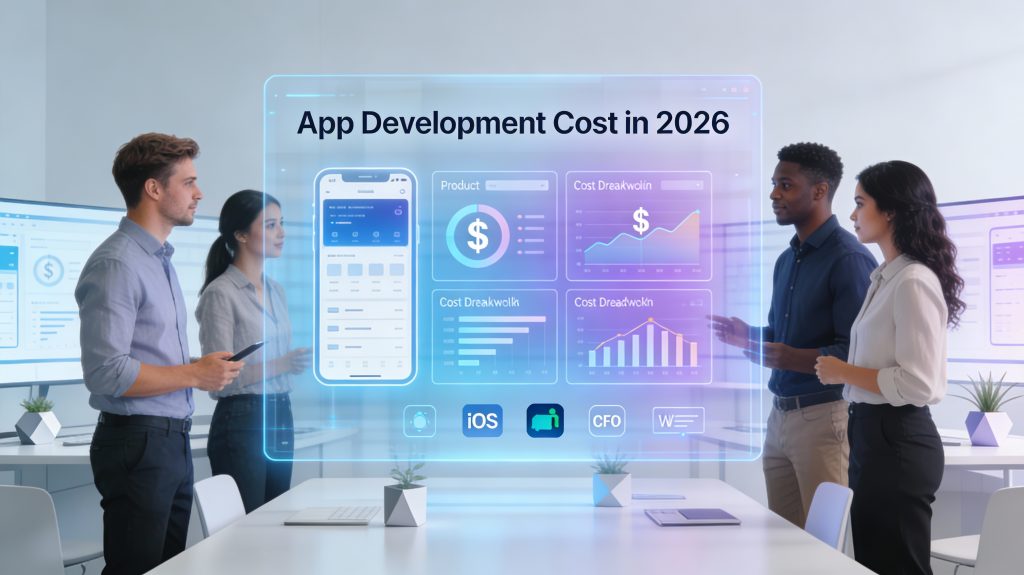
Futuristic 16:9 business illustration showing a diverse professional team in a modern digital workspace, reviewing mobile app wireframes and cost breakdown charts on large transparent screens, with iOS, Android, and web icons, cool blue and purple gradients, and the title “App Development Cost in 2026” displayed prominently.
App Development

How Much Does it cost to Develop an App in 2026?

Introduction Launching an app in 2026 is less about “Can it be built?” and more about “What will it take to build it right?” A clear understanding of app development costs helps you avoid budget overruns, choose the right tech stack, and prioritize features that actually move the needle. Industry data from 2024–2025 suggests that app budgets continue to rise with expectations around UX, security, and AI-driven features. This guide breaks down realistic app cost ranges, the factors that influence them, and how to estimate your own budget so you can plan with confidence.​ How to Build Demand Forecasting Software Typical App Cost Ranges in 2026 Most cost ranges for 2026 can be extrapolated from up-to-date 2024–2025 benchmarks, adjusted for modest inflation and complexity trends.​ Simple apps (few screens, basic CRUD, no complex backend): $20,000 – $60,000.​ Medium-complexity apps (auth, APIs, payments, dashboards): $60,000 – $150,000.​ Complex apps (real-time features, AI/ML, AR/VR, heavy integrations): $150,000 – $350,000+.​ Key global benchmarks you can expect to still hold in 2026:​ Many full projects land in the $80,000 – $250,000 range for a high-quality product. Building in regions with higher hourly rates (e.g., North America) tends to push you toward the upper end of these ranges.​ What Actually Drives App Cost? Several core factors decide where your app sits in those ranges.​ App complexity & features Basic apps (e.g., content display, simple forms) require fewer development hours and cheaper infrastructure.​ Advanced features like AR, AI recommendations, real-time chat, or IoT integrations add specialist skills and more development time, increasing cost significantly.​ Platform choice (iOS, Android, web, cross-platform) Native apps (separate iOS and Android codebases) can run $90,000 – $330,000+ depending on complexity.​ Cross-platform solutions (e.g., Flutter, Kotlin Multiplatform) often reduce cost, with many projects between $60,000 – $230,000+ while still offering near-native performance.​ Location and rates of the development team Typical hourly ranges: North America $100–$250/hour, Western Europe $80–$200/hour, Eastern Europe $30–$70/hour, India $20–$50/hour.​ The standard formula still applies in 2026: App cost = Development hours × hourly rate.​ Design depth and UX/UI Basic UI may add tens of thousands; advanced motion design and custom interactions can push design alone into the $20,000–$50,000+ range for complex products.​ Strong UX can reduce rework and support, making it a strategic investment, not just an aesthetic choice.​ Backend, integrations, and infrastructure Apps needing complex backends, microservices, or multiple third-party integrations (payments, CRM, analytics, logistics) cost more than standalone or offline-first apps.​ Advanced apps may require scalable cloud infrastructure, which influences both build and ongoing costs.​ Cost Breakdown by Phase and Platform You can break down an app budget into phases and platforms to see where your money goes.​ Typical Phase-Wise Budget Split While exact numbers vary, many 2025 guides outline a similar structure that remains relevant going into 2026.​ Strategy & discovery: 5–10% of total budget (market research, requirements, product workshops).​ UX/UI design: 10–20% (wireframes, prototypes, visual design).​ Development (frontend + backend): 50–60% (core build work).​ QA & testing: 10–20% (manual + automated tests, performance checks).​ Project management & overhead: 5–10% (coordination, sprint planning, reporting).​ Maintenance alone is often estimated at about 15–25% of the initial app cost per year, covering bug fixes, OS updates, and minor improvements.​ Platform & Tech-Stack Cost Snapshot Recent industry breakdowns give realistic benchmarks by platform and approach that still guide 2026 planning.​ Native mobile (iOS + Android): often $90,000 – $330,000+ for full-featured apps.​ Cross-platform (Flutter, Kotlin Multiplatform): roughly $60,000 – $230,000+, especially attractive if you need both platforms quickly.​ Web or PWA versions: commonly $15,000 – $60,000 for robust products, depending on complexity.​ How to Estimate Your Own App Budget for 2026 Using current data, you can create a practical, reader-focused estimate for your own 2026 app project.​ Define your app’s complexity List features as “must-have”, “nice-to-have”, and “future”. Map yourself to a band: simple, medium, or complex as described earlier.​ Choose approach and region Decide between native vs. cross-platform and where your team will be based (e.g., Eastern Europe vs. US).​ Use realistic hourly rates from those regions, such as $20–$50/hour in India vs. $100–$250/hour in North America.​ Estimate hours and multiply Simple MVPs often take 2–3 months, while complex builds can exceed 4 months.​ After you receive rough hour ranges from vendors, apply the formula: hours × hourly rate to get your baseline.​ Add buffer and maintenance Add 10–20% contingency for scope changes or unknowns.​ Plan 15–25% of initial cost annually for maintenance, marketing integrations, and updates so the app remains competitive.​ Conclusion Developing an app in 2026 will usually require a budget between $20,000 and $300,000+, with most serious business apps landing in the $80,000–$250,000 bracket once design, engineering, QA, and launch are accounted for. Your exact cost depends on complexity, feature set, platform strategy, and the location and experience level of your development team, but structured estimation and clear priorities keep you in control of the numbers. To move forward, define your must-have features, choose a tech approach (native vs. cross-platform), then request detailed estimates from 2–3 vendors so you can compare scope, timelines, and total cost before committing.​ A strong call-to-action: Document your app idea clearly, shortlist potential partners, and request a line-item quote that separates design, development, QA, and maintenance—this single step will dramatically improve your chances of delivering on time and on budget.​ FAQ 1. What is the minimum cost to build an app in 2026? For a very simple MVP with limited screens and basic backend, many teams can still deliver something usable starting around $20,000–$30,000, especially with cross-platform frameworks or lower-rate regions.​ 2. Why do some apps cost over $300,000? Apps that cross the $300,000 mark typically include complex architectures, AI/ML, AR/VR, real-time features at scale, and multiple third-party integrations, all of which require larger teams and longer timelines.​ 3. How much should I budget yearly for maintenance? A common rule of thumb is 15–25% of your initial development cost per year to cover bug fixes, performance tuning, OS updates, and incremental improvements.​ 4. Is cross-platform cheaper than native development? In many cases yes, because one codebase covers both iOS and Android, with example cost ranges such as $60,000 – $230,000+ versus $90,000 – $330,000+ for separate native builds of similar complexity.​ 5. How do developer locations affect app cost? Hourly rates vary significantly: North America tends to charge $100–$250/hour, Western Europe $80–$200/hour, Eastern Europe $30–$70/hour,

Business team analyzing AI-powered demand forecasting dashboards and digital supply chain charts in a modern office setting.
Software development

How to Build Demand Forecasting Software

Introduction Demand forecasting software is changing the way businesses predict product demand and optimise inventory. Accurate forecasts help companies reduce costs, improve customer satisfaction, and streamline supply chain management. Building demand forecasting software requires integrating data analytics, machine learning, and seamless system integration. This blog explores essential steps, features, and technologies for developing effective demand forecasting software in 2025. What Is DevOps and Why It Matters in 2025 Key Features of Demand Forecasting Software Data Integration: Connects with ERP, CRM, inventory, sales, and external market data sources for real-time updates.​ Predictive Models: Uses machine learning and statistical algorithms (ARIMA, LSTM, Prophet) to analyse trends, seasonality, and external factors.​ Scenario Planning & What-If Analysis: Allows businesses to simulate effects of price changes, promotional campaigns, or supply disruptions for strategic planning.​ Alerts & Notifications: Automated alerts for significant demand shifts or anomalies ensure proactive management.​ Customizable Dashboards: Tailored interfaces for different departments and decision makers to access relevant insights.​ Cloud-Based & Scalable: Enables remote access, large-scale data handling, and fast updates.​ Steps to Build Demand Forecasting Software Define Objectives and Requirements: Clarify goals like improving accuracy, automation level, and integration needs with existing systems.​ Data Collection and Preprocessing: Gather internal data (sales, inventory, CRM) and external market info, clean and normalize for analysis.​ Select Forecasting Models and Algorithms: Choose suitable predictive models (e.g., ML-based, statistical models) that match business domain and data characteristics.​ Design Software Architecture: Develop modules for data processing, model training, forecasting, alerts, and reporting with scalability in mind.​ Implementation & Integration: Build backend services, frontend dashboards, and connect with ERP/Sales systems using APIs.​ Testing & Validation: Validate model accuracy with historical and real-time data; simulate scenarios and optimize performance.​ Deployment and User Training: Roll out software with training sessions and support to ensure adoption and feedback loops.​ Benefits of Demand Forecasting Software Reduced Inventory Costs: Optimize stock levels to minimize carrying and shortage costs.​ Improved Operational Efficiency: Facilitate better production planning and resource allocation.​ Enhanced Customer Service: Meet demand timely by avoiding stockouts and delays.​ Strategic Business Decisions: Utilize scenario analysis to foresee market changes and plan effectively.​ Realtime Adaptation: Quickly respond to market shifts with alerts and updated forecasts.​ Conclusion Building effective demand forecasting software requires a harmonious blend of data analytics, predictive modeling, and practical system integration. By following methodological steps from defining clear objectives to deployment, businesses can achieve accurate forecasting, reduce costs, and improve operational agility. As 2025 evolves, demand forecasting software powered by AI and real-time data integration becomes an indispensable tool for competitive businesses. FAQ 1. What types of data are needed for demand forecasting software? Sales records, inventory levels, market trends, CRM data, and external economic signals.​ 2. Which machine learning models are commonly used? ARIMA, LSTM, and Facebook Prophet are popular for time-series demand prediction.​ 3. Can demand forecasting software adapt to sudden changes? Yes, advanced solutions provide real-time data integration and anomaly detection for quick adaptation.​ 4. How important is scenario planning? It enables businesses to simulate potential disruptions or changes in conditions, aiding better decision-making.​ 5. Is cloud deployment recommended? Yes, cloud ensures scalability, accessibility, and ease of updates for demand forecasting software.​

Futuristic business-themed illustration showing interconnected DevOps icons, cloud symbols, and automation gears around a central laptop dashboard, with the title text 'How to Choose the Right DevOps Automation Tools for Your Business' displayed prominently on a clean, dark-blue 16:9 background
DEVOPs

Choosing the Right DevOps Tools

Introduction Selecting the right DevOps automation tools can make or break your organization’s digital transformation journey. With the proliferation of options, each designed for specific use cases—ranging from cloud management to deployment pipelines and monitoring—choosing tools that align with your business size, infrastructure, and goals is crucial. The right choices help businesses accelerate delivery, drive efficiency, and scale operations without losing reliability or security. Below is a practical guide to identifying, evaluating, and implementing the best-fit DevOps automation tools for your company.​ Top 10 Graphic Design Tools Every Designer Should Master in 2025 Key Considerations When Choosing DevOps Automation Tools Define your business goals and DevOps maturity level. Assess the current tech stack: Identify cloud providers, operating systems, and existing DevOps practices. List the core areas to automate (e.g., CI/CD, infrastructure, monitoring, configuration management). Evaluate integration requirements: Prefer tools that work seamlessly with your other platforms and workflows. Prioritize scalability: Opt for solutions that grow with your team and adapt to multi-cloud or hybrid environments. Check ease of use and learning curve to shorten onboarding for new team members. Consider total cost of ownership: Factor in licensing, support, customization, and training. Analyze vendor support, community backing, and regular updates for long-term dependability.​ Benefits and Examples of Essential DevOps Automation Tools DevOps automation tools streamline every stage of software delivery, offering benefits such as: Faster time to market and frequent, reliable deployments. Reduced errors and increased consistency through automation. Greater team collaboration via real-time feedback and centralized dashboards. Scalability across cloud and hybrid infrastructures, supporting rapid business growth. Lower operational costs and simplified resource management. Common tool categories and top options include: CI/CD Automation: Jenkins, GitHub Actions, CircleCI, GitLab CI/CD. Infrastructure as Code: Terraform, Ansible, AWS CloudFormation, Pulumi. Monitoring and Alerting: Prometheus, Grafana, Datadog, Dynatrace. Containerization & Orchestration: Docker, Kubernetes, Portainer. Collaboration & Visibility: Slack, Jira, Confluence, Bamboo.​ Conclusion Choosing the right DevOps automation tools is about more than simply following trends—it requires a thoughtful alignment between your business needs, technical environment, budget, and long-term strategy. Prioritize tools that promote automation, collaboration, and flexibility to maximize efficiency and keep your organization agile in the face of rapid change. Start by auditing your current workflows and invest in scalable, well-supported solutions that future-proof your DevOps pipeline.​ Ready to elevate your DevOps practice? Review your goals, map your tool requirements, and start your automation journey today!   FAQ Q1: What is the first step in choosing a DevOps automation tool? A1: Begin by defining your business objectives and understanding your team’s current capabilities and processes.​ Q2: Why is integration important in DevOps tool selection? A2: Integration minimizes context-switching and workflow disruptions, resulting in smoother and more efficient operations.​ Q3: Are open-source tools better than commercial ones? A3: It depends on your support needs, budget, and control preferences—open-source tools offer flexibility, while commercial tools may provide stronger support and easier adoption.​ Q4: How do DevOps automation tools reduce operational costs? A4: By automating repetitive tasks and optimizing resource use, these tools help organizations save time and minimize manual errors.​ Q5: What features are essential in a DevOps automation tool? A5: Look for scalability, integration options, security, ease of use, automation capabilities, and strong community or vendor support

Futuristic business setting showing a diverse team collaborating around digital devices, surrounded by AI icons, smart data graphs, and a city skyline with the blog title “AI Readiness” prominently displayed(see the generated image above).
Artificial Intelligence

AI Readiness: The Foundation for Successful AI Integration

Introduction AI readiness is quickly becoming essential for businesses navigating the future of digital transformation. Organizations in every sector want to harness artificial intelligence (AI) to streamline processes, unlock strategic insights, and stay ahead of competitors. Yet, success is determined not by enthusiasm alone, but by how thoroughly an organization prepares for effective AI adoption. This blog explores what AI readiness means, why it matters, and how to chart a clear path toward responsible, scalable, and profitable AI initiatives.​   What Is AI Readiness? AI readiness measures an organization’s preparedness to implement and scale AI technologies effectively across its operations.​ It goes beyond having advanced technology—encompassing data management, infrastructure, workforce skills, ethical governance, and change management.​ Achieving readiness means developing a strategic vision, clarifying objectives, and building a roadmap that aligns AI projects with core business goals.​ Key Components of AI Readiness Strategy and Objectives Define clear business challenges and goals for AI initiatives. Align AI projects with overall corporate strategy and measurable KPIs.​ Secure leadership buy-in for long-term success.​ Data and Infrastructure Ensure high-quality, accessible data with strong governance and security.​ Upgrade technical infrastructure to support AI workloads (processing power, storage, network capabilities).​ Talent and Culture Invest in workforce training—AI skills, change management, and digital literacy.​ Foster a culture that welcomes innovation and adapts to new technologies.​ Governance and Risk Management Create policies for ethical, legal, and regulatory compliance in AI usage.​ Embed monitoring and feedback mechanisms to manage risks and ensure responsible AI deployment.​ How AI Readiness Drives Business Value Enhanced Efficiency: Automating repetitive tasks and leveraging AI for data analysis improves productivity and decision-making.​ Smarter Investments: Readiness assessments help businesses target high-impact projects and avoid costly missteps.​ Reduced Risks: Careful planning and training minimize failures and ensure robust, secure implementations.​ Competitive Advantage: Organizations ready for AI gain insights faster and innovate more effectively than competitors.​ Practical Steps For Building AI Readiness Conduct an AI readiness assessment to identify strengths and gaps.​ Implement the 11-step AI readiness checklist: Establish clear objectives Map current capabilities Develop an AI strategy and roadmap Improve data foundations Upgrade infrastructure Set governance policies Invest in talent and culture Pilot targeted projects Measure and iterate Engage leadership and stakeholders Ensure continuous learning and adaptation.​ Leverage real-world examples: Shell uses AI-driven predictive analytics for drilling optimization. IBM Watson analyzes healthcare data to guide treatment decisions.​ Retailers optimize inventory and supply chains with AI-powered demand forecasting.​ Conclusion AI readiness is the cornerstone of successful and sustainable AI transformation. By preparing across strategy, infrastructure, people, and governance, businesses unleash AI’s full potential—while mitigating risks and maximizing returns. Start by assessing your organization’s readiness, implementing targeted improvements, and fostering a future-ready culture. Ready to future-proof your business through AI? Begin your AI readiness assessment today and accelerate your journey to digital leadership! Flutter vs React Native — Which Framework Should You Choose in 2025? FAQ 1. What is an AI readiness assessment? An AI readiness assessment evaluates your organization’s strength across strategy, data, infrastructure, talent, culture, and governance to identify areas for improvement before adopting AI technologies.​ 2. Why should businesses focus on AI readiness? AI readiness prevents costly failures, boosts ROI, and enables responsible, scalable adoption—helping businesses realize the full value of AI investments.​ 3. What’s the most common barrier to AI readiness? Weak data infrastructure and insufficient workforce skills are frequent obstacles. Addressing these challenges is critical for smooth and effective AI integration.​ 4. Can small and medium businesses benefit from AI readiness? Yes. Clear objectives, practical assessments, and phased implementation plans help businesses of any size capitalize on AI opportunities.​ 5. How does AI readiness impact compliance and ethical use? Robust governance ensures AI systems are deployed responsibly, minimizing regulatory risk and building stakeholder trust.  

Startup founders collaborating over digital MVP wireframes, with growth charts and investment icons in a modern business environment, representing MVP development and funding in 2025
Artificial Intelligence

How to Build a Minimal Viable Product (MVP) and Raise Funding in 2025

Introduction Building a Minimal Viable Product (MVP) has become the cornerstone for modern startups seeking validation and funding in the fast-paced 2025 tech landscape. With the integration of AI, automation, and no-code tools, launching an MVP is more accessible, but also more competitive. This blog will walk you through the practical steps to building a successful MVP and securing funding, drawing from current trends and investor expectations.​ Step-by-Step Guide to Building Your MVP Define the Problem Clearly Pinpoint the pain point your idea solves. Identify your target users and research current alternatives.​ Focus on Core Features Prioritise only must-have features for solving the core problem. Use a simple priority matrix: Must-have, Nice-to-have, Not-needed.​ Rapid Prototyping and Validation Create a prototype using no-code/low-code or traditional development, based on your skills and budget. Gather user feedback quickly through surveys, early tests, or beta access.​ Build, Test, and Iterate Develop the initial version and launch it to a small segment of your target market. Collect concrete feedback and track real usage data. Iterate—add improvements and remove what doesn’t work.​ Emphasise Usability and User Experience Your MVP doesn’t need to be fancy, but it must be stable and user-friendly. How to Raise Funding for Your MVP in 2025 Bootstrapping: Many founders use personal funds for early versions, preserving ownership but limiting resources.​ Angel Investors: Present your MVP and early traction. Angels value real usage and a clear solution.​ Venture Capital: VCs seek rapid growth potential. Stand out by demonstrating market fit and scalability with your MVP.​ Crowdfunding: Platforms like Kickstarter and Indiegogo can provide funding and validate demand at the same time.​ Grants & Incubators: Research regional government and private startup programs for non-dilutive capital and guidance.​ Friends and Family: This traditional route can help, but ensure clear terms and expectations.​ Pro Tips Highlight AI, automation, or impact-driven features—investors love innovation aligned with future trends.​ Use clear, data-driven storytelling about your traction, market validation, and vision. Network early—connect with investors, mentors, and communities before launching your MVP.​ Conclusion A minimal viable product is your launchpad—it reduces risk, tests demand, and attracts funding. Focus on solving real problems with a user-focused MVP, validate quickly, and leverage smart funding strategies for growth. In 2025, those who learn fast, build lean, and present a compelling story will find their place in the market and unlock the funding they need. Ready to build your MVP and raise capital? Start with laser focus, then network and pitch relentlessly to bring your vision to life. FAQ 1. Why is building an MVP important before fundraising? It allows you to prove your idea works and reduces investment risks.​ 2. What are the best tools for rapid MVP development in 2025? No-code/low-code platforms, AI-assisted builders, and cloud stacks accelerate MVP launches.​ 3. Can you raise VC funding before you have traction? Generally, early traction or a proven need for your solution is required, but strong teams and innovation can sometimes secure early backing.​ 4. What documentation do investors expect for an MVP? A working demo, user feedback, business plan, market size data, and a clear vision for growth.​ 5. How much should you spend on an MVP? Costs vary, but focus on delivering only essential features—AI, compliance, and analytics can impact your budget.​

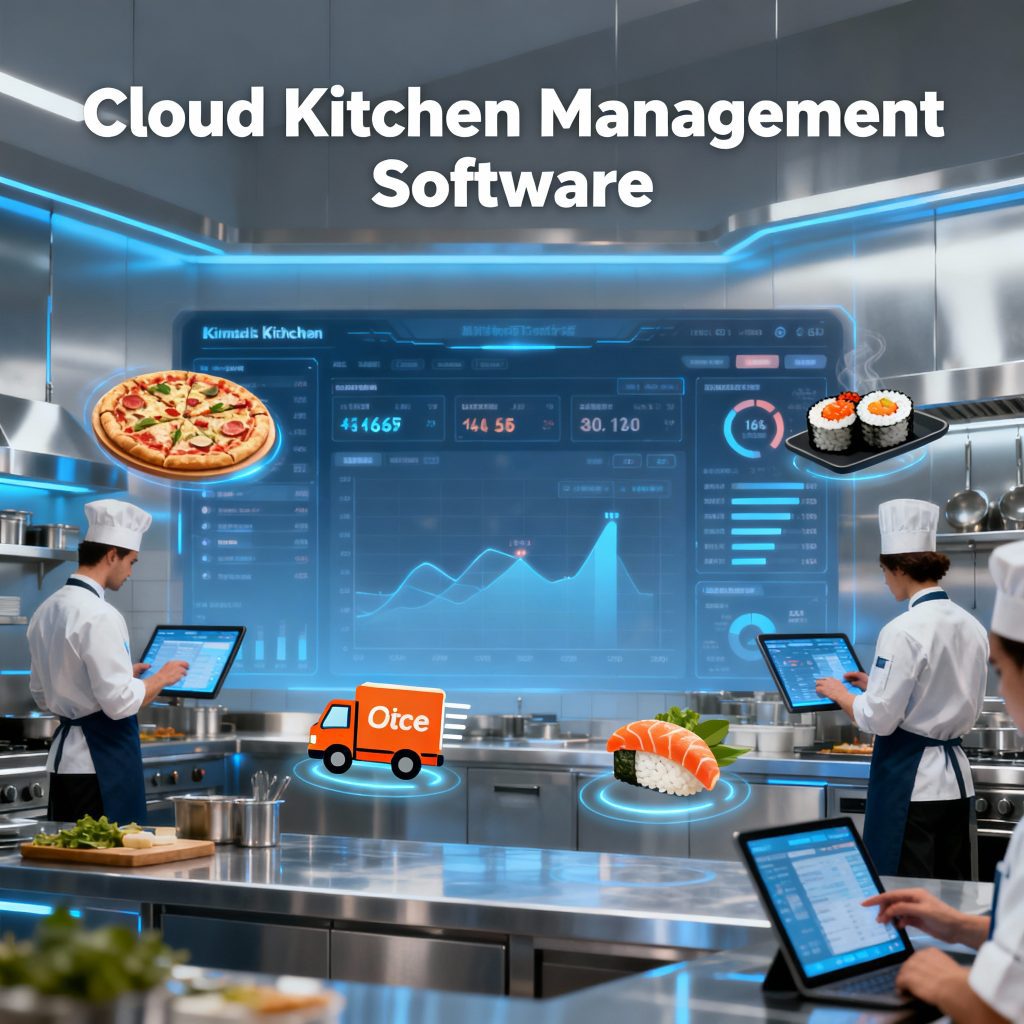
Digital cloud kitchen management dashboard with staff interacting, food delivery icons, and modern technology elements in a business setting
Software development

How to Build a Cloud Kitchen Management Software

Introduction Cloud kitchen businesses are reshaping the food industry, offering delivery-first models driven by digital efficiency. For operators, effective management software is essential—it connects orders, tracks inventory, manages staff, and streamlines the entire kitchen operation from a single platform. This guide details everything you need to build robust cloud kitchen management software, ensuring you can deliver seamless customer experiences and scale effortlessly. ​ Core Features Every Cloud Kitchen Software Needs Order Management System: Centralise and automate order intake from multiple food delivery platforms, allowing the kitchen to efficiently handle high order volumes without confusion.​ Inventory & Procurement Management: Track ingredient usage, manage stock levels, generate auto-purchase orders, and predict supply needs with data-driven analytics.​ Staff Management: Assign shifts, track attendance, and optimise task allocation to keep your kitchen running smoothly during peak and off-peak hours.​ Customer Relationship Management (CRM): Store and analyse customer preferences, purchase history, and feedback to drive loyalty and run targeted marketing campaigns.​ Real-Time Analytics and Reporting: Gain insights into kitchen performance, order trends, inventory turnover, and customer satisfaction with live dashboards.​ Additional Must-Haves: Integration with POS systems Multi-location and menu management Secure user authentication Mobile, tablet, and web access Steps to Develop Cloud Kitchen Management Software Define Requirements: List your business goals, target audience, operational challenges, and essential features.​ Market Research: Study competitor solutions and find gaps or value-added opportunities.​ UI/UX Design: Design intuitive workflows for admin, kitchen staff, and delivery teams—focus on speed and clarity.​ Software Development: Build backend order processing, inventory modules, staff scheduling, reporting tools, and secure APIs for integration.​ Testing and Quality Assurance: Rigorously test features, usability, and reliability through real-world scenarios and feedback.​ Deployment and Go-Live: Launch with easy onboarding, staff training, and technical support to ensure smooth adoption.​ Benefits of Cloud Kitchen Management Software Operational Efficiency: Automated processes reduce manual errors and speed up kitchen operations.​ Cost Control: Real-time analytics help in resource planning, reducing food waste and overstocking.​ Enhanced Customer Experience: Accurate order tracking and personalised service drive loyalty and repeat business.​ Conclusion Developing custom cloud kitchen management software transforms how modern kitchens operate—enabling centralised control, data-driven decisions, and scalable growth. By focusing on the right features and following proven development steps, your business can thrive in the competitive delivery market. Now is the time to start building the foundation for operational excellence. Ready to create your own cloud kitchen management system? Partner with a software expert or explore platforms that offer custom development to turn your kitchen into a digital powerhouse. FAQ 1. What is a cloud kitchen management software? A digital platform that centralises order processing, inventory, staff, and customer management for delivery-first food businesses.​ 2. What technology stack is used? Popular choices include React Native or Flutter (front end), Node.js or Django (back end), and cloud hosting with AWS or Google Cloud.​ 3. How much does it cost to build such software? Costs depend on features, scalability requirements, and integration needs; expect development and ongoing maintenance expenses.​ 4. Can this software integrate with delivery apps? Yes, integration with leading delivery partners and POS systems is essential for streamlined operations.​ 5. How long does it take to develop? Depending on complexity, most custom projects take 4–6 months from design to deployment.​

How would you like me to respond?

Select a personality for your AI assistant

Normal
Happy
Sad
Angry

Your selection will affect how the AI assistant responds to your messages

Chat Assistant

Let's discuss your project!

Hear from our clients and why 3000+ businesses trust TechOTD

Tell us what you need, and we'll get back with a cost and timeline estimate

Scroll to Top