Frontend Developer

Digital Transformation, Frontend Developer, startup, Technology & Business

The “Solo-Studio” Era: How AI Made the Full-Stack Dev a One-Person Agency

Introduction For years, the dream of the “solopreneur” usually came with a massive asterisk. You could have a great idea, but unless you were a coding prodigy, a UI/UX expert, a DevOps wizard, and a marketing specialist all rolled into one, you eventually hit a wall. You needed a team. You needed capital. You needed time. Fast forward to 2026, and that wall hasn’t just been lowered—it’s been demolished. We’ve entered the era of the Solo-Studio. Today, a single developer with a clear vision can outpace a mid-sized software house from five years ago. This isn’t just about “coding faster”; it’s about a fundamental shift in what it means to be a creator in the digital age. From “Syntax Writer” to “Product Architect” The old way of web development was heavy on syntax. We spent 40% of our time fighting CSS alignment, 30% writing boilerplate API calls, and maybe 30% actually solving the user’s problem. In the Solo-Studio era, AI handles the syntax. Tools like Cursor and GitHub Copilot have evolved from simple autocomplete to full-blown pair programmers that understand your entire codebase. You no longer ask “how do I write a map function?”; you tell the AI, “Build a secure checkout flow that integrates with Stripe and updates my Supabase database,” and it generates the architecture. This shifts the developer’s value. Your worth is no longer measured by how many languages you know, but by your ability to architect a product that solves a real-world problem. The Rise of the “One-Person Agency” Why do we call it a “Solo-Studio”? Because the modern full-stack dev is no longer just handling the backend and frontend. With AI-assisted design tools like v0.dev or Figma’s AI features, developers are now producing high-fidelity UI/UX that looks like it came from a dedicated design team. Furthermore, DevOps—once the scariest part of a launch—has been abstracted away. With the “Backendless” and “Edge” technologies we’ve discussed previously, a solo dev can deploy a globally distributed app in minutes. You aren’t just a coder; you are the CTO, the Lead Designer, and the Head of Infrastructure, all powered by a single keyboard. The Human Element: Why Vision Still Wins There is a common fear that AI will make developers obsolete. In reality, AI is making the uninspired obsolete. AI can write a function, but it can’t tell you why a user feels frustrated with your onboarding flow. It can’t spot a gap in the market for a specific niche tool. The “Solo-Studio” thrives because the human at the center provides the empathy, the taste, and the strategic direction. The AI is simply the most powerful intern in human history. The Tech Stack of the Solo-Studio If you’re looking to transition into this one-person agency model, your 2026 stack likely looks like this: Editor: Cursor or VS Code with heavy AI integration. Frontend: Next.js or Astro for speed and SEO. Backend/Database: Supabase for instant Auth and DB. Design: v0.dev for generating React components from plain English. Deployment: Vercel or Netlify for zero-config scaling. Conclusion: It’s Time to Build We are living through a “Renaissance” of individual creativity. The barriers to entry have vanished. The cost of failure is lower than ever, and the speed of execution is at an all-time high. The “Solo-Studio” isn’t just a trend; it’s the future of how software is built. You don’t need a boardroom full of people to change an industry anymore. You just need a laptop, a few AI agents, and the courage to hit npm run dev. How to Study Smarter, Not Harder, Using Online Education Apps
Frontend Developer, machine learning, Uncategorized

“Backendless” isn’t a Myth: The Power of Edge Functions

Introduction There was a time, not too long ago, when launching a web app meant wrestling with a giant. You had to provision servers, worry about load balancers, and lose sleep over whether your “US-East-1” instance would lag for a user trying to access your site from London or Mumbai. We eventually moved to “Serverless” (think AWS Lambda), which was a huge step forward. But even then, we were still tethered to specific regions. In 2026, the conversation has shifted again. We’re talking about the Edge. The “Backendless” era doesn’t mean the backend has disappeared—it means the backend has become invisible, lightning-fast, and global by default. What is “The Edge” Anyway? If a traditional server is a massive warehouse in the middle of the country, and Serverless is a local delivery hub, then Edge Computing is like having a tiny, specialized shop on every street corner. Edge Functions (like those from Cloudflare Workers or Vercel) run your code at the “edge” of the network—literally the data center closest to your user. Instead of a request traveling 5,000 miles to a central server and back, it travels 50 miles. We’re talking about cutting response times from seconds to milliseconds. Why “Backendless” is the 2026 Standard For a modern developer, “Backendless” is a philosophy. It’s about focusing on the product, not the plumbing. Here is why this shift is actually happening: The Death of Latency: In the modern web, speed is a feature. If your site takes more than two seconds to load, your conversion rate doesn’t just dip—it craters. Edge functions handle things like authentication, A/B testing, and localization instantly, right at the point of entry. Infinite Scalability (Without the Headache): Because Edge functions are distributed globally, you don’t “scale” them. They are already everywhere. If you go viral and get 1 million hits in an hour, the Edge network handles it without you having to click a single “increase capacity” button. Security by Design: By moving logic to the Edge, you can intercept malicious requests before they ever touch your database. It’s like having a security guard at the front gate instead of at the bedroom door. The Tools Making it Possible You don’t need a PhD in systems architecture to go backendless. The ecosystem in 2026 is incredibly friendly: Supabase & Firebase: These provide the database and auth layers that “just work” with Edge functions. Upstash: For when you need a global Redis database that is as fast as your Edge code. Prisma Accelerate: For connecting your Edge functions to traditional databases without the “cold start” connection lag. A New Way of Thinking The hardest part of going “Backendless” isn’t the code—it’s the mindset shift. You have to stop thinking about your app as a “thing” sitting on a server in Virginia. Instead, you start seeing it as a living, breathing entity that exists everywhere at once. You spend less time on SSH terminals and more time on user experience. You spend less time on infrastructure and more time on the features that actually make your users’ lives better. The “Cold Start” Killer: Why Edge Wins One of the biggest frustrations with traditional Serverless functions (like standard AWS Lambda) is the “cold start.” This happens when your code hasn’t been run in a while, and the cloud provider has to “wake up” a container to execute it. This can add 2–5 seconds of lag—an eternity in web time. Edge Functions play by different rules. Because they run on lightweight “Isolates” (like the V8 engine that powers Chrome) rather than full virtual machines, they start up in roughly 5 milliseconds. Standard Serverless: Wake up → Load OS → Load Runtime → Run Code = Lag. Edge Functions: Run Code = Instant. In 2026, if you’re building a checkout page or a login redirect, that difference is the gap between a sale and a bounce. Practical Strategies: When to go “Backendless” Going backendless doesn’t mean you have to migrate your entire infrastructure overnight. Most developers are taking a “hybrid” approach. Here is how you can start implementing this today: Dynamic Personalization: Use an Edge Function to check a user’s location or browser language and serve a custom version of your homepage without any “flicker” or layout shift. A/B Testing without the JS Bloat: Traditional A/B testing tools (like Optimizely) often slow down the frontend with heavy scripts. With Edge Functions, you can split traffic at the server level. The user gets exactly what they need, and your Google Lighthouse score stays perfect. Authentication Gates: Instead of checking if a user is logged in at the page level (which shows a “loading” state), check at the Edge. If they aren’t authorized, redirect them before the page even begins to render. The Cost Factor: Is it Cheaper? Usually, yes. Because Edge Functions are so lightweight and run so fast, you aren’t paying for “idle time.” You pay for the execution. For most small to mid-sized apps, the “Free Tier” on platforms like Cloudflare or Vercel is so generous that you might not see a bill for months. However, keep in mind that Edge Functions are meant for fast tasks. If you’re doing heavy video encoding or massive data processing, you might still need a “fat” background worker. The trick is knowing which tool to pick for the job. Conclusion: Focus on What Matters The “Backendless” movement isn’t about the technology being gone; it’s about the technology getting out of your way. By leveraging Edge Functions, we are finally reaching a point where the distance between a developer’s idea and a global, high-performance reality is almost zero. If you’re still managing a fleet of traditional servers for a modern web app, it’s time to ask yourself: Are you building a product, or are you just managing a digital museum? The Edge is calling. It’s time to answer. WebAssembly (Wasm): Bringing Desktop Power to the Browser

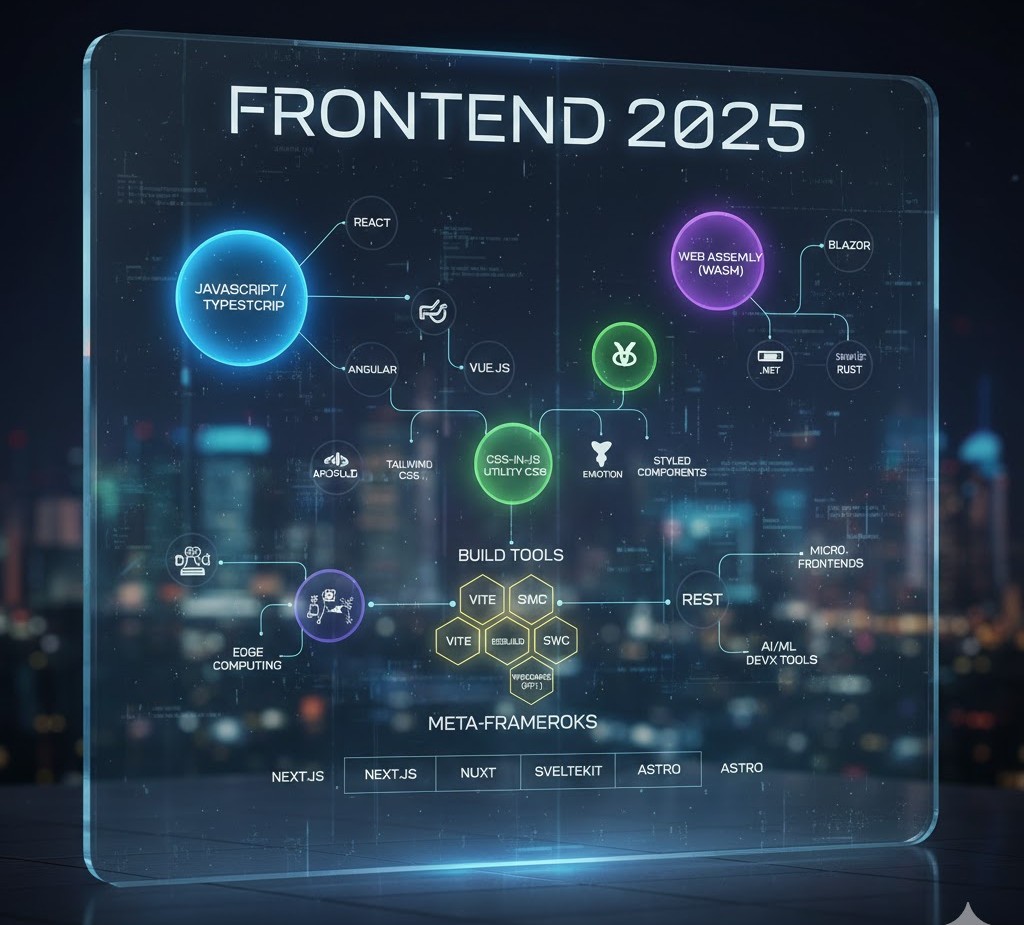
A futuristic, holographic flowchart titled "Frontend 2025" that maps the relationships between major technologies. Key nodes include JavaScript/TypeScript, React, Vue.js, Angular, WebAssembly (Wasm), various Build Tools (like Vite and swc), CSS-in-JS solutions, and Meta-Frameworks (Next.js, Nuxt, SvelteKit, Astro).
Frontend Developer

Top Frontend Tools and Technologies Every Developer Should Use

Introduction In the ever-evolving world of web development, the right tools can make a huge difference in productivity, code quality, and user experience. As technology advances, frontend developers must constantly update their toolkits with the latest frameworks, design systems, and testing tools to stay competitive. This 2025 guide lists the best frontend tools and technologies that help developers build faster, smarter, and more reliable web applications. Code Editors and IDEs Your editor is your workspace. A great editor improves speed, readability, and debugging. Top Picks: Visual Studio Code (VS Code): Lightweight, fast, and supports thousands of extensions. Sublime Text: Extremely fast and customizable with minimal resource use. WebStorm: A premium IDE by JetBrains, ideal for large-scale frontend projects. Pro Tip: Install VS Code extensions like Prettier, ESLint, and Live Server for better formatting, error detection, and instant browser preview. Package Managers Package managers simplify dependency installation and version control. Best Options for 2025: npm: The default package manager for Node.js with a huge library base. Yarn: Known for faster installs and deterministic builds. pnpm: Efficient storage and speed — the emerging choice for modern teams. Why It Matters:These tools make it easy to integrate third-party libraries, manage updates, and keep your project consistent across machines. Frontend Frameworks and Libraries Frameworks continue to dominate modern web development.Trending in 2025: React.js: Still the most used for scalable SPAs. Vue.js: Great balance of simplicity and performance. Svelte & Qwik: Lightweight frameworks leading the “faster web” movement. Learn more:Check React documentation, Vue.js official site, and Svelte.dev. CSS Frameworks and UI Libraries Styling can be time-consuming — CSS frameworks make it faster and cleaner. Top Frameworks: Tailwind CSS: Utility-first approach with full customization. Bootstrap 5: Great for responsive, grid-based layouts. Material UI: Perfect for React projects needing a Google-like design system. Bonus Tip:Combine Tailwind CSS with Framer Motion for smooth, modern animations. Build Tools and Module Bundlers Modern web apps need bundlers to compile, optimize, and deliver assets efficiently. Top Build Tools for 2025: Vite: Lightning-fast dev server with instant HMR (Hot Module Replacement). Webpack: Still powerful for large applications needing fine-grained control. esbuild: Built for speed — compiles 10–100x faster than traditional bundlers. Why It Matters:Faster builds = faster iterations = more productivity. Testing and Debugging Tools A successful frontend developer must test their apps thoroughly to ensure reliability. Top Testing Tools: Jest: Great for unit testing JavaScript code. Cypress: Ideal for end-to-end testing of UI interactions. Playwright: Modern automation for cross-browser testing. Debugging Tip:Use Chrome DevTools to inspect elements, track network requests, and profile performance. Version Control and Collaboration Teamwork thrives with version control systems. Must-Use Tools: Git: The foundation of version control — learn core commands (commit, push, merge). GitHub: Host your repositories, collaborate via Pull Requests, and manage issues. GitLab / Bitbucket: Great alternatives for enterprise teams.  Don’t forget to add meaningful commit messages and branching strategies like GitFlow. Performance Optimization Tools Performance impacts SEO and user satisfaction.Use these tools to identify and fix bottlenecks: Google Lighthouse: Analyze site performance, accessibility, and SEO. WebPageTest: Deep dive into loading times and network requests. ImageOptim / TinyPNG: Compress images without losing quality. Pro Tip:Combine image optimization with lazy loading and CDN delivery for best results. UI/UX and Design Collaboration Tools A frontend developer must bridge the gap between code and creativity. Best Tools for Design Collaboration: Figma: Real-time collaboration between designers and developers. Adobe XD: For high-fidelity prototypes. Canva: Quick mockups, banners, and presentation graphics. These tools make it easy to translate UI ideas into pixel-perfect code. Deployment and Hosting Tools When your app is ready, deploy it fast and securely. Popular Platforms: Vercel: Perfect for React, Next.js, and static sites. Netlify: Great for frontend hosting with serverless functions. GitHub Pages: Ideal for portfolios and static projects. Conclusion The frontend ecosystem in 2025 is fast, innovative, and full of opportunity. By leveraging these top tools and technologies, developers can code more efficiently, collaborate better, and build experiences that delight users across every device. FAQs 1. What are the most important frontend tools for developers in 2025? In 2025, essential frontend tools include Visual Studio Code, React.js, Tailwind CSS, Vite, Git, Lighthouse, and Figma. These tools streamline development, enhance collaboration, and improve website performance. 2. Why should I use Vite instead of Webpack? Vite offers faster startup and build times using native ES modules and efficient caching. It’s lightweight, easy to configure, and perfect for modern frontend frameworks like React, Vue, and Svelte. 3. Which CSS framework is best for frontend developers? Tailwind CSS is the most popular choice in 2025 due to its utility-first approach, flexibility, and ability to create responsive designs quickly. Bootstrap 5 and Material UI are great alternatives for structured layouts. 4. Do I need to learn Git for frontend development? Absolutely! Git is crucial for version control, enabling you to track changes, collaborate on code, and revert updates when needed. GitHub and GitLab also make deployment and teamwork easier. 5. What tools help improve website performance? Tools like Google Lighthouse, WebPageTest, and ImageOptim help analyze and optimize loading speed, accessibility, and overall performance. They ensure your site runs smoothly across devices. 6. How can I collaborate effectively with designers? Use Figma or Adobe XD for seamless design-to-code workflows. Both tools allow designers and developers to collaborate in real time, export assets, and maintain design consistency. 7. What are the best hosting platforms for frontend projects? Vercel, Netlify, and GitHub Pages are the top choices for deploying frontend applications. They support automatic builds, serverless functions, and quick CI/CD integration. 8. How often should I update my frontend tools? Check for updates every few months to stay compatible with the latest frameworks, libraries, and browser technologies. Most modern tools release stable updates regularly, so staying current is key.

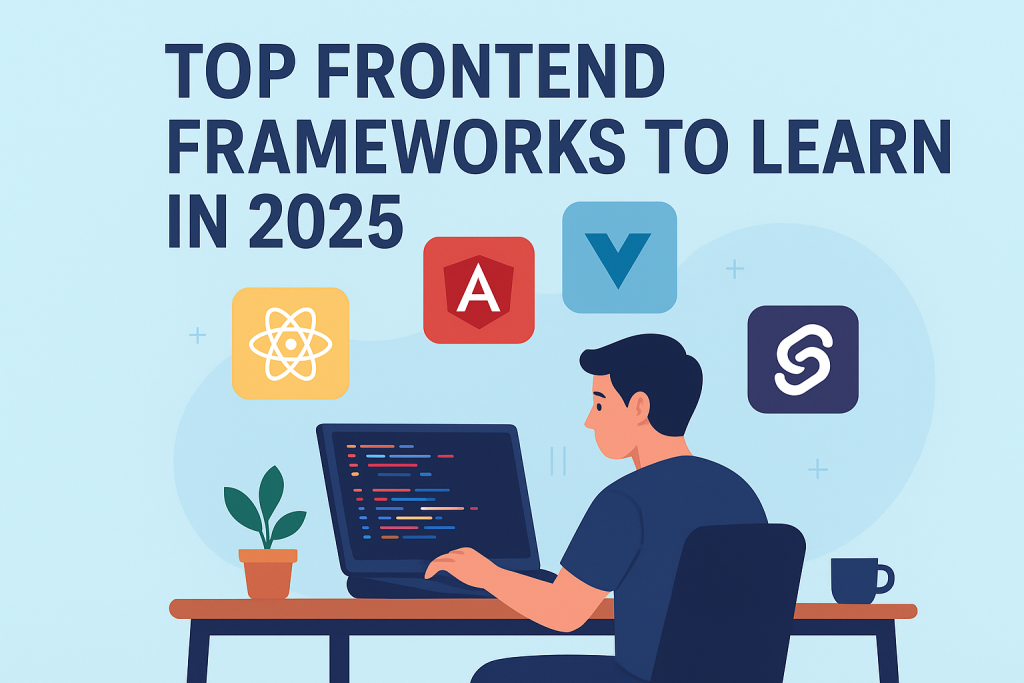
frontend developer exploring React, Angular, Vue, and Svelte frameworks on laptop
Frontend Developer

Top Frontend Frameworks to Learn in 2025 for Maximum Career Growth

Introduction The world of frontend development is evolving at lightning speed. Every year brings new tools, frameworks, and technologies that redefine how web interfaces are built and experienced. As a frontend developer in 2025, mastering the right frameworks can be the difference between being a job seeker and being in high demand. In this blog, we’ll explore the top frontend frameworks every developer should consider learning in 2025 — focusing on popularity, performance, and job opportunities. React.js — The Undisputed King React.js, developed by Meta, continues to dominate the frontend ecosystem. Its component-based structure allows developers to create highly interactive UIs efficiently.Key benefits include: Virtual DOM ensures fast rendering. Strong community support and reusable components. Works seamlessly with libraries like Redux and Next.js.Why learn it:React developers are in high demand, and its ecosystem powers countless enterprise-grade applications, from Facebook to Netflix. Vue.js — The Progressive Framework Vue.js stands out for its simplicity and flexibility. It bridges the gap between traditional HTML/CSS/JS and modern frameworks like React or Angular.Key benefits include: Easy learning curve for beginners. Great performance and smaller file sizes. Ideal for single-page applications (SPAs).Why learn it:Vue’s growing adoption in startups and Asian markets makes it a valuable skill to have in 2025. Angular — The Enterprise Favorite Angular, backed by Google, is a comprehensive framework ideal for building large-scale web apps. It offers built-in solutions for routing, HTTP requests, and form validation.Key benefits include: TypeScript-based for better maintainability. Strong security and scalability. Perfect for enterprise-level applications.Why learn it:If you’re targeting corporate environments or complex projects, Angular remains a must-learn framework. Svelte — The Future of Frontend Svelte is making waves for its compile-time approach, meaning it converts your code into efficient JavaScript at build time, rather than running a virtual DOM.Key benefits include: Faster performance due to lightweight output. Minimal boilerplate code. Easier reactivity handling.Why learn it:Svelte is gaining traction among modern developers who value performance and simplicity. Next.js — The React Framework for Full-Stack Power Next.js extends React with server-side rendering (SSR), static site generation (SSG), and API routes. It’s the go-to choice for creating SEO-friendly and blazing-fast websites.Key benefits include: Built-in routing and file system structure. Optimized for performance and SEO. Supports both static and dynamic rendering.Why learn it:If you love React but want to go full-stack, Next.js is your best friend in 2025. Solid.js — The Rising Star Solid.js combines the best of React’s component model and Svelte’s performance. It delivers fine-grained reactivity without using a virtual DOM.Key benefits include: Extremely fast runtime performance. React-like syntax with simpler reactivity.Why learn it:As Solid.js matures, it’s becoming a favorite among developers who crave efficiency and clarity. Qwik — Built for Instant Loading Apps Qwik introduces a revolutionary concept called resumability, where the app starts instantly on the client without hydration delays.Key benefits include: Near-instant page loads. Optimized for mobile and low-power devices.Why learn it:Qwik’s approach could redefine how modern web apps are built and loaded in the near future. Conclusion In 2025, being a successful frontend developer means being strategic — learning not just one framework but understanding when and why to use each.Start with React or Vue if you’re new, explore Next.js for production-grade apps, and keep an eye on Svelte, Solid, and Qwik — the future is bright, and the possibilities are endless. FAQs Q1. Which frontend framework should I learn first in 2025?If you’re a beginner, start with React.js or Vue.js — they offer great documentation and a huge community. Q2. Is Angular still relevant in 2025?Absolutely. Angular remains a top choice for enterprise applications and large development teams. Q3. Why is Svelte gaining popularity?Svelte eliminates the virtual DOM and compiles code at build time, leading to faster and more lightweight apps. Q4. Can I learn multiple frontend frameworks together?Yes, but start with one (like React) and move on to others once you’re confident with core concepts. Q5. Which framework has the best job opportunities?React.js and Next.js dominate global job listings in 2025, especially in startups and SaaS-based companies.

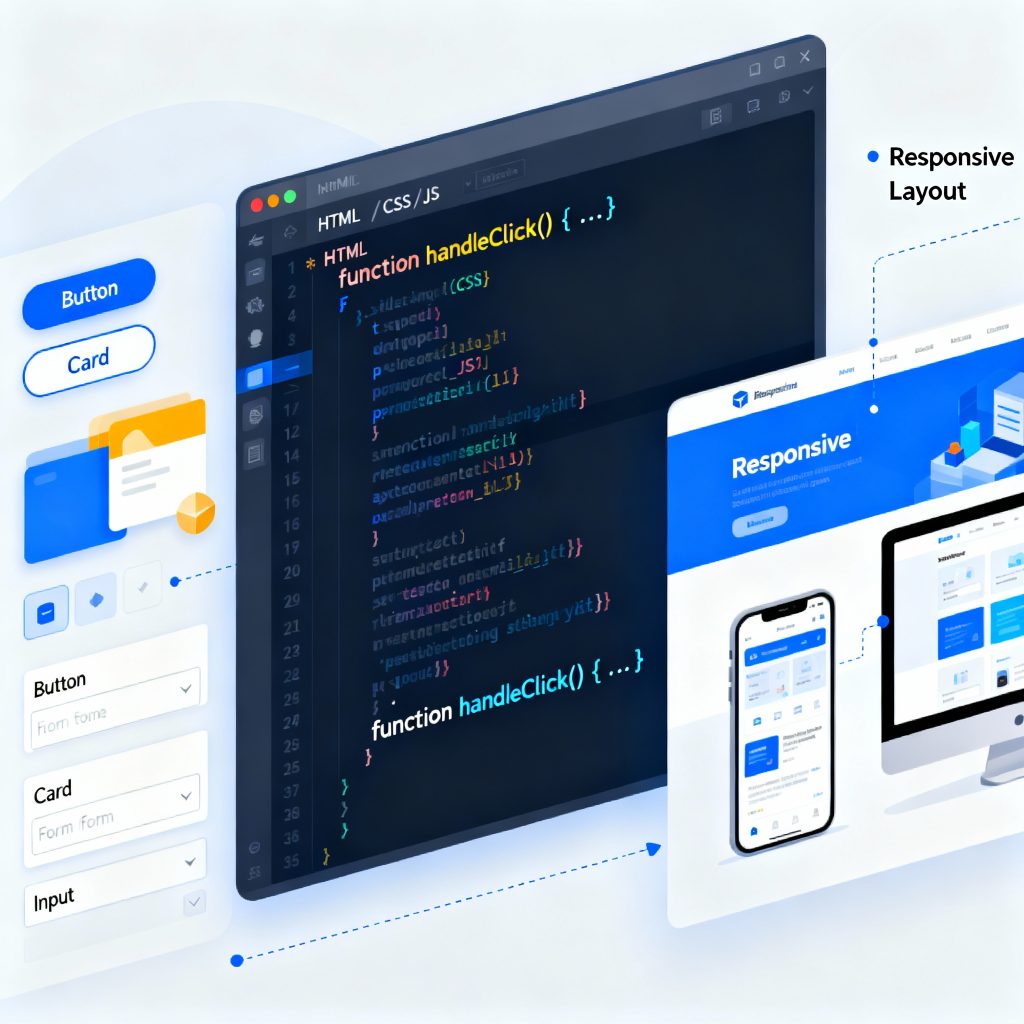
frontend developer working on HTML CSS JavaScript with laptop
Frontend Developer

Essential Skills Every Frontend Developer Should Master in 2025

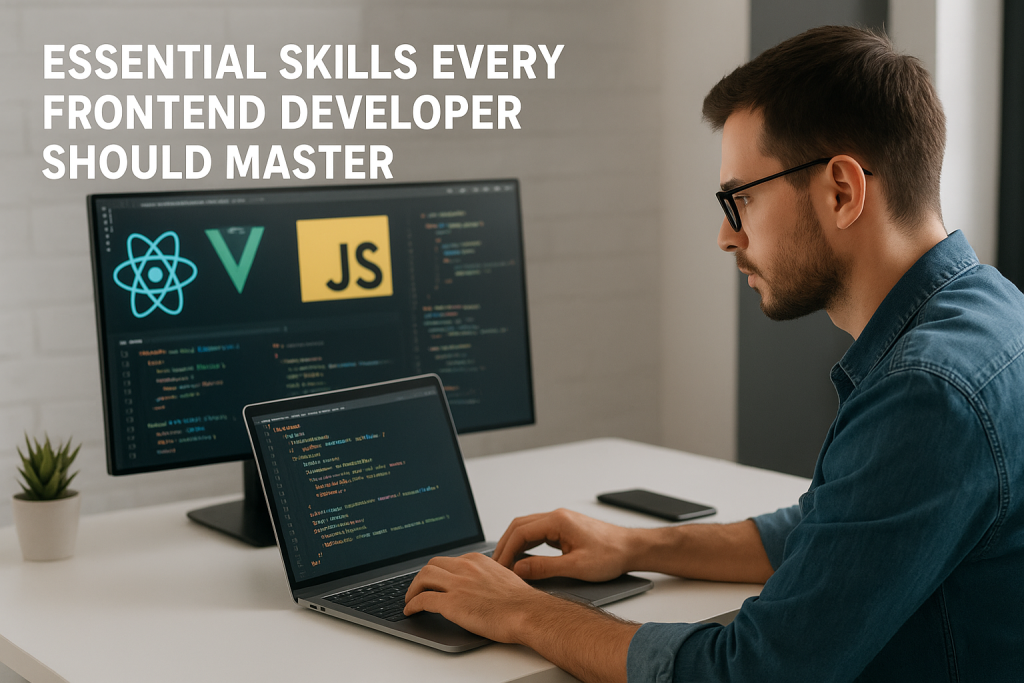
Introduction The web development world is evolving rapidly, and the demand for skilled frontend developers continues to grow. As users expect faster, more interactive, and visually appealing websites, developers must master both technical and creative skills to stay ahead in 2025. In this blog, we’ll explore the essential skills every frontend developer should master — from HTML and CSS fundamentals to advanced frameworks, tools, and design thinking techniques. Mastering the Core Building Blocks: HTML, CSS, and JavaScript At the heart of every website are three pillars — HTML, CSS, and JavaScript. These are the foundation of frontend development and must be learned thoroughly: HTML (HyperText Markup Language): Defines the structure and content of a webpage. You must understand elements, tags, attributes, semantic HTML, and accessibility. CSS (Cascading Style Sheets): Controls the layout, colors, fonts, and design aesthetics. Learn CSS Grid, Flexbox, animations, and media queries for responsive design. JavaScript (JS): Adds logic and interactivity. Know how to manipulate the DOM, handle events, fetch APIs, and use ES6+ features like promises, async/await, and modules. A solid grasp of these three ensures you can build any web interface from scratch. Learning Modern Frontend Frameworks Frameworks streamline development by providing reusable components and optimized performance. In 2025, the most popular ones include: React.js: Developed by Meta, React is known for its virtual DOM, reusable components, and large ecosystem. Vue.js: Lightweight and beginner-friendly, perfect for building small to mid-sized apps. Angular: Maintained by Google, Angular is ideal for large-scale enterprise applications. Tip: Learn at least one framework deeply instead of jumping between many. Responsive Web Design and Cross-Browser Compatibility With users accessing websites across desktops, tablets, and smartphones, knowing responsive design is essential. Skills to learn: CSS Media Queries Fluid grids and flexible images Frameworks like Bootstrap and Tailwind CSS Testing tools like BrowserStack Your website should look perfect and perform well across all screen sizes and browsers. Version Control with Git and GitHub No developer can thrive without version control systems (VCS) like Git. It allows you to: Track changes in your code Revert to previous versions Collaborate with other developers seamlessly Master Git commands such as commit, push, pull, and merge. Create and manage repositories using GitHub, GitLab, or Bitbucket. Understanding APIs and AJAX Modern web apps depend heavily on data exchange between the client and server. Learn how to: Use RESTful APIs and JSON data Make fetch() or Axios requests Handle asynchronous data with Promises and Async/Await Understand CORS, authentication, and error handling This knowledge helps build dynamic apps like social media feeds, dashboards, and e-commerce websites. UI/UX Design Principles Frontend developers bridge the gap between design and functionality. Knowing the basics of UI/UX design enhances user satisfaction: Learn color theory, typography, and layout design Use design tools like Figma, Sketch, or Adobe XD Follow accessibility standards (WCAG) Understand user behavior and intuitive navigation patterns A visually appealing, accessible website boosts engagement and conversion rates. Frontend Performance Optimization Performance is critical. Users leave a site if it takes more than 3 seconds to load.Focus on: Code minification and lazy loading Optimizing images and videos Using CDN and caching strategies Monitoring performance with tools like Lighthouse and WebPageTest A faster site equals better SEO and higher user retention. Soft Skills and Continuous Learning Frontend development isn’t just about coding. Soft skills help you stand out: Problem-solving: Debug efficiently and write clean, maintainable code. Collaboration: Work smoothly with designers, backend devs, and clients. Adaptability: Learn new frameworks and libraries quickly. Communication: Explain technical topics clearly to non-technical stakeholders. The tech world changes fast — stay updated through blogs, online courses, and coding communities. Recommended Tools and Resources Category Tools/Resources Code Editor VS Code, Sublime Text Browser DevTools Chrome DevTools, Firefox Developer Edition Design Tools Figma, Canva Frameworks React, Vue, Angular Version Control Git, GitHub Testing Jest, Cypress, Playwright Conclusion To become a successful frontend developer in 2025, mastering these technical and design skills is essential. From HTML, CSS, and JavaScript to frameworks, APIs, and optimization — each skill builds your ability to create beautiful, responsive, and efficient web applications. FAQs – 1. What are the most important skills for a frontend developer in 2025? In 2025, the essential skills for frontend developers include HTML, CSS, JavaScript, and frameworks like React or Vue.js. In addition, knowledge of responsive design, version control (Git), APIs, and performance optimization is crucial for building modern, scalable web applications. 2. Is frontend development still a good career choice? Yes! Frontend development remains one of the most in-demand tech careers. As more businesses move online, the need for developers who can create fast, visually appealing, and user-friendly websites continues to grow. With the right skills, you can build a successful and well-paying career. 3. How long does it take to become a frontend developer? On average, it takes 6 to 12 months to become job-ready in frontend development. However, the timeline depends on how consistently you practice. Start with HTML, CSS, and JavaScript, then move to frameworks, responsive design, and Git. Continuous learning and project building will speed up your progress. 4. Do frontend developers need to know backend technologies? Not necessarily, but having basic knowledge of backend technologies like Node.js or Express.js helps you understand how data flows between client and server. It’s especially beneficial if you aim to become a full-stack developer in the future. 5. What tools should every frontend developer use? Some must-have tools include: Code Editors: VS Code, Sublime Text Version Control: Git, GitHub Design Tools: Figma, Adobe XD Browser DevTools: Chrome, Firefox Developer Edition Testing Tools: Jest, Cypress These tools make your development process faster, cleaner, and more efficient. 6. How can I improve my frontend development skills? To improve, focus on practical projects. Build personal websites, clone famous apps, contribute to open-source projects, and follow modern web development trends. Join developer communities on GitHub or Reddit and take regular courses to stay updated with the latest frameworks and techniques. 7. What are the soft skills needed for a frontend developer? Frontend developers

frontend developer coding modern user interface
Frontend Developer

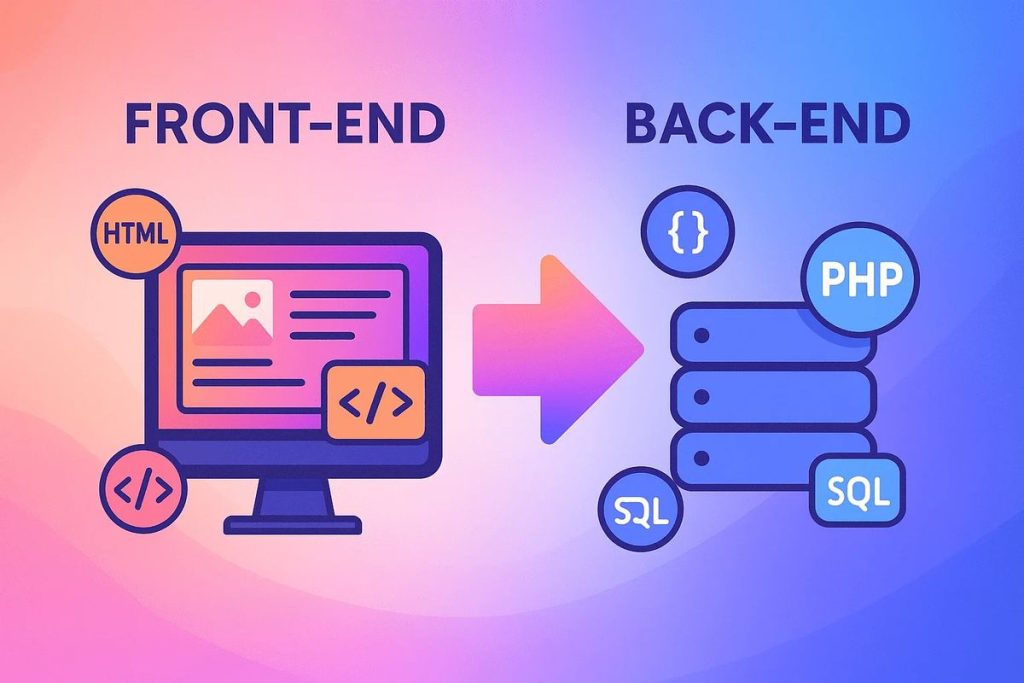
Frontend vs Backend Development

Introduction When you open a website like Amazon or Netflix, everything you see — from the design to the search bar — is part of the frontend. But when you log in, make a purchase, or stream a movie, the backend is working silently behind the scenes. Both frontend and backend development are essential pillars of modern web development. Though they work together, they involve different skills, tools, and technologies. In this guide, you’ll learn the exact differences between frontend and backend development, the languages used, roles, salaries, and how to choose the right path in 2025. What is Frontend Development? Frontend development, also called client-side development, is all about creating what users see and interact with in their browsers. Frontend developers transform UI/UX designs into functional interfaces using: HTML (Structure) CSS (Styling) JavaScript (Functionality) They ensure the website is responsive, fast, accessible, and user-friendly. Common Frontend Frameworks (2025) React.js — Most popular, backed by Meta. Next.js — For server-side rendering and SEO optimization. Vue.js — Lightweight and easy to learn. Angular — Backed by Google, great for large apps. Example: When you hover over a button and it changes color — that’s frontend. What is Backend Development? Backend development, or server-side development, powers the behind-the-scenes logic that connects the website to the database and manages user requests. It handles: User Authentication (Login/Signup) Database Management Server Logic API Integration Common Backend Languages and Frameworks Node.js (JavaScript) Python (Django, Flask) PHP (Laravel) Java (Spring Boot) Ruby (Rails) Example: When you submit a login form, your details go to the server, get verified, and send a response — that’s backend. Frontend vs Backend — Key Differences Table Feature Frontend Development Backend Development Focus Area User interface (UI) and visuals Logic, database, and server Languages HTML, CSS, JavaScript Node.js, Python, PHP, Java Frameworks React, Vue, Angular Express, Django, Laravel Responsibility Design and interactivity Data handling and business logic Tools VS Code, Figma, Chrome DevTools Postman, Git, Docker Output Visual web pages Functional database connections Goal Better user experience Stable data management How Frontend and Backend Work Together Web development is a collaborative process where frontend and backend communicate constantly. Frontend: Collects user input (like a login form). Backend: Validates and processes the input via an API. Database: Stores or retrieves the data. Frontend: Displays results to the user. Example: When you search for a product on an e-commerce website — Frontend: Displays the search box and product results. Backend: Fetches matching data from the database. Together, they form a Full Stack Web Application. Frontend Developer Role Frontend developers are responsible for building: Responsive web pages Smooth navigation Interactive features (menus, sliders, animations) UI optimization for mobile and desktop They often work closely with UI/UX designers to implement visually appealing and consistent interfaces. Backend Developer Role Backend developers ensure: Secure data management API creation and integration Server configuration Performance optimization They work with databases like MySQL, MongoDB, and PostgreSQL to handle large amounts of data efficiently. Which Has Better Career Scope in 2025? Both roles are in high demand. However, trends show increasing need for frontend developers skilled in React and Next.js, as well as backend developers familiar with Node.js and cloud technologies. Role Demand (2025) Average Salary (India) Frontend Developer Very High ₹5–12 LPA Backend Developer High ₹6–14 LPA Full Stack Developer Extremely High ₹8–20 LPA If you love visuals, creativity, and UI — choose Frontend.If you enjoy logic, databases, and problem-solving — go for Backend. You can also combine both and become a Full Stack Developer for even more opportunities. Required Skills for Both Roles Frontend Skills: HTML5, CSS3, JavaScript Responsive Design Frameworks (React, Vue) Git/GitHub API consumption Backend Skills: Programming language (Node.js/Python) Database Management (SQL/NoSQL) Server setup (AWS, DigitalOcean) Authentication (JWT, OAuth) API creation Tools for Collaboration Modern developers use collaboration tools like: GitHub: Version control Postman: API testing Figma: UI design previews Slack: Team communication Jira: Project tracking FreeCodeCamp Full Stack Roadmap – a trusted source to learn both frontend and backend development. Future of Web Development In 2025 and beyond, AI integration, WebAssembly, and serverless technologies are changing the way websites are built. The line between frontend and backend is blurring due to full-stack JavaScript (React + Node.js). Developers who learn both sides are highly valued. Conclusion Both frontend and backend development are crucial in building modern web applications. The frontend gives users a delightful experience, while the backend ensures that everything works smoothly behind the scenes. If you’re starting your journey in web development, begin with frontend — it’s visual, intuitive, and gives quick results. Then, gradually explore backend technologies to become a versatile full-stack developer. No matter which you choose, consistent learning and hands-on projects will make you a successful developer in 2025. FAQs 1. Which is easier: frontend or backend?Frontend is easier to start with, while backend requires more logic and database knowledge. 2. Can one person do both frontend and backend?Yes, such developers are called Full Stack Developers. 3. Which language is best for backend in 2025?Node.js and Python are the top choices. 4. Which pays more — frontend or backend?Backend usually pays slightly higher, but frontend developers with React expertise earn equally well. 5. Can I switch from frontend to backend later?Yes, both share JavaScript as a common ground if you use Node.js. 6. Do backend developers need design skills?Not necessarily, but understanding UI/UX helps in better collaboration.

Illustration of frontend development showing a laptop with code editor, browser window, and UI components.
Frontend Developer

The Complete Guide to Becoming a Frontend Developer in 2025

Introduction In 2025, the role of a frontend developer has become one of the most exciting and creative careers in the tech world. A frontend developer builds everything a user sees and interacts with — from website layouts and animations to responsive buttons and navigation menus. This guide will help you understand what a frontend developer does, which skills you need, the tools used in 2025, and how to start your career. What is Frontend Development? Frontend development, often called the client-side of web development, deals with what users see on the screen. When you open a website, the design, color scheme, buttons, and animations — all are handled by frontend developers. Their main job is to transform static designs into fully functional, interactive web pages that look great on any device. Core Technologies You Must Learn To become a successful frontend developer, master these three building blocks: HTML (Structure)Defines the skeleton of a website using tags and elements. Example: headings, images, and links. CSS (Styling)Controls colors, fonts, and layout. Frameworks like Tailwind CSS and Bootstrap simplify this process. JavaScript (Interactivity)Adds logic and animations. In 2025, frameworks like React.js, Vue.js, and Next.js are industry favorites. Learn these three deeply, then move to advanced topics like APIs, TypeScript, and Performance Optimization. Frontend Developer Tools in 2025 Frontend developers rely on tools that enhance efficiency and quality: VS Code: Code editor with built-in extensions for HTML/CSS/JS. Git & GitHub: Manage versions and collaborate with teams. Figma: Understand design prototypes. Chrome DevTools: Debug and test performance. Node.js: Run tools and frameworks locally. MDN Web Docs on HTML — a trusted resource to strengthen your fundamentals. Frontend Developer Roadmap Follow this 7-step roadmap to become a frontend developer: Learn Basics: HTML, CSS, JS. Build Mini Projects: Portfolio, calculator, or to-do app. Learn Frameworks: React.js or Vue.js. Understand Version Control: Git and GitHub. Responsive Design: Make your site mobile-friendly. Deploy Projects: Use Netlify or Vercel. Build a Portfolio Website: Showcase your best work online. Career Growth and Salary Role Experience Salary (India) Junior Frontend Developer 0–2 years ₹4–6 LPA Frontend Engineer 2–5 years ₹6–10 LPA React Developer 3–6 years ₹8–15 LPA Frontend Architect 6+ years ₹15–25 LPA The more frameworks and tools you master, the higher your value in the market. Common Mistakes Beginners Should Avoid Ignoring responsive design Overusing frameworks without strong fundamentals Skipping Git version control Not learning debugging tools Not optimizing performance Future of Frontend Development In 2025, AI tools, WebAssembly, and Progressive Web Apps (PWA) are shaping the future. Frontend developers who stay updated with these trends will continue to be in high demand. Conclusion Becoming a frontend developer in 2025 is an incredible opportunity. It’s a mix of creativity, logic, and design. Learn the fundamentals, build projects, and continuously update your skills. Whether you work for a company or freelance, the demand for skilled frontend developers isn’t going anywhere. FAQs Is frontend development beginner-friendly?Yes, you can start with HTML, CSS, and JS even without prior coding experience. Which framework should I learn first?React.js — it’s the most popular in 2025. Do I need a degree to become a frontend developer?No, skill and portfolio matter more than degrees. How can I improve my frontend skills?Build projects, contribute to open source, and follow tutorials. What is the difference between frontend and backend?Frontend deals with visuals; backend handles logic and databases. Can AI replace frontend developers?No, AI assists — but creativity and user experience still need humans.

Frontend Developer

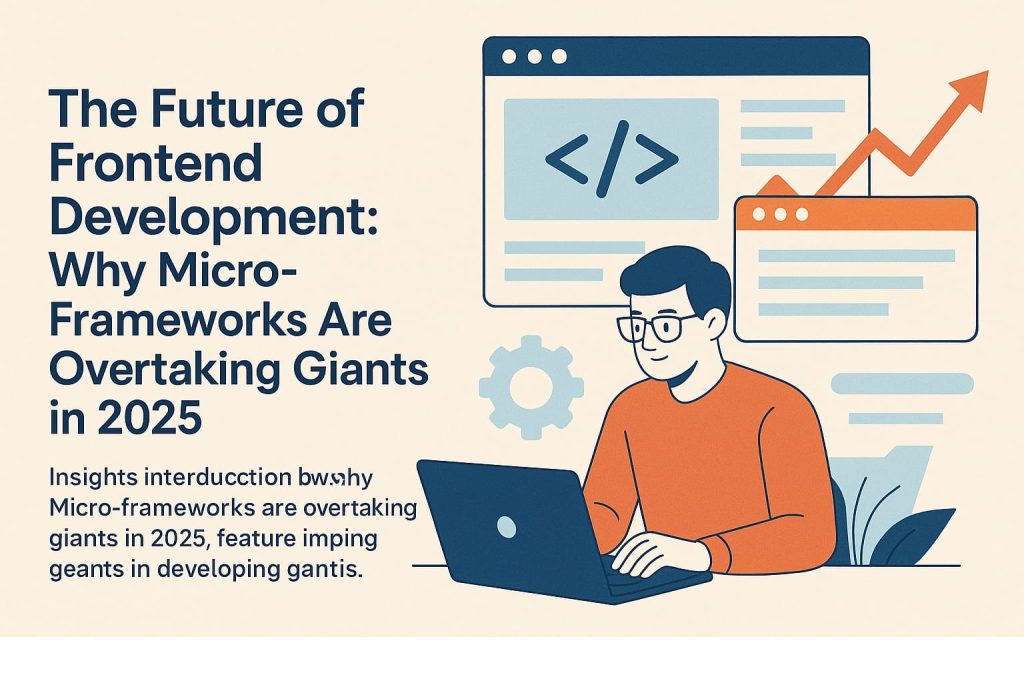
The Future of Frontend Development: Why Micro-Frameworks Are Overtaking Giants in 2025

Introduction As 2025 unfolds, the frontend development landscape is witnessing a major transformation. Traditional “giants” like React, Angular, and Vue still have their place, but micro-frameworks and micro-frontend architectures are rapidly rising, reshaping how web applications are built, maintained, and scaled. What Are Micro-Frameworks and Micro-Frontends? Micro-frameworks are minimal, lightweight frameworks focused on doing one thing well—with a small footprint, quick load times, and less complexity. They often forgo features found in larger frameworks in favor of speed, flexibility, and ease of integration. Micro-frontends extend the idea, breaking applications into small, independently deployed frontend modules that can use different libraries or frameworks, much like microservices in backend development. Why Are Micro-Frameworks Gaining Ground in 2025? 1. Modularization and Scalability Independent Deployments: Teams can work on, test, and deploy different parts of a web app without coordinating massive releases. Scalable Collaboration: Multiple teams can use their preferred tech stacks, increasing agility and developer happiness. 2. Performance and Efficiency Faster Load Times: Smaller bundles mean quicker first-paint and faster interactions for users. Less JavaScript Shipped: Sending minimal code to browsers helps applications meet performance benchmarks, especially on mobile networks. 3. Flexibility and Freedom Framework Agnosticism: Micro-frameworks allow mixing and matching of technologies—use Svelte for one module, React for another, even within the same app. Tech Diversity: Legacy projects can evolve one piece at a time instead of a costly, risky rewrite. 4. Maintainability and Upgrades Easier Refactoring: Updating or replacing a single micro-frontend is easier and less risky than updating an entire monolithic codebase. Clear Ownership: Smaller teams can own and maintain their piece, fostering better accountability and code quality. 5. Tooling and Innovation Modern Build Tools: Innovations like Webpack 5’s Module Federation, Single-SPA, Bit, and Qiankun make composing, testing, and updating micro-frontends easier than ever. Edge Computing Integration: Micro-frontends can be deployed closer to users, reducing latency and enhancing real-time experiences. Leading Micro-Frameworks and Tools in 2025 Micro-Framework / Tool Key Strengths Module Federation (Webpack 5+) Dynamically loads shared code, enables true independence Single-SPA Orchestrates multiple frameworks on one page Bit Encourages component-driven development and sharing Qiankun Powerful sandboxing and lifecycle for complex UIs When and Why to Choose Micro-Frameworks Complex, Large-Scale Applications: When your team is big or features must be delivered by independent groups. Frequent Updates Needed: When fast iterations and changes are critical. Desire for Tech Flexibility: Projects that want to mix tools or migrate away from legacy frameworks gradually. Business Need to Reduce Time-to-Market: Micro-frameworks facilitate rapid feature delivery and smaller, confident releases. Challenges to Consider UX Consistency: Maintaining a unified look and feel can be tough when different teams use different frameworks—shared design systems are essential. Communication Between Apps: Well-defined event buses and shared state libraries are needed for smooth data flow. DevOps Overhead: More moving pieces mean more sophisticated deployment pipelines and monitoring. The Road Ahead Micro-frameworks and micro-frontends represent a paradigm shift, turning web apps into customizable platforms that can grow, evolve, and modernize rapidly. They’re not replacing the “giants” outright, but their agility and performance are proving irresistible for companies that demand speed and innovation—and their adoption is set to accelerate well beyond 2025. If you want to future-proof your frontend skills, now is the time to explore micro-frameworks and modular frontend architectures. The age of the giant may not be over, but the era of the micro is just hitting its stride.

Frontend dev
Frontend Developer

Frontend Developer Skills

Front-End Developer Skills: What You Really Need to Know Introduction Front-end developer skills are at the core of building modern, interactive websites. Whether you’re designing a landing page, developing a web app, or creating responsive layouts, mastering these skills is essential. Front-end development is all about the user-facing part of websites — everything a user sees, clicks, and interacts with. This means you need to be both creative and technically skilled. In this post, we’ll walk through all the must-have front-end developer skills — from coding basics to tools, frameworks, and performance tips — to help you grow in this exciting field. 🔹 Core Technical Skills 1. HTML, CSS & JavaScript – The Foundation If you’re just getting started, these three are your bread and butter. Every front-end developer must master: HTML: Builds the structure of a webpage. Think of it as the skeleton of your site. CSS: Handles design and layout — fonts, colors, spacing, and responsiveness. JavaScript: Adds interactivity like buttons that respond, animations, pop-ups, and real-time updates. These core front-end developer skills form the base of everything else you’ll learn. 2. Responsive Design & Mobile-First Approach People use websites on mobile, tablets, laptops — and your site needs to look good on all of them. That’s where responsive design comes in. With tools like media queries, CSS Grid, and Flexbox, you can create layouts that adapt to any screen size. A mobile-first approach means designing for the smallest screens first, then scaling up — a modern technique every front-end developer should know. 3. Version Control with Git & GitHub Imagine working on a big project and accidentally deleting half your code. Scary, right? That’s why using Git (version control) is one of the most practical front-end developer skills. It lets you track changes, go back to previous versions, and work safely with teammates. GitHub is the platform where you can host and share your code — a must-have tool for collaborative development and portfolio building. 4. Browser Developer Tools – Debug Like a Pro All major browsers — Chrome, Firefox, Safari — come with built-in tools that help developers debug their work. With DevTools, you can: Inspect elements Edit CSS live Debug JavaScript errors Analyze load times and performance Learning to use these tools efficiently is one of the front-end developer skills that saves hours of guesswork. 🔹 Advanced Front-End Tools & Frameworks 5. Mastering CSS Preprocessors: Sass & LESS Writing plain CSS is fine, but as projects grow, things can get messy. CSS preprocessors like Sass and LESS let you write cleaner, more manageable code. You can use variables, mixins, nesting, and more. These are great for keeping your stylesheets organized and scalable — a real game-changer in your front-end toolkit. 6. JavaScript Frameworks: React, Vue, or Angular? Most modern web applications rely on JavaScript frameworks. They help you create complex, interactive UIs with reusable components. React: Popular, flexible, and backed by Meta. Vue: Lightweight and beginner-friendly. Angular: Full-featured and maintained by Google. Choosing one and learning it deeply is one of the most in-demand front-end developer skills today. 7. Build Tools: Webpack, Vite, and NPM Scripts As your project grows, managing files and dependencies manually becomes tough. That’s where build tools come in: Webpack: Bundles your JS, CSS, images, etc. Vite: Offers fast development builds and instant reloads. NPM scripts: Automate tasks like compiling Sass, minifying files, or running tests. Mastering these tools helps streamline your workflow and boost productivity — a valuable edge in front-end development. 🔹 Performance & Accessibility 8. Optimizing Front-End Performance Users expect fast websites. If your site takes more than 3 seconds to load, many will leave. Improve performance by: Compressing images Minifying CSS/JS files Using lazy loading Reducing HTTP requests Front-end developer skills aren’t just about building — they’re also about optimizing for real-world usage. 9. Accessibility (a11y) – Designing for Everyone Accessibility ensures that people with disabilities can also use your site. You can improve accessibility by: Using semantic HTML Adding alt text for images Ensuring keyboard navigation Providing enough color contrast Using ARIA roles when necessary Front-end developer skills must always include building for everyone, not just for some. 🔹 UI/UX Knowledge 10. Understanding User Experience (UX) Principles Good websites don’t just look pretty — they feel right to use. Understanding UX principles helps you: Organize content logically Reduce friction in user flows Prioritize usability and clarity This is one of those front-end developer skills that bridges the gap between development and design. 11. UI Design Basics – Colors, Typography, and Spacing You don’t need to be a designer, but knowing the basics goes a long way. Pay attention to: Consistent color schemes Readable fonts Adequate whitespace Balanced layouts These elements improve visual appeal and boost the overall user experience — a subtle but essential part of front-end developer skills. 🔹 Career-Focused Topics (Optional) Once you’ve built a solid foundation, it’s time to stand out. Here’s how: Build a personal portfolio that showcases your skills Start contributing to open-source projects Join communities like GitHub, Dev.to, and Twitter Stay updated with newsletters like Frontend Focus or Smashing Magazine Remember, growing your front-end developer skills isn’t just about learning — it’s also about showing your work. Conclusion Front-end developer skills cover a wide range of areas — from writing clean HTML, CSS, and JavaScript to mastering modern tools, frameworks, performance strategies, and even soft design thinking. No matter where you’re starting from, the key is to stay curious, build real projects, and keep learning. The more you practice, the more confident you’ll become. The front-end world is constantly evolving — but with the right skills and mindset, you’ll be ready for whatever comes next. Frequently Asked Questions (FAQ) Q1: What are the most essential front-end developer skills to learn first? Start with HTML, CSS, and JavaScript. These are the core technologies of the web and a must for any front-end role. Q2: Is learning a JavaScript framework like React necessary? While not required at the beginner level, frameworks

How would you like me to respond?

Select a personality for your AI assistant

Normal
Happy
Sad
Angry

Your selection will affect how the AI assistant responds to your messages

Chat Assistant

Let's discuss your project!

Hear from our clients and why 3000+ businesses trust TechOTD

Tell us what you need, and we'll get back with a cost and timeline estimate

Scroll to Top