android devlopment

android devlopment

Unlocking Core Android Concepts

1. Ditch the Java, Embrace Kotlin                                                                                                        Let’s get the biggest elephant out of the room first. If you will read the older tutorials, they all will tell you to learn Java. Honestly? Skip it. Google made Kotlin the official language for Android app development a few years ago. It’s clean, modern, and saves you from writing hundreds of lines of useless boilerplate code. If you enjoy the clean syntax of Python or the flexibility of JavaScript, you are going to pick up Kotlin incredibly fast. It practically protects you from common app-crashing errors right out of the box. 2. Grab Your Tools: Android Studio You can’t build a house without a hammer. For us, that hammer is Android Studio (an external link to get you started!). It’s the official IDE, and it does heavy lifting for you. It downloads the Android SDK, sets up your emulators (so you can test apps on a virtual phone on your screen), and handles all the messy build configurations. Setup is basically just clicking “Next” a few times. 3. Build the UI with Jetpack Compose This is where things get genuinely fun. Remember the old days of writing clunky XML files to design screens? We don’t do that anymore. Today, Android app development uses Jetpack Compose. It’s a declarative way to build user interfaces. You just write Kotlin code to describe what you want, and the system draws it. If you want a button that updates a counter, you just tell Compose: “Here is a button, and here is the text that shows my counter variable.” When the variable changes, the UI updates itself automatically. It’s so much more intuitive than the old way. 4. Structure Your Brain (and Your App) When you’re hacking together a quick script, you can throw everything into one file. But for a mobile app, you need architecture. We use something called MVVM (Model-View-ViewModel). Model: This grabs your data (like fetching stock prices or pulling info from a database). View: Your Jetpack Compose UI. ViewModel: The brain in the middle that passes data from the Model to the View. Keeping these separate means your app won’t crash when you simply rotate your phone screen. You can check out our internal guide on software architecture principles for a deeper dive into why keeping your code clean matters. 5. Start Small, Dream Big You don’t need to build the next Instagram on day one. Start by building a simple to-do list or a fitness tracker to log those heavy back and leg day sessions. The key to mastering Android app development is consistent, daily iteration. What do you think? Want to fire up Android Studio this weekend and try getting a simple “Hello World” onto your screen?

android devlopment, cybersecurity, Technology & Innovation

The Death of the Public Cloud? Why 2026 belongs to the Personal AI Cloud

Introduction For the last decade, we’ve been told that “the cloud” is a destination—a giant, invisible warehouse owned by a tech titan where our photos, emails, and secrets live. We traded our privacy for convenience, assuming that was just the price of admission for the digital age. But in 2026, the wind has shifted. We are witnessing the birth of Cloud 3.0, and at its center is the Personal AI Cloud. This isn’t just a technical upgrade; it’s a digital revolution. Users are no longer content with being “data points” for giant AI models. They want the power of a super-intelligent assistant without the “big brother” oversight. As developers and tech enthusiasts, understanding this shift isn’t optional—it’s the new blueprint for success. What exactly is a Personal AI Cloud? If the traditional cloud is a public library where anyone (including the librarian) can see what you’re reading, the Personal AI Cloud is your private home study. It’s an ecosystem where your data—your health records, financial history, and private chats—lives in a “sovereign” space. This space is either physically on your device (On-Device AI) or in a highly encrypted, private slice of the cloud that only you can access (Sovereign Cloud). In 2026, your “Personal AI” doesn’t just know your schedule; it knows you. But because of this new architecture, that knowledge never leaves your digital perimeter. The Power of “On-Device” Intelligence The first pillar of this movement is the massive leap in hardware. In 2026, even mid-range smartphones are packed with dedicated NPUs (Neural Processing Units). What does this mean for app development? Blind Apps: We are now building apps that are “blind.” The app can process a user’s sensitive medical data locally to provide a diagnosis, but the developer’s server never sees a single byte of that information. Zero Latency: Because the “brain” is in your pocket, there’s no waiting for a signal to bounce off a satellite. Real-time voice translation and AR filters are now instantaneous. Offline Maturity: “No Signal” no longer means “No AI.” Your personal assistant can still summarize your meetings and organize your files while you’re on a flight or in a remote dead zone. Sovereign Clouds: The Corporate & Personal Middle Ground Not everything can live on a phone. Sometimes you need massive computing power to train a custom model or store terabytes of high-res memory. This is where Sovereign Clouds come in. In 2026, companies like AWS and specialized startups are offering “Sovereign Zones.” These are isolated infrastructure stacks that comply with local data laws (like the GDPR’s 2026 updates or India’s DPDP framework). The Key Takeaway: Data sovereignty is no longer just for government agencies. It’s for the parent who wants to store their child’s photos and the freelancer who wants to protect their intellectual property. How This Changes the Way We Build Apps If you’re a developer sitting in your WordPress dashboard today, you’re probably wondering: “How does this change my workflow?” The answer is Orchestration. In the old days, you just sent everything to a central server. Today, you have to be a “Traffic Controller.” Inference-Aware Coding: Your app must now ask: “Is this task simple enough for the device, or does it need the Sovereign Cloud?” Federated Learning: This is the “holy grail” of 2026. It allows an AI model to learn from thousands of users without ever seeing their data. The model “travels” to the user’s device, learns a little bit, and then brings only the “lessons” back to the main model—leaving the private data behind. Hybrid Routing: Successful 2026 apps use a hybrid model—on-device for speed/privacy, and sovereign cloud for heavy-duty analytics. The Security Implications: From Moats to Micro-Perimeters Cybersecurity in the Personal AI Cloud era is no longer about building a bigger wall. It’s about Micro-Perimeters. When every user has their own “Personal Cloud,” there is no single “honey pot” for hackers to target. If a hacker breaches one person’s private cloud, they don’t get access to the whole network. This decentralized approach makes large-scale data breaches—the kind that affected millions in the 2010s—statistically much harder to achieve. However, it also means the User is now the administrator. As developers, we have a responsibility to make this “Sovereign Security” invisible. We use Biometric Handshakes and Passkeys to ensure that “owning your data” doesn’t feel like a chore. Why “GreenOps” is the Silent Partner There’s an angle most people miss: Sustainability. Centralized AI data centers are energy vampires. By shifting the processing to the “Edge” (your devices), we are actually reducing the carbon footprint of the internet. Personal AI Clouds use local, ambient energy (like your phone’s battery) and only call on the high-energy cloud when absolutely necessary. In 2026, “Green Coding” isn’t just a trend; it’s a requirement for staying in the App Store. Conclusion: The Future is Personal The shift to the Personal AI Cloud is a sign that the tech industry has finally grown up. We’ve moved past the “move fast and break things” era where privacy was an afterthought. As we look toward 2027 and beyond, the most successful apps won’t be the ones that “own” the most data. They will be the ones that empower the user to own their own data. The cloud is no longer a place you go—it’s a power you carry with you. Why the Intersection of App Dev and Cloud is the Future  

how will android 16 feature impact your mobile application
android devlopment

How Will Android 16 Feature Impact Your Mobile Application

Introduction Android 16 marks a significant transformation in the mobile ecosystem, introducing advanced performance tools, privacy enhancements, and seamless cross-device experiences for developers and businesses alike. Businesses looking to build competitive digital products must understand how these changes will affect their apps, user experience, and long-term growth. 10 Reasons You Need a CDP for Your Retail Business Key Features of Android 16 for Mobile Applications AI-Powered App Experiences: On-device machine learning lets apps deliver smarter recommendations, predictive shortcuts, and natural language features without sacrificing privacy. Built-in AI APIs make tasks like image recognition, voice processing, and content prediction easier for developers to implement. Performance and Battery Optimization: Apps launch faster, run smoother, and use less power thanks to system-level improvements and advanced profiling tools. Features like adaptive refresh rates and better background job handling ensure an enhanced experience for heavy app users. Privacy and Security Upgrades: Granular background location permissions allow users more control over data sharing, aligning with regulations globally. The new Advanced Protection Mode includes safeguards against scam calls, unsafe websites, and risky mobile networks. Notification and Multitasking Enhancements: Dynamic notification trays prioritize messages using AI, reducing clutter and improving engagement. Live progress notifications, grouped alerts, and predictive back navigation provide a more user-friendly interface. Multi-Device and Large Screen Support: The multi-device SDK syncs user activity across phones, tablets, wearables, and even desktop-mode displays. Adaptive apps are mandatory for large screens, meaning responsive layouts and orientation changes are essential for future-proofing. Developer Impacts: Best Practices and Opportunities Adopt Adaptive Design: Responsive UIs, constraint layouts, and Jetpack Compose guidelines are now essential for compatibility with tablets, foldables, and desktop windowing modes. Apps must support orientation changes and flexible multi-window behavior. Leverage New APIs: Use Notification.ProgressStyle for live updates, camera scene-detection for media-rich apps, and Health Connect FHIR APIs for healthcare products. Take advantage of system-triggered profiling and job introspection to monitor app performance and minimize startup latency. Enhance User Privacy: Update permission dialogues to reflect Android 16’s background location and network access requirements. Test media access and device-pairing flows with new privacy defaults before releasing updates. Optimize for Cross-Device and Multi-Window: Implement seamless handoff, session continuity, and state sharing for connected device experiences. Audit legacy apps to replace deprecated orientation locks and opt-outs for edge-to-edge layouts. Real-World Examples & Benefits E-commerce Apps: Smarter recommendations and predictive actions boost conversion rates and in-app engagement. Health & Fitness: Adaptive layouts ensure consistent experience across smartphones, tablets, and wearables. Productivity Tools: Desktop mode, window resizing, and custom keyboard shortcuts turn tablets into full-fledged workstations for power users. Travel & Navigation: Granular background location makes user journeys safer and more transparent. Conclusion Android 16 presents significant opportunities for businesses and developers to deliver faster, safer, and smarter mobile experiences. By embracing adaptive design, AI integration, new privacy standards, and robust multi-device features, organizations can ensure their applications remain competitive and future-ready in an evolving digital landscape. Prepare your apps for Android 16 today: audit, update, and innovate—your users will thank you for the thoughtful upgrade. FAQ Q1: Do I need to update my app to support Android 16? Yes, targeting Android 16 becomes mandatory for app updates and new releases on the Play Store. Q2: Will Android 16 affect my app’s privacy settings? Absolutely. Expect to update permission request flows—especially for location and local network access. Q3: How does Android 16 improve performance? App launches are faster; background work and resource management see major optimizations. Q4: What happens to legacy apps with fixed layouts? Apps that restrict screen orientation or do not support adaptive layouts must be reworked for compatibility, especially on tablets and foldables. Q5: Are there new tools for developers? Yes, Android Studio Hedgehog, new APIs, and advanced profiling features support modern development and app performance tuning.

android devlopment

How to Get Your App Featured in the Play Store: A Step-by-Step Guide

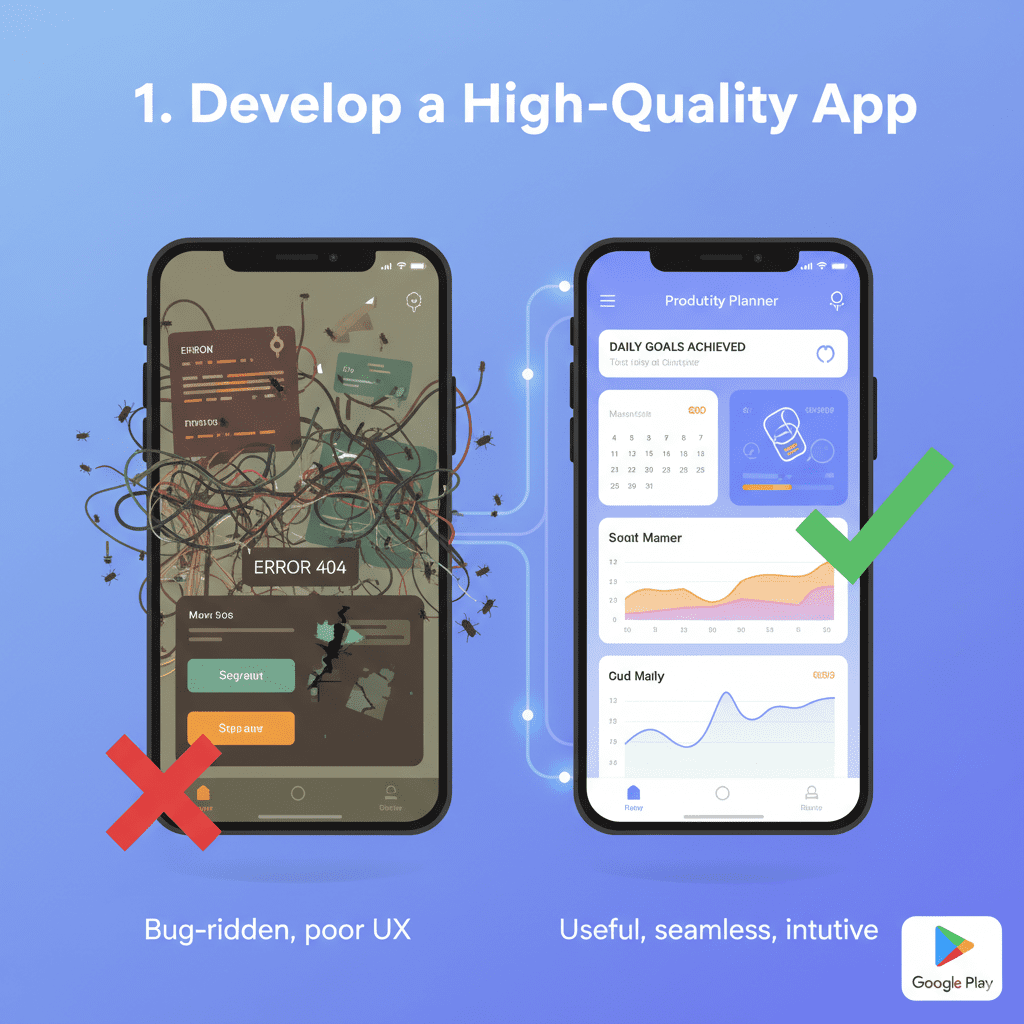
Introduction Mobile applications have become an integral part of our daily lives, with millions of apps available on the Google Play Store. But standing out in such a crowded marketplace is no easy task. One of the most effective ways to get your app noticed, drive massive downloads, and build brand credibility is by getting it featured in the Play Store. A featured app enjoys prime placement, significantly increasing its visibility and credibility among users. However, the path to earning this coveted spot requires strategic planning, optimization, and continuous improvement. In this detailed guide, we’ll walk you through the step-by-step process of how to get your app featured on the Play Store. Whether you’re a startup, developer, or business owner, these actionable strategies will help you maximize your chances. Step 1: Understand What It Means to Be Featured When an app gets featured in the Play Store, it is highlighted by Google in special collections such as Editor’s Choice, Top Apps, or Trending Sections. Featured apps often experience exponential growth in downloads, better user engagement, and increased revenue. However, this isn’t something you can simply pay for—it requires compliance with Google’s standards and providing an exceptional user experience. Google evaluates apps based on several factors: Quality and usability Innovative features User engagement and retention Compliance with Play Store policies Strong app store optimization (ASO) Before moving forward, familiarize yourself with Google’s Play Store Guidelines and ensure your app meets the fundamental requirements. Step 2: Build a High-Quality App The first step toward being featured is to build a high-quality app that users love. Google prioritizes apps that deliver an excellent user experience. Key aspects to focus on: Smooth Performance: Ensure the app runs without crashes, slowdowns, or bugs. Intuitive UI/UX: Simple, clean design that’s easy to navigate. Unique Value Proposition: Your app should solve a real problem or deliver entertainment in an innovative way. Compatibility: Support a wide range of devices and screen sizes. High-performing apps are more likely to be recommended by Google editors. Step 3: Optimize App Store Listing (ASO) App Store Optimization is crucial for discoverability and plays a key role in getting featured. Best practices include: Title & Description: Use clear, keyword-rich titles and descriptions. Icon & Graphics: A professional app icon, promotional images, and engaging screenshots are essential. Promo Video: Add a high-quality demo video that explains the app. Localized Content: Translate your app’s content into different languages to reach a global audience. ASO not only increases downloads but also signals to Google that your app is relevant and user-friendly. Step 4: Maintain Strong Ratings and Reviews Google pays close attention to user feedback. Apps with consistent 4.5+ ratings and positive reviews have a much higher chance of being featured. Tips to achieve this: Encourage satisfied users to leave reviews. Respond promptly to negative feedback. Continuously update the app to fix bugs and improve features. Add in-app prompts for reviews at the right time (e.g., after a positive user experience). User trust and satisfaction directly influence your app’s visibility. Step 5: Ensure Compliance with Google Policies Google enforces strict policies to ensure apps are safe and trustworthy. Any violation can hurt your chances of getting featured—or worse, get your app removed. Key policies to follow: Content Guidelines: No offensive, misleading, or harmful content. Ad Policies: Avoid intrusive or misleading ads. Data Privacy: Be transparent about user data collection and ensure compliance with GDPR and other regulations. Apps that respect privacy and follow ethical practices stand out. Step 6: Leverage Google Play Features Google provides developers with tools and features that, when implemented, can improve your app’s chances of being featured: Android App Bundles for optimized delivery. Instant Apps that allow users to try your app without installing. Material Design Guidelines to enhance the visual appeal. Google Play Billing Library for smooth in-app purchases. Incorporating these features shows Google that your app is modern and user-centric. Step 7: Drive Engagement and Retention It’s not just about downloads—Google wants apps that keep users engaged over the long term. Strategies include: Push notifications with personalized content. Reward systems, gamification, and loyalty programs. Frequent updates with new features. Building communities around your app (forums, social media groups). The higher your engagement and retention rates, the more likely you are to get featured. Step 8: Build a Strong Marketing Strategy Google looks at overall brand presence. Apps with solid marketing campaigns often gain attention faster. Effective marketing strategies: Social Media Promotion: Leverage platforms like Instagram, LinkedIn, and Twitter. Content Marketing: Publish blogs and guides related to your app’s niche. Influencer Partnerships: Collaborate with industry influencers. Press Coverage: Reach out to media and tech blogs. For inspiration, check out resources like TechOTD Blog where technology and app development trends are covered extensively. Step 9: Connect with Google’s Editorial Team Sometimes, direct communication can help. You can pitch your app to Google Play’s editorial team via the Google Play Console. Share what makes your app unique, its growth metrics, and how it provides value to users. While there’s no guarantee, having a direct pitch can increase your visibility. Step 10: Keep Updating and Innovating Finally, the most sustainable way to get noticed is by continuously improving your app. Release regular updates with fresh features. Monitor analytics and adapt based on user behavior. Stay ahead of competitors by adding cutting-edge technologies like AI, Blockchain, and Predictive Analytics. For example, platforms like AI Solutions at TechOTD and Blockchain Business Process Integration showcase how adopting innovative technologies can help apps stand out in competitive markets. Additional Tips to Maximize Your Chances Showcase your app in case studies and reports, similar to how Large Language Models in Finance are documented. Focus on customer journeys and experience excellence, like this AI-driven customer service blog. Explore emerging technologies and trends such as Best Gadgets for Programmers 2025 or Predictive Analytics Software. Understand the impact of technology in various domains, as explained in Tech’s Role in Education. Stay updated with framework comparisons like React Native vs Swift. Learn


android devlopment

22 Best Android Libraries for 2025

Introduction Android app development is continuously evolving, with new libraries and tools that streamline coding, improve app performance, and enhance user experience. For developers aiming to create state-of-the-art Android applications in 2025, leveraging the right libraries is essential to save time, reduce bugs, and adopt best practices. This blog highlights the 22 best Android libraries for 2025 trusted by developers to accelerate their workflows and build powerful, scalable apps. These libraries also integrate well with AI, modern workflows, and cross-platform strategies embraced by companies featured on TechOTD AI Services and TechOTD Blog. 1. Jetpack Compose Google’s modern UI toolkit enables declarative UI design with Kotlin, reducing boilerplate and improving development speed. Compose tightly integrates with other Jetpack components like ViewModel and Navigation. 2. Hilt A dependency injection library built on Dagger, Hilt simplifies managing object lifecycles and reduces boilerplate, improving code modularity and testability. 3. WorkManager Manages deferrable background tasks, ensuring jobs run under specified constraints, even if the app is closed or the device restarts. 4. Room Google’s SQLite object-mapping library streamlines database interactions with type-safe queries and compile-time checks. 5. Retrofit A type-safe HTTP client for Android and Java, Retrofit simplifies API calls and network communication. 6. Coil An image loading library optimized for Kotlin and Jetpack Compose with efficient memory handling and easy integration. 7. EventBus Offers publisher/subscriber pattern implementation to decouple app components and simplify event-driven communication. 8. RxKotlin Extends RxJava’s reactive programming capabilities with Kotlin idioms, enabling streamlined asynchronous programming. 9. Navigation Component Android Jetpack library that supports efficient in-app navigation and back stack management. 10. Glide Image loading and caching library for smooth scrolling with large or complex images. 11. Timber A logger with enhanced capabilities, making debugging easier in production and development. 12. Lottie Library to render Adobe After Effects animations natively on Android, improving app storytelling. 13. Gson Google’s library to parse JSON into Java/Kotlin objects and vice versa. 14. Koin Lightweight dependency injection framework focused on Kotlin, offering a simpler alternative to Dagger. 15. Espresso UI testing library maintaining app stability with automated interaction simulation. 16. Mockito Popular mocking framework aiding unit testing by simulating complex objects. 17. Timber Logging utility to replace native Android Log with better usability and customization. 18. LeakCanary Memory leak detection tool that helps identify and fix leaks during development. 19. Espresso Idling Resource Helps synchronize asynchronous events during Espresso UI tests. 20. Stetho Debug bridge for Android applications enabling rich debugging capabilities using Chrome Developer Tools. 21. Kotlin Coroutines Enables smooth asynchronous programming with simplified syntax for concurrency. 22. Material Components for Android Google’s official UI component library implementing Material Design guidelines. Conclusion In 2025, Android development demands efficient, robust libraries that empower developers to build modern applications quickly and efficiently. Combining these 22 libraries equips your development toolkit with powerful tools to handle UI, networking, data, testing, and performance optimization.

How would you like me to respond?

Select a personality for your AI assistant

Normal
Happy
Sad
Angry

Your selection will affect how the AI assistant responds to your messages

Chat Assistant

Let's discuss your project!

Hear from our clients and why 3000+ businesses trust TechOTD

Tell us what you need, and we'll get back with a cost and timeline estimate

Scroll to Top