App Development

Student comparing different learning apps on a laptop and phone to choose the best one for study goals, usability, and features.
App Development, Education & Learning

How to Choose the Right Learning App

Introduction Choosing the right learning app starts with understanding your goal. Whether you want to improve grades, learn a new skill, practice a language, or stay organized, the best app is the one that matches your needs, learning style, and daily routine. A learning app should not just give you content; it should help you learn in a way that feels simple, useful, and easy to maintain over time. When the app fits your purpose, studying becomes less stressful and more effective. With so many learning apps available today, it is easy to feel overwhelmed by choices. Some apps focus on video lessons, others on flashcards, quizzes, note-taking, progress tracking, or AI-based personalization, so the right one depends on what you want to learn and how you learn best. This is why it is important to look beyond popularity and focus on actual value. An app that works well for one person may not be the right choice for someone else, especially if their learning goals are different. A good learning app should do more than look attractive. It should support your actual learning goals, offer a simple interface, provide useful feedback, and make it easier to stay consistent over time. The best apps save time instead of wasting it, help you stay focused, and make difficult topics easier to understand. Features like reminders, progress reports, offline access, and interactive practice can make a big difference in how effective your study sessions are. Before choosing an app, think about your purpose. Are you preparing for exams, learning a language, building a professional skill, or helping a child learn? Different goals call for different features, such as offline access, curriculum alignment, accessibility, or adaptive practice. It also helps to test apps before committing. Free trials, demo versions, and small pilot use can reveal whether an app is easy to use, engaging, safe, and worth the cost. In the end, the right learning app is the one that helps you stay motivated and make real progress. It should fit into your routine naturally, support the way you learn, and give you confidence that your time is being used well. When chosen carefully, a learning app can become more than just a tool it can become a smart partner in your learning journey. How to Choose Match the app to your goal, such as exam prep, language learning, or subject practice. Check usability, because a clean and simple interface makes learning easier. Look for feedback features like quizzes, progress reports, and spaced repetition. Consider privacy and data security, especially for children or school use. Test the app on your device and compare free and paid versions before deciding. Conclusion The right learning app should make studying simpler, not more confusing. When an app fits your goals, learning style, and schedule, it becomes a helpful tool instead of a distraction. The best choice is usually the one that is easy to use, safe, engaging, and actually helps you make progress. A little testing upfront can save a lot of frustration later. FAQ What is the most important thing to look for in a learning app? The most important thing is alignment with your learning goal, because an app only helps if it supports what you are trying to achieve.digitallearninginstitute+1 Should I choose a free or paid learning app? Start with a free version or trial if possible, then upgrade only if the app offers features you truly need. How do I know if a learning app is effective? An effective app gives clear feedback, keeps you engaged, tracks progress, and helps you retain information better over time. Is privacy important when choosing a learning app? Yes, especially for children and school use, because apps may collect personal or learning data. Can one learning app work for everyone? Not usually, because learners have different goals, ages, and styles, so the best app depends on the user. What should I test before choosing an app? Test ease of use, content quality, feedback tools, device compatibility, and whether the app keeps you motivated.

App Development

1. Sketching the User Experience (UX Wireframing) in Detail We talked about sketching before, but let’s elaborate on why this is the most crucial phase. When you skip wireframing, you end up writing “spaghetti code” because your design changes every time you compile the app. The Psychology of UI You aren’t just drawing boxes; you are predicting human behavior. Users are incredibly impatient. If they cannot figure out how to use your app within the first three seconds, they will uninstall it. The Thumb Zone: Think about how you hold your phone. The most important interactive elements (like the “Submit” or “Checkout” buttons) need to be at the bottom of the screen where a thumb can easily reach them. Information Hierarchy: Your eyes naturally read top-to-bottom, left-to-right. The most critical data points from your backend models should dominate the top third of your screen. Prototyping Tools: Move past pen and paper quickly. Use free tools like Figma or Penpot to create clickable prototypes. This lets you tap through dummy screens on your actual phone before writing a single line of JavaScript. Pro Tip: Never design in isolation. Hand your clickable Figma prototype to a friend, give them a task (e.g., “update the profile picture”), and watch where they get stuck. 2. Architecting the Backend and Database Engine When you are coming from writing local Python scripts, the backend is your comfort zone. But in robust app development, your backend needs to serve hundreds or thousands of simultaneous requests without crashing. REST APIs vs. GraphQL Your mobile app (the client) needs to talk to your server. How do they communicate? REST APIs: This is the traditional route. You create specific endpoints for specific data. For example, GET /users/profile fetches the user data. It is reliable, heavily documented, and great for starting out. GraphQL: This is the modern heavyweight. Instead of hitting multiple endpoints, your app sends a single query asking for exactly what it needs, and the server responds with only that data. It saves massive amounts of mobile bandwidth. Database Selection Your choice of database dictates how fast your app feels. Relational (SQL): Use PostgreSQL or MySQL if your data is highly structured (like financial transactions or user accounts). Non-Relational (NoSQL): Use MongoDB or Firebase if your data is unstructured or needs real-time syncing (like a live chat application or a dynamic social feed). 3. Designing a Highly Responsive Frontend Let’s talk about the actual code that renders the interface. Native development (Swift/Kotlin) gives you the absolute maximum performance, but cross-platform frameworks are the gold standard for solo developers and startups. State Management: The Heart of the Frontend This is where most beginners get stuck. “State” is just the current condition of your app. Is the user logged in? Is the dark mode switch toggled? Is the shopping cart empty? When you use a framework like React Native, managing this state efficiently is everything. If you fetch data from your backend, you need a reliable way to distribute that data to all the different screens in your app without constantly re-fetching it. The Best Tools for the Job React Native: It uses JavaScript. If you know web development, you can pick this up in a weekend. It has a massive library of pre-built UI components. Flutter: Created by Google, it uses the Dart language. It is incredibly fast and renders custom animations smoother than almost anything else on the market. 4. Rigorous Integration and Performance Testing You cannot deploy an app just because it works on your perfect, high-speed Wi-Fi network at home. Real-world users are on 3G networks in subway tunnels. Your app needs to handle failure gracefully. Building a Testing Pipeline Error Handling: What happens if your Python backend takes 10 seconds to respond? Your app shouldn’t just freeze. You need to code loading spinners, skeleton screens, and friendly error pop-ups. Memory Leaks: Mobile phones have limited RAM. If your app opens a bunch of background processes (like constantly pinging a GPS location) and never closes them, the phone’s operating system will forcefully kill your app. CI/CD (Continuous Integration / Continuous Deployment): Set up GitHub Actions. Every time you push new code, a server should automatically run your tests to make sure you didn’t accidentally break a core feature. 5. Deployment and Continuous Monitoring Getting your app into the Apple App Store or Google Play Store is a project in itself. They have strict guidelines, and if your app feels like a cheap wrapper for a website, it will be rejected. The Launch Mechanics Certificates and Signing: Both Apple and Google require you to cryptographically sign your app to prove you are the verified developer. This prevents malicious actors from impersonating your software. App Store Optimization (ASO): This is SEO for the app store. You need compelling screenshots, a keyword-rich description, and a clear preview video to convince people to hit the “Download” button. Post-Launch Analytics Once the app is live, you are flying blind unless you install telemetry. Crashlytics: Tools like Firebase Crashlytics tell you exactly which line of code caused the app to crash for a user in another country. Usage Tracking: Mixpanel or Amplitude can show you exactly where users are dropping off. If 80% of people quit your app at the registration screen, you know exactly what you need to fix in your next update. Final Thoughts on Scaling Transitioning into full-stack app development is a marathon, not a sprint. You are moving from writing linear scripts that run once, to building living, breathing ecosystems that run continuously. Take it one module at a time. Build the wireframe. Then build the database. Then connect the two. Before you know it, you will have an app on your phone that you built from the ground up.

App Development, Education & Learning, Educational Technology, Software development, Technology

Learning Management System Development Guide

The Ultimate Learning Management System Development Guide: Building Scalable E-Learning Platforms The global education market has permanently transcended the physical classroom. From corporate compliance programs and university degrees to niche online academies, digital learning is the new baseline. At the core of this movement lies the Learning Management System (LMS). However, building an LMS today means going far beyond basic video hosting or static PDF uploads. Modern e-learning systems must be highly interactive, data-driven, securely integrated, and incredibly responsive under massive user spikes. Whether you are an enterprise software architect, an EdTech startup founder, or a full-stack engineer, this step-by-step Learning Management System development guide provides the technical roadmap, architecture insights, and compliance standards required to build a world-class educational application. 1. Defining the Core LMS Ecosystem: Who Uses the Platform? A production-ready LMS isn’t a singular application; it is a multi-sided ecosystem that coordinates workflows across three distinct user roles. When designing your system architecture, you must build optimized portals for each group:  The Learner Portal The student experience must focus entirely on reducing cognitive load and maximizing engagement. Key Workflows: Seamless onboarding, intuitive course progression tracking, interactive quizzes, downloadable certificates, and persistent discussion boards.  The Instructor / Content Creator Portal Educators need powerful, frictionless tools to build curricula and evaluate performance without administrative exhaustion. Key Workflows: Drag-and-drop course builders, media upload managers (video, audio, text), question bank generators, and centralized grading dashboards.  The Admin Dashboard The operational hub for managers overseeing the platform’s business rules and data health. Key Workflows: Comprehensive user management (roles and permissionsMatrix), financial reporting for subscription models, security log audits, and platform-wide analytics. 2. Core Technical Architecture of a Modern LMS To handle heavy concurrent video streaming, instant quiz evaluations, and massive global telemetry data, an LMS requires a decoupled, secure microservices architecture. The Standard Technical Stack for an Enterprise LMS Layer Recommended Technologies Purpose Frontend Framework React.js, Next.js, Flutter (for mobile) Delivering a fast, responsive, and cross-platform user experience. Backend & APIs Node.js (NestJS), Python (Django/FastAPI) Handling business logic, user auth, and rapid server computation. Database Tier PostgreSQL (Relational), MongoDB (Course Docs) Storing relational progress logs alongside flexible, nested lesson data templates. Caching Layer Redis Caching active user sessions and temporary quiz states to reduce database strain. Media Delivery AWS CloudFront CDN, AWS S3, Vimeo Enterprise Encoding, protecting, and streaming global high-definition course videos seamlessly. 3. Crucial EdTech Interoperability Standards (SCORM vs. xAPI vs. LTI) You should never build an LMS that completely isolates its data. To gain enterprise or institutional adoption, your platform must natively “speak” the universal languages of educational technology. A. SCORM (Sharable Content Object Reference Model) What it is: The legacy industry standard for packaging e-learning content. Why use it: It ensures that third-party training courses (built in tools like Articulate Storyline or Adobe Captivate) can be uploaded into your LMS and instantly track basic completion scores. B. xAPI (Experience API / Tin Can) What it is: The modern successor to SCORM. Why use it: SCORM only tracks if a user clicked “Next” and finished a course. xAPI records any experience using simple statement formats (Actor + Verb + Object). For example: “Pushkar completed the SQL Advanced coding sandbox on a mobile device.” C. LTI (Learning Tools Interoperability) What it is: A standard developed by 1EdTech that securely connects web-based learning tools with your platform. Why use it: If a university using Canvas or Moodle wants to use your specialized learning tool, LTI allows them to launch your application inside their native platform securely without requiring separate login credentials. 4. Step-by-Step Software Development Lifecycle for an LMS Developing an LMS requires a highly structured execution strategy. Because a single bug in progress-tracking can wipe out a user’s entire certification history, rigorous development stages are mandatory. [Discovery & UX Wireframing] ➔ [Database Schema Mapping] ➔ [Core Engine Coding] ➔ [SCORM/xAPI Integration Testing] ➔ [Deployment & CDN Tuning] Step 1: Secure Content Delivery & Video Infrastructure Video streaming is usually the most expensive and resource-intensive component of an LMS. Video Transcoding: Implement automated transcoding pipelines (such as AWS Elemental MediaConvert). When an instructor uploads a raw 4K video, the system must automatically slice it into multiple resolutions (1080p, 720p, 480p) to support low-bandwidth users. Digital Rights Management (DRM): Prevent users from illegally downloading premium course content by implementing secure streaming technologies like HLS (HTTP Live Streaming) paired with encrypted AES keys. Step 2: Designing the Progress Tracking Engine The database schema for tracking student progress must be highly optimized for heavy write operations. Every time a user completes a video milestone or moves to a new page, a status write occurs. Leverage background workers or message queues (like RabbitMQ) to handle non-critical progress logging asynchronously, preventing frontend interface lag. Step 3: Game-Changing UI/UX Implementations An LMS lives or dies by its retention rates. Implement smart UI patterns to keep learners motivated: Progress Visualization: Clear, encouraging visual checklists and progress bars at the top of every dashboard. Contextual Notifications: Triggering automated in-app pushes or targeted emails when a student has stepped away from a course for more than 48 hours. 5. Security, Accessibility, and Compliance Standards When building software that handles user profiles, academic achievements, and enterprise employee data, safety and inclusivity must be hardcoded into your system properties. Data Privacy & Compliance FERPA (USA): If your LMS is deployed in US schools or colleges, you must restrict and audit all access to individual student academic files strictly. GDPR (Europe): Mandates explicit user consent for tracking behaviors, data minimization, and the absolute “right to be forgotten” (wiping user histories completely upon request). Accessibility (WCAG 2.2 Compliance) Education must be inclusive. If your platform is funded or used by public institutions, adherence to the Web Content Accessibility Guidelines (WCAG) is a legal requirement. Ensure full screen-reader compatibility and complete keyboard-only navigation workflows. Enforce optimal color contrast ratios for text visibility and mandate closed-captioning capabilities within your primary video playback modules. 6. Strategic Pre-Launch Technical Checklist Are you gearing up to transition your

App Development, Artificial Intelligence, Mobile App Development

HIPAA-Compliant App Development Guide

The Definitive HIPAA-Compliant App Development Guide: Building Secure and Legal Digital Health Solutions The digital healthcare revolution is moving at a breakneck pace. From AI-driven diagnostic tools and remote patient monitoring systems to telehealth portals and fitness platforms, software is actively rewriting the rules of patient care. However, if you are developing software that handles medical data in the United States, you cannot simply write code, launch it on an app store, and iterate later. Medical software development is bound by strict legal guardrails—chief among them being the Health Insurance Portability and Accountability Act (HIPAA). Failing to comply with HIPAA isn’t just a technical bug; it is a federal violation that can result in millions of dollars in fines, catastrophic data breaches, and severe damage to your brand’s reputation. Whether you are an enterprise software architect, a startup founder, or a full-stack developer entering the health-tech space, this comprehensive, step-by-step HIPAA-compliant app development guide provides the technical roadmap and compliance insights you need to build a secure, legal, and world-class healthcare application. 1. Demystifying HIPAA: Does Your App Actually Need to Be Compliant? Before writing a single line of code, you must determine whether your application falls under the jurisdiction of HIPAA. Not all health or fitness applications are legally required to be HIPAA-compliant. The determining factor boils down to two critical acronyms: PHI and Covered Entities. What is PHI (Protected Health Information)? PHI is any demographic, clinical, or financial data that can uniquely identify a patient and is transmitted or stored by a healthcare system. This includes, but is not limited to: Names, geographic data, and specific dates (birth dates, admission dates). Phone numbers, email addresses, and Social Security Numbers. Medical record numbers, biometric identifiers (fingerprints, voice prints). Full-face photographic images and any unique identifying numbers or codes. The Golden Rule: If your application collects, stores, or transmits PHI in connection with a healthcare provider, health plan, or healthcare clearinghouse, HIPAA compliance is mandatory. Covered Entities vs. Business Associates HIPAA applies to two primary groups: Covered Entities (CE): Healthcare providers (doctors, hospitals, clinics), health plans (insurance companies), and healthcare clearinghouses. Business Associates (BA): Any third-party entity or software application that creates, receives, maintains, or transmits PHI on behalf of a Covered Entity. As an app developer or software vendor providing tech to a hospital or clinic, your organization acts as a Business Associate. This means you must legally sign a Business Associate Agreement (BAA), which binds your company to protect patient data under federal law. Scenario Comparison: When is HIPAA Required? Application Type Features HIPAA Required? Reason Personal Fitness Tracker Tracks a user’s daily steps, heart rate, and calorie intake for personal goals. NO The data is generated and controlled entirely by the consumer for personal use. Hospital Telehealth App Connects a patient with their primary care physician to discuss lab results and adjust medication. YES The app transmits PHI directly on behalf of a covered healthcare provider. Chronic Disease Management Tool Allows a patient to log blood sugar levels and automatically syncs the reports directly to their doctor’s EHR system. YES The data integrates directly into a clinical workflow and is used for official medical care. 2. The Four Fundamental Pillars of HIPAA Compliance HIPAA is not a singular checklist; it is divided into distinct rules that dictate how data must be treated throughout its entire lifecycle. When building software, you must architect your system around these four foundational rules. A. The Privacy Rule The Privacy Rule establishes national standards for the protection of medical records and other PHI. It dictates when and with whom PHI can be shared. Software Application: Your app must give patients full transparency regarding how their data is used. Features should include accessible privacy policies, explicit authorization prompts before sharing data, and mechanisms that allow users to request copies of their health records. B. The Security Rule While the Privacy Rule covers all PHI (including paper records), the Security Rule specifically focuses on ePHI (Electronic Protected Health Information). This is the core pillar that software engineers and infrastructure architects must master. It is broken down into three safeguard categories: 1. Administrative Safeguards These focus on administrative actions and policies to manage selection, development, implementation, and maintenance of security measures. Risk Assessments: Conducting regular, documented vulnerability testing and code reviews. Employee Training: Ensuring every engineer, designer, and QA tester working on the app undergoes formal security training. 2. Physical Safeguards These protect a firm’s physical buildings, equipment, and media from unauthorized access and environmental hazards. Cloud Infrastructure Security: While you likely won’t own physical servers, you must ensure that your cloud provider (e.g., AWS, Google Cloud, Microsoft Azure) hosts your data in highly secure, physically restricted data centers. 3. Technical Safeguards These govern the technology, policy, and procedures for its use that protect ePHI and control access to it. Access Controls: Unique user IDs, automated logouts after periods of inactivity, and emergency data-wiping procedures. Transmission Security: Guarding against unauthorized access to ePHI while it is being transmitted over an electronic network. C. The Breach Notification Rule If a data breach occurs and unencrypted PHI is exposed, this rule outlines strict notification guidelines. If a breach affects more than 500 individuals, you must notify the Department of Health and Human Services (HHS), the affected individuals, and prominent media outlets within 60 days. Software Application: Your app backend must feature real-time security scanning and automated anomaly detection to flag potential breaches instantly, allowing your DevOps team to mitigate risks before data is leaked. D. The Omnibus Rule The Omnibus Rule explicitly expands HIPAA accountability directly to Business Associates (software vendors and developers). Under this rule, you are directly liable for compliance violations and subject to the same federal penalties as hospitals or health systems. 3. Core Technical Architecture Checklist for Developers To make an app HIPAA-compliant, your development team must build specific technical safeguards directly into the application’s code, APIs, and hosting infrastructure. Use this comprehensive technical checklist to audit your architecture. 1. Encryption: Data

App Development, DEVOPs, Software development

DevOps Automation Explained

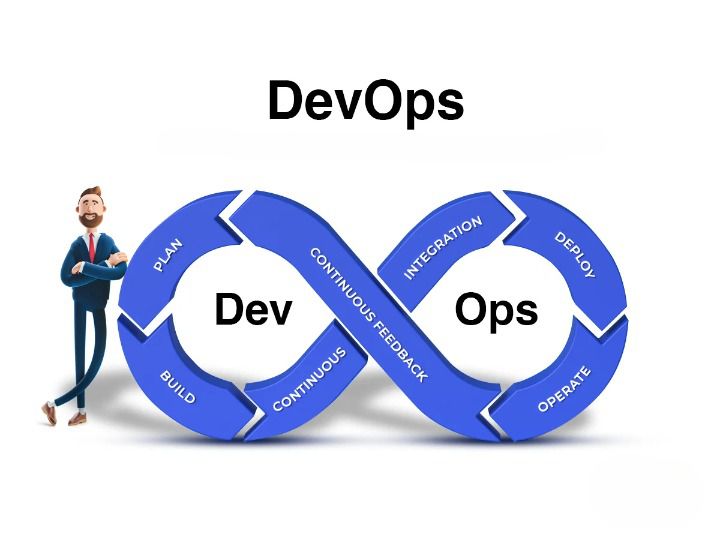
DevOps Automation Explained: The Ultimate Guide to Accelerating Software Delivery In the fast-paced world of modern software development, speed, agility, and reliability are no longer optional—they are critical to survival. If your team is still manually deploying code, configuring servers by hand, or running test scripts line by line, you are falling behind. Enter DevOps Automation. It’s the engine that powers high-performing engineering teams, transforming chaotic, siloed workflows into streamlined, automated delivery pipelines. But automation isn’t just about replacing human effort with scripts; it’s about shifting culture, breaking down traditional silos between developers and operations, and building a resilient ecosystem where software can be built, tested, and shipped at scale with minimal friction. Whether you are an engineering lead looking to scale your infrastructure, a developer tired of dealing with “it works on my machine” bugs, or a business leader aiming to outpace the competition, this comprehensive guide will break down everything you need to know about DevOps automation. 1. What is DevOps Automation? (Beyond the Buzzwords) To truly understand DevOps automation, we first need to strip away the marketing jargon. At its core, DevOps is a cultural and technical philosophy aimed at unifying software development (Dev) and IT operations (Ops). Historically, these two teams operated in complete isolation: Developers were incentivized to move fast, ship new features, and push boundaries. Operations teams were incentivized to maintain system stability, minimize downtime, and resist risky changes. This inherent tension created a massive bottleneck. Code would sit waiting for manual security reviews, server setups took weeks, and deployments were high-stress, late-night events prone to human error. +———————————–+ | Traditional Siloed Model | | [Dev Team] ——> [Ops Team] | | (Move Fast) Wall (Maintain) | | of Chaos | +———————————–+ VS +———————————–+ | DevOps Loop Model | | (Plan -> Build -> Test -> | | Deploy -> Monitor -> Feedback) | | Continuous & Automated | +———————————–+ DevOps automation is the practice of injecting technology across this entire lifecycle to automate repetitive, manual tasks. It bridges the gap between these teams, allowing software to flow from a developer’s laptop to production seamlessly, safely, and predictably. Why Automation is the Heart of DevOps Without automation, DevOps is just a nice idea. You can tell your teams to collaborate more, but if their tools and processes don’t support that collaboration, they will default to old habits. Automation provides the shared framework—the “single source of truth”—that allows both development and operations to achieve their goals simultaneously: speed and stability. 2. The Core Pillars of a DevOps Automation Framework A mature DevOps automation strategy isn’t built overnight. It spans across several distinct but interconnected phases, often referred to as the continuous delivery pipeline. Let’s break down these essential pillars. Continuous Integration (CI) Continuous Integration is the practice of automating the integration of code changes from multiple contributors into a single software project. Instead of developers working in isolation on massive feature branches for weeks, they merge their code back into a central repository (like GitHub or GitLab) frequently—often multiple times a day. Every time code is pushed, an automated CI server takes over. It automatically triggers: Code Compilation: Building the application to ensure there are no syntax or structural compilation errors. Automated Testing: Running unit tests and code linters to verify that the new changes don’t break existing functionality or violate code quality standards. By catching bugs early in the development cycle, CI prevents the dreaded “integration hell” that happens when teams try to merge massive amounts of conflicting code right before a major release. Continuous Delivery (CD) & Continuous Deployment While CI handles getting code into a stable, buildable state, Continuous Delivery and Continuous Deployment (often collectively called CD) handle getting that code into production. Continuous Delivery: In a CD workflow, every successful code change that passes the CI pipeline is automatically built and packaged. It is then automatically deployed to a staging or testing environment. However, the final push to the live production environment requires a manual human trigger (e.g., clicking a “Deploy” button). Continuous Deployment: This takes automation a step further. There is no manual intervention. If a code change passes every single automated test in the pipeline, it is automatically deployed directly to production. [ Code Change ] │ ▼ ┌────────────────────────┐ │ Continuous Integration │ -> Code Merged, Built, & Unit Tested └──────────┬─────────────┘ │ (Passes) ▼ ┌────────────────────────┐ │ Continuous Delivery │ -> Staging Deployment & Advanced Testing └──────────┬─────────────┘ │ ├─► (Manual Approval) ──► [ Production ] (Continuous Delivery) │ └─► (Automated Push) ──► [ Production ] (Continuous Deployment) Infrastructure as Code (IaC) Traditionally, provisioning servers, configuring networks, and setting up databases required operations teams to manually click through cloud consoles or run terminal commands on individual machines. This approach is slow, unscalable, and heavily prone to configuration drift (where environments that are supposed to be identical slowly become different over time). Infrastructure as Code solves this by treating your infrastructure exactly like software code. You define your servers, storage, networks, and configurations in descriptive configuration files (using formats like YAML or JSON). These files are stored in version control alongside your application code. When you need to spin up a new environment, an IaC tool reads the configuration and provisions the exact infrastructure automatically. This guarantees that your development, staging, and production environments are identical replicas, eliminating environment-specific bugs entirely. Continuous Monitoring and Logging Automation doesn’t stop once code is live in production. In fact, that’s where some of the most critical automation begins. Automated monitoring and logging tools constantly track the health, performance, and security of your applications and infrastructure in real-time. Instead of waiting for users to tweet about a crash or submit a support ticket, automated monitoring systems use predictive alerts to notify engineering teams the moment performance begins to degrade—such as spikes in CPU usage, memory leaks, or an unusual rise in 500 error codes. Advanced monitoring systems can even trigger automated remediation scripts, like spinning up additional cloud servers to handle unexpected traffic spikes or

App Development, Digital Transformation

App Store Optimization (ASO) Guide

App Store Optimization (ASO) Guide: The Definitive Enterprise Strategy for Mobile Growth (2026) The global mobile ecosystem has reached a point of peak saturation. With millions of active applications competing across the Apple App Store and Google Play Store, simply launching a technically flawless, feature-rich app is no longer a guarantee of market success. The digital “build it and they will come” philosophy is entirely dead. Today, mobile visibility is governed by complex, algorithmic search engines, personalized user recommendations, and highly conversion-optimized store interfaces. To capture sustainable, organic user acquisition without entirely relying on ballooning paid advertising budgets, enterprises must execute a rigorous, data-driven framework known as App Store Optimization (ASO). This comprehensive guide serves as your enterprise blueprint to mastering store algorithms, maximizing search discoverability, and engineering high-conversion product pages that turn casual browsers into loyal users. 1. Defining Modern ASO: The Dual Engine of Mobile Growth Many organizations mistakenly view App Store Optimization as the simple mobile equivalent of traditional web Search Engine Optimization (SEO). While they share a foundational reliance on keyword research and semantic relevance, ASO is a uniquely complex discipline that acts as a dual engine: balancing Discoverability (getting found) with Conversion Rate Optimization (getting downloaded). +———————————————————————–+ | THE DUAL ENGINE OF ASO | +———————————————————————–+ | DISCOVERABILITY | CONVERSION RATE (CRO) | | “Traffic Inflow” | “Traffic Conversion” | | • Algorithmic indexing | • High-impact visual assets | | • Metadata keyword injection | • Convincing app descriptions | | • In-app event visibility | • Positive review & rating mix | | • Regional store localization | • Clear value proposition alignment| +———————————–+———————————–+ If your application possesses elite discoverability but features a confusing, poorly designed store page, your acquisition funnel will bleed traffic. Conversely, if you have a flawless, high-converting product page but poor search indexing, no one will ever arrive to experience it. True ASO excellence requires a continuous optimization loop across both pillars. 2. Cracking the Code: Apple App Store vs. Google Play Algorithms To manipulate your visibility effectively, you must understand the stark architectural differences between the indexing engines of the two primary mobile marketplaces. The Apple App Store Algorithm: Strict and Explicit Apple’s search engine relies on explicit metadata fields. It does not scan your long app description for keyword indexing. Instead, it looks at a highly specific set of parameters: App Title (30 Characters): Carries the highest algorithmic weight. It should combine your unique brand name with your primary high-volume keyword. App Subtitle (30 Characters): Positioned directly beneath the title, this field carries secondary indexing weight and should clearly state your core utility. The Hidden Keyword Field (100 Characters): A hidden, comma-separated list of search terms. Commas must be used without spaces to maximize character limits, and repeating terms across fields must be strictly avoided as it wastes valuable character space. The Google Play Store Algorithm: Contextual and Semantic Google approaches app indexing exactly like its web search engine. It relies heavily on advanced Natural Language Processing (NLP) to read your store page contextually. App Title (30 Characters): Core brand and primary keyword anchor. Short Description (80 Characters): Provides the initial contextual hook for users and a strong indexing signal for the engine. Long Description (4,000 Characters): Google scans this entire text field to determine semantic relevance. Your target keywords should be distributed naturally throughout this text block—aiming for a healthy keyword density of 1% to 2%—without crossing the threshold into keyword stuffing, which triggers algorithmic penalties. 3. On-Page Metadata Optimization Framework An optimized metadata blueprint requires a scientific approach to keyword research. Enterprises must evaluate keywords based on three distinct metrics: Relevance (does the term align with the app’s actual functionality), Search Volume (how many users type this word), and Difficulty/Competition (how many entrenched corporate giants currently dominate that search result). [Unstructured Competitor Data] —> [Keyword Relevance Assessment] —> [High-Volume, Low-Difficulty Selection] —> [Metadata Injected Core] Strategic Placement Rules Prioritize Front-Loading: Place your most critical, high-volume keyword phrases at the absolute beginning of your App Title and Subtitle. The store algorithms accord higher value to terms positioned early in string headers. Avoid Redundancy: On iOS, do not repeat a word in your hidden keyword field if it already exists in your Title or Subtitle. The algorithm combines these fields automatically; repetition adds no value and steals space from alternative search terms. In-App Events & Promotional Text: Leverage seasonal text fields aggressively. Highlighting limited-time challenges, live stream features, or holiday updates via native store event modules drives significant real estate expansion on the search results pages. 4. Visual Conversion Rate Optimization (CRO) Once a user clicks on your app listing, your visual assets do 80% of the convincing. Mobile users skim store assets rapidly; your visuals must communicate your application’s primary value proposition within less than three seconds. [User Arrives on Product Page] | v +——————————+ | App Icon: Instant Brand ID | +——————————+ | v +——————————+ | First 3 Vertical Screens | +——————————+ / | \ +————————+ | +————————-+ | v | +———————–+ +——————–+ +———————–+ | Value Prop Hook | | Core Interface UI | | Social Proof / Trust | | (Bold, readable text)| | (Sleek, high contrast| | (Accolades, Reviews) | +———————–+ +——————–+ +———————–+ Designing High-Converting App Screenshots The First Three Frames Matter Most: On standard search layouts, users see your first three vertical screenshots simultaneously. These three frames must operate as a unified, storytelling billboard. Focus on Benefits, Not Features: Do not use internal technical jargon as headings. Instead of writing “Utilizes Advanced AES-256 Synchronous Database Tables,” write “Your Medical Files, Safely Encrypted.” Maximize Interface Contrast: Ensure the actual application UI displayed inside the device frames is highly visible. Brighten dark interfaces, enlarge small text fonts artificially within design assets, and remove unnecessary background clutter to let key workflows pop off the screen. App Store Preview Videos An effective preview video is an informative demonstration, not a cinematic movie trailer. Show real-time user interface interactions immediately within the first two seconds. Avoid extensive

App Development, Digital Transformation, Technology, Technology & Innovation

Cost of iOS App Development in India

Cost of iOS App Development in India: The Comprehensive Enterprise Guide (2026) The global mobile ecosystem is experiencing an unprecedented evolution. As enterprises rush to deploy native, intelligent mobile experiences, India has solidified its position as the premier global hub for iOS application development. Operating at the intersection of elite technical engineering, advanced chip-level optimization, and highly competitive labor economics, Indian development teams build world-class applications for a fraction of Western operational costs. However, calculating the true Cost of iOS App Development in India is not as simple as looking at an hourly rate sheet. It requires an understanding of application complexity layers, feature dependencies, hidden infrastructure costs, and post-deployment optimization cycles. This comprehensive guide serves as an enterprise-grade blueprint to budgeting, scoping, and executing a successful iOS application development project in India. 1. Executive Summary: The Indian iOS Advantage When budgeting for an iOS application, enterprise decision-makers face a striking cost disparity between regional development markets. While a senior iOS architect in Silicon Valley or London commands between $120 and $250+ per hour, an equally qualified engineer in India’s tier-1 tech hubs costs between $25 and $60 per hour. +———————————————————————–+ | GLOBAL HOURLY RATE COMPARISON | +———————————————————————–+ | North America (USA/Canada) | $120 – $250+ / hour | | Western Europe (UK/Germany) | $90 – $180 / hour | | Eastern Europe (Poland/Ukraine) | $40 – $80 / hour | | INDIA (Tech Hubs) | $25 – $60 / hour | +———————————————————————–+ This massive pricing bridge is driven entirely by local cost-of-living structures, not a sacrifice in engineering quality. In fact, Indian development agencies have heavily modernized their workflows, training developers natively in Apple Intelligence, advanced CoreML client-side frameworks, and Swift 6 concurrency models. By outsourcing to India, enterprises can reinvest their saved capital directly into aggressive marketing, customer acquisition, and advanced product feature development. 2. iOS App Cost Breakdown by Complexity Tiers To build an accurate project estimate, your mobile product must be categorized into a strict complexity tier. The broader the feature matrix, the higher the engineering hours and financial commitment required. Tier 1: Simple / MVP Applications Core Capabilities: Basic user profile registration, social media login integrations, a standard static database, simple list views, minimal push notification triggers, and standard UI components. Typical Examples: Basic e-commerce catalogs, fitness trackers, simple content curation feeds, or internal employee survey tools. Development Timeline: 2 to 3 months. Estimated Cost in India: $8,000 to $15,000. Tier 2: Mid-Level / Custom Applications Core Capabilities: Custom UI/UX layouts, real-time database synchronization, API integrations with legacy enterprise systems (e.g., Salesforce, Stripe), geo-location mapping, chat functionality, and basic on-device machine learning capabilities. Typical Examples: On-demand delivery applications, custom CRM mobile extensions, localized healthcare patient portals, or advanced marketplace platforms. Development Timeline: 4 to 6 months. Estimated Cost in India: $18,000 to $40,000. Tier 3: Complex / Advanced Enterprise Solutions Core Capabilities: Multi-agent autonomous AI automation pipelines, complex background offline processing, local data encryption, high-volume real-time streaming sockets, custom video/audio parsing engines, and comprehensive multi-platform cloud infrastructure backends. Typical Examples: Neo-banking applications, advanced diagnostic healthcare platforms, real-time logistics tracking portals, or predictive enterprise resource planning (ERP) suites. Development Timeline: 6 to 12+ months. Estimated Cost in India: $45,000 to $100,000+. 3. The Core Cost Drivers: What Dictates the Invoice? Two applications targeting the exact same market can have wildly divergent development costs based on hidden internal technical choices. [User App Interface] —> [Custom API Logic Gate] —> [Cloud Microservices Infrastructure] A. Design Sophistication and Micro-Interactions Standard Apple human interface guidelines (HIG) utilize pre-built template systems that keep design hours low. However, if your brand identity demands bespoke UI components, complex fluid animations, custom dark-mode transitions, or localized spatial audio triggers, the specialized design and front-end engineering hours will swell significantly. B. Third-Party Integrations and Custom Backends An app that purely communicates via simple REST APIs to an existing database is cheap to build. The moment your architecture demands connection to legacy enterprise backends—like SAP ERP systems, complex electronic health records (EHR) pipelines, custom payment processing engines, or advanced security clearinghouses—integration costs scale due to manual data formatting and testing protocols. C. Native vs. Cross-Platform Frameworks The approach you select to write code fundamentally guides your project budget: Native Development (Swift / SwiftUI): Yields perfect app performance, absolute memory efficiency, zero interface lag, and immediate access to native iOS features (like Apple Intelligence). This requires dedicated iOS engineers, raising the initial cost, but drastically minimizes technical debt. Cross-Platform Development (Flutter / React Native): Allows a single developer to write one codebase that deploys to both iOS and Android simultaneously. This approach reduces initial development costs by 30% to 40%, but can lead to performance degradation if your app handles real-time video, heavy client-side AI processing, or highly advanced graphical layouts. 4. Geographic Tech Hub Cost Variances in India Not all development regions within India share identical pricing matrices. The city where your development agency is headquartered will influence your total financial quote. +————————————————————————-+ | INDIAN TECH HUB PRICING MAP | +————————————————————————-+ | Tier-1 Hubs (Bengaluru, Hyderabad, NCR) | | • Premium engineering talent, enterprise specialists, high-scale R&D. | | • Average Rates: $35 – $60 / hour | +————————————————————————-+ | v +————————————————————————-+ | Tier-2 Hubs (Pune, Jaipur, Ahmedabad) | | • Competitive mid-market agencies, highly agile boutique studios. | | • Average Rates: $20 – $35 / hour | +————————————————————————-+ Tier-1 Tech Hubs: Bengaluru, Hyderabad, Delhi-NCR, Mumbai These regions host global technology headquarters and the nation’s most competitive tech talent. Agencies here specialize in elite enterprise systems, complex financial compliances, and bleeding-edge machine learning. Hourly rates trend higher here ($35 – $60/hr), making them ideal for highly complex, scale-dependent corporate projects. Tier-2 Tech Hubs: Ahmedabad, Pune, Jaipur, Kochi These rising digital centers feature agile boutique software studios and highly driven development firms. Their operational overhead is substantially lower, reflecting heavily in their billing rates ($20 – $35/hr). They represent an ideal cost-to-performance sweet spot for startups, medium businesses, and Minimum Viable Product (MVP) prototyping. 5.

App Development, Artificial Intelligence, Software development

AI-Powered Mobile Applications

AI-Powered Mobile Applications: The Ultimate Blueprint for Next-Gen Enterprise Mobility (2026) The mobile app landscape has undergone a profound shift. For years, mobile applications were built as sleek, deterministic user interfaces—gateways that wrapped around backend databases to let users manually input data, scroll through static feeds, and toggle basic settings. Today, the paradigm has completely flipped. Enterprises are no longer building apps that wait for user instructions. Instead, they are deploying AI-Powered Mobile Applications: context-aware, hyper-personalized, intelligent ecosystems that run complex neural networks locally on device hardware, process multimodal real-time streams, and predict user intent before a single button is tapped. This comprehensive guide serves as an enterprise-grade blueprint for product leaders, mobile architects, and digital transformation executives aiming to design, secure, and scale the next generation of mobile experiences. 1. The Architectural Shift: Cloud AI vs. On-Device Edge AI When engineering an AI-powered mobile application, the foundational architectural decision revolves around where the cognitive processing occurs: in the cloud via remote APIs, or natively on the device using specialized silicon. +———————————————————————–+ | MOBILE AI COMPUTE ARCHITECTURE | +———————————————————————–+ | CLOUD-BASED AI | ON-DEVICE EDGE AI | | “High Latency & Powerful” | “Zero Latency & Private” | | • Processes massive multi-billion | • Runs optimized, compressed models | | parameter models via remote APIs | directly on mobile NPUs | | • Dependent on constant connectivity | • Functions flawlessly offline | | • Variable token and network costs | • Maximum privacy for sensitive PII | +———————————–+———————————–+ The Cloud AI Model (Server-Side) Cloud-centric mobile apps rely on sending user inputs (text, images, audio) over network protocols to massive enterprise model APIs (like OpenAI, Claude, or Gemini Enterprise). While this grants the application access to immense computational reasoning, it introduces significant bottlenecks for mobile users: network latency, high cloud token costs, and a total dependency on cellular connectivity. The On-Device Edge AI Model (Client-Side) Modern mobile chipsets feature highly advanced, dedicated Neural Processing Units (NPUs). By utilizing model optimization techniques like quantization and pruning, developers can compress specialized Large Language Models (LLMs) and computer vision frameworks to run directly on the smartphone. This approach unlocks near-zero latency, operates entirely offline, and guarantees that sensitive user metrics never leave the local hardware. 2. High-Impact Use Cases for Enterprise Mobile AI Integrating intelligent capabilities natively into mobile apps fundamentally alters how workforce teams and consumers interact with software on the move. A. Real-Time Field Operations and Multimodal Augmented Reality The Friction Point: Field engineers and maintenance crews waste critical hours flipping through multi-hundred-page technical manuals on tiny screens while attempting to repair complex machinery. The AI Automation Solution: An AI-powered field application uses the device’s camera feed to analyze hardware configurations natively. By processing the video frames in real time, the mobile app identifies specific mechanical parts, diagnoses visible wear and tear, and overlays step-by-step augmented reality (AR) repair schematics directly onto the physical components. The technician can speak naturally to the app to log completed steps, completely hands-free. B. Hyper-Personalized Predictive User Interfaces (UI/UX) The Friction Point: Mobile layouts are traditionally static, forcing users to repeatedly navigate complex menus and tap through numerous screens to complete daily, repetitive workflows. The AI Automation Solution: On-device machine learning algorithms continuously analyze localized usage patterns, geographic locations, time-of-day variables, and biometric data. If the app recognizes that a logistics manager opens the app every weekday at 8:00 AM at a specific warehouse to review freight manifests, the interface automatically reconfigures itself. It elevates those specific data metrics and shortcuts directly to the home screen before the user searches for them. C. Offline Intelligent Data Ingestion and Document Auditing The Friction Point: Sales representatives, insurance adjusters, and medical couriers operating in remote environments with spotty internet connections are blocked from processing applications, forms, and receipts. The AI Automation Solution: Leveraging local vision models, the mobile application transforms the device camera into an intelligent parsing scanner. It extracts structured information from physical documents, translates multi-language text instantly, and runs client-side validation logic to check for compliance errors or missing signatures entirely offline—syncing securely back to corporate servers the moment a network connection is re-established. 3. Technical Stack for Intelligent Mobile Development Building a stable, scalable AI application requires choosing the right software frameworks to interface with native mobile operating systems. [Mobile App Codebase: Swift / Kotlin] —> [Hardware Acceleration Layer: CoreML / NNAPI] —> [Device NPU Silicon] The iOS Ecosystem: Apple CoreML and Apple Intelligence For applications targeting the Apple ecosystem, CoreML serves as the primary machine learning framework. It automatically optimizes models to run across the CPU, GPU, and Apple’s specialized Apple Neural Engine (ANE). This framework gives mobile developers the power to implement advanced on-device text generation, image segmentation, and voice recognition with minimal impact on device battery life. The Android Ecosystem: TensorFlow Lite and Android NNAPI The Android landscape is highly fragmented across multiple hardware manufacturers. To achieve consistent performance, developers rely on TensorFlow Lite (TFLite) or PyTorch Mobile, coupled with the Android Neural Network API (NNAPI). This abstraction layer directs the application to leverage whatever hardware acceleration is available on the specific device, ensuring efficient execution across diverse Android ecosystems. Cross-Platform Alternatives For teams building apps via cross-platform frameworks like React Native or Flutter, bridging to on-device AI requires wrapping native CoreML and TFLite modules or using unified web-assembly solutions. While highly effective for basic image classification or semantic text manipulation, high-performance real-time video processing still benefits greatly from native Swift or Kotlin execution. 4. Design Principles for AI Mobile User Experiences Designing user interfaces for intelligent, probabilistic mobile applications requires abandoning many traditional web-based assumptions. Designing for Non-Deterministic Outputs Traditional apps output predictable results. AI apps, however, operate on probability. Designers must implement micro-interactions that communicate system confidence. For instance, if an app automatically scans a barcode or transcribes a vocal note, it should visually highlight areas where the AI’s confidence score dipped below a specific threshold, allowing the user to tap and manually verify that specific data

App Development, Artificial Intelligence, Technology & Innovation

Generative AI vs Traditional AI: Key Differences

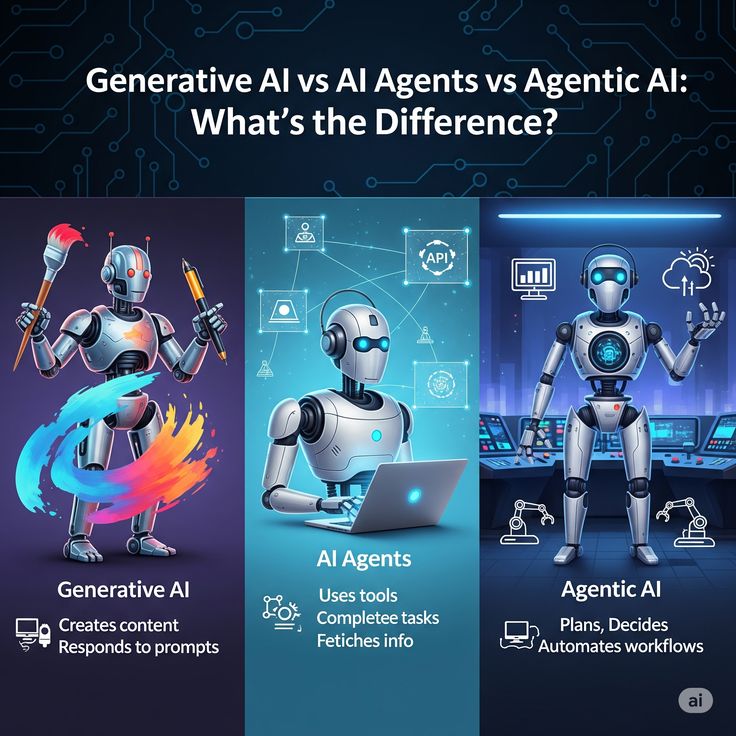
Generative AI vs Traditional AI: The Ultimate Shift from Analytical Logic to Digital Creativity Remember when computers were just exceptionally fast calculators? You’d give them a strict set of instructions, input some clean data, and they would spit out a mathematically perfect answer. If you stepped even an inch outside those instructions, the system would crash, delivering a cold, unhelpful error message. For decades, that was the boundary of artificial intelligence. It was smart, but it was rigid. It was analytical, but it lacked a soul. Fast forward to today, and the tech landscape looks entirely different. We are writing essays, composing symphonies, generating photorealistic artwork, and coding entire applications simply by chatting with a computer in plain English. This isn’t just a minor software update; it is a profound paradigm shift. We have officially crossed the threshold from Traditional AI—the master analyst—to Generative AI—the digital creator. But what actually happens beneath the hood of these two distinct technologies? Why does the shift from predicting data to creating data matter so much for businesses, creators, and everyday tech users? Let’s unpack the core differences, the underlying mechanics, and the philosophical divide between Traditional and Generative AI. 1. Defining the Contenders: What is Traditional AI? To understand the revolution, we first need to appreciate the foundation. Traditional AI, often referred to as Analytical, Discriminative, or Predictive AI, is built to analyze, categorize, predict, and optimize based on pre-existing data. Think of Traditional AI as the world’s most efficient detective. It looks at clues (historical data), identifies patterns, matches them against a set of rules or learned behaviors, and draws a highly logical conclusion. Core Characteristics of Traditional AI: Objective-Driven: It operates with a specific, narrow goal in mind (e.g., “Is this email spam or not?”). Pattern Recognition: It excels at finding anomalies, correlations, and trends across massive datasets that a human brain couldn’t possibly process in a lifetime. Deterministic or Discriminative: It classifies data into predefined buckets. It looks at an image of a cat and says, “Based on my training, there is a 98% probability that this object is a cat.” Everyday Examples of Traditional AI: Netflix and Spotify Recommendation Engines: They analyze your past behavior to predict what you might want to watch or listen to next. Fraud Detection Systems: Your bank uses Traditional AI to flag a transaction if you suddenly buy a high-end watch in a country you’ve never visited. Chess Engines (like Deep Blue): They calculate millions of possible moves ahead based on rigid rules and historical games to choose the optimal next step. Traditional AI is brilliant at answering questions like: What happened? Why did it happen? And what is likely to happen next? However, if you asked a traditional AI to write a poem about the loneliness of a broken chess piece, it would completely lose its mind. It simply doesn’t have the architecture to build something from nothing. 2. Enter the Disruptor: What is Generative AI? If Traditional AI is the analytical detective, Generative AI is the eccentric artist, writer, and engineer rolled into one. Generative AI (GenAI) is a branch of artificial intelligence capable of generating entirely new content. We aren’t talking about rearranging a few pre-written templates. GenAI takes a text prompt and synthesizes original text, imagery, audio, 3D models, or code that has never existed before in human history. Core Characteristics of Generative AI: Creation-Oriented: Instead of just labels or scores, its output is a complex, multi-dimensional artifact (a paragraph, an image, a video). Probabilistic and Fluid: It doesn’t rely on rigid logic gates. Instead, it predicts the next most logical and creative sequence of words, pixels, or notes based on a vast understanding of human culture and language. Contextual Understanding: It handles the messy, nuanced, and ambiguous nature of human communication, allowing for interactive, back-and-forth conversations. Everyday Examples of Generative AI: Large Language Models (LLMs): Tools like ChatGPT, Claude, and Gemini that write code, draft essays, and brainstorm ideas. AI Art Generators: Midjourney, Stable Diffusion, and DALL-E that turn wild textual descriptions into stunning visual masterpieces. Voice and Video Synthesizers: Platforms that generate realistic human speech or create high-quality video footage from simple text prompts. Generative AI doesn’t just look at a cat image and label it. It understands the abstract concept of “cat-ness”—the whiskers, the posture, the texture of fur, the playfulness—and uses that conceptual framework to paint an entirely unique digital kitten sitting on a neon-lit cyberpunk skyscraper. 3. Under the Hood: How the Architecture Differs The experiential difference between these two forms of AI comes down to a fundamental divergence in their underlying architecture and training methods. +—————————————————————–+ | THE CORE CONTRAST | +—————————————————————–+ | TRADITIONAL AI | | [Input Data] —> [Pattern Recognition & Rules] —> [Label] | | | | GENERATIVE AI | | [Text Prompt] —> [Transformer/Diffusion Model] —> [New Asset] | +—————————————————————–+ The Mechanism of Traditional AI Traditional AI relies heavily on classic machine learning and deep learning algorithms, such as Linear Regression, Decision Trees, Support Vector Machines (SVMs), and Convolutional Neural Networks (CNNs). The training process is typically highly supervised. If you want to train an AI to detect lung cancer in X-rays, you feed it thousands of images explicitly labeled “Cancerous” or “Healthy.” The AI learns the microscopic pixel variations that distinguish the two. Its output is binary or probabilistic: yes or no, category A or category B. The Mechanism of Generative AI Generative AI owes its massive boom to a breakthrough paper published by Google researchers in 2017 titled “Attention Is All You Need.” This paper introduced the Transformer Architecture, which completely replaced older, slower models like RNNs. Transformers utilize a concept called self-attention. When reading text, the model doesn’t just look at words one by one; it calculates how every single word in a sentence relates to every other word, capturing subtle context, sarcasm, tone, and intent. For visual media, GenAI often uses Diffusion Models. These models are trained by taking an image, deliberately adding digital static

App Development, Software development, Technology

Flutter vs React Native: Complete Comparison

Flutter vs React Native: The Ultimate 2026 Comparison Guide The cross-platform mobile development landscape has long evolved past the days of sluggish web-views and compromised user interfaces. Today, choosing a mobile framework isn’t about deciding whether cross-platform is “good enough”—it’s about choosing which ecosystem aligns perfectly with your engineering culture, product roadmap, and scaling requirements. At the epicenter of this architectural debate sit two titans: Flutter (backed by Google) and React Native (backed by Meta). Both command massive communities, power production apps for global enterprises, and innovate aggressively. If you are a CTO architecting a new product, a product manager looking to optimize time-to-market, or a developer deciding where to invest your learning time, this exhaustive, deep-dive comparison will cut through the marketing fluff to help you make an informed decision. 1. The Core Philosophy and Architecture To truly understand how Flutter and React Native differ, we must look beneath the surface at how they handle code execution and render pixels on a user’s screen. React Native Architecture: [ JavaScript Code ] <— JSON Bridge / JSI —> [ Native Modules (Java/Swift) ] —> [ Native OS Elements ] Flutter Architecture: [ Dart Code ] —> [ Flutter Framework ] —> [ Impeller / Skia Graphics Engine ] —> [ Skia/Impeller Canvas ] React Native: The Native Bridge and JSI React Native’s core philosophy is summed up by its early motto: “Learn once, write anywhere.” It doesn’t try to reinvent the wheel. Instead, it relies heavily on the underlying native platform’s UI components. Historically, React Native achieved this using an asynchronous JSON Bridge. Your JavaScript code would talk to the native layer (Java/Kotlin for Android, Objective-C/Swift for iOS) by serializing data into JSON strings and passing it across the bridge. This approach occasionally created performance bottlenecks during high-frequency animations or heavy data filtering. Today, React Native relies on its New Architecture, featuring the JavaScript Interface (JSI). JSI removes the bridge entirely, allowing JavaScript to hold direct references to C++ host objects. This enables synchronous execution and brings React Native’s capabilities much closer to pure native speeds. Flutter: The Sovereign Graphics Engine Google took a fundamentally different approach with Flutter: “Write once, run anywhere.” Flutter does not use the native platform’s UI components. Instead, it behaves like a high-performance game engine. Flutter ships with its own graphics rendering engine (traditionally Skia, and now moving rapidly to Impeller). When a Flutter app boots up, it requests a blank canvas from the operating system and draws every single pixel—buttons, text fields, tabs, and toggles—directly. Flutter compiles your Dart code down to native machine code (ARM or Intel assembly). Because there is no abstraction layer or translation bridge required to display components, Flutter offers incredibly predictable, rock-solid frame rates right out of the box. 2. Programming Languages: Dart vs. JavaScript The choice between these frameworks heavily dictates your hiring strategy, onboarding times, and developer velocity. This boils down directly to the languages they use. JavaScript (React Native) React Native leverages JavaScript (and increasingly TypeScript), the undisputed lingua franca of modern web development. The Talent Pool: Finding a JavaScript or React developer is relatively easy. Millions of frontend web developers can transition to React Native with a remarkably shallow learning curve. Ecosystem Maturity: You gain access to the vast NPM ecosystem, featuring millions of open-source packages for state management, utility functions, and mathematics. Dynamic Nature: JavaScript is dynamically typed, which allows for rapid prototyping, though it can sometimes introduce runtime bugs if not tightly managed with TypeScript. Dart (Flutter) Flutter utilizes Dart, a language developed by Google explicitly optimized for client-side development. The Learning Curve: Dart feels instantly familiar to anyone who has written Java, C#, or C++. It supports both Just-In-Time (JIT) compilation for lightning-fast debugging and Ahead-Of-Time (AOT) compilation for production builds. Strong Typing & Sound Null Safety: Dart’s compile-time type safety means an entire class of bugs is completely eliminated before your application ever reaches an emulator. The Talent Pool: While the dedicated Dart developer pool is smaller than JavaScript’s, developers generally find Dart intuitive to pick up within a couple of weeks. 3. User Interface and Component Consistency How do these frameworks manage look, feel, and user experience across a fragmentation of device screen sizes and operating systems? Feature React Native Flutter UI Primitive Maps to Native OEM widgets Custom drawn via Graphics Engine Visual Consistency Adapts to OS updates automatically Looks identical on all OS versions Design Paradigm Platform-centric Widget-driven (Material / Cupertino) React Native’s Native Adaptive Approach Because React Native invokes actual native components, an Android button looks like an Android button, and an iOS button looks like an iOS button. The Benefit: Your app blends seamlessly into the host operating system’s design guidelines out of the box. When Apple or Google releases a major OS update that changes system font sizes or element paddings, your app adapts naturally. The Drawback: Minor layout inconsistencies can emerge between Android devices from different manufacturers (e.g., Samsung vs. Google Pixel) because their underlying native implementations vary slightly. Flutter’s Absolute Control Flutter views everything as a Widget. It ships with extensive design systems embedded directly into the framework: Material Design for Android/Web and Cupertino for iOS mimicry. The Benefit: Pixel perfection. A Flutter app running on a ten-year-old Android device running Android 5 will look exactly the same as it does on a cutting-edge flagship phone. This eliminates layout bugs stemming from device fragmentation. The Drawback: Because Flutter mimics native widgets rather than using them, it does not update its UI automatically when Apple or Google updates their platform design aesthetics. You must wait for a Flutter framework update or manually update your widget properties. 4. Performance: Raw Power Under the Hood Performance is a multi-dimensional metric. Let’s analyze how both frameworks handle CPU consumption, memory footprints, and frame rates. Frame Rates and UI Smoothness For highly intensive animations, complex transitions, and heavy scrolling, Flutter generally takes the crown. Because Flutter compiles directly to machine code and utilizes its native-rendered canvas, it

How would you like me to respond?

Select a personality for your AI assistant

Normal
Happy
Sad
Angry

Your selection will affect how the AI assistant responds to your messages

Chat Assistant

Let's discuss your project!

Hear from our clients and why 3000+ businesses trust TechOTD

Tell us what you need, and we'll get back with a cost and timeline estimate

Scroll to Top