Cloud

Glowing quantum computer processor with interconnected qubits floating in a blue digital space
Cloud, Cloud Computing and Technology

The Rise of Quantum Computing: Breaking Through Classical Limitations

Introduction The world of computing stands at the precipice of a revolutionary transformation. While classical computers have served humanity remarkably well for decades, we’re now witnessing the emergence of a fundamentally different approach to computation—one that harnesses the bizarre and counterintuitive principles of quantum mechanics. Quantum computing promises to solve problems that would take conventional computers millions of years to crack, opening doors to breakthroughs in medicine, materials science, cryptography, and artificial intelligence. Understanding Quantum Computing: Beyond the Bits To appreciate the revolutionary nature of quantum computing, we must first understand what makes it different from classical computing. Traditional computers process information using bits—binary units that exist in one of two states: 0 or 1. Every calculation, every program, every digital interaction ultimately reduces to sequences of these binary digits flowing through silicon circuits. Quantum computers, however, operate on quantum bits or “qubits.” Unlike classical bits, qubits can exist in a state called superposition, where they’re simultaneously 0 and 1 until measured. This isn’t merely a theoretical curiosity—it’s a fundamental property of quantum mechanics that enables exponential increases in computational power. Consider this: A classical computer with three bits can represent any of eight possible states (000, 001, 010, 011, 100, 101, 110, 111) at any given moment. A quantum computer with three qubits can represent all eight states simultaneously. As you scale up, the advantage becomes staggering. While 20 classical bits can represent one of about a million states, 20 qubits can represent all million states at once. But superposition is just the beginning. Quantum computers also leverage entanglement, a phenomenon Einstein famously called “spooky action at a distance.” When qubits become entangled, the state of one instantly influences the state of another, regardless of the distance between them. This interconnectedness allows quantum computers to process information in ways that have no classical analogue. The Current State of Quantum Computing Technology The past few years have witnessed remarkable progress in quantum computing hardware and software. Major technology companies and research institutions worldwide are investing billions in quantum research. IBM has made quantum computers accessible through the cloud, allowing researchers and developers to experiment with real quantum hardware. Google claimed to achieve “quantum supremacy” in 2019 when their Sycamore processor performed a calculation in 200 seconds that would take a classical supercomputer approximately 10,000 years. However, the path to practical quantum computing remains challenging. Current quantum computers are incredibly fragile. Qubits must be kept at temperatures near absolute zero—colder than outer space—to maintain their quantum states. Environmental noise, electromagnetic interference, and even cosmic rays can cause “decoherence,” destroying the delicate quantum information before calculations complete. Today’s quantum processors typically have between 50 to 1000 qubits, but not all qubits are created equal. The quality of qubits, measured by metrics like coherence time and gate fidelity, varies significantly between different quantum computing platforms. Researchers are exploring various physical implementations of qubits, including superconducting circuits, trapped ions, topological qubits, and photonic systems, each with distinct advantages and challenges. Revolutionary Applications of Quantum Computing The true power of quantum computing lies in its applications. Drug discovery represents one of the most promising areas. Simulating molecular interactions requires calculating quantum mechanical properties—a task where quantum computers naturally excel. Traditional computers struggle to model even relatively simple molecules accurately, but quantum computers could simulate complex biological molecules, dramatically accelerating the development of new medications and treatments. Cryptography will undergo a fundamental transformation with quantum computing. Current encryption methods rely on the difficulty of factoring large numbers—a task that takes classical computers impractical amounts of time. Quantum computers using Shor’s algorithm could break these encryption schemes efficiently, rendering much of today’s digital security obsolete. This looming threat has sparked the development of post-quantum cryptography—new encryption methods designed to resist quantum attacks. Financial modeling and optimization problems also stand to benefit enormously. Portfolio optimization, risk analysis, and fraud detection involve evaluating countless scenarios and variables. Quantum computers could process these calculations exponentially faster, providing more accurate predictions and identifying opportunities that classical algorithms might miss. Climate modeling and materials science represent another frontier. Understanding and predicting climate patterns requires processing vast amounts of data and running complex simulations. Quantum computers could model atmospheric and oceanic systems with unprecedented accuracy. Similarly, designing new materials with specific properties—stronger alloys, more efficient solar cells, better batteries—could advance rapidly with quantum simulation. The Race for Quantum Advantage The global race for quantum computing dominance has become a matter of strategic importance. The United States, China, and the European Union have all announced multi-billion dollar quantum initiatives. Private companies like IBM, Google, Microsoft, and Amazon are building quantum computing platforms and ecosystems. Startups like IonQ, Rigetti, and PsiQuantum are pursuing novel approaches to quantum hardware. The concept of “quantum advantage” or “quantum utility” has evolved beyond the initial demonstrations. Researchers now focus on identifying specific problems where quantum computers can provide practical advantages over classical systems, even if those classical systems continue improving. This represents a more nuanced understanding than the early “supremacy” narrative. Hybrid approaches combining quantum and classical computing are gaining traction. Quantum computers excel at specific tasks but struggle with others. By strategically dividing problems between quantum and classical processors, researchers can leverage the strengths of both paradigms. This hybrid model likely represents the near-term future of quantum computing applications. Challenges and the Road Ahead Despite tremendous progress, significant challenges remain. Error rates in current quantum computers are still too high for many practical applications. Quantum error correction requires substantial overhead—potentially thousands of physical qubits to create one reliable logical qubit. Scaling quantum computers while maintaining qubit quality and connectivity presents formidable engineering challenges. The quantum computing industry also faces a talent shortage. Quantum computing requires expertise spanning quantum physics, computer science, mathematics, and engineering. Universities and companies are racing to develop training programs and build the workforce needed to realize quantum computing’s potential. Software development for quantum computers differs fundamentally from classical programming. New programming languages, algorithms, and development tools are emerging. Companies like IBM, Microsoft, and
Cloud

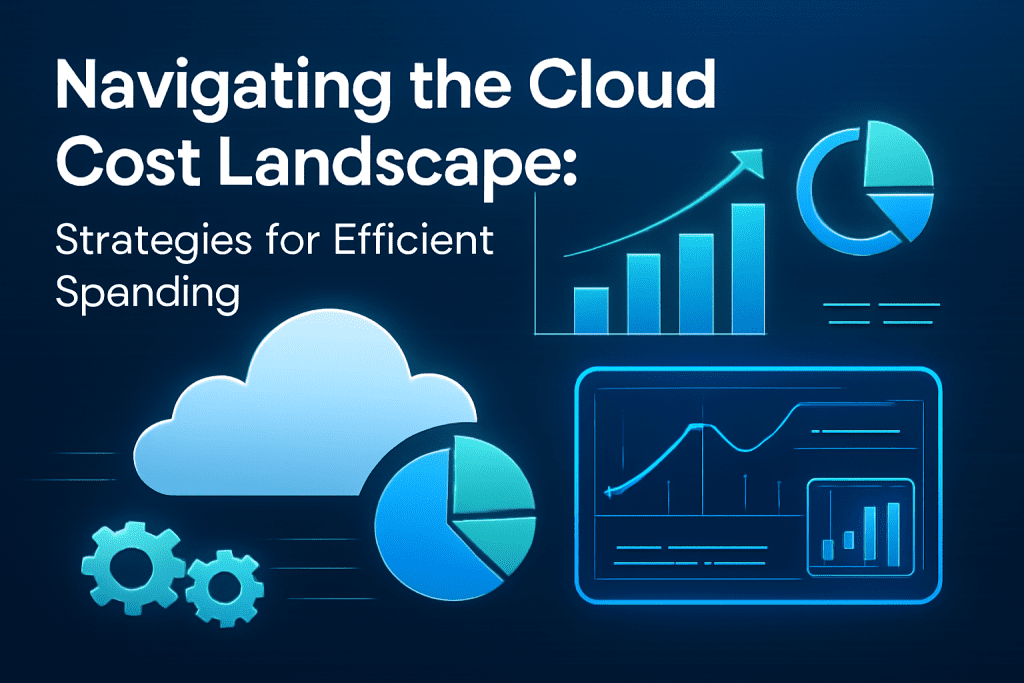
Navigating the Cloud Cost Landscape: Strategies for Efficient Spending

Introduction Cloud computing has become indispensable for businesses seeking scalability, agility, and innovation. However, while the cloud offers immense benefits, managing its costs effectively remains a significant challenge. Without a clear strategy, cloud expenses can quickly spiral out of control, leading to wasted resources and budget overruns. This blog explores the cloud cost landscape, common pitfalls, and practical strategies for businesses to optimize cloud spending without compromising performance or security. Leveraging smart management techniques and emerging AI-driven tools, organizations can make their cloud investments more efficient and aligned with business goals. Understanding the Cloud Cost Landscape Cloud costs vary widely depending on service models (IaaS, PaaS, SaaS), providers (AWS, Azure, Google Cloud), workloads, and usage patterns. Key areas influencing costs include: Compute Resources: Virtual machines, containers, serverless functions Storage: Block storage, object storage, backup solutions Data Transfer: Network egress and ingress charges Managed Services: Databases, AI/ML services, analytics platforms Support and Licensing: Premium support, third-party licenses Many organizations experience “cloud sprawl,” where unused or underutilized resources add unnecessary costs. Strategies for Efficient Cloud Spending 1. Adopt Cloud Cost Visibility and Monitoring Tools Real-time cost monitoring platforms and dashboards provide transparency across teams and projects. Tools like AWS Cost Explorer, Azure Cost Management, or third-party solutions enable cost attribution and anomaly detection. 2. Rightsize Resources Match service levels to actual workload demands. Continuously analyze compute and storage usage to downsize oversized instances or consolidate underused resources. 3. Leverage Reserved and Spot Instances For predictable workloads, reserved instances offer significant discounts over on-demand pricing. Spot instances provide cheaper compute capacity for flexible, fault-tolerant tasks. 4. Automate Resource Scheduling Use automation to shut down non-production resources during off-hours, reducing idle time charges. 5. Optimize Storage Costs Implement lifecycle policies to transition data to cheaper tiers (e.g., archive storage). Delete unused snapshots and backups. 6. Implement Governance and Budget Controls Define cloud spending budgets, policies, and approval workflows to prevent uncontrolled provisioning. Utilize tagging for cost allocation and accountability. 7. Utilize Multi-Cloud or Hybrid Strategies Wisely Choosing cost-effective services across providers can optimize spending but requires careful management to avoid complexity overhead. 8. Incorporate AI and Predictive Analytics Leverage AI-powered cloud management tools for forecasting, anomaly detection, and automated optimization (see AI-driven solutions). Benefits of Efficient Cloud Cost Management Significant cost savings and better budget predictability Improved operational efficiency and resource utilization Greater agility to innovate without financial constraints Enhanced security and compliance through structured resource governance Conclusion Navigating the complex cloud cost landscape requires proactive management, cross-functional collaboration, and smart technology adoption. Businesses embracing cost transparency, automation, and AI-driven insights are better positioned to maximize the value of their cloud investments while controlling expenses. For organizations seeking tailored cloud cost strategies, AI-driven optimization, and ongoing consultation, TechOTD AI Services offers expert guidance. Stay ahead with the latest tech insights on the TechOTD Blog.

Cloud

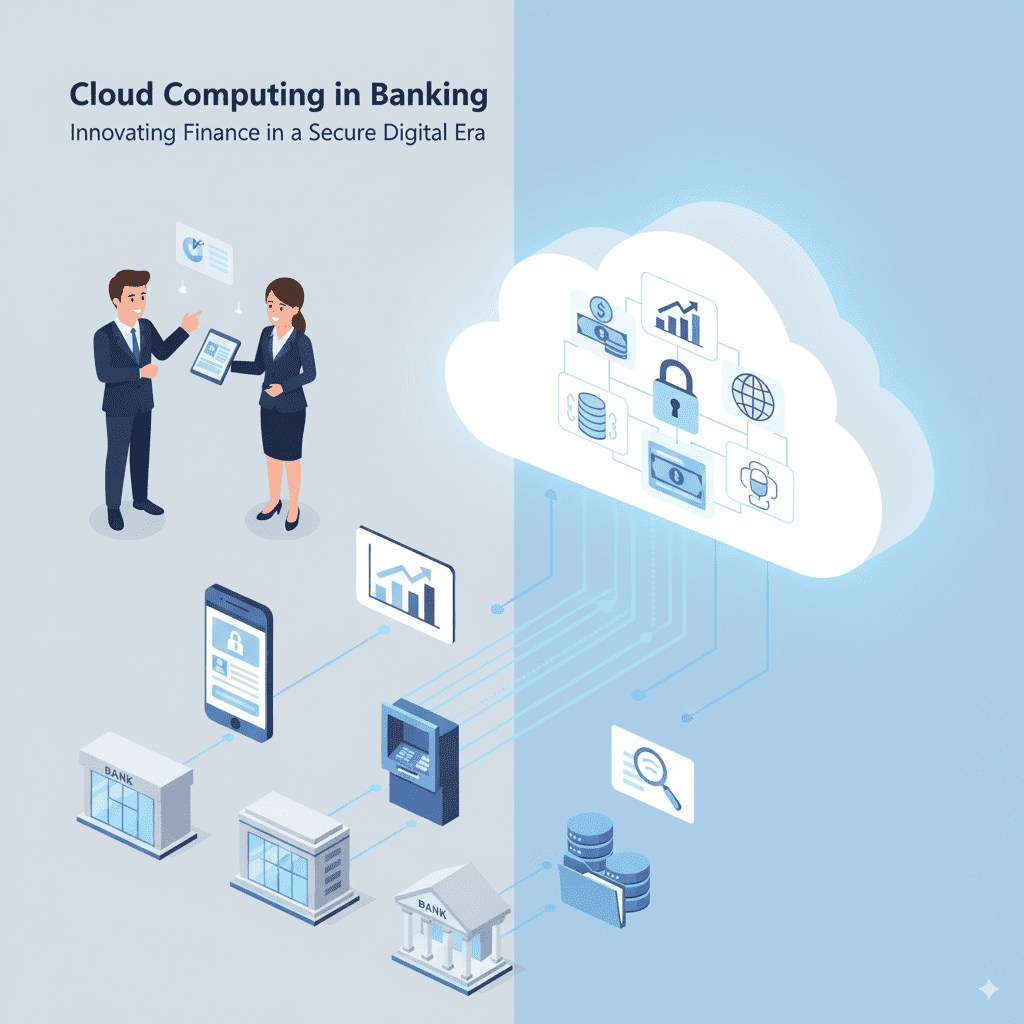
Cloud Computing in Banking: All You Need to Know Before Moving to the Cloud

Introduction The banking industry is undergoing a profound digital transformation, with cloud computing emerging as a critical enabler of innovation, agility, and operational efficiency. Banks worldwide are rapidly adopting cloud technologies to modernize legacy systems, enhance customer experience, and accelerate product delivery. However, migrating to the cloud also presents unique challenges around data security, regulatory compliance, and integration complexity. This blog covers everything banks need to know before moving to the cloud—benefits, risks, migration strategies, and key considerations for a successful cloud journey. It also highlights how AI-driven cloud solutions and predictive analytics are shaping the future of banking technology, drawing on insights from leading experts like TechOTD. Why Cloud Computing Matters for Banks Scalability: Cloud platforms enable banks to scale computing resources on demand during peak loads or new product launches. Cost Efficiency: Moving from capital expenditure to operational expenditure reduces upfront IT investments and optimizes resource usage. Innovation Enablement: Cloud supports rapid development of digital banking products, AI-powered services, and personalized customer experiences. Improved Collaboration: Cloud platforms enhance data sharing across departments and partner ecosystems securely. Disaster Recovery & Business Continuity: Cloud’s resilient infrastructure safeguards critical banking operations against data loss and outages. Explore how AI and analytics complement cloud capabilities to drive smarter, data-driven banking: Predictive Analytics in Banking. Key Considerations Before Moving to the Cloud 1. Regulatory Compliance and Data Privacy Banks must comply with strict regulations like GDPR, PCI DSS, and regional data protection laws. Understanding cloud providers’ compliance certifications and data residency options is vital. 2. Security and Risk Management Implementing end-to-end encryption, identity and access management (IAM), and continuous threat monitoring is mandatory to protect sensitive financial data. 3. Legacy System Integration Seamless integration between existing on-premises systems and cloud platforms is crucial to avoid business disruptions. 4. Selecting the Right Cloud Model Public Cloud: Cost-effective and scalable but requires strict security controls. Private Cloud: Offers better control and security but at higher costs. Hybrid Cloud: Combines benefits of both, allowing sensitive workloads on private clouds and less critical ones on public clouds. 5. Vendor Lock-in and Multi-cloud Strategy Banks should evaluate risks associated with dependence on a single cloud provider and consider multi-cloud approaches for flexibility and resilience. Migration Strategies for Banking Cloud Adoption Lift and Shift: Moving applications without changes; fastest but may not optimize cloud benefits. Re-platforming: Modifying existing apps for cloud compatibility and efficiency. Refactoring: Redesigning applications entirely to be cloud-native, maximizing scalability and functionality. TechOTD’s expert teams design and execute tailored cloud migration strategies ensuring minimal disruption: How We Work – TechOTD. Benefits of AI and Cloud in Modern Banking Enhanced Fraud Detection: AI algorithms analyze transactions in real-time to flag suspicious activities. Personalized Customer Experiences: AI models predict customer needs and tailor financial products. Operational Efficiency: Automation reduces manual workflows and error rates. Discover AI’s role in banking innovation and see real-world examples: Large Language Models in Finance. Challenges Banks Face in Cloud Adoption Managing cultural and organizational change Ensuring interoperability across hybrid environments Handling complex data migration and synchronization Meeting constantly evolving compliance and security requirements Conclusion Cloud computing offers transformative potential for banks looking to innovate, scale, and compete in the digital economy. However, it requires careful planning, strategic decision-making, and trusted technology partnerships to effectively manage risks and unlock benefits. Leveraging AI and predictive analytics atop cloud infrastructure further accelerates banking digital maturity by enabling smarter operations and customer-first models. Embark on your cloud journey with experienced partners like TechOTD, who specialize in AI-driven cloud solutions for finance and beyond. Explore more banking technology insights and trends at TechOTD Blog. FAQs Q1: Is public cloud safe for banks? With strong encryption and compliance controls, public cloud can be secure, though sensitive data may benefit from private or hybrid clouds. Q2: How long does cloud migration usually take? Depending on scale and complexity, it ranges from a few months to over a year. Q3: What are key benefits of hybrid cloud in banking? It balances security, flexibility, and cost efficiency by allocating workloads appropriately. Q4: Can AI operate effectively in cloud environments? Yes, cloud provides the computational power and scalability AI applications demand. Q5: How to avoid vendor lock-in? Adopt open standards, multi-cloud strategies, and platform-agnostic architectures.

Cloud

Navigating the Cloud Cost Landscape: Strategies for Efficient Spending

Introduction Cloud computing has revolutionized how businesses deploy and scale applications, manage infrastructure, and deliver services. However, as cloud adoption grows, so does the complexity of managing costs efficiently. Without strategic oversight, cloud expenses can spiral, impacting profitability and operational agility. This blog explores comprehensive strategies to navigate the cloud cost landscape efficiently—covering cost drivers, best practices for optimization, tools, and future trends. It also integrates insights on AI-driven analytics and blockchain for operational cost savings, referencing TechOTD AI Services, the TechOTD Blog, blockchain innovations at TechOTD Blockchain Integration, and more. Understanding Cloud Cost Drivers Effective cloud cost management begins with understanding what drives expenses: Compute Resources: Virtual machines (VMs), containers, serverless functions. Storage: Persistent volumes, object storage, database storage. Data Transfer: Data egress between regions, CDN use. Managed Services: Databases, AI/ML services, monitoring. Licensing: Third-party software, marketplace services. Networking: Load balancers, private networks. Each component contributes distinctly to cloud bills, necessitating granular monitoring. Key Strategies for Cloud Cost Efficiency 1. Implement a Cloud Operating Model Establish governance frameworks, policies, and workflows for cloud resource provisioning, cost allocation, and accountability. Collaborative FinOps approaches involve finance, engineering, and operations teams in cost decisions, ensuring transparency and control. 2. Rightsizing and Auto-Scaling Resources Avoid over-provisioning by matching compute and storage resources with actual workload demands. Use autoscaling to dynamically adjust resources, minimizing idle capacity without compromising performance. 3. Use Reserved Instances and Savings Plans Commit to predictable workloads by purchasing reserved capacity or savings plans from cloud providers like AWS, Azure, or Google Cloud at discounted rates compared to on-demand pricing. 4. Schedule and Automate Resource Usage Automate shutdown of development and test environments outside work hours using scheduling tools and scripts, cutting unnecessary costs significantly. 5. Optimize Storage Tiering and Data Transfer Leverage tiered storage classes (e.g., AWS S3 Glacier) for cold data, and locality to reduce data transfer fees. Use Content Delivery Networks (CDNs) efficiently to minimize outbound traffic charges. 6. Leverage Spot and Preemptible Instances Use discounted spot instances or preemptible VMs for fault-tolerant, batch, or flexible workloads to lower compute expenses while maintaining capacity. 7. Monitor, Analyze, and Use Cost Management Tools Adopt cloud-native cost analyzers and third-party platforms to track trim spend, forecast expenses, and identify anomalies proactively. Invest in ML-driven cost optimization tools for continuous improvement. 8. Consider Microservices and Containers Implement microservices architectures and container orchestration platforms like Kubernetes, which facilitate fine-grained scaling and resource utilization, reducing overall cloud consumption. 9. Enable Tagging and Cost Attribution Tag cloud resources by project, team, or cost center to enable precise cost allocation, driving accountability and budgeting accuracy. 10. Balance Multi-Cloud and Regional Deployments Selecting optimal cloud regions and balancing workloads across providers can yield cost savings and improve resilience. Avoid expensive regions when possible while considering latency and compliance. Emerging Trends Impacting Cloud Cost Optimization Sustainability as a Priority: Aligning cost savings with greener cloud operations, using provider sustainability tools. AI/ML for Cost Control: Automated anomaly detection, rightsizing recommendations, and predictive scaling powered by AI. Kubernetes Cost Optimization: Enhanced autoscaling and resource allocation strategies tailored for containerized environments. GenAI Impact: Managing resource intensity associated with AI workloads by intelligent scaling and workload optimization. Leveraging AI and Blockchain for Cloud Efficiency Innovative AI solutions optimize cloud expenses by analyzing utilization patterns and automating optimization. Blockchain enables transparent, secure cost tracking and billing reconciliation—discover how these technologies can amplify cloud efficiency at TechOTD AI Services and Blockchain Integration. Conclusion Mastering cloud spending requires a proactive, data-driven strategy that balances performance and budget. By implementing rightsizing, automation, cost-aware governance, and leveraging AI-powered tools, organizations can unleash cloud’s power sustainably and affordably. Aligning these strategies with your business roadmap ensures cloud investments yield maximum value.

Cloud, Uncategorized

Unleashing the Potential of Cloud for the Insurance Industry

Introduction The insurance industry is undergoing a radical transformation fueled by digital technologies, with cloud computing playing a pivotal role. The cloud enables insurance companies to modernize IT infrastructure, enhance customer experience, boost operational efficiency, and accelerate innovation. As insurers strive to meet rising customer expectations, regulatory demands, and growing data complexities, embracing cloud solutions becomes crucial to stay competitive. This blog explores the profound impact of cloud computing on the insurance sector, detailing benefits, use cases, challenges, and future trends. Throughout the discussion, it integrates relevant insights on artificial intelligence, blockchain, predictive analytics, and digital transformation from the TechOTD AI Services and TechOTD Blog resources. The Digital Imperative in Insurance Traditional insurance models are heavily reliant on legacy systems that are costly to maintain and rigid in meeting new consumer and market demands. Digital disruption has dictated an urgent need to adopt scalable, flexible, and agile IT architectures — and cloud computing provides this foundation. Insurers face increasing pressures to: Deliver personalized, on-demand services Analyze vast amounts of customer and risk data Accelerate product development and go-to-market cycles Ensure compliance and data security Optimize costs Cloud computing answers these imperatives with on-demand computing power, storage, and access to advanced technologies such as AI and blockchain. Core Benefits of Cloud Computing for Insurance 1. Scalability and Flexibility Cloud platforms allow insurers to scale infrastructure dynamically based on demand, supporting fluctuating workloads like claims processing during disasters or new product launches without expensive over-provisioning. 2. Cost Efficiency By shifting to cloud models, insurance companies reduce capital expenditure and operations costs related to on-premises infrastructure, benefiting from pay-as-you-go pricing and reduced hardware investments. 3. Enhanced Data Analytics and AI Integration Cloud environments enable integration with AI-driven analytics tools that process big data for risk assessment, fraud detection, and customer insights—boosting predictive capabilities and personalized insurance offerings. Explore advanced AI solutions tailored for insurance at TechOTD AI Services. 4. Improved Customer Experience Cloud-powered customer portals, mobile apps, and chatbots offer real-time access to policy information, claims status, and personalized support, enhancing satisfaction and loyalty. Relevant AI-driven customer journey strategies can be found at TechOTD Seamless AI Customer Journeys. 5. Regulatory Compliance and Security Cloud service providers increasingly offer robust security, encryption, and compliance certifications that help insurers meet stringent data protection regulations in diverse markets. 6. Faster Innovation and Time to Market Cloud platforms enable rapid development and deployment pipelines that accelerate innovation, allowing insurers to stay ahead in competitive landscapes through agile product launches. Transformative Use Cases in Insurance Cloud-Based Claims Management Digitizing claims on the cloud facilitates automated workflows, real-time status updates, faster approvals, and fraud detection through integrated AI analytics. Risk Modeling and Underwriting Cloud-powered big data analytics enable insurers to better predict and price risk dynamically by ingesting multiple data sources across geographic and demographic segments. Customer Self-Service Portals and Mobile Apps Cloud-hosted portals provide centralized, secure access to insurance products and services, empowering customers digitally while reducing service costs. Insights on building effective mobile apps are detailed at TechOTD Mobile Apps. Blockchain for Policy Management and Fraud Prevention Combining blockchain with cloud infrastructure supports tamper-proof policy records, secure transactions, and enhanced transparency in claims processing. Detailed exploration at TechOTD Blockchain Integration. Predictive Analytics to Combat Fraud and Improve Retention Cloud data platforms integrated with predictive analytics software help proactively identify suspicious claims and optimize customer retention strategies. Challenges and Strategic Solutions Data Migration Complexity Moving legacy data to the cloud is complex but can be simplified through phased migration strategies and cloud-native redesigns (see the generated image above). Security Concerns Insurance companies need layered security approaches combining cloud vendor safeguards, encryption, access controls, and continuous monitoring. Regulatory Compliance Collaborating with cloud providers offering region-specific compliance certifications and conducting rigorous audits mitigates regulatory risks. Cultural and Organizational Change Driving cloud adoption requires cultural shifts towards agility, continuous learning, and DevOps practices supported by leadership (see the generated image above). For structured digital transformation, explore TechOTD How We Work. Future Trends in Cloud Computing for Insurance Increased Adoption of AI and Machine Learning: More cloud-based AI solutions will enhance automation and personalization. Expansion of Hybrid and Multi-Cloud Strategies: Insurers will balance private and public clouds for optimal performance and security. Greater Integration of Blockchain: Enhancing trust, transparency, and efficiency in insurance processes. Focus on Edge Computing: Combining cloud and edge to manage IoT-enabled insurance use cases such as telematics and connected home devices. Cloud-Native Application Development: Accelerating innovation cycles through microservices architecture and containerization. Stay updated on technology trends at TechOTD Blog. Key Takeaways: Cloud enables scalable, agile, and cost-effective IT modernization. AI and predictive analytics supercharge data-driven decisions. Blockchain enhances security, transparency, and trust. Multi-cloud and edge architectures balance innovation and regulation. Enterprise cultural adoption is critical for successful cloud transformation. Conclusion Cloud computing is dramatically reshaping the insurance industry by delivering scalable infrastructure, enhanced analytics capabilities, improved customer experiences, and cost efficiencies. Insurers who leverage the cloud alongside AI, blockchain, and edge technologies are best positioned to innovate, adapt, and lead in a digital-first market.

Cloud

Cloud Computing – An Ultimate Guide for Businesses

Cloud Computing – An Ultimate Guide for Businesses In today’s digital era, cloud computing has become an essential pillar for businesses aspiring to achieve agility, scalability, and operational excellence. It empowers organizations to leverage computing resources on demand, enabling them to innovate rapidly, reduce costs, and enhance customer experiences. This comprehensive guide explores cloud computing’s core concepts, business benefits, types, deployment models, and best practices. It is enriched with insights and backlinks from authoritative TechOTD resources, ensuring SEO optimization and practical value for business leaders, CTOs, and IT professionals. Introduction to Cloud Computing Cloud computing refers to the on-demand delivery of computing services—including servers, storage, databases, networking, software, analytics, and intelligence—over the internet (“the cloud”). Instead of owning physical data centers or servers, businesses rent access to these resources from cloud providers, facilitating flexible and efficient IT management. At TechOTD AI Page, cloud computing forms a backbone technology enabling advanced AI and Big Data deployments that drive business transformation. Types of Cloud Computing Services Cloud computing can be broadly categorized into three service models: Infrastructure as a Service (IaaS): Provides virtualized computing infrastructure like servers and storage. Businesses control operating systems and applications but avoid maintaining physical hardware. Platform as a Service (PaaS): Offers a development platform allowing developers to build and deploy applications without worrying about underlying infrastructure. Software as a Service (SaaS): Delivers software applications over the internet on a subscription basis, eliminating installation and maintenance hassles. Choosing the right service model depends on business needs, development capabilities, and cost considerations. Cloud Deployment Models Businesses can opt for different cloud deployment models tailored to their operational preferences: Public Cloud: Cloud services offered over the public internet and shared across multiple organizations. Highly scalable and cost-effective. Private Cloud: Exclusive cloud environment dedicated to a single organization, offering enhanced security and control. Hybrid Cloud: Combining public and private clouds, hybrid models provide flexibility by allowing workloads to move between environments. Multicloud: Use of multiple cloud services from various providers to avoid vendor lock-in and optimize performance. TechOTD emphasizes custom solutions crafted around these models to align with client-specific security, compliance, and scalability requirements. Business Benefits of Cloud Computing Cloud computing offers multiple advantages to modern businesses: Cost Efficiency: Pay-as-you-go pricing eliminates hefty upfront infrastructure investments. Scalability: Seamlessly scale resources up or down based on demand and growth. Flexibility & Mobility: Access applications and data from anywhere, supporting remote teams and global operations. Security & Compliance: Leading providers invest heavily in security measures and compliance certifications. Business Continuity: Disaster recovery and backup capabilities ensure information and applications are safeguarded. Faster Time to Market: Cloud accelerates innovation, enabling rapid development and deployment of new products and services. Key Cloud Computing Use Cases for Businesses Data Storage and Backup: Securely store enormous data with easy recovery options. Big Data and Analytics: Power AI and machine learning models with scalable cloud infrastructure. Application Development & Testing: Agile and cost-efficient environments support faster software releases. Collaboration Tools: Cloud-based suites enhance team productivity and communication. Disaster Recovery: Cloud ensures quick recovery from data loss or cyberattacks, minimizing downtime. TechOTD’s Approach to Cloud and AI Integration TechOTD seamlessly integrates cloud computing with AI, Big Data, and automation to deliver scalable, secure, and performance-driven solutions. Our process emphasizes analyzing business requirements, evaluating data sources, designing robust architecture, and ongoing support to guarantee measurable outcomes. Learn more about our agile methodologies and client success stories at How We Work. FAQ: Cloud Computing for Businesses Q1: How does cloud computing reduce IT costs? Cloud offers a pay-as-you-go pricing model, eliminating upfront hardware investments and lowering maintenance costs. Q2: Which cloud deployment model is best for security-sensitive businesses? Private and hybrid clouds provide enhanced security and control suited for sensitive data environments. Q3: How can cloud computing accelerate digital transformation? It provides scalable infrastructure and agile platforms for rapid development, testing, and deployment of new services. Q4: What role does cloud computing play in AI and Big Data? Cloud environments support massive data processing and machine learning workloads critical for AI innovation. Q5: Is cloud computing suitable for small businesses? Yes, its scalability and affordable pricing make cloud solutions accessible for businesses of all sizes. Q6: How does TechOTD assist businesses in cloud adoption? TechOTD offers consulting, custom solution design, AI integration, and ongoing support ensuring reliable cloud journeys. Conclusion Cloud computing is no longer optional; it is a strategic imperative for businesses seeking growth, innovation, and resilience. With the right cloud strategy, companies can harness the power of AI, Big Data, and automation to outpace competition and delight customers. Partnering with pioneers like TechOTD ensures seamless cloud adoption tailored for your unique business needs, combining technology expertise with agile delivery frameworks. Explore more detailed insights and actionable resources on TechOTD’s platform to drive your cloud journey forward.

Cloud, Uncategorized

Everything You Need to Know About Developing Cloud Digital Signage Software

Introduction Cloud digital signage software is at the forefront of driving smart, visually dynamic, and interactive communication for businesses worldwide. In a landscape where content must be current, targeted, and engaging, cloud-powered platforms are rapidly replacing legacy systems across retail, healthcare, corporates, hospitality, smart cities, and education. According to MarketsandMarkets, the global digital signage market is expected to grow from $24 billion in 2023 to over $36 billion by 2028, fueled by cloud adoption, AI personalization, and smart display technologies. Businesses are shifting to cloud-first solutions because they offer centralized control, instant updates, analytics, and scalability, which traditional systems cannot match. As we look toward 2025 and beyond, digital signage has evolved into a powerful business asset—enabling instant content delivery, personalized messaging, deep analytics, and seamless integration with other cloud and AI-powered tools. For businesses exploring digital growth, TechOTD’s cloud and AI-powered services offer tailored solutions across industries. What Is Cloud Digital Signage Software? Cloud digital signage software empowers organizations to remotely manage media content (videos, real-time data, interactive apps) via an internet-based platform, deploying it instantly to screens in any global location. Unlike on-premises systems, cloud signage delivers: Centralized management with secure, multi-user access Real-time content updates & scheduling Scalability for growing networks Cost-efficiency with SaaS subscription models Compatibility with kiosks, TVs, and media players Streamlined maintenance & updates 💡 Learn more about cloud-powered business transformation with TechOTD’s web development expertise. Key Features of Modern Cloud Digital Signage Cloud-Based CMS – Content upload, scheduling, approval workflows. Multi-Platform Support – Works across Android, Linux, Windows, smart TVs. AI-Enhanced Personalization – Dynamic ads powered by TechOTD AI solutions. Offline Functionality – Cached content ensures smooth playback. Data & App Integration – POS, CRM, and eCommerce integrations. Remote Monitoring – Troubleshooting and health checks. Accessibility Tools – Multi-language support & inclusivity features. Development Process: Step-by-Step Needs Analysis – Define requirements & industry-specific goals. Architecture Planning – APIs, microservices, high availability. UI/UX Design – Intuitive, drag-and-drop dashboards. Feature Development – CMS, player, scheduling tools. IoT Integration – Smart displays, kiosks, and sensors. Testing & Deployment – Security, performance, and compliance. Training & Support – Ongoing help from partners like TechOTD. Trends & Future of Cloud Digital Signage AI & Predictive Analytics – Smarter campaigns with TechOTD AI-driven tools. AR & VR Displays – Next-gen interactive customer experiences. 5G & Edge Computing – Real-time streaming at scale. Blockchain Advertising – Transparent ad tracking. Green Technology – Sustainability & eco-friendly displays. Challenges in Cloud Digital Signage Internet dependency Hardware compatibility Security compliance (GDPR, HIPAA) Staff adoption & training 👉 Businesses can overcome these challenges with expert consulting from TechOTD’s About Team. Use Cases Retail – Personalized ads & digital shelves Healthcare – Wayfinding & appointment boards Corporate – Internal communication dashboards Hospitality – Menu boards & concierge services Smart Cities – Transport schedules & public alerts 💡 For industry-focused solutions, see TechOTD’s eCommerce and digital services. Conclusion Developing cloud digital signage software in 2025 is about building smart, scalable platforms that combine cloud, AI, IoT, and immersive technologies. With partners like TechOTD’s development team, businesses can future-proof their digital communication and drive ROI at scale. cloud digital signage, signage software development, digital signage solutions, remote signage management, digital signage platform, AI digital signage, custom signage software, cloud visual communications, digital signage industry trends, web development for signage

Cloud

Building a Cloud-Powered Digital Signage Platform: Cost Breakdown & Key Considerations

Introduction Cloud-powered digital signage platforms are revolutionizing how businesses deliver dynamic content, advertising, and real-time updates across locations. In 2025, leveraging the cloud means scalable, displays—delivering engaging messages no matter the physical distance. However, building such a system requires careful cost analysis and planning. This post breaks down the main expenses involved and offers practical tips on key technological and strategic considerations for success. Cost Breakdown for a Cloud Digital Signage Platform Ideation & Planning Brainstorming, feature specification, and specialist consultation Typical cost: $500–$2,000 UI/UX Design Visual design, multi-screen layout, user journey planning Typical cost: $1,500–$5,000 Software Development Core CMS/backend, cloud integration, scheduling, user management Basic platform: $5,000–$15,000 Larger systems (with mobile apps, advanced analytics, custom integrations): Upwards of $30,000 App Store Submission For companion mobile apps (if any) Fees and adjustments: $100–$500 Hardware Displays (per unit): $300–$1,500 Commercial media players: $30 (basic sticks) to $800+ (professional grade) Wall mounts, cables: $20–$100 per screen Software Licensing (if using SaaS or third-party CMS) Subscription: $10–$20 per screen per month (most platforms) One-time license: $500–$5,000 Enterprise/custom: Negotiable based on scale Installation Professional setup: $100–$500 per location Maintenance & Updates Annual: $99–$300 per display (support, updates, hosting) Key Considerations Before You Build Scalability: Choose modular architecture and cloud providers that allow smooth scaling as you add new screens and locations. Content Management: Opt for a CMS that streamlines content upload, scheduling, approval, and integrates with live data (weather, news, social feeds). Connectivity: Reliable bandwidth and backup connectivity are crucial to ensure uninterrupted signage content delivery. Security: Enforce encryption, strong user authentication, and regular audits to protect sensitive data and the signage network. Hardware Compatibility: Ensure displays and media players are compatible and future-proofed for new formats and integrations (Android, ChromeOS, Windows, etc.). Cost Structure: Decide between SaaS (predictable subscription) and custom software (higher upfront, lower long-term costs for large deployments). Ongoing Support: Budget for yearly updates, support contracts, and proactive monitoring to reduce downtime and optimize performance. Content Creation: Factor in resources and tools for ongoing content design to maximize signage impact. Conclusion Building a cloud-powered digital signage platform in 2025 demands a clear-eyed approach to budgeting, tech stack selection, and system design. Expect a basic project to start around $10,000–$30,000 for software, with hardware and SaaS costs growing alongside your ambitions. Meticulous planning on security, connectivity, scalability, and content is vital. By choosing the right partners and defining your business goals early, you can build a resilient, efficient, and visually compelling signage network that drives engagement. Ready to launch or upgrade your cloud signage strategy? Consult digital signage experts for a tailored cost estimate and platform roadmap. FAQ How much does it cost to build a basic cloud-powered signage platform? Typically $10,000–$30,000 for software development, plus $300–$1,500 per display and $10–$20/month per screen for SaaS licensing. What are the recurring costs? Software subscriptions, annual support, content updates, and potential hardware upgrades make up the ongoing costs. Can I use existing TVs or do I need specific hardware? Commercial-grade displays and certified media players are strongly recommended for best performance and reliability. What are the top challenges with cloud signage? Ensuring network reliability, securing content, and creating engaging, relevant content regularly. What features are must-haves for modern deployments? Real-time updates, remote scheduling, analytics, multi-location management, and content integration with live feeds. cloud digital signage, digital signage cost, signage platform development, cloud cms, digital signage hardware, SaaS signage platform, digital signage security, visual communications, signage content management, business displays

Cloud

On-Premise Cloud: Analyzing the Benefits, Risks, and Costs for Enterprise

Introduction The decision between on-premise and cloud solutions shapes enterprise IT strategies, impacting everything from security and compliance to agility and ROI. While cloud adoption surges for its convenience and scalability, on-premise infrastructure often remains the backbone for businesses that require granular control and regulatory compliance. This blog unpacks the key benefits, risks, and costs associated with on-premise cloud setups, helping you make informed choices. For expert IT strategy support, explore TechOTD, leverage cutting-edge AI services, and discover custom web development. Key Benefits of On-Premise Cloud for Enterprises Full Control & Customization: Hosting critical applications and data on-premises ensures you have total authority over security protocols, software configurations, and system integrations. This is vital for highly regulated industries like finance, government, and healthcare. Enhanced Data Privacy: Sensitive data never leaves your organization’s direct oversight, empowering you to comply with strict privacy standards and data sovereignty laws. Independence from Third Parties: On-premise solutions are immune to cloud provider outages, vendor lock-in, and fluctuating internet reliability. Systems remain accessible even during external crises or connection failures. Tailored Security: Direct control allows you to build layered, organization-specific security systems—crucial for handling confidential or proprietary data. Risks and Drawbacks Significant Upfront Costs: Enterprises shoulder large capital investments for hardware, software licenses, installation, and custom infrastructure. This can be a substantial hurdle for smaller organizations. Ongoing Maintenance Burden: All updates, security patches, repairs, and compliance checks must be managed in-house, requiring skilled IT teams and constant vigilance. Limited Scalability: Scaling up means buying and configuring additional servers, which can be time-consuming and costly. Unlike cloud platforms, scaling down doesn’t recover sunk investments. Resource Redundancy & Downtime: Failures or outages demand manual intervention and can lead to costly downtime, unless robust redundancy and backup plans are in place. Skills Gap: Maintaining modern on-premise systems requires advanced IT talent, which is scarce and costly as organizations increasingly shift workloads to cloud environments. Cost Analysis Aspect On-Premise Cloud Cloud Alternative Initial Outlay High (hardware, licenses, setup) Low/None (subscription, pay-as-you-go) Ongoing Costs Maintenance, upgrades, IT staff Subscription fees, usage costs Scalability Cost Hardware expansion, potential downtime Instant scaling, cost reflects usage Total Cost of Ownership (TCO) Can be lower with long-term, predictable usage, but risks overprovisioning and underutilization May rise with high or unpredictable data transfer, but usually lower for varying workloads Resource Utilization Often underused if over-provisioned Optimized (pay only for active usage) Insight: For enterprises with steady, high-demand workloads, on-premise cloud can provide long-term savings after the large initial investment. However, for variable, unpredictable, or rapidly growing workloads, cloud solutions typically offer more flexibility and cost savings. Conclusion On-premise cloud environments give enterprises unmatched control, privacy, and customization—making them a common choice in highly regulated sectors. However, these advantages come at the price of higher upfront costs, ongoing maintenance responsibilities, and slower responsiveness to changing business needs. Ultimately, the best solution depends on your organization’s size, growth rate, regulatory environment, and IT expertise. For an optimized cloud or hybrid strategy, consult TechOTD, or unlock end-to-end IT and AI support via their services portfolio. FAQ 1. When is on-premise cloud better than full cloud solutions? When absolute data control, compliance, and customization are priorities—especially in finance, healthcare, and government. 2. What are the main hidden costs of on-premise solutions? Upgrades, ongoing maintenance, hardware failure risks, and the need for highly skilled IT staff. 3. How can I manage scalability challenges with on-premise cloud? Careful capacity planning, investing in modular hardware, and using hybrid setups for overflow workloads. 4. Is on-premise always more secure than cloud? Not always—security depends on your team’s capabilities and processes. Cloud providers often offer advanced protections, but you lose some direct control. 5. Can on-premise and cloud be combined? Yes—a hybrid cloud architecture integrates the best of both worlds, using on-premise for sensitive workloads and cloud for scalability

Cloud

Enterprise IT Decisions: Comparing Cloud and On-Premise Benefits & Risks

Introduction In today’s era of digital acceleration, choosing the right IT infrastructure—cloud or on-premise—is a major strategic decision that can fuel your enterprise’s performance, security, and innovation. As market demands shift toward agility, scalability, and compliance, understanding the advantages, challenges, and modernization trends for each option is essential. This blog unpacks core differences, sector-specific examples, benefits, limitations, and real-world adoption trends—so you can make an informed, future-focused IT choice that propels your business forward. What Are Cloud and On-Premise IT Infrastructures? Cloud: IT services (servers, storage, databases, networking, analytics, and software) delivered over the internet by external providers. Explore Cloud Solutions On-Premise: Computing resources are installed and maintained on-site at your organization’s facility, with full direct control by your IT team. IT Consulting & On-Premises Solutions Key Differences: Cloud vs On-Premise Aspect Cloud On-Premise Deployment Off-site (third-party provider), accessed via internet. Cloud Services On-site (organization’s premises), your IT manages setup. IT Consulting Cost Low upfront investment (OpEx); subscription/pay-per-use billing. AI Solutions High upfront investment (CapEx); ongoing hardware/software costs. Scalability Elastic—scale up/down instantly. Data Analytics Scaling requires buying/installing new hardware—slower and costlier. Security & Control Provider-managed security and compliance certifications; some loss of direct control. Full direct data/control management; meets strict regulatory/industry needs. Accessibility Global access, ideal for hybrid/remote teams. Physical/campus access; remote requires extra configuration. Maintenance Provider manages updates, patches, disaster recovery. Your IT team maintains everything, from system updates to security. Vendor Lock-In Potential for dependency/migration challenges. No vendor lock, but older systems can be hard/expensive to integrate. Performance Flexible capacity, variable latency based on network quality. Direct control for ultra-low latency and critical workloads. Benefits & Risks: Cloud vs On-Premise Cloud Benefits Agility: Deploy new resources, apps, and sites quickly—supporting market expansion and innovation. Cost-Efficiency: Only pay for what you use; no expensive upfront hardware. Reduced IT Burden: Provider manages uptime, upgrades, and security. Business Continuity: Robust backup and disaster recovery. Remote-Ready: Enables global collaboration and hybrid teams. Cloud Risks Internet outages can cause downtime. Less direct control over sensitive data. Vendor lock-in risk if not planned for from the start. Ongoing operational costs. On-Premise Benefits Full Control: Customize security, compliance, hardware, and integrations for your needs. Regulatory Compliance: Simpler to meet industry/national data regulations (e.g., finance, healthcare). Performance: Low latency for mission-critical real-time operations. Customization: Tailor IT systems for unique or legacy workflows. On-Premise Risks Large upfront investment in hardware/facilities. All maintenance, upgrades, and support handled internally. Scaling and modernization can be slow and disruptive. Requires a larger, skilled IT team. Enterprise Use Cases & Industry Examples When Cloud Excels Retail: Instantly scale resources for sales peaks and geographic expansion. SaaS/Startups: Launch quickly, experiment safely, avoid infrastructure investment. Remote Collaboration: Enable global teams, file sharing, secure mobile and desktop access. Data Analytics/ML: Run big data or AI workloads dynamically. When On-Premise Is Ideal Banking/Finance: Regulatory oversight, data residency, high-frequency trading. Healthcare: HIPAA, medical record security, legacy system integration. Energy/Government: National security, control over access, strict privacy compliance. Modern Trends: Hybrid and Multi-Cloud Today’s enterprises often blend cloud and on-premise environments (“hybrid” or “multi-cloud”) to balance speed, compliance, and cost efficiency. Hybrid: Keep sensitive/regulated workloads on-premise and leverage cloud for agility, collaboration, and scale. Edge Computing: Combine on-premise/edge servers with cloud for ultra-fast operations (e.g., smart manufacturing, logistics). Stay ahead: Contact TechOTD’s experts for a custom roadmap Conclusion There’s no universal choice—your decision should reflect your unique business goals, industry requirements, and growth strategy. Choose cloud for agility, cost savings, and digital transformation. Choose on-premise for total control, compliance, and customized performance. For many, a hybrid strategy maximizes the advantages of both worlds. Ready to transform your IT? Visit TechOTD’s solutions hub or connect with our experts to shape the future of your enterprise IT. FAQ 1. Is cloud or on-premise more secure? Cloud vendors offer strong security, but on-premise gives you direct oversight. The safest path depends on compliance needs and your IT team’s expertise. 2. Which option costs less long-term? Cloud is cheaper up front and for dynamic workloads; on-premise may save money at scale, but needs careful management. 3. Can enterprises mix cloud with on-premise? Yes—the hybrid approach is powerful for balancing flexibility with control. 4. How do I avoid vendor lock-in with cloud? Choose platforms supporting open standards and plan migration strategies early. 5. Is on-premise IT outdated? No. It’s vital for compliance-heavy sectors and advanced when integrated with cloud or edge.

How would you like me to respond?

Select a personality for your AI assistant

Normal
Happy
Sad
Angry

Your selection will affect how the AI assistant responds to your messages

Chat Assistant

Let's discuss your project!

Hear from our clients and why 3000+ businesses trust TechOTD

Tell us what you need, and we'll get back with a cost and timeline estimate

Scroll to Top