November 2025

IT consultants analyzing future technology trends using data analytics dashboard
IT consulting

Top IT Consulting Trends Shaping the Future of Business

Top IT Consulting Trends Shaping the Future of Business In today’s rapidly evolving digital world, IT consulting plays a crucial role in helping organizations stay ahead of the competition. From automation to sustainability, consultants are guiding businesses through technological innovation and transformation. Let’s explore the key IT consulting trends shaping the future of business in 2025 and beyond. Artificial Intelligence and Automation Artificial Intelligence (AI) and automation are revolutionizing the IT consulting landscape. Consultants are helping businesses leverage AI to optimize operations, reduce manual workload, and enhance decision-making accuracy. AI-powered automation tools are being deployed in data management, cybersecurity, and customer service. Chatbots now handle 24/7 customer queries, predictive algorithms forecast sales trends, and AI-based analytics provide deep insights into consumer behavior. Moreover, automation in IT processes such as system updates, bug detection, and maintenance reduces downtime and improves reliability. By adopting AI, organizations can achieve smarter workflows, boost productivity, and make better business decisions in real time. Cloud-First Strategies The cloud-first approach has become a fundamental trend in IT consulting. With the rise of remote work and digital collaboration, businesses are migrating to cloud platforms for scalability, flexibility, and cost-effectiveness. IT consultants assist in designing and executing seamless cloud migration strategies while ensuring minimal disruption to daily operations. They evaluate whether a public, private, or hybrid cloud solution fits the company’s needs and security policies. Cloud computing also empowers global collaboration—employees can access data and applications anytime, anywhere. As cybersecurity risks increase, consultants play a crucial role in implementing encryption, identity management, and compliance standards across cloud infrastructures. Cybersecurity as a Priority As businesses embrace digital transformation, cybersecurity has become a top concern. With cyberattacks growing more sophisticated, IT consultants are focusing on proactive security planning and defense strategies. Modern IT consulting emphasizes risk management, real-time monitoring, and multi-layered security frameworks. Consultants perform penetration testing, vulnerability assessments, and employee security training to strengthen defenses. They also recommend Zero Trust Architecture (ZTA), ensuring that every device and user is verified before accessing any data. This trend demonstrates a significant shift from reactive security to preventive protection, where cybersecurity is embedded in every layer of the business ecosystem. Data-Driven Decision Making Data has become the new oil in today’s economy. Businesses that effectively utilize data can unlock insights to drive smarter decisions. IT consultants are helping organizations design data-driven frameworks that transform raw data into actionable strategies. Through advanced analytics and business intelligence tools like Power BI and Tableau, companies can measure performance, track customer preferences, and predict future trends. Consultants help establish data governance models, ensuring data integrity and compliance with privacy regulations like GDPR and CCPA. Predictive analytics, powered by AI, is enabling organizations to anticipate market shifts, optimize inventory, and personalize customer experiences. The ability to make data-backed decisions gives companies a competitive edge and improves overall operational efficiency. Sustainable IT Consulting Sustainability is no longer just a corporate buzzword—it’s a necessity. IT consulting is now embracing eco-friendly technologies to reduce environmental impact while maintaining performance. Consultants advise on optimizing energy consumption in data centers, implementing virtual infrastructure, and adopting cloud solutions that cut down hardware waste. They also perform Green IT audits to assess an organization’s carbon footprint and recommend eco-conscious practices. Sustainable IT consulting not only benefits the planet but also reduces operational costs and strengthens brand reputation. By investing in green technology, businesses appeal to environmentally conscious customers and investors alike. Emergence of Remote IT Consulting The global shift toward hybrid and remote work has opened new opportunities for remote IT consulting. Businesses can now access expertise from consultants across the world through virtual collaboration tools. This trend has reduced operational costs while increasing access to a broader talent pool. IT consultants can remotely perform tasks such as system audits, security analysis, and software deployment. As digital communication tools become more advanced, remote consulting will remain a key trend in the years ahead. Conclusion The IT consulting industry is at the forefront of technological change, helping businesses navigate complex challenges and embrace innovation. From artificial intelligence and cloud-first strategies to cybersecurity and sustainability, consultants are shaping the future of digital transformation. Organizations that stay informed about these trends and work with experienced IT consultants will not only enhance efficiency but also build long-term resilience in an ever-changing digital economy. By aligning technology with business goals, IT consulting ensures that companies remain agile, secure, and future-ready in 2025 and beyond. FAQs 1. What are the biggest IT consulting trends in 2025?The major trends include AI automation, cloud-first strategies, cybersecurity enhancement, data-driven insights, and sustainable IT solutions. 2. How does IT consulting help in business growth?IT consultants identify technology opportunities, streamline processes, and implement strategies that increase efficiency and reduce costs. 3. What role does cloud computing play in IT consulting?Cloud computing enables flexibility, scalability, and remote collaboration, making it a central component of IT consulting services. 4. Why is data-driven decision-making important?It allows organizations to make strategic choices based on real insights rather than assumptions, improving performance and customer satisfaction. 5. How does sustainability impact IT consulting?Sustainable IT consulting promotes eco-friendly technologies that lower energy consumption, reduce costs, and improve corporate responsibility. Connect with us


IT consultants discussing cost optimization strategies
IT consulting

How IT Consulting Helps Businesses Reduce Costs and Boost Efficiency

Introduction In today’s competitive digital landscape, every organization is striving to achieve more with fewer resources. Businesses are under pressure to streamline operations, reduce costs, and enhance productivity—all while keeping pace with technological change. However, without proper planning, technology expenses can spiral out of control, and productivity may decline due to inefficient systems. This is where IT consulting becomes a game changer. By partnering with experienced IT consultants, companies can align their technology with their strategic goals, optimize resources, and improve operational efficiency. IT consulting doesn’t just fix problems—it transforms the way organizations work. Let’s explore how IT consulting helps businesses cut costs and enhance efficiency while ensuring sustainable growth. Assessing Current IT Infrastructure The first step in improving efficiency is understanding where you currently stand. IT consultants perform a comprehensive audit of your existing IT infrastructure, including hardware, software, networks, and workflows. This assessment helps identify: Redundant or outdated technologies draining resources Underutilized hardware and software licenses Bottlenecks in workflow automation Gaps in data management or cybersecurity By analyzing these areas, consultants create a roadmap that outlines clear steps to reduce waste and improve performance. The result? A more streamlined and cost-effective IT ecosystem. Implementing Process Automation One of the most effective ways to boost productivity and reduce costs is process automation. IT consultants help businesses identify repetitive manual tasks that can be automated using the right tools and technologies. Automation can be applied to: Data entry and report generation Invoice processing and payroll management Customer relationship management (CRM) tasks IT helpdesk support and ticketing systems Automating these functions reduces human error, frees up employee time, and allows teams to focus on strategic initiatives rather than repetitive work. In addition, automation tools can be scaled as your business grows, making it a long-term investment in efficiency. Optimizing IT Resources Many organizations overpay for technology resources they don’t use efficiently. IT consultants help optimize your IT spending by eliminating waste and consolidating tools. Here’s how: Software Rationalization: Identify duplicate software solutions performing the same function. Cloud Optimization: Adjust cloud resources to pay only for what you use. License Management: Prevent overspending on unnecessary software licenses. Hardware Utilization: Reuse or repurpose underused hardware assets. This optimization leads to significant cost savings, especially for businesses managing hybrid or cloud-based environments. Ensuring Data Security Cybersecurity is no longer optional—it’s essential. Data breaches can cost businesses millions in damages, not to mention loss of reputation and customer trust. IT consulting plays a vital role in strengthening your security posture. Consultants assess vulnerabilities, develop risk mitigation plans, and implement security frameworks such as: Multi-factor authentication (MFA) Data encryption and secure backups Endpoint protection Threat monitoring and incident response By investing in proactive cybersecurity consulting, companies avoid costly data breaches and ensure regulatory compliance. Strong security not only protects your assets but also improves operational reliability. Improving System Integration In many companies, departments operate in silos, each using its own set of tools and databases. This disjointed approach leads to data duplication, inefficiency, and confusion. IT consultants help integrate these systems for seamless communication and collaboration across all departments. For example: Integrating CRM with ERP systems for better customer and sales insights Connecting HR and payroll systems for faster employee management Linking analytics dashboards with real-time data sources Effective integration ensures that everyone in the organization has access to accurate, up-to-date information, which improves decision-making and operational speed. Leveraging Cloud Solutions for Cost Efficiency Cloud computing has revolutionized the way businesses manage data and applications. However, without expert guidance, companies can easily overspend or misconfigure cloud environments. IT consultants help select the right cloud model—public, private, or hybrid—based on your goals and budget. Key benefits of cloud consulting include: Pay-as-you-go cost models to eliminate wasted resources Improved data accessibility and scalability Reduced maintenance and hardware costs Enhanced disaster recovery and business continuity Migrating to the cloud under professional supervision allows businesses to save significantly while enjoying enhanced flexibility and performance. Enhancing Employee Productivity Technology should empower employees, not overwhelm them. IT consulting improves workplace efficiency by optimizing digital tools and workflows. Consultants introduce user-friendly systems, collaborative platforms, and communication tools that enhance team performance. Examples include: Cloud-based collaboration platforms like Microsoft 365 or Google Workspace AI-powered productivity tools Centralized project management systems When technology supports employees effectively, productivity increases, and job satisfaction improves. Driving Long-Term Cost Savings IT consulting is not a one-time service—it’s a long-term strategy. The goal is to create sustainable solutions that continuously reduce costs and improve performance over time. Long-term savings come from: Regular performance monitoring Preventive maintenance of IT systems Predictive analytics for resource planning Continuous improvement through innovation By focusing on continuous optimization, IT consultants ensure that your organization remains agile and cost-efficient even as technology evolves. How Small and Medium Businesses Benefit Many small and medium enterprises (SMEs) assume IT consulting is only for large corporations. In reality, SMEs often see the highest returns on investment. Consultants help small businesses: Implement affordable technology solutions Avoid overspending on unnecessary tools Strengthen data protection Enhance remote work capabilities With the right consulting support, even small organizations can compete with larger players using efficient, well-managed IT systems. Conclusion In a world where technology drives business success, IT consulting is no longer a luxury—it’s a necessity. By assessing infrastructure, automating processes, optimizing resources, and ensuring security, consultants help organizations achieve maximum efficiency at minimum cost. The expertise of IT consultants allows businesses to make smarter technology decisions, avoid wasteful spending, and focus on what matters most—growth and innovation. In short, IT consulting empowers companies to do more with less, creating a sustainable path toward digital excellence. Connect with us FAQs 1. How can IT consulting lower operational costs? IT consultants identify inefficiencies in systems, automate manual processes, and eliminate redundant technologies, reducing overall costs. 2. Which industries benefit most from IT consulting? Almost every sector benefits, especially finance, healthcare, manufacturing, retail, and education. 3. What tools do consultants use for process optimization? They use tools like workflow automation software, analytics dashboards, and

IT consultant analyzing business data on laptop
IT consulting

The Role of IT Consulting in Digital Transformation

Introduction The world of business is evolving faster than ever. Every day, new technologies are introduced, customer expectations rise, and competition becomes more intense. In such a rapidly changing landscape, digital transformation has become essential for survival — not just an option. However, not every organization has the in-house expertise or resources to implement complex digital solutions efficiently. That’s where IT consulting steps in. IT consultants act as the bridge between technology and business strategy. They guide organizations in leveraging digital tools, automating workflows, and modernizing IT infrastructures to stay competitive and future-ready. In this article, we’ll explore the role of IT consulting in digital transformation, its key benefits, services, and how it helps businesses stay ahead of the curve. What is IT Consulting? IT consulting refers to the process of advising businesses on how best to use technology to achieve their objectives. It involves analyzing existing IT systems, identifying inefficiencies, and designing a roadmap to enhance performance. An IT consultant doesn’t just fix problems; they anticipate them. They help businesses: Implement new technologies strategically Ensure cost-effective IT operations Reduce risks related to cybersecurity and downtime Improve data-driven decision-making From startups to large enterprises, IT consulting plays a vital role in aligning technology with long-term business vision. Why Digital Transformation Matters Digital transformation is not just about adopting new tools—it’s about redefining how a business operates. The process includes integrating digital technology into every area of an organization, changing how teams work, deliver value, and interact with customers. Some of the key goals of digital transformation include: Improving customer experience through digital platforms Increasing efficiency by automating manual tasks Gaining insights using advanced data analytics Enhancing flexibility and scalability via cloud computing However, achieving transformation without proper guidance can be risky. That’s why IT consultants are crucial—they assess readiness, plan implementation, and ensure seamless integration with existing business processes. How IT Consulting Enables Innovation Innovation is the heart of digital success. IT consultants help organizations foster innovation by introducing modern solutions such as AI-driven analytics, machine learning models, and cloud-native applications. Here’s how IT consulting drives innovation: Identifying Technology Opportunities: Consultants assess your operations and find areas where digital tools can create value. Implementing Agile Systems: They guide companies toward agile methodologies that improve adaptability. Encouraging a Culture of Change: Consultants train teams to adopt new technologies confidently. Leveraging Data: IT consulting ensures your business uses real-time analytics for smarter, faster decision-making. By integrating innovation into business operations, consultants ensure your organization not only keeps up but leads in your industry. Common Services Offered by IT Consulting Firms IT consulting firms offer a variety of specialized services designed to support all aspects of digital growth. Below are the most common ones: IT Strategy Development:Helps define long-term technology goals aligned with your business objectives. Cloud Consulting:Assists in cloud migration, setup, and optimization to reduce infrastructure costs and improve scalability. Cybersecurity Services:Protects sensitive business data from threats, ensuring compliance with industry standards. Data Analytics & Business Intelligence:Helps organizations use data to make evidence-based decisions. Infrastructure Optimization:Improves performance by modernizing outdated systems and integrating automation tools. Software Consulting:Provides guidance on the right tools, platforms, and integrations needed to streamline operations. The Benefits of IT Consulting in Digital Transformation Expertise and ObjectivityIT consultants bring fresh perspectives and expert insights that in-house teams may lack. Cost EfficiencyBy optimizing technology investments, consultants help businesses avoid unnecessary expenses. Focus on Core BusinessPartnering with consultants allows organizations to concentrate on core activities while the experts handle technology transitions. Enhanced Security and ComplianceIT consulting ensures data privacy and protection from cyber threats through robust security strategies. Accelerated GrowthDigital transformation guided by consulting accelerates business operations, improves productivity, and opens new revenue streams. Challenges Without IT Consulting Many businesses attempt to handle digital transformation on their own and face several roadblocks: Lack of a clear roadmap or strategy Poor integration of digital tools Data silos and security vulnerabilities Resistance to change among employees IT consulting addresses all these challenges by providing an actionable strategy, hands-on implementation, and training to ensure smooth adaptation. How to Choose the Right IT Consulting Partner Selecting the right IT consulting firm can make or break your transformation journey. Here are a few things to look for: Proven experience in your industry Comprehensive service offerings (cloud, security, data, etc.) Strong communication and collaboration skills Post-implementation support to ensure continuous improvement The right consultant becomes a long-term partner who helps your business evolve with technology trends. Conclusion Digital transformation is no longer optional—it’s the foundation of modern business success. IT consulting acts as the guiding compass that ensures your transformation efforts are strategic, efficient, and sustainable. Whether you’re modernizing legacy systems, adopting cloud technology, or using data for better decision-making, IT consultants ensure that every investment drives measurable results. In short, IT consulting transforms technology into opportunity — helping businesses innovate, scale, and lead in the digital era. FAQs 1. What does an IT consultant do? An IT consultant provides expert advice on how to use technology effectively to achieve business goals. 2. How can IT consulting help small businesses? It helps small businesses adopt cost-effective digital tools, improve efficiency, and stay competitive. 3. What are the top benefits of hiring an IT consultant? Some benefits include cost savings, expert insights, enhanced security, and faster project implementation. 4. How much do IT consulting services cost? The cost varies depending on project size, duration, and complexity. Many firms offer flexible pricing. 5. What is the difference between IT consulting and IT services? IT consulting focuses on planning and strategy, while IT services focus on implementation and maintenance. 6. How does IT consulting improve efficiency? Consultants streamline IT processes, automate tasks, and optimize infrastructure to boost overall performance. Connect with us

A family traveling in an autonomous car on a futuristic smart highway surrounded by green skyscrapers and drones
Automobile

Future of Autonomous Vehicles

The Future of Autonomous Vehicles: Understanding Self-Driving Car Technology The automotive industry stands at the threshold of its most revolutionary transformation. Autonomous vehicles promise to reshape transportation, urban planning, and daily life in ways we’re only beginning to understand. Self-driving technology combines artificial intelligence, sensor systems, and connectivity to create vehicles capable of navigating without human intervention. Understanding Autonomous Vehicle Levels The Society of Automotive Engineers defines six levels of driving automation, ranging from zero automation to full autonomy. Understanding these levels clarifies the current state and future potential of self-driving technology. Level 0 represents no automation, where drivers perform all tasks. Most older vehicles fall into this category, though they may include warning systems. Level 1 automation includes single automated features like adaptive cruise control or lane-keeping assistance. The driver remains fully engaged and monitors the environment constantly. Level 2 systems combine multiple automated functions, allowing the vehicle to control steering and acceleration simultaneously under specific conditions. The driver must remain attentive and ready to intervene immediately. Many modern vehicles offer Level 2 capabilities through advanced driver assistance systems. Level 3 automation allows the vehicle to handle all driving tasks under certain conditions, but requires drivers to be ready to take control when requested. This level remains rare in consumer vehicles due to regulatory and liability complexities. Level 4 vehicles operate autonomously in specific geographic areas or conditions without requiring human intervention. These systems include robust safety mechanisms to handle situations when autonomous operation becomes impossible. Level 5 represents full automation under all conditions, eliminating the need for human drivers entirely. True Level 5 vehicles remain in development, with significant technical and regulatory hurdles to overcome. Core Technologies Enabling Autonomy Self-driving vehicles rely on sophisticated sensor arrays to perceive their environment. LiDAR systems use laser pulses to create detailed three-dimensional maps of surroundings, detecting objects, pedestrians, and road features with precision. Radar sensors complement LiDAR by providing reliable detection in adverse weather conditions. Multiple radar units monitor different zones around the vehicle, tracking movement and measuring distances. Camera systems provide visual information that machine learning algorithms interpret to recognize traffic signs, signals, lane markings, and road users. Multiple cameras create a comprehensive view around the vehicle. Ultrasonic sensors handle close-range detection for parking and low-speed maneuvering. These sensors detect nearby obstacles and assist with precise vehicle positioning. GPS and mapping systems provide location data and route information. High-definition maps include detailed information about road geometry, traffic patterns, and regulatory requirements. Artificial Intelligence and Machine Learning The brain of autonomous vehicles consists of powerful AI systems processing massive amounts of sensor data in real-time. Machine learning algorithms trained on millions of miles of driving data enable vehicles to recognize patterns, predict behavior, and make appropriate decisions. Neural networks analyze sensor inputs to classify objects, predict movements, and plan safe paths through complex environments. These systems continuously learn from new situations, improving performance over time. Decision-making algorithms evaluate multiple factors simultaneously, considering safety, efficiency, and legal requirements. The challenge involves programming vehicles to handle edge cases and unexpected situations that human drivers navigate intuitively. Current State of Autonomous Technology Today’s autonomous vehicles operate primarily in testing environments and limited deployment scenarios. Several companies run autonomous taxi services in specific cities with safety drivers or remote monitoring. Advanced driver assistance systems available in consumer vehicles provide significant autonomy for highway driving, parking, and traffic jam situations. These systems reduce driver workload and improve safety but require constant human supervision. Commercial applications like autonomous trucking for specific routes and delivery robots for last-mile logistics are progressing rapidly. These controlled environments with defined routes suit current technological capabilities better than general-purpose urban driving. Safety Considerations and Benefits Safety represents both the primary promise and challenge of autonomous vehicles. Proponents argue that eliminating human error could prevent the vast majority of accidents caused by distraction, impairment, or poor judgment. Autonomous systems never tire, get distracted, or drive impaired. They maintain constant vigilance and react faster than human drivers to emerging hazards. Comprehensive sensor coverage eliminates blind spots and provides awareness in all directions simultaneously. However, autonomous systems must prove they can handle rare but critical scenarios that human drivers navigate through experience and intuition. Establishing reliability standards and building public trust requires extensive real-world testing and transparent safety reporting. Regulatory and Legal Challenges Governments worldwide grapple with creating frameworks to regulate autonomous vehicles while encouraging innovation. Key questions include liability in accidents, safety standards, data privacy, and cybersecurity requirements. Insurance models must adapt to scenarios where vehicles, not drivers, make operational decisions. Determining fault in accidents involving autonomous vehicles requires new legal frameworks and investigation procedures. Infrastructure and Connectivity Fully realizing autonomous vehicle benefits requires infrastructure upgrades. Smart traffic signals communicating with vehicles optimize flow and reduce delays. Road markings and signage must meet standards that autonomous sensors can reliably detect. Vehicle-to-vehicle and vehicle-to-infrastructure communication creates cooperative systems where cars share information about conditions, hazards, and intentions. This connectivity multiplies the effectiveness of individual vehicle sensors. Social and Economic Impacts Autonomous vehicles promise transformative social benefits. Elderly individuals and people with disabilities gain independent mobility. Urban areas could reduce parking infrastructure as shared autonomous vehicles remain in constant use. Professional drivers face uncertainty as automation threatens jobs in trucking, taxi services, and delivery sectors. Society must address these workforce transitions through retraining programs and economic policies. The Road Ahead The path to widespread autonomous vehicle adoption extends across decades rather than years. Technology continues advancing, but achieving the reliability and safety required for true driverless operation remains challenging. Near-term developments focus on expanding Level 2 and Level 3 capabilities in consumer vehicles and deploying Level 4 systems in controlled environments. These incremental advances build the foundation for eventual Level 5 autonomy. Public acceptance will grow as people experience the benefits of increasing automation. Education about capabilities and limitations helps set realistic expectations while building trust in the technology. The autonomous vehicle revolution will unfold gradually, driven by technological progress, regulatory evolution, and market acceptance.

Modern Car maintainance guide book.
Automobile

Car Maintenance Guide: Essential Tips to Keep Your Vehicle Running Smoothly

Essential Car Maintenance: Your Complete Guide to Vehicle Longevity Your vehicle represents a significant investment that requires regular care to maintain performance, safety, and value. Proper maintenance prevents costly repairs, extends your car’s lifespan, and ensures reliable transportation. Understanding what your vehicle needs and when creates a foundation for smart ownership. The Importance of Regular Maintenance Regular maintenance serves multiple critical purposes. Preventive care identifies minor issues before they become major problems. This proactive approach saves thousands of dollars in repair costs while preventing inconvenient breakdowns. Safety depends heavily on well-maintained vehicles. Brake systems, tires, lights, and steering components require regular inspection and service to function properly. Neglecting maintenance compromises your safety and that of other road users. Financial benefits extend beyond avoiding repairs. Well-maintained vehicles achieve better fuel economy, retain higher resale value, and last significantly longer than neglected ones. The modest investment in regular service pays substantial dividends over your ownership period. Understanding Your Maintenance Schedule Every vehicle comes with a manufacturer-recommended maintenance schedule detailed in the owner’s manual. This schedule outlines specific services at designated mileage intervals or time periods. Following this schedule maintains warranty coverage and optimal performance. Maintenance schedules typically include two categories. Normal driving conditions apply to most drivers who operate vehicles in temperate climates with mixed city and highway driving. Severe driving conditions include frequent short trips, extreme temperatures, dusty environments, or towing, requiring more frequent service. Essential Fluid Maintenance Vehicle fluids lubricate, cool, and protect critical systems. Engine oil represents the most crucial fluid, requiring regular changes to protect internal components. Modern synthetic oils extend change intervals, but following manufacturer recommendations ensures proper protection. Transmission fluid enables smooth gear changes and component lubrication. Automatic transmissions typically require fluid changes every 30,000 to 60,000 miles, though some newer vehicles use lifetime fluids. Manual transmissions need less frequent service but still require periodic attention. Coolant prevents engine overheating and freezing while protecting against corrosion. Flush and replace coolant every 30,000 to 50,000 miles to maintain effectiveness. Brake fluid absorbs moisture over time, requiring replacement every two to three years to ensure proper braking performance. Power steering fluid, differential fluid, and windshield washer fluid round out the essential fluids requiring periodic checking and service. Tyre Care and Rotation Tyres provide your only contact with the road, making their maintenance critical for safety and performance. Check tire pressure monthly, as properly inflated tires improve fuel economy, handling, and lifespan. Most vehicles display recommended pressures on a sticker inside the driver’s door. Rotate tyres every 5,000 to 7,500 miles to promote even wear. Different positions on your vehicle cause varying wear patterns. Regular rotation maximizes tire life and maintains balanced handling. Inspect tread depth regularly using the penny test. Insert a penny into the tread with Lincoln’s head upside down. If you can see the top of his head, replace the tires immediately. Uneven wear patterns indicate alignment or suspension issues requiring professional attention. Brake System Maintenance Brake systems require regular inspection and service to ensure safe stopping. Most vehicles need brake pad replacement every 25,000 to 70,000 miles depending on driving habits and pad materials. Ceramic pads last longer than organic pads but cost more initially. Listen for warning signs like squealing, grinding, or vibration when braking. These symptoms indicate worn pads or damaged rotors requiring immediate attention. Many modern vehicles feature electronic brake wear indicators that alert you through dashboard warnings. Brake fluid changes every two to three years prevent moisture contamination that reduces braking effectiveness and corrodes internal components. Battery and Electrical System Car batteries typically last three to five years before requiring replacement. Clean battery terminals prevent corrosion that impedes electrical flow. Many auto parts stores test batteries free of charge, allowing you to replace them before failure occurs. Electrical system checks include testing the alternator, starter, and charging system. Warning signs include dim headlights, slow engine cranking, or dashboard battery warning lights. Air Filter Replacement Engine air filters prevent contaminants from entering your engine, protecting internal components and maintaining performance. Replace engine air filters every 15,000 to 30,000 miles or annually. Cabin air filters improve interior air quality and should be replaced every 12,000 to 15,000 miles. Timing Belt and Spark Plugs Timing belts require replacement every 60,000 to 100,000 miles depending on your vehicle. Failure to replace worn timing belts can cause catastrophic engine damage costing thousands in repairs. Many newer vehicles use timing chains requiring no regular replacement. Spark plugs ignite the air-fuel mixture in your engine. Modern platinum or iridium plugs last 60,000 to 100,000 miles. Replace them according to manufacturer recommendations to maintain fuel economy and smooth operation. Seasonal Maintenance Considerations Seasonal changes require specific maintenance attention. Winter preparation includes checking antifreeze concentration, battery condition, and tire tread. Summer care focuses on cooling system performance and air conditioning function. DIY vs Professional Service Many maintenance tasks suit DIY completion, including air filter replacement, windshield wiper installation, and fluid level checks. These simple jobs save money and help you understand your vehicle better. Complex services like timing belt replacement, transmission service, and brake system repairs require professional expertise and specialized tools. Attempting advanced repairs without proper knowledge risks expensive damage and safety issues. Keeping Maintenance Records Document all maintenance and repairs with receipts and service records. This documentation proves proper care to warranty providers and increases resale value by demonstrating responsible ownership. Regular maintenance represents the best investment you can make in your vehicle. Following recommended schedules, addressing issues promptly, and combining DIY care with professional service ensures your car provides reliable, safe transportation for years to come. Conclusion Proper car maintenance is not just about preventing breakdowns—it’s about protecting your investment, ensuring your safety, and maximizing the value of one of your most significant purchases. The difference between a vehicle that lasts 100,000 miles and one that serves you well past 200,000 miles often comes down to consistent, preventive care. While maintenance requires time and money, the costs pale in comparison to major repairs or premature vehicle

A futuristic blue electric car charging at a sleek, solar-powered station
Automobile

Electric Vehicles 2025: Complete Guide to EV Benefits, Costs & Best Models

The Electric Vehicle Revolution: Your Complete Guide to Going Electric in 2025 The automotive industry is experiencing its most significant transformation in over a century. Electric vehicles have moved from novelty to mainstream, offering drivers an environmentally friendly, cost-effective alternative to traditional gasoline-powered cars. Whether you’re considering your first EV purchase or simply curious about this technology, understanding the electric vehicle landscape is essential. Understanding Electric Vehicles Electric vehicles use one or more electric motors powered by rechargeable battery packs instead of internal combustion engines. This fundamental difference creates a ripple effect of benefits that extend far beyond just eliminating tailpipe emissions. Modern EVs come in various forms. Battery electric vehicles run purely on electricity, while plug-in hybrids combine electric motors with traditional engines for extended range. Each type serves different needs and lifestyles. The Benefits of Going Electric The advantages of electric vehicles extend across environmental, financial, and practical dimensions. Environmental benefits top the list, with EVs producing zero direct emissions and significantly reducing your carbon footprint when charged with renewable energy sources. Financial savings materialize in multiple ways. Electricity costs substantially less than gasoline per mile driven. EVs require minimal maintenance since they lack oil changes, transmission repairs, and many components that wear out in conventional vehicles. Brake systems last longer thanks to regenerative braking technology. Performance enthusiasts appreciate the instant torque delivery that electric motors provide. This translates to rapid acceleration and smooth, quiet operation that makes every drive more enjoyable. Charging Your Electric Vehicle Charging infrastructure has expanded dramatically, addressing one of the earliest concerns about EV ownership. Home charging remains the most convenient option for most owners. Installing a Level 2 charger in your garage allows overnight charging that ensures your vehicle starts each day with a full battery. Public charging networks continue growing rapidly. Fast-charging stations along highways enable long-distance travel, while destination chargers at shopping centers and workplaces provide convenient top-ups during daily activities. Understanding charging speeds helps manage expectations. Level 1 charging through standard outlets works for overnight charging but delivers power slowly. Level 2 chargers offer faster home and public charging. DC fast chargers provide the quickest charging for road trips, adding significant range in 20 to 30 minutes. Battery Technology and Range Modern EV batteries deliver impressive range and longevity. Most new electric vehicles offer between 250 and 400 miles per charge, eliminating range anxiety for typical driving patterns. Battery technology continues advancing, with newer models offering even greater range and faster charging capabilities. Battery degradation concerns have proven largely unfounded. Quality EVs retain approximately 80 to 90 percent of their original capacity after 100,000 miles. Manufacturers typically warranty batteries for eight years or more, providing peace of mind for buyers. Cost Considerations and Incentives Electric vehicle prices have become increasingly competitive with conventional vehicles. While initial purchase prices may run higher, total cost of ownership often favors EVs when factoring in fuel savings, maintenance reductions, and available incentives. Federal tax credits up to several thousand dollars reduce purchase prices for qualifying vehicles. Many states and local utilities offer additional rebates and incentives. Some regions provide perks like carpool lane access and reduced registration fees. Top Electric Vehicles for 2025 The EV market offers diverse options across all price points and vehicle types. Luxury manufacturers have introduced stunning electric sedans and SUVs with cutting-edge technology. Mainstream brands deliver affordable, practical EVs perfect for daily driving. Pickup trucks and commercial vehicles are joining the electric revolution, expanding choices for all buyers. Making the Switch Transitioning to an electric vehicle requires minimal lifestyle adjustment for most drivers. Evaluate your daily driving distance to ensure an EV meets your needs. Consider your charging options at home and work. Test drive multiple models to experience different features and performance characteristics. The electric vehicle revolution represents more than just a new type of car. It signals a fundamental shift toward sustainable transportation that benefits drivers, communities, and the environment. As technology advances and infrastructure expands, electric vehicles will continue defining the future of personal mobility. Conclusion The transition to electric vehicles represents an inevitable and exciting evolution in automotive history. From their environmental benefits and lower operating costs to impressive performance and advancing technology, EVs offer compelling advantages that make them increasingly attractive to diverse drivers. While concerns about charging infrastructure and upfront costs remain valid, rapid improvements in both areas continue removing barriers to adoption. Making the switch to an electric vehicle no longer means compromising on range, performance, or practicality. Whether you prioritize sustainability, enjoy cutting-edge technology, or simply want to reduce your fuel expenses, today’s electric vehicle market offers options to suit virtually every need and budget. As battery technology improves, charging networks expand, and more manufacturers enter the space, the case for going electric grows stronger each year. The question is no longer if electric vehicles will dominate our roads, but when. For many drivers, that time is now. By understanding the technology, evaluating your personal needs, and exploring available options, you can determine whether joining the electric vehicle revolution makes sense for your lifestyle. The future of transportation is electric, and it’s arriving faster than most people imagined. FAQs Q1: How long does it take to charge an electric vehicle? Charging time varies by charger type and battery size. Home Level 2 chargers typically fully charge an EV overnight in 6 to 10 hours. Public DC fast chargers can add 200 miles of range in 30 minutes. Standard wall outlets take 24 to 48 hours for a full charge. Q2: How much does it cost to charge an electric vehicle? Electricity costs average 3 to 5 cents per mile for home charging, compared to 10 to 15 cents per mile for gasoline vehicles. A full charge at home typically costs between 8 and 15 dollars, depending on your local electricity rates and battery size. Q3: What is the lifespan of an EV battery? Modern EV batteries are designed to last 15 to 20 years or more. Most manufacturers warranty

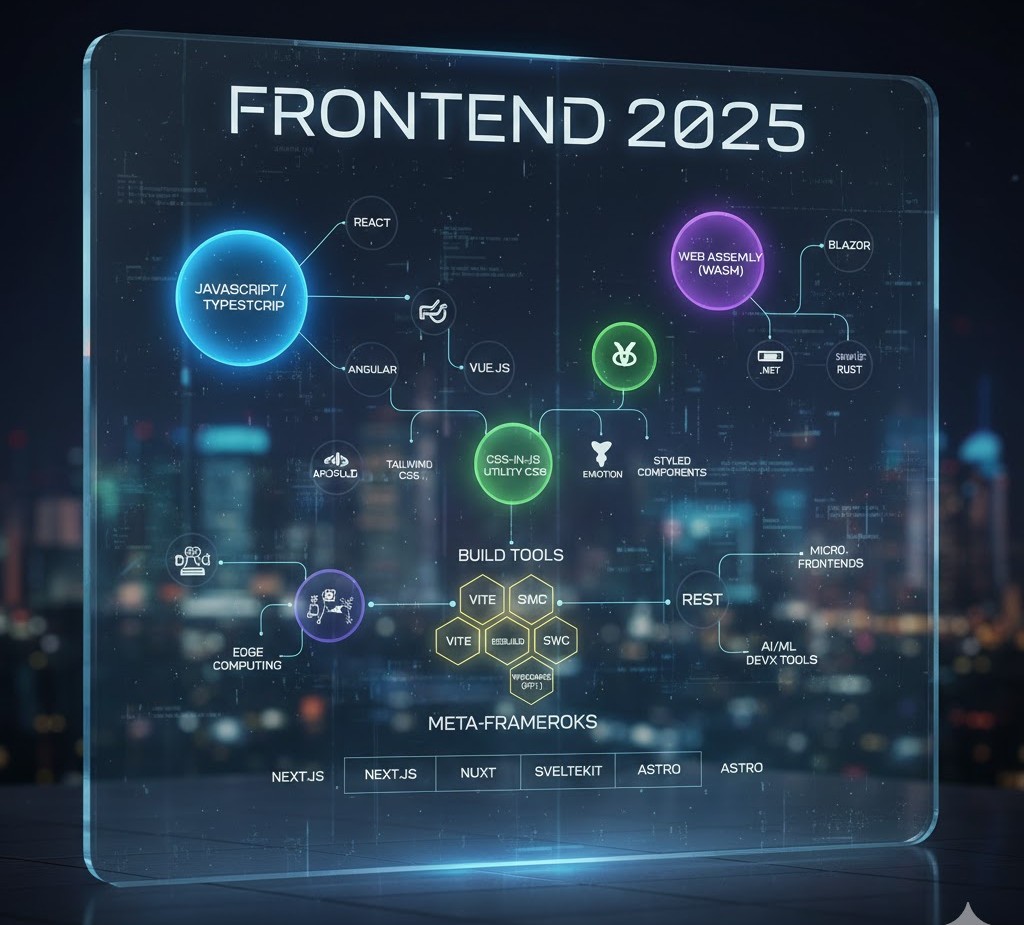
A futuristic, holographic flowchart titled "Frontend 2025" that maps the relationships between major technologies. Key nodes include JavaScript/TypeScript, React, Vue.js, Angular, WebAssembly (Wasm), various Build Tools (like Vite and swc), CSS-in-JS solutions, and Meta-Frameworks (Next.js, Nuxt, SvelteKit, Astro).
Frontend Developer

Top Frontend Tools and Technologies Every Developer Should Use

Introduction In the ever-evolving world of web development, the right tools can make a huge difference in productivity, code quality, and user experience. As technology advances, frontend developers must constantly update their toolkits with the latest frameworks, design systems, and testing tools to stay competitive. This 2025 guide lists the best frontend tools and technologies that help developers build faster, smarter, and more reliable web applications. Code Editors and IDEs Your editor is your workspace. A great editor improves speed, readability, and debugging. Top Picks: Visual Studio Code (VS Code): Lightweight, fast, and supports thousands of extensions. Sublime Text: Extremely fast and customizable with minimal resource use. WebStorm: A premium IDE by JetBrains, ideal for large-scale frontend projects. Pro Tip: Install VS Code extensions like Prettier, ESLint, and Live Server for better formatting, error detection, and instant browser preview. Package Managers Package managers simplify dependency installation and version control. Best Options for 2025: npm: The default package manager for Node.js with a huge library base. Yarn: Known for faster installs and deterministic builds. pnpm: Efficient storage and speed — the emerging choice for modern teams. Why It Matters:These tools make it easy to integrate third-party libraries, manage updates, and keep your project consistent across machines. Frontend Frameworks and Libraries Frameworks continue to dominate modern web development.Trending in 2025: React.js: Still the most used for scalable SPAs. Vue.js: Great balance of simplicity and performance. Svelte & Qwik: Lightweight frameworks leading the “faster web” movement. Learn more:Check React documentation, Vue.js official site, and Svelte.dev. CSS Frameworks and UI Libraries Styling can be time-consuming — CSS frameworks make it faster and cleaner. Top Frameworks: Tailwind CSS: Utility-first approach with full customization. Bootstrap 5: Great for responsive, grid-based layouts. Material UI: Perfect for React projects needing a Google-like design system. Bonus Tip:Combine Tailwind CSS with Framer Motion for smooth, modern animations. Build Tools and Module Bundlers Modern web apps need bundlers to compile, optimize, and deliver assets efficiently. Top Build Tools for 2025: Vite: Lightning-fast dev server with instant HMR (Hot Module Replacement). Webpack: Still powerful for large applications needing fine-grained control. esbuild: Built for speed — compiles 10–100x faster than traditional bundlers. Why It Matters:Faster builds = faster iterations = more productivity. Testing and Debugging Tools A successful frontend developer must test their apps thoroughly to ensure reliability. Top Testing Tools: Jest: Great for unit testing JavaScript code. Cypress: Ideal for end-to-end testing of UI interactions. Playwright: Modern automation for cross-browser testing. Debugging Tip:Use Chrome DevTools to inspect elements, track network requests, and profile performance. Version Control and Collaboration Teamwork thrives with version control systems. Must-Use Tools: Git: The foundation of version control — learn core commands (commit, push, merge). GitHub: Host your repositories, collaborate via Pull Requests, and manage issues. GitLab / Bitbucket: Great alternatives for enterprise teams.  Don’t forget to add meaningful commit messages and branching strategies like GitFlow. Performance Optimization Tools Performance impacts SEO and user satisfaction.Use these tools to identify and fix bottlenecks: Google Lighthouse: Analyze site performance, accessibility, and SEO. WebPageTest: Deep dive into loading times and network requests. ImageOptim / TinyPNG: Compress images without losing quality. Pro Tip:Combine image optimization with lazy loading and CDN delivery for best results. UI/UX and Design Collaboration Tools A frontend developer must bridge the gap between code and creativity. Best Tools for Design Collaboration: Figma: Real-time collaboration between designers and developers. Adobe XD: For high-fidelity prototypes. Canva: Quick mockups, banners, and presentation graphics. These tools make it easy to translate UI ideas into pixel-perfect code. Deployment and Hosting Tools When your app is ready, deploy it fast and securely. Popular Platforms: Vercel: Perfect for React, Next.js, and static sites. Netlify: Great for frontend hosting with serverless functions. GitHub Pages: Ideal for portfolios and static projects. Conclusion The frontend ecosystem in 2025 is fast, innovative, and full of opportunity. By leveraging these top tools and technologies, developers can code more efficiently, collaborate better, and build experiences that delight users across every device. FAQs 1. What are the most important frontend tools for developers in 2025? In 2025, essential frontend tools include Visual Studio Code, React.js, Tailwind CSS, Vite, Git, Lighthouse, and Figma. These tools streamline development, enhance collaboration, and improve website performance. 2. Why should I use Vite instead of Webpack? Vite offers faster startup and build times using native ES modules and efficient caching. It’s lightweight, easy to configure, and perfect for modern frontend frameworks like React, Vue, and Svelte. 3. Which CSS framework is best for frontend developers? Tailwind CSS is the most popular choice in 2025 due to its utility-first approach, flexibility, and ability to create responsive designs quickly. Bootstrap 5 and Material UI are great alternatives for structured layouts. 4. Do I need to learn Git for frontend development? Absolutely! Git is crucial for version control, enabling you to track changes, collaborate on code, and revert updates when needed. GitHub and GitLab also make deployment and teamwork easier. 5. What tools help improve website performance? Tools like Google Lighthouse, WebPageTest, and ImageOptim help analyze and optimize loading speed, accessibility, and overall performance. They ensure your site runs smoothly across devices. 6. How can I collaborate effectively with designers? Use Figma or Adobe XD for seamless design-to-code workflows. Both tools allow designers and developers to collaborate in real time, export assets, and maintain design consistency. 7. What are the best hosting platforms for frontend projects? Vercel, Netlify, and GitHub Pages are the top choices for deploying frontend applications. They support automatic builds, serverless functions, and quick CI/CD integration. 8. How often should I update my frontend tools? Check for updates every few months to stay compatible with the latest frameworks, libraries, and browser technologies. Most modern tools release stable updates regularly, so staying current is key.

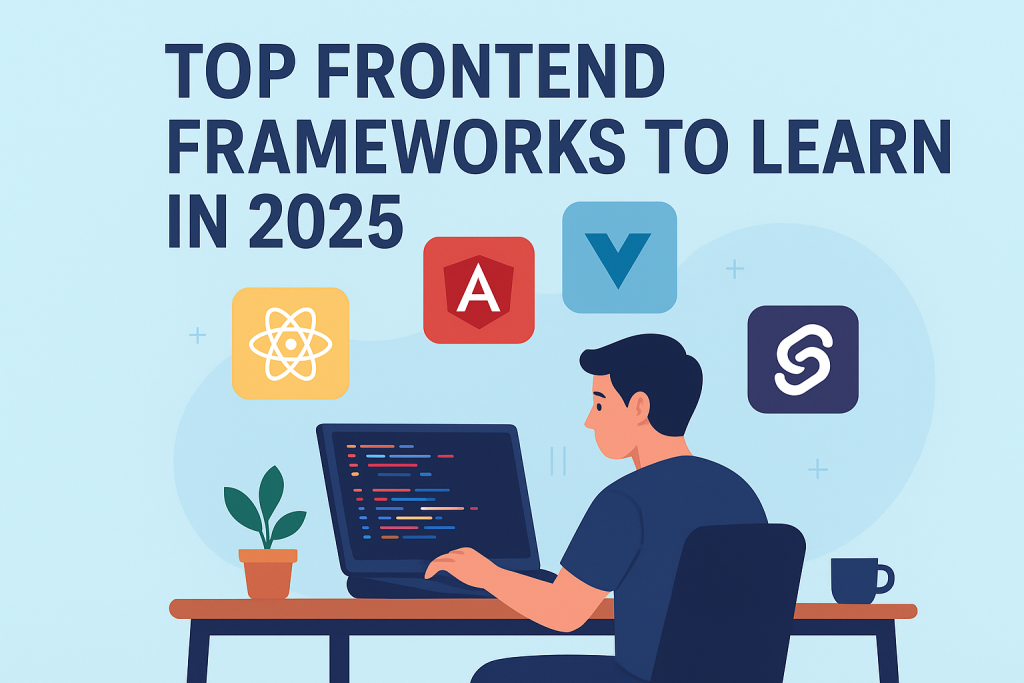
frontend developer exploring React, Angular, Vue, and Svelte frameworks on laptop
Frontend Developer

Top Frontend Frameworks to Learn in 2025 for Maximum Career Growth

Introduction The world of frontend development is evolving at lightning speed. Every year brings new tools, frameworks, and technologies that redefine how web interfaces are built and experienced. As a frontend developer in 2025, mastering the right frameworks can be the difference between being a job seeker and being in high demand. In this blog, we’ll explore the top frontend frameworks every developer should consider learning in 2025 — focusing on popularity, performance, and job opportunities. React.js — The Undisputed King React.js, developed by Meta, continues to dominate the frontend ecosystem. Its component-based structure allows developers to create highly interactive UIs efficiently.Key benefits include: Virtual DOM ensures fast rendering. Strong community support and reusable components. Works seamlessly with libraries like Redux and Next.js.Why learn it:React developers are in high demand, and its ecosystem powers countless enterprise-grade applications, from Facebook to Netflix. Vue.js — The Progressive Framework Vue.js stands out for its simplicity and flexibility. It bridges the gap between traditional HTML/CSS/JS and modern frameworks like React or Angular.Key benefits include: Easy learning curve for beginners. Great performance and smaller file sizes. Ideal for single-page applications (SPAs).Why learn it:Vue’s growing adoption in startups and Asian markets makes it a valuable skill to have in 2025. Angular — The Enterprise Favorite Angular, backed by Google, is a comprehensive framework ideal for building large-scale web apps. It offers built-in solutions for routing, HTTP requests, and form validation.Key benefits include: TypeScript-based for better maintainability. Strong security and scalability. Perfect for enterprise-level applications.Why learn it:If you’re targeting corporate environments or complex projects, Angular remains a must-learn framework. Svelte — The Future of Frontend Svelte is making waves for its compile-time approach, meaning it converts your code into efficient JavaScript at build time, rather than running a virtual DOM.Key benefits include: Faster performance due to lightweight output. Minimal boilerplate code. Easier reactivity handling.Why learn it:Svelte is gaining traction among modern developers who value performance and simplicity. Next.js — The React Framework for Full-Stack Power Next.js extends React with server-side rendering (SSR), static site generation (SSG), and API routes. It’s the go-to choice for creating SEO-friendly and blazing-fast websites.Key benefits include: Built-in routing and file system structure. Optimized for performance and SEO. Supports both static and dynamic rendering.Why learn it:If you love React but want to go full-stack, Next.js is your best friend in 2025. Solid.js — The Rising Star Solid.js combines the best of React’s component model and Svelte’s performance. It delivers fine-grained reactivity without using a virtual DOM.Key benefits include: Extremely fast runtime performance. React-like syntax with simpler reactivity.Why learn it:As Solid.js matures, it’s becoming a favorite among developers who crave efficiency and clarity. Qwik — Built for Instant Loading Apps Qwik introduces a revolutionary concept called resumability, where the app starts instantly on the client without hydration delays.Key benefits include: Near-instant page loads. Optimized for mobile and low-power devices.Why learn it:Qwik’s approach could redefine how modern web apps are built and loaded in the near future. Conclusion In 2025, being a successful frontend developer means being strategic — learning not just one framework but understanding when and why to use each.Start with React or Vue if you’re new, explore Next.js for production-grade apps, and keep an eye on Svelte, Solid, and Qwik — the future is bright, and the possibilities are endless. FAQs Q1. Which frontend framework should I learn first in 2025?If you’re a beginner, start with React.js or Vue.js — they offer great documentation and a huge community. Q2. Is Angular still relevant in 2025?Absolutely. Angular remains a top choice for enterprise applications and large development teams. Q3. Why is Svelte gaining popularity?Svelte eliminates the virtual DOM and compiles code at build time, leading to faster and more lightweight apps. Q4. Can I learn multiple frontend frameworks together?Yes, but start with one (like React) and move on to others once you’re confident with core concepts. Q5. Which framework has the best job opportunities?React.js and Next.js dominate global job listings in 2025, especially in startups and SaaS-based companies.

frontend developer working on HTML CSS JavaScript with laptop
Frontend Developer

Essential Skills Every Frontend Developer Should Master in 2025

Introduction The web development world is evolving rapidly, and the demand for skilled frontend developers continues to grow. As users expect faster, more interactive, and visually appealing websites, developers must master both technical and creative skills to stay ahead in 2025. In this blog, we’ll explore the essential skills every frontend developer should master — from HTML and CSS fundamentals to advanced frameworks, tools, and design thinking techniques. Mastering the Core Building Blocks: HTML, CSS, and JavaScript At the heart of every website are three pillars — HTML, CSS, and JavaScript. These are the foundation of frontend development and must be learned thoroughly: HTML (HyperText Markup Language): Defines the structure and content of a webpage. You must understand elements, tags, attributes, semantic HTML, and accessibility. CSS (Cascading Style Sheets): Controls the layout, colors, fonts, and design aesthetics. Learn CSS Grid, Flexbox, animations, and media queries for responsive design. JavaScript (JS): Adds logic and interactivity. Know how to manipulate the DOM, handle events, fetch APIs, and use ES6+ features like promises, async/await, and modules. A solid grasp of these three ensures you can build any web interface from scratch. Learning Modern Frontend Frameworks Frameworks streamline development by providing reusable components and optimized performance. In 2025, the most popular ones include: React.js: Developed by Meta, React is known for its virtual DOM, reusable components, and large ecosystem. Vue.js: Lightweight and beginner-friendly, perfect for building small to mid-sized apps. Angular: Maintained by Google, Angular is ideal for large-scale enterprise applications. Tip: Learn at least one framework deeply instead of jumping between many. Responsive Web Design and Cross-Browser Compatibility With users accessing websites across desktops, tablets, and smartphones, knowing responsive design is essential. Skills to learn: CSS Media Queries Fluid grids and flexible images Frameworks like Bootstrap and Tailwind CSS Testing tools like BrowserStack Your website should look perfect and perform well across all screen sizes and browsers. Version Control with Git and GitHub No developer can thrive without version control systems (VCS) like Git. It allows you to: Track changes in your code Revert to previous versions Collaborate with other developers seamlessly Master Git commands such as commit, push, pull, and merge. Create and manage repositories using GitHub, GitLab, or Bitbucket. Understanding APIs and AJAX Modern web apps depend heavily on data exchange between the client and server. Learn how to: Use RESTful APIs and JSON data Make fetch() or Axios requests Handle asynchronous data with Promises and Async/Await Understand CORS, authentication, and error handling This knowledge helps build dynamic apps like social media feeds, dashboards, and e-commerce websites. UI/UX Design Principles Frontend developers bridge the gap between design and functionality. Knowing the basics of UI/UX design enhances user satisfaction: Learn color theory, typography, and layout design Use design tools like Figma, Sketch, or Adobe XD Follow accessibility standards (WCAG) Understand user behavior and intuitive navigation patterns A visually appealing, accessible website boosts engagement and conversion rates. Frontend Performance Optimization Performance is critical. Users leave a site if it takes more than 3 seconds to load.Focus on: Code minification and lazy loading Optimizing images and videos Using CDN and caching strategies Monitoring performance with tools like Lighthouse and WebPageTest A faster site equals better SEO and higher user retention. Soft Skills and Continuous Learning Frontend development isn’t just about coding. Soft skills help you stand out: Problem-solving: Debug efficiently and write clean, maintainable code. Collaboration: Work smoothly with designers, backend devs, and clients. Adaptability: Learn new frameworks and libraries quickly. Communication: Explain technical topics clearly to non-technical stakeholders. The tech world changes fast — stay updated through blogs, online courses, and coding communities. Recommended Tools and Resources Category Tools/Resources Code Editor VS Code, Sublime Text Browser DevTools Chrome DevTools, Firefox Developer Edition Design Tools Figma, Canva Frameworks React, Vue, Angular Version Control Git, GitHub Testing Jest, Cypress, Playwright Conclusion To become a successful frontend developer in 2025, mastering these technical and design skills is essential. From HTML, CSS, and JavaScript to frameworks, APIs, and optimization — each skill builds your ability to create beautiful, responsive, and efficient web applications. FAQs – 1. What are the most important skills for a frontend developer in 2025? In 2025, the essential skills for frontend developers include HTML, CSS, JavaScript, and frameworks like React or Vue.js. In addition, knowledge of responsive design, version control (Git), APIs, and performance optimization is crucial for building modern, scalable web applications. 2. Is frontend development still a good career choice? Yes! Frontend development remains one of the most in-demand tech careers. As more businesses move online, the need for developers who can create fast, visually appealing, and user-friendly websites continues to grow. With the right skills, you can build a successful and well-paying career. 3. How long does it take to become a frontend developer? On average, it takes 6 to 12 months to become job-ready in frontend development. However, the timeline depends on how consistently you practice. Start with HTML, CSS, and JavaScript, then move to frameworks, responsive design, and Git. Continuous learning and project building will speed up your progress. 4. Do frontend developers need to know backend technologies? Not necessarily, but having basic knowledge of backend technologies like Node.js or Express.js helps you understand how data flows between client and server. It’s especially beneficial if you aim to become a full-stack developer in the future. 5. What tools should every frontend developer use? Some must-have tools include: Code Editors: VS Code, Sublime Text Version Control: Git, GitHub Design Tools: Figma, Adobe XD Browser DevTools: Chrome, Firefox Developer Edition Testing Tools: Jest, Cypress These tools make your development process faster, cleaner, and more efficient. 6. How can I improve my frontend development skills? To improve, focus on practical projects. Build personal websites, clone famous apps, contribute to open-source projects, and follow modern web development trends. Join developer communities on GitHub or Reddit and take regular courses to stay updated with the latest frameworks and techniques. 7. What are the soft skills needed for a frontend developer? Frontend developers

frontend developer coding modern user interface
Frontend Developer

Frontend vs Backend Development

Introduction When you open a website like Amazon or Netflix, everything you see — from the design to the search bar — is part of the frontend. But when you log in, make a purchase, or stream a movie, the backend is working silently behind the scenes. Both frontend and backend development are essential pillars of modern web development. Though they work together, they involve different skills, tools, and technologies. In this guide, you’ll learn the exact differences between frontend and backend development, the languages used, roles, salaries, and how to choose the right path in 2025. What is Frontend Development? Frontend development, also called client-side development, is all about creating what users see and interact with in their browsers. Frontend developers transform UI/UX designs into functional interfaces using: HTML (Structure) CSS (Styling) JavaScript (Functionality) They ensure the website is responsive, fast, accessible, and user-friendly. Common Frontend Frameworks (2025) React.js — Most popular, backed by Meta. Next.js — For server-side rendering and SEO optimization. Vue.js — Lightweight and easy to learn. Angular — Backed by Google, great for large apps. Example: When you hover over a button and it changes color — that’s frontend. What is Backend Development? Backend development, or server-side development, powers the behind-the-scenes logic that connects the website to the database and manages user requests. It handles: User Authentication (Login/Signup) Database Management Server Logic API Integration Common Backend Languages and Frameworks Node.js (JavaScript) Python (Django, Flask) PHP (Laravel) Java (Spring Boot) Ruby (Rails) Example: When you submit a login form, your details go to the server, get verified, and send a response — that’s backend. Frontend vs Backend — Key Differences Table Feature Frontend Development Backend Development Focus Area User interface (UI) and visuals Logic, database, and server Languages HTML, CSS, JavaScript Node.js, Python, PHP, Java Frameworks React, Vue, Angular Express, Django, Laravel Responsibility Design and interactivity Data handling and business logic Tools VS Code, Figma, Chrome DevTools Postman, Git, Docker Output Visual web pages Functional database connections Goal Better user experience Stable data management How Frontend and Backend Work Together Web development is a collaborative process where frontend and backend communicate constantly. Frontend: Collects user input (like a login form). Backend: Validates and processes the input via an API. Database: Stores or retrieves the data. Frontend: Displays results to the user. Example: When you search for a product on an e-commerce website — Frontend: Displays the search box and product results. Backend: Fetches matching data from the database. Together, they form a Full Stack Web Application. Frontend Developer Role Frontend developers are responsible for building: Responsive web pages Smooth navigation Interactive features (menus, sliders, animations) UI optimization for mobile and desktop They often work closely with UI/UX designers to implement visually appealing and consistent interfaces. Backend Developer Role Backend developers ensure: Secure data management API creation and integration Server configuration Performance optimization They work with databases like MySQL, MongoDB, and PostgreSQL to handle large amounts of data efficiently. Which Has Better Career Scope in 2025? Both roles are in high demand. However, trends show increasing need for frontend developers skilled in React and Next.js, as well as backend developers familiar with Node.js and cloud technologies. Role Demand (2025) Average Salary (India) Frontend Developer Very High ₹5–12 LPA Backend Developer High ₹6–14 LPA Full Stack Developer Extremely High ₹8–20 LPA If you love visuals, creativity, and UI — choose Frontend.If you enjoy logic, databases, and problem-solving — go for Backend. You can also combine both and become a Full Stack Developer for even more opportunities. Required Skills for Both Roles Frontend Skills: HTML5, CSS3, JavaScript Responsive Design Frameworks (React, Vue) Git/GitHub API consumption Backend Skills: Programming language (Node.js/Python) Database Management (SQL/NoSQL) Server setup (AWS, DigitalOcean) Authentication (JWT, OAuth) API creation Tools for Collaboration Modern developers use collaboration tools like: GitHub: Version control Postman: API testing Figma: UI design previews Slack: Team communication Jira: Project tracking FreeCodeCamp Full Stack Roadmap – a trusted source to learn both frontend and backend development. Future of Web Development In 2025 and beyond, AI integration, WebAssembly, and serverless technologies are changing the way websites are built. The line between frontend and backend is blurring due to full-stack JavaScript (React + Node.js). Developers who learn both sides are highly valued. Conclusion Both frontend and backend development are crucial in building modern web applications. The frontend gives users a delightful experience, while the backend ensures that everything works smoothly behind the scenes. If you’re starting your journey in web development, begin with frontend — it’s visual, intuitive, and gives quick results. Then, gradually explore backend technologies to become a versatile full-stack developer. No matter which you choose, consistent learning and hands-on projects will make you a successful developer in 2025. FAQs 1. Which is easier: frontend or backend?Frontend is easier to start with, while backend requires more logic and database knowledge. 2. Can one person do both frontend and backend?Yes, such developers are called Full Stack Developers. 3. Which language is best for backend in 2025?Node.js and Python are the top choices. 4. Which pays more — frontend or backend?Backend usually pays slightly higher, but frontend developers with React expertise earn equally well. 5. Can I switch from frontend to backend later?Yes, both share JavaScript as a common ground if you use Node.js. 6. Do backend developers need design skills?Not necessarily, but understanding UI/UX helps in better collaboration.

How would you like me to respond?

Select a personality for your AI assistant

Normal
Happy
Sad
Angry

Your selection will affect how the AI assistant responds to your messages

Chat Assistant

Let's discuss your project!

Hear from our clients and why 3000+ businesses trust TechOTD

Tell us what you need, and we'll get back with a cost and timeline estimate

Scroll to Top