Technology & Business

Digital Transformation, Software development, Technology & Business

How SaaS Solutions are Revolutionizing Business Operations

How SaaS Solutions are Revolutionizing Business Operations If you take a stroll down memory lane to the business world of the early 2000s, setting up software for a growing company felt like planning a major construction project. First, you had to buy physical CD-ROMs or expensive licensing keys packed in giant cardboard boxes. Then, your IT technician spent days manually installing the program on every single desktop computer in the building. If a new version came out next year? You had to buy the new boxes, wipe the old systems, and repeat the entire grueling process all over again. Software was heavy, rigid, incredibly expensive, and tethered to the physical desks inside your office walls. Then came the quiet explosion of Software as a Service (SaaS). Instead of treating software like an expensive machine you have to buy, house, and repair yourself, SaaS turned software into a living, breathing utility that lives in the cloud. Today, revolutionary platforms like Slack, HubSpot, Zoom, and QuickBooks are accessible instantly through a simple web browser tab from any corner of the globe. SaaS hasn’t just changed how we pay for digital tools; it has fundamentally revolutionized how modern businesses function on a daily basis. Let’s dive deep into how the cloud software model is transforming modern business operations, breaking down bottlenecks, and helping companies scale with unprecedented agility. 1. The Death of the “Information Silo” In a traditional business infrastructure, different departments naturally turn into isolated islands. The sales team uses one offline database, the accounting department tracks invoices on a different local spreadsheet, and customer support logs client complaints in a physical binder. When your data is trapped in these local environments, it creates information silos. [Legacy Silos] Marketing (Isolated) ──X──> Sales (Isolated) ──X──> Support (Isolated) [SaaS Ecosystem] Marketing ──┬──> Unified Cloud Data Hub ──<──┬── Sales │ │ └─────────> Customer Support ────┘ SaaS ecosystems completely demolish these walls. Because these platforms run on centralized, real-time cloud databases, information flows smoothly across every department simultaneously. When a sales representative closes a deal in a SaaS CRM like Salesforce, the system instantly notifies the project management software to create an onboarding pipeline, alerts the accounting tool to auto-generate an invoice, and updates the customer service dashboard. Your entire enterprise finally acts as a single, fully synchronized organism. 2. Unprecedented Scalability and Elasticity Growing a traditional business used to mean taking massive financial gambles. If you wanted to double your workforce or expand your operations into a new territory, you had to preemptively invest tens of thousands of dollars in new software licenses, servers, and computers before making a single dime of new revenue. SaaS introduces the concept of operational elasticity. Because SaaS platforms operate on a subscription architecture, your software cost aligns perfectly with your actual, real-time business needs. Hiring a new team of ten remote workers next week? You simply click a button in your admin portal, add ten additional user seats to your subscription, and they gain full access to their digital workspaces within minutes. Facing a quiet seasonal downturn? You can easily scale down your user tiers or downgrade your feature plan to preserve your cash flow. This flexibility removes the traditional “growing pains” of expansion, allowing small startups to maintain the operational muscle of global conglomerates without the crushing overhead costs. 3. Continuous Innovation without System Downtime We’ve all experienced the dread of legacy software updates. In the past, running an enterprise system update meant scheduling an entire weekend of corporate shutdown, warnings to staff not to touch their computers, and a high probability of everything breaking by Monday morning. With SaaS solutions, the concept of a manual software update has become obsolete. ┌────────────────────────────────────────────────────────────────────────┐ │ THE LIFETIME EVOLUTION OF SAAS │ ├────────────────────────────────────────────────────────────────────────┤ │ * No local patches, manual updates, or system freezes │ │ * Overnight deployments handle security vulnerabilities automatically │ │ * New features, UI improvements, and tools roll out seamlessly │ │ * Codebases adapt continuously to changing operating web standards │ └────────────────────────────────────────────────────────────────────────┘ Because the software code lives on remote cloud servers managed by specialized vendor teams, optimization happens continuously behind the scenes. You log off on a Tuesday evening, and when you open your browser on Wednesday morning, you are greeted by a faster, more secure, and feature-rich interface. Your business instantly inherits the cutting-edge innovations of the global market without a single second of internal operational downtime. 4. Democratizing Enterprise Power for Small Businesses Historically, the corporate playing field was deeply uneven. Only massive enterprises could afford the sophisticated data analytics, automated marketing engines, and complex supply-chain logistics platforms required to dominate a market. SaaS has democratized the entire corporate landscape. Today, a passionate two-person startup operating out of a garage can sign up for the exact same advanced CRM, communication tools, and data analytics dashboards used by multinational corporations for a predictable fee of $30 a month. SaaS strips away the requirement for immense upfront capital, allowing small businesses to compete purely on the quality of their ideas, their operational speed, and their customer care. 5. Operational Trade-offs: SaaS Ecosystems vs. Legacy Software To truly appreciate the operational shift, let’s look at how SaaS solutions stack up against traditional on-premise installations across the metrics that impact your daily bottom line: Operational Metric Legacy On-Premise Software Modern Cloud SaaS Solutions Upfront Financial Investment High (Heavy software licensing + server hardware) Near Zero (Predictable, low monthly subscription) Deployment Speed Weeks to months of technical integration Instant (Account registration via a web browser) Remote Work Readiness Hard (Requires slow, complex corporate VPNs) Native (Secure login from any authorized internet device) Data Integrity & Backups Manual (High risk of data loss due to hardware crashes) Automatic (Continuous geo-redundant cloud backups) IT Team Overhead High (Internal staff required for maintenance) Minimal (Vendor engineers handle all systemic operations) 6. How to Build a Balanced, Productive SaaS Strategy While the world of SaaS offers incredible advantages, blindly signing up for every trendy tool you see on your social feed can

Cloud Computing and Technology, Digital Transformation, Technology & Business

How Cloud Computing Helps Businesses Reduce Costs and Improve Efficiency

How Cloud Computing Helps Businesses Reduce Costs and Improve Efficiency Think back to the early days of setting up a business. If you wanted to run a professional operation, your office required a dedicated, locked room down the hallway. Inside that room, a massive, noisy server rack buzzed away 24/7, generating heat, eating up electricity, and demanding constant attention. You had to pay an IT consultant thousands of dollars just to set it up, and if a hard drive crashed at 2:00 AM on a Sunday, your entire business ground to a halt until Monday morning. For decades, owning and managing physical hardware was simply the tax you paid to play the game of modern business. But if you look at the most successful, agile companies thriving today, that noisy server room has completely vanished. It hasn’t been replaced by a bigger machine; it has evaporated into the cloud. Cloud computing has fundamentally rewritten the rules of corporate economics. It has transformed IT infrastructure from a rigid, expensive, and stressful capital burden into a fluid, on-demand utility—much like electricity or water. Let’s dive deep into the practical, human reality of how shifting to the cloud slashes business expenses, unlocks massive operational efficiency, and how your enterprise can maximize these benefits. 1. The Financial Paradigm Shift: CapEx vs. OpEx To understand how the cloud cuts costs, we have to look past the technology and look at the accounting ledger. Traditional IT infrastructure relies heavily on Capital Expenditure (CapEx). The cloud flips this model entirely into Operational Expenditure (OpEx). [Traditional IT (CapEx)] ──> Massive Upfront Cash ──> Rigid Servers ──> High Maintenance Costs [Cloud Computing (OpEx)] ──> Zero Upfront Cash ──> Scale On-Demand ──> Pay Only for What You Use The Heavy Burden of Over-Provisioning When you buy physical servers, you have to build for your absolute worst-case scenario. If you are an e-commerce business that gets 90% of your traffic during the holiday rush, you have to buy enough physical hardware to handle that peak load. That means for the other 11 months of the year, 80% of your expensive server power sits completely idle, collecting dust and draining your bank account. The Pay-As-You-Go Freedom Cloud computing completely eliminates this waste. If your traffic spikes on Black Friday, the cloud dynamically scales up your processing capacity within seconds to handle the rush. The moment the rush ends, the system automatically scales back down. You pay only for the exact computing units you consumed during those specific hours. 2. Direct Ways the Cloud Cuts Business Expenses Let’s look at the concrete, unmistakable ways moving to the cloud preserves your cash flow: Elimination of Hardware Life Cycles Physical servers don’t last forever. They overheat, degrade, and become obsolete every three to five years. When you migrate to the cloud, the burden of buying, maintaining, and upgrading physical hardware shifts entirely to cloud giants (like AWS, Microsoft Azure, or Google Cloud). You never have to write a massive check for server replacements ever again. Drastic Reductions in Energy and Real Estate Physical servers are gluttons for electricity. They require constant power to run and massive, industrial-grade cooling systems to keep from overheating. Additionally, dedicating office square footage to store server racks chips away at your commercial real estate budget. The cloud completely erases these utility overheads from your monthly bills. Minimizing Emergency IT Consulting Fees When your internal physical network breaks down, repairing it requires emergency calls to specialized hardware engineers who charge astronomical hourly rates. Cloud providers guarantee up to 99.99% uptime backed by strict Service Level Agreements (SLAs). Their world-class engineering teams are monitoring the infrastructure around the clock, saving you from costly emergency repairs. 3. Supercharging Operational Efficiency While saving money is fantastic, the true superpower of cloud computing is how it accelerates your daily business velocity. It clears away the administrative and technical friction that slows your team down. True Global Collaboration and Borderless Work Before the cloud, if an employee needed a critical corporate file, they had to be physically sitting at their office desk or wrestling with a slow, frustrating VPN connection. Today, the cloud acts as a single, unfragmented source of truth. Whether your team members are collaborating from a corporate headquarters, a home office, or a coffee shop halfway across the world, they can securely access, edit, and share real-time data simultaneously. The Speed of Innovation (Zero Deployment Drag) In a traditional setup, if your development team wants to test a brilliant new software feature or launch a creative marketing campaign micro-site, they have to wait weeks for the IT department to manually configure a testing environment. In the cloud, developers can spin up sandboxed testing environments with a few clicks. If the project succeeds, it can go live globally in minutes. If it fails, the environment is torn down instantly without wasting a single dime of capital. This speed allows small businesses to out-maneuver massive, slow-moving competitors. 4. Operational Trade-offs: A Balanced Reality Check Efficiency Factor Traditional On-Premise IT Cloud Computing Ecosystems Deployment Time Weeks to months (Ordering, wiring, configuring) Immediate (On-demand virtual provisioning) Disaster Recovery High risk (Requires manual backup drives) Automatic (Continuous geo-redundant replication) System Maintenance Internal team handles patches, fixes, and updates Handled automatically by the provider Data Mobility Low (Tethered to physical locations/VPNs) High (Secure access from any approved device) 5. Security, Resilience, and Disaster Recovery A lingering, human fear among many business owners is: “If my data isn’t physically sitting in a box inside my building, is it truly safe?” The reality is that your data is significantly safer in a tier-one cloud data center than it is on a server in your office closet. Small business server rooms are vulnerable to local power surges, bursting water pipes, physical theft, and basic office fires. Automated, Geo-Redundant Backups If a natural disaster hits your physical office, your local backups could be wiped out instantly. Cloud computing utilizes geo-redundancy. Your data is encrypted and mirrored across multiple geographically isolated data centers.

Digital Transformation, Software development, Technology & Business

Logistics Automation Software Trends

Logistics Automation Software Trends: Driving Efficiency in an Unpredictable World The global logistics landscape is undergoing a profound paradigm shift. For years, supply chain management focused on a singular, relentless pursuit: cost minimization through just-in-time efficiency. However, a relentless wave of global volatility—spanning geopolitical tensions, extreme climate events, localized labor shortages, and shifting trade policies—has exposed the fragile fault lines of traditional, rigid infrastructure. Today, survival and profitability require a foundational operational overhaul. The goal has shifted from building a reactive supply chain to engineering an intelligent, self-healing, and proactive network. At the heart of this radical transformation is software. Logistics automation is no longer just about deploying massive, fixed hardware or static conveyors. Instead, modern logistics is defined by software intelligence, interconnected ecosystems, and automated adaptability. As organizations strive to bridge the gap between real-time insights and immediate operational execution, let’s explore the core logistics automation software trends defining the industry. 1. The Rise of Agentic AI and Self-Healing Supply Chains Artificial Intelligence has officially graduated from a passive analytics tool into an active operational partner. Historically, AI in logistics was predictive—it analyzed historical datasets, identified patterns, and generated dashboards for human operators to interpret and act upon. While valuable, this traditional approach still left a costly gap of latency between identifying a disruption and executing a remedy. The current frontier belongs to Agentic AI and self-healing supply chains. Autonomous AI agents are integrated directly into core execution software, such as Transportation Management Systems (TMS) and Enterprise Resource Planning (ERP) engines. Instead of waiting for human intervention, these intelligent software agents possess the decision-making capabilities to autonomously execute solutions within predefined operational guardrails. [Disruption Detected: Port Closure] │ ▼ ┌──────────────────────────────┐ │ Agentic AI Evaluates Data │ └──────────────┬───────────────┘ │ ▼ ┌──────────────────────────────┐ │ Autonomously Reroutes Fleet │ └──────────────┬───────────────┘ │ ▼ ┌──────────────────────────────┐ │ Updates WMS & Notifies Crew │ └──────────────────────────────┘ For instance, if an ocean cargo liner faces an unexpected port closure due to severe weather, an agentic AI system doesn’t just trigger an alert flag on a dashboard. It actively evaluates real-time alternative routes, calculates the financial cost-to-serve implications, renegotiates dynamic freight spot rates with backup carriers, alters the digital customs paperwork, and re-sequences the downstream warehouse receiving schedule—all in a matter of seconds without human prompt. This shift to continuous, automated planning reduces latency to near zero, transforming unexpected bottlenecks from multi-day crises into seamlessly managed, minor operational adjustments. 2. Next-Generation WMS and Smart Warehousing As e-commerce demands continue to pressure fulfillment timelines, distribution centers can no longer operate using legacy, paper-reliant Warehouse Management Systems (WMS). Inbound and outbound logistics are converging under next-generation, cloud-native WMS platforms powered by generative AI and real-time edge processing. Modern WMS platforms are focusing heavily on dynamic optimization. Instead of relying on static zoning patterns, AI algorithms continuously monitor the physical flow of the warehouse floor. They dynamically re-slot fast-moving SKUs based on real-time order surges, balance picking labor across aisles to prevent congestion, and adjust picking strategies on the fly. Furthermore, a significant sub-trend is the rapid modernization of inbound automation software. Historically, outbound fulfillment took priority for automation investments. Today, the focus is equalizing. Advanced WMS platforms leverage machine vision software equipped with Neural Processing Units (NPUs) to handle complex inbound processes: Robotic De-palletization: Software guides robotic arms to identify, visually inspect, and de-stack highly irregular, mixed-SKU pallets. Instant Verification: Real-time AI vision scans barcodes and cross-references them against digital bills of lading in milliseconds, entirely bypassing manual clipboard validation. Predictive Workload Scheduling: By processing upstream transport delays, the WMS automatically adjusts warehouse staffing shifts before a delayed fleet arrived at the yard bay doors. 3. Orchestration Layers and Multi-Fleet Fleet Management Systems (FMS) Go into a modern fulfillment hub, and you will see an incredibly diverse ecosystem of automated hardware. You might see Autonomous Mobile Robots (AMRs) moving cases, Automated Guided Vehicles (AGVs) transporting heavy pallets, automated storage and retrieval systems (AS/RS) soaring up vertical racks, and human workers operating traditional forklifts. The primary challenge isn’t the individual performance of these machines; it is their coordination. Without a unifying brain, a warehouse becomes a multi-million-dollar digital traffic jam. This friction has driven the massive growth of Warehouse Execution Systems (WES) and comprehensive Software Orchestration Layers. These advanced software platforms act as a vendor-agnostic nervous system, sit cleanly above individual proprietary hardware controllers, and unify all automation subsystems into a singular, synchronized operational workflow. ┌──────────────────────────────────────┐ │ Software Orchestration Layer │ └────┬──────────────┬──────────────┬───┘ │ │ │ ▼ ▼ ▼ ┌───────┐ ┌───────┐ ┌───────┐ │ AMRs │ │ AS/RS │ │ AGVs │ └───────┘ └───────┘ └───────┘ Concurrently, Fleet Management Systems (FMS) have evolved far beyond basic dispatch scripting rules. Driven by live spatial data, modern FMS platforms control real-time traffic across the facility floor. They dynamically reroute AMRs away from congested corridors, prioritize charging schedules for robotic units based on upcoming order volumes, and coordinate seamless intersections where human workers and robotic fleets cross paths safely. The software ensures that predictable throughput and steady physical flow are maintained around the clock. 4. Robotics-as-a-Service (RaaS) Democratizing Automation For decades, the benefits of advanced warehouse robotics were reserved exclusively for enterprise giants with massive capital expenditure (CapEx) budgets. Smaller third-party logistics (3PL) providers and mid-sized e-commerce merchants were left locked out by the staggering upfront costs of automated infrastructure. Robotics-as-a-Service (RaaS) has completely flipped this model by shifting automation from a rigid capital expense to a flexible, scalable operational expense (OpEx). Under the RaaS software model, companies subscribe to cloud-hosted robotic management platforms while leasing physical robot fleets (like AMRs or autonomous sorting units) on a predictable monthly or volume-based payment structure. This trend has triggered the rise of what industry experts call “brownfield automation.” Rather than abandoning existing brick-and-mortar setups to build expensive, highly customized “greenfield” automated facilities, businesses are deploying RaaS software into their legacy, existing structures. Because modern AMRs rely on lidar, onboard edge processing, and computer vision software for navigation rather than fixed magnetic tracking tape embedded in floors, they can be deployed

IT consulting, Software development, Technology & Business

Beyond the Code: A Human Guide to Choosing the Right Software Outsourcing Partner

Introduction Outsourcing often gets a bad rap as a “cost-cutting” measure, but in 2026, it’s evolved into something far more personal. It’s about bridging the gap between an idea and a reality by finding a team that acts as an extension of your own. However, with thousands of firms claiming to be the “best,” how do you find the one that is actually right for you? 1. Look for Shared Values, Not Just Skills Technical expertise is the baseline—everyone has it. But what sets a great partner apart is cultural alignment. You want a team that communicates in a way you understand and shares your work ethic. The Litmus Test: During your first few calls, pay attention to their questions. Are they asking about your budget, or are they asking about your users? A partner who tries to understand your “why” is far more valuable than one who just says “yes” to every feature request. 2. Prioritize Transparency Over Promises In the early stages, it’s easy for a firm to promise the moon. The right partner will be honest about what is difficult, what might take longer, and what might not work at all. The Sign of Quality: Look for “Product Owners” rather than just “Project Managers.” You want someone who will challenge your ideas to make them better, not someone who just checks boxes. Ask for a peek into their project management tools (like Jira or Slack) to see how they handle real-time updates and roadblocks. 3. The “Stability” Factor A common mistake is looking at a company’s logo list rather than their team’s history. You aren’t hiring a logo; you’re hiring people. Dig Deeper: Ask how long their core developers have been with the company. High turnover in an outsourcing firm is a red flag for your project’s consistency. You want a dedicated team model where the same faces start and finish your project, ensuring that the tribal knowledge of your software stays intact. 4. Security is a Relationship, Not a Checklist In an era of AI-driven threats, security isn’t just about a signed NDA. It’s about their daily habits. Ensure your partner follows modern standards like Zero Trust architectures and regular security audits. If they handle your data, they should treat it with the same (or more) reverence as you do. 5. The “Culture Fit” and Communication Software development is rarely a smooth, linear path. There will be bugs and shifting deadlines. In those moments of high pressure, your relationship with the team is what determines success. The Midnight Test: You don’t necessarily need a team in your backyard, but you do need an overlap of at least 3–4 hours. This allows for “synchronous” collaboration where ideas can be brainstormed in real-time, rather than waiting 24 hours for a reply to a simple email. Language & Tone: Do they speak “business” or just “code”? You need a partner who can translate complex technical debt into risks you can actually understand. 6. Transparency: Seeing “Under the Hood” If an outsourcing firm tells you everything is “perfect” every single week, you should be worried. Real development is messy. The right partner offers radical transparency. * Direct Access: You should have access to their project management boards (Jira or Trello) and their code repositories (GitHub). The Honest “No”: The best partners are the ones who say, “We can build that, but it will delay the launch. Is it worth it?” If they never push back, they aren’t thinking about your success; they are just billing hours. Conclusion: The Long Game Choosing a software development partner is like choosing a co-pilot. The “right” choice isn’t necessarily the cheapest one or the one with the most employees—it’s the one that makes you feel confident that your project is in safe, capable hands. Focus on building a partnership, not just a contract, and the results will speak for themselves. Beyond the VPN: Why Zero Trust (ZTNA) is the Future of Remote Work

Digital Transformation, Frontend Developer, startup, Technology & Business

The “Solo-Studio” Era: How AI Made the Full-Stack Dev a One-Person Agency

Introduction For years, the dream of the “solopreneur” usually came with a massive asterisk. You could have a great idea, but unless you were a coding prodigy, a UI/UX expert, a DevOps wizard, and a marketing specialist all rolled into one, you eventually hit a wall. You needed a team. You needed capital. You needed time. Fast forward to 2026, and that wall hasn’t just been lowered—it’s been demolished. We’ve entered the era of the Solo-Studio. Today, a single developer with a clear vision can outpace a mid-sized software house from five years ago. This isn’t just about “coding faster”; it’s about a fundamental shift in what it means to be a creator in the digital age. From “Syntax Writer” to “Product Architect” The old way of web development was heavy on syntax. We spent 40% of our time fighting CSS alignment, 30% writing boilerplate API calls, and maybe 30% actually solving the user’s problem. In the Solo-Studio era, AI handles the syntax. Tools like Cursor and GitHub Copilot have evolved from simple autocomplete to full-blown pair programmers that understand your entire codebase. You no longer ask “how do I write a map function?”; you tell the AI, “Build a secure checkout flow that integrates with Stripe and updates my Supabase database,” and it generates the architecture. This shifts the developer’s value. Your worth is no longer measured by how many languages you know, but by your ability to architect a product that solves a real-world problem. The Rise of the “One-Person Agency” Why do we call it a “Solo-Studio”? Because the modern full-stack dev is no longer just handling the backend and frontend. With AI-assisted design tools like v0.dev or Figma’s AI features, developers are now producing high-fidelity UI/UX that looks like it came from a dedicated design team. Furthermore, DevOps—once the scariest part of a launch—has been abstracted away. With the “Backendless” and “Edge” technologies we’ve discussed previously, a solo dev can deploy a globally distributed app in minutes. You aren’t just a coder; you are the CTO, the Lead Designer, and the Head of Infrastructure, all powered by a single keyboard. The Human Element: Why Vision Still Wins There is a common fear that AI will make developers obsolete. In reality, AI is making the uninspired obsolete. AI can write a function, but it can’t tell you why a user feels frustrated with your onboarding flow. It can’t spot a gap in the market for a specific niche tool. The “Solo-Studio” thrives because the human at the center provides the empathy, the taste, and the strategic direction. The AI is simply the most powerful intern in human history. The Tech Stack of the Solo-Studio If you’re looking to transition into this one-person agency model, your 2026 stack likely looks like this: Editor: Cursor or VS Code with heavy AI integration. Frontend: Next.js or Astro for speed and SEO. Backend/Database: Supabase for instant Auth and DB. Design: v0.dev for generating React components from plain English. Deployment: Vercel or Netlify for zero-config scaling. Conclusion: It’s Time to Build We are living through a “Renaissance” of individual creativity. The barriers to entry have vanished. The cost of failure is lower than ever, and the speed of execution is at an all-time high. The “Solo-Studio” isn’t just a trend; it’s the future of how software is built. You don’t need a boardroom full of people to change an industry anymore. You just need a laptop, a few AI agents, and the courage to hit npm run dev. How to Study Smarter, Not Harder, Using Online Education Apps

Artificial Intelligence, Technology & Business

What is AI Bidding? A Simple Guide to Automated Auctions.

What is AI Bidding? At its core, AI Bidding is the use of machine learning algorithms to automate and optimize the process of placing bids in real-time auctions. Whether it’s for Google Ads, social media marketing, or programmatic display ads, AI analyzes millions of data points in milliseconds to determine the “perfect” price for a click or impression. How Does It Work? Unlike manual bidding—where a human sets a static price—AI bidding uses Predictive Analytics. It looks at: User Behavior: What time of day is this person most likely to buy? Device & Location: Is the user on a high-intent device (like a desktop) or just browsing on mobile? Historical Data: How have similar auctions performed in the past $24$ hours? Why Businesses are Switching to AI Bidding Efficiency: Humans can’t process data fast enough to bid on thousands of individual auctions per second. Cost-Effectiveness: AI helps prevent “overbidding,” ensuring you only pay what a lead is actually worth based on the likelihood of conversion. Real-Time Optimization: The system learns from every win and loss, constantly getting smarter. Pro Tip: While AI Bidding saves time, it still requires “human guardrails.” Always set a maximum CPA (Cost Per Acquisition) to ensure the machine stays within your budget! Popular AI Bidding Strategies Depending on your goals, AI bidding engines usually offer different “flavors” of automation. Here are the three most common strategies you’ll encounter in platforms like Google Ads or Meta: Target CPA (Cost Per Acquisition): The AI focuses on getting as many conversions as possible at or below your specified cost. It’s ideal for lead generation. Target ROAS (Return on Ad Spend): This is the “gold standard” for e-commerce. The AI analyzes which users are likely to spend more money and bids higher for those specific high-value shoppers. Maximize Conversions: Perfect for when you have a set daily budget and you want the AI to spend it all while getting the highest volume of results possible. Common Pitfalls to Avoid While AI Bidding is powerful, it isn’t “set it and forget it.” New users often make these mistakes: Ignoring the “Learning Phase”: When you first turn on AI bidding, the algorithm needs time to test. If you change your settings every two days, the AI will never stabilize. Give it at least 7–14 days. Poor Data Quality: If your website tracking is broken, the AI is “flying blind.” It needs accurate data to understand what a successful conversion looks like. Too Small of a Budget: AI needs “fuel” (data) to learn. If your budget only allows for one or two clicks a day, the algorithm won’t have enough information to optimize effectively. The Future of Automated Auctions As we move toward 2027, AI bidding is evolving from simple “click optimization” to Predictive Lifetime Value (pLTV). Soon, bidding engines won’t just look for a single sale; they will predict which customers will remain loyal to your brand for years and bid aggressively to win them early. How Machine Learning Powers AI Bidding The backbone of any modern Digital Marketing strategy is the ability to process data at scale. Machine Learning algorithms allow bidding systems to move beyond simple “if-then” rules. Instead of just bidding more for a specific location, the AI uses neural networks to identify non-obvious patterns. For example, it might discover that users searching on an iPhone at 10 PM are $15\%$ more likely to convert if they have previously visited your “About Us” page. By recognizing these micro-signals, AI Bidding ensures that your budget is always allocated to the highest-probability opportunities. Best Practices for Implementing AI Bidding To get the most out of your automated auctions, follow these industry standards: Set Realistic Conversion Values: If you are using Target ROAS, ensure you have assigned a monetary value to your conversions so the AI knows what to optimize for. Avoid Frequent Changes: Every time you change a bid strategy, the Machine Learning model enters a “Learning Phase.” Frequent edits reset this progress, leading to inconsistent performance. Use Broad Match with Smart Bidding: In platforms like Google Ads, pairing broad match keywords with AI Bidding allows the system to find new, relevant search terms that you might have missed manually. Conclusion: Why AI Bidding is No Longer Optional In the fast-paced world of Digital Marketing, manual bidding is becoming a relic of the past. As auctions become more competitive and data-driven, leveraging AI Bidding is the only way to remain efficient and profitable. By letting Machine Learning handle the heavy lifting of data analysis, marketers can focus on what really matters: creative strategy and brand growth. How AI is Transforming Education Systems

Technology & Business

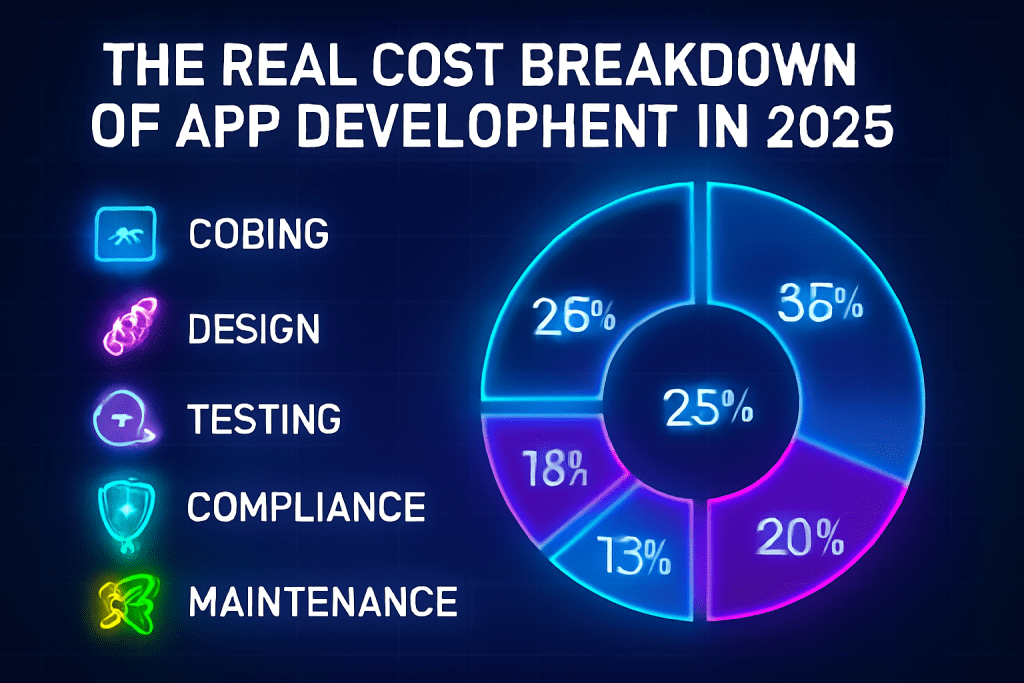
Breaking Down the Real Cost of App Development in 2025: Beyond Just Coding

Introduction App development in 2025 is about far more than lines of code. As expectations for quality, speed, scalability, and compliance rise, so do hidden and overlooked costs. This breakdown shows exactly what you’re paying for—beyond just hiring developers. The Real Cost of Building an App in 2025 Typical cost ranges: Simple app: $5,000 – $50,000 Mid-range complexity: $32,000 – $100,000 Complex/enterprise app: $100,000 – $400,000+ (and often much more) But this is just the start. These figures only represent direct development. The real cost of app development covers a lot more. Cost Breakdown: Every Phase Matters Development Phase 2025 Typical Cost (USD) What’s Included Discovery/Planning $4,500 – $8,000 Research, requirements gathering, scoping Design & Prototyping $15,000 – $30,000 UX/UI, wireframes, branding, design sprints Development (Coding) $35,000 – $75,000 Backend, frontend, API integrations Quality Assurance $8,000 – $18,000 Manual/automated testing, bug fixes Deployment $2,000 – $4,000 App store prep, backend transfer Maintenance (annual) 20–25% of original cost Updates, bug fixes, server fees, minor features Total Range $80,000 – $250,000+ Varies by app complexity and scope Source: 2025 industry reports and agency benchmarks What Drives App Development Costs Up? 1. Complexity and Features Advanced features: Real-time chat, AI, AR/VR, payments, analytics, and third-party integrations hike costs. Multiplying platforms (iOS, Android, web) doubles or triples work—native builds cost more than cross-platform. 2. Design Quality Custom animations, branding, and intensive user experience (UX) work increase time and budget. Accessibility and localization (multi-language) add further complexity. 3. Rising Developer Salaries In 2025, senior developer rates have soared to $80–$200/hour, especially for AI, automation, and cloud expertise. Talent shortages inflate costs globally, even in traditional outsourcing regions. 4. Security & Compliance Robust data security, GDPR, HIPAA, and other legal compliance standards are now non-negotiable. Expect extra costs for security infrastructure and legal reviews. 5. AI & Emerging Technologies AI-powered features (e.g., chatbots, recommendations) demand data pipelines, AI model training, specialized talent, and ongoing model tuning—all beyond standard coding. 6. Testing and Deployment Cross-device, cross-platform, and performance testing is more intensive than ever. Bugs, edge cases, and app store requirements require real QA investment. 7. Maintenance & Upgrades Post-launch, apps typically consume 15–25% of the original build cost yearly for bug fixes, security patches, OS updates, evolving features, and hosting. 8. Ongoing Infrastructure Cloud hosting, database management, analytics tools, push notification services, and external APIs add recurring (often growing) costs. 9. Marketing, Support & Scaling App store optimization, initial marketing, and user support are usually overlooked in budgets, but are crucial for success. Regional Cost Differences Region Developer Rate (USD/hour) Example Total App Cost North America / Western EU $80 – $200 $100,000 – $500,000+ Eastern Europe $35 – $100 $40,000 – $200,000+ India, SE Asia, Latin Am. $20 – $60 $10,000 – $150,000+ Outsourcing still brings savings, but global demand is shrinking the price gap. Hidden and Overlooked Costs Discovery and project management: Time spent scoping, iterating, and aligning goals. Third-party licenses & tools: Fees for libraries, frameworks, SaaS, and APIs. Legal and privacy compliance: Audits, certifications, and legal counsel. User acquisition: Marketing, onboarding flows, and initial support. Analytics and reporting: Implementing tools for usage tracking, engagement, and crash reporting. How to Keep Costs Under Control Prioritize MVP: Start with a minimum viable product to reduce initial spend and validate your core idea. Choose wisely: Use cross-platform tools where possible, but weigh against performance needs. Plan for maintenance: Budget at least 20% of your build costs annually for ongoing support. Invest in design and QA: Skipping these leads to poor ratings and post-launch costs. Understand compliance early: Legal and security shortcuts are costly in the long run. Hire specialized teams, not just cheap labor: Experienced developers optimize code, reduce bugs, and reach launch faster, often saving money in total. Frequently Asked Questions (FAQ) How much does a basic app cost in 2025? Estimates for a basic app range from $5,000 – $50,000, but serious MVPs average $40,000–$100,000, including design, QA, and deployment. Why are post-launch costs so high? App maintenance, updates, and legacy support account for 20–25% of build costs per year. Plus, scaling, cloud fees, and evolving user demands always add up. What’s the biggest mistake in budgeting for app development? Underestimating everything besides coding—especially QA, compliance, maintenance, and marketing. How much should I budget for a complex or AI-powered app? Complex and AI-integrated apps with advanced features will usually start at $100,000 and can exceed $400,000, with ongoing costs for data, training, and specialized talent. Conclusion The real expense of app development in 2025 goes far beyond just coding. Factor in discovery, design, compliance, AI integration, rising salaries, security, testing, and year-on-year maintenance. A well-researched, flexible budget—alongside clear priorities and seasoned partners—is the key to launching an app that succeeds for years to come.

Technology & Business, Uncategorized

From Brief to Launch: Building a Custom LMS in 3 Weeks

Introduction In today’s fast-paced digital landscape, the ability to rapidly deliver innovative learning experiences is a game-changer. While custom learning management systems (LMS) are often thought to require months of planning and development, it’s possible—with the right approach—to go from a concept brief to a fully functioning LMS in just three weeks. Here’s how we did it, step by step. Why Build a Custom LMS? Tailored to your audience: Meet the precise needs of your learners and organization. Feature control: Implement only what you need—nothing more, nothing less. Branding and UX: Ensure a seamless, branded user experience that off-the-shelf products can’t provide. Week-by-Week Roadmap to a Custom LMS Week 1: Discovery & Setup Kickoff & Brief Define clear goals: Who is this LMS for? What’s the must-have feature set? Gather requirements from stakeholders. Platform Planning Choose the technology stack (e.g., React, Node.js, Python, cloud services). Define user roles (Admin, Instructor, Learner). Initial Design Rapid wireframing: Map out LMS navigation, key screens, and user flows. Start UI/UX prototyping with input from stakeholders. Foundational Build Set up project structure, repositories, and development environments. Integrate boilerplate code for basic authentication and user management. Week 2: Development Sprint Core Feature Development Build and connect these modules: User registration and login Course creation and content upload (text, video, presentations) Enrollment and progress tracking Assessments or quizzes Content Population Collaborate with content creators or use AI to generate sample lessons, quizzes, and tutorials. Continuous Testing Integrate basic testing and QA into every coding session to eliminate blockers fast. Stakeholder Check-in Demo first builds to get rapid feedback and reprioritize features as needed. Week 3: Launch Prep & Refinement Polish UX/UI Iterate based on feedback, improving navigation and accessibility. Add finishing touches: branding, dashboards, notifications. Robust Testing Conduct full end-to-end testing: enroll users, complete modules, submit assessments. Final Data Import Upload real course and user data. Confirm everything works at scale. Deployment & Rollout Launch on chosen cloud or server. Provide a quick-start guide for admins and faculty. Collect instant feedback from first users for rapid fixes. Table: Your 3-Week Custom LMS Plan Week Focus Areas Deliverables Week 1 Discovery, setup, prototyping Wireframes, project setup, MVP roadmap Week 2 Core feature development User, course, and assessment modules Week 3 Testing, refinement, launch Fully functional, deployed LMS Tips for Success Plan ruthlessly, prioritize features: Focus on must-haves; postpone the “nice-to-have” until after launch. Leverage templates & AI: Use code services, design libraries, or AI content helpers to accelerate development. Collaborate closely: Daily check-ins with stakeholders prevent costly rework. Iterate rapidly: Expect feedback and be ready to refine features in real time. Don’t skip testing: Early and frequent testing ensures you avoid launch-day disasters. Frequently Asked Questions (FAQ) Is building a custom LMS in 3 weeks realistic for most teams? It’s possible with sharp focus, rapid feedback, and a lean MVP mindset—but complex features or extensive integrations may require more time. What’s the best tech stack for a rapid LMS build? Popular choices include React for front-end, Node.js or Python for backend, and cloud hosting for instant scalability. Can you use no-code or low-code platforms? Absolutely. No-code tools can speed up some aspects, especially MVPs, but custom coding gives the greatest flexibility. What features should a first version include? User management, course delivery, content upload, enrollment, progress tracking, and basic reporting are the essentials. Conclusion Delivering a custom LMS in three weeks is ambitious but entirely possible with focused planning, the right tools, and a commitment to iterative improvement. The result? A bespoke, branded learning hub that’s ready to delight users from launch day—and adapt as your educational goals evolve.

How would you like me to respond?

Select a personality for your AI assistant

Normal
Happy
Sad
Angry

Your selection will affect how the AI assistant responds to your messages

Chat Assistant

Let's discuss your project!

Hear from our clients and why 3000+ businesses trust TechOTD

Tell us what you need, and we'll get back with a cost and timeline estimate

Scroll to Top