Mobile App Development

Mobile App Development, Software development

Improving Mobile App Performance by 60%

The Engineering Blueprint: Improving Mobile App Performance by 60% In the modern digital economy, user patience is measured in milliseconds. Studies consistently show that if a mobile application takes longer than three seconds to launch, over 53% of users will abandon it. Even worse, a sluggish interface, dropped frames, or stuttering animations directly translate to poor app store reviews, plummeting conversion rates, and millions in lost revenue. Improving mobile app performance by 60% is not achieved by changing a few compiler flags or compressing a handful of images. It requires a disciplined, systematic approach to optimizing the three pillars of mobile engineering: rendering efficiency, network data optimization, and memory management. This technical guide provides a deep-dive architectural blueprint to diagnose performance bottlenecks, eliminate technical debt, and accelerate your iOS or Android application to achieve elite performance metrics. 1. App Launch Optimization (Reducing Time to First Frame) The launch experience sets the psychological baseline for how a user perceives your application’s speed. App launch is split into two critical phases: Cold Start (the app is launched from scratch after a device reboot or force-close) and Warm Start (the app process exists in memory but is brought to the foreground). To slash cold start times by 60% or more, engineering teams must optimize what happens before the very first screen renders. Optimizing the Application Init Runtime During a cold start, the operating system must load the application binary, instantiate core dynamic libraries, and trigger the runtime framework initialization. Defer Third-Party SDK Initializations: A common anti-pattern is initializing analytics, crash reporters, ad networks, and customer support widgets inside the Application.onCreate() (Android) or didFinishLaunchingWithOptions (iOS) methods. The Fix: Implement a lazy-loading dependency initialization graph. Utilize libraries like Android’s App Startup to initialize non-critical SDKs asynchronously on a background thread after the primary user interface has fully loaded. Pre-fetching and Main Thread Protection Keep the Main Thread Untouchable: The main thread (or UI thread) must be preserved strictly for handling user input and rendering layout components. Never execute disk I/O operations, shared preference reads, or database queries on the main thread during launch sequence loops. Placeholder UI (Skeletons): Instead of waiting for a network API request to return data before drawing the screen, instantly render a lightweight skeleton view. This drastically lowers the perceived visual launch time, keeping the user engaged while data fetches in the background. 2. Eliminating Layout Bottlenecks and Rendering Sluggishness Modern mobile screens refresh at 60Hz or 120Hz, meaning the application has a minuscule window of 16.6ms or 8.3ms respectively to calculate, draw, and render an individual frame. If your application takes even a fraction of a millisecond longer, the frame is dropped, resulting in a visible user-facing stutter known as “jank.” 120Hz Refresh Target (8.3ms Window) +——————————————————————-+ | [Measure] | [Layout] | [Draw] | GPU Render Execution | = Smooth +——————————————————————-+ Over-Nested Hierarchy / Main Thread Blocked (>16ms) +——————————————————————————-+ | [Measure & Layout Long Loop] | [Draw] | GPU Rendering… | = DROPPED FRAME +——————————————————————————-+ Flattening Complex View Hierarchies When the UI framework renders a screen, it executes an expensive tree traversal consisting of three steps: Measure, Layout, and Draw. Deeply nested XML layouts or overly complex view hierarchies force the system to perform repetitive calculation passes. The Fix for Legacy XML/Storyboards: Replace deeply nested structures with flat alternatives like ConstraintLayout (Android) or auto-layout anchors with minimal nesting levels (iOS). The Modern Way: Transition to modern declarative UI frameworks like Jetpack Compose or SwiftUI. These engines bypass traditional heavy view instantiation and use intelligent recomposition/diffing algorithms to rewrite only the specific visual components that have changed. Optimizing Complex List Views (RecyclerView and List) Lists containing thousands of items (like social media feeds or e-commerce catalogs) are prime sources of dropped frames. View Recycling: Ensure your lists use strict view-holder reuse patterns to avoid allocating new memory objects while the user scrolls. Image Downscaling: Never load a raw 12-megapixel camera image into a small $100 \times 100$ pixel thumbnail widget. Utilize specialized image caching pipelines like Glide, Coil (Android), or Kingfisher (iOS) to automatically downscale, decode, and cache compressed images matching the exact target display dimensions. 3. Network Optimization and Latency Mitigation Mobile devices operate on highly volatile networks. Moving between Wi-Fi, 5G, and spotty cellular dead zones means your network layer must be built defensively to conserve bandwidth and reduce latency. Implementing Efficient Serialization and Payloads Traditional REST APIs utilize verbose, text-heavy JSON payloads. When dealing with complex datasets, parsing large JSON blocks on low-end mobile devices strains the CPU and spikes memory allocation. The Cloud-Native Shift: For heavy microservice data exchanges, evaluate modern binary serialization protocols like Protocol Buffers (Protobuf) via gRPC. Protobuf compresses data into an ultra-compact binary format, cutting data payload transfers by up to 60–80% and drastically speeding up device serialization parsing speeds. Advanced Request Strategies HTTP/3 and Connection Pooling: Ensure your network clients (like OkHttp or URLSession) are configured to leverage HTTP/3. HTTP/3 utilizes QUIC over UDP, eliminating the classic head-of-line blocking issue during network packet loss and speeding up connection handshakes. Response Caching & Conditional Get: Utilize strict HTTP caching headers (Cache-Control, ETags). If an app requests a data list that hasn’t changed on the backend, the server returns an ultra-lightweight HTTP 304 Not Modified header, eliminating unnecessary data transfers completely. 4. Efficient Memory Management and Leak Prevention Mobile operating systems enforce strict memory caps on individual applications. When an application oversteps its memory boundaries, the OS swiftly terminates the process, resulting in an “Out of Memory” (OOM) crash. Hunting Down Memory Leaks A memory leak occurs when an object is no longer used by the application but remains held in memory because another long-lived object maintains a strong reference to it. The Android Culprit (Static References & Anonymous Inner Classes): Passing an activity Context to a static singleton class ensures that even when the user closes that activity, it cannot be cleaned up by the Garbage Collector. The Solution: Use LeakCanary during your internal testing cycles to automatically flag reference leaks before

Mobile App Development, Software development, Technology

Telemedicine App Development Cost

Telemedicine App Development Cost: The Definitive 2026 Budgeting Guide The telehealth landscape has shifted from a pandemic-era emergency convenience into a permanent, highly sophisticated pillar of modern healthcare infrastructure. Today, building a telemedicine application isn’t just about setting up a basic video call client; it’s about engineering intelligent, secure, and deeply integrated virtual care ecosystems. If you are an entrepreneur, a healthcare executive, or a product leader mapping out a digital health solution, your first and most pressing question is almost certainly: How much does telemedicine app development cost? The short answer is that a custom telemedicine application can range anywhere from $40,000 to over $300,000+. Because healthcare software handles highly regulated medical data and relies on complex architectures, pricing isn’t uniform. In this definitive guide, we will break down the exact costs of building a telemedicine app by complexity, feature sets, development team location, and the hidden technical expenses you must account for from day one. 1. High-Level Cost Summary by App Complexity The overall scope and clinical depth of your software are the most significant drivers of development costs. Here is how budgets and timelines scale based on project complexity: Complexity Tier Core Characteristics Estimated Cost Range (USD) Average Timeline Minimum Viable Product (MVP) Simple patient/doctor profiles, basic WebRTC video calling, simple scheduling, standard chat. $40,000 – $100,000 3 – 5 Months Mid-Tier Platform Bi-directional EHR integrations, e-prescriptions, advanced billing, wearable/IoT data sync, strict compliance infrastructure. $100,000 – $220,000 5 – 8 Months Enterprise / AI-Powered Automated AI triage, continuous remote patient monitoring (RPM), tele-ICU dashboards, custom multi-role hospital workflows. $220,000 – $450,000+ 9 – 14+ Months 2. Granular Feature-by-Feature Cost Breakdown A production-ready telemedicine platform actually consists of three distinct applications working in tandem: a Patient App, a Doctor Portal, and a centralized Admin Dashboard. When your engineering team designs the technical architecture, expenses are distributed across specific modules:     Core Infrastructure & Interactivity Secure Video & Audio Consultation (WebRTC Setup): $10,000 to $30,000 Integrating high-definition, low-latency video feeds with end-to-end encryption that performs flawlessly even in low-bandwidth regions. Appointment Scheduling & Reminders: $5,000 to $12,000 A dynamic booking engine that syncs calendars, handles time-zone variations, and triggers push notifications or SMS reminders. Patient Profiles & Medical History Logs: $4,000 to $10,000 The frontend views and secure backend databases required to manage demographic data and clinical intake forms.      Medical Integrations (The Hidden Cost Catalysts) EHR / EMR Interoperability (HL7 FHIR APIs): $15,000 to $40,000+ Piping data seamlessly into legacy hospital systems like Epic or Cerner. Read-only integrations are cheaper, but bi-directional sync (writing back to the patient chart) adds substantial architectural complexity. E-Prescription (eRx) Module: $5,000 to $15,000 Integrating with networks like Surescripts to allow doctors to securely route digital prescriptions straight to local pharmacies. Payment Gateway & Insurance Claims Processing: $5,000 to $15,000 Wiring standard processors (like Stripe) alongside specialized medical billing engines to check co-pays and process insurance validation.     Advanced & Next-Gen Components AI Symptom Checker & Triage Bot: $15,000 to $50,000 Using natural language processing or custom Large Language Models (LLMs) to converse with patients post-intake and route them to the correct medical specialty. Remote Patient Monitoring (RPM) & Wearable Sync: $15,000 to $35,000 Ingesting continuous real-time health data streams (heart rate, blood oxygen, glucose levels) from Apple HealthKit, Google Fit, or dedicated medical hardware. 3. How Development Team Location Impacts the Budget The hourly rate of your engineering team is the absolute wild card of your financial spreadsheet. The same technical architecture, built to identical quality and regulatory standards, will vary dramatically in cost based on where your developers sit. [US/Canada Team: $150-$300/hr] ───➔ High Cost ($200K+) [Western Europe: $80-$150/hr] ───➔ Mid-to-High Cost ($140K+) [Eastern Europe: $45-$90/hr] ───➔ Balanced Tier ($80K+) [India/Asia: $25-$75/hr] ───➔ Optimized Budget ($40K+) Regional Hourly Rates Matrix United States & Canada: $150 – $300 / hour Pros: Deepest familiarity with regional US healthcare environments and local compliance offices. Cons: The most expensive engineering talent globally. Western Europe (UK, Germany): $80 – $150 / hour Pros: Exceptional code quality, robust understanding of international compliance like GDPR. Eastern Europe: $45 – $90 / hour Pros: Great balance of specialized technical talent, deep software design portfolios, and scalable cost structures. India & Southeast Asia: $25 – $75 / hour Pros: Deep, highly skilled engineering pool with extensive experience building enterprise-scale cloud systems for Western markets at optimized development rates. 4. Crucial Compliance & Security Costs In healthcare software development, security is never an optional feature or an item you can patch in right before deployment. Compliance must be baked directly into the code and database structure from day one. Failing to budget for this will reliably double your expenses later when refactoring becomes necessary. HIPAA & GDPR Implementation: $15,000 to $40,000 If your application touches Protected Health Information (PHI) within the United States, it must be HIPAA-compliant. This requires: Implementing AES-256 bit encryption for data at rest. Setting up HTTPS with TLS 1.3 for all data in transit. Structuring immutable, write-protected audit logs to track exactly who accesses what medical record. Establishing Multi-Factor Authentication (MFA) and automated session timeouts. Security Audits & Penetration Testing: $5,000 to $15,000 Hospitals and insurance networks will strictly refuse to pilot your software unless you can provide an independent, third-party security report. Budgeting for white-hat ethical hackers to actively attempt to exploit your APIs and infrastructure before your commercial launch is non-negotiable. 5. Ongoing Costs Post-Launch (What to Expect Annually) Your financial obligations do not stop once the application hits the iOS App Store or Google Play. Telemedicine platforms run 24/7/365 and require active maintenance to prevent security vulnerabilities and technical drift. As an industry rule of thumb, budget 15% to 20% of your initial development cost annually for ongoing operational upkeep. For a $100,000 baseline build, plan for $15,000 to $20,000 per year to cover: Cloud Infrastructure & Hosting: AWS, Google Cloud, or Microsoft Azure instances configured for healthcare compliance typically scale from $1,000 to $5,000+ per month based on

App Development, Artificial Intelligence, Mobile App Development

HIPAA-Compliant App Development Guide

The Definitive HIPAA-Compliant App Development Guide: Building Secure and Legal Digital Health Solutions The digital healthcare revolution is moving at a breakneck pace. From AI-driven diagnostic tools and remote patient monitoring systems to telehealth portals and fitness platforms, software is actively rewriting the rules of patient care. However, if you are developing software that handles medical data in the United States, you cannot simply write code, launch it on an app store, and iterate later. Medical software development is bound by strict legal guardrails—chief among them being the Health Insurance Portability and Accountability Act (HIPAA). Failing to comply with HIPAA isn’t just a technical bug; it is a federal violation that can result in millions of dollars in fines, catastrophic data breaches, and severe damage to your brand’s reputation. Whether you are an enterprise software architect, a startup founder, or a full-stack developer entering the health-tech space, this comprehensive, step-by-step HIPAA-compliant app development guide provides the technical roadmap and compliance insights you need to build a secure, legal, and world-class healthcare application. 1. Demystifying HIPAA: Does Your App Actually Need to Be Compliant? Before writing a single line of code, you must determine whether your application falls under the jurisdiction of HIPAA. Not all health or fitness applications are legally required to be HIPAA-compliant. The determining factor boils down to two critical acronyms: PHI and Covered Entities. What is PHI (Protected Health Information)? PHI is any demographic, clinical, or financial data that can uniquely identify a patient and is transmitted or stored by a healthcare system. This includes, but is not limited to: Names, geographic data, and specific dates (birth dates, admission dates). Phone numbers, email addresses, and Social Security Numbers. Medical record numbers, biometric identifiers (fingerprints, voice prints). Full-face photographic images and any unique identifying numbers or codes. The Golden Rule: If your application collects, stores, or transmits PHI in connection with a healthcare provider, health plan, or healthcare clearinghouse, HIPAA compliance is mandatory. Covered Entities vs. Business Associates HIPAA applies to two primary groups: Covered Entities (CE): Healthcare providers (doctors, hospitals, clinics), health plans (insurance companies), and healthcare clearinghouses. Business Associates (BA): Any third-party entity or software application that creates, receives, maintains, or transmits PHI on behalf of a Covered Entity. As an app developer or software vendor providing tech to a hospital or clinic, your organization acts as a Business Associate. This means you must legally sign a Business Associate Agreement (BAA), which binds your company to protect patient data under federal law. Scenario Comparison: When is HIPAA Required? Application Type Features HIPAA Required? Reason Personal Fitness Tracker Tracks a user’s daily steps, heart rate, and calorie intake for personal goals. NO The data is generated and controlled entirely by the consumer for personal use. Hospital Telehealth App Connects a patient with their primary care physician to discuss lab results and adjust medication. YES The app transmits PHI directly on behalf of a covered healthcare provider. Chronic Disease Management Tool Allows a patient to log blood sugar levels and automatically syncs the reports directly to their doctor’s EHR system. YES The data integrates directly into a clinical workflow and is used for official medical care. 2. The Four Fundamental Pillars of HIPAA Compliance HIPAA is not a singular checklist; it is divided into distinct rules that dictate how data must be treated throughout its entire lifecycle. When building software, you must architect your system around these four foundational rules. A. The Privacy Rule The Privacy Rule establishes national standards for the protection of medical records and other PHI. It dictates when and with whom PHI can be shared. Software Application: Your app must give patients full transparency regarding how their data is used. Features should include accessible privacy policies, explicit authorization prompts before sharing data, and mechanisms that allow users to request copies of their health records. B. The Security Rule While the Privacy Rule covers all PHI (including paper records), the Security Rule specifically focuses on ePHI (Electronic Protected Health Information). This is the core pillar that software engineers and infrastructure architects must master. It is broken down into three safeguard categories: 1. Administrative Safeguards These focus on administrative actions and policies to manage selection, development, implementation, and maintenance of security measures. Risk Assessments: Conducting regular, documented vulnerability testing and code reviews. Employee Training: Ensuring every engineer, designer, and QA tester working on the app undergoes formal security training. 2. Physical Safeguards These protect a firm’s physical buildings, equipment, and media from unauthorized access and environmental hazards. Cloud Infrastructure Security: While you likely won’t own physical servers, you must ensure that your cloud provider (e.g., AWS, Google Cloud, Microsoft Azure) hosts your data in highly secure, physically restricted data centers. 3. Technical Safeguards These govern the technology, policy, and procedures for its use that protect ePHI and control access to it. Access Controls: Unique user IDs, automated logouts after periods of inactivity, and emergency data-wiping procedures. Transmission Security: Guarding against unauthorized access to ePHI while it is being transmitted over an electronic network. C. The Breach Notification Rule If a data breach occurs and unencrypted PHI is exposed, this rule outlines strict notification guidelines. If a breach affects more than 500 individuals, you must notify the Department of Health and Human Services (HHS), the affected individuals, and prominent media outlets within 60 days. Software Application: Your app backend must feature real-time security scanning and automated anomaly detection to flag potential breaches instantly, allowing your DevOps team to mitigate risks before data is leaked. D. The Omnibus Rule The Omnibus Rule explicitly expands HIPAA accountability directly to Business Associates (software vendors and developers). Under this rule, you are directly liable for compliance violations and subject to the same federal penalties as hospitals or health systems. 3. Core Technical Architecture Checklist for Developers To make an app HIPAA-compliant, your development team must build specific technical safeguards directly into the application’s code, APIs, and hosting infrastructure. Use this comprehensive technical checklist to audit your architecture. 1. Encryption: Data

App Development, Digital Transformation, Mobile App Development

How to Develop an Innovative Social Commerce App: A Blueprint for Success

How to Develop an Innovative Social Commerce App: A Blueprint for Success The way we shop has fundamentally changed. We no longer just “go” shopping; we are always shopping. It happens while we’re scrolling through our feeds, watching a live stream, or chatting with friends. This intersection is where Social Commerce lives. If you are looking to build a social commerce app today, you aren’t just competing with Amazon; you’re competing for attention. To succeed, your blueprint must prioritize the human connection over the transaction. 1. Understanding the “Social” in Social Commerce Before writing a single line of code, you must understand that social commerce is driven by trust. In traditional e-commerce, trust is built through brand reputation. In social commerce, trust is built through peers, influencers, and community validation. The Power of Social Proof Your app should be designed to amplify social proof. This means integrating features like: Real-time Reviews: Not just text, but video testimonials from actual users. Community Circles: Allowing users to create private groups to share “wishlists” with friends. Interactive Polling: Letting followers vote on which outfit an influencer should buy. 2. The Core Features: Your Development Roadmap To hit that 3000-word depth and provide real value to your readers, your blog should break down the technical must-haves: A. Seamless In-App Checkout The biggest killer of social commerce is “Redirection Friction.” If a user has to leave your app to enter credit card details on a mobile website, you’ve lost them. Integration: Use Apple Pay, Google Pay, and localized digital wallets. Security: Ensure you highlight Data Privacy & Security measures to reassure your users. B. Livestreaming & Interactive Video Video is the language of social commerce. Implementing a low-latency livestreaming feature allows brands to sell in real-time, answering questions and creating “Flash Sale” urgency. C. AI-Driven Personalization Leverage Artificial Intelligence to ensure that no two social feeds look the same. The app should learn not just what a user likes, but what their community is buying. 3. Humanizing the UX: The “Joy” Factor Standard shopping apps are functional. Social commerce apps must be delightful. Gamification: Use “streaks,” badges, or reward points for sharing products with friends. Discovery over Search: Instead of a search bar, focus on a “Discovery Engine” that mimics the feeling of browsing a physical boutique with a friend. 4. The Business Side: Monetization and Growth How will your app survive? Transaction Fees: Taking a small percentage of each sale. Promoted Placements: Allowing small businesses to boost their products in the social feed. Subscription Tiers: Offering “VIP” community access or early drops for a monthly fee. 5. Overcoming the “Technical Debt” As you scale, you’ll encounter Technical Debt. This section of your blog should warn founders about the importance of a scalable backend—perhaps using Cloud Computing and Technology—to handle sudden surges in traffic during viral moments. 6. UX Psychology: Engineering “Impulse” and “Intention” Traditional e-commerce is built on Intention (I need a toaster, I search for a toaster). Social commerce is built on Discovery (I was watching a video, and now I want that jacket). Your UI must reflect this shift. The “Infinite Scroll” of Products Mirroring the UX of TikTok or Pinterest is a proven strategy. By using a vertical video feed as the primary interface, you keep users in a “flow state.” The “Buy” button should be persistent but non-intrusive—a subtle icon that expands when the user shows interest. Reducing Cognitive Load with One-Tap Checkout Every extra click in the checkout process reduces conversion by roughly 10%. To humanize the experience, implement: Vaulted Payment Info: Securely store card details after the first purchase so the next one is a single tap. Guest Checkout: Don’t force a 5-minute registration form on a first-time buyer. Let them buy first, and “Save their profile” later. 7. Trust & Security: The Invisible Foundation In Data Privacy & Security, trust is your most valuable currency. If users don’t feel their financial and social data is safe, they will never convert. Implementing End-to-End Encryption Social commerce apps often handle private messages between buyers and sellers. Ensuring these conversations are encrypted protects both parties from fraud and data leaks. Blockchain for Authenticity For high-end social commerce (like luxury fashion or collectibles), integrating Blockchain & Technology can provide a “Certificate of Authenticity.” This allows users to verify that the “pre-loved” Gucci bag they are buying from an influencer is 100% genuine. 8. Managing the “Technical Debt” of Innovation When you move fast to launch “innovative” features like AR (Augmented Reality) try-ons, you often accumulate Technical Debt. Refactoring Strategy: Plan for a “Maintenance Sprint” every 4 weeks to clean up code that was rushed during the feature launch. Documentation: Ensure your API integrations with payment gateways and social platforms are meticulously documented to prevent the system from breaking during future updates. Conclusion: The Future is Social Developing a social commerce app is an exercise in building a digital town square where people happen to shop. By following this blueprint, you move beyond “buying and selling” and start “connecting and thriving.”

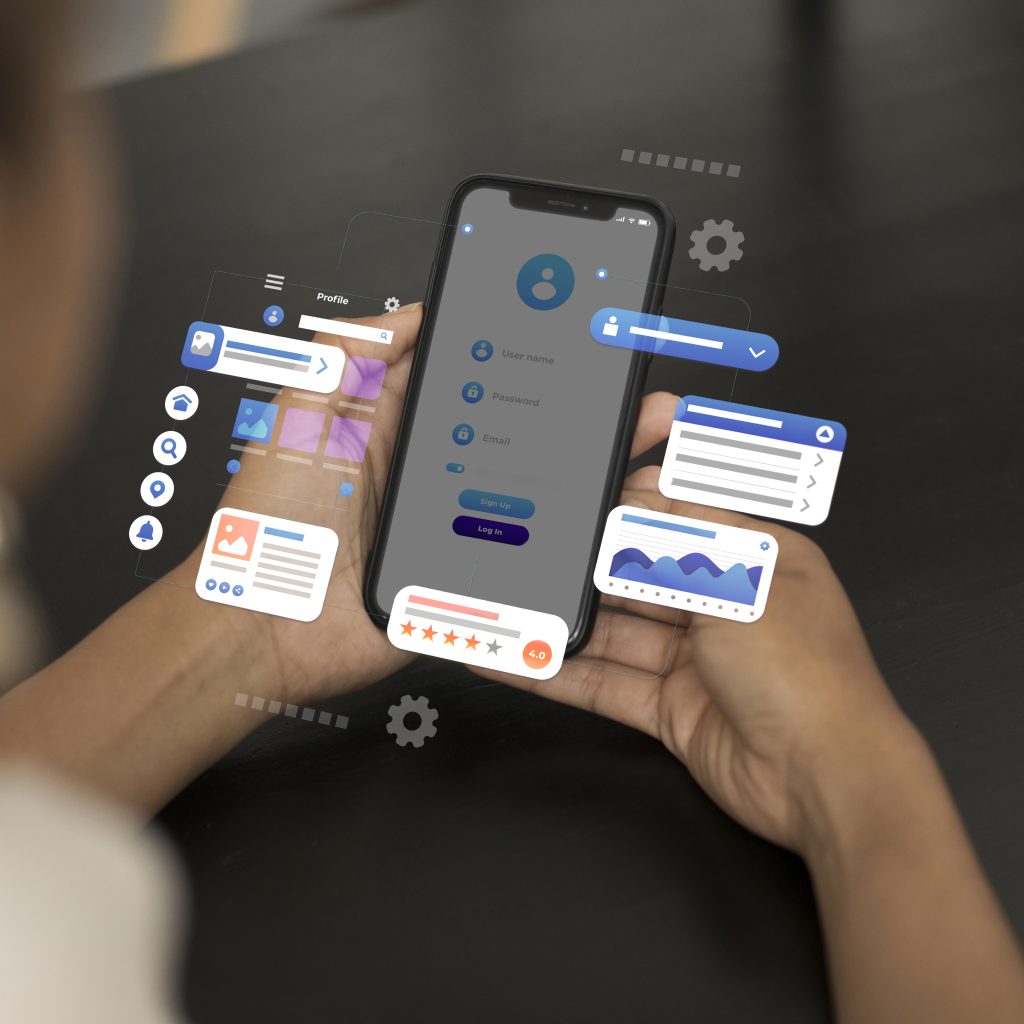
Person holding smartphone with floating 3D app interface elements including charts, profile icons, user forms, and settings.
Mobile App Development

The Future of Mobile App Development — Trends to Watch in 2025 and Beyond

Introduction The mobile app industry has evolved from basic utilities to sophisticated, AI-driven digital ecosystems. From finance and healthcare to entertainment and e-commerce, mobile apps have reshaped how we live, work, and connect. But as we step deeper into 2025, new technologies are transforming mobile app development faster than ever. Artificial intelligence, augmented reality, IoT, blockchain, and 5G are not just buzzwords — they are fundamental forces shaping the future of the mobile landscape. In this blog, we’ll explore the top mobile app development trends of 2025 and beyond, understand their real-world impact, and see how businesses and developers can stay ahead in the race. The Evolution of Mobile App Development Over the past decade, mobile app development has transitioned through multiple phases: 2010–2015: The era of native apps (Android & iOS) 2016–2020: Rise of cross-platform development (Flutter, React Native) 2021–2023: Emergence of cloud-based and AI-integrated mobile apps 2024–2025: Automation, personalization, and immersive app experiences Now, mobile apps aren’t just tools — they’re intelligent digital partners. Users expect real-time personalization, predictive responses, and seamless device integration — all powered by modern technologies. Top Mobile App Development Trends for 2025 Let’s explore the trends that are transforming mobile app development this year and will continue to do so beyond 2025. 1. AI-Powered Apps Artificial Intelligence (AI) and Machine Learning (ML) have become the backbone of modern apps. In 2025, AI integration is no longer optional — it’s essential. The Future of Mobile App Development — Trends to Watch in 2025 and Beyond Examples: Netflix’s recommendation system Siri and Alexa’s voice assistance Chatbots in e-commerce and banking apps How It Helps Developers: Enables smart personalization Improves predictive analytics Automates tasks like customer support and fraud detection Future Outlook:AI-driven apps will learn user habits and adapt in real-time, creating hyper-personalized digital experiences. 2. Internet of Things (IoT) Integration IoT continues to connect our world — from smart homes and wearable devices to connected vehicles and industrial systems. IoT-Enabled Apps Examples: Smart home apps like Google Home and Alexa Fitness trackers like Fitbit and Apple Health Vehicle monitoring apps like Tesla Why It Matters:IoT-enabled apps allow users to control and monitor real-world objects remotely, improving convenience, automation, and data-driven decision-making. 3. Augmented Reality (AR) & Virtual Reality (VR) AR and VR technologies are redefining user experiences in gaming, retail, real estate, and education. Examples: IKEA Place app lets users visualize furniture in their home. Pokémon GO popularized AR gaming. VR-based educational apps provide immersive learning environments. What’s New in 2025: 3D holographic experiences AR-powered virtual shopping Virtual collaboration workspaces Future Potential:AR/VR will blend physical and digital realities, turning smartphones into immersive gateways. 4. 5G Technology Revolution 5G is the key enabler behind most modern mobile innovations. Its high speed and low latency unlock new possibilities for app performance. Benefits of 5G in App Development: Faster data transfer rates Real-time cloud processing Better streaming quality Improved AR/VR and IoT experiences Example Applications: Real-time multiplayer gaming Remote surgery and telemedicine Live AR-based sports and entertainment Verdict:In 2025, every high-performance mobile app will be 5G-optimized by default. 5. Cross-Platform Development Dominance Frameworks like Flutter, React Native, and Kotlin Multiplatform are revolutionizing mobile app development by enabling developers to build apps for multiple platforms with a single codebase. Benefits: Lower development cost Faster time to market Consistent performance across platforms Prediction:By 2026, more than 70% of all mobile apps will be built using cross-platform frameworks. 6. Blockchain-Integrated Mobile Apps Blockchain technology is no longer limited to cryptocurrency. It’s enhancing security, transparency, and traceability across industries. Examples: Secure digital wallets Supply chain tracking apps Decentralized finance (DeFi) and voting systems Use Cases in 2025: Authentication via decentralized identity (DID) Smart contract integration for e-commerce Secure healthcare data sharing Why It Matters:Blockchain ensures data integrity and trust — essential for future-ready apps. 7. Wearable App Development The wearable tech market is booming, with smartwatches, fitness trackers, and AR glasses gaining traction. Examples: Apple Watch apps for health monitoring Fitbit sleep analysis AR-powered smart glasses Future Trend:Integration between mobile and wearable apps will become seamless, enabling unified health, communication, and entertainment ecosystems. 8. Low-Code & No-Code Development Low-code/no-code platforms empower entrepreneurs and non-developers to build apps using visual interfaces instead of manual coding. Top Platforms: AppyPie Adalo Bubble Why It’s Popular: Reduces time-to-market Cuts development costs Encourages innovation among startups Future Insight:By 2030, over 40% of new mobile apps will be built using low-code or no-code tools. 9. Super Apps — The All-in-One Ecosystem Super apps like WeChat, Grab, and Paytm combine multiple services (messaging, shopping, payments, etc.) into one platform. Why Super Apps Are Growing: Users prefer unified experiences Businesses can increase engagement Simplifies user onboarding Future Outlook:Expect to see more “Super App” ecosystems in sectors like travel, fintech, and healthcare. 10. Voice and Gesture-Based Interfaces The future of mobile UI is hands-free. With smart assistants and gesture control technologies, mobile apps are becoming more intuitive. Examples: Google Assistant voice commands Gesture control in Samsung and Pixel devices Voice-based healthcare or accessibility apps Prediction:Voice and gesture-driven apps will dominate in accessibility, IoT control, and automotive industries by 2027. The Future of App Monetization In 2025, monetization strategies are evolving beyond ads and subscriptions. Developers are exploring new models like: Microtransactions and digital collectibles (NFTs) Tokenized loyalty systems AI-powered recommendations for premium upgrades Businesses will focus more on sustainable engagement than just downloads. Challenges Developers Will Face Even with innovation, developers must tackle: Privacy and data security laws (GDPR 2.0, India DPDP Act) Device fragmentation and OS updates Battery optimization for 5G & AI-powered apps Rising user expectations for UX/UI design Success will depend on balancing innovation with compliance and performance. Conclusion The future of mobile app development in 2025 and beyond is intelligent, immersive, and interconnected. Apps will no longer just perform tasks — they’ll think, predict, and adapt in real time. To stay competitive: Embrace AI and automation. Focus on cross-platform performance. Prioritize security and privacy. Design for accessibility and sustainability. Whether you’re a developer or a business

Developer comparing Flutter and React Native frameworks
Mobile App Development

Flutter vs React Native — Which Framework Should You Choose in 2025?

Introduction In the world of mobile app development, two frameworks continue to dominate — Flutter by Google and React Native by Meta. Both have revolutionized cross-platform development by enabling developers to write one codebase that runs seamlessly on Android and iOS. But as the technology landscape evolves in 2025, developers and businesses alike face the same crucial question: “Should I choose Flutter or React Native for my next mobile app project?” In this comprehensive guide, we’ll break down every aspect — from performance and UI to community support and cost — to help you make the right decision. Overview of Flutter and React Native Flutter (by Google) Flutter is Google’s open-source UI framework for building natively compiled applications for mobile, web, and desktop — all from a single codebase. It uses the Dart programming language, and its “widget-based architecture” makes UI design fast, consistent, and beautiful. First Release: 2017Language: DartOwned By: GoogleUsed By: Google Ads, BMW, Reflectly, Alibaba React Native (by Meta) React Native is an open-source JavaScript framework developed by Facebook (now Meta) that allows developers to build mobile apps using React — a popular front-end library for web development. First Release: 2015Language: JavaScript (or TypeScript)Owned By: MetaUsed By: Instagram, Facebook, Walmart, Bloomberg Development Approach Feature Flutter React Native Language Dart JavaScript/TypeScript UI Building Uses its own widget system Uses native components Rendering Engine Skia Graphics Engine Native rendering bridge Hot Reload Instant Slight delay Learning Curve Moderate (Dart needed) Easier (JS familiarity) Verdict:If your team already knows JavaScript, React Native will feel familiar. But if you want full control over UI and performance, Flutter’s widget-based system is more powerful. Performance Comparison Flutter is known for near-native performance, thanks to its compiled (ahead-of-time) Dart code and direct rendering engine (Skia). It doesn’t rely on a JavaScript bridge to communicate with native components, which reduces lag. React Native, on the other hand, uses a bridge to connect JavaScript code to native APIs. Although it performs well for most apps, it can face delays under heavy animations or graphics-intensive tasks. Verdict:✅ Winner: Flutter — Faster, smoother animations and better GPU utilization. User Interface and Design Flutter comes with its own extensive widget library (Material and Cupertino), allowing developers to create uniform designs across platforms. It gives complete control over every pixel of the screen. React Native uses native components — meaning your app looks more “platform-native,” but customization might require third-party libraries. Verdict:✅ Winner: Flutter — More flexible and visually consistent UI. Development Speed and Productivity Flutter’s hot reload is incredibly fast, allowing real-time UI updates during coding. However, developers must learn Dart first. React Native’s fast refresh is also effective and benefits from JavaScript’s vast ecosystem, making development faster for web developers transitioning to mobile. Verdict:🤝 Tie — Flutter is faster for UI-heavy apps, React Native for simple apps. Community and Ecosystem React Native has a larger community because it’s older and built on JavaScript, the most widely used programming language. It also offers countless third-party libraries and plugins. Flutter’s community is younger but growing rapidly. Google’s strong support and increasing adoption make it a long-term contender. Verdict:✅ Winner: React Native — Larger ecosystem and developer base (for now). App Size Flutter apps tend to be larger in size (typically 20–50MB) due to its built-in rendering engine.React Native apps are lighter (smaller binaries), which makes them ideal for simpler applications. Verdict:✅ Winner: React Native — Smaller initial app size. Stability and Maintenance Flutter provides a consistent development experience since everything — UI, rendering, and logic — runs within the Flutter ecosystem.React Native depends more on third-party libraries, which sometimes leads to compatibility issues when libraries aren’t maintained. Verdict:✅ Winner: Flutter — More stable and predictable maintenance. Cost and Hiring Developers Flutter Developers: Slightly higher in demand (and costlier) due to specialized Dart knowledge.React Native Developers: Easier to find because JavaScript skills are common. Verdict:✅ Winner: React Native — Easier and more cost-effective to hire developers. Use Case Scenarios Type of App Recommended Framework Reason MVP / Prototype React Native Fast development & cost efficiency High-performance game / animation app Flutter Superior rendering & smooth performance Enterprise-level cross-platform app Flutter Scalability & Google support Simple business app React Native Faster and cheaper to develop Apps with heavy UI customization Flutter Complete UI control Popular Apps Comparison App Framework Highlights Google Ads Flutter Real-time analytics, consistent UI BMW Flutter 30+ countries, high performance Reflectly Flutter Smooth animations, AI journaling Instagram React Native Hybrid model for Android & iOS Facebook React Native Core app partially built using RN Discord React Native High performance & scalability Future Outlook in 2025 In 2025, both frameworks are evolving: Flutter 4.0+ introduces AI-assisted widgets, WebAssembly compilation, and improved memory management. React Native New Architecture (Fabric + TurboModules) is closing the performance gap with Flutter. Both frameworks are mature, enterprise-ready, and supported by tech giants. The choice ultimately depends on your team’s skillset and project goals. Conclusion Both Flutter and React Native are powerful frameworks that enable faster, cost-effective mobile app development in 2025. If you prioritize performance, design flexibility, and long-term scalability, go with Flutter.If you prefer familiarity, a large ecosystem, and cost efficiency, choose React Native. Ultimately, there’s no absolute winner — the “best framework” depends on your project type, budget, and developer expertise. In 2025, Flutter and React Native are not rivals — they’re two sides of the same innovation coin driving the mobile revolution. FAQs 1. Is Flutter faster than React Native?Yes, Flutter is faster because it uses a direct rendering engine without needing a JavaScript bridge. 2. Can I use both Flutter and React Native in the same project?Technically yes, but it’s uncommon. It’s best to stick with one framework for consistency. 3. Which framework is better for startups?React Native — due to its lower learning curve and abundance of JavaScript developers. 4. Which framework has better job opportunities in 2025?Flutter jobs are growing faster, but React Native still offers a broader market due to existing usage. 5. Which framework supports better

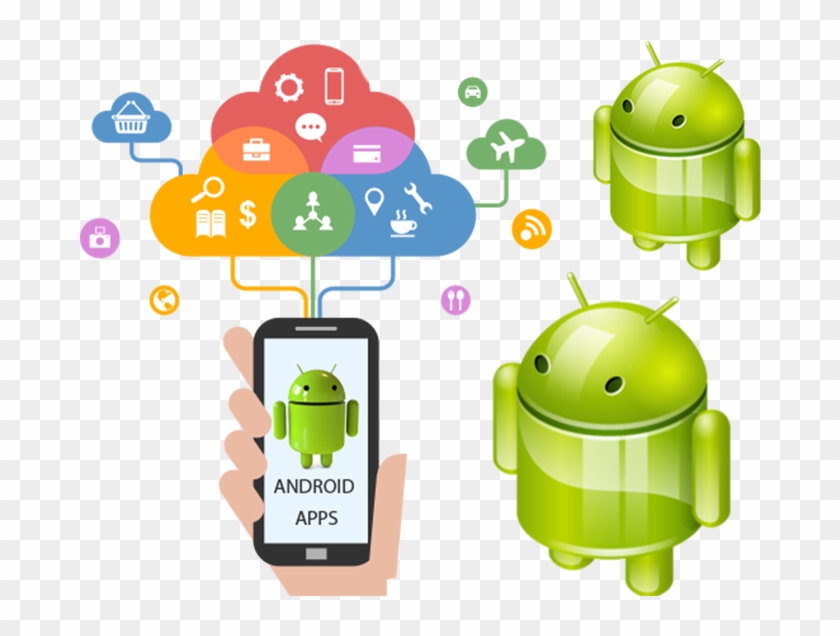
Illustration showing a hand holding a smartphone with the Android logo on the screen and the text "ANDROID APPS," connected via colorful lines to various icons representing different app categories and cloud services.
Mobile App Development

Top Mobile App Development Frameworks in 2025

Introduction The mobile app industry is growing faster than ever, and the demand for high-performing apps has reached new heights. Developers now need frameworks that offer speed, scalability, and cross-platform compatibility. In 2025, several frameworks dominate the app development world — each with its own unique advantages. Whether you’re an experienced developer or a beginner planning your first project, choosing the right mobile app development framework can significantly impact your app’s success. This guide explores the top mobile app development frameworks of 2025, comparing their features, performance, and use cases to help you make an informed decision. What is a Mobile App Development Framework? A mobile app development framework is a software toolkit that provides a foundation for building mobile applications. It includes reusable components like UI elements, API integrations, and development tools that speed up the process. Frameworks allow developers to: Write cleaner and reusable code Build cross-platform apps with a single codebase Reduce development time and costs Improve performance and scalability Frameworks are broadly divided into: Native frameworks (built specifically for iOS or Android) Cross-platform frameworks (run on multiple platforms) Hybrid frameworks (combine web and native technologies) Top Mobile App Development Frameworks in 2025 Let’s explore the best frameworks developers are using this year to build world-class mobile apps. 1. Flutter (by Google) Overview:Flutter continues to dominate the mobile app development space in 2025. It’s Google’s open-source UI framework for building natively compiled apps for mobile, web, and desktop from a single codebase. Key Features: Uses the Dart programming language Offers hot reload for real-time code updates Pre-built Material Design and Cupertino widgets Great performance, near-native experience Strong community and Google’s continuous updates Best For:Startups and enterprises that want visually rich, high-performing cross-platform apps. Popular Apps Built with Flutter:Google Ads, BMW App, eBay Motors, Reflectly 2. React Native (by Meta) Overview:React Native remains a favorite for developers who love JavaScript. It’s an open-source framework that enables developers to build mobile apps using React — the popular web library. Key Features: Uses JavaScript + React Near-native performance Vast community support Can integrate native modules for advanced functionality Supports both Android and iOS with a single codebase Best For:Developers who want a faster, flexible framework for building cross-platform apps. Popular Apps Built with React Native:Instagram, Facebook, Tesla, Walmart 3. SwiftUI (by Apple) Overview:For iOS developers, SwiftUI is a game-changer. Introduced by Apple, it allows developers to build interfaces declaratively using Swift — making it easier to design visually stunning apps for iPhone, iPad, and macOS. Key Features: Declarative UI syntax Real-time previews in Xcode Works seamlessly across Apple platforms Excellent integration with Combine framework Faster, cleaner codebase Best For:iOS developers who want to build modern apps within the Apple ecosystem. Popular Apps Built with SwiftUI:Apple’s own apps, productivity tools, finance apps, and more. 4. Kotlin Multiplatform (by JetBrains) Overview:Kotlin Multiplatform allows developers to share code between Android, iOS, desktop, and web apps. It’s ideal for businesses seeking efficiency without compromising native experience. Key Features: Code sharing across platforms Native performance and flexibility Interoperable with existing Java and Swift code Excellent IDE support (Android Studio + IntelliJ) Backed by JetBrains, creators of Kotlin Best For:Teams working on Android-first projects who also want iOS compatibility. 5. Ionic Overview:Ionic is an open-source framework built on top of Angular and Apache Cordova. It enables developers to build hybrid apps using standard web technologies like HTML, CSS, and JavaScript. Key Features: Based on web components Huge plugin library Easy learning curve for web developers Works with Angular, React, and Vue Rapid prototyping capability Best For:Web developers transitioning to mobile app development. Popular Apps Built with Ionic:MarketWatch, JustWatch, Diesel 6. Xamarin (by Microsoft) Overview:Xamarin is a mature framework backed by Microsoft that allows developers to build Android and iOS apps using C#. It’s integrated deeply with Visual Studio, offering great tooling support. Key Features: Code sharing up to 90% Uses C# and .NET Native-like performance Full access to native APIs Backed by Microsoft ecosystem Best For:Enterprise-level applications and teams already using Microsoft tools. 7. Apache Cordova Overview:Apache Cordova allows developers to create hybrid mobile apps using HTML, CSS, and JavaScript. It wraps web apps into native containers for distribution. Key Features: Simple for web developers Access to device features via plugins Works across all major platforms Strong community Best For:Lightweight apps and prototypes with basic device features. Comparison Table of Frameworks (2025) Framework Language Platform Performance Ideal For Community Support Flutter Dart Cross-Platform ★★★★★ Startups & Enterprises Excellent React Native JavaScript Cross-Platform ★★★★☆ Web Devs & Startups Excellent SwiftUI Swift iOS/macOS ★★★★★ Apple Ecosystem Strong Kotlin Multiplatform Kotlin Multi ★★★★☆ Android-first Teams Growing Ionic JS + Web Tech Hybrid ★★★☆☆ Web Developers Good Xamarin C# Cross-Platform ★★★★☆ Enterprises Strong Cordova JS Hybrid ★★☆☆☆ Simple Apps Moderate How to Choose the Right Framework When selecting a framework, consider the following factors: Target Platform – Are you developing for Android, iOS, or both? Budget & Timeline – Flutter and React Native offer cost efficiency for cross-platform projects. Performance Needs – Native frameworks like SwiftUI or Kotlin offer the best performance. Developer Skillset – Choose a framework aligned with your team’s expertise. Community Support – Strong ecosystems ensure faster problem-solving. Future of App Development Frameworks In 2025, frameworks are moving toward: AI-driven UI generation Low-code integration Seamless IoT and wearable support Improved 3D rendering for AR/VR apps Serverless backend integration Flutter and React Native are expected to remain top contenders, while Kotlin Multiplatform and SwiftUI will continue dominating their native ecosystems. Conclusion Choosing the right mobile app development framework is one of the most important decisions you’ll make as a developer or business owner. Frameworks like Flutter, React Native, SwiftUI, and Kotlin Multiplatform are shaping the future of mobile innovation. If you aim for performance and user experience, go native. If your priority is speed, flexibility, and cost efficiency, cross-platform frameworks are the way forward. In 2025, the best framework is not about popularity — it’s about what fits your project goals and audience. FAQs 1. Which framework

Hands holding a tablet displaying the words "Mobile Apps Development" surrounded by digital icons representing technology and app functions.
Mobile App Development

Mobile App Development: A Complete Guide for 2025

Introduction Mobile app development has become one of the most dynamic and in-demand fields in today’s digital world. With more than 6.5 billion smartphone users globally, mobile applications are now the bridge between businesses and consumers. From e-commerce and social media to healthcare and education, every industry is investing in mobile technology to provide better accessibility and user engagement. In this comprehensive guide, we’ll explore the mobile app development process, latest frameworks, industry trends for 2025, and strategies to build successful apps that deliver exceptional user experiences. What is Mobile App Development? Mobile app development is the process of creating software applications designed to run on mobile devices such as smartphones and tablets. These apps can be native (built for a specific platform like Android or iOS), hybrid (built using web technologies), or cross-platform (single codebase for multiple platforms). The key stages of mobile app development include: Idea and Research Planning and Wireframing UI/UX Design Development and Coding Testing and Quality Assurance Deployment and Maintenance Types of Mobile Applications a) Native Apps Native apps are built for a specific operating system (like iOS using Swift or Android using Kotlin). They deliver the best performance and user experience. b) Hybrid Apps Hybrid apps use a combination of web and native technologies. Tools like Ionic and Cordova help developers create apps quickly for both platforms. c) Cross-Platform Apps These apps are developed using frameworks like Flutter, React Native, and Xamarin. The single codebase runs smoothly on both Android and iOS. d) Progressive Web Apps (PWAs) PWAs are web applications that behave like native apps. They’re lightweight and don’t require installation from an app store. The Mobile App Development Process Step 1: Idea and Research The first step is identifying the problem your app will solve. Conduct market research to understand user pain points and analyze competitors. Step 2: Planning and Strategy Define your app’s purpose, target audience, and features. Create a roadmap and choose the right tech stack. Step 3: UI/UX Design Design is the soul of any app. Focus on user-friendly interfaces, minimalistic layouts, and intuitive navigation. Step 4: App Development Developers start coding based on design prototypes. This includes backend APIs, front-end development, and database integration. Step 5: Testing Testing ensures that the app functions as expected on all devices. QA engineers test for bugs, usability, security, and performance. Step 6: Deployment Once the app passes testing, it’s submitted to the Google Play Store or Apple App Store. Step 7: Maintenance Continuous updates, performance optimization, and feature enhancements keep your app relevant and secure Top Mobile App Development Frameworks in 2025 Flutter – Google’s UI toolkit for building beautiful, natively compiled apps. React Native – Developed by Meta, it allows JavaScript developers to create native-like apps. SwiftUI – Apple’s modern framework for iOS app development. Kotlin Multiplatform – Ideal for Android developers who want to expand cross-platform. Ionic & Xamarin – Great options for hybrid development. Key Mobile App Development Trends for 2025 AI and Machine Learning IntegrationSmart recommendations, chatbots, and predictive analytics are reshaping mobile UX. 5G ConnectivityFaster speed and lower latency enable richer app experiences. Augmented Reality (AR) and Virtual Reality (VR)Used in gaming, retail, and education to enhance interactivity. Wearable App DevelopmentSmartwatches and fitness bands require lightweight, synchronized mobile apps. Low-Code/No-Code PlatformsBusinesses can now build simple apps without extensive coding. App Security FocusBiometric authentication, encryption, and data privacy laws are top priorities. Cost of Mobile App Development The cost depends on factors such as app complexity, features, platform choice, and developer expertise. Basic App: $5,000 – $20,000 Mid-Level App: $20,000 – $50,000 Complex App: $50,000+ Choosing offshore or freelance developers can also impact pricing. Monetization Strategies Freemium Model – Free app with paid premium features. In-App Advertising – Revenue from displayed ads. Subscriptions – Recurring payments for continuous use. One-Time Purchases – Paid download model. Sponsorships & Partnerships – Collaborations with brands. Challenges in Mobile App Development Device fragmentation Security vulnerabilities Battery optimization App store approval delays Keeping up with OS updates Overcoming these challenges requires continuous learning, testing, and optimization. Conclusion Mobile app development in 2025 is evolving faster than ever. Whether you’re an entrepreneur, developer, or business owner, understanding the latest tools, frameworks, and trends will help you build successful mobile applications. Focus on user experience, performance, and security — and your app will stand out in the crowded marketplace. FAQs 1. What programming languages are best for mobile app development?Swift, Kotlin, JavaScript (React Native), and Dart (Flutter) are among the top languages used. 2. How long does it take to develop a mobile app?On average, simple apps take 2–3 months, while complex apps may take 6–12 months. 3. Can I build an app without coding skills?Yes. Low-code/no-code platforms like Adalo, Glide, and AppyPie make it possible. 4. How do I choose between native and cross-platform development?Choose native if performance is critical; go for cross-platform if you want faster, cost-efficient development. 5. How can I ensure my app is secure?Implement encryption, secure APIs, two-factor authentication, and regular updates. 6. What’s the future of mobile app development?AI-driven apps, IoT integration, AR/VR experiences, and blockchain-based apps will dominate the next decade.

Mobile App Development

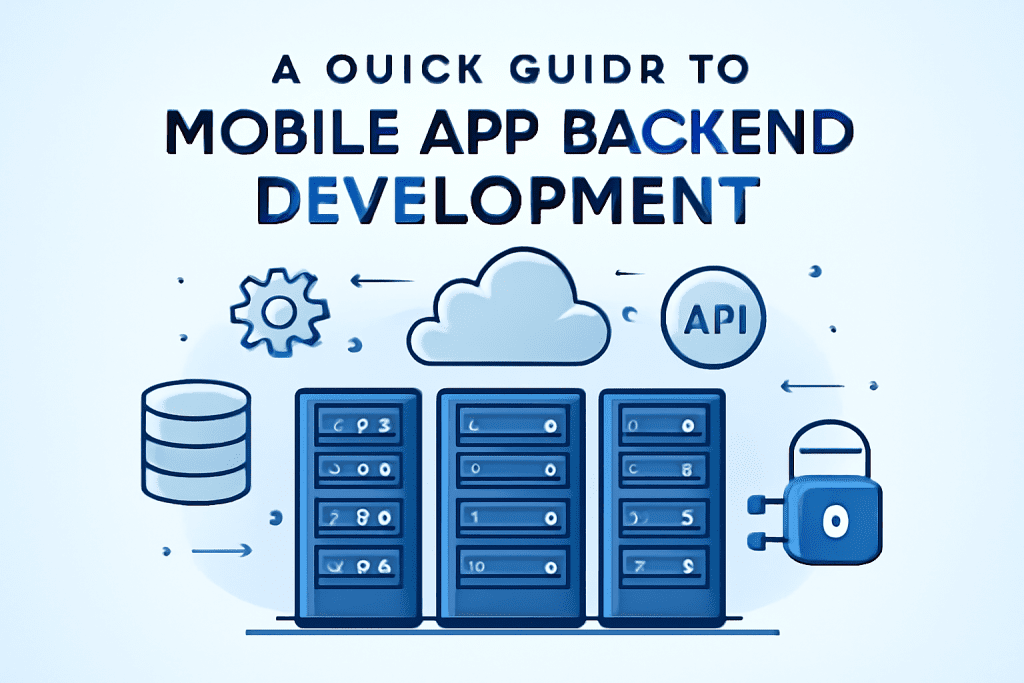
A Quick Guide to Mobile App Backend Development

Introduction In the world of mobile app development, the backend is the powerhouse that handles data storage, authentication, business logic, and integration with external services. While the frontend dazzles users with an intuitive interface, the backend ensures the app runs smoothly, securely, and scales as demand grows. This guide provides an overview of mobile app backend development in 2025, covering core components, technology choices, and best practices to build robust and scalable backends for modern mobile applications Mobile App Architecture Basics). What is Mobile App Backend? The backend is the hidden engine of an application. It handles communication between the frontend and the server. It includes databases, APIs, and cloud storage. (To understand how different database types impact your backend, check our article on SQL vs NoSQL Databases). Key Components of Mobile App Backend 1. Server The server processes requests from app users, runs the core business logic, communicates with databases, and manages third-party integrations. Developers may choose traditional dedicated servers, cloud-based virtual servers, or serverless architectures (like AWS Lambda) depending on scalability and budget needs. 2. Database Databases store user data, app content, and transactional records. Choices vary from relational databases (MySQL, PostgreSQL) for structured data to NoSQL (MongoDB, Cassandra) for unstructured or rapidly changing data. In-memory databases like Redis enhance performance through caching. 3. APIs (Application Programming Interfaces) APIs enable communication between the frontend and backend, as well as integration with external tools such as payment gateways, social logins, or third-party services. 4. Authentication and Security Robust backend security includes user authentication mechanisms (OAuth, JWT), data encryption, secure session management, and protection against common vulnerabilities to safeguard user data and comply with regulations. 5. Push Notifications Backend systems usually manage push notification services, sending timely alerts and updates to users to enhance engagement. 6. Scalability and Performance Management Backends must handle growing user loads efficiently using load balancers, auto-scaling groups, and performance monitoring tools. Popular Technology Stack Options Programming Languages & Frameworks: Node.js (Express), Python (Django, Flask), Ruby on Rails, Java Spring Boot, Go Databases: PostgreSQL, MySQL, MongoDB, Cassandra, Redis Cloud Providers: AWS, Google Cloud, Microsoft Azure, Firebase DevOps and Containerization: Docker, Kubernetes, Jenkins, GitHub Actions Backend Development Best Practices in 2025 Opt for cloud-native solutions to support flexibility and cost efficiency. Embrace serverless architecture where suitable for event-driven workloads. Prioritize security by design with encryption, secure APIs, and compliance. Implement CI/CD pipelines for faster and reliable deployment. Use monitoring and logging (e.g., Prometheus, New Relic) to debug and optimize performance. Design scalable data storage considering future growth and data types. Conclusion A strong backend architecture is fundamental to mobile app success. It manages everything from data integrity and security to real-time interactions and scalability. Choosing the right mix of technologies, frameworks, and cloud services, while adopting modern development and security best practices, sets your app up for long-term stability and growth. For expert guidance on backend development, cloud integration, AI-powered automation, and best practices, explore TechOTD AI Services and stay informed through the TechOTD Blog.

Mobile App Development

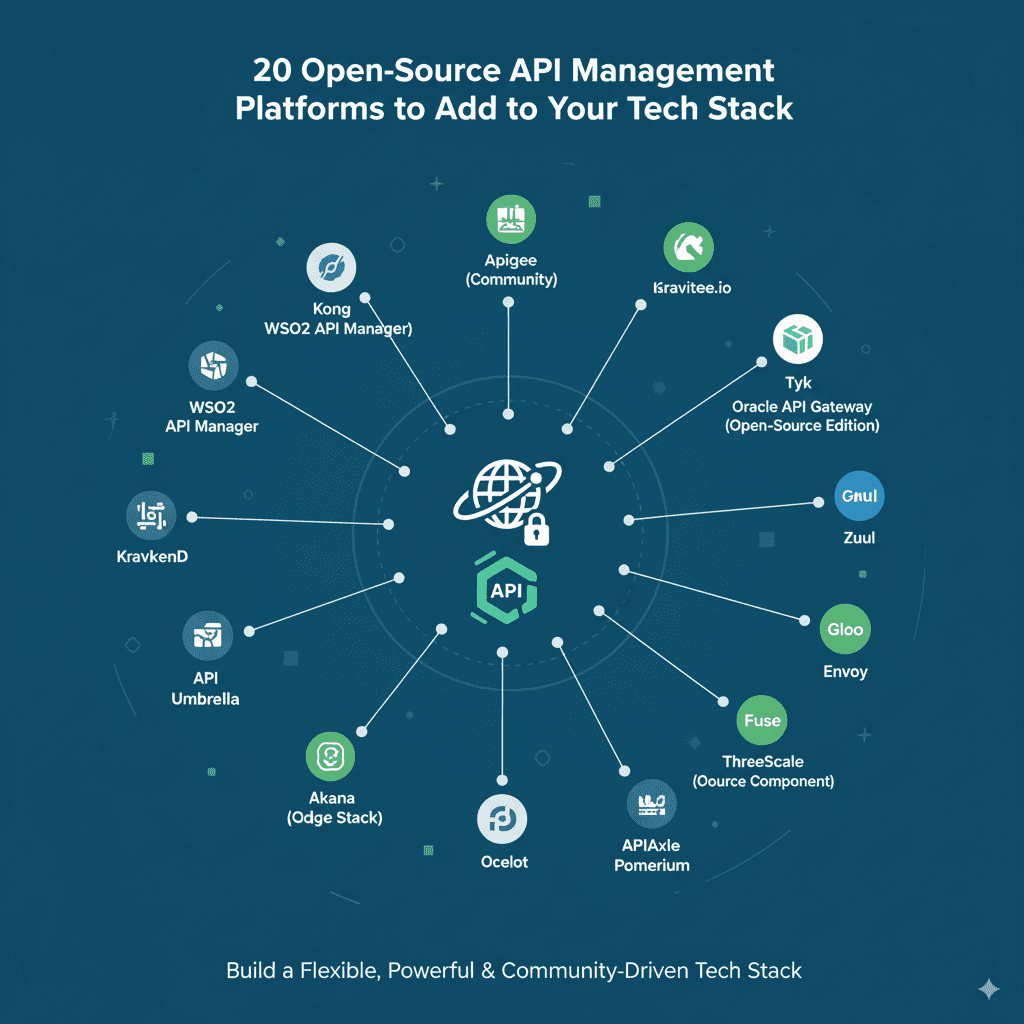
20 Open-Source API Management Platforms to Add to Your Tech Stack

Introduction In today’s fast-evolving digital landscape, APIs (Application Programming Interfaces) play a pivotal role in enabling seamless communication between software systems, driving innovation, and accelerating time-to-market. Efficiently managing APIs across development, deployment, security, and monitoring stages is critical for business agility. This is where API management platforms come into play—empowering organizations to publish, secure, monitor, and scale APIs effectively. Open-source API management platforms provide the flexibility, cost-efficiency, and community-driven innovations that many organizations seek. Whether you are a startup building your technology stack or an enterprise looking to optimize API lifecycle management, integrating the right open-source solutions is key. This blog explores 20 powerful open-source API management platforms to consider adding to your tech stack, describing their key features and use cases. For digital transformation insights and related technology trends, explore TechOTD’s AI and tech blog and their extensive AI service offerings. Top 20 Open-Source API Management Platforms 1. Kong A scalable, cloud-native API gateway with features like traffic control, authentication, and analytics. Kong supports plugins for flexibility and is widely adopted for microservices architectures. 2. Tyk Full lifecycle API management with a powerful gateway, analytics, developer portal, and dashboard. Tyk supports hybrid deployments and advanced security protocols. 3. Apiman Red Hat’s open-source API manager offering governance, rate limiting, and security. It integrates well with Java-based environments and supports customizable policies. 4. WSO2 API Manager An open-source enterprise-grade API management solution providing API publishing, lifecycle management, security, and analytics. Supports on-premises and cloud deployment. 5. Gravitee.io Lightweight and modular, Gravitee.io offers an API gateway, developer portal, and management tools with a user-friendly interface. 6. KrakenD An ultra-high-performance API gateway focused on aggregating multiple backend services into a single API endpoint. It simplifies API transformation and scaling. 7. Express Gateway An open-source API gateway built on Node.js, ideal for teams looking for lightweight, customizable API management with policy-driven security. 8. Zuul Netflix’s highly scalable gateway solution designed for routing and filtering requests in microservices environments. Features dynamic routing and resiliency. 9. Ambassador A Kubernetes-native API gateway built on Envoy proxy, offering fast API routing, authentication, and observability for cloud-native apps. 10. Ocelot A .NET API Gateway designed for simple, rapid deployment with support for routing, rate limiting, and authentication. 11. API Umbrella Open-source API management platform providing unified authentication, rate limiting, caching, and analytics. 12. Wrench Designed for simplified API running and monitoring with built-in support for health checks, rate limiting, and logging. 13. Janus A high-performance API gateway written in Golang that supports plugin-based extensions and dynamic routing. 14. Fusio API management platform focusing on API automation, analytics, and auto-documentation, suitable for PHP environments. 15. Kong Mesh Built on top of Kong Gateway, offers service mesh capabilities for microservices environments emphasizing security and observability. 16. KrakenD Enterprise Edition (CE available) Enables complex API composition with robust caching, rate limiting, and middleware support. 17. Apisix A dynamic, real-time, cloud-native API gateway based on Nginx and OpenResty, providing flexible routing and plugin systems. 18. Tyk Hybrid Open-source core with options for hosted cloud dashboard services; focuses on high-scale API operations and developer experience. 19. WSO2 Microgateway Modular API gateway optimized for microservices, integrating with Kubernetes and service mesh environments. 20. Spring Cloud Gateway Designed for Spring Boot applications, offering a simple yet effective way to route API requests with integrated security mechanisms. Benefits of Using Open-Source API Management Platforms Cost Efficiency: Eliminate expensive licensing fees with open-source solutions. Flexibility: Customize and extend platforms to meet unique business requirements. Community Support: Benefit from active communities and rapid innovation cycles. Transparency and Control: Full access to code for auditing and compliance. Seamless Integration: Easily integrate with existing frameworks and cloud environments. Choosing the Right API Management Platform Factors to consider: Deployment model compatibility (on-premises, cloud, hybrid). Scalability and performance needs. Security and compliance features. Developer experience and ecosystem. Integration with analytics and monitoring tools. For expert guidance and custom API solutions development leveraging AI and cloud, consult with TechOTD’s services. Conclusion API management platforms are indispensable tools in the digital ecosystem, enabling businesses to securely expose and monetize their services. The open-source options listed above provide robust, scalable, and flexible capabilities suitable for a vast range of use cases from startups to enterprises. Selecting the right platform aligned with your technology landscape and strategic goals will empower accelerated innovation and superior API performance. Explore more on APIs and digital transformation trends with TechOTD here: TechOTD Blog. FAQs Q1: What is an API management platform? It’s a tool that helps design, secure, publish, monitor, and analyze APIs across their lifecycle. Q2: Are open-source API platforms reliable for enterprises? Many leading companies use open-source solutions for their flexibility, cost-effectiveness, and community support. Q3: What features should I prioritize when selecting an API management platform? Security, scalability, ease of integration, and developer tools are key priorities. Q4: Can API management platforms improve developer productivity? Yes, they offer tools like developer portals, documentation, and analytics that simplify API consumption and support. Q5: How does AI enhance API management? AI can optimize traffic routing, detect anomalies, and automate policy enforcement for smarter API governance.

How would you like me to respond?

Select a personality for your AI assistant

Normal
Happy
Sad
Angry

Your selection will affect how the AI assistant responds to your messages

Chat Assistant

Let's discuss your project!

Hear from our clients and why 3000+ businesses trust TechOTD

Tell us what you need, and we'll get back with a cost and timeline estimate

Scroll to Top