Graphic Designing

Artificial Intelligence, Data Analytics, data science, Digital Transformation, Gaming, Graphic Designing

What is Agentforce? Unveiling Salesforce’s Game-Changing AI Platform

What is Agentforce? Unveiling Salesforce’s Game-Changing AI Platform The End of the “Copilot” Era For the last two years, the tech world has been obsessed with “assistants.” We’ve all used them: the little chat bubbles that help us summarize a long email or draft a polite rejection note. But in 2026, the novelty of the assistant is wearing off. Business leaders are no longer asking for a tool that tells them what to do; they are demanding a platform that simply does it. Salesforce’s answer to this demand is Agentforce. If the previous generation of AI (Einstein Copilot) was a co-pilot sitting in the passenger seat giving directions, Agentforce is the autonomous vehicle that drives the route itself. It represents a fundamental shift from “Predictive AI” and “Generative AI” to “Agentic AI.” This platform allows organizations to build, customize, and deploy autonomous agents that handle tasks end-to-end, across every department from Sales and Service to Marketing and Commerce. 1. The Secret Sauce: The Atlas Reasoning Engine The most frequent question technical teams ask is: “How does it actually make decisions?” The answer lies in the Atlas Reasoning Engine. Unlike standard LLMs that simply predict the next word in a sentence, Atlas is designed to reason through complex business logic. It operates on a continuous loop of: Evaluation: Analyzing the user’s intent and the current state of the CRM data. Refinement: Breaking down a vague request (e.g., “Fix this shipping delay”) into granular steps. Execution: Selecting the right “tools”—whether that’s a Salesforce Flow, an Apex class, or a MuleSoft API call—to resolve the issue. This reasoning engine ensures the agent doesn’t just “hallucinate” a solution; it follows the strict business processes already defined in your Salesforce environment. 2. Data Cloud: The Nervous System of the Agent An agent is only as smart as the data it can access. This is why Agentforce is inextricably linked to Salesforce Data Cloud. In many organizations, customer data is “trapped” in silos—emails, PDFs, legacy databases, and call transcripts. Data Cloud acts as the nervous system, harmonizing this unstructured data and feeding it to the agent in real-time. This allows an Agentforce service agent to know that a customer just complained on Twitter, opened a high-priority ticket ten minutes ago, and has a contract expiring next month—all before the conversation even begins. 3. Building Without Code: The Agent Builder Salesforce has always championed the “low-code” revolution, and Agentforce continues that legacy. Through the Agent Builder, admins can create a digital worker as easily as they would create a custom object. The builder focuses on four key pillars: Role: Defining exactly what the agent does (e.g., “Tier 1 Support Concierge”). Knowledge: Pointing the agent to the right documentation and data sources. Actions: Giving the agent “hands” to perform tasks like processing refunds or scheduling meetings. Guardrails: Setting the ethical and operational boundaries the agent must never cross. 4. Real-World Impact: Beyond the Hype The true value of Agentforce isn’t in its code, but in the hours it returns to human employees. Consider these 2026 benchmarks: Customer Service: Early adopters are seeing agents resolve up to 75% of common inquiries autonomously, from password resets to complex troubleshooting. Sales Qualification: AI agents are now performing 100% of initial lead follow-ups within minutes, ensuring that human sales reps only step in when a deal is “warm.” Operational Efficiency: In manufacturing, agents are being used to detect anomalies in field service data and automatically trigger repair workflows before a machine even fails. 5. The “Human-in-the-Loop” Security Model Autonomy often triggers anxiety about security. Salesforce addresses this through the Einstein Trust Layer. This security framework ensures that sensitive customer data (like PII) is stripped away before being processed by an LLM and that every autonomous action leaves a clear audit trail. Furthermore, Agentforce is built with a “Handoff Logic.” If the agent detects frustration in a customer’s tone or encounters a problem it isn’t authorized to solve, it seamlessly transfers the case to a human, providing a full summary of the interaction so the customer never has to repeat themselves. 6. Pricing and The “Consumption” Revolution Moving into mid-2026, Salesforce has shifted its pricing model to match the agentic era. Instead of just paying “per seat,” many organizations are moving toward a consumption-based model. * Flex Credits: Enterprises can purchase credits that are consumed as agents perform specific actions. Conversation-Based Pricing: For customer-facing bots, a flat rate (typically around $2 per conversation) allows for predictable scaling without adding headcount. Conclusion: Writing the Next Chapter of CRM Salesforce Agentforce is more than just a new feature; it is the blueprint for the future of work. By moving from “assistants” to “agents,” Salesforce is allowing businesses to scale their operations at a rate previously thought impossible. The companies that will win in the coming years are those that view AI not as a threat to their workforce, but as an expansion of it. Agentforce provides the platform to make that expansion safe, data-driven, and—most importantly—deeply human. We are no longer just managing relationships; we are orchestrating a symbiotic team of humans and agents, working together to drive success. The Digital Colleague: How Agentic AI Will Work as a Coworker Alongside Your Team
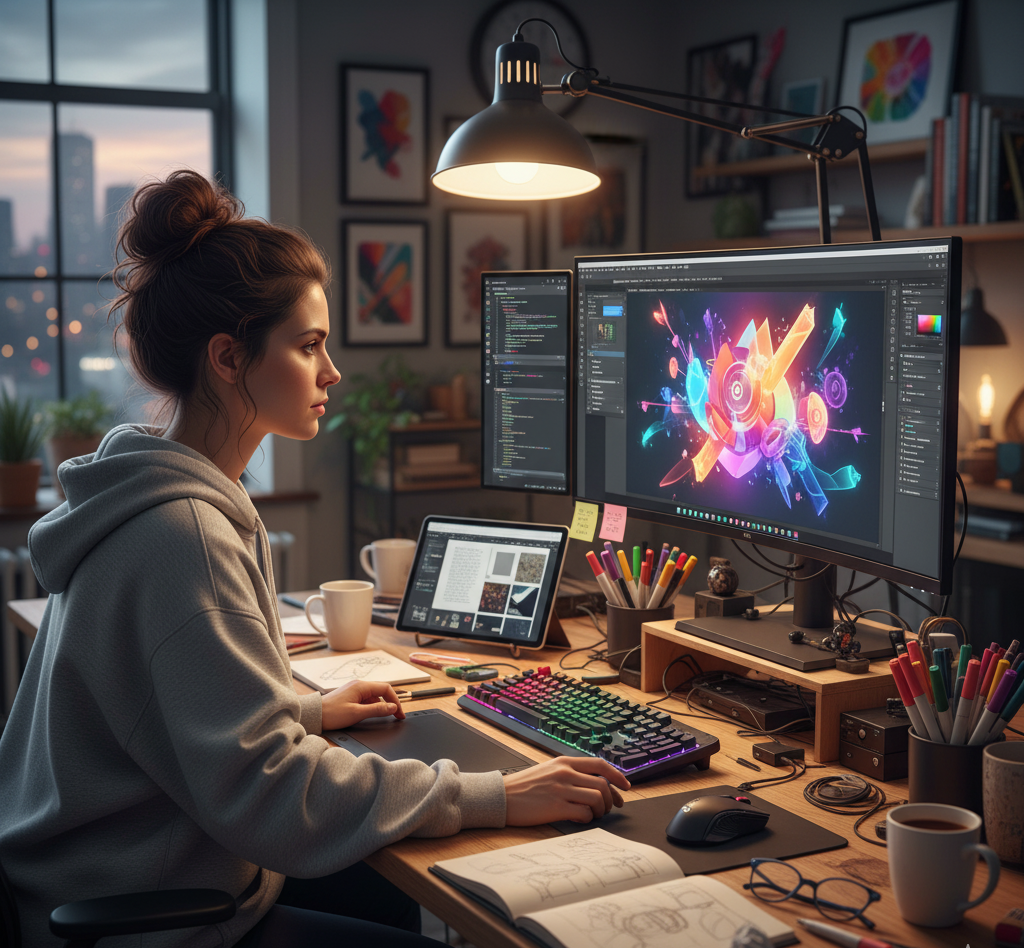
Graphic designer using multiple digital design tools on a creative workspace.
Graphic Designing

Top 10 Graphic Design Tools Every Designer Should Master in 2025

Introduction In 2025, graphic designing has become more dynamic than ever. The demand for visual content across digital and social media has skyrocketed, and designers need powerful tools to meet these creative challenges. Whether you’re a beginner or a professional, choosing the right tools can transform your workflow and elevate your designs. Here’s a list of the top 10 tools every graphic designer should know in 2025 — covering both premium and free options. Adobe Photoshop Best For: Photo editing and digital artworkWhy Use It: The industry standard for image editing, retouching, and digital compositions.Features: Layers, smart filters, AI-powered selection, and generative fill (AI art creation). Adobe Illustrator Best For: Vector graphics and logo designWhy Use It: Perfect for creating scalable vector designs like icons, illustrations, and branding materials.Features: Pen tool precision, shape builder, gradient mesh, and cloud syncing. Canva Best For: Beginners and social media content creationWhy Use It: Easy drag-and-drop interface, free templates, and collaboration tools.Features: Template library, brand kit, AI background remover, and quick exports. Figma Best For: UI/UX and web designWhy Use It: Real-time collaboration tool ideal for app and web prototypes.Features: Auto layout, components, prototyping, and team collaboration. CorelDRAW Best For: Print and vector illustrationWhy Use It: Excellent for logo creation, brochures, and print layouts.Features: AI-assisted design, vector illustration tools, and color harmony support. Adobe InDesign Best For: Page layout and publishingWhy Use It: Ideal for designing books, magazines, and flyers.Features: Master pages, typography control, and print-ready export. Affinity Designer Best For: Vector and raster design on a budgetWhy Use It: Affordable alternative to Adobe tools with high performance.Features: Dual environment (vector + pixel), non-destructive editing. Procreate Best For: Digital painting and illustration (iPad)Why Use It: Loved by artists for its natural brush strokes and Apple Pencil support.Features: Layered canvas, time-lapse recording, and extensive brush library. Blender Best For: 3D design and motion graphicsWhy Use It: Free and open-source software for modeling, rendering, and animation.Features: 3D modeling, sculpting, VFX, and video editing tools. Sketch Best For: Interface and icon designWhy Use It: Popular among macOS designers for creating high-quality UI/UX assets.Features: Vector editing, reusable components, and plugins for design systems. Tips to Choose the Right Tool Beginners: Start with Canva or Figma. Professionals: Use Adobe Photoshop and Illustrator. Digital Artists: Go for Procreate or Affinity Designer. 3D Enthusiasts: Learn Blender for next-gen design opportunities. Conclusion The right graphic design tool can elevate your creativity, speed, and quality of work. Whether you’re designing a logo, website, or marketing campaign, mastering these tools gives you a strong edge in 2025’s competitive digital landscape. Remember — great design isn’t just about tools, but how creatively you use them. Frequently Asked Questions (FAQs) Q1. Which is the best all-in-one graphic design tool in 2025?Adobe Photoshop remains the most versatile tool for photo editing, digital design, and creative compositions. Q2. Which free tool is best for beginners?Canva and Figma are perfect free tools with user-friendly interfaces and collaboration options. Q3. What software do professionals use the most?Professionals often use the Adobe Creative Suite — mainly Photoshop, Illustrator, and InDesign. Q4. Which tool is best for logo design?Adobe Illustrator and CorelDRAW are ideal for creating vector-based logos that scale perfectly. Q5. What’s the best tool for digital drawing and illustration?Procreate (for iPad users) and Affinity Designer are great for sketching and digital painting. Q6. Can I design 3D graphics using free software?Yes, Blender is a free, open-source tool for 3D modeling, animation, and motion graphics. Q7. How can I learn these tools quickly?Take online courses on YouTube, Skillshare, or Coursera, and practice regularly by recreating real-world projects. Connect with us:

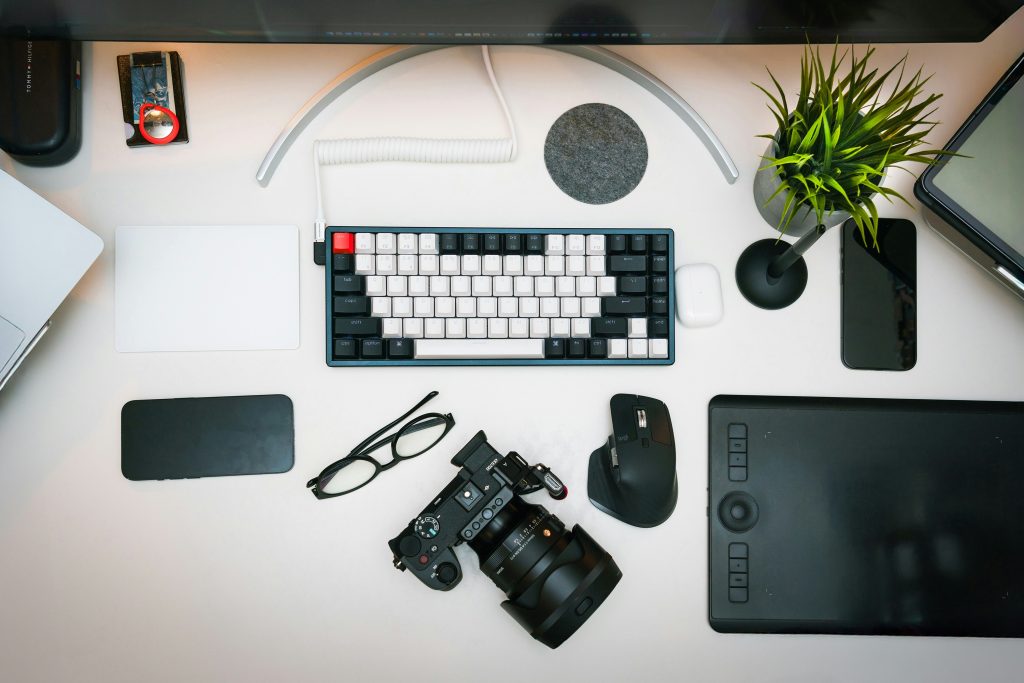
Modern graphic designer workspace with computer displaying colorful design software, drawing tablet, and creative tools
Graphic Designing

Graphic Designing in 2025: Essential Skills, Tools, and Trends Every Designer Should Know

Introduction Graphic designing has evolved from a niche skill to one of the most sought-after professions in the digital age. Whether you’re creating brand identities, designing websites, or crafting social media content, graphic design is the visual language that connects businesses with their audiences. In this comprehensive guide, we’ll explore everything you need to know about graphic designing, from fundamental principles to cutting-edge trends shaping the industry today. What is Graphic Designing? Graphic designing is the art and practice of visual communication through the use of typography, imagery, color, and layout. It combines creativity with strategic thinking to convey messages, evoke emotions, and solve problems visually. From the logos on your favorite products to the apps you use daily, graphic design surrounds us in every aspect of modern life. At its core, graphic designing serves multiple purposes: it informs, persuades, organizes, and delights. A well-executed design can make complex information digestible, build brand recognition, and create memorable user experiences that resonate long after the first interaction. Essential Skills Every Graphic Designer Needs Color is one of the most powerful tools in a graphic designer’s arsenal. Understanding color psychology, harmonies, and cultural associations enables designers to evoke specific emotions and responses. Complementary, analogous, triadic, and monochromatic color schemes each serve different purposes and create distinct visual impacts. Modern graphic designing also requires knowledge of color systems like RGB for digital media and CMYK for print, ensuring designs look consistent across different mediums. Accessibility considerations, such as sufficient contrast ratios for readability, have become essential components of responsible design practice. 1. Mastery of Design Principles Understanding fundamental design principles is non-negotiable for any graphic designer. These include balance, contrast, emphasis, proportion, hierarchy, repetition, rhythm, pattern, white space, movement, unity, and variety. These principles work together to create cohesive and effective designs that communicate clearly and aesthetically. Balance ensures visual stability, while contrast creates interest and draws attention to key elements. Hierarchy guides the viewer’s eye through information in order of importance, and white space gives designs room to breathe. Mastering these principles allows designers to make intentional choices rather than relying solely on intuition. 2. Typography Expertise Typography is far more than just choosing attractive fonts. It’s about understanding how letterforms communicate tone, improve readability, and reinforce brand identity. Skilled graphic designers know the difference between serif, sans-serif, script, and display typefaces, and more importantly, when to use each one. Effective typography considers kerning, leading, tracking, and hierarchy to create text that’s not only legible but also enhances the overall design. In 2025, variable fonts and experimental typography are pushing creative boundaries while maintaining functional communication. 3. Color Theory and Application Color is one of the most powerful tools in a graphic designer’s arsenal. Understanding color psychology, harmonies, and cultural associations enables designers to evoke specific emotions and responses. Complementary, analogous, triadic, and monochromatic color schemes each serve different purposes and create distinct visual impacts. Modern graphic designing also requires knowledge of color systems like RGB for digital media and CMYK for print, ensuring designs look consistent across different mediums. Accessibility considerations, such as sufficient contrast ratios for readability, have become essential components of responsible design practice. 4. Technical Software Proficiency While creativity drives design, technical skills bring ideas to life. Industry-standard software like Adobe Photoshop, Illustrator, and InDesign remain foundational tools. Photoshop excels at photo editing and raster graphics, Illustrator handles vector graphics and logos, and InDesign is the go-to for layout and publication design. Beyond Adobe’s suite, graphic designers in 2025 are increasingly using tools like Figma for collaborative interface design, Canva for quick social media graphics, Affinity Designer as a cost-effective alternative, and Procreate for digital illustration. Versatility across platforms makes designers more valuable and adaptable. Current Trends in Graphic Designing Artificial intelligence is transforming graphic designing workflows without replacing human creativity. AI tools assist with tasks like background removal, image enhancement, color palette generation, and even layout suggestions. Smart graphic designers are learning to leverage these tools to increase productivity while maintaining their unique creative vision. However, the human touch remains irreplaceable. While AI can generate variations and automate repetitive tasks, understanding client needs, strategic thinking, and emotional resonance still require human intuition and experience. Building a Career in Graphic Designing Education and Skill Development While formal education in graphic design provides structured learning and credentials, the field welcomes self-taught designers with strong portfolios. Online platforms like Coursera, Skillshare, LinkedIn Learning, and YouTube offer countless tutorials and courses covering every aspect of graphic designing. The key is continuous learning. Design trends evolve rapidly, and successful designers commit to ongoing education, experimentation, and skill refinement. Following industry leaders, participating in design challenges, and seeking feedback from peers accelerates growth. Portfolio Development Your portfolio is your most powerful marketing tool. It should showcase not just pretty pictures, but problem-solving abilities and diverse skills. Include case studies that explain your design process, the challenges you faced, and the solutions you developed. Quality trumps quantity. Ten exceptional projects that demonstrate range and expertise will serve you better than fifty mediocre ones. Include personal projects alongside client work to show initiative and passion beyond paid assignments. Career Paths and Specializations Graphic designing offers numerous specialization opportunities. Brand identity designers focus on logos and visual systems. UI/UX designers create digital product interfaces. Motion graphics designers animate visual elements for video and web. Package designers develop product containers and labels. Freelancing offers flexibility and variety, while in-house positions provide stability and deep brand immersion. Agency work exposes designers to diverse clients and fast-paced environments. Each path has unique advantages depending on your personality and career goals. The Future of Graphic Designing The future of graphic designing is bright and dynamic. As businesses increasingly recognize the value of strong visual communication, demand for skilled designers continues to grow. Emerging technologies like augmented reality, virtual reality, and the metaverse are creating entirely new canvases for creative expression. However, technology will never replace the human elements that make great design: empathy, cultural understanding, strategic thinking, and the

Graphic Designing, Technology

Graphic Designing in the AI World: Creativity Meets Automation

Graphic Designing in the AI World: Creativity Meets Automation Introduction In the rapidly evolving landscape of technology, Artificial Intelligence (AI) is redefining industries, and graphic design is at the forefront of this transformation. Once a domain driven solely by human creativity, graphic design now embraces a synergy of human imagination and AI-driven automation. From generating stunning visuals in seconds to personalizing designs at scale, AI is reshaping how designers work. This blog dives into the profound impact of AI on graphic design, explores the evolving role of designers, and highlights how creativity and automation can coexist to produce innovative, impactful designs. How AI is Transforming Graphic Design AI is revolutionizing graphic design by introducing tools and processes that enhance efficiency and creativity. Here’s how AI is making its mark: Content Co-Creation: Tools like Adobe Firefly, DALL·E, and Canva’s AI features allow designers to collaborate with algorithms, generating initial drafts or variations based on text prompts or design inputs. Personalization at Scale: AI analyzes user data—such as preferences, behaviors, and demographics—to create tailored visuals for marketing campaigns, websites, and social media. Data-Driven Design Suggestions: AI evaluates trends and performance metrics to suggest layouts, color schemes, and typography that resonate with target audiences. Accessibility Enhancements: AI tools recommend inclusive design elements, such as high-contrast color palettes and alt texts, making designs accessible to diverse audiences. Infographic: AI Tools in Graphic Design Image Description: A clean, modern infographic with a tech-inspired design. It features a circular layout with icons representing popular AI tools (e.g., Adobe Firefly, DALL·E, Canva AI). Each icon is connected to a brief description of the tool’s key feature, set against a white background with accents of teal and orange. A central heading reads “AI Tools Powering Design” in bold sans-serif font. Caption: A snapshot of leading AI tools transforming graphic design workflows. Top Benefits of AI in Graphic Designing AI is not just a trend—it’s a game-changer for designers. Below are the key advantages reshaping the industry: Speeds Up Design Workflows: AI automates repetitive tasks like resizing images or generating mockups, allowing designers to focus on high-level creative work. Reduces Repetitive Tasks: Tools like Runway ML and Khroma handle mundane tasks such as background removal or color palette generation, saving hours of manual effort. Enhances Creative Brainstorming: AI generates multiple design variations, sparking inspiration and helping designers explore new creative directions. Supports Real-Time Adjustments: AI-powered platforms enable instant tweaks to layouts, fonts, or colors, streamlining the feedback and revision process. Chart: Time Saved with AI in Design Workflows Image Description: A bar chart with a sleek, minimalist design. The x-axis lists design tasks (e.g., Image Resizing, Background Removal, Mockup Creation), and the y-axis shows hours saved. Each bar is filled with a gradient of blue to green, set against a dark background for contrast. A title at the top reads “Time Saved with AI Tools” in white, bold text. Caption: AI tools significantly reduce time spent on repetitive design tasks. What AI Can’t Replace While AI is a powerful ally, it cannot replicate the human touch that defines exceptional graphic design. Here’s what remains uniquely human: Emotional Intelligence: Humans understand cultural nuances, emotions, and context, enabling them to craft designs that resonate deeply with audiences. Storytelling: Effective design tells a story, weaving brand narratives that AI struggles to replicate authentically. Brand Consistency: Human designers ensure designs align with a brand’s identity, values, and long-term vision, a task that requires intuition and strategic thinking. Empathy: Understanding user needs and creating designs that evoke trust and connection is a distinctly human skill. AI may generate visually appealing options, but it’s the designer’s ability to infuse meaning and purpose that elevates a project from good to unforgettable. The Future Role of Graphic Designers As AI continues to shape the industry, the role of graphic designers is evolving. Rather than being replaced, designers are adapting to new responsibilities: Creative Directors of AI Outputs: Designers oversee AI-generated content, refining and curating outputs to align with project goals. Prompt Engineers for AI Tools: Crafting precise prompts for AI art generators like DALL·E or MidJourney is becoming a critical skill. Strategists for Storytelling and Empathy: Designers focus on high-level strategy, ensuring designs connect emotionally with audiences and align with brand narratives.   Challenges of Integrating AI into Graphic Design While AI offers immense potential, it also presents challenges: Learning Curve: Designers must learn to use AI tools effectively, which can be time-consuming initially. Over-Reliance on Automation: Excessive dependence on AI may stifle originality, leading to generic designs. Ethical Concerns: Issues like copyright infringement and the ethical use of AI-generated content are still being navigated. Balancing Creativity and Efficiency: Designers must ensure AI enhances, rather than overshadows, their creative process. By addressing these challenges, designers can harness AI’s power while maintaining their unique creative voice. Conclusion Graphic designing in the AI world is a dynamic blend of human creativity and technological innovation. AI tools like Adobe Firefly, DALL·E, and Canva empower designers to work faster, explore bold ideas, and deliver personalized, accessible designs. However, the heart of design—storytelling, empathy, and cultural awareness—remains a human domain. The future belongs to designers who embrace AI as a creative partner, leveraging its capabilities to amplify their vision. By blending creativity with automation, graphic designers can push boundaries, create impactful visuals, and shape the future of design. Frequently Asked Questions (FAQs) Will AI replace graphic designers? No, AI serves as a tool to assist designers, enhancing efficiency but not replacing the human creativity, emotional intelligence, and strategic thinking essential to design. What are the best AI tools for graphic designers? Popular AI tools include Adobe Firefly, DALL·E, Canva AI, Runway ML, and Khroma, each offering unique features for design automation and inspiration. Is it necessary to learn AI as a graphic designer? While not mandatory, learning AI tools can significantly enhance your skillset, streamline workflows, and make you more competitive in the industry. How is AI improving accessibility in graphic design? AI suggests accessible design elements, such as high-contrast color

How would you like me to respond?

Select a personality for your AI assistant

Normal
Happy
Sad
Angry

Your selection will affect how the AI assistant responds to your messages

Chat Assistant

Let's discuss your project!

Hear from our clients and why 3000+ businesses trust TechOTD

Tell us what you need, and we'll get back with a cost and timeline estimate

Scroll to Top