Uncategorized

Blockchain & Technology, Uncategorized

An Entrepreneur’s Guide on Blockchain Technology and Its Uses

Introduction Blockchain technology is rapidly transforming the way businesses operate and engage with customers worldwide. For entrepreneurs, understanding blockchain’s fundamentals and practical applications is crucial to leveraging its potential for innovation, security, and efficiency. Blockchain’s decentralized, transparent, and tamper-proof nature brings new possibilities in finance, supply chain, healthcare, real estate, and beyond. This guide dives deep into what blockchain is, how it works, entrepreneurial opportunities it offers, and strategies for deploying blockchain solutions successfully. What is Blockchain Technology? Blockchain is a decentralized digital ledger that records transactions across multiple computers in a way that prevents alterations retroactively. Unlike traditional centralized databases, blockchain distributes data to enhance security, transparency, and trust. Key Features of Blockchain Decentralization: No single entity controls the database. Immutability: Once recorded, data cannot be changed or deleted. Transparency: Transactions are visible to all network participants. Security: Cryptographic techniques ensure data integrity and authentication. Smart Contracts: Automated agreements that execute when predefined conditions are met. Blockchain’s revolutionary architecture enables trustless transactions and collaborates with other technologies such as AI and IoT for smarter business processes (TechOTD AI). How Blockchain Works: A Simplified Explanation At its core, a blockchain consists of a chain of blocks, each containing batches of verified transactions. When a new transaction occurs: It is broadcast to a peer-to-peer network of nodes. These nodes validate the transaction using consensus mechanisms such as Proof of Work or Proof of Stake. Validated transactions are grouped into a block and added to the chain chronologically. The distributed ledger is updated across all nodes simultaneously, ensuring synchronization. This process prevents fraud and establishes a permanent, auditable record. Entrepreneurial Applications of Blockchain Entrepreneurs stand to gain from blockchain in various sectors by solving traditional business challenges like fraud, inefficiency, and lack of transparency. Finance and Payments Cryptocurrencies: Decentralized digital currencies enable borderless payments and lower transaction fees. Decentralized Finance (DeFi): Offers lending, borrowing, and investment platforms without intermediaries. Fraud Prevention: Immutable ledgers combat identity theft and financial fraud. Supply Chain Management Provenance Tracking: Blockchain verifies product origin and handling through transparent records. Counterfeit Mitigation: Assures authenticity across complex supply chains. Efficiency: Automates reconciliation and reduces paperwork with smart contracts (blockchain integration Dubai). Healthcare Patient Records: Secure sharing of medical data with privacy compliance assurance. Drug Traceability: Track and verify pharmaceuticals to prevent counterfeit drugs. Research Collaboration: Trusted platforms for clinical trials data sharing. Real Estate Property Transactions: Streamlines title transfers and notarization via smart contracts. Fractional Ownership: Enables micro-investments and liquidity in real estate markets. Digital Identity Allows self-sovereign identity management where users control access to personal data securely. Benefits of Blockchain for Entrepreneurs Entrepreneurs leveraging blockchain technologies enjoy multiple advantages: Increased Transparency and Trust: Builds credibility with customers and partners. Improved Security and Reduced Fraud: Mitigates cyber risks effectively. Operational Efficiency: Automates workflows, reducing manual errors and delays. Cost Savings: Cuts intermediaries and transaction costs. Access to New Markets: Cryptocurrencies and DeFi open global customer bases. Innovative Business Models: Enables tokenization, decentralization, and new monetization avenues (TechOTD Services). How to Implement Blockchain in Your Business Implementing blockchain requires a strategic approach blending technology assessment, product design, and ongoing support: Analyze Business Needs: Determine pain points suited for blockchain solutions (How We Work). Evaluate Data and Infrastructure: Ensure necessary data quality and system compatibility. Design the Blockchain Product: Define architecture, blockchain type (public/private/consortium), and select the right tech stack (Ethereum, Hyperledger, etc.). Develop and Test: Collaborate with experienced developers for prototyping, testing, and refinement. Deployment and Integration: Integrate with existing systems securely, possibly using cloud platforms. Ongoing Support and Optimization: Monitor, update, and optimize blockchain solutions continuously (TechOTD AI Deployment). Challenges and Considerations for Entrepreneurs While blockchain offers powerful benefits, entrepreneurs must be aware of common challenges: Regulatory and Compliance Risks: Stay updated with evolving laws in different regions. Scalability Issues: Public blockchains sometimes face throughput and latency constraints. Energy Consumption: Proof of Work blockchains consume significant energy; prefer sustainable protocols. Technical Complexity: Expertise needed to develop and manage blockchain infrastructure. Integration with Legacy Systems: Can be complex and costly. User Adoption: Requires educating stakeholders on new processes and trust models. Address these issues with expert consultation and phased implementation. Future Trends: Blockchain Plus AI and Beyond The future of entrepreneurship lies in combining blockchain with emerging technologies: AI-Driven Smart Contracts: More autonomous, adaptive contracts with predictive functions (seamless AI customer journeys). Decentralized Autonomous Organizations (DAOs): Innovating business governance without centralized control. Interoperability Protocols: Connecting multiple blockchains for seamless data and asset transfers. Blockchain for IoT Security: Enhancing device trustworthiness and data integrity. Predictive Analytics on Blockchain Data: Unique insights via secure, decentralized data pools (predictive analytics guide). Conclusion Blockchain technology is more than a buzzword; it is a foundational innovation enabling entrepreneurs to create more secure, transparent, and efficient businesses. By understanding blockchain’s core principles, entrepreneurial opportunities, benefits, and challenges, business leaders can chart a clear course for digital transformation. Embracing blockchain alongside AI, IoT, and predictive analytics unlocks unprecedented potential for innovation and competitive advantage in a rapidly evolving marketplace. For entrepreneurs ready to embark on their blockchain journey, partnering with experts like TechOTD ensures access to premium AI, blockchain, and custom software development services tailored to specific business needs and scaling goals. Book a consultation today to harness blockchain’s power for your enterprise: TechOTD AI Services.

data science, Uncategorized

Predictive Analytics Explained: Myths vs Reality in 2025

Introduction Predictive analytics has rapidly become one of the most transformative technologies reshaping industries in 2025. Businesses across sectors — from healthcare and finance to manufacturing and retail — are leveraging predictive insights to stay competitive. Yet, despite its immense potential, many misconceptions cloud the true value of predictive analytics. Some assume it’s only for tech giants; others believe it’s just about forecasting numbers. The reality is far more nuanced. In this blog, we’ll break down the myths vs. reality of predictive analytics in 2025, explore its benefits, and highlight how organizations can adopt it for sustainable growth. . 🔗 For a deeper dive into how predictive models work with AI, check out AI Page at TechOTD. What is Predictive Analytics? Predictive analytics refers to the use of historical data, statistical models, AI, and machine learning to forecast future outcomes. In 2025, predictive analytics is not only about predicting consumer behavior but also about optimizing operations, identifying risks, and enabling smarter decision-making. For example, predictive analytics now plays a key role in finance (fraud detection), healthcare (disease prediction), and manufacturing (machine maintenance). With advancements in AI and large language models, predictive analytics has become more accurate and accessible. Common Myths About Predictive Analytics Myth: Predictive Analytics is only for large enterprises.Many small businesses think predictive analytics is out of reach. Myth: It replaces human decision-making.The reality: It enhances decision-making by providing insights. Myth: Predictive models are always 100% accurate.Predictive analytics gives probabilities, not certainties. Myth: Predictive analytics is only about sales forecasting.It’s widely used in healthcare, manufacturing, finance, and education. Myth: It requires highly advanced coding knowledge.Thanks to modern tools, even non-technical professionals can leverage it. The Growing Importance of Predictive Analytics in 2025 In 2025, predictive analytics is no longer optional—it’s becoming a strategic differentiator. 📈 Businesses are leveraging it for real-time decision-making. ⚡ AI-powered predictive analytics models are improving accuracy and efficiency. 🌍 Adoption is spreading across every industry, from education to e-commerce. 🔗 Learn more about its impact across industries on TechOTD Industry Insights. Myths vs Reality in Predictive Analytics Myth 1: Predictive Analytics Can 100% Accurately Predict the Future Reality: Predictive analytics is not fortune-telling. It provides probabilistic forecasts based on data patterns—not guaranteed results. Models evolve with new data and must be continuously updated. Myth 2: Only Big Enterprises Can Use Predictive Analytics Reality: With the rise of cloud-based tools and affordable platforms, even small and medium businesses can implement predictive analytics today. Startups and SMEs use it for marketing campaigns, sales forecasting, and customer behavior analysis. Myth 3: Predictive Analytics Replaces Human Decision-Making Reality: Predictive analytics supports decision-making, but it doesn’t replace human intuition and expertise. Leaders still need to interpret results in the context of strategy and ethics. Myth 4: Predictive Analytics Requires Only AI & ML Experts Reality: While technical knowledge is valuable, modern platforms offer user-friendly dashboards and low-code/no-code solutions, making predictive analytics accessible to non-technical professionals. Myth 5: Predictive Analytics is Only About Sales Forecasting Reality: It goes far beyond sales—it improves supply chains, healthcare treatments, fraud detection, customer loyalty, education outcomes, and operational efficiency. Myth 6: Data Quantity Matters More Than Data Quality Reality: Poor-quality data produces misleading insights. In predictive analytics, data quality > data volume. Clean, reliable datasets are essential. Real-World Applications in 2025   Retail: Personalized recommendations, inventory optimization. Finance: Fraud detection, investment risk assessment. Healthcare: Predicting patient risks, treatment plans. Education: Improving student performance using data. 🔗 Read TechOTD on Tech’s Impact on Education. Logistics: Predicting delivery delays and optimizing routes. Hospitality: Guest personalization, loyalty programs. Manufacturing: Predictive maintenance and demand forecasting. Customer Service: AI-powered predictive assistance. 🔗 Learn more about this in Seamless Customer Journeys with AI. Benefits of Predictive Analytics in 2025   Benefit Impact in Business Improved Forecast Accuracy Better demand planning Cost Reduction Reduced operational inefficiencies Risk Management Fraud prevention & compliance Customer Personalization Enhanced customer experience Competitive Advantage Faster, data-driven decisions Operational Efficiency Streamlined processes Innovation Enablement New product and service design Predictive Analytics & AI in 2025 Predictive analytics is closely tied to AI and ML models. Large Language Models (LLMs), for example, are being applied in finance to predict risks and automate insights. 🔗 Check out this detailed blog: LLMs in Finance. Predictive Analytics Myths That Still Persist Even in 2025, businesses are held back by: Fear of high costs (though cloud tools make it affordable). Concerns about data privacy (solved with stricter regulations and security frameworks). Belief that it’s a one-time setup (in reality, models need continuous learning). 🔗 Learn how businesses integrate it with emerging technologies like blockchain: Blockchain in Business. Predictive Analytics & Mobile App Development Today, predictive analytics isn’t limited to enterprise dashboards. It’s embedded in mobile applications to deliver real-time insights directly to users. 🔗 Explore how apps are transforming industries at Mobile Apps Development Services. Key Points Summary Predictive analytics is about probabilities, not certainties. Businesses of all sizes can implement predictive analytics in 2025. Clean, reliable data is more important than large amounts of data. Predictive analytics complements human decision-making—it doesn’t replace it. It has wide applications: healthcare, finance, education, manufacturing, retail, and more. FAQs Q1. Is predictive analytics expensive for small businesses?Not anymore. With cloud-based solutions and SaaS tools, even startups can access predictive analytics affordably. Q2. Can predictive analytics ensure 100% accurate predictions?No—it provides probabilistic forecasts. Accuracy improves with high-quality data and refined models. Q3. What skills are required to use predictive analytics?While technical skills help, modern no-code platforms allow non-technical users to access predictive insights. Q4. How is predictive analytics different from AI?Predictive analytics is a subset of AI focused on forecasts. AI covers a wider scope including decision-making, automation, and generative models. Q5. Where can I learn more about predictive analytics software and its features? 🔗 Visit Predictive Analytics Software Development Guide. Conclusion In 2025, predictive analytics is no longer futuristic—it’s an essential business capability. However, separating myths from reality is crucial for businesses to unlock its real potential. By focusing on quality data, continuous model

Digital Transformation, Uncategorized

The Future of Construction: How Digital Transformation is Redefining the Industry

Introduction The construction industry, long seen as one of the least digitized sectors, is undergoing an extraordinary transformation. Driven by advances in artificial intelligence (AI), Internet of Things (IoT), blockchain, predictive analytics, and smart technologies, construction companies are moving beyond traditional methods to embrace next-generation digital tools that redefine efficiency, safety, sustainability, and profitability. Digital transformation is more than just technology—it’s about reshaping processes, improving resource management, and enabling data-driven decisions. From smart construction sites and predictive project planning to AI-powered risk management and blockchain supply chain visibility, the future of construction is evolving at unprecedented speed. In this blog, we’ll explore how digital transformation is redefining the construction sector, discuss emerging technologies, provide real-world applications, and analyze how businesses can adopt these innovations to accelerate growth. 1. Why Digital Transformation Matters for the Construction Industry Traditionally, construction relied on manual planning, fragmented communication, and reactive project monitoring. This often led to cost overruns, labor inefficiencies, and safety hazards. Now, with cloud platforms, IoT-enabled sensors, mobile apps, and AI-driven tools, companies can predict outcomes, optimize workflows, and reduce risks before they occur. According to McKinsey, digital transformation can improve productivity in construction by 14-15% while lowering costs by up to 6%. Digital transformation brings: Predictive insights → Better forecasting of demand, costs, and risks. Enhanced collaboration → Cloud-based platforms connect architects, engineers, and contractors in real time. Automation → Drones, robotics, and smart machinery reduce human error. Sustainability → AI and IoT help monitor energy efficiency and eco-friendly practices. 👉 See how AI services from TechOTD are helping businesses in every sector adopt smarter, data-driven approaches. 2. Emerging Technologies Driving Construction 4.0 a) Artificial Intelligence & Machine Learning AI is transforming construction by: Predictive analytics for cost & timeline forecasting Computer vision for site monitoring and safety compliance AI-based project design automation For example, machine learning can predict weather-related delays while AI vision tools can detect hazards on site. This ensures construction projects remain on schedule and within budget. 👉 Explore how TechOTD uses AI-powered predictive analytics in different industries: Predictive Analytics for Software Development. b) IoT & Smart Construction Sites IoT sensors integrated into construction equipment and infrastructure provide real-time data on materials, environmental factors, and worker safety. Benefits include: Monitoring structural stability in real time Smart helmets that check worker health conditions IoT-enabled equipment reducing downtime 👉 Learn how IoT is already reshaping industries in this TechOTD blog: IoT in Telecom. c) Blockchain in Supply Chain & Smart Contracts Blockchain enables secure transactions, transparent procurement chains, and contract automation. From verifying building materials to ensuring payments, blockchain reduces fraud and delays. 👉 Read more: How Blockchain Integration is Optimizing Business Processes in Dubai. d) Digital Twins & Virtual Simulation Digital twins—virtual replicas of physical structures—allow companies to simulate building performance before actual construction starts. This minimizes risks, reduces waste, and ensures sustainable choices. e) Mobile Apps in Construction Management Mobile applications improve site-to-office communication, allow contractors to track tasks, and enable remote approvals. Modern apps provide dashboards for real-time data visualization. 👉 See TechOTD’s next-gen mobile app development services. f) Large Language Models (LLMs) & Knowledge Automation LLMs help construction teams access instant answers from project documentation, automate reporting, and even assist in contract drafting. 👉 Learn more about LLM applications: Large Language Models in Finance. 3. Key Applications of Digital Transformation in Construction Smart Project Planning – Predictive analytics forecasts labor, time, and cost requirements accurately. Automated Risk Assessment – AI tools detect hazards before accidents occur. Transparent Procurement – Blockchain logs transactions to ensure supplier credibility. Smart Materials Management – IoT sensors prevent material overuse and wastage. Remote Collaboration – Digital platforms ensure all stakeholders stay aligned in real time. Smart Maintenance – Predictive models forecast equipment breakdowns before they happen. 4. Benefits of Digital Transformation for the Construction Industry Benefit Impact on Construction Cost Efficiency Reduces delays & overruns by predictive planning Enhanced Safety AI & IoT create safer work environments Sustainability Eco-friendly practices with smart energy tracking Transparency Blockchain contracts ensure fair dealings Faster Delivery Automation reduces construction timelines Smarter Decisions Data-driven insights improve execution 👉 Discover how TechOTD helps industries adopt these technologies: How We Work. 5. Case Studies & Inspiration from Other Industries Digital transformation in other industries offers blueprints for construction. Healthcare → Smart hospitals use AI and IoT for seamless care (see: Smart Hospitals Blog). Customer Service → AI-powered engagement enhances user experience (AI Seamless Customer Journeys). Education & Workforce Training → Upskilling construction staff with AR/VR simulation (Impact of Technology on Education). By learning from transformations in these sectors, construction can adopt cross-industry best practices to stay competitive. 6. Challenges of Digital Transformation in Construction Despite its promise, construction digitalization faces challenges: High initial costs (IoT sensors, robotics, blockchain systems). Data security and compliance concerns (requiring strong AI-powered cybersecurity measures, as discussed in TechOTD’s Cybersecurity Blogs). Skill gaps – Construction workers need training in digital tools. Resistance to change – Traditional firms may hesitate to invest in tech. 7. The Road Ahead – Future Outlook The future of construction will be dominated by AI, automation, blockchain, and robotics working together. Expect growth in: Autonomous Construction Machinery 5G-enabled smart sites Virtual reality training modules Sustainable green construction powered by real-time analytics By 2030, the global smart construction market is projected to exceed $32 billion, showing just how integral digital technologies will be to the industry’s foundation. FAQs Q1: How is AI impacting the construction industry? AI is used for predictive planning, budget forecasting, safety surveillance, and automating repetitive site tasks. Q2: What role does blockchain play in construction? Blockchain ensures transparency in procurement, enables automated smart contracts, and prevents supply chain fraud. Q3: Is digital transformation cost-effective for small construction firms? Yes. Cloud tools and mobile apps reduce upfront investment, allowing smaller firms to embrace scalable solutions. Q4: How does IoT improve construction site safety? IoT-enabled helmets, wearables, and machinery sensors detect hazards in real time, preventing accidents. Q5: Which digital tools should construction companies adopt first? Start with mobile apps, AI-powered analytics, and cloud platforms, then scale toward blockchain and digital twins. Conclusion The construction industry is evolving fast, and digital transformation is not optional—it’s essential. With AI, blockchain, IoT, predictive analytics, and mobile apps, construction companies can achieve faster project delivery, improved worker safety, sustainable operations, and greater customer trust. Just as we’ve seen how other industries—finance, education, healthcare, and

App Development, Uncategorized

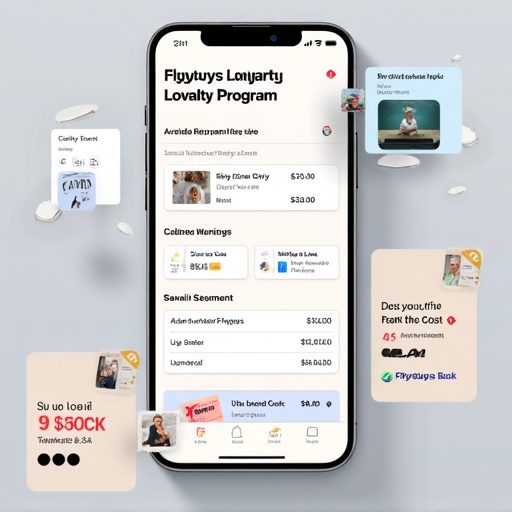
How to Build a Customer Loyalty Program App Like Flybuys: Complete Cost Guide

Introduction In today’s highly competitive retail and eCommerce market, customer loyalty is no longer just a “nice-to-have”—it is a strategic necessity. Apps like Flybuys in Australia have revolutionized how businesses retain customers, boost engagement, and increase repeat purchases. By rewarding users with points, cashback, and personalized offers, loyalty apps create a strong emotional and financial bond between customers and brands. According to Allied Market Research, the global loyalty management market is projected to reach $24 billion by 2030, driven by cloud technology, AI-powered personalization, and cross-industry partnerships. Developing a Flybuys-style customer loyalty program app requires careful planning, investment, and the right technology partner. In this comprehensive guide, we’ll cover: Key features your loyalty app must have Complete cost breakdown (from design to deployment) Factors influencing pricing Why TechOTD is the right partner for loyalty app development Detailed comparison table of features & costs FAQs for businesses considering loyalty solutions  Whether you’re a retailer, eCommerce platform, or tech startup, this guide will help you estimate costs, timelines, and strategies for building your next-gen loyalty program.  Key Features of a Flybuys-Style Loyalty App Building a loyalty app is more than just a points system—it’s about creating an ecosystem where customers feel valued and engaged. Here are the must-have features: User Registration & Profiles – Social login, personalized dashboards. Points Earning & Redemption – Track purchases, reward points, and redeem offers. Tiered Membership Levels – Bronze, Silver, Gold tiers with progressive perks. Personalized Offers & Notifications – AI-driven promotions powered by TechOTD AI solutions. Partner Integration – Collaboration with retail, travel, and service partners. Digital Wallet & Payment Integration – Secure transactions and rewards redemption. Analytics & Reporting – Data insights for businesses to optimize campaigns. Security & Compliance – GDPR, HIPAA, and PCI-DSS compliance for data protection. Gamification & Social Sharing – Leaderboards, badges, and referral bonuses. Multi-Platform Availability – iOS, Android, and Web with cross-platform frameworks.  For advanced app design & web integration, explore TechOTD’s Web Development services.  Cost Breakdown of Building a Loyalty Program App The total cost depends on features, integrations, and complexity. Below is a breakdown of typical expenses: Development Stage Description Estimated Cost (USD) Planning & Design Market research, competitor study, wireframes, UX/UI $5,000 – $12,000 Core Development Backend APIs, mobile app, cloud integration $20,000 – $50,000 Third-Party Integrations Payment gateways, CRM, partner APIs $5,000 – $15,000 Testing & Deployment QA, performance optimization, app store approvals $3,000 – $7,000 Ongoing Maintenance & Support Updates, hosting, bug fixes 15–20% of initial cost annually Total Cost Estimate: $35,000 – $80,000+ (depending on scale and features)  For scalable loyalty solutions, check TechOTD Partner Solutions.  Factors Affecting Loyalty App Costs App Complexity – Simple points-based apps cost less, while advanced AI-driven ones require higher investment. Loyalty Tier Design – Single-tier vs. multi-tier reward systems. AI & Personalization – Predictive offers and behavioral targeting. Integration Needs – POS systems, payment gateways, and eCommerce platforms. Security & Compliance – Meeting GDPR/HIPAA adds compliance costs. Platform Coverage – Native (iOS, Android) vs. Cross-platform. Industry Focus – Retail, travel, healthcare, or eCommerce-specific features.  Why Choose TechOTD for Loyalty App Development? TechOTD brings deep expertise in AI, cloud, and app development, offering end-to-end solutions that are secure, scalable, and innovative. Custom Web & App Development → Explore Web Development AI-Driven Personalization → AI Solutions Industry-Focused Expertise → eCommerce Loyalty Platforms Trusted Partnerships → TechOTD Partner Program Proven Track Record → About TechOTD 👉 With TechOTD as your development partner, you get future-ready loyalty apps designed to maximize ROI and customer engagement.  Key Takeaways Budget Required: $35K – $80K+ Timeline: 4–8 months Best Features: AI personalization, multi-tier rewards, secure payments Industries Benefiting Most: Retail, eCommerce, travel, hospitality, healthcare TechOTD Advantage: AI-driven, cloud-native, and scalable loyalty solutions  Conclusion Building a Flybuys-style loyalty program app is a game-changer for businesses looking to retain customers, increase engagement, and boost revenue. While initial costs vary, the long-term ROI is significant when done right. With the right features, security, and personalization strategies, your app can become the cornerstone of customer engagement. By partnering with TechOTD’s expert team, you gain a competitive edge with cutting-edge technology, AI-driven personalization, and industry-specific solutions.  Start your journey today—turn your customer base into loyal brand advocates with TechOTD. FAQ 1. How long does it take to build a loyalty program app?On average, 4–8 months, depending on features and integrations. 2. Can the app support multiple platforms?Yes, using cross-platform tools (Flutter, React Native) or native apps for iOS & Android. 3. Does TechOTD provide AI-driven personalization? Yes, with AI & Machine Learning solutions, TechOTD enables predictive offers and tailored promotions. 4. What ongoing costs should I expect?Annual costs include server hosting, maintenance, updates, and customer support (15–20% of initial cost). 5. How secure is user data in loyalty apps?Data is protected with end-to-end encryption, secure payment gateways, and compliance (GDPR, HIPAA).

Cloud, Uncategorized

Everything You Need to Know About Developing Cloud Digital Signage Software

Introduction Cloud digital signage software is at the forefront of driving smart, visually dynamic, and interactive communication for businesses worldwide. In a landscape where content must be current, targeted, and engaging, cloud-powered platforms are rapidly replacing legacy systems across retail, healthcare, corporates, hospitality, smart cities, and education. According to MarketsandMarkets, the global digital signage market is expected to grow from $24 billion in 2023 to over $36 billion by 2028, fueled by cloud adoption, AI personalization, and smart display technologies. Businesses are shifting to cloud-first solutions because they offer centralized control, instant updates, analytics, and scalability, which traditional systems cannot match. As we look toward 2025 and beyond, digital signage has evolved into a powerful business asset—enabling instant content delivery, personalized messaging, deep analytics, and seamless integration with other cloud and AI-powered tools. For businesses exploring digital growth, TechOTD’s cloud and AI-powered services offer tailored solutions across industries. What Is Cloud Digital Signage Software? Cloud digital signage software empowers organizations to remotely manage media content (videos, real-time data, interactive apps) via an internet-based platform, deploying it instantly to screens in any global location. Unlike on-premises systems, cloud signage delivers: Centralized management with secure, multi-user access Real-time content updates & scheduling Scalability for growing networks Cost-efficiency with SaaS subscription models Compatibility with kiosks, TVs, and media players Streamlined maintenance & updates 💡 Learn more about cloud-powered business transformation with TechOTD’s web development expertise. Key Features of Modern Cloud Digital Signage Cloud-Based CMS – Content upload, scheduling, approval workflows. Multi-Platform Support – Works across Android, Linux, Windows, smart TVs. AI-Enhanced Personalization – Dynamic ads powered by TechOTD AI solutions. Offline Functionality – Cached content ensures smooth playback. Data & App Integration – POS, CRM, and eCommerce integrations. Remote Monitoring – Troubleshooting and health checks. Accessibility Tools – Multi-language support & inclusivity features. Development Process: Step-by-Step Needs Analysis – Define requirements & industry-specific goals. Architecture Planning – APIs, microservices, high availability. UI/UX Design – Intuitive, drag-and-drop dashboards. Feature Development – CMS, player, scheduling tools. IoT Integration – Smart displays, kiosks, and sensors. Testing & Deployment – Security, performance, and compliance. Training & Support – Ongoing help from partners like TechOTD. Trends & Future of Cloud Digital Signage AI & Predictive Analytics – Smarter campaigns with TechOTD AI-driven tools. AR & VR Displays – Next-gen interactive customer experiences. 5G & Edge Computing – Real-time streaming at scale. Blockchain Advertising – Transparent ad tracking. Green Technology – Sustainability & eco-friendly displays. Challenges in Cloud Digital Signage Internet dependency Hardware compatibility Security compliance (GDPR, HIPAA) Staff adoption & training 👉 Businesses can overcome these challenges with expert consulting from TechOTD’s About Team. Use Cases Retail – Personalized ads & digital shelves Healthcare – Wayfinding & appointment boards Corporate – Internal communication dashboards Hospitality – Menu boards & concierge services Smart Cities – Transport schedules & public alerts 💡 For industry-focused solutions, see TechOTD’s eCommerce and digital services. Conclusion Developing cloud digital signage software in 2025 is about building smart, scalable platforms that combine cloud, AI, IoT, and immersive technologies. With partners like TechOTD’s development team, businesses can future-proof their digital communication and drive ROI at scale. cloud digital signage, signage software development, digital signage solutions, remote signage management, digital signage platform, AI digital signage, custom signage software, cloud visual communications, digital signage industry trends, web development for signage

Mobile App Development, Uncategorized

How to Design Dark Mode: A 2025 Guide for Mobile Designers

Introduction In 2025, dark mode isn’t just a trend—it’s an essential feature for mobile apps, demanded by users for aesthetics, comfort, and cutting-edge battery efficiency. Major platforms like iOS and Android have refined their dark themes, making nuanced color choices, accessibility, and seamless transitions a key priority for top-tier mobile designers. This comprehensive guide walks you through the best practices, design principles, and new tips for mastering dark mode UI in modern mobile app design.   Why Dark Mode Matters in 2025 Reduces Eye Strain: Dark backgrounds with lighter text minimize eye pressure in low-light settings—users can browse longer, day or night. Battery Efficiency: On OLED and AMOLED devices, dark themes save noticeable power by turning off pixels. Modern Appeal: Dark UIs offer a sleek, premium look and let colors + highlights pop more than on light backgrounds. Accessibility: With the right contrast, dark mode helps users with light sensitivity or visual impairments. User Choice: Dark/light toggles let users personalize their experience, boosting engagement and satisfaction. Core Principles for Effective Dark Mode Design 1. Avoid Pure Black—Use Deep Grays Use dark gray backgrounds (#121212, #1b1b1b) instead of pure black (#000000) to reduce harshness and keep shadows natural. Deep grays feel less stark, help UI elements blend, and improve readability. 2. Curate and Adapt Colors Carefully Don’t just invert your color scheme. Re-calibrate each color for vibrancy against dark backgrounds. Use desaturated, muted colors (like teal, blue, or purple) for UI elements to avoid excessive intensity. 3. Contrast Is Everything—But Balance It Maintain high color contrast between text and backgrounds (ideally 15:1 per accessibility guidelines). Prefer off-whites or light grays for text instead of pure white. 4. Design for Accessibility Meet or exceed WCAG AA or AAA contrast standards for visually impaired users. Enlarge text and interactive elements, and don’t rely solely on color to indicate state. 5. Minimize Glare and Visual Noise Use negative space and minimalist layouts—it helps users scan content and reduces cognitive load. Limit the use of highly saturated colors to alerts or primary action items. 6. Include Seamless Dark/Light Toggles Give users a simple switch—either in-app or obey the OS setting—to swap between dark and light modes instantly. 7. Test Your Design in Real-World Conditions Preview dark mode on different displays (OLED, LCD), in various ambient lighting scenarios, and with real users. Pro Tips from Design Leaders Use Adaptive Assets: Provide SVG or vector icons/symbols optimized for both light/dark backgrounds. Incorporate Subtle Animations: Use micro-interactions or transitions to help users adjust visually between themes. Dynamic Shadows and Elevation: Refine shadows and layers to enhance the perception of depth in dark mode. Brand Personality in the Dark: Custom graphics or “Easter eggs” for dark mode can make your experience stand out. Conclusion Designing great dark mode in 2025 is about much more than flipping a color scheme. It’s a thoughtful, user-focused process blending visual comfort, brand personality, accessibility, and technical optimization. Mobile designers who get dark mode right deliver experiences users love—sleek, stylish, and future-proof. FAQ 1. Is dark mode better for eye health? It reduces eye strain in low-light settings and is preferred by users with light sensitivity. It’s best to let users switch modes based on their needs. 2. Should I just invert the colors from my app’s light mode? No. Each color and element should be recalculated for best readability, accessibility, and emotion on dark backgrounds. 3. What’s the best background color for dark mode? Avoid pure black; use dark grays (#121212 or #1b1b1b). These are easier to look at and keep contrast from being too harsh. 4. How can I test for good dark mode design? Run accessibility audits, preview on different screens, compare in various lighting, and gather real user feedback. 5. Do I need a toggle or should my app match the system setting? Offer both—a dedicated toggle for user control, and the ability to automatically match device/system-wide theme settings.

sensor, Uncategorized

Industrial IoT Sensors: 16 Types Every Company Should Consider

Introduction In today’s rapidly advancing manufacturing and logistics landscape, Industrial Internet of Things (IIoT) sensors play a pivotal role in driving smart factories, real-time monitoring, and predictive analytics. From automating routine processes to enabling proactive maintenance and sustainability insights, the right IoT sensors transform how companies operate and compete. This comprehensive guide reveals 16 essential types of IIoT sensors modern enterprises should consider—plus actionable advice, real-world applications, and expert resources from TechOTD to future-proof your connected operations. Understanding Industrial IoT Sensors IIoT sensors are the building blocks of the smart industry. By capturing, transmitting, and analyzing physical phenomena (temperature, pressure, motion, etc.), they empower businesses to: Automate machine monitoring and control. Predict and prevent equipment failures. Boost energy efficiency and reduce costs. Improve workplace safety and compliance. Gain data-driven insights for better decision-making. Leading-edge sensor integration often includes AI, cloud analytics, and seamless custom development—discover what’s possible with TechOTD’s AI Services. 16 Types of Industrial IoT Sensors to Power Your Business 1. Temperature Sensors   Monitor equipment, products, and environments to prevent overheating, freezing, or spoilage. Use Cases: Cold chain logistics, HVAC, manufacturing. 2. Pressure Sensors Track fluid or gas pressure in pumps, pipelines, and tanks to prevent leaks or maintain optimal operation. Use Cases: Oil & gas, chemical processing, water utilities. 3. Proximity Sensors Detect presence or absence of objects—crucial for automation and safety interlocks. Use Cases: Conveyor lines, robotics, packaging lines. 4. Vibration Sensors Identify abnormal equipment vibrations indicating wear, imbalance, or impending breakdown. Use Cases: Predictive maintenance, rotating machinery, motors. 5. Humidity Sensors Measure moisture levels to ensure safe storage and ideal production conditions. Use Cases: Food processing, electronics, pharmaceuticals. 6. Flow Sensors Monitor the movement of liquids or gases for efficient control and billing. Use Cases: Water treatment, chemical processing, energy management. 7. Level Sensors Detect levels of liquids, solids, or granular materials in tanks and silos. Use Cases: Bulk storage, process industries, agriculture. 8. Accelerometers Track acceleration, tilt, and motion—enabling asset tracking and machine condition monitoring. Use Cases: Fleet management, machine health, smart logistics. 9. Gas Sensors Detect hazardous gases and pollutants to prevent accidents and ensure compliance. Use Cases: Mining, utilities, manufacturing, building management. 10. Optical Sensors Leverage light for object detection, counting, and quality inspection. Use Cases: Automated sorting, vision-based inspection, packaging. 11. Current/Voltage Sensors Monitor electrical consumption, surges, and overloads for operational efficiency and safety. Use Cases: Energy management, predictive maintenance, power distribution. 12. Ultrasonic Sensors Measure distance, detect objects, or monitor fluid levels using sound waves. Use Cases: Robotics, logistics automation, tank level detection. 13. Magnetic Sensors Detect magnetic fields or positions for speed, position, and rotational measurements. Use Cases: Conveyor belts, electric motors, proximity detection. 14. Infrared (IR) Sensors Enable temperature measurement and motion detection using infrared radiation. Use Cases: Safety systems, automated lighting, thermal monitoring. 15. Force/Torque Sensors Measure mechanical force or torque in manufacturing processes for quality control. Use Cases: Robotics, assembly lines, pick-and-place operations. 16. Image Sensors (Cameras) Capture and process images for AI analysis, defect detection, and remote monitoring. Use Cases: Production line inspection, security, operational dashboards. Integrating IIoT Sensors for Maximum Value Modern businesses achieve transformative benefits by integrating these sensors with: Cloud platforms for scalable analytics (Connect with TechOTD) AI and machine learning for predictive maintenance and insight generation (Next-gen AI Solutions) Custom dashboards for real-time, actionable views (Partner Programs) Industry-focused use cases like eCommerce logistics, manufacturing, or smart buildings (Industry Solutions) Conclusion The future of industrial operations is data-driven, intelligent, and interconnected. By strategically deploying these 16 IIoT sensor types, your company unlocks new levels of visibility, efficiency, and innovation. Ready to design a future-proof sensor network or need world-class AI integration for manufacturing, logistics, or energy? Start your digital transformation journey with TechOTD’s expert solutions. FAQ 1. What are the most popular IIoT sensor types for 2025? Temperature, pressure, vibration, and proximity sensors lead deployments in manufacturing and logistics. 2. How can IIoT sensors save costs for my business? They enable predictive maintenance, reduce downtime, optimize processes, and cut energy/waste expenses. 3. Is integrating multiple sensor types complicated? With the right partner and modular platforms like TechOTD, multi-sensor integration is streamlined and scalable. 4. Are IIoT sensors secure? Partner with trusted providers that prioritize data security, encryption, and compliance for safe operations. 5. How do I choose the right mix of sensors? Analyze your process needs, consult with IIoT and AI experts, and start with scalable pilot projects.

Uncategorized

Building Your Own AI Chatbot App in 2025: Cost & Key Considerations

Introduction AI chatbots have become essential in providing seamless customer service, automating business operations, and elevating user experiences. In 2025, evolving technology and rising user expectations make building a chatbot more promising—and more complex—than ever. Here’s a complete guide to what it takes to launch your own AI chatbot app this year, what it will likely cost, and which decisions matter most. The Real Cost of Building an AI Chatbot App in 2025 Development costs can vary dramatically based on features, scale, and level of intelligence. Solution Type Typical 2025 Cost (USD) Example Features Simple FAQ or Rule-Based Bot $3,000 – $15,000 Basic text, single platform, simple responses NLP-Driven Chatbot (Custom) $15,000 – $40,000 Natural language understanding, basic integrations Advanced AI/ML Chatbot $40,000 – $150,000+ Context, personalization, voice, integrations, analytics Enterprise-Scale, Multi-Channel $100,000 – $250,000+ Omnichannel, API/Webhook, compliance, advanced security Ongoing expenses: Maintenance: 15–25% of the original build per year Third-party APIs (OpenAI, cloud hosting): $500–$10,000/month or more Support and updates Major Factors Affecting Chatbot Development Cost Complexity & Features: The more powerful the bot (NLP, voice, personalization), the higher the investment. Integrations: Connecting with CRMs, ERPs, payment gateways, or third-party APIs adds to both initial and ongoing costs. Platform: Costs are higher for multi-channel (web, mobile, social media) and voice-enabled experiences. Design: Rich, branded UX/UI design and accessibility increase price. Compliance: Security, privacy, and adherence to regulations like GDPR or HIPAA add cost but are mandatory for many sectors. Training Data & AI Model: Custom model training or using advanced generative models leads to higher costs. Developer Location: Rates range from $25–$200/hr depending on geographic location and expertise. Essential Steps to Build Your AI Chatbot App in 2025 Define Clear Goals Identify your target users and the primary problems your bot should solve. Specify success metrics up front. Choose the Right Platform & Stack Options include Dialogflow, Rasa, Microsoft Bot Framework, proprietary platforms, or low-code builders. Decide on text, voice, or multimodal (image, video) support. Design Natural, Inclusive Conversations Map user journeys, intents, entities, and tone for the best user experience. Prioritize clarity and human-like responses; plan for fallback and escalation to human agents. Development & Training Build backend infrastructure for NLP, user management, integrations, and analytics. Train the chatbot using realistic, diverse data for robust performance. Testing and Quality Assurance Test for edge cases, security, UX, and multi-platform consistency. Deployment and Monitoring Integrate with target platforms and use built-in analytics for ongoing improvement. Compliance & Maintenance Plan for regular updates, privacy, and monitoring to address user feedback and security patches. 2025 Trends Shaping AI Chatbot Apps Advanced NLP: Chatbots are now far more conversational, handling multiple languages and dialects, sentiment detection, and context awareness. Voice Bots & Multimodal Inputs: Users expect voice, image, and text input/output for seamless interaction. Personalization at Scale: AI adapts recommendations, tone, and responses based on user profiles. No-Code/Low-Code Builders: Smaller businesses leverage visual bot builders to create, test, and launch without deep coding. Deep Integrations: Chatbots work alongside CRMs, ERPs, and other core systems, powering sales, support, healthcare, and more. Focus on Privacy and Ethics: Compliance and transparent AI are expected by users and required by law. Pro Tips for Success Prioritize must-haves over nice-to-haves to control cost and time-to-launch. Start with a defined MVP—iterate with real-world data and upgrade features as adoption grows. Budget for long-term support—cutting corners on security or UX leads to bigger costs later. Involve users early—their input shapes user-friendly flows and higher satisfaction. Frequently Asked Questions (FAQ) Q: How fast can I launch my own AI chatbot app in 2025? A: Simple bots: 2–8 weeks; advanced, custom AI chatbots: 2–6 months, with ongoing improvements. Q: Are ongoing costs a big deal? A: Yes, annual maintenance, third-party APIs, and scaling often run 15–25% of the original build each year. Q: Can I use no-code platforms to save money? A: Absolutely—great for basic chatbots, but limited in customization and advanced integrations. Q: Should I develop in-house or outsource? A: In-house offers more control but often costs more; outsourcing (especially to experienced AI teams abroad) can cut budget but requires careful management. Q: What are the hidden costs? A: Training data curation, server hosting, compliance work, and regular feature updates are easy to underestimate. Conclusion Building an AI chatbot app in 2025 is an exciting but multifaceted endeavor. Whether you target customer service, sales, or bold new ideas, balancing vision, technology, and budget is key. Invest upfront in planning, clear goals, and user-centric design—and your chatbot will be ready for tomorrow’s intelligent, always-on digital world.

Technology & Business, Uncategorized

From Brief to Launch: Building a Custom LMS in 3 Weeks

Introduction In today’s fast-paced digital landscape, the ability to rapidly deliver innovative learning experiences is a game-changer. While custom learning management systems (LMS) are often thought to require months of planning and development, it’s possible—with the right approach—to go from a concept brief to a fully functioning LMS in just three weeks. Here’s how we did it, step by step. Why Build a Custom LMS? Tailored to your audience: Meet the precise needs of your learners and organization. Feature control: Implement only what you need—nothing more, nothing less. Branding and UX: Ensure a seamless, branded user experience that off-the-shelf products can’t provide. Week-by-Week Roadmap to a Custom LMS Week 1: Discovery & Setup Kickoff & Brief Define clear goals: Who is this LMS for? What’s the must-have feature set? Gather requirements from stakeholders. Platform Planning Choose the technology stack (e.g., React, Node.js, Python, cloud services). Define user roles (Admin, Instructor, Learner). Initial Design Rapid wireframing: Map out LMS navigation, key screens, and user flows. Start UI/UX prototyping with input from stakeholders. Foundational Build Set up project structure, repositories, and development environments. Integrate boilerplate code for basic authentication and user management. Week 2: Development Sprint Core Feature Development Build and connect these modules: User registration and login Course creation and content upload (text, video, presentations) Enrollment and progress tracking Assessments or quizzes Content Population Collaborate with content creators or use AI to generate sample lessons, quizzes, and tutorials. Continuous Testing Integrate basic testing and QA into every coding session to eliminate blockers fast. Stakeholder Check-in Demo first builds to get rapid feedback and reprioritize features as needed. Week 3: Launch Prep & Refinement Polish UX/UI Iterate based on feedback, improving navigation and accessibility. Add finishing touches: branding, dashboards, notifications. Robust Testing Conduct full end-to-end testing: enroll users, complete modules, submit assessments. Final Data Import Upload real course and user data. Confirm everything works at scale. Deployment & Rollout Launch on chosen cloud or server. Provide a quick-start guide for admins and faculty. Collect instant feedback from first users for rapid fixes. Table: Your 3-Week Custom LMS Plan Week Focus Areas Deliverables Week 1 Discovery, setup, prototyping Wireframes, project setup, MVP roadmap Week 2 Core feature development User, course, and assessment modules Week 3 Testing, refinement, launch Fully functional, deployed LMS Tips for Success Plan ruthlessly, prioritize features: Focus on must-haves; postpone the “nice-to-have” until after launch. Leverage templates & AI: Use code services, design libraries, or AI content helpers to accelerate development. Collaborate closely: Daily check-ins with stakeholders prevent costly rework. Iterate rapidly: Expect feedback and be ready to refine features in real time. Don’t skip testing: Early and frequent testing ensures you avoid launch-day disasters. Frequently Asked Questions (FAQ) Is building a custom LMS in 3 weeks realistic for most teams? It’s possible with sharp focus, rapid feedback, and a lean MVP mindset—but complex features or extensive integrations may require more time. What’s the best tech stack for a rapid LMS build? Popular choices include React for front-end, Node.js or Python for backend, and cloud hosting for instant scalability. Can you use no-code or low-code platforms? Absolutely. No-code tools can speed up some aspects, especially MVPs, but custom coding gives the greatest flexibility. What features should a first version include? User management, course delivery, content upload, enrollment, progress tracking, and basic reporting are the essentials. Conclusion Delivering a custom LMS in three weeks is ambitious but entirely possible with focused planning, the right tools, and a commitment to iterative improvement. The result? A bespoke, branded learning hub that’s ready to delight users from launch day—and adapt as your educational goals evolve.

Technology, Uncategorized

Brisbane 2025: Future Tech Business Ideas You Can Launch Today

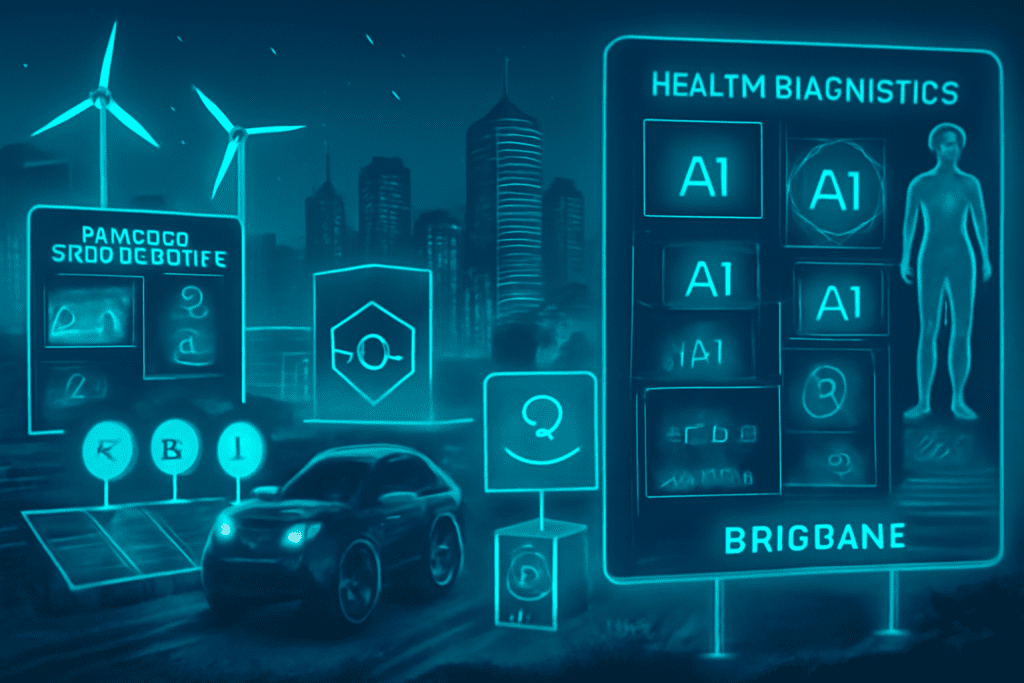
Introduction Brisbane is rapidly emerging as a dynamic technology hub with robust government support, a thriving talent pool, and a focus on sustainability and innovation. Here are some future-focused tech business ideas you can launch in Brisbane today, designed to meet local needs and tap into global trends: Top Future Tech Business Ideas AI-Powered Healthcare Diagnostics Develop platforms that use artificial intelligence to analyze medical images and data, offering faster, more accurate diagnostics tailored to Australia’s unique health demographics. Climate-Smart AgTech Solutions Leverage IoT sensors, machine learning, and analytics to optimize water usage, soil health, and crop yields. Solutions can support local farmers in climate adaptation and sustainable agriculture. Renewable Energy Management Platforms Build smart platforms for managing solar and battery storage, peer-to-peer energy trading, or smart microgrids, in line with Queensland’s ambitious renewable energy targets. EdTech for Lifelong Professional Upskilling Launch e-learning platforms that use AI-driven personalization, gamified content, and partnerships with Brisbane universities. Focus on industries in need of upskilling like tech, health, and sustainability. Cybersecurity for SMEs Offer affordable, scalable cybersecurity services tailored for small and mid-sized businesses, addressing compliance and ransomware threats with managed detection and response. Circular Economy Digital Platforms Create marketplaces that enable Brisbane businesses to share, reuse, or recycle resources, with AI-powered logistics optimization and traceability. Mental Health & Wellbeing Apps Develop comprehensive wellness apps with AI-powered mood tracking, secure telehealth features, and culturally relevant interventions for Australia’s workforce and remote communities. Supply Chain Transparency with Blockchain Use blockchain tech to ensure traceability for local products (such as food, resources, or medical supplies), building consumer trust and supporting ethical sourcing. Smart City IoT Solutions Launch smart city products for traffic management, waste monitoring, or energy consumption, using sensor networks and real-time analytics to optimize urban life. Fintech for Sustainable Investing Build platforms allowing users to invest in green assets, monitor ESG factors, or directly fund sustainable local projects. Visual representation of future tech business ideas to launch in Brisbane in 2025 Why Brisbane? Growing Innovation Ecosystem: Backed by programs like Advance Queensland and support for R&D and startup funding. Talent Pipelines: Strong local universities and research institutions. Market Readiness: Rapid adoption of digital services, renewable energy, and sustainability-focused initiatives. Launch Tips Start with a focused MVP tailored to a Brisbane-specific need. Leverage local accelerator programs, government grants, and university partnerships. Prioritize user experience, regulatory compliance, and scalable solutions from day one. Brisbane’s combination of emerging tech, supportive local policies, and market needs makes it an ideal place to launch and scale future-focused tech businesses in 2025 and beyond

How would you like me to respond?

Select a personality for your AI assistant

Normal
Happy
Sad
Angry

Your selection will affect how the AI assistant responds to your messages

Chat Assistant

Let's discuss your project!

Hear from our clients and why 3000+ businesses trust TechOTD

Tell us what you need, and we'll get back with a cost and timeline estimate

Scroll to Top