Introduction
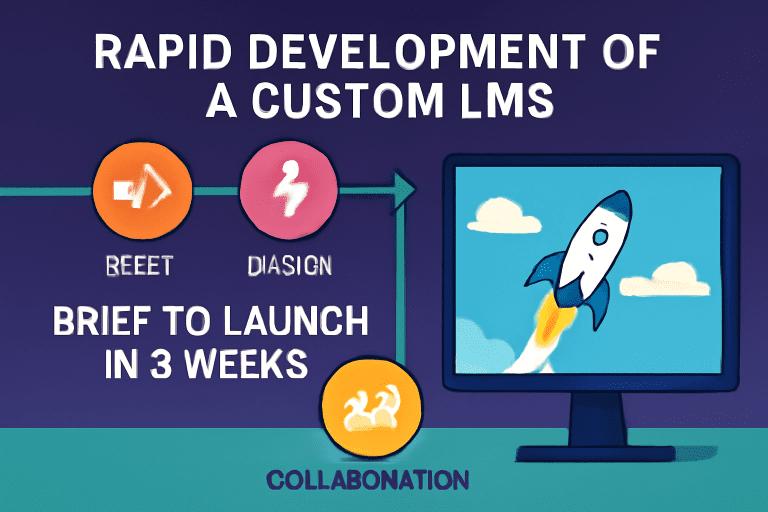
In today’s fast-paced digital landscape, the ability to rapidly deliver innovative learning experiences is a game-changer. While custom learning management systems (LMS) are often thought to require months of planning and development, it’s possible—with the right approach—to go from a concept brief to a fully functioning LMS in just three weeks. Here’s how we did it, step by step.
Why Build a Custom LMS?
-
Tailored to your audience: Meet the precise needs of your learners and organization.
-
Feature control: Implement only what you need—nothing more, nothing less.
-
Branding and UX: Ensure a seamless, branded user experience that off-the-shelf products can’t provide.
Week-by-Week Roadmap to a Custom LMS
Week 1: Discovery & Setup
-
Kickoff & Brief
-
Define clear goals: Who is this LMS for? What’s the must-have feature set?
-
Gather requirements from stakeholders.
-
-
Platform Planning
-
Choose the technology stack (e.g., React, Node.js, Python, cloud services).
-
Define user roles (Admin, Instructor, Learner).
-
-
Initial Design
-
Rapid wireframing: Map out LMS navigation, key screens, and user flows.
-
Start UI/UX prototyping with input from stakeholders.
-
-
Foundational Build
-
Set up project structure, repositories, and development environments.
-
Integrate boilerplate code for basic authentication and user management.
-
Week 2: Development Sprint
-
Core Feature Development
-
Build and connect these modules:
-
User registration and login
-
Course creation and content upload (text, video, presentations)
-
Enrollment and progress tracking
-
Assessments or quizzes
-
-
-
Content Population
-
Collaborate with content creators or use AI to generate sample lessons, quizzes, and tutorials.
-
-
Continuous Testing
-
Integrate basic testing and QA into every coding session to eliminate blockers fast.
-
-
Stakeholder Check-in
-
Demo first builds to get rapid feedback and reprioritize features as needed.
-
Week 3: Launch Prep & Refinement
-
Polish UX/UI
-
Iterate based on feedback, improving navigation and accessibility.
-
Add finishing touches: branding, dashboards, notifications.
-
-
Robust Testing
-
Conduct full end-to-end testing: enroll users, complete modules, submit assessments.
-
-
Final Data Import
-
Upload real course and user data.
-
Confirm everything works at scale.
-
-
Deployment & Rollout
-
Launch on chosen cloud or server.
-
Provide a quick-start guide for admins and faculty.
-
Collect instant feedback from first users for rapid fixes.
-
Table: Your 3-Week Custom LMS Plan
| Week | Focus Areas | Deliverables |
|---|---|---|
| Week 1 | Discovery, setup, prototyping | Wireframes, project setup, MVP roadmap |
| Week 2 | Core feature development | User, course, and assessment modules |
| Week 3 | Testing, refinement, launch | Fully functional, deployed LMS |
Tips for Success
-
Plan ruthlessly, prioritize features: Focus on must-haves; postpone the “nice-to-have” until after launch.
-
Leverage templates & AI: Use code services, design libraries, or AI content helpers to accelerate development.
-
Collaborate closely: Daily check-ins with stakeholders prevent costly rework.
-
Iterate rapidly: Expect feedback and be ready to refine features in real time.
-
Don’t skip testing: Early and frequent testing ensures you avoid launch-day disasters.
Frequently Asked Questions (FAQ)
Is building a custom LMS in 3 weeks realistic for most teams?
It’s possible with sharp focus, rapid feedback, and a lean MVP mindset—but complex features or extensive integrations may require more time.
What’s the best tech stack for a rapid LMS build?
Popular choices include React for front-end, Node.js or Python for backend, and cloud hosting for instant scalability.
Can you use no-code or low-code platforms?
Absolutely. No-code tools can speed up some aspects, especially MVPs, but custom coding gives the greatest flexibility.
What features should a first version include?
User management, course delivery, content upload, enrollment, progress tracking, and basic reporting are the essentials.
Conclusion
Delivering a custom LMS in three weeks is ambitious but entirely possible with focused planning, the right tools, and a commitment to iterative improvement. The result? A bespoke, branded learning hub that’s ready to delight users from launch day—and adapt as your educational goals evolve.