July 2025

Business Process

How We Onboard New Clients Without Overwhelm

Introduction Bringing new clients on board is a pivotal moment for any business. The right onboarding approach sets the tone for a strong relationship, but without structure, it can quickly become overwhelming for both your team and your client. Here’s an inside look at our step-by-step process for onboarding new clients seamlessly—without stress or confusion. Our Onboarding Philosophy Clarity Over Complexity: Every step is simplified, focused, and intentional. Personalized Touch: We tailor onboarding to each client’s goals, background, and priorities. Transparent Communication: Clients always know what’s next and never feel left in the dark. Our Step-by-Step Onboarding Process 1. Warm Welcome & Roadmap Personalized Welcome Email: Every client receives a warm, friendly email introducing our team and outlining what to expect. Clear Contact Information: We share important contacts up front so clients know who to reach for questions. 2. Detailed Introduction Call Kickoff Meeting: We schedule a kickoff video or call to clarify goals, deliverables, timelines, and answer initial questions. Process Walkthrough: We walk through our onboarding checklist so clients see every major milestone in advance. 3. Onboarding Questionnaire Client Needs Survey: We send a concise questionnaire to gather essential information about the client’s objectives, desired outcomes, and any pain points. No Information Overload: We collect only what’s necessary at the start, minimizing lengthy forms. 4. Welcome Package Resource Bundle: Each client receives a digital welcome package containing a step-by-step guide, FAQs, how-to videos, and a summary of our collaboration flow. Optional Touches: We sometimes include a small branded gift or handwritten note to make them feel valued. 5. Project Setup & Internal Alignment CRM and Project Management Setup: Their details go straight into our system so nothing falls through the cracks. Internal Team Brief: Our team reviews all client info to ensure everyone is aligned before work begins. 6. Consistent Check-Ins and Progress Markers Regular Updates: We provide clear, timely progress reports and keep communication open via email or our client portal. Checklists & Progress Bars: Each onboarding task is tracked visually so clients always know where they are in the process and what’s next. 7. Quick Wins and Early Success Early Deliverables: We aim to provide a “quick win” within the first week—something tangible that demonstrates our commitment and sets the tone for the partnership. Celebrate Milestones: Milestone achievements are acknowledged, making the experience positive and motivating. 8. Feedback & Ongoing Support Collect Feedback: We ask for honest input during and after onboarding to constantly improve the process for future clients. Clear Next Steps: Every onboarding finishes with a summary of what’s next, ensuring clients feel confident and cared for. Table: Our Client Onboarding Process Overview Step Purpose Client Experience Welcome Email Establish friendly tone & point of contact Feels valued and informed Kickoff Meeting Clarify goals, process, and timelines Confidence and clarity Onboarding Questionnaire Gather key info without overloading Easy, relevant input only Welcome Package Guide, resources, and FAQ for fast answers Empowered from day one Team & Project Setup Internal alignment, CRM and PM system update No repetition or miscommunication Check-Ins & Progress Tracking Frequent, visual updates, checklist for each stage Never lost or uncertain Early Success Deliverable Provide tangible value immediately Immediate trust and satisfaction Feedback & Next Steps Gather input, ensure seamless handoff to delivery Clear on what’s coming next Tips for a Frictionless Onboarding Experience Start with Essentials Only: Avoid overwhelming the client with too much information or paperwork upfront—more can be added as the relationship progresses. Use Checklists & Visual Progress Tools: These prevent confusion and help clients (and your team) track exactly where they are in the journey. Communicate Frequently: Proactive and transparent updates create confidence and prevent misunderstandings. Tailor Every Interaction: Personalization demonstrates attention, care, and respect for the client’s unique needs. Celebrate Every Milestone: Recognition creates positive associations and keeps your clients engaged. Conclusion Onboarding new clients doesn’t need to be overwhelming. By breaking the process down into clear, manageable steps—prioritizing communication, transparency, and personal touches—you ensure your clients feel confident and excited from day one. This approach turns onboarding from a hurdle into an opportunity to build lasting, mutually successful relationships. Related Tags/Keywords: client onboarding, customer experience, onboarding process, business relationships, project management, client retention, welcome package, kickoff meeting, feedback loop

Technology

Why Learning Too Many Frameworks Can Hurt Your Career

Introduction In the fast-moving tech world, learning every new framework that trends on social media can seem necessary. But rapidly jumping from one tool to another may actually harm your long-term career growth. Instead of giving you an edge, chasing too many frameworks can stand in the way of deep expertise, lead to burnout, and leave you unprepared for real-world challenges. What Is a Framework? A framework is a set of pre-built components and structures that helps developers build applications faster and more efficiently. Frameworks save time by providing reusable building blocks and conventions, so you don’t need to start every project from scratch. The Downsides of Learning Too Many Frameworks 1. Superficial Knowledge, Not Expertise Surface-level learning leads to a limited grasp of each framework. Shallow skills make it difficult to troubleshoot or build complex solutions. Employers value depth—someone with mastery in a key tool or stack—over breadth. 2. Weak Grasp of Programming Fundamentals Frameworks often hide essential language features, algorithms, and patterns. Over-reliance leaves many unable to code solutions without that specific framework. You risk building knowledge like a house on shaky foundations, struggling when frameworks change or become obsolete. 3. Poor Job Market Positioning Most companies focus their hiring around a few major, well-supported frameworks. Shallow experience across many frameworks rarely stands out. Instead, confident expertise in one or two can open more doors. In interviews, deep knowledge enables you to answer complex questions and solve actual problems, where checklists of frameworks do not. 4. Framework Fatigue and Burnout Constant learning replaces actually building and shipping real projects. Chasing the “next big thing” in frameworks can prompt stress, self-doubt, and eventually professional burnout. Many developers report feeling overwhelmed by endless new technologies—leading to frustration and even thoughts of leaving the industry. 5. Limited Problem-Solving and Adaptability Developers who know only frameworks find it hard to work “without the training wheels.” Real-world challenges often demand creative solutions that extend beyond what any tool offers. Without strong fundamentals, it’s hard to pivot or innovate when requirements evolve or tech stacks shift. Real-World Scenarios Scenario A: “Framework Hopper” vs. Specialist Framework Hopper Specialist Project Output Many partial demos; few completed apps Fewer, deeper, real-world ready projects Interviews Recites many tools, little depth Explains solutions in detail, uses strong fundamentals Career Path Stagnates in junior roles Moves into senior/lead positions Scenario B: Recruiter Preferences Preferred: “Contributed to production apps using a few main frameworks, understands the underlying language and ecosystem.” Less Preferred: “Lists many frameworks but can’t explain how or why something works, or adapt beyond the tool.” Are You Spreading Yourself Too Thin? Spending more time on tutorials than building real projects Quickly forgetting syntax or features after moving to the next framework Struggling with the basics of your language (e.g. JavaScript, Python) Feeling “framework fatigue” or dreading each new tech trend How To Avoid the Framework Trap Master Fundamentals: Focus on your main language, algorithms, and patterns first. Go Deep, Not Wide: Dive into one or two widely-used frameworks, understand them end-to-end. Build Real Projects: Apply your skills in practical, production-ready apps. Upgrade Tools with Purpose: Only add a new framework if your project requires it, not just because it’s trending. Learn How to Learn: Understanding core concepts makes adapting to new frameworks much easier later on. Frequently Asked Questions (FAQ) Should I ignore all frameworks? No. Frameworks save time and enable productivity, but only after you have a solid base and understand why you’re using them. Can knowing many frameworks help me get jobs? Not unless you have in-depth, real-world experience in each one. Employers prioritize demonstrable expertise over brief, surface-level familiarity. How do I choose frameworks to focus on? Look at industry trends in your field, ask local employers, and research which tools appear in actual job listings. Will frameworks become obsolete? All tools evolve or fall out of favor. Strong fundamentals ensure you can always retool and adapt. What happens if I need to learn a new framework for work? If you’ve mastered the foundations, you’ll learn any new framework much faster and with less stress. Conclusion Don’t let the endless parade of new frameworks distract from what matters most—building rock-solid fundamentals and applying your skills to real-world challenges. Prioritizing depth in a few key tools, combined with a strong core knowledge of programming, will foster long-term growth, resilience, and career satisfaction in tech.

Technology

How We Use N8N to Automate Repetitive Tasks (Real Scenarios)

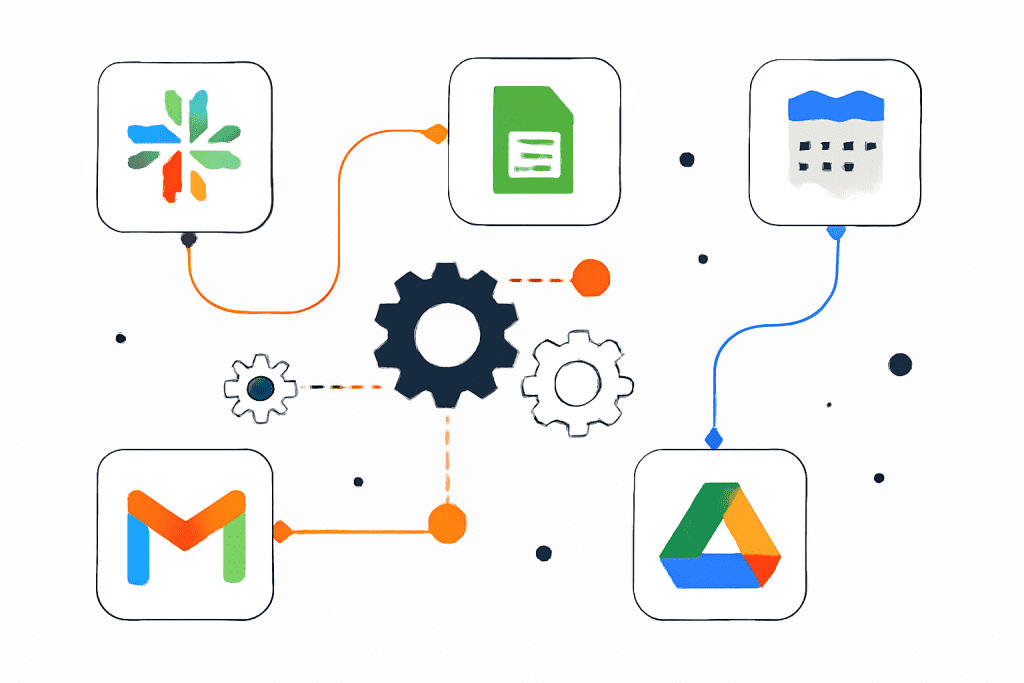
Introduction Automation is transforming how teams handle routine tasks—letting you focus on strategic work instead of tedious manual chores. n8n, an open-source automation tool, offers incredible flexibility for building custom, no-code workflows that tie together your favorite apps and services. Here’s how we use n8n to save time every day, with real, practical examples. Why n8n for Automation? Open Source & Self-Hostable: Full control over your data and integrations. Visual Workflow Builder: Drag-and-drop interface for building automations—no heavy coding required. Endless Integrations: Connects with Gmail, Slack, Google Sheets, Notion, APIs, webhooks, and more. Customization: Add code nodes for advanced logic using JavaScript or Python. Scalability: Great for startups and growing businesses; runs on your infrastructure or in the cloud. Real n8n Automation Scenarios 1. Real-Time Slack Alerts for Google Sheet Updates Problem: Teams often miss important updates buried in complex Google Sheets. Solution: We set up n8n to monitor changes in a specific Google Sheet. When data is updated (e.g., a new row is added), n8n sends a formatted notification to our Slack team. This workflow keeps everyone instantly informed—no need for constant manual checks. How it looks: Trigger: Google Sheets update Action: Post message to Slack with update info Optional: Filter or Switch nodes to limit which changes trigger alerts. 2. Auto-Save Email Attachments to Google Drive Problem: Downloading and organizing email attachments is error-prone and time-consuming. Solution: We use n8n to watch our inbox for new emails with attachments. When one arrives, n8n saves the attachments to pre-set Google Drive folders. Filters direct documents based on sender, subject, or file type—keeping everything tidy and minimizing lost files. How it looks: Trigger: New email with attachment Action: Save attachments to designated Google Drive folder. 3. Two-Way Calendar Sync Problem: Juggling multiple calendars leads to double booking and missed meetings. Solution: n8n helps us synchronize between Google Calendar and Outlook. Any new event on one platform gets mirrored on the other. Rules (like syncing only during work hours) make it flexible to our needs. 4. Website & Service Uptime Monitoring Problem: We don’t want to hear from customers when the website goes down! Solution: A scheduled n8n workflow pings our sites every few minutes. If a site isn’t responding, n8n instantly alerts our team by email or Slack and logs the downtime to a shared database—enabling rapid response. How it looks: Trigger: Cron node schedules regular checks Action: HTTP request to website Conditional: If response ≠ 200, send alert and log incident. 5. Automated Lead Capture and CRM Integration Problem: Manual lead entry from web forms into our CRM wastes time and risks errors. Solution: n8n listens for new submissions on our website’s contact forms. When a lead arrives, it’s automatically enriched (e.g., pulling company data via API), added to our CRM, and the sales team notified. No more copy-pasting, and leads are acted on instantly. 6. Social Media Content Scheduling Problem: Posting content across platforms is repetitive and often forgotten. Solution: We built a workflow that collects new social media content from our Google Sheets editorial calendar, formats posts for each platform, and publishes them—hands-off and on schedule. Plus, engagement stats are gathered for reporting. Example Table: n8n Automation Use Cases Scenario n8n Trigger Main Action Apps Connected Slack Alerts on Sheet Update Sheet change Post to Slack Google Sheets, Slack Auto-Save Email Attachments New email Save to Drive with filters Gmail/Outlook, Google Drive Two-Way Calendar Sync Event added/changed Mirror event Google Calendar, Outlook Website Uptime Monitoring Scheduled (Cron) Send HTTP request, alert on fail HTTP, Slack/Email Lead Capture to CRM New form submission Enrich & add lead, notify sales Webhook/API, CRM, Slack Scheduled Content Posting Cron/Sheet update Format & post Google Sheets, APIs Lessons Learned & Tips Start Small: Automate one or two high-impact tasks first to build confidence. Iterate: Use n8n’s visual builder to tweak workflows as requirements change. Fail Safes: Always add error notifications so issues are caught early. Documentation: Clearly label nodes/steps for easy handover and maintenance. Frequently Asked Questions (FAQ) What is n8n automation? n8n (“node-to-node”) is an open-source workflow automation tool for connecting apps, moving data, and automating everyday processes. How does n8n work? It uses a visual, drag-and-drop builder where each “node” handles a specific task—reading emails, sending messages, updating records—linked together for full automation. How many integrations does n8n provide? n8n comes with over 400 native integrations for popular tools and also provides HTTP nodes for custom APIs. Can I create and activate workflows via API? Yes. n8n offers programmatic workflow activation via API. Is n8n self-hostable? Absolutely—deploy on your own server or use n8n Cloud for managed hosting. Can I add custom code to workflows? Yes. Code nodes let you script advanced logic in JavaScript or Python. Does n8n offer error handling and notifications? Yes, workflows can include error triggers and customizable notifications. Are workflow templates available? Thousands of pre-built templates are shared by the official community and in documentation. Where can I find more tutorials? Check the official n8n documentation and community forums for how-to guides, templates, and real-world examples Conclusion n8n is a powerful ally in the fight against repetitive work. By automating tedious tasks, our team unlocks productivity and can focus on meaningful projects. Whether it’s saving email attachments, syncing calendars, or handling leads—n8n’s flexibility and ease-of-use make it our go-to automation platform. For more detailed workflow templates and practical tutorials, check out the n8n official documentation and community resources—they’re packed with real examples you can implement right away

Environment & Sustainability

Green Revolution 2.0: Top Climate Innovations to Watch in 2025

Introduction As climate concerns intensify, 2025 marks the dawn of Green Revolution 2.0—an era where breakthrough climate innovations are not just trends, but necessities for a sustainable tomorrow. From air-scrubbing machines to AI-driven agriculture and clean energy, these technologies are rapidly shaping a future where humanity and nature thrive together. Key Climate Innovations Shaping 2025 1. Advanced Carbon Capture and Utilization Direct Air Capture (DAC): Next-gen systems pull CO₂ straight from the air for permanent storage or transformation into building materials and fuel. Carbon Mineralization: Technologies are locking away captured carbon as stone, ensuring lasting impact. Negative Emissions: BECCS (Bioenergy with Carbon Capture and Storage) plants combine renewable energy with CO₂ removal for net-negative emissions. 2. AI and Data-Driven Sustainability Resource Optimization: AI controls energy flow in grids, predicts equipment failures, and boosts renewable use. Climate Risk Analytics: Platforms analyze weather and sensor data for forecasting, disaster prediction, and environmental monitoring. Precision Farming: Advanced AI helps farmers optimize input, reduce waste, and increase resilience against climate risks. 3. Revolution in Renewable Energy and Storage Floating Solar Farms & Offshore Wind: Clean power expansion without occupying valuable land. Solid-State & Grid-Scale Batteries: Ensure renewable energy is available around the clock. Green Hydrogen: Renewable-powered hydrogen replaces fossil fuels in heavy industry and shipping. 4. Regenerative and Precision Agriculture Gene-Edited, Climate-Resilient Crops: New crop varieties tolerant to drought and heat secure food supplies. Regenerative Practices: Adoption of cover crops and crop rotations balances soil, water, and carbon cycles. Digital Transformation: Drones, IoT sensors, and real-time data maximize yield while conserving resources. 5. Circular Economy & Green Materials Circular Marketplaces: Platforms for trading and reusing materials encourage a zero-waste culture. Bioplastics & Sustainable Packaging: Startups are replacing petroleum plastics with biodegradable alternatives. Battery Recycling: New processes reclaim critical materials from used EV and grid batteries. 6. Smart Water Management IoT-Based Water Conservation: Sensors monitor usage, helping maximize efficiency and minimize waste even during droughts. Innovative Water Technologies: Energy-efficient desalination and advanced filtration provide clean water in arid zones. 7. Clean Mobility & Electrification Electric Vehicles (EVs): Widespread e-bus, e-bike, and delivery vehicle adoption is transforming urban air quality. Smart Charging Networks: AI-managed systems predict demand, optimize routes, and power greener transportation. Alternative Fuels: Green hydrogen and advanced biofuels are decarbonizing heavy transport sectors. 8. Blockchain for Transparency Carbon Credit Markets: Blockchain technology secures carbon trading and supply chain sustainability with transparent records. Table: Top Climate Innovations & Examples for 2025 Innovation Example/Application in 2025 Impact Direct Air Capture Climeworks DAC plants Achieving negative emissions AI for Climate Action Smart energy grid management (AutoGrid) Lowered energy waste, higher reliability Solid-State/Grid-Scale Batteries Tesla Megapack, next-gen storage Reliable renewable energy, grid stability Precision & Regenerative Farming CRISPR drought-resistant crops, soil carbon tech Higher yields, resilient agriculture Circular Economy & Battery Recycling Green packaging, EV battery repurposing Waste reduction, resource reuse Green Hydrogen Hybrit zero-emission steel Decarbonizing heavy industry Green Mobility/Smart Transport Electric fleets & battery swap stations Cleaner cities, decarbonized logistics Blockchain for Climate Markets Carbon credit platforms Transparency and efficiency in trade Conclusion Green Revolution 2.0 in 2025 is unleashing a powerful wave of innovations, reshaping energy, food, transport, and industry. From carbon-negative machines to AI-managed smart grids and sustainable materials, these solutions are leading the charge for a cleaner, fairer, and more resilient planet. The revolution is here—building a sustainable future has never been more possible or more urgent. FAQ: Green Revolution 2.0 and Climate Innovation Q1: What is Green Revolution 2.0? A: It refers to the latest wave of technology-driven transformations to address climate change, focusing on sustainability, clean energy, smart agriculture, and resource efficiency. Q2: What role does AI play in climate innovation? A: AI optimizes grid management, resource use, weather predictions, agriculture, and monitoring of environmental impacts. Q3: How do circular economies help the environment? A: They promote reducing, reusing, and recycling materials, thereby minimizing waste, conserving resources, and lowering emissions. Q4: Are these innovations already being used? A: Yes, many are already deployed globally, with expanding adoption expected through 2025 and beyond. Q5: What’s the main focus keyword for this blog? A: Green Revolution 2.0

Technology, Uncategorized

Brisbane 2025: Future Tech Business Ideas You Can Launch Today

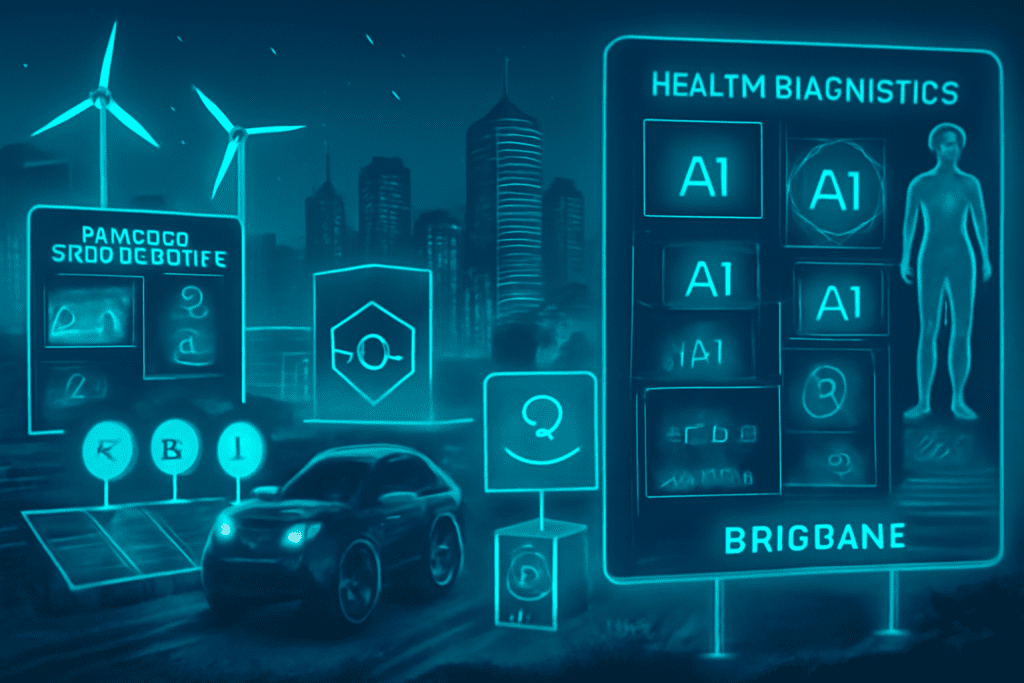
Introduction Brisbane is rapidly emerging as a dynamic technology hub with robust government support, a thriving talent pool, and a focus on sustainability and innovation. Here are some future-focused tech business ideas you can launch in Brisbane today, designed to meet local needs and tap into global trends: Top Future Tech Business Ideas AI-Powered Healthcare Diagnostics Develop platforms that use artificial intelligence to analyze medical images and data, offering faster, more accurate diagnostics tailored to Australia’s unique health demographics. Climate-Smart AgTech Solutions Leverage IoT sensors, machine learning, and analytics to optimize water usage, soil health, and crop yields. Solutions can support local farmers in climate adaptation and sustainable agriculture. Renewable Energy Management Platforms Build smart platforms for managing solar and battery storage, peer-to-peer energy trading, or smart microgrids, in line with Queensland’s ambitious renewable energy targets. EdTech for Lifelong Professional Upskilling Launch e-learning platforms that use AI-driven personalization, gamified content, and partnerships with Brisbane universities. Focus on industries in need of upskilling like tech, health, and sustainability. Cybersecurity for SMEs Offer affordable, scalable cybersecurity services tailored for small and mid-sized businesses, addressing compliance and ransomware threats with managed detection and response. Circular Economy Digital Platforms Create marketplaces that enable Brisbane businesses to share, reuse, or recycle resources, with AI-powered logistics optimization and traceability. Mental Health & Wellbeing Apps Develop comprehensive wellness apps with AI-powered mood tracking, secure telehealth features, and culturally relevant interventions for Australia’s workforce and remote communities. Supply Chain Transparency with Blockchain Use blockchain tech to ensure traceability for local products (such as food, resources, or medical supplies), building consumer trust and supporting ethical sourcing. Smart City IoT Solutions Launch smart city products for traffic management, waste monitoring, or energy consumption, using sensor networks and real-time analytics to optimize urban life. Fintech for Sustainable Investing Build platforms allowing users to invest in green assets, monitor ESG factors, or directly fund sustainable local projects. Visual representation of future tech business ideas to launch in Brisbane in 2025 Why Brisbane? Growing Innovation Ecosystem: Backed by programs like Advance Queensland and support for R&D and startup funding. Talent Pipelines: Strong local universities and research institutions. Market Readiness: Rapid adoption of digital services, renewable energy, and sustainability-focused initiatives. Launch Tips Start with a focused MVP tailored to a Brisbane-specific need. Leverage local accelerator programs, government grants, and university partnerships. Prioritize user experience, regulatory compliance, and scalable solutions from day one. Brisbane’s combination of emerging tech, supportive local policies, and market needs makes it an ideal place to launch and scale future-focused tech businesses in 2025 and beyond

IT consulting

Why a custom internet portel is essential for your entrprise and how to build it right

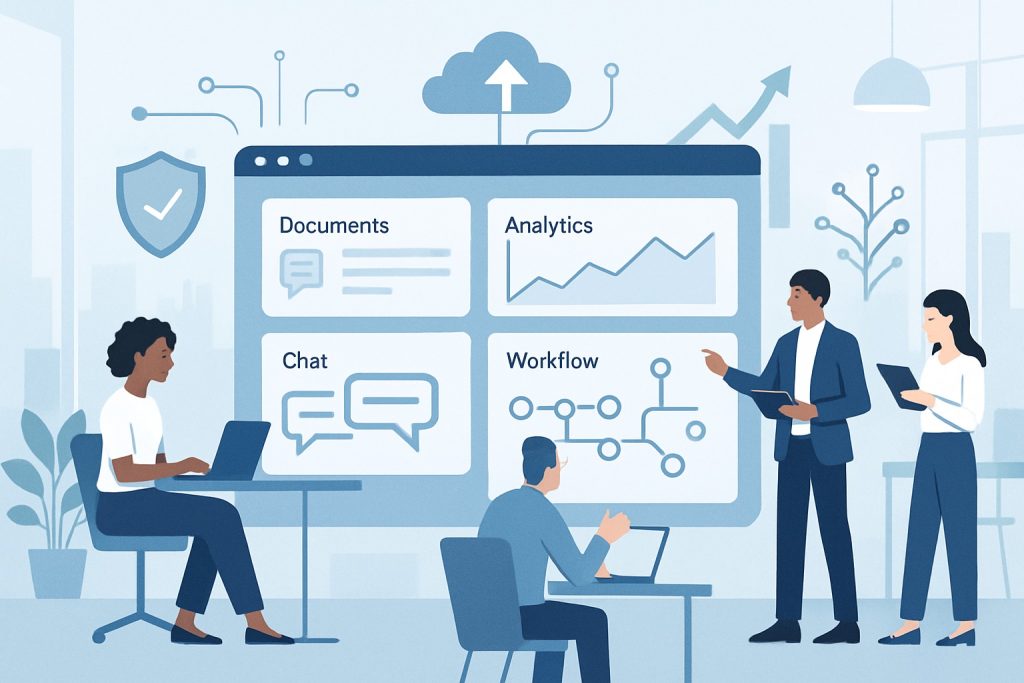
Introduction In today’s fast-evolving business environment, companies face unprecedented challenges and opportunities. As digital transformation accelerates, organizations must adopt tools that not only support their operations but also drive innovation, improve efficiency, and maintain robust security. A custom internet portal is one such tool — a centralized, secure digital platform specifically tailored to your enterprise’s unique needs. Unlike off-the-shelf software, a custom portal aligns perfectly with your workflows, integrations, and strategic goals, thereby empowering your business in critical ways. Why a Custom Internet Portal Matters 1. Tailored to Your Unique Business Processes Every enterprise has idiosyncratic workflows, data management needs, and departmental interactions. A custom portal is designed to support these unique processes seamlessly. It can be built to mirror your business rules, automate repetitive tasks specific to your domain, and integrate smoothly with existing systems such as CRM (Customer Relationship Management), ERP (Enterprise Resource Planning), HRIS (Human Resource Information System), and others. This interoperability minimizes duplication, reduces errors, and streamlines operations. 2. Enhanced Security and Compliance Security is paramount in enterprise environments. Custom portals allow you to implement finely tuned access controls, user authentication methods, and data encryption protocols that meet or exceed industry benchmarks. Moreover, for organizations operating in regulated sectors (healthcare, finance, government), custom portals enable precise compliance management by enforcing role-based permissions, activity logging, and data protection policies tailored to regulatory requirements such as GDPR, HIPAA, or SOX. 3. Significant Boost to Employee Productivity With all crucial resources—files, collaboration tools, workflows, and communication channels—consolidated into a single, intuitive platform, employees spend less time hunting for information and more time executing tasks that add value. The portal simplifies onboarding by providing new hires with easy access to training materials, documentation, and contact points. Workflow automation reduces bottlenecks and accelerates approvals, enabling teams to focus on strategic initiatives instead of administrative overhead. 4. Scalable and Future-Ready Architecture As your business grows or pivots, a custom portal can evolve accordingly. Its flexible architecture supports adding new modules, integrating emerging technologies, and expanding to accommodate new teams or geographic locations without needing a complete overhaul. This scalability protects your technology investments and ensures your digital infrastructure remains aligned with business goals over time. 5. Gaining Competitive Advantage A custom-built portal is more than a functional tool; it’s a strategic asset. It can incorporate unique features and workflows that differentiate your company from competitors, enabling faster decision-making, superior customer service, or enhanced internal collaboration. Additionally, the portal’s design and user experience reflect your brand’s identity and culture, fostering employee engagement and reinforcing your organizational values. How to Build a Custom Internet Portal the Right Way Step 1: Clearly Define Goals and Requirements Begin by involving diverse stakeholders across departments — IT, operations, HR, sales, and even end-users. Collect detailed input regarding the challenges they face, desired features, and measurable business objectives. Document must-haves such as document sharing, real-time notifications, analytics dashboards, system integrations, and mobile accessibility. Clear objectives help avoid scope creep and ensure the portal delivers tangible value. Step 2: Choose the Optimal Technology Stack Assess whether to build your portal from scratch, customize an existing open-source framework, or adapt a commercial product. Your decision should weigh factors such as development cost, speed to market, ability to customize, scalability, security features, and ease of integration with your existing systems. Modern tech stacks often involve cloud computing, microservices architecture, and robust API ecosystems for flexibility and resilience. Step 3: Prioritize User Experience (UX) Design Effective portals are those employees want to use. Engage actual users early and often during the design phase through interviews, surveys, and usability testing. The interface should be clean, intuitive, and customizable according to different roles. User-friendly navigation, responsive design for mobile devices, and quick loading times are vital to adoption and productivity. Step 4: Build Secure and Robust Architecture Security must be integral from day one. Employ role-based access control (RBAC) to restrict user permissions dynamically. Implement multi-factor authentication (MFA), encryption for data at rest and in transit, and rigorous logging and monitoring. Regular software updates and vulnerability assessments safeguard against emerging threats. Step 5: Ensure Seamless Integration with Enterprise Systems Plan comprehensive API and connector strategies to link your portal with key systems like CRM, ERP, HR, email platforms, and third-party applications. Seamless data synchronization avoids duplication, reduces errors, and provides unified insights. Conduct thorough integration testing to ensure smooth data flows and system interoperability. Step 6: Develop a Support and Continuous Improvement Plan A portal is a living system; user needs evolve and technology advances. Establish dedicated support teams tasked with handling user queries, performing maintenance, rolling out updates, and enhancing features. Actively collect user feedback through surveys and monitoring analytics to identify pain points and opportunities for improvement. Common Features of a Custom Enterprise Internet Portal Core Feature Description Document Management Centralized, permission-controlled repository for files Collaboration Tools Chat, forums, shared workspaces to boost teamwork Workflow Automation Streamlined processes with automated approvals Analytics & Reporting Real-time dashboards providing insight and engagement System Integration Connectors linking ERP, CRM, HR systems, and more Custom Dashboards Personalized views and data tailored by user roles Notifications & Alerts Instant updates and real-time communication Final Thoughts A well-crafted custom internet portal is much more than a digital bulletin board. It forms the backbone of efficient operations, secure data management, and dynamic collaboration. By investing the time and resources to build a portal that truly aligns with your business needs and user expectations, you position your organization to work smarter, comply better, and innovate continuously—laying a strong foundation for future success. If you want, I can also help you with related content such as case studies, detailed feature explanations, or technology recommendations! Just let me know.

Mobile App Development, Uncategorized

Cross-Platform App Development in 2025: Flutter vs React Native vs Native Apps

Introduction The way we build mobile apps in 2025 looks very different from just a few years ago. Businesses and developers now have multiple choices: go fully native (Swift for iOS, Kotlin for Android), pick a cross-platform solution like Flutter or React Native, or use hybrid models that combine the best of both worlds. The goal for everyone is the same—faster development, flexible deployment, and an amazing user experience. Mobile App Development in 2025 Cross-platform frameworks have become incredibly powerful, with near-native performance, making them the go-to option for most new apps. Flutter (from Google) and React Native (from Meta) dominate and are used for everything—from small startup projects to enterprise-level apps. Native development still has a strong place, especially when apps require maximum performance or deep integration with a device’s operating system. Flutter vs React Native vs Native – Which One Stands Out? Feature Flutter React Native Native Apps Language Dart JavaScript / TypeScript Swift (iOS), Kotlin (Android) Performance Near-native with custom engine (Impeller) High, improved with Bridgeless & Fabric Best possible, direct OS access UI Design Same UI across platforms, pixel-perfect Feels more “native” on each platform Fully native, best experience per OS Community Growing fast, strong widgets Mature, huge developer base Official SDKs, stable tools Learning Curve Medium (Dart is new for many) Easy for web/React developers High (different skills for each OS) Speed of Development Very fast (hot reload) Fast, large talent pool Slower (two separate apps) Code Reuse Mobile, web, desktop, IoT Mobile & web (via React) Minimal Best For Custom UIs, animations, multi-platform apps Web + mobile synergy, fast MVPs High-performance, unique OS features File Size Slightly bigger Moderate Optimized per platform Enterprise Users BMW, Google Pay, Alibaba Walmart, Instagram, Discord Apple, Google, banking apps Key Trends Shaping 2025 Performance Parity: Cross-platform apps are now as smooth as native ones, with 120Hz animations and powerful engines like Flutter’s Impeller and React Native’s Fabric. Lower Development Costs: Using one codebase for multiple platforms can save up to 40–60% in development and maintenance. Faster Time-to-Market: Hot reload, reusable components, and easier updates mean quicker releases. Flutter in 2025 Flutter uses its own rendering engine, giving developers pixel-perfect control over the UI. It’s excellent for apps that need to look exactly the same across devices or those with rich animations and branded designs. Plus, it supports mobile, web, desktop, and even IoT devices from one codebase—perfect for startups and brands looking to scale fast. React Native in 2025 React Native has evolved massively, removing performance bottlenecks with its new bridgeless architecture. If your team already works with React for web development, React Native feels familiar and allows you to reuse a lot of code. It’s a great choice for projects where speed, flexibility, and existing talent availability are key. Native Development in 2025 Native apps are still unbeatable for performance-heavy use cases like gaming, AR/VR, or banking apps where every millisecond matters. They also provide the deepest integration with OS features. However, building two separate codebases (iOS and Android) means higher costs and more time. When Should You Choose What? Choose Flutter if you need consistent UI across platforms, lots of animations, or want to launch quickly on multiple devices (mobile, desktop, web). Choose React Native if your team already knows JavaScript/React or if you want to reuse components between web and mobile apps. Go Native if performance, deep device integration, or security is your top priority and you have the budget and time for separate codebases. Other 2025 Factors to Consider AI in Development: Code suggestions, auto-layouts, and AI testing tools are now common across frameworks, improving productivity. Accessibility & Inclusivity: Meeting global accessibility standards (like ADA and WCAG 2.1) is now essential. 5G & Edge Computing: Faster internet speeds allow more advanced features, sometimes making native apps more appealing for demanding real-time use cases. Conclusion Flutter and React Native have matured to the point where they’re now the first choice for most businesses. They deliver top-notch performance and help cut costs and development time. But native apps still win when every millisecond and device-specific feature counts. In 2025, the choice isn’t about which technology is “best”—it’s about which one fits your project goals, team expertise, and performance requirements. The good news? All three approaches are more capable than ever, making it the best time to create high-quality apps for any audience.

Frontend Developer

The Future of Frontend Development: Why Micro-Frameworks Are Overtaking Giants in 2025

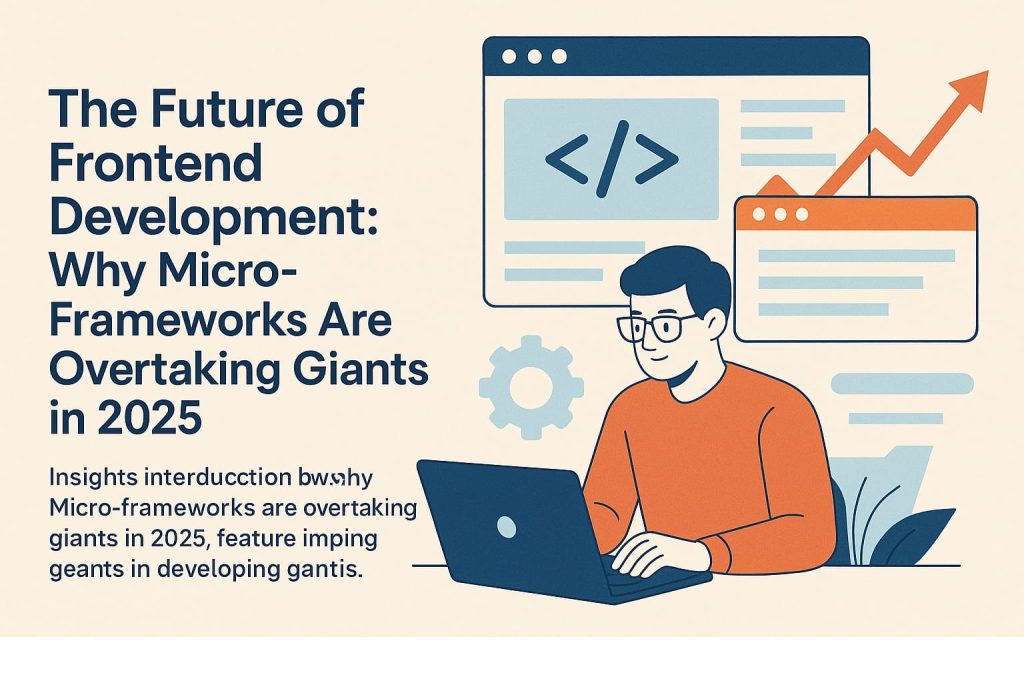
Introduction As 2025 unfolds, the frontend development landscape is witnessing a major transformation. Traditional “giants” like React, Angular, and Vue still have their place, but micro-frameworks and micro-frontend architectures are rapidly rising, reshaping how web applications are built, maintained, and scaled. What Are Micro-Frameworks and Micro-Frontends? Micro-frameworks are minimal, lightweight frameworks focused on doing one thing well—with a small footprint, quick load times, and less complexity. They often forgo features found in larger frameworks in favor of speed, flexibility, and ease of integration. Micro-frontends extend the idea, breaking applications into small, independently deployed frontend modules that can use different libraries or frameworks, much like microservices in backend development. Why Are Micro-Frameworks Gaining Ground in 2025? 1. Modularization and Scalability Independent Deployments: Teams can work on, test, and deploy different parts of a web app without coordinating massive releases. Scalable Collaboration: Multiple teams can use their preferred tech stacks, increasing agility and developer happiness. 2. Performance and Efficiency Faster Load Times: Smaller bundles mean quicker first-paint and faster interactions for users. Less JavaScript Shipped: Sending minimal code to browsers helps applications meet performance benchmarks, especially on mobile networks. 3. Flexibility and Freedom Framework Agnosticism: Micro-frameworks allow mixing and matching of technologies—use Svelte for one module, React for another, even within the same app. Tech Diversity: Legacy projects can evolve one piece at a time instead of a costly, risky rewrite. 4. Maintainability and Upgrades Easier Refactoring: Updating or replacing a single micro-frontend is easier and less risky than updating an entire monolithic codebase. Clear Ownership: Smaller teams can own and maintain their piece, fostering better accountability and code quality. 5. Tooling and Innovation Modern Build Tools: Innovations like Webpack 5’s Module Federation, Single-SPA, Bit, and Qiankun make composing, testing, and updating micro-frontends easier than ever. Edge Computing Integration: Micro-frontends can be deployed closer to users, reducing latency and enhancing real-time experiences. Leading Micro-Frameworks and Tools in 2025 Micro-Framework / Tool Key Strengths Module Federation (Webpack 5+) Dynamically loads shared code, enables true independence Single-SPA Orchestrates multiple frameworks on one page Bit Encourages component-driven development and sharing Qiankun Powerful sandboxing and lifecycle for complex UIs When and Why to Choose Micro-Frameworks Complex, Large-Scale Applications: When your team is big or features must be delivered by independent groups. Frequent Updates Needed: When fast iterations and changes are critical. Desire for Tech Flexibility: Projects that want to mix tools or migrate away from legacy frameworks gradually. Business Need to Reduce Time-to-Market: Micro-frameworks facilitate rapid feature delivery and smaller, confident releases. Challenges to Consider UX Consistency: Maintaining a unified look and feel can be tough when different teams use different frameworks—shared design systems are essential. Communication Between Apps: Well-defined event buses and shared state libraries are needed for smooth data flow. DevOps Overhead: More moving pieces mean more sophisticated deployment pipelines and monitoring. The Road Ahead Micro-frameworks and micro-frontends represent a paradigm shift, turning web apps into customizable platforms that can grow, evolve, and modernize rapidly. They’re not replacing the “giants” outright, but their agility and performance are proving irresistible for companies that demand speed and innovation—and their adoption is set to accelerate well beyond 2025. If you want to future-proof your frontend skills, now is the time to explore micro-frameworks and modular frontend architectures. The age of the giant may not be over, but the era of the micro is just hitting its stride.

Automobile

Electric Vehicles 2025: Innovations Driving the Future of Green Mobility

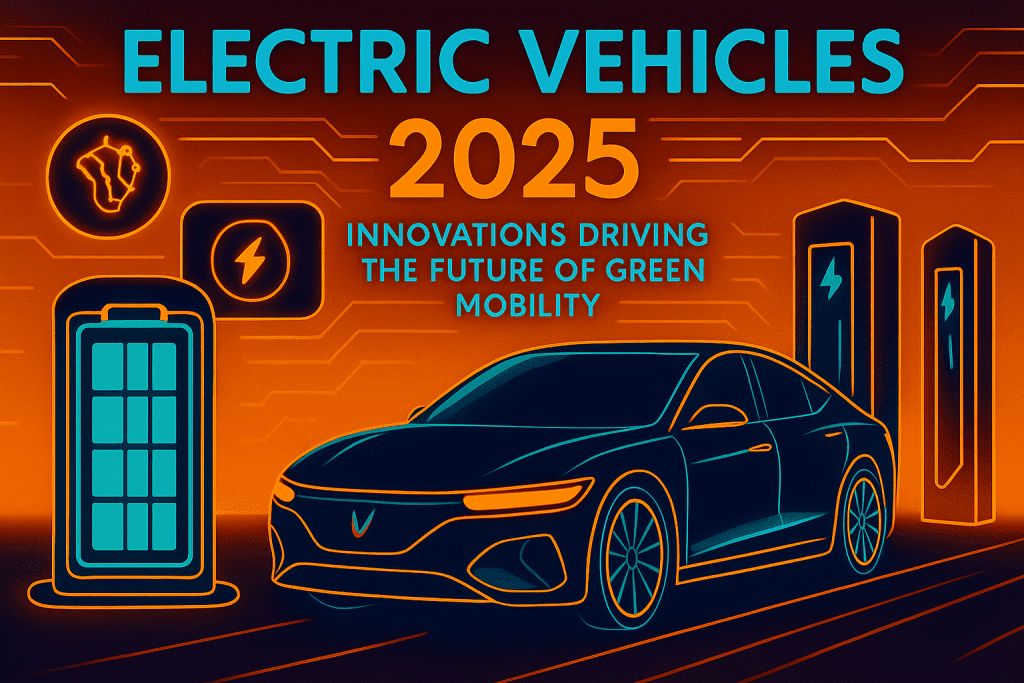
Introduction Electric vehicles (EVs) are steering a transformative journey in 2025, accelerating the global transition toward cleaner and smarter transportation. From advanced battery technologies to intelligent charging solutions, today’s EVs are not just reducing pollution—they’re reshaping urban landscapes, consumer habits, and even the electric grid itself. Here’s how innovation is propelling green mobility into the future. Major Innovations in Electric Vehicles 1. Breakthroughs in Battery Technology Solid-State Batteries: These offer significantly faster charging, enhanced safety, and increased lifespan compared to traditional lithium-ion batteries, enabling EVs to achieve ranges over 400miles on a single charge. Affordable, High-Capacity Packs: Advances and mass production have reduced costs, making EVs more accessible to everyday drivers. 2. Rapid and Smart Charging Solutions Ultra-Fast DC Charging: Next-gen stations enable 20–80% charging in under 15minutes, making long-distance travel practical. Wireless Charging: Inductive pads and road-embedded tech allow for cable-free, seamless charging in parking lots or even while driving. AI-Powered Charging Management: Algorithms optimize charging based on electricity rates, grid demand, and user routines, lowering both financial and environmental costs. Solar-Powered Hubs: Charging stations now integrate solar and battery storage, ensuring green energy powers green vehicles. 3. Vehicle-to-Grid (V2G) Integration EVs are now contributors—not just consumers—in the electric grid. V2G-enabled cars send surplus energy back to support the grid during peak times or act as emergency power sources at home. 4. Smarter, More Connected Vehicles Semi-Autonomous Driving: EVs come standard with advanced driver-assistance systems for highway cruising, smart parking, and real-time hazard detection. Digital Ecosystems: Vehicles receive over-the-air software updates, integrate with apps for seamless route planning, and connect to smart city infrastructure for optimized traffic flow. 5. Diversity Across the EV Spectrum More Choices for Every Driver: From affordable city hatchbacks to luxury SUVs and expanding fleets of electric two- and three-wheelers, the EV market in 2025 is more inclusive than ever. Commercial and Public Transport: Electric buses, delivery vans, and ride-sharing fleets are transforming urban mobility with zero tailpipe emissions. The EV Ecosystem: At a Glance Innovation Impact/Examples Solid-State Batteries Longer range, safer, faster charging Ultra-Fast/Wireless Charging 10–15minute DC fast charging; cable-free parking solutions Vehicle-to-Grid (V2G) Grid support, home backup power, energy cost savings AI-Assisted Driving Safer semi-autonomous features and smart navigation Modular Battery Swapping Two-minute swaps for commercial fleets and urban users Solar Charging Hubs Zero-emission energy for zero-emission vehicles Beyond Cars: Expanding Green Mobility Electric Two- and Three-Wheelers: Scooters, motorcycles, and rickshaws are electrifying city streets, cutting both air and noise pollution. Alternative Fuels: Hydrogen and biofuel-powered EVs are emerging for trucks, buses, and agricultural vehicles, expanding the reach of clean transport. Autonomous Shuttles and Shared Mobility: Cities are piloting EV-based public transport and micro-mobility solutions, reducing congestion and making mobility more accessible. Opportunities & Challenges Opportunities Cleaner Air and Quieter Cities: Lower emissions and noise improve urban quality of life. Energy Resilience: V2G and smart charging support grid stability and the shift to renewable energy. Broader Access: Falling battery prices and diverse models make EVs viable for more people. Challenges Charging Infrastructure: Expanding stations to rural and remote areas, and standardizing hardware and payment systems. Supply Chain Strains: Raw material shortages and global logistics remain concerns. Regulatory Harmonization: Coordinated policies are required for incentives, safety, and infrastructure. The Road Ahead In 2025, EVs are no longer just a forward-thinking concept—they are a mainstream reality, driving us toward a sustainable, interconnected future. With battery breakthroughs, smarter grids, innovative charging, and vehicles for every lifestyle, green mobility is transforming how the world moves. As these trends accelerate, the journey to a cleaner, smarter planet is not far off—it’s happening right now.

Technology

The Future of Cybersecurity in the Age of AI

Introduction Artificial Intelligence (AI) is changing cybersecurity faster than ever before. It’s helping us create powerful tools to protect our digital world, but at the same time, it’s also giving cybercriminals smarter ways to attack. This is the new reality—AI can be our strongest defense and also one of our biggest threats. The Rise of AI-Powered Cyber Threats Smarter Malware: Hackers now use AI to create malware that can change itself, hide from security tools, and find weaknesses on its own. Deepfake Attacks: AI can create fake videos, photos, and voices that look and sound real, which are then used for scams, spreading fake news, or stealing someone’s identity. Advanced Phishing Scams: AI can write personalized scam emails and messages that look so real, it’s hard to tell they’re fake. Automated Attacks: Cybercriminals now use multiple AI programs working together to target, hack, and steal data quickly and with little human effort. How AI Helps in Cybersecurity Detecting Threats Faster Spotting Unusual Activity: AI monitors network traffic and user behavior to catch anything suspicious that humans might miss. Predicting Future Threats: Machine learning can guess what type of cyberattacks might come next, so we can prepare in advance. Quick Incident Response: When an attack happens, AI can immediately react, block it, and reduce damage. Smarter Security Systems Continuous Authentication: AI checks your typing pattern, how you use your phone, and even your movement to make sure it’s really you and not a hacker. Catching Insider Threats: It can also detect employees or hacked accounts behaving strangely before real damage happens. Managing Security at Large Scale Cloud and Smart Devices Security: AI protects big cloud systems and Internet of Things (IoT) devices that humans can’t manually monitor all the time. Fixing Vulnerabilities: It constantly looks for weaknesses in apps, websites, and systems and helps fix them before hackers take advantage. Challenges with AI in Cybersecurity AI vs AI: Hackers are also using AI, which has created a constant battle between good AI and bad AI. Tricking AI: Hackers can confuse AI systems or feed them wrong information to reduce their effectiveness. Too Many Alerts: Sometimes AI gives too many warnings or misses real threats, making life tough for security teams. Lack of Skills & Ethics: Using AI in cybersecurity requires trained people and strong rules to make sure it’s used responsibly and fairly. The Future of AI in Cybersecurity More advanced attacks → Hackers will create smarter and harder-to-detect malware. Faster detection and response → AI will make cyber defense quick and efficient. Better insider protection → Behavioral AI will help catch account misuse. 24/7 AI security → Automated AI systems will defend round the clock. Predictive security → Instead of reacting, cybersecurity will start preventing attacks before they happen. Cloud and IoT security → AI will handle huge connected networks easily. AI-driven threat intelligence → Security teams will get better, faster insights to stop threats. How to Prepare for AI-Driven Cybersecurity Use AI tools: Invest in AI-based security systems for detection and automated response. Keep learning: Continuously train both your AI tools and your human teams to stay ahead. Work together: Combine human expertise with AI for the best defense. Follow cyber hygiene: Keep your software updated, patch systems regularly, and follow good security habits. Use AI ethically: Ensure fairness, transparency, and privacy when using AI for security. Conclusion AI is already changing the way we protect our digital world. It’s not here to replace cybersecurity professionals but to make them faster and smarter. The future belongs to security teams where humans and AI work together to stay ahead of evolving threats. The question is: Are you ready for the future of cybersecurity in the age of AI?

How would you like me to respond?

Select a personality for your AI assistant

Normal
Happy
Sad
Angry

Your selection will affect how the AI assistant responds to your messages

Chat Assistant

Let's discuss your project!

Hear from our clients and why 3000+ businesses trust TechOTD

Tell us what you need, and we'll get back with a cost and timeline estimate

Scroll to Top