
Cloud Automation

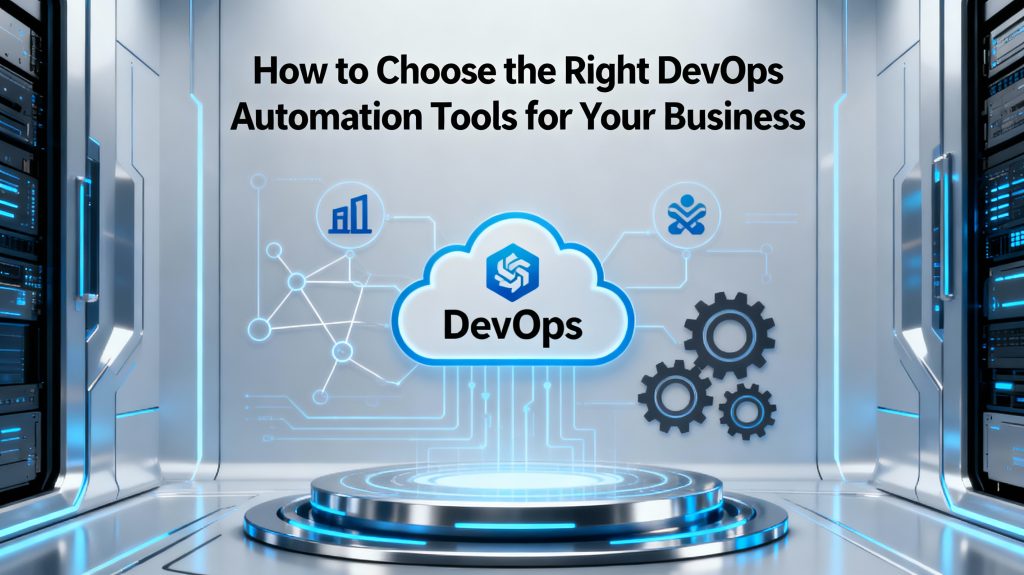
Futuristic business-themed illustration showing interconnected DevOps icons, cloud symbols, and automation gears around a central laptop dashboard, with the title text 'How to Choose the Right DevOps Automation Tools for Your Business' displayed prominently on a clean, dark-blue 16:9 background
DEVOPs

Choosing the Right DevOps Tools

Introduction Selecting the right DevOps automation tools can make or break your organization’s digital transformation journey. With the proliferation of options, each designed for specific use cases—ranging from cloud management to deployment pipelines and monitoring—choosing tools that align with your business size, infrastructure, and goals is crucial. The right choices help businesses accelerate delivery, drive efficiency, and scale operations without losing reliability or security. Below is a practical guide to identifying, evaluating, and implementing the best-fit DevOps automation tools for your company.​ Top 10 Graphic Design Tools Every Designer Should Master in 2025 Key Considerations When Choosing DevOps Automation Tools Define your business goals and DevOps maturity level. Assess the current tech stack: Identify cloud providers, operating systems, and existing DevOps practices. List the core areas to automate (e.g., CI/CD, infrastructure, monitoring, configuration management). Evaluate integration requirements: Prefer tools that work seamlessly with your other platforms and workflows. Prioritize scalability: Opt for solutions that grow with your team and adapt to multi-cloud or hybrid environments. Check ease of use and learning curve to shorten onboarding for new team members. Consider total cost of ownership: Factor in licensing, support, customization, and training. Analyze vendor support, community backing, and regular updates for long-term dependability.​ Benefits and Examples of Essential DevOps Automation Tools DevOps automation tools streamline every stage of software delivery, offering benefits such as: Faster time to market and frequent, reliable deployments. Reduced errors and increased consistency through automation. Greater team collaboration via real-time feedback and centralized dashboards. Scalability across cloud and hybrid infrastructures, supporting rapid business growth. Lower operational costs and simplified resource management. Common tool categories and top options include: CI/CD Automation: Jenkins, GitHub Actions, CircleCI, GitLab CI/CD. Infrastructure as Code: Terraform, Ansible, AWS CloudFormation, Pulumi. Monitoring and Alerting: Prometheus, Grafana, Datadog, Dynatrace. Containerization & Orchestration: Docker, Kubernetes, Portainer. Collaboration & Visibility: Slack, Jira, Confluence, Bamboo.​ Conclusion Choosing the right DevOps automation tools is about more than simply following trends—it requires a thoughtful alignment between your business needs, technical environment, budget, and long-term strategy. Prioritize tools that promote automation, collaboration, and flexibility to maximize efficiency and keep your organization agile in the face of rapid change. Start by auditing your current workflows and invest in scalable, well-supported solutions that future-proof your DevOps pipeline.​ Ready to elevate your DevOps practice? Review your goals, map your tool requirements, and start your automation journey today!   FAQ Q1: What is the first step in choosing a DevOps automation tool? A1: Begin by defining your business objectives and understanding your team’s current capabilities and processes.​ Q2: Why is integration important in DevOps tool selection? A2: Integration minimizes context-switching and workflow disruptions, resulting in smoother and more efficient operations.​ Q3: Are open-source tools better than commercial ones? A3: It depends on your support needs, budget, and control preferences—open-source tools offer flexibility, while commercial tools may provide stronger support and easier adoption.​ Q4: How do DevOps automation tools reduce operational costs? A4: By automating repetitive tasks and optimizing resource use, these tools help organizations save time and minimize manual errors.​ Q5: What features are essential in a DevOps automation tool? A5: Look for scalability, integration options, security, ease of use, automation capabilities, and strong community or vendor support
Cloud

Navigating the Cloud Cost Landscape: Strategies for Efficient Spending

Introduction Cloud computing has become indispensable for businesses seeking scalability, agility, and innovation. However, while the cloud offers immense benefits, managing its costs effectively remains a significant challenge. Without a clear strategy, cloud expenses can quickly spiral out of control, leading to wasted resources and budget overruns. This blog explores the cloud cost landscape, common pitfalls, and practical strategies for businesses to optimize cloud spending without compromising performance or security. Leveraging smart management techniques and emerging AI-driven tools, organizations can make their cloud investments more efficient and aligned with business goals. Understanding the Cloud Cost Landscape Cloud costs vary widely depending on service models (IaaS, PaaS, SaaS), providers (AWS, Azure, Google Cloud), workloads, and usage patterns. Key areas influencing costs include: Compute Resources: Virtual machines, containers, serverless functions Storage: Block storage, object storage, backup solutions Data Transfer: Network egress and ingress charges Managed Services: Databases, AI/ML services, analytics platforms Support and Licensing: Premium support, third-party licenses Many organizations experience “cloud sprawl,” where unused or underutilized resources add unnecessary costs. Strategies for Efficient Cloud Spending 1. Adopt Cloud Cost Visibility and Monitoring Tools Real-time cost monitoring platforms and dashboards provide transparency across teams and projects. Tools like AWS Cost Explorer, Azure Cost Management, or third-party solutions enable cost attribution and anomaly detection. 2. Rightsize Resources Match service levels to actual workload demands. Continuously analyze compute and storage usage to downsize oversized instances or consolidate underused resources. 3. Leverage Reserved and Spot Instances For predictable workloads, reserved instances offer significant discounts over on-demand pricing. Spot instances provide cheaper compute capacity for flexible, fault-tolerant tasks. 4. Automate Resource Scheduling Use automation to shut down non-production resources during off-hours, reducing idle time charges. 5. Optimize Storage Costs Implement lifecycle policies to transition data to cheaper tiers (e.g., archive storage). Delete unused snapshots and backups. 6. Implement Governance and Budget Controls Define cloud spending budgets, policies, and approval workflows to prevent uncontrolled provisioning. Utilize tagging for cost allocation and accountability. 7. Utilize Multi-Cloud or Hybrid Strategies Wisely Choosing cost-effective services across providers can optimize spending but requires careful management to avoid complexity overhead. 8. Incorporate AI and Predictive Analytics Leverage AI-powered cloud management tools for forecasting, anomaly detection, and automated optimization (see AI-driven solutions). Benefits of Efficient Cloud Cost Management Significant cost savings and better budget predictability Improved operational efficiency and resource utilization Greater agility to innovate without financial constraints Enhanced security and compliance through structured resource governance Conclusion Navigating the complex cloud cost landscape requires proactive management, cross-functional collaboration, and smart technology adoption. Businesses embracing cost transparency, automation, and AI-driven insights are better positioned to maximize the value of their cloud investments while controlling expenses. For organizations seeking tailored cloud cost strategies, AI-driven optimization, and ongoing consultation, TechOTD AI Services offers expert guidance. Stay ahead with the latest tech insights on the TechOTD Blog.

Scroll to Top