May 2026

Artificial Intelligence, Cloud Computing and Technology, Software development

When is the Best Time to Source On-Demand Developers? A Strategic 2026 Guide

Introduction: The New Pulse of Tech Talent The tech landscape of 2026 isn’t just fast—it’s fluid. Gone are the days when a company’s worth was measured solely by the size of its permanent headcount. Today, the most resilient businesses are those that master the “accordion effect”: the ability to expand and contract their technical teams with surgical precision. As we navigate an era defined by AI-augmented development and hyper-specialization, the question isn’t just if you should hire, but when. Sourcing on-demand developers at the wrong time leads to technical debt; doing it at the right time leads to market dominance. This guide dives deep into the “when,” the “why,” and the “how” of modern on-demand talent. 1. When Your Product Roadmap Hits a “Specialization Wall” In 2026, the “Generalist Developer” is a rare breed. With the explosion of niche technologies like WebAssembly (Wasm), Edge Computing, and LLM Fine-tuning, your in-house team may be brilliant at your core product but ill-equipped for a specific feature. The Signal You need a specific module—perhaps a blockchain-based payment gateway or a real-time AR filter—that requires 10 years of experience your team doesn’t have. The Humanized Approach Don’t force your senior Java dev to “figure out” Rust over the weekend. It burns them out and creates buggy code. Instead, bring in an on-demand specialist for a 3-month sprint. You get expert-level architecture, and your team gets a masterclass in a new tech stack without the pressure of leading it. 2. During the “MVP to Scale” Transition Startups often fail not because their idea is bad, but because their infrastructure can’t handle the sudden influx of users. The Signal Your MVP is live, the feedback is glowing, and your server logs are starting to scream. You need to transition from “it works” to “it’s bulletproof.” Why On-Demand? Scaling requires a different mindset than building. You need DevOps engineers, database optimizers, and security auditors. Hiring these as full-time employees during the early growth phase can eat your runway. On-demand talent allows you to “rent” the heavy hitters needed to stabilize your platform before you revert to a leaner maintenance team. 3. The “AI Integration” Pivot As of 2026, every software company is effectively an AI company. If you aren’t integrating agentic workflows or predictive analytics into your SaaS, you’re falling behind. The Signal Your competitors just launched a generative AI feature, and your board is asking for a response by next quarter. The Strategy Finding an “AI-Native” developer for a permanent role is expensive and time-consuming. On-demand platforms allow you to source Prompt Engineers and System Architects who can build your AI layer in weeks. This allows you to stay competitive without waiting for a 6-month recruitment cycle. 4. Seasonal Surges and “Burst” Capacity Retail has Black Friday; Tax software has April. Almost every industry has a “busy season.” The Signal Projected traffic or feature requests are 3x your current capacity for a limited window. The Benefit On-demand apps and services thrive on this flexibility. By hiring developers on a contract basis, you avoid the “emotional overhead” of hiring people you know you’ll have to let go in four months. It’s a transparent, professional transaction that protects your company culture. 5. Bridging the Gap During Full-Time Recruitment The average time to hire a high-quality senior engineer in 2026 still hovers around 45–60 days. In tech years, that’s an eternity. The Signal A key developer just left, or you’ve just secured Series B funding and need to grow, but the “perfect” candidates are still in the interview funnel. The Solution: “Try Before You Buy” Many companies now use on-demand contracts as a long-term trial period. It allows you to see how a developer handles real-world pressure and integrates with your Slack culture before committing to a six-figure salary and equity package. 6. Managing Technical Debt and Legacy Audits Every successful product eventually accumulates “cruft”—old code that slows down new features. The Signal Your team spends 60% of their time fixing bugs rather than building new features. The Execution Internal teams often hate “cleanup” duty; they want to build the future. On-demand developers can be hired specifically for a Legacy Refactor Sprint. Because they aren’t bogged down by the history of “why” the code was written that way, they can often be more objective in streamlining it. Comparison: On-Demand vs. Full-Time (2026 Edition) Feature On-Demand Developers Full-Time Employees Hiring Speed 3–7 Days 2–3 Months Specialization Hyper-niche (e.g., ZTNA, Wasm) Broad / Core Product Knowledge Cost High hourly, Zero benefits/equity Salary + Benefits + Equity (ESOP) Scalability Instant (Accordion Model) Slow & Rigid Culture Result-oriented, Professional Deeply integrated, Value-driven Best Practices for Sourcing in 2026 Define Outcomes, Not Hours: Don’t hire for “40 hours a week.” Hire for “A fully documented, tested API integration.” Vet for Asynchronous Communication: In a remote-first world, a developer who can’t write a clear technical brief is a liability, no matter how good their code is. Check for “AI-Fluency”: Ensure they use tools like GitHub Copilot or Cursor not just to write code faster, but to orchestrate better systems. Security First: Ensure your on-demand partner adheres to modern standards like Zero Trust. Conclusion: The Strategic Advantage of Agility Sourcing on-demand developers is no longer a “last resort” for desperate managers; it is a sophisticated strategy for growth-minded leaders. By identifying the right “When”—whether it’s a specialized wall, an AI pivot, or a scaling crisis—you transform your tech team from a fixed cost into a dynamic engine of innovation. In the 2026 economy, the winner isn’t the one with the most desks filled; it’s the one who can summon the right expertise at the exact moment the market demands it. I Have an Idea for an App, But I Don’t Know Where to Start: The 2026 Founder’s Roadmap

App Development, startup, Technology, Technology & Innovation

I Have an Idea for an App, But I Don’t Know Where to Start: The 2026 Founder’s Roadmap
Introduction The “Million-Dollar” Dilemma We’ve all been there. You’re standing in line at a coffee shop, or perhaps you’re stuck in traffic, and suddenly—it hits you. A solution to a problem you’ve faced a dozen times. You think, “There should be an app for this.” By the time you get home, the excitement is bubbling over. But then, the reality of the “Blank Canvas” sets in. You aren’t a coder. You don’t have a million dollars in VC funding. You don’t even know if someone else has already built it. The gap between a great idea and a great app is where most dreams go to die. But in 2026, the barriers to entry have never been lower. You don’t need to be a technical genius to start; you just need a repeatable process. Here is how you bridge that gap. 1. Phase One: The Cold Hard Truth (Validation) Before you spend a single rupee or hour on development, you must prove that your idea solves a problem people are willing to pay for. The “Mom Test”: Don’t ask your friends if your idea is good—they’ll lie to be nice. Ask them about their problems. If they’ve already tried to solve the problem with a clunky workaround, you have a winner. Competitive Analysis: If there are other apps in the space, that’s actually good news. It proves there is a market. Your job is to find the “Gap.” Read the one-star reviews of your competitors. What are users complaining about? That complaint is your first feature. The Landing Page Test: Create a simple one-page website describing the app with a “Join the Waitlist” button. If you can get 100 strangers to give you their email address, you have validated demand. 2. Phase Two: Blueprinting the Experience (UX & Wireframing) An app isn’t a collection of code; it’s a collection of screens. You need to map out the journey. User Personas: Who is “Sarah”? Why is she opening your app at 8:00 PM? Is she stressed? Bored? In a rush? Defining the user’s emotional state dictates the design. Low-Fidelity Wireframes: Grab a piece of paper. Draw a rectangle. That’s your phone screen. Now, draw where the buttons go. Do this for the login, the home screen, and the primary action screen. The Power of No-Code Prototyping: In 2026, tools like Figma or even AI-assisted design prompts allow you to create a “clickable” version of your app without writing code. This allows you to feel the flow before building it. 3. Phase Three: The MVP (Minimum Viable Product) The biggest mistake new founders make is trying to build the “Final Version” first. You don’t need a social network with 50 features. You need one feature that works perfectly. The “Must-Have” vs. “Nice-to-Have”: If your app is a food delivery service, the “Must-Have” is ordering food. The “Nice-to-Have” is a dark mode or a loyalty points system. Cut everything that isn’t a “Must-Have.” Choosing Your Stack: In 2026, you have three main paths: Native Development: Best for high performance (iOS/Android). Cross-Platform (Flutter/React Native): One codebase for both stores. No-Code (Bubble/FlutterFlow): Best for rapid testing and non-technical founders. 4. Phase Four: Finding Your “Builders” Unless you are a developer, you will eventually need help. You have three options: The Technical Co-Founder: Someone who believes in the vision and works for equity. Hard to find, but best for long-term growth. Freelancers: Great for specific tasks, but requires you to act as the Project Manager. Development Agencies: The most expensive option, but provides a full team (Designer, Developer, QA) to ensure a professional launch. 5. Phase Five: The Launch and the Pivot Launch day is not the finish line; it’s the starting gun. Once your app is in the App Store, your real job begins: Listening. Analytics: Use tools to see where users are getting stuck. If 50% of people drop off at the “Sign Up” page, your sign-up process is too long. Feedback Loops: Talk to your first 100 users. Ask them what they hate. Be prepared to “Pivot”—changing a core feature based on how people actually use the app, not how you thought they would use it. Conclusion: The First Step is the Hardest The world doesn’t need another “good idea.” It needs people who are brave enough to execute them. Starting an app in 2026 isn’t about having the most features; it’s about having the most empathy for your user’s problems. Don’t wait for the “perfect time” or the “perfect developer.” Start with a piece of paper and a conversation. Every giant tech company you use today started exactly where you are right now: with a single idea and a lot of questions. Navigating the 7 Hidden Limitations of AI Programming

Artificial Intelligence, cybersecurity, Software development

Navigating the 7 Hidden Limitations of AI Programming

The “Almost Right” Trap: Navigating the 7 Hidden Limitations of AI Programming The Great Illusion of 2026 In 2026, we find ourselves in a strange paradox. According to recent reports, nearly 84% of developers are using AI tools daily, yet trust in those tools has dropped to just 29%. Why? Because we have moved past the honeymoon phase. We no longer marvel that the “machine can code”; we are now dealing with the consequences of how it codes. The biggest frustration in the modern dev cycle isn’t that AI fails—it’s that it produces code that is “almost right.” It looks perfect, passes initial syntax checks, and even runs—but it hides subtle logic flaws and security holes that can haunt a codebase for years. To stay ahead, we must understand the fundamental walls that AI—even the most advanced versions—cannot yet climb. 1. The Logical Void: Syntax vs. Intent The most persistent limitation of AI is its inability to understand “Why.” AI models are masters of pattern matching (Syntax), but they are functionally blind to business logic (Intent). The Problem: An AI can write a perfect sort() function, but it doesn’t know that for your specific healthcare app, the sorting must prioritize patient urgency over arrival time based on a complex set of non-standard regulatory rules. The Result: It produces “syntactically correct garbage”—code that works perfectly according to the laws of Python but fails the laws of your business. 2. The Security “Silent Failure” This is perhaps the most dangerous limitation. Analysis from 2026 indicates that while AI’s ability to write functional code has hit 95% accuracy, its security pass rate has remained stagnant. The Gap: AI often suggests the most common way to do something, which is frequently the least secure way. It might suggest a standard SQL query that is vulnerable to injection or an outdated cryptographic library simply because it was prevalent in its training data. The Danger: Because the code “looks” professional, developers often skip the deep security audits they would perform on their own work. In 2025 alone, AI-generated code added over 10,000 new security findings per month across major corporate repositories. 3. Compounding Technical Debt We used to think AI would help us pay off technical debt. Instead, it’s creating a new breed: GIST Debt (Generated Insecure/Subtle/Transient Debt). Velocity vs. Quality: AI allows developers to ship code 55% faster. However, this high velocity means architectural drift happens at light speed. If the AI misses a standard pattern in the first five files, it will replicate that mistake across the next fifty. The Review Bottleneck: Human reviewers are now drowning in a sea of AI-generated Pull Requests. When a human has to review 1,000 lines of AI code that “looks” right, they are statistically more likely to miss subtle bugs than when reviewing 100 lines of human-written code. 4. The Context Window Collapse Even with massive context windows in 2026, AI still suffers from “Reasoning Degradation” as projects scale. The “Middle-of-the-File” Problem: AI is great at small scripts. But when you ask it to integrate a new feature into a 1-million-line legacy codebase, it loses the “thread.” It forgets the specific architectural constraints of your custom middleware or the naming conventions established five years ago. Systemic Blindness: It treats every file as an isolated island, often missing the “ripple effects” that a change in one module will have on a seemingly unrelated service. 5. The Data Poisoning & Bias Loop AI is a mirror. If it’s trained on a decade of “bad” code from public repositories, it will reflect those bad habits back to you. Reinforcing Bad Patterns: If 60% of the code on the web uses inefficient loops, the AI will suggest those same loops. This creates a “hall of mirrors” where AI is trained on AI-generated code, leading to a degradation of original, creative problem-solving. Ethical Bias: From gendered variable naming to biased algorithms in hiring software, AI-generated code can inadvertently bake societal prejudices into the very foundation of your application. 6. The Legal and Intellectual Property Gray Zone In 2026, the question of “Who owns the code?” is still a legal minefield. Copyright Infringement: AI can inadvertently suggest code snippets that are near-verbatim copies of licensed software. For enterprises, this creates a massive risk of IP litigation. Attribution Failure: Unlike a human who can say, “I adapted this from a StackOverflow post,” an AI provides no bibliography. You are essentially running “anonymous” code in your production environment. 7. The “Black Box” Problem When a human developer makes a mistake, you can ask them why they made that choice. You can trace their logic. With AI, you get an output without an explanation. Lack of Traceability: If an autonomous agent refactors a database schema and it causes a crash three weeks later, there is no “mental model” to audit. You have to reverse-engineer the AI’s logic, which often takes longer than if you had just written the code yourself. Conclusion: The Rise of the “Human Orchestrator” As we look toward the rest of 2026, it’s clear that AI is not a replacement for the programmer—it is a force multiplier that requires a master mechanic. The future of software development isn’t about who can type the fastest; it’s about who can orchestrate the best. We must move from being “coders” to being “Reviewers, Architects, and Ethics Officers.” The most valuable developers today are those who know exactly where the AI is likely to trip and have the foresight to build the guardrails before the first line of code is even generated. AI can give us the bricks, but humans must still provide the blueprint.

Artificial Intelligence, Data Analytics, data science, Digital Transformation, Gaming, Graphic Designing

What is Agentforce? Unveiling Salesforce’s Game-Changing AI Platform

What is Agentforce? Unveiling Salesforce’s Game-Changing AI Platform The End of the “Copilot” Era For the last two years, the tech world has been obsessed with “assistants.” We’ve all used them: the little chat bubbles that help us summarize a long email or draft a polite rejection note. But in 2026, the novelty of the assistant is wearing off. Business leaders are no longer asking for a tool that tells them what to do; they are demanding a platform that simply does it. Salesforce’s answer to this demand is Agentforce. If the previous generation of AI (Einstein Copilot) was a co-pilot sitting in the passenger seat giving directions, Agentforce is the autonomous vehicle that drives the route itself. It represents a fundamental shift from “Predictive AI” and “Generative AI” to “Agentic AI.” This platform allows organizations to build, customize, and deploy autonomous agents that handle tasks end-to-end, across every department from Sales and Service to Marketing and Commerce. 1. The Secret Sauce: The Atlas Reasoning Engine The most frequent question technical teams ask is: “How does it actually make decisions?” The answer lies in the Atlas Reasoning Engine. Unlike standard LLMs that simply predict the next word in a sentence, Atlas is designed to reason through complex business logic. It operates on a continuous loop of: Evaluation: Analyzing the user’s intent and the current state of the CRM data. Refinement: Breaking down a vague request (e.g., “Fix this shipping delay”) into granular steps. Execution: Selecting the right “tools”—whether that’s a Salesforce Flow, an Apex class, or a MuleSoft API call—to resolve the issue. This reasoning engine ensures the agent doesn’t just “hallucinate” a solution; it follows the strict business processes already defined in your Salesforce environment. 2. Data Cloud: The Nervous System of the Agent An agent is only as smart as the data it can access. This is why Agentforce is inextricably linked to Salesforce Data Cloud. In many organizations, customer data is “trapped” in silos—emails, PDFs, legacy databases, and call transcripts. Data Cloud acts as the nervous system, harmonizing this unstructured data and feeding it to the agent in real-time. This allows an Agentforce service agent to know that a customer just complained on Twitter, opened a high-priority ticket ten minutes ago, and has a contract expiring next month—all before the conversation even begins. 3. Building Without Code: The Agent Builder Salesforce has always championed the “low-code” revolution, and Agentforce continues that legacy. Through the Agent Builder, admins can create a digital worker as easily as they would create a custom object. The builder focuses on four key pillars: Role: Defining exactly what the agent does (e.g., “Tier 1 Support Concierge”). Knowledge: Pointing the agent to the right documentation and data sources. Actions: Giving the agent “hands” to perform tasks like processing refunds or scheduling meetings. Guardrails: Setting the ethical and operational boundaries the agent must never cross. 4. Real-World Impact: Beyond the Hype The true value of Agentforce isn’t in its code, but in the hours it returns to human employees. Consider these 2026 benchmarks: Customer Service: Early adopters are seeing agents resolve up to 75% of common inquiries autonomously, from password resets to complex troubleshooting. Sales Qualification: AI agents are now performing 100% of initial lead follow-ups within minutes, ensuring that human sales reps only step in when a deal is “warm.” Operational Efficiency: In manufacturing, agents are being used to detect anomalies in field service data and automatically trigger repair workflows before a machine even fails. 5. The “Human-in-the-Loop” Security Model Autonomy often triggers anxiety about security. Salesforce addresses this through the Einstein Trust Layer. This security framework ensures that sensitive customer data (like PII) is stripped away before being processed by an LLM and that every autonomous action leaves a clear audit trail. Furthermore, Agentforce is built with a “Handoff Logic.” If the agent detects frustration in a customer’s tone or encounters a problem it isn’t authorized to solve, it seamlessly transfers the case to a human, providing a full summary of the interaction so the customer never has to repeat themselves. 6. Pricing and The “Consumption” Revolution Moving into mid-2026, Salesforce has shifted its pricing model to match the agentic era. Instead of just paying “per seat,” many organizations are moving toward a consumption-based model. * Flex Credits: Enterprises can purchase credits that are consumed as agents perform specific actions. Conversation-Based Pricing: For customer-facing bots, a flat rate (typically around $2 per conversation) allows for predictable scaling without adding headcount. Conclusion: Writing the Next Chapter of CRM Salesforce Agentforce is more than just a new feature; it is the blueprint for the future of work. By moving from “assistants” to “agents,” Salesforce is allowing businesses to scale their operations at a rate previously thought impossible. The companies that will win in the coming years are those that view AI not as a threat to their workforce, but as an expansion of it. Agentforce provides the platform to make that expansion safe, data-driven, and—most importantly—deeply human. We are no longer just managing relationships; we are orchestrating a symbiotic team of humans and agents, working together to drive success. The Digital Colleague: How Agentic AI Will Work as a Coworker Alongside Your Team

Artificial Intelligence, Business Intelligence, cybersecurity, data science, Digital Transformation, Education

The Digital Colleague: How Agentic AI Will Work as a Coworker Alongside Your Team

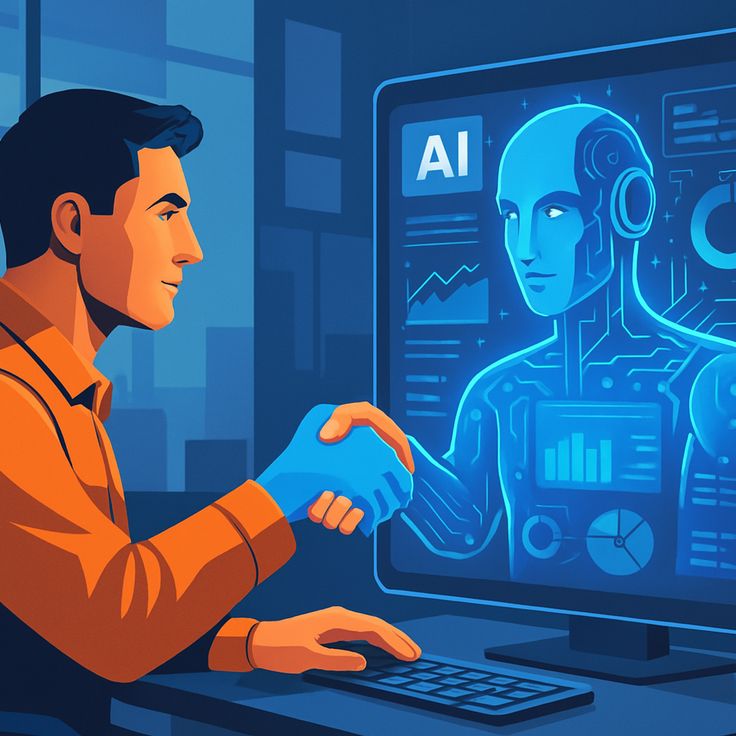
The Digital Colleague: How Agentic AI Will Work as a Coworker Alongside Your Team The Great Shift: From Tools to Teammates For years, we’ve treated Artificial Intelligence like a high-powered calculator or a sophisticated filing cabinet. We gave it a command, it gave us an output. But as we move through 2026, that relationship is fundamentally changing. We are no longer just “using” AI; we are “working with” it. Enter Agentic AI. Unlike the generative AI of 2023 or 2024, which waited for a prompt to act, Agentic AI has agency. It understands goals, plans multi-step processes, and executes them with minimal hand-holding. It doesn’t just write an email; it researches the recipient, checks your calendar for meeting times, drafts the invite, and follows up if there’s no response. This isn’t just automation—it’s a new kind of social contract in the workplace. It’s about moving from “Software as a Service” to “Service as a Colleague.” 1. Understanding the “Agency” in Agentic AI To work effectively with a new coworker, you have to understand how they think. Agentic AI operates on a loop of Reasoning, Planning, and Execution. Reasoning: If you tell a digital colleague, “We need to prep for the Q3 board meeting,” it doesn’t just search for “Q3.” It reasons that a board meeting requires financial reports, project updates, and a slide deck. Planning: It breaks the massive goal into bite-sized tasks. First, it pings the finance agent for the latest spreadsheets. Second, it summarizes the last three months of Jira tickets. Execution: It uses tools. It opens PowerPoint, populates the charts, and leaves a draft in your inbox with a note: “I’ve noticed a slight dip in August productivity—should I add a slide exploring why?” This level of initiative is what transforms AI from a “search bar” into a “seat at the table.” 2. The Human-AI Handshake: Who Does What? The most common fear is replacement, but the reality of 2026 is Augmentation. Think of your team as an orchestra. In the past, the human was the conductor and every single musician. Now, the Agentic AI takes over the “rhythm section”—the repetitive, high-volume, and data-heavy tasks—leaving the human to be the true conductor, focusing on interpretation, emotion, and strategy. Human Strengths (The “Director”): Contextual Nuance: Knowing that a client is going through a merger and needs a softer tone. Ethical Judgment: Deciding if a specific data-driven decision aligns with the company’s core values. Empathy: Managing the morale of the human team. AI Strengths (The “Operator”): Data Synthesis: Reading 1,000 pages of legal documents in seconds to find a single conflict. 24/7 Monitoring: Checking supply chains for disruptions while the rest of the team sleeps. Pattern Recognition: Identifying that a specific software bug always appears when three specific conditions are met. 3. Real-World Scenarios: A Day in the Life of a Hybrid Team Imagine a Marketing Team in 2026. Instead of a manager spending six hours a week on “admin,” they have an AI Agent named “Link.” 9:00 AM: Link scans the morning’s industry news and identifies a trending topic relevant to the brand. 9:30 AM: Link drafts three social media posts and a brief blog outline based on the trend. 10:00 AM: The Human Creative Director reviews Link’s work. They like the data but find the “voice” a bit dry. They ask Link to “Make it more adventurous and focus on the sustainability angle.” 10:05 AM: Link regenerates the content perfectly. It then schedules the posts and begins monitoring engagement in real-time. 4. The Architecture of Trust: How Teams Manage Autonomous Agents One of the biggest hurdles in integrating a digital coworker is the “Trust Gap.” If an agent can make decisions, how do we ensure it doesn’t go rogue or misinterpret a brand’s values? In 2026, this is managed through Instructional Guardrails and Feedback Loops. Defining the Sandbox: Just as you wouldn’t give a new human intern the keys to the corporate bank account on day one, Agentic AI operates within a defined “sandbox.” Managers set spending limits, API access permissions, and approval triggers. The “Human-in-the-Loop” (HITL) Model: This is the gold standard for coworker collaboration. The agent performs the heavy lifting—researching, drafting, and organizing—but pauses for a “Human Handshake” before any external-facing action. Transparent Reasoning: Modern agents now provide a “Chain of Thought.” Instead of just delivering a finished report, your AI coworker can show its work: “I prioritized Project X over Project Y because the Q2 deadline is closer and the resource gap is 15% higher.” This transparency is the foundation of a healthy team dynamic. 5. Re-architecting the Workflow: From “Doing” to “Reviewing” The arrival of Agentic AI requires a fundamental shift in how we structure our workdays. We are moving from a Task-Based Economy to an Outcome-Based Economy. In a traditional setup, a worker’s value was often measured by the hours spent “doing”—typing, coding, or filing. With an agentic coworker, the human’s value shifts toward: Objective Setting: Clearly defining what “success” looks like for the agent. Strategic Refinement: Taking the 80% finished work from the AI and adding the final 20% of “human soul”—the creativity, the empathy, and the unique brand voice. Cross-Functional Orchestration: Coordinating between different AI agents and human departments to ensure everyone is moving toward the same North Star. 6. Overcoming the “Black Box” and Ethical Challenges We cannot talk about AI coworkers without addressing the elephant in the room: Accountability. When an AI agent makes a mistake—perhaps it accidentally uses copyrighted material or misinterprets a data privacy regulation—who is responsible? The 2026 workplace solves this through Algorithmic Accountability Frameworks. Companies are now appointing “AI Orchestrators”—humans whose entire job is to audit, tune, and mentor the company’s fleet of AI agents. This ensures that while the AI has agency, the human remains the ultimate moral and legal authority. 7. The Socio-Economic Impact: Will We Work Less? The goal of the agentic coworker isn’t necessarily to make us work fewer hours, but to make those hours more meaningful. By offloading

Cloud Computing and Technology, DEVOPs, Digital Transformation

The Ultimate Guide to Migrating PeopleSoft to Oracle Cloud Infrastructure (OCI): A Human-Centered Approach

Migrating PeopleSoft to Oracle Cloud Infrastructure: The Path Forward Introduction: Why Now? If you’ve been managing an on-premise PeopleSoft environment for a while, you know the routine. The late-night patching sessions, the constant worry about hardware refresh cycles every 4-5 years, and the creeping feeling that your agility is being held back by a physical server rack in a basement somewhere. As we navigate 2026, the question for IT leaders has shifted from “Should we move to the cloud?” to “How fast can we get there without breaking our business?” Migrating PeopleSoft to Oracle Cloud Infrastructure (OCI) isn’t just about moving data; it’s about giving your organization the room to breathe, scale, and innovate. In this guide, we’re going to strip away the dense corporate jargon and look at the real-world mechanics of this migration. We’ll cover the “why,” the “how,” and the “what’s next,” ensuring you have a roadmap that prioritizes your people and your processes. Section 1: The Case for OCI (The “Why”) You might be wondering, “Why OCI specifically? Can’t I just put PeopleSoft on AWS or Azure?” While you can, Oracle has built specific “unfair advantages” for PeopleSoft on its own cloud. 1. Performance and “Bare Metal” Power PeopleSoft is a resource-intensive application. OCI offers “Bare Metal” instances where you aren’t sharing resources with a “noisy neighbor.” This leads to performance gains of 30-50% for many users. Imagine your heaviest payroll batches finishing in half the time—that’s the OCI difference. 2. PeopleSoft Cloud Manager This is the “secret weapon.” Available only on OCI, Cloud Manager is a tool that automates lifecycle management. It can automate PUM (PeopleSoft Update Manager) images, one-click patching, and environment cloning. It essentially acts as a highly skilled DBA that never sleeps. 3. Financial Predictability On-premise costs are often hidden: cooling, physical security, specialized talent, and depreciation. OCI moves these to a predictable OpEx model. In fact, many enterprises report saving up to 43% compared to on-premise deployments. Section 2: The Migration Roadmap (Step-by-Step) Migrating a massive ERP system is like performing heart surgery while the patient is running a marathon. You need a plan. Phase 1: Assessment and Discovery Before moving a single byte, you need to understand your current “customization debt.” Audit your customizations: What can be retired? Check dependencies: Which third-party apps talk to your PeopleSoft? Define your “Target State”: Are you doing a simple “Lift and Shift” or a “Move and Improve”? Phase 2: Setting the Foundation on OCI This is where you build your virtual home. VCN (Virtual Cloud Network): Design your subnets, firewalls (Security Lists), and gateways. IAM (Identity and Access Management): Who gets access? Use the principle of least privilege. Vault: Securely store your credentials and encryption keys. Phase 3: The Migration (The Move) This usually involves Lift and Shift via PeopleSoft Cloud Manager or Zero Downtime Migration (ZDM) for the database. Replicate Data: Use block volume replication to move your data without impacting production. Launch Instances: Spin up the compute power that matches your on-premise performance (or exceeds it). Phase 4: Testing (The Most Critical Step) Don’t rush this. UAT (User Acceptance Testing): Have your finance and HR teams verify the “new” system feels like the “old” one. Performance Testing: Run your heaviest reports to ensure OCI handles the load. Section 3: Strategic Comparison Feature On-Premise PeopleSoft PeopleSoft on OCI Patching/Updates Manual, Weeks of Work Automated (One-Click) Scaling Limited by Physical Hardware Elastic (Instant Scale Up/Down) Security Perimeter-based (Hard shell) Zero-Trust Architecture Disaster Recovery Expensive, Complex Built-in, Geo-redundant Performance Degrading over time High-performance (NVMe SSDs) Section 4: Common Pitfalls to Avoid 1. Ignoring Data Residency Even in the cloud, location matters. If your company operates in Europe or India, ensure your OCI region complies with local data sovereignty laws (like GDPR or the DPDP Act). 2. Underestimating Integration Complexity PeopleSoft doesn’t live on an island. It’s connected to your bank, your benefits providers, and your internal reporting tools. Mapping these integrations to the cloud requires a detailed networking plan. 3. The “Lift and Shift” Trap If you just move your mess from on-premise to the cloud, you still have a mess—it’s just in someone else’s data center. Use the migration as an opportunity to clean up old data and decommission unused modules. Section 5: Humanizing the Change (Change Management) The biggest hurdle isn’t technical—it’s human. Your DBAs and Sysadmins might feel threatened by the “automation” of OCI. Re-skilling: Position the migration as an opportunity for your team to become Cloud Architects rather than just “Server Maintainers.” Transparency: Keep the end-users (HR and Finance) informed. If the UI is changing (e.g., moving to Fluid UI), provide training early. Section 6: Post-Migration Optimization Once you’re live, the work isn’t done. AIOps Integration: Use OCI’s built-in AI to monitor system health and predict failures before they happen. Cost Management: Use OCI Budgets and Forecasting tools. Since you pay for what you use, make sure you aren’t paying for “Zombie Instances” (servers left running for no reason). Security Health Checks: Regularly run the OCI Security Advisor to ensure no new vulnerabilities have been introduced. Conclusion: Embracing the Future Migrating PeopleSoft to Oracle Cloud Infrastructure is more than a technical upgrade; it’s a commitment to staying relevant in an AI-driven world. By offloading the “drudge work” of infrastructure management to Oracle, you free your IT team to focus on what actually drives value: data insights, better user experiences, and business agility. The Rise of Industry-Specific Clouds: Why “Generic” is No Longer Enough in 2026

Cloud Computing and Technology, Digital Transformation, Software development, Technology

The Rise of Industry-Specific Clouds: Why “Generic” is No Longer Enough in 2026

Introduction: The End of the “One-Size-Fits-All” Era For over a decade, the cloud was a giant, amorphous utility. We talked about it in broad strokes: storage, compute, and networking. Whether you were a high-frequency trading firm in London or a boutique bakery in Paris, you essentially used the same “Lego bricks” provided by the big three hyperscalers. You took a general-purpose virtual machine, added your own layers of security, spent months configuring compliance frameworks, and hoped for the best. But as we move through 2026, that era is officially over. We are witnessing the Rise of Industry-Specific Clouds—often called “Vertical Clouds.” Imagine walking into a tailor. In the old days of cloud, you bought a “large” shirt and spent weeks sewing on extra pockets, shortening the sleeves, and adding a reinforced collar yourself. Today, the cloud provider hands you a custom-fitted suit designed specifically for your profession. If you’re a doctor, it has pockets for your stethoscope; if you’re an architect, it’s reinforced for the job site. This is the fundamental shift from General Cloud to Purpose-Built Cloud. What Exactly is an Industry-Specific Cloud? At its core, an industry-specific cloud is a cloud platform that has been pre-configured with the software, compliance standards, and data models unique to a specific sector. Instead of just giving you a database, a Healthcare Cloud gives you a HIPAA-compliant environment with pre-built connectors for Electronic Health Records (EHR) and medical imaging AI. It’s not just a marketing wrapper. It’s a deep architectural integration that addresses the “last mile” of digital transformation. Section 1: The Catalysts of the Vertical Shift Why is this happening now? Three major forces have converged to make generic clouds feel outdated: 1. The Compliance Nightmare In 2026, data sovereignty isn’t just a suggestion; it’s a legal minefield. With the expansion of regulations like India’s DPDP Act and Europe’s evolving GDPR, businesses are terrified of misconfiguration. Industry clouds bake these regulations into the infrastructure. When you spin up a server in a Financial Services Cloud, it already “knows” how to handle anti-money laundering (AML) data residency. 2. The AI “Data Hunger” Generic AI is impressive, but specialized AI is profitable. To train a model that predicts equipment failure in a factory, you need data structured for manufacturing (Industrial IoT). Vertical clouds provide these industry-standard data schemas out of the box, allowing companies to deploy AI agents in weeks rather than years. 3. The Complexity Gap Most companies are not tech companies. A hospital wants to heal patients, not manage Kubernetes clusters. Industry clouds abstract the technical “noise,” allowing professionals to focus on their actual work. Section 2: Deep Dive into the “Big Three” Verticals I. The Healthcare Cloud: From Records to Real-Time Care In healthcare, the stakes are literal life and death. The move to specialized clouds has allowed for: Interoperability: Finally, different hospitals can “talk” to each other because the cloud uses standardized FHIR (Fast Healthcare Interoperability Resources) data models. Imaging at Scale: Modern Healthcare Clouds include specialized GPU clusters for rendering 3D MRIs in real-time, allowing specialists to collaborate globally. Predictive Diagnostics: By pooling anonymized data across a vertical cloud, AI can identify a potential outbreak or a patient’s declining health before a human monitor catches it. II. The Financial Services Cloud: Security as a Feature Finance was long the “cloud holdout” due to security fears. Vertical clouds changed the narrative by offering: Confidential Computing: Processing data in “enclaves” where even the cloud provider can’t see it. Automated Auditing: Instead of a yearly audit, the cloud provides a real-time dashboard of compliance health for regulators. Fraud Detection Nets: Pre-built machine learning models trained specifically on global transaction patterns. III. The Manufacturing (Industry 4.0) Cloud This is where the physical meets the digital. The Manufacturing Cloud focuses on: Digital Twins: Creating a virtual replica of a factory floor in the cloud to test changes without stopping production. Edge Integration: Seamlessly connecting thousands of sensors on a factory floor to a central cloud brain. Section 3: The Technical Blueprint (Humanized) If you’re a developer or a CTO, you might ask: “Isn’t this just SaaS with a different name?” Not quite. The Architecture of a Vertical Cloud: The Foundation: Standard IaaS (Servers and Storage). The Compliance Layer: Pre-configured firewalls, encryption standards, and residency locks. The Data Schema: This is the secret sauce. It’s a “blueprint” for how data should be organized for that specific industry. The API Marketplace: A library of pre-certified third-party tools (e.g., a payment gateway for retail or a lab-result parser for healthcare). Section 4: The Benefits – Why Businesses are Switching Benefit General Purpose Cloud Industry-Specific Cloud Time to Market 6–12 Months (Custom Setup) 1–3 Months (Template Based) Compliance Responsibility of the User Shared/Built-in AI Integration Build from scratch Pre-trained Industry Models Cost Lower upfront, high dev cost Higher upfront, lower dev cost Section 5: Challenges and “The Catch” It’s not all sunshine and rainbows. There are significant risks to consider: Vendor Lock-in: When your entire data model is built on a specific provider’s Healthcare Cloud, moving to a competitor becomes incredibly difficult. The Premium Price: Specialized services come with specialized price tags. You pay for the convenience. Flexibility vs. Standards: By following a “standard” industry path, you might find it harder to innovate outside those boundaries. Section 6: The Future – Sovereign and Personal AI Clouds As we look toward 2027 and beyond, the “Vertical” trend will likely split into even more granular niches. We are already seeing the emergence of “Sovereign Clouds” where the “industry” is actually a specific nation’s legal framework. Furthermore, we are moving toward Personal AI Clouds. For developers, this means the environment will adapt not just to your industry, but to your specific coding style and project history—a concept that fits perfectly with the Backendless and AIOps trends we see today. Conclusion: Should You Make the Move? The rise of industry-specific clouds represents the maturity of the internet. We no longer just want “online space”; we want “digital workplaces” that understand

App Development, Digital Transformation, Software development, Technology

The Future of FinTech: A Comprehensive Guide to Mobile Payment App Development in 2026

Introduction:- We are living in an era where the physical wallet is becoming a relic of the past. As we move through 2026, the smartphone has officially become the primary financial hub for the global population. From tap-to-pay transit systems in London to QR-code street vendors in Mumbai, mobile payment apps are the invisible engine of modern commerce. For developers and entrepreneurs at techotd.com, building a mobile payment app is no longer just about moving money from Point A to Point B. It is about creating a secure, frictionless, and intelligent financial ecosystem. 1. The 2026 Mobile Payment Landscape: More Than Just “Tap-to-Pay” In 2026, the market has moved beyond basic NFC (Near Field Communication) transactions. We are seeing a convergence of traditional banking and decentralized finance. Super-Apps: Influenced by platforms like WeChat and AliPay, Western apps are now integrating social messaging, e-commerce, and bill payments into a single interface. Biometric Dominance: Passwords are dead. 2026 payment apps rely on “continuous biometrics,” using palm-vein scanning or iris recognition to authorize high-value transfers instantly. 2. Key Features of a Successful Payment App To compete in the current market, your app needs to offer more than the standard “send and receive” functionality. Virtual Card Provisioning: Allow users to generate one-time-use virtual cards for online shopping to prevent fraud. Real-Time Analytics: Use AI to categorize spending and provide users with “Financial Health” scores. Cross-Border Remittance: Integration with blockchain rails for near-instant, low-fee international transfers. 3. The Tech Stack: Building for Speed and Scale In 2026, React Native and Flutter remain the dominant choices for cross-platform development, but the backend is where the real innovation happens. Microservices Architecture: Ensure your app can scale by breaking down functions (authentication, transaction processing, notifications) into independent services. Cloud-Native Databases: Use distributed databases like CockroachDB or AWS Aurora to ensure 99.999% uptime, as even a minute of downtime in a payment app is a disaster. 4. Security: The Non-Negotiable Pillar As you’ve seen in our cybersecurity section, threats are more sophisticated than ever. Tokenization: Never store actual card numbers. Replace sensitive data with unique “tokens” that are useless to hackers if intercepted. Zero-Trust Identity: Every transaction must be verified through multi-factor authentication (MFA) and device fingerprinting. AI Fraud Detection: Implement machine learning models that analyze user behavior (like typing rhythm or typical location) to flag suspicious activity before a transaction is even completed. 5. Regulatory Compliance and PCI-DSS You cannot build a payment app in a vacuum. You must navigate a complex web of regulations: PCI-DSS Level 1: The gold standard for handling credit card data. GDPR/CCPA: Strict adherence to data privacy laws is essential, especially when handling financial records. PSD2/Open Banking: In 2026, apps must be built to share data securely with other financial institutions via standardized APIs. 6. Conclusion: Winning the FinTech Race The success of a mobile payment app in 2026 depends on one thing: Trust. By combining a “Security-First” mindset with a “User-First” design, you can build an app that doesn’t just process payments, but becomes an indispensable part of your user’s daily life. From Connectivity to Autonomy: The Evolution of IoT in 2026  

cybersecurity, Digital Transformation, Software development, Technology

From Connectivity to Autonomy: The Evolution of IoT in 2026

From Connectivity to Autonomy: The Evolution of IoT in 2026 For the past decade, the Internet of Things (IoT) was often described as a massive network of “talking devices.” We focused on the novelty of a fridge that could order milk or a thermostat controlled by a smartphone. But as we move through 2026, the conversation has changed. We are no longer just connecting devices; we are building Intelligent Ecosystems. The IoT of 2026 is defined by Autonomy. It is the shift from a system that simply senses the environment to one that perceives, reasons, and acts upon it. This guide explores the massive disruptions occurring in the IoT landscape and how they are reshaping everything from the factory floor to the palm of your hand. 1. The Rise of AIoT: Intelligence at the Source The most significant trend of 2026 is the total convergence of AI and IoT, commonly referred to as AIoT (Artificial Intelligence of Things). In earlier versions of IoT, devices were “dumb” sensors that sent raw data to the cloud for processing. This created massive latency and high bandwidth costs. Today, we use Edge AI. Machine learning models are now small enough to run directly on the microcontroller of an IoT device. Predictive Maintenance: In a smart factory, a sensor doesn’t just record vibration; it analyzes it in real-time to predict a bearing failure before it happens. Smart Retail: AI-driven X-ray systems and spectral sensors can now “see” objects or contaminants that were once invisible, automating quality control in seconds. 2. Edge Computing as the New Standard As billions of new devices come online, cloud-only architectures are hitting their limits. Edge Computing—processing data closer to where it is generated—has become the default architecture for 2026. By processing data at the edge, companies are achieving near-zero latency. This is critical for applications like Autonomous Vehicles and Remote Surgery, where a millisecond delay in data transmission can have life-altering consequences. For your Software development team, this means moving away from centralized databases toward distributed, mesh-like networks. 3. Sustainable IoT: Energy Harvesting and “Zero-Power” Devices The environmental impact of billions of battery-powered devices is a major concern in 2026. The solution? Energy Harvesting. We are seeing a massive shift toward “Zero-Power” IoT devices that draw energy from their surroundings—solar, thermal, vibrational, or even radio frequency (RF) waves. These devices don’t have fixed duty cycles; they are “adaptive,” waking up to sense and transmit only when they have harvested enough energy. This is a game-changer for Structural Monitoring (bridges/tunnels) and Wildlife Conservation, where replacing a battery is physically impossible. 4. Digital Twins: The Virtual Bridge In 2026, every major physical asset has a Digital Twin. This is a virtual replica that lives in a Product Lifecycle Management (PLM) system. IoT sensors feed real-world data into these virtual models, allowing engineers to simulate “what-if” scenarios. Want to know how a wind turbine will react to a hurricane? You don’t have to wait for the storm; you can simulate the stress on the Digital Twin and apply the fixes to the physical unit before the clouds even roll in. 5. IoMT: The Internet of Medical Things Healthcare has been revolutionized by IoMT. We have moved beyond basic fitness trackers to clinical-grade wearables like smart patches and sensor-embedded textiles. Predictive Health: AI-enhanced sensors now monitor posture, hydration, and sleep quality to detect early signs of physiological changes or chronic conditions. Continuous Care: Patients are no longer “discharged” into a vacuum; they are transitioned to a home-monitoring environment where their clinical team receives real-time alerts for any anomaly. 6. The “Secure by Design” Mandate With the proliferation of connected devices, the attack surface for cybercriminals has expanded exponentially. In 2026, the industry has pivoted toward a Zero-Trust security model. Device Identity: Every sensor, from a smart meter to a factory PLC, must cryptographically verify its identity before connecting to the network. Secure-by-Design: Security is no longer “bolted on” at the end; it is engineered into the hardware during the initial Software development lifecycle. Conclusion: A World That Acts on Its Own The IoT of 2026 is no longer a collection of gadgets; it is the invisible nervous system of our planet. As we integrate AI more deeply into our physical world, the line between the “digital” and “physical” continues to blur. From Connectivity to Autonomy: The Evolution of IoT in 2026

Digital Transformation, Software development, Technology

Identifying the Need for Software Integration

The Silent Growth Killer: Identifying the Need for Software Integration In the early days of a business, adding a new software tool feels like a victory. You find a great CRM, you grab a sleek accounting package, and you subscribe to a top-tier project management tool. But as 2026 unfolds, many companies are realizing that a collection of great tools does not necessarily make a great system. When these tools don’t talk to each other, they create “digital islands.” Your data gets trapped, your employees get frustrated, and your growth stalls. Identifying the need for software integration is about recognizing the difference between a “tech stack” and a “tech mess.” 1. The Symptoms of “Digital Friction” The need for integration rarely announces itself with a loud crash. Instead, it shows up as a series of small, annoying frictions that slowly drain your team’s productivity. The Manual Entry Trap If your employees are spending their Monday mornings copying data from an Excel sheet into your CRM, or manually typing invoice details into your accounting software, you have a major integration gap. Manual data entry is not just slow; it’s a breeding ground for human error. In a world of real-time analytics, “yesterday’s data” is already obsolete. The “Version of the Truth” Conflict Have you ever sat in a meeting where the Marketing team says you have 5,000 leads, but the Sales team says you only have 3,500? This happens when your systems aren’t synced. Without integration, every department creates its own version of reality. Identifying the need for integration often starts when leadership realizes they can no longer trust their own dashboards. 2. Why “Good Enough” is No Longer Enough in 2026 In previous years, companies could survive with “swivel-chair integration”—literally having an employee swivel their chair from one screen to another to update systems. In 2026, the pace of business has made this impossible. Customer Expectations have Shifted Modern customers expect instant gratification. If they update their address in your mobile app, they expect your support team to see that change immediately. If your backend systems aren’t integrated, that update might take 24 hours to propagate. To the customer, this looks like incompetence. Integration is no longer a “back-office” luxury; it is a “front-line” customer service requirement. 3. The Technical Bridge: APIs and the Modern Enterprise When we talk about identifying the need for integration, we are really talking about the health of your APIs (Application Programming Interfaces). An API is the “waiter” of the software world—it takes your request to the kitchen (another software) and brings the response back to you. If your current software vendors don’t offer robust, open APIs, they are effectively locking your data in a cage. As you audit your software, look for tools that support Webhooks and RESTful APIs. If your tools are “closed,” that is your first sign that a major integration project is on the horizon. 4. The Hidden Cost of Fragmented Systems Many managers avoid integration because of the upfront cost. However, the cost of not integrating is often much higher. Employee Burnout: High-value employees don’t want to spend their time on “data janitor” work. When you force them to navigate fragmented systems, their job satisfaction plummets. Security Risks: Every time data is exported to a CSV file to be moved between systems, you create a security vulnerability. Integrated systems allow data to flow through encrypted tunnels without human intervention. Missed AI Opportunities: You cannot implement effective AI or Machine Learning if your data is scattered across five different platforms. AI needs a unified “Data Lake” to provide meaningful insights. 5. Building the Integration Roadmap Once you’ve identified the need, how do you start? You don’t have to integrate everything at once. Map the Data Flow: Draw a literal map of how a customer moves through your business. Where does their data start? Where does it end? Identify the Bottlenecks: Pinpoint the exact moment where a human has to intervene to move data. This is your “High-Value Integration Target.” Choose Your Method: Will you use a “no-code” connector like Zapier, or do you need a custom-built middleware solution? In 2026, many companies are opting for iPaaS (Integration Platform as a Service) to manage their connections in one place. 6. Conclusion: From Fragmentation to Flow Identifying the need for software integration is the first step toward becoming a truly “digital-first” organization. It’s about moving away from a collection of tools and toward a unified ecosystem where data flows like water—effortlessly and exactly where it’s needed. In the competitive landscape of 2026, the companies that win will be the ones that spend less time “managing software” and more time “serving customers” through integrated, intelligent systems. Product Lifecycle Management (PLM) Software

How would you like me to respond?

Select a personality for your AI assistant

Normal
Happy
Sad
Angry

Your selection will affect how the AI assistant responds to your messages

Chat Assistant

Let's discuss your project!

Hear from our clients and why 3000+ businesses trust TechOTD

Tell us what you need, and we'll get back with a cost and timeline estimate

Scroll to Top