Product Lifecycle Management (PLM) Software
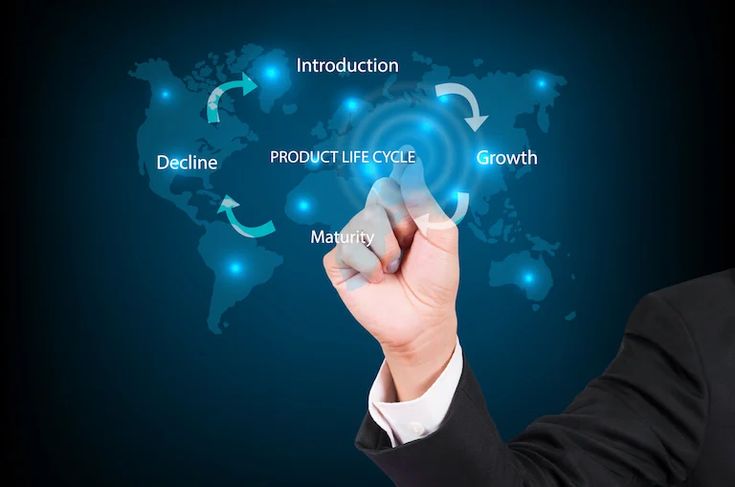
The Digital Backbone: A Comprehensive Guide to Product Lifecycle Management (PLM) Software in 2026 In the modern industrial landscape, a product is no longer just a physical object; it is a complex bundle of data, software, and hardware that evolves over time. Managing this complexity from the first “napkin sketch” to the final recycling bin requires more than just spreadsheets—it requires Product Lifecycle Management (PLM) software. As we navigate 2026, PLM has shifted from being a “filing cabinet for CAD drawings” to becoming the living, breathing “digital thread” that connects every department in a global enterprise. 1. What is PLM Software? (Beyond the Acronym) At its core, PLM software is the strategic process of managing the entire journey of a product. This includes five distinct stages: Concept & Design: Where ideas are born and simulated. Development: Where engineering meets prototyping. Production: Where the supply chain and manufacturing take over. Service & Maintenance: Where the product lives in the hands of the consumer. Retirement: Where the product is recycled or phased out. In 2026, the disruption lies in connectivity. A change made by an engineer in London is instantly visible to a manufacturing lead in Bangalore and a compliance officer in New York, ensuring that everyone is working off the “Single Source of Truth.” 2. The Rise of the “Digital Twin” and Digital Thread The most significant trend in PLM today is the Digital Twin. This is a virtual replica of a physical product that stays connected to its real-world counterpart via IoT (Internet of Things) sensors. PLM software acts as the host for this Digital Twin. If a smart car in the field reports a recurring battery overheat issue, that data flows back through the PLM system. Engineers can then simulate a fix in the virtual world before ever issuing a physical recall. This “Digital Thread” ensures that data isn’t lost between stages, reducing errors by up to 40% in complex manufacturing. 3. Breaking Down Silos: Why Your Business Needs PLM Many companies suffer from “departmental silos.” Engineering doesn’t talk to Marketing, and Marketing doesn’t know what Manufacturing is capable of. PLM acts as the bridge. Centralized Data Management By centralizing all product-related data—BOMs (Bills of Materials), 3D designs, compliance certifications, and supplier info—PLM eliminates the “Which version is the latest?” nightmare. In 2026, cloud-native PLM solutions like Siemens Teamcenter or PTC Windchill allow teams to collaborate in real-time, much like a Google Doc but for heavy engineering. Faster Time-to-Market In a world where consumer tastes change overnight, speed is everything. PLM software automates workflows. Instead of waiting for a manual email approval, the system automatically routes documents to the next person in line. This can shave months off the development cycle, allowing companies to respond to trends faster than their competitors. 4. Sustainability and the “Circular Economy” In 2026, environmental compliance is no longer optional. PLM software now includes Sustainability Modules that calculate the carbon footprint of a product based on the materials selected during the design phase. If a designer chooses aluminum over carbon fiber, the PLM system provides an instant report on how that affects the product’s recyclability and total CO2 impact. This allows companies to build “Green Products” by design, rather than trying to fix environmental issues after the product is already being manufactured. 5. AI and Machine Learning in PLM Artificial Intelligence has found a home within PLM for Generative Design. Engineers no longer have to draw every line. Instead, they tell the PLM software: “I need a bracket that weighs less than 1kg, can hold 500kg of force, and is made of titanium.” The AI then generates hundreds of optimized designs that a human might never have imagined. This “Human-AI Collaboration” is a hallmark of 2026 product development, leading to lighter, stronger, and more efficient products. 6. Choosing the Right PLM for Your Scale Not all PLM software is built for Boeing-sized companies. In 2026, we see a tiering of the market: Enterprise PLM: High-customization tools for aerospace, automotive, and defense. Cloud-Native / SaaS PLM: Scalable solutions for startups and mid-market firms (e.g., Propel or Arena). Industry-Specific PLM: Tools tailored for Fashion/Apparel or Food & Beverage, focusing on recipe management and seasonal cycles. 7. The Future: PLM in the Metaverse As we look toward 2027 and beyond, PLM is moving into Spatial Computing. Design reviews are increasingly happening in VR/AR environments. An executive can “walk through” a virtual factory floor or inspect a 1:1 scale model of a new aircraft engine from their home office, with all the data pulled directly from the PLM backend. Conclusion: The Foundation of Innovation Product Lifecycle Management software is no longer a luxury for the elite manufacturer; it is the fundamental requirement for any company that wants to innovate at scale. By connecting data, people, and processes through a single digital thread, PLM ensures that the products of tomorrow are smarter, greener, and delivered faster than ever before. Why are companies outsourcing theri support structure