Software development

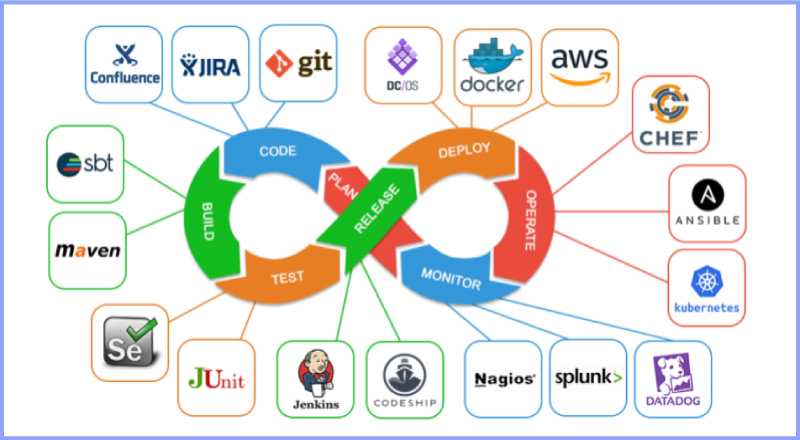
DevOps and CI/CD pipeline in software development.
Software development

DevOps and CI/CD in Software Development: Accelerating Delivery and Quality

Introduction Modern software development demands speed, reliability, and continuous improvement. Traditional development approaches often struggled with slow releases, manual deployments, and communication gaps between development and operations teams. To overcome these challenges, organizations adopted DevOps and Continuous Integration/Continuous Deployment (CI/CD) practices. DevOps and CI/CD aim to automate workflows, improve collaboration, and deliver high-quality software faster. Together, they form the backbone of modern software engineering and cloud-native development. In this blog, we will explore DevOps and CI/CD, understand their importance, key concepts, tools, benefits, and how they transform software development. What Is DevOps? DevOps is a cultural and technical approach that integrates software development (Dev) and IT operations (Ops). It focuses on collaboration, automation, and continuous feedback. Core Principles of DevOps Collaboration between teams Automation of workflows Continuous monitoring and feedback Rapid delivery DevOps breaks down silos and improves efficiency across the development lifecycle. What Is CI/CD? CI/CD stands for Continuous Integration and Continuous Deployment (or Delivery). Continuous Integration (CI) CI involves frequently merging code changes into a shared repository and automatically testing them. Continuous Deployment (CD) CD automates the release of tested code into production. Together, CI/CD ensures faster and safer software releases. DevOps Lifecycle The DevOps lifecycle consists of several stages: Planning Development Integration Testing Deployment Monitoring Each stage is automated and continuously improved. Benefits of DevOps and CI/CD 1. Faster Time to Market Automation reduces manual work and accelerates releases. 2. Improved Software Quality Continuous testing detects issues early. 3. Enhanced Collaboration DevOps fosters teamwork across departments. 4. Reliable Deployments Automated pipelines reduce human errors. Popular DevOps and CI/CD Tools Version Control Git GitHub GitLab CI/CD Tools Jenkins GitHub Actions GitLab CI/CD Containerization Docker Kubernetes Monitoring Prometheus Grafana DevOps and Agile Relationship DevOps complements Agile by extending continuous delivery beyond development into operations. Together, they enable faster feedback loops and continuous improvement. Security in DevOps (DevSecOps) DevSecOps integrates security into the DevOps pipeline. Automated security testing ensures vulnerabilities are identified early. Challenges in Implementing DevOps Cultural resistance Tool complexity Skill gaps Overcoming these challenges requires training, leadership support, and gradual adoption. Future of DevOps DevOps continues to evolve with AI-driven automation, cloud-native technologies, and serverless computing. Conclusion DevOps and CI/CD are essential for modern software development. By automating workflows, improving collaboration, and enabling continuous delivery, organizations can build reliable and scalable applications faster than ever. Frequently Asked Questions (FAQs) 1. What is DevOps in simple terms? DevOps is a practice that improves collaboration between development and operations teams. 2. What is the difference between CI and CD? CI focuses on code integration, while CD focuses on deployment. 3. Is DevOps only for large companies? No, DevOps benefits organizations of all sizes. 4. Can DevOps be used without CI/CD? CI/CD is a core component of DevOps. 5. What skills are needed for DevOps? Automation, cloud computing, and scripting skills. 6. Is DevOps a tool or a methodology? DevOps is a culture supported by tools and practices. Connect with us: https://www.facebook.com/profile.php?id=61555452386126

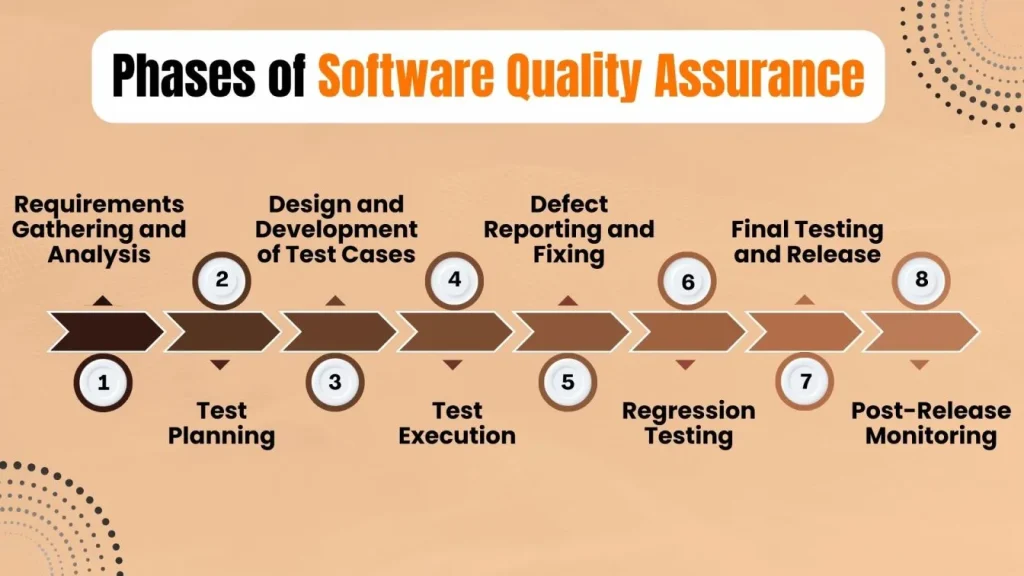
Software testing and quality assurance process in software development
Software development

Software Testing and Quality Assurance: Ensuring Reliable Software Development

Introduction In software development, writing code is only half the journey. Ensuring that the software works correctly, securely, and efficiently is equally important. This is where software testing and quality assurance (QA) play a critical role. Software testing identifies defects, verifies functionality, and ensures applications meet business requirements. Quality assurance focuses on improving development processes to prevent issues before they occur. Together, testing and QA help deliver reliable and high-quality software products. In this blog, we will explore software testing and quality assurance, their importance, types of testing, QA best practices, and their role in modern software development. What Is Software Testing? Software testing is the process of evaluating an application to detect bugs, errors, or missing requirements. The goal is to ensure that the software behaves as expected under various conditions. Objectives of Software Testing Identify defects early Ensure functional correctness Validate performance and security Improve user experience Testing helps prevent costly failures in production. What Is Quality Assurance (QA)? Quality assurance is a process-oriented approach that focuses on improving development workflows to ensure consistent quality. Unlike testing, QA is proactive rather than reactive. Key QA Activities Defining quality standards Process improvement Auditing development practices Continuous monitoring QA ensures quality is built into the product from the start. Difference Between Software Testing and Quality Assurance Aspect Software Testing Quality Assurance Focus Detecting bugs Preventing defects Approach Product-oriented Process-oriented Timing After development Throughout SDLC Responsibility Testers Entire team Both are essential for successful software development. Types of Software Testing 1. Manual Testing Manual testing involves executing test cases without automation tools. Advantages Human judgment Ideal for exploratory testing Easy to perform Disadvantages Time-consuming Prone to human error 2. Automation Testing Automation testing uses scripts and tools to execute test cases automatically. Advantages Faster execution High accuracy Ideal for regression testing Common Tools Selenium Cypress Playwright 3. Unit Testing Unit testing verifies individual components or functions. 4. Integration Testing Integration testing ensures components work together. 5. System Testing System testing validates the complete application. 6. User Acceptance Testing (UAT) UAT confirms the software meets user expectations. Non-Functional Testing Performance Testing Evaluates speed, scalability, and stability. Security Testing Identifies vulnerabilities and risks. Usability Testing Ensures ease of use. QA Best Practices in Software Development Define clear requirements Implement test automation Perform continuous testing Integrate testing with CI/CD Maintain test documentation Testing in Agile and DevOps Modern methodologies emphasize continuous testing and rapid feedback. QA teams collaborate closely with developers to ensure quality at every stage. Benefits of Software Testing and QA Reduced development costs Improved reliability Enhanced customer satisfaction Faster releases Conclusion Software testing and quality assurance are critical components of the software development lifecycle. They ensure applications are reliable, secure, and meet user expectations. By adopting strong QA practices, organizations can deliver high-quality software consistently. Frequently Asked Questions (FAQs) 1. Why is software testing important? It ensures software reliability, security, and performance. 2. What is the role of QA in software development? QA improves processes to prevent defects and maintain quality. 3. What is automation testing? Automation testing uses tools to execute test cases automatically. 4. Can testing be fully automated? No, some testing requires human judgment. 5. Is QA part of Agile development? Yes, QA is integrated throughout Agile workflows. 6. What skills are required for a QA engineer? Analytical thinking, testing tools knowledge, and communication skills. Connect With Us: https://www.facebook.com/profile.php?id=61555452386126  

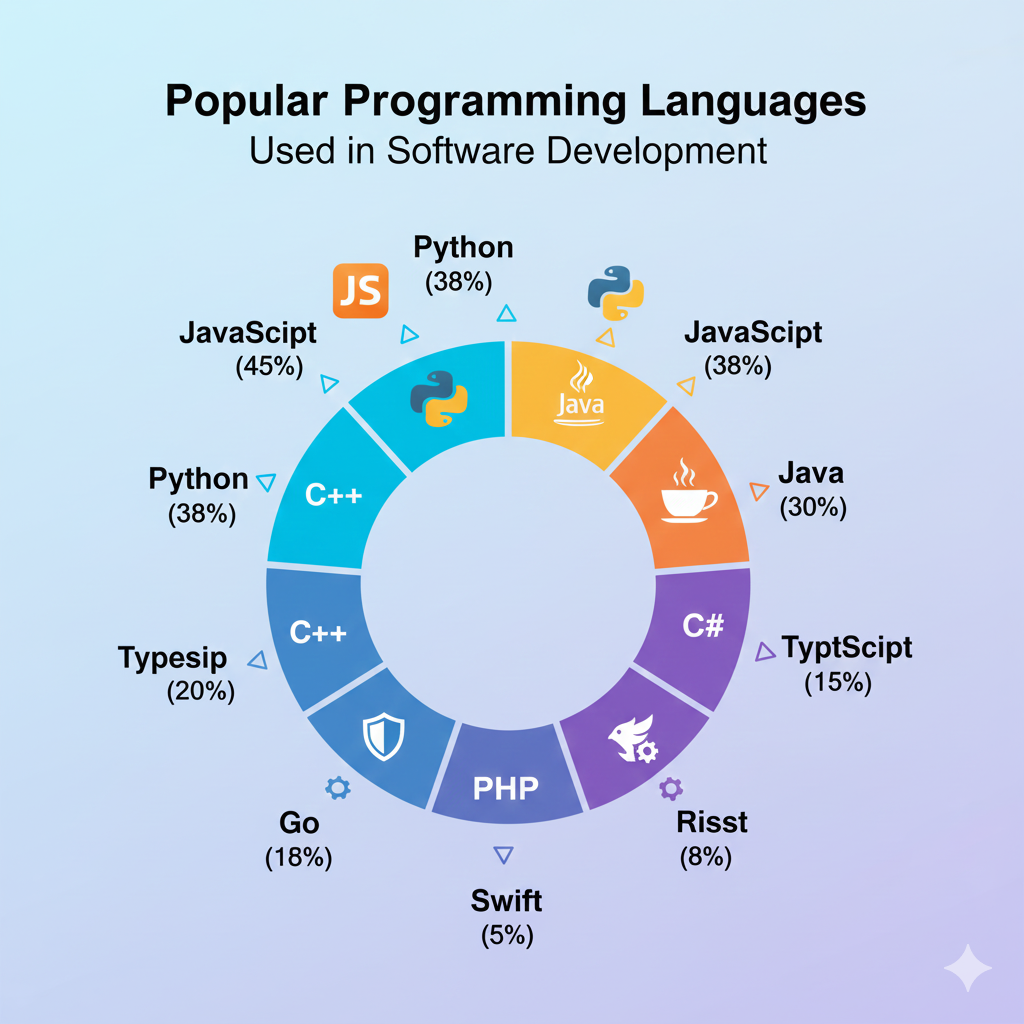
Popular programming languages used in software development
Software development

Top Programming Languages Used in Software Development in 2025

Introduction Programming languages form the backbone of software development. Every application, website, or system relies on one or more programming languages to function. Choosing the right programming language can significantly impact performance, scalability, security, and development speed. With rapid advancements in technology, programming languages continue to evolve to meet modern software development demands. In 2025, developers must consider factors such as cross-platform compatibility, cloud support, performance, and community adoption when selecting a language. In this blog, we explore the top programming languages used in software development, their strengths, use cases, and how to choose the best language for your project or career. Why Programming Languages Matter in Software Development Programming languages define how developers communicate with machines. Each language has unique syntax, paradigms, and capabilities that make it suitable for specific tasks. Key benefits of choosing the right language include: Faster development cycles Better maintainability Improved performance Enhanced security 1. Python Overview Python is one of the most popular programming languages due to its simplicity and versatility. Key Features Easy-to-read syntax Extensive libraries and frameworks Strong community support Use Cases Web development Data science Machine learning Automation Python is ideal for beginners and professionals alike. 2. JavaScript Overview JavaScript is the core language of web development and plays a vital role in both frontend and backend development. Key Features Event-driven programming Cross-platform support Rich ecosystem Use Cases Web applications Mobile app development Server-side development JavaScript enables full stack development using a single language. 3. Java Overview Java remains a dominant language in enterprise software development. Key Features Platform independence Strong security Scalability Use Cases Enterprise applications Android development Backend systems Java is widely used in large-scale systems. 4. C++ Overview C++ is known for high performance and system-level programming. Key Features Low-level memory control High efficiency Object-oriented support Use Cases Game development Operating systems Embedded systems C++ is ideal for performance-critical applications. 5. C# Overview C# is a modern language developed by Microsoft, commonly used with the .NET framework. Key Features Strong typing Rich libraries Cross-platform with .NET Core Use Cases Desktop applications Web APIs Game development 6. Go (Golang) Overview Go is designed for simplicity and scalability. Key Features Fast compilation Built-in concurrency Cloud-native support Use Cases Microservices Cloud applications Networking tools How to Choose the Right Programming Language Consider these factors: Project requirements Performance needs Community and ecosystem Learning curve Programming Languages and Career Growth Learning in-demand programming languages increases job opportunities and earning potential. Conclusion Programming languages are essential to software development. Each language serves different purposes, and choosing the right one ensures successful project outcomes. Staying updated with modern languages prepares developers for future challenges. Frequently Asked Questions (FAQs) 1. Which programming language is best for beginners? Python and JavaScript are beginner-friendly. 2. Can one programming language do everything? No, different languages excel at different tasks. 3. Is Java still relevant in 2025? Yes, Java remains widely used in enterprise systems. 4. Which language is best for web development? JavaScript is essential for web development. 5. Should I learn multiple languages? Yes, learning multiple languages enhances versatility. 6. How often should developers update their skills? Continuously, as technology evolves rapidly. Connect with us: https://www.facebook.com/profile.php?id=61555452386126

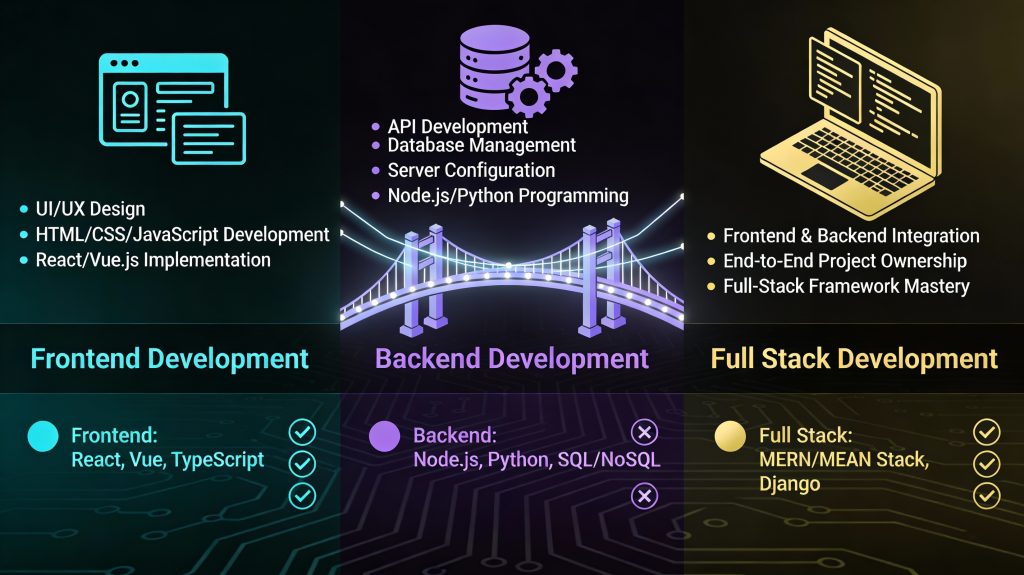
Frontend vs backend vs full stack software development comparison
Software development

Frontend vs Backend vs Full Stack Development: A Complete Software Development Guide

Introduction Modern software applications are built using multiple layers of technology, each responsible for a specific part of the system. To manage this complexity, software development roles are commonly divided into frontend, backend, and full stack development. Understanding these roles is essential for businesses planning projects and individuals choosing a career in software development. Each role requires different skills, tools, and responsibilities but works together to create functional, user-friendly applications. In this blog, we’ll explore frontend vs backend vs full stack development, compare their responsibilities, technologies, career paths, and help you decide which role best fits your goals. What Is Frontend Development? Frontend development focuses on the user interface (UI) and user experience (UX) of an application. It involves everything users see and interact with in a browser or mobile app. Key Responsibilities Designing layouts and user interfaces Implementing responsive designs Optimizing performance Ensuring cross-browser compatibility Frontend Technologies HTML, CSS, JavaScript Frameworks: React, Angular, Vue Styling tools: Tailwind, Bootstrap Build tools: Webpack, Vite Skills Required UI/UX principles Responsive design Performance optimization Frontend developers ensure that applications are visually appealing, intuitive, and fast. What Is Backend Development? Backend development handles the server-side logic that powers an application. It ensures data is processed, stored, and delivered securely. Key Responsibilities Building APIs Managing databases Handling authentication and authorization Ensuring scalability and security Backend Technologies Programming languages: Java, Python, Node.js, PHP Databases: MySQL, PostgreSQL, MongoDB Frameworks: Spring Boot, Django, Express Skills Required Data modeling API design Security practices Backend developers ensure applications function correctly behind the scenes. What Is Full Stack Development? Full stack development combines both frontend and backend responsibilities. A full stack developer can work across the entire application stack. Key Responsibilities Designing user interfaces Developing APIs Managing databases Deploying applications Popular Full Stack Stacks MERN (MongoDB, Express, React, Node.js) MEAN (MongoDB, Express, Angular, Node.js) LAMP (Linux, Apache, MySQL, PHP) Skills Required Frontend and backend expertise System design DevOps basics Full stack developers offer versatility and efficiency. Frontend vs Backend vs Full Stack: Comparison Aspect Frontend Backend Full Stack Focus UI/UX Server & data End-to-end Skills Design, JS Logic, databases Both Tools React, CSS APIs, databases Full stack tools Career Flexibility Moderate Moderate High Which Role Should You Choose? Choose Frontend If You enjoy design and visuals You like user interaction Choose Backend If You enjoy logic and data You prefer system performance Choose Full Stack If You want versatility You enjoy problem-solving across layers Career Opportunities Frontend Developer Backend Developer Full Stack Developer Software Engineer Each role offers strong career growth and demand. Conclusion Frontend, backend, and full stack development are all essential to software development. Each role offers unique challenges and opportunities. Understanding these roles helps teams collaborate effectively and individuals choose the right career path. Frequently Asked Questions (FAQs) 1. Is full stack development harder than frontend or backend? Full stack development requires broader knowledge but offers greater flexibility. 2. Can a frontend developer become full stack? Yes, many developers transition to full stack roles. 3. Which role pays more? Pay depends on skills and experience, not just the role. 4. Do full stack developers replace specialists? No, specialists are still essential for complex projects. 5. Which role is best for beginners? Frontend is often considered beginner-friendly. 6. Are full stack developers in demand? Yes, full stack developers are highly sought after. Connect with us:https://www.facebook.com/profile.php?id=61555452386126  

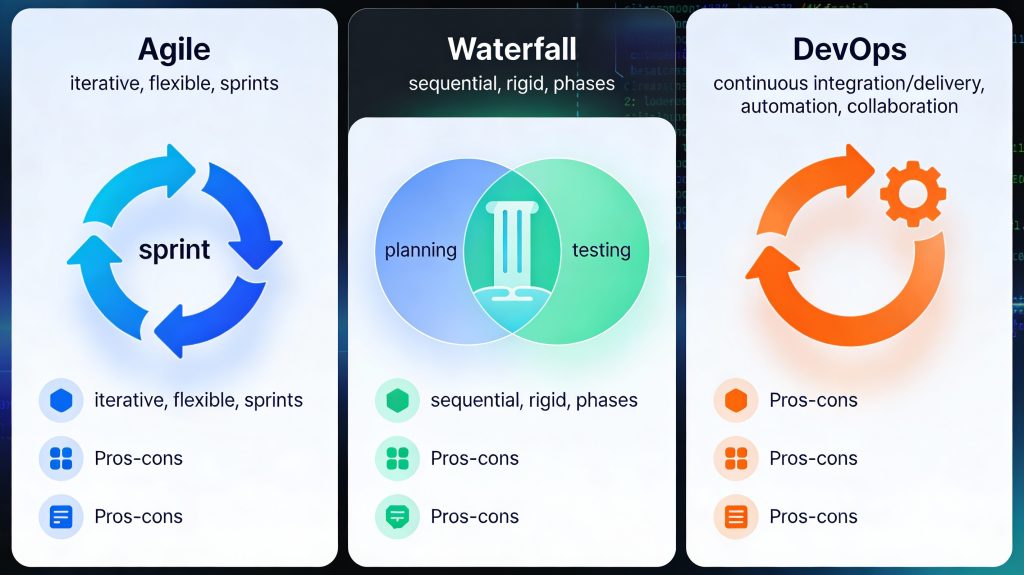
Agile vs Waterfall vs DevOps software development methodologies
Software development

Agile vs Waterfall vs DevOps: Choosing the Right Software Development Methodology

Introduction Choosing the right software development methodology is one of the most important decisions for any development project. The methodology you select determines how your team plans, builds, tests, and delivers software. Among the many approaches available today, Agile, Waterfall, and DevOps are the most widely used and debated. Each methodology has its strengths, weaknesses, and ideal use cases. While some teams prefer the structure of Waterfall, others thrive on the flexibility of Agile or the speed of DevOps. Understanding these models helps organizations align their development strategy with business goals. In this blog, we will compare Agile vs Waterfall vs DevOps, explore how each model works, and help you choose the right approach for your software development needs. What Are Software Development Methodologies? Software development methodologies are structured frameworks that define how software projects are planned, executed, and delivered. They provide guidelines for collaboration, workflow, documentation, and quality assurance. The right methodology improves efficiency, reduces risk, and ensures consistent delivery of high-quality software. Waterfall Methodology Overview The Waterfall model is one of the earliest software development methodologies. It follows a linear and sequential approach, where each phase must be completed before moving to the next. Phases of Waterfall Requirement analysis System design Development Testing Deployment Maintenance Advantages of Waterfall Clear structure and documentation Easy to manage and understand Ideal for projects with fixed requirements Disadvantages of Waterfall Limited flexibility Changes are costly Late testing increases risk Best Use Cases Government projects Regulatory-compliant systems Projects with well-defined requirements Agile Software Development Overview Agile is an iterative and incremental approach focused on flexibility, collaboration, and customer feedback. Instead of delivering the entire product at once, Agile teams work in short cycles called iterations or sprints. Key Principles of Agile Customer collaboration over contracts Responding to change over following a plan Continuous delivery of working software Popular Agile Frameworks Scrum Kanban Extreme Programming (XP) Advantages of Agile Faster delivery High adaptability to change Continuous user feedback Improved team collaboration Disadvantages of Agile Less predictability Requires experienced teams Documentation may be limited Best Use Cases Startups Mobile and web applications Projects with evolving requirements DevOps Methodology Overview DevOps is a cultural and technical approach that combines development and operations to improve collaboration, automation, and deployment speed. It focuses on continuous integration, continuous delivery, and continuous monitoring. Key DevOps Practices CI/CD pipelines Infrastructure as code Automated testing Continuous monitoring Advantages of DevOps Faster release cycles Improved software quality Better system reliability Reduced deployment failures Disadvantages of DevOps Requires cultural change Initial setup complexity Tooling and automation costs Best Use Cases Large-scale systems Cloud-native applications High-availability platforms Agile vs Waterfall vs DevOps: Key Differences Feature Waterfall Agile DevOps Flexibility Low High Very High Delivery One-time Incremental Continuous Customer Feedback Late Continuous Continuous Automation Minimal Moderate Extensive Speed Slow Fast Very Fast How to Choose the Right Methodology Consider the following factors: 1. Project Requirements Stable requirements favor Waterfall, while changing requirements favor Agile or DevOps. 2. Team Experience Agile and DevOps require skilled, self-managed teams. 3. Time-to-Market DevOps and Agile enable faster releases. 4. Compliance and Documentation Waterfall suits heavily regulated industries. Modern Hybrid Approaches Many organizations adopt hybrid models, such as Agile-DevOps or Waterfall-Agile hybrids, to balance structure and flexibility. These approaches leverage the strengths of multiple methodologies. Conclusion There is no one-size-fits-all software development methodology. Waterfall offers structure, Agile provides flexibility, and DevOps delivers speed and automation. The right choice depends on your project goals, team capabilities, and business needs. By understanding Agile, Waterfall, and DevOps, organizations can build software that is reliable, scalable, and aligned with modern development demands. Frequently Asked Questions (FAQs) 1. Which software development methodology is best? The best methodology depends on project requirements, team experience, and delivery timelines. 2. Is Agile better than Waterfall? Agile is better for flexible projects, while Waterfall works well for fixed-scope projects. 3. Can Agile and DevOps be used together? Yes, Agile and DevOps complement each other and are commonly used together. 4. Is DevOps only for large companies? No, DevOps can benefit organizations of all sizes. 5. Does Waterfall still exist today? Yes, Waterfall is still used in regulated and documentation-heavy industries. 6. Can one project use multiple methodologies? Yes, hybrid approaches are common in modern software development. Connect With Us: https://www.facebook.com/profile.php?id=61555452386126

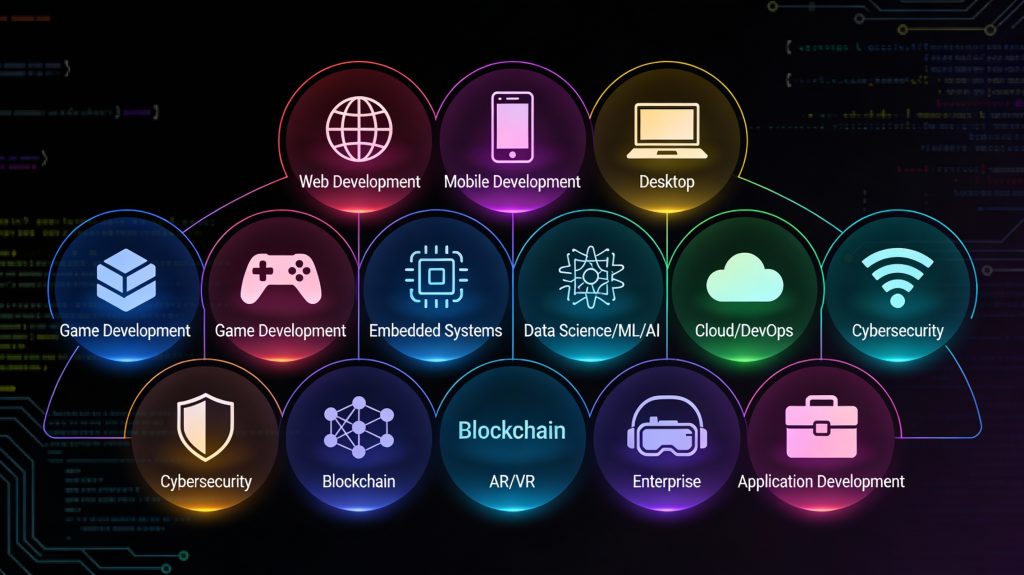
Different types of software development applications and platforms
Software development

Types of Software Development: Understanding Different Development Approaches and Applications

Introduction Software development is not a one-size-fits-all discipline. Depending on business goals, user needs, platforms, and technologies, software solutions are built in different ways. From websites and mobile apps to enterprise systems and embedded software, each type of software development serves a unique purpose. Understanding the types of software development helps businesses choose the right approach and enables developers to specialize in the areas that best align with their skills and career goals. As digital transformation accelerates across industries, the demand for diverse software solutions continues to grow. In this blog, we’ll explore the major types of software development, their characteristics, use cases, and how they contribute to modern technology ecosystems. Web Application Development Web development focuses on building applications that run in web browsers. These applications are accessible across devices without requiring installation. Key Characteristics Browser-based access Platform-independent Easy updates and maintenance Technologies Used Frontend: HTML, CSS, JavaScript, React, Angular Backend: Node.js, Python, Java, PHP Databases: MySQL, PostgreSQL, MongoDB Use Cases Business websites E-commerce platforms Content management systems Web portals Web development remains one of the most popular and in-demand software development types. Mobile Application Development Mobile software development involves creating applications for smartphones and tablets. Types of Mobile Development Native Development: Platform-specific (Swift for iOS, Kotlin for Android) Cross-Platform Development: Single codebase for multiple platforms (React Native, Flutter) Use Cases Social media apps Banking and fintech apps Fitness and healthcare apps On-demand services Mobile development focuses on performance, usability, and device-specific features. Desktop Software Development Desktop software development involves building applications that run on operating systems like Windows, macOS, and Linux. Key Features Offline functionality High performance Direct access to system resources Examples Productivity tools Graphic design software Accounting systems Although cloud and web apps are growing, desktop applications are still essential in many industries. Enterprise Software Development Enterprise software development focuses on building large-scale applications for organizations. Key Characteristics High scalability Complex workflows Integration with existing systems Examples ERP systems CRM platforms HR management software Enterprise software improves efficiency, data management, and operational control. Cloud Software Development Cloud development involves building applications designed to run on cloud infrastructure. Benefits Scalability on demand High availability Cost efficiency Popular Platforms Amazon Web Services (AWS) Microsoft Azure Google Cloud Platform Cloud-native development supports modern architectures like microservices and serverless computing. Embedded Software Development Embedded software runs on hardware devices rather than traditional computers. Examples IoT devices Automotive systems Medical equipment Smart appliances Embedded software must be efficient, reliable, and often real-time. Custom Software Development Custom software development involves building solutions tailored to specific business needs. Advantages Full control over features Better integration with business processes Competitive advantage Custom software is often preferred over off-the-shelf solutions for unique requirements. Game Development Game development combines software engineering with creativity. Technologies Used Game engines (Unity, Unreal Engine) Graphics and physics libraries Applications Mobile games Console games VR and AR experiences Game development emphasizes performance, graphics, and user engagement. AI and Machine Learning Software Development AI-driven software development focuses on intelligent systems. Use Cases Recommendation engines Chatbots Predictive analytics AI development requires specialized skills and data-driven approaches. Choosing the Right Type of Software Development Selecting the right development type depends on: Business goals Target users Budget and timeline Scalability requirements Making the right choice ensures long-term success. Conclusion Software development encompasses a wide range of approaches, each designed to solve specific problems. Understanding the different types of software development allows businesses to make informed decisions and developers to focus their skills effectively. As technology continues to evolve, the diversity of software development will only expand, offering endless opportunities for innovation. Frequently Asked Questions (FAQs) 1. What are the main types of software development? The main types include web, mobile, desktop, enterprise, cloud, embedded, and custom software development. 2. Which type of software development is most in demand? Web and mobile development are currently the most in-demand due to widespread digital adoption. 3. What is custom software development? Custom software development involves building applications tailored to specific business needs rather than generic solutions. 4. Is cloud software development different from web development? Yes, cloud development focuses on scalability and cloud infrastructure, while web development focuses on browser-based applications. 5. Which type of software development is best for startups? Web and cross-platform mobile development are often ideal for startups due to lower costs and faster time-to-market. 6. Can one project involve multiple types of software development? Yes, many modern projects combine web, mobile, cloud, and backend development. Connect with us: https://www.facebook.com/profile.php?id=61555452386126

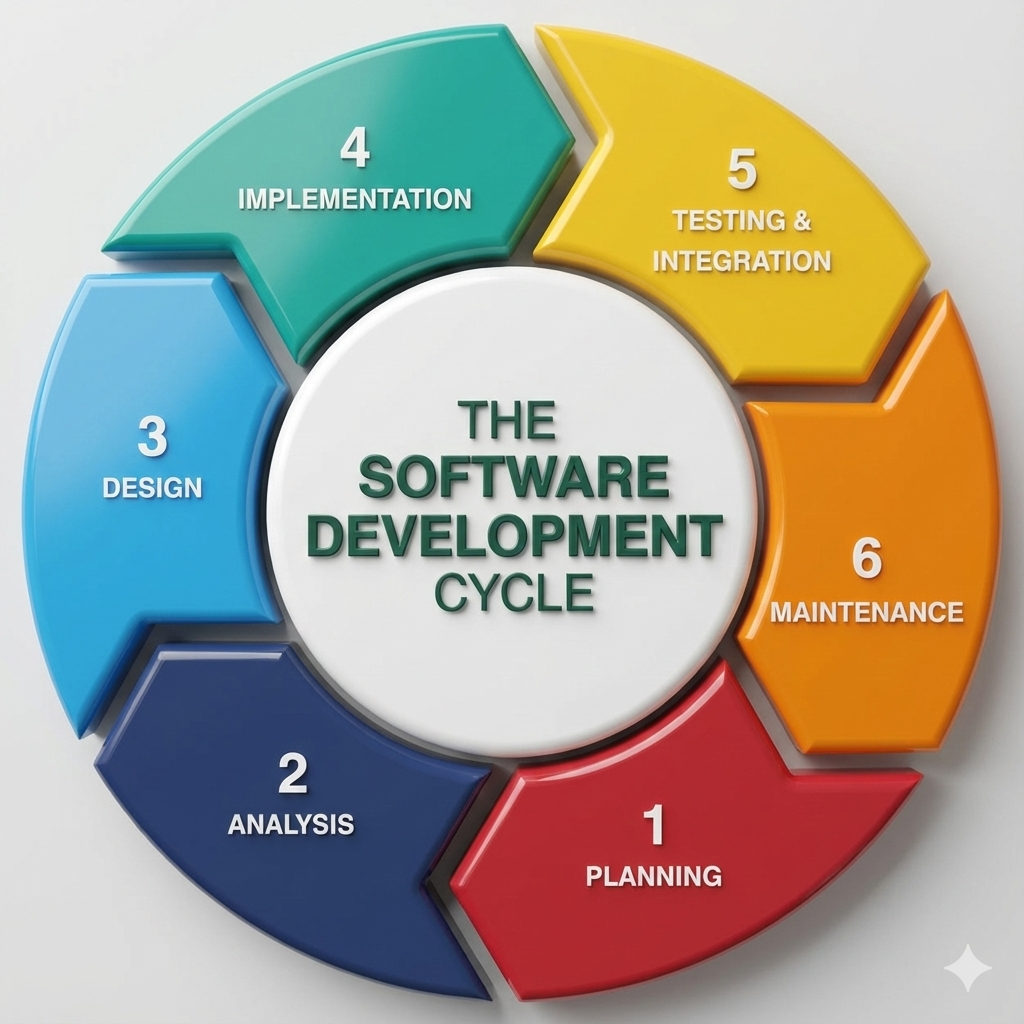
Software development lifecycle and modern application development
Software development

Software Development: A Complete Guide to Building Modern, Scalable Applications

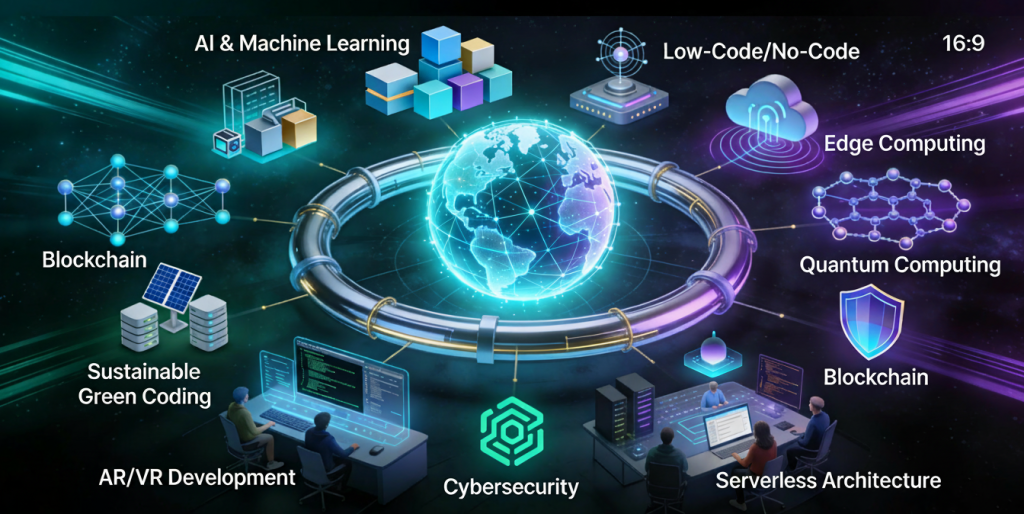
Introduction In the digital era, software development is the backbone of innovation, automation, and business growth. From mobile applications and enterprise systems to cloud platforms and artificial intelligence, software powers nearly every aspect of modern life. Organizations rely on robust software solutions to improve efficiency, enhance customer experiences, and gain a competitive advantage. Software development is not just about writing code—it is a structured process that involves planning, designing, building, testing, deploying, and maintaining applications. As technology evolves, so do development methodologies, tools, and best practices. This comprehensive guide explains what software development is, how it works, its types, lifecycle, tools, and why it plays a critical role in modern digital transformation. What Is Software Development? Software development is the process of creating applications, systems, or programs that perform specific tasks for users or businesses. It includes everything from simple websites to complex enterprise systems and cloud-based platforms. The process involves: Understanding user requirements Designing software architecture Writing and reviewing code Testing for quality and performance Deploying applications Ongoing maintenance and updates Software development combines creativity, logic, and engineering principles to solve real-world problems. Types of Software Development Software development can be categorized into several types based on use cases and platforms. 1. Web Development Involves building websites and web applications using technologies like HTML, CSS, JavaScript, and backend frameworks. 2. Mobile App Development Focuses on creating applications for Android and iOS platforms using native or cross-platform technologies. 3. Desktop Software Development Includes applications designed for desktops, such as productivity tools and system software. 4. Enterprise Software Development Custom software solutions built for large organizations to manage operations, data, and workflows. 5. Embedded Software Development Software designed to run on hardware devices like IoT systems, automobiles, and medical equipment. Software Development Lifecycle (SDLC) The Software Development Lifecycle (SDLC) is a structured approach that ensures high-quality software delivery. 1. Requirement Analysis Understanding business goals, user needs, and system requirements. 2. Planning Defining scope, timeline, resources, and budget. 3. Design Creating system architecture, UI/UX designs, and data models. 4. Development Writing, reviewing, and integrating code. 5. Testing Identifying bugs, performance issues, and security vulnerabilities. 6. Deployment Releasing the software into production. 7. Maintenance Updating, fixing, and improving software over time. Popular Software Development Methodologies 1. Waterfall Model A linear and sequential approach, suitable for projects with well-defined requirements. 2. Agile Development An iterative approach that focuses on flexibility, collaboration, and continuous improvement. 3. Scrum A popular Agile framework that delivers software in short development cycles called sprints. 4. DevOps Combines development and operations to enable faster and more reliable software delivery. Tools Used in Software Development Modern software development relies on powerful tools and technologies: Programming Languages: Java, Python, JavaScript, C++, C# Version Control: Git, GitHub, GitLab IDEs: Visual Studio Code, IntelliJ IDEA Testing Tools: Selenium, JUnit, Jest CI/CD Tools: Jenkins, GitHub Actions Choosing the right tools improves productivity and code quality. Importance of Software Development in Business Software development enables businesses to: Automate processes Improve customer engagement Scale operations efficiently Analyze data for better decision-making Stay competitive in digital markets Custom software solutions often provide more flexibility and control than off-the-shelf products. Challenges in Software Development Common challenges include: Changing requirements Tight deadlines Security risks Scalability issues Technical debt Following best practices and using modern methodologies helps overcome these challenges. Future of Software Development The future of software development includes: Artificial Intelligence and Machine Learning Cloud-native applications Low-code and no-code platforms Cybersecurity-focused development Continuous learning and adaptation are essential for developers and businesses alike. Conclusion Software development is a dynamic and ever-evolving field that drives innovation across industries. By following structured processes, adopting modern tools, and applying best practices, organizations can build scalable, secure, and high-performing software solutions. Whether you’re a startup or an enterprise, investing in quality software development is essential for long-term success. Frequently Asked Questions (FAQs) 1. What is software development used for? Software development is used to create applications and systems that solve problems, automate tasks, and improve efficiency for users and businesses. 2. What skills are required for software development? Key skills include programming, problem-solving, system design, debugging, and understanding development methodologies. 3. What is the SDLC in software development? The Software Development Lifecycle is a structured process that guides software creation from planning to maintenance. 4. Is Agile better than Waterfall? Agile is better for projects with changing requirements, while Waterfall suits projects with fixed and well-defined goals. 5. How long does software development take? Development time depends on project complexity, features, and team size, ranging from weeks to months. 6. Is custom software development expensive? While initial costs may be higher, custom software often provides better long-term value and scalability. Connect With Us: https://www.facebook.com/profile.php?id=61555452386126

Business team analyzing AI-powered demand forecasting dashboards and digital supply chain charts in a modern office setting.
Software development

How to Build Demand Forecasting Software

Introduction Demand forecasting software is changing the way businesses predict product demand and optimise inventory. Accurate forecasts help companies reduce costs, improve customer satisfaction, and streamline supply chain management. Building demand forecasting software requires integrating data analytics, machine learning, and seamless system integration. This blog explores essential steps, features, and technologies for developing effective demand forecasting software in 2025. What Is DevOps and Why It Matters in 2025 Key Features of Demand Forecasting Software Data Integration: Connects with ERP, CRM, inventory, sales, and external market data sources for real-time updates.​ Predictive Models: Uses machine learning and statistical algorithms (ARIMA, LSTM, Prophet) to analyse trends, seasonality, and external factors.​ Scenario Planning & What-If Analysis: Allows businesses to simulate effects of price changes, promotional campaigns, or supply disruptions for strategic planning.​ Alerts & Notifications: Automated alerts for significant demand shifts or anomalies ensure proactive management.​ Customizable Dashboards: Tailored interfaces for different departments and decision makers to access relevant insights.​ Cloud-Based & Scalable: Enables remote access, large-scale data handling, and fast updates.​ Steps to Build Demand Forecasting Software Define Objectives and Requirements: Clarify goals like improving accuracy, automation level, and integration needs with existing systems.​ Data Collection and Preprocessing: Gather internal data (sales, inventory, CRM) and external market info, clean and normalize for analysis.​ Select Forecasting Models and Algorithms: Choose suitable predictive models (e.g., ML-based, statistical models) that match business domain and data characteristics.​ Design Software Architecture: Develop modules for data processing, model training, forecasting, alerts, and reporting with scalability in mind.​ Implementation & Integration: Build backend services, frontend dashboards, and connect with ERP/Sales systems using APIs.​ Testing & Validation: Validate model accuracy with historical and real-time data; simulate scenarios and optimize performance.​ Deployment and User Training: Roll out software with training sessions and support to ensure adoption and feedback loops.​ Benefits of Demand Forecasting Software Reduced Inventory Costs: Optimize stock levels to minimize carrying and shortage costs.​ Improved Operational Efficiency: Facilitate better production planning and resource allocation.​ Enhanced Customer Service: Meet demand timely by avoiding stockouts and delays.​ Strategic Business Decisions: Utilize scenario analysis to foresee market changes and plan effectively.​ Realtime Adaptation: Quickly respond to market shifts with alerts and updated forecasts.​ Conclusion Building effective demand forecasting software requires a harmonious blend of data analytics, predictive modeling, and practical system integration. By following methodological steps from defining clear objectives to deployment, businesses can achieve accurate forecasting, reduce costs, and improve operational agility. As 2025 evolves, demand forecasting software powered by AI and real-time data integration becomes an indispensable tool for competitive businesses. FAQ 1. What types of data are needed for demand forecasting software? Sales records, inventory levels, market trends, CRM data, and external economic signals.​ 2. Which machine learning models are commonly used? ARIMA, LSTM, and Facebook Prophet are popular for time-series demand prediction.​ 3. Can demand forecasting software adapt to sudden changes? Yes, advanced solutions provide real-time data integration and anomaly detection for quick adaptation.​ 4. How important is scenario planning? It enables businesses to simulate potential disruptions or changes in conditions, aiding better decision-making.​ 5. Is cloud deployment recommended? Yes, cloud ensures scalability, accessibility, and ease of updates for demand forecasting software.​

Digital cloud kitchen management dashboard with staff interacting, food delivery icons, and modern technology elements in a business setting
Software development

How to Build a Cloud Kitchen Management Software

Introduction Cloud kitchen businesses are reshaping the food industry, offering delivery-first models driven by digital efficiency. For operators, effective management software is essential—it connects orders, tracks inventory, manages staff, and streamlines the entire kitchen operation from a single platform. This guide details everything you need to build robust cloud kitchen management software, ensuring you can deliver seamless customer experiences and scale effortlessly. ​ Core Features Every Cloud Kitchen Software Needs Order Management System: Centralise and automate order intake from multiple food delivery platforms, allowing the kitchen to efficiently handle high order volumes without confusion.​ Inventory & Procurement Management: Track ingredient usage, manage stock levels, generate auto-purchase orders, and predict supply needs with data-driven analytics.​ Staff Management: Assign shifts, track attendance, and optimise task allocation to keep your kitchen running smoothly during peak and off-peak hours.​ Customer Relationship Management (CRM): Store and analyse customer preferences, purchase history, and feedback to drive loyalty and run targeted marketing campaigns.​ Real-Time Analytics and Reporting: Gain insights into kitchen performance, order trends, inventory turnover, and customer satisfaction with live dashboards.​ Additional Must-Haves: Integration with POS systems Multi-location and menu management Secure user authentication Mobile, tablet, and web access Steps to Develop Cloud Kitchen Management Software Define Requirements: List your business goals, target audience, operational challenges, and essential features.​ Market Research: Study competitor solutions and find gaps or value-added opportunities.​ UI/UX Design: Design intuitive workflows for admin, kitchen staff, and delivery teams—focus on speed and clarity.​ Software Development: Build backend order processing, inventory modules, staff scheduling, reporting tools, and secure APIs for integration.​ Testing and Quality Assurance: Rigorously test features, usability, and reliability through real-world scenarios and feedback.​ Deployment and Go-Live: Launch with easy onboarding, staff training, and technical support to ensure smooth adoption.​ Benefits of Cloud Kitchen Management Software Operational Efficiency: Automated processes reduce manual errors and speed up kitchen operations.​ Cost Control: Real-time analytics help in resource planning, reducing food waste and overstocking.​ Enhanced Customer Experience: Accurate order tracking and personalised service drive loyalty and repeat business.​ Conclusion Developing custom cloud kitchen management software transforms how modern kitchens operate—enabling centralised control, data-driven decisions, and scalable growth. By focusing on the right features and following proven development steps, your business can thrive in the competitive delivery market. Now is the time to start building the foundation for operational excellence. Ready to create your own cloud kitchen management system? Partner with a software expert or explore platforms that offer custom development to turn your kitchen into a digital powerhouse. FAQ 1. What is a cloud kitchen management software? A digital platform that centralises order processing, inventory, staff, and customer management for delivery-first food businesses.​ 2. What technology stack is used? Popular choices include React Native or Flutter (front end), Node.js or Django (back end), and cloud hosting with AWS or Google Cloud.​ 3. How much does it cost to build such software? Costs depend on features, scalability requirements, and integration needs; expect development and ongoing maintenance expenses.​ 4. Can this software integrate with delivery apps? Yes, integration with leading delivery partners and POS systems is essential for streamlined operations.​ 5. How long does it take to develop? Depending on complexity, most custom projects take 4–6 months from design to deployment.​

Feature image showing customer data platform (CDP) benefits for retail businesses, with colorful data analytics visuals and modern retail store elements.
Software development

10 Reasons You Need a CDP for Your Retail Business

  Introduction In today’s data-driven retail landscape, understanding and connecting with customers is crucial to success. Modern retailers rely on advanced software solutions like a Customer Data Platform (CDP) to unify fragmented customer data into a single hub. This empowers retail technology ecosystems to create personalized experiences, optimize marketing, and boost sales. As machine learning retail analytics, privacy regulations, and digital channels expand, a robust e-commerce CDP is no longer a luxury—it’s an essential tool for thriving in retail. This blog explores ten powerful reasons every retailer needs a CDP and offers actionable steps to build one, with deep insights and internal links to TechOTD’s leading resources. 10 Reasons You Need a CDP for Your Retail Business 10 Reasons Your Retail Business Needs a CDP 1. Unified Customer View A CDP creates a single, comprehensive profile for each customer by consolidating data from online stores, point-of-sale systems, mobile apps, and loyalty programs. This unified profile becomes the backbone of your retail system, supporting better understanding and improved decision-making. 2. Improved Personalization With unified data, retailers can deliver highly personalized product recommendations, emails, and offers. Personalization increases engagement and conversion rates by leveraging smart machine learning retail models within your CDP. 3. Enhanced Customer Segmentation CDPs enable segmentation based on behaviors, demographics, and purchase history—so messaging and offers are always relevant to each group, making your retail technology strategy more powerful. 4. Better Marketing ROI Precise targeting with real-time data means fewer wasted ad dollars and more effective campaigns. CDPs boost return on ad spend (ROAS) and improve overall marketing efficiency using advanced software analytics. 5. Seamless Omnichannel Experience CDPs unify customer journeys across web, apps, email, and physical stores, ensuring consistent messaging and experiences no matter where customers interact—essential for any e-commerce cdp implementation. 6. Data Compliance and Privacy Managing customer data centrally makes compliance with GDPR, CCPA, and other privacy regulations easier, reducing legal risks. 7. Real-Time Analytics and Insights Advanced analytics allow retailers to track campaign performance, predict churn, and uncover trends for smart, agile decision-making within your retail system. 8. Recover Abandoned Carts CDPs enable personalized follow-up emails and offers that re-engage customers and recover lost sales—using software-powered triggers for timely communication. 9. Customer Retention and Loyalty By understanding and responding to customer needs, CDPs empower loyalty programs and incentives, driving repeat purchases and long-term relationships with the help of advanced retail technology. 10. Marketing Automation and Efficiency Automated workflows triggered by customer actions save time, increase relevance, and let teams focus on strategy instead of manual tasks. This is the essence of modern retail software. How to Build a CDP for Your Retail Business Building a CDP is a strategic process that ensures your investment aligns with business goals—and delivers ongoing value for your retail system. 1. Assess Your Business Needs Identify whether you want more personalization, improved retention, or seamless omnichannel experiences. Clear goals inform every subsequent step. 2. Audit Existing Data Sources Review all systems with customer data (e.g., CRM, online store, loyalty programs—a part of your retail system), identify overlaps and gaps, and clean your data to ensure reliability. 3. Design the Architecture Plan how the CDP will connect to platforms like CRMs, e-commerce, POS, and marketing tools—key elements of retail technology. Define rules for real-time and batch data processing, access control, and regulatory compliance. 4. Develop and Integrate the Platform Choose scalable technology and APIs to bridge systems, ensure rapid data sync, and prioritize security. Integrate with existing processes and future-proof for business expansion using suitable software. 5. Define Segments and Attributes Map out key customer attributes and create segments for targeted campaigns (e.g., VIPs, frequent buyers, at-risk customers). 6. Personalization and Automation Configure real-time triggers for personalized messages, recommendations, and offers using machine learning retail tools. Use automation tools to deliver the right communication at the right time. 7. Privacy and Compliance Management Build in privacy controls and consent management. Keep customer trust by being transparent about data handling and honoring customer choices. 8. Measure and Optimize Set clear KPIs, monitor campaign results, and adjust segments, messages, and strategies using live data and advanced analytics software. Key Points Table Reason/Step Description Unified Customer View Single profile per customer enables better understanding and interactions. Improved Personalization Data-driven product recommendations and offers for each user. Enhanced Segmentation Group customers for relevant messages and campaigns. Marketing ROI Fewer wasted ads, real-time performance tracking, higher sales. Omnichannel Experience One smooth journey across online and offline touchpoints. Compliance & Privacy Centralized data simplifies consent management and data regulations. Real-Time Analytics Track trends, campaign success, and customer needs as they happen. Recover Carts Use behavioral data to re-engage and convert lost customers. Retention & Loyalty Data-driven incentives for long-term relationships and repeat sales. Automation Hands-off, triggered messaging and campaigns improve efficiency. For insights on how AI and software are transforming retail, read our guide on Machine Learning in Healthcare for parallels in data-driven innovation: Machine Learning in Healthcare Explore the future of AI-powered customer service in retail technology with our article on Seamless Customer Journeys with AI: Seamless Customer Journeys with AI – The Future of Service Excellence Understand how predictive analytics software enhance CDP capabilities in retail by visiting: Predictive Analytics Software Development – Features, Benefits, Use Cases, Process, and Cost Discover how cloud technology supports modern retail systems in our comprehensive guide: Cloud Computing – An Ultimate Guide for Businesses Learn about agentic RAG and its applications for smarter data management in retail systems: Agentic RAG: What It Is, Types, Applications, and Implementation Read about confidential AI systems transforming data security and compliance in retail technology: Confidential AI Conclusion A Customer Data Platform is a must-have software for every modern retail business. By connecting disparate data sources, enabling true omnichannel engagement, and powering personalization through machine learning retail analytics, a CDP puts the customer at the heart of decision-making. Investing in a CDP enables retailers to exceed customer expectations, drive returns, and thrive amid fierce competition. If you haven’t yet explored CDPs, now is the time to future-proof your retail business with advanced retail system tools—ensuring agility, compliance, and sustained growth. For tailored CDP integration and AI solutions, explore TechOTD’s expertise today. FAQ What is a CDP and how does it differ from a CRM? A CDP unifies customer data from all sources for 360° analysis and activation, while a CRM

How would you like me to respond?

Select a personality for your AI assistant

Normal
Happy
Sad
Angry

Your selection will affect how the AI assistant responds to your messages

Chat Assistant

Let's discuss your project!

Hear from our clients and why 3000+ businesses trust TechOTD

Tell us what you need, and we'll get back with a cost and timeline estimate

Scroll to Top