
Mobile App Development

Mobile App Development

How Long Does It Take to Develop a Mobile App?

Introduction Developing a mobile app can take anywhere from 2 months for a simple app to over a year for highly complex solutions, with most projects landing in the 4–9 month range depending on complexity, features, team experience, and client requirements. Below, a comprehensive 4000-word blog is outlined, providing a detailed look at the full journey—from conception to launch—of building a mobile app, including timelines, development phases, influencing factors, and tips for streamlining the process. How Long Does It Take to Develop a Mobile App? Building a successful mobile app is a multi-stage journey influenced by a range of variables. Estimates suggest a simple app may be developed in as little as 2–4 months, while more complex applications can take 9 months or longer. To understand these timelines, it’s vital to dive into each phase of the process, analyze what impacts duration at each stage, and consider the best practices for making the most of every development week. Understanding Mobile App Development Timelines Typical Timeframes Simple apps (e.g., calculators, notepads): 2–4 months. Average complexity apps (e.g., fitness trackers, booking apps): 4–7 months. Complex apps (e.g., social networks, real-time systems): 7–12+ months. These estimates reflect time from ideation through launch, including all core phases. Stages of Mobile App Development Every mobile app project passes through key phases, each of which shapes the overall timeline: 1. Product Discovery & Ideation This phase involves defining the app’s vision, conducting market research, identifying user personas, and setting clear business goals. Activities include: Brainstorming sessions. Market analysis. Feature prioritization. Creating user stories or a product canvas. Time estimate: 2–4 weeks for most projects. 2. Planning & Technical Feasibility Project scope is finalized along with timelines, budget, resource allocation, technical requirements (platform choice: iOS, Android, or cross-platform), and data flow diagrams. Time estimate: 2–4 weeks. 3. UX/UI Design Designers map out wireframes, user journeys, visual prototypes, and interactive mockups. Decisions made here greatly impact user adoption and app usability. Time estimate: 4–8 weeks, depending on screens/features. 4. Development This core phase covers building the app’s front-end, back-end, integrations, and server-side logic. Larger, feature-rich projects take longer and often proceed in multiple sprints: Simple MVPs may use pre-built templates, Complex apps require custom development, API integrations, and sometimes machine learning or AR. Time estimate: Simple: 1–2 months Medium: 2–4 months Complex: 5–9+ months. 5. Testing & Quality Assurance Every module is rigorously tested—unit, integration, usability, device compatibility, security, and performance. Expect multiple iterations of bug fixing and refinements. Time estimate: 3–6 weeks, though testing often overlaps with development. 6. Deployment & App Store Launch After QA, apps are prepared for launch. This involves final documentation, creating store listings, compiling the app for target platforms, and submitting for review (with iOS often taking longer due to approval times). Time estimate: 1–2 weeks. 7. Post-Launch Maintenance Launching the app is just the beginning. Maintenance includes monitoring, analytics, user feedback collection, and releasing patches or new features. Time estimate: Ongoing, but rapid updates often occur in the first 1–2 months post-launch. Key Factors Affecting Development Time App Complexity Feature count: More screens, user flows, or integrations extend timelines Back-end requirements: Real-time updates, cloud synchronization, or advanced user management require more work. Platform Choice Developing for iOS vs. Android, or building cross-platform, can affect both the timeline and the resources required. Third-Party Integrations Use of APIs (for payments, social logins, analytics) may speed up some functionality, but custom integrations often add time. Team Expertise & Size A larger, more experienced team can build faster, especially in parallel sprints and with robust project management systems. UI/UX Demands Highly interactive or animated user interfaces require more design and development time—simple designs accelerate progress. Testing Requirements Apps built for many device types and OS versions, with extensive compliance or security needs, require longer QA phases. Regulatory & Compliance Needs Apps in finance, healthcare, or those targeting specific geographies (GDPR, HIPAA, etc.) may require extra development for compliance. Detailed Timeline Examples App Type Discovery Design Development Testing Deployment Typical Total [months] Simple 2 weeks 2 weeks 4 weeks 3 weeks 1 weeks 2–4 Medium 3–4 weeks 4 weeks 8–16 weeks 4 weeks 1–2 weeks 4–7 Complex 4–6 weeks 6–8 weeks 20–36 weeks 6–10 weeks 2 weeks 7–12+ Tips for Speeding Up Mobile App Development Develop an MVP first: Start small, then iteratively add features. Utilize cross-platform frameworks: Flutter, React Native, or Xamarin reduce duplicated work. Automate testing: Use CI/CD pipelines and automated test suites to accelerate QA. Adopt agile project management: Regular sprints, daily standups, and clear backlog prioritization keep teams focused. Leverage open-source libraries and APIs: Don’t reinvent the wheel for standard features. Top Mistakes That Prolong Development Undefined requirements: Vague or shifting objectives waste development weeks. Poor communication: Gaps between the client, designers, and developers increase iteration cycles. Skipping QA early on: Postponing bug hunts can lead to major setbacks. Overly ambitious scope: Attempting everything at once stalls the project; start with a core set of features. The Developer’s Perspective Many developers report that the actual “coding” phase is rarely the bottleneck. Instead, most delays come from scope changes, unclear requirements, or slow approval cycles during design and testing. Real-world experience shows that even small projects can face setbacks if communication is poor or stakeholders change “must-have” features during sprints. Case Studies Simple App: To-Do List Features: Add, delete, edit tasks, mark as completed. Platform: Android and iOS (with Flutter). Estimated timeline: 2–3 months from idea to launch, including a week of post-launch bug fixes. Medium Complexity: Fitness Tracker Features: Use device sensors, integrate with wearables/APIs, push notifications, social login. Platform: Both major OS (React Native for speed). Estimated timeline: 5–6 months including QA and store approvals. Complex App: Social Networking Platform Features: Real-time chat, media uploads, advanced search, robust moderation, scalable server infrastructure. Platform: iOS, Android, web. Estimated timeline: 9–12+ months; may be released in iterative phases or with a core MVP first. Client Checklist for a Smoother Process To help keep a project on track: Define business goals and key features upfront. Prioritize features into must-have, nice-to-have, and later releases. Approve wireframes and designs quickly and decisively. Assign a project owner for fast feedback to dev queries. Plan for
Mobile App Development

The Business Benefits of Choosing Aerospike Database

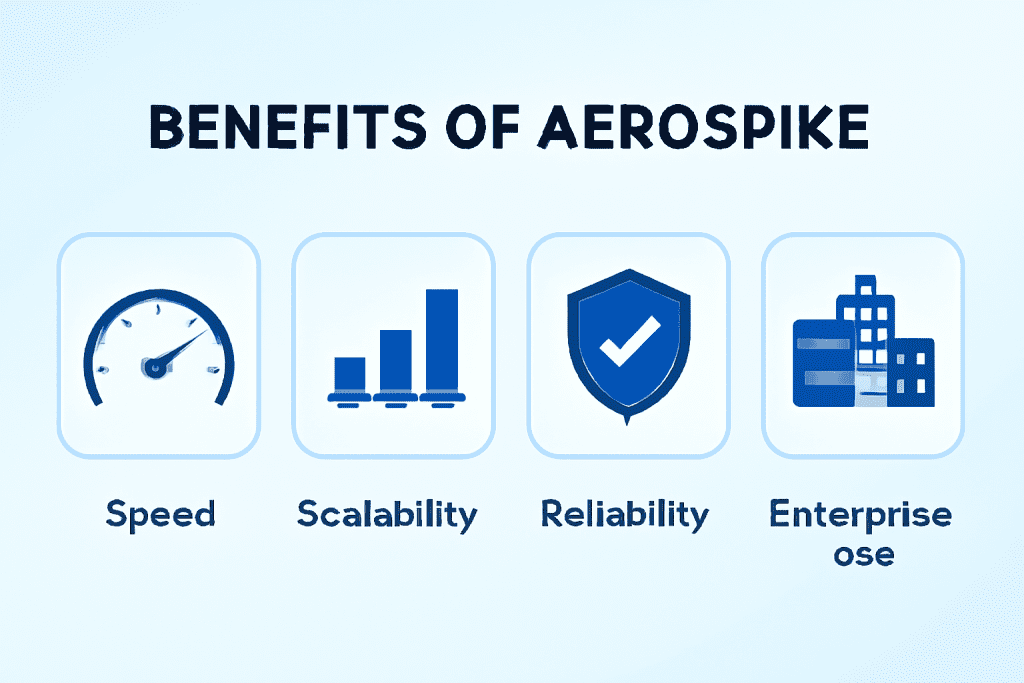
Introduction In today’s data-driven business landscape, organizations demand databases that deliver high performance, scalability, and reliability while processing vast volumes of real-time data. Aerospike, a modern NoSQL distributed database, excels in these areas, providing enterprises the foundation they need to innovate, optimize operations, and enhance customer experiences. This comprehensive blog explores the multifaceted business benefits of choosing Aerospike Database. It discusses key technical advantages, diverse industry use cases, and how Aerospike integrates with emerging technologies like AI, blockchain, and predictive analytics. Strategic backlinks to TechOTD AI Services and other relevant TechOTD content enrich the discussion for readers seeking to elevate their technology strategies. Why Aerospike? Key Business Advantages 1. Ultra-High Performance and Low Latency Aerospike is engineered for real-time, high-speed transactions at scale. Its Hybrid Memory Architecture leverages both RAM and persistent flash storage, dramatically reducing latency and enabling billions of transactions per day. Businesses can deliver instant personalization, fraud detection, and dynamic pricing, critical in sectors like retail, ad tech, and finance. Explore AI-driven real-time personalization and fraud prevention strategies at TechOTD AI Services. 2. Extreme Scalability and Reliability Aerospike’s distributed architecture supports automatic sharding and replication across multiple nodes and data centers, ensuring horizontal scalability and high availability without performance degradation. This reliability is vital for applications requiring 99.999% uptime such as telecom, gaming, and banking. Real-world case studies are available via TechOTD Blog. 3. Simplified Data Architecture By combining key-value and document store capabilities, Aerospike simplifies data models and reduces infrastructure complexity. This simplification accelerates development cycles and reduces operational costs and risks. Learn about lean and agile development in mobile apps at TechOTD Mobile Apps. 4. Enterprise-Grade Security and Compliance Aerospike includes multi-layer security features such as encryption at rest/in transit, access control, and audit logging, supporting regulatory requirements like GDPR and HIPAA. Enhanced data security integrates seamlessly with blockchain technologies to ensure immutable, secure transactions TechOTD Blockchain Integration. 5. Native Cloud and Hybrid Deployment Flexibility Aerospike supports deployment across public clouds, private clouds, and on-premises environments, providing flexibility aligned with IT strategy and regulatory mandates. Hybrid cloud architectures enable the best of scalability and control, a focus area covered extensively by TechOTD Cloud Blogs. Industry Use Cases Empowered by Aerospike   Retail & E-Commerce: Real-Time Personalization and Inventory Management Aerospike powers instant personalization at scale by managing user sessions and product catalogs with minimal latency. Faster inventory updates and order processing improve customer satisfaction and operational efficiency. Financial Services: Fraud Detection and Risk Analytics Aerospike enables ultra-fast transaction processing and real-time anomaly detection, reducing fraud and credit risks. AI-driven analytics running on Aerospike data accelerate decision-making TechOTD Large Language Models in Finance. Ad Tech: Real-Time Bidding and Audience Segmentation Aerospike’s capability to handle massive read/write loads supports real-time bidding platforms and audience analytics, increasing ad revenue and precision. Telecommunications: Session Management and Network Optimization High-availability and low-latency session data management improve call quality and subscriber experience. Gaming & Entertainment: Leaderboards and In-Game Analytics Real-time game state updates and analytics tracking enable responsive multiplayer experiences and personalized gameplay. Integration with AI, Blockchain, and Predictive Analytics Aerospike integrates seamlessly with AI and machine learning pipelines, enabling fast data ingestion and retrieval critical for training and inference at scale. For comprehensive AI integration strategies, see TechOTD AI Services. Blockchain enhances Aerospike’s secure data framework for use cases requiring transparency and trust TechOTD Blockchain Integration. Predictive analytics leverage Aerospike’s performance to deliver timely insights, enhancing operational decision-making TechOTD Predictive Analytics. Operational Excellence and Developer Productivity Aerospike comes with advanced management tools, monitoring, and automation features that reduce downtime and manual effort. Its powerful query language and APIs accelerate developer productivity, supporting agile methodologies TechOTD Mobile App Development. Challenges and Mitigation Learning Curve: Adopting new database technologies requires training, but developer-friendly resources and consulting can ease transition TechOTD How We Work. Integration Complexity: Aerospike integrates with popular data platforms and analytics tools to ease ecosystem compatibility. Future Outlook As edge computing and 5G expand, Aerospike’s low latency and edge adaptability position it for emerging workloads. Continued AI and blockchain feature integration will boost Aerospike’s role in next-gen applications. Stay updated with TechOTD insights on evolving technology at TechOTD Blog. Conclusion Choosing Aerospike Database offers enterprises a high-performance, scalable, and reliable platform crucial for modern data-intensive applications. Its unique architecture supports business agility, innovation, and operational excellence across sectors. Key Benefits Summary: Real-time, low-latency data processing Unmatched scalability and availability Simplified data models and reduced complexity Robust security compliance and blockchain synergy Hybrid and cloud deployment flexibility Proven multi-industry use cases and AI integration

Mobile App Development, Uncategorized

How to Design Dark Mode: A 2025 Guide for Mobile Designers

Introduction In 2025, dark mode isn’t just a trend—it’s an essential feature for mobile apps, demanded by users for aesthetics, comfort, and cutting-edge battery efficiency. Major platforms like iOS and Android have refined their dark themes, making nuanced color choices, accessibility, and seamless transitions a key priority for top-tier mobile designers. This comprehensive guide walks you through the best practices, design principles, and new tips for mastering dark mode UI in modern mobile app design.   Why Dark Mode Matters in 2025 Reduces Eye Strain: Dark backgrounds with lighter text minimize eye pressure in low-light settings—users can browse longer, day or night. Battery Efficiency: On OLED and AMOLED devices, dark themes save noticeable power by turning off pixels. Modern Appeal: Dark UIs offer a sleek, premium look and let colors + highlights pop more than on light backgrounds. Accessibility: With the right contrast, dark mode helps users with light sensitivity or visual impairments. User Choice: Dark/light toggles let users personalize their experience, boosting engagement and satisfaction. Core Principles for Effective Dark Mode Design 1. Avoid Pure Black—Use Deep Grays Use dark gray backgrounds (#121212, #1b1b1b) instead of pure black (#000000) to reduce harshness and keep shadows natural. Deep grays feel less stark, help UI elements blend, and improve readability. 2. Curate and Adapt Colors Carefully Don’t just invert your color scheme. Re-calibrate each color for vibrancy against dark backgrounds. Use desaturated, muted colors (like teal, blue, or purple) for UI elements to avoid excessive intensity. 3. Contrast Is Everything—But Balance It Maintain high color contrast between text and backgrounds (ideally 15:1 per accessibility guidelines). Prefer off-whites or light grays for text instead of pure white. 4. Design for Accessibility Meet or exceed WCAG AA or AAA contrast standards for visually impaired users. Enlarge text and interactive elements, and don’t rely solely on color to indicate state. 5. Minimize Glare and Visual Noise Use negative space and minimalist layouts—it helps users scan content and reduces cognitive load. Limit the use of highly saturated colors to alerts or primary action items. 6. Include Seamless Dark/Light Toggles Give users a simple switch—either in-app or obey the OS setting—to swap between dark and light modes instantly. 7. Test Your Design in Real-World Conditions Preview dark mode on different displays (OLED, LCD), in various ambient lighting scenarios, and with real users. Pro Tips from Design Leaders Use Adaptive Assets: Provide SVG or vector icons/symbols optimized for both light/dark backgrounds. Incorporate Subtle Animations: Use micro-interactions or transitions to help users adjust visually between themes. Dynamic Shadows and Elevation: Refine shadows and layers to enhance the perception of depth in dark mode. Brand Personality in the Dark: Custom graphics or “Easter eggs” for dark mode can make your experience stand out. Conclusion Designing great dark mode in 2025 is about much more than flipping a color scheme. It’s a thoughtful, user-focused process blending visual comfort, brand personality, accessibility, and technical optimization. Mobile designers who get dark mode right deliver experiences users love—sleek, stylish, and future-proof. FAQ 1. Is dark mode better for eye health? It reduces eye strain in low-light settings and is preferred by users with light sensitivity. It’s best to let users switch modes based on their needs. 2. Should I just invert the colors from my app’s light mode? No. Each color and element should be recalculated for best readability, accessibility, and emotion on dark backgrounds. 3. What’s the best background color for dark mode? Avoid pure black; use dark grays (#121212 or #1b1b1b). These are easier to look at and keep contrast from being too harsh. 4. How can I test for good dark mode design? Run accessibility audits, preview on different screens, compare in various lighting, and gather real user feedback. 5. Do I need a toggle or should my app match the system setting? Offer both—a dedicated toggle for user control, and the ability to automatically match device/system-wide theme settings.

Mobile App Development, Uncategorized

Cross-Platform App Development in 2025: Flutter vs React Native vs Native Apps

Introduction The way we build mobile apps in 2025 looks very different from just a few years ago. Businesses and developers now have multiple choices: go fully native (Swift for iOS, Kotlin for Android), pick a cross-platform solution like Flutter or React Native, or use hybrid models that combine the best of both worlds. The goal for everyone is the same—faster development, flexible deployment, and an amazing user experience. Mobile App Development in 2025 Cross-platform frameworks have become incredibly powerful, with near-native performance, making them the go-to option for most new apps. Flutter (from Google) and React Native (from Meta) dominate and are used for everything—from small startup projects to enterprise-level apps. Native development still has a strong place, especially when apps require maximum performance or deep integration with a device’s operating system. Flutter vs React Native vs Native – Which One Stands Out? Feature Flutter React Native Native Apps Language Dart JavaScript / TypeScript Swift (iOS), Kotlin (Android) Performance Near-native with custom engine (Impeller) High, improved with Bridgeless & Fabric Best possible, direct OS access UI Design Same UI across platforms, pixel-perfect Feels more “native” on each platform Fully native, best experience per OS Community Growing fast, strong widgets Mature, huge developer base Official SDKs, stable tools Learning Curve Medium (Dart is new for many) Easy for web/React developers High (different skills for each OS) Speed of Development Very fast (hot reload) Fast, large talent pool Slower (two separate apps) Code Reuse Mobile, web, desktop, IoT Mobile & web (via React) Minimal Best For Custom UIs, animations, multi-platform apps Web + mobile synergy, fast MVPs High-performance, unique OS features File Size Slightly bigger Moderate Optimized per platform Enterprise Users BMW, Google Pay, Alibaba Walmart, Instagram, Discord Apple, Google, banking apps Key Trends Shaping 2025 Performance Parity: Cross-platform apps are now as smooth as native ones, with 120Hz animations and powerful engines like Flutter’s Impeller and React Native’s Fabric. Lower Development Costs: Using one codebase for multiple platforms can save up to 40–60% in development and maintenance. Faster Time-to-Market: Hot reload, reusable components, and easier updates mean quicker releases. Flutter in 2025 Flutter uses its own rendering engine, giving developers pixel-perfect control over the UI. It’s excellent for apps that need to look exactly the same across devices or those with rich animations and branded designs. Plus, it supports mobile, web, desktop, and even IoT devices from one codebase—perfect for startups and brands looking to scale fast. React Native in 2025 React Native has evolved massively, removing performance bottlenecks with its new bridgeless architecture. If your team already works with React for web development, React Native feels familiar and allows you to reuse a lot of code. It’s a great choice for projects where speed, flexibility, and existing talent availability are key. Native Development in 2025 Native apps are still unbeatable for performance-heavy use cases like gaming, AR/VR, or banking apps where every millisecond matters. They also provide the deepest integration with OS features. However, building two separate codebases (iOS and Android) means higher costs and more time. When Should You Choose What? Choose Flutter if you need consistent UI across platforms, lots of animations, or want to launch quickly on multiple devices (mobile, desktop, web). Choose React Native if your team already knows JavaScript/React or if you want to reuse components between web and mobile apps. Go Native if performance, deep device integration, or security is your top priority and you have the budget and time for separate codebases. Other 2025 Factors to Consider AI in Development: Code suggestions, auto-layouts, and AI testing tools are now common across frameworks, improving productivity. Accessibility & Inclusivity: Meeting global accessibility standards (like ADA and WCAG 2.1) is now essential. 5G & Edge Computing: Faster internet speeds allow more advanced features, sometimes making native apps more appealing for demanding real-time use cases. Conclusion Flutter and React Native have matured to the point where they’re now the first choice for most businesses. They deliver top-notch performance and help cut costs and development time. But native apps still win when every millisecond and device-specific feature counts. In 2025, the choice isn’t about which technology is “best”—it’s about which one fits your project goals, team expertise, and performance requirements. The good news? All three approaches are more capable than ever, making it the best time to create high-quality apps for any audience.

How would you like me to respond?

Select a personality for your AI assistant

Normal
Happy
Sad
Angry

Your selection will affect how the AI assistant responds to your messages

Chat Assistant

Let's discuss your project!

Hear from our clients and why 3000+ businesses trust TechOTD

Tell us what you need, and we'll get back with a cost and timeline estimate

Scroll to Top