Artificial Intelligence

Artificial Intelligence, Software development, Technology

Best Tech Stack for SaaS Startups

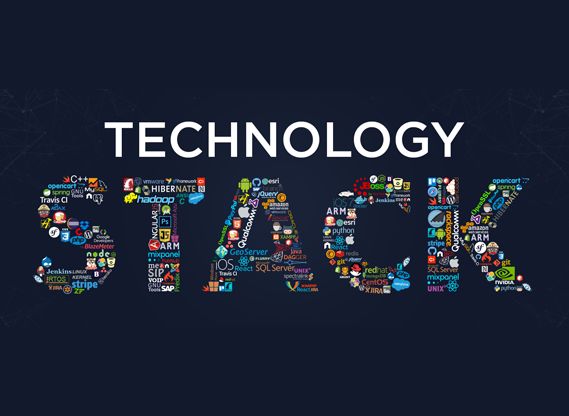
The Ultimate Blueprint: Choosing the Best Tech Stack for SaaS Startups in 2026 Choosing a tech stack for a new SaaS startup used to be straightforward. You picked a reliable backend language, paired it with a standard relational database, threw on a basic frontend framework, and deployed it to a single cloud provider. Not anymore. Today, the landscape is flooded with choices. Between the rise of edge computing, backendless architectures, real-time synchronization engines, and AI-driven middleware, technical founders are facing severe decision paralysis. Pick a stack that is too complex, and you will bleed capital on DevOps before reaching Product-Market Fit (PMF). Pick a stack that is too simplistic, and your app will buckle under the weight of its first thousand concurrent users. If you are standing at the architectural crossroads, looking to build a scalable, cost-effective, and rapid-to-deploy Software-as-a-Service platform, this exhaustive guide is for you. Let’s bypass the fanboy framework wars and analyze the best tech stacks for SaaS startups based on real-world velocity, budget, and scalability. 1. The Core Philosophy: “Velocity Over Perfection” Before writing a single line of code, every startup founder must adopt a foundational rule: In the early stages, your primary engineering metric is deployment velocity, not infinite scale. An elegant microservices architecture running on a complex Kubernetes cluster is completely useless if it takes you nine months to launch your Minimum Viable Product (MVP). Your tech stack should enable you to build features quickly, iterate based on user feedback, and pivot without rewriting tens of thousands of lines of code. The True MVP Requirements Rapid Prototyping: Can you turn a Figma design into a working feature in days, or does it require a week of backend plumbing? Thriving Ecosystem: Are there thousands of pre-built, high-quality open-source packages available so you don’t have to reinvent authentication, billing, or file uploads? Abundant Talent Pool: If you need to hire another developer next month, can you easily find affordable talent, or are you using an obscure language that commands a massive premium? 2. The Contenders: Breaking Down the Best SaaS Tech Stacks Let’s explore the top architectural blueprints being utilized by successful SaaS startups today, categorized by their primary business advantage. Stack A: The Solo Founder / High-Velocity Powerhouse (The JavaScript/TypeScript Ecosystem) This is currently the most popular ecosystem for modern B2B and B2C SaaS platforms. It relies on a unified language across the entire application, eliminating context switching between the frontend and backend. [ Frontend: Next.js / React ] <— TypeScript —> [ Backend: Next.js Server Actions / Node.js ] | v [ Database: Supabase / PostgreSQL ] Frontend Framework: Next.js (React) or Remix Backend Runtime: Node.js or Bun (built into your framework via Serverless/Edge functions) Database: Supabase or Prisma paired with PostgreSQL Styling & UI: Tailwind CSS + Shadcn/ui or Mantine Why It Wins for Startups: Using a meta-framework like Next.js allows you to deploy your entire application as a collection of serverless functions. You don’t have to manage servers, provision infrastructure, or worry about manual scaling early on. Features like Next.js Server Actions allow the frontend to communicate with your database securely without building a separate REST or GraphQL API layer. Stack B: The Robust Enterprise Standard (The Python / Django Approach) If your SaaS relies heavily on data science, machine learning, complex backend calculations, or heavy document processing, Python remains the undisputed king. Frontend Framework: Vue.js or React Backend Framework: Django (specifically Django REST Framework) or FastAPI Database: PostgreSQL + Redis (for caching and background task queuing) Task Runner: Celery (essential for handling heavy background processes asynchronously) Why It Wins for Startups: Django is famously known as the “framework for perfectionists with deadlines.” It includes a massive amount of built-in functionality out of the box—including a highly functional admin panel, a robust Object-Relational Mapping (ORM) system, and integrated user authentication. If your platform needs to interact with AI models or data pipelines, FastAPI offers blazing-fast execution speeds with automatic documentation generation. Stack C: The Bootstrapper’s Secret Weapon (The Ruby on Rails Renaissance) Do not let anyone convince you that Ruby on Rails is outdated. Some of the world’s most profitable, high-scale SaaS companies—including Basecamp, GitHub, Shopify, and Airbnb—were built on Rails. Frontend Framework: Hotwire / Turbo (eliminates the need for a heavy SPA framework like React) Backend Framework: Ruby on Rails Database: PostgreSQL Why It Wins for Startups: Rails emphasizes “Convention over Configuration.” It forces a standard folder structure and pattern, meaning any Rails developer can open your codebase and immediately understand exactly how it works. With the introduction of Hotwire, startups can build highly interactive, single-page-app-like user experiences without the massive architectural overhead of managing a separate React frontend and an external API. 3. The Modern SaaS Infrastructure Matrix Beyond your primary programming language, your SaaS requires a modern infrastructure matrix to handle monetization, user sessions, and service delivery. Component Industry Standard Choice High-Velocity Startup Choice Authentication Auth0 / Firebase Auth Clerk or Supabase Auth Billing & Subscriptions Custom Stripe integration Stripe Billing or Paddle Hosting & Deployment AWS (EC2 / ECS) Vercel, Railway, or Render Transactional Email Amazon SES Resend or Postmark Product Analytics Google Analytics 4 PostHog or Mixpanel The Value of Specialized Tooling Clerk: Instead of spending a week building user sign-ups, password resets, social logins, and multi-tenant organization switching, Clerk provides these via simple drop-in components in under an hour. Resend: A clean, developer-focused email API that allows you to design transactional emails using standard React components instead of messy, legacy HTML tables. PostHog: An all-in-one platform providing product analytics, session recordings, feature flags, and A/B testing out of the box, saving you from installing five separate third-party tracking scripts. 4. Hidden Architectural Pitfalls to Avoid Many technical teams spend weeks over-engineering their software before validating if anyone actually wants to buy it. Watch out for these common engineering traps: 1. Preemptive Microservices Do not build a microservices architecture on day one. Splitting your app into five separate services running in independent containers introduces massive communication

Artificial Intelligence, Software development, Technology & Innovation

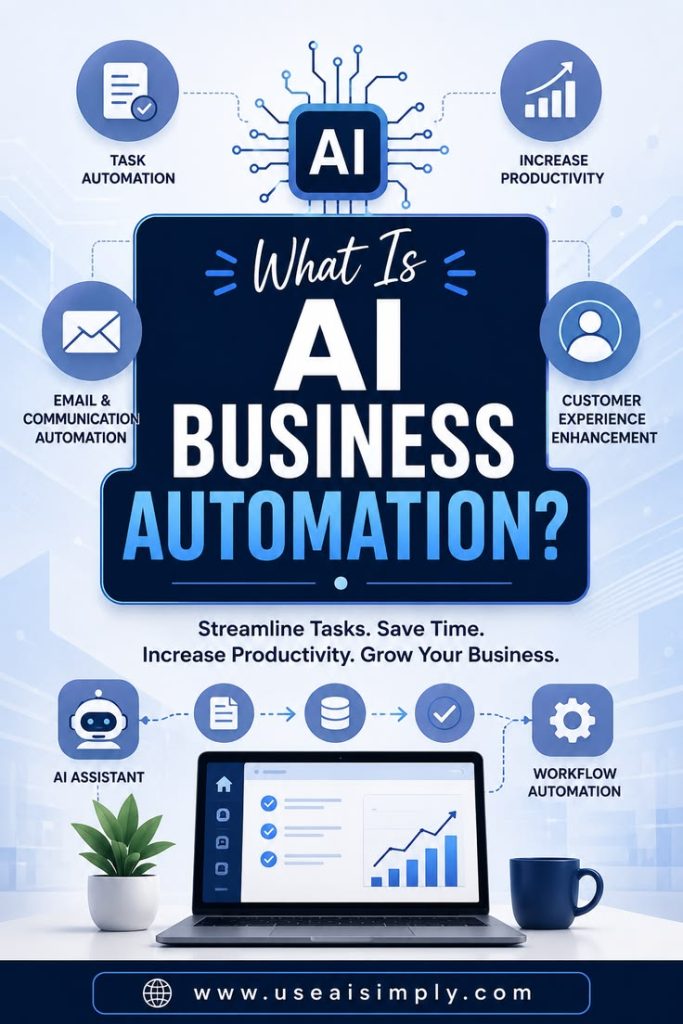
How AI Automation Helps Businesses

Beyond the Hype: How AI Automation Helps Businesses Scale, Save, and Out-Compete There is a massive shift happening in the corporate world right now, and it has nothing to do with flashy sci-fi tropes. Instead, it is unfolding quietly inside spreadsheets, customer service queues, supply chain logs, and marketing workflows. We have officially moved past the era of viewing Artificial Intelligence as a speculative tech experiment. Today, it is an operational engine. For modern enterprises and growing startups alike, the question is no longer, “What is AI?” but rather, “How exactly does AI automation help businesses survive and thrive in a hyper-competitive market?” If you are a business leader looking to cut through the industry buzzwords and understand the tangible, bottom-line impact of deploying smart automation, you are in the right place. Let’s break down exactly how AI automation is transforming modern business frameworks, reducing overhead, and unlocking entirely new revenue streams. 1. Redefining Human Productivity: Eradicating the “Busywork Tax” The average employee spends an alarming percentage of their workday on repetitive, administrative tasks—data entry, scheduling, sorting emails, and cross-referencing files. This is what operational experts call the “Busywork Tax.” It drains employee morale and wastes expensive human capital on tasks that require zero critical thinking. AI automation acts as a digital tirelessness layer that handles these tasks at scale. Intelligent Document Processing (IDP) Traditional software can read data if it is structured perfectly. AI goes a step further. Using Natural Language Processing (NLP), AI can ingest unstructured documents—like unstructured PDF invoices, handwritten receipts, or messy client emails—extract the relevant figures, categorize them, and instantly push them into your ERP or accounting software. Smart Scheduling and Operations Instead of a human spending hours coordinating calendars across internal teams and external clients, autonomous AI agents manage scheduling, anticipate time-zone friction, and even prepare meeting briefs by analyzing the participants’ public profiles and past touchpoints. The Human Shift: When you automate the mundane, you don’t replace your staff; you upgrade them. A data-entry clerk becomes a data analyst. A customer support agent becomes a customer success strategist. 2. Revolutionizing Customer Experience (CX) with 24/7 Contextual Care We’ve all experienced the frustration of legacy chatbots. You type a complex question, and it responds with: “I didn’t quite catch that. Did you mean ‘Track Order’?” It’s a broken user experience. AI automation has fundamentally rewritten the rules of customer engagement by introducing true context, empathy, and speed. Instant, Hyper-Personalized Resolving Modern AI customer service agents don’t just pull from a static FAQ document. They connect securely to your internal databases. When a customer messages your platform, the AI instantly reviews their entire purchase history, recognizes their subscription tier, understands their emotional sentiment (detecting frustration or urgency), and crafts a bespoke response within seconds. Multi-Channel Ubiquity AI automation allows a lean support team to operate across web chat, WhatsApp, email, and social media DMs simultaneously without a drop-off in response times. Customer Service Metric Legacy Framework AI-Automated Framework Average Response Time 2 to 4 Hours Less than 15 Seconds Availability Fixed Business Hours 24/7/365 First-Contact Resolution 45% – 60% 80%+ (For routine tier-1 queries) 3. Transforming Data into Prescriptive, Real-Time Strategy Most businesses are drowning in data but starving for insights. They have access to Google Analytics, CRM logs, and sales numbers, but by the time a human team compiles these reports at the end of the month, the insights are already outdated. AI automation changes your business orientation from reactive to predictive and prescriptive. [ Raw Data Streams ] —> [ AI Automation Analytics Engine ] —> [ Predictive Forecasting ] | v [ Prescriptive Action Taken ] (Automated Inventory Orders / Ad Adjustments) Predictive Inventory and Supply Chain Management For e-commerce and manufacturing businesses, AI monitors micro-trends, weather forecasts, social media velocity, and historical sales patterns to predict exactly when a product will spike in demand. It can then automatically adjust supply chain orders to prevent stockouts without over-purchasing warehouse space. Dynamic Financial Modeling AI-driven financial tools continuously run thousands of “Monte Carlo” simulations against your business’s burn rate and revenue pipeline. This gives leadership real-time updates on cash flow runways and flags financial vulnerabilities months before they appear on a traditional balance sheet. 4. Hyper-Accelerating the Creative Pipeline and Marketing ROI Marketing teams are under constant pressure to produce more content, run more ad variants, and target tighter demographics. Doing this manually is an expensive, slow process of trial and error. AI automation serves as a force multiplier for creative output. Automated A/B Testing at Scale Instead of a marketer manually designing three ad variations and waiting two weeks for results, AI tools can generate hundreds of hyper-targeted ad copy variations, deploy them across ad networks, analyze real-time performance indicators, and automatically shift budgets toward winning creative assets in minutes. Hyper-Personalization Outbound AI allows businesses to send marketing emails that feel completely bespoke. Instead of blasting an entire list with the same promotion, the AI customizes the subject line, product recommendations, and call-to-action based entirely on individual user behavior profiles. 5. Safeguarding Enterprises with Automated Cybersecurity & Risk Mitigation As digital infrastructure grows, so do the threats against it. Human IT teams simply cannot monitor every network log, login attempt, or database query occurring across a global enterprise. AI automation acts as an immune system for corporate networks. Anomaly Detection over Static Rules Legacy cybersecurity relies on fixed rules (e.g., block an IP if it enters the wrong password five times). Hackers know how to bypass these. AI automation monitors behavioral baselines. If an employee who normally accesses data from Chicago suddenly logs in from a machine performing atypical database queries out of Germany, the AI flags the anomaly, freezes the access endpoint, and alerts the security team instantly. Automated Compliance Auditing In highly regulated fields like healthcare (HIPAA) or finance, AI compliance engines continuously monitor internal communication channels, data storage, and external transfers to guarantee zero sensitive compliance infractions occur, preventing millions in regulatory fines. The Roadmap to Implementing AI

Artificial Intelligence, Software development, Technology & Innovation

Cost of Building an AI SaaS Platform

The Ultimate Blueprint: How Much Does It Really Cost to Build an AI SaaS Platform? The gold rush is officially on. Everywhere you look, another “AI-powered” Software-as-a-Service (SaaS) platform is securing funding, going viral on Product Hunt, or disrupting a legacy workflow. It’s an incredibly exciting time to be a builder. But if you are standing at the starting line, staring at a blank whiteboard and wondering, “How much capital do I actually need to get this thing off the ground?”—you are not alone. Unlike traditional software, where development costs are relatively predictable, AI applications introduce a wild deck of cards: GPU compute, fluctuating API data tokens, specialized talent, and complex data pipelines. If you guess your budget incorrectly, you risk running out of runway before your product even clears beta. In this exhaustive guide, we are going to break down the true cost of building an AI SaaS platform. We will look past the hype and dive deep into the tangible line items: infrastructure, engineering, data acquisition, hidden operational costs, and how to optimize your budget whether you are bootstrapping or venture-backed. 1. The Core Architecture: Wrapping vs. Proprietary Models Before pulling out a calculator, you must answer a foundational architectural question. Your choice here will dictate your costs by a factor of 10x or even 100x. Are you building an AI Wrapper or a Proprietary AI Ecosystem? The AI Wrapper (API-Driven) An AI wrapper leverages existing Foundation Models (like OpenAI’s GPT-4, Anthropic’s Claude, or Google’s Gemini) via APIs. Your unique value proposition lies in the user experience, workflow integration, proprietary prompts, and specific niche tooling you build around that model. Time to Market: 1 to 3 months. Upfront R&D Cost: Low ($10,000 – $50,000). Ongoing Variable Cost: High (dependent on third-party API pricing per token). The Fine-Tuned / Open-Source Route This middle ground involves taking a powerful open-source model (like Meta’s Llama 3 or Mistral) and training it on your specific domain data using techniques like LoRA or QLoRA. Time to Market: 3 to 6 months. Upfront R&D Cost: Moderate ($40,000 – $150,000). Ongoing Variable Cost: Moderate (requires dedicated cloud GPU hosting, but no per-token vendor tax). The Proprietary Model (Custom LLM/Vision Model) Building a model from scratch. You gather terabytes of raw data, rent massive GPU clusters, and train a foundational model tailored specifically to an industry (e.g., bio-tech or highly regulated legal tech). Time to Market: 6 to 18+ months. Upfront R&D Cost: Extremely High ($500,000 to millions). Ongoing Variable Cost: Variable, but heavily front-loaded into infrastructure infrastructure maintenance. Human Founder Advice: If you are a bootstrapper or a first-time founder, start as a wrapper or a fine-tuned open-source model. Validate that the market actually wants your solution before writing six-figure checks to Nvidia or AWS. 2. Breaking Down the Cost Categories Let’s look at the actual line items required to take an AI SaaS product from an idea to a production-ready application. Category A: The Engineering & Development Team (The Talent) Software doesn’t build itself, and AI talent is currently commanding top-of-market premiums. Even if you are a technical founder, you will eventually need a team to scale. Role Estimated Annual Salary (US/Western Europe) Agency / Fractional Rate (Monthly) AI/Machine Learning Engineer $140,000 – $220,000 $12,000 – $20,000 Full-Stack Developer (SaaS Architecture) $100,000 – $160,000 $8,000 – $14,000 Data Engineer / DevOps $120,000 – $180,000 $10,000 – $16,000 UI/UX Product Designer $80,000 – $140,000 $5,000 – $10,000 Total MVP Development Cost Estimates: Offshore/Agency Build: $25,000 – $60,000 (Lower upfront cost, but requires rigorous project management). In-house Core Team (3-4 People for 6 Months): $150,000 – $350,000. Category B: The AI Stack & Infrastructure Traditional SaaS requires a simple web server and a database. AI SaaS requires an entirely different matrix. 1. Compute & Inferencing If you use third-party APIs, your costs scale lineally with your users. If you host open-source models, you need virtual machines equipped with dedicated GPUs (like Nvidia A10G, L4, or H100s) through providers like AWS, RunPod, Lambda Labs, or Hugging Face Spaces. API Route Starter Budget: $200 – $2,000/month (scalable). Dedicated GPU instances: $500 – $5,000/month per active model instance. 2. Vector Databases To give your AI platform a “memory” or to implement Retrieval-Augmented Generation (RAG)—which lets the AI query external business documents safely—you need a vector database. Options: Pinecone, Milvus, Qdrant, Weaviate, or pgvector. Estimated Cost: Free tier to start; $50 – $400/month for production mid-tier datasets. 3. Middleware & LLMOps Tools To orchestrate your prompts, manage model fallback options, and track analytics, you’ll use framework tooling like LangChain, LlamaIndex, or Helicone. Estimated Cost: $0 – $300/month early on. Category C: Data Acquisition, Cleaning, and Guardrails An AI model is only as good as the information it processes. Data Scraping & Synthesizing: If your platform relies on unique market intelligence, you may need to buy data sets or pay for web scraping APIs (e.g., Bright Data). Cost: $100 – $1,500/month. Content Moderation & Guardrails: To stop your AI from generating harmful, hallucinated, or off-brand content, you must implement safety layers (like NeMo Guardrails or OpenAI’s moderation endpoints). Cost: Negligible at start, but scales with volume. Category D: The Standard SaaS Core (The “Unsexy” Part) Don’t get so caught up in the artificial intelligence that you forget it is still a SaaS platform. You need the foundational infrastructure that turns a script into a business. Authentication & User Management: Clerk, Auth0, or Supabase Auth ($0 – $150/month). Billing & Subscription Management: Stripe or Paddle ($0 upfront, takes a ~3% transaction cut). Traditional Cloud Database & Hosting: PostgreSQL/MongoDB hosted on AWS, Vercel, or Heroku ($50 – $500/month). Product Analytics & Error Tracking: Mixpanel, PostHog, LogRocket ($0 – $200/month). 3. Real-World Cost Scenarios: Three Tiers of AI SaaS To give you a crystal-clear picture, let’s map out three distinct budgets based on the scale of what you are trying to achieve. Scenario 1: The Bootstrapped Indie Hacker MVP You are building a specialized copywriting tool for real estate agents or an automated

Artificial Intelligence, Digital Transformation, Software development

10 Ways AI Is Transforming Engineering R&D — And How to Start Innovating Even Faster

Introduction In the history of engineering, progress has often been a game of “trial and error.” You build a prototype, you test it until it breaks, you analyze the failure, and you try again. This cycle, while effective, is incredibly slow and expensive. As we move through 2026, Artificial Intelligence has officially ended the era of “guesswork.” Engineering Research & Development (R&D) is no longer just about physical experimentation; it’s about high-velocity data synthesis. We aren’t just using AI to do things better—we are using it to do things that were previously impossible. Here are the 10 most disruptive ways AI is transforming the R&D landscape and a roadmap to help your team innovate even faster. 1. Generative Design: Beyond Human Imagination Traditionally, an engineer draws a part based on what they think will work. With Generative Design, the engineer defines the “goals” (weight, strength, material, and cost) and the AI generates thousands of potential solutions. Many of these designs look “organic” or “alien” because AI isn’t limited by human aesthetic biases. In 2026, these designs are optimized for 3D printing, creating parts that are 40% lighter but twice as strong as their traditionally manufactured counterparts. 2. Predictive Prototyping and Digital Twins Physical prototypes are the biggest bottleneck in R&D. By using Digital Twins—virtual replicas of a physical product—engineers can test a machine’s performance in a simulated environment before a single bolt is tightened. AI takes this further by predicting when a prototype will fail. By analyzing stress patterns in a virtual space, AI can identify microscopic fatigue points that a human tester might miss, saving months of laboratory time. 3. Accelerated Material Science Finding the “perfect” material for a new product used to take decades of lab work. AI is now being used to scan vast databases of chemical structures to predict the properties of new alloys or polymers. In 2026, we are seeing AI discover “Super-Materials” for batteries and semiconductors in weeks rather than years. This is the foundation of the green energy revolution, driven by AI-led R&D into more efficient solar cells and solid-state batteries. 4. NLP for Patent and Research Analysis One of the most tedious parts of R&D is the literature review. Engineers spend hundreds of hours reading through academic papers and patent filings to ensure they aren’t reinventing the wheel. Modern Natural Language Processing (NLP) tools can ingest millions of documents in seconds, summarizing the state of the art and identifying “whitespace”—areas where no one has patented a solution yet. This allows R&D teams to focus their creative energy on truly unique innovations. 5. Synthetic Data for Rare Failure Testing Sometimes, you need to know how a product reacts to a “one-in-a-million” event (like a specific type of engine surge). It’s impossible to replicate these events consistently in the real world. AI can generate Synthetic Data that mimics these rare scenarios perfectly. This allows for “Edge Case Testing” that makes products safer and more reliable without the need for dangerous or expensive physical tests. 6. Automated Simulation Tuning Software like ANSYS or Siemens Simcenter is essential for R&D, but setting up a simulation can be complex. AI now acts as an “Autopilot” for these simulations, automatically adjusting parameters and meshes to get the most accurate results with the least amount of computational power. 7. Real-Time Collaboration via “Live” R&D Dashboards In 2026, the R&D lab is no longer a silo. AI-driven project management tools, integrated with Product Lifecycle Management (PLM) software, allow for real-time updates. If a design change happens in the software, the procurement AI immediately updates the bill of materials and alerts the supply chain. 8. AI-Driven Quality Assurance (Visual Inspection) R&D doesn’t end at the design; it extends to how the design is manufactured. AI computer vision systems can now inspect prototypes at a microscopic level during the assembly process, identifying flaws that the human eye cannot see. This ensures that the R&D “Gold Standard” is actually maintained in production. 9. Thermal and Fluid Dynamic Optimization Optimizing how air or heat moves through a system (like a cooling fan or a car engine) is a mathematical nightmare. AI excels at these multi-variable problems. Neural networks are now being used to design “Heat Sinks” and “Aerodynamic Surfaces” that are perfectly tuned to the specific environmental conditions the product will face. 10. Autonomous Lab Robots The “physical” part of R&D is also being automated. AI-powered robotic arms can conduct repetitive chemical or mechanical tests 24/7 without fatigue. These “Self-Driving Labs” can run experiments overnight and have the results analyzed and summarized by the time the human engineers walk in the next morning. How to Start Innovating Even Faster Identifying the need is one thing; implementation is another. To accelerate your R&D in 2026, follow this roadmap: Step 1: Centralize Your Data AI is only as good as the data it eats. If your engineering notes are in paper journals and your CAD files are on local hard drives, your AI cannot help you. You must move to a Cloud-Native Integration model immediately. Step 2: Empower Your Engineers, Don’t Replace Them The goal of AI in R&D is to remove the “Drudge Work.” Let the AI handle the data entry, the basic simulations, and the literature reviews. This frees up your human engineers to do what they do best: Creative Problem Solving. Step 3: Invest in “AI-Ready” Hardware Traditional computers aren’t built for the “Matrix Math” required by AI. To innovate faster, your R&D department needs access to high-end GPUs or cloud-based AI instances to run generative designs and complex simulations in real-time. Conclusion: The Era of “Hyper-Innovation” We have entered the era of hyper-innovation. The companies that will win in 2026 are not the ones with the most engineers, but the ones who have the best Human-AI Collaboration. By automating the tedious and amplifying the creative, AI is turning the “dream” of the next big invention into a reality faster than we ever thought possible. The Shift to Continuous Background Screening in

Artificial Intelligence, Data Analytics, Digital Transformation, Healthcare & Fitness

Beyond the Chart: How Innovative Technologies are Empowering Population Health Management

Beyond the Chart: How Innovative Technologies are Empowering Population Health Management For decades, the healthcare system has been largely “reactive.” You get sick, you visit a doctor, and you receive a treatment. However, the tide is shifting toward a more holistic, proactive approach known as Population Health Management (PHM). At its core, PHM is about keeping people healthy before they ever need an ER visit. But managing the health of thousands—or millions—of individuals is a gargantuan task. This is where Innovative Technology steps in. We aren’t just talking about digital filing cabinets; we’re talking about an intelligent ecosystem that empowers providers to see the “whole person” behind the data point. The Human Face of Population Health When we discuss “population health,” it’s easy to get lost in spreadsheets and percentages. But population health is actually about the grandmother who avoids a hospital stay because a sensor caught her rising blood pressure early. It’s about the neighborhood with high asthma rates finally getting the air quality sensors and mobile clinics they need. Technology is the “bridge” that allows doctors to extend their reach beyond the four walls of the clinic. It humanizes medicine by allowing for personalization at scale. 1. Predictive Analytics: Seeing the Future Today The most powerful tool in the PHM arsenal is Predictive Analytics. By leveraging Machine Learning, healthcare systems can analyze historical data to identify which patients are at the highest risk for chronic diseases. Identifying the “Rising Risk” In a traditional model, resources are often focused on the “high-cost” patients who are already very ill. Predictive technology allows us to find the “Rising Risk” group—individuals who are currently stable but whose data signatures (missed appointments, fluctuating glucose, or even socio-economic factors) suggest they are headed for a crisis. Proactive Intervention: Instead of a surgery, the patient gets a call from a health coach. Resource Allocation: Hospitals can predict “surge” times for respiratory illnesses based on weather and pollution data. 2. The Internet of Medical Things (IoMT) and RPM Remote Patient Monitoring (RPM) has completely redefined the patient-provider relationship. Handheld devices and wearables have turned the home into a continuous stream of health insights. Continuous Care, Not Episodic Care With IoMT, a doctor doesn’t have to wait for a 6-month checkup to know how a patient is doing. Smart Scales: For heart failure patients, a sudden weight gain (fluid retention) can trigger an immediate medication adjustment. Wearable ECGs: Detecting arrhythmias in real-time while the patient goes about their daily life. Handheld Integration: Patients can sync their devices to their smartphones, giving them a sense of agency and “ownership” over their own health journey. 3. Artificial Intelligence and Social Determinants of Health (SDOH) We now know that clinical care only accounts for about 20% of a person’s health outcomes. The other 80% is determined by where they live, what they eat, and their access to transportation—the Social Determinants of Health. AI as a Social Advocate Innovative AI platforms are now being used to scan non-clinical data to help providers understand these barriers. Zip Code Analysis: AI can flag that a patient lives in a “food desert,” prompting the healthcare team to connect them with local food security programs. Natural Language Processing (NLP): AI can “read” a doctor’s typed notes to pick up on social cues—like a patient mentioning they can’t afford their bus pass—and automatically trigger a referral to a social worker. 4. Telehealth and the End of Geographic Barriers Technology & Innovation in telecommunications has made “distance” irrelevant. In population health, this is critical for reaching rural or underserved communities. Virtual Care Teams Telehealth isn’t just a video call; it’s a collaborative platform. A primary care doctor in a small town can instantly share data and video with a specialist in a major city. This ensures that the “population” being managed isn’t limited by their proximity to a skyscraper hospital. The Challenge: Data Silos and Privacy While the potential is infinite, the biggest hurdle is the Silo. Patient data is often trapped in different systems that don’t talk to each other. Interoperability: The future of PHM relies on Blockchain & Technology and unified API standards (like FHIR) to ensure that a patient’s data follows them wherever they go. Trust: To humanize this tech, we must ensure absolute Data Privacy & Security. Patients must feel that their data is being used to help them, not just track them. Conclusion: Empowering the Healers Ultimately, leveraging technology in population health management isn’t about replacing doctors with algorithms. It’s about removing the administrative noise so that healers can focus on healing. When we empower population health with data, we move from a world of “fixing what’s broken” to a world of “nurturing what’s whole.” That is the true promise of digital health transformation. The Command Center in Your Pocket: Mastering Home Automation and Security via Handheld Devices

Artificial Intelligence, Cloud Computing and Technology, Software development

When is the Best Time to Source On-Demand Developers? A Strategic 2026 Guide

Introduction: The New Pulse of Tech Talent The tech landscape of 2026 isn’t just fast—it’s fluid. Gone are the days when a company’s worth was measured solely by the size of its permanent headcount. Today, the most resilient businesses are those that master the “accordion effect”: the ability to expand and contract their technical teams with surgical precision. As we navigate an era defined by AI-augmented development and hyper-specialization, the question isn’t just if you should hire, but when. Sourcing on-demand developers at the wrong time leads to technical debt; doing it at the right time leads to market dominance. This guide dives deep into the “when,” the “why,” and the “how” of modern on-demand talent. 1. When Your Product Roadmap Hits a “Specialization Wall” In 2026, the “Generalist Developer” is a rare breed. With the explosion of niche technologies like WebAssembly (Wasm), Edge Computing, and LLM Fine-tuning, your in-house team may be brilliant at your core product but ill-equipped for a specific feature. The Signal You need a specific module—perhaps a blockchain-based payment gateway or a real-time AR filter—that requires 10 years of experience your team doesn’t have. The Humanized Approach Don’t force your senior Java dev to “figure out” Rust over the weekend. It burns them out and creates buggy code. Instead, bring in an on-demand specialist for a 3-month sprint. You get expert-level architecture, and your team gets a masterclass in a new tech stack without the pressure of leading it. 2. During the “MVP to Scale” Transition Startups often fail not because their idea is bad, but because their infrastructure can’t handle the sudden influx of users. The Signal Your MVP is live, the feedback is glowing, and your server logs are starting to scream. You need to transition from “it works” to “it’s bulletproof.” Why On-Demand? Scaling requires a different mindset than building. You need DevOps engineers, database optimizers, and security auditors. Hiring these as full-time employees during the early growth phase can eat your runway. On-demand talent allows you to “rent” the heavy hitters needed to stabilize your platform before you revert to a leaner maintenance team. 3. The “AI Integration” Pivot As of 2026, every software company is effectively an AI company. If you aren’t integrating agentic workflows or predictive analytics into your SaaS, you’re falling behind. The Signal Your competitors just launched a generative AI feature, and your board is asking for a response by next quarter. The Strategy Finding an “AI-Native” developer for a permanent role is expensive and time-consuming. On-demand platforms allow you to source Prompt Engineers and System Architects who can build your AI layer in weeks. This allows you to stay competitive without waiting for a 6-month recruitment cycle. 4. Seasonal Surges and “Burst” Capacity Retail has Black Friday; Tax software has April. Almost every industry has a “busy season.” The Signal Projected traffic or feature requests are 3x your current capacity for a limited window. The Benefit On-demand apps and services thrive on this flexibility. By hiring developers on a contract basis, you avoid the “emotional overhead” of hiring people you know you’ll have to let go in four months. It’s a transparent, professional transaction that protects your company culture. 5. Bridging the Gap During Full-Time Recruitment The average time to hire a high-quality senior engineer in 2026 still hovers around 45–60 days. In tech years, that’s an eternity. The Signal A key developer just left, or you’ve just secured Series B funding and need to grow, but the “perfect” candidates are still in the interview funnel. The Solution: “Try Before You Buy” Many companies now use on-demand contracts as a long-term trial period. It allows you to see how a developer handles real-world pressure and integrates with your Slack culture before committing to a six-figure salary and equity package. 6. Managing Technical Debt and Legacy Audits Every successful product eventually accumulates “cruft”—old code that slows down new features. The Signal Your team spends 60% of their time fixing bugs rather than building new features. The Execution Internal teams often hate “cleanup” duty; they want to build the future. On-demand developers can be hired specifically for a Legacy Refactor Sprint. Because they aren’t bogged down by the history of “why” the code was written that way, they can often be more objective in streamlining it. Comparison: On-Demand vs. Full-Time (2026 Edition) Feature On-Demand Developers Full-Time Employees Hiring Speed 3–7 Days 2–3 Months Specialization Hyper-niche (e.g., ZTNA, Wasm) Broad / Core Product Knowledge Cost High hourly, Zero benefits/equity Salary + Benefits + Equity (ESOP) Scalability Instant (Accordion Model) Slow & Rigid Culture Result-oriented, Professional Deeply integrated, Value-driven Best Practices for Sourcing in 2026 Define Outcomes, Not Hours: Don’t hire for “40 hours a week.” Hire for “A fully documented, tested API integration.” Vet for Asynchronous Communication: In a remote-first world, a developer who can’t write a clear technical brief is a liability, no matter how good their code is. Check for “AI-Fluency”: Ensure they use tools like GitHub Copilot or Cursor not just to write code faster, but to orchestrate better systems. Security First: Ensure your on-demand partner adheres to modern standards like Zero Trust. Conclusion: The Strategic Advantage of Agility Sourcing on-demand developers is no longer a “last resort” for desperate managers; it is a sophisticated strategy for growth-minded leaders. By identifying the right “When”—whether it’s a specialized wall, an AI pivot, or a scaling crisis—you transform your tech team from a fixed cost into a dynamic engine of innovation. In the 2026 economy, the winner isn’t the one with the most desks filled; it’s the one who can summon the right expertise at the exact moment the market demands it. I Have an Idea for an App, But I Don’t Know Where to Start: The 2026 Founder’s Roadmap

Artificial Intelligence, cybersecurity, Software development

Navigating the 7 Hidden Limitations of AI Programming

The “Almost Right” Trap: Navigating the 7 Hidden Limitations of AI Programming The Great Illusion of 2026 In 2026, we find ourselves in a strange paradox. According to recent reports, nearly 84% of developers are using AI tools daily, yet trust in those tools has dropped to just 29%. Why? Because we have moved past the honeymoon phase. We no longer marvel that the “machine can code”; we are now dealing with the consequences of how it codes. The biggest frustration in the modern dev cycle isn’t that AI fails—it’s that it produces code that is “almost right.” It looks perfect, passes initial syntax checks, and even runs—but it hides subtle logic flaws and security holes that can haunt a codebase for years. To stay ahead, we must understand the fundamental walls that AI—even the most advanced versions—cannot yet climb. 1. The Logical Void: Syntax vs. Intent The most persistent limitation of AI is its inability to understand “Why.” AI models are masters of pattern matching (Syntax), but they are functionally blind to business logic (Intent). The Problem: An AI can write a perfect sort() function, but it doesn’t know that for your specific healthcare app, the sorting must prioritize patient urgency over arrival time based on a complex set of non-standard regulatory rules. The Result: It produces “syntactically correct garbage”—code that works perfectly according to the laws of Python but fails the laws of your business. 2. The Security “Silent Failure” This is perhaps the most dangerous limitation. Analysis from 2026 indicates that while AI’s ability to write functional code has hit 95% accuracy, its security pass rate has remained stagnant. The Gap: AI often suggests the most common way to do something, which is frequently the least secure way. It might suggest a standard SQL query that is vulnerable to injection or an outdated cryptographic library simply because it was prevalent in its training data. The Danger: Because the code “looks” professional, developers often skip the deep security audits they would perform on their own work. In 2025 alone, AI-generated code added over 10,000 new security findings per month across major corporate repositories. 3. Compounding Technical Debt We used to think AI would help us pay off technical debt. Instead, it’s creating a new breed: GIST Debt (Generated Insecure/Subtle/Transient Debt). Velocity vs. Quality: AI allows developers to ship code 55% faster. However, this high velocity means architectural drift happens at light speed. If the AI misses a standard pattern in the first five files, it will replicate that mistake across the next fifty. The Review Bottleneck: Human reviewers are now drowning in a sea of AI-generated Pull Requests. When a human has to review 1,000 lines of AI code that “looks” right, they are statistically more likely to miss subtle bugs than when reviewing 100 lines of human-written code. 4. The Context Window Collapse Even with massive context windows in 2026, AI still suffers from “Reasoning Degradation” as projects scale. The “Middle-of-the-File” Problem: AI is great at small scripts. But when you ask it to integrate a new feature into a 1-million-line legacy codebase, it loses the “thread.” It forgets the specific architectural constraints of your custom middleware or the naming conventions established five years ago. Systemic Blindness: It treats every file as an isolated island, often missing the “ripple effects” that a change in one module will have on a seemingly unrelated service. 5. The Data Poisoning & Bias Loop AI is a mirror. If it’s trained on a decade of “bad” code from public repositories, it will reflect those bad habits back to you. Reinforcing Bad Patterns: If 60% of the code on the web uses inefficient loops, the AI will suggest those same loops. This creates a “hall of mirrors” where AI is trained on AI-generated code, leading to a degradation of original, creative problem-solving. Ethical Bias: From gendered variable naming to biased algorithms in hiring software, AI-generated code can inadvertently bake societal prejudices into the very foundation of your application. 6. The Legal and Intellectual Property Gray Zone In 2026, the question of “Who owns the code?” is still a legal minefield. Copyright Infringement: AI can inadvertently suggest code snippets that are near-verbatim copies of licensed software. For enterprises, this creates a massive risk of IP litigation. Attribution Failure: Unlike a human who can say, “I adapted this from a StackOverflow post,” an AI provides no bibliography. You are essentially running “anonymous” code in your production environment. 7. The “Black Box” Problem When a human developer makes a mistake, you can ask them why they made that choice. You can trace their logic. With AI, you get an output without an explanation. Lack of Traceability: If an autonomous agent refactors a database schema and it causes a crash three weeks later, there is no “mental model” to audit. You have to reverse-engineer the AI’s logic, which often takes longer than if you had just written the code yourself. Conclusion: The Rise of the “Human Orchestrator” As we look toward the rest of 2026, it’s clear that AI is not a replacement for the programmer—it is a force multiplier that requires a master mechanic. The future of software development isn’t about who can type the fastest; it’s about who can orchestrate the best. We must move from being “coders” to being “Reviewers, Architects, and Ethics Officers.” The most valuable developers today are those who know exactly where the AI is likely to trip and have the foresight to build the guardrails before the first line of code is even generated. AI can give us the bricks, but humans must still provide the blueprint.

Artificial Intelligence, Data Analytics, data science, Digital Transformation, Gaming, Graphic Designing

What is Agentforce? Unveiling Salesforce’s Game-Changing AI Platform

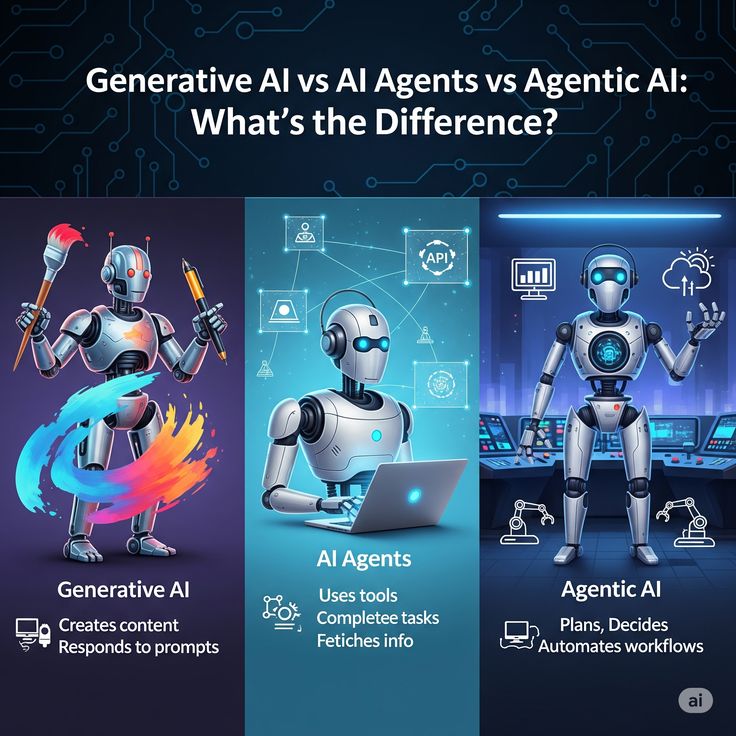
What is Agentforce? Unveiling Salesforce’s Game-Changing AI Platform The End of the “Copilot” Era For the last two years, the tech world has been obsessed with “assistants.” We’ve all used them: the little chat bubbles that help us summarize a long email or draft a polite rejection note. But in 2026, the novelty of the assistant is wearing off. Business leaders are no longer asking for a tool that tells them what to do; they are demanding a platform that simply does it. Salesforce’s answer to this demand is Agentforce. If the previous generation of AI (Einstein Copilot) was a co-pilot sitting in the passenger seat giving directions, Agentforce is the autonomous vehicle that drives the route itself. It represents a fundamental shift from “Predictive AI” and “Generative AI” to “Agentic AI.” This platform allows organizations to build, customize, and deploy autonomous agents that handle tasks end-to-end, across every department from Sales and Service to Marketing and Commerce. 1. The Secret Sauce: The Atlas Reasoning Engine The most frequent question technical teams ask is: “How does it actually make decisions?” The answer lies in the Atlas Reasoning Engine. Unlike standard LLMs that simply predict the next word in a sentence, Atlas is designed to reason through complex business logic. It operates on a continuous loop of: Evaluation: Analyzing the user’s intent and the current state of the CRM data. Refinement: Breaking down a vague request (e.g., “Fix this shipping delay”) into granular steps. Execution: Selecting the right “tools”—whether that’s a Salesforce Flow, an Apex class, or a MuleSoft API call—to resolve the issue. This reasoning engine ensures the agent doesn’t just “hallucinate” a solution; it follows the strict business processes already defined in your Salesforce environment. 2. Data Cloud: The Nervous System of the Agent An agent is only as smart as the data it can access. This is why Agentforce is inextricably linked to Salesforce Data Cloud. In many organizations, customer data is “trapped” in silos—emails, PDFs, legacy databases, and call transcripts. Data Cloud acts as the nervous system, harmonizing this unstructured data and feeding it to the agent in real-time. This allows an Agentforce service agent to know that a customer just complained on Twitter, opened a high-priority ticket ten minutes ago, and has a contract expiring next month—all before the conversation even begins. 3. Building Without Code: The Agent Builder Salesforce has always championed the “low-code” revolution, and Agentforce continues that legacy. Through the Agent Builder, admins can create a digital worker as easily as they would create a custom object. The builder focuses on four key pillars: Role: Defining exactly what the agent does (e.g., “Tier 1 Support Concierge”). Knowledge: Pointing the agent to the right documentation and data sources. Actions: Giving the agent “hands” to perform tasks like processing refunds or scheduling meetings. Guardrails: Setting the ethical and operational boundaries the agent must never cross. 4. Real-World Impact: Beyond the Hype The true value of Agentforce isn’t in its code, but in the hours it returns to human employees. Consider these 2026 benchmarks: Customer Service: Early adopters are seeing agents resolve up to 75% of common inquiries autonomously, from password resets to complex troubleshooting. Sales Qualification: AI agents are now performing 100% of initial lead follow-ups within minutes, ensuring that human sales reps only step in when a deal is “warm.” Operational Efficiency: In manufacturing, agents are being used to detect anomalies in field service data and automatically trigger repair workflows before a machine even fails. 5. The “Human-in-the-Loop” Security Model Autonomy often triggers anxiety about security. Salesforce addresses this through the Einstein Trust Layer. This security framework ensures that sensitive customer data (like PII) is stripped away before being processed by an LLM and that every autonomous action leaves a clear audit trail. Furthermore, Agentforce is built with a “Handoff Logic.” If the agent detects frustration in a customer’s tone or encounters a problem it isn’t authorized to solve, it seamlessly transfers the case to a human, providing a full summary of the interaction so the customer never has to repeat themselves. 6. Pricing and The “Consumption” Revolution Moving into mid-2026, Salesforce has shifted its pricing model to match the agentic era. Instead of just paying “per seat,” many organizations are moving toward a consumption-based model. * Flex Credits: Enterprises can purchase credits that are consumed as agents perform specific actions. Conversation-Based Pricing: For customer-facing bots, a flat rate (typically around $2 per conversation) allows for predictable scaling without adding headcount. Conclusion: Writing the Next Chapter of CRM Salesforce Agentforce is more than just a new feature; it is the blueprint for the future of work. By moving from “assistants” to “agents,” Salesforce is allowing businesses to scale their operations at a rate previously thought impossible. The companies that will win in the coming years are those that view AI not as a threat to their workforce, but as an expansion of it. Agentforce provides the platform to make that expansion safe, data-driven, and—most importantly—deeply human. We are no longer just managing relationships; we are orchestrating a symbiotic team of humans and agents, working together to drive success. The Digital Colleague: How Agentic AI Will Work as a Coworker Alongside Your Team

Artificial Intelligence, Business Intelligence, cybersecurity, data science, Digital Transformation, Education

The Digital Colleague: How Agentic AI Will Work as a Coworker Alongside Your Team

The Digital Colleague: How Agentic AI Will Work as a Coworker Alongside Your Team The Great Shift: From Tools to Teammates For years, we’ve treated Artificial Intelligence like a high-powered calculator or a sophisticated filing cabinet. We gave it a command, it gave us an output. But as we move through 2026, that relationship is fundamentally changing. We are no longer just “using” AI; we are “working with” it. Enter Agentic AI. Unlike the generative AI of 2023 or 2024, which waited for a prompt to act, Agentic AI has agency. It understands goals, plans multi-step processes, and executes them with minimal hand-holding. It doesn’t just write an email; it researches the recipient, checks your calendar for meeting times, drafts the invite, and follows up if there’s no response. This isn’t just automation—it’s a new kind of social contract in the workplace. It’s about moving from “Software as a Service” to “Service as a Colleague.” 1. Understanding the “Agency” in Agentic AI To work effectively with a new coworker, you have to understand how they think. Agentic AI operates on a loop of Reasoning, Planning, and Execution. Reasoning: If you tell a digital colleague, “We need to prep for the Q3 board meeting,” it doesn’t just search for “Q3.” It reasons that a board meeting requires financial reports, project updates, and a slide deck. Planning: It breaks the massive goal into bite-sized tasks. First, it pings the finance agent for the latest spreadsheets. Second, it summarizes the last three months of Jira tickets. Execution: It uses tools. It opens PowerPoint, populates the charts, and leaves a draft in your inbox with a note: “I’ve noticed a slight dip in August productivity—should I add a slide exploring why?” This level of initiative is what transforms AI from a “search bar” into a “seat at the table.” 2. The Human-AI Handshake: Who Does What? The most common fear is replacement, but the reality of 2026 is Augmentation. Think of your team as an orchestra. In the past, the human was the conductor and every single musician. Now, the Agentic AI takes over the “rhythm section”—the repetitive, high-volume, and data-heavy tasks—leaving the human to be the true conductor, focusing on interpretation, emotion, and strategy. Human Strengths (The “Director”): Contextual Nuance: Knowing that a client is going through a merger and needs a softer tone. Ethical Judgment: Deciding if a specific data-driven decision aligns with the company’s core values. Empathy: Managing the morale of the human team. AI Strengths (The “Operator”): Data Synthesis: Reading 1,000 pages of legal documents in seconds to find a single conflict. 24/7 Monitoring: Checking supply chains for disruptions while the rest of the team sleeps. Pattern Recognition: Identifying that a specific software bug always appears when three specific conditions are met. 3. Real-World Scenarios: A Day in the Life of a Hybrid Team Imagine a Marketing Team in 2026. Instead of a manager spending six hours a week on “admin,” they have an AI Agent named “Link.” 9:00 AM: Link scans the morning’s industry news and identifies a trending topic relevant to the brand. 9:30 AM: Link drafts three social media posts and a brief blog outline based on the trend. 10:00 AM: The Human Creative Director reviews Link’s work. They like the data but find the “voice” a bit dry. They ask Link to “Make it more adventurous and focus on the sustainability angle.” 10:05 AM: Link regenerates the content perfectly. It then schedules the posts and begins monitoring engagement in real-time. 4. The Architecture of Trust: How Teams Manage Autonomous Agents One of the biggest hurdles in integrating a digital coworker is the “Trust Gap.” If an agent can make decisions, how do we ensure it doesn’t go rogue or misinterpret a brand’s values? In 2026, this is managed through Instructional Guardrails and Feedback Loops. Defining the Sandbox: Just as you wouldn’t give a new human intern the keys to the corporate bank account on day one, Agentic AI operates within a defined “sandbox.” Managers set spending limits, API access permissions, and approval triggers. The “Human-in-the-Loop” (HITL) Model: This is the gold standard for coworker collaboration. The agent performs the heavy lifting—researching, drafting, and organizing—but pauses for a “Human Handshake” before any external-facing action. Transparent Reasoning: Modern agents now provide a “Chain of Thought.” Instead of just delivering a finished report, your AI coworker can show its work: “I prioritized Project X over Project Y because the Q2 deadline is closer and the resource gap is 15% higher.” This transparency is the foundation of a healthy team dynamic. 5. Re-architecting the Workflow: From “Doing” to “Reviewing” The arrival of Agentic AI requires a fundamental shift in how we structure our workdays. We are moving from a Task-Based Economy to an Outcome-Based Economy. In a traditional setup, a worker’s value was often measured by the hours spent “doing”—typing, coding, or filing. With an agentic coworker, the human’s value shifts toward: Objective Setting: Clearly defining what “success” looks like for the agent. Strategic Refinement: Taking the 80% finished work from the AI and adding the final 20% of “human soul”—the creativity, the empathy, and the unique brand voice. Cross-Functional Orchestration: Coordinating between different AI agents and human departments to ensure everyone is moving toward the same North Star. 6. Overcoming the “Black Box” and Ethical Challenges We cannot talk about AI coworkers without addressing the elephant in the room: Accountability. When an AI agent makes a mistake—perhaps it accidentally uses copyrighted material or misinterprets a data privacy regulation—who is responsible? The 2026 workplace solves this through Algorithmic Accountability Frameworks. Companies are now appointing “AI Orchestrators”—humans whose entire job is to audit, tune, and mentor the company’s fleet of AI agents. This ensures that while the AI has agency, the human remains the ultimate moral and legal authority. 7. The Socio-Economic Impact: Will We Work Less? The goal of the agentic coworker isn’t necessarily to make us work fewer hours, but to make those hours more meaningful. By offloading

App Development, Artificial Intelligence

Why are companies outsourcing theri support structure

Introduction In 2026, the trend of outsourcing support structures—especially customer service and technical help desks—has shifted from a simple “cost-cutting” measure to a strategic necessity. While saving money remains a major driver (roughly 70% of companies still list it as a primary goal), modern businesses are increasingly focused on scalability and access to AI-driven expertise. Here are the primary reasons why companies are outsourcing their support structures: 1. Cost Efficiency and Predictability Building an in-house support team involves significant overhead, including office space, hardware, software licenses, benefits, and training. Variable Cost Structure: Outsourcing converts fixed costs into variable expenses. Companies pay for the “seats” or ticket volume they actually use, which is much more efficient than paying idle staff during slow periods. Infrastructure Sharing: Specialized providers spread the cost of high-end CRM and AI tools across multiple clients, giving you access to technology you might not be able to afford independently. 2. 24/7 Global Availability Customers in 2026 expect immediate responses, regardless of time zones. Follow-the-Sun Model: Outsourced teams in different geographic regions (like India, the Philippines, or Latin America) allow for seamless 24/7 coverage without the logistical headache of managing night shifts in a single location. Multilingual Support: It is often easier to hire a specialized firm with a diverse talent pool than to recruit and retain multilingual agents locally. 3. Rapid Scalability In-house recruitment can take months. Outsourced providers, however, maintain “bench strength”—a pool of trained agents ready to jump in. Seasonal Spikes: Retailers can double their support capacity for the holidays in weeks rather than months. Growth Sprints: Startups that go viral or launch new products can scale their support structure overnight to prevent a backlog of tickets from damaging their reputation. 4. Access to Specialized Tech & AI Expertise The support landscape is being disrupted by Generative AI and Semantic Intelligence. AI-Human Hybrid Models: Modern outsourcing firms like Teleperformance or TaskUs are experts at blending human agents with AI chatbots. They handle the complex task of training LLMs (Large Language Models) on your company data so that the AI can resolve simple queries, leaving humans for the “high-empathy” cases. Predictive Analytics: These firms use data to solve issues before they happen (proactive support), which significantly reduces customer churn. 5. Focus on Core Competencies For many tech or product-focused companies, managing a call center is a distraction. Internal Bandwidth: By offloading support, leadership can focus internal resources on R&D, product innovation, and strategic growth. Expertise Gap: Companies recognize that customer experience (CX) is a specific skill set. Partnering with a firm whose entire business is CX ensures a higher level of professionalism and process maturity. 6. Navigating the Security and Compliance Minefield In 2026, data is more than just information; it is a liability. When companies outsource their support, they are essentially handing over the “keys” to their customer data. This is where many businesses fail if they don’t have a rigorous vetting process. The Rise of Sovereign Data Requirements Many regions, especially the EU with evolved GDPR standards, now require that data be handled within specific jurisdictions. A disruptive trend in outsourcing is the emergence of “Geo-Specific Support Hubs.” These are outsourcing partners that guarantee data residency, ensuring that even though the service is outsourced, the data never leaves a specific legal boundary. Zero Trust Support Architecture Modern outsourcing partners are now implementing Zero Trust protocols. This means that an outsourced support agent in a different country doesn’t have “open access” to a customer’s full profile. Instead, they are granted “Just-In-Time” (JIT) access to only the specific data points needed to solve the current ticket. This technology significantly reduces the risk of massive data breaches originating from third-party call centers. 7. The “Human-in-the-Loop” (HITL) Training Model One of the least understood reasons for outsourcing in 2026 is AI Training. Large tech companies aren’t just outsourcing to answer phones; they are outsourcing to “label” and “train” their internal AI systems. Turning Agents into AI Educators When a customer interacts with an AI bot and the bot gets stuck, it “hands off” the conversation to a human agent. In an optimized outsourced structure, that human agent isn’t just solving the customer’s problem; they are tagging the interaction. They tell the AI, “This is where you went wrong, and this was the correct empathetic response.” This feedback loop is why outsourcing has become a core part of product development. Companies are using outsourced labor to build proprietary intelligence that will eventually automate 80% of their simple tasks, allowing the company to stay lean while their “Digital Brain” grows smarter every day. 8. Avoiding the “Ghost Brand” Syndrome While the benefits of outsourcing are numerous, there is a dangerous pitfall: losing the soul of your brand. When every interaction is handled by a third party, the company can become a “Ghost Brand”—a business that exists on paper but has no real connection to its users. The Solution: Embedded Culture Training To combat this, leading companies are moving away from traditional “Vendor” relationships and toward “Partnership” models. This involves: Brand Immersion: Outsourced agents undergo the same cultural onboarding as internal employees. Direct Feedback Channels: Using Slack or Teams to link outsourced leads directly with internal product designers. Performance Metrics Beyond “Speed”: In 2026, companies are ditching “Average Handle Time” (AHT) in favor of “Sentiment Analysis Scores.” They care less about how fast the call was and more about whether the customer’s emotional state improved during the interaction. Summary of Major Players (2026) Company Best Known For Accenture Deep enterprise-level digital transformation. Teleperformance Massive global scale and omnichannel solutions. Foundever Blending human empathy with sophisticated AI tools. SupportYourApp Popular with tech startups and fast-growing apps. The Digital Vet: How Technology is Disrupting Veterinary Medicine and Practice Management  

Scroll to Top