App Development

Secure UPI payment flow 2026: Phone scanning QR code → encrypted data stream → RBI 2FA biometric shield → AI fraud detection → bank approval → merchant instant payment. Delhi skyline, neon cybersecurity theme.
App Development

Online Transactions: How They Work and Stay Secure in 2026

Introduction India processes 50B+ digital payments monthly via UPI, cards, and wallets powering a economy. RBI’s April 1, 2026 mandate makes true 2FA compulsory for all transactions, replacing SMS OTP alone. Your ₹500 Zomato order travels through 7 secure hops in 15 seconds: QR scan → encryption → AI fraud check → bank approval → instant settlement. Tokenization hides card data forever. Banks bear 100% fraud liability. Delhi shoppers: Every tap is safer than cash today. Complete Transaction Flow (15 Seconds) Real UPI example—paying chaiwala via PhonePe: You scan QR → Merchant VPA PhonePe encrypts data, adds device fingerprint Payment gateway (Razorpay) validates merchant, runs initial AI fraud score NPCI UPI rails route to issuer bank (SBI) via secure tunnel Your bank checks: funds available? Location normal? 2FA required? You enter UPI PIN + biometric (thumb/face) → “Something’s fishy?” AI alert? Approval → NPCI confirms → Merchant gets ₹25 instantly Settlement → T+1 clearing, but you/merchant see funds immediately Key 2026 upgrade: Risk-based authentication. Normal chai? PIN only. Unusual ₹50K laptop from Delhi to Mumbai? Extra face scan + security questions. Visual: You → [Encrypt] → Gateway → NPCI → Bank → [2FA/AI] → APPROVED → Merchant Real example: Flipkart checkout—card tokenized → 3DS face scan → Razorpay AI “safe” → instant approval. What Happens If Fraud Occurs? You report within 3 hours → Zero liability Bank reverses T+1 (UPI instant) NPCI traces merchant/bank fault  culprits blocked — mule accounts frozen instantly 2025 stats: ₹1,800cr UPI fraud → only ₹14cr customer loss (99% recovered). Merchants: Your Compliance Checklist Payment gateway with PCI-DSS Level 1 3DS2.0 enabled (Visa Safe, Mastercard ID Check) AI fraud scoring (Razorpay Radar, PayU Fortify) No card data stored—100% tokenization RBI 2FA implemented by March 31, 2026 Non-compliance fine: ₹5L + transaction block. Conclusion India’s payment stack evolved from fraud-prone 2016 to world’s safest in 2026. RBI’s 2FA mandate + AI + tokenization caught 99.9% fraud while processing 195B UPI transactions. Your Delhi street food to Amazon iPhone purchase flows through military-grade encryption across 7 hops in 15 seconds. Takeaways: Enable biometric 2FA everywhere. Check mini-statements daily. Report issues instantly—banks pay. UPI isn’t just fast, it’s fortified. Start secure: Update PhonePe/GooglePay today Your next transaction is bulletproof. FAQ Q1: SMS OTP dead after April 1? A1: Yes for high-risk. Low-risk (₹500 chai) OK, but app OTP + biometrics mandatory. Q2: Failed UPI—where’s my money? A2: Auto-reversal T+1. NPCI mandates 3 retries max. Check status anytime. Q3: Can merchants see my real card? A3: Never Tokenization = Real PAN only with issuer bank. Q4: International cards need 2FA? A4: October 1, 2026 deadline. All global cards comply with RBIOnline Transactions: How They Work and Stay Secure in 2026 rules. Q5: Night transactions risky? A5: Enable 11PM-6AM lock in settings. 60% fraud happens midnight-4AM. Q6: UPI PIN vs card CVV—which safer? A6: UPI PIN + device binding > CVV. CVV static; PIN changes per session. Q7: Can AI wrongly block my legit ₹1L purchase? A7: Rare (0.01%). Override with face scan + security questions.

The role of mobile apps in learning has shifted education from rigid classrooms to flexible, personalized journeys that engage every learner.
App Development

Role of Mobile Apps in Learning

Introduction Mobile apps have transformed education by putting personalized, interactive learning directly into students’ pockets, making knowledge accessible 24/7 regardless of location or schedule. With over 80% of students now using smartphones daily for study, these apps deliver gamified lessons, AI-driven personalization, and real-time feedback that boost engagement by up to 75% compared to traditional methods. In a world where attention spans average just 8 seconds, mobile apps turn passive reading into active experiences through quizzes, AR simulations, and bite-sized modules that fit busy lives. From K-12 math drills to professional certifications, the role of mobile apps in learning is creating flexible, inclusive education that adapts to individual needs and drives better outcomes. Accessibility Anytime, Anywhere Mobile apps break down barriers by enabling learning during commutes, breaks, or remote areas with offline access. Students download courses for airplane mode study, while low-data modes serve budget users in developing regions. Key benefits include: 24/7 access without classroom schedules. Offline content for unreliable internet. Multi-device sync across phone, tablet, laptop. Global reach through multi-language support. Personalized Learning Paths AI analyzes performance to customize difficulty, pacing, and content recommendations. Apps like Duolingo adjust lessons daily, while Khan Academy identifies skill gaps and suggests targeted practice. Personalization delivers: Adaptive quizzes scaling with proficiency. Real-time feedback on mistakes. Learning style matching (visual, auditory, kinesthetic). Progress predictions for early intervention. Gamification Boosts Engagement Badges, streaks, leaderboards, and rewards make studying addictive. Interactive AR experiments and multiplayer quizzes increase completion rates by 45%, turning “boring” subjects into games. Engagement tactics: Daily challenges with instant rewards. Global competitions via leaderboards. AR/VR simulations for hands-on practice. Motivational push notifications. Teacher and Admin Tools Educators access analytics dashboards, automated grading, attendance tracking, and parent portals. Apps save teachers 20+ hours weekly on admin tasks, focusing them on instruction. Tools for professionals: Real-time class performance insights. Assignment distribution and grading. Parent communication channels. Lesson planning templates. Data Comparison Metric Traditional Mobile Apps Completion Speed Baseline 45-70% faster Retention 20-30% 75%+ Engagement Classroom only 24/7 interactive Cost Per Student $5K+/year Free-$50/month Proven Statistics 87% higher motivation with gamified apps. 300% K-12 adoption growth post-2020. Corporate training ROI up 50%. 70% faster course completion vs. desktop. Challenges Overcome Distractions: Built-in focus timers and parental controls. Digital Divide: Offline/low-data options. Quality Control: Curated, curriculum-aligned content. Top Apps for 2026 Duolingo – Gamified languages. Khan Academy – Free K-12 courses. Coursera – Certifications. Quizlet – Flashcards. Photomath – Math solver. Emerging Trends AI tutors, 5G VR lessons, metaverse classrooms, and blockchain credentials shape mobile learning’s future. Emotion AI personalizes further by reading engagement levels. Conclusion The role of mobile apps in learning has shifted education from rigid classrooms to flexible, personalized journeys that engage every learner. They boost retention, accessibility, and outcomes while empowering teachers with data tools. As technology advances, mobile apps will make quality education universal—download one today to experience the difference! role of mobile apps in learning, mobile apps in education, mobile learning benefits, educational apps, mLearning apps, gamified learning, personalized education apps, e-learning mobile, student engagement apps, EdTech mobile tools. Ready to revolutionize your learning? Try our recommended apps now! FAQ What is the main role of mobile apps in learning? They provide anytime access, personalization, gamification, and interactive content that boosts engagement and retention over traditional methods. Do mobile apps improve academic results? Yes—studies confirm 75% retention and 45% faster completion rates. Are they safe for kids? Top apps meet COPPA/GDPR with parental controls and encryption. Can they replace teachers? No—they enhance teaching through analytics and hybrid models. Which subjects work best? STEM, languages, test prep via simulations and adaptive practice. Free options for all ages? Khan Academy (K-12), Duolingo (languages), Coursera (adults).
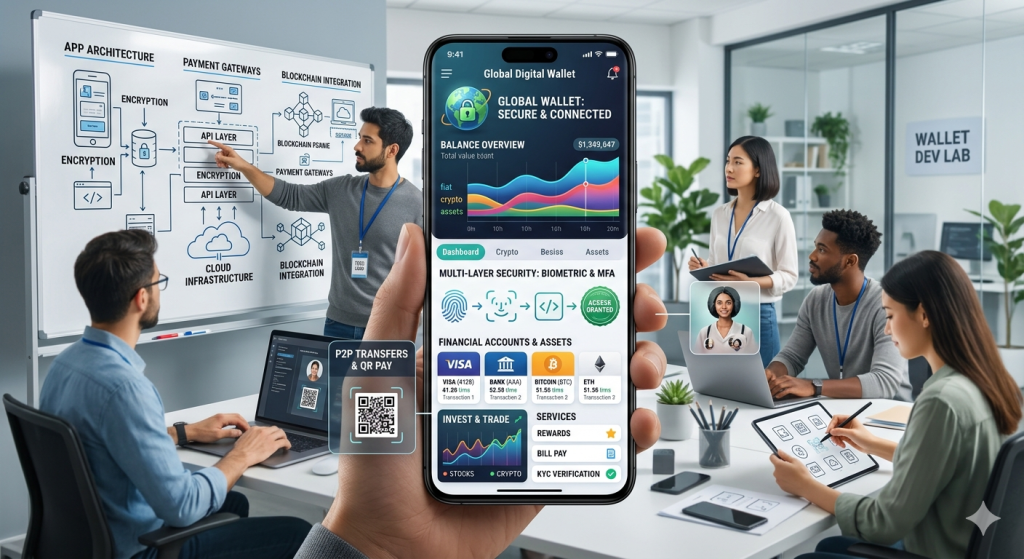

Modern digital wallet app interface on smartphone showing payment cards, balance, QR code scan, and biometric security features for fintech development guide
App Development

How to Build a Digital Wallet App

Introduction How to Build a Digital Wallet App A digital wallet app lets users store payment methods, transfer money, and complete purchases without relying on physical cash or cards, which is a major reason these apps continue to grow in popularity. In 2026, digital wallets process over 65% of global mobile transactions, with the market valued at $22 trillion annually. Modern wallet apps are valued for speed, convenience, and strong security features such as tokenization, biometric login, and multifactor authentication. If you want to build a successful digital wallet app, you need more than a clean interface; you also need the right feature set, security controls, compliance planning, and a clear product strategy from day one. This comprehensive 2026 guide reveals the exact technical roadmap, development costs, essential features, security best practices, and monetization strategies every fintech founder needs. From market research to app store launch, discover proven steps used by PayPal, Venmo, and Cash App to dominate mobile payments. Market Opportunity Global digital wallet market: $22T transaction volume (2026) 4.8B users worldwide (65% smartphone penetration) India alone: 850M+ UPI users processing $2T annually Average wallet app revenue: $15-45/user lifetime value Why Now? 78% of consumers prefer tap-to-pay over cards, regulatory sandboxes are opening worldwide, and AI-powered fraud detection reduces chargebacks by 92%. This blog explains the basic building approach, why it matters, and what businesses should focus on before launch. Core Features Checklist How to Build Digital Wallet App: Step-by-Step Step 1: Define Your Niche & Business Model Successful digital wallets target specific use cases before expanding: P2P Focus (Venmo): Friends/family transfers, social sharing 70% of Gen Z uses peer-to-peer weekly Revenue: 1.5-3% transaction fees Merchant POS (Apple Pay): In-store tap-to-pay, loyalty integration Restaurants/retail: 45% checkout conversion boost B2B Payments (Stripe Connect): Vendor payouts, gig economy Freelancer platforms: 30% faster payouts = 25% retention Cross-Border (Wise): Low-fee international transfers Emerging markets: 12x cheaper than banks Action Items: Survey 100+ target users (Google Forms, Typeform) Competitor matrix: features, pricing, ratings Revenue model: % fees, subscriptions, premium features MVP scope: 3-5 core screens maximum Step 2: Technical Architecture Frontend: React Native/Flutter (iOS + Android) Backend: Node.js + Express (microservices) Database: PostgreSQL + Redis (transactions + cache) Payments: Stripe/PayPal/Razorpay APIs Security: AES-256 + Tokenization + 3DS 2.0 Cloud: AWS/GCP (HIPAA/GDPR compliant) Introduction A digital wallet app lets users store payment methods, transfer money, and complete purchases without relying on physical cash or cards, which is a major reason these apps continue to grow in popularity. In 2026, digital wallets process over 65% of global mobile transactions, with the market valued at $22 trillion annually. Modern wallet apps are valued for speed, convenience, and strong security features such as tokenization, biometric login, and multifactor authentication. If you want to build a successful digital wallet app, you need more than a clean interface; you also need the right feature set, security controls, compliance planning, and a clear product strategy from day one. This comprehensive 2026 guide reveals the exact technical roadmap, development costs, essential features, security best practices, and monetization strategies every fintech founder needs. From market research to app store launch, discover proven steps used by PayPal, Venmo, and Cash App to dominate mobile payments. Market Opportunity Global digital wallet market: $22T transaction volume (2026) 4.8B users worldwide (65% smartphone penetration) India alone: 850M+ UPI users processing $2T annually Average wallet app revenue: $15-45/user lifetime value Why Now? 78% of consumers prefer tap-to-pay over cards, regulatory sandboxes are opening worldwide, and AI-powered fraud detection reduces chargebacks by 92%. This blog explains the basic building approach, why it matters, and what businesses should focus on before launch. Core Features Checklist How to Build Digital Wallet App: Step-by-Step Step 1: Define Your Niche & Business Model Successful digital wallets target specific use cases before expanding: P2P Focus (Venmo): Friends/family transfers, social sharing 70% of Gen Z uses peer-to-peer weekly Revenue: 1.5-3% transaction fees Merchant POS (Apple Pay): In-store tap-to-pay, loyalty integration Restaurants/retail: 45% checkout conversion boost B2B Payments (Stripe Connect): Vendor payouts, gig economy Freelancer platforms: 30% faster payouts = 25% retention Cross-Border (Wise): Low-fee international transfers Emerging markets: 12x cheaper than banks Action Items: Survey 100+ target users (Google Forms, Typeform) Competitor matrix: features, pricing, ratings Revenue model: % fees, subscriptions, premium features MVP scope: 3-5 core screens maximum Step 2: Technical Architecture Tech Stack Comparison: Component Recommended Alternative Cost Mobile Flutter React Native $0 Backend Node.js Python/Django Free Database PostgreSQL Firebase Free tier Payments Stripe Razorpay (India) 2.9% + 30¢ Step 3: Essential Features (MVP) 1. User Onboarding (KYC) – Phone/email OTP verification – Government ID scan (Aadhaar/PAN) – Selfie biometric capture 2. Wallet Funding – Bank account linking (UPI/ACH) – Debit/credit card (3DS secure) – Partner cash-in (retail outlets) 3. Core Transactions – QR code scanning (POS) – P2P transfers (phone number) – Bill payments (utilities) – Transaction history + receipts 4. Security Layer – Biometric login (FaceID) – Transaction limits – Real-time notifications Step 4: Security Implementation (Non-Negotiable) Digital wallet apps face 300% more attacks than average fintech. Here’s enterprise-grade protection: Pro Tip: Partner with established PSPs (Stripe, Adyen) for instant compliance vs. building payment processing (18+ months, $2M+). Monetization Models Transaction Fees: 1-3% per transaction Premium Features: $2.99/month (higher limits) Merchant Partnerships: Revenue share FX Fees: 0.5-1% cross-border Interest on Balances: 2-4% APY Regional Compliance Matrix Country KYC Req Max Balance Transaction Limits India Aadhaar/PAN ₹1L daily ₹2L monthly USA SSN $10K None EU eIDAS €50K €100K daily Common Pitfalls (Avoid These) Embedded Finance: Wallet → full banking Crypto Integration: Stablecoins + DeFi AI Agents: Autonomous bill payments Wearables: Smartwatch + ring payments Biometrics 2.0: Vein pattern + behavioral Conclusion Building a digital wallet app requires a balance of user-friendly design, secure payment architecture, and compliance-ready development so the product can scale safely and earn user trust. The strongest apps combine fast onboarding (under 90 seconds), reliable payment flows (99.99% uptime), real-time transaction visibility, and layered security such as biometrics, encryption, and two-factor authentication. When these elements are planned properly, a digital wallet app can improve customer convenience, speed up

Futuristic 16:9 business illustration showing a diverse professional team in a modern digital workspace, reviewing mobile app wireframes and cost breakdown charts on large transparent screens, with iOS, Android, and web icons, cool blue and purple gradients, and the title “App Development Cost in 2026” displayed prominently.
App Development

How Much Does it cost to Develop an App in 2026?

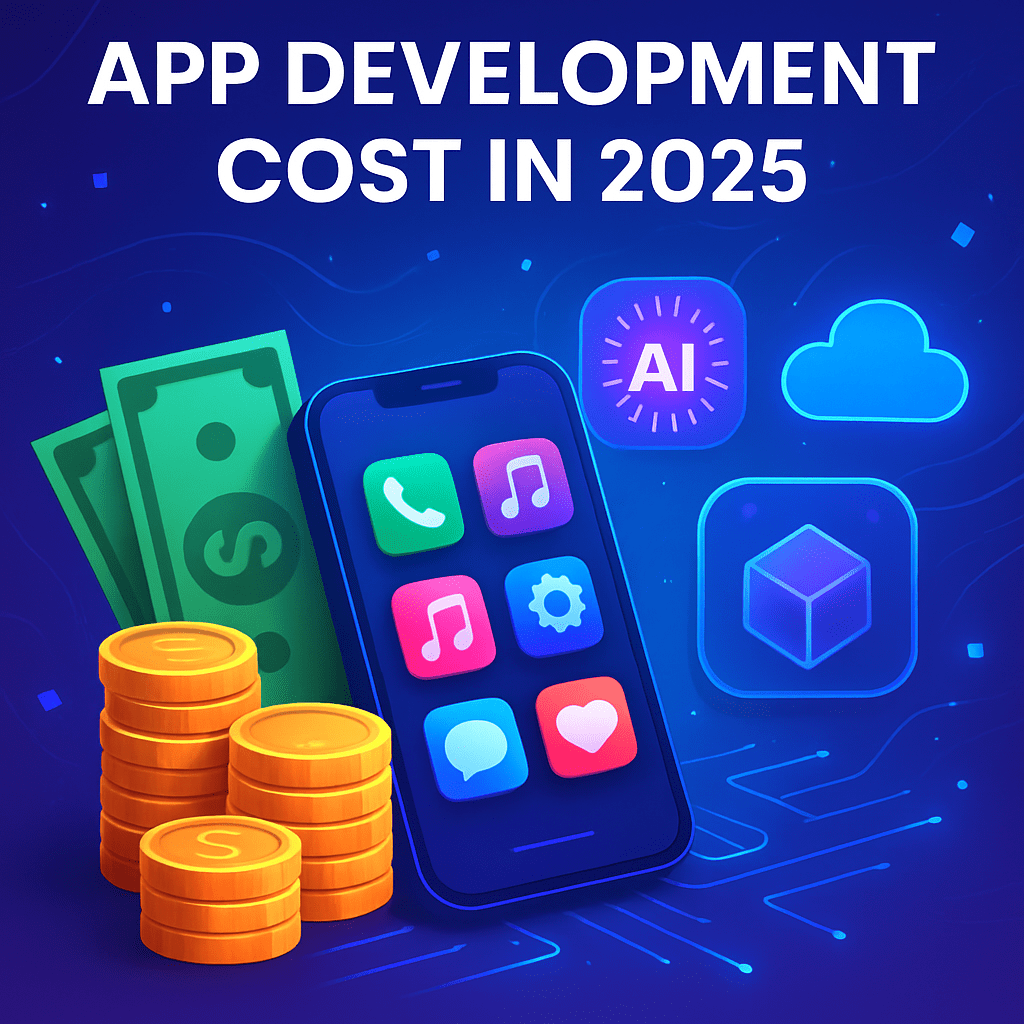
Introduction Launching an app in 2026 is less about “Can it be built?” and more about “What will it take to build it right?” A clear understanding of app development costs helps you avoid budget overruns, choose the right tech stack, and prioritize features that actually move the needle. Industry data from 2024–2025 suggests that app budgets continue to rise with expectations around UX, security, and AI-driven features. This guide breaks down realistic app cost ranges, the factors that influence them, and how to estimate your own budget so you can plan with confidence.​ How to Build Demand Forecasting Software Typical App Cost Ranges in 2026 Most cost ranges for 2026 can be extrapolated from up-to-date 2024–2025 benchmarks, adjusted for modest inflation and complexity trends.​ Simple apps (few screens, basic CRUD, no complex backend): $20,000 – $60,000.​ Medium-complexity apps (auth, APIs, payments, dashboards): $60,000 – $150,000.​ Complex apps (real-time features, AI/ML, AR/VR, heavy integrations): $150,000 – $350,000+.​ Key global benchmarks you can expect to still hold in 2026:​ Many full projects land in the $80,000 – $250,000 range for a high-quality product. Building in regions with higher hourly rates (e.g., North America) tends to push you toward the upper end of these ranges.​ What Actually Drives App Cost? Several core factors decide where your app sits in those ranges.​ App complexity & features Basic apps (e.g., content display, simple forms) require fewer development hours and cheaper infrastructure.​ Advanced features like AR, AI recommendations, real-time chat, or IoT integrations add specialist skills and more development time, increasing cost significantly.​ Platform choice (iOS, Android, web, cross-platform) Native apps (separate iOS and Android codebases) can run $90,000 – $330,000+ depending on complexity.​ Cross-platform solutions (e.g., Flutter, Kotlin Multiplatform) often reduce cost, with many projects between $60,000 – $230,000+ while still offering near-native performance.​ Location and rates of the development team Typical hourly ranges: North America $100–$250/hour, Western Europe $80–$200/hour, Eastern Europe $30–$70/hour, India $20–$50/hour.​ The standard formula still applies in 2026: App cost = Development hours × hourly rate.​ Design depth and UX/UI Basic UI may add tens of thousands; advanced motion design and custom interactions can push design alone into the $20,000–$50,000+ range for complex products.​ Strong UX can reduce rework and support, making it a strategic investment, not just an aesthetic choice.​ Backend, integrations, and infrastructure Apps needing complex backends, microservices, or multiple third-party integrations (payments, CRM, analytics, logistics) cost more than standalone or offline-first apps.​ Advanced apps may require scalable cloud infrastructure, which influences both build and ongoing costs.​ Cost Breakdown by Phase and Platform You can break down an app budget into phases and platforms to see where your money goes.​ Typical Phase-Wise Budget Split While exact numbers vary, many 2025 guides outline a similar structure that remains relevant going into 2026.​ Strategy & discovery: 5–10% of total budget (market research, requirements, product workshops).​ UX/UI design: 10–20% (wireframes, prototypes, visual design).​ Development (frontend + backend): 50–60% (core build work).​ QA & testing: 10–20% (manual + automated tests, performance checks).​ Project management & overhead: 5–10% (coordination, sprint planning, reporting).​ Maintenance alone is often estimated at about 15–25% of the initial app cost per year, covering bug fixes, OS updates, and minor improvements.​ Platform & Tech-Stack Cost Snapshot Recent industry breakdowns give realistic benchmarks by platform and approach that still guide 2026 planning.​ Native mobile (iOS + Android): often $90,000 – $330,000+ for full-featured apps.​ Cross-platform (Flutter, Kotlin Multiplatform): roughly $60,000 – $230,000+, especially attractive if you need both platforms quickly.​ Web or PWA versions: commonly $15,000 – $60,000 for robust products, depending on complexity.​ How to Estimate Your Own App Budget for 2026 Using current data, you can create a practical, reader-focused estimate for your own 2026 app project.​ Define your app’s complexity List features as “must-have”, “nice-to-have”, and “future”. Map yourself to a band: simple, medium, or complex as described earlier.​ Choose approach and region Decide between native vs. cross-platform and where your team will be based (e.g., Eastern Europe vs. US).​ Use realistic hourly rates from those regions, such as $20–$50/hour in India vs. $100–$250/hour in North America.​ Estimate hours and multiply Simple MVPs often take 2–3 months, while complex builds can exceed 4 months.​ After you receive rough hour ranges from vendors, apply the formula: hours × hourly rate to get your baseline.​ Add buffer and maintenance Add 10–20% contingency for scope changes or unknowns.​ Plan 15–25% of initial cost annually for maintenance, marketing integrations, and updates so the app remains competitive.​ Conclusion Developing an app in 2026 will usually require a budget between $20,000 and $300,000+, with most serious business apps landing in the $80,000–$250,000 bracket once design, engineering, QA, and launch are accounted for. Your exact cost depends on complexity, feature set, platform strategy, and the location and experience level of your development team, but structured estimation and clear priorities keep you in control of the numbers. To move forward, define your must-have features, choose a tech approach (native vs. cross-platform), then request detailed estimates from 2–3 vendors so you can compare scope, timelines, and total cost before committing.​ A strong call-to-action: Document your app idea clearly, shortlist potential partners, and request a line-item quote that separates design, development, QA, and maintenance—this single step will dramatically improve your chances of delivering on time and on budget.​ FAQ 1. What is the minimum cost to build an app in 2026? For a very simple MVP with limited screens and basic backend, many teams can still deliver something usable starting around $20,000–$30,000, especially with cross-platform frameworks or lower-rate regions.​ 2. Why do some apps cost over $300,000? Apps that cross the $300,000 mark typically include complex architectures, AI/ML, AR/VR, real-time features at scale, and multiple third-party integrations, all of which require larger teams and longer timelines.​ 3. How much should I budget yearly for maintenance? A common rule of thumb is 15–25% of your initial development cost per year to cover bug fixes, performance tuning, OS updates, and incremental improvements.​ 4. Is cross-platform cheaper than native development? In many cases yes, because one codebase covers both iOS and Android, with example cost ranges such as $60,000 – $230,000+ versus $90,000 – $330,000+ for separate native builds of similar complexity.​ 5. How do developer locations affect app cost? Hourly rates vary significantly: North America tends to charge $100–$250/hour, Western Europe $80–$200/hour, Eastern Europe $30–$70/hour,

App Development

How Long Does It Take to Develop a Mobile App?

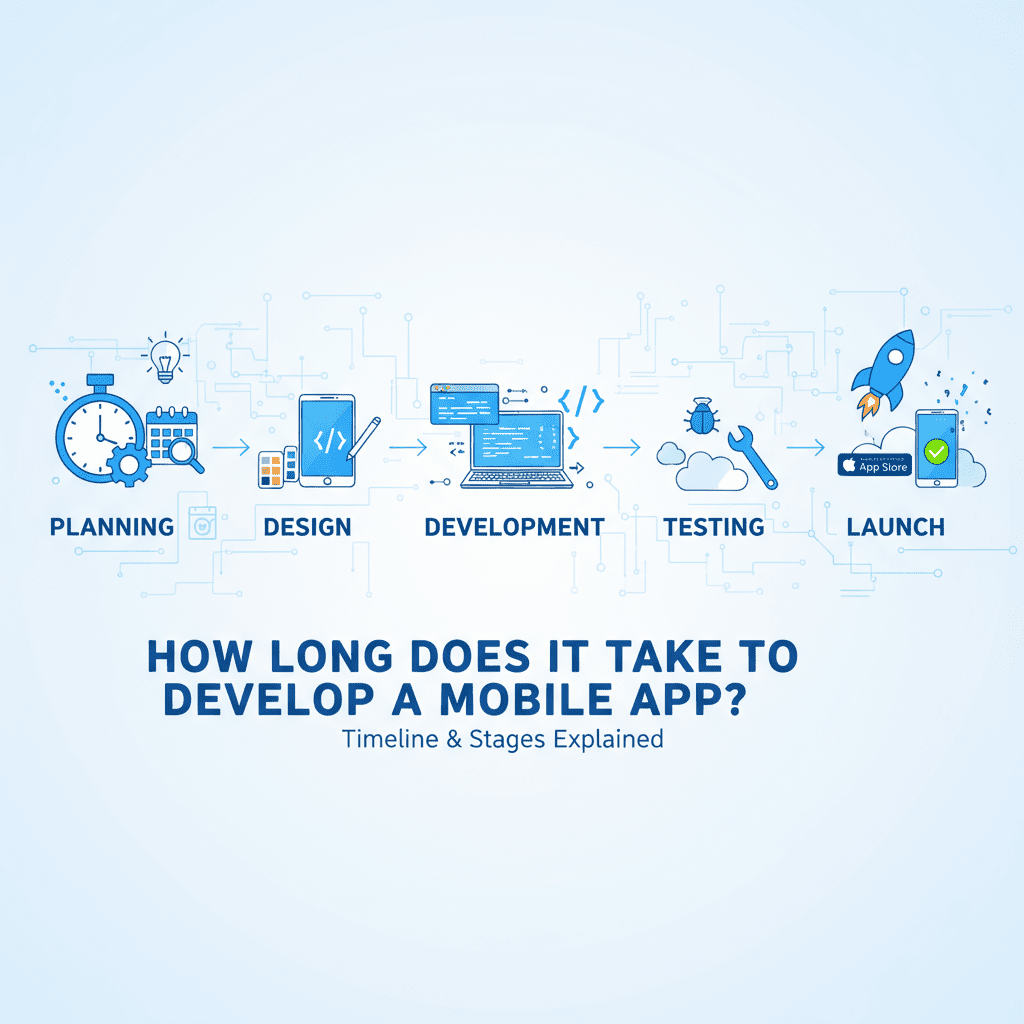
Introduction A common question for businesses and entrepreneurs planning mobile apps is: “How long will the development take?” The answer depends on many factors including app complexity, features, platforms, and team expertise. Understanding typical timeframes helps set the right expectations and plan budgets efficiently. App Development Timelines Based on Complexity Simple Apps (2 to 4 Months) Basic functionality with limited features Minimal backend or database integration Examples: Calculator, basic informational app, simple utilities Simple apps focus on core features with straightforward UI/UX and are ideal as MVPs or proof of concepts. Medium Complexity Apps (4 to 8 Months) Moderate feature set like user authentication, payment gateways Some backend integration and APIs Examples: Fitness trackers, food delivery apps, messaging platforms These apps require more testing, UI design, and cross-platform compatibility, extending development time. Complex Apps (8 to 12+ Months) Advanced features such as real-time data sync, AI, AR, video streaming Multiple user roles and third-party integrations Examples: E-commerce marketplaces, social networks, fintech solutions Complex apps often require scalable backend architecture, security compliance, and extensive QA cycles. Factors Influencing Development Time Feature Scope: More features mean longer development and testing periods. Platform Choice: Native apps for iOS and Android may take longer than cross-platform development. Design Complexity: Custom UI/UX design adds to project time. Third-Party Integrations: Payments, social media, maps, or AI APIs affect timelines. Team Size and Expertise: Larger or specialized teams can accelerate or delay schedules. Testing and Revisions: Time allocated for QA and feedback cycles can vary. Tips to Speed Up Development Start with an MVP to validate core features quickly. Use cross-platform frameworks like Flutter or React Native. Prioritize features using MoSCoW method (Must-have, Should-have, Could-have, Won’t-have). Automate testing and use CI/CD pipelines for faster releases. Work with experienced developers or agencies to avoid rework. Conclusion Typically, app development ranges from 2 months for simple projects to over a year for complex applications. Planning, clear requirements, and choosing the right technology are key to hitting your timeline. Setting realistic expectations helps businesses launch products faster and adapt to market feedback effectively. For expert mobile app development services and timeline consultation, explore TechOTD AI Services and follow industry trends on the TechOTD Blog.

App Development

How Much Does It Cost to Develop an App in 2025?

Introduction Budgeting for app development is one of the most critical decisions a business leader will make in 2025. With digital transformation reshaping every industry, a well-planned mobile or web app is a gateway to new customers and better efficiency—but how much does it really cost to turn your idea into a fully functioning app? Costs depend on app complexity, required features, choice of tech, and team expertise. Understanding these factors will help every founder, manager, or enterprise leader plan smarter and build with confidence. In this detailed guide, we’ll break down app development costs phase-by-phase, compare budgets for different industries, highlight influencing factors, and show how leveraging AI and modern tech (like TechOTD’s solutions) can optimize investments. Explore TechOTD’s AI services, how we work, and mobile app solutions as you plan your journey. Phases of App Development and Associated Costs Building an app involves several distinct steps, each with budget requirements. Let’s break down each stage, using recent industry cost data: 1. Strategy & Planning ($4,000–$10,000) Business analysis, market research, competitor benchmarking. Defining user personas, app objectives, and feature lists. See TechOTD strategy examples. 2. Design (UX/UI) ($6,000–$30,000) Wireframing, prototyping, visual branding, user journey mapping. Interactive mockups and usability testing. Learn more about UX/UI trends. 3. Core Development ($25,000–$75,000+) Frontend and backend coding (iOS, Android, web, cross-platform). Third-party integrations (payment, GPS, social login). Custom features: e.g., predictive analytics, chatbots, real-time feeds. Framework insights: React Native vs Swift. 4. Third-Party Integrations ($5,000–$15,000) APIs for CRM, analytics, cloud storage, payment gateways. Blockchain or AI integrations for security and personalization. More on blockchain-powered apps. 5. Quality Assurance & Testing ($8,000–$18,000) Device, OS, and usability tests, bug fixing, security audits. Compliance with GDPR, PCI DSS, and industry standards. Predictive analytics in QA. 6. Deployment & Launch ($2,000–$7,000) App store submission (Apple, Google Play), launch marketing. Backend optimization, analytics setup. See TechOTD’s launch support. 7. Maintenance & Support (15–20% per year) Updates, bug fixes, feature enhancements, security patches. Hosting and server monitoring. Typical App Development Budgets by Complexity App Type Budget Range Examples Timeline Simple/MVP $20,000–$60,000 To-do, news, calculators 2–4 months Medium $60,000–$120,000 Loyalty, booking, fintech 4–7 months Complex $120,000–$250,000+ E-commerce, social media, healthcare, AR/AI 6–12 months Explore detailed cost analysis for loyalty apps: How much does it cost to build a customer loyalty app? Key Factors Influencing App Development Cost 1. App Complexity Number of user roles, features (e.g., chat, push notifications, payment). Custom UI, animation, and security. Advanced integrations (AI, ML, blockchain). TechOTD leverages latest innovations. 2. Platform Choice Native (Swift/Java/Kotlin) costs more than cross-platform (Flutter, React Native). Multi-platform apps increase cost by 30–40%. Cross-platform vs native advice. 3. Design and Branding High-fidelity UI/UX, custom illustrations, AR/VR increase cost. TechOTD’s design approach. 4. Data Security & Compliance Apps in finance, healthcare, and education need strict compliance (HIPAA, GDPR, PCI DSS). Cost increases for advanced encryption and regulatory audits. TechOTD’s security-first methodology. 5. AI, Analytics, and Next-Gen Technology Adding AI/ML for personalization, recommendation engines increases budget. Predictive analytics, chatbots, speech/image processing. AI-powered app solutions. 6. Team Location & Experience US/Europe rates: $60–$200/hr; Asia/Eastern Europe: $20–$60/hr. Experienced agencies deliver better quality and ongoing support. See TechOTD’s multi-regional expertise. Cost Examples by Industry Industry Typical Budget Unique Features Explore Fintech $80,000–$200,000+ Secure payments, AI analytics, blockchain LLMs in Finance Education $50,000–$150,000 LMS, AR/VR, remote learning, analytics Tech & Education E-Commerce $100,000–$250,000 Product catalog, cart, payment, push notifications Industry Blogs Loyalty/App $60,000–$120,000 CRM, rewards, gamification, partner systems Customer Loyalty App Guide On-Demand $75,000–$180,000 Real-time tracking, chat, payments, reviews Explore TechOTD’s solutions How TechOTD Optimizes Costs with Emerging Technologies AI & Machine Learning: Saves time, automates personalization, improves retention. Cloud & Edge Computing: Scalable infrastructure and performance. Blockchain Integration: High security and transparency for finance and supply chain apps. Agile & DevOps: Quicker cycles, better quality, ongoing support. Learn more from TechOTD’s blog and how we work. Tips to Budget Effectively for App Development Start with an MVP and validate user needs. Choose cross-platform tools if budget is limited. Use proven frameworks for speed and reliability. Invest in robust QA and post-launch support. Allocate budget for ongoing marketing and analytics. Partner with experienced agencies (like TechOTD) for guidance and best practices. Conclusion The cost to develop an app in 2025 depends on its complexity, features, chosen technology, and vendor expertise. Typical budgets range from $20,000 for a simple app to $250,000+ for enterprise-level solutions, with maintenance usually about 15–20% of initial yearly cost. Careful planning, partner selection, and leveraging advanced tech are key to maximizing ROI. Take the next step: Book a free consultation with TechOTD Explore best practices on TechOTD’s blog Discover AI-driven solutions FAQ Q1: What is the lowest possible budget for a simple app in 2025? A: MVPs with minimal features start at $20,000–$40,000 in most regions. Q2: Why do maintenance costs matter? A: Post-launch updates, bug fixes, and performance improvements are critical; expect 15–20% of original build cost per year. Q3: Can I reduce expenses by using cross-platform tools? A: Yes, React Native and Flutter typically lower costs by up to 30% compared to fully native solutions. Q4: Is security a major cost factor? A: Apps in finance or healthcare need greater compliance and security testing, which increases costs but protects your business. Q5: What kind of costs do loyalty and e-commerce apps involve? A: Loyalty apps range $60,000–$120,000 and e-commerce apps from $100,000–$250,000+, depending on features and integrations.

App Development

How Long Does It Take to Develop a Mobile App?

Introduction In today’s digital-first world, mobile apps have become the backbone of customer engagement and business innovation. Whether it’s a food delivery app, a fintech platform, or an AI-powered productivity tool, businesses are investing heavily in mobile applications to capture new market opportunities. But one of the most common questions that arises during the planning phase is: how long does it take to develop a mobile app? The answer depends on factors such as app complexity, features, target platform (iOS, Android, or both), technology stack, and development methodology. In this blog, we will break down the step-by-step mobile app development timeline, explain different stages, and highlight how businesses can reduce time-to-market while still delivering a high-quality product. If you’re considering building an app in 2025, this guide will give you a realistic timeline and insights based on best practices. Factors Influencing Mobile App Development Timeline The time it takes to develop an app is rarely the same for every project. Each app idea and feature set comes with different timelines. Below are the key factors that directly impact development duration. 1. App Complexity Simple apps (basic features like login, profile, and information display): 2–4 months Medium-complexity apps (real-time updates, payment systems, API integration, push notifications): 4–8 months High-complexity apps (social media, AI-powered personalization, video streaming, enterprise-level apps): 9–15 months 2. Platforms and Technology Stack iOS only: Faster development due to fewer device variations. Android only: Slightly longer due to device fragmentation. Cross-platform development with frameworks like React Native or Flutter reduces time and cost. (Learn more about frameworks like React Native vs Swift). 3. Team Structure A dedicated development team of UI/UX designers, front-end developers, back-end developers, QA testers, and project managers accelerates timelines. Outsourcing to an experienced mobile app development company (TechOTD Mobile App Services) ensures faster delivery with expert resources. 4. Features & Functionality Some features add significant time to development: Artificial Intelligence (AI) & Machine Learning integration Cloud storage & synchronization In-app chat & video calling Blockchain-based security features (See Blockchain integration use cases in business) Predictive analytics (Explore Predictive Analytics Development) 5. Testing and Security Security compliance, bug fixing, and testing on multiple devices are crucial yet time-intensive stages. For industries like finance and healthcare, additional testing for compliance adds weeks to timelines. Typical Mobile App Development Timeline (Step-by-Step) Let’s break down the average timeline of 1700 words worth detailing into phases followed by realistic time estimates: Phase 1: Research & Planning (2–4 Weeks) Analyzing business requirements. Competitor research and feature set prioritization. Technical feasibility study. Choosing the right technology stack (AI, blockchain, cloud, etc.). ➡️ Example: TechOTD follows structured “How We Work” guidelines to first assess business needs (Details here). Phase 2: UI/UX Design (3–6 Weeks) Wireframes and mockups development. User journey mapping to ensure simplicity. Style guides and interactive prototypes. ➡️ Example: In modern apps, customer journey mapping has become crucial (Future of Customer Journey with AI). Phase 3: Development (4–12 Weeks or More) Frontend Development: Building the user interface (navigation, forms, dashboards). Backend Development: APIs, databases, servers, integration with AI/ML, NLP, or cloud solutions (Explore TechOTD AI services). Cross-platform support: React Native, Flutter, or native development. ➡️ Example: Flutter development teams speed up app creation significantly (Why hire Flutter teams?). Phase 4: Testing & QA (2–6 Weeks) Unit testing, integration testing, UI testing, and stress testing. Ensuring compliance with cloud security measures (CNAPP explained here). Fixing errors to guarantee seamless performance across devices. Phase 5: Deployment (2 Weeks) Publishing on Google Play Store and Apple App Store. Preparing app store optimization (ASO). Submitting for approval (usually takes 7–10 days per platform). Phase 6: Post-Launch Support (Ongoing) Bug fixes, user feedback improvements. Regular security patches and scalability improvements. Adding AI-driven updates like predictive recommendations or LLM integrations (LLMs in Finance explained). How Long Does It Really Take? (Overview) Basic App (MVP): 4–6 months Mid-level App: 6–9 months Enterprise/Feature-rich App: 9–15 months However, innovative approaches such as AI-driven automation (TechOTD AI-powered automation solutions) and agile iterative cycles can help cut down development times without compromising quality. Real-World Examples Food Delivery Apps Development timeline: 7–12 months Features: GPS tracking, real-time order updates, in-app payments Learn more: Food App Development Costs & Timelines Education Apps Development timeline: 6–10 months Features: Video content, gamification, progress tracking Related: Technology in Education for CEOs E-commerce Loyalty Apps Development timeline: 6–9 months Features: Rewards, discounts integration, customer analytics Explore in detail: Loyalty App Costs Conclusion The time it takes to develop a mobile app varies significantly depending on complexity, features, and the technologies involved. On average: Simple apps can take 3–6 months. End-to-end feature-rich apps can take 9–15 months. Working with a trusted partner like TechOTD ensures a structured, efficient process from planning to deployment with continuous post-launch support. If you are planning an app for 2025 and beyond, the right strategy is to balance speed with quality—leveraging AI, cross-platform frameworks, and expert development teams. 👉 Ready to bring your app idea to life? Contact TechOTD for a free consultation today and accelerate your mobile app development journey. FAQs 1. What is the fastest way to develop a mobile app? Using cross-platform frameworks like Flutter or React Native and adopting Agile methodology speeds up development. 2. How do I reduce time-to-market for my app? Start with a Minimum Viable Product (MVP) focusing on core features, then add advanced features later. 3. Can AI speed up mobile app development? Yes. AI-powered automation, predictive analytics, and machine learning reduce testing and coding efforts. 4. What makes enterprise apps take longer to build? Enterprise apps often include advanced features like integrations, compliance, AI/ML, and blockchain, which extend timelines. 5. How much does app development cost? On average, costs vary between $15,000 and $250,000, depending on feature scope and complexity.

App Development

How Much Does It Cost to Build a Customer Loyalty App? A Complete Step-by-Step Guide with Cost Insights

Introduction In today’s highly competitive retail and e-commerce landscape, customer loyalty has emerged as one of the most critical factors for sustainable business growth. Modern customers no longer just look for products or services; they expect personalized experiences, exclusive benefits, and seamless engagement with the brands they love. This is where customer loyalty apps come into play. These apps allow businesses to reward customers, provide tailored promotions, and encourage repeat purchases—ultimately driving higher retention rates and long-term brand advocacy. If you’re planning to build your own customer loyalty app, this comprehensive guide will walk you through the entire development journey step by step, along with realistic cost estimates so you can budget effectively. Whether you are a startup aiming to attract your first loyal audience or an enterprise looking to strengthen customer retention, understanding these stages and financial requirements is essential for success. Step 1: Define Your Loyalty Program Strategy Every great loyalty app starts with a clear strategy. Before jumping into design or coding, it’s crucial to outline your program objectives and align them with your business goals. Key factors to decide: Reward Models: Choose whether you want to offer points, cashback, tiered rewards, or exclusive offers. Audience Targeting: Identify your customer base, demographics, and preferences to ensure the rewards resonate with them. Partnerships: Consider collaborations with partner brands to provide more value. Redemption Flow: Define how users will redeem points or rewards and what their journey will look like. A well-structured strategy ensures that your app not only attracts downloads but also keeps customers engaged. For advanced personalization, businesses often integrate AI-powered recommendation engines that adjust offers dynamically. Step 2: Conduct Market Research and Competitor Analysis Before development, conduct thorough market research to understand what already exists and how you can stand out.  Analyze popular loyalty apps like Flybuys, Starbucks Rewards, or Sephora Beauty Insider. Identify UI/UX standards customers are accustomed to. Spot gaps or weaknesses in competitors’ apps to build your unique selling point. By studying competitor strategies and customer reviews, you can design a roadmap that addresses pain points and ensures your app offers superior value. Step 3: Design UX/UI The design phase is where your vision comes to life. A loyalty app must be visually appealing, intuitive, and easy to navigate.  Key design elements include: Wireframes & Prototypes to map out workflows. Simple Registration & Login for quick onboarding. Reward Dashboard where customers can easily track points. Engaging Notifications that highlight offers. Personalized Experience with tailored interfaces. Remember, first impressions matter—a clean, modern, and user-friendly interface significantly boosts adoption rates and user retention. Step 4: Develop Core Features This is the heart of the project. Core development involves building the technical foundation of the app and ensuring it has all the must-have features.  Essential modules include: User Authentication & Profiles Points & Rewards Engine Push Notifications & Offers Payment Gateway Integrations CRM & Partner System Integration Admin Dashboard for Analytics & Management Using agile methodology is highly recommended so that development and testing happen in cycles, ensuring faster delivery and fewer errors. Additionally, integrating AI & machine learning allows you to personalize offers dynamically, making your loyalty app smarter and more effective in driving repeat purchases. Step 5: Quality Assurance and Testing No app should go live without extensive testing. This step ensures a smooth and secure user experience across devices and platforms.  Testing covers: Bug Detection & Fixing Workflow Validation Performance Optimization Security & Data Privacy Checks Ensuring compliance with GDPR, PCI DSS, and other data protection standards builds customer trust and safeguards sensitive information. Step 6: Deployment and Launch Once tested, your app is ready for launch. But remember, deployment is not just about uploading the app to stores—it’s about positioning it for success.  Pre-launch checklist: Prepare marketing content & promo campaigns. Optimize App Store / Play Store listings with keywords, descriptions, and visuals. Consider a soft launch or beta release to gather initial feedback. Monitor app performance and usage metrics closely post-launch. Step 7: Post-Launch Maintenance and Support The journey doesn’t end at launch. To keep users engaged, your app requires ongoing updates and support.  Post-launch tasks: Feature enhancements based on user feedback. Bug fixes & security patches. Regular content updates to keep offers fresh. Customer support & chat integration. On average, businesses should allocate 15–20% of initial development costs annually for maintenance. Cost Insights for Building a Loyalty App Here’s a detailed breakdown of typical costs involved: Development Phase Estimated Cost Range (USD) Strategy & Planning $4,000 – $10,000 UX/UI Design $6,000 – $15,000 Core Development $25,000 – $60,000 Third-Party Integrations $5,000 – $15,000 Quality Assurance & Testing $4,000 – $9,000 Deployment & Launch $3,000 – $7,000 Maintenance & Support 15–20% annually Pro Tip: Costs vary depending on factors like features, technology stack, development team location, and complexity. Choosing the right partner can optimize costs while ensuring high quality. Conclusion Building a customer loyalty app is not just a technical project—it’s a strategic business initiative. With the right planning, design, development, and ongoing support, you can create a platform that strengthens customer relationships, boosts engagement, and drives revenue growth. By factoring in costs at every stage, you’ll be better prepared to allocate resources and achieve long-term success. Leveraging AI, analytics, and cloud scalability can take your app to the next level, making it a true asset for your business.  Don’t wait—start your journey today and transform customer loyalty into lasting brand advocacy! FAQ 1. How long does it take to develop a loyalty app?Typically 4–8 months, depending on features, complexity, and integrations. 2. Can I integrate AI for personalized offers?Absolutely! AI-driven personalization boosts engagement by tailoring promotions to each user’s behavior. 3. Which platforms should I target initially?Cross-platform development (iOS, Android, Web) is the most efficient way to maximize reach. 4. What ongoing costs should I expect?Maintenance, feature updates, cloud hosting, marketing, and customer support. 5. How secure are loyalty apps?With data encryption, regular audits, and compliance frameworks, loyalty apps can be highly secure

App Development, Uncategorized

How to Build a Customer Loyalty Program App Like Flybuys: Complete Cost Guide

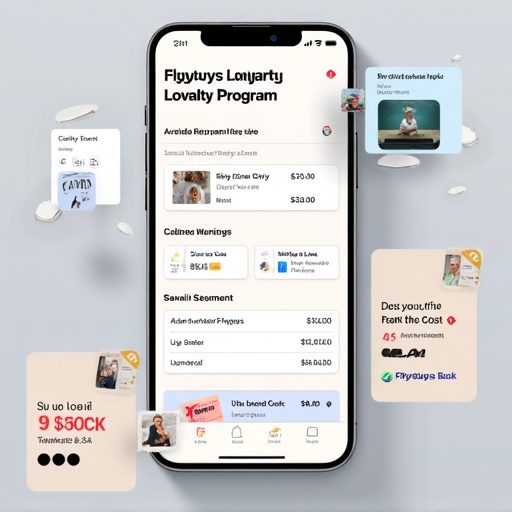
Introduction In today’s highly competitive retail and eCommerce market, customer loyalty is no longer just a “nice-to-have”—it is a strategic necessity. Apps like Flybuys in Australia have revolutionized how businesses retain customers, boost engagement, and increase repeat purchases. By rewarding users with points, cashback, and personalized offers, loyalty apps create a strong emotional and financial bond between customers and brands. According to Allied Market Research, the global loyalty management market is projected to reach $24 billion by 2030, driven by cloud technology, AI-powered personalization, and cross-industry partnerships. Developing a Flybuys-style customer loyalty program app requires careful planning, investment, and the right technology partner. In this comprehensive guide, we’ll cover: Key features your loyalty app must have Complete cost breakdown (from design to deployment) Factors influencing pricing Why TechOTD is the right partner for loyalty app development Detailed comparison table of features & costs FAQs for businesses considering loyalty solutions  Whether you’re a retailer, eCommerce platform, or tech startup, this guide will help you estimate costs, timelines, and strategies for building your next-gen loyalty program.  Key Features of a Flybuys-Style Loyalty App Building a loyalty app is more than just a points system—it’s about creating an ecosystem where customers feel valued and engaged. Here are the must-have features: User Registration & Profiles – Social login, personalized dashboards. Points Earning & Redemption – Track purchases, reward points, and redeem offers. Tiered Membership Levels – Bronze, Silver, Gold tiers with progressive perks. Personalized Offers & Notifications – AI-driven promotions powered by TechOTD AI solutions. Partner Integration – Collaboration with retail, travel, and service partners. Digital Wallet & Payment Integration – Secure transactions and rewards redemption. Analytics & Reporting – Data insights for businesses to optimize campaigns. Security & Compliance – GDPR, HIPAA, and PCI-DSS compliance for data protection. Gamification & Social Sharing – Leaderboards, badges, and referral bonuses. Multi-Platform Availability – iOS, Android, and Web with cross-platform frameworks.  For advanced app design & web integration, explore TechOTD’s Web Development services.  Cost Breakdown of Building a Loyalty Program App The total cost depends on features, integrations, and complexity. Below is a breakdown of typical expenses: Development Stage Description Estimated Cost (USD) Planning & Design Market research, competitor study, wireframes, UX/UI $5,000 – $12,000 Core Development Backend APIs, mobile app, cloud integration $20,000 – $50,000 Third-Party Integrations Payment gateways, CRM, partner APIs $5,000 – $15,000 Testing & Deployment QA, performance optimization, app store approvals $3,000 – $7,000 Ongoing Maintenance & Support Updates, hosting, bug fixes 15–20% of initial cost annually Total Cost Estimate: $35,000 – $80,000+ (depending on scale and features)  For scalable loyalty solutions, check TechOTD Partner Solutions.  Factors Affecting Loyalty App Costs App Complexity – Simple points-based apps cost less, while advanced AI-driven ones require higher investment. Loyalty Tier Design – Single-tier vs. multi-tier reward systems. AI & Personalization – Predictive offers and behavioral targeting. Integration Needs – POS systems, payment gateways, and eCommerce platforms. Security & Compliance – Meeting GDPR/HIPAA adds compliance costs. Platform Coverage – Native (iOS, Android) vs. Cross-platform. Industry Focus – Retail, travel, healthcare, or eCommerce-specific features.  Why Choose TechOTD for Loyalty App Development? TechOTD brings deep expertise in AI, cloud, and app development, offering end-to-end solutions that are secure, scalable, and innovative. Custom Web & App Development → Explore Web Development AI-Driven Personalization → AI Solutions Industry-Focused Expertise → eCommerce Loyalty Platforms Trusted Partnerships → TechOTD Partner Program Proven Track Record → About TechOTD 👉 With TechOTD as your development partner, you get future-ready loyalty apps designed to maximize ROI and customer engagement.  Key Takeaways Budget Required: $35K – $80K+ Timeline: 4–8 months Best Features: AI personalization, multi-tier rewards, secure payments Industries Benefiting Most: Retail, eCommerce, travel, hospitality, healthcare TechOTD Advantage: AI-driven, cloud-native, and scalable loyalty solutions  Conclusion Building a Flybuys-style loyalty program app is a game-changer for businesses looking to retain customers, increase engagement, and boost revenue. While initial costs vary, the long-term ROI is significant when done right. With the right features, security, and personalization strategies, your app can become the cornerstone of customer engagement. By partnering with TechOTD’s expert team, you gain a competitive edge with cutting-edge technology, AI-driven personalization, and industry-specific solutions.  Start your journey today—turn your customer base into loyal brand advocates with TechOTD. FAQ 1. How long does it take to build a loyalty program app?On average, 4–8 months, depending on features and integrations. 2. Can the app support multiple platforms?Yes, using cross-platform tools (Flutter, React Native) or native apps for iOS & Android. 3. Does TechOTD provide AI-driven personalization? Yes, with AI & Machine Learning solutions, TechOTD enables predictive offers and tailored promotions. 4. What ongoing costs should I expect?Annual costs include server hosting, maintenance, updates, and customer support (15–20% of initial cost). 5. How secure is user data in loyalty apps?Data is protected with end-to-end encryption, secure payment gateways, and compliance (GDPR, HIPAA).

App Development

Technology Impact on Education: An Ultimate Guide for CEO

Introduction In the last decade, technology has reshaped education in ways we could have never imagined. From AI-driven learning platforms to immersive virtual classrooms, the shift is not just about digitization—it’s about redefining how knowledge is delivered, accessed, and experienced. For CEOs in the education sector, understanding this transformation is more than a competitive advantage—it’s a necessity. In this guide, we’ll explore how technology is impacting education, the opportunities it creates, and how leadership can leverage it for long-term success. 1. The Evolution of Education Technology The journey from chalkboards to smartboards and from physical libraries to cloud-based learning has been rapid. Platforms now integrate AI, data analytics, and interactive tools to create personalized learning experiences. For a deep dive into AI’s role in modern industries, check out this AI insights page which outlines how artificial intelligence is driving smarter decision-making. 2. The CEO’s Role in EdTech Transformation CEOs must do more than approve tech budgets—they must champion innovation. This includes: Encouraging data-driven decision-making for student success. Partnering with technology service providers to build scalable solutions. Ensuring accessibility and inclusivity in all learning platforms. If you’re looking to collaborate with experts in technology services, visit the partner page to explore strategic alliances. 3. Core Technologies Shaping Education Here are the key technologies making waves in education today: a) Artificial Intelligence (AI) From grading automation to personalized learning recommendations, AI is making classrooms more adaptive. Learn more about AI’s broader applications here. b) Web Development & Interactive Learning Platforms Modern education relies on engaging, responsive web platforms. CEOs can leverage services like web development solutions to create seamless online learning experiences. c) E-commerce for Education Selling courses, eBooks, and digital training materials online is now easier than ever. The eCommerce industry page shows how digital sales platforms can be integrated with education systems. 4. Strategic Benefits of Technology in Education Global Reach: Students from any part of the world can access your programs. Personalized Learning: Adaptive content tailored to each learner. Operational Efficiency: Reduced administrative costs through automation. Data Insights: Better tracking of student performance and engagement. For more about our vision and mission in transforming industries through technology, visit our about page. 5. Preparing for the Future of Education The future is AI-powered, mobile-first, and highly interactive. CEOs should focus on: Investing in scalable tech infrastructure. Partnering with innovative service providers (explore services). Fostering a culture of continuous learning in their organizations. Final Thoughts The impact of technology on education is undeniable. For CEOs, it’s not just about keeping up—it’s about leading the change. By embracing AI, web technologies, and innovative business models, leaders can ensure their institutions remain relevant, competitive, and impactful. To explore more about how technology can transform your business, visit TechOTD’s main website and discover solutions tailored for your needs.

How would you like me to respond?

Select a personality for your AI assistant

Normal
Happy
Sad
Angry

Your selection will affect how the AI assistant responds to your messages

Chat Assistant

Let's discuss your project!

Hear from our clients and why 3000+ businesses trust TechOTD

Tell us what you need, and we'll get back with a cost and timeline estimate

Scroll to Top