App Development

App Development, Software development, Technology, Technology & Innovation

The Ultimate Mobile App Development Guide: From Napkin Sketch to App Store Success

The Ultimate Mobile App Development Guide: From Napkin Sketch to App Store Success In 2026, the mobile phone isn’t just a device; it’s an external organ. We use it to manage our health, our finances, our homes, and our social lives. For a creator or a business, building a mobile app is the ultimate way to stay “top of mind.” But with millions of apps already available, “just building it” isn’t enough. You have to build it right. This guide is designed to take you through the human side of Mobile App Development. We will look past the code and into the strategy, the psychology, and the long-term commitment required to turn an idea into a digital powerhouse. 1. Phase One: The Strategy (The “Why” Before the “How”) The most common mistake in App Development is starting with a feature list instead of a problem. A successful app is a solution. Market Research and Validation Before you write a single line of code, you must validate your idea. Identify the Pain Point: What is the specific “itch” your app is scratching? Competitor Analysis: If there are 10 other apps doing the same thing, what is your “Unfair Advantage”? Target Audience: Are you building for Gen Z (who value speed and aesthetics) or for corporate professionals (who value security and integration)? The MVP Approach (Minimum Viable Product) Don’t try to build the next Facebook on Day 1. Focus on the Core Value Proposition. If your app is a food delivery service, the “MVP” is just the ability to order food and have it delivered. You don’t need the AI-driven calorie tracker or the social sharing features yet. 2. Choosing Your Weapon: The Tech Stack This is where the Software development becomes technical. Your choice of tech stack will determine your app’s performance, cost, and time-to-market. Native Development iOS (Swift): Built specifically for Apple hardware. It offers the best performance and latest features (like Dynamic Island integration). Android (Kotlin): The gold standard for the Google ecosystem. It provides deep access to hardware and a massive global user base. Cross-Platform Development (The 2026 Favorite) Frameworks like Flutter and React Native allow you to write one codebase that works on both iOS and Android. This is often the best choice for startups because it slashes development costs by nearly 40%. 3. The Heart of the App: UI/UX Design In a humanized app, the interface should be invisible. If a user has to “think” about how to use your app, you have failed. User Experience (UX) Design UX is the “logic” of the app. It involves: Wireframing: Creating the skeletal structure of the app. User Journeys: Mapping out every tap a user takes to reach their goal. Accessibility: Making sure people with visual or motor impairments can still enjoy your product. User Interface (UI) Design UI is the “emotion” of the app. It’s about colors, typography, and “Juiciness.” 4. Development and Testing: The “Build” Phase Once the designs are locked, the developers move in. In modern Digital Transformation, this usually follows the Agile Methodology. The Iterative Cycle Instead of disappearing for six months, developers work in “Sprints” (usually 2 weeks). At the end of each sprint, you have a functional piece of the app to test. Quality Assurance (QA) Testing isn’t just about finding bugs. It’s about: Performance Testing: Does the app drain the battery? Security Testing: Is the user data safe? (A critical part of cybersecurity). User Acceptance Testing (UAT): Do real humans actually like using it? 5. Deployment and Beyond: The Long Game Hitting the “Publish” button in the App Store is not the finish line—it’s the starting gun. App Store Optimization (ASO) Think of this as SEO for apps. You need the right keywords, stunning screenshots, and a video preview that grabs attention in the first three seconds. Maintenance and Updates The mobile landscape changes every week. New OS versions, new screen sizes, and new security threats mean your app is a “living breathing” entity that requires constant care. Conclusion: Building for the Future Mobile app development is a journey of constant learning. As technologies like Artificial Intelligence and Data Science become more integrated into our phones, the possibilities are endless. The Art of the Instant Hook: How to Make Hyper Casual Games for iOS and Android

App Development, Software development, Technology & Innovation

The Art of the Instant Hook: How to Make Hyper Casual Games for iOS and Android

The Art of the Instant Hook: How to Make Hyper Casual Games for iOS and Android In the world of mobile gaming, there is a genre that defies the rules of complexity. While “AAA” titles boast hundreds of hours of gameplay and cinematic stories, Hyper-Casual Games demand only seconds of your time. They are the “snackable” content of the gaming world—designed to be played with one hand while waiting for the bus. But don’t let the simplicity fool you. Making a successful hyper-casual game is a masterclass in human psychology and precision engineering. 1. The Core Philosophy: “Tap and Play” The first thing to consider when learning how to make hyper casual games is the “5-second rule.” If a player can’t understand exactly how to play your game within five seconds of opening it, you’ve lost them. Minimalist Mechanics Hyper-casual games usually revolve around a single, satisfying mechanic: Rising/Falling: Think Flappy Bird or Helix Jump. Stacking: Perfectly timing a drop to build a tower. Swerve/Avoid: Using one finger to dodge obstacles in an infinite runner. The goal is to find a “Satisfying Loop”—an action that feels good to repeat a thousand times. 2. Choosing Your Development Engine While you could build a game from scratch, most developers use engines to speed up the process. In Software development, time-to-market is everything for this genre. Unity: The industry standard. It has the best support for mobile ads and analytics, which are the lifeblood of hyper-casual games. Buildbox: Often called the “No-Code” engine for games. It’s perfect for designers who want to focus on the “feel” of the game without getting bogged down in C# scripts. Godot: An open-source alternative that is gaining massive traction in 2026 for its lightweight performance. 3. The “Juiciness” Factor: Humanizing the Interaction In game design, “Juice” refers to the visual and auditory feedback the player gets for their actions. It’s what makes a game feel “premium” instead of “cheap.” Screen Shake: A subtle shake when the player hits a high score. Particle Effects: Little bursts of color when a block is destroyed. Sound Design: A satisfying “pop” or “ding” that triggers a dopamine hit. 4. The Data-Driven Launch: Kill Your Darlings The most unique part of the hyper-casual industry is the “Burn Rate.” Developers don’t spend a year making a game. They spend one week making a prototype. The CPI Test: You run a small ad campaign on Facebook or TikTok. Cost Per Install: If it costs more than $0.30 to get a user to download the game, you “kill” the project and move to the next idea. Iteration: Only if the data shows high retention do you add more levels and polish. 5. Monetization: The Ad-Based Economy Since these games are almost always free-to-play, your revenue comes from Digital Transformation of the user’s time. Rewarded Video Ads: “Watch an ad to get a second chance.” This is the most “human” form of advertising because it offers value in exchange for attention. Interstitial Ads: Full-screen ads between levels. Banner Ads: Low-impact ads at the bottom of the screen. Conclusion: Simplicity is the Ultimate Sophistication Making a hyper-casual game is about stripping away the ego. It’s not about your “vision” as a developer; it’s about the user’s “moment.” If you can create a game that provides a brief escape from the stress of the day, you’ve succeeded. The Blueprint for Success: 5 Critical Things to Consider Before Developing a Mobile App


App Development, Digital Transformation, Software development, Technology & Innovation

The Blueprint for Success: 5 Critical Things to Consider Before Developing a Mobile App

The Blueprint for Success: 5 Critical Things to Consider Before Developing a Mobile App The dream of “building an app” is often sparked by a single, brilliant idea. We imagine the interface, the viral downloads, and the impact it will have on users. However, in 2026, the app market is more crowded than ever. Success isn’t just about code; it’s about preparation. Developing a mobile app is a significant investment of time, money, and emotional energy. To ensure your project doesn’t just launch but thrives, here are the five foundational pillars you must consider. 1. Defining the “Problem-Solution” Fit Before you hire a developer or pick a color palette, you must ask: “What specific problem am I solving?” Many apps fail not because of bad code, but because they are “solutions in search of a problem.” Deep Market Research You need to understand your audience better than they understand themselves. User Personas: Who is your ideal user? Are they a busy professional looking for efficiency, or a student seeking entertainment? Competitor Gap Analysis: Look at the top three apps in your niche. Read their one-star reviews. What are they missing? That gap is your entry point. The “Jobs to Be Done” Framework: People don’t buy apps; they “hire” them to do a job. Make sure your app’s “job” is clear and essential. 2. Choosing the Right Technology Stack Your “tech stack” is the foundation of your house. If you choose the wrong one, scaling becomes an expensive nightmare. In Software development, this is one of the most debated topics. Native vs. Cross-Platform Native (Swift for iOS, Kotlin for Android): Best for high-performance apps, heavy graphic processing, or apps that need deep integration with phone hardware. Cross-Platform (Flutter, React Native): Ideal for startups that need to launch on both platforms quickly with a shared codebase. As we see in modern App Development, Flutter is increasingly popular for its beautiful, fast UI. Scalability and Backend Will your app crash if 10,000 people join at once? Consider using Cloud Computing and Technology like AWS or Google Cloud. A serverless architecture allows your app to grow automatically as your user base expands. 3. Prioritizing the “Humanized” UI/UX Design Design is not just how it looks; it’s how it works. A humanized app feels like an extension of the user’s hand. Reducing Cognitive Load The best apps don’t come with manuals. The 3-Click Rule: Can a user reach their goal in three taps or less? Micro-interactions: Those tiny animations when you “like” a post or pull-to-refresh make the app feel alive and responsive. Accessibility: Ensure your design is inclusive, with high-contrast modes and screen-reader compatibility. 4. Security and Data Privacy from Day One In an era of frequent data breaches, security cannot be an afterthought. If you are building in the Healthcare & Fitness or Fintech space, this is your #1 priority. The Trust Factor Data Encryption: Ensure all user data is encrypted both at rest and in transit. Compliance: Are you following GDPR, CCPA, or HIPAA regulations? Transparent Privacy Policies: Tell your users exactly what data you collect and why. In cybersecurity, transparency is the fastest way to build user loyalty. 5. Post-Launch Strategy: Marketing and Maintenance The “Launch” is only 10% of the journey. The remaining 90% is what happens after the app hits the store. App Store Optimization (ASO) If nobody can find your app, nobody can use it. Use relevant keywords, high-quality screenshots, and a compelling video preview to climb the rankings. The Feedback Loop Your first version (MVP) won’t be perfect. You need a system to collect user feedback and Data Analytics to track where users are dropping off. Regular updates and bug fixes show your audience that you are committed to their experience. Conclusion: Turning Vision into Reality Developing a mobile app is a marathon, not a sprint. By considering these five pillars—Problem Fit, Tech Stack, UX, Security, and Post-Launch Growth—you move from being an “ideator” to a “founder.”The Pedagogical Shift: Why E-Learning Design Left Flash Behind for Good

App Development, Digital Transformation, Software development, Technology & Innovation

The Great Web Transition: Why HTML5 Won the War Against Flash

The Great Web Transition: Why HTML5 Won the War Against Flash If you spent any time on the internet in the early 2000s, you remember the “Loading…” bars. You remember the flashy intros, the interactive games on Newgrounds, and the specific frustration of being told your “Flash Player is out of date.” For over a decade, Adobe Flash was the king of the interactive web. But today, Flash is a ghost—a piece of digital archaeology. In its place stands HTML5, the open-standard backbone of the modern internet. The transition from Flash to HTML5 wasn’t just a technical upgrade; it was a fundamental shift in how we think about ownership, security, and the freedom of the web. 1. The Era of the Plugin: When Flash Was King To understand why HTML5 is so important, we have to remember what the web looked like before it. In the late 90s and early 2000s, HTML was “boring.” It was great for text and blue hyperlinks, but it couldn’t handle video or complex animations natively. The Flash Monopoly Adobe Flash (originally Macromedia Flash) solved this. It allowed developers to create “wrappers” that sat on top of the browser. Creative Freedom: For the first time, designers weren’t limited by grid layouts. Vector Graphics: It allowed for smooth animations that didn’t take up massive amounts of bandwidth. The Gaming Revolution: Flash gave birth to an entire generation of indie game developers who didn’t need a massive studio to publish their work. 2. The Turning Point: Steve Jobs and the “Thoughts on Flash” The death of Flash can be traced back to a specific moment in 2010. Steve Jobs, the then-CEO of Apple, published an open letter titled “Thoughts on Flash.” He famously refused to allow Flash on the iPhone and iPad, citing three major reasons that would eventually become Flash’s undoing: A. Battery Life and Performance Flash was a resource hog. It required heavy CPU processing, which drained mobile batteries in minutes. HTML5, being native to the browser, allowed for hardware acceleration, making it exponentially more efficient. B. Security Risks Because Flash was a “proprietary” plugin (owned entirely by Adobe), it was a black box. Hackers constantly found “zero-day” vulnerabilities in the Flash Player. Since the code wasn’t open-source, the world had to wait for Adobe to fix it, leaving millions of users at risk in the meantime. C. The Touch Interface Flash was built for the “PC Era.” It relied on rollovers and hover states that required a mouse cursor. HTML5 was built from the ground up for a Touch-First world, supporting gestures, swipes, and multi-touch interactions natively. 3. Why HTML5 is the Humanized Choice HTML5 isn’t owned by a single company. It belongs to the World Wide Web Consortium (W3C). This is why it “won.” It represents a democratic web where any browser—be it Chrome, Safari, or Firefox—can interpret the code the same way without needing a third-party download. The “No-Plugin” Experience From a user perspective, HTML5 is invisible. You don’t have to “install” the modern web. You just open a URL, and the video plays. The map interacts. The game loads. This reduction in friction is the ultimate “humanized” tech achievement. 4. Technical Comparison: Under the Hood Feature Adobe Flash HTML5 Ownership Proprietary (Adobe) Open Standard (W3C) Mobile Support Poor/Non-existent Excellent/Native Security Low (Frequent Patches) High (Browser-Level) SEO Hard to Index Search Engine Friendly Battery Impact High Drain Optimized 5. The Legacy: What We Lost and What We Gained While HTML5 is technically superior, the “death” of Flash was a bittersweet moment for digital culture. Preservation Efforts: Groups like The Internet Archive are working to preserve thousands of Flash games and animations that would otherwise be lost forever. The Rise of WebAssembly: As you explore Software development, you’ll see that HTML5 has now evolved into technologies like WebAssembly, which allow for even more complex, near-native performance in the browser. Conclusion: A Web Without Walls The victory of HTML5 over Flash was a victory for the Open Web. It proved that for technology to truly empower people, it must be accessible, secure, and shared. Today, as we build App Development projects and digital experiences, we stand on the shoulders of the HTML5 revolution. How Fleet Management Software Slashes Operational Costs

App Development, Digital Transformation, Mobile App Development

How to Develop an Innovative Social Commerce App: A Blueprint for Success

How to Develop an Innovative Social Commerce App: A Blueprint for Success The way we shop has fundamentally changed. We no longer just “go” shopping; we are always shopping. It happens while we’re scrolling through our feeds, watching a live stream, or chatting with friends. This intersection is where Social Commerce lives. If you are looking to build a social commerce app today, you aren’t just competing with Amazon; you’re competing for attention. To succeed, your blueprint must prioritize the human connection over the transaction. 1. Understanding the “Social” in Social Commerce Before writing a single line of code, you must understand that social commerce is driven by trust. In traditional e-commerce, trust is built through brand reputation. In social commerce, trust is built through peers, influencers, and community validation. The Power of Social Proof Your app should be designed to amplify social proof. This means integrating features like: Real-time Reviews: Not just text, but video testimonials from actual users. Community Circles: Allowing users to create private groups to share “wishlists” with friends. Interactive Polling: Letting followers vote on which outfit an influencer should buy. 2. The Core Features: Your Development Roadmap To hit that 3000-word depth and provide real value to your readers, your blog should break down the technical must-haves: A. Seamless In-App Checkout The biggest killer of social commerce is “Redirection Friction.” If a user has to leave your app to enter credit card details on a mobile website, you’ve lost them. Integration: Use Apple Pay, Google Pay, and localized digital wallets. Security: Ensure you highlight Data Privacy & Security measures to reassure your users. B. Livestreaming & Interactive Video Video is the language of social commerce. Implementing a low-latency livestreaming feature allows brands to sell in real-time, answering questions and creating “Flash Sale” urgency. C. AI-Driven Personalization Leverage Artificial Intelligence to ensure that no two social feeds look the same. The app should learn not just what a user likes, but what their community is buying. 3. Humanizing the UX: The “Joy” Factor Standard shopping apps are functional. Social commerce apps must be delightful. Gamification: Use “streaks,” badges, or reward points for sharing products with friends. Discovery over Search: Instead of a search bar, focus on a “Discovery Engine” that mimics the feeling of browsing a physical boutique with a friend. 4. The Business Side: Monetization and Growth How will your app survive? Transaction Fees: Taking a small percentage of each sale. Promoted Placements: Allowing small businesses to boost their products in the social feed. Subscription Tiers: Offering “VIP” community access or early drops for a monthly fee. 5. Overcoming the “Technical Debt” As you scale, you’ll encounter Technical Debt. This section of your blog should warn founders about the importance of a scalable backend—perhaps using Cloud Computing and Technology—to handle sudden surges in traffic during viral moments. 6. UX Psychology: Engineering “Impulse” and “Intention” Traditional e-commerce is built on Intention (I need a toaster, I search for a toaster). Social commerce is built on Discovery (I was watching a video, and now I want that jacket). Your UI must reflect this shift. The “Infinite Scroll” of Products Mirroring the UX of TikTok or Pinterest is a proven strategy. By using a vertical video feed as the primary interface, you keep users in a “flow state.” The “Buy” button should be persistent but non-intrusive—a subtle icon that expands when the user shows interest. Reducing Cognitive Load with One-Tap Checkout Every extra click in the checkout process reduces conversion by roughly 10%. To humanize the experience, implement: Vaulted Payment Info: Securely store card details after the first purchase so the next one is a single tap. Guest Checkout: Don’t force a 5-minute registration form on a first-time buyer. Let them buy first, and “Save their profile” later. 7. Trust & Security: The Invisible Foundation In Data Privacy & Security, trust is your most valuable currency. If users don’t feel their financial and social data is safe, they will never convert. Implementing End-to-End Encryption Social commerce apps often handle private messages between buyers and sellers. Ensuring these conversations are encrypted protects both parties from fraud and data leaks. Blockchain for Authenticity For high-end social commerce (like luxury fashion or collectibles), integrating Blockchain & Technology can provide a “Certificate of Authenticity.” This allows users to verify that the “pre-loved” Gucci bag they are buying from an influencer is 100% genuine. 8. Managing the “Technical Debt” of Innovation When you move fast to launch “innovative” features like AR (Augmented Reality) try-ons, you often accumulate Technical Debt. Refactoring Strategy: Plan for a “Maintenance Sprint” every 4 weeks to clean up code that was rushed during the feature launch. Documentation: Ensure your API integrations with payment gateways and social platforms are meticulously documented to prevent the system from breaking during future updates. Conclusion: The Future is Social Developing a social commerce app is an exercise in building a digital town square where people happen to shop. By following this blueprint, you move beyond “buying and selling” and start “connecting and thriving.”

App Development, startup, Technology, Technology & Innovation

I Have an Idea for an App, But I Don’t Know Where to Start: The 2026 Founder’s Roadmap

Introduction The “Million-Dollar” Dilemma We’ve all been there. You’re standing in line at a coffee shop, or perhaps you’re stuck in traffic, and suddenly—it hits you. A solution to a problem you’ve faced a dozen times. You think, “There should be an app for this.” By the time you get home, the excitement is bubbling over. But then, the reality of the “Blank Canvas” sets in. You aren’t a coder. You don’t have a million dollars in VC funding. You don’t even know if someone else has already built it. The gap between a great idea and a great app is where most dreams go to die. But in 2026, the barriers to entry have never been lower. You don’t need to be a technical genius to start; you just need a repeatable process. Here is how you bridge that gap. 1. Phase One: The Cold Hard Truth (Validation) Before you spend a single rupee or hour on development, you must prove that your idea solves a problem people are willing to pay for. The “Mom Test”: Don’t ask your friends if your idea is good—they’ll lie to be nice. Ask them about their problems. If they’ve already tried to solve the problem with a clunky workaround, you have a winner. Competitive Analysis: If there are other apps in the space, that’s actually good news. It proves there is a market. Your job is to find the “Gap.” Read the one-star reviews of your competitors. What are users complaining about? That complaint is your first feature. The Landing Page Test: Create a simple one-page website describing the app with a “Join the Waitlist” button. If you can get 100 strangers to give you their email address, you have validated demand. 2. Phase Two: Blueprinting the Experience (UX & Wireframing) An app isn’t a collection of code; it’s a collection of screens. You need to map out the journey. User Personas: Who is “Sarah”? Why is she opening your app at 8:00 PM? Is she stressed? Bored? In a rush? Defining the user’s emotional state dictates the design. Low-Fidelity Wireframes: Grab a piece of paper. Draw a rectangle. That’s your phone screen. Now, draw where the buttons go. Do this for the login, the home screen, and the primary action screen. The Power of No-Code Prototyping: In 2026, tools like Figma or even AI-assisted design prompts allow you to create a “clickable” version of your app without writing code. This allows you to feel the flow before building it. 3. Phase Three: The MVP (Minimum Viable Product) The biggest mistake new founders make is trying to build the “Final Version” first. You don’t need a social network with 50 features. You need one feature that works perfectly. The “Must-Have” vs. “Nice-to-Have”: If your app is a food delivery service, the “Must-Have” is ordering food. The “Nice-to-Have” is a dark mode or a loyalty points system. Cut everything that isn’t a “Must-Have.” Choosing Your Stack: In 2026, you have three main paths: Native Development: Best for high performance (iOS/Android). Cross-Platform (Flutter/React Native): One codebase for both stores. No-Code (Bubble/FlutterFlow): Best for rapid testing and non-technical founders. 4. Phase Four: Finding Your “Builders” Unless you are a developer, you will eventually need help. You have three options: The Technical Co-Founder: Someone who believes in the vision and works for equity. Hard to find, but best for long-term growth. Freelancers: Great for specific tasks, but requires you to act as the Project Manager. Development Agencies: The most expensive option, but provides a full team (Designer, Developer, QA) to ensure a professional launch. 5. Phase Five: The Launch and the Pivot Launch day is not the finish line; it’s the starting gun. Once your app is in the App Store, your real job begins: Listening. Analytics: Use tools to see where users are getting stuck. If 50% of people drop off at the “Sign Up” page, your sign-up process is too long. Feedback Loops: Talk to your first 100 users. Ask them what they hate. Be prepared to “Pivot”—changing a core feature based on how people actually use the app, not how you thought they would use it. Conclusion: The First Step is the Hardest The world doesn’t need another “good idea.” It needs people who are brave enough to execute them. Starting an app in 2026 isn’t about having the most features; it’s about having the most empathy for your user’s problems. Don’t wait for the “perfect time” or the “perfect developer.” Start with a piece of paper and a conversation. Every giant tech company you use today started exactly where you are right now: with a single idea and a lot of questions. Navigating the 7 Hidden Limitations of AI Programming

App Development, Digital Transformation, Software development, Technology

The Future of FinTech: A Comprehensive Guide to Mobile Payment App Development in 2026

Introduction:- We are living in an era where the physical wallet is becoming a relic of the past. As we move through 2026, the smartphone has officially become the primary financial hub for the global population. From tap-to-pay transit systems in London to QR-code street vendors in Mumbai, mobile payment apps are the invisible engine of modern commerce. For developers and entrepreneurs at techotd.com, building a mobile payment app is no longer just about moving money from Point A to Point B. It is about creating a secure, frictionless, and intelligent financial ecosystem. 1. The 2026 Mobile Payment Landscape: More Than Just “Tap-to-Pay” In 2026, the market has moved beyond basic NFC (Near Field Communication) transactions. We are seeing a convergence of traditional banking and decentralized finance. Super-Apps: Influenced by platforms like WeChat and AliPay, Western apps are now integrating social messaging, e-commerce, and bill payments into a single interface. Biometric Dominance: Passwords are dead. 2026 payment apps rely on “continuous biometrics,” using palm-vein scanning or iris recognition to authorize high-value transfers instantly. 2. Key Features of a Successful Payment App To compete in the current market, your app needs to offer more than the standard “send and receive” functionality. Virtual Card Provisioning: Allow users to generate one-time-use virtual cards for online shopping to prevent fraud. Real-Time Analytics: Use AI to categorize spending and provide users with “Financial Health” scores. Cross-Border Remittance: Integration with blockchain rails for near-instant, low-fee international transfers. 3. The Tech Stack: Building for Speed and Scale In 2026, React Native and Flutter remain the dominant choices for cross-platform development, but the backend is where the real innovation happens. Microservices Architecture: Ensure your app can scale by breaking down functions (authentication, transaction processing, notifications) into independent services. Cloud-Native Databases: Use distributed databases like CockroachDB or AWS Aurora to ensure 99.999% uptime, as even a minute of downtime in a payment app is a disaster. 4. Security: The Non-Negotiable Pillar As you’ve seen in our cybersecurity section, threats are more sophisticated than ever. Tokenization: Never store actual card numbers. Replace sensitive data with unique “tokens” that are useless to hackers if intercepted. Zero-Trust Identity: Every transaction must be verified through multi-factor authentication (MFA) and device fingerprinting. AI Fraud Detection: Implement machine learning models that analyze user behavior (like typing rhythm or typical location) to flag suspicious activity before a transaction is even completed. 5. Regulatory Compliance and PCI-DSS You cannot build a payment app in a vacuum. You must navigate a complex web of regulations: PCI-DSS Level 1: The gold standard for handling credit card data. GDPR/CCPA: Strict adherence to data privacy laws is essential, especially when handling financial records. PSD2/Open Banking: In 2026, apps must be built to share data securely with other financial institutions via standardized APIs. 6. Conclusion: Winning the FinTech Race The success of a mobile payment app in 2026 depends on one thing: Trust. By combining a “Security-First” mindset with a “User-First” design, you can build an app that doesn’t just process payments, but becomes an indispensable part of your user’s daily life. From Connectivity to Autonomy: The Evolution of IoT in 2026  

App Development, Digital Transformation, Technology

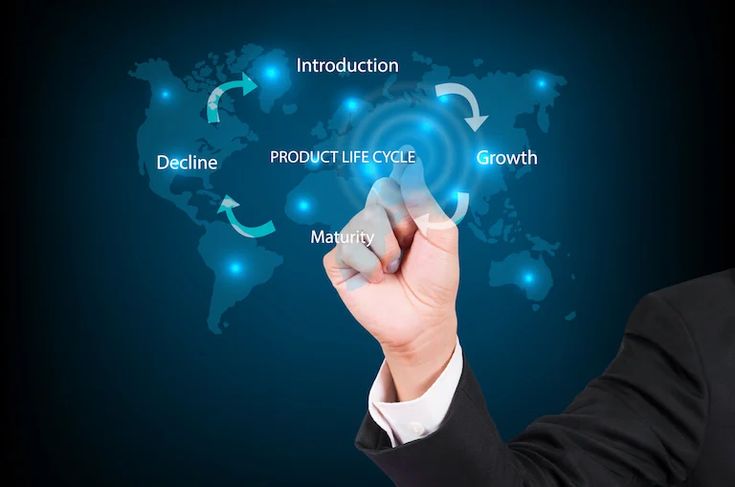
Product Lifecycle Management (PLM) Software

The Digital Backbone: A Comprehensive Guide to Product Lifecycle Management (PLM) Software in 2026 In the modern industrial landscape, a product is no longer just a physical object; it is a complex bundle of data, software, and hardware that evolves over time. Managing this complexity from the first “napkin sketch” to the final recycling bin requires more than just spreadsheets—it requires Product Lifecycle Management (PLM) software. As we navigate 2026, PLM has shifted from being a “filing cabinet for CAD drawings” to becoming the living, breathing “digital thread” that connects every department in a global enterprise. 1. What is PLM Software? (Beyond the Acronym) At its core, PLM software is the strategic process of managing the entire journey of a product. This includes five distinct stages: Concept & Design: Where ideas are born and simulated. Development: Where engineering meets prototyping. Production: Where the supply chain and manufacturing take over. Service & Maintenance: Where the product lives in the hands of the consumer. Retirement: Where the product is recycled or phased out. In 2026, the disruption lies in connectivity. A change made by an engineer in London is instantly visible to a manufacturing lead in Bangalore and a compliance officer in New York, ensuring that everyone is working off the “Single Source of Truth.” 2. The Rise of the “Digital Twin” and Digital Thread The most significant trend in PLM today is the Digital Twin. This is a virtual replica of a physical product that stays connected to its real-world counterpart via IoT (Internet of Things) sensors. PLM software acts as the host for this Digital Twin. If a smart car in the field reports a recurring battery overheat issue, that data flows back through the PLM system. Engineers can then simulate a fix in the virtual world before ever issuing a physical recall. This “Digital Thread” ensures that data isn’t lost between stages, reducing errors by up to 40% in complex manufacturing. 3. Breaking Down Silos: Why Your Business Needs PLM Many companies suffer from “departmental silos.” Engineering doesn’t talk to Marketing, and Marketing doesn’t know what Manufacturing is capable of. PLM acts as the bridge. Centralized Data Management By centralizing all product-related data—BOMs (Bills of Materials), 3D designs, compliance certifications, and supplier info—PLM eliminates the “Which version is the latest?” nightmare. In 2026, cloud-native PLM solutions like Siemens Teamcenter or PTC Windchill allow teams to collaborate in real-time, much like a Google Doc but for heavy engineering. Faster Time-to-Market In a world where consumer tastes change overnight, speed is everything. PLM software automates workflows. Instead of waiting for a manual email approval, the system automatically routes documents to the next person in line. This can shave months off the development cycle, allowing companies to respond to trends faster than their competitors. 4. Sustainability and the “Circular Economy” In 2026, environmental compliance is no longer optional. PLM software now includes Sustainability Modules that calculate the carbon footprint of a product based on the materials selected during the design phase. If a designer chooses aluminum over carbon fiber, the PLM system provides an instant report on how that affects the product’s recyclability and total CO2 impact. This allows companies to build “Green Products” by design, rather than trying to fix environmental issues after the product is already being manufactured. 5. AI and Machine Learning in PLM Artificial Intelligence has found a home within PLM for Generative Design. Engineers no longer have to draw every line. Instead, they tell the PLM software: “I need a bracket that weighs less than 1kg, can hold 500kg of force, and is made of titanium.” The AI then generates hundreds of optimized designs that a human might never have imagined. This “Human-AI Collaboration” is a hallmark of 2026 product development, leading to lighter, stronger, and more efficient products. 6. Choosing the Right PLM for Your Scale Not all PLM software is built for Boeing-sized companies. In 2026, we see a tiering of the market: Enterprise PLM: High-customization tools for aerospace, automotive, and defense. Cloud-Native / SaaS PLM: Scalable solutions for startups and mid-market firms (e.g., Propel or Arena). Industry-Specific PLM: Tools tailored for Fashion/Apparel or Food & Beverage, focusing on recipe management and seasonal cycles. 7. The Future: PLM in the Metaverse As we look toward 2027 and beyond, PLM is moving into Spatial Computing. Design reviews are increasingly happening in VR/AR environments. An executive can “walk through” a virtual factory floor or inspect a 1:1 scale model of a new aircraft engine from their home office, with all the data pulled directly from the PLM backend. Conclusion: The Foundation of Innovation Product Lifecycle Management software is no longer a luxury for the elite manufacturer; it is the fundamental requirement for any company that wants to innovate at scale. By connecting data, people, and processes through a single digital thread, PLM ensures that the products of tomorrow are smarter, greener, and delivered faster than ever before. Why are companies outsourcing theri support structure

App Development, Artificial Intelligence

Why are companies outsourcing theri support structure

Introduction In 2026, the trend of outsourcing support structures—especially customer service and technical help desks—has shifted from a simple “cost-cutting” measure to a strategic necessity. While saving money remains a major driver (roughly 70% of companies still list it as a primary goal), modern businesses are increasingly focused on scalability and access to AI-driven expertise. Here are the primary reasons why companies are outsourcing their support structures: 1. Cost Efficiency and Predictability Building an in-house support team involves significant overhead, including office space, hardware, software licenses, benefits, and training. Variable Cost Structure: Outsourcing converts fixed costs into variable expenses. Companies pay for the “seats” or ticket volume they actually use, which is much more efficient than paying idle staff during slow periods. Infrastructure Sharing: Specialized providers spread the cost of high-end CRM and AI tools across multiple clients, giving you access to technology you might not be able to afford independently. 2. 24/7 Global Availability Customers in 2026 expect immediate responses, regardless of time zones. Follow-the-Sun Model: Outsourced teams in different geographic regions (like India, the Philippines, or Latin America) allow for seamless 24/7 coverage without the logistical headache of managing night shifts in a single location. Multilingual Support: It is often easier to hire a specialized firm with a diverse talent pool than to recruit and retain multilingual agents locally. 3. Rapid Scalability In-house recruitment can take months. Outsourced providers, however, maintain “bench strength”—a pool of trained agents ready to jump in. Seasonal Spikes: Retailers can double their support capacity for the holidays in weeks rather than months. Growth Sprints: Startups that go viral or launch new products can scale their support structure overnight to prevent a backlog of tickets from damaging their reputation. 4. Access to Specialized Tech & AI Expertise The support landscape is being disrupted by Generative AI and Semantic Intelligence. AI-Human Hybrid Models: Modern outsourcing firms like Teleperformance or TaskUs are experts at blending human agents with AI chatbots. They handle the complex task of training LLMs (Large Language Models) on your company data so that the AI can resolve simple queries, leaving humans for the “high-empathy” cases. Predictive Analytics: These firms use data to solve issues before they happen (proactive support), which significantly reduces customer churn. 5. Focus on Core Competencies For many tech or product-focused companies, managing a call center is a distraction. Internal Bandwidth: By offloading support, leadership can focus internal resources on R&D, product innovation, and strategic growth. Expertise Gap: Companies recognize that customer experience (CX) is a specific skill set. Partnering with a firm whose entire business is CX ensures a higher level of professionalism and process maturity. 6. Navigating the Security and Compliance Minefield In 2026, data is more than just information; it is a liability. When companies outsource their support, they are essentially handing over the “keys” to their customer data. This is where many businesses fail if they don’t have a rigorous vetting process. The Rise of Sovereign Data Requirements Many regions, especially the EU with evolved GDPR standards, now require that data be handled within specific jurisdictions. A disruptive trend in outsourcing is the emergence of “Geo-Specific Support Hubs.” These are outsourcing partners that guarantee data residency, ensuring that even though the service is outsourced, the data never leaves a specific legal boundary. Zero Trust Support Architecture Modern outsourcing partners are now implementing Zero Trust protocols. This means that an outsourced support agent in a different country doesn’t have “open access” to a customer’s full profile. Instead, they are granted “Just-In-Time” (JIT) access to only the specific data points needed to solve the current ticket. This technology significantly reduces the risk of massive data breaches originating from third-party call centers. 7. The “Human-in-the-Loop” (HITL) Training Model One of the least understood reasons for outsourcing in 2026 is AI Training. Large tech companies aren’t just outsourcing to answer phones; they are outsourcing to “label” and “train” their internal AI systems. Turning Agents into AI Educators When a customer interacts with an AI bot and the bot gets stuck, it “hands off” the conversation to a human agent. In an optimized outsourced structure, that human agent isn’t just solving the customer’s problem; they are tagging the interaction. They tell the AI, “This is where you went wrong, and this was the correct empathetic response.” This feedback loop is why outsourcing has become a core part of product development. Companies are using outsourced labor to build proprietary intelligence that will eventually automate 80% of their simple tasks, allowing the company to stay lean while their “Digital Brain” grows smarter every day. 8. Avoiding the “Ghost Brand” Syndrome While the benefits of outsourcing are numerous, there is a dangerous pitfall: losing the soul of your brand. When every interaction is handled by a third party, the company can become a “Ghost Brand”—a business that exists on paper but has no real connection to its users. The Solution: Embedded Culture Training To combat this, leading companies are moving away from traditional “Vendor” relationships and toward “Partnership” models. This involves: Brand Immersion: Outsourced agents undergo the same cultural onboarding as internal employees. Direct Feedback Channels: Using Slack or Teams to link outsourced leads directly with internal product designers. Performance Metrics Beyond “Speed”: In 2026, companies are ditching “Average Handle Time” (AHT) in favor of “Sentiment Analysis Scores.” They care less about how fast the call was and more about whether the customer’s emotional state improved during the interaction. Summary of Major Players (2026) Company Best Known For Accenture Deep enterprise-level digital transformation. Teleperformance Massive global scale and omnichannel solutions. Foundever Blending human empathy with sophisticated AI tools. SupportYourApp Popular with tech startups and fast-growing apps. The Digital Vet: How Technology is Disrupting Veterinary Medicine and Practice Management  

App Development, Digital Transformation, Software development, Technology & Innovation

Next-Gen Web & Mobile Development

Next-Gen Web & Mobile Development: Trends Shaping 2026 The landscape of development is no longer just about choosing between “Web” or “Mobile.” In 2026, the lines have blurred, giving rise to a unified ecosystem where intelligence, speed, and spatial awareness are the new standards. Whether you are a seasoned developer or a tech enthusiast, understanding these shifts is crucial for staying ahead of the curve. 1. AI-Native Development: Beyond the Chatbot We have moved past simple API integrations. Today, Next-Gen apps are built with “Agentic Workflows.” Predictive User Interfaces: Apps now use local machine learning to predict what a user wants next, dynamically reordering menus and content. Edge AI: By processing data directly on the device using frameworks like CoreML, developers are ensuring faster response times and absolute data privacy. 2. The Rise of Spatial UI With the mass adoption of AR and VR headsets, the web is no longer flat. WebAssembly (Wasm): This has become the backbone for bringing desktop-level 3D performance to the browser. Spatial Navigation: We are seeing a shift from “clicking” to “gazing and gesturing.” Designing for these inputs requires a complete rethink of traditional UI/UX principles. 3. High-Performance Frameworks in 2026 Choosing the right stack is more important than ever. Here is the current hierarchy: Next.js & SvelteKit: Dominating the web with near-zero runtime overhead. Kotlin Multiplatform (KMP): The preferred choice for enterprises wanting to share logic across iOS and Android without sacrificing native performance. Flutter: Still the king of rapid prototyping and beautiful, consistent UI across every screen size. 4. Sustainability: Green Engineering “GreenOps” is the new DevOps. Modern developers are now tasked with optimizing code not just for speed, but for energy efficiency. Carbon-Aware SDKs: Applications that delay heavy background tasks until the local power grid is using renewable energy. Efficient Data Transfer: Reducing the carbon footprint of data centers by minimizing unnecessary API calls and optimizing asset delivery. The Future of Development: A Deep Dive into Next-Gen Web & Mobile (2026) The landscape of development is no longer just about choosing between “Web” or “Mobile.” In 2026, the lines have blurred, giving rise to a unified ecosystem where intelligence, speed, and spatial awareness are the new standards. 1. AI-Native Development: Moving Beyond Chatbots In 2026, AI is the foundation, not an afterthought. We’ve moved from simple API integrations to Agentic Workflows. Predictive User Interfaces (PUI): Modern apps use local machine learning to analyze user behavior in real-time. Instead of static menus, the UI “morphs” to present the tools a user is most likely to need next. Edge AI & Privacy: With the rise of specialized chips in mobile devices, heavy AI processing now happens on-device via frameworks like CoreML and TensorFlow Lite. This reduces latency to near-zero and ensures user data never leaves the device. Self-Healing Code: Next-gen development environments now use AI to monitor production logs and automatically suggest (or even deploy) patches for minor bugs before a human developer even sees the ticket. 2. Spatial Computing: Designing for the 3D Web With the maturity of AR/VR hardware, the “flat” web is evolving. If your app isn’t spatial-ready, it’s already behind. WebAssembly (Wasm) for 3D: Wasm has become the backbone for bringing desktop-level performance to the browser. Developers are using it to run complex physics engines and high-fidelity 3D environments directly in Chrome or Safari. Spatial UI/UX Principles: We are moving away from “clicks” and “taps” toward gaze-tracking and gestures. This requires a complete rethink of button sizes, depth perception, and auditory feedback in web design. Interoperable Assets: The move toward USDZ and glTF file formats allows 3D assets to be shared seamlessly between a website, a mobile app, and a virtual reality headset. 3. The 2026 Tech Stack: Efficiency at Scale Choosing the right stack in 2026 is about balancing developer velocity with “Hydration” costs and performance. The SvelteKit & Next.js Dominance: These frameworks have won the “speed war” by moving as much logic as possible to the server or build-time, delivering almost pure HTML to the client. Kotlin Multiplatform (KMP): For mobile, KMP has overtaken traditional cross-platform tools for enterprise apps. It allows teams to share “business logic” (the math and data) while keeping the UI 100% native for both iOS and Android. The Death of Plain CSS: We’ve moved almost entirely to component-based styling (like advanced versions of Tailwind or CSS-in-JS) that automatically prunes unused code to save every possible kilobyte. 4. Green Engineering: The “Carbon-Aware” Developer As global regulations tighten, “GreenOps” has joined DevOps as a mandatory practice. Energy-Efficient Algorithms: Developers are now being audited on the “carbon cost” of their code. High-energy background tasks are now scheduled to run only when the local power grid is using renewable energy. Dark Mode by Default: Beyond aesthetics, modern OLED-optimized UIs are designed to save battery life and reduce the energy consumption of mobile devices on a massive scale. Conclusion: Embracing the Next Frontier   As we look toward the remainder of 2026, it is clear that Next-Gen Web & Mobile Development is no longer about just writing code—it’s about orchestrating intelligence. From the rise of AI-native workflows to the immersive possibilities of Spatial Computing, the tools we use are becoming as smart as the applications we build. For developers, the challenge lies in staying adaptable. By focusing on performance, sustainability (GreenOps), and cross-platform efficiency with tools like Kotlin Multiplatform, you can build products that are not only technologically advanced but also globally responsible. Next-Gen Web & Mobile Development

How would you like me to respond?

Select a personality for your AI assistant

Normal
Happy
Sad
Angry

Your selection will affect how the AI assistant responds to your messages

Chat Assistant

Let's discuss your project!

Hear from our clients and why 3000+ businesses trust TechOTD

Tell us what you need, and we'll get back with a cost and timeline estimate

Scroll to Top