Author name: Pushkar Pandey

App Development, Digital Transformation

App Store Optimization (ASO) Guide

App Store Optimization (ASO) Guide: The Definitive Enterprise Strategy for Mobile Growth (2026) The global mobile ecosystem has reached a point of peak saturation. With millions of active applications competing across the Apple App Store and Google Play Store, simply launching a technically flawless, feature-rich app is no longer a guarantee of market success. The digital “build it and they will come” philosophy is entirely dead. Today, mobile visibility is governed by complex, algorithmic search engines, personalized user recommendations, and highly conversion-optimized store interfaces. To capture sustainable, organic user acquisition without entirely relying on ballooning paid advertising budgets, enterprises must execute a rigorous, data-driven framework known as App Store Optimization (ASO). This comprehensive guide serves as your enterprise blueprint to mastering store algorithms, maximizing search discoverability, and engineering high-conversion product pages that turn casual browsers into loyal users. 1. Defining Modern ASO: The Dual Engine of Mobile Growth Many organizations mistakenly view App Store Optimization as the simple mobile equivalent of traditional web Search Engine Optimization (SEO). While they share a foundational reliance on keyword research and semantic relevance, ASO is a uniquely complex discipline that acts as a dual engine: balancing Discoverability (getting found) with Conversion Rate Optimization (getting downloaded). +———————————————————————–+ | THE DUAL ENGINE OF ASO | +———————————————————————–+ | DISCOVERABILITY | CONVERSION RATE (CRO) | | “Traffic Inflow” | “Traffic Conversion” | | • Algorithmic indexing | • High-impact visual assets | | • Metadata keyword injection | • Convincing app descriptions | | • In-app event visibility | • Positive review & rating mix | | • Regional store localization | • Clear value proposition alignment| +———————————–+———————————–+ If your application possesses elite discoverability but features a confusing, poorly designed store page, your acquisition funnel will bleed traffic. Conversely, if you have a flawless, high-converting product page but poor search indexing, no one will ever arrive to experience it. True ASO excellence requires a continuous optimization loop across both pillars. 2. Cracking the Code: Apple App Store vs. Google Play Algorithms To manipulate your visibility effectively, you must understand the stark architectural differences between the indexing engines of the two primary mobile marketplaces. The Apple App Store Algorithm: Strict and Explicit Apple’s search engine relies on explicit metadata fields. It does not scan your long app description for keyword indexing. Instead, it looks at a highly specific set of parameters: App Title (30 Characters): Carries the highest algorithmic weight. It should combine your unique brand name with your primary high-volume keyword. App Subtitle (30 Characters): Positioned directly beneath the title, this field carries secondary indexing weight and should clearly state your core utility. The Hidden Keyword Field (100 Characters): A hidden, comma-separated list of search terms. Commas must be used without spaces to maximize character limits, and repeating terms across fields must be strictly avoided as it wastes valuable character space. The Google Play Store Algorithm: Contextual and Semantic Google approaches app indexing exactly like its web search engine. It relies heavily on advanced Natural Language Processing (NLP) to read your store page contextually. App Title (30 Characters): Core brand and primary keyword anchor. Short Description (80 Characters): Provides the initial contextual hook for users and a strong indexing signal for the engine. Long Description (4,000 Characters): Google scans this entire text field to determine semantic relevance. Your target keywords should be distributed naturally throughout this text block—aiming for a healthy keyword density of 1% to 2%—without crossing the threshold into keyword stuffing, which triggers algorithmic penalties. 3. On-Page Metadata Optimization Framework An optimized metadata blueprint requires a scientific approach to keyword research. Enterprises must evaluate keywords based on three distinct metrics: Relevance (does the term align with the app’s actual functionality), Search Volume (how many users type this word), and Difficulty/Competition (how many entrenched corporate giants currently dominate that search result). [Unstructured Competitor Data] —> [Keyword Relevance Assessment] —> [High-Volume, Low-Difficulty Selection] —> [Metadata Injected Core] Strategic Placement Rules Prioritize Front-Loading: Place your most critical, high-volume keyword phrases at the absolute beginning of your App Title and Subtitle. The store algorithms accord higher value to terms positioned early in string headers. Avoid Redundancy: On iOS, do not repeat a word in your hidden keyword field if it already exists in your Title or Subtitle. The algorithm combines these fields automatically; repetition adds no value and steals space from alternative search terms. In-App Events & Promotional Text: Leverage seasonal text fields aggressively. Highlighting limited-time challenges, live stream features, or holiday updates via native store event modules drives significant real estate expansion on the search results pages. 4. Visual Conversion Rate Optimization (CRO) Once a user clicks on your app listing, your visual assets do 80% of the convincing. Mobile users skim store assets rapidly; your visuals must communicate your application’s primary value proposition within less than three seconds. [User Arrives on Product Page] | v +——————————+ | App Icon: Instant Brand ID | +——————————+ | v +——————————+ | First 3 Vertical Screens | +——————————+ / | \ +————————+ | +————————-+ | v | +———————–+ +——————–+ +———————–+ | Value Prop Hook | | Core Interface UI | | Social Proof / Trust | | (Bold, readable text)| | (Sleek, high contrast| | (Accolades, Reviews) | +———————–+ +——————–+ +———————–+ Designing High-Converting App Screenshots The First Three Frames Matter Most: On standard search layouts, users see your first three vertical screenshots simultaneously. These three frames must operate as a unified, storytelling billboard. Focus on Benefits, Not Features: Do not use internal technical jargon as headings. Instead of writing “Utilizes Advanced AES-256 Synchronous Database Tables,” write “Your Medical Files, Safely Encrypted.” Maximize Interface Contrast: Ensure the actual application UI displayed inside the device frames is highly visible. Brighten dark interfaces, enlarge small text fonts artificially within design assets, and remove unnecessary background clutter to let key workflows pop off the screen. App Store Preview Videos An effective preview video is an informative demonstration, not a cinematic movie trailer. Show real-time user interface interactions immediately within the first two seconds. Avoid extensive


Artificial Intelligence, Digital Transformation, Software development, Technology

Mobile App Security Best Practices

Mobile App Security Best Practices: The Definitive Enterprise Guardrail for Mobile Infrastructure (2026) The mobile ecosystem has become the primary target surface for sophisticated corporate cyberattacks. Mobile applications are no longer isolated front-end portals; they are distributed, data-dense runtime environments executing critical business logic, handling sensitive consumer PII, and interfacing with core cloud infrastructure. Unlike traditional web applications protected behind enterprise firewalls and centralized reverse-proxies, mobile binaries are downloaded directly onto untrusted, consumer-controlled endpoints. This exposure introduces severe structural vulnerabilities, including reverse-engineering, malicious runtime injection, and data interception. Securing these assets requires moving past basic encryption checkboxes and embracing a comprehensive, zero-trust mobile engineering framework. This guide serves as an enterprise blueprint for mobile architects, product security teams, and engineering leaders to design, secure, and maintain a robust mobile application security posture. 1. The Core Threat Surface: Understanding Mobile Vulnerability Traditional security strategies fail in mobile environments because they assume a controlled runtime perimeter. On iOS and Android devices, malicious actors can easily run applications inside custom sandboxes, attach active debuggers, patch memory addresses in real time, and unpack compiled binaries to read clean source configurations. +———————————————————————–+ | THE MOBILE RISK HORIZON | +———————————————————————–+ | STATIC VULNERABILITIES | DYNAMIC/RUNTIME THREATS | | • Decompilation of source code | • Man-in-the-Middle proxies | | • Hardcoded API keys & secrets | • Memory injection & hooking| | • Weak local encryption schemas | • Rooted/Jailbroken bypasses| +—————————————+—————————————+ To counter these vectors, mobile security must be treated as a multi-layered fortress. If a hacker manages to breach your transport encryption, your data storage layer must stop them; if they attempt to unpack your application binary, your code obfuscation and runtime shielding layers must render the exploit useless. 2. Ironclad Source Code Protection & Anti-Reversing If you publish an application without protective shielding, an attacker can use open-source decompilers to reconstruct your code into a readable format within minutes, paving the way for custom malware clones or API vulnerabilities. Advanced Code Obfuscation Transform your compiled binaries into a complex, confusing labyrinth that breaks reverse-engineering scripts without modifying runtime performance. Control Flow Flattening: Breaks up standard linear function blocks and scrambles them into complex nested conditional loops, rendering the logic unreadable to decompilation software. String Encryption: Never store plaintext string assets—such as server domain names, internal logging statements, or database schemas—in your code. Use specialized build-time scripts to encrypt these strings, decrypting them dynamically in system memory only when explicitly required. Runtime Application Self-Protection (RASP) Your application must actively monitor its environment to detect and neutralize intrusive execution conditions. [Application Startup] —> [RASP Environment Audits] —> [Compromised State Detected] —> [Instantly Terminate Process] Jailbreak and Root Detection: Implement advanced checking mechanisms that search for unauthorized administrative privileges, the presence of dangerous binaries (such as Cydia or Magisk), or unusual system file paths. Anti-Debugging & Anti-Hooking Protection: Integrate programmatic checks to detect if active debugging environments or dynamic manipulation tools (like Frida) are trying to attach to the application process. If any exploit signature is discovered, the application must instantly wipe its cached memory variables and terminate the process safely. 3. Advanced Local Storage & Data Isolation Leaving sensitive corporate data or consumer PII exposed inside unencrypted directories on a user’s mobile device is an invitations to data theft via local malware or physical device loss. Zero-Knowledge Local Cryptography When your application must cache data locally, bypass basic database formats and implement hardware-backed, zero-knowledge encryption pipelines. Utilize relational layers like SQLCipher initialized with AES-256 keys derived dynamically through resource-intensive hashing algorithms (like PBKDF2). Leveraging Secure Enclaves & System Keystores Never store cryptographic keys directly inside the application sandbox or source files. Leverage native hardware security modules to generate and manage keys securely. +————————————————————————-+ | HARDWARE SECURITY BLUEPRINT | +————————————————————————-+ | Apple iOS Architecture: | | [App Sandbox Data] <—> [Secure Enclave Co-Processor] <—> [Keychain] | +————————————————————————-+ | Android Architecture: | | [App Sandbox Data] <—> [Hardware Credential Vault] <—> [Keystore] | +————————————————————————-+ By storing encryption credentials inside these hardware-isolated vaults, you ensure that even if the host operating system becomes fully compromised, the underlying encryption keys remain completely inaccessible to external scraping utilities. 4. Securing the Mobile Network and Transport Layer Data passing between a mobile client and your cloud ecosystem traverses public networks, cellular towers, and unverified Wi-Fi access points, making transport security critical. Enforcing Modern Transport Layer Security (TLS 1.3) Decline connections utilizing legacy cryptographic protocols (such as TLS 1.0 or 1.1) and enforce strict TLS 1.3 across your API gateway networks. Implement explicit configurations like Apple’s App Transport Security (ATS) and Android’s Network Security Configuration to block any fallback to unencrypted HTTP routes automatically. Hardening Network Routes via SSL/TLS Pinning Standard device network structures rely blindly on pre-installed root Certificate Authorities (CAs). If an attacker convinces a user to install a malicious root certificate, they can read and modify all your API traffic using standard intercept proxies. [Mobile App Client] —> [Verifies Hardcoded Cryptographic Key] —> [Secure Enterprise API Gateway] SSL Certificate Pinning eliminates this vulnerability. By hardcoding the exact cryptographic public key of your server’s certificate directly into the mobile application code, the app will explicitly reject all network handshakes unless the target server presents that exact cryptographic signature, completely neutralizing Man-in-the-Middle (MITM) attacks. 5. Session Management and Secure API Orchestration Mobile applications frequently remain logged in for weeks at a time, making robust session management essential to protect your application perimeter. Cryptographic Token Architecture Avoid using static passwords or simple session identifiers. Implement modern OAuth 2.0 or OIDC protocols utilizing short-lived JSON Web Tokens (JWT). Ensure access tokens expire rapidly, and handle the retrieval of new credentials via cryptographically signed refresh tokens stored exclusively within secure device enclaves. Granular Biometric Multi-Factor Authentication (MFA) Before allowing a user to execute high-value actions—such as processing a financial transfer, altering account recovery emails, or exporting medical logs—require local biometric validation (FaceID / TouchID / Android BiometricPrompt). This creates a critical layer of secondary defense, ensuring that even if an unlocked device falls

Digital Transformation, Software development, Technology, Technology & Innovation

Best Backend Technologies for Mobile Apps

Best Backend Technologies for Mobile Apps: The Definitive Enterprise Guide (2026) In the modern mobile ecosystem, user interface (UI) design is only half the battle. The true performance, scalability, and intelligence of a mobile application are determined by its hidden engine: the backend architecture. As applications evolve from simple data-rendering portals into complex, real-time environments running AI automation pipelines, predictive personalization, and massive database queries, selecting your backend tech stack becomes a high-stakes foundational decision. Choosing the wrong infrastructure results in sluggish API response times, ballooning cloud costs, and a mountain of technical debt. This comprehensive guide serves as an enterprise blueprint for product managers, mobile architects, and engineering leaders to select, secure, and scale the ultimate backend technologies for mobile applications. 1. The Core Decision: Custom Backend vs. Backend-as-a-Service (BaaS) Before reviewing individual programming languages and frameworks, an enterprise must decide on the high-level infrastructure model of its server-side application. +———————————————————————–+ | BACKEND ARCHITECTURE SELECTION | +———————————————————————–+ | BACKEND-AS-A-SERVICE (BaaS) | CUSTOM HOSTED BACKEND | | “Rapid Deployment & Rigid” | “Infinite Control & Scalable” | | • Out-of-the-box user auth | • Built from scratch using modern | | • Pre-built serverless databases | languages (Go, Node.js, Python) | | • Excellent for startups and MVPs | • Total architectural sovereignty | | • Vendor lock-in & scaling cost walls | • Ideal for complex enterprise apps | +—————————————+—————————————+ Backend-as-a-Service (BaaS) Platforms like Firebase or Supabase offer a pre-fabricated infrastructure layer. They handle user authentication, database management, and cloud storage right out of the box through client-side SDKs. The Catch: While BaaS accelerates your time-to-market for a Minimum Viable Product (MVP), it often hits a restrictive cost or functional wall as your user base scales. If your app requires custom multi-step AI orchestration, deep legacy database integrations, or highly specific data sovereignty compliances, a BaaS structure quickly becomes a bottleneck. Custom Hosted Backend Building a custom backend from scratch involves writing tailored server-side logic in a robust language, managing independent databases, and deploying the system to cloud giants (AWS, Azure, or GCP) using containerization. This approach gives your engineering team absolute control over performance tuning, custom security perimeters, and complex machine-learning workflows. 2. Top Custom Backend Frameworks and Languages If your application demands a custom-built infrastructure, four primary ecosystems dominate the modern enterprise mobile landscape. A. Node.js (JavaScript / TypeScript) — The King of Direct I/O Speed Node.js remains a highly versatile and popular standard for mobile backends. Running on Google’s V8 engine, its non-blocking, event-driven I/O model makes it exceptionally fast at handling thousands of concurrent requests. Best Frameworks: Express.js, NestJS (highly recommended for enterprise TypeScript structure). Ideal Use Case: Real-time chat applications, collaborative social networks, and high-frequency content delivery feeds where development speed and rapid iteration are crucial. B. Go (Golang) — The Enterprise Concurrency Champion Created by Google, Go is a statically typed, compiled language engineered for maximum execution speed, minimal memory utilization, and effortless multi-core concurrency processing. The Advantage: Go compiles directly to machine code, rendering it significantly faster and less resource-heavy than interpreted languages like JavaScript or Python. Its built-in concurrency model (“Goroutines”) allows a single server instance to manage massive transaction spikes smoothly. Ideal Use Case: High-scale fintech platforms, geo-location tracking systems (like ride-sharing), and high-throughput enterprise API gateways. C. Python (FastAPI / Django) — The AI Integration Core While traditionally slower than Go or Node.js for raw runtime performance, Python is the undisputed king of data science and artificial intelligence. Best Frameworks: FastAPI (modern, asynchronous, exceptionally fast for building REST APIs), Django (robust, secure, and feature-rich out of the box). Ideal Use Case: Applications that depend on predictive machine learning models, custom computer vision analysis, or complex Large Language Model (LLM) orchestration pipelines. 3. Designing the API Communication Layer The API layer acts as the bridge connecting your mobile app’s front end to its back-end logic. Choosing the right data protocol directly impacts device battery consumption, screen-load latencies, and network performance. [Mobile Device Client] —> [API Communication Gateway] —> [Microservices Stack] RESTful APIs (JSON) The long-standing industry baseline. REST is simple to deploy, deeply universally understood by engineers, and highly compatible with out-of-the-box caching mechanisms. However, it can suffer from “over-fetching” (returning more data than the mobile UI actually needs) or “under-fetching” (forcing the app to make multiple separate network requests to populate a single view). GraphQL GraphQL eliminates fetching inefficiencies by allowing the mobile client to request the exact structural shape of the data it requires—nothing more, nothing less. gRPC (Protocol Buffers) For ultra-low-latency, internal microservice communication, or high-performance real-time data streaming to mobile devices, gRPC is the elite standard. Utilizing HTTP/2 protocols and binary data serialization instead of human-readable text strings, it transfers payloads rapidly with a fraction of the computational and network overhead of traditional REST architectures. 4. Modern Database Architectures for Mobile Scale Mobile backends must manage disparate data types, varying user reads and writes, and complex offline data synchronization requirements. [Inbound API Request Payload] | v +——————————+ | API Routers & Controllers| +——————————+ / \ +————————+ +————————-+ | | +———————–+ +———————–+ | Relational Database | | Non-Relational NoSQL | | (PostgreSQL / MySQL) | | (MongoDB / DynamoDB) | +———————–+ +———————–+ | Best For: Financials, | | Best For: User Feeds, | | ACIDs, Strict Schemas | | Unstructured Logs, Scale| +———————–+ +———————–+ Relational Databases (PostgreSQL, MySQL) Relational platforms enforce strict data schemas, enforce referential integrity, and offer ACID compliance. PostgreSQL stands out as an elite database engine due to its advanced indexing, extension ecosystem, and robust support for JSON data types, giving you relational safety along with NoSQL flexibility. Best Used For: User transaction processing, identity tracking, and complex accounting systems where financial and logic errors cannot occur. Non-Relational Databases (NoSQL: MongoDB, DynamoDB) NoSQL options favor write-heavy performance, horizontal scale, and document flexibility. They scale out across distributed server nodes effortlessly because they are unburdened by rigid multi-table join relationships. Best Used For: High-volume notifications, personalized settings logs, real-time message history storage, and variable

App Development, Digital Transformation, Technology, Technology & Innovation

Cost of iOS App Development in India

Cost of iOS App Development in India: The Comprehensive Enterprise Guide (2026) The global mobile ecosystem is experiencing an unprecedented evolution. As enterprises rush to deploy native, intelligent mobile experiences, India has solidified its position as the premier global hub for iOS application development. Operating at the intersection of elite technical engineering, advanced chip-level optimization, and highly competitive labor economics, Indian development teams build world-class applications for a fraction of Western operational costs. However, calculating the true Cost of iOS App Development in India is not as simple as looking at an hourly rate sheet. It requires an understanding of application complexity layers, feature dependencies, hidden infrastructure costs, and post-deployment optimization cycles. This comprehensive guide serves as an enterprise-grade blueprint to budgeting, scoping, and executing a successful iOS application development project in India. 1. Executive Summary: The Indian iOS Advantage When budgeting for an iOS application, enterprise decision-makers face a striking cost disparity between regional development markets. While a senior iOS architect in Silicon Valley or London commands between $120 and $250+ per hour, an equally qualified engineer in India’s tier-1 tech hubs costs between $25 and $60 per hour. +———————————————————————–+ | GLOBAL HOURLY RATE COMPARISON | +———————————————————————–+ | North America (USA/Canada) | $120 – $250+ / hour | | Western Europe (UK/Germany) | $90 – $180 / hour | | Eastern Europe (Poland/Ukraine) | $40 – $80 / hour | | INDIA (Tech Hubs) | $25 – $60 / hour | +———————————————————————–+ This massive pricing bridge is driven entirely by local cost-of-living structures, not a sacrifice in engineering quality. In fact, Indian development agencies have heavily modernized their workflows, training developers natively in Apple Intelligence, advanced CoreML client-side frameworks, and Swift 6 concurrency models. By outsourcing to India, enterprises can reinvest their saved capital directly into aggressive marketing, customer acquisition, and advanced product feature development. 2. iOS App Cost Breakdown by Complexity Tiers To build an accurate project estimate, your mobile product must be categorized into a strict complexity tier. The broader the feature matrix, the higher the engineering hours and financial commitment required. Tier 1: Simple / MVP Applications Core Capabilities: Basic user profile registration, social media login integrations, a standard static database, simple list views, minimal push notification triggers, and standard UI components. Typical Examples: Basic e-commerce catalogs, fitness trackers, simple content curation feeds, or internal employee survey tools. Development Timeline: 2 to 3 months. Estimated Cost in India: $8,000 to $15,000. Tier 2: Mid-Level / Custom Applications Core Capabilities: Custom UI/UX layouts, real-time database synchronization, API integrations with legacy enterprise systems (e.g., Salesforce, Stripe), geo-location mapping, chat functionality, and basic on-device machine learning capabilities. Typical Examples: On-demand delivery applications, custom CRM mobile extensions, localized healthcare patient portals, or advanced marketplace platforms. Development Timeline: 4 to 6 months. Estimated Cost in India: $18,000 to $40,000. Tier 3: Complex / Advanced Enterprise Solutions Core Capabilities: Multi-agent autonomous AI automation pipelines, complex background offline processing, local data encryption, high-volume real-time streaming sockets, custom video/audio parsing engines, and comprehensive multi-platform cloud infrastructure backends. Typical Examples: Neo-banking applications, advanced diagnostic healthcare platforms, real-time logistics tracking portals, or predictive enterprise resource planning (ERP) suites. Development Timeline: 6 to 12+ months. Estimated Cost in India: $45,000 to $100,000+. 3. The Core Cost Drivers: What Dictates the Invoice? Two applications targeting the exact same market can have wildly divergent development costs based on hidden internal technical choices. [User App Interface] —> [Custom API Logic Gate] —> [Cloud Microservices Infrastructure] A. Design Sophistication and Micro-Interactions Standard Apple human interface guidelines (HIG) utilize pre-built template systems that keep design hours low. However, if your brand identity demands bespoke UI components, complex fluid animations, custom dark-mode transitions, or localized spatial audio triggers, the specialized design and front-end engineering hours will swell significantly. B. Third-Party Integrations and Custom Backends An app that purely communicates via simple REST APIs to an existing database is cheap to build. The moment your architecture demands connection to legacy enterprise backends—like SAP ERP systems, complex electronic health records (EHR) pipelines, custom payment processing engines, or advanced security clearinghouses—integration costs scale due to manual data formatting and testing protocols. C. Native vs. Cross-Platform Frameworks The approach you select to write code fundamentally guides your project budget: Native Development (Swift / SwiftUI): Yields perfect app performance, absolute memory efficiency, zero interface lag, and immediate access to native iOS features (like Apple Intelligence). This requires dedicated iOS engineers, raising the initial cost, but drastically minimizes technical debt. Cross-Platform Development (Flutter / React Native): Allows a single developer to write one codebase that deploys to both iOS and Android simultaneously. This approach reduces initial development costs by 30% to 40%, but can lead to performance degradation if your app handles real-time video, heavy client-side AI processing, or highly advanced graphical layouts. 4. Geographic Tech Hub Cost Variances in India Not all development regions within India share identical pricing matrices. The city where your development agency is headquartered will influence your total financial quote. +————————————————————————-+ | INDIAN TECH HUB PRICING MAP | +————————————————————————-+ | Tier-1 Hubs (Bengaluru, Hyderabad, NCR) | | • Premium engineering talent, enterprise specialists, high-scale R&D. | | • Average Rates: $35 – $60 / hour | +————————————————————————-+ | v +————————————————————————-+ | Tier-2 Hubs (Pune, Jaipur, Ahmedabad) | | • Competitive mid-market agencies, highly agile boutique studios. | | • Average Rates: $20 – $35 / hour | +————————————————————————-+ Tier-1 Tech Hubs: Bengaluru, Hyderabad, Delhi-NCR, Mumbai These regions host global technology headquarters and the nation’s most competitive tech talent. Agencies here specialize in elite enterprise systems, complex financial compliances, and bleeding-edge machine learning. Hourly rates trend higher here ($35 – $60/hr), making them ideal for highly complex, scale-dependent corporate projects. Tier-2 Tech Hubs: Ahmedabad, Pune, Jaipur, Kochi These rising digital centers feature agile boutique software studios and highly driven development firms. Their operational overhead is substantially lower, reflecting heavily in their billing rates ($20 – $35/hr). They represent an ideal cost-to-performance sweet spot for startups, medium businesses, and Minimum Viable Product (MVP) prototyping. 5.

Artificial Intelligence, Software development, Technology & Innovation

Future of AI in Software Engineering

The Future of AI in Software Engineering: From Copilots to Autonomous Agents (2026) The software development lifecycle (SDLC) is undergoing its most radical architectural shift since the invention of high-level programming languages. We have firmly moved past the era of simple code-autocompletion. Today, the conversation has shifted from “Will AI write code?” to “How will autonomous AI agents orchestrate entire software architectures?” In this new paradigm, software engineers are transitioning from manual syntax writers to high-level system architects and code supervisors. The future of software engineering isn’t about typing code faster; it’s about steering autonomous AI pipelines, managing complex system integrations, and governing algorithmic logic safely at scale. This comprehensive guide explores the structural innovations, multi-agent frameworks, and emerging engineering methodologies defining the future of AI-driven software development. 1. The Paradigm Shift: From Copilots to Autonomous Software Agents For the last few years, AI in software engineering was primarily represented by Inline Copilots—predictive engines that sat inside the Integrated Development Environment (IDE) to suggest the next line of code or generate basic unit tests based on a human developer’s explicit prompt. +———————————————————————–+ | THE CODING AGENT EVOLUTION | +———————————————————————–+ | LEGACY COPILOTS | AUTONOMOUS AGENTS | | “Reactive Autocomplete” | “Proactive Orchestration” | | • Single-file context awareness | • Whole-repository understanding | | • Requires constant human prompts | • Spawns sub-agents to fix bugs | | • Writes isolated functions | • Executes, tests, and deploys code| +———————————————————————–+ Modern software development relies heavily on Autonomous Software Agents. These systems don’t just wait for isolated text prompts. When assigned a feature request or a complex bug ticket directly from project management tools like Jira or GitHub, an autonomous agent can look at an entire, multi-million-line code repository, map out a cross-file execution strategy, write the required logic, run local test suites, debug its own compiler errors, and submit a fully verified Pull Request (PR) for human review.  2. Structural Impact Across the Software Development Lifecycle AI workflow automation isn’t just accelerating code generation; it is actively restructuring every individual phase of the traditional SDLC. A. Requirements Synthesis and System Architecture Designing The Friction Point: Translating ambiguous human business requirements into structured technical specification documents and database schemas can take weeks of cross-departmental alignment meetings. The AI Engineering Solution: Advanced LLM orchestration layers ingest unstructured product specification documents and automatically output optimized database schemas, system architecture diagrams, and RESTful API definitions. By analyzing historical traffic patterns, the AI can even recommend specific cloud infrastructure layouts (e.g., microservices vs. serverless edge functions) tailored to the project’s scaling goals. B. Autonomous Feature Development and Code Refactoring The Friction Point: Legacy codebases accumulate massive amounts of technical debt, making code refactoring an expensive, high-risk operational burden. The AI Engineering Solution: Specialized software agents can read an entire legacy repository, flag deprecated dependencies, and completely refactor outdated structures (such as converting legacy monolithic functions into clean, modern asynchronous modules) in minutes. The system automatically preserves runtime logic integrity while optimizing the codebase for execution speed and memory efficiency. C. Automated Continuous Integration and Smart Debugging (DevOps) The Friction Point: Developers waste valuable hours chasing down cryptic stack traces, configuration discrepancies, and CI/CD build pipeline failures. The AI Engineering Solution: Modern DevOps pipelines integrate AI observation loops directly into the build environment. [Failed CI/CD Pipeline Build] —> [AI Stack Trace Parser] —> [Autonomous Code Fix] —> [Successful Build Deploy] When a build fails, an AI diagnostic agent instantly reads the stack trace, identifies the line of code causing the memory leak or dependency conflict, applies a programmatic fix, verifies it against integration tests, and restarts the deployment sequence without human intervention. 3. The Multi-Agent Software Factory Building highly scalable, complex software products requires moving away from single-prompt generation and embracing modular, multi-agent architectures. Instead of asking one generalized AI model to build an entire app, modern software factories distribute tasks across an organized network of specialized sub-agents. [Inbound Jira Feature Ticket] | v +——————————+ | System Architect Agent | +——————————+ / | \ +————————+ | +————————-+ | v | +———————–+ +——————–+ +———————–+ | Lead Coder Agent | | Automated Testing | | Security Compliance | | | | Agent | | Agent | +———————–+ +——————–+ +———————–+ | | | +————————+ | +————————-+ \ | / v +——————————+ | Verified Pull Request (PR) | +——————————+ The System Architect Agent: Analyzes the inbound feature request, examines the existing codebase structure, and maps out a localized execution blueprint detailing which files need adjustment. The Lead Coder Agent: Takes the architectural blueprint and writes the precise code patches, conforming strictly to the repository’s established styling guides and naming conventions. The Automated Testing Agent: Independently writes comprehensive unit, integration, and end-to-end tests specifically tailored to stress-test the new code patches against unexpected edge cases. The Security Compliance Agent: Acts as an automated code auditor, scanning the final changes for potential vulnerabilities like SQL injection flaws, hardcoded API keys, or memory management leaks before the pull request can be merged. 4. Evaluating the Core AI Engine Ecosystem for Code Enterprises developing custom AI-driven software development tools must select an underlying model infrastructure that aligns with their code complexity, data security models, and latency tolerances. Capability / Metric OpenAI (o1 / GPT-4o Suite) Anthropic (Claude 3.5 Sonnet) Google (Gemini 1.5 Pro) Primary Code Strength Elite multi-step logical reasoning and advanced algorithm synthesis. The gold standard for contextual code design, syntax precision, and large-scale architectural refactoring. Unprecedented context windows capable of ingesting an entire codebase or repository at once. Infrastructure Alignment Microsoft Azure Native / GitHub Ecosystem AWS Bedrock / Independent Cloud Integration Google Cloud Platform (GCP) / Workspace Native Best Software Engineering Use Case Building autonomous, tool-using agents and complex algorithmic microservices. Complex multi-file refactoring, code formatting compliance, and architectural blueprinting. Legacy code migration, continuous integration log analysis, and massive repository synthesis. Export to Sheets 5. Security, Code Governance, and Intellectual Property Risk Deploying autonomous code generation systems within an enterprise engineering workflow introduces unique security compliance demands and intellectual property

Artificial Intelligence, Software development, Technology & Innovation

Common Mistakes in AI Product Development

Common Mistakes in AI Product Development: The Enterprise Guide to Avoiding Costly Failures (2026) The allure of artificial intelligence has driven a massive wave of corporate investment. Yet, a stark reality remains hidden behind the triumphant press releases: a vast majority of enterprise AI initiatives fail to reach production, or fail to deliver meaningful return on investment (ROI) once deployed. Building an AI-powered product is fundamentally different from traditional software engineering. In standard software development, logic is deterministic, code behavior is predictable, and codebases scale linearly. AI systems, however, are probabilistic, heavily dependent on volatile data dynamics, and prone to silent degradation. This comprehensive blueprint outlines the most critical, high-impact mistakes organizations make during AI product development and provides actionable, human-centered strategies to ensure your applications succeed. 1. Mistake #1: Falling in Love with the Tech, Not the Problem The single most common driver of AI product failure is “Technology-First Thinking.” This occurs when an executive team or engineering group becomes enamored with a cutting-edge model architecture—such as generative multi-agent systems or ultra-large vision transformers—and goes searching for a corporate problem to solve with it. +———————————————————————–+ | PRODUCT ALIGNMENT PARADIGM | +———————————————————————–+ | THE FLIPPED APPROACH | THE RIGHT APPROACH | | (High Risk of Failure) | (Engineered for ROI) | | “We have this incredible LLM, how | “Our users are losing 4 hours a day | | can we force it into our user flows?” | to manual document sorting. What’s | | | the simplest tech to fix this?” | +———————————————————————–+ The Operational Solution Successful AI products are built backwards. Start with a deep, qualitative analysis of user pain points or operational bottlenecks. If a simple, rule-based heuristic or a classic deterministic script can solve the issue with 95% efficiency, do not deploy a complex machine learning model. AI should only be introduced when the problem involves high-dimensional, unstructured data, or requires probabilistic prediction at a scale humans cannot match. 2. Mistake #2: Treating Data Quality as a Secondary Checkbox An AI model possesses no inherent magic; it is simply a reflection of the historical data it consumes. Many enterprise teams spend months fine-tuning complex model hyperparameters while feeding the system fragmented, unstructured, or deeply biased training data. The Traps of Poor Data Management The Garbage In, Garbage Out Cycle: If your customer sentiment model is trained on messy, uncurated support logs filled with duplicate entries, formatting errors, and conflicting labels, the model will output unpredictable, low-confidence predictions. Data Leakage: A critical technical error where information from the target testing dataset accidentally seeps into the training data. This causes the model to show flawless, deceptive accuracy scores during development, only to completely collapse the moment it encounters live, real-world user data. [Messy, Uncurated Training Data] —> [Complex Model Fine-Tuning] —> [Erratic, High-Hallucination Output] The Operational Solution Adopt a data-centric AI philosophy. Shift your engineering hours away from model tweaking and toward aggressive data engineering. Invest heavily in automated cleaning pipelines, strict labeling standards, data deduplication, and rigorous validation mechanisms before your data touches a model. 3. Mistake #3: Underestimating the “Hidden Costs” of the AI Lifecycle Traditional software applications are relatively inexpensive to maintain once the initial code is deployed. AI products, conversely, incur substantial, continuous operational overhead that can quickly drain project budgets if not forecasted accurately. Cost Element Traditional Software AI-Powered Product Initial Prototyping Moderate development costs. Low-cost API access, high initial data curation costs. Compute Infrastructure Predictable, static cloud hosting. High-compute GPU clusters and variable token transaction costs. System Maintenance Occasional bug fixes and security updates. Continuous model monitoring, logging infrastructure, and regular retraining cycles. Performance Over Time Highly stable code behavior. Data Drift: Performance degrades silently as real-world user behavior shifts. The Silent Threat of Data Drift The moment an AI model is deployed to production, it begins to age. Consumer trends change, new industry jargon emerges, and macroeconomic realities shift. If an e-commerce recommendation model trained on 2024 data encounters the purchasing patterns of 2026, its predictive power drops sharply. This is data drift, and countering it requires continuous monitoring, prompt logging, and programmatic retraining infrastructure. 4. Mistake #4: Designing Abstract User Experiences Without Guardrails Many AI products fail not because the underlying machine learning logic is flawed, but because the user interface (UI) forces users into frustrating interactions. If an AI writing tool or automated workflow agent presents a massive, blank chat box with zero context, users face prompt fatigue and a steep learning curve. The Danger of Hidden Errors Because AI models output information probabilistically, they will occasionally make mistakes with absolute confidence. If your UI outputs these answers directly to an end-user or customer without clear confidence metrics or validation filters, it erodes user trust instantly. The Operational Solution Design your product layouts around an assisted user experience. Instead of forcing users to invent complex prompts from scratch, provide intuitive contextual UI elements—such as auto-suggested next steps, smart formatting chips, and explicit swipe-to-approve cards. Always design visible interfaces that clearly signal when the AI is processing low-confidence calculations, giving users a seamless mechanism to step in and override the system manually. 5. Mistake #5: Skipping Ironclad Security and Data Governance In the rush to capture market share, development teams often treat security, compliance, and governance as compliance burdens to handle right before launch. In the AI era, this oversight introduces massive legal and operational vulnerabilities. Critical Security Blind Spots in AI Development Proprietary Data Exposure: Accidentally routing sensitive corporate data, employee records, or consumer PII into external APIs that use those data inputs to train public models. Prompt Injection Vulnerabilities: Bad actors passing hidden instructions inside user-facing text boxes to bypass system safety walls, exposing underlying system architectures or stealing proprietary data. Regulatory Violations: Deploying black-box algorithms in highly regulated sectors (like banking, insurance, or healthcare) without a trace mechanism to explain exactly how the AI reached a specific financial or clinical decision. The Operational Solution Establish an airtight, multi-layered security framework at day one of your development

App Development, Artificial Intelligence, Software development

AI-Powered Mobile Applications

AI-Powered Mobile Applications: The Ultimate Blueprint for Next-Gen Enterprise Mobility (2026) The mobile app landscape has undergone a profound shift. For years, mobile applications were built as sleek, deterministic user interfaces—gateways that wrapped around backend databases to let users manually input data, scroll through static feeds, and toggle basic settings. Today, the paradigm has completely flipped. Enterprises are no longer building apps that wait for user instructions. Instead, they are deploying AI-Powered Mobile Applications: context-aware, hyper-personalized, intelligent ecosystems that run complex neural networks locally on device hardware, process multimodal real-time streams, and predict user intent before a single button is tapped. This comprehensive guide serves as an enterprise-grade blueprint for product leaders, mobile architects, and digital transformation executives aiming to design, secure, and scale the next generation of mobile experiences. 1. The Architectural Shift: Cloud AI vs. On-Device Edge AI When engineering an AI-powered mobile application, the foundational architectural decision revolves around where the cognitive processing occurs: in the cloud via remote APIs, or natively on the device using specialized silicon. +———————————————————————–+ | MOBILE AI COMPUTE ARCHITECTURE | +———————————————————————–+ | CLOUD-BASED AI | ON-DEVICE EDGE AI | | “High Latency & Powerful” | “Zero Latency & Private” | | • Processes massive multi-billion | • Runs optimized, compressed models | | parameter models via remote APIs | directly on mobile NPUs | | • Dependent on constant connectivity | • Functions flawlessly offline | | • Variable token and network costs | • Maximum privacy for sensitive PII | +———————————–+———————————–+ The Cloud AI Model (Server-Side) Cloud-centric mobile apps rely on sending user inputs (text, images, audio) over network protocols to massive enterprise model APIs (like OpenAI, Claude, or Gemini Enterprise). While this grants the application access to immense computational reasoning, it introduces significant bottlenecks for mobile users: network latency, high cloud token costs, and a total dependency on cellular connectivity. The On-Device Edge AI Model (Client-Side) Modern mobile chipsets feature highly advanced, dedicated Neural Processing Units (NPUs). By utilizing model optimization techniques like quantization and pruning, developers can compress specialized Large Language Models (LLMs) and computer vision frameworks to run directly on the smartphone. This approach unlocks near-zero latency, operates entirely offline, and guarantees that sensitive user metrics never leave the local hardware. 2. High-Impact Use Cases for Enterprise Mobile AI Integrating intelligent capabilities natively into mobile apps fundamentally alters how workforce teams and consumers interact with software on the move. A. Real-Time Field Operations and Multimodal Augmented Reality The Friction Point: Field engineers and maintenance crews waste critical hours flipping through multi-hundred-page technical manuals on tiny screens while attempting to repair complex machinery. The AI Automation Solution: An AI-powered field application uses the device’s camera feed to analyze hardware configurations natively. By processing the video frames in real time, the mobile app identifies specific mechanical parts, diagnoses visible wear and tear, and overlays step-by-step augmented reality (AR) repair schematics directly onto the physical components. The technician can speak naturally to the app to log completed steps, completely hands-free. B. Hyper-Personalized Predictive User Interfaces (UI/UX) The Friction Point: Mobile layouts are traditionally static, forcing users to repeatedly navigate complex menus and tap through numerous screens to complete daily, repetitive workflows. The AI Automation Solution: On-device machine learning algorithms continuously analyze localized usage patterns, geographic locations, time-of-day variables, and biometric data. If the app recognizes that a logistics manager opens the app every weekday at 8:00 AM at a specific warehouse to review freight manifests, the interface automatically reconfigures itself. It elevates those specific data metrics and shortcuts directly to the home screen before the user searches for them. C. Offline Intelligent Data Ingestion and Document Auditing The Friction Point: Sales representatives, insurance adjusters, and medical couriers operating in remote environments with spotty internet connections are blocked from processing applications, forms, and receipts. The AI Automation Solution: Leveraging local vision models, the mobile application transforms the device camera into an intelligent parsing scanner. It extracts structured information from physical documents, translates multi-language text instantly, and runs client-side validation logic to check for compliance errors or missing signatures entirely offline—syncing securely back to corporate servers the moment a network connection is re-established. 3. Technical Stack for Intelligent Mobile Development Building a stable, scalable AI application requires choosing the right software frameworks to interface with native mobile operating systems. [Mobile App Codebase: Swift / Kotlin] —> [Hardware Acceleration Layer: CoreML / NNAPI] —> [Device NPU Silicon] The iOS Ecosystem: Apple CoreML and Apple Intelligence For applications targeting the Apple ecosystem, CoreML serves as the primary machine learning framework. It automatically optimizes models to run across the CPU, GPU, and Apple’s specialized Apple Neural Engine (ANE). This framework gives mobile developers the power to implement advanced on-device text generation, image segmentation, and voice recognition with minimal impact on device battery life. The Android Ecosystem: TensorFlow Lite and Android NNAPI The Android landscape is highly fragmented across multiple hardware manufacturers. To achieve consistent performance, developers rely on TensorFlow Lite (TFLite) or PyTorch Mobile, coupled with the Android Neural Network API (NNAPI). This abstraction layer directs the application to leverage whatever hardware acceleration is available on the specific device, ensuring efficient execution across diverse Android ecosystems. Cross-Platform Alternatives For teams building apps via cross-platform frameworks like React Native or Flutter, bridging to on-device AI requires wrapping native CoreML and TFLite modules or using unified web-assembly solutions. While highly effective for basic image classification or semantic text manipulation, high-performance real-time video processing still benefits greatly from native Swift or Kotlin execution. 4. Design Principles for AI Mobile User Experiences Designing user interfaces for intelligent, probabilistic mobile applications requires abandoning many traditional web-based assumptions. Designing for Non-Deterministic Outputs Traditional apps output predictable results. AI apps, however, operate on probability. Designers must implement micro-interactions that communicate system confidence. For instance, if an app automatically scans a barcode or transcribes a vocal note, it should visually highlight areas where the AI’s confidence score dipped below a specific threshold, allowing the user to tap and manually verify that specific data

Artificial Intelligence, Technology & Innovation

AI in CRM Systems

AI in CRM Systems: The Ultimate Enterprise Guide to Autonomous Customer Relationships (2026) Customer Relationship Management (CRM) has undergone a radical transformation. For decades, CRMs functioned as glorious digital filing cabinets—systems of record where sales reps begrudgingly typed in call notes, updated deal stages, and manually scheduled follow-up emails. It was a backward-looking repository of what had already happened. Today, the integration of Artificial Intelligence has turned the CRM into a predictive engine of action. Modern, AI-driven CRMs do not wait for human input. They actively listen to customer interactions, predict client churn before it happens, auto-draft hyper-personalized hyper-targeted pipeline sequences, and autonomously guide sales, marketing, and support teams toward the highest-value actions. This comprehensive guide serves as your enterprise blueprint for deploying, scaling, and optimizing AI within your CRM ecosystem to drive unprecedented revenue growth and customer retention. 1. The Paradigm Shift: From Data Entry to Autonomous Execution To understand the business value of AI in CRM systems, we must look at how it redefines the daily workflows of revenue-generating teams. Traditional CRMs suffer from a critical vulnerability: human compliance. If a sales representative forgets to log an email, miscalculates a deal’s closing probability, or neglects a follow-up, the integrity of the corporate data pipeline collapses. +———————————————————————–+ | THE CRM REVOLUTION | +———————————————————————–+ | LEGACY SYSTEMS | AI-POWERED SYSTEMS | | “Systems of Record” | “Systems of Intelligence” | | • Manual data logging | • Automated background ingestion | | • Reactive pipeline reviews | • Proactive, real-time deal scoring | | • Static customer segmenting | • Predictive, behavior-based triggers | +———————————————————————–+ AI-powered CRMs shift the burden from the human to the software. By deploying continuous background ingestion, the CRM natively captures emails, calendars, phone logs, and customer support tickets. It converts this raw, unstructured data into actionable intelligence—meaning your teams spend less time updating spreadsheets and more time closing deals. 2. High-Impact AI Use Cases Across the Customer Lifecycle An enterprise AI CRM strategy shouldn’t just target one department. It should optimize every touchpoint a customer has with your brand, from initial awareness to long-term account retention. A. Next-Generation Predictive Lead Scoring The Friction Point: Marketing teams flood the pipeline with thousands of leads, forcing sales reps to waste valuable hours calling low-intent prospects while high-value accounts go cold. The AI Automation Solution: Instead of relying on static, arbitrary point systems (e.g., assigning 10 points for a whitepaper download), AI models analyze historical patterns across thousands of variables. The engine evaluates firmographics, real-time website behavior, intent data signals, and even executive hiring trends to generate a dynamic win-probability score. This ensures sales professionals focus their attention strictly on deals most likely to convert. B. Generative Pipeline Orchestration and Contextual Outreach The Friction Point: Crafting personalized, relevant outreach emails to hundreds of enterprise accounts takes hours, leading reps to rely on generic, low-conversion templates. The AI Automation Solution: Generative AI engines embedded directly within the CRM analyze a prospect’s LinkedIn profile, recent company press releases, and past internal account interactions. The system automatically drafts a highly personalized, contextual email sequence tailored to the prospect’s specific pain points. The sales rep simply reviews, refines, and hits send—compressing the prospecting cycle from hours to seconds. C. Predictive Churn Mitigation and Account Health Monitoring The Friction Point: Customer success teams are frequently blindsided by sudden account cancellations because they lack real-time visibility into declining client engagement. The AI Automation Solution: Natural Language Processing (NLP) models continuously analyze incoming support tickets, email sentiments, and product usage data sheets. If an enterprise client’s communication tone shifts from collaborative to frustrated, or if their software adoption metrics drop past a specific statistical threshold, the CRM automatically flags the account as a “high churn risk.” It triggers an autonomous alert to the account executive alongside a tailored retention playbook. 3. Architecture of an AI-Enabled CRM Ecosystem An enterprise-grade AI CRM relies on a cohesive technical architecture designed to ensure data accuracy, scalability, and seamless processing. [Raw Customer Touchpoints] —> [Unified Customer Data Platform] —> [AI Analytics Core] —> [Automated Operational Output] The Customer Data Platform (CDP) Layer Before any AI model can run effectively, your underlying corporate data must be unified. A robust CDP layer breaks down internal silos, pooling data from your website analytics, billing systems, marketing automation platforms, and customer service desks into a clean, normalized repository that feeds the AI core. The Semantic Analysis and Intent Engine This layer uses advanced NLP to read between the lines of customer interactions. It tracks the sentiment of emails, transcribes and extracts commitments made during video sales calls, and maps out organizational hierarchies within target accounts by analyzing CC lists and email metadata. The Actuation and Workflow Gateway The final layer turns insights into actions. If the AI core decides a deal is stalling, this gateway triggers automated workflows: scheduling reminders on a representative’s calendar, updating the opportunity stage within the core database, or launching targeted, programmatic retargeting ads via your marketing tech stack. 4. Selecting the Core Tech Infrastructure Stack When evaluating how to deploy AI into your CRM strategy, organizations typically choose between native, all-in-one platforms or building custom multi-model architectures. Strategic Approach Enterprise Native (e.g., Salesforce Einstein, HubSpot AI) Custom Multi-Model Architecture (OpenAI / Claude via API) Primary Structural Advantage Out-of-the-box deployment, native data integration, zero custom development required. Total control over model parameters, significantly lower token costs at scale, zero vendor lock-in. Data & Infrastructure Fit Ideal for organizations heavily anchored within a single enterprise CRM ecosystem. Perfect for enterprises with complex, proprietary data pipelines and unique workflow requirements. Implementation Velocity Rapid. Features can be flipped on via administrative settings instantly. Moderate to Slow. Requires dedicated engineering teams, vector databases, and custom API connections. For many organizations, a hybrid approach yields the highest ROI: leveraging native CRM AI features for standard tasks like email drafting and lead summary generation, while building custom, cloud-hosted predictive models to handle highly proprietary pricing strategies and churn metrics. 5. Security, Data Governance, and

Artificial Intelligence, Healthcare & Fitness, Technology & Innovation

AI Use Cases in Healthcare

AI Use Cases in Healthcare: The Practical Blueprint for Clinical and Operational Excellence (2026) The healthcare sector has transcended basic digital record-keeping and entered the age of autonomous intelligence. Today, integrating Artificial Intelligence (AI) into healthcare systems is no longer a speculative technology play; it is a fundamental strategy for survival. Hospitals, clinics, and pharmaceutical enterprises face unprecedented challenges: severe clinician burnout, skyrocketing operational overhead, and a massive surge in unstructured patient data. When properly architected, AI workflow automation transforms this burden into an asset. By handing high-volume data parsing, clinical documentation, and predictive diagnostics over to specialized AI models, healthcare organizations can return clinicians to their primary calling—direct, high-quality patient care. This comprehensive guide details the highest-ROI use cases for AI in modern healthcare ecosystems, providing an implementation framework optimized for compliance, security, and clinical efficacy. 1. The Core Philosophy of Healthcare AI Automation Deploying AI in a medical context requires a fundamentally different philosophy than automating standard corporate workflows. In a traditional corporate setting, a 2% error rate from an AI model might mean minor data cleanup. In healthcare, a 2% error rate can result in catastrophic clinical outcomes. Therefore, modern healthcare AI systems are built on a framework of augmented intelligence. The goal is never to replace human medical judgment, but to eliminate the administrative and analytical friction that isolates clinicians from their patients. +———————————————————————–+ | THE HEALTHCARE AI PARADIGM | +———————————————————————–+ | RAW DATA INGESTION | HUMAN-IN-THE-LOOP (HITL) | | “Heavy Analytical Lifting” | “Ultimate Clinical Authority” | | • Ambient voice transcription | • Physician reviews drafted charts | | • Cross-referencing lab data | • Radiologist signs off on anomalies | | • Parsing historical patterns | • Care manager approves interventions | +———————————————————————–+ By enforcing a strict Human-in-the-Loop (HITL) protocol, medical enterprises can deploy probabilistic large language models (LLMs) and deterministic computer vision algorithms safely, ensuring that final diagnostic, therapeutic, and administrative actions are always validated by licensed professionals. 2. High-Impact Clinical Use Cases Clinical workflows are notoriously bottlenecked by manual administrative tasks and data fragmentation. Implementing targeted AI pipelines directly relieves these pain points across multiple clinical disciplines. A. Ambient Clinical Documentation and Charting The Friction Point: Physicians routinely spend up to two hours entering electronic health record (EHR) data for every single hour spent face-to-face with a patient, driving historic industry burnout. The AI Automation Solution: Ambient AI scribes utilize low-latency, medical-grade speech-to-text engines to listen natively to patient-doctor conversations. The system filters out casual small talk, structures the relevant clinical insights, and automatically populates a comprehensive SOAP (Subjective, Objective, Assessment, and Plan) note inside the EHR system. The physician simply reviews, edits, and signs off on the note, shrinking documentation time by over 60%. B. Intelligent Diagnostic Imaging Pipelines The Friction Point: Radiologists face an overwhelming volume of complex scans (CT, MRI, X-ray), leading to diagnostic delays and fatigue-induced oversight of minute anomalies. The AI Automation Solution: Specialized computer vision models act as an automated first-line triage system. As scans are completed, the AI automatically pre-screens the imagery to flag critical conditions like acute intracranial hemorrhages, pulmonary embolisms, or early-stage tumors. The pipeline automatically escalates high-risk cases to the top of the radiologist’s reading queue, appending bounding boxes and statistical heatmaps over anomalous tissues to accelerate diagnostic accuracy. C. Predictive Analytics for Patient Deterioration The Friction Point: Acute hospital wards must constantly monitor patients to catch sudden physiological declines before they escalate into cardiac arrest or septic shock. The AI Automation Solution: Predictive AI models continuously stream real-time data from ICU monitors, lab results, and nursing logs. By recognizing subtle, multi-variable patterns that human eyes might miss—such as a specific, concurrent fluctuation in heart rate, oxygen saturation, and white blood cell counts—the system calculates an automated “deterioration risk score.” It automatically triggers early-warning alerts to the floor nursing station hours before a code blue event occurs. 3. Operational and Administrative Transformation A hospital’s operational infrastructure is incredibly complex. Managing revenue cycles, scheduling resources, and matching staffing requirements directly impact an institution’s financial stability and capacity to deliver care. [Inbound Patient Intake] —> [AI Revenue Cycle Automation] —> [Optimized Payer Reimbursement] A. Automated Prior Authorization and Revenue Cycle Management (RCM) The Friction Point: The prior authorization process is manual, tedious, and prone to insurance company denials, delaying vital patient treatments. The AI Automation Solution: When a physician orders a complex procedure, an enterprise AI agent automatically extracts the patient’s historical chart notes, pairs them with the required medical coding, and cross-references them against the insurance payer’s specific medical necessity criteria. The AI automatically compiles, formats, and submits the prior authorization bundle via electronic clearinghouses, reducing approval cycles from weeks to minutes. B. Predictive Inpatient Capacity and Staffing Optimization The Friction Point: Managing emergency department (ED) surges and inpatient bed availability typically relies on historical guesswork, leading to understaffed shifts or costly over-scheduling. The AI Automation Solution: Machine learning models ingest historical admission data, regional epidemiological tracking, local weather forecasts, and community event schedules to predict emergency department inflow up to 72 hours in advance. The operational workflow automatically outputs recommended nurse-to-patient staffing configurations and projects bed clearance times, maximizing hospital throughput and minimizing patient wait times. 4. Selecting the Core AI Infrastructure Stack for Healthcare Building a medical AI pipeline requires selecting model ecosystems that provide elite reasoning capabilities, highly specialized training sets, and ironclad enterprise security arrangements. Capability / Requirement OpenAI Enterprise (via Azure) Anthropic (Claude via AWS Bedrock) Google Cloud (Gemini & MedLM via Vertex AI) Primary Healthcare Strength Fast conversational APIs for patient intake and ambient voice systems. Exceptionally detailed, nuanced parsing of complex, unstructured clinical charts. Specialized, medical-native model architectures (Med-PaLM 2 / MedLM) out of the box. Compliance Infrastructure SOC 2 / HIPAA BAA via Microsoft Azure environment. Enterprise data isolation and safety guardrails through AWS. Highly secure Google Cloud healthcare data engines with deep regional compliance. Best Analytical Use Case Interactive telehealth assistants and real-time transcription. Legal/Regulatory audit compliance and complex clinical research parsing.

Artificial Intelligence, Digital Transformation, Educational Technology

AI Workflow Automation for Enterprises

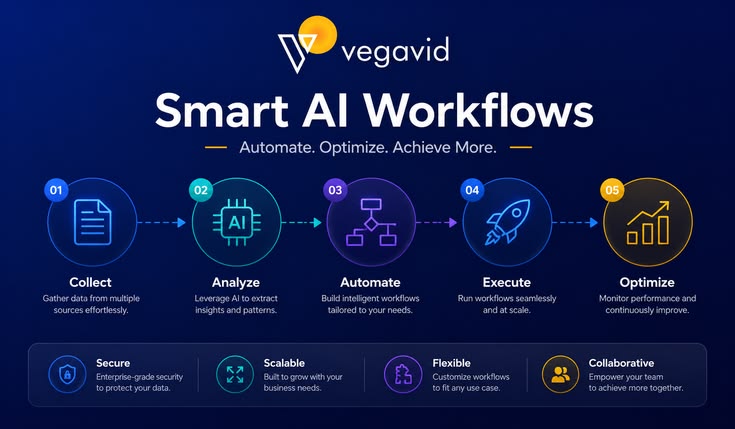
AI Workflow Automation for Enterprises: The Ultimate Blueprint for Scalable Digital Transformation (2026) The global corporate landscape has decisively moved past the experimental phase of artificial intelligence. Today, the core operational differentiator between market leaders and lagging firms isn’t just the adoption of AI—it’s orchestration. Enterprises are no longer looking for isolated AI chatbots to summarize emails. Instead, they are demanding end-to-end AI Workflow Automation: complex, self-healing, multi-agent systems that integrate with legacy infrastructure, automate decision-making pipelines, and fundamentally redefine human-machine collaboration. This comprehensive guide serves as an enterprise-grade blueprint for tech executives, operations leaders, and digital transformation architects looking to deploy scalable AI automation across their organizational fabric. 1. Defining Enterprise AI Workflow Automation To build an effective automation strategy, we must first distinguish modern AI workflow automation from legacy systems. For over a decade, Robotic Process Automation (RPA) served as the backbone of operational efficiency. RPA excels at deterministic, rule-based tasks: “If data arrives in Form A, copy it exactly into Field B.” However, the moment a user submits an unformatted invoice, an unexpected error code pops up, or an email contains nuanced human emotion, traditional RPA breaks down. +———————————————————————–+ | THE AUTOMATION EVOLUTION | +———————————————————————–+ | LEGACY RPA | MODERN AI | | “Deterministic & Rigid” | “Probabilistic & Adaptive” | | • Rule-bound execution | • Contextual understanding | | • Breaks on unstructured data| • Learns from edge cases | | • Requires static formats | • Handles text, voice, and video | +———————————————————————–+ Modern Enterprise AI Automation shifts the paradigm from deterministic to probabilistic. Backed by Large Language Models (LLMs), vision systems, and specialized embedding models, these workflows possess cognitive context. They don’t just move data; they comprehend data, make judgment calls based on corporate playbooks, learn from edge cases, and seamlessly pass control to human supervisors when structural thresholds are crossed. 2. The Architecture of an Automated AI Workflow An enterprise-grade AI workflow is rarely built on a single, isolated prompt. It is a layered, multi-component architecture engineered to maximize accuracy, data security, and execution speed. Layer 1: Data Ingestion and Semantic Parsing Every automated pipeline begins with data. The ingestion layer utilizes advanced optical character recognition (OCR), speech-to-text engines, and computer vision to ingest unstructured assets—such as raw PDFs, audio recordings of client calls, complex internal spreadsheets, or customer emails—and normalize them into structured JSON schemas. Layer 2: Vector Infrastructure and Corporate Memory To prevent the underlying models from hallucinating or losing track of corporate standards, workflows use Retrieval-Augmented Generation (RAG) systems tied to low-latency vector databases. When a new transaction or support ticket enters the pipeline, the system extracts semantic embeddings, queries the vector infrastructure for relevant corporate historical data, and constructs a highly contextual prompt. Layer 3: The Multi-Agent Orchestration Core Instead of relying on one massive, generalized AI model to handle an entire process, modern architectures break workflows down into discrete, specialized AI Agents. [Ingested Customer Ticket] | v +——————————+ | Orchestrator Agent | +——————————+ / | \ +————————+ | +————————-+ | v | +———————–+ +——————–+ +———————–+ | Data Extraction Agent | | Legal Compliance | | Quality Assurance | | | | Agent | | Agent | +———————–+ +——————–+ +———————–+ | | | +————————+ | +————————-+ \ | / v +——————————+ | Final Response / Action | +——————————+ The Orchestrator Agent: Receives the inbound payload, analyzes intent, and maps out an execution plan. The Specialist Agents: Micro-tuned models dedicated to singular tasks. For example, in an insurance claims pipeline, one agent extracts medical billing codes, a second agent cross-references the claim against policy terms, and a third agent checks for historical patterns of fraud. The Critic/Validator Agent: A separate model designed specifically to stress-test the output of the specialist agents against strict regulatory constraints before any action is committed. Layer 4: System Integration and Actuation (Tool Use) An AI that can only output text is a passive advisor. True automation requires action. Through unified API gateways, enterprise AI frameworks interact directly with core business software: writing data directly into SAP ERP systems, updating customer records in Salesforce, or pushing alerts to Microsoft Teams and Slack. 3. High-Impact Enterprise Use Cases While AI automation can be applied universally, organizations see the fastest, highest-margin returns on investment (ROI) by targeting data-heavy, communication-intensive friction points. A. Supply Chain Logistics and Vendor Management The Friction Point: Managing thousands of global vendor invoices, bills of lading, customs declarations, and shifting spot-market price quotes. The AI Automation Solution: An autonomous agent continually monitors shared procurement inboxes. When an invoice arrives, the agent automatically extracts line items, matches them against existing purchase orders (POs) within Oracle or NetSuite, verifies customs compliance documentation via RAG, flags discrepancies to a human logistics manager, and pre-approves flawless entries for payment execution. B. Legal and Financial Compliance Auditing The Friction Point: Reviewing multi-hundred-page commercial contracts, loan applications, or regulatory fillings for subtle non-compliance risks. The AI Automation Solution: Legal teams deploy specialized analysis pipelines where contracts are run through automated safety scripts. The workflow flags clauses that deviate from standard corporate positions, automatically generates alternative, compliant legal phrasing, and highlights potential financial liabilities—reducing initial contract review timelines by over 80%. C. Hyper-Personalized Global Customer Operations The Friction Point: Scaling localized customer care across multiple continents without ballooning headcounts or degrading response quality. The AI Automation Solution: Multimodal AI pipelines ingest inbound customer issues across voice, chat, and email. By recognizing user intent and tone natively, the system resolves routine technical support, processes exchanges inside the billing database, drafts highly localized, context-aware email resolutions, and seamlessly escalates frustrated or VIP accounts to human agents with a fully summarized case history. 4. Selecting the Core AI Infrastructure Stack Building an enterprise pipeline requires selecting an foundational model provider that aligns with your operational realities, technical constraints, and data security requirements. Capability / Metric OpenAI (GPT-4o / o1 Ecosystem) Anthropic (Claude 3.5 Suite) Google Cloud (Gemini Enterprise) Primary Structural Strength Elite tool usage, complex logic, massive developer market. Highly articulate prose,

Scroll to Top