JavaScript

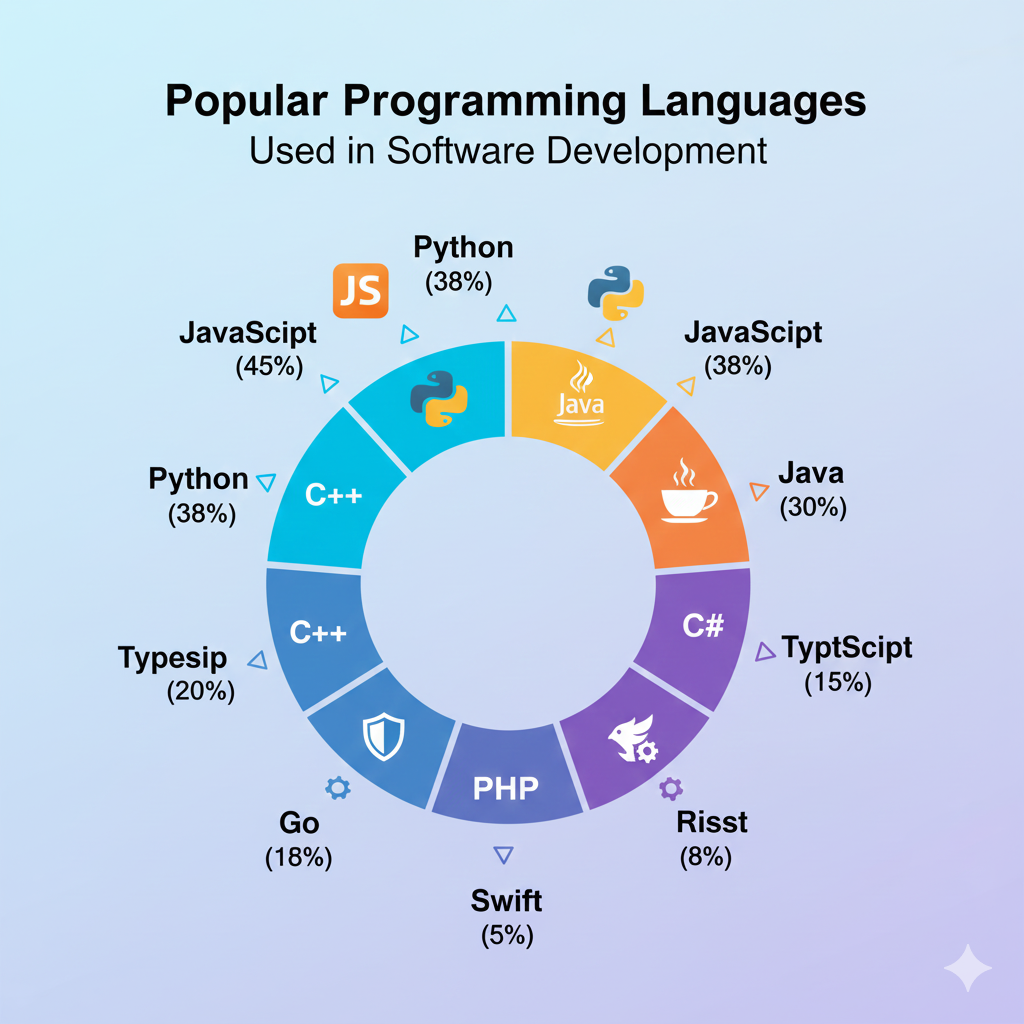
Popular programming languages used in software development
Software development

Top Programming Languages Used in Software Development in 2025

Introduction Programming languages form the backbone of software development. Every application, website, or system relies on one or more programming languages to function. Choosing the right programming language can significantly impact performance, scalability, security, and development speed. With rapid advancements in technology, programming languages continue to evolve to meet modern software development demands. In 2025, developers must consider factors such as cross-platform compatibility, cloud support, performance, and community adoption when selecting a language. In this blog, we explore the top programming languages used in software development, their strengths, use cases, and how to choose the best language for your project or career. Why Programming Languages Matter in Software Development Programming languages define how developers communicate with machines. Each language has unique syntax, paradigms, and capabilities that make it suitable for specific tasks. Key benefits of choosing the right language include: Faster development cycles Better maintainability Improved performance Enhanced security 1. Python Overview Python is one of the most popular programming languages due to its simplicity and versatility. Key Features Easy-to-read syntax Extensive libraries and frameworks Strong community support Use Cases Web development Data science Machine learning Automation Python is ideal for beginners and professionals alike. 2. JavaScript Overview JavaScript is the core language of web development and plays a vital role in both frontend and backend development. Key Features Event-driven programming Cross-platform support Rich ecosystem Use Cases Web applications Mobile app development Server-side development JavaScript enables full stack development using a single language. 3. Java Overview Java remains a dominant language in enterprise software development. Key Features Platform independence Strong security Scalability Use Cases Enterprise applications Android development Backend systems Java is widely used in large-scale systems. 4. C++ Overview C++ is known for high performance and system-level programming. Key Features Low-level memory control High efficiency Object-oriented support Use Cases Game development Operating systems Embedded systems C++ is ideal for performance-critical applications. 5. C# Overview C# is a modern language developed by Microsoft, commonly used with the .NET framework. Key Features Strong typing Rich libraries Cross-platform with .NET Core Use Cases Desktop applications Web APIs Game development 6. Go (Golang) Overview Go is designed for simplicity and scalability. Key Features Fast compilation Built-in concurrency Cloud-native support Use Cases Microservices Cloud applications Networking tools How to Choose the Right Programming Language Consider these factors: Project requirements Performance needs Community and ecosystem Learning curve Programming Languages and Career Growth Learning in-demand programming languages increases job opportunities and earning potential. Conclusion Programming languages are essential to software development. Each language serves different purposes, and choosing the right one ensures successful project outcomes. Staying updated with modern languages prepares developers for future challenges. Frequently Asked Questions (FAQs) 1. Which programming language is best for beginners? Python and JavaScript are beginner-friendly. 2. Can one programming language do everything? No, different languages excel at different tasks. 3. Is Java still relevant in 2025? Yes, Java remains widely used in enterprise systems. 4. Which language is best for web development? JavaScript is essential for web development. 5. Should I learn multiple languages? Yes, learning multiple languages enhances versatility. 6. How often should developers update their skills? Continuously, as technology evolves rapidly. Connect with us: https://www.facebook.com/profile.php?id=61555452386126
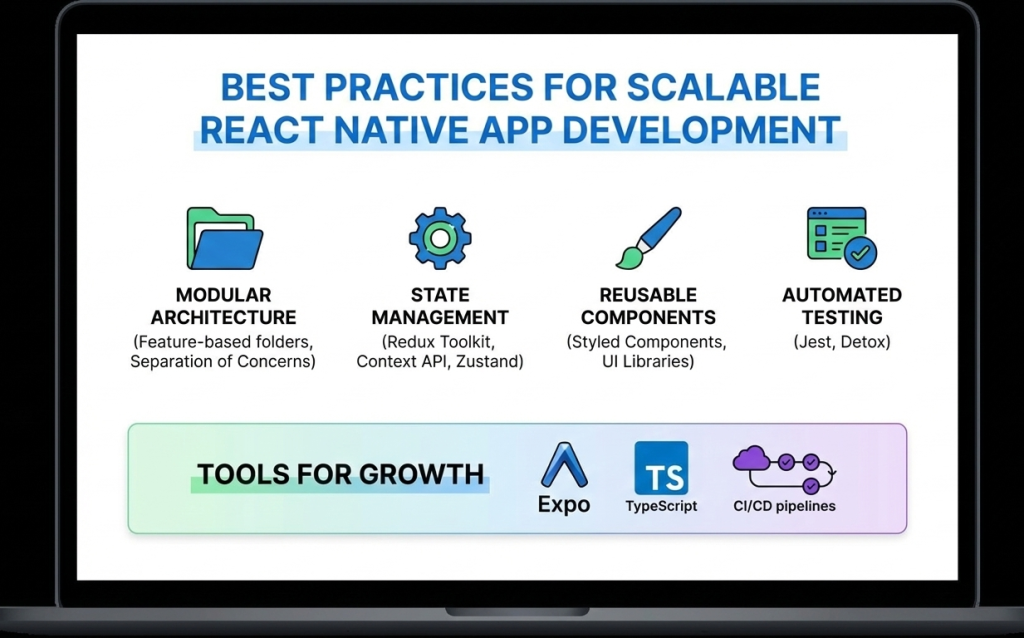
Best practices for scalable React Native app development
React native doveploment

Best Practices for Scalable and High-Performance React Native App Development

Introduction As mobile applications continue to grow in complexity and scale, developers must focus not only on building features but also on maintaining performance, scalability, and code quality. React Native development makes cross-platform mobile app creation faster and more efficient, but long-term success depends heavily on following proven best practices. Without proper architecture and optimization, React Native apps can become difficult to maintain, slow to scale, and prone to performance issues. On the other hand, applications built with best practices in mind remain stable, secure, and adaptable to future requirements. In this blog, we’ll explore the best practices for scalable and high-performance React Native app development, covering architecture, performance optimization, state management, security, and maintainability. 1. Use a Clean and Scalable Project Architecture A well-structured architecture is the foundation of any successful React Native application. Best practices include: Organizing code by features instead of file types Separating UI, business logic, and services Keeping reusable components in a shared directory A clean architecture improves collaboration, simplifies debugging, and makes scaling easier. 2. Break UI into Reusable Components React Native is built around a component-based architecture. Reusable components: Reduce code duplication Improve readability Speed up development Components should be small, focused, and reusable across the application. 3. Optimize Performance from the Start Performance optimization should not be an afterthought. Key techniques include: Using FlatList instead of ScrollView for long lists Avoiding unnecessary re-renders with React.memo Minimizing heavy computations on the UI thread Optimizing images and assets Using the Hermes engine also improves startup time and memory usage. 4. Choose the Right State Management Strategy State management plays a crucial role in scalability. Options include: Context API for small apps Redux for large and complex applications Zustand for lightweight and modern state handling Choosing the right approach prevents unnecessary complexity. 5. Handle API Calls and Data Caching Efficiently Efficient data handling improves performance and user experience. Best practices: Use Axios or Fetch consistently Implement error handling and retries Cache data when possible Avoid unnecessary API calls Libraries like React Query can simplify data fetching and caching. 6. Follow Platform-Specific Design Guidelines While React Native is cross-platform, Android and iOS users have different design expectations. Best practices include: Using platform-specific components when needed Handling gestures and navigation appropriately Testing UI on multiple screen sizes Respecting platform guidelines improves user satisfaction. 7. Secure Your React Native Application Security is critical in mobile app development. Best practices include: Avoid storing sensitive data in plain text Use secure storage solutions Implement authentication and authorization properly Use HTTPS and encrypted APIs Security should be integrated into every stage of development. 8. Write Tests and Automate Quality Assurance Testing ensures long-term stability. Important testing methods: Unit testing with Jest Component testing with React Native Testing Library End-to-end testing for critical flows Automated testing reduces bugs and improves release confidence. 9. Monitor Performance and Errors Monitoring helps identify issues before they affect users. Tools such as: Flipper Sentry Firebase Performance Monitoring These tools provide insights into crashes, performance bottlenecks, and user behavior. 10. Keep Dependencies Updated Outdated dependencies can cause security vulnerabilities and compatibility issues. Best practices: Regularly update React Native versions Remove unused libraries Review changelogs before upgrades Keeping dependencies updated ensures stability and security. Future-Ready React Native Development React Native continues to evolve with improved architecture, better performance, and stronger community support. Following best practices ensures your application remains adaptable to future updates and scaling requirements. Conclusion React Native development offers immense potential for building scalable and high-performance mobile applications. However, success depends on following best practices related to architecture, performance, security, and maintainability. By implementing these best practices from the beginning, developers can build robust React Native apps that deliver excellent user experiences and stand the test of time. Frequently Asked Questions (FAQs) 1. Why are best practices important in React Native development? Best practices ensure scalability, performance, maintainability, and long-term success of React Native applications. 2. How can I improve React Native app performance? Optimizing lists, avoiding unnecessary re-renders, using Hermes, and monitoring performance tools can significantly improve performance. 3. Which state management is best for React Native apps? It depends on app complexity. Context API works for small apps, while Redux or Zustand suits larger applications. 4. Is React Native secure for enterprise apps? Yes, when proper security measures like encrypted storage, secure APIs, and authentication are implemented. 5. How do I scale a React Native app efficiently? Using clean architecture, modular components, proper state management, and performance optimization ensures smooth scalability. 6. Are React Native apps future-proof? Yes, with continuous updates, strong community support, and best practices, React Native apps are future-ready. Connect with us: https://www.facebook.com/profile.php?id=61555452386126  
Essential tools and libraries for React Native development
React native doveploment

Essential Tools and Libraries for React Native Development

Introduction React Native development has gained massive popularity due to its ability to build cross-platform mobile applications using a single JavaScript codebase. However, the real strength of React Native lies not only in the framework itself but also in its rich ecosystem of tools and libraries that enhance productivity, performance, and scalability. From UI components and navigation to state management and testing, React Native offers a wide range of tools that help developers build high-quality applications efficiently. Choosing the right tools and libraries is crucial for maintaining clean code, improving performance, and ensuring long-term scalability. In this blog, we’ll explore the essential tools and libraries for React Native development, explain their use cases, and help you select the best stack for your next mobile app project. Why Tools and Libraries Matter in React Native React Native provides the foundation for building mobile apps, but real-world applications require much more than basic components. Tools and libraries help developers: Speed up development Maintain clean and modular code Improve UI and user experience Handle complex state and data flow Debug and test applications efficiently Using well-maintained and community-supported tools reduces technical debt and ensures better app stability. Core Development Tools for React Native 1. Node.js and Package Managers Node.js is required to run React Native projects. Developers typically use: npm Yarn These package managers help install dependencies, manage versions, and run scripts efficiently. 2. React Native CLI The React Native CLI provides full control over native code and project configuration. It is ideal for developers building production-ready apps that require custom native modules or advanced configurations. 3. Expo Expo simplifies React Native development by providing preconfigured tools and APIs. It is excellent for beginners and rapid prototyping. Key benefits of Expo include: Minimal setup Built-in APIs for camera, sensors, and notifications Fast development and testing UI Component Libraries UI libraries save time by offering ready-made, customizable components. 1. React Native Paper A Material Design-based UI library that provides consistent and visually appealing components. 2. NativeBase A flexible UI library that supports both Android and iOS with customizable components. 3. React Native Elements A cross-platform UI toolkit with reusable components and simple theming. Navigation Libraries Navigation is a core feature of mobile applications. React Navigation The most popular navigation library for React Native, supporting: Stack navigation Tab navigation Drawer navigation It is flexible, well-documented, and widely adopted. State Management Libraries As applications grow, managing state becomes complex. 1. Redux A predictable state container ideal for large-scale applications. 2. Zustand A lightweight and modern alternative to Redux with minimal boilerplate. 3. Context API Built-in solution suitable for small to medium-sized apps. Networking and API Handling Efficient API communication is critical for modern apps. Axios – Simplifies HTTP requests and error handling Fetch API – Built-in but less feature-rich than Axios Axios is widely preferred for React Native development. Testing Tools for React Native Testing ensures app reliability and stability. 1. Jest Used for unit testing JavaScript logic and components. 2. React Native Testing Library Helps test UI components from a user’s perspective. Debugging Tools Debugging tools help identify and fix issues quickly. 1. Flipper A powerful debugging tool supported by Meta for inspecting layout, network requests, and logs. 2. React DevTools Helps inspect component hierarchy and props. Performance Optimization Tools To ensure smooth performance: Why Did You Render – Detects unnecessary re-renders Hermes Engine – Improves app startup time and memory usage Best Practices for Choosing Tools Prefer well-maintained libraries Check community adoption Avoid overloading the project with unnecessary dependencies Ensure compatibility with the latest React Native version Conclusion React Native development becomes significantly more powerful when paired with the right tools and libraries. From UI components and navigation to testing and debugging, the React Native ecosystem offers everything needed to build scalable, high-performance mobile applications. Choosing the right combination of tools not only speeds up development but also ensures better code quality, maintainability, and long-term success. Frequently Asked Questions (FAQs) 1. What are the most important tools for React Native development? Essential tools include Node.js, React Native CLI or Expo, React Navigation, state management libraries, and testing tools like Jest. 2. Is Expo better than React Native CLI? Expo is great for rapid development and beginners, while React Native CLI offers more control for advanced and production-level apps. 3. Which UI library is best for React Native? Popular choices include React Native Paper, NativeBase, and React Native Elements, depending on design needs. 4. Do I need Redux for every React Native app? No, Redux is best for complex apps. Smaller apps can use Context API or Zustand. 5. How can I debug React Native apps effectively? Using Flipper, React DevTools, and proper logging practices helps debug apps efficiently. 6. Are third-party libraries safe to use in React Native? Yes, as long as they are actively maintained, well-documented, and widely adopted. Connect with us: https://www.facebook.com/profile.php?id=61555452386126

Benefits of React Native for cross-platform mobile app development
Uncategorized

Top Benefits of React Native Development for Modern Mobile Applications

Introduction Mobile applications have become a critical touchpoint between businesses and users. With increasing competition and rapidly evolving user expectations, companies must build apps that are fast, reliable, and available across multiple platforms. Traditionally, this required developing separate applications for Android and iOS, resulting in higher costs and longer development cycles. This challenge has led to the rise of cross-platform mobile app development, and among all available solutions, React Native development has emerged as one of the most effective and widely adopted frameworks. React Native allows developers to create mobile applications using a single JavaScript codebase while still delivering near-native performance. In this blog, we’ll explore the top benefits of React Native development, explain why it’s a preferred choice for startups and enterprises, and understand how it simplifies modern mobile app development. What Makes React Native So Popular? React Native is an open-source framework developed by Meta (Facebook) that enables developers to build mobile apps using JavaScript and React. Instead of relying on web technologies like HTML and CSS rendered in WebViews, React Native uses native UI components, ensuring a smooth and native-like experience. Its popularity comes from its ability to balance performance, efficiency, and development speed, making it suitable for a wide range of applications. 1. Single Codebase for Multiple Platforms One of the most significant benefits of React Native development is its single codebase approach. Developers can write one set of code and deploy it across both Android and iOS platforms. This approach: Reduces development effort Ensures consistent user experience Simplifies bug fixes and updates Instead of maintaining two separate teams for Android and iOS, businesses can rely on a single React Native team. 2. Faster Development and Time-to-Market React Native enables faster development through features like Hot Reloading, which allows developers to see changes instantly without rebuilding the entire app. This results in: Quicker prototyping Faster iteration cycles Reduced debugging time For startups and businesses aiming to launch products quickly, React Native significantly shortens the time-to-market. 3. Cost-Effective Mobile App Development Developing two separate native apps can be expensive. React Native reduces costs by allowing: One development team Shared business logic Lower maintenance expenses This makes React Native an ideal choice for startups, MVPs, and budget-conscious businesses looking to maximize ROI. 4. Near-Native Performance A common misconception is that cross-platform apps compromise performance. React Native addresses this by using native components and optimized communication between JavaScript and native code. For most applications, React Native delivers: Smooth animations Fast load times Responsive user interfaces While highly performance-intensive features may require native code, the majority of use cases are handled efficiently with React Native. 5. Reusable Components and Modular Architecture React Native follows a component-based architecture, allowing developers to break the UI into reusable pieces. This improves: Code readability Maintainability Scalability Reusable components also speed up development, especially in large applications. 6. Strong Community and Ecosystem React Native has a massive global community that actively contributes libraries, tools, and plugins. Developers can easily integrate features such as: Navigation Payments Authentication Analytics This rich ecosystem accelerates development and reduces the need to build features from scratch. 7. Easy Integration with Native Code React Native does not limit developers to JavaScript alone. When required, developers can write native modules in Java, Kotlin, Swift, or Objective-C. This flexibility allows: Performance optimization Access to platform-specific APIs Seamless integration with existing native apps 8. Ideal for Startups and Enterprises Alike React Native is versatile enough to serve both small startups and large enterprises. Startups benefit from faster development and lower costs, while enterprises appreciate scalability, maintainability, and community support. Many well-known apps, including Facebook, Instagram, and Shopify, rely on React Native for critical features. React Native vs Other Cross-Platform Frameworks Compared to other frameworks, React Native stands out due to: JavaScript-based development Large talent pool Mature ecosystem Proven production usage These advantages make React Native a safer and more reliable choice for long-term projects. Future-Proof Technology With continuous updates, improved architecture, and strong backing from Meta, React Native continues to evolve. Features like the new rendering system and improved performance ensure that React Native remains relevant in the future of mobile app development. Conclusion React Native development offers a powerful combination of speed, performance, and cost efficiency. Its single codebase approach, near-native performance, and strong community support make it a top choice for modern mobile applications. Whether you’re building an MVP, scaling a startup, or developing an enterprise-grade solution, React Native provides the flexibility and reliability needed to succeed in today’s mobile-first world. Frequently Asked Questions (FAQs) 1. What are the main benefits of React Native development? The main benefits include cross-platform compatibility, faster development, cost efficiency, near-native performance, and a strong developer community. 2. Is React Native suitable for enterprise applications? Yes, React Native is widely used in enterprise applications due to its scalability, maintainability, and support for native integrations. 3. Can React Native reduce app development costs? Absolutely. By using a single codebase for Android and iOS, React Native significantly reduces development and maintenance costs. 4. Does React Native support third-party integrations? Yes, React Native supports a wide range of third-party libraries and APIs for payments, analytics, authentication, and more. 5. Is React Native better than native development? React Native is better for faster development and cost efficiency, while native development may be preferred for extremely performance-critical applications. 6. What type of apps are best built with React Native? React Native is ideal for e-commerce apps, social media apps, on-demand services, fintech apps, and MVPs. Connect with us: https://www.facebook.com/profile.php?id=61555452386126  

React Native development for cross-platform mobile applications
React native doveploment

React Native Development: A Complete Guide to Building High-Performance Cross-Platform Mobile Apps

Introduction In today’s fast-paced digital world, mobile applications have become essential for businesses, startups, and enterprises alike. Users expect apps to be fast, reliable, and available across multiple platforms. This growing demand has given rise to cross-platform mobile app development, and among all available frameworks, React Native development stands out as one of the most powerful and popular choices. React Native allows developers to build mobile applications for both Android and iOS using a single JavaScript codebase, significantly reducing development time and cost. Backed by Meta (Facebook) and supported by a massive developer community, React Native has been adopted by companies like Facebook, Instagram, Airbnb, Shopify, and Tesla. This blog provides a complete guide to React Native development—covering what it is, how it works, its benefits, tools, best practices, and why it’s a smart choice for modern mobile app development. What Is React Native Development? React Native is an open-source JavaScript framework used to build native mobile applications. It is based on React, a popular JavaScript library for building user interfaces. Unlike traditional hybrid frameworks that rely on WebViews, React Native uses real native components. This means applications built with React Native look, feel, and perform like native apps written in Swift, Objective-C, Java, or Kotlin. With React Native, developers write most of the code once and deploy it across platforms, while still having the flexibility to write native code when required. How React Native Works React Native works by running JavaScript code in a separate thread and communicating with native modules through a bridge. This architecture allows JavaScript logic to interact with native UI components efficiently. Key concepts include: JavaScript Thread: Handles business logic and app behavior Native Thread: Renders native UI components Bridge: Enables communication between JavaScript and native code Modern versions of React Native have introduced improvements like the New Architecture, including Fabric and TurboModules, which significantly enhance performance and reduce latency. Why Choose React Native for Mobile App Development? 1. Cross-Platform Development One of the biggest advantages of React Native development is the ability to build apps for both Android and iOS using a single codebase. This dramatically reduces development effort and speeds up time-to-market. 2. Faster Development Cycle React Native supports Hot Reloading, allowing developers to see changes instantly without recompiling the entire app. This feature boosts productivity and simplifies debugging. 3. Near-Native Performance Because React Native uses native components, apps deliver smooth animations, fast load times, and excellent user experience comparable to fully native apps. 4. Cost-Effective Solution Maintaining one codebase instead of two separate native apps lowers development and maintenance costs, making React Native ideal for startups and MVPs. 5. Strong Community and Ecosystem React Native has a massive ecosystem of libraries, plugins, and tools. Developers can quickly integrate features like navigation, authentication, payments, and analytics. Popular Use Cases of React Native React Native is suitable for a wide range of applications, including: E-commerce mobile apps Social networking platforms On-demand service apps Fintech and banking apps Healthcare and fitness apps Educational platforms Its flexibility allows businesses to scale applications as user demand grows. Essential Tools for React Native Development To build efficient React Native applications, developers rely on several tools: Development Tools Node.js & npm/yarn – Package management React Native CLI – Full control over native code Expo – Faster development with minimal configuration UI and Navigation React Navigation – Routing and navigation React Native Paper / NativeBase – UI components State Management Redux Zustand Context API Testing and Debugging Jest – Unit testing React Native Testing Library Flipper – Advanced debugging Best Practices for React Native Development 1. Use Reusable Components Break UI into reusable components to improve maintainability and consistency. 2. Optimize Performance Use FlatList instead of ScrollView for large lists Avoid unnecessary re-renders Memoize components where needed 3. Maintain Clean Folder Structure Organize files by features rather than type to improve scalability. 4. Secure Sensitive Data Never store sensitive information in plain text. Use secure storage and encrypted APIs. 5. Follow Platform Guidelines Ensure your app follows Android and iOS design standards for better user experience. React Native vs Native Development While native development offers full platform control, React Native provides an excellent balance between performance and efficiency. For most applications, React Native delivers everything needed without the complexity of maintaining two separate codebases. Native development may be preferred for extremely performance-intensive apps, but React Native is more than sufficient for the majority of business and consumer applications. Future of React Native React Native continues to evolve with strong backing from Meta and the open-source community. Improvements in performance, architecture, and tooling make it a future-proof choice for mobile app development. With growing demand for cross-platform solutions, React Native is expected to remain a top framework for years to come. Conclusion React Native development has transformed the way mobile applications are built. By enabling cross-platform development with near-native performance, it saves time, reduces costs, and delivers exceptional user experiences. Whether you’re a startup building an MVP or an enterprise scaling a mobile solution, React Native offers the flexibility, performance, and community support needed to succeed in today’s competitive mobile ecosystem. Frequently Asked Questions (FAQs) – React Native Development 1. What is React Native development used for? React Native development is used to build cross-platform mobile applications for Android and iOS using a single JavaScript codebase. It allows developers to create high-performance apps with native look and feel while reducing development time and cost. 2. Is React Native suitable for large-scale applications? Yes, React Native is suitable for large-scale and enterprise-level applications. Companies like Facebook, Instagram, and Shopify use React Native for production apps. With proper architecture, state management, and performance optimization, React Native apps can scale efficiently. 3. How does React Native differ from React.js? React.js is a JavaScript library used for building web applications, whereas React Native is a framework designed specifically for mobile app development. React Native uses native components instead of HTML elements, allowing apps to run on Android and iOS platforms. 4. Does React Native

frontend developer exploring React, Angular, Vue, and Svelte frameworks on laptop
Frontend Developer

Top Frontend Frameworks to Learn in 2025 for Maximum Career Growth

Introduction The world of frontend development is evolving at lightning speed. Every year brings new tools, frameworks, and technologies that redefine how web interfaces are built and experienced. As a frontend developer in 2025, mastering the right frameworks can be the difference between being a job seeker and being in high demand. In this blog, we’ll explore the top frontend frameworks every developer should consider learning in 2025 — focusing on popularity, performance, and job opportunities. React.js — The Undisputed King React.js, developed by Meta, continues to dominate the frontend ecosystem. Its component-based structure allows developers to create highly interactive UIs efficiently.Key benefits include: Virtual DOM ensures fast rendering. Strong community support and reusable components. Works seamlessly with libraries like Redux and Next.js.Why learn it:React developers are in high demand, and its ecosystem powers countless enterprise-grade applications, from Facebook to Netflix. Vue.js — The Progressive Framework Vue.js stands out for its simplicity and flexibility. It bridges the gap between traditional HTML/CSS/JS and modern frameworks like React or Angular.Key benefits include: Easy learning curve for beginners. Great performance and smaller file sizes. Ideal for single-page applications (SPAs).Why learn it:Vue’s growing adoption in startups and Asian markets makes it a valuable skill to have in 2025. Angular — The Enterprise Favorite Angular, backed by Google, is a comprehensive framework ideal for building large-scale web apps. It offers built-in solutions for routing, HTTP requests, and form validation.Key benefits include: TypeScript-based for better maintainability. Strong security and scalability. Perfect for enterprise-level applications.Why learn it:If you’re targeting corporate environments or complex projects, Angular remains a must-learn framework. Svelte — The Future of Frontend Svelte is making waves for its compile-time approach, meaning it converts your code into efficient JavaScript at build time, rather than running a virtual DOM.Key benefits include: Faster performance due to lightweight output. Minimal boilerplate code. Easier reactivity handling.Why learn it:Svelte is gaining traction among modern developers who value performance and simplicity. Next.js — The React Framework for Full-Stack Power Next.js extends React with server-side rendering (SSR), static site generation (SSG), and API routes. It’s the go-to choice for creating SEO-friendly and blazing-fast websites.Key benefits include: Built-in routing and file system structure. Optimized for performance and SEO. Supports both static and dynamic rendering.Why learn it:If you love React but want to go full-stack, Next.js is your best friend in 2025. Solid.js — The Rising Star Solid.js combines the best of React’s component model and Svelte’s performance. It delivers fine-grained reactivity without using a virtual DOM.Key benefits include: Extremely fast runtime performance. React-like syntax with simpler reactivity.Why learn it:As Solid.js matures, it’s becoming a favorite among developers who crave efficiency and clarity. Qwik — Built for Instant Loading Apps Qwik introduces a revolutionary concept called resumability, where the app starts instantly on the client without hydration delays.Key benefits include: Near-instant page loads. Optimized for mobile and low-power devices.Why learn it:Qwik’s approach could redefine how modern web apps are built and loaded in the near future. Conclusion In 2025, being a successful frontend developer means being strategic — learning not just one framework but understanding when and why to use each.Start with React or Vue if you’re new, explore Next.js for production-grade apps, and keep an eye on Svelte, Solid, and Qwik — the future is bright, and the possibilities are endless. FAQs Q1. Which frontend framework should I learn first in 2025?If you’re a beginner, start with React.js or Vue.js — they offer great documentation and a huge community. Q2. Is Angular still relevant in 2025?Absolutely. Angular remains a top choice for enterprise applications and large development teams. Q3. Why is Svelte gaining popularity?Svelte eliminates the virtual DOM and compiles code at build time, leading to faster and more lightweight apps. Q4. Can I learn multiple frontend frameworks together?Yes, but start with one (like React) and move on to others once you’re confident with core concepts. Q5. Which framework has the best job opportunities?React.js and Next.js dominate global job listings in 2025, especially in startups and SaaS-based companies.

frontend developer working on HTML CSS JavaScript with laptop
Frontend Developer

Essential Skills Every Frontend Developer Should Master in 2025

Introduction The web development world is evolving rapidly, and the demand for skilled frontend developers continues to grow. As users expect faster, more interactive, and visually appealing websites, developers must master both technical and creative skills to stay ahead in 2025. In this blog, we’ll explore the essential skills every frontend developer should master — from HTML and CSS fundamentals to advanced frameworks, tools, and design thinking techniques. Mastering the Core Building Blocks: HTML, CSS, and JavaScript At the heart of every website are three pillars — HTML, CSS, and JavaScript. These are the foundation of frontend development and must be learned thoroughly: HTML (HyperText Markup Language): Defines the structure and content of a webpage. You must understand elements, tags, attributes, semantic HTML, and accessibility. CSS (Cascading Style Sheets): Controls the layout, colors, fonts, and design aesthetics. Learn CSS Grid, Flexbox, animations, and media queries for responsive design. JavaScript (JS): Adds logic and interactivity. Know how to manipulate the DOM, handle events, fetch APIs, and use ES6+ features like promises, async/await, and modules. A solid grasp of these three ensures you can build any web interface from scratch. Learning Modern Frontend Frameworks Frameworks streamline development by providing reusable components and optimized performance. In 2025, the most popular ones include: React.js: Developed by Meta, React is known for its virtual DOM, reusable components, and large ecosystem. Vue.js: Lightweight and beginner-friendly, perfect for building small to mid-sized apps. Angular: Maintained by Google, Angular is ideal for large-scale enterprise applications. Tip: Learn at least one framework deeply instead of jumping between many. Responsive Web Design and Cross-Browser Compatibility With users accessing websites across desktops, tablets, and smartphones, knowing responsive design is essential. Skills to learn: CSS Media Queries Fluid grids and flexible images Frameworks like Bootstrap and Tailwind CSS Testing tools like BrowserStack Your website should look perfect and perform well across all screen sizes and browsers. Version Control with Git and GitHub No developer can thrive without version control systems (VCS) like Git. It allows you to: Track changes in your code Revert to previous versions Collaborate with other developers seamlessly Master Git commands such as commit, push, pull, and merge. Create and manage repositories using GitHub, GitLab, or Bitbucket. Understanding APIs and AJAX Modern web apps depend heavily on data exchange between the client and server. Learn how to: Use RESTful APIs and JSON data Make fetch() or Axios requests Handle asynchronous data with Promises and Async/Await Understand CORS, authentication, and error handling This knowledge helps build dynamic apps like social media feeds, dashboards, and e-commerce websites. UI/UX Design Principles Frontend developers bridge the gap between design and functionality. Knowing the basics of UI/UX design enhances user satisfaction: Learn color theory, typography, and layout design Use design tools like Figma, Sketch, or Adobe XD Follow accessibility standards (WCAG) Understand user behavior and intuitive navigation patterns A visually appealing, accessible website boosts engagement and conversion rates. Frontend Performance Optimization Performance is critical. Users leave a site if it takes more than 3 seconds to load.Focus on: Code minification and lazy loading Optimizing images and videos Using CDN and caching strategies Monitoring performance with tools like Lighthouse and WebPageTest A faster site equals better SEO and higher user retention. Soft Skills and Continuous Learning Frontend development isn’t just about coding. Soft skills help you stand out: Problem-solving: Debug efficiently and write clean, maintainable code. Collaboration: Work smoothly with designers, backend devs, and clients. Adaptability: Learn new frameworks and libraries quickly. Communication: Explain technical topics clearly to non-technical stakeholders. The tech world changes fast — stay updated through blogs, online courses, and coding communities. Recommended Tools and Resources Category Tools/Resources Code Editor VS Code, Sublime Text Browser DevTools Chrome DevTools, Firefox Developer Edition Design Tools Figma, Canva Frameworks React, Vue, Angular Version Control Git, GitHub Testing Jest, Cypress, Playwright Conclusion To become a successful frontend developer in 2025, mastering these technical and design skills is essential. From HTML, CSS, and JavaScript to frameworks, APIs, and optimization — each skill builds your ability to create beautiful, responsive, and efficient web applications. FAQs – 1. What are the most important skills for a frontend developer in 2025? In 2025, the essential skills for frontend developers include HTML, CSS, JavaScript, and frameworks like React or Vue.js. In addition, knowledge of responsive design, version control (Git), APIs, and performance optimization is crucial for building modern, scalable web applications. 2. Is frontend development still a good career choice? Yes! Frontend development remains one of the most in-demand tech careers. As more businesses move online, the need for developers who can create fast, visually appealing, and user-friendly websites continues to grow. With the right skills, you can build a successful and well-paying career. 3. How long does it take to become a frontend developer? On average, it takes 6 to 12 months to become job-ready in frontend development. However, the timeline depends on how consistently you practice. Start with HTML, CSS, and JavaScript, then move to frameworks, responsive design, and Git. Continuous learning and project building will speed up your progress. 4. Do frontend developers need to know backend technologies? Not necessarily, but having basic knowledge of backend technologies like Node.js or Express.js helps you understand how data flows between client and server. It’s especially beneficial if you aim to become a full-stack developer in the future. 5. What tools should every frontend developer use? Some must-have tools include: Code Editors: VS Code, Sublime Text Version Control: Git, GitHub Design Tools: Figma, Adobe XD Browser DevTools: Chrome, Firefox Developer Edition Testing Tools: Jest, Cypress These tools make your development process faster, cleaner, and more efficient. 6. How can I improve my frontend development skills? To improve, focus on practical projects. Build personal websites, clone famous apps, contribute to open-source projects, and follow modern web development trends. Join developer communities on GitHub or Reddit and take regular courses to stay updated with the latest frameworks and techniques. 7. What are the soft skills needed for a frontend developer? Frontend developers

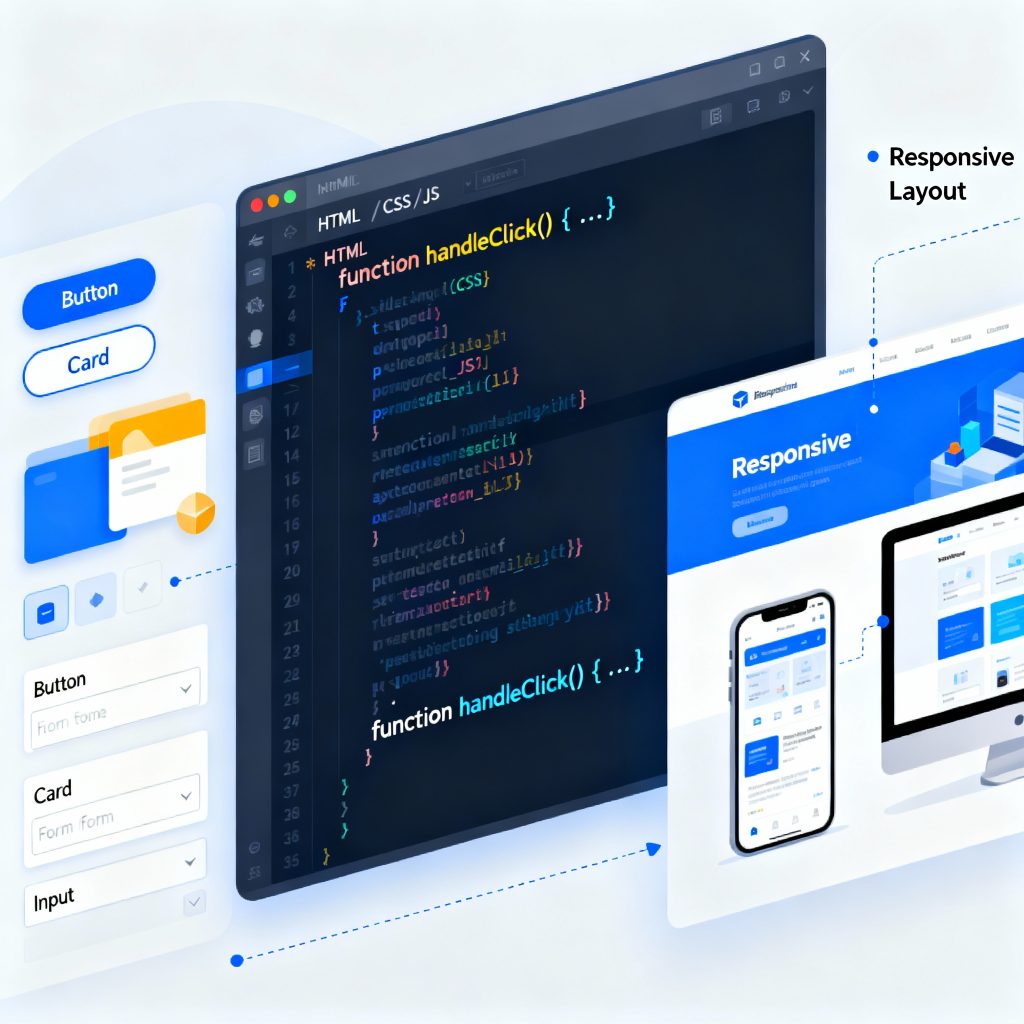
Illustration of frontend development showing a laptop with code editor, browser window, and UI components.
Frontend Developer

The Complete Guide to Becoming a Frontend Developer in 2025

Introduction In 2025, the role of a frontend developer has become one of the most exciting and creative careers in the tech world. A frontend developer builds everything a user sees and interacts with — from website layouts and animations to responsive buttons and navigation menus. This guide will help you understand what a frontend developer does, which skills you need, the tools used in 2025, and how to start your career. What is Frontend Development? Frontend development, often called the client-side of web development, deals with what users see on the screen. When you open a website, the design, color scheme, buttons, and animations — all are handled by frontend developers. Their main job is to transform static designs into fully functional, interactive web pages that look great on any device. Core Technologies You Must Learn To become a successful frontend developer, master these three building blocks: HTML (Structure)Defines the skeleton of a website using tags and elements. Example: headings, images, and links. CSS (Styling)Controls colors, fonts, and layout. Frameworks like Tailwind CSS and Bootstrap simplify this process. JavaScript (Interactivity)Adds logic and animations. In 2025, frameworks like React.js, Vue.js, and Next.js are industry favorites. Learn these three deeply, then move to advanced topics like APIs, TypeScript, and Performance Optimization. Frontend Developer Tools in 2025 Frontend developers rely on tools that enhance efficiency and quality: VS Code: Code editor with built-in extensions for HTML/CSS/JS. Git & GitHub: Manage versions and collaborate with teams. Figma: Understand design prototypes. Chrome DevTools: Debug and test performance. Node.js: Run tools and frameworks locally. MDN Web Docs on HTML — a trusted resource to strengthen your fundamentals. Frontend Developer Roadmap Follow this 7-step roadmap to become a frontend developer: Learn Basics: HTML, CSS, JS. Build Mini Projects: Portfolio, calculator, or to-do app. Learn Frameworks: React.js or Vue.js. Understand Version Control: Git and GitHub. Responsive Design: Make your site mobile-friendly. Deploy Projects: Use Netlify or Vercel. Build a Portfolio Website: Showcase your best work online. Career Growth and Salary Role Experience Salary (India) Junior Frontend Developer 0–2 years ₹4–6 LPA Frontend Engineer 2–5 years ₹6–10 LPA React Developer 3–6 years ₹8–15 LPA Frontend Architect 6+ years ₹15–25 LPA The more frameworks and tools you master, the higher your value in the market. Common Mistakes Beginners Should Avoid Ignoring responsive design Overusing frameworks without strong fundamentals Skipping Git version control Not learning debugging tools Not optimizing performance Future of Frontend Development In 2025, AI tools, WebAssembly, and Progressive Web Apps (PWA) are shaping the future. Frontend developers who stay updated with these trends will continue to be in high demand. Conclusion Becoming a frontend developer in 2025 is an incredible opportunity. It’s a mix of creativity, logic, and design. Learn the fundamentals, build projects, and continuously update your skills. Whether you work for a company or freelance, the demand for skilled frontend developers isn’t going anywhere. FAQs Is frontend development beginner-friendly?Yes, you can start with HTML, CSS, and JS even without prior coding experience. Which framework should I learn first?React.js — it’s the most popular in 2025. Do I need a degree to become a frontend developer?No, skill and portfolio matter more than degrees. How can I improve my frontend skills?Build projects, contribute to open source, and follow tutorials. What is the difference between frontend and backend?Frontend deals with visuals; backend handles logic and databases. Can AI replace frontend developers?No, AI assists — but creativity and user experience still need humans.

Developer coding React Native mobile application on laptop with smartphone displaying app interface
React native doveploment

React Native Development: Complete Guide to Cross-Platform Apps 2025

Introduction React Native development has revolutionized how developers approach mobile app creation. Instead of maintaining separate codebases for iOS and Android, developers can now write once and deploy everywhere. This powerful framework, created by Meta (formerly Facebook), has become the go-to solution for businesses and developers seeking efficient, cost-effective mobile app development. In this comprehensive guide, we’ll explore everything you need to know about React Native development, from fundamentals to advanced techniques that will help you build production-ready applications. What is React Native? React Native is an open-source mobile application framework that allows developers to build native mobile apps using JavaScript and React. Unlike hybrid frameworks that render apps in a WebView, React Native creates truly native components, resulting in performance that’s nearly indistinguishable from apps built with Swift, Objective-C, Java, or Kotlin. The framework bridges JavaScript code with native platform APIs, enabling developers to access device features like the camera, GPS, and accelerometer while writing primarily in JavaScript. Why Choose React Native Development? 1. Code Reusability The most compelling advantage of React Native development is code reusability. Developers can share 70-90% of code between iOS and Android platforms, significantly reducing development time and costs. This shared codebase doesn’t compromise on quality – apps maintain native performance and look-and-feel on both platforms. 2. Fast Development Cycle React Native’s hot reloading feature allows developers to see changes instantly without recompiling the entire application. This rapid feedback loop accelerates development and makes debugging more efficient. Combined with a vast ecosystem of pre-built components, developers can prototype and iterate faster than ever. 3. Strong Community and Ecosystem With thousands of contributors and millions of users worldwide, React Native boasts one of the strongest communities in mobile development. This translates to abundant resources, libraries, and solutions to common problems. Popular apps like Facebook, Instagram, Airbnb, and Tesla have all leveraged React Native at various points. 4. Cost-Effective Solution Maintaining a single codebase requires fewer developers and less time compared to building separate native apps. For startups and businesses with limited resources, React Native development offers a pathway to market without sacrificing quality. 5. Native Performance React Native renders using native components, not web views. The framework uses a bridge to communicate with native modules, ensuring your app performs smoothly and feels natural to users on each platform. Getting Started with React Native Development Prerequisites Before diving into React Native development, ensure you have: Basic knowledge of JavaScript and React Node.js and npm installed on your system Understanding of mobile app concepts A code editor (VS Code recommended) For iOS development: macOS with Xcode For Android development: Android Studio and Java Development Kit Setting Up Your Environment React Native offers two primary ways to start: Expo CLI – Perfect for beginners, Expo provides a managed workflow with minimal setup. It includes a suite of tools and services built around React Native, making it ideal for quick prototyping and learning. React Native CLI – Offers more flexibility and direct access to native code. This approach is better for complex apps requiring custom native modules or extensive platform-specific code. Your First React Native App Starting a new project is straightforward: bash # Using Expo npx create-expo-app MyFirstApp # Using React Native CLI npx react-native init MyFirstApp The basic structure includes JavaScript files for your components, native folders (ios and android), and configuration files. A simple component looks familiar to React developers: javascript import React from ‘react’; import { View, Text, StyleSheet } from ‘react-native’; const WelcomeScreen = () => { return ( <View style={styles.container}> <Text style={styles.text}>Welcome to React Native!</Text> </View> ); }; const styles = StyleSheet.create({ container: { flex: 1, justifyContent: ‘center’, alignItems: ‘center’, }, text: { fontSize: 24, fontWeight: ‘bold’, }, }); export default WelcomeScreen; Core Concepts in React Native Development Components React Native provides a set of core components that map to native UI elements: View: The fundamental container, similar to div in web development Text: For displaying text content Image: For rendering images ScrollView: For scrollable content TextInput: For user text input Button: For touchable buttons FlatList: For efficient, scrollable lists Styling React Native uses a JavaScript-based styling approach similar to CSS but with camelCase properties. Instead of classes, styles are applied directly to components using the StyleSheet API. Flexbox is the primary layout system, making responsive designs achievable across different screen sizes. Navigation Navigation is crucial for multi-screen apps. React Navigation is the most popular library, offering: Stack Navigator: For hierarchical navigation Tab Navigator: For bottom tab interfaces Drawer Navigator: For side menu navigation State Management For managing application state, React Native developers use various solutions: React Hooks: useState and useContext for simple state Redux: For complex, application-wide state MobX: For reactive state management Context API: For prop drilling solutions Best Practices for React Native Development 1. Optimize Performance Use FlatList for long lists instead of ScrollView Implement proper key props for list items Avoid unnecessary re-renders with React.memo and useMemo Use native driver for animations Optimize images and assets 2. Follow Component Architecture Structure your app with reusable, modular components. Separate business logic from presentation components. This separation makes testing easier and code more maintainable. 3. Handle Platform Differences While React Native promotes code sharing, some platform-specific adjustments are necessary. Use the Platform module to detect the operating system and apply platform-specific code when needed. 4. Implement Proper Error Handling Use error boundaries to catch JavaScript errors and prevent app crashes. Implement proper loading states and user feedback for asynchronous operations. 5. Test Thoroughly Combine different testing approaches: Unit tests with Jest Component tests with React Native Testing Library End-to-end tests with Detox or Appium Manual testing on actual devices Advanced React Native Development Techniques Native Modules When JavaScript capabilities aren’t enough, you can write native modules in Swift/Objective-C or Java/Kotlin and bridge them to JavaScript. This allows access to platform-specific features not available through React Native’s core APIs. Animation React Native provides two complementary animation systems: Animated API: For detailed, interactive animations LayoutAnimation: For simple layout transitions For complex animations,

How would you like me to respond?

Select a personality for your AI assistant

Normal
Happy
Sad
Angry

Your selection will affect how the AI assistant responds to your messages

Chat Assistant

Let's discuss your project!

Hear from our clients and why 3000+ businesses trust TechOTD

Tell us what you need, and we'll get back with a cost and timeline estimate

Scroll to Top