Technology

Artificial Intelligence, Software development, Technology

Best Tech Stack for SaaS Startups

The Ultimate Blueprint: Choosing the Best Tech Stack for SaaS Startups in 2026 Choosing a tech stack for a new SaaS startup used to be straightforward. You picked a reliable backend language, paired it with a standard relational database, threw on a basic frontend framework, and deployed it to a single cloud provider. Not anymore. Today, the landscape is flooded with choices. Between the rise of edge computing, backendless architectures, real-time synchronization engines, and AI-driven middleware, technical founders are facing severe decision paralysis. Pick a stack that is too complex, and you will bleed capital on DevOps before reaching Product-Market Fit (PMF). Pick a stack that is too simplistic, and your app will buckle under the weight of its first thousand concurrent users. If you are standing at the architectural crossroads, looking to build a scalable, cost-effective, and rapid-to-deploy Software-as-a-Service platform, this exhaustive guide is for you. Let’s bypass the fanboy framework wars and analyze the best tech stacks for SaaS startups based on real-world velocity, budget, and scalability. 1. The Core Philosophy: “Velocity Over Perfection” Before writing a single line of code, every startup founder must adopt a foundational rule: In the early stages, your primary engineering metric is deployment velocity, not infinite scale. An elegant microservices architecture running on a complex Kubernetes cluster is completely useless if it takes you nine months to launch your Minimum Viable Product (MVP). Your tech stack should enable you to build features quickly, iterate based on user feedback, and pivot without rewriting tens of thousands of lines of code. The True MVP Requirements Rapid Prototyping: Can you turn a Figma design into a working feature in days, or does it require a week of backend plumbing? Thriving Ecosystem: Are there thousands of pre-built, high-quality open-source packages available so you don’t have to reinvent authentication, billing, or file uploads? Abundant Talent Pool: If you need to hire another developer next month, can you easily find affordable talent, or are you using an obscure language that commands a massive premium? 2. The Contenders: Breaking Down the Best SaaS Tech Stacks Let’s explore the top architectural blueprints being utilized by successful SaaS startups today, categorized by their primary business advantage. Stack A: The Solo Founder / High-Velocity Powerhouse (The JavaScript/TypeScript Ecosystem) This is currently the most popular ecosystem for modern B2B and B2C SaaS platforms. It relies on a unified language across the entire application, eliminating context switching between the frontend and backend. [ Frontend: Next.js / React ] <— TypeScript —> [ Backend: Next.js Server Actions / Node.js ] | v [ Database: Supabase / PostgreSQL ] Frontend Framework: Next.js (React) or Remix Backend Runtime: Node.js or Bun (built into your framework via Serverless/Edge functions) Database: Supabase or Prisma paired with PostgreSQL Styling & UI: Tailwind CSS + Shadcn/ui or Mantine Why It Wins for Startups: Using a meta-framework like Next.js allows you to deploy your entire application as a collection of serverless functions. You don’t have to manage servers, provision infrastructure, or worry about manual scaling early on. Features like Next.js Server Actions allow the frontend to communicate with your database securely without building a separate REST or GraphQL API layer. Stack B: The Robust Enterprise Standard (The Python / Django Approach) If your SaaS relies heavily on data science, machine learning, complex backend calculations, or heavy document processing, Python remains the undisputed king. Frontend Framework: Vue.js or React Backend Framework: Django (specifically Django REST Framework) or FastAPI Database: PostgreSQL + Redis (for caching and background task queuing) Task Runner: Celery (essential for handling heavy background processes asynchronously) Why It Wins for Startups: Django is famously known as the “framework for perfectionists with deadlines.” It includes a massive amount of built-in functionality out of the box—including a highly functional admin panel, a robust Object-Relational Mapping (ORM) system, and integrated user authentication. If your platform needs to interact with AI models or data pipelines, FastAPI offers blazing-fast execution speeds with automatic documentation generation. Stack C: The Bootstrapper’s Secret Weapon (The Ruby on Rails Renaissance) Do not let anyone convince you that Ruby on Rails is outdated. Some of the world’s most profitable, high-scale SaaS companies—including Basecamp, GitHub, Shopify, and Airbnb—were built on Rails. Frontend Framework: Hotwire / Turbo (eliminates the need for a heavy SPA framework like React) Backend Framework: Ruby on Rails Database: PostgreSQL Why It Wins for Startups: Rails emphasizes “Convention over Configuration.” It forces a standard folder structure and pattern, meaning any Rails developer can open your codebase and immediately understand exactly how it works. With the introduction of Hotwire, startups can build highly interactive, single-page-app-like user experiences without the massive architectural overhead of managing a separate React frontend and an external API. 3. The Modern SaaS Infrastructure Matrix Beyond your primary programming language, your SaaS requires a modern infrastructure matrix to handle monetization, user sessions, and service delivery. Component Industry Standard Choice High-Velocity Startup Choice Authentication Auth0 / Firebase Auth Clerk or Supabase Auth Billing & Subscriptions Custom Stripe integration Stripe Billing or Paddle Hosting & Deployment AWS (EC2 / ECS) Vercel, Railway, or Render Transactional Email Amazon SES Resend or Postmark Product Analytics Google Analytics 4 PostHog or Mixpanel The Value of Specialized Tooling Clerk: Instead of spending a week building user sign-ups, password resets, social logins, and multi-tenant organization switching, Clerk provides these via simple drop-in components in under an hour. Resend: A clean, developer-focused email API that allows you to design transactional emails using standard React components instead of messy, legacy HTML tables. PostHog: An all-in-one platform providing product analytics, session recordings, feature flags, and A/B testing out of the box, saving you from installing five separate third-party tracking scripts. 4. Hidden Architectural Pitfalls to Avoid Many technical teams spend weeks over-engineering their software before validating if anyone actually wants to buy it. Watch out for these common engineering traps: 1. Preemptive Microservices Do not build a microservices architecture on day one. Splitting your app into five separate services running in independent containers introduces massive communication
App Development, Software development, Technology

Flutter vs React Native: Complete Comparison

Flutter vs React Native: The Ultimate 2026 Comparison Guide The cross-platform mobile development landscape has long evolved past the days of sluggish web-views and compromised user interfaces. Today, choosing a mobile framework isn’t about deciding whether cross-platform is “good enough”—it’s about choosing which ecosystem aligns perfectly with your engineering culture, product roadmap, and scaling requirements. At the epicenter of this architectural debate sit two titans: Flutter (backed by Google) and React Native (backed by Meta). Both command massive communities, power production apps for global enterprises, and innovate aggressively. If you are a CTO architecting a new product, a product manager looking to optimize time-to-market, or a developer deciding where to invest your learning time, this exhaustive, deep-dive comparison will cut through the marketing fluff to help you make an informed decision. 1. The Core Philosophy and Architecture To truly understand how Flutter and React Native differ, we must look beneath the surface at how they handle code execution and render pixels on a user’s screen. React Native Architecture: [ JavaScript Code ] <— JSON Bridge / JSI —> [ Native Modules (Java/Swift) ] —> [ Native OS Elements ] Flutter Architecture: [ Dart Code ] —> [ Flutter Framework ] —> [ Impeller / Skia Graphics Engine ] —> [ Skia/Impeller Canvas ] React Native: The Native Bridge and JSI React Native’s core philosophy is summed up by its early motto: “Learn once, write anywhere.” It doesn’t try to reinvent the wheel. Instead, it relies heavily on the underlying native platform’s UI components. Historically, React Native achieved this using an asynchronous JSON Bridge. Your JavaScript code would talk to the native layer (Java/Kotlin for Android, Objective-C/Swift for iOS) by serializing data into JSON strings and passing it across the bridge. This approach occasionally created performance bottlenecks during high-frequency animations or heavy data filtering. Today, React Native relies on its New Architecture, featuring the JavaScript Interface (JSI). JSI removes the bridge entirely, allowing JavaScript to hold direct references to C++ host objects. This enables synchronous execution and brings React Native’s capabilities much closer to pure native speeds. Flutter: The Sovereign Graphics Engine Google took a fundamentally different approach with Flutter: “Write once, run anywhere.” Flutter does not use the native platform’s UI components. Instead, it behaves like a high-performance game engine. Flutter ships with its own graphics rendering engine (traditionally Skia, and now moving rapidly to Impeller). When a Flutter app boots up, it requests a blank canvas from the operating system and draws every single pixel—buttons, text fields, tabs, and toggles—directly. Flutter compiles your Dart code down to native machine code (ARM or Intel assembly). Because there is no abstraction layer or translation bridge required to display components, Flutter offers incredibly predictable, rock-solid frame rates right out of the box. 2. Programming Languages: Dart vs. JavaScript The choice between these frameworks heavily dictates your hiring strategy, onboarding times, and developer velocity. This boils down directly to the languages they use. JavaScript (React Native) React Native leverages JavaScript (and increasingly TypeScript), the undisputed lingua franca of modern web development. The Talent Pool: Finding a JavaScript or React developer is relatively easy. Millions of frontend web developers can transition to React Native with a remarkably shallow learning curve. Ecosystem Maturity: You gain access to the vast NPM ecosystem, featuring millions of open-source packages for state management, utility functions, and mathematics. Dynamic Nature: JavaScript is dynamically typed, which allows for rapid prototyping, though it can sometimes introduce runtime bugs if not tightly managed with TypeScript. Dart (Flutter) Flutter utilizes Dart, a language developed by Google explicitly optimized for client-side development. The Learning Curve: Dart feels instantly familiar to anyone who has written Java, C#, or C++. It supports both Just-In-Time (JIT) compilation for lightning-fast debugging and Ahead-Of-Time (AOT) compilation for production builds. Strong Typing & Sound Null Safety: Dart’s compile-time type safety means an entire class of bugs is completely eliminated before your application ever reaches an emulator. The Talent Pool: While the dedicated Dart developer pool is smaller than JavaScript’s, developers generally find Dart intuitive to pick up within a couple of weeks. 3. User Interface and Component Consistency How do these frameworks manage look, feel, and user experience across a fragmentation of device screen sizes and operating systems? Feature React Native Flutter UI Primitive Maps to Native OEM widgets Custom drawn via Graphics Engine Visual Consistency Adapts to OS updates automatically Looks identical on all OS versions Design Paradigm Platform-centric Widget-driven (Material / Cupertino) React Native’s Native Adaptive Approach Because React Native invokes actual native components, an Android button looks like an Android button, and an iOS button looks like an iOS button. The Benefit: Your app blends seamlessly into the host operating system’s design guidelines out of the box. When Apple or Google releases a major OS update that changes system font sizes or element paddings, your app adapts naturally. The Drawback: Minor layout inconsistencies can emerge between Android devices from different manufacturers (e.g., Samsung vs. Google Pixel) because their underlying native implementations vary slightly. Flutter’s Absolute Control Flutter views everything as a Widget. It ships with extensive design systems embedded directly into the framework: Material Design for Android/Web and Cupertino for iOS mimicry. The Benefit: Pixel perfection. A Flutter app running on a ten-year-old Android device running Android 5 will look exactly the same as it does on a cutting-edge flagship phone. This eliminates layout bugs stemming from device fragmentation. The Drawback: Because Flutter mimics native widgets rather than using them, it does not update its UI automatically when Apple or Google updates their platform design aesthetics. You must wait for a Flutter framework update or manually update your widget properties. 4. Performance: Raw Power Under the Hood Performance is a multi-dimensional metric. Let’s analyze how both frameworks handle CPU consumption, memory footprints, and frame rates. Frame Rates and UI Smoothness For highly intensive animations, complex transitions, and heavy scrolling, Flutter generally takes the crown. Because Flutter compiles directly to machine code and utilizes its native-rendered canvas, it

App Development, Software development, Technology, Technology & Innovation

The Ultimate Mobile App Development Guide: From Napkin Sketch to App Store Success

The Ultimate Mobile App Development Guide: From Napkin Sketch to App Store Success In 2026, the mobile phone isn’t just a device; it’s an external organ. We use it to manage our health, our finances, our homes, and our social lives. For a creator or a business, building a mobile app is the ultimate way to stay “top of mind.” But with millions of apps already available, “just building it” isn’t enough. You have to build it right. This guide is designed to take you through the human side of Mobile App Development. We will look past the code and into the strategy, the psychology, and the long-term commitment required to turn an idea into a digital powerhouse. 1. Phase One: The Strategy (The “Why” Before the “How”) The most common mistake in App Development is starting with a feature list instead of a problem. A successful app is a solution. Market Research and Validation Before you write a single line of code, you must validate your idea. Identify the Pain Point: What is the specific “itch” your app is scratching? Competitor Analysis: If there are 10 other apps doing the same thing, what is your “Unfair Advantage”? Target Audience: Are you building for Gen Z (who value speed and aesthetics) or for corporate professionals (who value security and integration)? The MVP Approach (Minimum Viable Product) Don’t try to build the next Facebook on Day 1. Focus on the Core Value Proposition. If your app is a food delivery service, the “MVP” is just the ability to order food and have it delivered. You don’t need the AI-driven calorie tracker or the social sharing features yet. 2. Choosing Your Weapon: The Tech Stack This is where the Software development becomes technical. Your choice of tech stack will determine your app’s performance, cost, and time-to-market. Native Development iOS (Swift): Built specifically for Apple hardware. It offers the best performance and latest features (like Dynamic Island integration). Android (Kotlin): The gold standard for the Google ecosystem. It provides deep access to hardware and a massive global user base. Cross-Platform Development (The 2026 Favorite) Frameworks like Flutter and React Native allow you to write one codebase that works on both iOS and Android. This is often the best choice for startups because it slashes development costs by nearly 40%. 3. The Heart of the App: UI/UX Design In a humanized app, the interface should be invisible. If a user has to “think” about how to use your app, you have failed. User Experience (UX) Design UX is the “logic” of the app. It involves: Wireframing: Creating the skeletal structure of the app. User Journeys: Mapping out every tap a user takes to reach their goal. Accessibility: Making sure people with visual or motor impairments can still enjoy your product. User Interface (UI) Design UI is the “emotion” of the app. It’s about colors, typography, and “Juiciness.” 4. Development and Testing: The “Build” Phase Once the designs are locked, the developers move in. In modern Digital Transformation, this usually follows the Agile Methodology. The Iterative Cycle Instead of disappearing for six months, developers work in “Sprints” (usually 2 weeks). At the end of each sprint, you have a functional piece of the app to test. Quality Assurance (QA) Testing isn’t just about finding bugs. It’s about: Performance Testing: Does the app drain the battery? Security Testing: Is the user data safe? (A critical part of cybersecurity). User Acceptance Testing (UAT): Do real humans actually like using it? 5. Deployment and Beyond: The Long Game Hitting the “Publish” button in the App Store is not the finish line—it’s the starting gun. App Store Optimization (ASO) Think of this as SEO for apps. You need the right keywords, stunning screenshots, and a video preview that grabs attention in the first three seconds. Maintenance and Updates The mobile landscape changes every week. New OS versions, new screen sizes, and new security threats mean your app is a “living breathing” entity that requires constant care. Conclusion: Building for the Future Mobile app development is a journey of constant learning. As technologies like Artificial Intelligence and Data Science become more integrated into our phones, the possibilities are endless. The Art of the Instant Hook: How to Make Hyper Casual Games for iOS and Android

Digital Transformation, Software development, Technology, Technology & Innovation

The Pedagogical Shift: Why E-Learning Design Left Flash Behind for Good

The Pedagogical Shift: Why E-Learning Design Left Flash Behind for Good For over a decade, if you took an online course, you were likely interacting with Adobe Flash. It was the “magic wand” of instructional designers, allowing for clickable buttons, drag-and-drop interactions, and animations that made corporate training feel a little less like a chore. But the “Flash Era” of learning had a significant flaw: it was a walled garden. Today, we have moved into the era of E-Learning Design—a discipline that prioritizes the learner’s experience over flashy animations. The transition from Flash to HTML5-based design wasn’t just about code; it was about making education accessible to everyone, everywhere. 1. The “Aesthetic” Trap of the Flash Era In the early 2000s, E-learning was often about “The Wow Factor.” Designers used Flash to create complex, cinematic introductions and game-like interfaces. However, we soon realized that interactivity is not the same as engagement. A student might spend ten minutes clicking through a beautiful Flash animation but walk away without retaining the core lesson. Modern E-learning design focuses on Cognitive Load Theory—ensuring the “tech” stays out of the way so the “teaching” can happen. 2. Accessibility: The Human Right to Learn The biggest “human” failure of Flash was its lack of accessibility. Screen Readers: Flash was notoriously difficult for screen readers to interpret, effectively locking out visually impaired learners. Mobile Equity: When the “mobile revolution” happened, Flash couldn’t keep up. Learners who only had access to a smartphone or tablet (common in developing regions or for busy professionals) were left in the dark. Modern E-learning design uses HTML5 and Responsive Design. This means the course “flows” like water, fitting a 27-inch monitor just as comfortably as a 5-inch phone screen. This isn’t just a technical feature; it’s an act of inclusion. 3. Data-Driven Learning vs. The “Black Box” Flash was a “Black Box.” A teacher could see that a student “finished” a Flash module, but they couldn’t see how they struggled. The Flash Experience: Start -> Click Click -> Finish. The Modern Design Experience: Using xAPI and LRS (Learning Record Stores), modern E-learning design tracks every interaction. Did the student pause during the video? Did they struggle with the third question? This data allows us to humanize the support we give them, offering help exactly where they trip up. 4. The Rise of Microlearning Flash favored long, “heavy” modules that took minutes to load. In our modern, fast-paced world, we’ve pivoted to Microlearning. This is the art of breaking complex topics into 3-minute “bursts.” Modern design allows these modules to be searchable, bite-sized, and instantly available. It respects the learner’s time, which is the ultimate form of humanized design. 5. Conclusion: Designing for the Mind, Not the Browser The death of Flash was the birth of true Instructional Design. We stopped asking, “What can this software do?” and started asking, “What does the learner need?” As you continue to build out your blog on Software development, remember that the best technology is the one that disappears. HTML5 won because it became invisible, leaving only the knowledge behind.

App Development, startup, Technology, Technology & Innovation

I Have an Idea for an App, But I Don’t Know Where to Start: The 2026 Founder’s Roadmap

Introduction The “Million-Dollar” Dilemma We’ve all been there. You’re standing in line at a coffee shop, or perhaps you’re stuck in traffic, and suddenly—it hits you. A solution to a problem you’ve faced a dozen times. You think, “There should be an app for this.” By the time you get home, the excitement is bubbling over. But then, the reality of the “Blank Canvas” sets in. You aren’t a coder. You don’t have a million dollars in VC funding. You don’t even know if someone else has already built it. The gap between a great idea and a great app is where most dreams go to die. But in 2026, the barriers to entry have never been lower. You don’t need to be a technical genius to start; you just need a repeatable process. Here is how you bridge that gap. 1. Phase One: The Cold Hard Truth (Validation) Before you spend a single rupee or hour on development, you must prove that your idea solves a problem people are willing to pay for. The “Mom Test”: Don’t ask your friends if your idea is good—they’ll lie to be nice. Ask them about their problems. If they’ve already tried to solve the problem with a clunky workaround, you have a winner. Competitive Analysis: If there are other apps in the space, that’s actually good news. It proves there is a market. Your job is to find the “Gap.” Read the one-star reviews of your competitors. What are users complaining about? That complaint is your first feature. The Landing Page Test: Create a simple one-page website describing the app with a “Join the Waitlist” button. If you can get 100 strangers to give you their email address, you have validated demand. 2. Phase Two: Blueprinting the Experience (UX & Wireframing) An app isn’t a collection of code; it’s a collection of screens. You need to map out the journey. User Personas: Who is “Sarah”? Why is she opening your app at 8:00 PM? Is she stressed? Bored? In a rush? Defining the user’s emotional state dictates the design. Low-Fidelity Wireframes: Grab a piece of paper. Draw a rectangle. That’s your phone screen. Now, draw where the buttons go. Do this for the login, the home screen, and the primary action screen. The Power of No-Code Prototyping: In 2026, tools like Figma or even AI-assisted design prompts allow you to create a “clickable” version of your app without writing code. This allows you to feel the flow before building it. 3. Phase Three: The MVP (Minimum Viable Product) The biggest mistake new founders make is trying to build the “Final Version” first. You don’t need a social network with 50 features. You need one feature that works perfectly. The “Must-Have” vs. “Nice-to-Have”: If your app is a food delivery service, the “Must-Have” is ordering food. The “Nice-to-Have” is a dark mode or a loyalty points system. Cut everything that isn’t a “Must-Have.” Choosing Your Stack: In 2026, you have three main paths: Native Development: Best for high performance (iOS/Android). Cross-Platform (Flutter/React Native): One codebase for both stores. No-Code (Bubble/FlutterFlow): Best for rapid testing and non-technical founders. 4. Phase Four: Finding Your “Builders” Unless you are a developer, you will eventually need help. You have three options: The Technical Co-Founder: Someone who believes in the vision and works for equity. Hard to find, but best for long-term growth. Freelancers: Great for specific tasks, but requires you to act as the Project Manager. Development Agencies: The most expensive option, but provides a full team (Designer, Developer, QA) to ensure a professional launch. 5. Phase Five: The Launch and the Pivot Launch day is not the finish line; it’s the starting gun. Once your app is in the App Store, your real job begins: Listening. Analytics: Use tools to see where users are getting stuck. If 50% of people drop off at the “Sign Up” page, your sign-up process is too long. Feedback Loops: Talk to your first 100 users. Ask them what they hate. Be prepared to “Pivot”—changing a core feature based on how people actually use the app, not how you thought they would use it. Conclusion: The First Step is the Hardest The world doesn’t need another “good idea.” It needs people who are brave enough to execute them. Starting an app in 2026 isn’t about having the most features; it’s about having the most empathy for your user’s problems. Don’t wait for the “perfect time” or the “perfect developer.” Start with a piece of paper and a conversation. Every giant tech company you use today started exactly where you are right now: with a single idea and a lot of questions. Navigating the 7 Hidden Limitations of AI Programming

Cloud Computing and Technology, Digital Transformation, Software development, Technology

The Rise of Industry-Specific Clouds: Why “Generic” is No Longer Enough in 2026

Introduction: The End of the “One-Size-Fits-All” Era For over a decade, the cloud was a giant, amorphous utility. We talked about it in broad strokes: storage, compute, and networking. Whether you were a high-frequency trading firm in London or a boutique bakery in Paris, you essentially used the same “Lego bricks” provided by the big three hyperscalers. You took a general-purpose virtual machine, added your own layers of security, spent months configuring compliance frameworks, and hoped for the best. But as we move through 2026, that era is officially over. We are witnessing the Rise of Industry-Specific Clouds—often called “Vertical Clouds.” Imagine walking into a tailor. In the old days of cloud, you bought a “large” shirt and spent weeks sewing on extra pockets, shortening the sleeves, and adding a reinforced collar yourself. Today, the cloud provider hands you a custom-fitted suit designed specifically for your profession. If you’re a doctor, it has pockets for your stethoscope; if you’re an architect, it’s reinforced for the job site. This is the fundamental shift from General Cloud to Purpose-Built Cloud. What Exactly is an Industry-Specific Cloud? At its core, an industry-specific cloud is a cloud platform that has been pre-configured with the software, compliance standards, and data models unique to a specific sector. Instead of just giving you a database, a Healthcare Cloud gives you a HIPAA-compliant environment with pre-built connectors for Electronic Health Records (EHR) and medical imaging AI. It’s not just a marketing wrapper. It’s a deep architectural integration that addresses the “last mile” of digital transformation. Section 1: The Catalysts of the Vertical Shift Why is this happening now? Three major forces have converged to make generic clouds feel outdated: 1. The Compliance Nightmare In 2026, data sovereignty isn’t just a suggestion; it’s a legal minefield. With the expansion of regulations like India’s DPDP Act and Europe’s evolving GDPR, businesses are terrified of misconfiguration. Industry clouds bake these regulations into the infrastructure. When you spin up a server in a Financial Services Cloud, it already “knows” how to handle anti-money laundering (AML) data residency. 2. The AI “Data Hunger” Generic AI is impressive, but specialized AI is profitable. To train a model that predicts equipment failure in a factory, you need data structured for manufacturing (Industrial IoT). Vertical clouds provide these industry-standard data schemas out of the box, allowing companies to deploy AI agents in weeks rather than years. 3. The Complexity Gap Most companies are not tech companies. A hospital wants to heal patients, not manage Kubernetes clusters. Industry clouds abstract the technical “noise,” allowing professionals to focus on their actual work. Section 2: Deep Dive into the “Big Three” Verticals I. The Healthcare Cloud: From Records to Real-Time Care In healthcare, the stakes are literal life and death. The move to specialized clouds has allowed for: Interoperability: Finally, different hospitals can “talk” to each other because the cloud uses standardized FHIR (Fast Healthcare Interoperability Resources) data models. Imaging at Scale: Modern Healthcare Clouds include specialized GPU clusters for rendering 3D MRIs in real-time, allowing specialists to collaborate globally. Predictive Diagnostics: By pooling anonymized data across a vertical cloud, AI can identify a potential outbreak or a patient’s declining health before a human monitor catches it. II. The Financial Services Cloud: Security as a Feature Finance was long the “cloud holdout” due to security fears. Vertical clouds changed the narrative by offering: Confidential Computing: Processing data in “enclaves” where even the cloud provider can’t see it. Automated Auditing: Instead of a yearly audit, the cloud provides a real-time dashboard of compliance health for regulators. Fraud Detection Nets: Pre-built machine learning models trained specifically on global transaction patterns. III. The Manufacturing (Industry 4.0) Cloud This is where the physical meets the digital. The Manufacturing Cloud focuses on: Digital Twins: Creating a virtual replica of a factory floor in the cloud to test changes without stopping production. Edge Integration: Seamlessly connecting thousands of sensors on a factory floor to a central cloud brain. Section 3: The Technical Blueprint (Humanized) If you’re a developer or a CTO, you might ask: “Isn’t this just SaaS with a different name?” Not quite. The Architecture of a Vertical Cloud: The Foundation: Standard IaaS (Servers and Storage). The Compliance Layer: Pre-configured firewalls, encryption standards, and residency locks. The Data Schema: This is the secret sauce. It’s a “blueprint” for how data should be organized for that specific industry. The API Marketplace: A library of pre-certified third-party tools (e.g., a payment gateway for retail or a lab-result parser for healthcare). Section 4: The Benefits – Why Businesses are Switching Benefit General Purpose Cloud Industry-Specific Cloud Time to Market 6–12 Months (Custom Setup) 1–3 Months (Template Based) Compliance Responsibility of the User Shared/Built-in AI Integration Build from scratch Pre-trained Industry Models Cost Lower upfront, high dev cost Higher upfront, lower dev cost Section 5: Challenges and “The Catch” It’s not all sunshine and rainbows. There are significant risks to consider: Vendor Lock-in: When your entire data model is built on a specific provider’s Healthcare Cloud, moving to a competitor becomes incredibly difficult. The Premium Price: Specialized services come with specialized price tags. You pay for the convenience. Flexibility vs. Standards: By following a “standard” industry path, you might find it harder to innovate outside those boundaries. Section 6: The Future – Sovereign and Personal AI Clouds As we look toward 2027 and beyond, the “Vertical” trend will likely split into even more granular niches. We are already seeing the emergence of “Sovereign Clouds” where the “industry” is actually a specific nation’s legal framework. Furthermore, we are moving toward Personal AI Clouds. For developers, this means the environment will adapt not just to your industry, but to your specific coding style and project history—a concept that fits perfectly with the Backendless and AIOps trends we see today. Conclusion: Should You Make the Move? The rise of industry-specific clouds represents the maturity of the internet. We no longer just want “online space”; we want “digital workplaces” that understand

App Development, Digital Transformation, Software development, Technology

The Future of FinTech: A Comprehensive Guide to Mobile Payment App Development in 2026

Introduction:- We are living in an era where the physical wallet is becoming a relic of the past. As we move through 2026, the smartphone has officially become the primary financial hub for the global population. From tap-to-pay transit systems in London to QR-code street vendors in Mumbai, mobile payment apps are the invisible engine of modern commerce. For developers and entrepreneurs at techotd.com, building a mobile payment app is no longer just about moving money from Point A to Point B. It is about creating a secure, frictionless, and intelligent financial ecosystem. 1. The 2026 Mobile Payment Landscape: More Than Just “Tap-to-Pay” In 2026, the market has moved beyond basic NFC (Near Field Communication) transactions. We are seeing a convergence of traditional banking and decentralized finance. Super-Apps: Influenced by platforms like WeChat and AliPay, Western apps are now integrating social messaging, e-commerce, and bill payments into a single interface. Biometric Dominance: Passwords are dead. 2026 payment apps rely on “continuous biometrics,” using palm-vein scanning or iris recognition to authorize high-value transfers instantly. 2. Key Features of a Successful Payment App To compete in the current market, your app needs to offer more than the standard “send and receive” functionality. Virtual Card Provisioning: Allow users to generate one-time-use virtual cards for online shopping to prevent fraud. Real-Time Analytics: Use AI to categorize spending and provide users with “Financial Health” scores. Cross-Border Remittance: Integration with blockchain rails for near-instant, low-fee international transfers. 3. The Tech Stack: Building for Speed and Scale In 2026, React Native and Flutter remain the dominant choices for cross-platform development, but the backend is where the real innovation happens. Microservices Architecture: Ensure your app can scale by breaking down functions (authentication, transaction processing, notifications) into independent services. Cloud-Native Databases: Use distributed databases like CockroachDB or AWS Aurora to ensure 99.999% uptime, as even a minute of downtime in a payment app is a disaster. 4. Security: The Non-Negotiable Pillar As you’ve seen in our cybersecurity section, threats are more sophisticated than ever. Tokenization: Never store actual card numbers. Replace sensitive data with unique “tokens” that are useless to hackers if intercepted. Zero-Trust Identity: Every transaction must be verified through multi-factor authentication (MFA) and device fingerprinting. AI Fraud Detection: Implement machine learning models that analyze user behavior (like typing rhythm or typical location) to flag suspicious activity before a transaction is even completed. 5. Regulatory Compliance and PCI-DSS You cannot build a payment app in a vacuum. You must navigate a complex web of regulations: PCI-DSS Level 1: The gold standard for handling credit card data. GDPR/CCPA: Strict adherence to data privacy laws is essential, especially when handling financial records. PSD2/Open Banking: In 2026, apps must be built to share data securely with other financial institutions via standardized APIs. 6. Conclusion: Winning the FinTech Race The success of a mobile payment app in 2026 depends on one thing: Trust. By combining a “Security-First” mindset with a “User-First” design, you can build an app that doesn’t just process payments, but becomes an indispensable part of your user’s daily life. From Connectivity to Autonomy: The Evolution of IoT in 2026  

cybersecurity, Digital Transformation, Software development, Technology

From Connectivity to Autonomy: The Evolution of IoT in 2026

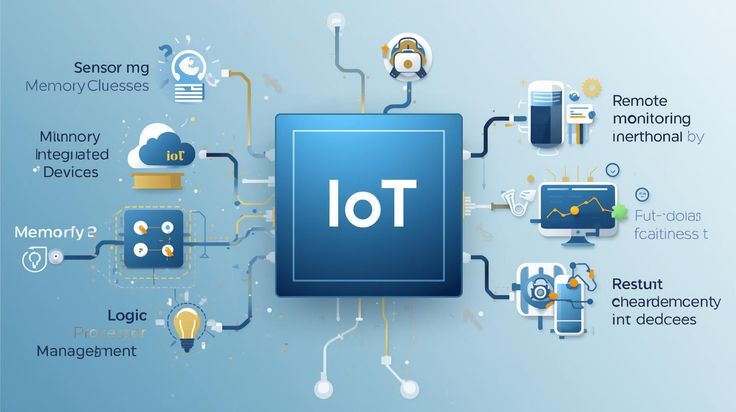
From Connectivity to Autonomy: The Evolution of IoT in 2026 For the past decade, the Internet of Things (IoT) was often described as a massive network of “talking devices.” We focused on the novelty of a fridge that could order milk or a thermostat controlled by a smartphone. But as we move through 2026, the conversation has changed. We are no longer just connecting devices; we are building Intelligent Ecosystems. The IoT of 2026 is defined by Autonomy. It is the shift from a system that simply senses the environment to one that perceives, reasons, and acts upon it. This guide explores the massive disruptions occurring in the IoT landscape and how they are reshaping everything from the factory floor to the palm of your hand. 1. The Rise of AIoT: Intelligence at the Source The most significant trend of 2026 is the total convergence of AI and IoT, commonly referred to as AIoT (Artificial Intelligence of Things). In earlier versions of IoT, devices were “dumb” sensors that sent raw data to the cloud for processing. This created massive latency and high bandwidth costs. Today, we use Edge AI. Machine learning models are now small enough to run directly on the microcontroller of an IoT device. Predictive Maintenance: In a smart factory, a sensor doesn’t just record vibration; it analyzes it in real-time to predict a bearing failure before it happens. Smart Retail: AI-driven X-ray systems and spectral sensors can now “see” objects or contaminants that were once invisible, automating quality control in seconds. 2. Edge Computing as the New Standard As billions of new devices come online, cloud-only architectures are hitting their limits. Edge Computing—processing data closer to where it is generated—has become the default architecture for 2026. By processing data at the edge, companies are achieving near-zero latency. This is critical for applications like Autonomous Vehicles and Remote Surgery, where a millisecond delay in data transmission can have life-altering consequences. For your Software development team, this means moving away from centralized databases toward distributed, mesh-like networks. 3. Sustainable IoT: Energy Harvesting and “Zero-Power” Devices The environmental impact of billions of battery-powered devices is a major concern in 2026. The solution? Energy Harvesting. We are seeing a massive shift toward “Zero-Power” IoT devices that draw energy from their surroundings—solar, thermal, vibrational, or even radio frequency (RF) waves. These devices don’t have fixed duty cycles; they are “adaptive,” waking up to sense and transmit only when they have harvested enough energy. This is a game-changer for Structural Monitoring (bridges/tunnels) and Wildlife Conservation, where replacing a battery is physically impossible. 4. Digital Twins: The Virtual Bridge In 2026, every major physical asset has a Digital Twin. This is a virtual replica that lives in a Product Lifecycle Management (PLM) system. IoT sensors feed real-world data into these virtual models, allowing engineers to simulate “what-if” scenarios. Want to know how a wind turbine will react to a hurricane? You don’t have to wait for the storm; you can simulate the stress on the Digital Twin and apply the fixes to the physical unit before the clouds even roll in. 5. IoMT: The Internet of Medical Things Healthcare has been revolutionized by IoMT. We have moved beyond basic fitness trackers to clinical-grade wearables like smart patches and sensor-embedded textiles. Predictive Health: AI-enhanced sensors now monitor posture, hydration, and sleep quality to detect early signs of physiological changes or chronic conditions. Continuous Care: Patients are no longer “discharged” into a vacuum; they are transitioned to a home-monitoring environment where their clinical team receives real-time alerts for any anomaly. 6. The “Secure by Design” Mandate With the proliferation of connected devices, the attack surface for cybercriminals has expanded exponentially. In 2026, the industry has pivoted toward a Zero-Trust security model. Device Identity: Every sensor, from a smart meter to a factory PLC, must cryptographically verify its identity before connecting to the network. Secure-by-Design: Security is no longer “bolted on” at the end; it is engineered into the hardware during the initial Software development lifecycle. Conclusion: A World That Acts on Its Own The IoT of 2026 is no longer a collection of gadgets; it is the invisible nervous system of our planet. As we integrate AI more deeply into our physical world, the line between the “digital” and “physical” continues to blur. From Connectivity to Autonomy: The Evolution of IoT in 2026

Digital Transformation, Software development, Technology

Identifying the Need for Software Integration

The Silent Growth Killer: Identifying the Need for Software Integration In the early days of a business, adding a new software tool feels like a victory. You find a great CRM, you grab a sleek accounting package, and you subscribe to a top-tier project management tool. But as 2026 unfolds, many companies are realizing that a collection of great tools does not necessarily make a great system. When these tools don’t talk to each other, they create “digital islands.” Your data gets trapped, your employees get frustrated, and your growth stalls. Identifying the need for software integration is about recognizing the difference between a “tech stack” and a “tech mess.” 1. The Symptoms of “Digital Friction” The need for integration rarely announces itself with a loud crash. Instead, it shows up as a series of small, annoying frictions that slowly drain your team’s productivity. The Manual Entry Trap If your employees are spending their Monday mornings copying data from an Excel sheet into your CRM, or manually typing invoice details into your accounting software, you have a major integration gap. Manual data entry is not just slow; it’s a breeding ground for human error. In a world of real-time analytics, “yesterday’s data” is already obsolete. The “Version of the Truth” Conflict Have you ever sat in a meeting where the Marketing team says you have 5,000 leads, but the Sales team says you only have 3,500? This happens when your systems aren’t synced. Without integration, every department creates its own version of reality. Identifying the need for integration often starts when leadership realizes they can no longer trust their own dashboards. 2. Why “Good Enough” is No Longer Enough in 2026 In previous years, companies could survive with “swivel-chair integration”—literally having an employee swivel their chair from one screen to another to update systems. In 2026, the pace of business has made this impossible. Customer Expectations have Shifted Modern customers expect instant gratification. If they update their address in your mobile app, they expect your support team to see that change immediately. If your backend systems aren’t integrated, that update might take 24 hours to propagate. To the customer, this looks like incompetence. Integration is no longer a “back-office” luxury; it is a “front-line” customer service requirement. 3. The Technical Bridge: APIs and the Modern Enterprise When we talk about identifying the need for integration, we are really talking about the health of your APIs (Application Programming Interfaces). An API is the “waiter” of the software world—it takes your request to the kitchen (another software) and brings the response back to you. If your current software vendors don’t offer robust, open APIs, they are effectively locking your data in a cage. As you audit your software, look for tools that support Webhooks and RESTful APIs. If your tools are “closed,” that is your first sign that a major integration project is on the horizon. 4. The Hidden Cost of Fragmented Systems Many managers avoid integration because of the upfront cost. However, the cost of not integrating is often much higher. Employee Burnout: High-value employees don’t want to spend their time on “data janitor” work. When you force them to navigate fragmented systems, their job satisfaction plummets. Security Risks: Every time data is exported to a CSV file to be moved between systems, you create a security vulnerability. Integrated systems allow data to flow through encrypted tunnels without human intervention. Missed AI Opportunities: You cannot implement effective AI or Machine Learning if your data is scattered across five different platforms. AI needs a unified “Data Lake” to provide meaningful insights. 5. Building the Integration Roadmap Once you’ve identified the need, how do you start? You don’t have to integrate everything at once. Map the Data Flow: Draw a literal map of how a customer moves through your business. Where does their data start? Where does it end? Identify the Bottlenecks: Pinpoint the exact moment where a human has to intervene to move data. This is your “High-Value Integration Target.” Choose Your Method: Will you use a “no-code” connector like Zapier, or do you need a custom-built middleware solution? In 2026, many companies are opting for iPaaS (Integration Platform as a Service) to manage their connections in one place. 6. Conclusion: From Fragmentation to Flow Identifying the need for software integration is the first step toward becoming a truly “digital-first” organization. It’s about moving away from a collection of tools and toward a unified ecosystem where data flows like water—effortlessly and exactly where it’s needed. In the competitive landscape of 2026, the companies that win will be the ones that spend less time “managing software” and more time “serving customers” through integrated, intelligent systems. Product Lifecycle Management (PLM) Software

App Development, Digital Transformation, Technology

Product Lifecycle Management (PLM) Software

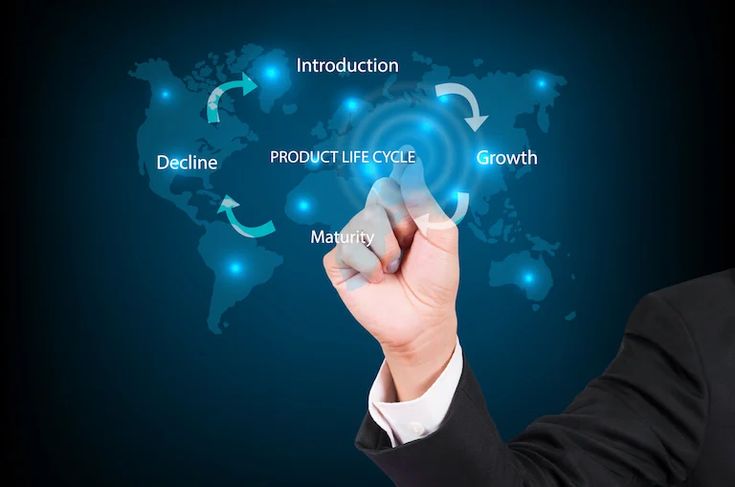
The Digital Backbone: A Comprehensive Guide to Product Lifecycle Management (PLM) Software in 2026 In the modern industrial landscape, a product is no longer just a physical object; it is a complex bundle of data, software, and hardware that evolves over time. Managing this complexity from the first “napkin sketch” to the final recycling bin requires more than just spreadsheets—it requires Product Lifecycle Management (PLM) software. As we navigate 2026, PLM has shifted from being a “filing cabinet for CAD drawings” to becoming the living, breathing “digital thread” that connects every department in a global enterprise. 1. What is PLM Software? (Beyond the Acronym) At its core, PLM software is the strategic process of managing the entire journey of a product. This includes five distinct stages: Concept & Design: Where ideas are born and simulated. Development: Where engineering meets prototyping. Production: Where the supply chain and manufacturing take over. Service & Maintenance: Where the product lives in the hands of the consumer. Retirement: Where the product is recycled or phased out. In 2026, the disruption lies in connectivity. A change made by an engineer in London is instantly visible to a manufacturing lead in Bangalore and a compliance officer in New York, ensuring that everyone is working off the “Single Source of Truth.” 2. The Rise of the “Digital Twin” and Digital Thread The most significant trend in PLM today is the Digital Twin. This is a virtual replica of a physical product that stays connected to its real-world counterpart via IoT (Internet of Things) sensors. PLM software acts as the host for this Digital Twin. If a smart car in the field reports a recurring battery overheat issue, that data flows back through the PLM system. Engineers can then simulate a fix in the virtual world before ever issuing a physical recall. This “Digital Thread” ensures that data isn’t lost between stages, reducing errors by up to 40% in complex manufacturing. 3. Breaking Down Silos: Why Your Business Needs PLM Many companies suffer from “departmental silos.” Engineering doesn’t talk to Marketing, and Marketing doesn’t know what Manufacturing is capable of. PLM acts as the bridge. Centralized Data Management By centralizing all product-related data—BOMs (Bills of Materials), 3D designs, compliance certifications, and supplier info—PLM eliminates the “Which version is the latest?” nightmare. In 2026, cloud-native PLM solutions like Siemens Teamcenter or PTC Windchill allow teams to collaborate in real-time, much like a Google Doc but for heavy engineering. Faster Time-to-Market In a world where consumer tastes change overnight, speed is everything. PLM software automates workflows. Instead of waiting for a manual email approval, the system automatically routes documents to the next person in line. This can shave months off the development cycle, allowing companies to respond to trends faster than their competitors. 4. Sustainability and the “Circular Economy” In 2026, environmental compliance is no longer optional. PLM software now includes Sustainability Modules that calculate the carbon footprint of a product based on the materials selected during the design phase. If a designer chooses aluminum over carbon fiber, the PLM system provides an instant report on how that affects the product’s recyclability and total CO2 impact. This allows companies to build “Green Products” by design, rather than trying to fix environmental issues after the product is already being manufactured. 5. AI and Machine Learning in PLM Artificial Intelligence has found a home within PLM for Generative Design. Engineers no longer have to draw every line. Instead, they tell the PLM software: “I need a bracket that weighs less than 1kg, can hold 500kg of force, and is made of titanium.” The AI then generates hundreds of optimized designs that a human might never have imagined. This “Human-AI Collaboration” is a hallmark of 2026 product development, leading to lighter, stronger, and more efficient products. 6. Choosing the Right PLM for Your Scale Not all PLM software is built for Boeing-sized companies. In 2026, we see a tiering of the market: Enterprise PLM: High-customization tools for aerospace, automotive, and defense. Cloud-Native / SaaS PLM: Scalable solutions for startups and mid-market firms (e.g., Propel or Arena). Industry-Specific PLM: Tools tailored for Fashion/Apparel or Food & Beverage, focusing on recipe management and seasonal cycles. 7. The Future: PLM in the Metaverse As we look toward 2027 and beyond, PLM is moving into Spatial Computing. Design reviews are increasingly happening in VR/AR environments. An executive can “walk through” a virtual factory floor or inspect a 1:1 scale model of a new aircraft engine from their home office, with all the data pulled directly from the PLM backend. Conclusion: The Foundation of Innovation Product Lifecycle Management software is no longer a luxury for the elite manufacturer; it is the fundamental requirement for any company that wants to innovate at scale. By connecting data, people, and processes through a single digital thread, PLM ensures that the products of tomorrow are smarter, greener, and delivered faster than ever before. Why are companies outsourcing theri support structure

Scroll to Top