Author name: Pushkar Pandey

Artificial Intelligence, Technology & Product Development

OpenAI vs Gemini

OpenAI vs Gemini: The Ultimate Architectural and Enterprise Comparison The landscape of generative artificial intelligence is no longer driven by raw novelty. For enterprise architects, product managers, and software engineers, selecting an AI foundation model provider is a high-stakes infrastructure decision. The choice influences application latency, contextual reasoning capabilities, operational costs, and data privacy frameworks for years to come. While many consumer-facing reviews focus on which chatbot writes better poetry, the real engineering battle takes place at the API and model architecture layers. The dominant titans in this space—OpenAI and Google’s Gemini—have engineered fundamentally divergent paths toward achieving Artificial General Intelligence (AGI). This comprehensive technical blueprint delivers an exhaustive, production-grade comparison between OpenAI and Gemini, evaluating their internal architectures, multimodal processing capabilities, API performance, developer ecosystems, and enterprise readiness. 1. Underlying Philosophy and Architectural Layout To choose the right model for your application stack, it is essential to understand how both engineering teams approach model training and processing. OpenAI Approach (Composite / Mixture of Experts) [Input Prompt] —> [Router System] —> [Expert Model A] —> [Expert Model B] -> [Output] Google Gemini Approach (Native Multimodal Matrix) [Text / Audio / Video] —> [Unified Core Neural Network] -> [Multimodal Output] OpenAI: The Evolution of Text-First Transformers OpenAI’s flagships (such as the GPT-4 and GPT-o series) evolved out of advanced text-based Large Language Models (LLMs). To handle vision, audio, and code, OpenAI pioneered a highly sophisticated, interlocking ecosystem of specialized neural networks. Mixture of Experts (MoE): Modern OpenAI models route incoming prompts dynamically through an intelligent routing layer to smaller, hyper-specialized sub-networks (“experts”). This maximizes processing efficiency for distinct tasks like mathematics, creative writing, or logical coding. The Omni Integration: With the introduction of native omni-style models, OpenAI has increasingly moved toward processing audio, vision, and text end-to-end within a single neural network, dramatically lowering latency for real-time applications. Gemini: Built from the Ground Up as Natively Multimodal Google engineered the Gemini series with a completely different starting premise. Instead of training a master text model and stitching secondary vision or audio networks onto it, Gemini was designed as a native multimodal model from day one. Unified Tokenization: Gemini translates text pixels, audio frequencies, video frames, and code syntax into a unified token stream at the foundational layer. This allows the model to seamlessly interleave and cross-reference entirely different mediums of data without losing context or requiring intermediate translations. Infrastructure Synergy: Because Gemini is built by Google, its underlying neural network is tightly co-designed with Google’s proprietary Tensor Processing Units (TPUs). This direct hardware-software integration allows for massive parallel computing efficiencies that are unique to Google’s cloud ecosystem. 2. Context Window Warfare and Memory Retention The size of a model’s context window dictates how much data it can analyze, remember, and reason over during a single API request cycle. This is where the divergence between OpenAI and Gemini is most apparent. The Gemini Context Advantage Google completely shifted the industry paradigm by introducing a massive 2-million token context window in its Gemini 1.5 Pro architecture. What 2M Tokens Means in Production: You can upload an entire codebase (tens of thousands of lines of code), 2 hours of raw high-definition video, or up to 60 full-length books directly into a single prompt window. The “Needle in a Haystack” Metric: Having a massive context window is useless if the model forgets data hidden in the middle. Gemini maintains a near-perfect 99%+ retrieval rate across its entire 2-million token spectrum, making it the undisputed champion for deep log analysis, comprehensive legal auditing, and large-scale asset cross-referencing. The OpenAI Philosophy: Focused and Fast OpenAI relies on a standard baseline of a 128K token context window across its dominant enterprise models. While significantly smaller than Gemini’s maximum limits, OpenAI operates under a different design priority: The RAG Paradigm: OpenAI relies on the premise that feeding millions of raw tokens into an LLM for every single prompt is computationally inefficient and introduces unnecessary latency. Instead, OpenAI advocates for Retrieval-Augmented Generation (RAG). Vector Embeddings Execution: By indexing massive datasets into external vector databases and injecting only the most relevant snippets into the tight 128K window, developers can keep API interactions lightning-fast, highly targeted, and cost-effective. 3. Multimodal Execution: Video, Audio, and Code Processing multiple input streams efficiently determines how capable your application tier will be when managing real-world media workloads. Feature / Modality OpenAI Enterprise Stack Google Gemini Enterprise Stack Native Video Processing Treats video as a sequence of isolated, extracted image frames. Natively streams raw video, tracking timestamps and audio cues in sync. Audio Processing Extremely low-latency voice synthesis via advanced speech-to-speech tokens. Deep voice analytics, capable of discerning ambient noises and vocal emotional shifts. Code Generation Elite logical reasoning, clean structural execution, and advanced debugging. Masterful multi-file structural codebase refactoring due to massive context. Video and Spatial Analysis When processing video, OpenAI’s API requires splitting the file into distinct static image snapshots (e.g., extracting 1 frame per second) and feeding them sequentially to the vision model. Gemini accepts raw video file formats natively. It reads the continuous data stream directly, allowing developers to ask complex temporal questions, such as: “At exactly what timestamp in this 1-hour security footage does the delivery truck leave the frame?” Code Synthesis and Logical Execution Both providers exhibit exceptional software engineering capabilities. OpenAI remains incredibly popular among developers due to its sharp code logic, accurate code generation patterns, and highly structured JSON outputs via native Structured Outputs modes. However, when it comes to refactoring entire software repositories at once, Gemini’s capacity to swallow the whole codebase into memory gives it a distinct operational advantage for enterprise system overhauls. 4. API Performance, Developer Experience, and Tooling Building production-grade software requires evaluating rate limits, response times, and the developer tools provided by each platform. Developer Tooling and SDK Environments OpenAI Developer Experience: OpenAI sets the industry benchmark for developer onboarding. Its SDKs (Python, Node.js) are exceptionally clean, documentation is exhaustive, and the developer portal features intuitive playgrounds for real-time testing. Features like Function

Mobile App Development, Software development

Improving Mobile App Performance by 60%

The Engineering Blueprint: Improving Mobile App Performance by 60% In the modern digital economy, user patience is measured in milliseconds. Studies consistently show that if a mobile application takes longer than three seconds to launch, over 53% of users will abandon it. Even worse, a sluggish interface, dropped frames, or stuttering animations directly translate to poor app store reviews, plummeting conversion rates, and millions in lost revenue. Improving mobile app performance by 60% is not achieved by changing a few compiler flags or compressing a handful of images. It requires a disciplined, systematic approach to optimizing the three pillars of mobile engineering: rendering efficiency, network data optimization, and memory management. This technical guide provides a deep-dive architectural blueprint to diagnose performance bottlenecks, eliminate technical debt, and accelerate your iOS or Android application to achieve elite performance metrics. 1. App Launch Optimization (Reducing Time to First Frame) The launch experience sets the psychological baseline for how a user perceives your application’s speed. App launch is split into two critical phases: Cold Start (the app is launched from scratch after a device reboot or force-close) and Warm Start (the app process exists in memory but is brought to the foreground). To slash cold start times by 60% or more, engineering teams must optimize what happens before the very first screen renders. Optimizing the Application Init Runtime During a cold start, the operating system must load the application binary, instantiate core dynamic libraries, and trigger the runtime framework initialization. Defer Third-Party SDK Initializations: A common anti-pattern is initializing analytics, crash reporters, ad networks, and customer support widgets inside the Application.onCreate() (Android) or didFinishLaunchingWithOptions (iOS) methods. The Fix: Implement a lazy-loading dependency initialization graph. Utilize libraries like Android’s App Startup to initialize non-critical SDKs asynchronously on a background thread after the primary user interface has fully loaded. Pre-fetching and Main Thread Protection Keep the Main Thread Untouchable: The main thread (or UI thread) must be preserved strictly for handling user input and rendering layout components. Never execute disk I/O operations, shared preference reads, or database queries on the main thread during launch sequence loops. Placeholder UI (Skeletons): Instead of waiting for a network API request to return data before drawing the screen, instantly render a lightweight skeleton view. This drastically lowers the perceived visual launch time, keeping the user engaged while data fetches in the background. 2. Eliminating Layout Bottlenecks and Rendering Sluggishness Modern mobile screens refresh at 60Hz or 120Hz, meaning the application has a minuscule window of 16.6ms or 8.3ms respectively to calculate, draw, and render an individual frame. If your application takes even a fraction of a millisecond longer, the frame is dropped, resulting in a visible user-facing stutter known as “jank.” 120Hz Refresh Target (8.3ms Window) +——————————————————————-+ | [Measure] | [Layout] | [Draw] | GPU Render Execution | = Smooth +——————————————————————-+ Over-Nested Hierarchy / Main Thread Blocked (>16ms) +——————————————————————————-+ | [Measure & Layout Long Loop] | [Draw] | GPU Rendering… | = DROPPED FRAME +——————————————————————————-+ Flattening Complex View Hierarchies When the UI framework renders a screen, it executes an expensive tree traversal consisting of three steps: Measure, Layout, and Draw. Deeply nested XML layouts or overly complex view hierarchies force the system to perform repetitive calculation passes. The Fix for Legacy XML/Storyboards: Replace deeply nested structures with flat alternatives like ConstraintLayout (Android) or auto-layout anchors with minimal nesting levels (iOS). The Modern Way: Transition to modern declarative UI frameworks like Jetpack Compose or SwiftUI. These engines bypass traditional heavy view instantiation and use intelligent recomposition/diffing algorithms to rewrite only the specific visual components that have changed. Optimizing Complex List Views (RecyclerView and List) Lists containing thousands of items (like social media feeds or e-commerce catalogs) are prime sources of dropped frames. View Recycling: Ensure your lists use strict view-holder reuse patterns to avoid allocating new memory objects while the user scrolls. Image Downscaling: Never load a raw 12-megapixel camera image into a small $100 \times 100$ pixel thumbnail widget. Utilize specialized image caching pipelines like Glide, Coil (Android), or Kingfisher (iOS) to automatically downscale, decode, and cache compressed images matching the exact target display dimensions. 3. Network Optimization and Latency Mitigation Mobile devices operate on highly volatile networks. Moving between Wi-Fi, 5G, and spotty cellular dead zones means your network layer must be built defensively to conserve bandwidth and reduce latency. Implementing Efficient Serialization and Payloads Traditional REST APIs utilize verbose, text-heavy JSON payloads. When dealing with complex datasets, parsing large JSON blocks on low-end mobile devices strains the CPU and spikes memory allocation. The Cloud-Native Shift: For heavy microservice data exchanges, evaluate modern binary serialization protocols like Protocol Buffers (Protobuf) via gRPC. Protobuf compresses data into an ultra-compact binary format, cutting data payload transfers by up to 60–80% and drastically speeding up device serialization parsing speeds. Advanced Request Strategies HTTP/3 and Connection Pooling: Ensure your network clients (like OkHttp or URLSession) are configured to leverage HTTP/3. HTTP/3 utilizes QUIC over UDP, eliminating the classic head-of-line blocking issue during network packet loss and speeding up connection handshakes. Response Caching & Conditional Get: Utilize strict HTTP caching headers (Cache-Control, ETags). If an app requests a data list that hasn’t changed on the backend, the server returns an ultra-lightweight HTTP 304 Not Modified header, eliminating unnecessary data transfers completely. 4. Efficient Memory Management and Leak Prevention Mobile operating systems enforce strict memory caps on individual applications. When an application oversteps its memory boundaries, the OS swiftly terminates the process, resulting in an “Out of Memory” (OOM) crash. Hunting Down Memory Leaks A memory leak occurs when an object is no longer used by the application but remains held in memory because another long-lived object maintains a strong reference to it. The Android Culprit (Static References & Anonymous Inner Classes): Passing an activity Context to a static singleton class ensures that even when the user closes that activity, it cannot be cleaned up by the Garbage Collector. The Solution: Use LeakCanary during your internal testing cycles to automatically flag reference leaks before

Cloud Computing and Technology, Digital Transformation, Software development

Migrating Legacy Systems to Cloud

The Enterprise Guide: Migrating Legacy Systems to the Cloud For modern enterprises, the question is no longer if they should modernize their infrastructure, but how. Decades-old software architectures—affectionately or frustratingly dubbed “legacy systems”—continue to anchor core business operations. These monoliths are stable, deeply integrated, and functionally proven. However, they are also expensive to maintain, isolated from modern ecosystem tools, and fundamentally incapable of scaling to meet the demands of a fast-moving market. Migrating legacy systems to the cloud is a complex technical evolution. It requires balancing data integrity, minimal operational downtime, shifting corporate cultures, and architectural transformations. This comprehensive guide serves as a production-ready manual for engineering teams, product managers, and enterprise architects tasked with moving monolithic, on-premise systems into a highly resilient, cloud-native architecture. 1. The Imperative for Modernization: Why Migrate? Maintaining legacy software carries a steep financial and operational tax that compounds every year. Understanding these specific pain points helps frame the entire migration strategy: The Financial Drain: On-premise data centers require continuous capital expenditure (CapEx) for hardware updates, physical security, cooling, and power redundancy. Cloud environments shift these costs to an operational expenditure (OpEx) model, allowing businesses to pay only for the exact computing resources they consume. The Talent Gap: Legacy systems often run on outdated programming frameworks, archaic database engines, or obsolete operating systems. Finding engineers who can maintain infrastructure from twenty years ago is becoming increasingly difficult and expensive. The Innovation Bottleneck: Monolithic architectures prevent modern engineering practices like Continuous Integration and Continuous Deployment (CI/CD). A minor change to a single module requires rebuilding and testing the entire system, stretching release cycles from hours to quarters. Data Silos: Legacy infrastructure struggles to interface with modern artificial intelligence, machine learning pipelines, and real-time big data analytics engines. This isolates your organization’s most valuable asset: its operational data. 2. Frameworks for the Move: The 7 Rs of Cloud Migration Every application in your enterprise portfolio does not need to be migrated in the exact same manner. The path you choose depends heavily on your budget, timeline, and long-term business goals. These options are categorized by Gartner’s widely adopted “Rs” model: Legacy System Evaluation | +——————-+——————-+ | | Low Effort / Low Value High Effort / High Value (Rehost / Replatform) (Refactor / Rearchitect) | | v v – Immediate savings – True cloud-native elasticity – Keeps monolithic debt – High engineering investment – Faster execution time – Massive performance rewards 1. Rehost (“Lift and Shift”) The Strategy: Moving your applications and databases from on-premise physical servers or local virtual machines directly to cloud-hosted virtual instances (like AWS EC2 or Azure VMs) with minimal to no changes to the underlying code. Pros: Rapid execution, minimal code risk, and immediate reduction in on-premise data center footprints. Cons: You migrate all your architectural debt along with the code. The application will not natively take advantage of cloud elasticity, autoscaling, or managed services, which can sometimes lead to higher cloud bills than anticipated. 2. Replatform (“Lift, Tinker, and Shift”) The Strategy: Introducing minor optimizations to the infrastructure layer during the move without modifying the core application logic. Example: Moving an on-premise, self-hosted Microsoft SQL Server instance over to a fully managed database service like Amazon RDS or Azure SQL Database. Pros: Eliminates the operational overhead of managing OS patching, backups, and physical scaling for that specific tier. 3. Refactor / Rearchitect The Strategy: Breaking down the monolithic application entirely and rewriting core components to adopt a cloud-native architecture. This typically involves migrating to microservices, utilizing serverless functions, or moving data operations to managed distributed databases. Pros: Unlocks the full power of the cloud—unmatched scalability, high fault tolerance, rapid development cycles, and optimized, granular resource costs. Cons: High upfront investment in engineering hours, extended project timelines, and high risk of introducing bugs during the code translation phase. 4. Re-architecting vs. Replacing or Retaining Beyond changing the code, teams must also consider three alternative pathways: Repurchase (“Drop and Replace”): Abandoning the custom legacy software altogether and shifting operations to a modern, cloud-native Software-as-a-Service (SaaS) provider (e.g., migrating an on-premise CRM to Salesforce). Retain: Keeping the application in its current environment. If an application is highly stable, requires rare updates, and faces strict regulatory hurdles on physical data isolation, the best immediate option may be to leave it alone. Retire: Documenting and safely shutting down applications that are no longer actively supporting core business operations. Migration assessments routinely discover that up to 10% to 15% of an enterprise IT portfolio is completely obsolete but still drawing power. 3. Step-by-Step Legacy Migration Blueprint A successful enterprise migration is broken down into four highly structured, sequential operational phases: Phase 1: Discovery and Assessment You cannot safely migrate what you do not understand. Legacy systems are notorious for undocumented dependencies. Inventory Collection: Use automated discovery tools (such as AWS Application Discovery Service or Azure Migrate) to map out every asset running in your current data center. Dependency Mapping: Map out exactly how applications communicate with each other. If you move Application A to the cloud but leave its primary database on-premise, network latency will severely degrade application performance. Total Cost of Ownership (TCO) Analysis: Calculate your current run rate (hardware leases, electricity, staffing, support contracts) against the projected cost of your future cloud footprint to validate the financial return on investment (ROI). Phase 2: Architecture Design and Security Setup Before a single line of code moves, your destination infrastructure environment must be securely established. Landing Zones: Create a secure, multi-account cloud environment utilizing infrastructure-as-code (IaC) tools like Terraform or AWS CloudFormation. Identity and Access Management (IAM): Integrate your corporate identity providers (like Okta or Active Directory) directly with cloud access controls using Single Sign-On (SSO) and the principle of least privilege. Network Topology: Establish secure communication channels between your remaining on-premise assets and your new cloud networks using high-throughput VPN Tunnels or dedicated lines like AWS Direct Connect or Azure ExpressRoute. Phase 3: Data Migration and Application Cutover Data migration is the most critical phase of

Cloud Computing and Technology, Software development, Technology & Innovation

Scaling a SaaS Application to 100K Users

The Ultimate Blueprint: Scaling a SaaS Application to 100K Users Building a Software-as-a-Service (SaaS) product that solves a real market problem is an incredible milestone. But when your user base begins to skyrocket, the celebration is often cut short by a harsh engineering reality: what worked for 1,000 users will utterly break at 100,000. Scaling a SaaS application to 100K users isn’t just a matter of paying for larger server instances. It requires a complete paradigm shift in how your application processes data, manages state, routes traffic, and handles background tasks. It is an evolutionary process that transforms a monolithic startup prototype into a resilient, distributed, high-availability system. This guide provides an exhaustive, production-grade architectural blueprint for scaling your SaaS platform to 100K users and beyond without crashing your budget or alienating your customer base. 1. The Growth Curve: What Changes at 100K Users? When evaluating architectural bottlenecks, the raw number “100,000 users” can mean very different things depending on your business model: B2C Applications: Often experience massive spikes in traffic during specific hours, high volumes of write operations, and a large proportion of casual, lower-intensity sessions. B2B Enterprise SaaS: Usually features fewer total logins but significantly higher resource intensity per user—think complex analytical queries, heavy data processing, and strict multi-tenant isolation. At 100K total registered users, you can typically anticipate 10,000 to 15,000 Daily Active Users (DAU) and a sustained load of 500 to 2,000 Concurrent Users during peak operational hours. Under this scale, standard monolithic frameworks face severe friction points: Database Connection Exhaustion: Relational databases run out of available worker threads. State Bloat: Storing user sessions directly in application memory causes servers to crash during traffic surges. Long-Running Blocks: Synchronous operations (like sending emails or generating PDFs) tie up HTTP request-response cycles, causing timeouts for other users. Data Contention: Deadlocks occur as multiple users attempt to read and write to the same database tables simultaneously. To bypass these friction points, your architecture must evolve from a single, tightly bundled server into a modular, decoupled ecosystem. 2. Architectural Fundamentals: Horizontal vs. Vertical Scaling When resource usage creeps toward 100%, engineers face two fundamental paths: vertical scaling or horizontal scaling. Vertical Scaling (Scale Up) Horizontal Scaling (Scale Out) +—————–+ +—–+ +—–+ +—–+ | | | App | | App | | App | | Mega Server | +—–+ +—–+ +—–+ | (CPU/RAM Peak) | ^ ^ ^ +—————–+ | | | +———————+ | Load Balancer | +———————+ The Limits of Vertical Scaling (Scaling Up) Vertical scaling means adding more power (CPU, RAM, NVMe storage) to your existing server. While appealing because it requires zero architectural changes, it has distinct boundaries: The Hardware Ceiling: You will eventually hit the upper limits of available cloud instances (e.g., AWS EC2 high-memory configurations). Single Point of Failure (SPOF): If your massive single instance encounters an operating system crash, hardware defect, or a bad deployment, your entire SaaS goes offline instantly. Cost Inefficiency: Cloud providers price ultra-high-end instances exponentially rather than linearly. Doubling your server specs can sometimes triple or quadruple your operational costs. The Power of Horizontal Scaling (Scaling Out) Horizontal scaling involves running multiple smaller, identical instances of your application behind a load balancer. Fault Tolerance: If one application instance fails, the load balancer gracefully reroutes traffic to the surviving nodes. Linear Cost Scaling: You pay for smaller nodes, adding or removing them automatically based on real-time traffic demands. The Golden Rule: To successfully scale horizontally, your application tier must be completely stateless. No user session data, uploaded files, or transient state can live permanently on an individual application server’s local disk. 3. Designing a Stateless Application Tier To ensure your application instances can spin up or shut down dynamically without interrupting user sessions, you must decouple data from execution. Decoupling the Session State In early-stage apps, user sessions are often written to the local web server’s memory or disk. In a multi-node horizontal setup, this breaks: a user logs in on Node A, their next click hits Node B via the load balancer, and Node B treats them as unauthorized because it lacks their session record. The Solution: Extract session state into a hyper-fast, centralized, in-memory data store like Redis or Memcached. Alternative (Stateless Tokens): Implement JSON Web Tokens (JWT) for authentication. Because JWTs are cryptographically signed and stored on the client side (in secure, HTTP-only cookies), your application tier can validate requests instantly using a shared secret key without executing a database or cache lookup for every single API call. Handling Media and Static Asset Storage Never save user-generated uploads, avatars, or CSV reports directly to an application server’s local storage. The Solution: Use dedicated, highly scalable object storage services such as Amazon S3, Google Cloud Storage, or Azure Blob Storage. Implementation Strategy: Your application processes the upload and immediately streams it to object storage, or issues a secured, pre-signed URL allowing the user’s browser to upload the file directly to the object store, entirely bypassing your application tier’s precious CPU cycles. 4. Database Scaling Strategies The database is almost always the ultimate bottleneck when scaling a SaaS application to 100K users. While application nodes can be replicated easily, keeping state consistent across multiple databases is a complex distributed systems challenge. Read/Write Splitting (Replication Pairs) For most SaaS products, read operations outnumber write operations by an order of magnitude (often a 9:1 ratio). You can capitalize on this asymmetry by separating your database traffic. Primary Database Instance: Handles all data modifications (INSERT, UPDATE, DELETE) and transactions. Read Replicas: The primary instance replicates data asynchronously to one or more read-only mirror databases. Routing Logic: Modify your application code or configure an intelligent database proxy (like MaxScale or AWS RDS Proxy) to send analytical queries, dashboard loading views, and list fetches to the read replicas, keeping the primary database unburdened and responsive. Database Connection Pooling Each connection to a relational database like PostgreSQL or MySQL consumes system memory and CPU overhead. When hundreds of users hit your app concurrently, your instances can

Artificial Intelligence, Digital Transformation, Software development

How We Built an AI CRM Platform

How We Built an AI CRM Platform: From Architecture to Autonomous Workflows Traditional Customer Relationship Management (CRM) systems are fundamentally broken. For decades, software like Salesforce, HubSpot, and Microsoft Dynamics operated as glorified, digital filing cabinets. They required sales representatives, account managers, and support agents to spend hours manually logging calls, updating pipeline stages, tagging emails, and calculating arbitrary deal probabilities. Instead of empowering teams to sell or support, the CRM became a heavy administrative burden. It was a reactive database—only as good as the data manually entered into it. When we set out to build our own next-generation CRM platform, we discarded the digital filing cabinet blueprint entirely. We asked a foundational question: What if the CRM wasn’t a passive repository, but an active, intelligent member of the team? We designed an AI-Native CRM Platform. Our system doesn’t wait for manual data entry; it autonomously captures ambient data streams (emails, calendar events, transcripts, product usage metrics), understands the deep semantic context of buyer behaviors, predicts precise pipeline risks, and executes complex follow-up workflows entirely on its own. Here is the exact engineering blueprint, architectural breakdown, and technical journey of how we built it. 1. Defining the Core AI Capabilities Before writing a single line of code, we mapped out the four pillars of intelligence our platform required to truly differentiate itself from legacy systems: ┌────────────────────────────────────────────────────────┐ │ AI CRM Platform Core Pillars │ ├───────────────────────────┬────────────────────────────┤ │ 1. Ambient Data Capture │ 2. Generative Execution │ │ • Zero manual data entry │ • Contextual auto-replies │ │ • Multimodal ingestion │ • Dynamic content scaling │ ├───────────────────────────┼────────────────────────────┤ │ 3. Predictive Insights │ 4. Autonomous Agents │ │ • Deep deal health scoring│ • Self-triggering tasks │ │ • Churn risk prevention │ • Multi-app orchestration │ └───────────────────────────┴────────────────────────────┘ Ambient Data Capture: The system must automatically ingest unstructured communications (IMAP/SMTP email exchanges, Google Calendar metadata, Zoom/Teams audio recordings) and transform them into structured CRM timeline events without human intervention. Generative Execution: Instead of providing rigid email templates, the system must write highly personalized, deeply contextual follow-ups based on the exact history of a specific B2B relationship. Predictive Insights: Moving past static lead scoring, the AI must evaluate deal velocity, stakeholder sentiment changes, and engagement metrics to output a dynamic, highly accurate win/loss probability matrix. Autonomous Agents: The CRM must feature “Agentic workflows” capable of routing leads, updating fields, notifying cross-functional teams, and triggering external app workflows using natural language instructions. 2. High-Level System Architecture Building an AI-native SaaS application requires a departure from traditional monolithic or standard microservice architectures. We had to design an infrastructure that balances fast, low-latency transactional operations (like loading an account page) with heavy, asynchronous machine learning computing tasks (like processing a two-hour sales call transcript). Our platform relies on a decoupled, event-driven architecture split into three primary layers: [ Data Ingestion Layer ] ──► (Kafka Event Bus) ──► [ AI Processing Engine ] │ │ ▼ ▼ ┌──────────────────┐ ┌──────────────────┐ │ PostgreSQL (OLTP)│ │ Vector DB (Qdrant│ └──────────────────┘ └──────────────────┘ The Transactional Layer (OLTP) For core application state management, user authentication, and standard relational records (Accounts, Contacts, Deals), we deployed a highly optimized PostgreSQL cluster. PostgreSQL ensures transactional integrity and handles structured relational data perfectly. The Streaming and Event Layer To handle the continuous influx of webhooks from integrated email providers, calendar clients, and voice over IP (VoIP) tools, we implemented Apache Kafka. Every single inbound email or communication is treated as an immutable event tossed onto the Kafka bus. This guarantees that our background AI models can consume data asynchronously without blocking the user interface. The Intelligence Layer (OLAP & Vector) For semantic search, retrieval-augmented generation (RAG), and similarity calculations, we paired PostgreSQL with Qdrant as our specialized vector database. Long-term analytic queries and machine learning model training run in isolated worker pools using Ray, ensuring that heavy model training never degrades standard web application performance. 3. Engineering the Ambient Data Capture Engine The first major technical hurdle was building a system that could eliminate manual entry. If a sales rep emails a prospect from their phone, the CRM must capture it, extract the semantic context, and update the pipeline instantly. We built an asynchronous ingestion pipeline running on Node.js/TypeScript workers. When a new email arrives via a secure OAuth IMAP hook, the text is immediately scrubbed of HTML noise, signature blocks, and security disclaimers using regular expressions and specialized NLP parsers. Once clean, the text is sent to our Embedding Pipeline: [Raw Clean Text] ──► [text-embedding-3-small] ──► [Vector Embeddings] ──► [Stored in Qdrant] We utilize OpenAI’s $text-embedding-3-small$ model to convert the raw unstructured text into a dense 1536-dimensional vector representation. This vector is then stored inside Qdrant, tagged with critical metadata like account_id, contact_id, and timestamp. Because everything is embedded semantically, users don’t need to search for exact keywords anymore. A sales manager can type, “Find accounts where the buyer complained about pricing last month,” and the system executes a vector cosine similarity search over the email embeddings to surfaces the exact interaction instantly: $$\text{Similarity} = \frac{A \cdot B}{\|A\| \|B\|}$$ 4. Building the RAG-Powered Conversational Layer A major feature of our platform is the conversational copilot—a sidebar where reps can ask complex questions about their accounts. To make this work without hallucinations, we built a highly robust Retrieval-Augmented Generation (RAG) pipeline. The RAG workflow operates through a multi-step execution cycle when a user queries the system (e.g., “Summarize our current relationship standing with Acme Corp”): ┌──────────────────────────────┐ │ User Query: “Acme Corp Summary”│ └──────────────┬───────────────┘ │ ▼ ┌──────────────────────────────┐ │ Hybrid Vector Search Engine │ └──────────────┬───────────────┘ │ ┌────────────────────┴────────────────────┐ ▼ ▼ ┌───────────────────────────┐ ┌───────────────────────────┐ │ Relational Data (Postgres)│ │ Semantic Data (Qdrant DB) │ │ • Open Deals & Values │ │ • Recent Email Sentiment │ │ • Direct Contact History │ │ • Call Transcript Context │ └─────────────┬─────────────┘ └─────────────┬─────────────┘ │ │ └────────────────────┬────────────────────┘ │ ▼ ┌──────────────────────────────┐ │ LLM Context Assembler Block │ └──────────────┬───────────────┘ │ ▼ ┌──────────────────────────────┐ │ Streaming UI Generation │ └──────────────────────────────┘ Context Retrieval: The query triggers a hybrid search engine.

cybersecurity, Data Privacy & Security, Digital Transformation

AI Fraud Detection Systems

AI Fraud Detection Systems: Safeguarding the Modern Supply Chain As global supply chains transition into hyper-connected, software-driven ecosystems, they open up unprecedented avenues for efficiency. However, this massive digital expansion has a dark side. The reliance on distributed networks, automated procurement, and digitized financial transactions has exposed organizations to sophisticated, multi-layered criminal exploits. Traditional rule-based fraud detection systems—which flag anomalies based on static, pre-configured thresholds—are completely ill-equipped to handle the speed and complexity of modern bad actors. Fraudsters constantly evolve their techniques, finding gaps between siloed logistics systems to execute invoice manipulation, cargo theft, and identity spoofing. To fight back, enterprises are deploying AI fraud detection systems. By embedding machine learning, deep learning, natural language processing, and graph analytics into core supply chain infrastructure, companies are transitioning from a defensive, post-event investigative posture to an automated, real-time preventative shield. 1. The Anatomy of Modern Supply Chain Fraud To understand why artificial intelligence is mandatory for modern risk management, we must first look at the unique, high-yield fraud vectors currently targeting global logistics and supply chain operations. ┌────────────────────────────────────────────────────────┐ │ Supply Chain Fraud Vectors │ └────┬───────────────────────┼───────────────────────┬───┘ │ │ │ ▼ ▼ ▼ ┌───────────────────────┐ ┌───────────────────────┐ ┌───────────────────────┐ │ Invoice & Billing │ │ Strategic Cargo │ │ Digital Identity │ │ • Ghost Vendors │ │ • Carrier Spoofing │ │ • Credential Theft │ │ • Duplicate Billing │ │ • Fictitious Pickups│ │ • Phishing Inbound │ └───────────────────────┘ └───────────────────────┘ └───────────────────────┘ Invoice Manipulation and Billing Anomalies With thousands of suppliers, sub-contractors, and third-party logistics (3PL) providers issuing digital invoices daily, corporate accounts payable departments are overwhelmed. Fraudsters exploit this high-volume environment by submitting duplicate invoices with minor alterations, inflating shipping volumes, adding arbitrary fuel surcharges, or routing payments to “ghost vendors” via compromised internal credentials. Strategic Cargo Theft and Carrier Spoofing Cargo theft has moved past physical hijacking on empty highways. Today’s criminals execute strategic cargo theft using digital identity theft. Fraudsters create fraudulent carrier profiles on digital freight broker boards, underbid legitimate carriers to win high-value loads (such as electronics or pharmaceuticals), and seamlessly pick up the freight from the warehouse dock—only to vanish entirely once the cargo is loaded onto their truck. Procurement Collusion and Kickbacks Internal bad actors can collude with external suppliers to manipulate the competitive bidding process. This includes sharing confidential competitor pricing data, deliberately formatting requests for proposals (RFPs) to favor a specific vendor, or approving subpar, over-priced raw materials in exchange for financial kickbacks. 2. Machine Learning vs. Legacy Rule-Based Systems For years, fraud prevention relied on static, “if-then” logical rules written by risk analysts. For example: “If an invoice amount exceeds $50,000 and originates from a new vendor country, flag it for manual review.” While helpful for catching basic errors, legacy systems create massive operational friction: The False Positive Avalanche: Rigid rules fail to account for legitimate, dynamic business volatility (e.g., a sudden surge in spot freight rates due to a port strike). This leads to an overwhelming volume of false positives that paralyze auditing teams. Inability to Adapt: If a fraudster alters their behavior slightly—such as submitting an illicit invoice for $49,999 instead of $50,000—the static rule fails entirely. AI fraud detection systems continuously learn from historical and streaming data. By analyzing thousands of behavioral, contextual, and transactional variables simultaneously, machine learning models establish a dynamic baseline of “normal” operational behavior. Instead of waiting for a hard threshold violation, the AI detects subtle, multi-dimensional correlations that point to malicious intent, adapting its defense mechanisms as fast as the fraudsters change their tactics. 3. Real-Time Transaction and Invoice Auditing One of the most immediate applications of AI in fraud prevention is automated, real-time invoice and payment auditing. When an enterprise processes hundreds of thousands of complex bills of lading, freight audits, and supplier invoices, manual oversight is statistically impossible. Advanced AI fraud engines run continuously in the background of Enterprise Resource Planning (ERP) and Transportation Management Systems (TMS). They leverage a multi-layered verification funnel: [Incoming Invoice Document] │ ▼ ┌──────────────────────────────┐ │ Computer Vision & NLP OCR │ ──► Extracts text, signatures, & metadata └──────────────┬───────────────┘ │ ▼ ┌──────────────────────────────┐ │ Behavioral Analysis Model │ ──► Cross-checks historical pacing & amounts └──────────────┬───────────────┘ │ ▼ ┌──────────────────────────────┐ │ Digital Forensic Validation │ ──► Analyzes metadata anomalies & PDF structures └──────────────────────────────┘ Natural Language Processing (NLP) & OCR: The AI instantly reads unstructured text across digital documents, extracting key entities like line-item details, addresses, tax IDs, and bank routing info. Behavioral Footprint Analysis: The system compares the new invoice against years of historical interaction data with that specific vendor. It flags the document if the payment terms have changed unexpectedly, if the billing velocity spikes unnaturally, or if the line-item pricing deviates from current macroeconomic market averages. Metadata Forensics: Sophisticated systems analyze the underlying code of digital files. If an invoice claims to be an original PDF generated by an established enterprise vendor, but the metadata reveals it was edited in a consumer photo-editing app minutes before submission, the AI automatically pauses the payment transaction and alerts the compliance team. 4. Graph Analytics and Sybil Network Detection In complex supply chain networks, fraudsters rarely operate using a single compromised account. Instead, syndicates deploy complex webs of shell companies, fake freight brokerages, and cloned digital carrier profiles to mask their tracks. This tactic is known as a Sybil attack. To expose these hidden relationships, AI platforms leverage Graph Analytics and Graph Neural Networks (GNNs). Unlike traditional databases that store data in isolated rows and columns, graph technology focuses entirely on the connections between data points (nodes). [Carrier Profile A] [Carrier Profile B] │ │ └───────────► [Shared Node] ◄───────┘ │ • Shared IP Address • Identical Bank Account • Cloned Device Fingerprint When a new carrier registers on a shipping portal, the GNN instantly maps its digital footprint against the global enterprise graph. It cross-references seemingly unrelated data fields: Is this new carrier utilizing the exact same physical IP address or device fingerprint as a vendor blacklisted six months ago? Does their listed

Automobile, Blockchain & Technology

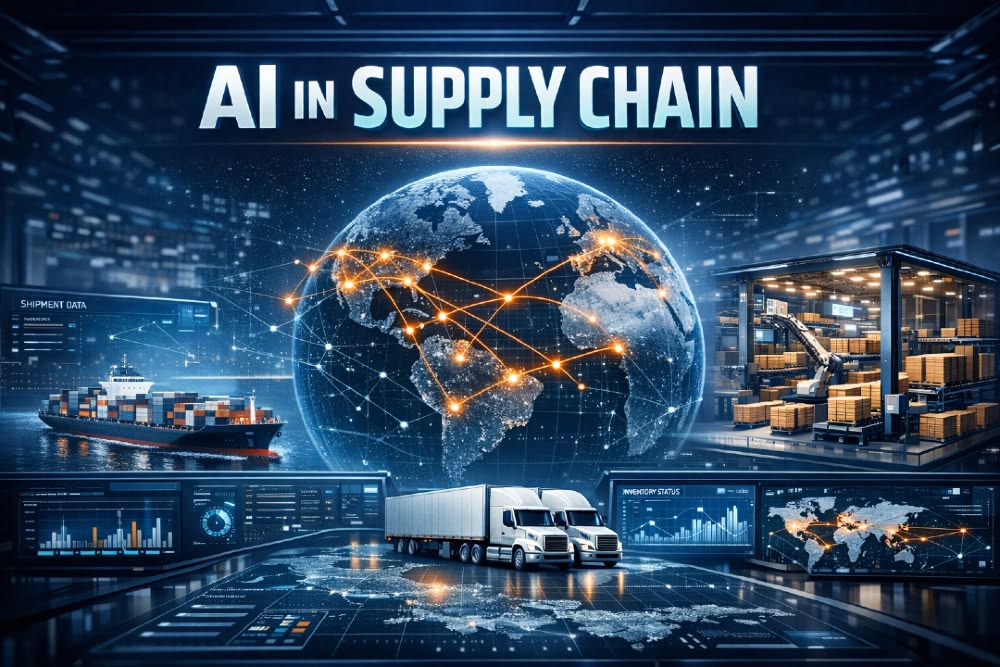
AI in Supply Chain Management

Logistics Automation Software Trends: Driving Efficiency in an Unpredictable World The global logistics landscape is undergoing a profound paradigm shift. For years, supply chain management focused on a singular, relentless pursuit: cost minimization through just-in-time efficiency. However, a relentless wave of global volatility—spanning geopolitical tensions, extreme climate events, localized labor shortages, and shifting trade policies—has exposed the fragile fault lines of traditional, rigid infrastructure. Today, survival and profitability require a foundational operational overhaul. The goal has shifted from building a reactive supply chain to engineering an intelligent, self-healing, and proactive network. At the heart of this radical transformation is software. Logistics automation is no longer just about deploying massive, fixed hardware or static conveyors. Instead, modern logistics is defined by software intelligence, interconnected ecosystems, and automated adaptability. As organizations strive to bridge the gap between real-time insights and immediate operational execution, let’s explore the core logistics automation software trends defining the industry. 1. The Rise of Agentic AI and Self-Healing Supply Chains Artificial Intelligence has officially graduated from a passive analytics tool into an active operational partner. Historically, AI in logistics was predictive—it analyzed historical datasets, identified patterns, and generated dashboards for human operators to interpret and act upon. While valuable, this traditional approach still left a costly gap of latency between identifying a disruption and executing a remedy. The current frontier belongs to Agentic AI and self-healing supply chains. Autonomous AI agents are integrated directly into core execution software, such as Transportation Management Systems (TMS) and Enterprise Resource Planning (ERP) engines. Instead of waiting for human intervention, these intelligent software agents possess the decision-making capabilities to autonomously execute solutions within predefined operational guardrails. [Disruption Detected: Port Closure] │ ▼ ┌──────────────────────────────┐ │ Agentic AI Evaluates Data │ └──────────────┬───────────────┘ │ ▼ ┌──────────────────────────────┐ │ Autonomously Reroutes Fleet │ └──────────────┬───────────────┘ │ ▼ ┌──────────────────────────────┐ │ Updates WMS & Notifies Crew │ └──────────────────────────────┘ For instance, if an ocean cargo liner faces an unexpected port closure due to severe weather, an agentic AI system doesn’t just trigger an alert flag on a dashboard. It actively evaluates real-time alternative routes, calculates the financial cost-to-serve implications, renegotiates dynamic freight spot rates with backup carriers, alters the digital customs paperwork, and re-sequences the downstream warehouse receiving schedule—all in a matter of seconds without human prompting. This shift to continuous, automated planning reduces latency to near zero, transforming unexpected bottlenecks from multi-day crises into seamlessly managed, minor operational adjustments. 2. Next-Generation WMS and Smart Warehousing As e-commerce demands continue to pressure fulfillment timelines, distribution centers can no longer operate using legacy, paper-reliant Warehouse Management Systems (WMS). Inbound and outbound logistics are converging under next-generation, cloud-native WMS platforms powered by generative AI and real-time edge processing. Modern WMS platforms are focusing heavily on dynamic optimization. Instead of relying on static zoning patterns, AI algorithms continuously monitor the physical flow of the warehouse floor. They dynamically re-slot fast-moving SKUs based on real-time order surges, balance picking labor across aisles to prevent congestion, and adjust picking strategies on the fly. Furthermore, a significant sub-trend is the rapid modernization of inbound automation software. Historically, outbound fulfillment took priority for automation investments. Today, the focus is equalizing. Advanced WMS platforms leverage machine vision software equipped with Neural Processing Units (NPUs) to handle complex inbound processes: Robotic De-palletization: Software guides robotic arms to identify, visually inspect, and de-stack highly irregular, mixed-SKU pallets. Instant Verification: Real-time AI vision scans barcodes and cross-references them against digital bills of lading in milliseconds, entirely bypassing manual clipboard validation. Predictive Workload Scheduling: By processing upstream transport delays, the WMS automatically adjusts warehouse staffing shifts before a delayed fleet arrives at the yard bay doors. 3. Orchestration Layers and Multi-Fleet Management Systems (FMS) Go into a modern fulfillment hub, and you will see an incredibly diverse ecosystem of automated hardware. You might see Autonomous Mobile Robots (AMRs) moving cases, Automated Guided Vehicles (AGVs) transporting heavy pallets, automated storage and retrieval systems (AS/RS) soaring up vertical racks, and human workers operating traditional forklifts. The primary challenge isn’t the individual performance of these machines; it is their coordination. Without a unifying brain, a warehouse becomes a multi-million-dollar digital traffic jam. This friction has driven the massive growth of Warehouse Execution Systems (WES) and comprehensive Software Orchestration Layers. These advanced software platforms act as a vendor-agnostic nervous system, sit cleanly above individual proprietary hardware controllers, and unify all automation subsystems into a singular, synchronized operational workflow. ┌──────────────────────────────────────┐ │ Software Orchestration Layer │ └────┬──────────────┬──────────────┬───┘ │ │ │ ▼ ▼ ▼ ┌───────┐ ┌───────┐ ┌───────┐ │ AMRs │ │ AS/RS │ │ AGVs │ └───────┘ └───────┘ └───────┘ Concurrently, Fleet Management Systems (FMS) have evolved far beyond basic dispatch scripting rules. Driven by live spatial data, modern FMS platforms control real-time traffic across the facility floor. They dynamically reroute AMRs away from congested corridors, prioritize charging schedules for robotic units based on upcoming order volumes, and coordinate seamless intersections where human workers and robotic fleets cross paths safely. The software ensures that predictable throughput and steady physical flow are maintained around the clock. 4. Robotics-as-a-Service (RaaS) Democratizing Automation For decades, the benefits of advanced warehouse robotics were reserved exclusively for enterprise giants with massive capital expenditure (CapEx) budgets. Smaller third-party logistics (3PL) providers and mid-sized e-commerce merchants were left locked out by the staggering upfront costs of automated infrastructure. Robotics-as-a-Service (RaaS) has completely flipped this model by shifting automation from a rigid capital expense to a flexible, scalable operational expense (OpEx). Under the RaaS software model, companies subscribe to cloud-hosted robotic management platforms while leasing physical robot fleets (like AMRs or autonomous sorting units) on a predictable monthly or volume-based payment structure. This trend has triggered the rise of what industry experts call “brownfield automation.” Rather than abandoning existing brick-and-mortar setups to build expensive, highly customized “greenfield” automated facilities, businesses are deploying RaaS software into their legacy, existing structures. Because modern AMRs rely on lidar, onboard edge processing, and computer vision software for navigation rather than fixed magnetic tracking tape embedded in floors, they can be deployed into

Digital Transformation, Software development, Technology & Business

Logistics Automation Software Trends

Logistics Automation Software Trends: Driving Efficiency in an Unpredictable World The global logistics landscape is undergoing a profound paradigm shift. For years, supply chain management focused on a singular, relentless pursuit: cost minimization through just-in-time efficiency. However, a relentless wave of global volatility—spanning geopolitical tensions, extreme climate events, localized labor shortages, and shifting trade policies—has exposed the fragile fault lines of traditional, rigid infrastructure. Today, survival and profitability require a foundational operational overhaul. The goal has shifted from building a reactive supply chain to engineering an intelligent, self-healing, and proactive network. At the heart of this radical transformation is software. Logistics automation is no longer just about deploying massive, fixed hardware or static conveyors. Instead, modern logistics is defined by software intelligence, interconnected ecosystems, and automated adaptability. As organizations strive to bridge the gap between real-time insights and immediate operational execution, let’s explore the core logistics automation software trends defining the industry. 1. The Rise of Agentic AI and Self-Healing Supply Chains Artificial Intelligence has officially graduated from a passive analytics tool into an active operational partner. Historically, AI in logistics was predictive—it analyzed historical datasets, identified patterns, and generated dashboards for human operators to interpret and act upon. While valuable, this traditional approach still left a costly gap of latency between identifying a disruption and executing a remedy. The current frontier belongs to Agentic AI and self-healing supply chains. Autonomous AI agents are integrated directly into core execution software, such as Transportation Management Systems (TMS) and Enterprise Resource Planning (ERP) engines. Instead of waiting for human intervention, these intelligent software agents possess the decision-making capabilities to autonomously execute solutions within predefined operational guardrails. [Disruption Detected: Port Closure] │ ▼ ┌──────────────────────────────┐ │ Agentic AI Evaluates Data │ └──────────────┬───────────────┘ │ ▼ ┌──────────────────────────────┐ │ Autonomously Reroutes Fleet │ └──────────────┬───────────────┘ │ ▼ ┌──────────────────────────────┐ │ Updates WMS & Notifies Crew │ └──────────────────────────────┘ For instance, if an ocean cargo liner faces an unexpected port closure due to severe weather, an agentic AI system doesn’t just trigger an alert flag on a dashboard. It actively evaluates real-time alternative routes, calculates the financial cost-to-serve implications, renegotiates dynamic freight spot rates with backup carriers, alters the digital customs paperwork, and re-sequences the downstream warehouse receiving schedule—all in a matter of seconds without human prompt. This shift to continuous, automated planning reduces latency to near zero, transforming unexpected bottlenecks from multi-day crises into seamlessly managed, minor operational adjustments. 2. Next-Generation WMS and Smart Warehousing As e-commerce demands continue to pressure fulfillment timelines, distribution centers can no longer operate using legacy, paper-reliant Warehouse Management Systems (WMS). Inbound and outbound logistics are converging under next-generation, cloud-native WMS platforms powered by generative AI and real-time edge processing. Modern WMS platforms are focusing heavily on dynamic optimization. Instead of relying on static zoning patterns, AI algorithms continuously monitor the physical flow of the warehouse floor. They dynamically re-slot fast-moving SKUs based on real-time order surges, balance picking labor across aisles to prevent congestion, and adjust picking strategies on the fly. Furthermore, a significant sub-trend is the rapid modernization of inbound automation software. Historically, outbound fulfillment took priority for automation investments. Today, the focus is equalizing. Advanced WMS platforms leverage machine vision software equipped with Neural Processing Units (NPUs) to handle complex inbound processes: Robotic De-palletization: Software guides robotic arms to identify, visually inspect, and de-stack highly irregular, mixed-SKU pallets. Instant Verification: Real-time AI vision scans barcodes and cross-references them against digital bills of lading in milliseconds, entirely bypassing manual clipboard validation. Predictive Workload Scheduling: By processing upstream transport delays, the WMS automatically adjusts warehouse staffing shifts before a delayed fleet arrived at the yard bay doors. 3. Orchestration Layers and Multi-Fleet Fleet Management Systems (FMS) Go into a modern fulfillment hub, and you will see an incredibly diverse ecosystem of automated hardware. You might see Autonomous Mobile Robots (AMRs) moving cases, Automated Guided Vehicles (AGVs) transporting heavy pallets, automated storage and retrieval systems (AS/RS) soaring up vertical racks, and human workers operating traditional forklifts. The primary challenge isn’t the individual performance of these machines; it is their coordination. Without a unifying brain, a warehouse becomes a multi-million-dollar digital traffic jam. This friction has driven the massive growth of Warehouse Execution Systems (WES) and comprehensive Software Orchestration Layers. These advanced software platforms act as a vendor-agnostic nervous system, sit cleanly above individual proprietary hardware controllers, and unify all automation subsystems into a singular, synchronized operational workflow. ┌──────────────────────────────────────┐ │ Software Orchestration Layer │ └────┬──────────────┬──────────────┬───┘ │ │ │ ▼ ▼ ▼ ┌───────┐ ┌───────┐ ┌───────┐ │ AMRs │ │ AS/RS │ │ AGVs │ └───────┘ └───────┘ └───────┘ Concurrently, Fleet Management Systems (FMS) have evolved far beyond basic dispatch scripting rules. Driven by live spatial data, modern FMS platforms control real-time traffic across the facility floor. They dynamically reroute AMRs away from congested corridors, prioritize charging schedules for robotic units based on upcoming order volumes, and coordinate seamless intersections where human workers and robotic fleets cross paths safely. The software ensures that predictable throughput and steady physical flow are maintained around the clock. 4. Robotics-as-a-Service (RaaS) Democratizing Automation For decades, the benefits of advanced warehouse robotics were reserved exclusively for enterprise giants with massive capital expenditure (CapEx) budgets. Smaller third-party logistics (3PL) providers and mid-sized e-commerce merchants were left locked out by the staggering upfront costs of automated infrastructure. Robotics-as-a-Service (RaaS) has completely flipped this model by shifting automation from a rigid capital expense to a flexible, scalable operational expense (OpEx). Under the RaaS software model, companies subscribe to cloud-hosted robotic management platforms while leasing physical robot fleets (like AMRs or autonomous sorting units) on a predictable monthly or volume-based payment structure. This trend has triggered the rise of what industry experts call “brownfield automation.” Rather than abandoning existing brick-and-mortar setups to build expensive, highly customized “greenfield” automated facilities, businesses are deploying RaaS software into their legacy, existing structures. Because modern AMRs rely on lidar, onboard edge processing, and computer vision software for navigation rather than fixed magnetic tracking tape embedded in floors, they can be deployed

App Development, Education & Learning, Educational Technology, Software development, Technology

Learning Management System Development Guide

The Ultimate Learning Management System Development Guide: Building Scalable E-Learning Platforms The global education market has permanently transcended the physical classroom. From corporate compliance programs and university degrees to niche online academies, digital learning is the new baseline. At the core of this movement lies the Learning Management System (LMS). However, building an LMS today means going far beyond basic video hosting or static PDF uploads. Modern e-learning systems must be highly interactive, data-driven, securely integrated, and incredibly responsive under massive user spikes. Whether you are an enterprise software architect, an EdTech startup founder, or a full-stack engineer, this step-by-step Learning Management System development guide provides the technical roadmap, architecture insights, and compliance standards required to build a world-class educational application. 1. Defining the Core LMS Ecosystem: Who Uses the Platform? A production-ready LMS isn’t a singular application; it is a multi-sided ecosystem that coordinates workflows across three distinct user roles. When designing your system architecture, you must build optimized portals for each group:  The Learner Portal The student experience must focus entirely on reducing cognitive load and maximizing engagement. Key Workflows: Seamless onboarding, intuitive course progression tracking, interactive quizzes, downloadable certificates, and persistent discussion boards.  The Instructor / Content Creator Portal Educators need powerful, frictionless tools to build curricula and evaluate performance without administrative exhaustion. Key Workflows: Drag-and-drop course builders, media upload managers (video, audio, text), question bank generators, and centralized grading dashboards.  The Admin Dashboard The operational hub for managers overseeing the platform’s business rules and data health. Key Workflows: Comprehensive user management (roles and permissionsMatrix), financial reporting for subscription models, security log audits, and platform-wide analytics. 2. Core Technical Architecture of a Modern LMS To handle heavy concurrent video streaming, instant quiz evaluations, and massive global telemetry data, an LMS requires a decoupled, secure microservices architecture. The Standard Technical Stack for an Enterprise LMS Layer Recommended Technologies Purpose Frontend Framework React.js, Next.js, Flutter (for mobile) Delivering a fast, responsive, and cross-platform user experience. Backend & APIs Node.js (NestJS), Python (Django/FastAPI) Handling business logic, user auth, and rapid server computation. Database Tier PostgreSQL (Relational), MongoDB (Course Docs) Storing relational progress logs alongside flexible, nested lesson data templates. Caching Layer Redis Caching active user sessions and temporary quiz states to reduce database strain. Media Delivery AWS CloudFront CDN, AWS S3, Vimeo Enterprise Encoding, protecting, and streaming global high-definition course videos seamlessly. 3. Crucial EdTech Interoperability Standards (SCORM vs. xAPI vs. LTI) You should never build an LMS that completely isolates its data. To gain enterprise or institutional adoption, your platform must natively “speak” the universal languages of educational technology. A. SCORM (Sharable Content Object Reference Model) What it is: The legacy industry standard for packaging e-learning content. Why use it: It ensures that third-party training courses (built in tools like Articulate Storyline or Adobe Captivate) can be uploaded into your LMS and instantly track basic completion scores. B. xAPI (Experience API / Tin Can) What it is: The modern successor to SCORM. Why use it: SCORM only tracks if a user clicked “Next” and finished a course. xAPI records any experience using simple statement formats (Actor + Verb + Object). For example: “Pushkar completed the SQL Advanced coding sandbox on a mobile device.” C. LTI (Learning Tools Interoperability) What it is: A standard developed by 1EdTech that securely connects web-based learning tools with your platform. Why use it: If a university using Canvas or Moodle wants to use your specialized learning tool, LTI allows them to launch your application inside their native platform securely without requiring separate login credentials. 4. Step-by-Step Software Development Lifecycle for an LMS Developing an LMS requires a highly structured execution strategy. Because a single bug in progress-tracking can wipe out a user’s entire certification history, rigorous development stages are mandatory. [Discovery & UX Wireframing] ➔ [Database Schema Mapping] ➔ [Core Engine Coding] ➔ [SCORM/xAPI Integration Testing] ➔ [Deployment & CDN Tuning] Step 1: Secure Content Delivery & Video Infrastructure Video streaming is usually the most expensive and resource-intensive component of an LMS. Video Transcoding: Implement automated transcoding pipelines (such as AWS Elemental MediaConvert). When an instructor uploads a raw 4K video, the system must automatically slice it into multiple resolutions (1080p, 720p, 480p) to support low-bandwidth users. Digital Rights Management (DRM): Prevent users from illegally downloading premium course content by implementing secure streaming technologies like HLS (HTTP Live Streaming) paired with encrypted AES keys. Step 2: Designing the Progress Tracking Engine The database schema for tracking student progress must be highly optimized for heavy write operations. Every time a user completes a video milestone or moves to a new page, a status write occurs. Leverage background workers or message queues (like RabbitMQ) to handle non-critical progress logging asynchronously, preventing frontend interface lag. Step 3: Game-Changing UI/UX Implementations An LMS lives or dies by its retention rates. Implement smart UI patterns to keep learners motivated: Progress Visualization: Clear, encouraging visual checklists and progress bars at the top of every dashboard. Contextual Notifications: Triggering automated in-app pushes or targeted emails when a student has stepped away from a course for more than 48 hours. 5. Security, Accessibility, and Compliance Standards When building software that handles user profiles, academic achievements, and enterprise employee data, safety and inclusivity must be hardcoded into your system properties. Data Privacy & Compliance FERPA (USA): If your LMS is deployed in US schools or colleges, you must restrict and audit all access to individual student academic files strictly. GDPR (Europe): Mandates explicit user consent for tracking behaviors, data minimization, and the absolute “right to be forgotten” (wiping user histories completely upon request). Accessibility (WCAG 2.2 Compliance) Education must be inclusive. If your platform is funded or used by public institutions, adherence to the Web Content Accessibility Guidelines (WCAG) is a legal requirement. Ensure full screen-reader compatibility and complete keyboard-only navigation workflows. Enforce optimal color contrast ratios for text visibility and mandate closed-captioning capabilities within your primary video playback modules. 6. Strategic Pre-Launch Technical Checklist Are you gearing up to transition your

Artificial Intelligence, Education & Learning, Educational Technology, Software development

AI in EdTech Platforms

The Definitive Guide to AI in EdTech Platforms: Transforming the Future of Education The global educational landscape is undergoing a massive paradigm shift. Traditional, one-size-fits-all classrooms are rapidly giving way to dynamic, digital environments. At the heart of this transformation is the integration of AI in EdTech platforms—a technical evolution that is turning passive learning management systems (LMS) into highly intuitive, adaptive ecosystems. For software engineers, product managers, and educational innovators, building an AI-driven EdTech platform is no longer about simply embedding video players or digital quizzes. It requires designing complex architectures capable of handling massive student datasets, processing real-time telemetry, and delivering hyper-personalized learning pathways. This comprehensive guide breaks down how artificial intelligence is rewriting the code behind modern education platforms, exploring core use cases, engineering architectures, and strategic implementation checklists. 1. The Macro Shift: Moving from Static LMS to Adaptive Learning Traditional EdTech tools served primarily as digital filing cabinets—places to store syllabi, upload PDFs, and record grades. While efficient, these systems failed to address the core challenge of pedagogy: every student learns at a different pace. By embedding AI directly into educational software, developers can build platforms that observe, adapt, and respond to individual user behavior in real time. Core Benefits of Intelligent EdTech Ecosystems Hyper-Personalization: Dynamically adjusting course difficulty and content delivery based on a student’s unique cognitive gaps. Operational Efficiency: Offloading administrative burdens—like grading, scheduling, and basic student support—from educators. Predictive Student Analytics: Identifying at-risk students weeks before they fail an exam, allowing for proactive, human-led intervention. 2. Core Technical Use Cases of AI in Educational Software To build a competitive EdTech product, development teams must focus on practical, high-ROI machine learning implementations. Here are the primary domains where AI is actively delivering value: A. Intelligent Adaptive Learning Engines Adaptive learning systems act as an automated, digital tutor for every individual user. By continuously assessing a student’s input, the platform alters the curriculum path dynamically. Knowledge Graph Mapping: The software maps out subjects into granular nodes (e.g., in algebra: single-variable equations $\rightarrow$ quadratic formulas). Deep learning models analyze precisely which nodes a student struggles with and modify future lessons accordingly. Dynamic Spaced Repetition: Algorithms calculate the optimal psychological intervals for reviewing complex concepts, serving up tailored refresher exercises just as a student is about to forget them. B. Generative AI and Natural Language Processing (NLP) Generative AI has fundamentally changed how students interact with software. LLMs (Large Language Models) act as 24/7 personal study companions. Socratic AI Tutors: Instead of giving away homework answers instantly, fine-tuned educational LLMs act as conversational guides, asking probing questions to help students solve complex engineering, math, or coding problems on their own. Automated Content Generation: Instructors can instantly transform a raw textbook chapter or lecture transcript into structured flashcards, summaries, and interactive quizzes at the press of a button. C. Automated Assessment and Grading Infrastructure Grading subjective assignments at scale has historically been a massive bottleneck for massive open online courses (MOOCs) and universities alike. Essay and Code Scoring: Advanced NLP models parse the semantic structure of essays to grade coherence, grammar, and stylistic depth against a defined rubric. For computer science platforms, AI engines analyze code architecture and efficiency, providing instant feedback on syntax and logic errors. AI-Powered Proctoring: Computer vision models analyze webcam feeds during high-stakes exams to flag anomalous behaviors—such as frequent head movements away from the screen, unauthorized background voices, or multiple faces in the frame. 3. The Architecture of an AI-Driven EdTech Platform Building an enterprise-ready EdTech platform requires a highly decoupled, scalable, and secure microservices architecture capable of handling intensive data streams without introducing latency into the user interface. [Real-Time Clickstream / Event Ingestion] │ ▼ [Data Processing & Feature Stores] │ ▼ [AI Inference Engine (LLMs / Recommendations)] │ ▼ [Secure Backend APIs & Modern Frontend UI] The Standard Technical Stack for Modern EdTech Platforms Layer Recommended Technologies Purpose Data Ingestion Apache Kafka, AWS Kinesis Capturing millions of real-time student interaction events (clicks, pauses, quiz responses). Data Processing Apache Spark, Python (Pandas) Aggregating raw telemetry data into clean, structured user activity history. AI/ML Engine PyTorch, Hugging Face, OpenAI API Running adaptive recommendation loops and hosting Socratic tutoring agents. Database & Cache PostgreSQL, MongoDB, Redis Managing relational student profiles, course metadata, and instant session caching. Interoperability LTI (Learning Tools Interoperability) Ensuring the platform seamlessly embeds inside school ecosystems like Canvas, Moodle, or Blackboard. 4. Step-by-Step Software Development Lifecycle for EdTech AI Developing AI software for schools and universities requires a careful, deliberate approach. Product teams must balance innovative engineering with the unique user requirements of younger demographics and educational administrators. Step 1: Defining the Pedagogy First An AI model is only as useful as the educational methodology behind it. Engineering teams must avoid building tech for tech’s sake. Collaborate with instructional designers early to ensure your machine learning loops reinforce proven cognitive learning strategies. Step 2: Data Collection and Cold-Start Strategies AI models need historical training data to make accurate content recommendations. When launching a brand-new platform, you face a “cold-start” problem where you have zero user history. Solution: Design comprehensive onboarding diagnostic assessments that quickly gauge a user’s initial skill level within the first 5 minutes of account creation, immediately establishing a baseline for the AI engine. Step 3: Prioritizing UI/UX for Reduced Cognitive Load Students are easily distracted, and teachers are chronically overworked. If your AI features require complex configurations or present cluttered data dashboards, adoption rates will plummet. Explainable Analytics: Don’t just show a teacher an arbitrary score stating a student is “at 40% risk of dropping out.” Your dashboard must explain why (e.g., “Missed 3 consecutive homework deadlines; average video watch time dropped by 60%”). 5. Overcoming Data Privacy, Bias, and Compliance Hurdles When building educational software, handling data responsibly isn’t an afterthought—it is a strict legal and ethical mandate. A. Strict Student Privacy Frameworks Depending on your target market, your platform’s backend infrastructure must comply with rigorous legal standards: FERPA (USA): Protects the privacy of student educational

Scroll to Top