
Frontend Developer

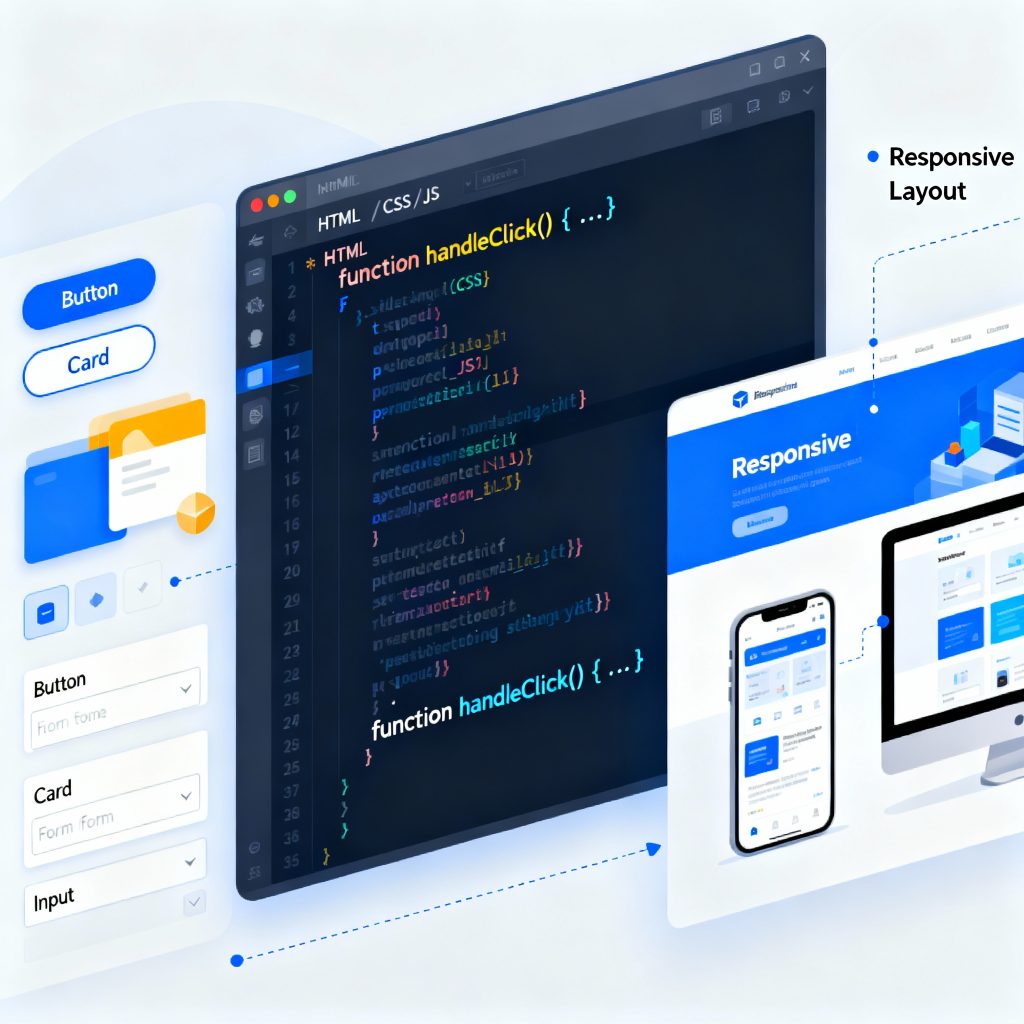
Illustration of frontend development showing a laptop with code editor, browser window, and UI components.
Frontend Developer

The Complete Guide to Becoming a Frontend Developer in 2025

Introduction In 2025, the role of a frontend developer has become one of the most exciting and creative careers in the tech world. A frontend developer builds everything a user sees and interacts with — from website layouts and animations to responsive buttons and navigation menus. This guide will help you understand what a frontend developer does, which skills you need, the tools used in 2025, and how to start your career. What is Frontend Development? Frontend development, often called the client-side of web development, deals with what users see on the screen. When you open a website, the design, color scheme, buttons, and animations — all are handled by frontend developers. Their main job is to transform static designs into fully functional, interactive web pages that look great on any device. Core Technologies You Must Learn To become a successful frontend developer, master these three building blocks: HTML (Structure)Defines the skeleton of a website using tags and elements. Example: headings, images, and links. CSS (Styling)Controls colors, fonts, and layout. Frameworks like Tailwind CSS and Bootstrap simplify this process. JavaScript (Interactivity)Adds logic and animations. In 2025, frameworks like React.js, Vue.js, and Next.js are industry favorites. Learn these three deeply, then move to advanced topics like APIs, TypeScript, and Performance Optimization. Frontend Developer Tools in 2025 Frontend developers rely on tools that enhance efficiency and quality: VS Code: Code editor with built-in extensions for HTML/CSS/JS. Git & GitHub: Manage versions and collaborate with teams. Figma: Understand design prototypes. Chrome DevTools: Debug and test performance. Node.js: Run tools and frameworks locally. MDN Web Docs on HTML — a trusted resource to strengthen your fundamentals. Frontend Developer Roadmap Follow this 7-step roadmap to become a frontend developer: Learn Basics: HTML, CSS, JS. Build Mini Projects: Portfolio, calculator, or to-do app. Learn Frameworks: React.js or Vue.js. Understand Version Control: Git and GitHub. Responsive Design: Make your site mobile-friendly. Deploy Projects: Use Netlify or Vercel. Build a Portfolio Website: Showcase your best work online. Career Growth and Salary Role Experience Salary (India) Junior Frontend Developer 0–2 years ₹4–6 LPA Frontend Engineer 2–5 years ₹6–10 LPA React Developer 3–6 years ₹8–15 LPA Frontend Architect 6+ years ₹15–25 LPA The more frameworks and tools you master, the higher your value in the market. Common Mistakes Beginners Should Avoid Ignoring responsive design Overusing frameworks without strong fundamentals Skipping Git version control Not learning debugging tools Not optimizing performance Future of Frontend Development In 2025, AI tools, WebAssembly, and Progressive Web Apps (PWA) are shaping the future. Frontend developers who stay updated with these trends will continue to be in high demand. Conclusion Becoming a frontend developer in 2025 is an incredible opportunity. It’s a mix of creativity, logic, and design. Learn the fundamentals, build projects, and continuously update your skills. Whether you work for a company or freelance, the demand for skilled frontend developers isn’t going anywhere. FAQs Is frontend development beginner-friendly?Yes, you can start with HTML, CSS, and JS even without prior coding experience. Which framework should I learn first?React.js — it’s the most popular in 2025. Do I need a degree to become a frontend developer?No, skill and portfolio matter more than degrees. How can I improve my frontend skills?Build projects, contribute to open source, and follow tutorials. What is the difference between frontend and backend?Frontend deals with visuals; backend handles logic and databases. Can AI replace frontend developers?No, AI assists — but creativity and user experience still need humans.

Frontend dev
Frontend Developer

Frontend Developer Skills

Front-End Developer Skills: What You Really Need to Know Introduction Front-end developer skills are at the core of building modern, interactive websites. Whether you’re designing a landing page, developing a web app, or creating responsive layouts, mastering these skills is essential. Front-end development is all about the user-facing part of websites — everything a user sees, clicks, and interacts with. This means you need to be both creative and technically skilled. In this post, we’ll walk through all the must-have front-end developer skills — from coding basics to tools, frameworks, and performance tips — to help you grow in this exciting field. 🔹 Core Technical Skills 1. HTML, CSS & JavaScript – The Foundation If you’re just getting started, these three are your bread and butter. Every front-end developer must master: HTML: Builds the structure of a webpage. Think of it as the skeleton of your site. CSS: Handles design and layout — fonts, colors, spacing, and responsiveness. JavaScript: Adds interactivity like buttons that respond, animations, pop-ups, and real-time updates. These core front-end developer skills form the base of everything else you’ll learn. 2. Responsive Design & Mobile-First Approach People use websites on mobile, tablets, laptops — and your site needs to look good on all of them. That’s where responsive design comes in. With tools like media queries, CSS Grid, and Flexbox, you can create layouts that adapt to any screen size. A mobile-first approach means designing for the smallest screens first, then scaling up — a modern technique every front-end developer should know. 3. Version Control with Git & GitHub Imagine working on a big project and accidentally deleting half your code. Scary, right? That’s why using Git (version control) is one of the most practical front-end developer skills. It lets you track changes, go back to previous versions, and work safely with teammates. GitHub is the platform where you can host and share your code — a must-have tool for collaborative development and portfolio building. 4. Browser Developer Tools – Debug Like a Pro All major browsers — Chrome, Firefox, Safari — come with built-in tools that help developers debug their work. With DevTools, you can: Inspect elements Edit CSS live Debug JavaScript errors Analyze load times and performance Learning to use these tools efficiently is one of the front-end developer skills that saves hours of guesswork. 🔹 Advanced Front-End Tools & Frameworks 5. Mastering CSS Preprocessors: Sass & LESS Writing plain CSS is fine, but as projects grow, things can get messy. CSS preprocessors like Sass and LESS let you write cleaner, more manageable code. You can use variables, mixins, nesting, and more. These are great for keeping your stylesheets organized and scalable — a real game-changer in your front-end toolkit. 6. JavaScript Frameworks: React, Vue, or Angular? Most modern web applications rely on JavaScript frameworks. They help you create complex, interactive UIs with reusable components. React: Popular, flexible, and backed by Meta. Vue: Lightweight and beginner-friendly. Angular: Full-featured and maintained by Google. Choosing one and learning it deeply is one of the most in-demand front-end developer skills today. 7. Build Tools: Webpack, Vite, and NPM Scripts As your project grows, managing files and dependencies manually becomes tough. That’s where build tools come in: Webpack: Bundles your JS, CSS, images, etc. Vite: Offers fast development builds and instant reloads. NPM scripts: Automate tasks like compiling Sass, minifying files, or running tests. Mastering these tools helps streamline your workflow and boost productivity — a valuable edge in front-end development. 🔹 Performance & Accessibility 8. Optimizing Front-End Performance Users expect fast websites. If your site takes more than 3 seconds to load, many will leave. Improve performance by: Compressing images Minifying CSS/JS files Using lazy loading Reducing HTTP requests Front-end developer skills aren’t just about building — they’re also about optimizing for real-world usage. 9. Accessibility (a11y) – Designing for Everyone Accessibility ensures that people with disabilities can also use your site. You can improve accessibility by: Using semantic HTML Adding alt text for images Ensuring keyboard navigation Providing enough color contrast Using ARIA roles when necessary Front-end developer skills must always include building for everyone, not just for some. 🔹 UI/UX Knowledge 10. Understanding User Experience (UX) Principles Good websites don’t just look pretty — they feel right to use. Understanding UX principles helps you: Organize content logically Reduce friction in user flows Prioritize usability and clarity This is one of those front-end developer skills that bridges the gap between development and design. 11. UI Design Basics – Colors, Typography, and Spacing You don’t need to be a designer, but knowing the basics goes a long way. Pay attention to: Consistent color schemes Readable fonts Adequate whitespace Balanced layouts These elements improve visual appeal and boost the overall user experience — a subtle but essential part of front-end developer skills. 🔹 Career-Focused Topics (Optional) Once you’ve built a solid foundation, it’s time to stand out. Here’s how: Build a personal portfolio that showcases your skills Start contributing to open-source projects Join communities like GitHub, Dev.to, and Twitter Stay updated with newsletters like Frontend Focus or Smashing Magazine Remember, growing your front-end developer skills isn’t just about learning — it’s also about showing your work. Conclusion Front-end developer skills cover a wide range of areas — from writing clean HTML, CSS, and JavaScript to mastering modern tools, frameworks, performance strategies, and even soft design thinking. No matter where you’re starting from, the key is to stay curious, build real projects, and keep learning. The more you practice, the more confident you’ll become. The front-end world is constantly evolving — but with the right skills and mindset, you’ll be ready for whatever comes next. Frequently Asked Questions (FAQ) Q1: What are the most essential front-end developer skills to learn first? Start with HTML, CSS, and JavaScript. These are the core technologies of the web and a must for any front-end role. Q2: Is learning a JavaScript framework like React necessary? While not required at the beginner level, frameworks

How would you like me to respond?

Select a personality for your AI assistant

Normal
Happy
Sad
Angry

Your selection will affect how the AI assistant responds to your messages

Chat Assistant

Let's discuss your project!

Hear from our clients and why 3000+ businesses trust TechOTD

Tell us what you need, and we'll get back with a cost and timeline estimate

Scroll to Top