
digital learning

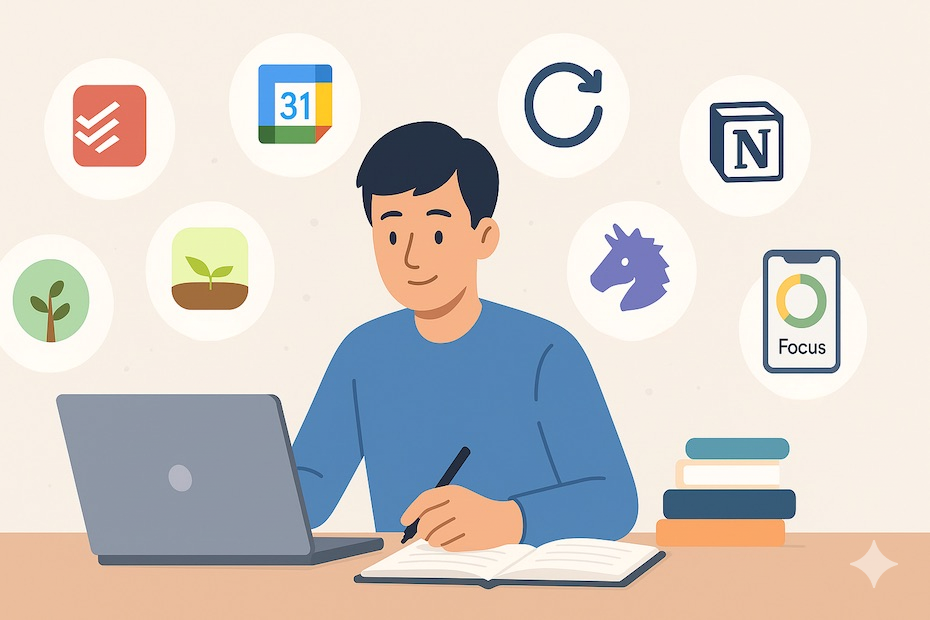
Student comparing different learning apps on a laptop and phone to choose the best one for study goals, usability, and features.
App Development, Education & Learning

How to Choose the Right Learning App

Introduction Choosing the right learning app starts with understanding your goal. Whether you want to improve grades, learn a new skill, practice a language, or stay organized, the best app is the one that matches your needs, learning style, and daily routine. A learning app should not just give you content; it should help you learn in a way that feels simple, useful, and easy to maintain over time. When the app fits your purpose, studying becomes less stressful and more effective. With so many learning apps available today, it is easy to feel overwhelmed by choices. Some apps focus on video lessons, others on flashcards, quizzes, note-taking, progress tracking, or AI-based personalization, so the right one depends on what you want to learn and how you learn best. This is why it is important to look beyond popularity and focus on actual value. An app that works well for one person may not be the right choice for someone else, especially if their learning goals are different. A good learning app should do more than look attractive. It should support your actual learning goals, offer a simple interface, provide useful feedback, and make it easier to stay consistent over time. The best apps save time instead of wasting it, help you stay focused, and make difficult topics easier to understand. Features like reminders, progress reports, offline access, and interactive practice can make a big difference in how effective your study sessions are. Before choosing an app, think about your purpose. Are you preparing for exams, learning a language, building a professional skill, or helping a child learn? Different goals call for different features, such as offline access, curriculum alignment, accessibility, or adaptive practice. It also helps to test apps before committing. Free trials, demo versions, and small pilot use can reveal whether an app is easy to use, engaging, safe, and worth the cost. In the end, the right learning app is the one that helps you stay motivated and make real progress. It should fit into your routine naturally, support the way you learn, and give you confidence that your time is being used well. When chosen carefully, a learning app can become more than just a tool it can become a smart partner in your learning journey. How to Choose Match the app to your goal, such as exam prep, language learning, or subject practice. Check usability, because a clean and simple interface makes learning easier. Look for feedback features like quizzes, progress reports, and spaced repetition. Consider privacy and data security, especially for children or school use. Test the app on your device and compare free and paid versions before deciding. Conclusion The right learning app should make studying simpler, not more confusing. When an app fits your goals, learning style, and schedule, it becomes a helpful tool instead of a distraction. The best choice is usually the one that is easy to use, safe, engaging, and actually helps you make progress. A little testing upfront can save a lot of frustration later. FAQ What is the most important thing to look for in a learning app? The most important thing is alignment with your learning goal, because an app only helps if it supports what you are trying to achieve.digitallearninginstitute+1 Should I choose a free or paid learning app? Start with a free version or trial if possible, then upgrade only if the app offers features you truly need. How do I know if a learning app is effective? An effective app gives clear feedback, keeps you engaged, tracks progress, and helps you retain information better over time. Is privacy important when choosing a learning app? Yes, especially for children and school use, because apps may collect personal or learning data. Can one learning app work for everyone? Not usually, because learners have different goals, ages, and styles, so the best app depends on the user. What should I test before choosing an app? Test ease of use, content quality, feedback tools, device compatibility, and whether the app keeps you motivated.
Student using an online education app on a laptop to study smarter with flashcards, quizzes, and digital learning tools
Education & Learning, Uncategorized

How to Study Smarter, Not Harder, Using Online Education Apps

Introduction Studying smarter, not harder, is all about using your time, energy, and attention in the most effective way possible. Instead of spending long hours rereading notes or cramming the night before an exam, you can use online education apps to make learning more organized, interactive, and efficient. These apps help you stay focused, track progress, revise faster, and understand concepts in a way that feels less stressful and more productive. The biggest advantage of online education apps is flexibility. You can study anytime, anywhere, whether you are at home, on the bus, or taking a short break between classes. Many apps offer flashcards, quizzes, video lessons, reminders, progress tracking, and AI-based learning support. This means you can turn even a few spare minutes into useful study time. Instead of relying only on traditional methods, you get access to tools that adapt to your learning style and help you concentrate on what matters most. Another important benefit is better retention. When you study through apps that use repetition, testing, and interactive practice, your brain remembers information more effectively. For example, flashcards help with quick recall, practice tests show weak areas, and structured learning plans keep you consistent. This makes studying feel less overwhelming because you are not trying to memorize everything at once. You are breaking lessons into smaller, manageable parts that are easier to understand and remember. Online education apps also reduce distraction when used properly. Many students struggle because their study process is unstructured, but digital tools can help create a routine. You can set study goals, follow daily reminders, and use timers or focus modes to stay on track. Some apps even personalize learning by recommending topics based on your progress. This gives you a smarter system instead of random effort, which is exactly what studying smarter is meant to be. The best part is that these apps are useful for different kinds of learners. Whether you prefer videos, notes, quizzes, or visual learning, there is usually an app that fits your style. A student preparing for exams, a professional learning a new skill, or a beginner trying to understand a subject can all benefit from the same approach: study with intention, use the right tools, and avoid wasting time on methods that do not work. When you combine smart habits with online education apps, learning becomes faster, easier, and far more effective. Conclusion Studying smarter means using your time wisely, staying organized, and choosing tools that improve learning efficiency. Online education apps make this possible by offering structure, practice, personalization, and convenience. When you use the right apps consistently, studying becomes less stressful and more effective. You do not need to study longer than everyone else—you just need to study in a better way. FAQ What does it mean to study smarter, not harder? It means using efficient learning methods and tools so you can understand and remember more in less time. How do online education apps help with studying? They offer flashcards, quizzes, lessons, reminders, progress tracking, and personalized learning support. Which apps are useful for smarter studying? Flashcard apps, note-taking apps, focus timers, quiz apps, and video learning platforms are all helpful. Can these apps improve exam performance? Yes, because they help you revise regularly, identify weak areas, and practice more effectively. Are online education apps good for beginners? Yes, they are easy to use and can help beginners build a simple and consistent study routine. How many hours should I study with apps? There is no fixed number, but short focused sessions are often more effective than long unfocused ones.

Technology & Business, Uncategorized

From Brief to Launch: Building a Custom LMS in 3 Weeks

Introduction In today’s fast-paced digital landscape, the ability to rapidly deliver innovative learning experiences is a game-changer. While custom learning management systems (LMS) are often thought to require months of planning and development, it’s possible—with the right approach—to go from a concept brief to a fully functioning LMS in just three weeks. Here’s how we did it, step by step. Why Build a Custom LMS? Tailored to your audience: Meet the precise needs of your learners and organization. Feature control: Implement only what you need—nothing more, nothing less. Branding and UX: Ensure a seamless, branded user experience that off-the-shelf products can’t provide. Week-by-Week Roadmap to a Custom LMS Week 1: Discovery & Setup Kickoff & Brief Define clear goals: Who is this LMS for? What’s the must-have feature set? Gather requirements from stakeholders. Platform Planning Choose the technology stack (e.g., React, Node.js, Python, cloud services). Define user roles (Admin, Instructor, Learner). Initial Design Rapid wireframing: Map out LMS navigation, key screens, and user flows. Start UI/UX prototyping with input from stakeholders. Foundational Build Set up project structure, repositories, and development environments. Integrate boilerplate code for basic authentication and user management. Week 2: Development Sprint Core Feature Development Build and connect these modules: User registration and login Course creation and content upload (text, video, presentations) Enrollment and progress tracking Assessments or quizzes Content Population Collaborate with content creators or use AI to generate sample lessons, quizzes, and tutorials. Continuous Testing Integrate basic testing and QA into every coding session to eliminate blockers fast. Stakeholder Check-in Demo first builds to get rapid feedback and reprioritize features as needed. Week 3: Launch Prep & Refinement Polish UX/UI Iterate based on feedback, improving navigation and accessibility. Add finishing touches: branding, dashboards, notifications. Robust Testing Conduct full end-to-end testing: enroll users, complete modules, submit assessments. Final Data Import Upload real course and user data. Confirm everything works at scale. Deployment & Rollout Launch on chosen cloud or server. Provide a quick-start guide for admins and faculty. Collect instant feedback from first users for rapid fixes. Table: Your 3-Week Custom LMS Plan Week Focus Areas Deliverables Week 1 Discovery, setup, prototyping Wireframes, project setup, MVP roadmap Week 2 Core feature development User, course, and assessment modules Week 3 Testing, refinement, launch Fully functional, deployed LMS Tips for Success Plan ruthlessly, prioritize features: Focus on must-haves; postpone the “nice-to-have” until after launch. Leverage templates & AI: Use code services, design libraries, or AI content helpers to accelerate development. Collaborate closely: Daily check-ins with stakeholders prevent costly rework. Iterate rapidly: Expect feedback and be ready to refine features in real time. Don’t skip testing: Early and frequent testing ensures you avoid launch-day disasters. Frequently Asked Questions (FAQ) Is building a custom LMS in 3 weeks realistic for most teams? It’s possible with sharp focus, rapid feedback, and a lean MVP mindset—but complex features or extensive integrations may require more time. What’s the best tech stack for a rapid LMS build? Popular choices include React for front-end, Node.js or Python for backend, and cloud hosting for instant scalability. Can you use no-code or low-code platforms? Absolutely. No-code tools can speed up some aspects, especially MVPs, but custom coding gives the greatest flexibility. What features should a first version include? User management, course delivery, content upload, enrollment, progress tracking, and basic reporting are the essentials. Conclusion Delivering a custom LMS in three weeks is ambitious but entirely possible with focused planning, the right tools, and a commitment to iterative improvement. The result? A bespoke, branded learning hub that’s ready to delight users from launch day—and adapt as your educational goals evolve.

How would you like me to respond?

Select a personality for your AI assistant

Normal
Happy
Sad
Angry

Your selection will affect how the AI assistant responds to your messages

Chat Assistant

Let's discuss your project!

Hear from our clients and why 3000+ businesses trust TechOTD

Tell us what you need, and we'll get back with a cost and timeline estimate

Scroll to Top