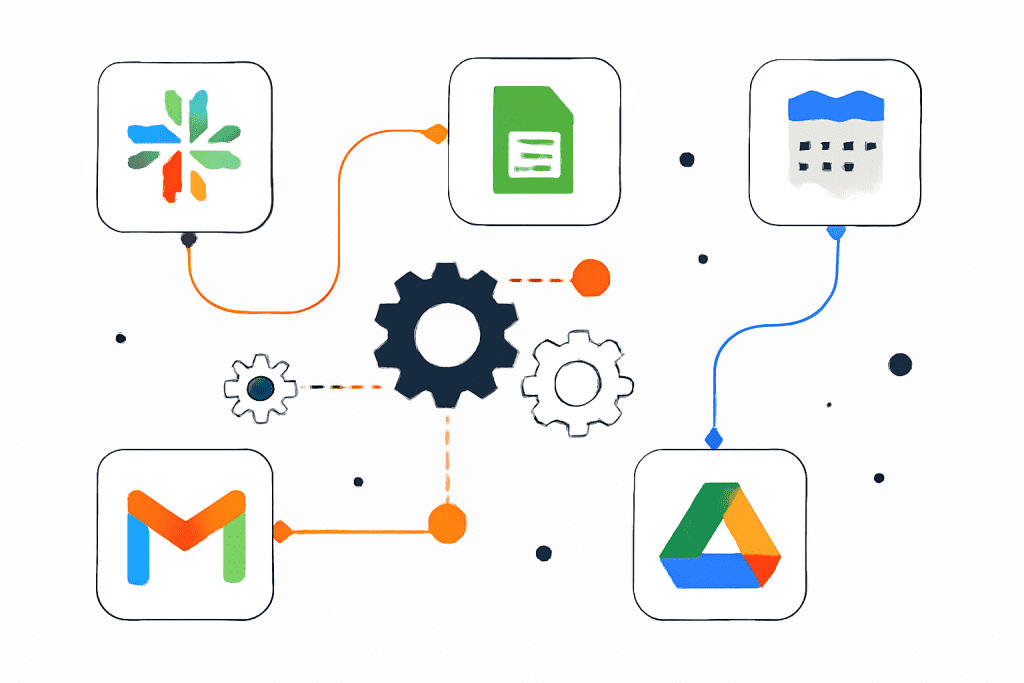
CRM integration

enterprice

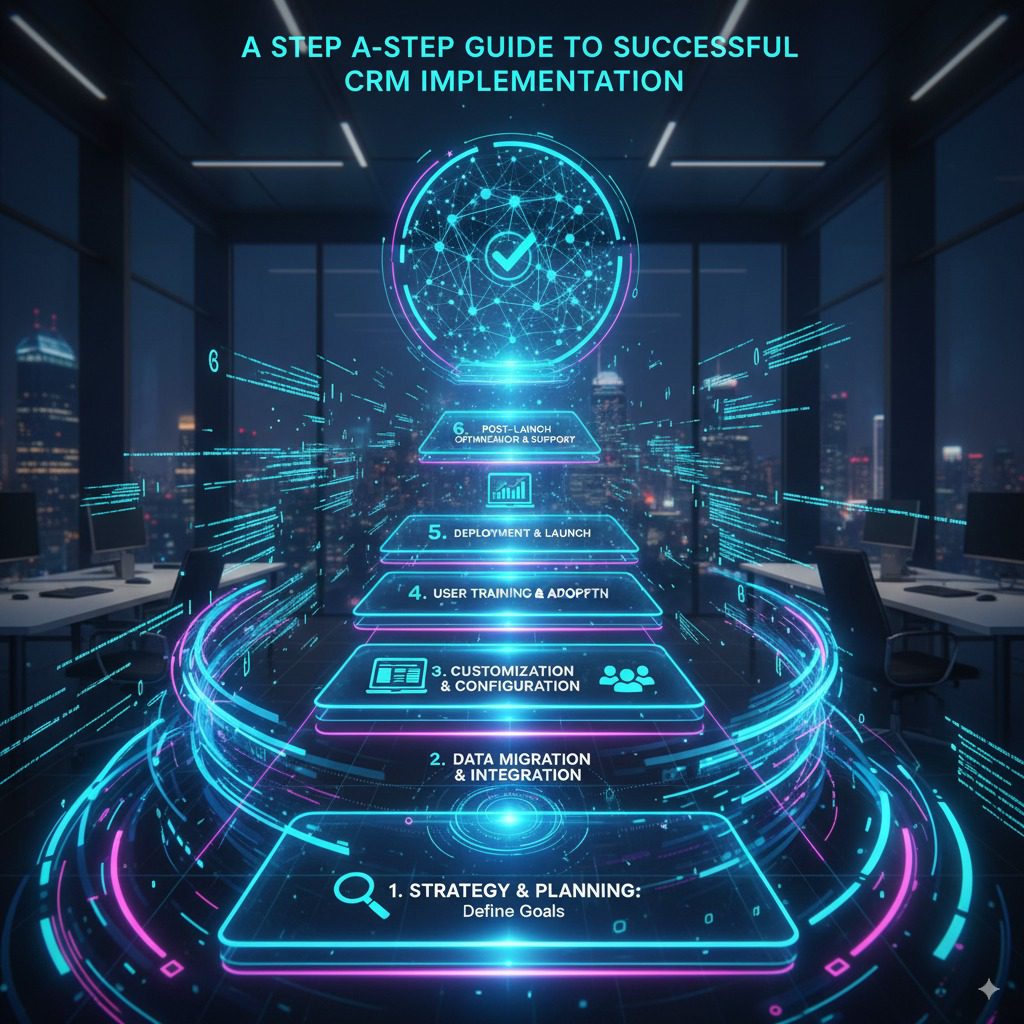
A Step-by-Step Guide to Successful CRM Implementation

Introduction Customer Relationship Management (CRM) implementation has become the backbone of modern businesses aiming to improve customer satisfaction, streamline processes, and boost revenues. However, the success of CRM implementation depends on adopting a structured, step-by-step approach. Without it, CRM projects can lead to cost overruns, poor user adoption, and unrealized business benefits. This blog provides a step-by-step CRM implementation guide, covering best practices, potential challenges, and the role of AI and analytics, with references to TechOTD Blog and TechOTD AI Services. Step 1: Define Clear Objectives and Business Needs Identify the core challenges your CRM should solve — lead management, customer service, or marketing automation. Align CRM implementation goals with overall business strategy. Set measurable KPIs for success. Step 2: Choose the Right CRM Solution Select a CRM platform that fits your business size, industry, and goals. Consider customization, scalability, integrations, and vendor support. Popular choices include Salesforce, HubSpot, Microsoft Dynamics, and Zoho CRM. Step 3: Plan Implementation and Build Your Team Create a detailed project plan with timelines, resources, and budget. Appoint a CRM project manager and cross-functional team. Secure executive sponsors to drive successful CRM implementation. Step 4: Data Preparation and Migration Audit, clean, and standardize customer data for accuracy and completeness. Define migration processes with validation checks. Ensure secure data transfer with minimal downtime. Step 5: Customize and Integrate Configure CRM workflows to match business needs. Integrate with ERP, marketing automation, and support systems. Use APIs and automation to maximize efficiency. Step 6: Training and Change Management Conduct role-based training for different teams. Provide resources and promote a culture of data-driven customer management. Communicate benefits to drive higher adoption. Step 7: Testing and Quality Assurance Test all features before go-live. Perform user acceptance testing (UAT). Ensure compliance with security standards. Step 8: Deployment and Go-Live Choose between phased rollout or full deployment. Provide strong technical support post-launch. Gather user feedback and monitor adoption. Step 9: Continuous Improvement and Optimization Treat CRM implementation as an ongoing process. Regularly analyze KPIs and refine workflows. Leverage AI and predictive analytics with TechOTD AI Solutions for advanced automation. Common Challenges in CRM Implementation and How to Overcome Them Data Silos: Establish strong data governance. User Resistance: Engage users early and show quick wins. Scope Creep: Maintain strict project controls. Technical Issues: Invest in expert consulting and infrastructure. Conclusion A successful CRM implementation requires a strategic blend of technology, people, and processes. By following this step-by-step CRM implementation guide, businesses can avoid pitfalls, improve customer relationships, and achieve sustainable growth. With the power of AI and analytics, organizations can take CRM to the next level and unlock its full potential.

enterprise

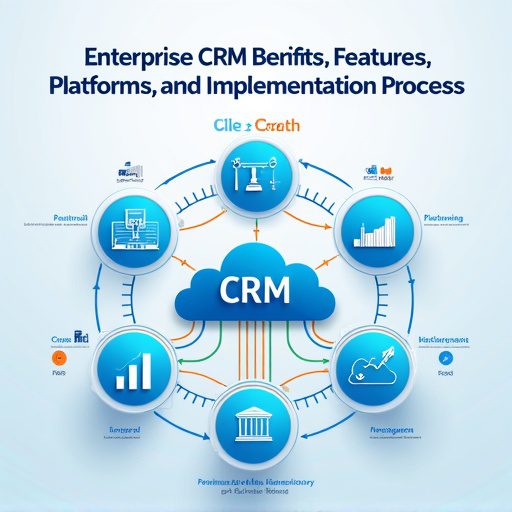
Enterprise CRM Benifits, Features, Platforms, And Implementation Process

Introduction Enterprise CRM (Customer Relationship Management) platforms are powerful tools that transform how large organizations manage customer data, improve engagement, and drive business growth. Below is a detailed blog-style guide, covering benefits, features, leading platforms, and the implementation process, with strategic backlinks to your TechOTD resources. In today’s hyper-competitive marketplace, Enterprise CRM is not merely a software—it’s an integrated approach that centralizes data, automates workflows, and fuels personalized customer journeys at scale. When implemented with advanced technologies like AI and predictive analytics, CRM becomes a strategic driver of efficiency, compliance, and business agility. Discover how AI and tech consulting can elevate CRM on TechOTD’s AI solutions page. Key Benefits of Enterprise CRM 360° View of Customers Enterprise CRM consolidates all customer data—interactions, preferences, support tickets—into a unified dashboard, providing a 360-degree customer profile. This empowers sales, marketing, and support teams to deliver informed, personalized service and anticipate customer needs. Learn how holistic data fuels AI-driven insights on TechOTD’s privacy and AI page. Improved Team Collaboration CRM platforms break down silos, enabling seamless information sharing across sales, marketing, and customer support departments. This unified communication boosts efficiency and ensures everyone works towards common goals. Data-Driven Decision Making Advanced analytics and reporting tools enable data-driven strategies, empowering management to spot trends, forecast sales, and make informed decisions. For a deeper dive into data analytics, visit TechOTD’s predictive analytics feature. Streamlined Sales and Marketing Processes Automation of repetitive tasks—lead tracking, appointment scheduling, follow-ups—lets teams focus on strategic initiatives, shortens sales cycles, and improves productivity. Enhanced Customer Experience CRM software personalizes every touchpoint—recommendations, promotional offers, and support—leading to higher customer satisfaction and loyalty. Explore more on TechOTD’s blog about seamless customer journeys. Compliance and Risk Management Modern platforms are designed to help businesses adhere to data privacy regulations and industry standards, crucial for finance, healthcare, and other regulated sectors. For more insights, read TechOTD’s how we work page. Essential Features of Enterprise CRM Holistic Customer View Provides a consolidated, real-time profile of each customer, tracking every email, call, transaction, and support request. Advanced Automation and AI Automation tools drive efficiency in sales, marketing, and workflows. AI features offer predictive analytics, intelligent recommendations, and chatbots—see TechOTD’s blog on LLMs and AI in customer journeys. Customizable Dashboards and Analytics Enterprises require deep analytics, granular segmentation, and real-time reporting to identify opportunities and mitigate risks. Multichannel Communication Integrated email, chat, phone, and social media support ensure consistent, timely engagement with customers wherever they interact. Security and Compliance Enterprise-grade CRMs offer robust security features: role-based access, encryption, audit trails, and compliance tools for GDPR, HIPAA, and more. Integration and Extensibility APIs and integrations connect CRM with ERP, marketing automation, e-commerce, and legacy systems for seamless data flow across the organization. Top Enterprise CRM Platforms Platform Best For Key Distinction Pricing/Notes [More Info] Salesforce Customization, large-scale deployments Deep modularity, AI, ecosystem From $165/user/mo, AI extra Leading Gartner MQ SAP CRM Integrated ERP-CRM for SAP users Native SAP integration, global Quote-based Oracle CX Large, complex organizations Flexibility, analytics, CX tools Quote-based Microsoft Dynamics 365 Microsoft-centric organizations ERP links, hybrid cloud options Flexible tiers HubSpot Enterprise Quick setup, remote teams User-friendly, marketing-heavy Competitive pricing Zoho CRM Growing enterprises, customization Automated workflows, scalability Lower overall TCO Zendesk Sell Sales and support integration Suited for Zendesk users Per-seat pricing Freshsales AI-driven engagement Fast, contextual interactions Modern UI, flexibility Discover more platforms and business app tips at TechOTD’s industry blogs. The Enterprise CRM Implementation Process 1. Define Strategy and Objectives Start by mapping out business objectives, key performance indicators, and a data strategy. Use TechOTD’s consulting framework to establish clear priorities. 2. Data Migration and Integration Cleanse existing data, de-duplicate records, and plan integrations with core systems (ERP, e-commerce, etc.). Blockchain integration—see blockchain in Dubai business—can add transparency to data migration. 3. Platform Selection and Customization Choose a CRM platform based on scale, industry, compliance, and integration requirements. Custom-build modules as needed, adjusting workflows, triggers, and dashboards for your enterprise’s unique processes. 4. User Adoption and Training Invest in staff training, change management, and cross-departmental workshops. Encourage power users and stakeholders to champion the CRM for maximum adoption. 5. Launch and Ongoing Support Roll out in phases—start with pilot departments, gather feedback, iterate, and expand. Leverage continuous analytics and support for long-term ROI. For best practices in tech project launches, visit TechOTD’s mobile services page. 6. Advanced Optimization Integrate AI-driven analytics, marketing automation, and predictive customer scoring. Review and refine workflows to drive ongoing efficiency. Explore predictive analytics solutions on TechOTD’s featured blog page. Real-World Use Cases Sales Acceleration: Automated lead scoring and next-best actions reduce time-to-close and increase sales. Customer Service Excellence: Omnichannel ticketing and AI-powered chatbots resolve issues faster, improving CSAT. Marketing ROI: Segmentation, journey mapping, and attribution modeling optimize spend and boost conversion rates. Risk & Compliance: Audit trails, consent management, and data protection features mitigate regulatory risk—critical for finance and healthcare. Mobile CRM: Field sales and service reps use mobile apps to access/updating customer data on the go; see TechOTD’s mobile frameworks guide. Conclusion Adopting an enterprise CRM is transformative for large organizations—it centralizes operations, unleashes team potential, personalizes every customer interaction, and future-proofs against changing regulations. For ongoing trends, strategies, and CRM case studies, explore: AI-Powered Enterprise Solutions TechOTD Blogs on Business Technology Customer Journey Mapping with AI Blockchain for Data Integrity How We Work at TechOTD Predictive Analytics for CRM Mobile Solutions and CRM Industry Insights & Platforms

Technology

How We Use N8N to Automate Repetitive Tasks (Real Scenarios)

Introduction Automation is transforming how teams handle routine tasks—letting you focus on strategic work instead of tedious manual chores. n8n, an open-source automation tool, offers incredible flexibility for building custom, no-code workflows that tie together your favorite apps and services. Here’s how we use n8n to save time every day, with real, practical examples. Why n8n for Automation? Open Source & Self-Hostable: Full control over your data and integrations. Visual Workflow Builder: Drag-and-drop interface for building automations—no heavy coding required. Endless Integrations: Connects with Gmail, Slack, Google Sheets, Notion, APIs, webhooks, and more. Customization: Add code nodes for advanced logic using JavaScript or Python. Scalability: Great for startups and growing businesses; runs on your infrastructure or in the cloud. Real n8n Automation Scenarios 1. Real-Time Slack Alerts for Google Sheet Updates Problem: Teams often miss important updates buried in complex Google Sheets. Solution: We set up n8n to monitor changes in a specific Google Sheet. When data is updated (e.g., a new row is added), n8n sends a formatted notification to our Slack team. This workflow keeps everyone instantly informed—no need for constant manual checks. How it looks: Trigger: Google Sheets update Action: Post message to Slack with update info Optional: Filter or Switch nodes to limit which changes trigger alerts. 2. Auto-Save Email Attachments to Google Drive Problem: Downloading and organizing email attachments is error-prone and time-consuming. Solution: We use n8n to watch our inbox for new emails with attachments. When one arrives, n8n saves the attachments to pre-set Google Drive folders. Filters direct documents based on sender, subject, or file type—keeping everything tidy and minimizing lost files. How it looks: Trigger: New email with attachment Action: Save attachments to designated Google Drive folder. 3. Two-Way Calendar Sync Problem: Juggling multiple calendars leads to double booking and missed meetings. Solution: n8n helps us synchronize between Google Calendar and Outlook. Any new event on one platform gets mirrored on the other. Rules (like syncing only during work hours) make it flexible to our needs. 4. Website & Service Uptime Monitoring Problem: We don’t want to hear from customers when the website goes down! Solution: A scheduled n8n workflow pings our sites every few minutes. If a site isn’t responding, n8n instantly alerts our team by email or Slack and logs the downtime to a shared database—enabling rapid response. How it looks: Trigger: Cron node schedules regular checks Action: HTTP request to website Conditional: If response ≠ 200, send alert and log incident. 5. Automated Lead Capture and CRM Integration Problem: Manual lead entry from web forms into our CRM wastes time and risks errors. Solution: n8n listens for new submissions on our website’s contact forms. When a lead arrives, it’s automatically enriched (e.g., pulling company data via API), added to our CRM, and the sales team notified. No more copy-pasting, and leads are acted on instantly. 6. Social Media Content Scheduling Problem: Posting content across platforms is repetitive and often forgotten. Solution: We built a workflow that collects new social media content from our Google Sheets editorial calendar, formats posts for each platform, and publishes them—hands-off and on schedule. Plus, engagement stats are gathered for reporting. Example Table: n8n Automation Use Cases Scenario n8n Trigger Main Action Apps Connected Slack Alerts on Sheet Update Sheet change Post to Slack Google Sheets, Slack Auto-Save Email Attachments New email Save to Drive with filters Gmail/Outlook, Google Drive Two-Way Calendar Sync Event added/changed Mirror event Google Calendar, Outlook Website Uptime Monitoring Scheduled (Cron) Send HTTP request, alert on fail HTTP, Slack/Email Lead Capture to CRM New form submission Enrich & add lead, notify sales Webhook/API, CRM, Slack Scheduled Content Posting Cron/Sheet update Format & post Google Sheets, APIs Lessons Learned & Tips Start Small: Automate one or two high-impact tasks first to build confidence. Iterate: Use n8n’s visual builder to tweak workflows as requirements change. Fail Safes: Always add error notifications so issues are caught early. Documentation: Clearly label nodes/steps for easy handover and maintenance. Frequently Asked Questions (FAQ) What is n8n automation? n8n (“node-to-node”) is an open-source workflow automation tool for connecting apps, moving data, and automating everyday processes. How does n8n work? It uses a visual, drag-and-drop builder where each “node” handles a specific task—reading emails, sending messages, updating records—linked together for full automation. How many integrations does n8n provide? n8n comes with over 400 native integrations for popular tools and also provides HTTP nodes for custom APIs. Can I create and activate workflows via API? Yes. n8n offers programmatic workflow activation via API. Is n8n self-hostable? Absolutely—deploy on your own server or use n8n Cloud for managed hosting. Can I add custom code to workflows? Yes. Code nodes let you script advanced logic in JavaScript or Python. Does n8n offer error handling and notifications? Yes, workflows can include error triggers and customizable notifications. Are workflow templates available? Thousands of pre-built templates are shared by the official community and in documentation. Where can I find more tutorials? Check the official n8n documentation and community forums for how-to guides, templates, and real-world examples Conclusion n8n is a powerful ally in the fight against repetitive work. By automating tedious tasks, our team unlocks productivity and can focus on meaningful projects. Whether it’s saving email attachments, syncing calendars, or handling leads—n8n’s flexibility and ease-of-use make it our go-to automation platform. For more detailed workflow templates and practical tutorials, check out the n8n official documentation and community resources—they’re packed with real examples you can implement right away

How would you like me to respond?

Select a personality for your AI assistant

Normal
Happy
Sad
Angry

Your selection will affect how the AI assistant responds to your messages

Chat Assistant

Let's discuss your project!

Hear from our clients and why 3000+ businesses trust TechOTD

Tell us what you need, and we'll get back with a cost and timeline estimate

Scroll to Top