Author name: Kirti Sharma

sensor, Uncategorized

Industrial IoT Sensors: 16 Types Every Company Should Consider

Introduction In today’s rapidly advancing manufacturing and logistics landscape, Industrial Internet of Things (IIoT) sensors play a pivotal role in driving smart factories, real-time monitoring, and predictive analytics. From automating routine processes to enabling proactive maintenance and sustainability insights, the right IoT sensors transform how companies operate and compete. This comprehensive guide reveals 16 essential types of IIoT sensors modern enterprises should consider—plus actionable advice, real-world applications, and expert resources from TechOTD to future-proof your connected operations. Understanding Industrial IoT Sensors IIoT sensors are the building blocks of the smart industry. By capturing, transmitting, and analyzing physical phenomena (temperature, pressure, motion, etc.), they empower businesses to: Automate machine monitoring and control. Predict and prevent equipment failures. Boost energy efficiency and reduce costs. Improve workplace safety and compliance. Gain data-driven insights for better decision-making. Leading-edge sensor integration often includes AI, cloud analytics, and seamless custom development—discover what’s possible with TechOTD’s AI Services. 16 Types of Industrial IoT Sensors to Power Your Business 1. Temperature Sensors   Monitor equipment, products, and environments to prevent overheating, freezing, or spoilage. Use Cases: Cold chain logistics, HVAC, manufacturing. 2. Pressure Sensors Track fluid or gas pressure in pumps, pipelines, and tanks to prevent leaks or maintain optimal operation. Use Cases: Oil & gas, chemical processing, water utilities. 3. Proximity Sensors Detect presence or absence of objects—crucial for automation and safety interlocks. Use Cases: Conveyor lines, robotics, packaging lines. 4. Vibration Sensors Identify abnormal equipment vibrations indicating wear, imbalance, or impending breakdown. Use Cases: Predictive maintenance, rotating machinery, motors. 5. Humidity Sensors Measure moisture levels to ensure safe storage and ideal production conditions. Use Cases: Food processing, electronics, pharmaceuticals. 6. Flow Sensors Monitor the movement of liquids or gases for efficient control and billing. Use Cases: Water treatment, chemical processing, energy management. 7. Level Sensors Detect levels of liquids, solids, or granular materials in tanks and silos. Use Cases: Bulk storage, process industries, agriculture. 8. Accelerometers Track acceleration, tilt, and motion—enabling asset tracking and machine condition monitoring. Use Cases: Fleet management, machine health, smart logistics. 9. Gas Sensors Detect hazardous gases and pollutants to prevent accidents and ensure compliance. Use Cases: Mining, utilities, manufacturing, building management. 10. Optical Sensors Leverage light for object detection, counting, and quality inspection. Use Cases: Automated sorting, vision-based inspection, packaging. 11. Current/Voltage Sensors Monitor electrical consumption, surges, and overloads for operational efficiency and safety. Use Cases: Energy management, predictive maintenance, power distribution. 12. Ultrasonic Sensors Measure distance, detect objects, or monitor fluid levels using sound waves. Use Cases: Robotics, logistics automation, tank level detection. 13. Magnetic Sensors Detect magnetic fields or positions for speed, position, and rotational measurements. Use Cases: Conveyor belts, electric motors, proximity detection. 14. Infrared (IR) Sensors Enable temperature measurement and motion detection using infrared radiation. Use Cases: Safety systems, automated lighting, thermal monitoring. 15. Force/Torque Sensors Measure mechanical force or torque in manufacturing processes for quality control. Use Cases: Robotics, assembly lines, pick-and-place operations. 16. Image Sensors (Cameras) Capture and process images for AI analysis, defect detection, and remote monitoring. Use Cases: Production line inspection, security, operational dashboards. Integrating IIoT Sensors for Maximum Value Modern businesses achieve transformative benefits by integrating these sensors with: Cloud platforms for scalable analytics (Connect with TechOTD) AI and machine learning for predictive maintenance and insight generation (Next-gen AI Solutions) Custom dashboards for real-time, actionable views (Partner Programs) Industry-focused use cases like eCommerce logistics, manufacturing, or smart buildings (Industry Solutions) Conclusion The future of industrial operations is data-driven, intelligent, and interconnected. By strategically deploying these 16 IIoT sensor types, your company unlocks new levels of visibility, efficiency, and innovation. Ready to design a future-proof sensor network or need world-class AI integration for manufacturing, logistics, or energy? Start your digital transformation journey with TechOTD’s expert solutions. FAQ 1. What are the most popular IIoT sensor types for 2025? Temperature, pressure, vibration, and proximity sensors lead deployments in manufacturing and logistics. 2. How can IIoT sensors save costs for my business? They enable predictive maintenance, reduce downtime, optimize processes, and cut energy/waste expenses. 3. Is integrating multiple sensor types complicated? With the right partner and modular platforms like TechOTD, multi-sensor integration is streamlined and scalable. 4. Are IIoT sensors secure? Partner with trusted providers that prioritize data security, encryption, and compliance for safe operations. 5. How do I choose the right mix of sensors? Analyze your process needs, consult with IIoT and AI experts, and start with scalable pilot projects.
Real-Time Visibility

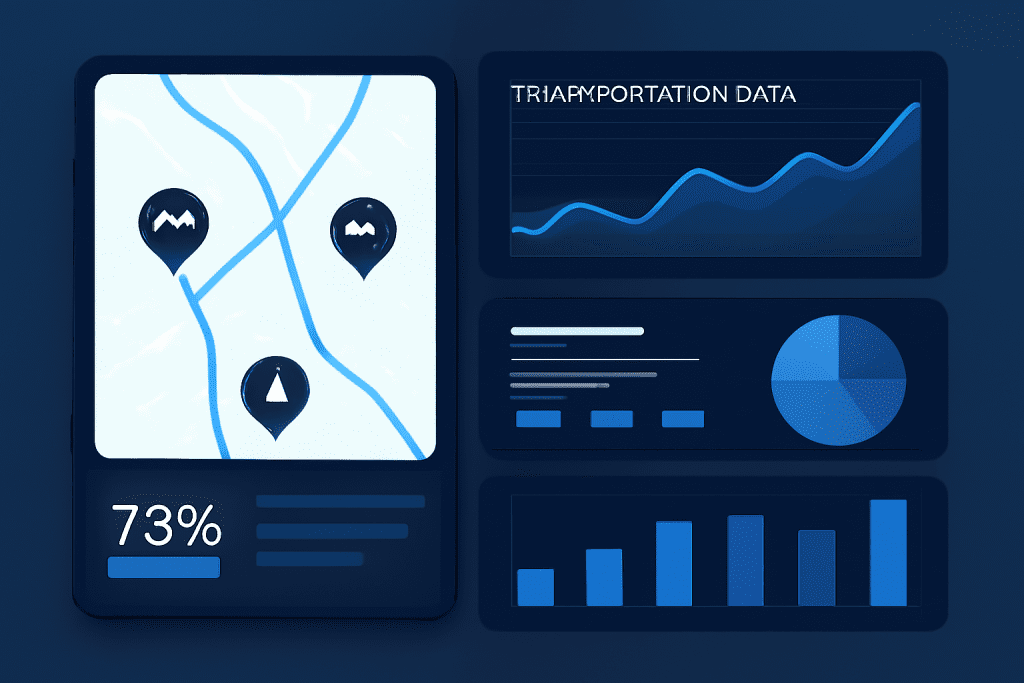
Solving the Transportation Data Breakdown Before It Hurts Performance

Introduction Transportation systems run on data—real-time routing, shipment tracking, fleet maintenance, and customer service all depend on seamless digital information flow. But when data breaks down—due to silos, outdated systems, or poor integrations—the impact is immediate: missed deliveries, increased costs, frustrated customers, and lost revenue. This blog reveals how to proactively solve the transportation data breakdown before it disrupts your logistics, showing you key strategies, actionable steps, and the critical role of future-proof technology in powering performance. Solving the Transportation Data Breakdown Before It Hurts Performance Transportation networks—covering logistics, fleet management, supply chain operations, and delivery services—depend heavily on accurate and timely data. When data breakdowns happen (due to silos, poor data quality, or system integration issues), it leads to: Delayed shipments Higher operational costs Inefficient route planning Reduced customer satisfaction Common Causes and Warning Signs of Data Breakdown Data Silos: Information trapped in separate TMS, ERP, or telematics platforms with no cross-communication. Manual Processes: Reliance on spreadsheets, faxes, or phone calls for load assignment and tracking. Inconsistent Data Formats: Discrepancies between systems, leading to errors in route planning, billing, or compliance. Lack of Real-Time Visibility: Delays in data flow mean you don’t know where trucks, inventory, or drivers are—until it’s too late. Integration Gaps: Outdated APIs or incompatible software prevent smooth hand-offs between shipper, carrier, and customer portals. Spot the warning signs: Frequent shipment delays or rerouting. Customer service teams “chasing” information across departments. High rates of billing errors and dispute resolution. Drivers or staff entering the same data into multiple systems. Why Fixing Data Breakdown is Critical Performance Impact: Broken data pipelines lead to missed ETAs, inventory shortfalls, and lost business. Cost Escalation: Every manual workaround or error correction increases operational costs. Customer Experience: Today’s clients expect real-time tracking and transparent updates—data breakdown derails trust. Compliance Risks: Regulatory requirements around safety, hours of service, and freight documentation demand accurate, up-to-date data.   Strategies to Solve Transportation Data Breakdowns Transportation systems rely heavily on data for smooth operations—covering everything from vehicle tracking and route optimization to shipment visibility and predictive maintenance. When data is incomplete, siloed, or inaccurate, it leads to operational delays, cost overruns, and reduced customer satisfaction.Here are key strategies to prevent and solve transportation data breakdowns:   1. Centralize and Synchronize Data Implement a unified transportation management system (TMS) that connects with ERPs, GPS, telematics, and customer portals. Use cloud-based solutions to enable seamless access and sharing, supporting distributed workforces and partners. Regularly audit your data schema—fix inconsistencies before they multiply. 2. Automate Data Collection and Sharing Replace manual logs and spreadsheets with IoT sensors, RFID tags, and direct software integrations. Automate notifications for load status, delays, or re-routing, giving customers and staff real-time alerts. 3. Modernize Integrations Use open APIs and EDI standards for easy communication between shippers, carriers, and partners. Invest in modular platforms that support easy integration with new tools (AI analytics, route optimization, billing). 4. Drive Data Quality and Governance Set up validation rules and “single source of truth” principles. Regularly inspect and cleanse historical data to ensure accuracy for reporting and decision-making. 5. Empower Data-Driven Performance Use real-time dashboards for tracking assets, shipments, and performance metrics. Leverage predictive analytics to spot issues before they occur—such as maintenance needs, at-risk deliveries, or bottlenecks. TechOTD offers expert solutions for cloud-based TMS, AI-powered route optimization, and seamless system integration. Discover modern logistics tech at TechOTD, or explore AI & Automation, Web Development, and Industry eCommerce Solutions for customized support. Conclusion Don’t let data breakdown silently undermine your transportation performance. By centralizing information, automating workflows, and modernizing integrations, your business can deliver faster, cheaper, and smarter than ever before. Act now—future-proof your logistics with digital solutions that keep your data, drivers, and customers in sync. Take the lead in transportation innovation. Connect with TechOTD for a free audit or explore end-to-end logistics technology built for tomorrow’s challenges. FAQ 1. What is transportation data breakdown? It’s when digital information flow (orders, routes, shipment status) is disrupted—causing delays, errors, and customer/operational issues. 2. How do I spot data breakdown early? Frequent shipment delays, manual data entry across platforms, and missing/inconsistent shipment info are key red flags. 3. What’s the fastest way to automate my transport data? Adopt cloud-based TMS, leverage open APIs, and integrate IoT/telematics for real-time data capture. 4. Can AI help prevent breakdown? Yes—AI predicts bottlenecks, optimizes routes, and automates alerts, making data-driven performance possible. 5. Is a single vendor or platform best for solving breakdown? A modular approach lets you integrate best-of-breed solutions—just ensure strong API and data governance for seamless operation.

Technical Debt

Digital Innovation Challenges: Can Your Technology Keep Up?

Digital Innovation Challenges: Can Your Technology Keep Up?   Introduction In today’s lightning-fast digital era, innovation isn’t just a buzzword—it’s a necessity. Businesses that fail to adapt quickly risk losing ground to agile competitors, eroding market share, and falling short of customer expectations. Digital innovation brings immense promise—streamlined operations, new revenue streams, and better user experiences—but it also introduces unique technological challenges. Is your technology stack resilient, scalable, and intelligent enough to keep pace? This blog explores the key hurdles companies face in the race for digital excellence and provides practical solutions, highlighting how future-ready partners like TechOTD can empower your journey. The Biggest Digital Innovation Challenges Legacy System Limitations Outdated IT infrastructure and siloed systems hamper integration and flexibility. Difficulty connecting legacy platforms to cloud, mobile, and AI solutions slows business transformation. Solution: Migrate gradually with expert web development and modernization. Scalability for Sudden Growth Many companies struggle to scale infrastructure to meet demand spikes without prohibitive costs. Cloud adoption and automation help, but navigating the transition can be complex. Solution: Embrace robust cloud solutions and leverage AI-powered automation. Security in a Connected World Expanding digital footprints increase vulnerabilities to cyber threats and data breaches. Compliance with evolving regulations (GDPR, HIPAA) is increasingly demanding. Solution: Build secure software with regular security audits through industry-leading partners. Data Overload and Insight Extraction Massive data is generated every minute, but actionable insights lag behind. Integrating disparate data sources and harnessing predictive analytics is an ongoing struggle. Solution: Invest in AI & Analytics to turn raw data into strategic advantage. User Expectations & Digital Experience Customers demand seamless, personalized experiences across platforms. Slow, unintuitive, or buggy apps lead to abandoned carts and lost loyalty. Solution: Employ cutting-edge mobile app and web solutions for world-class customer engagement. How to Overcome Innovation Hurdles Create a Culture of Agility Foster cross-functional teams and encourage experimentation over perfectionism. Rapidly prototype and test new ideas with minimal risk. Adopt Modular, Future-Proof Platforms Use modern APIs and microservices to facilitate integration and scalability. Avoid vendor lock-in and ensure long-term flexibility. Harness Artificial Intelligence Automate repetitive tasks and drive smarter decisions with AI-driven tools. Leverage AI for predictive analytics, personalization, and product recommendations for industries like eCommerce. Partner with Innovation-Driven Experts Collaborate with technology advisors who offer both strategy and implementation—see how TechOTD’s partner programs deliver end-to-end digital transformation. Invest in Proactive Maintenance and Support Ensure continuous uptime, regular updates, and future scalability. Choose IT partners that provide robust support and knowledge transfer—learn more About TechOTD. Conclusion Digital innovation is a journey with hurdles at every step—from legacy challenges and security threats to the need for constant scalability and insight. But with the right strategy and future-facing technology partners, these challenges turn into stepping stones for growth and leadership. Is your organization ready to innovate at scale and speed? Start by assessing your digital readiness and engaging with trusted partners like TechOTD to shape a resilient, intelligent future. FAQ 1. What’s the main technology challenge in digital innovation? Legacy systems and lack of integration are the biggest barriers—modernize gradually, don’t rip and replace. 2. How can my business extract more value from our data? Utilize advanced AI and data analytics platforms to unify, process, and interpret data from all sources. 3. Are cloud solutions essential for digital innovation? Yes, cloud infrastructure allows you to scale rapidly, deploy globally, and tap into new services and capabilities with less friction. 4. What are best practices for securing digital innovations? Follow a security-by-design approach, conduct regular audits, and stay compliant with the latest regulations. 5. When should I seek an external technology partner? If you need fresh expertise, want to expedite transformation, or lack in-house tech resources, partnering with a firm like TechOTD is highly effective.

Gaming

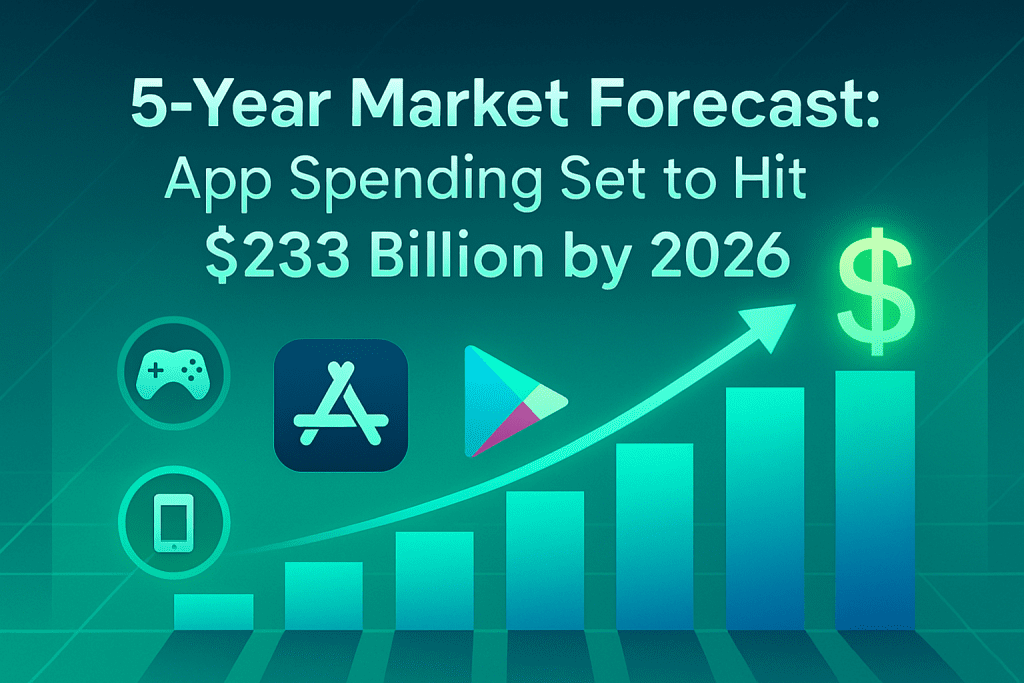
5-Year Market Forecast: App Spending Set to Hit $233 Billion by 2026

Introduction As the digital economy continues its explosive growth, mobile app spending is breaking new records. By 2026, global expenditures in mobile apps—including premium downloads, in-app purchases, and subscriptions—are forecasted to reach an unprecedented $233 billion. For businesses, developers, and tech leaders, understanding this evolving landscape is essential to maximize growth and make future-ready decisions. In this blog, we analyze the market’s trajectory, highlight key growth drivers, and provide actionable insights—with direct links to TechOTD’s expert IT, AI, and development services to help you capitalize on these booming trends.   2021–2026 App Economy Surge Global app spend is projected to hit $233 billion by 2026—a 77% leap from $132 billion in 2021. This growth is powered by the ongoing digital transformation seen across industries and regions. Platform Breakdown Apple App Store: Anticipated to reach $161 billion in revenue with a CAGR of 13.7%. Google Play Store: Forecasted to grow to $72 billion, with an 8.9% CAGR. Regional Insights United States: Leads global growth, forecasted at $86 billion (16.5% CAGR). Asia-Pacific: Remains the largest market for first-time downloads, fueled by rising smartphone penetration and affordable connectivity. Emerging Categories Non-gaming app categories such as entertainment, productivity, and healthcare are now rivaling gaming, with non-gaming apps expected to comprise 57% of iOS revenue by 2026. Top Factors Driving Market Growth 1. Digital Acceleration Post-2020 Pandemic-driven habits (remote work, remote learning, online buying) have become permanent, boosting demand for both consumer and enterprise apps. Brands are expanding digital offerings to stay competitive—see how digital solutions can modernize your workflows at TechOTD. 2. Rise of Non-Gaming App Revenue Beyond mobile games, categories like social networking, streaming, business, and eCommerce apps are seeing record growth. Leverage industry-focused app innovation and strategy through TechOTD’s AI Solutions and Industry Services. 3. Recurring Revenue Models (Subscriptions) Subscription-based revenue is dominating app monetization, leading to higher lifetime value per user. Ensure your app’s backend supports scalable infrastructure by partnering with TechOTD’s Web & App Development Team. 4. Continued First-Time Downloads App downloads are projected to hit 181 billion in 2026, led by emerging markets and expanding internet access. Businesses must optimize onboarding and long-term retention, strategies that TechOTD can help implement for both consumer and B2B apps. Actionable Insights for Business and Developers Invest in Non-Gaming Vertical Apps As user preferences diversify, now’s the time to innovate with apps in finance, health, education, and productivity. Capitalize on Subscriptions & Cloud Integration Build for recurring revenue and global scale. TechOTD’s cloud and AI expertise ensures seamless growth and personalized experiences. Optimize for Regional Growth Hotspots Adapt user journeys and payment strategies for growth markets like Asia-Pacific and North America. Future-Proof with AI and Analytics Data-driven insights and machine learning will be at the heart of profitable apps—explore custom AI integration at TechOTD AI. Partner for End-to-End Excellence From ideation to deployment and lifecycle support, trust TechOTD for web, mobile, and enterprise application success. Conclusion Mobile app spending is on track to redefine the global digital economy, soaring toward $233 billion in just five years. For brands, startups, and enterprises, opportunity lies in pairing innovative products with robust development and growth strategies. As digital transformation accelerates worldwide, let your app leverage the tools, partnerships, and expertise of leaders like TechOTD—and secure your place at the frontier of the $233 billion app economy. FAQ 1. What is the projected global app spending in 2026? Global app expenditure is forecasted to reach $233 billion by 2026, led by strong growth in both iOS and Android markets. 2. Which platform will be the biggest revenue driver? The Apple App Store will continue to lead in overall revenue, while Google Play drives a majority of downloads from emerging regions. 3. Will non-gaming apps overtake games in revenue share? Yes, on the App Store, non-gaming apps are expected to comprise 57% of total revenue by 2026. 4. What is the CAGR for overall global app spending? The compound annual growth rate is predicted at 12% from 2021 to 2026. 5. How can I position my app for success in this market? Focus on solving real problems, leverage cloud and AI, invest in scalable infrastructure, and partner with comprehensive IT experts like TechOTD.

App Development

Mobile App Development Process: The Ultimate Build-to-Launch Guide

Introduction Every day, the number of apps released to the market grows. Plus, right now, there are more mobile devices in the world than there are people. No wonder that by 2026 mobile applications are projected to generate $233 billion in revenue.   With such promising forecasts, it’s easy to see why many companies are looking into mobile app development. Some businesses are interested in creating the next TikTok or Zoom. Thus, focusing on consumer-facing projects and the revenue they can generate. Others, want to optimize internal processes and choose to invest in enterprise solutions that can reduce expenses and improve efficiencies. Discover the Difference Between Consumer and Enterprise Mobile Apps Whether you’re building for end users or your workforce, understanding the distinctions between consumer and enterprise mobile solutions is crucial. Today, we’ll share an ultimate guide to the seven-step mobile app development process—complete with insider insights from TechOTD and strategic backlinks to our services. Let’s dive in! 7 Key Steps of the Mobile App Development Process Strategy Development Analysis & Planning UI/UX Design App Development Application Testing Deployment Support & Performance Monitoring Read on for detailed best practices, and learn how to leverage TechOTD’s expertise at each stage. Step 1: Strategy Development Begin by defining your app’s vision and business model. Identify Objectives: What problem does your app solve? Who are its target users? What results do you expect? Research Competitors: Analyze similar apps to identify gaps and differentiation opportunities. Select Platform: Decide between iOS, Android, or cross-platform based on your audience and budget. Choose Monetization (Consumer Apps): In-app purchases, subscriptions, ads, or paid downloads. Partner with TechOTD to refine your strategy and prioritize features through our comprehensive Web & App Development services. Step 2: Analysis & Planning Translate your vision into a detailed blueprint. Functional Requirements: List all user actions and features (e.g., account creation, payments, data sync). Non-Functional Requirements: Define performance, security, and scalability targets. Product Roadmap: Prioritize features for your MVP versus future releases. Technology Stack: Select frameworks, databases, cloud services, and DevOps tools. Gain clarity on project scope and risk management by partnering with TechOTD’s IT Consulting & Deployment team. Ste UI/UX Design Craft intuitive, engaging user experiences.   Information Architecture: Map out data structures and user workflows. Wireframes: Sketch layouts for each screen and user flow. Style Guides & Mockups: Standardize fonts, colors, and UI components for consistency. Interactive Prototypes: Simulate the app experience to gather early feedback. Elevate your design with insights from TechOTD’s eCommerce & Industry Solutions. Step 4: App Development Build the core functionality in iterative sprints. Backend: REST/GraphQL APIs, database schemas, authentication, and cloud hosting. Frontend: Native (Swift/Kotlin) or cross-platform (Flutter/React Native). CI/CD Pipelines: Automate builds, tests, and deployments for rapid iteration. Leverage AI-powered automation from TechOTD’s AI & Machine Learning services to accelerate development. Step 5: Application Testing Ensure quality, performance, and security. Functional Testing: Validate all features. Usability Testing: Gather real-user feedback. Performance Testing: Simulate peak loads. Security Testing: Penetration tests and compliance checks. Compatibility Testing: Test across devices and OS versions. Ensure robust QA by tapping into TechOTD’s Web & App Development expertise. Step 6: Deployment Launch your app to stores or enterprise environments. App Store Optimization: Keywords, icons, screenshots, and descriptions. Store Compliance: Follow Apple and Google’s guidelines. Private Distribution: Use enterprise programs for internal apps. Simplify deployment with TechOTD’s IT Consulting & Deployment services. Step 7: Support & Performance Monitoring Turn your launch into sustained success. Analytics & KPIs: Track downloads, active users, retention, and conversions. Crash & Error Monitoring: Quickly triage and resolve issues. Feature Updates: Roll out new functionality and security patches. User Engagement: Use push notifications and in-app messaging. For ongoing maintenance and scaling, rely on TechOTD’s full-cycle support detailed on our About Us page. Why Partner with TechOTD? TechOTD delivers end-to-end mobile development services, combining industry best practices, AI/ML expertise, and robust infrastructure support. Whether you’re launching a public consumer app or a secure enterprise solution, our team is ready to guide you through every step. Explore our homepage: https://www.techotd.com/ Discover AI & Machine Learning services: https://www.techotd.com/pages/ai-page.html Learn about TechOTD: https://www.techotd.com/pages/abouts/about.html See eCommerce solutions: https://www.techotd.com/pages/industries/eCommerce.html Join our partner program: https://www.techotd.com/pages/abouts/partner.html Access Web & App Development services: https://www.techotd.com/pages/services/web-development.html Embark on your mobile journey today—partner with TechOTD for innovative, scalable, and secure mobile solutions. conclusion Every great app starts with an idea and becomes reality through a disciplined, step-by-step approach. Planning, designing, developing, and optimizing your app paves the way for business growth and deep user engagement. Ready to turn your vision into a mobile reality? Start your roadmap today—and partner with experts for world-class results. FAQ 1. Which programming language should I use for mobile app development in 2025? Swift (iOS), Kotlin (Android), and Flutter or React Native for cross-platform solutions offer robust features and community support. 2. How long does it take to build a mobile app? Simple apps can take around 2–4 months, while complex or cross-platform apps may require 6+ months. 3. What’s the best way to optimize app store rankings? Master App Store Optimization (ASO) with relevant keywords, stunning visuals, clear descriptions, and frequent updates. 4. How important is app security? Extremely—user data protection, secure authentication, and regular updates keep your app reliable and safe. 5. Where can I find trustworthy tutorials and examples? Explore Techotd, GeeksforGeeks, official Android/iOS docs, plus the resource links above.  

Cloud

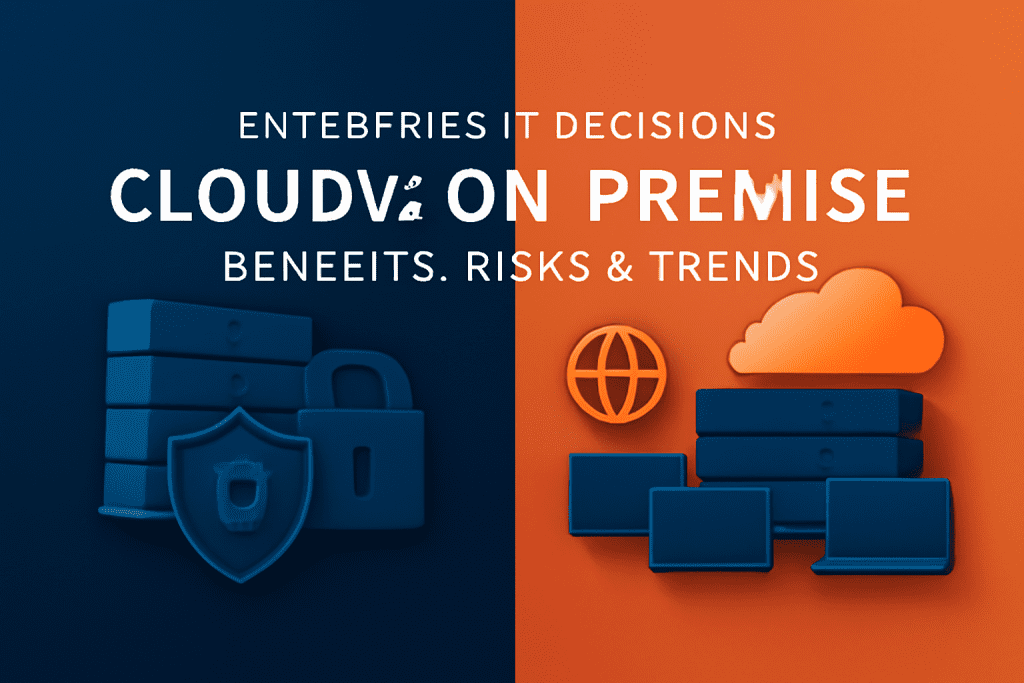
Enterprise IT Decisions: Comparing Cloud and On-Premise Benefits & Risks

Introduction In today’s era of digital acceleration, choosing the right IT infrastructure—cloud or on-premise—is a major strategic decision that can fuel your enterprise’s performance, security, and innovation. As market demands shift toward agility, scalability, and compliance, understanding the advantages, challenges, and modernization trends for each option is essential. This blog unpacks core differences, sector-specific examples, benefits, limitations, and real-world adoption trends—so you can make an informed, future-focused IT choice that propels your business forward. What Are Cloud and On-Premise IT Infrastructures? Cloud: IT services (servers, storage, databases, networking, analytics, and software) delivered over the internet by external providers. Explore Cloud Solutions On-Premise: Computing resources are installed and maintained on-site at your organization’s facility, with full direct control by your IT team. IT Consulting & On-Premises Solutions Key Differences: Cloud vs On-Premise Aspect Cloud On-Premise Deployment Off-site (third-party provider), accessed via internet. Cloud Services On-site (organization’s premises), your IT manages setup. IT Consulting Cost Low upfront investment (OpEx); subscription/pay-per-use billing. AI Solutions High upfront investment (CapEx); ongoing hardware/software costs. Scalability Elastic—scale up/down instantly. Data Analytics Scaling requires buying/installing new hardware—slower and costlier. Security & Control Provider-managed security and compliance certifications; some loss of direct control. Full direct data/control management; meets strict regulatory/industry needs. Accessibility Global access, ideal for hybrid/remote teams. Physical/campus access; remote requires extra configuration. Maintenance Provider manages updates, patches, disaster recovery. Your IT team maintains everything, from system updates to security. Vendor Lock-In Potential for dependency/migration challenges. No vendor lock, but older systems can be hard/expensive to integrate. Performance Flexible capacity, variable latency based on network quality. Direct control for ultra-low latency and critical workloads. Benefits & Risks: Cloud vs On-Premise Cloud Benefits Agility: Deploy new resources, apps, and sites quickly—supporting market expansion and innovation. Cost-Efficiency: Only pay for what you use; no expensive upfront hardware. Reduced IT Burden: Provider manages uptime, upgrades, and security. Business Continuity: Robust backup and disaster recovery. Remote-Ready: Enables global collaboration and hybrid teams. Cloud Risks Internet outages can cause downtime. Less direct control over sensitive data. Vendor lock-in risk if not planned for from the start. Ongoing operational costs. On-Premise Benefits Full Control: Customize security, compliance, hardware, and integrations for your needs. Regulatory Compliance: Simpler to meet industry/national data regulations (e.g., finance, healthcare). Performance: Low latency for mission-critical real-time operations. Customization: Tailor IT systems for unique or legacy workflows. On-Premise Risks Large upfront investment in hardware/facilities. All maintenance, upgrades, and support handled internally. Scaling and modernization can be slow and disruptive. Requires a larger, skilled IT team. Enterprise Use Cases & Industry Examples When Cloud Excels Retail: Instantly scale resources for sales peaks and geographic expansion. SaaS/Startups: Launch quickly, experiment safely, avoid infrastructure investment. Remote Collaboration: Enable global teams, file sharing, secure mobile and desktop access. Data Analytics/ML: Run big data or AI workloads dynamically. When On-Premise Is Ideal Banking/Finance: Regulatory oversight, data residency, high-frequency trading. Healthcare: HIPAA, medical record security, legacy system integration. Energy/Government: National security, control over access, strict privacy compliance. Modern Trends: Hybrid and Multi-Cloud Today’s enterprises often blend cloud and on-premise environments (“hybrid” or “multi-cloud”) to balance speed, compliance, and cost efficiency. Hybrid: Keep sensitive/regulated workloads on-premise and leverage cloud for agility, collaboration, and scale. Edge Computing: Combine on-premise/edge servers with cloud for ultra-fast operations (e.g., smart manufacturing, logistics). Stay ahead: Contact TechOTD’s experts for a custom roadmap Conclusion There’s no universal choice—your decision should reflect your unique business goals, industry requirements, and growth strategy. Choose cloud for agility, cost savings, and digital transformation. Choose on-premise for total control, compliance, and customized performance. For many, a hybrid strategy maximizes the advantages of both worlds. Ready to transform your IT? Visit TechOTD’s solutions hub or connect with our experts to shape the future of your enterprise IT. FAQ 1. Is cloud or on-premise more secure? Cloud vendors offer strong security, but on-premise gives you direct oversight. The safest path depends on compliance needs and your IT team’s expertise. 2. Which option costs less long-term? Cloud is cheaper up front and for dynamic workloads; on-premise may save money at scale, but needs careful management. 3. Can enterprises mix cloud with on-premise? Yes—the hybrid approach is powerful for balancing flexibility with control. 4. How do I avoid vendor lock-in with cloud? Choose platforms supporting open standards and plan migration strategies early. 5. Is on-premise IT outdated? No. It’s vital for compliance-heavy sectors and advanced when integrated with cloud or edge.

Software development

Custom Development vs White Label Solutions: Choosing What’s Best for Your Business

Introduction In today’s hyper-competitive digital world, selecting the right software strategy is crucial for business growth. Should your business invest in a bespoke solution tailored to your unique vision through custom development, or opt for a white label solution for fast, cost-effective deployment? This guide explores the key differences, benefits, and limitations of both approaches—empowering you to make an informed decision in line with your growth targets, market, and resources. Key Differences Between Custom Development and White Label Solutions Aspect Custom Development White Label Solutions Customization Built from scratch to fit your business’s requirements. Full control over features, branding, scalability, and security. Web & Software Development Pre-built, ready-to-deploy software. Customizable mainly for branding/interface. Explore Solutions Investment Higher upfront investment, potentially lower long-term cost (no ongoing vendor licenses). Your dedicated development partner: About Techotd Lower initial cost, but ongoing subscription/licensing fees may add up over time. Deployment Speed Requires skilled team and longer timelines—often months to years for complex projects. Rapid market entry—often deployable in weeks. eCommerce & More Support & Updates Managed by your in-house or dedicated team. Requires continuous investment in updates/security. Partner for Innovation Vendor provides technical support and product updates. Autonomy may be limited by provider’s roadmap. Scalability Infinite scalability and evolving features tailored to your growth. AI/ML Expertise Scalability is dependent on the vendor’s platform capabilities. Modifications are restricted. Use Cases Custom Development: Best for highly regulated industries (fintech, healthcare), unique SaaS, solutions demanding maximum compliance, complex workflows. See: Healthcare Solutions White Label Solutions: Ideal for startups, agencies, e-commerce businesses, and organizations needing fast, low-risk entry. See: eCommerce Platforms Weighing the Pros and Cons Advantages Custom Development Unique features and branding for a true competitive edge. Unlimited scalability and flexibility. Security tailored to compliance and industry specifics. May lower total cost of ownership in the long run. In-house or dedicated support ensures alignment and faster innovation. White Label Solutions Go live in weeks, not months. Low initial costs—make technology accessible for any size business. Pre-tested, vendor-maintained software means fewer technical hurdles. Focus on your core business; tech is managed by the solution provider. Limitations Custom Development High upfront investment and long project cycles. Ongoing expenses for maintenance, security, updates. Risk of delays or overruns if requirements change or expertise is lacking. White Label Solutions Limited ability to differentiate your brand. Customization confined mainly to aesthetics and minor features. Vendor lock-in risks and recurring costs. Scalability and compliance may be hindered by vendor limitations. Support and updates are dictated by the solution provider’s priorities. Conclusion Choosing between custom development and white label solutions depends on your organization’s vision, resource availability, and growth ambitions. If rapid launch and minimal investment are your priorities, a white label approach is practical. For businesses focused on unique positioning, advanced features, and long-term competitiveness, investing in custom development is a strategic move. Ready to elevate your business? Connect with TechOTD’s experts, assess your needs, and prepare for future-ready digital growth. FAQ 1. What is the biggest difference between custom development and white label solutions? Custom development is fully tailored, while white label is ready-made and limited to superficial customization. 2. Which approach is more cost-effective? White label is cheaper up front, but custom solutions may cost less long-term by avoiding subscription/vendor fees. 3. Does custom development guarantee faster business growth? It boosts long-term competitiveness via uniqueness and scalability, but doesn’t guarantee immediate gains. 4. Can white label solutions be customized for unique needs? Mostly limited to branding/interface tweaks—not deep feature or workflow changes. 5. When should I choose a white label solution? If you need to go to market quickly, have a limited budget, or don’t need complex integrations.

Data Privacy & Security

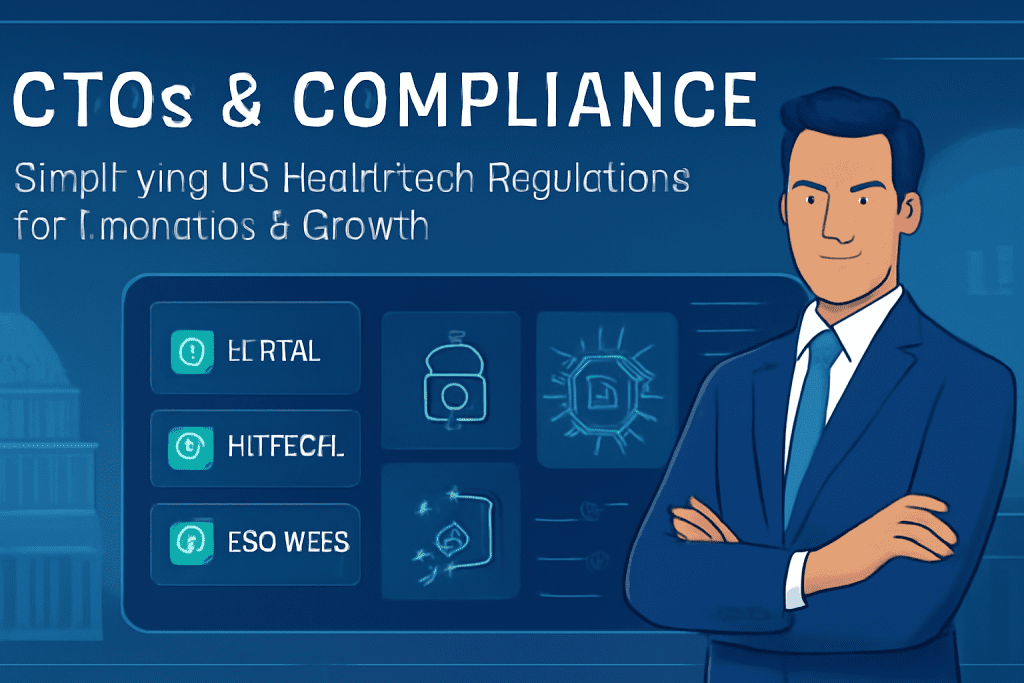
CTOs & Compliance: Simplifying US HealthTech Regulations for Innovation & Growth

Introduction Navigating the complex world of US Health Tech regulations is one of the biggest challenges facing today’s CTOs. The rapid pace of technological advancement, increased focus on data privacy, and evolving legislative frameworks have transformed compliance from a “checkbox” exercise into a critical pillar for innovation and growth. In this blog, we’ll break down what every CTO needs to know about simplifying and embracing Health Tech compliance—not just to stay legal, but to accelerate innovation, build market trust, and drive scalable success in the US Health Tech ecosystem. Understanding the Regulatory Terrain: What CTOs Must Know HIPAA & HITECH Foundation HIPAA (Health Insurance Portability and Accountability Act) is the cornerstone of US Health Tech regulation, requiring robust safeguards for Protected Health Information (PHI) including data encryption, access controls, audit logs, and disaster recovery. HITECH (Health Information Technology for Economic and Clinical Health Act) amplifies HIPAA: penalties for violations are tougher and requirements for breach transparency are stricter. Emerging Standards & Trends The FDA alignment with ISO 13485 for device quality management is raising the bar for digital health platforms and connected devices, especially by February 2026. Interoperability mandates driven by FHIR APIs and Electronic Health Record (EHR) standards mean CTOs must consider not only their own infrastructure but also integrations with external systems and partners. New regulatory scrutiny around AI in HealthTech, cybersecurity, and diagnostics introduces dedicated compliance frameworks and audit trails for advanced Health Tech products. Key Considerations for CTOs Compliance isn’t just a legal formality—it must influence technical architecture from the first line of code. Regular risk assessments, comprehensive documentation, and up-to-date staff training are essential for continuous compliance. Practical Steps to Streamline Compliance and Enable Innovation Make Compliance a Business Strategy Proactive Planning: Integrate regulatory considerations (HIPAA, HITECH, FDA/ISO, HITRUST) into early product roadmaps instead of post-development fixes. Cross-Functional Teams: Include legal, compliance, and security experts in all major tech decisions, particularly during MVP and scaling phases. Leverage Modern Compliance Tools Use digital compliance platforms to track regulations, manage documentation, and quickly adapt to new standards—reducing risk and operational costs. Choose cloud vendors and technology stacks with proven compliance certifications (e.g., HITRUST CSF), which streamline audits and boost partner trust. Continuous Monitoring & Documentation Conduct regular risk audits and vulnerability assessments. Maintain precise documentation of development and user feedback—improving both audit success rates and team accountability. Balance Innovation and Safety Pilot AI, IoT, and healthcare innovation within legal frameworks, using synthetic data or controlled environments to validate concepts before exposure to real patient data. Ensure any use of third-party APIs and integrations doesn’t introduce unexamined regulatory risks—every touchpoint matters in audits. Conclusion CTOs hold the keys to transforming Health Tech compliance from a barrier to an engine for growth and innovation. By architecting compliance into every aspect of product development and leveraging the right processes and tools, leaders can not only meet today’s regulatory requirements but confidently innovate for the future. Ready to future-proof your Health Tech innovation? Make compliance your launchpad—not your roadblock—grow boldly! FAQ Q1: What is the biggest compliance challenge for Health Tech CTOs today?Staying updated and building scalable systems as HIPAA, HITECH, and FDA/ISO evolve, especially with the rise of AI and interoperability mandates. Q2: Can compliance slow down Health Tech innovation?Not if approached proactively; integrating compliance early can actually accelerate product launches and unlock new partnerships by building stakeholder trust. Q3: How can startups streamline compliance efforts?Use digital compliance tools, choose compliant vendors, and integrate cross-functional teams from day one for a structured, scalable approach. Q4: What happens if Health Tech companies fail to comply?Financial penalties, delayed launches, reputational damage, and even loss of business opportunities—compliance is critical for sustainable growth. Q5: Are there frameworks that help simplify multi-standard compliance?Yes, frameworks like HITRUST CSF and automation-led compliance platforms help unify requirements for HIPAA, HITECH, and ISO, making multi-standard compliance more manageable.

Educational Technology

How AR/VR is Changing Education Forever

Introduction Augmented Reality (AR) and Virtual Reality (VR) are revolutionizing education, creating immersive, interactive environments that go far beyond traditional textbooks and lectures. From elementary schools introducing fun, 3D models in classrooms to universities using advanced VR simulations for medical training, AR/VR is making learning more engaging, effective, and accessible for all―forever transforming how students experience knowledge. What is AR and VR in Education?          .   Augmented Reality(AR): Integrates digital elements—like images, text, or 3D models—into the real world, viewed               through devices such as tablets, smartphones, or smart glasses. Virtual Reality (VR): Fully immerses users in a digital environment, typically via headsets, enabling “learning by doing,” simulation, and exploration far beyond the classroom’s physical walls. How AR/VR is Transforming Learning 1. Enhanced Engagement & Motivation Interactive AR/VR lessons make complex and abstract topics fun and tangible—students retain more information and develop a love for learning. Gamified elements and hands-on experiences break the monotony of rote learning. 2. Improved Understanding of Complex Concepts 3D models let students visualize everything from atoms to the solar system, and even human anatomy, enhancing their grasp of difficult subjects. Virtual field trips allow students to “visit” historical sites, disaster zones, or far-off planets—without leaving their school. 3. Safe, Experiential Learning VR simulations provide a risk-free way to practice real-world skills, such as surgery, engineering, or scientific experiments, improving practical skills with zero danger. 4. Personalized & Differentiated Learning Tailored AR/VR scenarios adapt to individual learning speeds and preferences, catering to diverse learning needs and styles. 5. Increased Collaboration and Social Skills Multi-user VR classrooms and AR projects encourage teamwork, communication, and collaborative problem-solving—even when students are remote. Real-World Examples Elementary Schools: AR sandboxes for geography; interactive 3D flashcards for biology; chemistry visualizations through AR cubes. Colleges/Universities: VR simulations for medical training; AR to study brain functions and psychological phenomena. Vocational Training: Virtual reality labs for mechanics, engineers, and healthcare professionals to practice skills before entering real workplaces. Distance/Online Learning: Students from around the world attend the same immersive VR classrooms, making quality education globally accessible. Benefits at a Glance Benefit AR Example VR Example Higher Student Engagement 3D interactive models in class Immersive field trips Improved Knowledge Retention AR flashcards, games Simulated hands-on lab work Accessibility Translation & instant guides Attend remote classrooms Collaboration & Social Learning Group AR projects Multi-user VR lessons Safe Practice for Risky Scenarios Step-by-step AR guides VR medical & engineering sims Personalized Learning Adaptive AR quizzes Branching VR scenarios How to Use AR/VR in Your Education Setting Start with available AR apps and tools—many offer free trials for classrooms (like Google Expeditions and ClassVR). Identify complex topics or skills in your curriculum where AR/VR can add value. Train teachers and students on using devices and software for maximum impact. Foster collaboration by creating group VR projects or AR-based treasure hunts/assignments. Regularly assess learning outcomes and adapt experiences for continued progress. Conclusion AR/VR is much more than a tech trend—it’s a paradigm shift in education. By merging virtual and real worlds, educators make learning vivid, memorable, and personalized for every student. As AR and VR tools become more accessible, their role in classrooms will only grow, ensuring that education everywhere is more engaging, relevant, and future-ready. FAQ Q1: What is the difference between AR and VR in education? A1: AR overlays digital information on the real world, enhancing what you see; VR immerses users in a completely virtual environment, allowing “hands-on” practice and exploration. Q2: Is AR/VR expensive for schools to implement? A2: Costs are dropping as technology evolves. Many AR apps work on smartphones/tablets. VR headsets are becoming more affordable, and many companies offer education discounts and ready-to-use lesson packages. Q3: How does AR/VR affect student learning outcomes? A3: Research shows AR/VR increases engagement, improves memory retention by nearly 9%, and supports diverse learners, especially those with special needs or remote access challenges. Q4: Can AR/VR be used for online or distance education? A4: Yes! VR classrooms enable students worldwide to learn together, while AR tools support remote, interactive, and collaborative activities. Q5: Will AR/VR replace teachers? A5: No. AR/VR is a tool to enhance teaching, not replace it. Human guidance, support, and expertise remain crucial for effective learning outcomes.

finance, Technology

Digital Currencies vs Traditional Banking: Who Will Win?

Introduction The world of money is at a pivotal crossroads: digital currencies are transforming how people move and store value, while traditional banking remains the cornerstone of global finance. With instantly accessible digital wallets and the rise of central bank digital currencies (CBDCs), the competition between digital and conventional banking is fierce. This blog unpacks what digital currency is, how it compares to traditional banking, and which model could shape the future of finance. What Is a Digital Currency? Digital currency is a form of money that exists only in electronic form There are no coins or notes. Other names include digital money, electronic money, e-currency, and cybercast. These currencies are accessible only via computers, smartphones, and online wallets, and they’re used to execute electronic transactions globally.   Key Take aways Digital currencies are purely electronic; there are no physical coins or notes. They typically allow faster, cheaper transactions by skipping intermediaries. All cryptocurrencies are digital currencies, but not all digital currencies are cryptocurrencies. Pros: Fast transfers, global accessibility, lower costs, enhanced privacy. Cons: Technical barriers, hacking risks, volatile prices, limited acceptance, irreversibility. Types of Digital Currencies Cryptocurrencies: Decentralized, secured using cryptography, e.g., Bitcoin, Ethereum. Virtual Currencies: Issued by private networks, often for gaming or social platforms. Central Bank Digital Currencies (CBDCs): Regulated, issued by governments (e.g., digital yuan), designed to supplement or replace traditional currency. Digital Currency vs Traditional Banking Feature Digital Currency Traditional Banking Form Purely electronic, no physical format Physical + digital (cash, cards, e-banking) Transaction Speed Instant, 24/7 global transfers Slower, especially cross-border, limited by business hours Accessibility Anyone with an internet connection; global reach Branch-based, dependent on banking infrastructure Cost Low transaction fees, no intermediaries Higher fees, multiple middlemen Regulation Varies: crypto unregulated, CBDCs highly regulated Highly regulated and insured Privacy High (in some types), can be anonymous Identity-linked, less private Security & Safety Prone to hacks and irreversibility of errors Strong consumer protection mechanisms Physical Presence Not required Branches for in-person help and complex services Stability & Trust Volatile (especially crypto); growing for CBDCs Stable, decades of public trust Use Cases Remittances, online payments, digital investments Deposits, loans, wealth management, daily banking Where Digital Currencies Shine Seamless online payments and transfers across borders, ideal for gig workers and global businesses. Financial inclusion where traditional banking infrastructure is weak. Programmable money in decentralized finance (Defib), reducing costs and enabling automation (e.g., smart contracts). Increased privacy and control for tech-savvy users. Where Traditional Banks Reign Widespread acceptability—banks are integrated into most economies. Personal service for complex needs like mortgages, investments, and financial advice. Stability during market upheavals due to regulatory protections. Deposit insurance and consumer protections. The Future: Competition or Collaboration? Most experts foresee coexistence: digital currencies will complement, not completely replace, traditional banking in the near term. CBDCs are helping banks modernize, allowing for direct, government-backed digital money. Banks are adopting blockchain and digital tech to offer faster payments and enhanced security. Conclusion No clear winner has emerged—yet. Digital currencies and traditional banking each serve different needs. Digital currencies are pushing boundaries, making transactions faster, cheaper, and potentially more private. Traditional banks still deliver trust, security, and broad financial services. The ultimate “winner” will likely be a hybrid system, combining digital innovation with the reassuring stability of traditional banks. Are you ready for the future of money? Explore how digital wallets, crypto, or CBDCs could enhance your financial life—and don’t ignore the staying power of your local bank branch. The choice is increasingly yours! FAQ Q1: Are all digital currencies cryptocurrencies? No, while all cryptocurrencies are digital currencies, not all digital currencies use blockchain or cryptography—CBDCs and virtual currencies are examples that may not. Q2: Do I need a bank account to use digital currency? Typically, no. Digital currencies can be accessed via digital wallets without a bank, though some platforms may require identity checks. Q3: Are digital currencies safer than traditional banking? Digital currencies offer privacy and fast transfers but carry hacking and volatility risks. Traditional banks provide regulated protection and insurance. Q4: Can digital currencies replace banks? Not entirely—banks offer a range of services, personal support, and stability. Digital currencies may complement, but not fully replace, traditional banking soon. Q5: What is a Central Bank Digital Currency (CBDC)? A CBDC is a state-issued, regulated digital currency designed to supplement (or eventually replace) physical money, with direct access from central authorities.

How would you like me to respond?

Select a personality for your AI assistant

Normal
Happy
Sad
Angry

Your selection will affect how the AI assistant responds to your messages

Chat Assistant

Let's discuss your project!

Hear from our clients and why 3000+ businesses trust TechOTD

Tell us what you need, and we'll get back with a cost and timeline estimate

Scroll to Top