Author name: Ashish Ranjan

Software development lifecycle phases from planning to maintenance
Uncategorized

Software Development Lifecycle (SDLC): A Step-by-Step Guide to Building Reliable Software

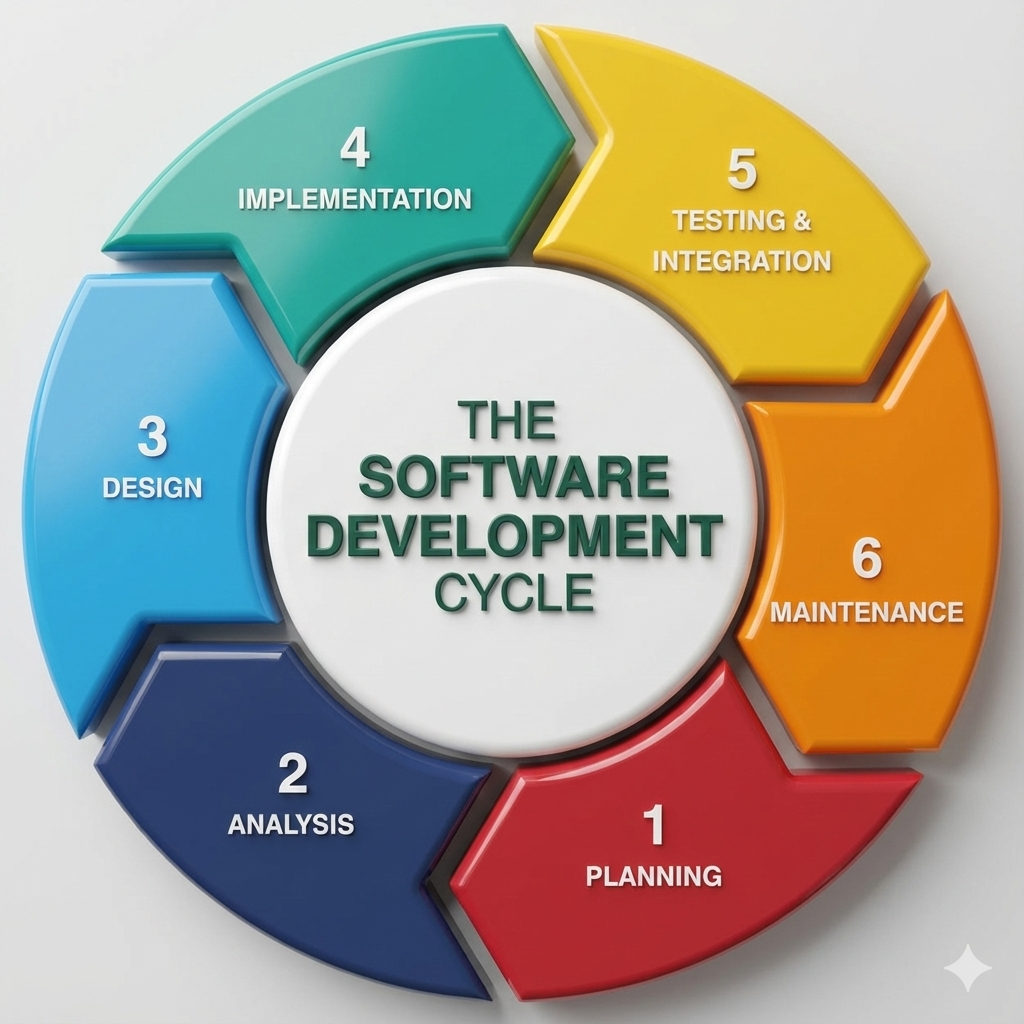
Introduction Building high-quality software requires more than just writing code. Successful applications are the result of a structured and disciplined approach that ensures efficiency, reliability, and scalability. This structured approach is known as the Software Development Lifecycle (SDLC). The SDLC defines a series of phases that guide software teams from the initial idea to final deployment and ongoing maintenance. By following a well-defined lifecycle, organizations can reduce risks, control costs, improve quality, and deliver software that meets user expectations. In this blog, we will explore the software development lifecycle in detail, understand each phase, examine popular SDLC models, and learn why SDLC is essential for modern software development. What Is the Software Development Lifecycle (SDLC)? The Software Development Lifecycle is a systematic process used to develop software applications. It outlines the steps required to design, build, test, deploy, and maintain software efficiently. The main goals of SDLC are to: Deliver high-quality software Meet customer requirements Reduce project risks Ensure predictable timelines and budgets SDLC provides a clear roadmap for developers, designers, testers, and stakeholders. Why Is SDLC Important? Following the SDLC helps organizations: Improve project planning and management Detect issues early in development Enhance communication among teams Deliver consistent and reliable software Without a structured lifecycle, projects are more likely to face delays, budget overruns, and quality issues. Phases of the Software Development Lifecycle The SDLC typically consists of six to seven key phases. 1. Requirement Analysis This is the foundation of the entire development process. Key Activities Gathering business requirements Understanding user needs Defining functional and non-functional requirements Documenting requirements Clear and accurate requirements prevent costly changes later in the project. 2. Planning In the planning phase, teams define how the project will be executed. Key Activities Estimating timelines and costs Allocating resources Defining milestones and deliverables Risk assessment Effective planning ensures smooth project execution. 3. System Design The design phase focuses on how the software will work. Types of Design High-Level Design (HLD): Overall architecture and system components Low-Level Design (LLD): Detailed logic, data structures, and workflows This phase translates requirements into a technical blueprint. 4. Development (Implementation) This is where actual coding takes place. Key Activities Writing source code Code reviews Integrating components Developers follow coding standards and best practices to ensure maintainability and performance. 5. Testing Testing ensures the software works as intended. Types of Testing Unit testing Integration testing System testing User acceptance testing (UAT) Testing identifies bugs, security vulnerabilities, and performance issues before release. 6. Deployment In this phase, the software is released to users. Deployment Methods Manual deployment Continuous integration and continuous deployment (CI/CD) Proper deployment strategies minimize downtime and risks. 7. Maintenance and Support After deployment, the software enters the maintenance phase. Key Activities Bug fixes Performance optimization Feature enhancements Security updates Maintenance ensures long-term software reliability. Popular SDLC Models Different projects use different SDLC models based on requirements. 1. Waterfall Model A linear and sequential approach suitable for projects with fixed requirements. 2. Agile Model An iterative approach that emphasizes flexibility, collaboration, and continuous delivery. 3. Scrum A popular Agile framework using short development cycles called sprints. 4. DevOps Model Combines development and operations to enable faster and more reliable releases. Choosing the Right SDLC Model The right SDLC model depends on: Project size and complexity Requirement stability Team structure Timeline and budget Choosing the correct model improves project outcomes. SDLC in Modern Software Development Modern development practices often blend SDLC with Agile and DevOps principles. Automation, cloud platforms, and continuous testing have transformed traditional lifecycle models into more flexible and efficient processes. Conclusion The Software Development Lifecycle is a critical framework that ensures software projects are delivered successfully. By understanding and following SDLC phases, organizations can build reliable, scalable, and secure applications. Whether you are developing a small application or a large enterprise system, SDLC provides the structure needed to achieve consistent results. Frequently Asked Questions (FAQs) 1. What is SDLC in software development? SDLC is a structured process that defines the stages involved in building, deploying, and maintaining software. 2. How many phases are in the SDLC? Typically, SDLC consists of six to seven phases, including requirements, design, development, testing, deployment, and maintenance. 3. Which SDLC model is best? There is no single best model. Agile is best for flexible projects, while Waterfall suits projects with fixed requirements. 4. Why is testing important in SDLC? Testing ensures software quality, reliability, and security before release. 5. Can SDLC be combined with Agile? Yes, modern development often integrates SDLC principles with Agile and DevOps practices. 6. Does SDLC apply to all software projects? Yes, SDLC can be adapted to projects of all sizes and complexities. Contact with us: https://www.facebook.com/profile.php?id=61555452386126
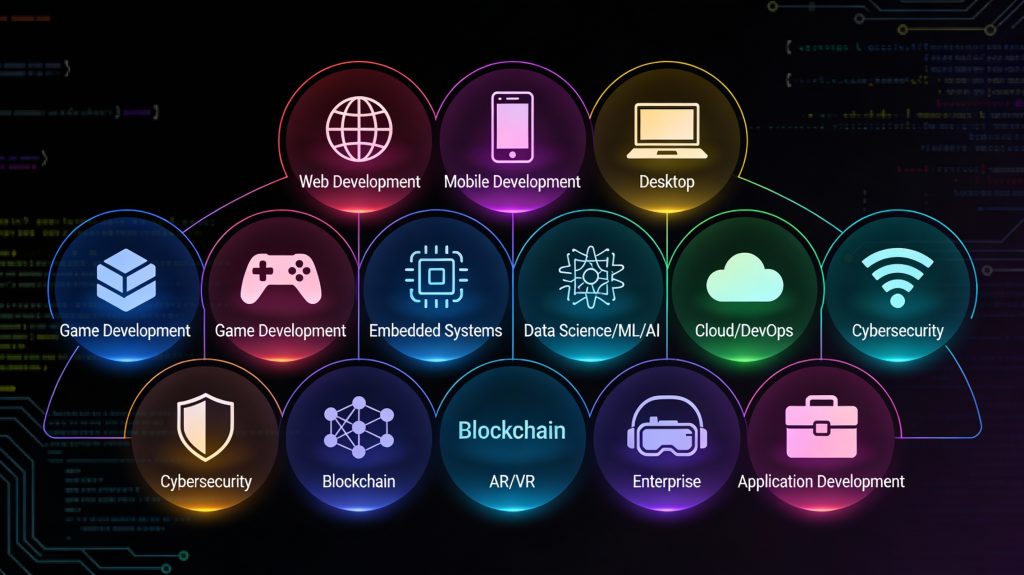
Different types of software development applications and platforms
Software development

Types of Software Development: Understanding Different Development Approaches and Applications

Introduction Software development is not a one-size-fits-all discipline. Depending on business goals, user needs, platforms, and technologies, software solutions are built in different ways. From websites and mobile apps to enterprise systems and embedded software, each type of software development serves a unique purpose. Understanding the types of software development helps businesses choose the right approach and enables developers to specialize in the areas that best align with their skills and career goals. As digital transformation accelerates across industries, the demand for diverse software solutions continues to grow. In this blog, we’ll explore the major types of software development, their characteristics, use cases, and how they contribute to modern technology ecosystems. Web Application Development Web development focuses on building applications that run in web browsers. These applications are accessible across devices without requiring installation. Key Characteristics Browser-based access Platform-independent Easy updates and maintenance Technologies Used Frontend: HTML, CSS, JavaScript, React, Angular Backend: Node.js, Python, Java, PHP Databases: MySQL, PostgreSQL, MongoDB Use Cases Business websites E-commerce platforms Content management systems Web portals Web development remains one of the most popular and in-demand software development types. Mobile Application Development Mobile software development involves creating applications for smartphones and tablets. Types of Mobile Development Native Development: Platform-specific (Swift for iOS, Kotlin for Android) Cross-Platform Development: Single codebase for multiple platforms (React Native, Flutter) Use Cases Social media apps Banking and fintech apps Fitness and healthcare apps On-demand services Mobile development focuses on performance, usability, and device-specific features. Desktop Software Development Desktop software development involves building applications that run on operating systems like Windows, macOS, and Linux. Key Features Offline functionality High performance Direct access to system resources Examples Productivity tools Graphic design software Accounting systems Although cloud and web apps are growing, desktop applications are still essential in many industries. Enterprise Software Development Enterprise software development focuses on building large-scale applications for organizations. Key Characteristics High scalability Complex workflows Integration with existing systems Examples ERP systems CRM platforms HR management software Enterprise software improves efficiency, data management, and operational control. Cloud Software Development Cloud development involves building applications designed to run on cloud infrastructure. Benefits Scalability on demand High availability Cost efficiency Popular Platforms Amazon Web Services (AWS) Microsoft Azure Google Cloud Platform Cloud-native development supports modern architectures like microservices and serverless computing. Embedded Software Development Embedded software runs on hardware devices rather than traditional computers. Examples IoT devices Automotive systems Medical equipment Smart appliances Embedded software must be efficient, reliable, and often real-time. Custom Software Development Custom software development involves building solutions tailored to specific business needs. Advantages Full control over features Better integration with business processes Competitive advantage Custom software is often preferred over off-the-shelf solutions for unique requirements. Game Development Game development combines software engineering with creativity. Technologies Used Game engines (Unity, Unreal Engine) Graphics and physics libraries Applications Mobile games Console games VR and AR experiences Game development emphasizes performance, graphics, and user engagement. AI and Machine Learning Software Development AI-driven software development focuses on intelligent systems. Use Cases Recommendation engines Chatbots Predictive analytics AI development requires specialized skills and data-driven approaches. Choosing the Right Type of Software Development Selecting the right development type depends on: Business goals Target users Budget and timeline Scalability requirements Making the right choice ensures long-term success. Conclusion Software development encompasses a wide range of approaches, each designed to solve specific problems. Understanding the different types of software development allows businesses to make informed decisions and developers to focus their skills effectively. As technology continues to evolve, the diversity of software development will only expand, offering endless opportunities for innovation. Frequently Asked Questions (FAQs) 1. What are the main types of software development? The main types include web, mobile, desktop, enterprise, cloud, embedded, and custom software development. 2. Which type of software development is most in demand? Web and mobile development are currently the most in-demand due to widespread digital adoption. 3. What is custom software development? Custom software development involves building applications tailored to specific business needs rather than generic solutions. 4. Is cloud software development different from web development? Yes, cloud development focuses on scalability and cloud infrastructure, while web development focuses on browser-based applications. 5. Which type of software development is best for startups? Web and cross-platform mobile development are often ideal for startups due to lower costs and faster time-to-market. 6. Can one project involve multiple types of software development? Yes, many modern projects combine web, mobile, cloud, and backend development. Connect with us: https://www.facebook.com/profile.php?id=61555452386126
Software development lifecycle and modern application development
Software development

Software Development: A Complete Guide to Building Modern, Scalable Applications

Introduction In the digital era, software development is the backbone of innovation, automation, and business growth. From mobile applications and enterprise systems to cloud platforms and artificial intelligence, software powers nearly every aspect of modern life. Organizations rely on robust software solutions to improve efficiency, enhance customer experiences, and gain a competitive advantage. Software development is not just about writing code—it is a structured process that involves planning, designing, building, testing, deploying, and maintaining applications. As technology evolves, so do development methodologies, tools, and best practices. This comprehensive guide explains what software development is, how it works, its types, lifecycle, tools, and why it plays a critical role in modern digital transformation. What Is Software Development? Software development is the process of creating applications, systems, or programs that perform specific tasks for users or businesses. It includes everything from simple websites to complex enterprise systems and cloud-based platforms. The process involves: Understanding user requirements Designing software architecture Writing and reviewing code Testing for quality and performance Deploying applications Ongoing maintenance and updates Software development combines creativity, logic, and engineering principles to solve real-world problems. Types of Software Development Software development can be categorized into several types based on use cases and platforms. 1. Web Development Involves building websites and web applications using technologies like HTML, CSS, JavaScript, and backend frameworks. 2. Mobile App Development Focuses on creating applications for Android and iOS platforms using native or cross-platform technologies. 3. Desktop Software Development Includes applications designed for desktops, such as productivity tools and system software. 4. Enterprise Software Development Custom software solutions built for large organizations to manage operations, data, and workflows. 5. Embedded Software Development Software designed to run on hardware devices like IoT systems, automobiles, and medical equipment. Software Development Lifecycle (SDLC) The Software Development Lifecycle (SDLC) is a structured approach that ensures high-quality software delivery. 1. Requirement Analysis Understanding business goals, user needs, and system requirements. 2. Planning Defining scope, timeline, resources, and budget. 3. Design Creating system architecture, UI/UX designs, and data models. 4. Development Writing, reviewing, and integrating code. 5. Testing Identifying bugs, performance issues, and security vulnerabilities. 6. Deployment Releasing the software into production. 7. Maintenance Updating, fixing, and improving software over time. Popular Software Development Methodologies 1. Waterfall Model A linear and sequential approach, suitable for projects with well-defined requirements. 2. Agile Development An iterative approach that focuses on flexibility, collaboration, and continuous improvement. 3. Scrum A popular Agile framework that delivers software in short development cycles called sprints. 4. DevOps Combines development and operations to enable faster and more reliable software delivery. Tools Used in Software Development Modern software development relies on powerful tools and technologies: Programming Languages: Java, Python, JavaScript, C++, C# Version Control: Git, GitHub, GitLab IDEs: Visual Studio Code, IntelliJ IDEA Testing Tools: Selenium, JUnit, Jest CI/CD Tools: Jenkins, GitHub Actions Choosing the right tools improves productivity and code quality. Importance of Software Development in Business Software development enables businesses to: Automate processes Improve customer engagement Scale operations efficiently Analyze data for better decision-making Stay competitive in digital markets Custom software solutions often provide more flexibility and control than off-the-shelf products. Challenges in Software Development Common challenges include: Changing requirements Tight deadlines Security risks Scalability issues Technical debt Following best practices and using modern methodologies helps overcome these challenges. Future of Software Development The future of software development includes: Artificial Intelligence and Machine Learning Cloud-native applications Low-code and no-code platforms Cybersecurity-focused development Continuous learning and adaptation are essential for developers and businesses alike. Conclusion Software development is a dynamic and ever-evolving field that drives innovation across industries. By following structured processes, adopting modern tools, and applying best practices, organizations can build scalable, secure, and high-performing software solutions. Whether you’re a startup or an enterprise, investing in quality software development is essential for long-term success. Frequently Asked Questions (FAQs) 1. What is software development used for? Software development is used to create applications and systems that solve problems, automate tasks, and improve efficiency for users and businesses. 2. What skills are required for software development? Key skills include programming, problem-solving, system design, debugging, and understanding development methodologies. 3. What is the SDLC in software development? The Software Development Lifecycle is a structured process that guides software creation from planning to maintenance. 4. Is Agile better than Waterfall? Agile is better for projects with changing requirements, while Waterfall suits projects with fixed and well-defined goals. 5. How long does software development take? Development time depends on project complexity, features, and team size, ranging from weeks to months. 6. Is custom software development expensive? While initial costs may be higher, custom software often provides better long-term value and scalability. Connect With Us: https://www.facebook.com/profile.php?id=61555452386126
Best practices for scalable React Native app development
React native doveploment

Best Practices for Scalable and High-Performance React Native App Development

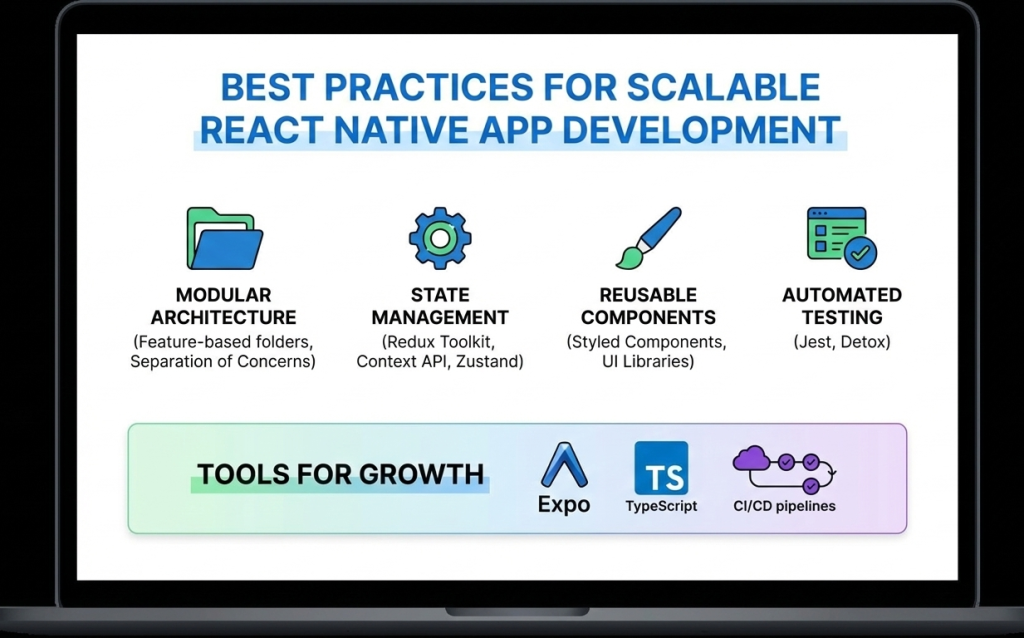
Introduction As mobile applications continue to grow in complexity and scale, developers must focus not only on building features but also on maintaining performance, scalability, and code quality. React Native development makes cross-platform mobile app creation faster and more efficient, but long-term success depends heavily on following proven best practices. Without proper architecture and optimization, React Native apps can become difficult to maintain, slow to scale, and prone to performance issues. On the other hand, applications built with best practices in mind remain stable, secure, and adaptable to future requirements. In this blog, we’ll explore the best practices for scalable and high-performance React Native app development, covering architecture, performance optimization, state management, security, and maintainability. 1. Use a Clean and Scalable Project Architecture A well-structured architecture is the foundation of any successful React Native application. Best practices include: Organizing code by features instead of file types Separating UI, business logic, and services Keeping reusable components in a shared directory A clean architecture improves collaboration, simplifies debugging, and makes scaling easier. 2. Break UI into Reusable Components React Native is built around a component-based architecture. Reusable components: Reduce code duplication Improve readability Speed up development Components should be small, focused, and reusable across the application. 3. Optimize Performance from the Start Performance optimization should not be an afterthought. Key techniques include: Using FlatList instead of ScrollView for long lists Avoiding unnecessary re-renders with React.memo Minimizing heavy computations on the UI thread Optimizing images and assets Using the Hermes engine also improves startup time and memory usage. 4. Choose the Right State Management Strategy State management plays a crucial role in scalability. Options include: Context API for small apps Redux for large and complex applications Zustand for lightweight and modern state handling Choosing the right approach prevents unnecessary complexity. 5. Handle API Calls and Data Caching Efficiently Efficient data handling improves performance and user experience. Best practices: Use Axios or Fetch consistently Implement error handling and retries Cache data when possible Avoid unnecessary API calls Libraries like React Query can simplify data fetching and caching. 6. Follow Platform-Specific Design Guidelines While React Native is cross-platform, Android and iOS users have different design expectations. Best practices include: Using platform-specific components when needed Handling gestures and navigation appropriately Testing UI on multiple screen sizes Respecting platform guidelines improves user satisfaction. 7. Secure Your React Native Application Security is critical in mobile app development. Best practices include: Avoid storing sensitive data in plain text Use secure storage solutions Implement authentication and authorization properly Use HTTPS and encrypted APIs Security should be integrated into every stage of development. 8. Write Tests and Automate Quality Assurance Testing ensures long-term stability. Important testing methods: Unit testing with Jest Component testing with React Native Testing Library End-to-end testing for critical flows Automated testing reduces bugs and improves release confidence. 9. Monitor Performance and Errors Monitoring helps identify issues before they affect users. Tools such as: Flipper Sentry Firebase Performance Monitoring These tools provide insights into crashes, performance bottlenecks, and user behavior. 10. Keep Dependencies Updated Outdated dependencies can cause security vulnerabilities and compatibility issues. Best practices: Regularly update React Native versions Remove unused libraries Review changelogs before upgrades Keeping dependencies updated ensures stability and security. Future-Ready React Native Development React Native continues to evolve with improved architecture, better performance, and stronger community support. Following best practices ensures your application remains adaptable to future updates and scaling requirements. Conclusion React Native development offers immense potential for building scalable and high-performance mobile applications. However, success depends on following best practices related to architecture, performance, security, and maintainability. By implementing these best practices from the beginning, developers can build robust React Native apps that deliver excellent user experiences and stand the test of time. Frequently Asked Questions (FAQs) 1. Why are best practices important in React Native development? Best practices ensure scalability, performance, maintainability, and long-term success of React Native applications. 2. How can I improve React Native app performance? Optimizing lists, avoiding unnecessary re-renders, using Hermes, and monitoring performance tools can significantly improve performance. 3. Which state management is best for React Native apps? It depends on app complexity. Context API works for small apps, while Redux or Zustand suits larger applications. 4. Is React Native secure for enterprise apps? Yes, when proper security measures like encrypted storage, secure APIs, and authentication are implemented. 5. How do I scale a React Native app efficiently? Using clean architecture, modular components, proper state management, and performance optimization ensures smooth scalability. 6. Are React Native apps future-proof? Yes, with continuous updates, strong community support, and best practices, React Native apps are future-ready. Connect with us: https://www.facebook.com/profile.php?id=61555452386126  
Essential tools and libraries for React Native development
React native doveploment

Essential Tools and Libraries for React Native Development

Introduction React Native development has gained massive popularity due to its ability to build cross-platform mobile applications using a single JavaScript codebase. However, the real strength of React Native lies not only in the framework itself but also in its rich ecosystem of tools and libraries that enhance productivity, performance, and scalability. From UI components and navigation to state management and testing, React Native offers a wide range of tools that help developers build high-quality applications efficiently. Choosing the right tools and libraries is crucial for maintaining clean code, improving performance, and ensuring long-term scalability. In this blog, we’ll explore the essential tools and libraries for React Native development, explain their use cases, and help you select the best stack for your next mobile app project. Why Tools and Libraries Matter in React Native React Native provides the foundation for building mobile apps, but real-world applications require much more than basic components. Tools and libraries help developers: Speed up development Maintain clean and modular code Improve UI and user experience Handle complex state and data flow Debug and test applications efficiently Using well-maintained and community-supported tools reduces technical debt and ensures better app stability. Core Development Tools for React Native 1. Node.js and Package Managers Node.js is required to run React Native projects. Developers typically use: npm Yarn These package managers help install dependencies, manage versions, and run scripts efficiently. 2. React Native CLI The React Native CLI provides full control over native code and project configuration. It is ideal for developers building production-ready apps that require custom native modules or advanced configurations. 3. Expo Expo simplifies React Native development by providing preconfigured tools and APIs. It is excellent for beginners and rapid prototyping. Key benefits of Expo include: Minimal setup Built-in APIs for camera, sensors, and notifications Fast development and testing UI Component Libraries UI libraries save time by offering ready-made, customizable components. 1. React Native Paper A Material Design-based UI library that provides consistent and visually appealing components. 2. NativeBase A flexible UI library that supports both Android and iOS with customizable components. 3. React Native Elements A cross-platform UI toolkit with reusable components and simple theming. Navigation Libraries Navigation is a core feature of mobile applications. React Navigation The most popular navigation library for React Native, supporting: Stack navigation Tab navigation Drawer navigation It is flexible, well-documented, and widely adopted. State Management Libraries As applications grow, managing state becomes complex. 1. Redux A predictable state container ideal for large-scale applications. 2. Zustand A lightweight and modern alternative to Redux with minimal boilerplate. 3. Context API Built-in solution suitable for small to medium-sized apps. Networking and API Handling Efficient API communication is critical for modern apps. Axios – Simplifies HTTP requests and error handling Fetch API – Built-in but less feature-rich than Axios Axios is widely preferred for React Native development. Testing Tools for React Native Testing ensures app reliability and stability. 1. Jest Used for unit testing JavaScript logic and components. 2. React Native Testing Library Helps test UI components from a user’s perspective. Debugging Tools Debugging tools help identify and fix issues quickly. 1. Flipper A powerful debugging tool supported by Meta for inspecting layout, network requests, and logs. 2. React DevTools Helps inspect component hierarchy and props. Performance Optimization Tools To ensure smooth performance: Why Did You Render – Detects unnecessary re-renders Hermes Engine – Improves app startup time and memory usage Best Practices for Choosing Tools Prefer well-maintained libraries Check community adoption Avoid overloading the project with unnecessary dependencies Ensure compatibility with the latest React Native version Conclusion React Native development becomes significantly more powerful when paired with the right tools and libraries. From UI components and navigation to testing and debugging, the React Native ecosystem offers everything needed to build scalable, high-performance mobile applications. Choosing the right combination of tools not only speeds up development but also ensures better code quality, maintainability, and long-term success. Frequently Asked Questions (FAQs) 1. What are the most important tools for React Native development? Essential tools include Node.js, React Native CLI or Expo, React Navigation, state management libraries, and testing tools like Jest. 2. Is Expo better than React Native CLI? Expo is great for rapid development and beginners, while React Native CLI offers more control for advanced and production-level apps. 3. Which UI library is best for React Native? Popular choices include React Native Paper, NativeBase, and React Native Elements, depending on design needs. 4. Do I need Redux for every React Native app? No, Redux is best for complex apps. Smaller apps can use Context API or Zustand. 5. How can I debug React Native apps effectively? Using Flipper, React DevTools, and proper logging practices helps debug apps efficiently. 6. Are third-party libraries safe to use in React Native? Yes, as long as they are actively maintained, well-documented, and widely adopted. Connect with us: https://www.facebook.com/profile.php?id=61555452386126
React native doveploment

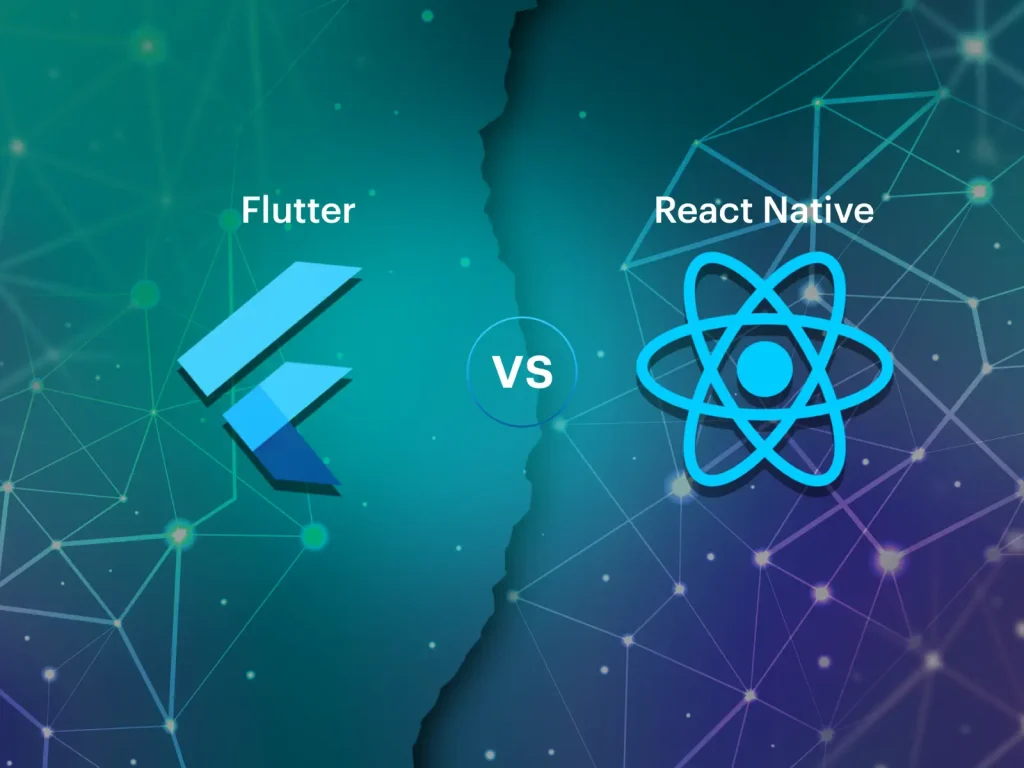
React Native vs Flutter: Which Framework Is Better for Cross-Platform Mobile App Development?

Introduction Cross-platform mobile app development has transformed the way applications are built, allowing businesses to reach users on multiple platforms with reduced effort. Instead of creating separate apps for Android and iOS, developers can now rely on frameworks that support both platforms using a single codebase. Among the many options available, React Native and Flutter have emerged as the two most popular and powerful frameworks. Both are backed by major tech companies—React Native by Meta (Facebook) and Flutter by Google—and both promise fast development and high performance. However, choosing between React Native and Flutter can be challenging. Each framework has its strengths, limitations, and ideal use cases. In this blog, we provide an in-depth comparison of React Native vs Flutter, covering performance, development experience, ecosystem, cost, and long-term scalability to help you make an informed decision. Overview of React Native React Native is an open-source framework that allows developers to build mobile applications using JavaScript and React. It uses native components under the hood, ensuring that apps feel and perform like native applications. Key characteristics of React Native include: Component-based architecture Reusable UI components Near-native performance Strong community support React Native is widely adopted and trusted by companies such as Facebook, Instagram, Shopify, and Tesla. Overview of Flutter Flutter is a UI toolkit developed by Google that allows developers to build natively compiled applications using the Dart programming language. Instead of relying on native components, Flutter renders everything using its own high-performance rendering engine. Key characteristics of Flutter include: Single codebase for mobile, web, and desktop Highly customizable UI High performance due to direct compilation Rich widget library Flutter is gaining popularity for its visually rich and consistent user interfaces. Programming Language Comparison One of the most noticeable differences between React Native and Flutter is the programming language. React Native: JavaScript (widely used, large talent pool) Flutter: Dart (less common, steeper learning curve) JavaScript’s popularity gives React Native an advantage in terms of hiring, learning resources, and community support. Performance Comparison Flutter often has a slight edge in raw performance because it compiles directly to native code and uses its own rendering engine. This allows for smooth animations and consistent UI performance. React Native, on the other hand, uses a bridge to communicate between JavaScript and native components. While this can introduce slight overhead, modern improvements in React Native have significantly narrowed the performance gap. For most business applications, both frameworks offer excellent performance. Development Speed and Productivity React Native allows developers to reuse code between web and mobile applications if they are already using React. Features like Hot Reloading and reusable components enhance productivity. Flutter also offers Hot Reload and fast development, but learning Dart and Flutter’s widget system may take additional time for beginners. Overall, React Native offers a faster onboarding experience for teams familiar with JavaScript. UI and Customization Flutter excels in UI customization. Its widget-based system gives developers full control over design and animations, making it ideal for visually complex applications. React Native relies on native UI components, which ensures platform consistency but may require additional effort for deep customization. If design consistency across platforms is critical, Flutter may be the better choice. Community and Ecosystem React Native has been around longer and has a more mature ecosystem. It offers: Thousands of third-party libraries Extensive documentation Large developer community Flutter’s ecosystem is growing rapidly but is still smaller compared to React Native. Cost and Maintenance React Native’s single codebase and JavaScript-based development reduce both development and maintenance costs. The availability of developers also helps keep costs lower. Flutter can be cost-effective as well, but finding experienced Dart developers may be more challenging. Use Case Comparison Choose React Native if: Your team already uses JavaScript or React You want faster development and easier hiring You are building business-focused apps Choose Flutter if: You need highly customized UI You want consistent design across platforms Performance and animations are a top priority Long-Term Scalability Both frameworks are backed by strong organizations and active communities. React Native benefits from its long history and massive adoption, while Flutter is evolving rapidly with support for web and desktop platforms. Both are safe choices for long-term projects. Conclusion The choice between React Native and Flutter depends on your project requirements, team expertise, and long-term goals. React Native offers faster development, a larger ecosystem, and easier onboarding, while Flutter shines in UI customization and performance. For most startups and business applications, React Native development remains a highly practical and reliable choice. Frequently Asked Questions (FAQs) 1. Which is better: React Native or Flutter? Neither is universally better. React Native is ideal for JavaScript developers and faster development, while Flutter excels in UI customization and performance. 2. Is React Native easier to learn than Flutter? Yes, React Native is generally easier to learn for developers familiar with JavaScript and React. 3. Does Flutter perform better than React Native? Flutter can offer slightly better performance in animation-heavy apps, but the difference is minimal for most use cases. 4. Which framework is more cost-effective? React Native is often more cost-effective due to a larger developer pool and easier maintenance. 5. Can both frameworks be used for large apps? Yes, both React Native and Flutter are suitable for large-scale and enterprise applications. 6. Which framework has better community support? React Native currently has a larger and more mature community compared to Flutter. Connect with us: https://www.facebook.com/profile.php?id=61555452386126

Benefits of React Native for cross-platform mobile app development
Uncategorized

Top Benefits of React Native Development for Modern Mobile Applications

Introduction Mobile applications have become a critical touchpoint between businesses and users. With increasing competition and rapidly evolving user expectations, companies must build apps that are fast, reliable, and available across multiple platforms. Traditionally, this required developing separate applications for Android and iOS, resulting in higher costs and longer development cycles. This challenge has led to the rise of cross-platform mobile app development, and among all available solutions, React Native development has emerged as one of the most effective and widely adopted frameworks. React Native allows developers to create mobile applications using a single JavaScript codebase while still delivering near-native performance. In this blog, we’ll explore the top benefits of React Native development, explain why it’s a preferred choice for startups and enterprises, and understand how it simplifies modern mobile app development. What Makes React Native So Popular? React Native is an open-source framework developed by Meta (Facebook) that enables developers to build mobile apps using JavaScript and React. Instead of relying on web technologies like HTML and CSS rendered in WebViews, React Native uses native UI components, ensuring a smooth and native-like experience. Its popularity comes from its ability to balance performance, efficiency, and development speed, making it suitable for a wide range of applications. 1. Single Codebase for Multiple Platforms One of the most significant benefits of React Native development is its single codebase approach. Developers can write one set of code and deploy it across both Android and iOS platforms. This approach: Reduces development effort Ensures consistent user experience Simplifies bug fixes and updates Instead of maintaining two separate teams for Android and iOS, businesses can rely on a single React Native team. 2. Faster Development and Time-to-Market React Native enables faster development through features like Hot Reloading, which allows developers to see changes instantly without rebuilding the entire app. This results in: Quicker prototyping Faster iteration cycles Reduced debugging time For startups and businesses aiming to launch products quickly, React Native significantly shortens the time-to-market. 3. Cost-Effective Mobile App Development Developing two separate native apps can be expensive. React Native reduces costs by allowing: One development team Shared business logic Lower maintenance expenses This makes React Native an ideal choice for startups, MVPs, and budget-conscious businesses looking to maximize ROI. 4. Near-Native Performance A common misconception is that cross-platform apps compromise performance. React Native addresses this by using native components and optimized communication between JavaScript and native code. For most applications, React Native delivers: Smooth animations Fast load times Responsive user interfaces While highly performance-intensive features may require native code, the majority of use cases are handled efficiently with React Native. 5. Reusable Components and Modular Architecture React Native follows a component-based architecture, allowing developers to break the UI into reusable pieces. This improves: Code readability Maintainability Scalability Reusable components also speed up development, especially in large applications. 6. Strong Community and Ecosystem React Native has a massive global community that actively contributes libraries, tools, and plugins. Developers can easily integrate features such as: Navigation Payments Authentication Analytics This rich ecosystem accelerates development and reduces the need to build features from scratch. 7. Easy Integration with Native Code React Native does not limit developers to JavaScript alone. When required, developers can write native modules in Java, Kotlin, Swift, or Objective-C. This flexibility allows: Performance optimization Access to platform-specific APIs Seamless integration with existing native apps 8. Ideal for Startups and Enterprises Alike React Native is versatile enough to serve both small startups and large enterprises. Startups benefit from faster development and lower costs, while enterprises appreciate scalability, maintainability, and community support. Many well-known apps, including Facebook, Instagram, and Shopify, rely on React Native for critical features. React Native vs Other Cross-Platform Frameworks Compared to other frameworks, React Native stands out due to: JavaScript-based development Large talent pool Mature ecosystem Proven production usage These advantages make React Native a safer and more reliable choice for long-term projects. Future-Proof Technology With continuous updates, improved architecture, and strong backing from Meta, React Native continues to evolve. Features like the new rendering system and improved performance ensure that React Native remains relevant in the future of mobile app development. Conclusion React Native development offers a powerful combination of speed, performance, and cost efficiency. Its single codebase approach, near-native performance, and strong community support make it a top choice for modern mobile applications. Whether you’re building an MVP, scaling a startup, or developing an enterprise-grade solution, React Native provides the flexibility and reliability needed to succeed in today’s mobile-first world. Frequently Asked Questions (FAQs) 1. What are the main benefits of React Native development? The main benefits include cross-platform compatibility, faster development, cost efficiency, near-native performance, and a strong developer community. 2. Is React Native suitable for enterprise applications? Yes, React Native is widely used in enterprise applications due to its scalability, maintainability, and support for native integrations. 3. Can React Native reduce app development costs? Absolutely. By using a single codebase for Android and iOS, React Native significantly reduces development and maintenance costs. 4. Does React Native support third-party integrations? Yes, React Native supports a wide range of third-party libraries and APIs for payments, analytics, authentication, and more. 5. Is React Native better than native development? React Native is better for faster development and cost efficiency, while native development may be preferred for extremely performance-critical applications. 6. What type of apps are best built with React Native? React Native is ideal for e-commerce apps, social media apps, on-demand services, fintech apps, and MVPs. Connect with us: https://www.facebook.com/profile.php?id=61555452386126  

React Native development for cross-platform mobile applications
React native doveploment

React Native Development: A Complete Guide to Building High-Performance Cross-Platform Mobile Apps

Introduction In today’s fast-paced digital world, mobile applications have become essential for businesses, startups, and enterprises alike. Users expect apps to be fast, reliable, and available across multiple platforms. This growing demand has given rise to cross-platform mobile app development, and among all available frameworks, React Native development stands out as one of the most powerful and popular choices. React Native allows developers to build mobile applications for both Android and iOS using a single JavaScript codebase, significantly reducing development time and cost. Backed by Meta (Facebook) and supported by a massive developer community, React Native has been adopted by companies like Facebook, Instagram, Airbnb, Shopify, and Tesla. This blog provides a complete guide to React Native development—covering what it is, how it works, its benefits, tools, best practices, and why it’s a smart choice for modern mobile app development. What Is React Native Development? React Native is an open-source JavaScript framework used to build native mobile applications. It is based on React, a popular JavaScript library for building user interfaces. Unlike traditional hybrid frameworks that rely on WebViews, React Native uses real native components. This means applications built with React Native look, feel, and perform like native apps written in Swift, Objective-C, Java, or Kotlin. With React Native, developers write most of the code once and deploy it across platforms, while still having the flexibility to write native code when required. How React Native Works React Native works by running JavaScript code in a separate thread and communicating with native modules through a bridge. This architecture allows JavaScript logic to interact with native UI components efficiently. Key concepts include: JavaScript Thread: Handles business logic and app behavior Native Thread: Renders native UI components Bridge: Enables communication between JavaScript and native code Modern versions of React Native have introduced improvements like the New Architecture, including Fabric and TurboModules, which significantly enhance performance and reduce latency. Why Choose React Native for Mobile App Development? 1. Cross-Platform Development One of the biggest advantages of React Native development is the ability to build apps for both Android and iOS using a single codebase. This dramatically reduces development effort and speeds up time-to-market. 2. Faster Development Cycle React Native supports Hot Reloading, allowing developers to see changes instantly without recompiling the entire app. This feature boosts productivity and simplifies debugging. 3. Near-Native Performance Because React Native uses native components, apps deliver smooth animations, fast load times, and excellent user experience comparable to fully native apps. 4. Cost-Effective Solution Maintaining one codebase instead of two separate native apps lowers development and maintenance costs, making React Native ideal for startups and MVPs. 5. Strong Community and Ecosystem React Native has a massive ecosystem of libraries, plugins, and tools. Developers can quickly integrate features like navigation, authentication, payments, and analytics. Popular Use Cases of React Native React Native is suitable for a wide range of applications, including: E-commerce mobile apps Social networking platforms On-demand service apps Fintech and banking apps Healthcare and fitness apps Educational platforms Its flexibility allows businesses to scale applications as user demand grows. Essential Tools for React Native Development To build efficient React Native applications, developers rely on several tools: Development Tools Node.js & npm/yarn – Package management React Native CLI – Full control over native code Expo – Faster development with minimal configuration UI and Navigation React Navigation – Routing and navigation React Native Paper / NativeBase – UI components State Management Redux Zustand Context API Testing and Debugging Jest – Unit testing React Native Testing Library Flipper – Advanced debugging Best Practices for React Native Development 1. Use Reusable Components Break UI into reusable components to improve maintainability and consistency. 2. Optimize Performance Use FlatList instead of ScrollView for large lists Avoid unnecessary re-renders Memoize components where needed 3. Maintain Clean Folder Structure Organize files by features rather than type to improve scalability. 4. Secure Sensitive Data Never store sensitive information in plain text. Use secure storage and encrypted APIs. 5. Follow Platform Guidelines Ensure your app follows Android and iOS design standards for better user experience. React Native vs Native Development While native development offers full platform control, React Native provides an excellent balance between performance and efficiency. For most applications, React Native delivers everything needed without the complexity of maintaining two separate codebases. Native development may be preferred for extremely performance-intensive apps, but React Native is more than sufficient for the majority of business and consumer applications. Future of React Native React Native continues to evolve with strong backing from Meta and the open-source community. Improvements in performance, architecture, and tooling make it a future-proof choice for mobile app development. With growing demand for cross-platform solutions, React Native is expected to remain a top framework for years to come. Conclusion React Native development has transformed the way mobile applications are built. By enabling cross-platform development with near-native performance, it saves time, reduces costs, and delivers exceptional user experiences. Whether you’re a startup building an MVP or an enterprise scaling a mobile solution, React Native offers the flexibility, performance, and community support needed to succeed in today’s competitive mobile ecosystem. Frequently Asked Questions (FAQs) – React Native Development 1. What is React Native development used for? React Native development is used to build cross-platform mobile applications for Android and iOS using a single JavaScript codebase. It allows developers to create high-performance apps with native look and feel while reducing development time and cost. 2. Is React Native suitable for large-scale applications? Yes, React Native is suitable for large-scale and enterprise-level applications. Companies like Facebook, Instagram, and Shopify use React Native for production apps. With proper architecture, state management, and performance optimization, React Native apps can scale efficiently. 3. How does React Native differ from React.js? React.js is a JavaScript library used for building web applications, whereas React Native is a framework designed specifically for mobile app development. React Native uses native components instead of HTML elements, allowing apps to run on Android and iOS platforms. 4. Does React Native

Graphic designer using multiple digital design tools on a creative workspace.
Graphic Designing

Top 10 Graphic Design Tools Every Designer Should Master in 2025

Introduction In 2025, graphic designing has become more dynamic than ever. The demand for visual content across digital and social media has skyrocketed, and designers need powerful tools to meet these creative challenges. Whether you’re a beginner or a professional, choosing the right tools can transform your workflow and elevate your designs. Here’s a list of the top 10 tools every graphic designer should know in 2025 — covering both premium and free options. Adobe Photoshop Best For: Photo editing and digital artworkWhy Use It: The industry standard for image editing, retouching, and digital compositions.Features: Layers, smart filters, AI-powered selection, and generative fill (AI art creation). Adobe Illustrator Best For: Vector graphics and logo designWhy Use It: Perfect for creating scalable vector designs like icons, illustrations, and branding materials.Features: Pen tool precision, shape builder, gradient mesh, and cloud syncing. Canva Best For: Beginners and social media content creationWhy Use It: Easy drag-and-drop interface, free templates, and collaboration tools.Features: Template library, brand kit, AI background remover, and quick exports. Figma Best For: UI/UX and web designWhy Use It: Real-time collaboration tool ideal for app and web prototypes.Features: Auto layout, components, prototyping, and team collaboration. CorelDRAW Best For: Print and vector illustrationWhy Use It: Excellent for logo creation, brochures, and print layouts.Features: AI-assisted design, vector illustration tools, and color harmony support. Adobe InDesign Best For: Page layout and publishingWhy Use It: Ideal for designing books, magazines, and flyers.Features: Master pages, typography control, and print-ready export. Affinity Designer Best For: Vector and raster design on a budgetWhy Use It: Affordable alternative to Adobe tools with high performance.Features: Dual environment (vector + pixel), non-destructive editing. Procreate Best For: Digital painting and illustration (iPad)Why Use It: Loved by artists for its natural brush strokes and Apple Pencil support.Features: Layered canvas, time-lapse recording, and extensive brush library. Blender Best For: 3D design and motion graphicsWhy Use It: Free and open-source software for modeling, rendering, and animation.Features: 3D modeling, sculpting, VFX, and video editing tools. Sketch Best For: Interface and icon designWhy Use It: Popular among macOS designers for creating high-quality UI/UX assets.Features: Vector editing, reusable components, and plugins for design systems. Tips to Choose the Right Tool Beginners: Start with Canva or Figma. Professionals: Use Adobe Photoshop and Illustrator. Digital Artists: Go for Procreate or Affinity Designer. 3D Enthusiasts: Learn Blender for next-gen design opportunities. Conclusion The right graphic design tool can elevate your creativity, speed, and quality of work. Whether you’re designing a logo, website, or marketing campaign, mastering these tools gives you a strong edge in 2025’s competitive digital landscape. Remember — great design isn’t just about tools, but how creatively you use them. Frequently Asked Questions (FAQs) Q1. Which is the best all-in-one graphic design tool in 2025?Adobe Photoshop remains the most versatile tool for photo editing, digital design, and creative compositions. Q2. Which free tool is best for beginners?Canva and Figma are perfect free tools with user-friendly interfaces and collaboration options. Q3. What software do professionals use the most?Professionals often use the Adobe Creative Suite — mainly Photoshop, Illustrator, and InDesign. Q4. Which tool is best for logo design?Adobe Illustrator and CorelDRAW are ideal for creating vector-based logos that scale perfectly. Q5. What’s the best tool for digital drawing and illustration?Procreate (for iPad users) and Affinity Designer are great for sketching and digital painting. Q6. Can I design 3D graphics using free software?Yes, Blender is a free, open-source tool for 3D modeling, animation, and motion graphics. Q7. How can I learn these tools quickly?Take online courses on YouTube, Skillshare, or Coursera, and practice regularly by recreating real-world projects. Connect with us:

DevOps workflows for faster and reliable delivery
DEVOPs

The Importance of Automation in DevOps Workflows: Boosting Efficiency and Reliability

Introduction In the fast-paced world of software development, automation is the engine that powers DevOps. It’s the secret ingredient that allows teams to move quickly, deliver consistently, and maintain reliability across the entire software lifecycle. Without automation, DevOps would be incomplete — manual interventions would slow processes and introduce human errors. From code integration to testing, deployment, and monitoring, automation ensures that every stage of development runs smoothly and predictably. What is DevOps Automation? DevOps automation refers to the use of technology and tools to perform repetitive, time-consuming tasks without manual intervention. The goal is to increase efficiency, consistency, and reliability in the software development and deployment process. Automation enables teams to focus on innovation and problem-solving instead of manual operations, while also ensuring that software updates are delivered faster and with higher quality. Why Automation Matters in DevOps 1. Faster Software Delivery Manual processes slow down the delivery pipeline. Automation eliminates delays by executing build, test, and deployment tasks continuously and without human intervention. 2. Fewer Human Errors Even experienced developers can make mistakes during manual deployments. Automation reduces this risk by applying consistent, repeatable scripts and configurations. 3. Better Collaboration Between Teams Automation bridges the gap between development and operations. When tasks are automated, developers and IT teams can work in harmony — leading to smoother deployments and fewer misunderstandings. 4. Improved Scalability Automation allows organizations to handle multiple deployments simultaneously. Whether it’s deploying across multiple regions or environments, automation makes scaling easy and error-free. 5. Consistent Results Automated workflows ensure that every build and deployment follows the same process, producing predictable outcomes every time. Key Areas of Automation in DevOps Continuous Integration and Continuous Delivery (CI/CD) CI/CD pipelines automate the process of integrating code, testing, and deploying it to production. Tools like Jenkins, GitLab CI, and CircleCI handle these steps automatically, reducing turnaround times. Infrastructure as Code (IaC) IaC tools like Terraform, Ansible, and AWS CloudFormation enable developers to create and manage infrastructure using code, ensuring consistency across environments. Automated Testing Testing is one of the most critical areas to automate. With tools like Selenium, JUnit, and TestNG, teams can automatically verify new code, reducing bugs before deployment. Configuration Management Configuration automation ensures that servers and environments are set up correctly every time. Tools like Chef, Puppet, and Ansible make this process fast and reliable. Monitoring and Alerts Automation in monitoring tools like Prometheus, Grafana, and ELK Stack helps track performance metrics and send real-time alerts to detect and fix issues early. Benefits of DevOps Automation Accelerated Delivery: Automating repetitive tasks speeds up releases. Enhanced Quality: Automated testing ensures each release meets quality standards. Reduced Downtime: Quick detection and rollback mechanisms prevent long outages. Cost Savings: Less manual work means reduced operational costs. Increased Productivity: Developers spend more time coding and innovating instead of handling repetitive tasks. Challenges in Implementing Automation Despite its advantages, implementing automation in DevOps can be challenging: Tool Overload: Choosing the right tools can be confusing with so many options. Initial Setup Costs: Automation requires time and resources to implement correctly. Skill Gaps: Teams may lack the technical expertise for advanced automation. Security Concerns: Automated scripts, if misconfigured, can expose vulnerabilities. To overcome these, businesses should start small, train teams, and gradually scale automation. Best Practices for DevOps Automation Automate Incrementally: Begin with the most repetitive and error-prone tasks. Use Version Control: Store all automation scripts in repositories like Git. Monitor Continuously: Track automation performance and fix issues proactively. Integrate Security Early: Combine automation with DevSecOps principles for secure pipelines. Keep Documentation Updated: Ensure that automated workflows are well-documented for easy maintenance. Real-World Example: Amazon’s DevOps Automation Amazon uses advanced automation in its DevOps pipelines to deploy thousands of updates daily. Through continuous delivery and infrastructure automation, the company achieves near-zero downtime and rapid innovation. This example proves that with proper automation, large-scale operations can maintain speed and reliability simultaneously. Conclusion Automation is the lifeblood of DevOps. It reduces human dependency, accelerates release cycles, and ensures that every deployment is consistent and reliable. By automating infrastructure, testing, and delivery, organizations can achieve the full potential of DevOps — delivering faster, smarter, and better-quality software to users around the world. In 2025 and beyond, automation will continue to evolve with AI, machine learning, and predictive analytics, making DevOps even more intelligent and efficient. FAQs 1. What is DevOps automation?It’s the use of tools and scripts to automate repetitive DevOps tasks like building, testing, and deploying software. 2. How does automation help in DevOps?Automation reduces manual work, speeds up deployment, and ensures consistency across environments. 3. What are the best tools for DevOps automation?Jenkins, Ansible, Terraform, Docker, and GitLab CI are some of the most popular automation tools. 4. Is automation suitable for small teams?Yes, small teams benefit greatly from automation because it saves time and reduces errors. 5. What is the difference between DevOps and automation?DevOps is a culture and methodology, while automation is a key practice that enables DevOps efficiency. 6. What is the future of automation in DevOps?The future lies in AI-driven automation (AIOps), where systems can self-correct and optimize without human intervention. Connect with us.

How would you like me to respond?

Select a personality for your AI assistant

Normal
Happy
Sad
Angry

Your selection will affect how the AI assistant responds to your messages

Chat Assistant

Let's discuss your project!

Hear from our clients and why 3000+ businesses trust TechOTD

Tell us what you need, and we'll get back with a cost and timeline estimate

Scroll to Top