June 2026

App Development, Education & Learning, Educational Technology, Software development, Technology

Learning Management System Development Guide

The Ultimate Learning Management System Development Guide: Building Scalable E-Learning Platforms The global education market has permanently transcended the physical classroom. From corporate compliance programs and university degrees to niche online academies, digital learning is the new baseline. At the core of this movement lies the Learning Management System (LMS). However, building an LMS today means going far beyond basic video hosting or static PDF uploads. Modern e-learning systems must be highly interactive, data-driven, securely integrated, and incredibly responsive under massive user spikes. Whether you are an enterprise software architect, an EdTech startup founder, or a full-stack engineer, this step-by-step Learning Management System development guide provides the technical roadmap, architecture insights, and compliance standards required to build a world-class educational application. 1. Defining the Core LMS Ecosystem: Who Uses the Platform? A production-ready LMS isn’t a singular application; it is a multi-sided ecosystem that coordinates workflows across three distinct user roles. When designing your system architecture, you must build optimized portals for each group:  The Learner Portal The student experience must focus entirely on reducing cognitive load and maximizing engagement. Key Workflows: Seamless onboarding, intuitive course progression tracking, interactive quizzes, downloadable certificates, and persistent discussion boards.  The Instructor / Content Creator Portal Educators need powerful, frictionless tools to build curricula and evaluate performance without administrative exhaustion. Key Workflows: Drag-and-drop course builders, media upload managers (video, audio, text), question bank generators, and centralized grading dashboards.  The Admin Dashboard The operational hub for managers overseeing the platform’s business rules and data health. Key Workflows: Comprehensive user management (roles and permissionsMatrix), financial reporting for subscription models, security log audits, and platform-wide analytics. 2. Core Technical Architecture of a Modern LMS To handle heavy concurrent video streaming, instant quiz evaluations, and massive global telemetry data, an LMS requires a decoupled, secure microservices architecture. The Standard Technical Stack for an Enterprise LMS Layer Recommended Technologies Purpose Frontend Framework React.js, Next.js, Flutter (for mobile) Delivering a fast, responsive, and cross-platform user experience. Backend & APIs Node.js (NestJS), Python (Django/FastAPI) Handling business logic, user auth, and rapid server computation. Database Tier PostgreSQL (Relational), MongoDB (Course Docs) Storing relational progress logs alongside flexible, nested lesson data templates. Caching Layer Redis Caching active user sessions and temporary quiz states to reduce database strain. Media Delivery AWS CloudFront CDN, AWS S3, Vimeo Enterprise Encoding, protecting, and streaming global high-definition course videos seamlessly. 3. Crucial EdTech Interoperability Standards (SCORM vs. xAPI vs. LTI) You should never build an LMS that completely isolates its data. To gain enterprise or institutional adoption, your platform must natively “speak” the universal languages of educational technology. A. SCORM (Sharable Content Object Reference Model) What it is: The legacy industry standard for packaging e-learning content. Why use it: It ensures that third-party training courses (built in tools like Articulate Storyline or Adobe Captivate) can be uploaded into your LMS and instantly track basic completion scores. B. xAPI (Experience API / Tin Can) What it is: The modern successor to SCORM. Why use it: SCORM only tracks if a user clicked “Next” and finished a course. xAPI records any experience using simple statement formats (Actor + Verb + Object). For example: “Pushkar completed the SQL Advanced coding sandbox on a mobile device.” C. LTI (Learning Tools Interoperability) What it is: A standard developed by 1EdTech that securely connects web-based learning tools with your platform. Why use it: If a university using Canvas or Moodle wants to use your specialized learning tool, LTI allows them to launch your application inside their native platform securely without requiring separate login credentials. 4. Step-by-Step Software Development Lifecycle for an LMS Developing an LMS requires a highly structured execution strategy. Because a single bug in progress-tracking can wipe out a user’s entire certification history, rigorous development stages are mandatory. [Discovery & UX Wireframing] ➔ [Database Schema Mapping] ➔ [Core Engine Coding] ➔ [SCORM/xAPI Integration Testing] ➔ [Deployment & CDN Tuning] Step 1: Secure Content Delivery & Video Infrastructure Video streaming is usually the most expensive and resource-intensive component of an LMS. Video Transcoding: Implement automated transcoding pipelines (such as AWS Elemental MediaConvert). When an instructor uploads a raw 4K video, the system must automatically slice it into multiple resolutions (1080p, 720p, 480p) to support low-bandwidth users. Digital Rights Management (DRM): Prevent users from illegally downloading premium course content by implementing secure streaming technologies like HLS (HTTP Live Streaming) paired with encrypted AES keys. Step 2: Designing the Progress Tracking Engine The database schema for tracking student progress must be highly optimized for heavy write operations. Every time a user completes a video milestone or moves to a new page, a status write occurs. Leverage background workers or message queues (like RabbitMQ) to handle non-critical progress logging asynchronously, preventing frontend interface lag. Step 3: Game-Changing UI/UX Implementations An LMS lives or dies by its retention rates. Implement smart UI patterns to keep learners motivated: Progress Visualization: Clear, encouraging visual checklists and progress bars at the top of every dashboard. Contextual Notifications: Triggering automated in-app pushes or targeted emails when a student has stepped away from a course for more than 48 hours. 5. Security, Accessibility, and Compliance Standards When building software that handles user profiles, academic achievements, and enterprise employee data, safety and inclusivity must be hardcoded into your system properties. Data Privacy & Compliance FERPA (USA): If your LMS is deployed in US schools or colleges, you must restrict and audit all access to individual student academic files strictly. GDPR (Europe): Mandates explicit user consent for tracking behaviors, data minimization, and the absolute “right to be forgotten” (wiping user histories completely upon request). Accessibility (WCAG 2.2 Compliance) Education must be inclusive. If your platform is funded or used by public institutions, adherence to the Web Content Accessibility Guidelines (WCAG) is a legal requirement. Ensure full screen-reader compatibility and complete keyboard-only navigation workflows. Enforce optimal color contrast ratios for text visibility and mandate closed-captioning capabilities within your primary video playback modules. 6. Strategic Pre-Launch Technical Checklist Are you gearing up to transition your

Artificial Intelligence, Education & Learning, Educational Technology, Software development

AI in EdTech Platforms

The Definitive Guide to AI in EdTech Platforms: Transforming the Future of Education The global educational landscape is undergoing a massive paradigm shift. Traditional, one-size-fits-all classrooms are rapidly giving way to dynamic, digital environments. At the heart of this transformation is the integration of AI in EdTech platforms—a technical evolution that is turning passive learning management systems (LMS) into highly intuitive, adaptive ecosystems. For software engineers, product managers, and educational innovators, building an AI-driven EdTech platform is no longer about simply embedding video players or digital quizzes. It requires designing complex architectures capable of handling massive student datasets, processing real-time telemetry, and delivering hyper-personalized learning pathways. This comprehensive guide breaks down how artificial intelligence is rewriting the code behind modern education platforms, exploring core use cases, engineering architectures, and strategic implementation checklists. 1. The Macro Shift: Moving from Static LMS to Adaptive Learning Traditional EdTech tools served primarily as digital filing cabinets—places to store syllabi, upload PDFs, and record grades. While efficient, these systems failed to address the core challenge of pedagogy: every student learns at a different pace. By embedding AI directly into educational software, developers can build platforms that observe, adapt, and respond to individual user behavior in real time. Core Benefits of Intelligent EdTech Ecosystems Hyper-Personalization: Dynamically adjusting course difficulty and content delivery based on a student’s unique cognitive gaps. Operational Efficiency: Offloading administrative burdens—like grading, scheduling, and basic student support—from educators. Predictive Student Analytics: Identifying at-risk students weeks before they fail an exam, allowing for proactive, human-led intervention. 2. Core Technical Use Cases of AI in Educational Software To build a competitive EdTech product, development teams must focus on practical, high-ROI machine learning implementations. Here are the primary domains where AI is actively delivering value: A. Intelligent Adaptive Learning Engines Adaptive learning systems act as an automated, digital tutor for every individual user. By continuously assessing a student’s input, the platform alters the curriculum path dynamically. Knowledge Graph Mapping: The software maps out subjects into granular nodes (e.g., in algebra: single-variable equations $\rightarrow$ quadratic formulas). Deep learning models analyze precisely which nodes a student struggles with and modify future lessons accordingly. Dynamic Spaced Repetition: Algorithms calculate the optimal psychological intervals for reviewing complex concepts, serving up tailored refresher exercises just as a student is about to forget them. B. Generative AI and Natural Language Processing (NLP) Generative AI has fundamentally changed how students interact with software. LLMs (Large Language Models) act as 24/7 personal study companions. Socratic AI Tutors: Instead of giving away homework answers instantly, fine-tuned educational LLMs act as conversational guides, asking probing questions to help students solve complex engineering, math, or coding problems on their own. Automated Content Generation: Instructors can instantly transform a raw textbook chapter or lecture transcript into structured flashcards, summaries, and interactive quizzes at the press of a button. C. Automated Assessment and Grading Infrastructure Grading subjective assignments at scale has historically been a massive bottleneck for massive open online courses (MOOCs) and universities alike. Essay and Code Scoring: Advanced NLP models parse the semantic structure of essays to grade coherence, grammar, and stylistic depth against a defined rubric. For computer science platforms, AI engines analyze code architecture and efficiency, providing instant feedback on syntax and logic errors. AI-Powered Proctoring: Computer vision models analyze webcam feeds during high-stakes exams to flag anomalous behaviors—such as frequent head movements away from the screen, unauthorized background voices, or multiple faces in the frame. 3. The Architecture of an AI-Driven EdTech Platform Building an enterprise-ready EdTech platform requires a highly decoupled, scalable, and secure microservices architecture capable of handling intensive data streams without introducing latency into the user interface. [Real-Time Clickstream / Event Ingestion] │ ▼ [Data Processing & Feature Stores] │ ▼ [AI Inference Engine (LLMs / Recommendations)] │ ▼ [Secure Backend APIs & Modern Frontend UI] The Standard Technical Stack for Modern EdTech Platforms Layer Recommended Technologies Purpose Data Ingestion Apache Kafka, AWS Kinesis Capturing millions of real-time student interaction events (clicks, pauses, quiz responses). Data Processing Apache Spark, Python (Pandas) Aggregating raw telemetry data into clean, structured user activity history. AI/ML Engine PyTorch, Hugging Face, OpenAI API Running adaptive recommendation loops and hosting Socratic tutoring agents. Database & Cache PostgreSQL, MongoDB, Redis Managing relational student profiles, course metadata, and instant session caching. Interoperability LTI (Learning Tools Interoperability) Ensuring the platform seamlessly embeds inside school ecosystems like Canvas, Moodle, or Blackboard. 4. Step-by-Step Software Development Lifecycle for EdTech AI Developing AI software for schools and universities requires a careful, deliberate approach. Product teams must balance innovative engineering with the unique user requirements of younger demographics and educational administrators. Step 1: Defining the Pedagogy First An AI model is only as useful as the educational methodology behind it. Engineering teams must avoid building tech for tech’s sake. Collaborate with instructional designers early to ensure your machine learning loops reinforce proven cognitive learning strategies. Step 2: Data Collection and Cold-Start Strategies AI models need historical training data to make accurate content recommendations. When launching a brand-new platform, you face a “cold-start” problem where you have zero user history. Solution: Design comprehensive onboarding diagnostic assessments that quickly gauge a user’s initial skill level within the first 5 minutes of account creation, immediately establishing a baseline for the AI engine. Step 3: Prioritizing UI/UX for Reduced Cognitive Load Students are easily distracted, and teachers are chronically overworked. If your AI features require complex configurations or present cluttered data dashboards, adoption rates will plummet. Explainable Analytics: Don’t just show a teacher an arbitrary score stating a student is “at 40% risk of dropping out.” Your dashboard must explain why (e.g., “Missed 3 consecutive homework deadlines; average video watch time dropped by 60%”). 5. Overcoming Data Privacy, Bias, and Compliance Hurdles When building educational software, handling data responsibly isn’t an afterthought—it is a strict legal and ethical mandate. A. Strict Student Privacy Frameworks Depending on your target market, your platform’s backend infrastructure must comply with rigorous legal standards: FERPA (USA): Protects the privacy of student educational

Mobile App Development, Software development, Technology

Telemedicine App Development Cost

Telemedicine App Development Cost: The Definitive 2026 Budgeting Guide The telehealth landscape has shifted from a pandemic-era emergency convenience into a permanent, highly sophisticated pillar of modern healthcare infrastructure. Today, building a telemedicine application isn’t just about setting up a basic video call client; it’s about engineering intelligent, secure, and deeply integrated virtual care ecosystems. If you are an entrepreneur, a healthcare executive, or a product leader mapping out a digital health solution, your first and most pressing question is almost certainly: How much does telemedicine app development cost? The short answer is that a custom telemedicine application can range anywhere from $40,000 to over $300,000+. Because healthcare software handles highly regulated medical data and relies on complex architectures, pricing isn’t uniform. In this definitive guide, we will break down the exact costs of building a telemedicine app by complexity, feature sets, development team location, and the hidden technical expenses you must account for from day one. 1. High-Level Cost Summary by App Complexity The overall scope and clinical depth of your software are the most significant drivers of development costs. Here is how budgets and timelines scale based on project complexity: Complexity Tier Core Characteristics Estimated Cost Range (USD) Average Timeline Minimum Viable Product (MVP) Simple patient/doctor profiles, basic WebRTC video calling, simple scheduling, standard chat. $40,000 – $100,000 3 – 5 Months Mid-Tier Platform Bi-directional EHR integrations, e-prescriptions, advanced billing, wearable/IoT data sync, strict compliance infrastructure. $100,000 – $220,000 5 – 8 Months Enterprise / AI-Powered Automated AI triage, continuous remote patient monitoring (RPM), tele-ICU dashboards, custom multi-role hospital workflows. $220,000 – $450,000+ 9 – 14+ Months 2. Granular Feature-by-Feature Cost Breakdown A production-ready telemedicine platform actually consists of three distinct applications working in tandem: a Patient App, a Doctor Portal, and a centralized Admin Dashboard. When your engineering team designs the technical architecture, expenses are distributed across specific modules:     Core Infrastructure & Interactivity Secure Video & Audio Consultation (WebRTC Setup): $10,000 to $30,000 Integrating high-definition, low-latency video feeds with end-to-end encryption that performs flawlessly even in low-bandwidth regions. Appointment Scheduling & Reminders: $5,000 to $12,000 A dynamic booking engine that syncs calendars, handles time-zone variations, and triggers push notifications or SMS reminders. Patient Profiles & Medical History Logs: $4,000 to $10,000 The frontend views and secure backend databases required to manage demographic data and clinical intake forms.      Medical Integrations (The Hidden Cost Catalysts) EHR / EMR Interoperability (HL7 FHIR APIs): $15,000 to $40,000+ Piping data seamlessly into legacy hospital systems like Epic or Cerner. Read-only integrations are cheaper, but bi-directional sync (writing back to the patient chart) adds substantial architectural complexity. E-Prescription (eRx) Module: $5,000 to $15,000 Integrating with networks like Surescripts to allow doctors to securely route digital prescriptions straight to local pharmacies. Payment Gateway & Insurance Claims Processing: $5,000 to $15,000 Wiring standard processors (like Stripe) alongside specialized medical billing engines to check co-pays and process insurance validation.     Advanced & Next-Gen Components AI Symptom Checker & Triage Bot: $15,000 to $50,000 Using natural language processing or custom Large Language Models (LLMs) to converse with patients post-intake and route them to the correct medical specialty. Remote Patient Monitoring (RPM) & Wearable Sync: $15,000 to $35,000 Ingesting continuous real-time health data streams (heart rate, blood oxygen, glucose levels) from Apple HealthKit, Google Fit, or dedicated medical hardware. 3. How Development Team Location Impacts the Budget The hourly rate of your engineering team is the absolute wild card of your financial spreadsheet. The same technical architecture, built to identical quality and regulatory standards, will vary dramatically in cost based on where your developers sit. [US/Canada Team: $150-$300/hr] ───➔ High Cost ($200K+) [Western Europe: $80-$150/hr] ───➔ Mid-to-High Cost ($140K+) [Eastern Europe: $45-$90/hr] ───➔ Balanced Tier ($80K+) [India/Asia: $25-$75/hr] ───➔ Optimized Budget ($40K+) Regional Hourly Rates Matrix United States & Canada: $150 – $300 / hour Pros: Deepest familiarity with regional US healthcare environments and local compliance offices. Cons: The most expensive engineering talent globally. Western Europe (UK, Germany): $80 – $150 / hour Pros: Exceptional code quality, robust understanding of international compliance like GDPR. Eastern Europe: $45 – $90 / hour Pros: Great balance of specialized technical talent, deep software design portfolios, and scalable cost structures. India & Southeast Asia: $25 – $75 / hour Pros: Deep, highly skilled engineering pool with extensive experience building enterprise-scale cloud systems for Western markets at optimized development rates. 4. Crucial Compliance & Security Costs In healthcare software development, security is never an optional feature or an item you can patch in right before deployment. Compliance must be baked directly into the code and database structure from day one. Failing to budget for this will reliably double your expenses later when refactoring becomes necessary. HIPAA & GDPR Implementation: $15,000 to $40,000 If your application touches Protected Health Information (PHI) within the United States, it must be HIPAA-compliant. This requires: Implementing AES-256 bit encryption for data at rest. Setting up HTTPS with TLS 1.3 for all data in transit. Structuring immutable, write-protected audit logs to track exactly who accesses what medical record. Establishing Multi-Factor Authentication (MFA) and automated session timeouts. Security Audits & Penetration Testing: $5,000 to $15,000 Hospitals and insurance networks will strictly refuse to pilot your software unless you can provide an independent, third-party security report. Budgeting for white-hat ethical hackers to actively attempt to exploit your APIs and infrastructure before your commercial launch is non-negotiable. 5. Ongoing Costs Post-Launch (What to Expect Annually) Your financial obligations do not stop once the application hits the iOS App Store or Google Play. Telemedicine platforms run 24/7/365 and require active maintenance to prevent security vulnerabilities and technical drift. As an industry rule of thumb, budget 15% to 20% of your initial development cost annually for ongoing operational upkeep. For a $100,000 baseline build, plan for $15,000 to $20,000 per year to cover: Cloud Infrastructure & Hosting: AWS, Google Cloud, or Microsoft Azure instances configured for healthcare compliance typically scale from $1,000 to $5,000+ per month based on

App Development, Artificial Intelligence, Mobile App Development

HIPAA-Compliant App Development Guide

The Definitive HIPAA-Compliant App Development Guide: Building Secure and Legal Digital Health Solutions The digital healthcare revolution is moving at a breakneck pace. From AI-driven diagnostic tools and remote patient monitoring systems to telehealth portals and fitness platforms, software is actively rewriting the rules of patient care. However, if you are developing software that handles medical data in the United States, you cannot simply write code, launch it on an app store, and iterate later. Medical software development is bound by strict legal guardrails—chief among them being the Health Insurance Portability and Accountability Act (HIPAA). Failing to comply with HIPAA isn’t just a technical bug; it is a federal violation that can result in millions of dollars in fines, catastrophic data breaches, and severe damage to your brand’s reputation. Whether you are an enterprise software architect, a startup founder, or a full-stack developer entering the health-tech space, this comprehensive, step-by-step HIPAA-compliant app development guide provides the technical roadmap and compliance insights you need to build a secure, legal, and world-class healthcare application. 1. Demystifying HIPAA: Does Your App Actually Need to Be Compliant? Before writing a single line of code, you must determine whether your application falls under the jurisdiction of HIPAA. Not all health or fitness applications are legally required to be HIPAA-compliant. The determining factor boils down to two critical acronyms: PHI and Covered Entities. What is PHI (Protected Health Information)? PHI is any demographic, clinical, or financial data that can uniquely identify a patient and is transmitted or stored by a healthcare system. This includes, but is not limited to: Names, geographic data, and specific dates (birth dates, admission dates). Phone numbers, email addresses, and Social Security Numbers. Medical record numbers, biometric identifiers (fingerprints, voice prints). Full-face photographic images and any unique identifying numbers or codes. The Golden Rule: If your application collects, stores, or transmits PHI in connection with a healthcare provider, health plan, or healthcare clearinghouse, HIPAA compliance is mandatory. Covered Entities vs. Business Associates HIPAA applies to two primary groups: Covered Entities (CE): Healthcare providers (doctors, hospitals, clinics), health plans (insurance companies), and healthcare clearinghouses. Business Associates (BA): Any third-party entity or software application that creates, receives, maintains, or transmits PHI on behalf of a Covered Entity. As an app developer or software vendor providing tech to a hospital or clinic, your organization acts as a Business Associate. This means you must legally sign a Business Associate Agreement (BAA), which binds your company to protect patient data under federal law. Scenario Comparison: When is HIPAA Required? Application Type Features HIPAA Required? Reason Personal Fitness Tracker Tracks a user’s daily steps, heart rate, and calorie intake for personal goals. NO The data is generated and controlled entirely by the consumer for personal use. Hospital Telehealth App Connects a patient with their primary care physician to discuss lab results and adjust medication. YES The app transmits PHI directly on behalf of a covered healthcare provider. Chronic Disease Management Tool Allows a patient to log blood sugar levels and automatically syncs the reports directly to their doctor’s EHR system. YES The data integrates directly into a clinical workflow and is used for official medical care. 2. The Four Fundamental Pillars of HIPAA Compliance HIPAA is not a singular checklist; it is divided into distinct rules that dictate how data must be treated throughout its entire lifecycle. When building software, you must architect your system around these four foundational rules. A. The Privacy Rule The Privacy Rule establishes national standards for the protection of medical records and other PHI. It dictates when and with whom PHI can be shared. Software Application: Your app must give patients full transparency regarding how their data is used. Features should include accessible privacy policies, explicit authorization prompts before sharing data, and mechanisms that allow users to request copies of their health records. B. The Security Rule While the Privacy Rule covers all PHI (including paper records), the Security Rule specifically focuses on ePHI (Electronic Protected Health Information). This is the core pillar that software engineers and infrastructure architects must master. It is broken down into three safeguard categories: 1. Administrative Safeguards These focus on administrative actions and policies to manage selection, development, implementation, and maintenance of security measures. Risk Assessments: Conducting regular, documented vulnerability testing and code reviews. Employee Training: Ensuring every engineer, designer, and QA tester working on the app undergoes formal security training. 2. Physical Safeguards These protect a firm’s physical buildings, equipment, and media from unauthorized access and environmental hazards. Cloud Infrastructure Security: While you likely won’t own physical servers, you must ensure that your cloud provider (e.g., AWS, Google Cloud, Microsoft Azure) hosts your data in highly secure, physically restricted data centers. 3. Technical Safeguards These govern the technology, policy, and procedures for its use that protect ePHI and control access to it. Access Controls: Unique user IDs, automated logouts after periods of inactivity, and emergency data-wiping procedures. Transmission Security: Guarding against unauthorized access to ePHI while it is being transmitted over an electronic network. C. The Breach Notification Rule If a data breach occurs and unencrypted PHI is exposed, this rule outlines strict notification guidelines. If a breach affects more than 500 individuals, you must notify the Department of Health and Human Services (HHS), the affected individuals, and prominent media outlets within 60 days. Software Application: Your app backend must feature real-time security scanning and automated anomaly detection to flag potential breaches instantly, allowing your DevOps team to mitigate risks before data is leaked. D. The Omnibus Rule The Omnibus Rule explicitly expands HIPAA accountability directly to Business Associates (software vendors and developers). Under this rule, you are directly liable for compliance violations and subject to the same federal penalties as hospitals or health systems. 3. Core Technical Architecture Checklist for Developers To make an app HIPAA-compliant, your development team must build specific technical safeguards directly into the application’s code, APIs, and hosting infrastructure. Use this comprehensive technical checklist to audit your architecture. 1. Encryption: Data

Healthcare & Fitness, Technology & Innovation

AI in Healthcare Software Development

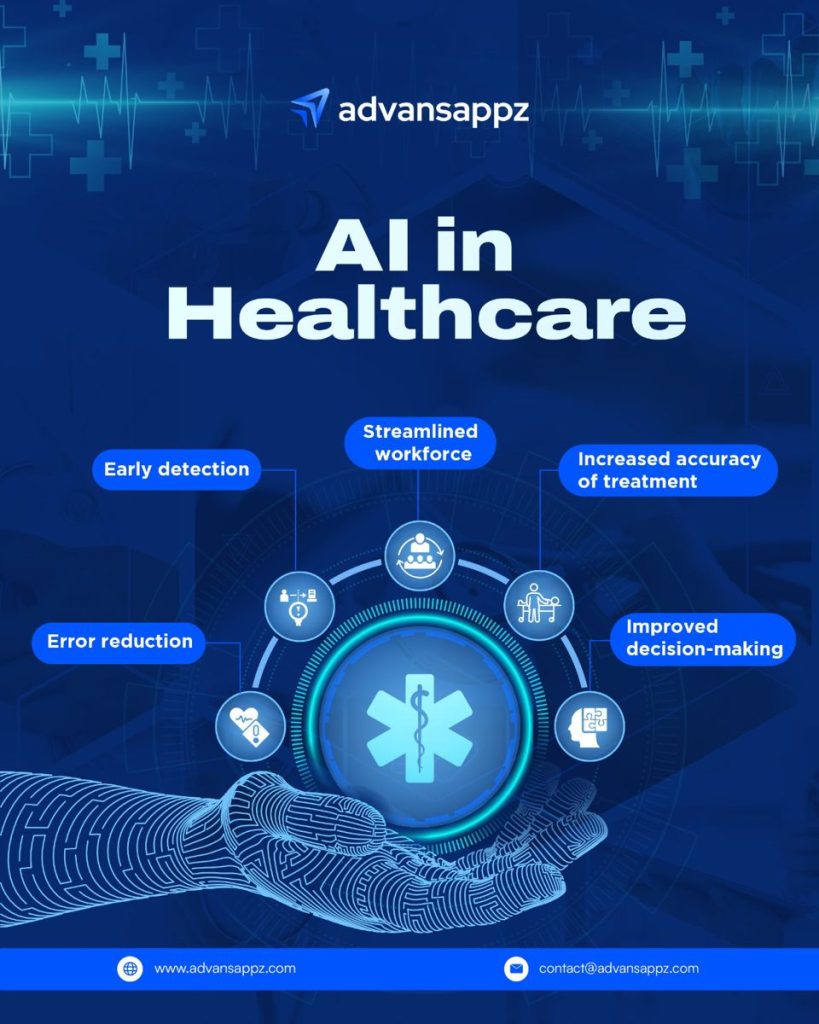
The Ultimate Guide to AI in Healthcare Software Development: Engineering the Future of Medicine The intersection of medicine and technology is no longer about digitized paperwork or basic electronic health records (EHRs). We have officially entered the era of intelligent software. Today, AI in healthcare software development is reshaping how doctors diagnose diseases, how hospitals manage chaotic workflows, and how pharmaceutical giants discover life-saving drugs. But building software for the healthcare sector isn’t like building a standard consumer app. It requires an intricate dance between cutting-edge machine learning model architectures, strict data privacy regulations, and an absolute zero-tolerance policy for critical errors. Whether you are a product manager, a software engineer, or a healthcare innovator, this definitive guide will walk you through everything you need to know about developing AI-driven healthcare solutions in a human-centric way. 1. Why AI is a Necessity (Not a Luxury) in Modern Healthcare The global healthcare system is facing a quiet crisis: exploding patient volumes, skyrocketing costs, and unprecedented levels of clinician burnout. Doctors spend hours staring at screens typing clinical notes instead of looking at their patients. This is where artificial intelligence steps in—not to replace the human touch, but to supercharge it. By integrating AI into healthcare software, we can offload cognitive friction from medical staff, allowing them to focus on what they do best: healing. The Macro Benefits of Intelligent Medical Software Hyper-Speed Diagnostics: Processing massive datasets (like MRI scans or genomic sequences) in seconds rather than days. Erasing Administrative Friction: Automated charting, smart scheduling, and instant medical billing triaging. Proactive Care: Shifting medicine from reactive (treating the sick) to predictive (preventing the illness before symptoms manifest). 2. Core Use Cases of AI in Healthcare Software Development To build a valuable product, you must first understand exactly where machine learning can solve real-world clinical pain points. Let’s break down the primary domains where AI software is driving the highest return on investment (ROI). A. Medical Imaging and Computer Vision Radiology, pathology, and dermatology rely heavily on visual analysis. Computer vision models can analyze images with pixel-level accuracy to flag anomalies that might escape the tired human eye at the end of a 14-hour shift. Tumor Detection: Deep learning algorithms (specifically Convolutional Neural Networks, or CNNs) scan CT and MRI images to identify early-stage oncological growths. Cardiovascular Risks: Software analyzing echocardiograms can calculate ejection fractions and detect subtle arterial blockages automatically. B. Generative AI and Natural Language Processing (NLP) in Clinical Workflows Generative AI has completely transformed healthcare software development. Clinical documentation is the primary driver of doctor burnout; LLMs (Large Language Models) are solving this problem directly. Ambient Clinical Documentation: AI software listens to a doctor-patient conversation (with consent), filters out the small talk, and automatically drafts a structured clinical note (SOAP note) directly into the EHR system. Medical Text Summarization: Synthesizing hundreds of pages of a patient’s historical medical records into a concise, actionable one-page summary for emergency room clinicians. C. Predictive Analytics for Patient Care By running historical patient data through predictive models, software can alert care teams about critical events before they occur. Sepsis Prediction: Sepsis is a leading cause of hospital deaths. AI algorithms constantly monitor live vitals (heart rate, blood pressure, lab results) to give nurses a 6-hour head start on a potential septic shock. Readmission Risk Scoring: Identifying which discharged patients are at a high risk of returning within 30 days, prompting proactive outpatient follow-ups. D. AI-Driven Drug Discovery and Genomics Developing a new pharmaceutical drug traditionally takes over a decade and costs billions of dollars. AI software cuts this timeline exponentially. Molecular Simulation: Machine learning models predict how different chemical compounds will interact with target proteins, narrowing down millions of drug candidates to a handful of viable options in weeks. Genomic Mapping: Identifying specific genetic mutations to design highly tailored, personalized cancer therapies. 3. The Architecture of a Healthcare AI Application Building an AI healthcare application requires a robust, highly secure, and modular software architecture. Because medical data is highly dynamic, your infrastructure must support both continuous training and split-second real-time inference. The Standard Technical Stack for Healthcare AI A typical enterprise-grade AI medical application relies on a multi-layered ecosystem: Layer Recommended Technologies / Frameworks Purpose Data Ingestion Kafka, AWS Kinesis, HL7/FHIR APIs Capturing real-time streams of patient data and vitals safely. Data Processing Apache Spark, Pandas, DICOM parsers Cleaning medical images, normalizing electronic health notes. AI/ML Engine PyTorch, TensorFlow, Hugging Face Transformers Building, training, and deploying deep learning and LLM models. Database & Storage PostgreSQL, MongoDB, AWS S3 (encrypted) Storing relational patient data and unstructured medical imagery. Interoperability Hapi FHIR, Smile CDR Ensuring the software seamlessly speaks to hospital legacy systems. 4. Step-by-Step Development Lifecycle for Medical AI Software Developing AI software for a hospital or clinic requires a systematic, rigorous approach. Unlike standard SaaS applications, you cannot simply “move fast and break things” when human health is on the line. Step 1: Solving the Medical Data Conundrum AI models are only as good as the data they eat. In healthcare, getting clean data is incredibly difficult due to strict privacy laws. Data Anonymization: You must meticulously strip away all Personally Identifiable Information (PII) and Protected Health Information (PHI) before feeding data to your models. Labeling and Annotation: For clinical tasks, you cannot use cheap crowdsourced labeling. You need licensed radiologists, pathologists, and cardiologists to annotate your training data, which requires considerable time and investment. Step 2: Model Selection and Training Decide whether to build custom models from scratch or fine-tune existing foundation models. For niche imaging tasks, building custom, lightweight CNNs is often preferred. For clinical text automation, fine-tuning medical-specific open-source LLMs (like Med-PaLM or specialized BioBERT variants) yields excellent results without requiring millions of dollars in compute costs. Step 3: Seamless Integration (The Interoperability Challenge) Your brilliant AI model will fail to gain adoption if it requires doctors to open a separate tab or log into a standalone dashboard. It must live natively inside their existing ecosystem. FHIR Protocols: Use Fast

Business, Digital Transformation, Technology

Industry Solution Blogs

The Ultimate Guide to Industry Solution Blogs: Driving B2B Authority and Conversions Imagine walking into a massive B2B tech convention. The room is buzzing. Thousands of booths are flashing neon lights, throwing free t-shirts at you, and shouting technical jargon about “cloud-native, AI-driven paradigms.” Now, imagine walking past all that noise into a quiet, structured room where an expert sits down with you, looks at your specific business problem, and says: “I know exactly why your supply chain is lagging, and here is a three-step blueprint to fix it using automated workflows.” Where would you spend your money? That quiet room is the digital equivalent of an Industry Solution Blog. While generic tech blogs scratch the surface of what a technology is, industry solution blogs dive deep into the how and why for specific sectors—whether that’s healthcare, logistics, retail, or finance. In this comprehensive guide, we will break down exactly how to craft these high-value pieces of content to build unstoppable authority, educate your audience, and turn casual readers into high-ticket B2B clients. 1. What Exactly is an Industry Solution Blog? To understand what an industry solution blog is, we first need to look at what it isn’t. It isn’t a press release about your company’s latest funding round. It isn’t a dry, academic whitepaper that requires a PhD to decode. And it certainly isn’t a superficial listicle generated by a basic AI prompt. An Industry Solution Blog is a highly targeted, deeply researched piece of content that addresses a specific business pain point within a distinct vertical and offers a clear, technology-driven remedy. The Anatomy of the Solution Framework When you write a solution blog, you are essentially guiding the reader through a transformative journey: [Current Fragmented State] ➔ [The Complication/Cost] ➔ [The Technological Bridge] ➔ [The Optimized Future State] Instead of simply explaining a tool like “Predictive Analytics,” an industry solution blog explains “How Predictive Analytics Reduces Equipment Downtime in Automotive Manufacturing by 34%.” It bridges the gap between raw technological capability and real-world business outcomes. 2. Why Generic Content is Dying (and Verticals are Winning) The internet is drowning in generic content. If you write an article titled “Top 5 Benefits of Cloud Computing,” you are competing with millions of legacy websites, massive tech publications, and AI search engines that can summarize those points in three seconds. Generic content no longer builds authority. Specificity builds authority. The Shift to Account-Based & Vertical Marketing Modern B2B buyers don’t buy software; they buy solutions to their industry-specific problems. A hospital administrator doesn’t care if a CRM has “great API integrations.” They care if it is HIPAA-compliant and can seamlessly sync with Epic EHR systems to reduce patient check-in times. When you pivot your content strategy toward industry solutions, several magical things happen: Higher Conversion Rates: Readers feel seen. When a retail executive reads about solving “last-mile delivery bottlenecks during peak holiday seasons,” they realize you understand their exact world. Lower Keyword Competition: Competing for “Machine Learning” is an uphill battle. Competing for “Machine Learning for Fraud Detection in Neo-Banking” is highly winnable. Shorter Sales Cycles: Your blog functions as a silent salesman, answering complex compliance, integration, and ROI questions before a sales call even happens. 3. How to Identify High-Value Industry Pain Points You cannot write a compelling industry solution blog from an ivory tower. You have to get your hands dirty and find out what keeps your target audience awake at 2:00 AM. Here is a humanized toolkit for uncovering those hidden pain points. Talk to Your Sales and Customer Success Teams Your internal teams are a goldmine of data. Sit down with them and ask: What are the top three objections prospects raise during demo calls? Where do clients typically get stuck during the onboarding phase? What specific phrases or jargon do they use when describing their frustrations? Mine Niche Forums and Communities B2B professionals don’t complain on TikTok; they complain on specialized forums. Spend time lurking in: Subreddits: e.g., r/sysadmin, r/healthit, r/logistics, r/devops. Quora & Industry Networks: Look for recurring technical roadblocks. LinkedIn Groups: Analyze the comments section of industry influencers to see what questions people are asking. Reverse-Engineer Competitor Case Studies Look at your competitors’ case studies. Don’t look at their successes—look at the problems their clients had before buying. Those “before” states are the exact topics you should be writing comprehensive solution blogs about. 4. Structure of a High-Converting Solution Blog A great industry solution blog balances storytelling with analytical depth. Here is a proven structural framework you can adapt for any vertical. +———————————————————–+ | 1. The Hook (Relatable, industry-specific scenario) | +———————————————————–+ | v +———————————————————–+ | 2. The Bleeding Wound (The real financial/operational cost)| +———————————————————–+ | v +———————————————————–+ | 3. The Paradigm Shift (Introducing the modern solution) | +———————————————————–+ | v +———————————————————–+ | 4. The Deep Dive (Tactical steps, architecture, features) | +———————————————————–+ | v +———————————————————–+ | 5. Proof & Real-World Impact (Data points, case studies) | +———————————————————–+ | v +———————————————————–+ | 6. The Actionable Conclusion & Contextual CTA | +———————————————————–+ The Hook (The Relatable Scenario) Start by painting a picture that proves you belong in the room. Bad: “In today’s fast-paced world, logistics is very important.” Good: “It’s 4:00 PM on Friday before Cyber Monday. Your warehouse management system suddenly drops connection with your primary shipping API. Orders are backing up, and every minute of downtime is costing you $12,000. If this sounds like a nightmare, it’s because legacy infrastructure isn’t built for modern e-commerce surges.” The Bleeding Wound (The Cost of Inaction) Don’t just mention the problem; quantify it. Explain what happens if the business decides to do nothing. Talk about compliance fines, employee burnout, customer churn, or lost revenue. The Paradigm Shift Introduce the core concept or technology that solves the issue. This isn’t where you pitch your specific product yet—this is where you educate them on the category of the solution (e.g., migrating from monolithic architecture to microservices). The Deep Dive (Tactical Execution) This is the meat of

app technology comparison, Digital Marketing

Entity SEO Explained

Entity SEO Explained: The Definitve Guide to Concept-Based Optimization For decades, the foundational logic of Search Engine Optimization revolved around a simple premise: matching strings of text. If a user searched for “best cloud storage data security,” search engines scanned their index for pages that repeated that exact phrase, calculating relevance based on keyword density, metadata placement, and inbound backlink anchors. That deterministic, text-matching era is completely over. With the introduction of machine learning algorithms like Hummingbird, RankBrain, and modern transformer-based LLM retrieval layers, search engines no longer see words as isolated text strings. Instead, they look at them as Entities. If you want your content to survive and rank in an ecosystem increasingly dominated by synthesized answers, AI overviews, and semantic knowledge bases, you must stop optimizing for keywords and start optimizing for concepts. This guide breaks down exactly what Entity SEO is, how the search infrastructure interprets it, and how to structure your domain to align with modern semantic search pipelines. 1. What is an Entity? Deconstructing the Semantic Core To understand Entity SEO, you must first understand how Google formally defines an entity. According to Google’s official patent data: An entity is a thing or concept that is singular, unique, well-defined, and distinguishable. It does not need to be a physical object. It can be a person, a place, an organization, a website, a digital tool, a historical event, or an abstract concept. To put this in perspective, think of keywords as the words in a dictionary, while entities are the actual real-world nodes mapped inside an interconnected web. [Entity: Pushkar Pandey] ──(StudentAt)──► [Entity: Amity University] │ ▲ (AuthorOf) │ │ (PublishedOn) ▼ │ [Entity: Entity SEO Explained] ──────────────────┘ In the diagram above, the entities are not merely strings of letters; they are specific data nodes connected by explicit contextual relationships (known as predicates or edges). Traditional SEO view: Sees “Entity SEO Explained” as a 3-word keyword string with a specific monthly search volume. Entity SEO view: Sees a unique content asset, authored by a verified individual writer, associated with a distinct publication domain, covering a core sub-topic of technical digital marketing. 2. The Engine Mechanics: Knowledge Graphs and Vector Embeddings Search engines process entities through two primary technological frameworks: Knowledge Graphs and Vector Spaces. The Knowledge Graph The Knowledge Graph is a massive database that stores semantic data about billions of entities and their relationships. When you execute a search for a prominent figure or organization and see a dedicated informational box on the right side of the SERP, you are looking at a direct visual rendering of Google’s internal Knowledge Graph. The graph allows search engines to understand context instantly without needing explicit keyword repetition. For example, if a page mentions “The Dark Knight,” “Gotham,” and “Christopher Nolan,” the engine automatically resolves the core subject node as Batman, even if the word “Batman” never appears in the body prose. Vector Embeddings and Semantic Distance Modern machine learning algorithms translate web pages and user queries into high-dimensional mathematical coordinates called vector embeddings. Attribute / Metric Keyword-Based Optimization Entity-Based Optimization (GEO) Primary Identifier Text strings and exact character matches Unique machine IDs (e.g., Wikidata URIs) Contextual Analysis Based on keyword density metrics Based on semantic proximity and vector clusters Search Intent Mapping Rigid query-to-document tracking Multi-layered intent and conceptual resolution Algorithmic Focus PageRank and anchor text distributions Topical authority and verification signals In a vector space, concepts that are topically or contextually related are plotted close to one another. The engine determines how thoroughly a page answers a query by measuring the mathematical distance between your content’s vector profile and the target entity cluster. 3. Why Entity SEO is Crucial for AI Search and Overviews The rise of generative AI search has turned Entity SEO from an advanced technical strategy into a mandatory requirement for organic survival. When engines pull data for AI boxes, they rely heavily on Retrieval-Augmented Generation (RAG). The retrieval engine scans the index specifically looking for verified factual units and entity nodes that it can cleanly extract and combine into a summary statement. If your content is built as a disorganized wall of text rather than a structured framework of clearly defined concepts, the AI parsing bots will pass over your domain. They will choose to cite an asset that outlines entity relationships clearly, uses clean data architectures, and supports its claims with strong contextual signals. 4. The Step-by-Step Blueprint to Optimize for Entity SEO Transitioning your domain to an entity-first framework requires adjusting how you write, format, and tag your digital assets. Step 1: Execute Semantic Entity Mapping Before writing a single paragraph, map out the entity ecosystem surrounding your primary subject matter. Identify the top-ranking competitor pages for your target topic. Use natural language processing (NLP) applications to extract the underlying named entities, tools, organizations, and methodologies they mention. Ensure your draft naturally incorporates this broader circle of related concepts to demonstrate complete topical ownership. Step 2: Adopt the “Atomic Definition” Style AI search crawlers favor content layers that can be parsed instantly. Place a highly direct, objective definition block at the immediate start of your core subsections: The Rule: Write a 40-to-60-word declarative summary sentence directly below your primary H2 or H3 heading tags. The Formula: Use a direct copula layout (e.g., “Entity SEO is an advanced optimization methodology that…”). Avoid conversational preambles or marketing fluff. Step 3: Implement Deep Schema Markup (JSON-LD) Structured data schema acts as a clear machine map for search bots, stripping away any potential semantic ambiguity. Use explicit about, mentions, and sameAs tags within your JSON-LD payloads to connect your text directly to recognized global knowledge nodes: JSON { “@context”: “https://schema.org”, “@type”: “TechArticle”, “headline”: “Entity SEO Explained”, “author”: { “@type”: “Person”, “name”: “Pushkar Pandey” }, “about”: [ { “@type”: “Thing”, “name”: “Semantic Search”, “sameAs”: “https://en.wikipedia.org/wiki/Semantic_search” }, { “@type”: “Thing”, “name”: “Knowledge Graph”, “sameAs”: “https://en.wikipedia.org/wiki/Knowledge_Graph” } ] } Step 4: Build Comprehensive Topical Hubs Avoid treating your blog posts as isolated, standalone elements. Group your

Uncategorized

Best SEO Tools for Startups

Top SEO Tools for Startups: A Framework for Strategic Growth Selecting the right Search Engine Optimization (SEO) toolkit is a critical decision for early-stage companies. In a search landscape increasingly defined by zero-click searches, AI search summaries, and changing user behaviors, startups cannot afford to waste capital on excessive software subscriptions or exhaust their crawl budgets on non-performing assets. An effective digital growth strategy divides tools based on operational tier, budget constraints, and specific execution targets like keyword research, technical analysis, or content optimization. 1. The Startup Growth Stack Framework Startups should structure their software stack to align with their current funding stage, internal execution capabilities, and available capital. Growth Tier Estimated Cost Core Operational Target Primary Tool Selection Tier 1: Bootstrapped MVP $0 / Month Baseline indexing, technical validation, first-party data capture Google Search Console, Screaming Frog (Free), Google Keyword Planner, PageSpeed Insights Tier 2: Seed & Early Revenue ~$150–$200 / Month Competitor gap discovery, transactional keyword expansion, content editor workflows Ahrefs or Semrush + Surfer SEO or Keysearch Tier 3: Series A & Scale-Up $500+ / Month Broad topical authority building, programmatic index tracking, AI visibility auditing Premium Suites, Paid Site Spiders, Advanced Semantic Planners (e.g., Clearscope) 2. Foundational Free Tools (The Baseline Ecosystem) Every startup, regardless of its funding scale or product sector, must implement foundational validation tools to manage its relationship with primary indexing engines. Google Search Console (GSC) Google Search Console serves as the absolute baseline for managing organic search visibility. It provides unmanipulated, first-party performance metrics directly from the source engine index. Core Functionality: Tracks impressions, organic click-through rates (CTR), crawl anomalies, and technical rendering errors. Startup Strategy: Monitor the Performance reports weekly to isolate keywords that generate high impressions but low click volume. These terms represent immediate opportunities for meta-description optimization or updated content engineering. Google PageSpeed Insights Site performance impacts both conversion metrics and foundational organic indexing viability. Core Functionality: Quantifies a domain’s Core Web Vitals performance across metric barriers like Largest Contentful Paint (LCP), Interaction to Next Paint (INP), and Cumulative Layout Shift (CLS). Startup Strategy: Run your core product landers and primary conversion funnels through the engine regularly to eliminate performance-blocking scripts, unoptimized style sheets, or excessive image weights before launching new features. 3. Comprehensive All-in-One Platforms When an early-stage company scales its operations and enters competitive commercial arenas, investing in deep competitive intelligence engines becomes a necessity. ┌────────────────────────────────────────┐ │ All-in-One Search Software │ └───────────────────┬────────────────────┘ │ ┌────────────────────────────┴────────────────────────────┐ ▼ ▼ ┌─────────────────────────────────┐ ┌─────────────────────────────────┐ │ Semrush Platform │ │ Ahrefs Engine │ ├─────────────────────────────────┤ ├─────────────────────────────────┤ │ • Massive Keyword Repositories │ │ • Elite Backlink Architecture │ │ • Comprehensive Site Auditing │ │ • Content Gap Spotting │ │ • AI Overview Tracker Features │ │ • Real-time Rank Tracking │ └─────────────────────────────────┘ └─────────────────────────────────┘ Semrush Semrush functions as a comprehensive digital marketing suite, housing expansive feature groups optimized for keyword evaluation, traffic modeling, and visibility tracking. Key Strengths: Features a massive global keyword database and the highly functional Keyword Magic Tool. Its integrated platform tracking allows startups to monitor brand presence across modern AI-driven Search components, such as Google AI Overviews. Best For: Small teams and scaling content operations that require a single centralized dashboard to manage technical health, competitor gaps, and visibility benchmarks. Ahrefs Ahrefs has established itself as an industry benchmark for backlink link infrastructure auditing and deep market analysis. Key Strengths: It offers a highly accurate backlink index and clean User Interface design patterns. The Site Explorer environment allows founders to dissect exactly where a competitor’s domain authority originates, down to the anchor-text profile. Best For: Growth teams prioritizing aggressive link-building acquisition pipelines, alternative product analysis, or explicit referral-path discovery. 4. Specialised & Cost-Effective Alternatives Startups working with strict capital allocations can leverage specialized alternatives that focus deeply on specific optimization paths without the higher fees of premium marketing platforms. SE Ranking (Affordable All-in-One Alternative) For teams requiring multi-featured capability without enterprise costs, SE Ranking provides complete capabilities at a lower entry price. Core Value: Delivers robust position tracking, automated backlink alerts, and white-label reporting structures at a highly accessible entry point. Startup Strategy: Use its built-in Marketing Plan feature to build step-by-step action sheets and track execution progress across non-technical marketing groups. Keysearch (Budget Keyword Research) When the primary operational goal is finding low-competition keyword variations without detailed link-graph tracking, Keysearch offers an ideal entry tier. Core Value: Provides precise keyword difficulty scores, related phrase clustering, and core competitor analysis assets for a fraction of the cost of tier-one platforms. Startup Strategy: Leverage its Foresight Engine features to cross-reference search data against your domain’s existing authority signals, highlighting niche long-tail patterns you have a high mathematical probability of ranking for early on. 5. Tactical On-Page & Semantic Intelligence Layers As modern search engines rely more on machine learning, semantic relevance, and entity modeling, text formatting requires precision analysis. Surfer SEO Surfer SEO optimizes copywriting through natural language processing (NLP) architectures and real-time competitor benchmarking. Core Value: Analyzes structural variables from top-ranking URLs (such as image weights, heading tags, word lengths, and word clusters) and provides a clear optimization score to guide writers. Startup Strategy: Use its content editor module to build clear structural briefs for freelance content creators, making sure all content matches search intent perfectly before publication. Clearscope For growth teams focusing heavily on competitive informational spaces, Clearscope provides deep semantic mapping. Core Value: Identifies hidden concept clusters, alternative terminology nodes, and semantic variations required to address a specific query with complete topical authority. Startup Strategy: Integrate this platform directly into your internal editorial workflows to maximize your content’s information gain scores, protecting your library against algorithmic thin-content updates. 6. Technical Site Health Auditing Technical errors—such as broken redirect paths, unrendered JavaScript layers, or indexing blocks—can completely stall your content performance. Screaming Frog SEO Spider Screaming Frog is a desktop-based crawling engine designed to map entire link ecosystems, mimic major search bot behaviors, and surface structural issues. Core Value: The free distribution version crawls up to 500 URLs,

Digital Marketing, Software development

How AI Is Changing Digital Marketing

Technical SEO Checklist for SaaS Websites: The Definitive Architecture Guide Software as a Service (SaaS) websites possess a unique architectural footprint that distinguishes them from standard content sites or traditional e-commerce platforms. A typical SaaS digital presence is split into three distinct ecosystems: public-facing marketing pages, resource hubs (blogs, glossaries, whitepapers), and the actual software application interface hidden behind user login walls. This infrastructure introduces complex technical challenges: massive programmatic URL generation, thin or duplicate content issues caused by automated feature pages, and critical rendering bottlenecks driven by heavy JavaScript execution. If your technical foundation fails, search engine crawlers will waste your crawl budget on low-value pages while ignoring your primary conversion assets. This comprehensive technical SEO checklist for SaaS websites provides the exact blueprint needed to ensure your application and marketing funnels are completely optimized for maximum search visibility. 1. Core Architecture and Domain Stratification Before optimizing individual code strings, you must establish an optimal structural framework for your application and marketing content. Choosing where your software platform lives in relation to your marketing content directly dictates your indexation health. Subdomain vs. Subdirectory Alignment The age-old debate of subdomains (app.yourbrand.com) versus subdirectories (yourbrand.com/app) carries significant technical weight in a SaaS environment: The Marketing & Content Stack: Keep all public acquisition assets—such as your blog, product feature matrices, and integrations directories—within a single subfolder infrastructure (e.g., yourbrand.com/blog/). This consolidates your domain authority, allowing backlink signals to flow naturally across your transactional and informational landing pages. The Software Application Stack: Secure your actual software platform inside a designated subdomain (e.g., app.yourbrand.com or dashboard.yourbrand.com). This completely isolates your heavy production databases, customer dashboards, and user authentication nodes from Google’s standard public web crawlers. Protocol and Security Layer Management SaaS websites handle sensitive corporate and user information. Ensuring absolute security across your domain endpoints is non-negotiable for maintaining algorithmic trust: Enforce strict global HTTPS protocols across all variations of your root domains and active subdomains. Deploy HTTP Strict Transport Security (HSTS) headers to force secure browser connections globally. Implement a robust Content Security Policy (CSP) to mitigate cross-site scripting (XSS) risks and prevent unauthorized tracking script injections. 2. JavaScript Rendering and Core Web Vitals Optimization Modern SaaS frontends heavily rely on JavaScript libraries like React, Angular, Vue, or Next.js. While these frameworks deliver fluid, interactive user experiences, they present major indexing risks if search bots encounter unrendered or empty client-side code blocks. [Client-Side Rendering (CSR):] Google Bot ➔ Reads Empty HTML ➔ Queues JavaScript ➔ Renders Late (Risk of Delay) [Server-Side/Hydrated:] Google Bot ➔ Reads Pre-Rendered HTML ➔ Immediate Indexing ➔ JavaScript Hydrates Later Server-Side Rendering (SSR) vs. Static Site Generation (SSG) Avoid pure Client-Side Rendering (CSR) for any page meant to rank on search engine results pages. If the browser relies entirely on execution scripts to display text, Googlebot will relegate your page to a secondary rendering queue, often causing indexation delays of days or weeks. Deploy Server-Side Rendering (SSR) or Static Site Generation (SSG) via frameworks like Next.js or Nuxt.js for marketing segments, feature hubs, and landing pages. This guarantees that web crawlers instantly receive a fully hydrated, semantic HTML page on their first request. Crucial Web Vitals Checklist for Fast Interactions A slow-loading software site directly hurts conversion rates and drops overall search performance. Aim for these specific metrics to maintain top-tier performance: Core Web Vital Metric Definition Target Optimization Threshold LCP (Largest Contentful Paint) Measures perceived loading speed by marking when the main content loads. $\le$ 2.5 Seconds INP (Interaction to Next Paint) Evaluates overall page responsiveness to user clicks and inputs. $\le$ 200 Milliseconds CLS (Cumulative Layout Shift) Quantifies unexpected visual page layout shifts during loading phases. $\le$ 0.1 Execution Strategies to Maximize Loading Performance Code Splitting & Tree Shaking: Configure your build pipelines to split heavy JavaScript files into smaller, page-specific bundles. Strip out unused code blocks from third-party packages. Prioritize Resource Hints: Embed explicit dns-prefetch, preconnect, and preload tags within your page headers to prioritize critical CSS sheets and primary font files. Optimize Visual Elements: Deliver all interface diagrams and screenshots in lightweight modern formats like WebP or AVIF. Explicitly define height and width attributes within your image tags to completely eliminate layout shifts. 3. Crawl Budget Management and Deep Indexation Logic SaaS domains can quickly swell to tens of thousands of URLs due to dynamic filtering tools, internationalization matrices, and historical product updates. Managing your limited crawl budget ensures search bots prioritize your highest-value URLs. Robots.txt Configuration Keep your robots.txt file lean and explicit. Block search crawlers from accessing internal administrative systems, testing environments, and dynamic user query paths that provide zero search value: Plaintext User-agent: * Disallow: /app/ Disallow: /api/ Disallow: /search/ Disallow: /staging/ Disallow: /*?lightbox= Disallow: /*?sort= Sitemap: https://yourbrand.com/sitemap_index.xml Self-Referential and Cross-Domain Canonicalization Dynamic search parameter URLs (e.g., tracking tags, layout adjustments, sorting states) can lead to severe internal cannibalization issues. Implement a programmatic, self-referential <link rel=”canonical” href=”https://yourbrand.com/current-page/” /> tag across every public marketing asset. For multi-tenant environments where customer content is dynamically hosted on your platform, ensure their pages feature cross-domain canonical tags pointing back to their primary web domains. Managing Logins and Interactive Paywalls Securely block your application dashboards from public access by requiring user authorization. If you run a premium template repository or private resource library, use the noindex robots tag on internal account pages while leveraging structural schema configurations to help search crawlers safely navigate your premium content paywalls. 4. Scalable Internal Link Architecture and Taxonomy As a SaaS platform grows, its content can easily get buried deep within the site structure. A clear, deliberate hierarchy passes authority downward and guarantees that search crawlers discover new pages efficiently. [Root Homepage] │ ┌────────────┴────────────┐ ▼ ▼ [Product Features] [Resource Pillar] │ │ ┌─────┴─────┐ ┌─────┴─────┐ ▼ ▼ ▼ ▼ [FeatureA] [FeatureB] [Guide 1] [Guide 2] Hierarchical URL Formatting Maintain a clear folder structure that naturally reflects your content groupings. Avoid flat, unorganized URL naming patterns: Feature Path: yourbrand.com/features/automated-reporting/ Integration Path: yourbrand.com/integrations/salesforce/ Industry Vertical Path: yourbrand.com/solutions/enterprise-healthcare/ Automated Integration and Glossary Directories SaaS

Artificial Intelligence, Software development

Technical SEO Checklist for SaaS Websites

Technical SEO Checklist for SaaS Websites: The Definitive Architecture Guide Software as a Service (SaaS) websites possess a unique architectural footprint that distinguishes them from standard content sites or traditional e-commerce platforms. A typical SaaS digital presence is split into three distinct ecosystems: public-facing marketing pages, resource hubs (blogs, glossaries, whitepapers), and the actual software application interface hidden behind user login walls. This infrastructure introduces complex technical challenges: massive programmatic URL generation, thin or duplicate content issues caused by automated feature pages, and critical rendering bottlenecks driven by heavy JavaScript execution. If your technical foundation fails, search engine crawlers will waste your crawl budget on low-value pages while ignoring your primary conversion assets. This comprehensive technical SEO checklist for SaaS websites provides the exact blueprint needed to ensure your application and marketing funnels are completely optimized for maximum search visibility. 1. Core Architecture and Domain Stratification Before optimizing individual code strings, you must establish an optimal structural framework for your application and marketing content. Choosing where your software platform lives in relation to your marketing content directly dictates your indexation health. Subdomain vs. Subdirectory Alignment The age-old debate of subdomains (app.yourbrand.com) versus subdirectories (yourbrand.com/app) carries significant technical weight in a SaaS environment: The Marketing & Content Stack: Keep all public acquisition assets—such as your blog, product feature matrices, and integrations directories—within a single subfolder infrastructure (e.g., yourbrand.com/blog/). This consolidates your domain authority, allowing backlink signals to flow naturally across your transactional and informational landing pages. The Software Application Stack: Secure your actual software platform inside a designated subdomain (e.g., app.yourbrand.com or dashboard.yourbrand.com). This completely isolates your heavy production databases, customer dashboards, and user authentication nodes from Google’s standard public web crawlers. Protocol and Security Layer Management SaaS websites handle sensitive corporate and user information. Ensuring absolute security across your domain endpoints is non-negotiable for maintaining algorithmic trust: Enforce strict global HTTPS protocols across all variations of your root domains and active subdomains. Deploy HTTP Strict Transport Security (HSTS) headers to force secure browser connections globally. Implement a robust Content Security Policy (CSP) to mitigate cross-site scripting (XSS) risks and prevent unauthorized tracking script injections. 2. JavaScript Rendering and Core Web Vitals Optimization Modern SaaS frontends heavily rely on JavaScript libraries like React, Angular, Vue, or Next.js. While these frameworks deliver fluid, interactive user experiences, they present major indexing risks if search bots encounter unrendered or empty client-side code blocks. [Client-Side Rendering (CSR):] Google Bot ➔ Reads Empty HTML ➔ Queues JavaScript ➔ Renders Late (Risk of Delay) [Server-Side/Hydrated:] Google Bot ➔ Reads Pre-Rendered HTML ➔ Immediate Indexing ➔ JavaScript Hydrates Later Server-Side Rendering (SSR) vs. Static Site Generation (SSG) Avoid pure Client-Side Rendering (CSR) for any page meant to rank on search engine results pages. If the browser relies entirely on execution scripts to display text, Googlebot will relegate your page to a secondary rendering queue, often causing indexation delays of days or weeks. Deploy Server-Side Rendering (SSR) or Static Site Generation (SSG) via frameworks like Next.js or Nuxt.js for marketing segments, feature hubs, and landing pages. This guarantees that web crawlers instantly receive a fully hydrated, semantic HTML page on their first request. Crucial Web Vitals Checklist for Fast Interactions A slow-loading software site directly hurts conversion rates and drops overall search performance. Aim for these specific metrics to maintain top-tier performance: Core Web Vital Metric Definition Target Optimization Threshold LCP (Largest Contentful Paint) Measures perceived loading speed by marking when the main content loads. $\le$ 2.5 Seconds INP (Interaction to Next Paint) Evaluates overall page responsiveness to user clicks and inputs. $\le$ 200 Milliseconds CLS (Cumulative Layout Shift) Quantifies unexpected visual page layout shifts during loading phases. $\le$ 0.1 Execution Strategies to Maximize Loading Performance Code Splitting & Tree Shaking: Configure your build pipelines to split heavy JavaScript files into smaller, page-specific bundles. Strip out unused code blocks from third-party packages. Prioritize Resource Hints: Embed explicit dns-prefetch, preconnect, and preload tags within your page headers to prioritize critical CSS sheets and primary font files. Optimize Visual Elements: Deliver all interface diagrams and screenshots in lightweight modern formats like WebP or AVIF. Explicitly define height and width attributes within your image tags to completely eliminate layout shifts. 3. Crawl Budget Management and Deep Indexation Logic SaaS domains can quickly swell to tens of thousands of URLs due to dynamic filtering tools, internationalization matrices, and historical product updates. Managing your limited crawl budget ensures search bots prioritize your highest-value URLs. Robots.txt Configuration Keep your robots.txt file lean and explicit. Block search crawlers from accessing internal administrative systems, testing environments, and dynamic user query paths that provide zero search value: Plaintext User-agent: * Disallow: /app/ Disallow: /api/ Disallow: /search/ Disallow: /staging/ Disallow: /*?lightbox= Disallow: /*?sort= Sitemap: https://yourbrand.com/sitemap_index.xml Self-Referential and Cross-Domain Canonicalization Dynamic search parameter URLs (e.g., tracking tags, layout adjustments, sorting states) can lead to severe internal cannibalization issues. Implement a programmatic, self-referential <link rel=”canonical” href=”https://yourbrand.com/current-page/” /> tag across every public marketing asset. For multi-tenant environments where customer content is dynamically hosted on your platform, ensure their pages feature cross-domain canonical tags pointing back to their primary web domains. Managing Logins and Interactive Paywalls Securely block your application dashboards from public access by requiring user authorization. If you run a premium template repository or private resource library, use the noindex robots tag on internal account pages while leveraging structural schema configurations to help search crawlers safely navigate your premium content paywalls. 4. Scalable Internal Link Architecture and Taxonomy As a SaaS platform grows, its content can easily get buried deep within the site structure. A clear, deliberate hierarchy passes authority downward and guarantees that search crawlers discover new pages efficiently. [Root Homepage] │ ┌────────────┴────────────┐ ▼ ▼ [Product Features] [Resource Pillar] │ │ ┌─────┴─────┐ ┌─────┴─────┐ ▼ ▼ ▼ ▼ [FeatureA] [FeatureB] [Guide 1] [Guide 2] Hierarchical URL Formatting Maintain a clear folder structure that naturally reflects your content groupings. Avoid flat, unorganized URL naming patterns: Feature Path: yourbrand.com/features/automated-reporting/ Integration Path: yourbrand.com/integrations/salesforce/ Industry Vertical Path: yourbrand.com/solutions/enterprise-healthcare/ Automated Integration and Glossary Directories SaaS

How would you like me to respond?

Select a personality for your AI assistant

Normal
Happy
Sad
Angry

Your selection will affect how the AI assistant responds to your messages

Chat Assistant

Let's discuss your project!

Hear from our clients and why 3000+ businesses trust TechOTD

Tell us what you need, and we'll get back with a cost and timeline estimate

Scroll to Top