August 2025

App Development

Technology Impact on Education: An Ultimate Guide for CEO

Introduction In the last decade, technology has reshaped education in ways we could have never imagined. From AI-driven learning platforms to immersive virtual classrooms, the shift is not just about digitization—it’s about redefining how knowledge is delivered, accessed, and experienced. For CEOs in the education sector, understanding this transformation is more than a competitive advantage—it’s a necessity. In this guide, we’ll explore how technology is impacting education, the opportunities it creates, and how leadership can leverage it for long-term success. 1. The Evolution of Education Technology The journey from chalkboards to smartboards and from physical libraries to cloud-based learning has been rapid. Platforms now integrate AI, data analytics, and interactive tools to create personalized learning experiences. For a deep dive into AI’s role in modern industries, check out this AI insights page which outlines how artificial intelligence is driving smarter decision-making. 2. The CEO’s Role in EdTech Transformation CEOs must do more than approve tech budgets—they must champion innovation. This includes: Encouraging data-driven decision-making for student success. Partnering with technology service providers to build scalable solutions. Ensuring accessibility and inclusivity in all learning platforms. If you’re looking to collaborate with experts in technology services, visit the partner page to explore strategic alliances. 3. Core Technologies Shaping Education Here are the key technologies making waves in education today: a) Artificial Intelligence (AI) From grading automation to personalized learning recommendations, AI is making classrooms more adaptive. Learn more about AI’s broader applications here. b) Web Development & Interactive Learning Platforms Modern education relies on engaging, responsive web platforms. CEOs can leverage services like web development solutions to create seamless online learning experiences. c) E-commerce for Education Selling courses, eBooks, and digital training materials online is now easier than ever. The eCommerce industry page shows how digital sales platforms can be integrated with education systems. 4. Strategic Benefits of Technology in Education Global Reach: Students from any part of the world can access your programs. Personalized Learning: Adaptive content tailored to each learner. Operational Efficiency: Reduced administrative costs through automation. Data Insights: Better tracking of student performance and engagement. For more about our vision and mission in transforming industries through technology, visit our about page. 5. Preparing for the Future of Education The future is AI-powered, mobile-first, and highly interactive. CEOs should focus on: Investing in scalable tech infrastructure. Partnering with innovative service providers (explore services). Fostering a culture of continuous learning in their organizations. Final Thoughts The impact of technology on education is undeniable. For CEOs, it’s not just about keeping up—it’s about leading the change. By embracing AI, web technologies, and innovative business models, leaders can ensure their institutions remain relevant, competitive, and impactful. To explore more about how technology can transform your business, visit TechOTD’s main website and discover solutions tailored for your needs.

Educational Technology

How Much Does It Cost to Develop a Language Learning App Like Babbel?

Introduction In today’s digitally connected world, language learning apps like Babbel are transforming the way millions achieve fluency. Whether you’re a startup or an established brand, creating a powerful language learning app can unlock global reach and sustainable revenue streams. But the burning question for most businesses is: How much does it cost to develop an app like Babbel? This comprehensive guide breaks down the investment needed, important features, and cost factors—with top tips on choosing the right development partner for your project. Looking for expert guidance and end-to-end app development? Check out TechOTD’s solutions for web & mobile development, AI tools, and digital transformation expertise. What Drives the Cost of a Language Learning App Like Babbel? Multiple elements affect the cost of developing a feature-rich language learning app: Core Features: Login, onboarding, course creation, quizzes, real-time chat, spaced repetition, progress tracking, leaderboards. AI-Powered Personalization: Adaptive lessons, AI tutors, pronunciation analysis, and content recommendations using AI services. Design Complexity: Custom illustrations, animations, gamification, and user-centric flow. Platform Choice: Native (iOS, Android), cross-platform, or web build. Backend & Database: Secure user data storage, content management, and analytics dashboards. Integration Needs: Payment gateways, social sharing, cloud hosting, and third-party APIs. Maintenance & Updates: Ongoing costs for bug fixes, new features, and scaling. Team Size, region, and expertise also influence total expenses. Estimated Cost Breakdown for Developing a Babbel-Style App Here’s a high-level estimate based on industry benchmarks and customized app dev projects: 1. MVP/BASIC APP Features: Login, course catalog, lessons, audio/video, simple quizzes, progress tracking. Timeframe: 3–5 months Cost Range: $40,000 – $70,000 2. FULL-FEATURED APP Advanced AI: Speech recognition, adaptive learning, spaced repetition, in-app purchases, gamified UX, analytics dashboard. Multi-platform (iOS + Android + Web). Timeframe: 6–12 months Cost Range: $80,000 – $200,000 3. ENTERPRISE-GRADE/SCALABLE SOLUTION Everything above plus real-time tutoring/video calls, admin/teacher portals, custom integrations, cloud hosting, compliance (GDPR), heavy analytics. Timeframe: 10–15 months Cost Range: $200,000 – $400,000+ Additional Factors Design & UX: $10,000 – $30,000 AI & Machine Learning: Adds $20,000 – $70,000 depending on complexity. Cloud Services (e.g., AWS, Azure): Usage-based monthly costs. Maintenance & Scaling: 15-20% of initial development cost per year. Ready to take the next step? Leverage TechOTD’s AI expertise and partner network to accelerate your project. Top Features That Impact App Development Cost User Registration & Profiles: Social sign-in, data protection. Interactive Lessons: Modular courses, contextual practice. Audio/Video Support: Native pronunciation, listening drills. Gamification: Points, streaks, badges, leaderboards. AI-Powered Feedback: Real-time corrections and adaptive content AI-driven solutions. Push Notifications: Engagement boosters. Subscription & Payment Gateway: Monetization via in-app purchases eCommerce capability. Offline Access: Downloadable lessons for learning anywhere. Analytics Dashboard: For learners and admins. Scalable Cloud Infrastructure: Secure, global app access Cloud Solutions. Why Invest in a Custom Language Learning App Now? EdTech Growth: Post-pandemic, user engagement with learning apps has soared. Market Opportunity: Demand spans students, businesses, and lifelong learners. Scalability: Cloud-native, AI-driven apps can reach worldwide audiences and drive recurring subscriptions. Personalization: Stand out by offering smart, adaptive features. Brand Authority: Custom apps build trust and customer loyalty. Conclusion Developing a language learning app like Babbel is a significant but rewarding investment. Costs vary widely based on features, platforms, and technical choices, but with the right plan and a seasoned partner like TechOTD, you can deliver a standout solution for the booming EdTech market. Ready to transform your app idea into a scalable, AI-powered learning platform? Contact TechOTD’s team to explore a tailored roadmap, discuss budgets, or book a free consultation! FAQ 1. Can I build a language app for less than $50,000? Yes, but you’ll need to start with a minimum viable product (MVP) focusing on core features and expand over time. 2. What drives up development costs the most? AI-powered features (like speech recognition, adaptive learning), complex design/UX, multi-platform builds, and real-time features (e.g., video calls). 3. How long does it take to develop a Babbel-style app? Anywhere from 4 to 15 months, depending on scale and feature set. 4. What about maintenance and updates? Plan for annual maintenance (budgets start at 15% of development cost) to keep your app running smoothly. 5. Can TechOTD help with AI/ML features and secure cloud hosting? Absolutely! TechOTD specializes in AI integration and scalable cloud solutions.

Education

16 Features That Can Make Your On-Demand Tutor App Stand Out in the Post-COVID Era

Introduction As the educational landscape continues to adapt post-pandemic, on-demand tutor apps have emerged as game-changers, providing flexible, accessible learning opportunities to students worldwide. With rapid advancements in technology and a sharp focus on user experience, tutors and edtech businesses need feature-rich apps that go beyond basic video calls and chat sessions. Here are 16 must-have features that will set your on-demand tutor app apart and ensure long-term engagement and growth in the post-COVID era. Essential Features for On-Demand Tutor App Success Single Step Sign-In Simplifies onboarding with social logins or OTP-based sign-ins, reducing friction for new users. Smart Search & Filtering Enables students to quickly find tutors based on subject, expertise, language, location, or availability. Personalized Course Recommendations Uses AI to suggest courses and tutors matched to students’ learning history and preferences. Detailed User Profiles Rich profiles for tutors and students with credentials, teaching styles, and achievements foster trust and transparency. Personal Dashboards Both students and tutors access dashboards to monitor sessions, progress, feedback, and schedules. Real-Time Video Conferencing Seamless, high-quality sessions (one-on-one or group) with digital whiteboards and screen sharing. In-App Chat & Messaging Secure real-time chat to resolve doubts before, during, or after sessions; enhances engagement. Session Transcripts & Notes Automatic session recordings, chat logs, downloadable notes, and resource sharing for better retention. Interactive Assessments & Assignments Built-in quizzes, homework, and assignments with instant grading and automatic feedback loops. Progress Tracking & Analytics Visual dashboards with learning stats, milestone badges, and customized learning paths. Scheduling and Calendar Integration Smart scheduling, rescheduling, and reminder notifications; integrates with mobile calendars for convenience. Multi-Device Compatibility Support for iOS, Android, web browsers, and even streaming to smart TVs or tablets. Flexible Payment Gateways Secure payment integration with multiple options (cards, wallets, UPI), promo codes, and subscription models. Ratings, Reviews & Tutor Verification Transparent rating systems and verified tutor credentials ensure quality and safety. Offline Access Access to session recordings, resources, and homework even without an internet connection. Scalable Cloud Integration & Data Security Powered by robust cloud infrastructure for reliability, encryption, and compliance—essential for protecting user data. How These Features Boost Value Flexibility & Accessibility: Students can learn anywhere, anytime, on any device—no longer tied to physical locations or strict schedules. Personalization: AI-driven recommendations, adaptive content, and feedback foster individualized learning pathways, improving outcomes. Transparency & Trust: Verified profiles, reviews, and detailed analytics promote credibility and informed decisions. Engagement & Retention: Gamified progress, timely notifications, and interactive tools keep users coming back. Conclusion To stay ahead in the thriving edtech space post-COVID, your on-demand tutor app needs more than just online lessons. Integrating these 16 advanced features will position your platform as trusted, engaging, and future-proof for diverse learners and educators. Collaborate with expert development teams—TechOTD’s Web & Mobile Services and AI Solutions can help you build scalable, secure, and innovative edtech solutions customized to your business needs. FAQ 1. How do cloud and AI integration benefit on-demand tutor apps? They provide scalability, secure data storage, personalized recommendations, and performance analytics—ensuring smooth experiences for users. 2. What monetization options exist for tutor apps? Options include pay-per-session, monthly subscriptions, freemium upgrades, promo codes, or premium features like 24/7 availability. 3. How can tutor apps ensure student safety? By implementing tutor verification, secure payment systems, encrypted messaging, and transparent reviews/rating ethics. 4. Are offline features necessary? Yes—they allow learners to review sessions or materials without constant internet access, increasing overall engagement.

React native doveploment

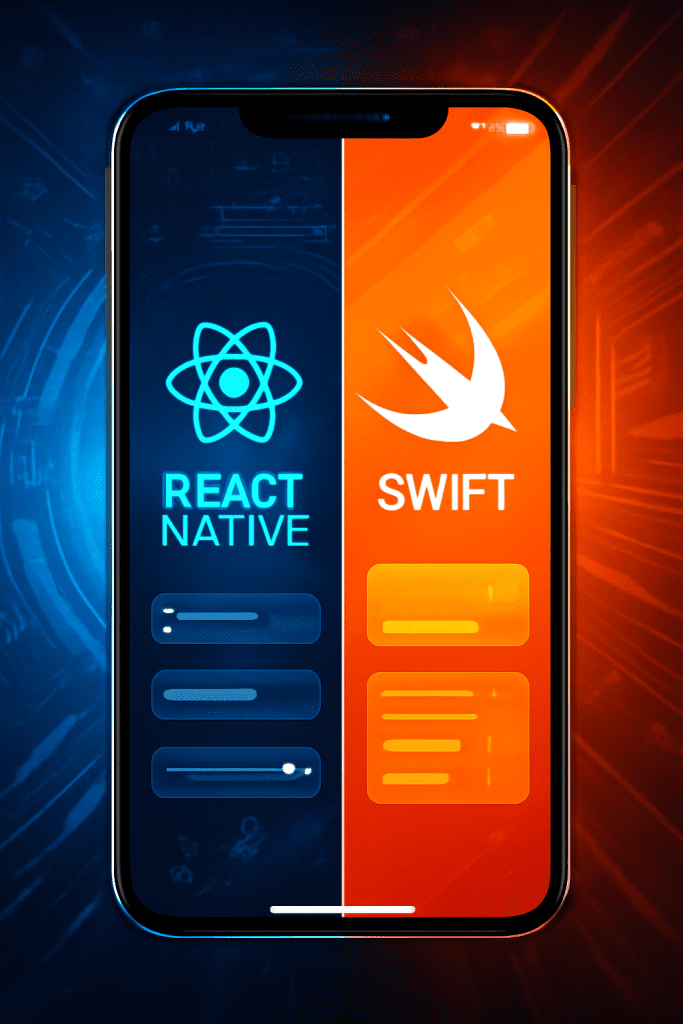
React Native vs Swift: Choosing the Right Mobile App Development Framework for Your Business

Introduction Selecting the ideal mobile app development framework is a pivotal decision influencing your project’s speed, scalability, budget, and user experience. React Native and Swift are two leading options—each with distinct strengths. Swift is Apple’s native language designed solely for iOS apps, renowned for performance and seamless access to all device features. React Native, by contrast, is a cross-platform framework that lets you use a single codebase for both iOS and Android, accelerating development and reducing costs. Understanding their differences is key to ensuring your app aligns perfectly with your business goals. React Native vs Swift: Key Comparison 1. Performance and Native Access Swift delivers best-in-class performance and is tightly integrated with the iOS ecosystem. Apps built with Swift have direct access to hardware features, minimal latency, and are better for graphic-intensive or complex applications. React Native achieves near-native performance for many scenarios but introduces a JavaScript bridge, which can cause minor delays, especially in heavy or animation-rich apps. It covers most native features via libraries but some integration may be complex. 2. Development Speed and Cost React Native allows code reuse across iOS and Android. This means a single team can manage both platforms, reducing time-to-market and cost—a great advantage for startups and businesses looking to maximize resources. Hot reloading and a vast community speed up iteration. Swift is limited to iOS. If you need Android too, you’ll need separate development—which doubles the effort and price. However, for projects focused exclusively on Apple devices, Swift can be more efficient in the long run. 3. User Interface and Experience Swift enables pixel-perfect, highly polished native interfaces. You can leverage UIKit and SwiftUI for smooth, best-in-class designs and user experiences—ideal for feature-rich, brand-centric apps. React Native can mimic native UI well and offers third-party libraries for most UI needs. However, there may be small discrepancies compared to native apps, especially as OS features evolve. 4. Developer Talent and Community React Native benefits from JavaScript’s massive talent pool. Hiring is typically easier and cheaper; finding full-stack or cross-platform developers is usually straightforward. Swift developers are fewer, especially experienced senior iOS programmers. Their deep domain knowledge, however, benefits highly complex native projects. 5. Suitability for Business Use Cases Use React Native when: You want to build for both iOS and Android with a single codebase. Your app isn’t heavy on device-specific features or complex animations. Fast time-to-market and cost efficiency are top priorities. You are developing MVPs, prototypes, or need to quickly adapt to user feedback. Use Swift when: Your target audience is exclusively on iOS. You require optimal app performance, stability, and security. The app needs advanced device features or high-end graphics (e.g., AR, video processing). You want a long-term, future-proof investment in Apple’s ecosystem. React Native vs Swift: Pros & Cons Table Feature/Criteria React Native Swift Platforms iOS & Android (cross-platform) iOS only Performance Near-native, minor lag for complex tasks Top/Native Performance UI/UX Good, minor discrepancies with native Best-in-class_native_ui Code Reusability High (80%+ across platforms) None (iOS specific) Development Speed Rapid, hot reloading Moderate, separate for iOS/Android Cost Efficiency Lower, one team for both OS Higher if both iOS and Android Access to Features Most, some via plugins/bridges Full/native access Community & Talent Large, JS developers widely available Limited, deep iOS expertise Maintenance Easier (one codebase) Separate codebase per platform Conclusion Choosing between React Native and Swift hinges on your business priorities. If you need a fast, cost-effective path to both iOS and Android, React Native is a leading choice—especially for MVPs or budget-conscious projects. For high-performance, visually intricate, or feature-rich iOS apps demanding long-term stability, Swift is the clear winner. Assess your audience, technical needs, and growth plans before deciding. A well-aligned framework choice means faster delivery, lower costs, and better scaling as your app and business grow. Ready to build your next mobile app? Consult with experienced developers to analyze your needs and set the foundation for scalable, future-proof success. FAQ 1. Can I use both React Native and Swift in one app? Yes, you can. Some apps use React Native for most UI and add Swift modules for high-performance or device-specific features. 2. Which is more cost-effective for startups? React Native is usually more cost-effective for startups needing both iOS and Android apps. 3. Is React Native secure enough for enterprise apps? With the right practices and modules, React Native can deliver secure apps—though Swift may offer easier integration with Apple’s security features. 4. When should I avoid cross-platform frameworks? If your app needs advanced animations, AR, or frequent use of the latest iOS capabilities, native (Swift) is better. 5. Which framework is better for app speed and responsiveness? Swift always wins in speed and performance for complex, high-demand apps.

Artificial Intelligence

How to Develop a RAG-Powered Application: Process and Costs

Introduction Retrieval-Augmented Generation (RAG) is transforming how enterprises leverage artificial intelligence for accurate, dynamic, and context-aware applications. By blending the strengths of large language models (LLMs) with external, up-to-date data sources, RAG-powered apps solve the limitations of static, “hallucinating” AI and open doors to use cases like advanced chatbots, personalized search, and enterprise knowledge mining. But what’s involved in building such a solution—and what might it cost? This guide explores the full development process and provides a transparent cost breakdown to help you plan your journey into RAG-powered innovation. Understanding the RAG Workflow RAG apps operate at the intersection of AI-powered generation and real-time information retrieval. The core process involves: Data Preparation Collect raw, unstructured, or structured datasets (PDFs, docs, web data, databases). Clean, deduplicate, and segment this data into manageable “chunks” for easier indexing and retrieval. Indexing and Embedding Transform these chunks into semantic vector representations using embedding models. Store vectors in a vector database optimized for similarity search (like Pinecone, Weaviate, or Milvus). Retrieval and Generation At runtime, a user query triggers vector retrieval of relevant document chunks. The context from these chunks is paired with the user’s question, then provided as a prompt to an LLM to generate an accurate, grounded response. Application Layer Build a user-facing interface (chatbot, search, Q&A) and backend API to facilitate interactions, chain the workflow, and orchestrate the RAG pipeline with tools like LangChain or LlamaIndex. Deployment and Monitoring Deploy your solution, set up monitoring for quality, latency, and performance, and continuously improve through data updates and model tuning. Key Steps in Building a RAG-Powered Application Collect and Clean Data Use libraries/tools (BeautifulSoup, PyPDF2, PDFplumber) for document parsing. Ensure high-quality input data—“garbage in, garbage out” rings especially true for RAG pipelines. Embed and Index Choose or train a suitable embedding model. Store embeddings in a scalable vector database that fits your use case size. Orchestrate the Pipeline Connect data ingestion, retrieval, and generation components with orchestration tools. Implement retrieval strategies (hybrid search, query rewriting, reranking) for search accuracy. Develop User Interface & API Design intuitive UIs and robust APIs to let users interact with the system seamlessly. Test and Deploy Rigorous QA to assess retrieval accuracy, response quality, latency. Deploy in your preferred environment (cloud, on-prem, hybrid). Monitor and Optimize Track user queries, feedback, and model performance for ongoing refinement. Development and Operational Costs One-Time Develoment costs Basic RAG App: $40,000–$200,000 Small knowledge base, simple pipeline, limited interface, minimal prompt engineering. Small team (1–2 developers) over a few months. Medium Complexity: $300,000–$500,000 Robust production features, hybrid search, advanced pipelines, integrations with enterprise tools, more data types, and larger datasets. Team of AI/ML and backend engineers. Advanced/Enterprise-Grade: $600,000–$1,000,000+ Custom models, multi-hop reasoning, agent workflows, streaming data, massive scale. Large, senior team, several months of dev, dedicated GPU infrastructure, security compliance, comprehensive testing. Ongoing (Operational) Costs Vector Database: Examples: Pinecone starts ~$70/month (beyond free tier); Weaviate from $25/month plus $0.095 per million vector dimensions. Costs scale with data size and query volume. Compute Resources: Embedding computation, retrieval, LLM inference—price depends on size and speed requirements. High-performance GPUs, high-memory CPUs, and cloud fees for scalable deployment. Software Maintenance: Continuous data updates, monitoring, bug fixes, compliance. Cloud Services & Support: Storage, bandwidth, uptime SLAs, security protocols. Cost drivers include dataset scale, desired app complexity, user load, integration depth, compliance needs, and response speed. Conclusion Developing a RAG-powered application is a strategic investment for businesses aiming to provide accurate, current, and reliable AI-driven experiences. The core process—data prepping, embedding, retrieval, generation, and user-facing delivery—is supported by a diverse tech ecosystem. While basic solutions are increasingly accessible, costs grow swiftly as data size, complexity, and enterprise requirements increase. For best results, start with a clear understanding of your use case, dataset, and performance needs, and partner with experienced AI specialists to optimize value for every dollar spent. Ready to explore a tailored RAG solution? Assess your data, define your requirements, and seek expert guidance to build a future-ready application that scales with your business. FAQ 1. What is a RAG-powered application? A RAG-powered app combines retrieval of relevant data from external/internal sources with text generation using large language models to provide accurate, factual outputs. 2. How long does it take to build a RAG solution? Simple prototypes can be built within a few months; advanced, production-grade apps may require 6–12+ months, depending on requirements. 3. What are the biggest cost drivers? Team expertise, dataset size, interface complexity, required performance (speed/accuracy), and recurring infrastructure (cloud/vector DB). 4. What skills are needed to develop a RAG app? Data engineering, AI/ML modeling, API/backend development, cloud deployment, UI/UX design, and ongoing monitoring/QA. 5. Can I use open-source tools for RAG development? Absolutely—frameworks like LangChain, LlamaIndex, and vector databases (e.g., Milvus, Qdrant) can lower costs and speed up development.

DEVOPs

DevOps Maturity: Why It Matters and How Business Leaders Can Achieve It

Introduction DevOps maturity is no longer a luxury; it’s a strategic imperative for organizations competing in today’s fast-paced digital world. Achieving higher levels of DevOps maturity moves businesses from manual, error-prone deployments to automated, collaborative, and adaptive operations. For business leaders, understanding and investing in DevOps maturity means faster releases, more reliable software, and sustained innovation. Platforms like TechOTD offer guidance, tools, and proven practices to help enterprises accelerate this journey. What is DevOps Maturity and Why Does It Matter? DevOps maturity is a measure of how fully an organization has adopted and integrated DevOps practices across culture, automation, and measurement. The maturity model typically features five stages: Initial: Manual processes, siloed teams, minimal collaboration. Managed: Introduction of automation, some repeatability, and improved collaboration. Defined: Widespread automation, standardized processes, organization-wide DevOps adoption. Measured: Data-driven decision-making, performance tracked against key metrics, continuous improvement. Optimized: Full integration, ongoing innovation, and seamless, secure operations. Why It Matters Accelerated Delivery: Mature DevOps teams rapidly release software, shorten feedback loops, and respond faster to market changes. Enhanced Reliability: Automated testing, deployment, and monitoring reduce downtime, failures, and manual errors. Operational Efficiency: Streamlining workflows and boosting resource usage helps lower costs and maximize value. Innovation and Scalability: Organizations with mature DevOps are better positioned to try new ideas and scale both systems and teams. Cross-Functional Collaboration: Collaboration across development, operations, and security improves quality and agility while reducing bottlenecks. How Business Leaders Can Achieve DevOps Maturity Secure Executive Buy-In Leadership commitment is crucial for resource investment and company-wide alignment around DevOps principles. Assess Current State Conduct honest maturity assessments to pinpoint strengths, gaps, and the starting baseline. Involve engineers and stakeholders for a holistic view. Set Stage-Wise, Realistic Goals Don’t attempt “perfection” immediately. Set achievable milestones for each maturity stage: automation, CI/CD rollout, cultural transformation, etc.. Foster a Collaborative Culture Break down silos by encouraging collaboration, transparent communication, and a shared sense of ownership between teams. Prioritize Automation (But Iterate Wisely) Automate where it brings the most value—think CI/CD, infrastructure provisioning, and deployment pipelines. Document improvements, expand gradually, and address bottlenecks. Measure, Adapt, and Improve Use key metrics (like deployment frequency, change failure rate, lead time, and MTTR) to monitor progress and tie efforts back to business results. Scale & Standardize Best Practices Share successes across teams, create playbooks, and encourage feedback cycles that spread hard-won lessons throughout the organization. Conclusion DevOps maturity is a journey—not a final destination. As business leaders, driving this progression means delivering software faster, safer, and more reliably, which fuels innovation and competitive advantage. Invest in cultural shifts, automation, and continuous improvement—leveraging platforms like TechOTD for tailored solutions—so your organization can thrive in an always-evolving digital ecosystem. FAQ 1. What are the most important DevOps maturity metrics for leaders? Deployment frequency, lead time for changes, change failure rate, and mean time to recovery (MTTR) are industry benchmarks. 2. How do cultural changes affect DevOps maturity? Culture is foundational; transparency, trust, and collaboration are what break down silos and empower innovation. 3. Can small teams achieve high DevOps maturity? Absolutely! Smaller teams often move quickly and can be early adopters—maturity can then be scaled organization-wide. 4. What’s the biggest hurdle for most companies? Aligning culture and processes; technology can be adopted, but mindset change and cross-functional collaboration take conscious leadership. 5. Where do I start if my organization is at Level 1 or 2? Begin with foundational automation (like version control and CI), foster collaboration, and build feedback loops through measurement

Cloud

On-Premise Cloud: Analyzing the Benefits, Risks, and Costs for Enterprise

Introduction The decision between on-premise and cloud solutions shapes enterprise IT strategies, impacting everything from security and compliance to agility and ROI. While cloud adoption surges for its convenience and scalability, on-premise infrastructure often remains the backbone for businesses that require granular control and regulatory compliance. This blog unpacks the key benefits, risks, and costs associated with on-premise cloud setups, helping you make informed choices. For expert IT strategy support, explore TechOTD, leverage cutting-edge AI services, and discover custom web development. Key Benefits of On-Premise Cloud for Enterprises Full Control & Customization: Hosting critical applications and data on-premises ensures you have total authority over security protocols, software configurations, and system integrations. This is vital for highly regulated industries like finance, government, and healthcare. Enhanced Data Privacy: Sensitive data never leaves your organization’s direct oversight, empowering you to comply with strict privacy standards and data sovereignty laws. Independence from Third Parties: On-premise solutions are immune to cloud provider outages, vendor lock-in, and fluctuating internet reliability. Systems remain accessible even during external crises or connection failures. Tailored Security: Direct control allows you to build layered, organization-specific security systems—crucial for handling confidential or proprietary data. Risks and Drawbacks Significant Upfront Costs: Enterprises shoulder large capital investments for hardware, software licenses, installation, and custom infrastructure. This can be a substantial hurdle for smaller organizations. Ongoing Maintenance Burden: All updates, security patches, repairs, and compliance checks must be managed in-house, requiring skilled IT teams and constant vigilance. Limited Scalability: Scaling up means buying and configuring additional servers, which can be time-consuming and costly. Unlike cloud platforms, scaling down doesn’t recover sunk investments. Resource Redundancy & Downtime: Failures or outages demand manual intervention and can lead to costly downtime, unless robust redundancy and backup plans are in place. Skills Gap: Maintaining modern on-premise systems requires advanced IT talent, which is scarce and costly as organizations increasingly shift workloads to cloud environments. Cost Analysis Aspect On-Premise Cloud Cloud Alternative Initial Outlay High (hardware, licenses, setup) Low/None (subscription, pay-as-you-go) Ongoing Costs Maintenance, upgrades, IT staff Subscription fees, usage costs Scalability Cost Hardware expansion, potential downtime Instant scaling, cost reflects usage Total Cost of Ownership (TCO) Can be lower with long-term, predictable usage, but risks overprovisioning and underutilization May rise with high or unpredictable data transfer, but usually lower for varying workloads Resource Utilization Often underused if over-provisioned Optimized (pay only for active usage) Insight: For enterprises with steady, high-demand workloads, on-premise cloud can provide long-term savings after the large initial investment. However, for variable, unpredictable, or rapidly growing workloads, cloud solutions typically offer more flexibility and cost savings. Conclusion On-premise cloud environments give enterprises unmatched control, privacy, and customization—making them a common choice in highly regulated sectors. However, these advantages come at the price of higher upfront costs, ongoing maintenance responsibilities, and slower responsiveness to changing business needs. Ultimately, the best solution depends on your organization’s size, growth rate, regulatory environment, and IT expertise. For an optimized cloud or hybrid strategy, consult TechOTD, or unlock end-to-end IT and AI support via their services portfolio. FAQ 1. When is on-premise cloud better than full cloud solutions? When absolute data control, compliance, and customization are priorities—especially in finance, healthcare, and government. 2. What are the main hidden costs of on-premise solutions? Upgrades, ongoing maintenance, hardware failure risks, and the need for highly skilled IT staff. 3. How can I manage scalability challenges with on-premise cloud? Careful capacity planning, investing in modular hardware, and using hybrid setups for overflow workloads. 4. Is on-premise always more secure than cloud? Not always—security depends on your team’s capabilities and processes. Cloud providers often offer advanced protections, but you lose some direct control. 5. Can on-premise and cloud be combined? Yes—a hybrid cloud architecture integrates the best of both worlds, using on-premise for sensitive workloads and cloud for scalability

Human Resource (HR) Solutions

Staff Augmentation: Scale Your Tech Team Effectively Without the Hassle

Introduction In an era where technology evolves rapidly and project demands are unpredictable, IT staff augmentation empowers businesses to scale their tech teams quickly and efficiently. Rather than enduring the lengthy, costly process of hiring full-time employees, staff augmentation allows you to expand your capabilities with skilled professionals—exactly when and where needed. For organizations looking to innovate or manage fluctuating workloads, this model offers the right blend of flexibility, control, and access to global talent. If you seek reliable digital growth solutions, explore TechOTD, partner with TechOTD, or learn more about their web development services and AI-driven capabilities. Why Choose Staff Augmentation? Rapid Scalability & Flexibility: Adjust your workforce instantly to meet dynamic project needs—whether it’s for a major launch, seasonal demands, or unforeseen spikes in workload without long-term commitments. Access to Specialized Skills: Bring in professionals with niche expertise in technologies like AI, cybersecurity, or cloud engineering—skills that may be scarce or expensive to hire full-time. Cost Efficiency: Only pay for what you need. Reduce overhead costs by avoiding full-time salaries, benefits, and training expenses. Reduced Recruitment Hassles: Skip the lengthy hiring cycles—no more endless interviews or onboarding delays. Augmentation partners provide pre-vetted talent who hit the ground running. Business Continuity: Cover for sudden gaps, expand into new markets, or accelerate product timelines without losing operational control. Knowledge & Innovation: Augmented staff often bring modern best practices and fresh perspectives that can spark new ideas and efficiencies. How to Scale Your Tech Team Effectively   Assess Team Needs: Begin by mapping your team’s current skills and identifying specific gaps for upcoming projects or growth opportunities. Define Roles & KPIs: Set clear expectations—what technology, expertise, and responsibilities are required? Outline measurable goals for both internal and augmented staff. Choose the Right Provider: Partner with an augmentation company that understands your business goals, offers transparent processes, and integrates seamlessly with your workflows. Smooth Onboarding: Integrate augmented professionals through proper onboarding, joint meetings, and shared documentation to ensure alignment and productivity. Monitor & Optimize: Regularly review performance, communicate openly, and adjust team composition as needed for ongoing success and satisfaction. Overcoming Common Challenges Integrating Teams: Foster strong communication, provide access to necessary tools, and involve augmented staff in your culture to bridge any collaboration gaps. Security & Compliance: Clearly define security protocols and legal guidelines from the start, ensuring all team members meet your data protection standards. Quality Control: Set KPIs, quality checks, and regular feedback mechanisms for consistent performance. Expectation Management: Clearly communicate the scope, outcomes, and limits of augmented roles to avoid misunderstandings. Conclusion Staff augmentation isn’t just a trend—it’s a proven strategy to help your tech team stay innovative, agile, and efficient. With the right approach and reliable partners, you can access global talent, control costs, and tackle complex projects with confidence. For hassle-free scaling and world-class results, discover the offerings at TechOTD, AI services, web development expertise, or consider a strategic partnership. FAQ 1. What is staff augmentation in tech? It’s adding skilled external professionals to your in-house team on a temporary basis, filling skill gaps and scaling operations as needed. 2. Is staff augmentation cost-effective? Yes. It lets you pay only for needed talent, avoiding the cost of full-time salaries, benefits, and lengthy recruitment cycles. 3. Does it work for startups and enterprise companies? Absolutely. Both startups and large enterprises use staff augmentation for flexibility, project speed, and specialized expertise. 4. How do I integrate augmented staff effectively? Onboard them like regular employees, set clear roles/KPIs, and foster communication for a seamless workflow. 5. Can staff augmentation help with short-term and long-term projects? Yes. It’s ideal for project sprints, seasonal spikes, or long-term innovation without full-time commitments.

Artificial Intelligence

The Future Is Now: 7 Emerging AI Trends You Shouldn’t Overlook

Introduction Artificial Intelligence is moving at lightning speed, redefining the way we live, work, and innovate. As we navigate through 2025 and beyond, keeping up with emerging AI trends is crucial for businesses, students, and tech enthusiasts alike.   These trends are shaping the future of everything from customer service and healthcare to creative industries and global security. If you want to harness cutting-edge AI for your business, check out the resources and services at TechOTD, learn more about their AI solutions, explore their industry expertise, and view the company’s story and partnerships. 1. Explainable AI (XAI) AI systems are increasingly complex, prompting a demand for transparency in how decisions are made. Explainable AI ensures that machine learning models provide clear, auditable reasoning behind their outputs. This is particularly critical in finance, healthcare, and regulated industries, fostering trust among users and stakeholders. 2. Multimodal AI Gone are the days when AI could only analyze one type of data. Multimodal AI systems now process diverse data sources—like text, images, video, and audio—simultaneously. This enables smarter assistants, highly interactive customer interfaces, and more natural human-computer interactions. 3. Edge AI Instead of processing all data in distant data centers, Edge AI moves intelligence closer to where data is generated—such as smartphones, cameras, or IoT devices. This drastically reduces latency, enhances privacy, and enables real-time decision-making for applications like manufacturing automation and wearable health analytics. 4. AI Democratization Low-code and no-code AI platforms empower non-technical users to create and deploy powerful AI systems. This democratization accelerates business innovation, promotes accessibility, and shrinks the gap between ideas and execution—especially for startups and SMBs. 5. Generative AI AI is no longer just for analyzing data—it now creates. Generative AI models (like ChatGPT and DALL-E) can produce content, design products, write code, and generate simulations, revolutionizing creative industries, marketing, gaming, and education. 6. AI-Blockchain Convergence The synergy of blockchain and AI unlocks robust, decentralized, and secure data sharing. In sensitive sectors like healthcare and finance, this convergence brings new trust mechanisms, improved security, and transparent record-keeping for data-driven services. 7. Agentic & Autonomous AI The rise of Agentic AI means intelligent systems can now reason, plan, and execute tasks autonomously. Imagine digital employees handling workflows, diagnostics, or complex customer support—freeing humans for more strategic initiatives. Conclusion The AI landscape is evolving faster than ever, and these 7 emerging trends are paving the way for the next wave of digital transformation. Whether you’re a business leader, developer, or tech enthusiast, now is the time to embrace these advances—or risk falling behind. To stay ahead and unlock AI-driven innovation, connect with the experts at TechOTD and explore collaboration, industry solutions, and partnership opportunities. FAQ 1. What is Explainable AI, and why is it important? Explainable AI provides clear, human-readable explanations for AI decisions, which is crucial for trust, especially in highly regulated industries. 2. How does Edge AI affect user privacy? Edge AI processes data locally, reducing exposure and boosting privacy by keeping sensitive information on the device. 3. Will Generative AI replace human creativity? No—it enhances creativity by allowing humans to prototype, iterate, and explore ideas more quickly. 4. Can non-programmers leverage AI in their business? Absolutely! With no-code and low-code AI tools, anyone can build and deploy AI-powered solutions. 5. How does TechOTD help organizations adopt new AI trends? TechOTD offers AI strategy consulting, development, and industry-focused implementation—learn more at their AI services page.

data science

Unleashing the Role of Data Analytics in Driving Smarter Banking Decisions

Introduction In today’s evolving financial landscape, data analytics has become the secret weapon of forward-thinking banks. As digital transformation accelerates and customer expectations soar, leveraging big data and advanced analytics is helping financial institutions make smarter, faster, and more secure decisions. This blog explores how data analytics is revolutionizing smarter decision-making in banking, empowering both organizations and their customers. Looking for transformative analytics and AI solutions? Discover expert offerings at TechOTD, explore industry AI services, learn about TechOTD’s background, investigate eCommerce banking solutions, check out the partnership program, or see their web development expertise. How Data Analytics Powers Smarter Banking Decisions Deeper Customer Insights: Analytics tools process customer transactions, behaviors, and digital interactions to create detailed customer profiles. This enables hyper-personalized recommendations, targeted offers, and dynamic risk scoring. Proactive Risk Management: AI and machine learning monitor transactions in real time to detect and predict fraud or credit risks—allowing banks to act before issues escalate. Operational Efficiency: Automated analytics streamline processes like loan approvals, compliance checks, and account monitoring, reducing costs and improving accuracy. Strategic Growth: Market analytics reveal emerging opportunities, untapped customer segments, and help banks launch new banking or investment products. Data-Driven Compliance: Powerful reporting and analytics ensure regulatory requirements are met and help quickly respond to audits or legislative shifts. Real-World Applications Fraud Detection: Real-time analytics flag suspicious activities, preventing losses and boosting customer trust. Credit Scoring: Dynamic scoring models incorporate more data points—and are much more predictive than traditional scoring. Personalized Banking: Recommending the right product or service, at the right moment, for every unique customer. Operational Optimization: Monitoring ATM usage, branch performance, and digital channel adoption to inform smarter resource allocation. Use Cases Where Data Analytics Drives Smarter Banking   Use Case Application Example Value Delivered Cash Flow Forecasting Retailer gets insights on seasonal cash fluctuations Bank tailors products and credit lines to ensure liquidity Working Capital Optimization Manufacturing firm’s payment trends analyzed Automation and financial advice to free up cash flow Fraud Detection Real-time monitoring of outlier transactions Reduces losses, limits fraud-related customer churn Loan & Credit Recommendations Analysis of historic purchases and payment cycles Banks offer right-sized, flexible loans or credit Strategic Expansion Aggregated customer and location data for market entry decisions Minimizes risk, enables smarter regional growth How to Implement Data Analytics for Bank Success in 2025 Modernize Infrastructure: Move to scalable, cloud-driven solutions for seamless data processing. (TechOTD’s web solutions) Use AI/ML Intensively: Integrate automated fraud, risk, and customer analytics with your core banking systems. (TechOTD AI services) Invest in Team Training: Upskill your staff in analytics, machine learning, and data-driven decision-making. Partner Strategically: Collaborate with fintech and digital partners to accelerate analytics innovation. (Partner with TechOTD) Adopt Robust Data Governance: Ensure privacy, data security, and compliance with Australia’s privacy laws and banking regulations. Conclusion The banks that thrive in 2025 and beyond will be those that embed data analytics at every level of their business. Smarter insights lead to better products, sharper risk management, and exceptional customer experiences. If you’re looking to unleash smarter banking through cutting-edge analytics and AI, explore trusted solutions and industry expertise at TechOTD, the AI innovation hub, about TechOTD, specialized eCommerce finance solutions, the TechOTD partnership program, and custom web development services. FAQ 1. How can data analytics improve my bank’s profitability? By detecting fraud earlier, targeting high-value offers, optimizing operations, and improving risk management—all driven by accurate, data-based insights. 2. Is AI replacing bankers in decision-making? No; AI and analytics tools support human bankers with actionable intelligence—freeing staff for higher-value client interactions. 3. What’s essential to get started with banking analytics? A modern, secure data infrastructure, trained teams, clear governance, and the right technology partners like TechOTD. 4. Are data analytics solutions secure and compliant? Yes, when implemented with the right security architecture, privacy controls, and compliance expertise (as provided by TechOTD). 5. Can analytics help banks unlock new growth? Absolutely. Analytics reveal new markets, guide product launches, and deepen customer loyalty.

How would you like me to respond?

Select a personality for your AI assistant

Normal
Happy
Sad
Angry

Your selection will affect how the AI assistant responds to your messages

Chat Assistant

Let's discuss your project!

Hear from our clients and why 3000+ businesses trust TechOTD

Tell us what you need, and we'll get back with a cost and timeline estimate

Scroll to Top