
Enterprise Software

Software development

Low-Code vs No-Code vs Traditional Development: Which One Should Businesses Choose?

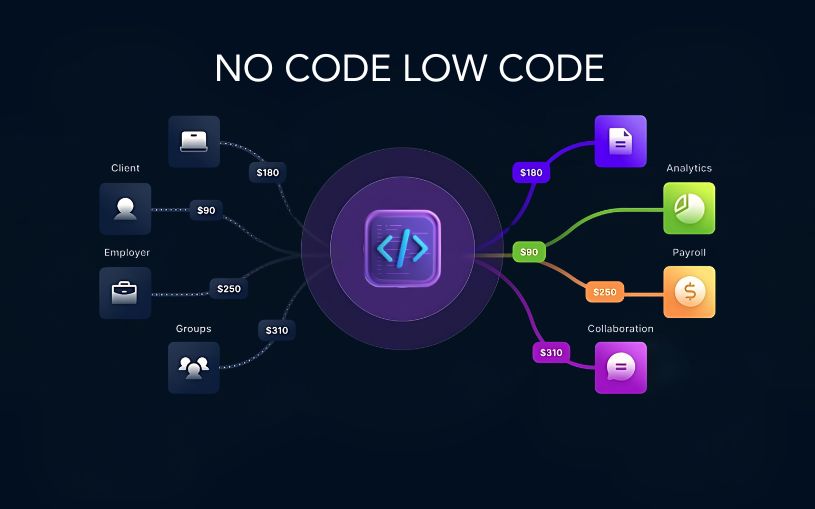
Low-Code vs No-Code vs Traditional Development: Which One Should Businesses Choose? Technology is evolving faster than ever, and businesses today have more options than ever when it comes to building software. Not long ago, developing an application meant hiring a team of developers and spending months writing code from scratch. Today, organizations can choose between traditional development, low-code platforms, and no-code solutions depending on their goals, budget, and technical expertise. As companies accelerate their digital transformation efforts in 2026, understanding these three development approaches has become essential. Each offers unique advantages, and selecting the right one can directly impact project success, operational efficiency, and long-term growth. Understanding Traditional Development Traditional software development remains the most powerful and flexible way to build applications. In this approach, developers write code manually using programming languages such as Python, Java, JavaScript, or C#. This method gives businesses complete control over every aspect of an application, from user experience and functionality to security and scalability. Organizations that require highly customized solutions, advanced integrations, or enterprise-grade systems often rely on traditional development because it can handle virtually any business requirement. However, this flexibility comes at a cost. Traditional development typically requires larger budgets, experienced developers, longer project timelines, and ongoing maintenance efforts. What is Low-Code Development? Low-code development bridges the gap between traditional coding and visual application building. Instead of writing every feature manually, developers can use drag-and-drop components, pre-built modules, and automated workflows to speed up the development process. The biggest advantage of low-code platforms is efficiency. Businesses can launch applications significantly faster while still retaining the ability to customize features through code whenever necessary. Many organizations use low-code platforms to create internal business applications, workflow automation systems, customer portals, and operational dashboards. This approach allows development teams to focus on solving business challenges rather than spending time on repetitive coding tasks. What is No-Code Development? No-code development takes simplicity to the next level by allowing users to create applications without writing any code at all. These platforms are designed for business users, entrepreneurs, marketers, and department managers who may have little or no programming experience. Through visual interfaces, templates, and drag-and-drop tools, users can create websites, mobile applications, forms, databases, and automated workflows. The growing popularity of no-code platforms reflects a larger trend toward democratizing technology. Businesses no longer need to depend entirely on software developers for every digital solution. For startups and small businesses, no-code tools offer an affordable and fast way to turn ideas into functional products. Comparing Speed and Development Time When speed is the primary concern, no-code platforms often come out on top. Applications can sometimes be built within days instead of months. Low-code platforms also provide impressive development speed by reducing the amount of manual coding required. Teams can quickly build prototypes, test ideas, and deploy solutions without lengthy development cycles. Traditional development generally requires more time because every feature must be designed, coded, tested, and optimized from the ground up. While slower, it provides unmatched flexibility and customization. Cost Considerations for Businesses Budget plays a major role in choosing a development approach. No-code solutions usually have the lowest initial costs because they eliminate the need for large development teams. Businesses can often create and manage applications using existing staff members. Low-code development offers a balance between affordability and flexibility. Organizations can reduce development costs while still creating sophisticated applications. Traditional development tends to involve the highest investment due to developer salaries, infrastructure requirements, quality assurance processes, and long-term maintenance expenses. Customization and Flexibility Customization is where traditional development shines. Businesses can create exactly what they need without being limited by platform restrictions. Whether it’s advanced analytics, complex integrations, or unique customer experiences, traditional coding provides complete freedom. Low-code platforms offer substantial customization capabilities and can handle many complex business requirements. Developers can extend functionality whenever needed through custom code. No-code platforms, while highly convenient, often have limitations. Users must work within the framework and capabilities provided by the platform, which can become challenging for more advanced projects. Scalability and Long-Term Growth As businesses grow, scalability becomes increasingly important. Traditional applications can be designed to handle large user bases, complex workflows, and significant data volumes. This makes them ideal for enterprises expecting substantial growth. Modern low-code platforms also support scalability and are increasingly being adopted by large organizations for mission-critical applications. No-code solutions can support growth to a certain extent, but highly complex or large-scale requirements may eventually require migration to more flexible platforms. The Impact of AI on Software Development Artificial intelligence is reshaping all three development approaches. Low-code and no-code platforms now include AI-powered features that can generate workflows, recommend automation processes, and simplify application design. These capabilities allow businesses to build solutions even faster than before. Traditional development is also benefiting from AI-assisted coding tools that help developers write cleaner code, identify errors, and accelerate project delivery. As AI technology continues to mature, the boundaries between traditional, low-code, and no-code development are becoming increasingly blurred. Which Option Should Your Business Choose? There is no universal answer because every organization has different needs. If your goal is rapid deployment with minimal technical involvement, no-code platforms may be the best choice. If you need a balance between speed, flexibility, and customization, low-code development can deliver excellent results. For businesses requiring complete control, advanced functionality, and enterprise-level scalability, traditional development remains the strongest option. Many successful organizations are now adopting a hybrid approach, using no-code tools for simple workflows, low-code platforms for internal applications, and traditional development for customer-facing products and mission-critical systems. Conclusion The debate between low-code, no-code, and traditional development is not about finding a single winner. Instead, it is about selecting the right tool for the right business challenge. As digital transformation continues to accelerate in 2026, organizations that understand the strengths and limitations of each approach will be better positioned to innovate faster, reduce costs, and remain competitive in an increasingly technology-driven world. The future of software development will not belong exclusively to traditional
Artificial Intelligence, Digital Transformation, Educational Technology

AI Workflow Automation for Enterprises

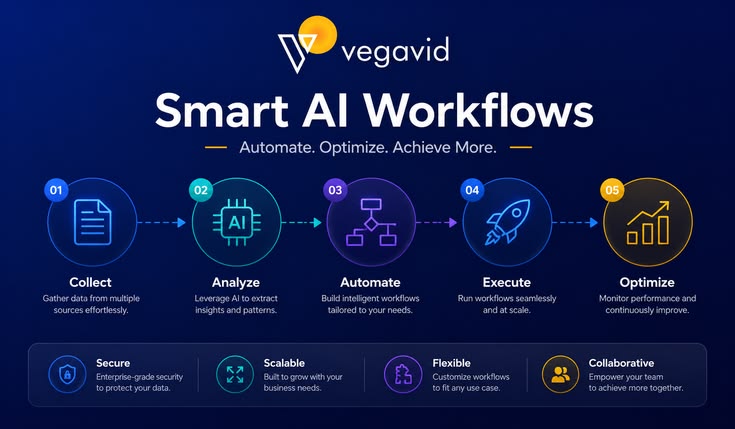
AI Workflow Automation for Enterprises: The Ultimate Blueprint for Scalable Digital Transformation (2026) The global corporate landscape has decisively moved past the experimental phase of artificial intelligence. Today, the core operational differentiator between market leaders and lagging firms isn’t just the adoption of AI—it’s orchestration. Enterprises are no longer looking for isolated AI chatbots to summarize emails. Instead, they are demanding end-to-end AI Workflow Automation: complex, self-healing, multi-agent systems that integrate with legacy infrastructure, automate decision-making pipelines, and fundamentally redefine human-machine collaboration. This comprehensive guide serves as an enterprise-grade blueprint for tech executives, operations leaders, and digital transformation architects looking to deploy scalable AI automation across their organizational fabric. 1. Defining Enterprise AI Workflow Automation To build an effective automation strategy, we must first distinguish modern AI workflow automation from legacy systems. For over a decade, Robotic Process Automation (RPA) served as the backbone of operational efficiency. RPA excels at deterministic, rule-based tasks: “If data arrives in Form A, copy it exactly into Field B.” However, the moment a user submits an unformatted invoice, an unexpected error code pops up, or an email contains nuanced human emotion, traditional RPA breaks down. +———————————————————————–+ | THE AUTOMATION EVOLUTION | +———————————————————————–+ | LEGACY RPA | MODERN AI | | “Deterministic & Rigid” | “Probabilistic & Adaptive” | | • Rule-bound execution | • Contextual understanding | | • Breaks on unstructured data| • Learns from edge cases | | • Requires static formats | • Handles text, voice, and video | +———————————————————————–+ Modern Enterprise AI Automation shifts the paradigm from deterministic to probabilistic. Backed by Large Language Models (LLMs), vision systems, and specialized embedding models, these workflows possess cognitive context. They don’t just move data; they comprehend data, make judgment calls based on corporate playbooks, learn from edge cases, and seamlessly pass control to human supervisors when structural thresholds are crossed. 2. The Architecture of an Automated AI Workflow An enterprise-grade AI workflow is rarely built on a single, isolated prompt. It is a layered, multi-component architecture engineered to maximize accuracy, data security, and execution speed. Layer 1: Data Ingestion and Semantic Parsing Every automated pipeline begins with data. The ingestion layer utilizes advanced optical character recognition (OCR), speech-to-text engines, and computer vision to ingest unstructured assets—such as raw PDFs, audio recordings of client calls, complex internal spreadsheets, or customer emails—and normalize them into structured JSON schemas. Layer 2: Vector Infrastructure and Corporate Memory To prevent the underlying models from hallucinating or losing track of corporate standards, workflows use Retrieval-Augmented Generation (RAG) systems tied to low-latency vector databases. When a new transaction or support ticket enters the pipeline, the system extracts semantic embeddings, queries the vector infrastructure for relevant corporate historical data, and constructs a highly contextual prompt. Layer 3: The Multi-Agent Orchestration Core Instead of relying on one massive, generalized AI model to handle an entire process, modern architectures break workflows down into discrete, specialized AI Agents. [Ingested Customer Ticket] | v +——————————+ | Orchestrator Agent | +——————————+ / | \ +————————+ | +————————-+ | v | +———————–+ +——————–+ +———————–+ | Data Extraction Agent | | Legal Compliance | | Quality Assurance | | | | Agent | | Agent | +———————–+ +——————–+ +———————–+ | | | +————————+ | +————————-+ \ | / v +——————————+ | Final Response / Action | +——————————+ The Orchestrator Agent: Receives the inbound payload, analyzes intent, and maps out an execution plan. The Specialist Agents: Micro-tuned models dedicated to singular tasks. For example, in an insurance claims pipeline, one agent extracts medical billing codes, a second agent cross-references the claim against policy terms, and a third agent checks for historical patterns of fraud. The Critic/Validator Agent: A separate model designed specifically to stress-test the output of the specialist agents against strict regulatory constraints before any action is committed. Layer 4: System Integration and Actuation (Tool Use) An AI that can only output text is a passive advisor. True automation requires action. Through unified API gateways, enterprise AI frameworks interact directly with core business software: writing data directly into SAP ERP systems, updating customer records in Salesforce, or pushing alerts to Microsoft Teams and Slack. 3. High-Impact Enterprise Use Cases While AI automation can be applied universally, organizations see the fastest, highest-margin returns on investment (ROI) by targeting data-heavy, communication-intensive friction points. A. Supply Chain Logistics and Vendor Management The Friction Point: Managing thousands of global vendor invoices, bills of lading, customs declarations, and shifting spot-market price quotes. The AI Automation Solution: An autonomous agent continually monitors shared procurement inboxes. When an invoice arrives, the agent automatically extracts line items, matches them against existing purchase orders (POs) within Oracle or NetSuite, verifies customs compliance documentation via RAG, flags discrepancies to a human logistics manager, and pre-approves flawless entries for payment execution. B. Legal and Financial Compliance Auditing The Friction Point: Reviewing multi-hundred-page commercial contracts, loan applications, or regulatory fillings for subtle non-compliance risks. The AI Automation Solution: Legal teams deploy specialized analysis pipelines where contracts are run through automated safety scripts. The workflow flags clauses that deviate from standard corporate positions, automatically generates alternative, compliant legal phrasing, and highlights potential financial liabilities—reducing initial contract review timelines by over 80%. C. Hyper-Personalized Global Customer Operations The Friction Point: Scaling localized customer care across multiple continents without ballooning headcounts or degrading response quality. The AI Automation Solution: Multimodal AI pipelines ingest inbound customer issues across voice, chat, and email. By recognizing user intent and tone natively, the system resolves routine technical support, processes exchanges inside the billing database, drafts highly localized, context-aware email resolutions, and seamlessly escalates frustrated or VIP accounts to human agents with a fully summarized case history. 4. Selecting the Core AI Infrastructure Stack Building an enterprise pipeline requires selecting an foundational model provider that aligns with your operational realities, technical constraints, and data security requirements. Capability / Metric OpenAI (GPT-4o / o1 Ecosystem) Anthropic (Claude 3.5 Suite) Google Cloud (Gemini Enterprise) Primary Structural Strength Elite tool usage, complex logic, massive developer market. Highly articulate prose,

Different types of software development applications and platforms
Software development

Types of Software Development: Understanding Different Development Approaches and Applications

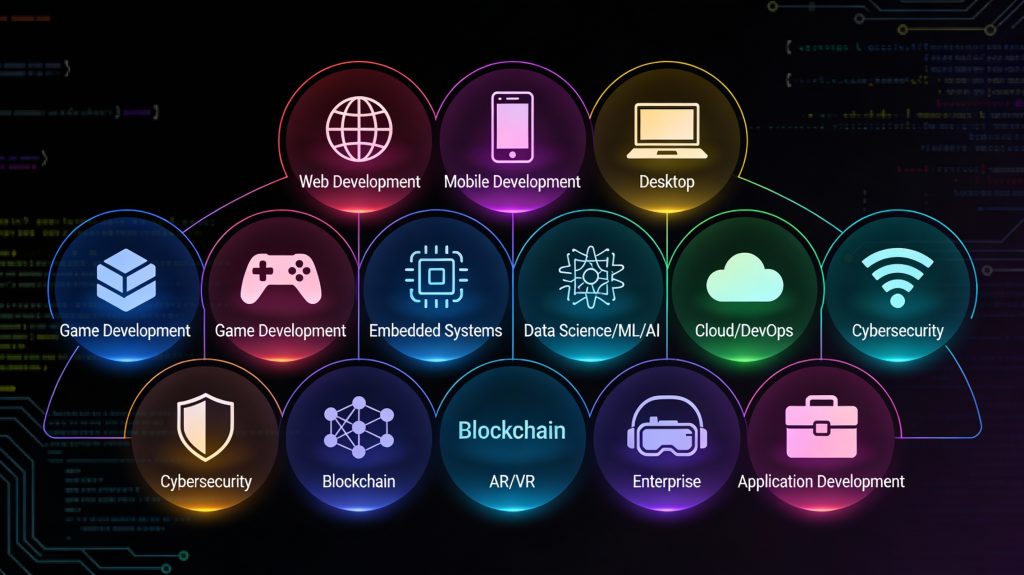
Introduction Software development is not a one-size-fits-all discipline. Depending on business goals, user needs, platforms, and technologies, software solutions are built in different ways. From websites and mobile apps to enterprise systems and embedded software, each type of software development serves a unique purpose. Understanding the types of software development helps businesses choose the right approach and enables developers to specialize in the areas that best align with their skills and career goals. As digital transformation accelerates across industries, the demand for diverse software solutions continues to grow. In this blog, we’ll explore the major types of software development, their characteristics, use cases, and how they contribute to modern technology ecosystems. Web Application Development Web development focuses on building applications that run in web browsers. These applications are accessible across devices without requiring installation. Key Characteristics Browser-based access Platform-independent Easy updates and maintenance Technologies Used Frontend: HTML, CSS, JavaScript, React, Angular Backend: Node.js, Python, Java, PHP Databases: MySQL, PostgreSQL, MongoDB Use Cases Business websites E-commerce platforms Content management systems Web portals Web development remains one of the most popular and in-demand software development types. Mobile Application Development Mobile software development involves creating applications for smartphones and tablets. Types of Mobile Development Native Development: Platform-specific (Swift for iOS, Kotlin for Android) Cross-Platform Development: Single codebase for multiple platforms (React Native, Flutter) Use Cases Social media apps Banking and fintech apps Fitness and healthcare apps On-demand services Mobile development focuses on performance, usability, and device-specific features. Desktop Software Development Desktop software development involves building applications that run on operating systems like Windows, macOS, and Linux. Key Features Offline functionality High performance Direct access to system resources Examples Productivity tools Graphic design software Accounting systems Although cloud and web apps are growing, desktop applications are still essential in many industries. Enterprise Software Development Enterprise software development focuses on building large-scale applications for organizations. Key Characteristics High scalability Complex workflows Integration with existing systems Examples ERP systems CRM platforms HR management software Enterprise software improves efficiency, data management, and operational control. Cloud Software Development Cloud development involves building applications designed to run on cloud infrastructure. Benefits Scalability on demand High availability Cost efficiency Popular Platforms Amazon Web Services (AWS) Microsoft Azure Google Cloud Platform Cloud-native development supports modern architectures like microservices and serverless computing. Embedded Software Development Embedded software runs on hardware devices rather than traditional computers. Examples IoT devices Automotive systems Medical equipment Smart appliances Embedded software must be efficient, reliable, and often real-time. Custom Software Development Custom software development involves building solutions tailored to specific business needs. Advantages Full control over features Better integration with business processes Competitive advantage Custom software is often preferred over off-the-shelf solutions for unique requirements. Game Development Game development combines software engineering with creativity. Technologies Used Game engines (Unity, Unreal Engine) Graphics and physics libraries Applications Mobile games Console games VR and AR experiences Game development emphasizes performance, graphics, and user engagement. AI and Machine Learning Software Development AI-driven software development focuses on intelligent systems. Use Cases Recommendation engines Chatbots Predictive analytics AI development requires specialized skills and data-driven approaches. Choosing the Right Type of Software Development Selecting the right development type depends on: Business goals Target users Budget and timeline Scalability requirements Making the right choice ensures long-term success. Conclusion Software development encompasses a wide range of approaches, each designed to solve specific problems. Understanding the different types of software development allows businesses to make informed decisions and developers to focus their skills effectively. As technology continues to evolve, the diversity of software development will only expand, offering endless opportunities for innovation. Frequently Asked Questions (FAQs) 1. What are the main types of software development? The main types include web, mobile, desktop, enterprise, cloud, embedded, and custom software development. 2. Which type of software development is most in demand? Web and mobile development are currently the most in-demand due to widespread digital adoption. 3. What is custom software development? Custom software development involves building applications tailored to specific business needs rather than generic solutions. 4. Is cloud software development different from web development? Yes, cloud development focuses on scalability and cloud infrastructure, while web development focuses on browser-based applications. 5. Which type of software development is best for startups? Web and cross-platform mobile development are often ideal for startups due to lower costs and faster time-to-market. 6. Can one project involve multiple types of software development? Yes, many modern projects combine web, mobile, cloud, and backend development. Connect with us: https://www.facebook.com/profile.php?id=61555452386126

How would you like me to respond?

Select a personality for your AI assistant

Normal
Happy
Sad
Angry

Your selection will affect how the AI assistant responds to your messages

Chat Assistant

Let's discuss your project!

Hear from our clients and why 3000+ businesses trust TechOTD

Tell us what you need, and we'll get back with a cost and timeline estimate

Scroll to Top