cross-platform apps

Essential tools and libraries for React Native development
React native doveploment

Essential Tools and Libraries for React Native Development

Introduction React Native development has gained massive popularity due to its ability to build cross-platform mobile applications using a single JavaScript codebase. However, the real strength of React Native lies not only in the framework itself but also in its rich ecosystem of tools and libraries that enhance productivity, performance, and scalability. From UI components and navigation to state management and testing, React Native offers a wide range of tools that help developers build high-quality applications efficiently. Choosing the right tools and libraries is crucial for maintaining clean code, improving performance, and ensuring long-term scalability. In this blog, we’ll explore the essential tools and libraries for React Native development, explain their use cases, and help you select the best stack for your next mobile app project. Why Tools and Libraries Matter in React Native React Native provides the foundation for building mobile apps, but real-world applications require much more than basic components. Tools and libraries help developers: Speed up development Maintain clean and modular code Improve UI and user experience Handle complex state and data flow Debug and test applications efficiently Using well-maintained and community-supported tools reduces technical debt and ensures better app stability. Core Development Tools for React Native 1. Node.js and Package Managers Node.js is required to run React Native projects. Developers typically use: npm Yarn These package managers help install dependencies, manage versions, and run scripts efficiently. 2. React Native CLI The React Native CLI provides full control over native code and project configuration. It is ideal for developers building production-ready apps that require custom native modules or advanced configurations. 3. Expo Expo simplifies React Native development by providing preconfigured tools and APIs. It is excellent for beginners and rapid prototyping. Key benefits of Expo include: Minimal setup Built-in APIs for camera, sensors, and notifications Fast development and testing UI Component Libraries UI libraries save time by offering ready-made, customizable components. 1. React Native Paper A Material Design-based UI library that provides consistent and visually appealing components. 2. NativeBase A flexible UI library that supports both Android and iOS with customizable components. 3. React Native Elements A cross-platform UI toolkit with reusable components and simple theming. Navigation Libraries Navigation is a core feature of mobile applications. React Navigation The most popular navigation library for React Native, supporting: Stack navigation Tab navigation Drawer navigation It is flexible, well-documented, and widely adopted. State Management Libraries As applications grow, managing state becomes complex. 1. Redux A predictable state container ideal for large-scale applications. 2. Zustand A lightweight and modern alternative to Redux with minimal boilerplate. 3. Context API Built-in solution suitable for small to medium-sized apps. Networking and API Handling Efficient API communication is critical for modern apps. Axios – Simplifies HTTP requests and error handling Fetch API – Built-in but less feature-rich than Axios Axios is widely preferred for React Native development. Testing Tools for React Native Testing ensures app reliability and stability. 1. Jest Used for unit testing JavaScript logic and components. 2. React Native Testing Library Helps test UI components from a user’s perspective. Debugging Tools Debugging tools help identify and fix issues quickly. 1. Flipper A powerful debugging tool supported by Meta for inspecting layout, network requests, and logs. 2. React DevTools Helps inspect component hierarchy and props. Performance Optimization Tools To ensure smooth performance: Why Did You Render – Detects unnecessary re-renders Hermes Engine – Improves app startup time and memory usage Best Practices for Choosing Tools Prefer well-maintained libraries Check community adoption Avoid overloading the project with unnecessary dependencies Ensure compatibility with the latest React Native version Conclusion React Native development becomes significantly more powerful when paired with the right tools and libraries. From UI components and navigation to testing and debugging, the React Native ecosystem offers everything needed to build scalable, high-performance mobile applications. Choosing the right combination of tools not only speeds up development but also ensures better code quality, maintainability, and long-term success. Frequently Asked Questions (FAQs) 1. What are the most important tools for React Native development? Essential tools include Node.js, React Native CLI or Expo, React Navigation, state management libraries, and testing tools like Jest. 2. Is Expo better than React Native CLI? Expo is great for rapid development and beginners, while React Native CLI offers more control for advanced and production-level apps. 3. Which UI library is best for React Native? Popular choices include React Native Paper, NativeBase, and React Native Elements, depending on design needs. 4. Do I need Redux for every React Native app? No, Redux is best for complex apps. Smaller apps can use Context API or Zustand. 5. How can I debug React Native apps effectively? Using Flipper, React DevTools, and proper logging practices helps debug apps efficiently. 6. Are third-party libraries safe to use in React Native? Yes, as long as they are actively maintained, well-documented, and widely adopted. Connect with us: https://www.facebook.com/profile.php?id=61555452386126

React Native development for cross-platform mobile applications
React native doveploment

React Native Development: A Complete Guide to Building High-Performance Cross-Platform Mobile Apps

Introduction In today’s fast-paced digital world, mobile applications have become essential for businesses, startups, and enterprises alike. Users expect apps to be fast, reliable, and available across multiple platforms. This growing demand has given rise to cross-platform mobile app development, and among all available frameworks, React Native development stands out as one of the most powerful and popular choices. React Native allows developers to build mobile applications for both Android and iOS using a single JavaScript codebase, significantly reducing development time and cost. Backed by Meta (Facebook) and supported by a massive developer community, React Native has been adopted by companies like Facebook, Instagram, Airbnb, Shopify, and Tesla. This blog provides a complete guide to React Native development—covering what it is, how it works, its benefits, tools, best practices, and why it’s a smart choice for modern mobile app development. What Is React Native Development? React Native is an open-source JavaScript framework used to build native mobile applications. It is based on React, a popular JavaScript library for building user interfaces. Unlike traditional hybrid frameworks that rely on WebViews, React Native uses real native components. This means applications built with React Native look, feel, and perform like native apps written in Swift, Objective-C, Java, or Kotlin. With React Native, developers write most of the code once and deploy it across platforms, while still having the flexibility to write native code when required. How React Native Works React Native works by running JavaScript code in a separate thread and communicating with native modules through a bridge. This architecture allows JavaScript logic to interact with native UI components efficiently. Key concepts include: JavaScript Thread: Handles business logic and app behavior Native Thread: Renders native UI components Bridge: Enables communication between JavaScript and native code Modern versions of React Native have introduced improvements like the New Architecture, including Fabric and TurboModules, which significantly enhance performance and reduce latency. Why Choose React Native for Mobile App Development? 1. Cross-Platform Development One of the biggest advantages of React Native development is the ability to build apps for both Android and iOS using a single codebase. This dramatically reduces development effort and speeds up time-to-market. 2. Faster Development Cycle React Native supports Hot Reloading, allowing developers to see changes instantly without recompiling the entire app. This feature boosts productivity and simplifies debugging. 3. Near-Native Performance Because React Native uses native components, apps deliver smooth animations, fast load times, and excellent user experience comparable to fully native apps. 4. Cost-Effective Solution Maintaining one codebase instead of two separate native apps lowers development and maintenance costs, making React Native ideal for startups and MVPs. 5. Strong Community and Ecosystem React Native has a massive ecosystem of libraries, plugins, and tools. Developers can quickly integrate features like navigation, authentication, payments, and analytics. Popular Use Cases of React Native React Native is suitable for a wide range of applications, including: E-commerce mobile apps Social networking platforms On-demand service apps Fintech and banking apps Healthcare and fitness apps Educational platforms Its flexibility allows businesses to scale applications as user demand grows. Essential Tools for React Native Development To build efficient React Native applications, developers rely on several tools: Development Tools Node.js & npm/yarn – Package management React Native CLI – Full control over native code Expo – Faster development with minimal configuration UI and Navigation React Navigation – Routing and navigation React Native Paper / NativeBase – UI components State Management Redux Zustand Context API Testing and Debugging Jest – Unit testing React Native Testing Library Flipper – Advanced debugging Best Practices for React Native Development 1. Use Reusable Components Break UI into reusable components to improve maintainability and consistency. 2. Optimize Performance Use FlatList instead of ScrollView for large lists Avoid unnecessary re-renders Memoize components where needed 3. Maintain Clean Folder Structure Organize files by features rather than type to improve scalability. 4. Secure Sensitive Data Never store sensitive information in plain text. Use secure storage and encrypted APIs. 5. Follow Platform Guidelines Ensure your app follows Android and iOS design standards for better user experience. React Native vs Native Development While native development offers full platform control, React Native provides an excellent balance between performance and efficiency. For most applications, React Native delivers everything needed without the complexity of maintaining two separate codebases. Native development may be preferred for extremely performance-intensive apps, but React Native is more than sufficient for the majority of business and consumer applications. Future of React Native React Native continues to evolve with strong backing from Meta and the open-source community. Improvements in performance, architecture, and tooling make it a future-proof choice for mobile app development. With growing demand for cross-platform solutions, React Native is expected to remain a top framework for years to come. Conclusion React Native development has transformed the way mobile applications are built. By enabling cross-platform development with near-native performance, it saves time, reduces costs, and delivers exceptional user experiences. Whether you’re a startup building an MVP or an enterprise scaling a mobile solution, React Native offers the flexibility, performance, and community support needed to succeed in today’s competitive mobile ecosystem. Frequently Asked Questions (FAQs) – React Native Development 1. What is React Native development used for? React Native development is used to build cross-platform mobile applications for Android and iOS using a single JavaScript codebase. It allows developers to create high-performance apps with native look and feel while reducing development time and cost. 2. Is React Native suitable for large-scale applications? Yes, React Native is suitable for large-scale and enterprise-level applications. Companies like Facebook, Instagram, and Shopify use React Native for production apps. With proper architecture, state management, and performance optimization, React Native apps can scale efficiently. 3. How does React Native differ from React.js? React.js is a JavaScript library used for building web applications, whereas React Native is a framework designed specifically for mobile app development. React Native uses native components instead of HTML elements, allowing apps to run on Android and iOS platforms. 4. Does React Native

Hands holding a tablet displaying the words "Mobile Apps Development" surrounded by digital icons representing technology and app functions.
Mobile App Development

Mobile App Development: A Complete Guide for 2025

Introduction Mobile app development has become one of the most dynamic and in-demand fields in today’s digital world. With more than 6.5 billion smartphone users globally, mobile applications are now the bridge between businesses and consumers. From e-commerce and social media to healthcare and education, every industry is investing in mobile technology to provide better accessibility and user engagement. In this comprehensive guide, we’ll explore the mobile app development process, latest frameworks, industry trends for 2025, and strategies to build successful apps that deliver exceptional user experiences. What is Mobile App Development? Mobile app development is the process of creating software applications designed to run on mobile devices such as smartphones and tablets. These apps can be native (built for a specific platform like Android or iOS), hybrid (built using web technologies), or cross-platform (single codebase for multiple platforms). The key stages of mobile app development include: Idea and Research Planning and Wireframing UI/UX Design Development and Coding Testing and Quality Assurance Deployment and Maintenance Types of Mobile Applications a) Native Apps Native apps are built for a specific operating system (like iOS using Swift or Android using Kotlin). They deliver the best performance and user experience. b) Hybrid Apps Hybrid apps use a combination of web and native technologies. Tools like Ionic and Cordova help developers create apps quickly for both platforms. c) Cross-Platform Apps These apps are developed using frameworks like Flutter, React Native, and Xamarin. The single codebase runs smoothly on both Android and iOS. d) Progressive Web Apps (PWAs) PWAs are web applications that behave like native apps. They’re lightweight and don’t require installation from an app store. The Mobile App Development Process Step 1: Idea and Research The first step is identifying the problem your app will solve. Conduct market research to understand user pain points and analyze competitors. Step 2: Planning and Strategy Define your app’s purpose, target audience, and features. Create a roadmap and choose the right tech stack. Step 3: UI/UX Design Design is the soul of any app. Focus on user-friendly interfaces, minimalistic layouts, and intuitive navigation. Step 4: App Development Developers start coding based on design prototypes. This includes backend APIs, front-end development, and database integration. Step 5: Testing Testing ensures that the app functions as expected on all devices. QA engineers test for bugs, usability, security, and performance. Step 6: Deployment Once the app passes testing, it’s submitted to the Google Play Store or Apple App Store. Step 7: Maintenance Continuous updates, performance optimization, and feature enhancements keep your app relevant and secure Top Mobile App Development Frameworks in 2025 Flutter – Google’s UI toolkit for building beautiful, natively compiled apps. React Native – Developed by Meta, it allows JavaScript developers to create native-like apps. SwiftUI – Apple’s modern framework for iOS app development. Kotlin Multiplatform – Ideal for Android developers who want to expand cross-platform. Ionic & Xamarin – Great options for hybrid development. Key Mobile App Development Trends for 2025 AI and Machine Learning IntegrationSmart recommendations, chatbots, and predictive analytics are reshaping mobile UX. 5G ConnectivityFaster speed and lower latency enable richer app experiences. Augmented Reality (AR) and Virtual Reality (VR)Used in gaming, retail, and education to enhance interactivity. Wearable App DevelopmentSmartwatches and fitness bands require lightweight, synchronized mobile apps. Low-Code/No-Code PlatformsBusinesses can now build simple apps without extensive coding. App Security FocusBiometric authentication, encryption, and data privacy laws are top priorities. Cost of Mobile App Development The cost depends on factors such as app complexity, features, platform choice, and developer expertise. Basic App: $5,000 – $20,000 Mid-Level App: $20,000 – $50,000 Complex App: $50,000+ Choosing offshore or freelance developers can also impact pricing. Monetization Strategies Freemium Model – Free app with paid premium features. In-App Advertising – Revenue from displayed ads. Subscriptions – Recurring payments for continuous use. One-Time Purchases – Paid download model. Sponsorships & Partnerships – Collaborations with brands. Challenges in Mobile App Development Device fragmentation Security vulnerabilities Battery optimization App store approval delays Keeping up with OS updates Overcoming these challenges requires continuous learning, testing, and optimization. Conclusion Mobile app development in 2025 is evolving faster than ever. Whether you’re an entrepreneur, developer, or business owner, understanding the latest tools, frameworks, and trends will help you build successful mobile applications. Focus on user experience, performance, and security — and your app will stand out in the crowded marketplace. FAQs 1. What programming languages are best for mobile app development?Swift, Kotlin, JavaScript (React Native), and Dart (Flutter) are among the top languages used. 2. How long does it take to develop a mobile app?On average, simple apps take 2–3 months, while complex apps may take 6–12 months. 3. Can I build an app without coding skills?Yes. Low-code/no-code platforms like Adalo, Glide, and AppyPie make it possible. 4. How do I choose between native and cross-platform development?Choose native if performance is critical; go for cross-platform if you want faster, cost-efficient development. 5. How can I ensure my app is secure?Implement encryption, secure APIs, two-factor authentication, and regular updates. 6. What’s the future of mobile app development?AI-driven apps, IoT integration, AR/VR experiences, and blockchain-based apps will dominate the next decade.

news & events

Microsoft is Turning Outlook into a Progressive Web App (PWA)

Introduction Microsoft is making a significant shift by transforming Outlook into a Progressive Web App (PWA), signaling a new era in how users will access one of the world’s most widely used email and productivity platforms. PWAs merge the best of web and mobile apps, offering faster loading times, offline access, and enhanced responsiveness, all while maintaining the ease of use of a web browser. This blog explores what the transformation of Outlook into a PWA means for users and businesses, the benefits of PWAs, and how this evolution reflects broader trends in cloud-based software and cross-platform accessibility. For deeper insights into cloud computing, AI integrations, and modern app development strategies, visit TechOTD’s AI and cloud services and their technology blog. What is a Progressive Web App (PWA)? A PWA is essentially a web application that offers a native app-like experience through modern web technologies. It works in any browser but can be installed on desktops or mobile devices, features offline functionality, push notifications, fast load times, and responsive design. Why Is Microsoft Turning Outlook into a PWA? Cross-Platform Consistency: The Outlook PWA provides a uniform experience across Windows, macOS, Linux, Android, and iOS, simplifying maintenance and updates. Instant Access and Offline Use: PWAs load quickly, even on slow connections, and can be used offline with cached data, ensuring continuous productivity. Reduced Disk Space Usage: Unlike traditional native apps, PWAs have smaller footprints since they run through browsers but still offer app-like features. Faster Updates and Deployment: Updates can be rolled out centrally on the web, bypassing app store approval delays and ensuring users always have the latest features. Key Benefits for Users and Businesses Improved Performance and Reliability: The Outlook PWA loads quickly and handles network fluctuations gracefully. Seamless Integration with Microsoft 365: The app works smoothly with Microsoft’s suite of productivity tools in the cloud. Enhanced Security: PWAs benefit from browser-level security enhancements and centralized update management. Simplified IT Management: Easier deployment and management for businesses reducing support overhead. Broader Implications for Cloud and App Development Microsoft’s move underscores a growing industry trend toward cloud-native, browser-first applications that prioritize accessibility, speed, and security. This approach aligns with the increasing adoption of cloud platforms powered by AI and continuous integration/deployment pipelines. Learn how cloud computing and AI are shaping modern business applications: Cloud Computing in Banking and Finance. How TechOTD Can Help TechOTD offers expert consulting and development services to help businesses leverage PWAs, cloud computing, and AI-driven digital transformation strategies that align with their operational goals. Explore TechOTD’s cloud and mobile app development services: TechOTD Services. Conclusion Microsoft turning Outlook into a Progressive Web App represents a pivotal step toward more accessible, agile, and user-friendly productivity tools. PWAs offer promise in delivering fast, reliable experiences without sacrificing features or security, paving the way for the future of enterprise software. Businesses and users alike stand to benefit from this innovative approach as cloud-first strategies continue to dominate. Stay informed about evolving app technologies and cloud trends with expert insights from TechOTD Blog. FAQs Q1: What platforms will Outlook PWA support? It will support Windows, macOS, Linux, Android, and iOS. Q2: Can Outlook PWA be used offline? Yes, it supports offline access through cached data. Q3: How does PWA improve update cycles? Updates are deployed on the web instantly without app store delays. Q4: Is Outlook PWA secure? Yes, it benefits from browser security and centralized update control. Q5: How does this affect IT management? Simplifies deployment, reduces update overhead, and eases support efforts.

React native doveploment

A Comprehensive Guide on React Native for Mobile App Development

Introduction In today’s digital-first world, mobile applications are no longer a luxury—they’re a necessity for businesses to connect with their customers. Choosing the right framework for mobile app development can determine the success of your app in terms of performance, scalability, and user experience. Among the many frameworks available, React Native has emerged as one of the most popular and powerful tools for building cross-platform apps with native-like performance. This guide will take you through everything you need to know about React Native, from what it is and why it’s popular, to its benefits, use cases, challenges, and the future of the framework. What is React Native? React Native is an open-source mobile app development framework created by Meta (Facebook) in 2015. It allows developers to build cross-platform mobile apps using JavaScript and React, while rendering user interfaces with native components. This means that a single codebase can be used to build apps for both iOS and Android, significantly reducing development time and cost. Why React Native is Popular Cross-Platform Development – Write once, run on both iOS and Android. Native Performance – Uses native components for smooth performance. Strong Community Support – Backed by Meta and an active developer community. Faster Time-to-Market – Saves time with reusable components and pre-built libraries. Hot Reloading – Developers can instantly see the impact of code changes. Key Features of React Native Cross-Platform Compatibility Hot Reloading and Fast Refresh Third-Party Plugin Support Large Ecosystem of Libraries Reusable UI Components Integration with Native Code (Java, Swift, Objective-C, Kotlin) Benefits of Using React Native for Mobile App Development Benefit Description Cost Efficiency One codebase for two platforms saves resources. Faster Development Shared code reduces development time. Strong Community Large developer community ensures constant updates and support. Native Performance Uses real native components for high performance. Scalability Suitable for small startups and large enterprises. Easy Maintenance Updates and bug fixes are easier with a shared codebase. Use Cases of React Native React Native is versatile and is used by both startups and global enterprises. Some popular companies that use React Native include: Facebook (Marketplace, Ads Manager) Instagram Uber Eats Airbnb (initially) Tesla Walmart Discord Real-World Use Cases E-Commerce Apps – Faster shopping experiences with cross-platform functionality. On-Demand Delivery Apps – Food delivery, taxi booking apps benefit from native-like performance. Social Media Apps – High responsiveness and seamless integration with device features. Business Apps – Helps companies manage users and clients across platforms. Educational Apps – Gamified learning platforms and video-based e-learning solutions. React Native vs Other Frameworks Feature React Native Flutter Xamarin Language JavaScript + React Dart C# Performance Near-native High (Skia engine) Moderate Community Very large Growing fast Limited UI Flexibility High Very High Moderate Learning Curve Easy for React devs Moderate Higher Challenges of React Native Performance Gaps in highly complex apps. Dependency on Third-Party Libraries (sometimes outdated). Native Modules Required for advanced functionalities. UI Consistency Issues between iOS and Android. Best Practices for React Native Development Use TypeScript for type safety. Optimize Images and Assets for performance. Break Components into Smaller Units for reusability. Follow Modular Architecture to manage large projects. Keep Dependencies Updated to avoid security risks. Future of React Native React Native continues to evolve with regular updates from Meta and the community. Upcoming improvements include: Better performance with Hermes Engine (lightweight JavaScript engine). New Architecture (Fabric, TurboModules, JSI) for faster rendering. Integration with AI and Machine Learning SDKs. Stronger community-driven ecosystem. FAQs on React Native Q1: Is React Native good for startups?Yes, it reduces cost and time-to-market, making it ideal for startups. Q2: Can React Native handle large-scale apps?Yes, companies like Walmart and Tesla use it for enterprise-scale apps. Q3: Does React Native support offline apps?Yes, with the help of libraries like Redux-Persist and SQLite. Q4: What skills do developers need?JavaScript, React, and some native development knowledge (Swift, Java, Kotlin). Q5: Is React Native better than Flutter?Both have pros and cons—React Native is easier for React/JS developers, while Flutter offers better UI flexibility. Key Takeaways React Native allows businesses to develop cost-effective, cross-platform mobile apps. It provides near-native performance, faster development cycles, and a strong ecosystem. Best suited for startups, SMEs, and enterprises across industries. Despite minor limitations, its future looks strong with ongoing improvements. Conclusion React Native has established itself as a powerful framework for building modern, cross-platform mobile applications. By combining the ease of JavaScript with native component rendering, it offers the perfect balance between cost efficiency, scalability, and performance. Whether you’re a startup aiming for faster market entry or an enterprise looking to streamline development, React Native is an investment worth considering.

React native doveploment

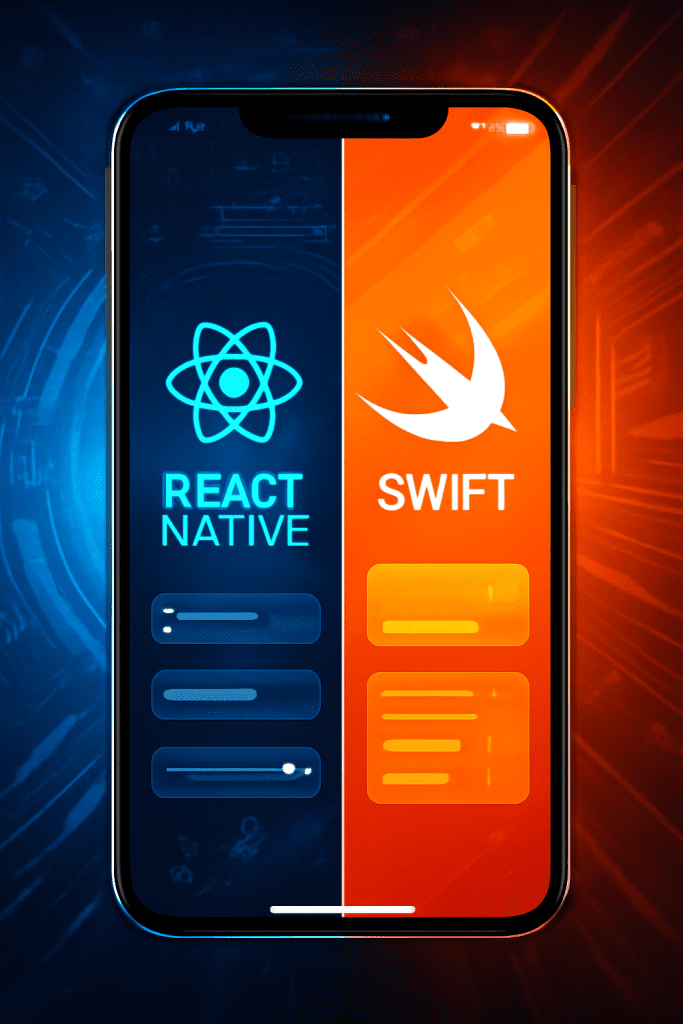
React Native vs Swift: Choosing the Right Mobile App Development Framework for Your Business

Introduction Selecting the ideal mobile app development framework is a pivotal decision influencing your project’s speed, scalability, budget, and user experience. React Native and Swift are two leading options—each with distinct strengths. Swift is Apple’s native language designed solely for iOS apps, renowned for performance and seamless access to all device features. React Native, by contrast, is a cross-platform framework that lets you use a single codebase for both iOS and Android, accelerating development and reducing costs. Understanding their differences is key to ensuring your app aligns perfectly with your business goals. React Native vs Swift: Key Comparison 1. Performance and Native Access Swift delivers best-in-class performance and is tightly integrated with the iOS ecosystem. Apps built with Swift have direct access to hardware features, minimal latency, and are better for graphic-intensive or complex applications. React Native achieves near-native performance for many scenarios but introduces a JavaScript bridge, which can cause minor delays, especially in heavy or animation-rich apps. It covers most native features via libraries but some integration may be complex. 2. Development Speed and Cost React Native allows code reuse across iOS and Android. This means a single team can manage both platforms, reducing time-to-market and cost—a great advantage for startups and businesses looking to maximize resources. Hot reloading and a vast community speed up iteration. Swift is limited to iOS. If you need Android too, you’ll need separate development—which doubles the effort and price. However, for projects focused exclusively on Apple devices, Swift can be more efficient in the long run. 3. User Interface and Experience Swift enables pixel-perfect, highly polished native interfaces. You can leverage UIKit and SwiftUI for smooth, best-in-class designs and user experiences—ideal for feature-rich, brand-centric apps. React Native can mimic native UI well and offers third-party libraries for most UI needs. However, there may be small discrepancies compared to native apps, especially as OS features evolve. 4. Developer Talent and Community React Native benefits from JavaScript’s massive talent pool. Hiring is typically easier and cheaper; finding full-stack or cross-platform developers is usually straightforward. Swift developers are fewer, especially experienced senior iOS programmers. Their deep domain knowledge, however, benefits highly complex native projects. 5. Suitability for Business Use Cases Use React Native when: You want to build for both iOS and Android with a single codebase. Your app isn’t heavy on device-specific features or complex animations. Fast time-to-market and cost efficiency are top priorities. You are developing MVPs, prototypes, or need to quickly adapt to user feedback. Use Swift when: Your target audience is exclusively on iOS. You require optimal app performance, stability, and security. The app needs advanced device features or high-end graphics (e.g., AR, video processing). You want a long-term, future-proof investment in Apple’s ecosystem. React Native vs Swift: Pros & Cons Table Feature/Criteria React Native Swift Platforms iOS & Android (cross-platform) iOS only Performance Near-native, minor lag for complex tasks Top/Native Performance UI/UX Good, minor discrepancies with native Best-in-class_native_ui Code Reusability High (80%+ across platforms) None (iOS specific) Development Speed Rapid, hot reloading Moderate, separate for iOS/Android Cost Efficiency Lower, one team for both OS Higher if both iOS and Android Access to Features Most, some via plugins/bridges Full/native access Community & Talent Large, JS developers widely available Limited, deep iOS expertise Maintenance Easier (one codebase) Separate codebase per platform Conclusion Choosing between React Native and Swift hinges on your business priorities. If you need a fast, cost-effective path to both iOS and Android, React Native is a leading choice—especially for MVPs or budget-conscious projects. For high-performance, visually intricate, or feature-rich iOS apps demanding long-term stability, Swift is the clear winner. Assess your audience, technical needs, and growth plans before deciding. A well-aligned framework choice means faster delivery, lower costs, and better scaling as your app and business grow. Ready to build your next mobile app? Consult with experienced developers to analyze your needs and set the foundation for scalable, future-proof success. FAQ 1. Can I use both React Native and Swift in one app? Yes, you can. Some apps use React Native for most UI and add Swift modules for high-performance or device-specific features. 2. Which is more cost-effective for startups? React Native is usually more cost-effective for startups needing both iOS and Android apps. 3. Is React Native secure enough for enterprise apps? With the right practices and modules, React Native can deliver secure apps—though Swift may offer easier integration with Apple’s security features. 4. When should I avoid cross-platform frameworks? If your app needs advanced animations, AR, or frequent use of the latest iOS capabilities, native (Swift) is better. 5. Which framework is better for app speed and responsiveness? Swift always wins in speed and performance for complex, high-demand apps.

How would you like me to respond?

Select a personality for your AI assistant

Normal
Happy
Sad
Angry

Your selection will affect how the AI assistant responds to your messages

Chat Assistant

Let's discuss your project!

Hear from our clients and why 3000+ businesses trust TechOTD

Tell us what you need, and we'll get back with a cost and timeline estimate

Scroll to Top