
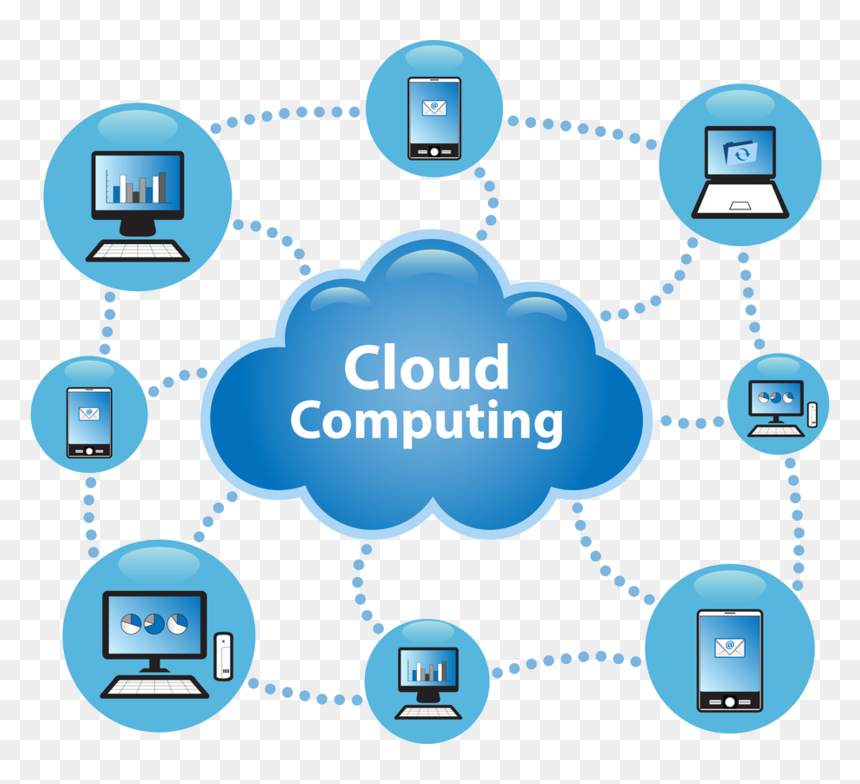
cloud migration

Modern data center with servers representing AWS cloud computing
aws

Understanding AWS Cloud Computing: A Complete Beginner’s Guide

Introduction In today’s digital era, cloud computing has become the foundation of modern IT infrastructure — and Amazon Web Services (AWS) stands tall as its undisputed leader. From small startups to Fortune 500 giants, businesses worldwide rely on AWS to build, scale, and innovate faster than ever before. But what exactly is AWS? How does it work? And why has it become so essential for the global tech ecosystem? This detailed guide breaks down AWS Cloud Computing in simple terms — exploring its services, advantages, architecture, and how it’s shaping the future of business and technology. What is AWS (Amazon Web Services)? Amazon Web Services (AWS) is a cloud computing platform developed by Amazon that provides on-demand IT resources over the internet on a pay-as-you-go basis. Instead of purchasing expensive hardware or managing physical servers, users can rent computing power, storage, databases, and other services from AWS and scale them as needed. In short, AWS allows you to: Build and host applications Store and process data Analyze large datasets Deploy AI and machine learning models Create global-scale systems — all without owning any physical infrastructure How AWS Cloud Computing Works AWS operates on a shared infrastructure model, which means multiple customers share the same underlying hardware and resources securely through virtualization. The AWS ecosystem consists of three main layers: Infrastructure as a Service (IaaS): Virtual servers, storage, and networking (e.g., EC2, S3). Platform as a Service (PaaS): Managed environments for application development (e.g., AWS Elastic Beanstalk). Software as a Service (SaaS): Ready-to-use cloud-based software applications. You can manage everything through: AWS Management Console (Web UI) AWS CLI (Command Line Interface) AWS SDKs (for programming languages) Key AWS Services Explained AWS offers 200+ fully featured services — here are some of the most popular ones categorized for better understanding 👇 1. Compute Services These handle your application’s processing power. Amazon EC2 (Elastic Compute Cloud): Virtual servers that run applications. AWS Lambda: Serverless computing — runs code automatically when triggered. Elastic Beanstalk: Automatically deploys and manages web applications. ECS / EKS: Manage Docker containers and Kubernetes clusters. 2. Storage Services For storing and retrieving any amount of data anytime. Amazon S3 (Simple Storage Service): Scalable object storage for files, images, backups. Amazon EBS: Persistent block storage for EC2 instances. Amazon Glacier / S3 Glacier Deep Archive: Long-term data archiving at low cost. 3. Database Services Fully managed databases for different needs. Amazon RDS: Relational databases like MySQL, PostgreSQL, Oracle, SQL Server. Amazon DynamoDB: Fast NoSQL database for real-time applications. Amazon Redshift: Data warehousing and analytics. 4. Security and Identity AWS Identity and Access Management (IAM): Manage user permissions and roles. AWS Shield & WAF: Protection against DDoS and web attacks. AWS KMS: Manage encryption keys for data protection. 5. Networking and Content Delivery Amazon VPC (Virtual Private Cloud): Isolated cloud network environment. Route 53: Domain name service and routing. AWS CloudFront: Global content delivery network (CDN) for faster website loading. 6. Artificial Intelligence & Machine Learning AWS provides advanced AI capabilities through easy-to-use APIs and frameworks. Amazon SageMaker: Build, train, and deploy machine learning models. AWS Lex: Natural language chatbot framework (used in Alexa). AWS Rekognition: Image and video recognition API. AWS Polly: Text-to-speech service. 7. Developer and Management Tools AWS CloudFormation: Automate resource deployment using templates. AWS CloudWatch: Monitor system health and performance. AWS CodeBuild / CodePipeline: Continuous integration and deployment tools. Benefits of Using AWS Cloud Computing Scalability and FlexibilityInstantly scale up or down based on demand. Perfect for growing startups and large enterprises alike. Cost-Effective (Pay-as-You-Go)No upfront investment — pay only for what you use. Reliability and AvailabilityAWS operates data centers in multiple Availability Zones (AZs) worldwide ensuring 99.99% uptime. Security and ComplianceAdvanced encryption, network isolation, and compliance with international standards like ISO and GDPR. Global ReachWith over 30 regions worldwide, AWS delivers low-latency experiences anywhere. Integration and EcosystemSeamless integration with third-party apps and other AWS services. Real-World Examples of AWS in Action 1. Netflix Netflix runs its entire global streaming infrastructure on AWS, using EC2, S3, and CloudFront to deliver videos to millions of users in real time. 2. Amazon.com Naturally, Amazon itself uses AWS to power e-commerce operations, analytics, and logistics automation. 3. NASA NASA uses AWS to store and analyze satellite data, making it available for researchers worldwide. 4. Capital One The financial giant uses AWS for secure cloud-based banking applications, fraud detection, and data analysis. AWS Pricing Explained AWS follows a pay-as-you-go model, meaning you only pay for the computing resources you use.Pricing depends on: Service type (e.g., EC2 vs. S3) Usage time (per hour or per second) Region (data center location) Data transfer and storage You can also use: AWS Free Tier: Try 100+ services free for 12 months. AWS Pricing Calculator: Estimate monthly costs before deploying. Challenges of AWS Despite its power, AWS isn’t perfect. Common challenges include: Complex pricing structure. Learning curve for beginners. Over-dependence on one provider (vendor lock-in). Cost overruns if resources aren’t monitored properly. The Future of AWS AWS is rapidly evolving beyond traditional cloud computing. Emerging trends include: Serverless computing becoming mainstream. AI and ML integration across services. Quantum computing development (via Amazon Braket). Sustainability initiatives, making AWS data centers carbon-neutral. AWS is no longer just infrastructure — it’s an innovation ecosystem that powers the digital transformation of the modern world. Conclusion AWS Cloud Computing has revolutionized the way organizations build, deploy, and scale applications. With its vast array of services, global reach, and flexible pricing, AWS remains the go-to platform for startups, enterprises, and developers alike. Whether you’re launching a new app, running data analytics, or exploring AI, AWS gives you the tools, flexibility, and speed to innovate at scale — all from the cloud. Frequently Asked Questions (FAQs) Q1. What is AWS Cloud Computing? Answer: AWS (Amazon Web Services) is a comprehensive cloud platform that provides on-demand access to IT resources like servers, storage, databases, and software — all accessible over the internet on a pay-as-you-go basis. It helps organizations build and scale applications without

Digital cloud network symbolizing data storage and online connectivity.
Cloud Computing and Technology

The Role of Cloud Computing in Digital Transformation

Introduction In today’s rapidly evolving digital world, cloud computing has emerged as the foundation of transformation across industries. From startups to Fortune 500 companies, organizations are migrating their systems, applications, and data to the cloud to unlock agility, scalability, and innovation. Digital transformation is not merely about adopting technology — it’s about reimagining how a business operates, delivers value, and interacts with customers. Cloud computing makes this possible by providing on-demand access to computing resources that drive automation, data analytics, and artificial intelligence — without the constraints of physical infrastructure. This blog explores how cloud computing is shaping the digital era, its benefits, key technologies, challenges, and its indispensable role in driving business modernization. What is Cloud Computing? Cloud computing refers to the delivery of computing services — such as servers, storage, databases, networking, software, and analytics — over the internet (“the cloud”). Instead of owning and maintaining hardware, organizations rent access from cloud providers like Amazon Web Services (AWS), Microsoft Azure, and Google Cloud Platform (GCP). Cloud computing enables flexibility, cost-efficiency, and scalability, making it easier for companies to innovate and compete globally. The Three Main Types of Cloud Computing Infrastructure as a Service (IaaS):Provides virtualized computing resources like servers, storage, and networking.Example: AWS EC2, Google Compute Engine. Platform as a Service (PaaS):Offers a platform for developers to build, run, and manage applications without managing infrastructure.Example: Microsoft Azure App Service, Heroku. Software as a Service (SaaS):Delivers software applications via the internet on a subscription basis.Example: Google Workspace, Salesforce, Zoom. Cloud Deployment Models Public Cloud: Services offered over the internet, accessible to multiple users. (e.g., AWS, Azure) Private Cloud: Dedicated cloud infrastructure for a single organization, offering greater control and security. Hybrid Cloud: A combination of public and private clouds for flexibility and workload optimization. Multi-Cloud: Using multiple cloud providers to avoid vendor lock-in and improve resilience. The Role of Cloud Computing in Digital Transformation 1. Enabling Agility and Innovation Cloud platforms allow businesses to deploy and scale applications instantly. Developers can test new ideas faster without waiting for physical infrastructure, fostering a culture of innovation. 2. Empowering Data Analytics and AI Cloud computing provides scalable storage and computational power for big data analytics, machine learning, and AI-driven insights.Companies can analyze massive datasets in real-time to improve decision-making and customer personalization. 3. Enhancing Collaboration and Productivity Cloud tools like Google Workspace, Microsoft 365, and Slack enable real-time collaboration across teams worldwide, boosting productivity and connectivity. 4. Strengthening Cybersecurity Modern cloud platforms offer advanced encryption, identity management, and AI-powered threat detection to protect sensitive data.For example, Microsoft Azure Security Center continuously monitors cloud environments for vulnerabilities. 5. Cost Efficiency and Scalability Cloud computing eliminates the need for large upfront hardware investments. Businesses pay only for the resources they use, scaling up or down as demand changes. 6. Supporting Remote Work The pandemic accelerated the shift to remote work — and cloud-based tools made it possible. Employees can securely access applications and files from anywhere, anytime. 7. Business Continuity and Disaster Recovery Cloud providers offer redundancy and backup solutions, ensuring business continuity even in the face of system failures or disasters. Real-World Examples of Cloud-Driven Digital Transformation 1. Netflix Netflix uses AWS to stream video content globally. Cloud scalability allows it to handle millions of users simultaneously while analyzing viewing patterns for recommendations. 2. Airbnb Airbnb relies on cloud computing for hosting its marketplace, managing bookings, and processing real-time analytics to enhance user experiences. 3. NASA NASA uses the cloud to store and share space exploration data securely and efficiently across research teams worldwide. 4. Spotify Spotify leverages Google Cloud for AI-driven music recommendations, improving user engagement and retention. Benefits of Cloud Computing in Digital Transformation Scalability: Easily adjust computing resources based on demand. Flexibility: Deploy applications and services faster across multiple regions. Innovation: Accelerates AI, IoT, and data analytics capabilities. Reduced Costs: Cuts hardware and maintenance expenses. Security and Compliance: Offers robust security frameworks with global compliance standards. Sustainability: Cloud providers use energy-efficient data centers, reducing carbon footprints. Challenges in Cloud Adoption Data Privacy and Compliance: Handling sensitive information across borders can raise legal issues. Vendor Lock-In: Dependence on one provider may limit flexibility. Downtime and Service Reliability: Internet outages can disrupt access to cloud services. Security Risks: Misconfigurations or weak access controls may lead to breaches. Cost Management: Unmonitored usage can lead to unexpected expenses. Emerging Trends in Cloud Computing 1. Multi-Cloud Strategies Organizations are increasingly adopting multi-cloud environments to avoid dependence on a single provider and enhance resilience. 2. Edge Computing Integration Combining cloud and edge computing allows data to be processed closer to the source for faster response times. 3. Serverless Architecture Developers can deploy code without managing servers, improving scalability and reducing operational costs. 4. Cloud-Native Applications Microservices and containerization (via Docker and Kubernetes) enable faster, more agile software development. 5. AI-Driven Cloud Management AI helps optimize cloud performance, automate resource allocation, and detect security threats proactively. Cloud Computing and Sustainability Cloud computing is playing a crucial role in achieving green IT goals. Major providers are investing in renewable energy and energy-efficient data centers.For example, Google Cloud aims to run entirely on carbon-free energy by 2030, setting a benchmark for sustainable digital transformation. Conclusion Cloud computing is the backbone of digital transformation — enabling businesses to become more agile, data-driven, and customer-focused.It breaks traditional IT barriers, accelerates innovation, and empowers organizations to adapt to rapidly changing markets. As companies continue to embrace cloud-based ecosystems, the future will belong to those who combine the power of cloud, AI, and edge technologies to deliver smarter, faster, and more sustainable digital solutions. FAQs 1. What role does cloud computing play in digital transformation? Cloud computing provides flexible, scalable, and cost-effective IT infrastructure that enables digital transformation across industries. 2. How does cloud computing improve business efficiency? It automates operations, enhances collaboration, and allows rapid deployment of applications without large capital investment. 3. What are examples of cloud-based tools used in business? Google Workspace, AWS, Microsoft Azure, Salesforce, and Slack

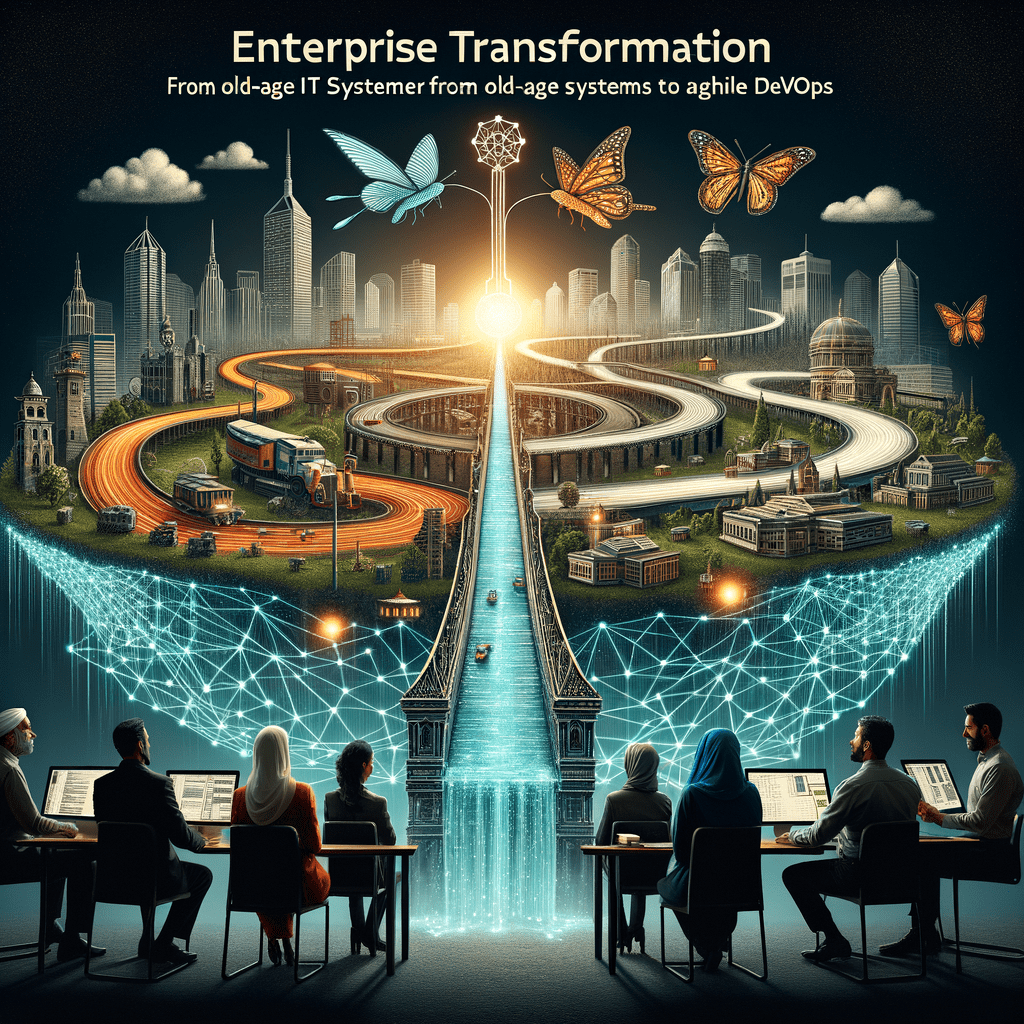
DEVOPs

From Legacy to Agility: The Enterprise Roadmap to DevOps Transformation

Introduction In the rapidly evolving technology landscape, enterprises are compelled to shift from traditional legacy systems and processes to agile, efficient, and automated DevOps practices. This transformation is not merely a technological upgrade but a profound cultural and operational evolution, driving faster delivery, improved collaboration, and enhanced customer satisfaction. This blog explores a comprehensive roadmap for enterprises moving from legacy to agility through DevOps transformation, enriched with insights and best practices. Explore related AI-driven business transformation services at TechOTD AI Services. Legacy systems, often characterized by siloed teams, manual processes, and fragmented workflows, limit innovation and rapid delivery. Modern enterprises require integration, automation, and continuous feedback loops — hallmarks of DevOps. Challenges include: Rigid architectures Slow release cycles Understanding Legacy Systems and the Need for DevOps Transformation Risk of errors and downtime Communication gaps between development, operations, and security teams DevOps fosters agility by breaking down silos, automating workflows, and fostering a culture of collaboration and continuous improvement. For a deep dive into DevOps and digital transformation trends, visit the TechOTD Blog. The Enterprise DevOps Transformation Roadmap 1. Assess and Audit Current State Begin by thoroughly evaluating existing infrastructure, workflows, and organizational culture. Map current development and operations processes Identify bottlenecks, silos, and manual steps Understand team dynamics and toolchains This assessment provides a baseline for tailored transformation strategies. 2. Define Vision, Objectives, and KPIs Develop a clear vision and goals aligned with business outcomes. Establish measurable KPIs such as deployment frequency, lead time, and uptime Prioritize initiatives that deliver maximum value Build stakeholder consensus for change 3. Build the Right Team and Culture Culture and people are central to successful DevOps transformation. Form cross-functional DevOps teams including development, operations, QA, and security Promote collaboration, transparency, and shared ownership Invest in training and continuous learning Explore how AI can support team productivity and collaboration on TechOTD AI Integration. 4. Implement Automation and Toolchain Automation drives efficiency and quality. Automate testing, builds, deployments, and infrastructure provisioning Use CI/CD pipelines to enable rapid and reliable delivery Integrate security practices with DevSecOps for compliance and risk mitigation Discover advanced automation and predictive analytics at TechOTD Predictive Analytics. 5. Incremental Modernization and Migration Legacy systems can be modernized incrementally: Introduce containerization and microservices architecture Migrate applications and data gradually to cloud environments Use APIs and integrations to maintain interoperability Blockchain-based transparency and workflow optimization can complement DevOps processes; see insights at Blockchain Integration in Business. 6. Continuous Monitoring, Feedback, and Improvement Ongoing monitoring of performance and security metrics is essential. Deploy tools for logging, metrics, and alerting Enable rapid incident response and root cause analysis Foster continuous feedback loops for team and process improvement 7. Scale and Sustain Expand DevOps practices across teams and projects Refine workflows based on evolving needs and technology Maintain governance, compliance, and change management Learn about how TechOTD ensures smooth implementation through How We Work. Business Benefits of DevOps Transformation Cultural Shift: Enhanced collaboration and shared responsibility improve morale and productivity. Operational Efficiency: Automated pipelines reduce errors and accelerate releases. Agility: Rapid response to market demands and customer needs. Cost Savings: Reduced manual effort and optimized cloud resource usage. Improved Customer Experience: Faster delivery of features and improved uptime enhance satisfaction. Further advantages and implementation challenges are discussed in TechOTD’s Enterprise Technology Blogs. Overcoming Common Challenges Legacy inertia and resistance Use change management strategies to promote mindset shifts Foster open communication and leadership buy-in Tool and technology selection Evaluate scalability, integration capabilities, and team readiness Provide ongoing training and support Security and compliance concerns Adopt DevSecOps to embed security into pipelines Ensure adherence to regulations through automation and monitoring Learn more about navigating such challenges in the detailed TechOTD DevOps Guide and Seamless Customer Journeys with AI. Future Outlook: AI and Beyond in DevOps Artificial intelligence and machine learning play an increasing role in DevOps: Intelligent automation of testing and deployments Predictive analysis for system health and fault prediction Enhanced incident management through AI-driven insights Explore AI’s impact on IT and DevOps workflows in TechOTD’s comprehensive AI Solutions. Conclusion Shifting from legacy systems to an agile DevOps model is a strategic imperative for enterprises aiming to thrive in a digital-first world. By adopting a phased, measured, and culturally-aware approach, organizations unlock innovation, speed, and resilience. For more detailed resources and expert consulting, visit TechOTD and explore their offerings to support your DevOps transformation journey

Cloud

On-Premise Cloud: Analyzing the Benefits, Risks, and Costs for Enterprise

Introduction The decision between on-premise and cloud solutions shapes enterprise IT strategies, impacting everything from security and compliance to agility and ROI. While cloud adoption surges for its convenience and scalability, on-premise infrastructure often remains the backbone for businesses that require granular control and regulatory compliance. This blog unpacks the key benefits, risks, and costs associated with on-premise cloud setups, helping you make informed choices. For expert IT strategy support, explore TechOTD, leverage cutting-edge AI services, and discover custom web development. Key Benefits of On-Premise Cloud for Enterprises Full Control & Customization: Hosting critical applications and data on-premises ensures you have total authority over security protocols, software configurations, and system integrations. This is vital for highly regulated industries like finance, government, and healthcare. Enhanced Data Privacy: Sensitive data never leaves your organization’s direct oversight, empowering you to comply with strict privacy standards and data sovereignty laws. Independence from Third Parties: On-premise solutions are immune to cloud provider outages, vendor lock-in, and fluctuating internet reliability. Systems remain accessible even during external crises or connection failures. Tailored Security: Direct control allows you to build layered, organization-specific security systems—crucial for handling confidential or proprietary data. Risks and Drawbacks Significant Upfront Costs: Enterprises shoulder large capital investments for hardware, software licenses, installation, and custom infrastructure. This can be a substantial hurdle for smaller organizations. Ongoing Maintenance Burden: All updates, security patches, repairs, and compliance checks must be managed in-house, requiring skilled IT teams and constant vigilance. Limited Scalability: Scaling up means buying and configuring additional servers, which can be time-consuming and costly. Unlike cloud platforms, scaling down doesn’t recover sunk investments. Resource Redundancy & Downtime: Failures or outages demand manual intervention and can lead to costly downtime, unless robust redundancy and backup plans are in place. Skills Gap: Maintaining modern on-premise systems requires advanced IT talent, which is scarce and costly as organizations increasingly shift workloads to cloud environments. Cost Analysis Aspect On-Premise Cloud Cloud Alternative Initial Outlay High (hardware, licenses, setup) Low/None (subscription, pay-as-you-go) Ongoing Costs Maintenance, upgrades, IT staff Subscription fees, usage costs Scalability Cost Hardware expansion, potential downtime Instant scaling, cost reflects usage Total Cost of Ownership (TCO) Can be lower with long-term, predictable usage, but risks overprovisioning and underutilization May rise with high or unpredictable data transfer, but usually lower for varying workloads Resource Utilization Often underused if over-provisioned Optimized (pay only for active usage) Insight: For enterprises with steady, high-demand workloads, on-premise cloud can provide long-term savings after the large initial investment. However, for variable, unpredictable, or rapidly growing workloads, cloud solutions typically offer more flexibility and cost savings. Conclusion On-premise cloud environments give enterprises unmatched control, privacy, and customization—making them a common choice in highly regulated sectors. However, these advantages come at the price of higher upfront costs, ongoing maintenance responsibilities, and slower responsiveness to changing business needs. Ultimately, the best solution depends on your organization’s size, growth rate, regulatory environment, and IT expertise. For an optimized cloud or hybrid strategy, consult TechOTD, or unlock end-to-end IT and AI support via their services portfolio. FAQ 1. When is on-premise cloud better than full cloud solutions? When absolute data control, compliance, and customization are priorities—especially in finance, healthcare, and government. 2. What are the main hidden costs of on-premise solutions? Upgrades, ongoing maintenance, hardware failure risks, and the need for highly skilled IT staff. 3. How can I manage scalability challenges with on-premise cloud? Careful capacity planning, investing in modular hardware, and using hybrid setups for overflow workloads. 4. Is on-premise always more secure than cloud? Not always—security depends on your team’s capabilities and processes. Cloud providers often offer advanced protections, but you lose some direct control. 5. Can on-premise and cloud be combined? Yes—a hybrid cloud architecture integrates the best of both worlds, using on-premise for sensitive workloads and cloud for scalability

How would you like me to respond?

Select a personality for your AI assistant

Normal
Happy
Sad
Angry

Your selection will affect how the AI assistant responds to your messages

Chat Assistant

Let's discuss your project!

Hear from our clients and why 3000+ businesses trust TechOTD

Tell us what you need, and we'll get back with a cost and timeline estimate

Scroll to Top