Cloud Infrastructure

DEVOPs, Software development

How to Deploy Scalable Applications

The Architecture of Scale: A Practical Guide to Deploying Scalable Applications In the life of every successful application, there comes a defining moment: the traffic surge. Whether it’s a sudden viral mention, a massive marketing campaign, or organic user growth, your software is suddenly put to the ultimate test. If your application isn’t built for scale, this moment of triumph quickly turns into a disaster. Servers freeze, databases choke, error rates spike, and users walk away frustrated. Historically, handling more traffic meant buying a bigger, more expensive server—a strategy known as vertical scaling. But a single machine, no matter how powerful, has a hard physical ceiling. Modern scalability is entirely about horizontal scaling: architectures engineered to distribute the workload seamlessly across tens, hundreds, or thousands of smaller, modular machines. Deploying a truly scalable application isn’t just about throwing code onto a cloud provider; it’s a deliberate orchestration of stateless application design, intelligent traffic routing, database optimization, and automated infrastructure management. Let’s break down the blueprint for deploying an application that can effortlessly grow from one hundred users to millions. 1. The Core Pillar: Designing Stateless Applications Before you can scale out your infrastructure across multiple servers, your application code must be structurally ready for it. The absolute golden rule of horizontal scalability is: Make your application services stateless. In a traditional, stateful application setup, user sessions or local files are saved directly onto the specific server’s hard drive or internal memory. If a user logs into Server A, their session data lives exclusively on Server A. If a load balancer accidentally sends their next request to Server B, the application won’t recognize them, forcing them to log in again. Stateful (Anti-Pattern): User Request ──► [ Load Balancer ] ──► [ Server A (Saves Session Locally) ] Next Request ──► [ Load Balancer ] ──► [ Server B (Session Missing! Error ❌) ] Stateless (Scalable Best Practice): User Request ──► [ Load Balancer ] ──► [ Server A ] ──► [ Shared Session Cache (Redis) ] Next Request ──► [ Load Balancer ] ──► [ Server B ] ──► [ Shared Session Cache (Redis) ✔ ] Decoupling the State To fix this bottleneck, extract all dynamic data out of the application tier and push it to dedicated external systems: User Sessions: Store them in a high-speed, in-memory database like Redis or utilize stateless JSON Web Tokens (JWT) decrypted on the fly by the application. File Uploads: Never save user avatars or uploaded documents to a server’s local disk. Use a scalable, distributed object storage service like Amazon S3 or Google Cloud Storage. Background Tasks: Move heavy processing jobs (like rendering video or generating PDF reports) out of the main web server loop and push them into an external message queue like RabbitMQ or Apache Kafka to be handled by background workers. When your application tier is completely stateless, individual servers become entirely interchangeable. You can destroy fifty servers or spin up a hundred new ones instantly without disrupting a single user session. 2. Traffic Distribution: Load Balancing and CDNs When you deploy multiple instances of your application, you need an intelligent traffic cop to distribute incoming user requests evenly across your infrastructure. The Role of the Load Balancer A load balancer sits directly between your users and your application fleet. It continuously listens for incoming web traffic and forwards requests to the healthiest, least-burdened application server using routing algorithms like Round Robin or Least Connections. Modern cloud load balancers (like AWS ALB or NGINX) also handle Health Checking. They continuously ping your individual application instances; if a specific server crashes or slows down, the load balancer instantly stops routing traffic to it, keeping your user experience completely seamless. Offloading Traffic via Content Delivery Networks (CDNs) The absolute cheapest, most efficient way to scale an application is to stop traffic from ever hitting your web servers in the first place. A CDN (like Cloudflare, Fastly, or CloudFront) is a global network of edge servers scattered across the world. When a user requests your website, the CDN intercepts the request and serves static assets—such as HTML files, CSS stylesheets, JavaScript files, and images—directly from the data center physically closest to that user. [ Global User Base ] ──► [ CDN Edge Servers ] ──► (Serves 80% Static Content Instantly) │ (Only 20% Dynamic API Calls) │ ▼ [ Load Balancer ] │ [ Stateless App Fleet ] By caching your static frontend assets at the edge, you can deflect up to 80% of incoming web traffic away from your core application servers, leaving them free to process critical, dynamic API data. 3. Containerization and Orchestration (Docker & Kubernetes) Deploying a scalable system manually across dozens of individual servers is an operational nightmare. To make scale manageable, modern deployment architectures rely heavily on containerization and orchestration toolchains. Packaging with Docker Docker packages your application code and its exact environment configuration into a lightweight, immutable container image. This guarantees that your application runs identically whether it’s on a developer’s laptop, a staging platform, or a production server cluster, eliminating the risk of environment-specific bugs during scale-up events. Orchestrating with Kubernetes Once your application is containerized, you use an orchestration engine like Kubernetes (K8s) to manage the deployment at scale. Instead of manually launching individual containers, you define your desired operational state in configuration files (e.g., “I want to ensure there are always at least five duplicates of my backend API container running”). Kubernetes continually monitors your cloud nodes; if a node goes offline, it automatically schedules replacement containers onto other healthy servers to maintain your scale profile. 4. Breaking the Ultimate Bottleneck: Database Scalability You can scale your web servers and containers infinitely, but eventually, they all must talk to the database. In almost every major application deployment, the database becomes the ultimate architectural bottleneck. Traditional relational databases (like PostgreSQL or MySQL) are structurally designed to scale vertically. When thousands of application containers begin opening simultaneous connections to a single database server, it will
DEVOPs, Digital Transformation, Software development

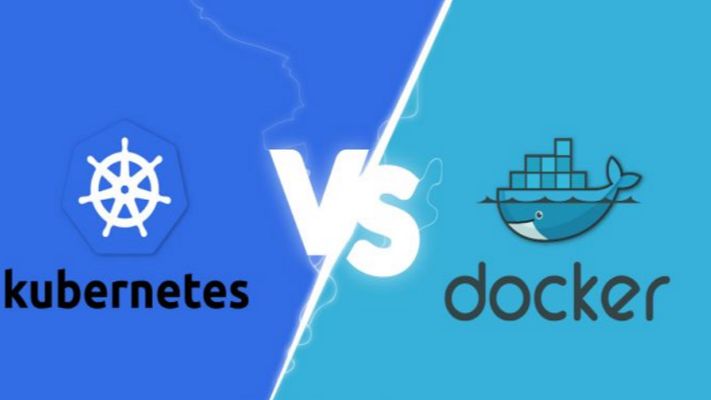
Docker vs Kubernetes

Docker vs Kubernetes: The Ultimate Guide to Containerization and Orchestration If you’ve spent any time around modern software development, you’ve undoubtedly heard the names Docker and Kubernetes thrown around—often in the exact same sentence. For newcomers and seasoned developers alike, this pairing creates an immediate cloud of confusion. You see debates online framed as a heavyweight boxing match: Docker vs. Kubernetes. Which one should you choose? Which one is better? But here is the industry secret that clears up the confusion right away: They are not rivals. Comparing Docker to Kubernetes is like comparing an individual engine to an entire commercial airline fleet. They operate at completely different layers of the software delivery stack. In fact, in the vast majority of enterprise enterprise-grade environments, they aren’t competing at all—they are working together on the exact same team. Whether you are looking to modernise your application architecture, scale your cloud infrastructure, or simply ace your next engineering interview, this comprehensive guide will break down the real differences, use cases, and mechanics of Docker and Kubernetes in a human, practical way. 1. The Core Concepts: Understanding Containers To understand the relationship between Docker and Kubernetes, we first have to understand the fundamental problem they were both built to solve: Environment Consistency. Every developer has experienced the dreaded “It works on my machine” dilemma. Code runs beautifully on a developer’s high-spec laptop but completely crashes when deployed to a staging server or production cloud environment. This happens because of micro-variations in operating systems, missing background libraries, conflicting framework versions, or hidden environment variables. What is a Container? A container solves this by packaging your application’s source code together with the exact runtime, system tools, libraries, and configurations it needs to execute. Unlike a traditional Virtual Machine (VM), which requires an entire heavy guest operating system to run, containers share the host machine’s underlying OS kernel. This makes them incredibly lightweight, lightning-fast to start (seconds instead of minutes), and highly resource-efficient. +—————————–+ +—————————–+ | VIRTUAL MACHINES | | CONTAINERS | | +———–+ +———–+ | | +———–+ +———–+ | | | App v1 | | App v2 | | | | App v1 | | App v2 | | | +———–+ +———–+ | | +———–+ +———–+ | | | Guest OS | | Guest OS | | | | Bin/Libs | | Bin/Libs | | | +———–+ +———–+ | | +———–+ +———–+ | | | Hypervisor/Host OS | | | | Container Engine (Docker) | | | +————————-+ | | +————————-+ | | | Physical Hardware | | | | Host OS / Hardware | | +—————————–+ +—————————–+ 2. What is Docker? (The Container Creator) Docker is an open-source platform designed to create, deploy, and run applications inside containers. It popularised the container revolution by making the underlying, complex Linux isolation technologies incredibly user-friendly. If you want to containerise an application using Docker, your workflow follows a clean three-step process: The Dockerfile: You write a plain-text configuration file that acts as a recipe. It specifies the base operating system, the dependencies to install, the environment variables to set, and the command to run your code. The Docker Image: Docker reads your Dockerfile and compiles it into an immutable, static blueprint called an Image. This image can be shared easily via registries like Docker Hub. The Docker Container: When you tell Docker to run that image, it spins up a live, isolated, executable instance. This is your running container. Where Docker Excels Docker is absolutely brilliant for single-node management. It gives an individual developer the power to spin up complex development environments—like a Node.js backend, a React frontend, and a PostgreSQL database—locally on their machine in a matter of seconds using a tool called Docker Compose. 3. What is Kubernetes? (The Fleet Commander) Now, let’s scale up. Imagine your business grows rapidly. Your simple application is no longer running as a single container on a laptop; it is now running across hundreds of cloud servers to handle millions of concurrent user requests. Suddenly, managing containers manually via Docker becomes a logistical nightmare: What happens if a server crashes in the middle of the night and kills fifty of your containers? How do you evenly distribute incoming web traffic across hundreds of duplicate containers? How do you upgrade your application to Version 2 without taking down the website? Docker alone cannot solve these problems because it only cares about managing individual containers on a single machine. It doesn’t see the bigger infrastructure picture. This is where Kubernetes (often abbreviated as K8s, representing the eight letters between ‘K’ and ‘s’) comes into play. Developed originally by Google, Kubernetes is a container orchestration engine. It doesn’t create containers; instead, it hooks into container runtimes to automate the deployment, scaling, management, and networking of containerized applications across a massive cluster of machines. [ Incoming Web Traffic ] │ ▼ ┌────────────────────────────────────────────────────────┐ │ KUBERNETES CONTROL PLANE │ │ (Monitors traffic, server health, and load balancing) │ └──────────┬───────────────────┬───────────────────┬─────┘ │ │ │ ▼ ▼ ▼ ┌───────────────┐ ┌───────────────┐ ┌───────────────┐ │ Cloud Node 1 │ │ Cloud Node 2 │ │ Cloud Node 3 │ │ [Docker] │ │ [Docker] │ │ [Docker] │ │ [Container] │ │ [Container] │ │ [Container] │ └───────────────┘ └───────────────┘ └───────────────┘ The Superpowers of Kubernetes Self-Healing: If a container crashes or a hardware node goes offline, Kubernetes instantly detects the failure and automatically spins up an identical replacement container to maintain your desired state. Auto-Scaling: If your web traffic suddenly spikes during a flash sale, Kubernetes can automatically scale up the number of running containers to handle the load, scaling them back down when traffic subsides to save cloud spend. Service Discovery & Load Balancing: Kubernetes automatically assigns containers their own IP addresses and groups them under a single DNS name, evenly distributing incoming traffic so no single server gets overwhelmed. 4. Key Differences: Side-by-Side Comparison To clearly draw the boundaries between these two tech giants, let’s look at how they handle core operational challenges side-by-side: Operational Feature Docker Kubernetes

Software development, Technology & Innovation

CI/CD Pipeline Best Practices

CI/CD Pipeline Best Practices: The Definitive Guide to Building Bulletproof Automation If you’ve ever hit the “deploy” button with your eyes closed, holding your breath and praying to the software gods that nothing breaks, you’re not alone. We’ve all been there. In the early days of development, moving code from a local machine to a live server was a high-stakes gamble. It involved chaotic manual file transfers, brittle scripts, and an overwhelming amount of guesswork. The introduction of Continuous Integration and Continuous Deployment (CI/CD) promised to fix all of that. It offered a world where every code change travels safely down a pristine, automated assembly line straight into production. But here’s the harsh reality: simply having a CI/CD pipeline isn’t enough. A poorly designed pipeline is worse than manual deployment. It acts as a force multiplier for bad habits, automatically pushing broken code, security vulnerabilities, and configuration errors to production at supersonic speeds. If your build times are stretching past 45 minutes, your automated tests are flaky, or your developers are constantly bypassing the system, your pipeline is a bottleneck, not an accelerator. To transform your delivery workflow into an enterprise-grade engine, you need to move past basic automation and embrace architectural excellence. This comprehensive guide breaks down the definitive CI/CD pipeline best practices to help your engineering team ship stable, secure code multiple times a day with absolute confidence. 1. The Blueprint of a World-Class CI/CD Pipeline Before diving into specific best practices, let’s map out what a mature, modern CI/CD architecture actually looks like. Think of your pipeline as a series of progressive quality gates. Code enters as raw, unverified text and emerges as a fully monitored, production-ready application container. [ DEVELOPER ] Pushes Code / Opens Pull Request │ ▼ ┌────────────────────────────────────────────────────────┐ │ 1. THE COMMIT GATE (Continuous Integration) │ │ • Code Linting & Static Analysis (SAST) │ │ • High-Speed Unit Testing │ │ • Dependency Vulnerability Scanning │ └───────────┬────────────────────────────────────────────┘ │ (Passes) ▼ ┌────────────────────────────────────────────────────────┐ │ 2. THE ARTIFACT GATE (Build & Package) │ │ • Deterministic Container Compilation (Docker) │ │ • Container Image Security Scanning │ │ • Push to Secure Immutable Image Registry │ └───────────┬────────────────────────────────────────────┘ │ (Passes) ▼ ┌────────────────────────────────────────────────────────┐ │ 3. THE VALIDATION GATE (Continuous Delivery) │ │ • Automated IaC Environment Provisioning │ │ • Integration & End-to-End User Testing │ │ • Performance & Load Profiling │ └───────────┬────────────────────────────────────────────┘ │ (Passes) ▼ ┌────────────────────────────────────────────────────────┐ │ 4. THE DEPLOYMENT GATE (Continuous Deployment) │ │ • Canary Release / Blue-Green Progression │ │ • Automated Drift Detection & Observability Rollback│ └────────────────────────────────────────────────────────┘ Every stage of this blueprint must be optimized for speed, clarity, and isolation. If a failure occurs at the Commit Gate, the pipeline should abort immediately, giving the developer instant feedback before expensive cloud infrastructure is spun up down the line. 2. Commit and Integration Practices (The CI Foundation) The foundational philosophy of Continuous Integration is simple: integrate early and integrate often. The longer code sits isolated on a developer’s branch, the more painful the eventual merger will be. Shift to Trunk-Based Development For years, long-lived feature branches and complex merging strategies (like traditional GitFlow) were the industry norm. However, these models inherently create massive integration bottlenecks. Developers work in isolation for weeks, resulting in epic code review sessions and devastating “merge conflicts” that derail entire release schedules. Modern high-performing teams utilize Trunk-Based Development. In this workflow: Developers commit their changes to a single, central branch (usually named main or trunk) frequently, often multiple times a day. Feature branches are short-lived, lasting no more than 24 to 48 hours. This constant integration ensures that the entire engineering team is always working on top of the latest single source of truth. If a code conflict occurs, it’s tiny and easily resolved in minutes, rather than days. Treat Build Failures as Production Outages A CI pipeline is completely useless if developers get into the habit of ignoring broken builds. If your pipeline notification channel is filled with red error marks that everyone ignores because “Oh, that test always fails on Fridays,” your automated safety net has collapsed. Adopt a strict team culture where fixing a broken build is the highest priority task. If a commit breaks the pipeline, all engineering focus shifts to either fixing the underlying issue immediately or reverting the breaking commit. A broken main branch stops the assembly line; keeping it pristine ensures that the path to production remains open for everyone at all times. Commit Once, Build Once A terrifyingly common anti-pattern is compiling code or rebuilding application binaries multiple times as they progress through different pipeline environments. For example, building a Docker image for staging, and then building an entirely separate Docker image from the same source code when moving to production. This completely invalidates your testing. How do you prove that a subtle dependency change or compiler variance didn’t slip into the production build that wasn’t present during staging validation? The rule is absolute: Build your binaries, packages, or container images exactly once early in the pipeline. Package that build as an immutable asset, tag it with a unique cryptographic identifier (like a Git commit SHA), and store it in an artifact repository. That exact identical asset must be promoted through staging, pre-production, and production without ever being recompiled. 3. Optimizing for Speed: The 10-Minute Rule Speed is the lifeblood of software delivery automation. If a developer has to wait an hour to see if their code change passed automated validation, they will switch context. They’ll grab coffee, check social media, or start writing entirely new features. By the time the pipeline notifies them of an error, they’ve lost their train of thought, and fixing the bug takes twice as long. The gold standard for engineering organizations is the 10-Minute Rule: Your commit pipeline (from pushing code to receiving an integration pass/fail notification) should take less than ten minutes. Here is how you engineer a lightning-fast pipeline: Parallelize Test Execution Don’t run your test suites sequentially on a single runner

IT consultants discussing cost optimization strategies
IT consulting

How IT Consulting Helps Businesses Reduce Costs and Boost Efficiency

Introduction In today’s competitive digital landscape, every organization is striving to achieve more with fewer resources. Businesses are under pressure to streamline operations, reduce costs, and enhance productivity—all while keeping pace with technological change. However, without proper planning, technology expenses can spiral out of control, and productivity may decline due to inefficient systems. This is where IT consulting becomes a game changer. By partnering with experienced IT consultants, companies can align their technology with their strategic goals, optimize resources, and improve operational efficiency. IT consulting doesn’t just fix problems—it transforms the way organizations work. Let’s explore how IT consulting helps businesses cut costs and enhance efficiency while ensuring sustainable growth. Assessing Current IT Infrastructure The first step in improving efficiency is understanding where you currently stand. IT consultants perform a comprehensive audit of your existing IT infrastructure, including hardware, software, networks, and workflows. This assessment helps identify: Redundant or outdated technologies draining resources Underutilized hardware and software licenses Bottlenecks in workflow automation Gaps in data management or cybersecurity By analyzing these areas, consultants create a roadmap that outlines clear steps to reduce waste and improve performance. The result? A more streamlined and cost-effective IT ecosystem. Implementing Process Automation One of the most effective ways to boost productivity and reduce costs is process automation. IT consultants help businesses identify repetitive manual tasks that can be automated using the right tools and technologies. Automation can be applied to: Data entry and report generation Invoice processing and payroll management Customer relationship management (CRM) tasks IT helpdesk support and ticketing systems Automating these functions reduces human error, frees up employee time, and allows teams to focus on strategic initiatives rather than repetitive work. In addition, automation tools can be scaled as your business grows, making it a long-term investment in efficiency. Optimizing IT Resources Many organizations overpay for technology resources they don’t use efficiently. IT consultants help optimize your IT spending by eliminating waste and consolidating tools. Here’s how: Software Rationalization: Identify duplicate software solutions performing the same function. Cloud Optimization: Adjust cloud resources to pay only for what you use. License Management: Prevent overspending on unnecessary software licenses. Hardware Utilization: Reuse or repurpose underused hardware assets. This optimization leads to significant cost savings, especially for businesses managing hybrid or cloud-based environments. Ensuring Data Security Cybersecurity is no longer optional—it’s essential. Data breaches can cost businesses millions in damages, not to mention loss of reputation and customer trust. IT consulting plays a vital role in strengthening your security posture. Consultants assess vulnerabilities, develop risk mitigation plans, and implement security frameworks such as: Multi-factor authentication (MFA) Data encryption and secure backups Endpoint protection Threat monitoring and incident response By investing in proactive cybersecurity consulting, companies avoid costly data breaches and ensure regulatory compliance. Strong security not only protects your assets but also improves operational reliability. Improving System Integration In many companies, departments operate in silos, each using its own set of tools and databases. This disjointed approach leads to data duplication, inefficiency, and confusion. IT consultants help integrate these systems for seamless communication and collaboration across all departments. For example: Integrating CRM with ERP systems for better customer and sales insights Connecting HR and payroll systems for faster employee management Linking analytics dashboards with real-time data sources Effective integration ensures that everyone in the organization has access to accurate, up-to-date information, which improves decision-making and operational speed. Leveraging Cloud Solutions for Cost Efficiency Cloud computing has revolutionized the way businesses manage data and applications. However, without expert guidance, companies can easily overspend or misconfigure cloud environments. IT consultants help select the right cloud model—public, private, or hybrid—based on your goals and budget. Key benefits of cloud consulting include: Pay-as-you-go cost models to eliminate wasted resources Improved data accessibility and scalability Reduced maintenance and hardware costs Enhanced disaster recovery and business continuity Migrating to the cloud under professional supervision allows businesses to save significantly while enjoying enhanced flexibility and performance. Enhancing Employee Productivity Technology should empower employees, not overwhelm them. IT consulting improves workplace efficiency by optimizing digital tools and workflows. Consultants introduce user-friendly systems, collaborative platforms, and communication tools that enhance team performance. Examples include: Cloud-based collaboration platforms like Microsoft 365 or Google Workspace AI-powered productivity tools Centralized project management systems When technology supports employees effectively, productivity increases, and job satisfaction improves. Driving Long-Term Cost Savings IT consulting is not a one-time service—it’s a long-term strategy. The goal is to create sustainable solutions that continuously reduce costs and improve performance over time. Long-term savings come from: Regular performance monitoring Preventive maintenance of IT systems Predictive analytics for resource planning Continuous improvement through innovation By focusing on continuous optimization, IT consultants ensure that your organization remains agile and cost-efficient even as technology evolves. How Small and Medium Businesses Benefit Many small and medium enterprises (SMEs) assume IT consulting is only for large corporations. In reality, SMEs often see the highest returns on investment. Consultants help small businesses: Implement affordable technology solutions Avoid overspending on unnecessary tools Strengthen data protection Enhance remote work capabilities With the right consulting support, even small organizations can compete with larger players using efficient, well-managed IT systems. Conclusion In a world where technology drives business success, IT consulting is no longer a luxury—it’s a necessity. By assessing infrastructure, automating processes, optimizing resources, and ensuring security, consultants help organizations achieve maximum efficiency at minimum cost. The expertise of IT consultants allows businesses to make smarter technology decisions, avoid wasteful spending, and focus on what matters most—growth and innovation. In short, IT consulting empowers companies to do more with less, creating a sustainable path toward digital excellence. Connect with us FAQs 1. How can IT consulting lower operational costs? IT consultants identify inefficiencies in systems, automate manual processes, and eliminate redundant technologies, reducing overall costs. 2. Which industries benefit most from IT consulting? Almost every sector benefits, especially finance, healthcare, manufacturing, retail, and education. 3. What tools do consultants use for process optimization? They use tools like workflow automation software, analytics dashboards, and

Developers using top AWS cloud computing services in a data center.
aws

Top AWS Services Every Developer Should Know in 2025

Introduction In 2025, cloud computing has become the backbone of nearly every digital product — from web apps and mobile platforms to data analytics and AI. Among the top players, Amazon Web Services (AWS) continues to dominate with its vast portfolio of cloud solutions. But with over 200+ services, developers often wonder: Which AWS services are truly essential to learn and master? This blog breaks down the top AWS services every developer should know in 2025, whether you’re building scalable applications, deploying AI models, or managing infrastructure efficiently. Amazon EC2 (Elastic Compute Cloud)  What It Is: Amazon EC2 is the foundation of AWS — a service that provides virtual servers (instances) in the cloud. Developers can deploy, configure, and manage applications without owning physical hardware.      Key Features: Choose from hundreds of instance types. Autoscaling to adjust capacity based on demand. Pay only for what you use (per second billing). Integrates with EBS, VPC, and CloudWatch for full control.  Developer Use Case: Host web servers, run backend applications, or deploy testing environments quickly. Amazon S3 (Simple Storage Service) What It Is: Amazon S3 provides scalable object storage for files, backups, and media. It’s the go-to service for storing and retrieving data anytime, anywhere.  Key Features: Store unlimited data securely. Versioning and lifecycle management. Encryption and access control. High durability (99.999999999% uptime). Developer Use Case: Used to store static website content, images, logs, videos, or data backups for apps. AWS Lambda What It Is: AWS Lambda is a serverless computing service that lets developers run code without provisioning or managing servers. Key Features: Automatically scales based on requests. Supports multiple languages (Python, Node.js, Java, etc.). Triggers functions using AWS services like S3 or API Gateway. Developer Use Case: Ideal for microservices, real-time file processing, or automation workflows. Amazon RDS (Relational Database Service) What It Is: Amazon RDS makes it simple to set up, operate, and scale a relational database in the cloud.     Key Features: Supports MySQL, PostgreSQL, Oracle, and SQL Server. Automated backups and patching. Multi-AZ replication for high availability.   Developer Use Case: Perfect for managing web app databases without worrying about hardware or maintenance. Amazon DynamoDB What It Is: DynamoDB is AWS’s fully managed NoSQL database that provides lightning-fast performance and seamless scalability.  Key Features: Handles millions of requests per second. Fully serverless — no infrastructure management. Integrates with Lambda and API Gateway for real-time apps. Developer Use Case: Used for e-commerce, gaming, IoT, and chat applications that require low-latency reads/writes. AWS CloudFormation What It Is: CloudFormation automates the deployment of AWS resources using code templates written in YAML or JSON — a process known as Infrastructure as Code (IaC).  Key Features: Repeatable, consistent environment setup. Version control with Git. Works with almost all AWS services. Developer Use Case: Set up complex infrastructure automatically across multiple environments (e.g., dev, test, production). AWS IAM (Identity and Access Management)  What It Is: AWS IAM controls access to AWS services and resources securely.  Key Features: Fine-grained permissions and policies. Role-based access control (RBAC). Integration with Multi-Factor Authentication (MFA). Developer Use Case: Manage users, groups, and roles for safe collaboration within a development team. Amazon CloudFront What It Is: CloudFront is a Content Delivery Network (CDN) that speeds up content delivery globally using edge locations. Key Features: Low latency data delivery. DDoS protection through AWS Shield. Integrates with S3 and EC2. Developer Use Case: Host and deliver websites, videos, or APIs faster to users worldwide. Amazon SageMaker What It Is: A fully managed Machine Learning (ML) service that helps developers and data scientists build, train, and deploy models at scale. Key Features: Pre-built ML algorithms. Integrated Jupyter notebooks. Supports model deployment and monitoring. Developer Use Case: Create predictive analytics systems, AI chatbots, or computer vision models. Amazon ECS & EKS  What It Is: ECS (Elastic Container Service) and EKS (Elastic Kubernetes Service) are AWS container orchestration tools for managing Docker and Kubernetes workloads.  Key Features: Container-based deployments. Auto-scaling and load balancing. Integrated with AWS Fargate (serverless containers).  Developer Use Case: Ideal for modern microservice-based applications. Bonus: AWS Amplify For front-end and mobile developers, AWS Amplify simplifies app development by integrating hosting, authentication, and APIs — all through a single platform. Developer Use Case: Deploy full-stack web and mobile apps (React, Angular, Flutter) with integrated backend support. Why Developers Should Learn AWS in 2025 High Demand: AWS-certified professionals are among the most sought-after in the IT world. Scalability: Build applications that grow as your user base increases. AI/ML Integration: AWS makes it easy to implement intelligent automation. Career Growth: AWS knowledge is a gateway to cloud engineering, DevOps, and data science roles. Conclusion In 2025, AWS continues to dominate the cloud landscape, empowering developers with the tools to build anything — from simple web apps to AI-driven platforms. Mastering these core AWS services will not only make you a more efficient developer but also open doors to endless opportunities in the evolving tech world. Whether you’re just starting or scaling enterprise systems, AWS remains your most powerful ally in the cloud journey. FAQs Q1. Which AWS services are most important for developers? The most essential AWS services include EC2, S3, Lambda, RDS, DynamoDB, CloudFront, and IAM for compute, storage, and security management. Q2. What is the easiest AWS service to learn first? Amazon S3 is often the easiest starting point — it’s user-friendly, visual, and requires minimal coding to store and retrieve files. Q3. Which AWS services are used for machine learning? Amazon SageMaker, AWS Lex, and AWS Rekognition are popular for AI and ML development. Q4. What are container services in AWS? AWS offers ECS (Elastic Container Service) and EKS (Elastic Kubernetes Service) for running containerized applications. Q5. How do developers deploy code on AWS? Developers can deploy code using AWS CodePipeline, Elastic Beanstalk, or Lambda functions depending on the application type. Q6. Which AWS service helps automate infrastructure setup? AWS CloudFormation enables Infrastructure as Code (IaC), allowing automated deployment of servers, databases, and networking. Q7. Is AWS still

Modern data center with servers representing AWS cloud computing
aws

Understanding AWS Cloud Computing: A Complete Beginner’s Guide

Introduction In today’s digital era, cloud computing has become the foundation of modern IT infrastructure — and Amazon Web Services (AWS) stands tall as its undisputed leader. From small startups to Fortune 500 giants, businesses worldwide rely on AWS to build, scale, and innovate faster than ever before. But what exactly is AWS? How does it work? And why has it become so essential for the global tech ecosystem? This detailed guide breaks down AWS Cloud Computing in simple terms — exploring its services, advantages, architecture, and how it’s shaping the future of business and technology. What is AWS (Amazon Web Services)? Amazon Web Services (AWS) is a cloud computing platform developed by Amazon that provides on-demand IT resources over the internet on a pay-as-you-go basis. Instead of purchasing expensive hardware or managing physical servers, users can rent computing power, storage, databases, and other services from AWS and scale them as needed. In short, AWS allows you to: Build and host applications Store and process data Analyze large datasets Deploy AI and machine learning models Create global-scale systems — all without owning any physical infrastructure How AWS Cloud Computing Works AWS operates on a shared infrastructure model, which means multiple customers share the same underlying hardware and resources securely through virtualization. The AWS ecosystem consists of three main layers: Infrastructure as a Service (IaaS): Virtual servers, storage, and networking (e.g., EC2, S3). Platform as a Service (PaaS): Managed environments for application development (e.g., AWS Elastic Beanstalk). Software as a Service (SaaS): Ready-to-use cloud-based software applications. You can manage everything through: AWS Management Console (Web UI) AWS CLI (Command Line Interface) AWS SDKs (for programming languages) Key AWS Services Explained AWS offers 200+ fully featured services — here are some of the most popular ones categorized for better understanding 👇 1. Compute Services These handle your application’s processing power. Amazon EC2 (Elastic Compute Cloud): Virtual servers that run applications. AWS Lambda: Serverless computing — runs code automatically when triggered. Elastic Beanstalk: Automatically deploys and manages web applications. ECS / EKS: Manage Docker containers and Kubernetes clusters. 2. Storage Services For storing and retrieving any amount of data anytime. Amazon S3 (Simple Storage Service): Scalable object storage for files, images, backups. Amazon EBS: Persistent block storage for EC2 instances. Amazon Glacier / S3 Glacier Deep Archive: Long-term data archiving at low cost. 3. Database Services Fully managed databases for different needs. Amazon RDS: Relational databases like MySQL, PostgreSQL, Oracle, SQL Server. Amazon DynamoDB: Fast NoSQL database for real-time applications. Amazon Redshift: Data warehousing and analytics. 4. Security and Identity AWS Identity and Access Management (IAM): Manage user permissions and roles. AWS Shield & WAF: Protection against DDoS and web attacks. AWS KMS: Manage encryption keys for data protection. 5. Networking and Content Delivery Amazon VPC (Virtual Private Cloud): Isolated cloud network environment. Route 53: Domain name service and routing. AWS CloudFront: Global content delivery network (CDN) for faster website loading. 6. Artificial Intelligence & Machine Learning AWS provides advanced AI capabilities through easy-to-use APIs and frameworks. Amazon SageMaker: Build, train, and deploy machine learning models. AWS Lex: Natural language chatbot framework (used in Alexa). AWS Rekognition: Image and video recognition API. AWS Polly: Text-to-speech service. 7. Developer and Management Tools AWS CloudFormation: Automate resource deployment using templates. AWS CloudWatch: Monitor system health and performance. AWS CodeBuild / CodePipeline: Continuous integration and deployment tools. Benefits of Using AWS Cloud Computing Scalability and FlexibilityInstantly scale up or down based on demand. Perfect for growing startups and large enterprises alike. Cost-Effective (Pay-as-You-Go)No upfront investment — pay only for what you use. Reliability and AvailabilityAWS operates data centers in multiple Availability Zones (AZs) worldwide ensuring 99.99% uptime. Security and ComplianceAdvanced encryption, network isolation, and compliance with international standards like ISO and GDPR. Global ReachWith over 30 regions worldwide, AWS delivers low-latency experiences anywhere. Integration and EcosystemSeamless integration with third-party apps and other AWS services. Real-World Examples of AWS in Action 1. Netflix Netflix runs its entire global streaming infrastructure on AWS, using EC2, S3, and CloudFront to deliver videos to millions of users in real time. 2. Amazon.com Naturally, Amazon itself uses AWS to power e-commerce operations, analytics, and logistics automation. 3. NASA NASA uses AWS to store and analyze satellite data, making it available for researchers worldwide. 4. Capital One The financial giant uses AWS for secure cloud-based banking applications, fraud detection, and data analysis. AWS Pricing Explained AWS follows a pay-as-you-go model, meaning you only pay for the computing resources you use.Pricing depends on: Service type (e.g., EC2 vs. S3) Usage time (per hour or per second) Region (data center location) Data transfer and storage You can also use: AWS Free Tier: Try 100+ services free for 12 months. AWS Pricing Calculator: Estimate monthly costs before deploying. Challenges of AWS Despite its power, AWS isn’t perfect. Common challenges include: Complex pricing structure. Learning curve for beginners. Over-dependence on one provider (vendor lock-in). Cost overruns if resources aren’t monitored properly. The Future of AWS AWS is rapidly evolving beyond traditional cloud computing. Emerging trends include: Serverless computing becoming mainstream. AI and ML integration across services. Quantum computing development (via Amazon Braket). Sustainability initiatives, making AWS data centers carbon-neutral. AWS is no longer just infrastructure — it’s an innovation ecosystem that powers the digital transformation of the modern world. Conclusion AWS Cloud Computing has revolutionized the way organizations build, deploy, and scale applications. With its vast array of services, global reach, and flexible pricing, AWS remains the go-to platform for startups, enterprises, and developers alike. Whether you’re launching a new app, running data analytics, or exploring AI, AWS gives you the tools, flexibility, and speed to innovate at scale — all from the cloud. Frequently Asked Questions (FAQs) Q1. What is AWS Cloud Computing? Answer: AWS (Amazon Web Services) is a comprehensive cloud platform that provides on-demand access to IT resources like servers, storage, databases, and software — all accessible over the internet on a pay-as-you-go basis. It helps organizations build and scale applications without

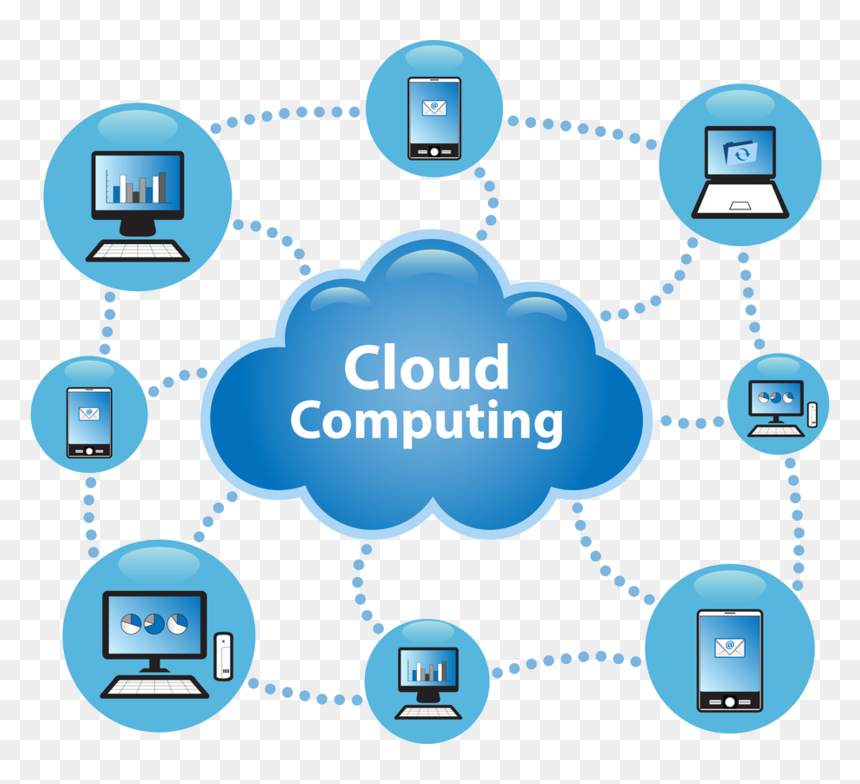
Digital cloud network symbolizing data storage and online connectivity.
Cloud Computing and Technology

The Role of Cloud Computing in Digital Transformation

Introduction In today’s rapidly evolving digital world, cloud computing has emerged as the foundation of transformation across industries. From startups to Fortune 500 companies, organizations are migrating their systems, applications, and data to the cloud to unlock agility, scalability, and innovation. Digital transformation is not merely about adopting technology — it’s about reimagining how a business operates, delivers value, and interacts with customers. Cloud computing makes this possible by providing on-demand access to computing resources that drive automation, data analytics, and artificial intelligence — without the constraints of physical infrastructure. This blog explores how cloud computing is shaping the digital era, its benefits, key technologies, challenges, and its indispensable role in driving business modernization. What is Cloud Computing? Cloud computing refers to the delivery of computing services — such as servers, storage, databases, networking, software, and analytics — over the internet (“the cloud”). Instead of owning and maintaining hardware, organizations rent access from cloud providers like Amazon Web Services (AWS), Microsoft Azure, and Google Cloud Platform (GCP). Cloud computing enables flexibility, cost-efficiency, and scalability, making it easier for companies to innovate and compete globally. The Three Main Types of Cloud Computing Infrastructure as a Service (IaaS):Provides virtualized computing resources like servers, storage, and networking.Example: AWS EC2, Google Compute Engine. Platform as a Service (PaaS):Offers a platform for developers to build, run, and manage applications without managing infrastructure.Example: Microsoft Azure App Service, Heroku. Software as a Service (SaaS):Delivers software applications via the internet on a subscription basis.Example: Google Workspace, Salesforce, Zoom. Cloud Deployment Models Public Cloud: Services offered over the internet, accessible to multiple users. (e.g., AWS, Azure) Private Cloud: Dedicated cloud infrastructure for a single organization, offering greater control and security. Hybrid Cloud: A combination of public and private clouds for flexibility and workload optimization. Multi-Cloud: Using multiple cloud providers to avoid vendor lock-in and improve resilience. The Role of Cloud Computing in Digital Transformation 1. Enabling Agility and Innovation Cloud platforms allow businesses to deploy and scale applications instantly. Developers can test new ideas faster without waiting for physical infrastructure, fostering a culture of innovation. 2. Empowering Data Analytics and AI Cloud computing provides scalable storage and computational power for big data analytics, machine learning, and AI-driven insights.Companies can analyze massive datasets in real-time to improve decision-making and customer personalization. 3. Enhancing Collaboration and Productivity Cloud tools like Google Workspace, Microsoft 365, and Slack enable real-time collaboration across teams worldwide, boosting productivity and connectivity. 4. Strengthening Cybersecurity Modern cloud platforms offer advanced encryption, identity management, and AI-powered threat detection to protect sensitive data.For example, Microsoft Azure Security Center continuously monitors cloud environments for vulnerabilities. 5. Cost Efficiency and Scalability Cloud computing eliminates the need for large upfront hardware investments. Businesses pay only for the resources they use, scaling up or down as demand changes. 6. Supporting Remote Work The pandemic accelerated the shift to remote work — and cloud-based tools made it possible. Employees can securely access applications and files from anywhere, anytime. 7. Business Continuity and Disaster Recovery Cloud providers offer redundancy and backup solutions, ensuring business continuity even in the face of system failures or disasters. Real-World Examples of Cloud-Driven Digital Transformation 1. Netflix Netflix uses AWS to stream video content globally. Cloud scalability allows it to handle millions of users simultaneously while analyzing viewing patterns for recommendations. 2. Airbnb Airbnb relies on cloud computing for hosting its marketplace, managing bookings, and processing real-time analytics to enhance user experiences. 3. NASA NASA uses the cloud to store and share space exploration data securely and efficiently across research teams worldwide. 4. Spotify Spotify leverages Google Cloud for AI-driven music recommendations, improving user engagement and retention. Benefits of Cloud Computing in Digital Transformation Scalability: Easily adjust computing resources based on demand. Flexibility: Deploy applications and services faster across multiple regions. Innovation: Accelerates AI, IoT, and data analytics capabilities. Reduced Costs: Cuts hardware and maintenance expenses. Security and Compliance: Offers robust security frameworks with global compliance standards. Sustainability: Cloud providers use energy-efficient data centers, reducing carbon footprints. Challenges in Cloud Adoption Data Privacy and Compliance: Handling sensitive information across borders can raise legal issues. Vendor Lock-In: Dependence on one provider may limit flexibility. Downtime and Service Reliability: Internet outages can disrupt access to cloud services. Security Risks: Misconfigurations or weak access controls may lead to breaches. Cost Management: Unmonitored usage can lead to unexpected expenses. Emerging Trends in Cloud Computing 1. Multi-Cloud Strategies Organizations are increasingly adopting multi-cloud environments to avoid dependence on a single provider and enhance resilience. 2. Edge Computing Integration Combining cloud and edge computing allows data to be processed closer to the source for faster response times. 3. Serverless Architecture Developers can deploy code without managing servers, improving scalability and reducing operational costs. 4. Cloud-Native Applications Microservices and containerization (via Docker and Kubernetes) enable faster, more agile software development. 5. AI-Driven Cloud Management AI helps optimize cloud performance, automate resource allocation, and detect security threats proactively. Cloud Computing and Sustainability Cloud computing is playing a crucial role in achieving green IT goals. Major providers are investing in renewable energy and energy-efficient data centers.For example, Google Cloud aims to run entirely on carbon-free energy by 2030, setting a benchmark for sustainable digital transformation. Conclusion Cloud computing is the backbone of digital transformation — enabling businesses to become more agile, data-driven, and customer-focused.It breaks traditional IT barriers, accelerates innovation, and empowers organizations to adapt to rapidly changing markets. As companies continue to embrace cloud-based ecosystems, the future will belong to those who combine the power of cloud, AI, and edge technologies to deliver smarter, faster, and more sustainable digital solutions. FAQs 1. What role does cloud computing play in digital transformation? Cloud computing provides flexible, scalable, and cost-effective IT infrastructure that enables digital transformation across industries. 2. How does cloud computing improve business efficiency? It automates operations, enhances collaboration, and allows rapid deployment of applications without large capital investment. 3. What are examples of cloud-based tools used in business? Google Workspace, AWS, Microsoft Azure, Salesforce, and Slack

DevOps process showing collaboration, automation, and CI/CD pipelines in modern software development.
DEVOPs

DevOps in 2025: Bridging Development and Operations for Smarter Software Delivery

Introduction In the fast-paced world of software, speed and reliability define success. That’s where DevOps comes in — a powerful approach that unites Development (Dev) and Operations (Ops) to deliver high-quality applications faster and more efficiently. By 2025, DevOps isn’t just a methodology; it’s a culture of collaboration, automation, and continuous improvement that drives digital transformation across industries. What Is DevOps? DevOps is a software engineering practice that integrates development and IT operations teams to shorten the software development lifecycle and ensure continuous delivery with high quality. It focuses on: Collaboration: Breaking silos between teams. Automation: Streamlining repetitive tasks. Continuous Integration/Continuous Deployment (CI/CD): Delivering updates frequently and reliably. Why DevOps Matters in 2025 As organizations scale digitally, agility and efficiency are more important than ever. Faster Releases: Frequent and automated deployments. Improved Quality: Automated testing reduces errors. Greater Collaboration: Developers and operations share responsibility. Business Agility: Quick adaptation to user feedback and market trends. Key Principles of DevOps Collaboration and Communication: Shared ownership between teams. Automation: From code integration to deployment. Continuous Testing: Detect bugs early with automated QA. Monitoring and Feedback: Real-time tracking of performance and issues. Security Integration (DevSecOps): Embedding security into every stage. Popular DevOps Tools in 2025 Category Tools Description Version Control Git, GitHub, GitLab Manage and track code versions CI/CD Jenkins, CircleCI, GitHub Actions Automate build, test, and deploy Containerization Docker, Kubernetes Deploy apps consistently across environments Monitoring Prometheus, Grafana Real-time tracking of app performance Infrastructure as Code (IaC) Terraform, Ansible Automate infrastructure management Cloud Integration AWS, Azure DevOps Host, scale, and manage pipelines The Future of DevOps The future of DevOps is powered by AI, automation, and cloud-native development. AI-Driven Monitoring: Predict system failures before they occur. Serverless Architecture: Deploy apps without managing servers. ChatOps: Real-time collaboration through chat platforms like Slack. Sustainable DevOps: Optimizing infrastructure for lower energy use. Conclusion DevOps represents the perfect balance between innovation and reliability. By combining collaboration, automation, and continuous feedback, it empowers teams to build, test, and deploy faster than ever before. In 2025 and beyond, DevOps will remain the foundation of agile, scalable, and secure software delivery — the key to digital success. “DevOps isn’t a tool or a team — it’s a mindset that builds better software, together.” FAQ Section Q1. What is DevOps in simple terms?It’s a collaboration between developers and operations teams to deliver software faster and more reliably. Q2. What tools are used in DevOps?Popular tools include Git, Jenkins, Docker, Kubernetes, and Terraform. Q3. How does DevOps differ from Agile?Agile focuses on development cycles; DevOps extends that to deployment and operations. Q4. What is CI/CD in DevOps?It’s a process of continuously integrating code and deploying updates automatically. Q5. Why is DevOps important?It enhances efficiency, reduces downtime, and improves product quality.

Cloud

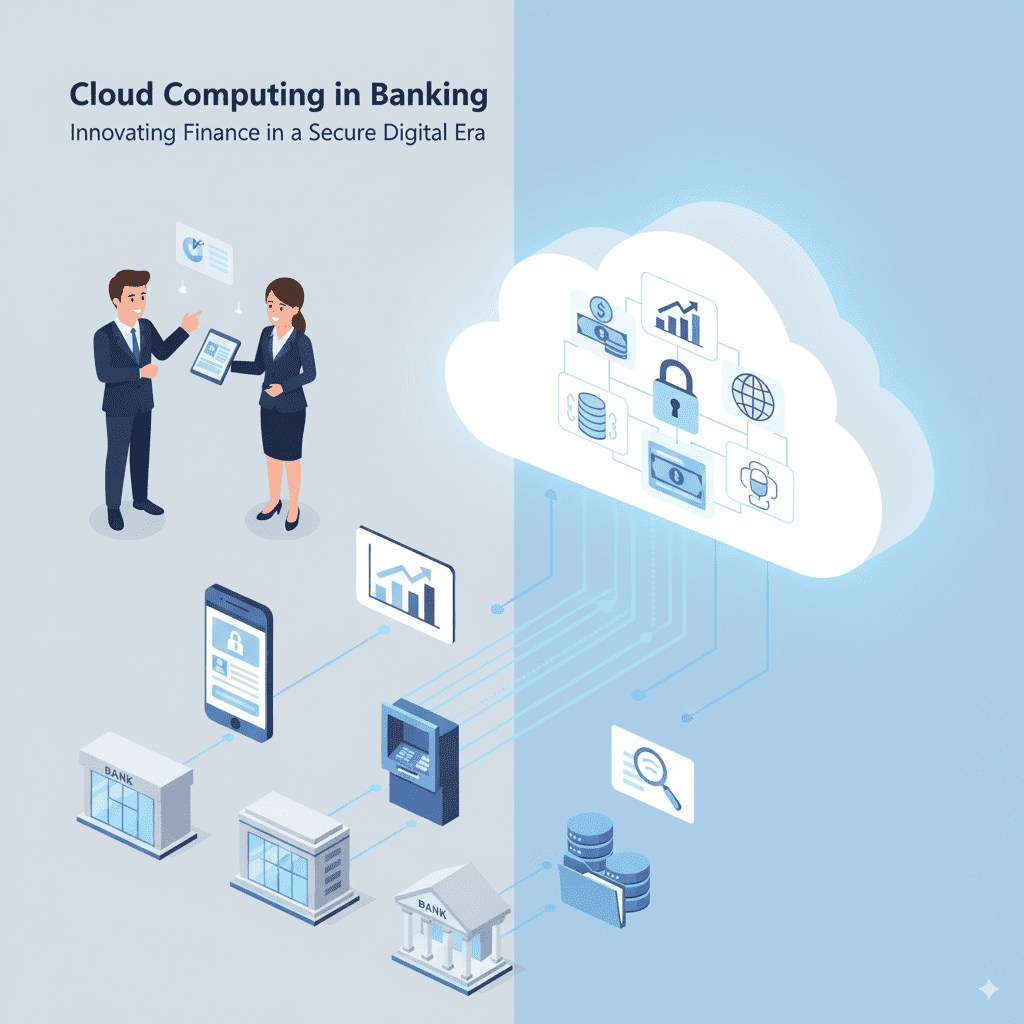
Cloud Computing in Banking: All You Need to Know Before Moving to the Cloud

Introduction The banking industry is undergoing a profound digital transformation, with cloud computing emerging as a critical enabler of innovation, agility, and operational efficiency. Banks worldwide are rapidly adopting cloud technologies to modernize legacy systems, enhance customer experience, and accelerate product delivery. However, migrating to the cloud also presents unique challenges around data security, regulatory compliance, and integration complexity. This blog covers everything banks need to know before moving to the cloud—benefits, risks, migration strategies, and key considerations for a successful cloud journey. It also highlights how AI-driven cloud solutions and predictive analytics are shaping the future of banking technology, drawing on insights from leading experts like TechOTD. Why Cloud Computing Matters for Banks Scalability: Cloud platforms enable banks to scale computing resources on demand during peak loads or new product launches. Cost Efficiency: Moving from capital expenditure to operational expenditure reduces upfront IT investments and optimizes resource usage. Innovation Enablement: Cloud supports rapid development of digital banking products, AI-powered services, and personalized customer experiences. Improved Collaboration: Cloud platforms enhance data sharing across departments and partner ecosystems securely. Disaster Recovery & Business Continuity: Cloud’s resilient infrastructure safeguards critical banking operations against data loss and outages. Explore how AI and analytics complement cloud capabilities to drive smarter, data-driven banking: Predictive Analytics in Banking. Key Considerations Before Moving to the Cloud 1. Regulatory Compliance and Data Privacy Banks must comply with strict regulations like GDPR, PCI DSS, and regional data protection laws. Understanding cloud providers’ compliance certifications and data residency options is vital. 2. Security and Risk Management Implementing end-to-end encryption, identity and access management (IAM), and continuous threat monitoring is mandatory to protect sensitive financial data. 3. Legacy System Integration Seamless integration between existing on-premises systems and cloud platforms is crucial to avoid business disruptions. 4. Selecting the Right Cloud Model Public Cloud: Cost-effective and scalable but requires strict security controls. Private Cloud: Offers better control and security but at higher costs. Hybrid Cloud: Combines benefits of both, allowing sensitive workloads on private clouds and less critical ones on public clouds. 5. Vendor Lock-in and Multi-cloud Strategy Banks should evaluate risks associated with dependence on a single cloud provider and consider multi-cloud approaches for flexibility and resilience. Migration Strategies for Banking Cloud Adoption Lift and Shift: Moving applications without changes; fastest but may not optimize cloud benefits. Re-platforming: Modifying existing apps for cloud compatibility and efficiency. Refactoring: Redesigning applications entirely to be cloud-native, maximizing scalability and functionality. TechOTD’s expert teams design and execute tailored cloud migration strategies ensuring minimal disruption: How We Work – TechOTD. Benefits of AI and Cloud in Modern Banking Enhanced Fraud Detection: AI algorithms analyze transactions in real-time to flag suspicious activities. Personalized Customer Experiences: AI models predict customer needs and tailor financial products. Operational Efficiency: Automation reduces manual workflows and error rates. Discover AI’s role in banking innovation and see real-world examples: Large Language Models in Finance. Challenges Banks Face in Cloud Adoption Managing cultural and organizational change Ensuring interoperability across hybrid environments Handling complex data migration and synchronization Meeting constantly evolving compliance and security requirements Conclusion Cloud computing offers transformative potential for banks looking to innovate, scale, and compete in the digital economy. However, it requires careful planning, strategic decision-making, and trusted technology partnerships to effectively manage risks and unlock benefits. Leveraging AI and predictive analytics atop cloud infrastructure further accelerates banking digital maturity by enabling smarter operations and customer-first models. Embark on your cloud journey with experienced partners like TechOTD, who specialize in AI-driven cloud solutions for finance and beyond. Explore more banking technology insights and trends at TechOTD Blog. FAQs Q1: Is public cloud safe for banks? With strong encryption and compliance controls, public cloud can be secure, though sensitive data may benefit from private or hybrid clouds. Q2: How long does cloud migration usually take? Depending on scale and complexity, it ranges from a few months to over a year. Q3: What are key benefits of hybrid cloud in banking? It balances security, flexibility, and cost efficiency by allocating workloads appropriately. Q4: Can AI operate effectively in cloud environments? Yes, cloud provides the computational power and scalability AI applications demand. Q5: How to avoid vendor lock-in? Adopt open standards, multi-cloud strategies, and platform-agnostic architectures.

Cloud, Uncategorized

Unleashing the Potential of Cloud for the Insurance Industry

Introduction The insurance industry is undergoing a radical transformation fueled by digital technologies, with cloud computing playing a pivotal role. The cloud enables insurance companies to modernize IT infrastructure, enhance customer experience, boost operational efficiency, and accelerate innovation. As insurers strive to meet rising customer expectations, regulatory demands, and growing data complexities, embracing cloud solutions becomes crucial to stay competitive. This blog explores the profound impact of cloud computing on the insurance sector, detailing benefits, use cases, challenges, and future trends. Throughout the discussion, it integrates relevant insights on artificial intelligence, blockchain, predictive analytics, and digital transformation from the TechOTD AI Services and TechOTD Blog resources. The Digital Imperative in Insurance Traditional insurance models are heavily reliant on legacy systems that are costly to maintain and rigid in meeting new consumer and market demands. Digital disruption has dictated an urgent need to adopt scalable, flexible, and agile IT architectures — and cloud computing provides this foundation. Insurers face increasing pressures to: Deliver personalized, on-demand services Analyze vast amounts of customer and risk data Accelerate product development and go-to-market cycles Ensure compliance and data security Optimize costs Cloud computing answers these imperatives with on-demand computing power, storage, and access to advanced technologies such as AI and blockchain. Core Benefits of Cloud Computing for Insurance 1. Scalability and Flexibility Cloud platforms allow insurers to scale infrastructure dynamically based on demand, supporting fluctuating workloads like claims processing during disasters or new product launches without expensive over-provisioning. 2. Cost Efficiency By shifting to cloud models, insurance companies reduce capital expenditure and operations costs related to on-premises infrastructure, benefiting from pay-as-you-go pricing and reduced hardware investments. 3. Enhanced Data Analytics and AI Integration Cloud environments enable integration with AI-driven analytics tools that process big data for risk assessment, fraud detection, and customer insights—boosting predictive capabilities and personalized insurance offerings. Explore advanced AI solutions tailored for insurance at TechOTD AI Services. 4. Improved Customer Experience Cloud-powered customer portals, mobile apps, and chatbots offer real-time access to policy information, claims status, and personalized support, enhancing satisfaction and loyalty. Relevant AI-driven customer journey strategies can be found at TechOTD Seamless AI Customer Journeys. 5. Regulatory Compliance and Security Cloud service providers increasingly offer robust security, encryption, and compliance certifications that help insurers meet stringent data protection regulations in diverse markets. 6. Faster Innovation and Time to Market Cloud platforms enable rapid development and deployment pipelines that accelerate innovation, allowing insurers to stay ahead in competitive landscapes through agile product launches. Transformative Use Cases in Insurance Cloud-Based Claims Management Digitizing claims on the cloud facilitates automated workflows, real-time status updates, faster approvals, and fraud detection through integrated AI analytics. Risk Modeling and Underwriting Cloud-powered big data analytics enable insurers to better predict and price risk dynamically by ingesting multiple data sources across geographic and demographic segments. Customer Self-Service Portals and Mobile Apps Cloud-hosted portals provide centralized, secure access to insurance products and services, empowering customers digitally while reducing service costs. Insights on building effective mobile apps are detailed at TechOTD Mobile Apps. Blockchain for Policy Management and Fraud Prevention Combining blockchain with cloud infrastructure supports tamper-proof policy records, secure transactions, and enhanced transparency in claims processing. Detailed exploration at TechOTD Blockchain Integration. Predictive Analytics to Combat Fraud and Improve Retention Cloud data platforms integrated with predictive analytics software help proactively identify suspicious claims and optimize customer retention strategies. Challenges and Strategic Solutions Data Migration Complexity Moving legacy data to the cloud is complex but can be simplified through phased migration strategies and cloud-native redesigns (see the generated image above). Security Concerns Insurance companies need layered security approaches combining cloud vendor safeguards, encryption, access controls, and continuous monitoring. Regulatory Compliance Collaborating with cloud providers offering region-specific compliance certifications and conducting rigorous audits mitigates regulatory risks. Cultural and Organizational Change Driving cloud adoption requires cultural shifts towards agility, continuous learning, and DevOps practices supported by leadership (see the generated image above). For structured digital transformation, explore TechOTD How We Work. Future Trends in Cloud Computing for Insurance Increased Adoption of AI and Machine Learning: More cloud-based AI solutions will enhance automation and personalization. Expansion of Hybrid and Multi-Cloud Strategies: Insurers will balance private and public clouds for optimal performance and security. Greater Integration of Blockchain: Enhancing trust, transparency, and efficiency in insurance processes. Focus on Edge Computing: Combining cloud and edge to manage IoT-enabled insurance use cases such as telematics and connected home devices. Cloud-Native Application Development: Accelerating innovation cycles through microservices architecture and containerization. Stay updated on technology trends at TechOTD Blog. Key Takeaways: Cloud enables scalable, agile, and cost-effective IT modernization. AI and predictive analytics supercharge data-driven decisions. Blockchain enhances security, transparency, and trust. Multi-cloud and edge architectures balance innovation and regulation. Enterprise cultural adoption is critical for successful cloud transformation. Conclusion Cloud computing is dramatically reshaping the insurance industry by delivering scalable infrastructure, enhanced analytics capabilities, improved customer experiences, and cost efficiencies. Insurers who leverage the cloud alongside AI, blockchain, and edge technologies are best positioned to innovate, adapt, and lead in a digital-first market.

How would you like me to respond?

Select a personality for your AI assistant

Normal
Happy
Sad
Angry

Your selection will affect how the AI assistant responds to your messages

Chat Assistant

Let's discuss your project!

Hear from our clients and why 3000+ businesses trust TechOTD

Tell us what you need, and we'll get back with a cost and timeline estimate

Scroll to Top