
Technology & Innovation

Artificial Intelligence, Software development, Technology & Innovation

Future of AI in Software Engineering

The Future of AI in Software Engineering: From Syntax to Systems For decades, the life of a software engineer was defined by the struggle against syntax. We spent hours debugging missing semicolons, wrestling with library dependencies, and writing the same boilerplate CRUD (Create, Read, Update, Delete) operations over and over again. Software engineering was as much a craft of typing as it was a craft of thinking. That world is ending. As we look toward 2030, we are entering the era of AI-native software engineering. We are moving away from being “coders” who implement logic line-by-line and toward being “architects” who orchestrate intent. This isn’t just about autocomplete on steroids; it’s a fundamental restructuring of the Software Development Life Cycle (SDLC). In this guide, we’ll explore the tangible trends, the data-backed shifts, and the roadmap for how AI will redefine what it means to build software. 1. The Death of Boilerplate: Why Syntax is No Longer the Barrier The most immediate impact of AI—represented by tools like GitHub Copilot, Cursor, and ChatGPT—has been the near-total elimination of “toil.” These are the repetitive, non-creative tasks that used to eat up 40% of a developer’s day. Current research from the 2024 DORA report suggests that developers already see a 70% reduction in time spent on boilerplate and documentation tasks when using generative AI. By 2028, Gartner predicts that 90% of enterprise software engineers will use AI coding assistants daily. What does this mean for the future? It means the “barrier to entry” for building software is falling. When the AI can generate a React component or a Python FastAPI endpoint in seconds, the value of knowing the specific syntax of a language diminishes. The value shifts to knowing what to build and how it should connect to the rest of the system. 2. The Rise of the “Orchestrator” Persona As AI takes over the “how,” humans must master the “why.” We are transitioning from Implementers to Orchestrators. In the near future, an engineer’s primary workspace won’t just be an Integrated Development Environment (IDE); it will be an AI-Native Engineering Environment. Within this space, the engineer will manage “swarms” of autonomous agents. One agent might be dedicated to real-time security auditing. Another agent might handle documentation and unit test generation. A third agent might continuously monitor production performance and suggest refactoring for a specific data pipeline. The engineer’s role becomes one of Oversight and Architectural Reasoning. You won’t be checking if a loop is off-by-one; you’ll be checking if the AI’s architectural trade-offs align with the business’s long-term scalability goals. 3. Autonomous Agents and the End of “On-Call” Nightmares One of the most exciting prospects is the evolution of AIOps (Artificial Intelligence for IT Operations). Traditionally, when a server goes down at 3 AM, a human engineer gets a page, wakes up, and spends two hours looking through logs to find the root cause. By 2030, we expect “Self-Healing Systems” to be the norm. AI agents integrated into the DevOps pipeline will: Detect the anomaly in milliseconds. Diagnose the root cause (e.g., a memory leak in a new deployment). Draft a Patch by looking at previous code commits. Deploy a Canary Fix and monitor its success. The human engineer will wake up to a report saying, “A memory leak was detected and patched at 3:14 AM. Click here to review the permanent fix.” 4. Legacy Modernization: Solving the “Cobol Problem” The tech world is buried under mountains of “technical debt”—old code written in languages like COBOL or legacy Java that no one wants to touch because the original developers are long gone. Generative AI is proving to be a miracle cure for legacy modernization. AI models can “read” legacy code, understand its underlying business logic, and “rewrite” it into modern, cloud-native architectures (like Go or Rust) while maintaining 100% feature parity. This will unlock trillions of dollars in value currently trapped in fragile, aging enterprise systems. 5. The Security Paradox: Protecting AI-Generated Code There is a catch. As AI allows us to generate code faster, it also allows us to generate vulnerabilities faster. The future of software engineering will require a “Security-First” mindset. AI-generated code often suffers from “uncritical adoption,” where developers accept suggestions without fully understanding the security implications. Future engineers must become experts in AI Oversight, ensuring that the “synthetic code” entering the codebase adheres to strict governance and compliance standards. 6. The 2030 Roadmap: What to Expect 2024-2025: Wide adoption of coding assistants; focus on productivity and boilerplate reduction. 2026-2027: Shift toward Agentic SDLC. AI agents start handling specialized parts of the lifecycle (QA, Docs, Security) autonomously. 2028-2029: Natural Language becomes a primary “programming language” for high-level system design. 2030: The role of “Software Engineer” is fully transformed into “System Architect & AI Supervisor.” Summary: Thinking is the New Engineering In the AI era, typing beautifully is nice, but thinking profoundly wins. The engineers who thrive will be those who can hold complex systems in their heads, sense emergent behaviors before they surface, and orchestrate the partnership between human creativity and machine efficiency. Securing Modern Enterprises in the Digital Era

Artificial Intelligence, Software development, Technology & Innovation

How AI Automation Helps Businesses

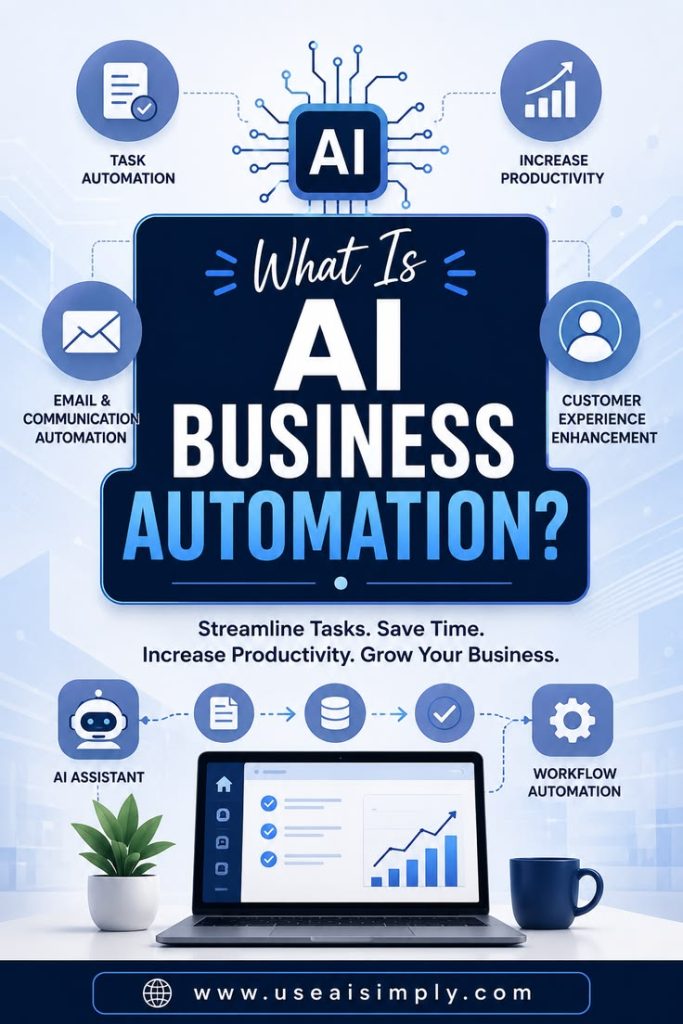
Beyond the Hype: How AI Automation Helps Businesses Scale, Save, and Out-Compete There is a massive shift happening in the corporate world right now, and it has nothing to do with flashy sci-fi tropes. Instead, it is unfolding quietly inside spreadsheets, customer service queues, supply chain logs, and marketing workflows. We have officially moved past the era of viewing Artificial Intelligence as a speculative tech experiment. Today, it is an operational engine. For modern enterprises and growing startups alike, the question is no longer, “What is AI?” but rather, “How exactly does AI automation help businesses survive and thrive in a hyper-competitive market?” If you are a business leader looking to cut through the industry buzzwords and understand the tangible, bottom-line impact of deploying smart automation, you are in the right place. Let’s break down exactly how AI automation is transforming modern business frameworks, reducing overhead, and unlocking entirely new revenue streams. 1. Redefining Human Productivity: Eradicating the “Busywork Tax” The average employee spends an alarming percentage of their workday on repetitive, administrative tasks—data entry, scheduling, sorting emails, and cross-referencing files. This is what operational experts call the “Busywork Tax.” It drains employee morale and wastes expensive human capital on tasks that require zero critical thinking. AI automation acts as a digital tirelessness layer that handles these tasks at scale. Intelligent Document Processing (IDP) Traditional software can read data if it is structured perfectly. AI goes a step further. Using Natural Language Processing (NLP), AI can ingest unstructured documents—like unstructured PDF invoices, handwritten receipts, or messy client emails—extract the relevant figures, categorize them, and instantly push them into your ERP or accounting software. Smart Scheduling and Operations Instead of a human spending hours coordinating calendars across internal teams and external clients, autonomous AI agents manage scheduling, anticipate time-zone friction, and even prepare meeting briefs by analyzing the participants’ public profiles and past touchpoints. The Human Shift: When you automate the mundane, you don’t replace your staff; you upgrade them. A data-entry clerk becomes a data analyst. A customer support agent becomes a customer success strategist. 2. Revolutionizing Customer Experience (CX) with 24/7 Contextual Care We’ve all experienced the frustration of legacy chatbots. You type a complex question, and it responds with: “I didn’t quite catch that. Did you mean ‘Track Order’?” It’s a broken user experience. AI automation has fundamentally rewritten the rules of customer engagement by introducing true context, empathy, and speed. Instant, Hyper-Personalized Resolving Modern AI customer service agents don’t just pull from a static FAQ document. They connect securely to your internal databases. When a customer messages your platform, the AI instantly reviews their entire purchase history, recognizes their subscription tier, understands their emotional sentiment (detecting frustration or urgency), and crafts a bespoke response within seconds. Multi-Channel Ubiquity AI automation allows a lean support team to operate across web chat, WhatsApp, email, and social media DMs simultaneously without a drop-off in response times. Customer Service Metric Legacy Framework AI-Automated Framework Average Response Time 2 to 4 Hours Less than 15 Seconds Availability Fixed Business Hours 24/7/365 First-Contact Resolution 45% – 60% 80%+ (For routine tier-1 queries) 3. Transforming Data into Prescriptive, Real-Time Strategy Most businesses are drowning in data but starving for insights. They have access to Google Analytics, CRM logs, and sales numbers, but by the time a human team compiles these reports at the end of the month, the insights are already outdated. AI automation changes your business orientation from reactive to predictive and prescriptive. [ Raw Data Streams ] —> [ AI Automation Analytics Engine ] —> [ Predictive Forecasting ] | v [ Prescriptive Action Taken ] (Automated Inventory Orders / Ad Adjustments) Predictive Inventory and Supply Chain Management For e-commerce and manufacturing businesses, AI monitors micro-trends, weather forecasts, social media velocity, and historical sales patterns to predict exactly when a product will spike in demand. It can then automatically adjust supply chain orders to prevent stockouts without over-purchasing warehouse space. Dynamic Financial Modeling AI-driven financial tools continuously run thousands of “Monte Carlo” simulations against your business’s burn rate and revenue pipeline. This gives leadership real-time updates on cash flow runways and flags financial vulnerabilities months before they appear on a traditional balance sheet. 4. Hyper-Accelerating the Creative Pipeline and Marketing ROI Marketing teams are under constant pressure to produce more content, run more ad variants, and target tighter demographics. Doing this manually is an expensive, slow process of trial and error. AI automation serves as a force multiplier for creative output. Automated A/B Testing at Scale Instead of a marketer manually designing three ad variations and waiting two weeks for results, AI tools can generate hundreds of hyper-targeted ad copy variations, deploy them across ad networks, analyze real-time performance indicators, and automatically shift budgets toward winning creative assets in minutes. Hyper-Personalization Outbound AI allows businesses to send marketing emails that feel completely bespoke. Instead of blasting an entire list with the same promotion, the AI customizes the subject line, product recommendations, and call-to-action based entirely on individual user behavior profiles. 5. Safeguarding Enterprises with Automated Cybersecurity & Risk Mitigation As digital infrastructure grows, so do the threats against it. Human IT teams simply cannot monitor every network log, login attempt, or database query occurring across a global enterprise. AI automation acts as an immune system for corporate networks. Anomaly Detection over Static Rules Legacy cybersecurity relies on fixed rules (e.g., block an IP if it enters the wrong password five times). Hackers know how to bypass these. AI automation monitors behavioral baselines. If an employee who normally accesses data from Chicago suddenly logs in from a machine performing atypical database queries out of Germany, the AI flags the anomaly, freezes the access endpoint, and alerts the security team instantly. Automated Compliance Auditing In highly regulated fields like healthcare (HIPAA) or finance, AI compliance engines continuously monitor internal communication channels, data storage, and external transfers to guarantee zero sensitive compliance infractions occur, preventing millions in regulatory fines. The Roadmap to Implementing AI

Artificial Intelligence, Software development, Technology & Innovation

Cost of Building an AI SaaS Platform

The Ultimate Blueprint: How Much Does It Really Cost to Build an AI SaaS Platform? The gold rush is officially on. Everywhere you look, another “AI-powered” Software-as-a-Service (SaaS) platform is securing funding, going viral on Product Hunt, or disrupting a legacy workflow. It’s an incredibly exciting time to be a builder. But if you are standing at the starting line, staring at a blank whiteboard and wondering, “How much capital do I actually need to get this thing off the ground?”—you are not alone. Unlike traditional software, where development costs are relatively predictable, AI applications introduce a wild deck of cards: GPU compute, fluctuating API data tokens, specialized talent, and complex data pipelines. If you guess your budget incorrectly, you risk running out of runway before your product even clears beta. In this exhaustive guide, we are going to break down the true cost of building an AI SaaS platform. We will look past the hype and dive deep into the tangible line items: infrastructure, engineering, data acquisition, hidden operational costs, and how to optimize your budget whether you are bootstrapping or venture-backed. 1. The Core Architecture: Wrapping vs. Proprietary Models Before pulling out a calculator, you must answer a foundational architectural question. Your choice here will dictate your costs by a factor of 10x or even 100x. Are you building an AI Wrapper or a Proprietary AI Ecosystem? The AI Wrapper (API-Driven) An AI wrapper leverages existing Foundation Models (like OpenAI’s GPT-4, Anthropic’s Claude, or Google’s Gemini) via APIs. Your unique value proposition lies in the user experience, workflow integration, proprietary prompts, and specific niche tooling you build around that model. Time to Market: 1 to 3 months. Upfront R&D Cost: Low ($10,000 – $50,000). Ongoing Variable Cost: High (dependent on third-party API pricing per token). The Fine-Tuned / Open-Source Route This middle ground involves taking a powerful open-source model (like Meta’s Llama 3 or Mistral) and training it on your specific domain data using techniques like LoRA or QLoRA. Time to Market: 3 to 6 months. Upfront R&D Cost: Moderate ($40,000 – $150,000). Ongoing Variable Cost: Moderate (requires dedicated cloud GPU hosting, but no per-token vendor tax). The Proprietary Model (Custom LLM/Vision Model) Building a model from scratch. You gather terabytes of raw data, rent massive GPU clusters, and train a foundational model tailored specifically to an industry (e.g., bio-tech or highly regulated legal tech). Time to Market: 6 to 18+ months. Upfront R&D Cost: Extremely High ($500,000 to millions). Ongoing Variable Cost: Variable, but heavily front-loaded into infrastructure infrastructure maintenance. Human Founder Advice: If you are a bootstrapper or a first-time founder, start as a wrapper or a fine-tuned open-source model. Validate that the market actually wants your solution before writing six-figure checks to Nvidia or AWS. 2. Breaking Down the Cost Categories Let’s look at the actual line items required to take an AI SaaS product from an idea to a production-ready application. Category A: The Engineering & Development Team (The Talent) Software doesn’t build itself, and AI talent is currently commanding top-of-market premiums. Even if you are a technical founder, you will eventually need a team to scale. Role Estimated Annual Salary (US/Western Europe) Agency / Fractional Rate (Monthly) AI/Machine Learning Engineer $140,000 – $220,000 $12,000 – $20,000 Full-Stack Developer (SaaS Architecture) $100,000 – $160,000 $8,000 – $14,000 Data Engineer / DevOps $120,000 – $180,000 $10,000 – $16,000 UI/UX Product Designer $80,000 – $140,000 $5,000 – $10,000 Total MVP Development Cost Estimates: Offshore/Agency Build: $25,000 – $60,000 (Lower upfront cost, but requires rigorous project management). In-house Core Team (3-4 People for 6 Months): $150,000 – $350,000. Category B: The AI Stack & Infrastructure Traditional SaaS requires a simple web server and a database. AI SaaS requires an entirely different matrix. 1. Compute & Inferencing If you use third-party APIs, your costs scale lineally with your users. If you host open-source models, you need virtual machines equipped with dedicated GPUs (like Nvidia A10G, L4, or H100s) through providers like AWS, RunPod, Lambda Labs, or Hugging Face Spaces. API Route Starter Budget: $200 – $2,000/month (scalable). Dedicated GPU instances: $500 – $5,000/month per active model instance. 2. Vector Databases To give your AI platform a “memory” or to implement Retrieval-Augmented Generation (RAG)—which lets the AI query external business documents safely—you need a vector database. Options: Pinecone, Milvus, Qdrant, Weaviate, or pgvector. Estimated Cost: Free tier to start; $50 – $400/month for production mid-tier datasets. 3. Middleware & LLMOps Tools To orchestrate your prompts, manage model fallback options, and track analytics, you’ll use framework tooling like LangChain, LlamaIndex, or Helicone. Estimated Cost: $0 – $300/month early on. Category C: Data Acquisition, Cleaning, and Guardrails An AI model is only as good as the information it processes. Data Scraping & Synthesizing: If your platform relies on unique market intelligence, you may need to buy data sets or pay for web scraping APIs (e.g., Bright Data). Cost: $100 – $1,500/month. Content Moderation & Guardrails: To stop your AI from generating harmful, hallucinated, or off-brand content, you must implement safety layers (like NeMo Guardrails or OpenAI’s moderation endpoints). Cost: Negligible at start, but scales with volume. Category D: The Standard SaaS Core (The “Unsexy” Part) Don’t get so caught up in the artificial intelligence that you forget it is still a SaaS platform. You need the foundational infrastructure that turns a script into a business. Authentication & User Management: Clerk, Auth0, or Supabase Auth ($0 – $150/month). Billing & Subscription Management: Stripe or Paddle ($0 upfront, takes a ~3% transaction cut). Traditional Cloud Database & Hosting: PostgreSQL/MongoDB hosted on AWS, Vercel, or Heroku ($50 – $500/month). Product Analytics & Error Tracking: Mixpanel, PostHog, LogRocket ($0 – $200/month). 3. Real-World Cost Scenarios: Three Tiers of AI SaaS To give you a crystal-clear picture, let’s map out three distinct budgets based on the scale of what you are trying to achieve. Scenario 1: The Bootstrapped Indie Hacker MVP You are building a specialized copywriting tool for real estate agents or an automated

App Development, Software development, Technology, Technology & Innovation

The Ultimate Mobile App Development Guide: From Napkin Sketch to App Store Success

The Ultimate Mobile App Development Guide: From Napkin Sketch to App Store Success In 2026, the mobile phone isn’t just a device; it’s an external organ. We use it to manage our health, our finances, our homes, and our social lives. For a creator or a business, building a mobile app is the ultimate way to stay “top of mind.” But with millions of apps already available, “just building it” isn’t enough. You have to build it right. This guide is designed to take you through the human side of Mobile App Development. We will look past the code and into the strategy, the psychology, and the long-term commitment required to turn an idea into a digital powerhouse. 1. Phase One: The Strategy (The “Why” Before the “How”) The most common mistake in App Development is starting with a feature list instead of a problem. A successful app is a solution. Market Research and Validation Before you write a single line of code, you must validate your idea. Identify the Pain Point: What is the specific “itch” your app is scratching? Competitor Analysis: If there are 10 other apps doing the same thing, what is your “Unfair Advantage”? Target Audience: Are you building for Gen Z (who value speed and aesthetics) or for corporate professionals (who value security and integration)? The MVP Approach (Minimum Viable Product) Don’t try to build the next Facebook on Day 1. Focus on the Core Value Proposition. If your app is a food delivery service, the “MVP” is just the ability to order food and have it delivered. You don’t need the AI-driven calorie tracker or the social sharing features yet. 2. Choosing Your Weapon: The Tech Stack This is where the Software development becomes technical. Your choice of tech stack will determine your app’s performance, cost, and time-to-market. Native Development iOS (Swift): Built specifically for Apple hardware. It offers the best performance and latest features (like Dynamic Island integration). Android (Kotlin): The gold standard for the Google ecosystem. It provides deep access to hardware and a massive global user base. Cross-Platform Development (The 2026 Favorite) Frameworks like Flutter and React Native allow you to write one codebase that works on both iOS and Android. This is often the best choice for startups because it slashes development costs by nearly 40%. 3. The Heart of the App: UI/UX Design In a humanized app, the interface should be invisible. If a user has to “think” about how to use your app, you have failed. User Experience (UX) Design UX is the “logic” of the app. It involves: Wireframing: Creating the skeletal structure of the app. User Journeys: Mapping out every tap a user takes to reach their goal. Accessibility: Making sure people with visual or motor impairments can still enjoy your product. User Interface (UI) Design UI is the “emotion” of the app. It’s about colors, typography, and “Juiciness.” 4. Development and Testing: The “Build” Phase Once the designs are locked, the developers move in. In modern Digital Transformation, this usually follows the Agile Methodology. The Iterative Cycle Instead of disappearing for six months, developers work in “Sprints” (usually 2 weeks). At the end of each sprint, you have a functional piece of the app to test. Quality Assurance (QA) Testing isn’t just about finding bugs. It’s about: Performance Testing: Does the app drain the battery? Security Testing: Is the user data safe? (A critical part of cybersecurity). User Acceptance Testing (UAT): Do real humans actually like using it? 5. Deployment and Beyond: The Long Game Hitting the “Publish” button in the App Store is not the finish line—it’s the starting gun. App Store Optimization (ASO) Think of this as SEO for apps. You need the right keywords, stunning screenshots, and a video preview that grabs attention in the first three seconds. Maintenance and Updates The mobile landscape changes every week. New OS versions, new screen sizes, and new security threats mean your app is a “living breathing” entity that requires constant care. Conclusion: Building for the Future Mobile app development is a journey of constant learning. As technologies like Artificial Intelligence and Data Science become more integrated into our phones, the possibilities are endless. The Art of the Instant Hook: How to Make Hyper Casual Games for iOS and Android

App Development, Software development, Technology & Innovation

The Art of the Instant Hook: How to Make Hyper Casual Games for iOS and Android

The Art of the Instant Hook: How to Make Hyper Casual Games for iOS and Android In the world of mobile gaming, there is a genre that defies the rules of complexity. While “AAA” titles boast hundreds of hours of gameplay and cinematic stories, Hyper-Casual Games demand only seconds of your time. They are the “snackable” content of the gaming world—designed to be played with one hand while waiting for the bus. But don’t let the simplicity fool you. Making a successful hyper-casual game is a masterclass in human psychology and precision engineering. 1. The Core Philosophy: “Tap and Play” The first thing to consider when learning how to make hyper casual games is the “5-second rule.” If a player can’t understand exactly how to play your game within five seconds of opening it, you’ve lost them. Minimalist Mechanics Hyper-casual games usually revolve around a single, satisfying mechanic: Rising/Falling: Think Flappy Bird or Helix Jump. Stacking: Perfectly timing a drop to build a tower. Swerve/Avoid: Using one finger to dodge obstacles in an infinite runner. The goal is to find a “Satisfying Loop”—an action that feels good to repeat a thousand times. 2. Choosing Your Development Engine While you could build a game from scratch, most developers use engines to speed up the process. In Software development, time-to-market is everything for this genre. Unity: The industry standard. It has the best support for mobile ads and analytics, which are the lifeblood of hyper-casual games. Buildbox: Often called the “No-Code” engine for games. It’s perfect for designers who want to focus on the “feel” of the game without getting bogged down in C# scripts. Godot: An open-source alternative that is gaining massive traction in 2026 for its lightweight performance. 3. The “Juiciness” Factor: Humanizing the Interaction In game design, “Juice” refers to the visual and auditory feedback the player gets for their actions. It’s what makes a game feel “premium” instead of “cheap.” Screen Shake: A subtle shake when the player hits a high score. Particle Effects: Little bursts of color when a block is destroyed. Sound Design: A satisfying “pop” or “ding” that triggers a dopamine hit. 4. The Data-Driven Launch: Kill Your Darlings The most unique part of the hyper-casual industry is the “Burn Rate.” Developers don’t spend a year making a game. They spend one week making a prototype. The CPI Test: You run a small ad campaign on Facebook or TikTok. Cost Per Install: If it costs more than $0.30 to get a user to download the game, you “kill” the project and move to the next idea. Iteration: Only if the data shows high retention do you add more levels and polish. 5. Monetization: The Ad-Based Economy Since these games are almost always free-to-play, your revenue comes from Digital Transformation of the user’s time. Rewarded Video Ads: “Watch an ad to get a second chance.” This is the most “human” form of advertising because it offers value in exchange for attention. Interstitial Ads: Full-screen ads between levels. Banner Ads: Low-impact ads at the bottom of the screen. Conclusion: Simplicity is the Ultimate Sophistication Making a hyper-casual game is about stripping away the ego. It’s not about your “vision” as a developer; it’s about the user’s “moment.” If you can create a game that provides a brief escape from the stress of the day, you’ve succeeded. The Blueprint for Success: 5 Critical Things to Consider Before Developing a Mobile App

App Development, Digital Transformation, Software development, Technology & Innovation

The Blueprint for Success: 5 Critical Things to Consider Before Developing a Mobile App

The Blueprint for Success: 5 Critical Things to Consider Before Developing a Mobile App The dream of “building an app” is often sparked by a single, brilliant idea. We imagine the interface, the viral downloads, and the impact it will have on users. However, in 2026, the app market is more crowded than ever. Success isn’t just about code; it’s about preparation. Developing a mobile app is a significant investment of time, money, and emotional energy. To ensure your project doesn’t just launch but thrives, here are the five foundational pillars you must consider. 1. Defining the “Problem-Solution” Fit Before you hire a developer or pick a color palette, you must ask: “What specific problem am I solving?” Many apps fail not because of bad code, but because they are “solutions in search of a problem.” Deep Market Research You need to understand your audience better than they understand themselves. User Personas: Who is your ideal user? Are they a busy professional looking for efficiency, or a student seeking entertainment? Competitor Gap Analysis: Look at the top three apps in your niche. Read their one-star reviews. What are they missing? That gap is your entry point. The “Jobs to Be Done” Framework: People don’t buy apps; they “hire” them to do a job. Make sure your app’s “job” is clear and essential. 2. Choosing the Right Technology Stack Your “tech stack” is the foundation of your house. If you choose the wrong one, scaling becomes an expensive nightmare. In Software development, this is one of the most debated topics. Native vs. Cross-Platform Native (Swift for iOS, Kotlin for Android): Best for high-performance apps, heavy graphic processing, or apps that need deep integration with phone hardware. Cross-Platform (Flutter, React Native): Ideal for startups that need to launch on both platforms quickly with a shared codebase. As we see in modern App Development, Flutter is increasingly popular for its beautiful, fast UI. Scalability and Backend Will your app crash if 10,000 people join at once? Consider using Cloud Computing and Technology like AWS or Google Cloud. A serverless architecture allows your app to grow automatically as your user base expands. 3. Prioritizing the “Humanized” UI/UX Design Design is not just how it looks; it’s how it works. A humanized app feels like an extension of the user’s hand. Reducing Cognitive Load The best apps don’t come with manuals. The 3-Click Rule: Can a user reach their goal in three taps or less? Micro-interactions: Those tiny animations when you “like” a post or pull-to-refresh make the app feel alive and responsive. Accessibility: Ensure your design is inclusive, with high-contrast modes and screen-reader compatibility. 4. Security and Data Privacy from Day One In an era of frequent data breaches, security cannot be an afterthought. If you are building in the Healthcare & Fitness or Fintech space, this is your #1 priority. The Trust Factor Data Encryption: Ensure all user data is encrypted both at rest and in transit. Compliance: Are you following GDPR, CCPA, or HIPAA regulations? Transparent Privacy Policies: Tell your users exactly what data you collect and why. In cybersecurity, transparency is the fastest way to build user loyalty. 5. Post-Launch Strategy: Marketing and Maintenance The “Launch” is only 10% of the journey. The remaining 90% is what happens after the app hits the store. App Store Optimization (ASO) If nobody can find your app, nobody can use it. Use relevant keywords, high-quality screenshots, and a compelling video preview to climb the rankings. The Feedback Loop Your first version (MVP) won’t be perfect. You need a system to collect user feedback and Data Analytics to track where users are dropping off. Regular updates and bug fixes show your audience that you are committed to their experience. Conclusion: Turning Vision into Reality Developing a mobile app is a marathon, not a sprint. By considering these five pillars—Problem Fit, Tech Stack, UX, Security, and Post-Launch Growth—you move from being an “ideator” to a “founder.”The Pedagogical Shift: Why E-Learning Design Left Flash Behind for Good

Digital Transformation, Software development, Technology, Technology & Innovation

The Pedagogical Shift: Why E-Learning Design Left Flash Behind for Good

The Pedagogical Shift: Why E-Learning Design Left Flash Behind for Good For over a decade, if you took an online course, you were likely interacting with Adobe Flash. It was the “magic wand” of instructional designers, allowing for clickable buttons, drag-and-drop interactions, and animations that made corporate training feel a little less like a chore. But the “Flash Era” of learning had a significant flaw: it was a walled garden. Today, we have moved into the era of E-Learning Design—a discipline that prioritizes the learner’s experience over flashy animations. The transition from Flash to HTML5-based design wasn’t just about code; it was about making education accessible to everyone, everywhere. 1. The “Aesthetic” Trap of the Flash Era In the early 2000s, E-learning was often about “The Wow Factor.” Designers used Flash to create complex, cinematic introductions and game-like interfaces. However, we soon realized that interactivity is not the same as engagement. A student might spend ten minutes clicking through a beautiful Flash animation but walk away without retaining the core lesson. Modern E-learning design focuses on Cognitive Load Theory—ensuring the “tech” stays out of the way so the “teaching” can happen. 2. Accessibility: The Human Right to Learn The biggest “human” failure of Flash was its lack of accessibility. Screen Readers: Flash was notoriously difficult for screen readers to interpret, effectively locking out visually impaired learners. Mobile Equity: When the “mobile revolution” happened, Flash couldn’t keep up. Learners who only had access to a smartphone or tablet (common in developing regions or for busy professionals) were left in the dark. Modern E-learning design uses HTML5 and Responsive Design. This means the course “flows” like water, fitting a 27-inch monitor just as comfortably as a 5-inch phone screen. This isn’t just a technical feature; it’s an act of inclusion. 3. Data-Driven Learning vs. The “Black Box” Flash was a “Black Box.” A teacher could see that a student “finished” a Flash module, but they couldn’t see how they struggled. The Flash Experience: Start -> Click Click -> Finish. The Modern Design Experience: Using xAPI and LRS (Learning Record Stores), modern E-learning design tracks every interaction. Did the student pause during the video? Did they struggle with the third question? This data allows us to humanize the support we give them, offering help exactly where they trip up. 4. The Rise of Microlearning Flash favored long, “heavy” modules that took minutes to load. In our modern, fast-paced world, we’ve pivoted to Microlearning. This is the art of breaking complex topics into 3-minute “bursts.” Modern design allows these modules to be searchable, bite-sized, and instantly available. It respects the learner’s time, which is the ultimate form of humanized design. 5. Conclusion: Designing for the Mind, Not the Browser The death of Flash was the birth of true Instructional Design. We stopped asking, “What can this software do?” and started asking, “What does the learner need?” As you continue to build out your blog on Software development, remember that the best technology is the one that disappears. HTML5 won because it became invisible, leaving only the knowledge behind.

App Development, Digital Transformation, Software development, Technology & Innovation

The Great Web Transition: Why HTML5 Won the War Against Flash

The Great Web Transition: Why HTML5 Won the War Against Flash If you spent any time on the internet in the early 2000s, you remember the “Loading…” bars. You remember the flashy intros, the interactive games on Newgrounds, and the specific frustration of being told your “Flash Player is out of date.” For over a decade, Adobe Flash was the king of the interactive web. But today, Flash is a ghost—a piece of digital archaeology. In its place stands HTML5, the open-standard backbone of the modern internet. The transition from Flash to HTML5 wasn’t just a technical upgrade; it was a fundamental shift in how we think about ownership, security, and the freedom of the web. 1. The Era of the Plugin: When Flash Was King To understand why HTML5 is so important, we have to remember what the web looked like before it. In the late 90s and early 2000s, HTML was “boring.” It was great for text and blue hyperlinks, but it couldn’t handle video or complex animations natively. The Flash Monopoly Adobe Flash (originally Macromedia Flash) solved this. It allowed developers to create “wrappers” that sat on top of the browser. Creative Freedom: For the first time, designers weren’t limited by grid layouts. Vector Graphics: It allowed for smooth animations that didn’t take up massive amounts of bandwidth. The Gaming Revolution: Flash gave birth to an entire generation of indie game developers who didn’t need a massive studio to publish their work. 2. The Turning Point: Steve Jobs and the “Thoughts on Flash” The death of Flash can be traced back to a specific moment in 2010. Steve Jobs, the then-CEO of Apple, published an open letter titled “Thoughts on Flash.” He famously refused to allow Flash on the iPhone and iPad, citing three major reasons that would eventually become Flash’s undoing: A. Battery Life and Performance Flash was a resource hog. It required heavy CPU processing, which drained mobile batteries in minutes. HTML5, being native to the browser, allowed for hardware acceleration, making it exponentially more efficient. B. Security Risks Because Flash was a “proprietary” plugin (owned entirely by Adobe), it was a black box. Hackers constantly found “zero-day” vulnerabilities in the Flash Player. Since the code wasn’t open-source, the world had to wait for Adobe to fix it, leaving millions of users at risk in the meantime. C. The Touch Interface Flash was built for the “PC Era.” It relied on rollovers and hover states that required a mouse cursor. HTML5 was built from the ground up for a Touch-First world, supporting gestures, swipes, and multi-touch interactions natively. 3. Why HTML5 is the Humanized Choice HTML5 isn’t owned by a single company. It belongs to the World Wide Web Consortium (W3C). This is why it “won.” It represents a democratic web where any browser—be it Chrome, Safari, or Firefox—can interpret the code the same way without needing a third-party download. The “No-Plugin” Experience From a user perspective, HTML5 is invisible. You don’t have to “install” the modern web. You just open a URL, and the video plays. The map interacts. The game loads. This reduction in friction is the ultimate “humanized” tech achievement. 4. Technical Comparison: Under the Hood Feature Adobe Flash HTML5 Ownership Proprietary (Adobe) Open Standard (W3C) Mobile Support Poor/Non-existent Excellent/Native Security Low (Frequent Patches) High (Browser-Level) SEO Hard to Index Search Engine Friendly Battery Impact High Drain Optimized 5. The Legacy: What We Lost and What We Gained While HTML5 is technically superior, the “death” of Flash was a bittersweet moment for digital culture. Preservation Efforts: Groups like The Internet Archive are working to preserve thousands of Flash games and animations that would otherwise be lost forever. The Rise of WebAssembly: As you explore Software development, you’ll see that HTML5 has now evolved into technologies like WebAssembly, which allow for even more complex, near-native performance in the browser. Conclusion: A Web Without Walls The victory of HTML5 over Flash was a victory for the Open Web. It proved that for technology to truly empower people, it must be accessible, secure, and shared. Today, as we build App Development projects and digital experiences, we stand on the shoulders of the HTML5 revolution. How Fleet Management Software Slashes Operational Costs

Automobile, Data Analytics, Real-Time Visibility, Technology & Innovation

How Fleet Management Software Slashes Operational Costs

Driving Down the Bottom Line: How Fleet Management Software Slashes Operational Costs Managing a fleet is often described as trying to plug leaks in a sinking ship. Between fluctuating fuel prices, unexpected engine failures, and the rising cost of insurance, fleet managers are under constant pressure to do more with less. The introduction of Fleet Management Software (FMS) hasn’t just added a map to the dashboard; it has provided a financial scalpel. By turning raw data into actionable insights, FMS allows businesses to cut costs with surgical precision. 1. The Fuel Factor: Cutting Your Largest Expense Fuel usually accounts for nearly 30% of total fleet operating costs. FMS reduces this burden in three distinct ways: Eliminating Idling Did you know that a heavy-duty truck can burn roughly one gallon of fuel for every hour it idles? FMS tracks “dead time” and alerts managers when a driver leaves the engine running unnecessarily. By humanizing this data—explaining to drivers why idling matters—companies often see a 5–10% drop in fuel spend within the first month. Route Optimization It’s not just about getting from point A to point B; it’s about avoiding the traffic at point C. Innovative routing algorithms analyze historical traffic patterns and real-time accidents to ensure drivers take the most fuel-efficient path, reducing total mileage and wear on the tires. 2. Predictive Maintenance: Stopping the “Small” Problems A $50 sensor check is always cheaper than a $5,000 engine overhaul. FMS connects directly to the vehicle’s diagnostic port (OBD-II), allowing for Predictive Maintenance. Real-time Alerts: The software notifies the shop the moment a “Check Engine” light flickers, often before the driver even notices a change in performance. Scheduled Servicing: Instead of guessing when to change the oil based on a calendar, FMS uses actual mileage and engine hours to schedule service exactly when it’s needed—neither too early (wasting money) nor too late (risking damage). 3. The Humanized Side: Improving Driver Behavior We often forget that the most expensive part of a vehicle is the person behind the wheel. Aggressive driving—speeding, harsh braking, and rapid acceleration—can lower fuel economy by up to 33% at highway speeds. Gamification and Coaching Modern FMS provides “Driver Scorecards.” Instead of “spying” on drivers, managers can use this data to reward the safest, most efficient operators. This humanized approach reduces turnover and slashes the costs associated with accidents and insurance premiums. When drivers know their safety is being monitored for reward rather than punishment, the culture of the fleet shifts toward efficiency. 4. Total Cost of Ownership (TCO) and Lifecycle Management Every vehicle has a “sweet spot”—a point where it is most profitable before maintenance costs begin to outweigh its value. FMS tracks the lifecycle of every asset. It tells you exactly when to sell a van before it becomes a “money pit,” ensuring you always have the most cost-effective fleet on the road. 5. Reducing Administrative “Paper” Costs The hidden cost of fleet management is the hours spent on paperwork—IFTA fuel tax reporting, ELD compliance, and maintenance logs. FMS digitizes this entire process. Compliance: Automatically generating HOS (Hours of Service) reports prevents heavy fines. Labor Savings: By automating reports that used to take a manager 10 hours a week, you effectively “buy back” a quarter of their salary to focus on growth. Conclusion: Data as Your Most Valuable Asset Fleet management software isn’t just about “tracking trucks”; it’s about visibility. When you can see every drop of fuel, every minute of idling, and every harsh brake, you gain the power to control your destiny. In 2026, the most successful fleets aren’t the ones with the newest trucks; they are the ones with the best data.How to Develop an Innovative Social Commerce App: A Blueprint for Success

Big Data, Data Analytics, Digital Transformation, Technology & Innovation

More Than Just Numbers: Constructing the Human Importance of Big Data

More Than Just Numbers: Constructing the Human Importance of Big Data In the early days of the digital revolution, we viewed data as a byproduct—digital exhaust that was left behind as we browsed the web or swiped our cards. Fast forward to today, and that “exhaust” has become the fuel for the modern world. However, when we talk about the Importance of Big Data, we often get bogged down in the “Big” (the zettabytes, the speed, the variety) and forget about the “Data” (the stories, the people, and the solutions). Constructing the importance of Big Data isn’t just a technical exercise; it’s a human one. It’s about how we use information to understand our world better and make life just a little bit easier for everyone. The Three Pillars of Big Data Significance To understand why Big Data matters, we have to look past the servers and into three specific areas of impact: Empowerment, Prediction, and Personalization. 1. Empowerment: Giving a Voice to the Silent Big Data allows us to see patterns that were previously invisible. For a small business owner, it means having the same level of market insight that was once reserved for billion-dollar corporations. By analyzing localized trends, they can compete on a global scale. This “democratization of information” is perhaps the most humanized aspect of the data revolution. 2. Prediction: Moving from Hindsight to Foresight The true value of data lies not in telling us what happened, but in suggesting what will happen. Public Safety: Cities use data to predict traffic congestion before it happens, reducing commute times and lowering stress for millions. Crisis Management: By tracking environmental data, we can predict natural disasters with higher accuracy, saving lives through early evacuation. 3. Personalization: The End of “One Size Fits All” We live in a world of infinite choice. Big Data acts as a filter, helping us find what we actually need. Whether it’s a medical treatment tailored to your specific genetic makeup or a streaming service recommending a movie that perfectly matches your mood, data makes the world feel smaller and more attentive to our individual needs. The “Human” V’s of Big Data In academic circles, Big Data is defined by the “V’s” (Volume, Velocity, Variety). But to truly construct its importance, we need to add a few more human-centric V’s: Value (The “So What?” Factor) Data is worthless if it doesn’t solve a problem. The importance of Big Data is constructed when it creates value—like reducing food waste in supply chains or helping a student find a learning path that fits their unique pace. Veracity (The Trust Factor) In an era of deepfakes and misinformation, the veracity (truthfulness) of data is our most important shield. Constructing a reliable data infrastructure is about building a foundation of trust between technology and the people who use it. Vulnerability (The Protection Factor) We cannot discuss the importance of data without discussing its defense. Data Privacy & Security is the silent partner of Big Data. As we collect more information, the responsibility to protect the “human” behind that data grows exponentially. Big Data in Action: Solving Global Challenges To reach a deeper understanding of this topic, we must look at how Big Data tackles the “unsolvable” problems of our time. Fighting Climate Change with Precision We are currently using Big Data to build a “Digital Twin” of the Earth. By feeding billions of sensor readings into massive models, scientists can simulate the impact of policy changes in real-time. This allows us to move away from “guessing” at environmental solutions and toward data-backed strategies that actually work. The Healthcare Renaissance In Healthcare & Fitness, Big Data is the difference between a generic prescription and a cure. By analyzing the health data of millions, researchers can identify rare side effects or discover new uses for existing medications in days rather than decades. The Future: From Big Data to “Smart” Data As we move further into 2026, the focus is shifting. We no longer care just about having more data; we care about having better data. The next phase of Big Data importance will be defined by Context. AI is helping us move beyond raw numbers to understand the “Why” behind the “What.” When data starts to understand human emotion, culture, and intent, we will see a new level of innovation in Artificial Intelligence that feels less like a machine and more like a partner. Conclusion: Constructing a Better World The importance of Big Data is not found in the size of the hard drive, but in the breadth of the impact. It is a tool for empathy, a weapon against inefficiency, and a roadmap for the future. As digital farmers, home automation enthusiasts, and healthcare innovators, we are all part of the construction crew. By focusing on the humanized application of these technologies, we ensure that the “Big Data” of tomorrow leads to a “Better World” today. Beyond the Chart: How Innovative Technologies are Empowering Population Health Management

Scroll to Top