Software development

Digital Transformation, Software development, Technology

Cloud Cost Optimization Strategies

Cloud Cost Optimization Strategies: The Ultimate Guide to Reclaiming Your Cloud Spend There is a running joke in the engineering world: the fastest way to burn through a million dollars isn’t a luxury yacht or a bad investment—it’s leaving an unmanaged AWS or Azure environment running over the weekend. In the early days of cloud migration, the narrative was simple: Move to the cloud, save money. But as organizations scale, reality sets in. Cloud bills grow organically, mysteriously, and rapidly. Suddenly, finance teams are asking why the monthly infrastructure bill looks like a phone number, and engineering leads are scrambling to figure out which microservice is draining the budget. The truth is, the cloud makes provisioning resources so effortless that it invites waste. Left unchecked, you wind up paying for oversized servers, forgotten storage volumes, and idle staging environments. Cloud cost optimization isn’t about ruthlessly cutting services until your application breaks; it’s about efficiency. It’s the art of matching your actual infrastructure needs with the most cost-effective cloud resources available. This comprehensive guide breaks down the definitive strategies to help you eliminate cloud waste, engineer predictable budgets, and optimize your architecture without sacrificing performance. 1. Where Does the Money Go? Mapping Cloud Waste To fix a massive cloud bill, you first need to know what you are actually paying for. Cloud waste typically hides in plain sight across a few common areas: +—————————————————————+ | THE 4 DEADLY CLOUD WASTES | +—————————————————————+ | 1. Zombie Resources ──► Idle, orphaned, or unattached disks | | 2. Over-Provisioning ──► Paying for 8 Cores, using only 5% | | 3. Misconfigured Tiers──► Storing backup logs on Premium SSD | | 4. Rogue Environments ──► Staging clusters running 24/7/365 | +—————————————————————+ Before changing a single line of infrastructure code, set up a strict tagging policy. Resource Tagging is your single source of truth. Every single virtual machine, database, and storage bucket should be tagged by: Environment (Production, Staging, Dev) Owner/Team (Frontend, Data Science, Billing) Cost Center (Project Alpha, Core Product) Without proper tags, your cloud bill is just a wall of numbers. With them, you can pinpoint exactly which team or project is driving up costs. 2. Strategy 1: Hunt Down Zombie Resources The easiest way to drop your cloud bill immediately is to stop paying for things you aren’t using. These are known as Zombie Resources. Unattached Block Storage (EBS Volumes / Managed Disks) When an engineer terminates a virtual machine (like an AWS EC2 instance), the cloud provider doesn’t always automatically delete the virtual hard drive (EBS volume) attached to it. Over months, your account accumulates hundreds of “available” but unattached storage volumes. They do absolutely nothing, yet you are billed for every gigabyte. The Strategy: Run automated scripts or use cloud native tools to scan for disks with an available status. Snapshot them for safety if necessary, and then ruthlessly delete them. Orphaned Load Balancers and Idle Elastic IPs Engineers spin up load balancers for testing and then delete the backend servers, leaving the load balancer active. Similarly, static public IP addresses are free while attached to a running server, but cloud providers charge an hourly penalty rate if they sit unattached to prevent IP hoarding. The Strategy: Set up automated alerts to flag any load balancer receiving zero traffic over a 7-day period. 3. Strategy 2: Right-Sizing (Stop Buying More Than You Need) Right-sizing is the process of matching instance sizes and types to your actual workload performance requirements. A common developer habit is to provision a massive server instance because “we might get a traffic spike” or “I want to ensure it runs fast.” If you check your cloud metrics dashboard, you’ll frequently find servers running at an average of 5% to 10% CPU utilization. You are essentially paying for 90% headroom that you never touch. Traditional Over-Provisioned Model: [ Server Capacity: 16 vCPU / 64GB RAM (Cost: $$$$) ] └── [ Actual Application Load: ■■ (Using 5%) ] <– Massive Waste! Optimized Right-Sized Model: [ Server Capacity: 4 vCPU / 16GB RAM (Cost: $) ] └── [ Actual Application Load: ■■■■■■■ (Using 50%) ] <– Highly Efficient! How to Right-Size Safely Analyze Historical Metrics: Look at CPU, memory, Network I/O, and disk performance over a 30-day window. Downsize Downward: If CPU usage never peaks above 20%, drop the instance down one tier (e.g., from an m5.2xlarge to an m5.xlarge). This instantly cuts the cost of that resource by 50%. Change Instance Families: Cloud providers regularly release new generations of hardware (e.g., moving from AWS m5 instances to m6g Graviton instances). Newer generations are almost always cheaper and offer better performance per watt. 4. Strategy 3: Implement Automated Scheduling for Non-Prod Environments Your production environment needs to be available 24 hours a day, 7 days a week, 365 days a year. But your development, testing, and staging environments absolutely do not. If your developers work from 9 AM to 6 PM, Monday through Friday, your non-production environments are sitting completely idle for roughly 70% of the week (including nights and weekends). Leaving them running is pure waste. [ Mon – Fri: 9 AM – 6 PM ] ──► Environments ACTIVE (Engineers Working) [ Nights & Weekends ] ──► Automated Script SHUTS DOWN Infrastructure (Instantly saves ~70% on non-prod compute!) Put the Cloud to Sleep Implement automated scheduling tools (like AWS Instance Scheduler or custom cron jobs via Lambda functions) to automatically stop EC2 instances, RDS databases, and container clusters at 7:00 PM every evening and turn them back on at 7:00 AM every morning. Even better, configure them to stay offline entirely on Saturdays and Sundays. 5. Strategy 4: Commit to Committed Use Discounts (RI vs. Savings Plans) If you know you have baseline infrastructure that will be running continuously for the next year or two, paying the standard “On-Demand” hourly rate is financial malpractice. Cloud providers offer massive discounts (up to 72%) if you commit to a consistent amount of usage over a 1-year or 3-year term. Reserved

DEVOPs, Digital Transformation, Software development

Docker vs Kubernetes

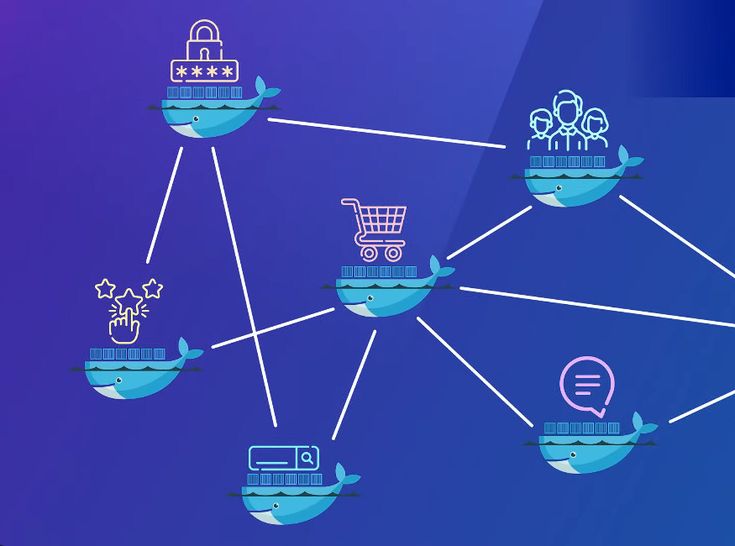
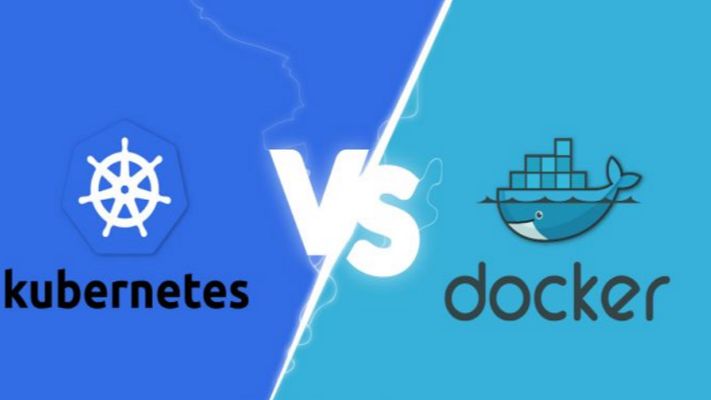
Docker vs Kubernetes: The Ultimate Guide to Containerization and Orchestration If you’ve spent any time around modern software development, you’ve undoubtedly heard the names Docker and Kubernetes thrown around—often in the exact same sentence. For newcomers and seasoned developers alike, this pairing creates an immediate cloud of confusion. You see debates online framed as a heavyweight boxing match: Docker vs. Kubernetes. Which one should you choose? Which one is better? But here is the industry secret that clears up the confusion right away: They are not rivals. Comparing Docker to Kubernetes is like comparing an individual engine to an entire commercial airline fleet. They operate at completely different layers of the software delivery stack. In fact, in the vast majority of enterprise enterprise-grade environments, they aren’t competing at all—they are working together on the exact same team. Whether you are looking to modernise your application architecture, scale your cloud infrastructure, or simply ace your next engineering interview, this comprehensive guide will break down the real differences, use cases, and mechanics of Docker and Kubernetes in a human, practical way. 1. The Core Concepts: Understanding Containers To understand the relationship between Docker and Kubernetes, we first have to understand the fundamental problem they were both built to solve: Environment Consistency. Every developer has experienced the dreaded “It works on my machine” dilemma. Code runs beautifully on a developer’s high-spec laptop but completely crashes when deployed to a staging server or production cloud environment. This happens because of micro-variations in operating systems, missing background libraries, conflicting framework versions, or hidden environment variables. What is a Container? A container solves this by packaging your application’s source code together with the exact runtime, system tools, libraries, and configurations it needs to execute. Unlike a traditional Virtual Machine (VM), which requires an entire heavy guest operating system to run, containers share the host machine’s underlying OS kernel. This makes them incredibly lightweight, lightning-fast to start (seconds instead of minutes), and highly resource-efficient. +—————————–+ +—————————–+ | VIRTUAL MACHINES | | CONTAINERS | | +———–+ +———–+ | | +———–+ +———–+ | | | App v1 | | App v2 | | | | App v1 | | App v2 | | | +———–+ +———–+ | | +———–+ +———–+ | | | Guest OS | | Guest OS | | | | Bin/Libs | | Bin/Libs | | | +———–+ +———–+ | | +———–+ +———–+ | | | Hypervisor/Host OS | | | | Container Engine (Docker) | | | +————————-+ | | +————————-+ | | | Physical Hardware | | | | Host OS / Hardware | | +—————————–+ +—————————–+ 2. What is Docker? (The Container Creator) Docker is an open-source platform designed to create, deploy, and run applications inside containers. It popularised the container revolution by making the underlying, complex Linux isolation technologies incredibly user-friendly. If you want to containerise an application using Docker, your workflow follows a clean three-step process: The Dockerfile: You write a plain-text configuration file that acts as a recipe. It specifies the base operating system, the dependencies to install, the environment variables to set, and the command to run your code. The Docker Image: Docker reads your Dockerfile and compiles it into an immutable, static blueprint called an Image. This image can be shared easily via registries like Docker Hub. The Docker Container: When you tell Docker to run that image, it spins up a live, isolated, executable instance. This is your running container. Where Docker Excels Docker is absolutely brilliant for single-node management. It gives an individual developer the power to spin up complex development environments—like a Node.js backend, a React frontend, and a PostgreSQL database—locally on their machine in a matter of seconds using a tool called Docker Compose. 3. What is Kubernetes? (The Fleet Commander) Now, let’s scale up. Imagine your business grows rapidly. Your simple application is no longer running as a single container on a laptop; it is now running across hundreds of cloud servers to handle millions of concurrent user requests. Suddenly, managing containers manually via Docker becomes a logistical nightmare: What happens if a server crashes in the middle of the night and kills fifty of your containers? How do you evenly distribute incoming web traffic across hundreds of duplicate containers? How do you upgrade your application to Version 2 without taking down the website? Docker alone cannot solve these problems because it only cares about managing individual containers on a single machine. It doesn’t see the bigger infrastructure picture. This is where Kubernetes (often abbreviated as K8s, representing the eight letters between ‘K’ and ‘s’) comes into play. Developed originally by Google, Kubernetes is a container orchestration engine. It doesn’t create containers; instead, it hooks into container runtimes to automate the deployment, scaling, management, and networking of containerized applications across a massive cluster of machines. [ Incoming Web Traffic ] │ ▼ ┌────────────────────────────────────────────────────────┐ │ KUBERNETES CONTROL PLANE │ │ (Monitors traffic, server health, and load balancing) │ └──────────┬───────────────────┬───────────────────┬─────┘ │ │ │ ▼ ▼ ▼ ┌───────────────┐ ┌───────────────┐ ┌───────────────┐ │ Cloud Node 1 │ │ Cloud Node 2 │ │ Cloud Node 3 │ │ [Docker] │ │ [Docker] │ │ [Docker] │ │ [Container] │ │ [Container] │ │ [Container] │ └───────────────┘ └───────────────┘ └───────────────┘ The Superpowers of Kubernetes Self-Healing: If a container crashes or a hardware node goes offline, Kubernetes instantly detects the failure and automatically spins up an identical replacement container to maintain your desired state. Auto-Scaling: If your web traffic suddenly spikes during a flash sale, Kubernetes can automatically scale up the number of running containers to handle the load, scaling them back down when traffic subsides to save cloud spend. Service Discovery & Load Balancing: Kubernetes automatically assigns containers their own IP addresses and groups them under a single DNS name, evenly distributing incoming traffic so no single server gets overwhelmed. 4. Key Differences: Side-by-Side Comparison To clearly draw the boundaries between these two tech giants, let’s look at how they handle core operational challenges side-by-side: Operational Feature Docker Kubernetes

Software development, Technology & Innovation

CI/CD Pipeline Best Practices

CI/CD Pipeline Best Practices: The Definitive Guide to Building Bulletproof Automation If you’ve ever hit the “deploy” button with your eyes closed, holding your breath and praying to the software gods that nothing breaks, you’re not alone. We’ve all been there. In the early days of development, moving code from a local machine to a live server was a high-stakes gamble. It involved chaotic manual file transfers, brittle scripts, and an overwhelming amount of guesswork. The introduction of Continuous Integration and Continuous Deployment (CI/CD) promised to fix all of that. It offered a world where every code change travels safely down a pristine, automated assembly line straight into production. But here’s the harsh reality: simply having a CI/CD pipeline isn’t enough. A poorly designed pipeline is worse than manual deployment. It acts as a force multiplier for bad habits, automatically pushing broken code, security vulnerabilities, and configuration errors to production at supersonic speeds. If your build times are stretching past 45 minutes, your automated tests are flaky, or your developers are constantly bypassing the system, your pipeline is a bottleneck, not an accelerator. To transform your delivery workflow into an enterprise-grade engine, you need to move past basic automation and embrace architectural excellence. This comprehensive guide breaks down the definitive CI/CD pipeline best practices to help your engineering team ship stable, secure code multiple times a day with absolute confidence. 1. The Blueprint of a World-Class CI/CD Pipeline Before diving into specific best practices, let’s map out what a mature, modern CI/CD architecture actually looks like. Think of your pipeline as a series of progressive quality gates. Code enters as raw, unverified text and emerges as a fully monitored, production-ready application container. [ DEVELOPER ] Pushes Code / Opens Pull Request │ ▼ ┌────────────────────────────────────────────────────────┐ │ 1. THE COMMIT GATE (Continuous Integration) │ │ • Code Linting & Static Analysis (SAST) │ │ • High-Speed Unit Testing │ │ • Dependency Vulnerability Scanning │ └───────────┬────────────────────────────────────────────┘ │ (Passes) ▼ ┌────────────────────────────────────────────────────────┐ │ 2. THE ARTIFACT GATE (Build & Package) │ │ • Deterministic Container Compilation (Docker) │ │ • Container Image Security Scanning │ │ • Push to Secure Immutable Image Registry │ └───────────┬────────────────────────────────────────────┘ │ (Passes) ▼ ┌────────────────────────────────────────────────────────┐ │ 3. THE VALIDATION GATE (Continuous Delivery) │ │ • Automated IaC Environment Provisioning │ │ • Integration & End-to-End User Testing │ │ • Performance & Load Profiling │ └───────────┬────────────────────────────────────────────┘ │ (Passes) ▼ ┌────────────────────────────────────────────────────────┐ │ 4. THE DEPLOYMENT GATE (Continuous Deployment) │ │ • Canary Release / Blue-Green Progression │ │ • Automated Drift Detection & Observability Rollback│ └────────────────────────────────────────────────────────┘ Every stage of this blueprint must be optimized for speed, clarity, and isolation. If a failure occurs at the Commit Gate, the pipeline should abort immediately, giving the developer instant feedback before expensive cloud infrastructure is spun up down the line. 2. Commit and Integration Practices (The CI Foundation) The foundational philosophy of Continuous Integration is simple: integrate early and integrate often. The longer code sits isolated on a developer’s branch, the more painful the eventual merger will be. Shift to Trunk-Based Development For years, long-lived feature branches and complex merging strategies (like traditional GitFlow) were the industry norm. However, these models inherently create massive integration bottlenecks. Developers work in isolation for weeks, resulting in epic code review sessions and devastating “merge conflicts” that derail entire release schedules. Modern high-performing teams utilize Trunk-Based Development. In this workflow: Developers commit their changes to a single, central branch (usually named main or trunk) frequently, often multiple times a day. Feature branches are short-lived, lasting no more than 24 to 48 hours. This constant integration ensures that the entire engineering team is always working on top of the latest single source of truth. If a code conflict occurs, it’s tiny and easily resolved in minutes, rather than days. Treat Build Failures as Production Outages A CI pipeline is completely useless if developers get into the habit of ignoring broken builds. If your pipeline notification channel is filled with red error marks that everyone ignores because “Oh, that test always fails on Fridays,” your automated safety net has collapsed. Adopt a strict team culture where fixing a broken build is the highest priority task. If a commit breaks the pipeline, all engineering focus shifts to either fixing the underlying issue immediately or reverting the breaking commit. A broken main branch stops the assembly line; keeping it pristine ensures that the path to production remains open for everyone at all times. Commit Once, Build Once A terrifyingly common anti-pattern is compiling code or rebuilding application binaries multiple times as they progress through different pipeline environments. For example, building a Docker image for staging, and then building an entirely separate Docker image from the same source code when moving to production. This completely invalidates your testing. How do you prove that a subtle dependency change or compiler variance didn’t slip into the production build that wasn’t present during staging validation? The rule is absolute: Build your binaries, packages, or container images exactly once early in the pipeline. Package that build as an immutable asset, tag it with a unique cryptographic identifier (like a Git commit SHA), and store it in an artifact repository. That exact identical asset must be promoted through staging, pre-production, and production without ever being recompiled. 3. Optimizing for Speed: The 10-Minute Rule Speed is the lifeblood of software delivery automation. If a developer has to wait an hour to see if their code change passed automated validation, they will switch context. They’ll grab coffee, check social media, or start writing entirely new features. By the time the pipeline notifies them of an error, they’ve lost their train of thought, and fixing the bug takes twice as long. The gold standard for engineering organizations is the 10-Minute Rule: Your commit pipeline (from pushing code to receiving an integration pass/fail notification) should take less than ten minutes. Here is how you engineer a lightning-fast pipeline: Parallelize Test Execution Don’t run your test suites sequentially on a single runner

App Development, DEVOPs, Software development

DevOps Automation Explained

DevOps Automation Explained: The Ultimate Guide to Accelerating Software Delivery In the fast-paced world of modern software development, speed, agility, and reliability are no longer optional—they are critical to survival. If your team is still manually deploying code, configuring servers by hand, or running test scripts line by line, you are falling behind. Enter DevOps Automation. It’s the engine that powers high-performing engineering teams, transforming chaotic, siloed workflows into streamlined, automated delivery pipelines. But automation isn’t just about replacing human effort with scripts; it’s about shifting culture, breaking down traditional silos between developers and operations, and building a resilient ecosystem where software can be built, tested, and shipped at scale with minimal friction. Whether you are an engineering lead looking to scale your infrastructure, a developer tired of dealing with “it works on my machine” bugs, or a business leader aiming to outpace the competition, this comprehensive guide will break down everything you need to know about DevOps automation. 1. What is DevOps Automation? (Beyond the Buzzwords) To truly understand DevOps automation, we first need to strip away the marketing jargon. At its core, DevOps is a cultural and technical philosophy aimed at unifying software development (Dev) and IT operations (Ops). Historically, these two teams operated in complete isolation: Developers were incentivized to move fast, ship new features, and push boundaries. Operations teams were incentivized to maintain system stability, minimize downtime, and resist risky changes. This inherent tension created a massive bottleneck. Code would sit waiting for manual security reviews, server setups took weeks, and deployments were high-stress, late-night events prone to human error. +———————————–+ | Traditional Siloed Model | | [Dev Team] ——> [Ops Team] | | (Move Fast) Wall (Maintain) | | of Chaos | +———————————–+ VS +———————————–+ | DevOps Loop Model | | (Plan -> Build -> Test -> | | Deploy -> Monitor -> Feedback) | | Continuous & Automated | +———————————–+ DevOps automation is the practice of injecting technology across this entire lifecycle to automate repetitive, manual tasks. It bridges the gap between these teams, allowing software to flow from a developer’s laptop to production seamlessly, safely, and predictably. Why Automation is the Heart of DevOps Without automation, DevOps is just a nice idea. You can tell your teams to collaborate more, but if their tools and processes don’t support that collaboration, they will default to old habits. Automation provides the shared framework—the “single source of truth”—that allows both development and operations to achieve their goals simultaneously: speed and stability. 2. The Core Pillars of a DevOps Automation Framework A mature DevOps automation strategy isn’t built overnight. It spans across several distinct but interconnected phases, often referred to as the continuous delivery pipeline. Let’s break down these essential pillars. Continuous Integration (CI) Continuous Integration is the practice of automating the integration of code changes from multiple contributors into a single software project. Instead of developers working in isolation on massive feature branches for weeks, they merge their code back into a central repository (like GitHub or GitLab) frequently—often multiple times a day. Every time code is pushed, an automated CI server takes over. It automatically triggers: Code Compilation: Building the application to ensure there are no syntax or structural compilation errors. Automated Testing: Running unit tests and code linters to verify that the new changes don’t break existing functionality or violate code quality standards. By catching bugs early in the development cycle, CI prevents the dreaded “integration hell” that happens when teams try to merge massive amounts of conflicting code right before a major release. Continuous Delivery (CD) & Continuous Deployment While CI handles getting code into a stable, buildable state, Continuous Delivery and Continuous Deployment (often collectively called CD) handle getting that code into production. Continuous Delivery: In a CD workflow, every successful code change that passes the CI pipeline is automatically built and packaged. It is then automatically deployed to a staging or testing environment. However, the final push to the live production environment requires a manual human trigger (e.g., clicking a “Deploy” button). Continuous Deployment: This takes automation a step further. There is no manual intervention. If a code change passes every single automated test in the pipeline, it is automatically deployed directly to production. [ Code Change ] │ ▼ ┌────────────────────────┐ │ Continuous Integration │ -> Code Merged, Built, & Unit Tested └──────────┬─────────────┘ │ (Passes) ▼ ┌────────────────────────┐ │ Continuous Delivery │ -> Staging Deployment & Advanced Testing └──────────┬─────────────┘ │ ├─► (Manual Approval) ──► [ Production ] (Continuous Delivery) │ └─► (Automated Push) ──► [ Production ] (Continuous Deployment) Infrastructure as Code (IaC) Traditionally, provisioning servers, configuring networks, and setting up databases required operations teams to manually click through cloud consoles or run terminal commands on individual machines. This approach is slow, unscalable, and heavily prone to configuration drift (where environments that are supposed to be identical slowly become different over time). Infrastructure as Code solves this by treating your infrastructure exactly like software code. You define your servers, storage, networks, and configurations in descriptive configuration files (using formats like YAML or JSON). These files are stored in version control alongside your application code. When you need to spin up a new environment, an IaC tool reads the configuration and provisions the exact infrastructure automatically. This guarantees that your development, staging, and production environments are identical replicas, eliminating environment-specific bugs entirely. Continuous Monitoring and Logging Automation doesn’t stop once code is live in production. In fact, that’s where some of the most critical automation begins. Automated monitoring and logging tools constantly track the health, performance, and security of your applications and infrastructure in real-time. Instead of waiting for users to tweet about a crash or submit a support ticket, automated monitoring systems use predictive alerts to notify engineering teams the moment performance begins to degrade—such as spikes in CPU usage, memory leaks, or an unusual rise in 500 error codes. Advanced monitoring systems can even trigger automated remediation scripts, like spinning up additional cloud servers to handle unexpected traffic spikes or

Artificial Intelligence, Digital Transformation, Software development, Technology

Mobile App Security Best Practices

Mobile App Security Best Practices: The Definitive Enterprise Guardrail for Mobile Infrastructure (2026) The mobile ecosystem has become the primary target surface for sophisticated corporate cyberattacks. Mobile applications are no longer isolated front-end portals; they are distributed, data-dense runtime environments executing critical business logic, handling sensitive consumer PII, and interfacing with core cloud infrastructure. Unlike traditional web applications protected behind enterprise firewalls and centralized reverse-proxies, mobile binaries are downloaded directly onto untrusted, consumer-controlled endpoints. This exposure introduces severe structural vulnerabilities, including reverse-engineering, malicious runtime injection, and data interception. Securing these assets requires moving past basic encryption checkboxes and embracing a comprehensive, zero-trust mobile engineering framework. This guide serves as an enterprise blueprint for mobile architects, product security teams, and engineering leaders to design, secure, and maintain a robust mobile application security posture. 1. The Core Threat Surface: Understanding Mobile Vulnerability Traditional security strategies fail in mobile environments because they assume a controlled runtime perimeter. On iOS and Android devices, malicious actors can easily run applications inside custom sandboxes, attach active debuggers, patch memory addresses in real time, and unpack compiled binaries to read clean source configurations. +———————————————————————–+ | THE MOBILE RISK HORIZON | +———————————————————————–+ | STATIC VULNERABILITIES | DYNAMIC/RUNTIME THREATS | | • Decompilation of source code | • Man-in-the-Middle proxies | | • Hardcoded API keys & secrets | • Memory injection & hooking| | • Weak local encryption schemas | • Rooted/Jailbroken bypasses| +—————————————+—————————————+ To counter these vectors, mobile security must be treated as a multi-layered fortress. If a hacker manages to breach your transport encryption, your data storage layer must stop them; if they attempt to unpack your application binary, your code obfuscation and runtime shielding layers must render the exploit useless. 2. Ironclad Source Code Protection & Anti-Reversing If you publish an application without protective shielding, an attacker can use open-source decompilers to reconstruct your code into a readable format within minutes, paving the way for custom malware clones or API vulnerabilities. Advanced Code Obfuscation Transform your compiled binaries into a complex, confusing labyrinth that breaks reverse-engineering scripts without modifying runtime performance. Control Flow Flattening: Breaks up standard linear function blocks and scrambles them into complex nested conditional loops, rendering the logic unreadable to decompilation software. String Encryption: Never store plaintext string assets—such as server domain names, internal logging statements, or database schemas—in your code. Use specialized build-time scripts to encrypt these strings, decrypting them dynamically in system memory only when explicitly required. Runtime Application Self-Protection (RASP) Your application must actively monitor its environment to detect and neutralize intrusive execution conditions. [Application Startup] —> [RASP Environment Audits] —> [Compromised State Detected] —> [Instantly Terminate Process] Jailbreak and Root Detection: Implement advanced checking mechanisms that search for unauthorized administrative privileges, the presence of dangerous binaries (such as Cydia or Magisk), or unusual system file paths. Anti-Debugging & Anti-Hooking Protection: Integrate programmatic checks to detect if active debugging environments or dynamic manipulation tools (like Frida) are trying to attach to the application process. If any exploit signature is discovered, the application must instantly wipe its cached memory variables and terminate the process safely. 3. Advanced Local Storage & Data Isolation Leaving sensitive corporate data or consumer PII exposed inside unencrypted directories on a user’s mobile device is an invitations to data theft via local malware or physical device loss. Zero-Knowledge Local Cryptography When your application must cache data locally, bypass basic database formats and implement hardware-backed, zero-knowledge encryption pipelines. Utilize relational layers like SQLCipher initialized with AES-256 keys derived dynamically through resource-intensive hashing algorithms (like PBKDF2). Leveraging Secure Enclaves & System Keystores Never store cryptographic keys directly inside the application sandbox or source files. Leverage native hardware security modules to generate and manage keys securely. +————————————————————————-+ | HARDWARE SECURITY BLUEPRINT | +————————————————————————-+ | Apple iOS Architecture: | | [App Sandbox Data] <—> [Secure Enclave Co-Processor] <—> [Keychain] | +————————————————————————-+ | Android Architecture: | | [App Sandbox Data] <—> [Hardware Credential Vault] <—> [Keystore] | +————————————————————————-+ By storing encryption credentials inside these hardware-isolated vaults, you ensure that even if the host operating system becomes fully compromised, the underlying encryption keys remain completely inaccessible to external scraping utilities. 4. Securing the Mobile Network and Transport Layer Data passing between a mobile client and your cloud ecosystem traverses public networks, cellular towers, and unverified Wi-Fi access points, making transport security critical. Enforcing Modern Transport Layer Security (TLS 1.3) Decline connections utilizing legacy cryptographic protocols (such as TLS 1.0 or 1.1) and enforce strict TLS 1.3 across your API gateway networks. Implement explicit configurations like Apple’s App Transport Security (ATS) and Android’s Network Security Configuration to block any fallback to unencrypted HTTP routes automatically. Hardening Network Routes via SSL/TLS Pinning Standard device network structures rely blindly on pre-installed root Certificate Authorities (CAs). If an attacker convinces a user to install a malicious root certificate, they can read and modify all your API traffic using standard intercept proxies. [Mobile App Client] —> [Verifies Hardcoded Cryptographic Key] —> [Secure Enterprise API Gateway] SSL Certificate Pinning eliminates this vulnerability. By hardcoding the exact cryptographic public key of your server’s certificate directly into the mobile application code, the app will explicitly reject all network handshakes unless the target server presents that exact cryptographic signature, completely neutralizing Man-in-the-Middle (MITM) attacks. 5. Session Management and Secure API Orchestration Mobile applications frequently remain logged in for weeks at a time, making robust session management essential to protect your application perimeter. Cryptographic Token Architecture Avoid using static passwords or simple session identifiers. Implement modern OAuth 2.0 or OIDC protocols utilizing short-lived JSON Web Tokens (JWT). Ensure access tokens expire rapidly, and handle the retrieval of new credentials via cryptographically signed refresh tokens stored exclusively within secure device enclaves. Granular Biometric Multi-Factor Authentication (MFA) Before allowing a user to execute high-value actions—such as processing a financial transfer, altering account recovery emails, or exporting medical logs—require local biometric validation (FaceID / TouchID / Android BiometricPrompt). This creates a critical layer of secondary defense, ensuring that even if an unlocked device falls

Digital Transformation, Software development, Technology, Technology & Innovation

Best Backend Technologies for Mobile Apps

Best Backend Technologies for Mobile Apps: The Definitive Enterprise Guide (2026) In the modern mobile ecosystem, user interface (UI) design is only half the battle. The true performance, scalability, and intelligence of a mobile application are determined by its hidden engine: the backend architecture. As applications evolve from simple data-rendering portals into complex, real-time environments running AI automation pipelines, predictive personalization, and massive database queries, selecting your backend tech stack becomes a high-stakes foundational decision. Choosing the wrong infrastructure results in sluggish API response times, ballooning cloud costs, and a mountain of technical debt. This comprehensive guide serves as an enterprise blueprint for product managers, mobile architects, and engineering leaders to select, secure, and scale the ultimate backend technologies for mobile applications. 1. The Core Decision: Custom Backend vs. Backend-as-a-Service (BaaS) Before reviewing individual programming languages and frameworks, an enterprise must decide on the high-level infrastructure model of its server-side application. +———————————————————————–+ | BACKEND ARCHITECTURE SELECTION | +———————————————————————–+ | BACKEND-AS-A-SERVICE (BaaS) | CUSTOM HOSTED BACKEND | | “Rapid Deployment & Rigid” | “Infinite Control & Scalable” | | • Out-of-the-box user auth | • Built from scratch using modern | | • Pre-built serverless databases | languages (Go, Node.js, Python) | | • Excellent for startups and MVPs | • Total architectural sovereignty | | • Vendor lock-in & scaling cost walls | • Ideal for complex enterprise apps | +—————————————+—————————————+ Backend-as-a-Service (BaaS) Platforms like Firebase or Supabase offer a pre-fabricated infrastructure layer. They handle user authentication, database management, and cloud storage right out of the box through client-side SDKs. The Catch: While BaaS accelerates your time-to-market for a Minimum Viable Product (MVP), it often hits a restrictive cost or functional wall as your user base scales. If your app requires custom multi-step AI orchestration, deep legacy database integrations, or highly specific data sovereignty compliances, a BaaS structure quickly becomes a bottleneck. Custom Hosted Backend Building a custom backend from scratch involves writing tailored server-side logic in a robust language, managing independent databases, and deploying the system to cloud giants (AWS, Azure, or GCP) using containerization. This approach gives your engineering team absolute control over performance tuning, custom security perimeters, and complex machine-learning workflows. 2. Top Custom Backend Frameworks and Languages If your application demands a custom-built infrastructure, four primary ecosystems dominate the modern enterprise mobile landscape. A. Node.js (JavaScript / TypeScript) — The King of Direct I/O Speed Node.js remains a highly versatile and popular standard for mobile backends. Running on Google’s V8 engine, its non-blocking, event-driven I/O model makes it exceptionally fast at handling thousands of concurrent requests. Best Frameworks: Express.js, NestJS (highly recommended for enterprise TypeScript structure). Ideal Use Case: Real-time chat applications, collaborative social networks, and high-frequency content delivery feeds where development speed and rapid iteration are crucial. B. Go (Golang) — The Enterprise Concurrency Champion Created by Google, Go is a statically typed, compiled language engineered for maximum execution speed, minimal memory utilization, and effortless multi-core concurrency processing. The Advantage: Go compiles directly to machine code, rendering it significantly faster and less resource-heavy than interpreted languages like JavaScript or Python. Its built-in concurrency model (“Goroutines”) allows a single server instance to manage massive transaction spikes smoothly. Ideal Use Case: High-scale fintech platforms, geo-location tracking systems (like ride-sharing), and high-throughput enterprise API gateways. C. Python (FastAPI / Django) — The AI Integration Core While traditionally slower than Go or Node.js for raw runtime performance, Python is the undisputed king of data science and artificial intelligence. Best Frameworks: FastAPI (modern, asynchronous, exceptionally fast for building REST APIs), Django (robust, secure, and feature-rich out of the box). Ideal Use Case: Applications that depend on predictive machine learning models, custom computer vision analysis, or complex Large Language Model (LLM) orchestration pipelines. 3. Designing the API Communication Layer The API layer acts as the bridge connecting your mobile app’s front end to its back-end logic. Choosing the right data protocol directly impacts device battery consumption, screen-load latencies, and network performance. [Mobile Device Client] —> [API Communication Gateway] —> [Microservices Stack] RESTful APIs (JSON) The long-standing industry baseline. REST is simple to deploy, deeply universally understood by engineers, and highly compatible with out-of-the-box caching mechanisms. However, it can suffer from “over-fetching” (returning more data than the mobile UI actually needs) or “under-fetching” (forcing the app to make multiple separate network requests to populate a single view). GraphQL GraphQL eliminates fetching inefficiencies by allowing the mobile client to request the exact structural shape of the data it requires—nothing more, nothing less. gRPC (Protocol Buffers) For ultra-low-latency, internal microservice communication, or high-performance real-time data streaming to mobile devices, gRPC is the elite standard. Utilizing HTTP/2 protocols and binary data serialization instead of human-readable text strings, it transfers payloads rapidly with a fraction of the computational and network overhead of traditional REST architectures. 4. Modern Database Architectures for Mobile Scale Mobile backends must manage disparate data types, varying user reads and writes, and complex offline data synchronization requirements. [Inbound API Request Payload] | v +——————————+ | API Routers & Controllers| +——————————+ / \ +————————+ +————————-+ | | +———————–+ +———————–+ | Relational Database | | Non-Relational NoSQL | | (PostgreSQL / MySQL) | | (MongoDB / DynamoDB) | +———————–+ +———————–+ | Best For: Financials, | | Best For: User Feeds, | | ACIDs, Strict Schemas | | Unstructured Logs, Scale| +———————–+ +———————–+ Relational Databases (PostgreSQL, MySQL) Relational platforms enforce strict data schemas, enforce referential integrity, and offer ACID compliance. PostgreSQL stands out as an elite database engine due to its advanced indexing, extension ecosystem, and robust support for JSON data types, giving you relational safety along with NoSQL flexibility. Best Used For: User transaction processing, identity tracking, and complex accounting systems where financial and logic errors cannot occur. Non-Relational Databases (NoSQL: MongoDB, DynamoDB) NoSQL options favor write-heavy performance, horizontal scale, and document flexibility. They scale out across distributed server nodes effortlessly because they are unburdened by rigid multi-table join relationships. Best Used For: High-volume notifications, personalized settings logs, real-time message history storage, and variable

Artificial Intelligence, Software development, Technology & Innovation

Future of AI in Software Engineering

The Future of AI in Software Engineering: From Copilots to Autonomous Agents (2026) The software development lifecycle (SDLC) is undergoing its most radical architectural shift since the invention of high-level programming languages. We have firmly moved past the era of simple code-autocompletion. Today, the conversation has shifted from “Will AI write code?” to “How will autonomous AI agents orchestrate entire software architectures?” In this new paradigm, software engineers are transitioning from manual syntax writers to high-level system architects and code supervisors. The future of software engineering isn’t about typing code faster; it’s about steering autonomous AI pipelines, managing complex system integrations, and governing algorithmic logic safely at scale. This comprehensive guide explores the structural innovations, multi-agent frameworks, and emerging engineering methodologies defining the future of AI-driven software development. 1. The Paradigm Shift: From Copilots to Autonomous Software Agents For the last few years, AI in software engineering was primarily represented by Inline Copilots—predictive engines that sat inside the Integrated Development Environment (IDE) to suggest the next line of code or generate basic unit tests based on a human developer’s explicit prompt. +———————————————————————–+ | THE CODING AGENT EVOLUTION | +———————————————————————–+ | LEGACY COPILOTS | AUTONOMOUS AGENTS | | “Reactive Autocomplete” | “Proactive Orchestration” | | • Single-file context awareness | • Whole-repository understanding | | • Requires constant human prompts | • Spawns sub-agents to fix bugs | | • Writes isolated functions | • Executes, tests, and deploys code| +———————————————————————–+ Modern software development relies heavily on Autonomous Software Agents. These systems don’t just wait for isolated text prompts. When assigned a feature request or a complex bug ticket directly from project management tools like Jira or GitHub, an autonomous agent can look at an entire, multi-million-line code repository, map out a cross-file execution strategy, write the required logic, run local test suites, debug its own compiler errors, and submit a fully verified Pull Request (PR) for human review.  2. Structural Impact Across the Software Development Lifecycle AI workflow automation isn’t just accelerating code generation; it is actively restructuring every individual phase of the traditional SDLC. A. Requirements Synthesis and System Architecture Designing The Friction Point: Translating ambiguous human business requirements into structured technical specification documents and database schemas can take weeks of cross-departmental alignment meetings. The AI Engineering Solution: Advanced LLM orchestration layers ingest unstructured product specification documents and automatically output optimized database schemas, system architecture diagrams, and RESTful API definitions. By analyzing historical traffic patterns, the AI can even recommend specific cloud infrastructure layouts (e.g., microservices vs. serverless edge functions) tailored to the project’s scaling goals. B. Autonomous Feature Development and Code Refactoring The Friction Point: Legacy codebases accumulate massive amounts of technical debt, making code refactoring an expensive, high-risk operational burden. The AI Engineering Solution: Specialized software agents can read an entire legacy repository, flag deprecated dependencies, and completely refactor outdated structures (such as converting legacy monolithic functions into clean, modern asynchronous modules) in minutes. The system automatically preserves runtime logic integrity while optimizing the codebase for execution speed and memory efficiency. C. Automated Continuous Integration and Smart Debugging (DevOps) The Friction Point: Developers waste valuable hours chasing down cryptic stack traces, configuration discrepancies, and CI/CD build pipeline failures. The AI Engineering Solution: Modern DevOps pipelines integrate AI observation loops directly into the build environment. [Failed CI/CD Pipeline Build] —> [AI Stack Trace Parser] —> [Autonomous Code Fix] —> [Successful Build Deploy] When a build fails, an AI diagnostic agent instantly reads the stack trace, identifies the line of code causing the memory leak or dependency conflict, applies a programmatic fix, verifies it against integration tests, and restarts the deployment sequence without human intervention. 3. The Multi-Agent Software Factory Building highly scalable, complex software products requires moving away from single-prompt generation and embracing modular, multi-agent architectures. Instead of asking one generalized AI model to build an entire app, modern software factories distribute tasks across an organized network of specialized sub-agents. [Inbound Jira Feature Ticket] | v +——————————+ | System Architect Agent | +——————————+ / | \ +————————+ | +————————-+ | v | +———————–+ +——————–+ +———————–+ | Lead Coder Agent | | Automated Testing | | Security Compliance | | | | Agent | | Agent | +———————–+ +——————–+ +———————–+ | | | +————————+ | +————————-+ \ | / v +——————————+ | Verified Pull Request (PR) | +——————————+ The System Architect Agent: Analyzes the inbound feature request, examines the existing codebase structure, and maps out a localized execution blueprint detailing which files need adjustment. The Lead Coder Agent: Takes the architectural blueprint and writes the precise code patches, conforming strictly to the repository’s established styling guides and naming conventions. The Automated Testing Agent: Independently writes comprehensive unit, integration, and end-to-end tests specifically tailored to stress-test the new code patches against unexpected edge cases. The Security Compliance Agent: Acts as an automated code auditor, scanning the final changes for potential vulnerabilities like SQL injection flaws, hardcoded API keys, or memory management leaks before the pull request can be merged. 4. Evaluating the Core AI Engine Ecosystem for Code Enterprises developing custom AI-driven software development tools must select an underlying model infrastructure that aligns with their code complexity, data security models, and latency tolerances. Capability / Metric OpenAI (o1 / GPT-4o Suite) Anthropic (Claude 3.5 Sonnet) Google (Gemini 1.5 Pro) Primary Code Strength Elite multi-step logical reasoning and advanced algorithm synthesis. The gold standard for contextual code design, syntax precision, and large-scale architectural refactoring. Unprecedented context windows capable of ingesting an entire codebase or repository at once. Infrastructure Alignment Microsoft Azure Native / GitHub Ecosystem AWS Bedrock / Independent Cloud Integration Google Cloud Platform (GCP) / Workspace Native Best Software Engineering Use Case Building autonomous, tool-using agents and complex algorithmic microservices. Complex multi-file refactoring, code formatting compliance, and architectural blueprinting. Legacy code migration, continuous integration log analysis, and massive repository synthesis. Export to Sheets 5. Security, Code Governance, and Intellectual Property Risk Deploying autonomous code generation systems within an enterprise engineering workflow introduces unique security compliance demands and intellectual property

Artificial Intelligence, Software development, Technology & Innovation

Common Mistakes in AI Product Development

Common Mistakes in AI Product Development: The Enterprise Guide to Avoiding Costly Failures (2026) The allure of artificial intelligence has driven a massive wave of corporate investment. Yet, a stark reality remains hidden behind the triumphant press releases: a vast majority of enterprise AI initiatives fail to reach production, or fail to deliver meaningful return on investment (ROI) once deployed. Building an AI-powered product is fundamentally different from traditional software engineering. In standard software development, logic is deterministic, code behavior is predictable, and codebases scale linearly. AI systems, however, are probabilistic, heavily dependent on volatile data dynamics, and prone to silent degradation. This comprehensive blueprint outlines the most critical, high-impact mistakes organizations make during AI product development and provides actionable, human-centered strategies to ensure your applications succeed. 1. Mistake #1: Falling in Love with the Tech, Not the Problem The single most common driver of AI product failure is “Technology-First Thinking.” This occurs when an executive team or engineering group becomes enamored with a cutting-edge model architecture—such as generative multi-agent systems or ultra-large vision transformers—and goes searching for a corporate problem to solve with it. +———————————————————————–+ | PRODUCT ALIGNMENT PARADIGM | +———————————————————————–+ | THE FLIPPED APPROACH | THE RIGHT APPROACH | | (High Risk of Failure) | (Engineered for ROI) | | “We have this incredible LLM, how | “Our users are losing 4 hours a day | | can we force it into our user flows?” | to manual document sorting. What’s | | | the simplest tech to fix this?” | +———————————————————————–+ The Operational Solution Successful AI products are built backwards. Start with a deep, qualitative analysis of user pain points or operational bottlenecks. If a simple, rule-based heuristic or a classic deterministic script can solve the issue with 95% efficiency, do not deploy a complex machine learning model. AI should only be introduced when the problem involves high-dimensional, unstructured data, or requires probabilistic prediction at a scale humans cannot match. 2. Mistake #2: Treating Data Quality as a Secondary Checkbox An AI model possesses no inherent magic; it is simply a reflection of the historical data it consumes. Many enterprise teams spend months fine-tuning complex model hyperparameters while feeding the system fragmented, unstructured, or deeply biased training data. The Traps of Poor Data Management The Garbage In, Garbage Out Cycle: If your customer sentiment model is trained on messy, uncurated support logs filled with duplicate entries, formatting errors, and conflicting labels, the model will output unpredictable, low-confidence predictions. Data Leakage: A critical technical error where information from the target testing dataset accidentally seeps into the training data. This causes the model to show flawless, deceptive accuracy scores during development, only to completely collapse the moment it encounters live, real-world user data. [Messy, Uncurated Training Data] —> [Complex Model Fine-Tuning] —> [Erratic, High-Hallucination Output] The Operational Solution Adopt a data-centric AI philosophy. Shift your engineering hours away from model tweaking and toward aggressive data engineering. Invest heavily in automated cleaning pipelines, strict labeling standards, data deduplication, and rigorous validation mechanisms before your data touches a model. 3. Mistake #3: Underestimating the “Hidden Costs” of the AI Lifecycle Traditional software applications are relatively inexpensive to maintain once the initial code is deployed. AI products, conversely, incur substantial, continuous operational overhead that can quickly drain project budgets if not forecasted accurately. Cost Element Traditional Software AI-Powered Product Initial Prototyping Moderate development costs. Low-cost API access, high initial data curation costs. Compute Infrastructure Predictable, static cloud hosting. High-compute GPU clusters and variable token transaction costs. System Maintenance Occasional bug fixes and security updates. Continuous model monitoring, logging infrastructure, and regular retraining cycles. Performance Over Time Highly stable code behavior. Data Drift: Performance degrades silently as real-world user behavior shifts. The Silent Threat of Data Drift The moment an AI model is deployed to production, it begins to age. Consumer trends change, new industry jargon emerges, and macroeconomic realities shift. If an e-commerce recommendation model trained on 2024 data encounters the purchasing patterns of 2026, its predictive power drops sharply. This is data drift, and countering it requires continuous monitoring, prompt logging, and programmatic retraining infrastructure. 4. Mistake #4: Designing Abstract User Experiences Without Guardrails Many AI products fail not because the underlying machine learning logic is flawed, but because the user interface (UI) forces users into frustrating interactions. If an AI writing tool or automated workflow agent presents a massive, blank chat box with zero context, users face prompt fatigue and a steep learning curve. The Danger of Hidden Errors Because AI models output information probabilistically, they will occasionally make mistakes with absolute confidence. If your UI outputs these answers directly to an end-user or customer without clear confidence metrics or validation filters, it erodes user trust instantly. The Operational Solution Design your product layouts around an assisted user experience. Instead of forcing users to invent complex prompts from scratch, provide intuitive contextual UI elements—such as auto-suggested next steps, smart formatting chips, and explicit swipe-to-approve cards. Always design visible interfaces that clearly signal when the AI is processing low-confidence calculations, giving users a seamless mechanism to step in and override the system manually. 5. Mistake #5: Skipping Ironclad Security and Data Governance In the rush to capture market share, development teams often treat security, compliance, and governance as compliance burdens to handle right before launch. In the AI era, this oversight introduces massive legal and operational vulnerabilities. Critical Security Blind Spots in AI Development Proprietary Data Exposure: Accidentally routing sensitive corporate data, employee records, or consumer PII into external APIs that use those data inputs to train public models. Prompt Injection Vulnerabilities: Bad actors passing hidden instructions inside user-facing text boxes to bypass system safety walls, exposing underlying system architectures or stealing proprietary data. Regulatory Violations: Deploying black-box algorithms in highly regulated sectors (like banking, insurance, or healthcare) without a trace mechanism to explain exactly how the AI reached a specific financial or clinical decision. The Operational Solution Establish an airtight, multi-layered security framework at day one of your development

App Development, Artificial Intelligence, Software development

AI-Powered Mobile Applications

AI-Powered Mobile Applications: The Ultimate Blueprint for Next-Gen Enterprise Mobility (2026) The mobile app landscape has undergone a profound shift. For years, mobile applications were built as sleek, deterministic user interfaces—gateways that wrapped around backend databases to let users manually input data, scroll through static feeds, and toggle basic settings. Today, the paradigm has completely flipped. Enterprises are no longer building apps that wait for user instructions. Instead, they are deploying AI-Powered Mobile Applications: context-aware, hyper-personalized, intelligent ecosystems that run complex neural networks locally on device hardware, process multimodal real-time streams, and predict user intent before a single button is tapped. This comprehensive guide serves as an enterprise-grade blueprint for product leaders, mobile architects, and digital transformation executives aiming to design, secure, and scale the next generation of mobile experiences. 1. The Architectural Shift: Cloud AI vs. On-Device Edge AI When engineering an AI-powered mobile application, the foundational architectural decision revolves around where the cognitive processing occurs: in the cloud via remote APIs, or natively on the device using specialized silicon. +———————————————————————–+ | MOBILE AI COMPUTE ARCHITECTURE | +———————————————————————–+ | CLOUD-BASED AI | ON-DEVICE EDGE AI | | “High Latency & Powerful” | “Zero Latency & Private” | | • Processes massive multi-billion | • Runs optimized, compressed models | | parameter models via remote APIs | directly on mobile NPUs | | • Dependent on constant connectivity | • Functions flawlessly offline | | • Variable token and network costs | • Maximum privacy for sensitive PII | +———————————–+———————————–+ The Cloud AI Model (Server-Side) Cloud-centric mobile apps rely on sending user inputs (text, images, audio) over network protocols to massive enterprise model APIs (like OpenAI, Claude, or Gemini Enterprise). While this grants the application access to immense computational reasoning, it introduces significant bottlenecks for mobile users: network latency, high cloud token costs, and a total dependency on cellular connectivity. The On-Device Edge AI Model (Client-Side) Modern mobile chipsets feature highly advanced, dedicated Neural Processing Units (NPUs). By utilizing model optimization techniques like quantization and pruning, developers can compress specialized Large Language Models (LLMs) and computer vision frameworks to run directly on the smartphone. This approach unlocks near-zero latency, operates entirely offline, and guarantees that sensitive user metrics never leave the local hardware. 2. High-Impact Use Cases for Enterprise Mobile AI Integrating intelligent capabilities natively into mobile apps fundamentally alters how workforce teams and consumers interact with software on the move. A. Real-Time Field Operations and Multimodal Augmented Reality The Friction Point: Field engineers and maintenance crews waste critical hours flipping through multi-hundred-page technical manuals on tiny screens while attempting to repair complex machinery. The AI Automation Solution: An AI-powered field application uses the device’s camera feed to analyze hardware configurations natively. By processing the video frames in real time, the mobile app identifies specific mechanical parts, diagnoses visible wear and tear, and overlays step-by-step augmented reality (AR) repair schematics directly onto the physical components. The technician can speak naturally to the app to log completed steps, completely hands-free. B. Hyper-Personalized Predictive User Interfaces (UI/UX) The Friction Point: Mobile layouts are traditionally static, forcing users to repeatedly navigate complex menus and tap through numerous screens to complete daily, repetitive workflows. The AI Automation Solution: On-device machine learning algorithms continuously analyze localized usage patterns, geographic locations, time-of-day variables, and biometric data. If the app recognizes that a logistics manager opens the app every weekday at 8:00 AM at a specific warehouse to review freight manifests, the interface automatically reconfigures itself. It elevates those specific data metrics and shortcuts directly to the home screen before the user searches for them. C. Offline Intelligent Data Ingestion and Document Auditing The Friction Point: Sales representatives, insurance adjusters, and medical couriers operating in remote environments with spotty internet connections are blocked from processing applications, forms, and receipts. The AI Automation Solution: Leveraging local vision models, the mobile application transforms the device camera into an intelligent parsing scanner. It extracts structured information from physical documents, translates multi-language text instantly, and runs client-side validation logic to check for compliance errors or missing signatures entirely offline—syncing securely back to corporate servers the moment a network connection is re-established. 3. Technical Stack for Intelligent Mobile Development Building a stable, scalable AI application requires choosing the right software frameworks to interface with native mobile operating systems. [Mobile App Codebase: Swift / Kotlin] —> [Hardware Acceleration Layer: CoreML / NNAPI] —> [Device NPU Silicon] The iOS Ecosystem: Apple CoreML and Apple Intelligence For applications targeting the Apple ecosystem, CoreML serves as the primary machine learning framework. It automatically optimizes models to run across the CPU, GPU, and Apple’s specialized Apple Neural Engine (ANE). This framework gives mobile developers the power to implement advanced on-device text generation, image segmentation, and voice recognition with minimal impact on device battery life. The Android Ecosystem: TensorFlow Lite and Android NNAPI The Android landscape is highly fragmented across multiple hardware manufacturers. To achieve consistent performance, developers rely on TensorFlow Lite (TFLite) or PyTorch Mobile, coupled with the Android Neural Network API (NNAPI). This abstraction layer directs the application to leverage whatever hardware acceleration is available on the specific device, ensuring efficient execution across diverse Android ecosystems. Cross-Platform Alternatives For teams building apps via cross-platform frameworks like React Native or Flutter, bridging to on-device AI requires wrapping native CoreML and TFLite modules or using unified web-assembly solutions. While highly effective for basic image classification or semantic text manipulation, high-performance real-time video processing still benefits greatly from native Swift or Kotlin execution. 4. Design Principles for AI Mobile User Experiences Designing user interfaces for intelligent, probabilistic mobile applications requires abandoning many traditional web-based assumptions. Designing for Non-Deterministic Outputs Traditional apps output predictable results. AI apps, however, operate on probability. Designers must implement micro-interactions that communicate system confidence. For instance, if an app automatically scans a barcode or transcribes a vocal note, it should visually highlight areas where the AI’s confidence score dipped below a specific threshold, allowing the user to tap and manually verify that specific data

Artificial Intelligence, Software development, Technology, Technology & Innovation

SEO for AI Companies

SEO for AI Companies: Why Human-Centric Content is the Secret to Ranking in the Age of Automation If you run an AI company, you are likely living in a state of paradox. Every single day, your team builds algorithms designed to automate, optimize, and streamline complex tasks. You understand the power of machines. Yet, when you turn your attention to growing your business, building a brand, and ranking on search engines, you run into a brick wall: the internet is suffering from automation fatigue. We have all seen it. The web is currently flooded with sterile, repetitive, and frankly boring content generated by the click of a button. Search engines like Google have noticed, too. They are shifting their algorithms to favor real, lived experience, unique perspectives, and undeniable human utility. For an AI company, this presents a unique challenge—and a massive opportunity. How do you market cutting-edge machine intelligence without sounding like a machine? The answer lies in humanized SEO. In this comprehensive guide, we are moving past the standard, robotic checklist of keywords and backlink building. Instead, we will explore how to build a human-first SEO strategy that captures hearts, wins clicks, and establishes your AI brand as a trusted leader in a crowded marketplace. The Paradox of AI Marketing: Why Machines Can’t Sell Themselves It is tempting to think that because your product is deeply technical, your marketing should be too. But the buyers of AI software—whether they are enterprise CTOs, small business owners, or everyday consumers—are humans. And humans do not buy features; they buy solutions to their frustrations. When AI companies lean too heavily on technical jargon and clinical prose, a few things happen: The Trust Gap Widens: AI is still a black box to many. If your content sounds cold, readers become skeptical. High Bounce Rates: If a visitor lands on your blog and is met with a dense wall of uninspiring text, they will leave immediately, signaling to Google that your page isn’t valuable. Loss of Brand Identity: If your content looks exactly like the generic outputs of the models you are building or using, you become a commodity rather than a brand. To stand out on social media and search engines, your content needs a heartbeat. It needs to tell stories, acknowledge real struggles, and speak the language of human emotion. Deconstructing “Humanized” Content: What Search Engines and Readers Actually Want What does it actually mean to “humanize” your SEO content? It isn’t just about avoiding passive voice or using casual slang. It requires a fundamental shift in how you approach topic research and writing. 1. Embracing the E-E-A-T Framework Google’s Search Quality Rater Guidelines emphasize E-E-A-T: Experience, Expertise, Authoritativeness, and Trustworthiness. The most critical letter here for AI companies is the first one: Experience. An AI model can synthesize existing data, but it cannot share a first-hand story. It has never stayed up until 3:00 AM troubleshooting a broken server, and it has never felt the relief of automating a workflow that used to take three days. To humanize your SEO, lean heavily into real-world scenarios. Share your development team’s struggles, include case studies of your early clients, and talk openly about what your AI cannot do yet. This transparency builds unshakeable trust. 2. Writing for the Ear, Not Just the Eye Humanized content feels conversational. When reading it, you should feel like you are sitting across a coffee table from an expert friend, not reading a textbook. Use short, punchy sentences mixed with longer, descriptive ones to create natural rhythm. Ask rhetorical questions to keep the reader engaged. Don’t be afraid to show personality, use subtle wit, or state a strong opinion. 3. Solving the “Unexpressed” Intent Standard SEO tools tell you what people are typing into a search box (e.g., “AI predictive analytics tools”). What they don’t tell you is the underlying emotion behind that search. Usually, it is fear of falling behind, frustration with manual data entry, or anxiety over making a bad software purchase. Address those underlying feelings directly in your copy. When a reader feels seen and understood, they stay on your page longer, subscribe to your newsletter, and share your content on LinkedIn or X (Twitter). Step-by-Step: Crafting a Human-First Keyword Strategy Keyword research for AI companies is notoriously tricky because the landscape changes every week. If you rely solely on historical search volume from standard SEO tools, you will always be a step behind. Here is how to approach it with a human lens: Focus on Conversational Queries (The “Why” and “How”) Instead of just targeting high-volume, generic short-tail keywords like “AI customer service,” target the specific ways humans voice their problems: How do I stop my customer service AI from hallucinating? Will integrating AI break my existing CRM workflow? Real cost of implementing AI in mid-sized logistics. These long-tail keywords have lower search volumes but incredibly high intent. The people searching for them are looking for deep, practical human insights—not a generic overview. Mine Social Spaces for Real Language To find out how your audience actually talks, step out of the SEO tools and spend time where your community hangs out: Reddit & Quora: Look at subreddits dedicated to your industry niche. What are people complaining about? What terms do they use? LinkedIn Comments: Look at trending posts in the AI space. The comments section is a goldmine for unpolished, authentic human frustrations. Your Sales/Support Logs: Ask your customer-facing teams what questions they get asked most frequently. Build content entirely around those answers. Structuring High-Utility Content: Breaking the Wall of Text No matter how great your writing is, no one will read a 3,000-word block of uninterrupted text. To keep human eyes moving down the page (and to help search engine crawlers understand your structure), use a highly scannable formatting toolkit: Clear, Descriptive Headings (H2s and H3s): Instead of boring headers like “Section 1: Overview,” use compelling ones like “Why Most AI Implementation Projects Fail in the First 90 Days.” Bullet Points

How would you like me to respond?

Select a personality for your AI assistant

Normal
Happy
Sad
Angry

Your selection will affect how the AI assistant responds to your messages

Chat Assistant

Let's discuss your project!

Hear from our clients and why 3000+ businesses trust TechOTD

Tell us what you need, and we'll get back with a cost and timeline estimate

Scroll to Top