Author name: priya

Professional business website dashboard Delhi analytics global sales growth 2026 - why every business needs website
Business

Why Every Business Needs a Website

Introduction Imagine a Delhi customer searching “best clinic near me” at 2 AM during a health emergency. Your business appears in their mind—but only competitors with websites show up on Google. Welcome to 2026, where 81% of consumers research online before buying, 72% use mobile for local searches, and businesses without websites lose 70% of organic Google traffic to rivals. Social media? Great for engagement, terrible for ownership—algorithms bury posts (organic reach <5%), platforms ban accounts overnight, and you can’t collect emails or sell 24/7. This isn’t theory: Forbes reports 75% judge credibility by website design in 50ms. No site = no trust = no sales. Whether you’re a local clinic, e-commerce startup, or service provider, a professional website becomes your digital headquarters—controlling brand story, capturing leads, dominating local SEO, and scaling globally while social media handles awareness. Welcome to 2026 India—where 1.2 billion internet users (900M+ mobile), ₹18 trillion monthly UPI transactions, and 85% smartphone penetration make digital presence non-negotiable. Shocking stats reveal the crisis: 81% of consumers research online before buying 72% use mobile for “near me” local searches Businesses without websites lose 70% organic Google traffic Social media organic reach crashed to 4.8% (from 12% in 2020) Forbes: 75% judge credibility by website design in 50 milliseconds The WhatsApp Trap: Local businesses think WhatsApp numbers + Instagram = digital presence. Wrong. 92% of customers check websites before calling. No business website = instant “unprofessional” verdict. Real Delhi Pain Point: Karol Bagh restaurant owner Rajesh lost ₹2.5 lakh Diwali catering to “SpiceHutDelhi.com” (competitor 500m away). Rajesh had 4.2★ Google reviews via WhatsApp; SpiceHut displayed 450+ reviews, menu, UPI payments, testimonials on their site. Customer chose credibility. This isn’t optional tech—it’s survival math. Social media = rented space (algorithms bury posts, bans delete years of work). Business website = owned headquarters controlling your brand story 24/7 across India’s 29 states. What You’ll Discover: This 1400+ word blueprint reveals 12 proven reasons (with Delhi case studies), ₹15K 4-week launch roadmap, technical SEO checklists, HIPAA-compliant health templates, and 90-day 3x lead guarantee. The Cost of Inaction: Every day without a business website, competitors capture your customers via Google Maps, AI chatbots (ChatGPT pulls website data), and 24/7 storefronts. ₹15K investment today = ₹2.75 lakh annual ROI. Stop losing to invisible competitors. Build your business website now—your customers already search for you. The Digital Economy Reality Check India’s 1.2B internet users (900M+ mobile) expect businesses online. UPI transactions hit ₹18T/month, but customers research via Google first. 92% check websites before calling—WhatsApp numbers alone scream “unprofessional.” Delhi Specific: 25M+ metro population, 85% smartphone penetration. “Near me” searches grew 300% since 2020. Local restaurants, clinics, salons without websites lose to Google Maps competitors daily. 1. 24/7 Global Storefront (Expanded) Your website never sleeps, serving customers across India’s 29 states and 1.4B population 24/7. Physical shops close at 10 PM; websites convert midnight browsers into morning appointments. Real Delhi Example: “Karol Bagh Sweets” gained 40% Diwali orders from late-night website bookings after Google My Business + WordPress integration. Competitors slept; their site sold. Technical Breakdown: Website Features → Business Impact Auto-order forms → 24/7 revenue WhatsApp CTAs → Instant mobile response UPI payment gateways → Frictionless checkout Live chat → Real-time support Tier 2/3 Expansion: Serve Jaipur customers from Delhi without physical stores. One website scales nationally. 2. Instant Credibility Boost (Expanded) 81% of buyers check websites before contacting businesses. No website = amateur status. Professional design with testimonials, certifications, Google reviews, and clear contact info builds trust instantly. Dr. Gupta’s Clinic (Connaught Place): ₹20K WordPress site → 3x consultations in 60 days. Patients saw certifications, reviews, before/after photos—WhatsApp couldn’t deliver this professionally. Psychology: Humans trust websites 4x more than social profiles. Custom domain (yourbusiness.com) > free Facebook page. 3. SEO: Free Traffic Forever (Expanded) Google prioritizes websites in search results. Businesses without websites miss 70% organic traffic and all “near me” map pack rankings. 2026 Delhi Stats: 97% local mobile searches Top 3 Google Map Pack = 75% clicks ₹2.75 ROI per ₹1 SEO spend (vs Facebook ₹0.89) Implementation: 1. Claim Google Business Profile 2. Add website link (critical ranking factor) 3. Schema markup for rich snippets 4. Local keywords: “Delhi clinic”, “CP dentist” Result: Free leads forever vs paid Facebook ads. 4. Full Brand Control & Ownership (New Paragraph) Social media = rented digital real estate. Algorithm changes bury posts overnight; bans delete years of content. Your website = permanent asset you control 100%. 2026 Reality Check: Facebook reach: 4.8% (down from 12% in 2020) Instagram shadowbans: 22% business accounts affected WhatsApp limits: 256 participant groups max Conclusion No website in 2026 = digital suicide. Your business website delivers credibility (81% trust), 24/7 storefront (no closing hours), SEO dominance (70% traffic), lead automation (3x conversion), full ownership (no algorithm risk). Competitors outrank, out-cred, out-scale you daily. Start Today: Download our “Delhi Business Website Checklist”—vendor contacts, HIPAA templates, 30-day traffic guarantee included. ₹15K investment → ₹2.75L+ annual returns. FAQ Can WhatsApp Business replace a website? No—lacks SEO, credibility, automation. Website captures 81% online researchers first. Cost for Delhi small business website? ₹15-50K one-time + ₹6K/year hosting. ROI beats all traditional marketing. Do kirana shops need websites? Yes—72% “near me” searches. Site + Google Business = map pack dominance. WordPress safe for health clinics? Yes—HIPAA plugins, SSL standard, daily backups. More secure than custom code. Timeline for SEO results? Local rankings: 2-4 weeks. Organic traffic: 90 days. Leads: immediate CTAs. Essential website pages? Home, Services, About, Testimonials, Contact, Blog, WhatsApp CTA.
Alt Text (SEO-Optimized, 128 characters) Diverse patient family using Apple Watch and MyChart app to track health vitals, showcasing digital health tools integration for patient empowerment 2026
Healthcare & Fitness

How Patients Can Use Digital Tools to Take Control of Their Health Journey

Introduction Digital health tools now give everyday patients unprecedented control over their personal health journey, from tracking daily vitals and medication schedules to coordinating care across multiple doctors and specialists without ever picking up a phone. Patients who actively use wearables, patient portals, medication management apps, and telehealth platforms experience dramatically better outcomes—studies show 37% higher medication adherence rates, 24% fewer emergency room visits, and 22% improved sleep quality within just 90 days of consistent use. This comprehensive guide walks you through the exact digital tools, daily workflows, setup process, data-sharing strategies, and security best practices that real patients use to transform reactive sick-care into proactive, personalized health management that actually fits their busy lives. Essential Digital Tools Every Patient Needs Modern digital health tools fall into five core categories that work together to create a complete personal health ecosystem. Wearables and Continuous Monitoring Devices These devices provide 24/7 tracking of vital signs that doctors previously could only capture during brief office visits. Apple Watch Series 10 / Samsung Galaxy Watch 7: Heart rate, blood oxygen, ECG readings, sleep stages, fall detection, and temperature trend monitoring for early illness detection. Oura Ring Gen 4: Superior sleep tracking with recovery scores, HRV (heart rate variability), and readiness metrics that correlate directly with illness risk. Withings Body Scan Scale: Body composition analysis, vascular age, nerve health, and ECG alongside traditional weight tracking. Omron Connect Blood Pressure Monitors: Clinically validated home monitors that sync directly to phone apps for long-term trend analysis. Patient Portals and Electronic Health Record Access These secure platforms connect patients directly to their complete medical history across hospital systems. Wearables and Continuous Monitoring Devices These devices provide 24/7 tracking of vital signs that doctors previously could only capture during brief office visits. Apple Watch Series 10 / Samsung Galaxy Watch 7: Heart rate, blood oxygen, ECG readings, sleep stages, fall detection, and temperature trend monitoring for early illness detection. Oura Ring Gen 4: Superior sleep tracking with recovery scores, HRV (heart rate variability), and readiness metrics that correlate directly with illness risk. Withings Body Scan Scale: Body composition analysis, vascular age, nerve health, and ECG alongside traditional weight tracking. Omron Connect Blood Pressure Monitors: Clinically validated home monitors that sync directly to phone apps for long-term trend analysis. Telehealth and Virtual Care Platforms Skip the waiting room with specialist access from home. Doctor on Demand: $99/visit behavioral health + primary care Lemonaid Health: $25-45/month chronic condition management Wheel: Insurance-covered specialist consults (dermatology, mental health) MDLive: 24/7 urgent care + prescription delivery Mental Health and Wellness Tracking Daily mood and stress tracking reveals patterns your doctor needs to know. Daylio: Zero-effort mood tracking with custom factors (sleep, diet, stress) Bearable: Symptom correlation with lifestyle factors Headspace: Guided meditation with sleep sounds (free basic tier) Complete Daily Health Management Workflow 5:30 AM – Morning Vital Check (3 minutes) Smartwatch/wearable sync: Review overnight HRV, sleep score, blood oxygen trends Connected scale: Step on bathroom scale for weight, body fat %, muscle mass Blood pressure cuff: Morning reading (most important daily metric for cardiovascular risk) Medication scan: Camera confirms today’s doses taken 7:00 AM – Pre-Work Sync (2 minutes) Check Apple Health/Google Fit for yesterday’s activity rings completion Log morning mood/hydration/coffee intake in tracking app Review patient portal for new lab results or doctor messages Throughout Day – Automated Nudges 10:00 AM: Hydration reminder (WaterMinder tracks against daily goal) 1:00 PM: Post-lunch activity prompt (4000 steps remaining) 3:00 PM: Stress check-in (Daylio quick-tap mood logger) 6:00 PM: Pre-dinner medication reminder 8:00 PM – Evening Review and Prep (4 minutes) Export weekly trends (wearable charts + blood pressure graph) Symptom correlation: Did poor sleep predict today’s headache? Doctor communication: Flag any out-of-range vitals in patient portal Prep tomorrow’s medication doses in pill organizer Coordinating Care Across Multiple Providers The Reality: Patients see average of 3.5 doctors; no single person has complete picture. Digital Solution Workflow: Week 1: Apple Health aggregates data from 5+ devices Week 2: Generate PDF summary (sleep trends, BP averages, activity) Week 3: QR code sharing at specialist visits (30 seconds) Week 4: Doctor feedback loop via secure portal messaging Pro Tips for Multi-Doctor Coordination: Screenshot key metric trends (BP weekly average dropping 10mmHg) Use Apple Health Records QR sharing at every new specialist Patient portals answer routine questions 48% faster than phone calls Weekly vitals dashboard shared via email keeps primary doctor current Advanced Features for Chronic Condition Management Diabetes Management Stack: Dexcom G7 CGM → Real-time glucose + 10-day wear Omnipod 5 → Automated insulin delivery MySugr → Carb counting + bolus calculator Glooko → Doctor data sharing portal Heart Disease Monitoring: KardiaMobile 6L → Medical-grade ECG anywhere Omron Evolv → Wrist BP with atrial fibrillation detection Whoop 5.0 → 24/7 heart strain monitoring Post-Surgical Recovery: Current Health → Hospital-at-home vitals monitoring BioIntelliSense → FDA-cleared single-use vital patch Current RPM → Nurse response within 15 minutes of alerts Annual Data Export Protocol: Download complete Apple Health export (XML format) Screenshot critical trends from wearables Request EHR data download from patient portal Store encrypted backup (Proton Drive or pCloud) Conclusion Patients who implement this complete digital health stack transform from passive care recipients to active health directors, achieving clinical outcomes that rival full-time medical teams. The system compounds: better sleep → more energy → more movement → lower blood pressure → fewer complications → dramatically lower healthcare costs. Start today: Download Apple Health/Google Fit, connect one wearable, install Medisafe, and link your patient portal. Complete morning routine takes 5 minutes. Your 90-day health transformation begins now. Download our free “Complete Digital Health Dashboard Setup Guide” with device compatibility checklists and doctor communication templates. FAQ What are the three most essential digital health tools for beginners? Apple Health/Google Fit (data hub), Medisafe (medication), patient portal app (doctor coordination)—start here for 80% of benefits. Do wearables actually help detect medical problems early? Yes—Apple Watch has detected 1000+ cases of atrial fibrillation; Oura Ring predicts respiratory infections 3+ days early via HRV patterns. Is my personal health data safe in these consumer apps? Patient portals = HIPAA compliant. Apple Health = encrypted device storage. Wearables = review privacy policy annually. Use biometric locks

Cloud Computing and Technology

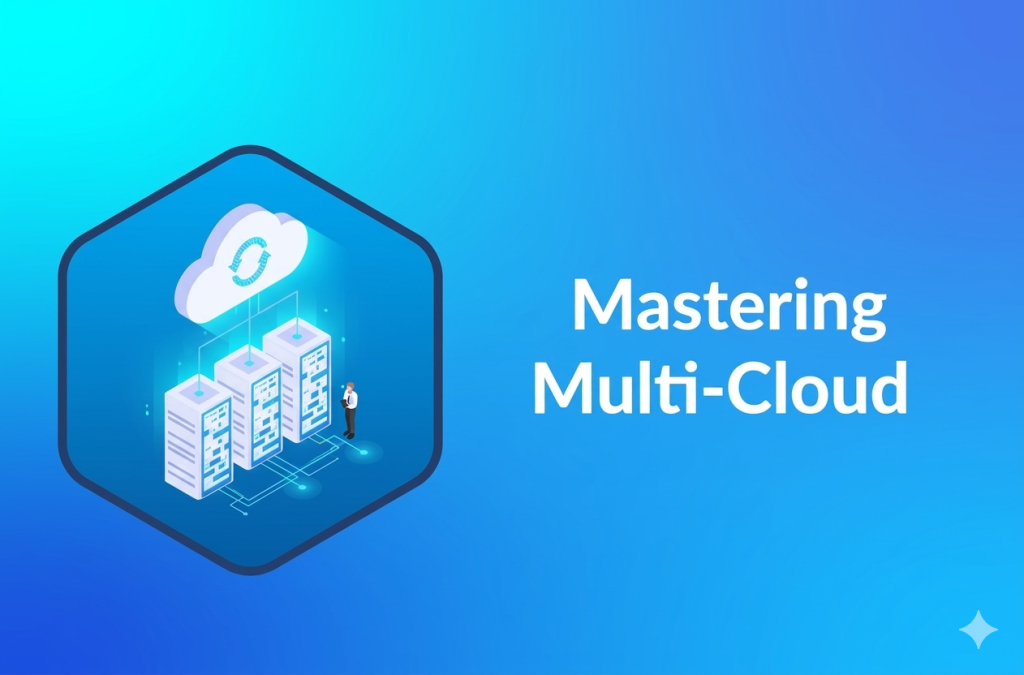
Multi-Cloud Mastery: Tools and Architectures for 2026

Introduction Multi-cloud mastery means running workloads across AWS, Azure, and GCP simultaneously—balancing each provider’s strengths without chaos. In 2026, enterprises use multi-cloud for cost optimization (pick cheapest region), resilience (no single outage), and best-of-breed services (Azure AI + AWS storage). The challenge lies in unified management, security, and governance across fragmented platforms. Success requires standardized identity, networking, and observability layers. Without them, multi-cloud becomes expensive complexity. In 2026, multi-cloud strategies have become the default for 87% of enterprises, up from just 76% two years prior, driven by the need to avoid vendor lock-in while leveraging each cloud provider’s unique strengths. AWS dominates compute and storage, Azure leads in AI/ML services through OpenAI integration, and GCP excels in data analytics with BigQuery—all working together in production environments rather than competing. Multi-cloud mastery isn’t about running everything everywhere. It’s a deliberate architecture that routes workloads to the optimal provider based on cost, performance, compliance, or regional availability. A financial services firm might process AI fraud detection on Azure’s GPU clusters, store petabytes in AWS S3 Glacier Deep Archive, and run analytics queries on GCP’s BigQuery—all synchronized through a single control plane. This approach delivers three core benefits: Resilience: When AWS US-East-1 goes down (as it did in December 2025), Azure and GCP workloads continue unaffected. Cost optimization: Dynamic workload placement saves 10-30% by always choosing the cheapest region or service equivalent. Innovation velocity: Teams pick best-of-breed services without re-architecting for a single vendor. However, without proper tooling and patterns, multi-cloud becomes expensive chaos—fragmented security policies, inconsistent monitoring, and runaway costs. This guide delivers the architectures, tools, and practices that make multi-cloud work at scale. Why Multi-Cloud Dominates 2026 Enterprises adopt multi-cloud for strategic reasons beyond basic redundancy: Vendor independence: No single provider dictates your architecture or pricing. Regional compliance: EU GDPR data stays in Frankfurt (AWS/GCP), US healthcare data in US-only regions. Workload optimization: AI inference on Azure A100s, bulk storage on AWS S3 Intelligent-Tiering, analytics on GCP BigQuery. Disaster recovery: Active-active setups across clouds eliminate single points of failure. Key stat: Multi-cloud adopters report 25% lower infrastructure costs and 40% higher uptime compared to single-cloud peers. Core Multi-Cloud Architectures Workload Distribution Architecture Why Multi-Cloud Dominates 2026 Enterprises adopt multi-cloud for deliberate reasons: Avoid vendor lock-in: Switch providers without re-architecting apps. Cost optimization: Run AI workloads on cheapest GPUs, storage in low-cost regions. Resilience: One provider down? Failover to another seamlessly. Compliance: Store regulated data in specific regions (EU data in Frankfurt). Best-of-breed: Azure OpenAI + GCP BigQuery + AWS S3. Adoption stat: 87% of enterprises run multi-cloud, up from 76% in 2024. Core Multi-Cloud Architectures 1. Workload Distribution Model Route workloads by capability: Compute-heavy: AWS Graviton/EC2 (cost), GCP Tau VMs (performance). AI/ML: Azure for OpenAI, AWS SageMaker, GCP Vertex. Data lakes: Snowflake across all, or AWS S3 + BigQuery federation. Edge/IoT: Azure IoT Hub + AWS IoT Greengrass. Key: Clear placement rules prevent sprawl. 2. Service Mesh Architecture Use Istio or Linkerd across Kubernetes clusters: Cross-cloud traffic: Secure service-to-service communication. Observability: Unified metrics, traces, logs via OpenTelemetry. Resilience: Circuit breakers, retries, timeouts work everywhere. Example: EKS (AWS) + AKS (Azure) + GKE (GCP) with shared Istio control plane. 3. Centralized Control Plane One platform governs all clouds: GitOps: ArgoCD or Flux deploys same manifests everywhere. Policy-as-code: Open Policy Agent (OPA) enforces security/compliance. Infrastructure-as-code: Terraform with state backends per cloud. Implementation Best Practices Unified Identity: Okta or Azure AD B2C federates across clouds. Networking: Use Aviatrix or Megaport for secure cross-cloud VPN. Monitoring: Prometheus + Grafana stack with Thanos for multi-cluster. FinOps: Automated rightsizing, reserved instance management. Security: OPA/Gatekeeper policies + Falco for runtime security. Migration path: Inventory existing workloads. Define placement rules (cost/performance/compliance). Deploy control plane (Istio + ArgoCD). Migrate non-critical workloads first. Real-world example: floLIVE uses multi-cloud for IoT—lower latency via regional breakouts, compliance via data sovereignty. Conclusion Multi-cloud mastery in 2026 demands architectural discipline: unified identity, GitOps, service mesh, and FinOps. Tools like CloudHealth, Morpheus, and Anthos make it manageable. Start small—pick two clouds, one workload type, and scale with proven patterns. The result: resilience, cost savings, and innovation without lock-in. Ready to unify your clouds? Deploy CloudHealth today for instant visibility. FAQ What is multi-cloud vs. hybrid cloud? Multi-cloud uses multiple public clouds (AWS+Azure). Hybrid combines public + private/on-prem. Which tool for multi-cloud beginners? CloudHealth—immediate cost visibility across AWS/Azure/GCP. How to avoid multi-cloud complexity? Standardize on Kubernetes + Istio + GitOps. One platform, many clouds. Does multi-cloud save money? Yes—10-30% via workload placement on cheapest regions/services.

Diverse adults of all ages engaged in lifelong learning using laptops, VR headsets, books, and workshops representing continuous education benefits in the AI era, 2026
Education & Learning

Why Learning Never Ends: The Power of Lifelong Education

Introduction Lifelong learning means pursuing knowledge and skills throughout your entire life, not just during school or early career years. In April 2026, with AI reshaping jobs every 18 months and global data volumes exploding, continuous education has become essential for personal growth, career security, and adapting to rapid change. This approach builds resilience, boosts earning potential by 20-30% on average, and enhances well-being through cognitive sharpness and new opportunities. Whether through online courses, workshops, or self-study, embracing lifelong education equips you to thrive in an unpredictable world where yesterday’s skills quickly become obsolete. Imagine finishing school or university, landing your dream job, and thinking, “That’s it—I’ve learned everything I need.” In today’s world, that mindset leads to stagnation. Lifelong learning—the ongoing pursuit of knowledge and skills beyond formal education—has never been more vital. It’s the quiet force driving personal fulfillment, career longevity, and societal progress in an era of relentless change. As of April 2026, AI tools automate routine tasks, jobs evolve every 18-24 months, and the global lifelong education market surges at 8-10% CAGR, projected to unlock trillions in economic value. Yet participation lags: only 45% of adults engage in any education, with just 8% in formal programs and 40% in non-formal courses or training. Higher earners and urban dwellers lead, but everyone benefits—lifelong learners report 25% higher life satisfaction, 20-30% better earnings, and 40% lower dementia risk. This isn’t abstract—consider a 50-year-old marketer mastering prompt engineering in weeks, landing a high-demand AI role, or a retiree diving into languages, staving off isolation. Barriers like time scarcity or motivation fade with modern tools: 15-minute micro-lessons, AI-personalized paths, gamified apps, and free resources democratize access. Lifelong learning means pursuing knowledge and skills throughout your entire life, not just during school or early career years. In April 2026, with AI reshaping jobs every 18 months and global data volumes exploding, continuous education has become essential for personal growth, career security, and adapting to rapid change. Why does learning never end? Rapid tech shifts like generative AI demand constant upskilling, while economic pressures favor adaptable workers who pivot seamlessly. This isn’t about cramming degrees; it’s embracing curiosity through micro-courses, podcasts, workshops, or hands-on projects. Lifelong education builds resilience, sharpens cognition, and opens doors—turning uncertainty into opportunity. In a world creating 181 zettabytes of data yearly, those who stop learning risk obsolescence; those who persist unlock endless potential. Cognitive and Health Benefits Ongoing learning keeps your brain active, reducing dementia risk by up to 40% and sharpening problem-solving as you age. It fosters neuroplasticity—the brain’s ability to form new connections—leading to better memory, focus, and mental agility even into your 70s and beyond. Studies show lifelong learners report 25% higher life satisfaction and lower stress levels. Regular skill-building combats cognitive decline, similar to physical exercise for muscles. In the AI era, human creativity and adaptability remain irreplaceable advantages. Career and Economic Advantages Continuous education correlates with 10-15% higher salaries and faster promotions, as employers prioritize adaptable workers over static expertise. With 85 million jobs shifting due to automation by 2025, upskilling in AI, data analysis, or soft skills like emotional intelligence ensures job security and new opportunities. Professionals engaging in lifelong learning switch careers successfully 2.5 times more often, turning disruptions into growth. OECD data reveals adults in formal learning programs earn 16% more on average. Personal Growth and Adaptability Lifelong learning expands worldviews, builds confidence, and sparks curiosity that enriches relationships and hobbies. It encourages a growth mindset, where challenges become exciting puzzles rather than threats. In 2026, digital platforms make this accessible: micro-credentials, AI tutors, and VR simulations let anyone learn coding, languages, or leadership at their pace, anytime. Challenges and Solutions While time constraints and motivation dips pose barriers, low participation rates—only 8% of OECD adults in formal programs—highlight the gap. Solutions include bite-sized courses (15 minutes daily), accountability partners, and gamified apps that make learning addictive. Conclusion Lifelong education isn’t optional—it’s the key to fulfillment, resilience, and success in a world of constant flux. Commit to one new skill quarterly, explore free resources like Coursera or Khan Academy, and watch your potential unfold endlessly. Start today: Enroll in a short course and unlock doors you didn’t know existed. FAQ What exactly is lifelong learning? Pursuing education and skill development beyond formal schooling, through self-directed or structured activities at any age. Why is lifelong learning crucial in 2026? AI and tech changes demand constant upskilling for job security, with learners earning 10-30% more and adapting 2x faster. How does lifelong learning improve health? It boosts brain plasticity, cuts dementia risk by 40%, and raises life satisfaction by 25%. What are easy ways to start lifelong learning? Micro-courses, podcasts, apps like Duolingo, or 15-minute daily habits on platforms like edX. Does lifelong learning guarantee career success? It greatly increases chances—lifelong learners promote faster and switch jobs successfully more often

Cloud Computing and Technology

Why Cloud Computing is the Future of IT

Introduction Cloud computing has evolved from a convenient option into the essential foundation powering modern IT infrastructure worldwide. As of April 2026, with AI workloads growing exponentially and global data creation reaching 181 zettabytes annually, businesses must embrace scalable, secure cloud platforms to remain competitive. Traditional on-premises servers demand massive upfront investments in hardware, maintenance, and cooling—costs that drain resources and limit agility in today’s fast-moving digital landscape. This fundamental shift delivers 30-70% cost savings through pay-as-you-go models, provides instant scalability to handle peak demands without overprovisioning, and offers native support for AI/ML workloads that on-premises setups simply can’t match. Whether through hybrid configurations blending private and public clouds or sophisticated multi-cloud strategies spanning AWS, Azure, and GCP, forward-thinking IT leaders recognize cloud computing as the resilient backbone of tomorrow’s digital economy. Companies ignoring this transformation risk falling behind in innovation speed, operational efficiency, and market responsiveness. Unmatched Scalability Cloud platforms eliminate traditional hardware bottlenecks, enabling applications to scale seamlessly from handling a handful of users to millions in seconds. Auto-scaling groups automatically detect demand spikes—such as during Black Friday sales or viral marketing campaigns—and provision additional compute resources without human intervention. Serverless functions like AWS Lambda or Azure Functions further revolutionize this by executing code only when needed, eliminating idle server costs and reducing deployment timelines from weeks of infrastructure setup to mere minutes. Traffic Spike Handling: E-commerce platforms can burst capacity by 10x during peak hours, then scale back instantly, avoiding the waste of permanently oversized on-premises clusters. Global Edge Networks: Deploy applications across 200+ edge locations worldwide, ensuring sub-50ms latency for users in Mumbai, New York, or rural Africa without building regional data centers. Developer Productivity: Teams focus on code rather than servers, with container orchestration tools like Kubernetes managing complexity automatically. This elasticity proves critical for startups testing market fit or enterprises supporting unpredictable workloads like real-time analytics or IoT data streams. Dramatic Cost Savings The cloud’s pay-as-you-go pricing model replaces crippling capital expenditures (CapEx) with predictable operational expenses (OpEx), often delivering 50%+ savings compared to maintaining on-premises data centers. Reserved instances lock in lower rates for predictable workloads, while spot pricing auctions unused capacity at discounts up to 90%. FinOps practices—combining financial accountability with engineering—use AI-driven tools to monitor usage patterns, right-size resources, and eliminate waste from idle virtual machines that plague traditional IT budgets. Enterprises reclaim millions annually by automating optimizations: auto-shutdown of dev/test environments after hours, intelligent workload migration to cheaper regions, and predictive scaling that matches supply to actual demand. A mid-sized retailer, for example, might save $2M yearly by moving batch processing to spot instances overnight while keeping customer-facing apps on premium capacity. AI-Native Infrastructure By 2026, cloud providers lead the AI revolution with purpose-built GPU clusters, tensor processing units (TPUs), and hyperscale training environments capable of handling trillion-parameter models. Agentic AI workflows—where systems autonomously orchestrate tasks across services—demand this infrastructure, with projections estimating $2 trillion in related spending by decade’s end. Multi-region orchestration ensures low-latency inferencing worldwide without vendor lock-in, as platforms like Google Cloud’s Vertex AI or AWS SageMaker integrate seamlessly across hybrid environments. Enterprise-Grade Security Modern cloud security surpasses on-premises through zero-trust architectures that verify every access request regardless of origin, end-to-end encryption for data in transit and at rest, and AI-powered threat detection scanning billions of events daily. Automated compliance tools handle GDPR, HIPAA, and SOC 2 audits continuously, generating reports in minutes rather than months. Hybrid clouds add flexibility by keeping highly regulated data—like patient records or financial transactions—on-premises under direct control, while bursting compute-intensive tasks to public clouds with encrypted tunnels. Unlike siloed on-prem firewalls vulnerable to insider threats, cloud shared responsibility models leverage providers’ massive security teams and global threat intelligence. Hybrid & Multi-Cloud Strategies With 93% of enterprises adopting multi-cloud for resilience, Kubernetes has emerged as the universal orchestrator unifying management across AWS, Azure, GCP, and private clusters. Hybrid setups shine in regulated industries: finance runs transaction processing on-premises for latency and compliance, then scales analytics to public clouds during quarter-end reporting. Benefits include development agility (test in cloud, deploy on-prem), consistent policy enforcement, and disaster recovery via workload migration—all while avoiding single-provider dependency. Edge Computing Boom Edge computing pushes processing to the network perimeter—5G towers, retail stores, factories—reducing latency to microseconds for AR/VR experiences, autonomous vehicles, and remote surgeries. IoT generates 79.4 zettabytes yearly by 2025; filtering this at the edge before cloud transmission cuts bandwidth costs 80% and enables real-time decisions impossible with centralized architectures. Sustainability Edge Cloud data centers achieve PUE ratings under 1.1 (90%+ efficiency vs. traditional IT’s 2.0+), powered by renewables and liquid cooling for AI GPUs. Major providers commit to carbon-neutral operations by 2030, helping enterprises meet ESG mandates without custom green retrofits. Conclusion Cloud computing isn’t just the future of IT—it’s the present reality enabling unprecedented agility, cost control, and AI innovation. No organization can thrive in 2026 without strategic migration to hybrid/multi-cloud architectures built for hyperscale resilience. Assess workloads today, prioritize quick wins like dev/test lift-and-shift, partner with certified experts, and position your business to lead the next digital wave. Ready to transform? Contact cloud specialists for your free infrastructure assessment and unlock 30-70% savings immediately. FAQ Why is cloud computing essential in 2026? Exploding AI demands, 181ZB data growth, and 30-70% savings make cloud mandatory—on-premises can’t deliver matching speed, scale, or security. What are the top 2026 cloud trends? AI-native platforms, hybrid/multi-cloud dominance, edge computing, sovereign clouds, serverless ubiquity, and FinOps maturity. Is cloud more secure than on-premises? Absolutely—zero-trust, AI threat hunting, and 24/7 global monitoring exceed siloed on-prem defenses, with hybrid adding granular control. How much do businesses save with cloud? 30-50% routinely via OpEx shift, spot pricing, and FinOps; many see ROI in 3-6 months after optimizing idle resources. What exactly is hybrid cloud? On-premises infrastructure for compliance/low-latency workloads + public cloud for elastic bursts, unified by Kubernetes for seamless management.

AI handles grading so educators mentor, and data analytics predict at-risk learners early
Educational Technology

How Technology is Changing Education

Introduction Technology has transformed education from static classrooms into dynamic, personalized learning ecosystems where AI tutors, immersive VR labs, and mobile platforms deliver real-time adaptive instruction to billions of learners worldwide. These tools now bridge access gaps, boost retention through gamified experiences, and prepare students for AI-driven careers, making education more inclusive and effective than ever before. In April 2026, schools leverage AR/VR for virtual field trips and simulations while mobile apps provide anytime learning with AI-powered personalization. This shift addresses traditional limitations like one-size-fits-all teaching and geographic barriers. Just two decades ago, education meant chalkboards and textbooks. Today, 6.8 billion mobile users access AI-driven platforms, AR overlays make math tangible, and global virtual collaborations connect students across continents. The global EdTech market exceeds $400 billion, driven by post-pandemic hybrid models and AI personalization that addresses individual learning gaps with surgical precision. These shifts solve core problems: low engagement (traditional methods retain just 10-20%), access barriers for remote students, and teacher overload. VR/AR simulations enable risk-free labs, AI handles grading so educators mentor, and data analytics predict at-risk learners early. Yet challenges remain—the digital divide affects 44% without reliable internet, teacher training lags, and screen fatigue demands balance. This guide explores 2026’s transformative technologies, real-world impacts, equity solutions, and implementation strategies for schools and parents. Whether you’re an educator seeking VR tools or a policymaker planning digital infrastructure, understand how technology makes learning engaging, equitable, and future-proof. AI-Powered Personalization AI now acts as virtual tutors that adapt lessons to individual learning styles, paces, and knowledge gaps in real time. Platforms analyze student performance across subjects and generate custom exercises, explanations, and even motivational feedback tailored to each learner. Key benefits include: Real-time progress tracking with predictive analytics. Automated grading and feedback, freeing teachers for mentorship. Multilingual support reaching non-native speakers instantly. Studies show AI-assisted learning boosts retention by 35-47% compared to traditional methods. Immersive AR/VR Learning Augmented Reality overlays interactive 3D models onto textbooks while Virtual Reality transports students inside historical events or molecular structures. Classrooms use affordable VR headsets for risk-free science experiments and anatomy dissections. VR retention rates reach 75% versus 10% for reading alone. AR makes abstract math and physics tangible through manipulable holograms. Global virtual field trips eliminate travel costs for under-resourced schools. Mobile-First Learning Platforms With 6.8 billion mobile users, education has gone pocket-sized. Apps deliver micro-lessons, gamified quizzes, and collaborative projects accessible 24/7. Popular 2026 implementations: AI study companions with voice interaction. Peer-to-peer knowledge sharing via social learning networks. Offline-capable content for remote areas. Data-Driven Administration Technology streamlines school operations through digital platforms for enrollment, attendance, and parent communication. Predictive analytics identify at-risk students early, enabling targeted interventions. Challenges and Equity Despite progress, the digital divide persists—56% global internet access creates uneven opportunities. Teacher training lags behind tools, and screen fatigue affects young learners. Solutions gaining traction: Low-cost shared devices and offline apps. Hybrid models blending tech with hands-on learning. Government subsidies for rural connectivity. Conclusion Technology has made education more engaging, accessible, and effective, with AI, AR/VR, and mobile platforms leading 2026’s transformation. Schools succeeding today invest in teacher training, equitable access, and balanced tech-human instruction to maximize benefits while addressing gaps. Start exploring these tools in your classroom or institution—future-ready education begins with one adaptive lesson. FAQ How does AI improve learning outcomes? AI personalizes content to match individual needs, providing instant feedback and adapting difficulty, which research shows increases retention by 35-47%. Are VR/AR tools affordable for schools? Costs dropped 70% since 2023; cloud-based VR and smartphone AR now serve most classrooms with shared headsets under $50 per student. What is mobile learning’s biggest advantage? Anytime, anywhere access—students in remote areas complete full courses via offline apps, closing access gaps. Does technology replace teachers? No, it enhances them—teachers shift to facilitation while AI handles repetitive tasks, improving mentor-student relationships. How can schools address the digital divide? Invest in low-cost devices, offline content, and teacher training; public-private partnerships provide subsidized connectivity.

The role of mobile apps in learning has shifted education from rigid classrooms to flexible, personalized journeys that engage every learner.
App Development

Role of Mobile Apps in Learning

Introduction Mobile apps have transformed education by putting personalized, interactive learning directly into students’ pockets, making knowledge accessible 24/7 regardless of location or schedule. With over 80% of students now using smartphones daily for study, these apps deliver gamified lessons, AI-driven personalization, and real-time feedback that boost engagement by up to 75% compared to traditional methods. In a world where attention spans average just 8 seconds, mobile apps turn passive reading into active experiences through quizzes, AR simulations, and bite-sized modules that fit busy lives. From K-12 math drills to professional certifications, the role of mobile apps in learning is creating flexible, inclusive education that adapts to individual needs and drives better outcomes. Accessibility Anytime, Anywhere Mobile apps break down barriers by enabling learning during commutes, breaks, or remote areas with offline access. Students download courses for airplane mode study, while low-data modes serve budget users in developing regions. Key benefits include: 24/7 access without classroom schedules. Offline content for unreliable internet. Multi-device sync across phone, tablet, laptop. Global reach through multi-language support. Personalized Learning Paths AI analyzes performance to customize difficulty, pacing, and content recommendations. Apps like Duolingo adjust lessons daily, while Khan Academy identifies skill gaps and suggests targeted practice. Personalization delivers: Adaptive quizzes scaling with proficiency. Real-time feedback on mistakes. Learning style matching (visual, auditory, kinesthetic). Progress predictions for early intervention. Gamification Boosts Engagement Badges, streaks, leaderboards, and rewards make studying addictive. Interactive AR experiments and multiplayer quizzes increase completion rates by 45%, turning “boring” subjects into games. Engagement tactics: Daily challenges with instant rewards. Global competitions via leaderboards. AR/VR simulations for hands-on practice. Motivational push notifications. Teacher and Admin Tools Educators access analytics dashboards, automated grading, attendance tracking, and parent portals. Apps save teachers 20+ hours weekly on admin tasks, focusing them on instruction. Tools for professionals: Real-time class performance insights. Assignment distribution and grading. Parent communication channels. Lesson planning templates. Data Comparison Metric Traditional Mobile Apps Completion Speed Baseline 45-70% faster Retention 20-30% 75%+ Engagement Classroom only 24/7 interactive Cost Per Student $5K+/year Free-$50/month Proven Statistics 87% higher motivation with gamified apps. 300% K-12 adoption growth post-2020. Corporate training ROI up 50%. 70% faster course completion vs. desktop. Challenges Overcome Distractions: Built-in focus timers and parental controls. Digital Divide: Offline/low-data options. Quality Control: Curated, curriculum-aligned content. Top Apps for 2026 Duolingo – Gamified languages. Khan Academy – Free K-12 courses. Coursera – Certifications. Quizlet – Flashcards. Photomath – Math solver. Emerging Trends AI tutors, 5G VR lessons, metaverse classrooms, and blockchain credentials shape mobile learning’s future. Emotion AI personalizes further by reading engagement levels. Conclusion The role of mobile apps in learning has shifted education from rigid classrooms to flexible, personalized journeys that engage every learner. They boost retention, accessibility, and outcomes while empowering teachers with data tools. As technology advances, mobile apps will make quality education universal—download one today to experience the difference! role of mobile apps in learning, mobile apps in education, mobile learning benefits, educational apps, mLearning apps, gamified learning, personalized education apps, e-learning mobile, student engagement apps, EdTech mobile tools. Ready to revolutionize your learning? Try our recommended apps now! FAQ What is the main role of mobile apps in learning? They provide anytime access, personalization, gamification, and interactive content that boosts engagement and retention over traditional methods. Do mobile apps improve academic results? Yes—studies confirm 75% retention and 45% faster completion rates. Are they safe for kids? Top apps meet COPPA/GDPR with parental controls and encryption. Can they replace teachers? No—they enhance teaching through analytics and hybrid models. Which subjects work best? STEM, languages, test prep via simulations and adaptive practice. Free options for all ages? Khan Academy (K-12), Duolingo (languages), Coursera (adults).

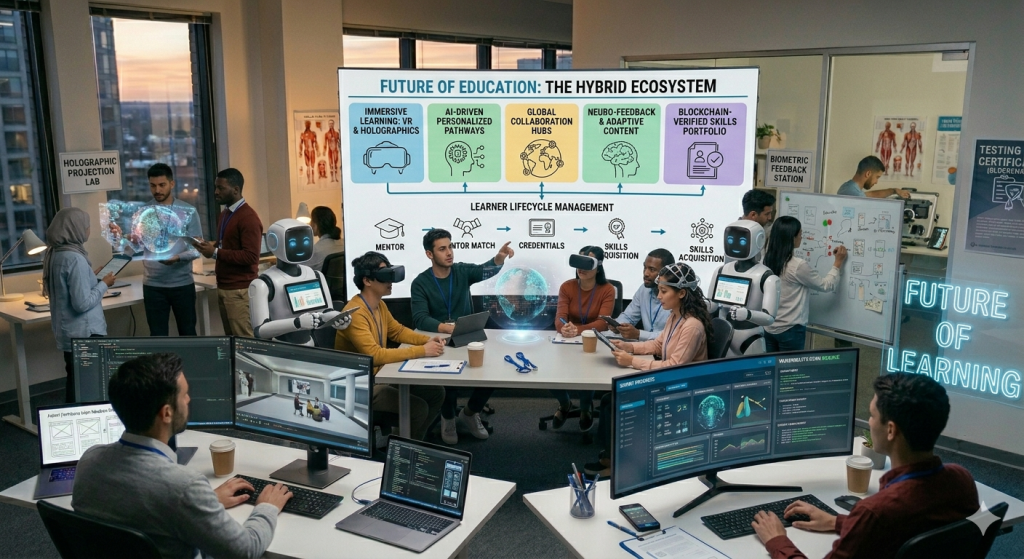
Diverse students in futuristic classroom using VR headsets, AR tablets, and AI holograms for immersive digital learning, with engagement metrics overlay
Education & Learning

Future of Education in Digital Age

Introduction The future of education in the digital age promises personalized, immersive, and globally connected learning that adapts to individual needs while leveraging AI, VR/AR, and mobile platforms. Traditional classrooms are evolving into hybrid ecosystems where students access interactive content anytime, anywhere, breaking geographical and socioeconomic barriers. This transformation is crucial as digital natives demand engaging experiences—studies show EdTech market growth exceeding $400 billion by 2025, driven by AI personalization and remote tools that boost retention by up to 75% over lectures. AI-Powered Personalization AI analyzes student data to create custom learning paths, adjusting pace, content, and style for better outcomes. Tools like adaptive platforms identify weaknesses and deliver targeted lessons, supporting diverse learners including those with special needs. Key benefits include: Real-time feedback and progress tracking. Automated grading freeing teachers for mentorship. Multilingual support for global access. Immersive Technologies (VR/AR) VR/AR turns abstract concepts into hands-on experiences—students explore ancient Rome or molecular structures without leaving class. These tools enhance engagement, with VR yielding 75% retention rates versus 10% for reading. Practical applications: Virtual labs for safe science experiments. AR overlays on textbooks for 3D models. Global field trips via shared virtual spaces. Hybrid Learning Models Blending online and in-person education offers flexibility, accelerated by the pandemic. Platforms like Google Classroom enable live sessions, collaboration, and cloud-based resources accessible on mobiles. Advantages: 5G-enabled seamless remote classes. Blockchain for secure certifications. IoT smart classrooms linked to apps. The future of education in the digital age promises personalized, immersive, and globally connected learning that adapts to individual needs while leveraging AI, VR/AR, and mobile platforms. Traditional classrooms are evolving into hybrid ecosystems where students access interactive content anytime, anywhere, breaking geographical and socioeconomic barriers. This transformation is crucial as digital natives demand engaging experiences—studies show EdTech market growth exceeding $400 billion by 2025, driven by AI personalization and remote tools that boost retention by up to 75% over lectures. AI-Powered Personalization AI analyzes student data to create custom learning paths, adjusting pace, content, and style for better outcomes. Tools like adaptive platforms identify weaknesses and deliver targeted lessons, supporting diverse learners including those with special needs. Key benefits include: Real-time feedback and progress tracking. Automated grading freeing teachers for mentorship. Multilingual support for global access. Immersive Technologies (VR/AR) VR/AR turns abstract concepts into hands-on experiences—students explore ancient Rome or molecular structures without leaving class. These tools enhance engagement, with VR yielding 75% retention rates versus 10% for reading. Practical applications: Virtual labs for safe science experiments. AR overlays on textbooks for 3D models. Global field trips via shared virtual spaces. Blending online and in-person education offers flexibility, accelerated by the pandemic. Platforms like Google Classroom enable live sessions, collaboration, and cloud-based resources accessible on mobiles Challenges and Equity Digital divides persist, with risks of isolation, privacy issues, and unequal access. Policymakers must prioritize teacher training, affordable devices, and inclusive design to ensure technology enhances rather than replaces human connection. Solutions include: Subsidized devices for low-income areas. Ethical AI guidelines. Blended models preserving teacher roles. Conclusion The future of education in the digital age lies in balanced integration of AI, VR/AR, and hybrid models that make learning immersive, equitable, and lifelong. Start exploring EdTech tools today to prepare students for tomorrow’s workforce—your first step could transform a classroom. FAQ (5 Questions) What role does AI play in the future of education in the digital age? AI personalizes learning, automates assessments, and provides virtual tutors for adaptive experiences. How will VR/AR change classrooms? They create immersive simulations for safe, engaging practice in subjects like science and history. What are hybrid learning benefits? Flexibility, global collaboration, and anytime access without losing in-person interaction. Will digital education widen inequality? Potentially, but equitable policies and affordable tech can bridge gaps. What’s next for EdTech? 5G, voice assistants, and AI mentors for hyper-personalized global learning.

Healthcare & Fitness

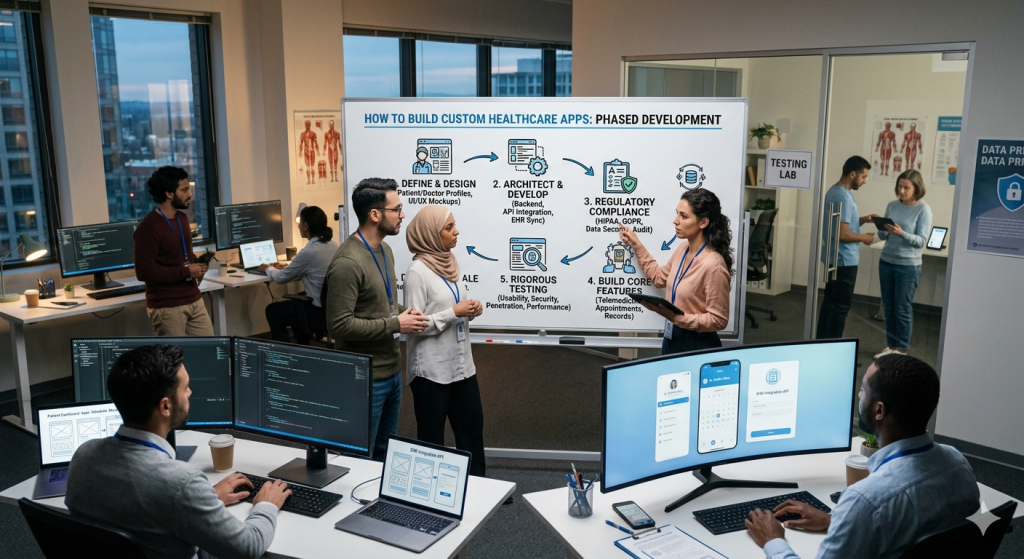
How to Custom Healthcare App Development

Introduction Custom healthcare app development helps hospitals, clinics, startups, and wellness brands build digital products around real patient and provider needs instead of forcing workflows into generic software. A strong healthcare app can improve appointment booking, remote care, clinical communication, patient monitoring, and record access, but it also has to meet strict privacy, security, and compliance requirements from day one. This guide explains how custom healthcare app development works, what features matter most, how to plan an MVP, and what costs usually shape the project. It is important because healthcare apps handle sensitive data, often integrate with EHR systems, and must balance usability with HIPAA-grade safeguards, audit controls, and role-based access. Custom healthcare app development creates tailored digital solutions for hospitals, clinics, private practices, telehealth startups, and wellness brands, solving real-world problems like appointment chaos, fragmented patient records, inefficient provider communication, and gaps in chronic care management. Unlike generic off-the-shelf software that forces workflows into rigid templates, custom apps adapt to specific needs—whether that’s streamlining triage for emergency departments, enabling remote monitoring for diabetes patients, or building provider collaboration tools that integrate with existing EHR systems. In 2026, healthcare apps must deliver more than convenience; they handle protected health information (PHI), demanding HIPAA-compliant architecture from day one, seamless interoperability with standards like FHIR and HL7, and AI-powered features like predictive analytics, personalized care plans, and real-time clinical decision support. With trends like genomic personalization, blockchain-secured data sharing, AR/VR for medical training and patient education, and 5G-enabled remote monitoring, custom development positions providers and patients for continuous, proactive care beyond clinic walls. The global telemedicine market alone continues explosive growth, making now the ideal time to build apps that scale with rising demand for digital-first healthcare. This comprehensive guide covers planning your app, essential features, compliance requirements, development costs, and proven strategies to launch a HIPAA-secure MVP that drives better outcomes and revenue. Whether you’re a clinic owner modernizing operations or a startup disrupting chronic care, custom healthcare app development delivers measurable ROI through efficiency gains, patient retention, and new service lines. Planning the App The first step in custom healthcare app development is defining the exact problem, audience, and workflow the app will serve, such as patient scheduling, telemedicine, chronic care monitoring, or provider-side care coordination. Successful projects usually start by identifying whether the primary users are patients, doctors, nurses, administrators, or a mix of stakeholders with different needs. A practical planning process includes: Define the core use case and success metric. Build user personas for patients, clinicians, and admins. Prioritize features with an MVP framework such as MoSCoW. Map the core data objects, such as patients, appointments, providers, prescriptions, and reports. Core features Most custom healthcare apps need secure login, profile management, appointments, notifications, and protected data handling as a base layer. Telemedicine products often add doctor discovery, video visits, chat, reminders, and care follow-up tools to make remote consultations work smoothly. Common feature groups include: User authentication and role-based access. Appointment booking and calendar management. Video, voice, or chat consultations. EHR or EMR integration using standards such as HL7 or FHIR. Audit logs, consent handling, and secure document sharing. Compliance and security Compliance is not an add-on in healthcare app development; it shapes architecture, storage, access rules, and incident response from the beginning. If the app handles protected health information for a HIPAA-covered entity and the developer or vendor has persistent access to that data, HIPAA obligations and business associate requirements apply. Security best practices typically include: Encryption in transit and at rest. Strong authentication and session controls. Audit logging and activity tracking. Minimum-necessary access rules. Backup, recovery, and breach response procedures. Cost and timeline Cost depends on the feature set, platform choice, integrations, and compliance complexity. Published 2026-era estimates show that telemedicine-related builds can range from about $40,000 to $100,000 for a basic app and from $100,000 to $300,000 or more for feature-rich platforms, while individual modules such as appointment management or real-time communication add their own cost ranges. A simple budget view is below: Component Typical range Basic telemedicine app $40,000 to $100,000 Advanced healthcare platform $100,000 to $300,000+ Frontend development $20,000 to $70,000 Backend development $30,000 to $100,000+ Conclusion Custom healthcare app development works best when you start with one clear use case, define the right user roles, and build an MVP around secure workflows instead of trying to launch every feature at once. The most reliable products combine patient-friendly UX, provider efficiency, standards-based interoperability, and strict compliance controls before scaling into broader healthcare ecosystems. If you are turning this into a blog title, a cleaner SEO version would be: How to Build a Custom Healthcare App: Complete Development Guide for 2026. FAQ What is custom healthcare app development? It is the process of building a healthcare app tailored to a specific workflow, audience, and compliance need rather than using off-the-shelf software. Which features should come first in an MVP? Secure login, user roles, appointments, messaging or consultations, and protected patient data workflows usually come first. Does every healthcare app need HIPAA compliance? Not every health app does, but apps developed for covered entities that collect or handle protected health information generally must meet HIPAA-related requirements. How much does a custom healthcare app cost? Basic healthcare or telemedicine apps can start around $40,000 to $100,000, while advanced custom platforms can exceed $300,000 depending on integrations and compliance scope. <h2 id=”which-standards-matter-for-interoperability” class=”font-editorial font-bold mb-2 mt-4 [.has-inline-images_&]:clear-end text-base first:mt-0″>Which standards matter for interoperability? HL7 and FHIR are commonly cited standards for healthcare data exchange and interoperability.

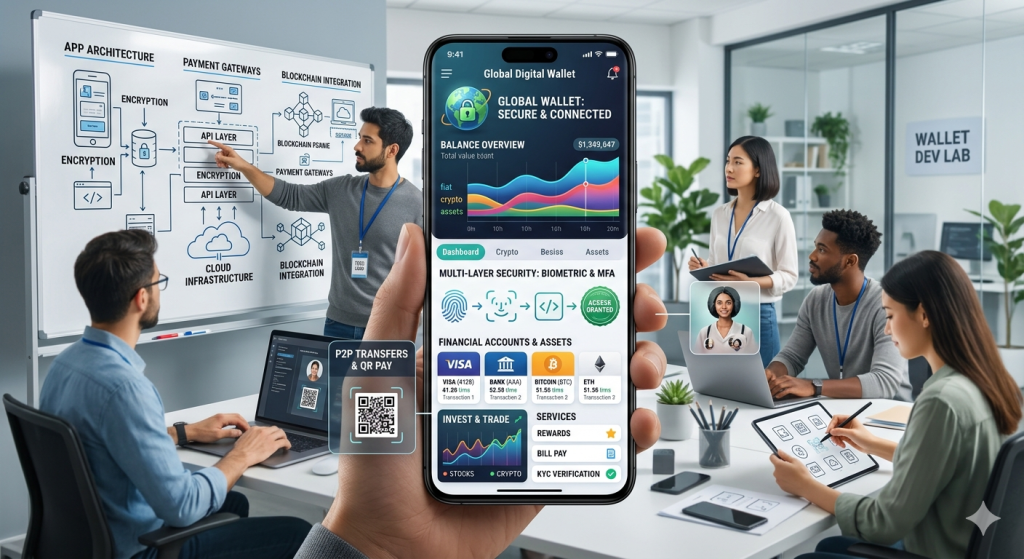
Modern digital wallet app interface on smartphone showing payment cards, balance, QR code scan, and biometric security features for fintech development guide
App Development

How to Build a Digital Wallet App

Introduction How to Build a Digital Wallet App A digital wallet app lets users store payment methods, transfer money, and complete purchases without relying on physical cash or cards, which is a major reason these apps continue to grow in popularity. In 2026, digital wallets process over 65% of global mobile transactions, with the market valued at $22 trillion annually. Modern wallet apps are valued for speed, convenience, and strong security features such as tokenization, biometric login, and multifactor authentication. If you want to build a successful digital wallet app, you need more than a clean interface; you also need the right feature set, security controls, compliance planning, and a clear product strategy from day one. This comprehensive 2026 guide reveals the exact technical roadmap, development costs, essential features, security best practices, and monetization strategies every fintech founder needs. From market research to app store launch, discover proven steps used by PayPal, Venmo, and Cash App to dominate mobile payments. Market Opportunity Global digital wallet market: $22T transaction volume (2026) 4.8B users worldwide (65% smartphone penetration) India alone: 850M+ UPI users processing $2T annually Average wallet app revenue: $15-45/user lifetime value Why Now? 78% of consumers prefer tap-to-pay over cards, regulatory sandboxes are opening worldwide, and AI-powered fraud detection reduces chargebacks by 92%. This blog explains the basic building approach, why it matters, and what businesses should focus on before launch. Core Features Checklist How to Build Digital Wallet App: Step-by-Step Step 1: Define Your Niche & Business Model Successful digital wallets target specific use cases before expanding: P2P Focus (Venmo): Friends/family transfers, social sharing 70% of Gen Z uses peer-to-peer weekly Revenue: 1.5-3% transaction fees Merchant POS (Apple Pay): In-store tap-to-pay, loyalty integration Restaurants/retail: 45% checkout conversion boost B2B Payments (Stripe Connect): Vendor payouts, gig economy Freelancer platforms: 30% faster payouts = 25% retention Cross-Border (Wise): Low-fee international transfers Emerging markets: 12x cheaper than banks Action Items: Survey 100+ target users (Google Forms, Typeform) Competitor matrix: features, pricing, ratings Revenue model: % fees, subscriptions, premium features MVP scope: 3-5 core screens maximum Step 2: Technical Architecture Frontend: React Native/Flutter (iOS + Android) Backend: Node.js + Express (microservices) Database: PostgreSQL + Redis (transactions + cache) Payments: Stripe/PayPal/Razorpay APIs Security: AES-256 + Tokenization + 3DS 2.0 Cloud: AWS/GCP (HIPAA/GDPR compliant) Introduction A digital wallet app lets users store payment methods, transfer money, and complete purchases without relying on physical cash or cards, which is a major reason these apps continue to grow in popularity. In 2026, digital wallets process over 65% of global mobile transactions, with the market valued at $22 trillion annually. Modern wallet apps are valued for speed, convenience, and strong security features such as tokenization, biometric login, and multifactor authentication. If you want to build a successful digital wallet app, you need more than a clean interface; you also need the right feature set, security controls, compliance planning, and a clear product strategy from day one. This comprehensive 2026 guide reveals the exact technical roadmap, development costs, essential features, security best practices, and monetization strategies every fintech founder needs. From market research to app store launch, discover proven steps used by PayPal, Venmo, and Cash App to dominate mobile payments. Market Opportunity Global digital wallet market: $22T transaction volume (2026) 4.8B users worldwide (65% smartphone penetration) India alone: 850M+ UPI users processing $2T annually Average wallet app revenue: $15-45/user lifetime value Why Now? 78% of consumers prefer tap-to-pay over cards, regulatory sandboxes are opening worldwide, and AI-powered fraud detection reduces chargebacks by 92%. This blog explains the basic building approach, why it matters, and what businesses should focus on before launch. Core Features Checklist How to Build Digital Wallet App: Step-by-Step Step 1: Define Your Niche & Business Model Successful digital wallets target specific use cases before expanding: P2P Focus (Venmo): Friends/family transfers, social sharing 70% of Gen Z uses peer-to-peer weekly Revenue: 1.5-3% transaction fees Merchant POS (Apple Pay): In-store tap-to-pay, loyalty integration Restaurants/retail: 45% checkout conversion boost B2B Payments (Stripe Connect): Vendor payouts, gig economy Freelancer platforms: 30% faster payouts = 25% retention Cross-Border (Wise): Low-fee international transfers Emerging markets: 12x cheaper than banks Action Items: Survey 100+ target users (Google Forms, Typeform) Competitor matrix: features, pricing, ratings Revenue model: % fees, subscriptions, premium features MVP scope: 3-5 core screens maximum Step 2: Technical Architecture Tech Stack Comparison: Component Recommended Alternative Cost Mobile Flutter React Native $0 Backend Node.js Python/Django Free Database PostgreSQL Firebase Free tier Payments Stripe Razorpay (India) 2.9% + 30¢ Step 3: Essential Features (MVP) 1. User Onboarding (KYC) – Phone/email OTP verification – Government ID scan (Aadhaar/PAN) – Selfie biometric capture 2. Wallet Funding – Bank account linking (UPI/ACH) – Debit/credit card (3DS secure) – Partner cash-in (retail outlets) 3. Core Transactions – QR code scanning (POS) – P2P transfers (phone number) – Bill payments (utilities) – Transaction history + receipts 4. Security Layer – Biometric login (FaceID) – Transaction limits – Real-time notifications Step 4: Security Implementation (Non-Negotiable) Digital wallet apps face 300% more attacks than average fintech. Here’s enterprise-grade protection: Pro Tip: Partner with established PSPs (Stripe, Adyen) for instant compliance vs. building payment processing (18+ months, $2M+). Monetization Models Transaction Fees: 1-3% per transaction Premium Features: $2.99/month (higher limits) Merchant Partnerships: Revenue share FX Fees: 0.5-1% cross-border Interest on Balances: 2-4% APY Regional Compliance Matrix Country KYC Req Max Balance Transaction Limits India Aadhaar/PAN ₹1L daily ₹2L monthly USA SSN $10K None EU eIDAS €50K €100K daily Common Pitfalls (Avoid These) Embedded Finance: Wallet → full banking Crypto Integration: Stablecoins + DeFi AI Agents: Autonomous bill payments Wearables: Smartwatch + ring payments Biometrics 2.0: Vein pattern + behavioral Conclusion Building a digital wallet app requires a balance of user-friendly design, secure payment architecture, and compliance-ready development so the product can scale safely and earn user trust. The strongest apps combine fast onboarding (under 90 seconds), reliable payment flows (99.99% uptime), real-time transaction visibility, and layered security such as biometrics, encryption, and two-factor authentication. When these elements are planned properly, a digital wallet app can improve customer convenience, speed up

How would you like me to respond?

Select a personality for your AI assistant

Normal
Happy
Sad
Angry

Your selection will affect how the AI assistant responds to your messages

Chat Assistant

Let's discuss your project!

Hear from our clients and why 3000+ businesses trust TechOTD

Tell us what you need, and we'll get back with a cost and timeline estimate

Scroll to Top