Low-Code vs No-Code vs Traditional Development: Which One Should Businesses Choose?
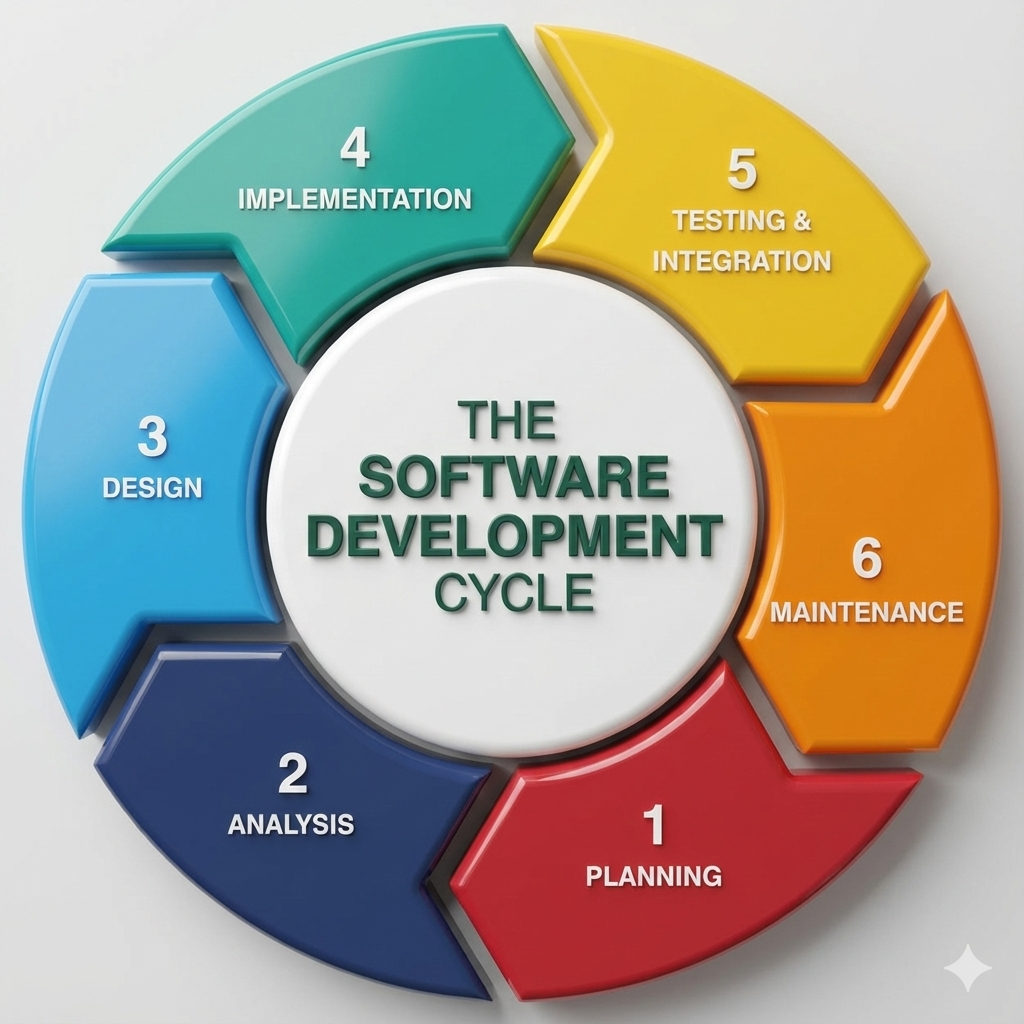
Low-Code vs No-Code vs Traditional Development: Which One Should Businesses Choose? Technology is evolving faster than ever, and businesses today have more options than ever when it comes to building software. Not long ago, developing an application meant hiring a team of developers and spending months writing code from scratch. Today, organizations can choose between traditional development, low-code platforms, and no-code solutions depending on their goals, budget, and technical expertise. As companies accelerate their digital transformation efforts in 2026, understanding these three development approaches has become essential. Each offers unique advantages, and selecting the right one can directly impact project success, operational efficiency, and long-term growth. Understanding Traditional Development Traditional software development remains the most powerful and flexible way to build applications. In this approach, developers write code manually using programming languages such as Python, Java, JavaScript, or C#. This method gives businesses complete control over every aspect of an application, from user experience and functionality to security and scalability. Organizations that require highly customized solutions, advanced integrations, or enterprise-grade systems often rely on traditional development because it can handle virtually any business requirement. However, this flexibility comes at a cost. Traditional development typically requires larger budgets, experienced developers, longer project timelines, and ongoing maintenance efforts. What is Low-Code Development? Low-code development bridges the gap between traditional coding and visual application building. Instead of writing every feature manually, developers can use drag-and-drop components, pre-built modules, and automated workflows to speed up the development process. The biggest advantage of low-code platforms is efficiency. Businesses can launch applications significantly faster while still retaining the ability to customize features through code whenever necessary. Many organizations use low-code platforms to create internal business applications, workflow automation systems, customer portals, and operational dashboards. This approach allows development teams to focus on solving business challenges rather than spending time on repetitive coding tasks. What is No-Code Development? No-code development takes simplicity to the next level by allowing users to create applications without writing any code at all. These platforms are designed for business users, entrepreneurs, marketers, and department managers who may have little or no programming experience. Through visual interfaces, templates, and drag-and-drop tools, users can create websites, mobile applications, forms, databases, and automated workflows. The growing popularity of no-code platforms reflects a larger trend toward democratizing technology. Businesses no longer need to depend entirely on software developers for every digital solution. For startups and small businesses, no-code tools offer an affordable and fast way to turn ideas into functional products. Comparing Speed and Development Time When speed is the primary concern, no-code platforms often come out on top. Applications can sometimes be built within days instead of months. Low-code platforms also provide impressive development speed by reducing the amount of manual coding required. Teams can quickly build prototypes, test ideas, and deploy solutions without lengthy development cycles. Traditional development generally requires more time because every feature must be designed, coded, tested, and optimized from the ground up. While slower, it provides unmatched flexibility and customization. Cost Considerations for Businesses Budget plays a major role in choosing a development approach. No-code solutions usually have the lowest initial costs because they eliminate the need for large development teams. Businesses can often create and manage applications using existing staff members. Low-code development offers a balance between affordability and flexibility. Organizations can reduce development costs while still creating sophisticated applications. Traditional development tends to involve the highest investment due to developer salaries, infrastructure requirements, quality assurance processes, and long-term maintenance expenses. Customization and Flexibility Customization is where traditional development shines. Businesses can create exactly what they need without being limited by platform restrictions. Whether it’s advanced analytics, complex integrations, or unique customer experiences, traditional coding provides complete freedom. Low-code platforms offer substantial customization capabilities and can handle many complex business requirements. Developers can extend functionality whenever needed through custom code. No-code platforms, while highly convenient, often have limitations. Users must work within the framework and capabilities provided by the platform, which can become challenging for more advanced projects. Scalability and Long-Term Growth As businesses grow, scalability becomes increasingly important. Traditional applications can be designed to handle large user bases, complex workflows, and significant data volumes. This makes them ideal for enterprises expecting substantial growth. Modern low-code platforms also support scalability and are increasingly being adopted by large organizations for mission-critical applications. No-code solutions can support growth to a certain extent, but highly complex or large-scale requirements may eventually require migration to more flexible platforms. The Impact of AI on Software Development Artificial intelligence is reshaping all three development approaches. Low-code and no-code platforms now include AI-powered features that can generate workflows, recommend automation processes, and simplify application design. These capabilities allow businesses to build solutions even faster than before. Traditional development is also benefiting from AI-assisted coding tools that help developers write cleaner code, identify errors, and accelerate project delivery. As AI technology continues to mature, the boundaries between traditional, low-code, and no-code development are becoming increasingly blurred. Which Option Should Your Business Choose? There is no universal answer because every organization has different needs. If your goal is rapid deployment with minimal technical involvement, no-code platforms may be the best choice. If you need a balance between speed, flexibility, and customization, low-code development can deliver excellent results. For businesses requiring complete control, advanced functionality, and enterprise-level scalability, traditional development remains the strongest option. Many successful organizations are now adopting a hybrid approach, using no-code tools for simple workflows, low-code platforms for internal applications, and traditional development for customer-facing products and mission-critical systems. Conclusion The debate between low-code, no-code, and traditional development is not about finding a single winner. Instead, it is about selecting the right tool for the right business challenge. As digital transformation continues to accelerate in 2026, organizations that understand the strengths and limitations of each approach will be better positioned to innovate faster, reduce costs, and remain competitive in an increasingly technology-driven world. The future of software development will not belong exclusively to traditional