DevSecOps Best Practices: The Ultimate Blueprint for Secure, High-Velocity Software Delivery
In the traditional software development lifecycle, security was often treated as the “final gate.” Developers would spend months building a product, operations would prepare the infrastructure, and just before launch, the security team would sweep in to perform a vulnerability audit.
The result? A massive bottleneck. Security teams were viewed as the “Department of No,” pushing deadlines back by weeks or months to fix critical flaws discovered at the eleventh hour.
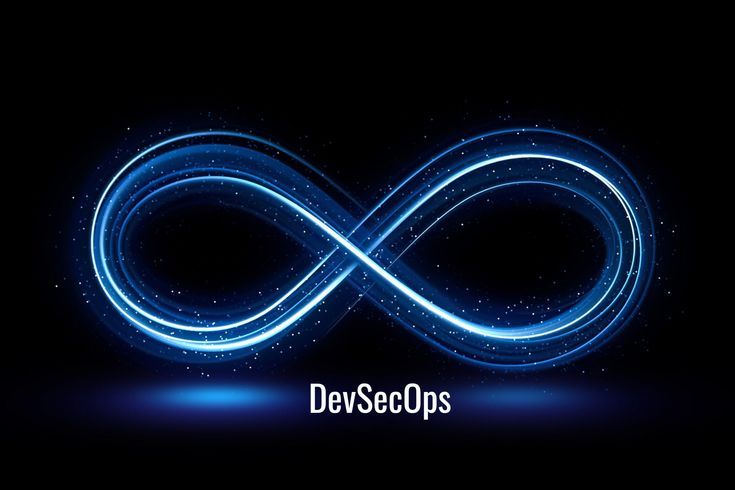
In today’s hyper-accelerated digital landscape—where organizations deploy updates multiple times a day—this siloed approach is no longer sustainable. Enter DevSecOps. By embedding security directly into every stage of the continuous integration and continuous delivery (CI/CD) pipeline, DevSecOps ensures that software is not just fast, but inherently secure from the very first line of code.
This comprehensive guide breaks down the core pillars, essential phases, actionable best practices, and real-world implementation strategies required to build a mature, human-centric DevSecOps culture.
1. Demystifying DevSecOps: Shift-Left and Shift-Right
To successfully implement DevSecOps, it is critical to understand its two defining operational philosophies: Shifting Left and Shifting Right.
[ Plan ] ──> [ Code ] ──> [ Build ] ──> [ Test ] ──> [ Deploy ] ──> [ Monitor ] │ │ │ │ │ │ └────────────┴────────────┴─────────────┴────────────┴───────────────┴──────── Security FocusShifting Left: Proactive Security
Shifting left means moving security practices earlier in the development lifecycle. Instead of waiting for a compiled build or a staged environment to run security scans, shift-left introduces security during the Planning, Coding, and Building phases.
-
Why it matters: Fixing a software vulnerability during the design or coding phase can be up to 60 times cheaper than fixing it after it has been deployed to production.
-
Core activities: Threat modeling, secure code reviews, IDE-integrated linting, and Static Application Security Testing (STAST).
Shifting Right: Continuous Resilience
While shifting left prevents bugs from reaching production, shifting right focuses on security during the Deployment, Operation, and Monitoring phases. It acknowledges that no system is entirely impenetrable and that runtime threats require continuous vigilance.
-
Why it matters: Real-world exploits, zero-day vulnerabilities, and configuration drifts only happen in live environments. Shifting right ensures you spot and contain breaches instantly.
-
Core activities: Runtime Application Self-Protection (RASP), penetration testing, chaos engineering, and continuous compliance monitoring.
2. The Cultural Pillar: Fostering a Shared-Responsibility Mindset
The greatest misconception about DevSecOps is that it is purely a tooling problem. You can purchase the most expensive scanning software on the market, but if your organizational culture remains siloed, your DevSecOps initiative will fail.
Breaking Down the Silos
Historically, developers were incentivized purely by speed and functionality, while security teams were incentivized by risk mitigation. This created conflicting goals. DevSecOps requires a cultural alignment where security becomes a shared responsibility.
-
Developers must accept ownership of the code’s security posture.
-
Security Teams must transition from “gatekeepers” to “enablers,” providing the tools, automation, and guidance that developers need to work securely without losing velocity.
Implementing a Security Champions Program
A highly effective way to bridge the gap between engineering and security is by appointing Security Champions.
-
What they are: Security Champions are regular software engineers, QA testers, or product managers who possess a keen interest in security. They remain embedded within their respective product teams.
-
Their role: They act as the primary point of contact for security matters, help scale security knowledge across the engineering department, and ensure that security considerations are brought up during initial sprint planning sessions.
3. The DevSecOps Lifecycle: Step-by-Step Integration
Integrating security into the CI/CD workflow requires tailored security gates at every single phase of the delivery pipeline. Let’s look at how to embed security seamlessly from planning to production.
Phase 1: Plan (Threat Modeling & Risk Assessment)
Security starts before a single line of code is written. During the planning phase, product teams map out features alongside potential attack vectors.
-
Threat Modeling: Use frameworks like STRIDE (Spoofing, Tampering, Repudiation, Information Disclosure, Denial of Service, and Elevation of Privilege) to visually map out application architecture and discover architectural flaws early.
-
Defining Security Requirements: Establish clear cryptographic standards, data classification rules, and compliance mandates (e.g., GDPR, HIPAA, PCI-DSS) during user story creation.
Phase 2: Code (Secure Coding & IDE Assistance)
When developers begin writing code, immediate feedback loops prevent vulnerable patterns from ever leaving their local workstations.
-
Pre-Commit Hooks: Use lightweight scripts (like Git hooks) to prevent developers from accidentally committing sensitive data, such as plain-text API keys, AWS tokens, or private certificates, to version control.
-
IDE Plugins: Equip developers with tools like SonarLint or Snyk extensions directly within VS Code or IntelliJ. These operate like spell-checkers for security, highlighting risky functions or outdated packages in real time.
Phase 3: Build (Automated Code & Dependency Analysis)
Once code is pushed to a shared repository, automated CI servers (like Jenkins, GitHub Actions, or GitLab CI) take over to build the application and trigger deeper security analyses.
-
Static Application Security Testing (SAST): SAST tools analyze the source code or compiled binaries without executing the program. They look for classic vulnerabilities like SQL injection, Cross-Site Scripting (XSS), and buffer overflows.
-
Software Composition Analysis (SCA): Modern applications are heavily built on open-source libraries. SCA tools scan your
package.json,pom.xml, orrequirements.txtfiles against databases of known public vulnerabilities (CVEs) to ensure you aren’t inheriting compromised third-party code.
Phase 4: Test (Dynamic Evaluation & Testing)
In the testing phase, the application is deployed into a staging or QA environment, allowing security tools to interact with it dynamically.
-
Dynamic Application Security Testing (DAST): Unlike SAST, DAST tests the application from the outside-in by simulating a malicious hacker. It probes active endpoints, forms, and APIs to find vulnerabilities that only manifest when the application is running (e.g., authentication flaws or session management issues).
-
Interactive Application Security Testing (IAST): IAST combines the benefits of both SAST and DAST. By deploying an agent within the application runtime, it monitors code execution while simultaneously running functional automated testing suites, yielding incredibly accurate results with fewer false positives.
Phase 5: Deploy (Infrastructure as Code & Secure Configuration)
The deployment phase ensures that the environment hosting your application is just as secure as the application itself.
-
Infrastructure as Code (IaC) Scanning: If you use Terraform, Ansible, or CloudFormation to provision cloud infrastructure, use tools like Checkov or tfsec to scan your configuration files. This prevents common misconfigurations, like leaving an AWS S3 bucket open to the public or exposing ssh ports to the open internet.
-
Container Security: Scan Docker base images for embedded vulnerabilities before pushing them to container registries. Ensure containers run with least-privilege permissions (never as root).
Phase 6: Operate & Monitor (Continuous Visibility & Feedback)
Once the software is live in production, the DevSecOps loop continues via automated alerting, detection, and real-time response.
-
SIEM & Centralized Logging: Aggregate logs from cloud providers, firewalls, and application servers into a Security Information and Event Management (SIEM) platform (like Splunk or Datadog) to establish baseline behavior and detect anomalous patterns.
-
Automated Feedback Loops: When a vulnerability or production anomaly is detected, the system should automatically generate a ticket in the engineering backlog (e.g., Jira) rather than sending an ambiguous email alert to a generic inbox.
4. Comprehensive DevSecOps Matrix
| Pipeline Phase | Core Security Practice | Objective | Example Tooling |
| Plan | Threat Modeling & Risk Mapping | Identify architectural design flaws before writing code | IriusRisk, OWASP Threat Dragon |
| Code | IDE Plugins & Pre-commit Hooks | Prevent hardcoded secrets and insecure code patterns locally | GitGuardian, SonarLint, Snyk |
| Build | SAST & SCA Scanning | Scan source code and third-party open-source libraries | Veracode, Checkmarx, Dependabot, OWASP Dependency-Check |
| Test | DAST & Automated Penetration Testing | Evaluate live application endpoints against active exploits | OWASP ZAP, Burp Suite Enterprise |
| Deploy | IaC Security & Container Hardening | Eliminate cloud misconfigurations and unpatched container OS layers | Checkov, Aqua Security, Trivi, Prisma Cloud |
| Monitor | Continuous Logging & Observability | Detect runtime anomalies, breaches, and configuration drift | Splunk, Datadog, ELK Stack, AWS CloudWatch |
5. Critical Pitfalls to Avoid in DevSecOps
Building a DevSecOps workflow takes time, and many organizations stumble into common traps that derail their progress. Recognizing these pitfalls early saves significant engineering friction.
Pitfall 1: Overwhelming Developers with False Positives
Security scanning tools are notoriously sensitive. If you integrate a SAST tool into your CI/CD pipeline and it suddenly blocks a deployment with 500 high-priority alerts—half of which turn out to be false positives—developers will quickly lose trust in the system. They will find ways to bypass or ignore the alerts.
-
The Fix: Start small. Tune your security tools to only alert or block builds on absolute, high-confidence vulnerabilities (like SQL injections or critical CVEs). Gradually expand the ruleset as the team adapts.
Pitfall 2: Breaking the Build Unnecessarily
The fundamental rule of DevOps is speed. If an automated security scan adds 45 minutes to a developer’s deployment pipeline, it breaks the velocity of the business.
-
The Fix: Run lightweight, incremental scans during pull requests. Reserve deep, intensive, long-running scans for nightly asynchronous builds so they do not impede daily production workflows.
Pitfall 3: Treating Automation as a Total Replacement for Humans
Automation handles predictable, repetitive checks exceptionally well. However, it cannot comprehend business logic flaws, complex access control workarounds, or creative social-engineering paths.
-
The Fix: Supplement automated pipelines with scheduled manual penetration testing and structured bug bounty programs.
6. How to Measure Success: Key DevSecOps Metrics
You cannot manage what you do not measure. To prove the ROI of your DevSecOps initiative and continuously refine your workflows, track these vital telemetry points:
-
Mean Time to Repair (MTTR): The average time it takes for a team to remediate a security vulnerability once it is identified. A dropping MTTR indicates efficient engineering alignment.
-
Vulnerability Density: The total number of security vulnerabilities found per thousand lines of code (KLOC). Tracking this helps assess whether developer security training is working.
-
Build Failure Rate due to Security: Measures how often security policy violations break the CI pipeline. While a high rate might mean you’re catching bugs, it could also signal that your local pre-commit tools aren’t tuned well enough to prevent those errors from reaching the CI phase.
-
Escape Rate: The percentage of security vulnerabilities that bypass automated testing gates and are discovered in live production. The goal is to keep this as close to zero as possible.
7. The Future of DevSecOps: AI and Beyond
As we look toward the future, the integration of Artificial Intelligence and Machine Learning is entirely redefining the DevSecOps ecosystem.
AI-Driven Remediation
Tomorrow’s DevSecOps pipelines won’t just tell developers where a vulnerability exists—they will automatically write the secure code fix. AI assistants can analyze a flawed function, generate a secure pull request, and run the testing suite to confirm the fix doesn’t break existing functionality, drastically lowering MTTR.
Securing the AI Supply Chain
As organizations increasingly build applications powered by Large Language Models (LLMs), DevSecOps must expand to cover LLMOps Security. This includes guarding against prompt injection attacks, scanning training data pipelines for data poisoning, and securing vector databases from unauthorized data exposure.
Final Thoughts: Security is a Continuous Journey
DevSecOps is not a final destination or a certificate you print out and hang on the wall. It is an evolving framework of continuous optimization, collaboration, and resilience.
By prioritizing your cultural transformation, introducing automation thoughtfully, and empowering developers with the right tools instead of heavy roadblocks, your organization can release innovative software rapidly without ever sacrificing security integrity.