The Command Center in Your Pocket: Mastering Home Automation and Security via Handheld Devices
There was a time, not too long ago, when “home security” meant a heavy deadbolt and a prayer that you remembered to lock the back door. If you wanted to change the temperature, you walked to the hallway. If you wanted to dim the lights, you got up and flipped a switch.
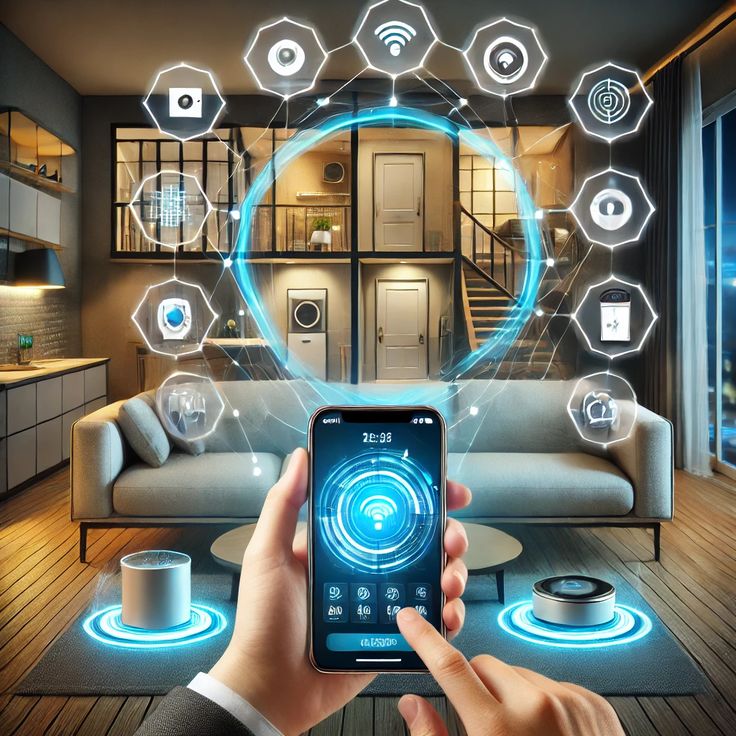
Today, that physical tether to our living spaces has been severed—not by magic, but by the seamless integration of home automation and security with handheld devices. We now carry our homes in our pockets. Whether you are at the office, on a beach halfway across the world, or simply snuggled under a duvet, you have total agency over your environment.
The Evolution: From Passive Walls to Active Ecosystems
Traditional home security was “reactive.” An alarm went off after a window broke. Modern smart security is “proactive.” It uses data, motion sensing, and real-time alerts to prevent incidents before they escalate.
When we talk about handheld integration, we are talking about the democratization of control. You no longer need a dedicated security room with glowing monitors to keep an eye on things. Your smartphone, tablet, or even your smartwatch serves as the interface for a complex web of sensors and actuators.
The Psychology of “Mobile-First” Security
Why does handheld integration matter so much? It’s about the peace of mind. The “humanized” benefit of a smart home isn’t just about showing off a cool gadget; it’s about removing the nagging anxiety of “Did I leave the iron on?” or “Did the kids get home safe?” By shifting the control to a device you already carry 24/7, home security becomes a natural extension of your digital life rather than a chore you have to manage separately.
The Core Pillars of Integrated Home Security
To understand how your handheld device manages your home, we have to look at the different systems that “talk” to your phone.
1. Smart Surveillance: The Eyes That Never Sleep
Gone are the days of grainy CCTV footage that you can only view on a VCR in the basement. Modern cameras—like those from Ring, Nest, or Arlo—stream 4K video directly to your handheld device.
-
Real-time Alerts: Your phone pings you the second a package is dropped off.
-
Two-Way Audio: You can tell a delivery driver where to hide a box or warn a trespasser they are being recorded—all via your phone’s microphone.
-
Geofencing: Some systems recognize when your phone leaves a 500-meter radius of your house and automatically “arm” the cameras.
2. Intelligent Access Control: Beyond the Key
Physical keys are a security liability; they can be lost, stolen, or copied. Smart locks integrate with your handheld device to provide:
-
Digital Keys: Send a temporary “key” to a guest via text message.
-
Activity Logs: Check your phone to see exactly what time your teenager got home.
-
Remote Locking: If you realize at work that the front door is unlocked, one tap on your screen secures the house.
3. Environmental Sensors: Security from the Inside
Security isn’t just about intruders; it’s about protecting the home from internal disasters.
-
Smart Smoke/CO Detectors: Instead of just beeping at an empty house, these send an emergency notification to your phone, allowing you to call the fire department even if you aren’t home.
-
Water Leak Sensors: Placed near water heaters or under sinks, these send an alert to your device the moment moisture is detected, preventing thousands of dollars in flood damage.
Home Automation: Enhancing Security Through Lifestyle
While “security” keeps things out, “automation” makes life easy. However, the two are deeply intertwined.
The “Occupied” Illusion
One of the best security features of an automated home is the ability to make it look like you’re there when you aren’t. Through your handheld device, you can set “Vacation Modes” that:
-
Randomly turn lights on and off in different rooms.
-
Open and close smart blinds at sunrise and sunset.
-
Play audio (like a radio or simulated dog barking) to deter observers.
Smart Lighting and Motion Integration
Integration means that when your outdoor camera detects motion at 2:00 AM, your handheld device doesn’t just buzz; it triggers an automation where the hallway lights turn on and the front porch light flashes. This immediate response is often enough to scare away potential intruders before they even touch a door handle.
The Handheld Interface: App Fatigue vs. Unified Hubs
One of the biggest challenges in home automation is “App Fatigue.” If you have one app for your lights, one for your lock, and one for your camera, your handheld device becomes a cluttered mess.
The Rise of Unified Hubs
To truly “humanize” the experience, users are moving toward unified ecosystems:
-
Apple HomeKit: Uses the “Home” app on iPhone/Apple Watch for a clean, consistent UI.
-
Google Home: Deeply integrates with Android devices and Google Assistant.
-
Samsung SmartThings: A massive ecosystem that connects thousands of third-party devices into one mobile dashboard.
The goal is a Single Pane of Glass. You want to open one app and see the status of your entire “fortress” at a glance.
Addressing the Elephant in the Room: Cybersecurity
If your handheld device can unlock your front door, what happens if someone hacks your phone? This is where Data Privacy & Security becomes the most critical part of the conversation.
Securing Your Mobile Command Center
To keep your automated home safe, you must treat your handheld device with extreme caution:
-
Biometric Authentication: Use FaceID or Fingerprint scanning to open your home automation apps.
-
Two-Factor Authentication (2FA): Always enable 2FA so that even if someone gets your password, they can’t access your home cameras.
-
End-to-End Encryption: Ensure your smart home brands encrypt the video and data traveling from your house to your phone.
The Human Impact: Why We Do It
At the end of the day, we don’t automate our homes because we are lazy. We do it because we value our time and our loved ones.
-
For the Elderly: Handheld integration allows seniors to check who is at the door without getting up, reducing the risk of falls or “distraction” thefts.
-
For Parents: It provides a digital “safety net,” allowing them to monitor the home while balancing a busy career.
-
For the Earth: Automation reduces energy waste, turning off the AC when your phone’s GPS indicates you’ve left the building.
Conclusion: The Future is Handheld
The integration of home automation and security with handheld devices is no longer a luxury for the “tech-obsessed.” It is becoming a standard requirement for modern living. As 5G speeds increase and Internet of Things devices become more affordable, our handheld devices will only become more powerful.
We are moving toward a future where our homes don’t just “obey” our commands from a phone—they anticipate them. But for now, having the power to lock your door from across the globe is a pretty great place to start.
Digital Farmers: Why Data is the New Seed for Harvesting Superior Results