Docker vs Kubernetes: The Ultimate Guide to Containerization and Orchestration
If you’ve spent any time around modern software development, you’ve undoubtedly heard the namesDocker andKubernetes thrown around—often in the exact same sentence.
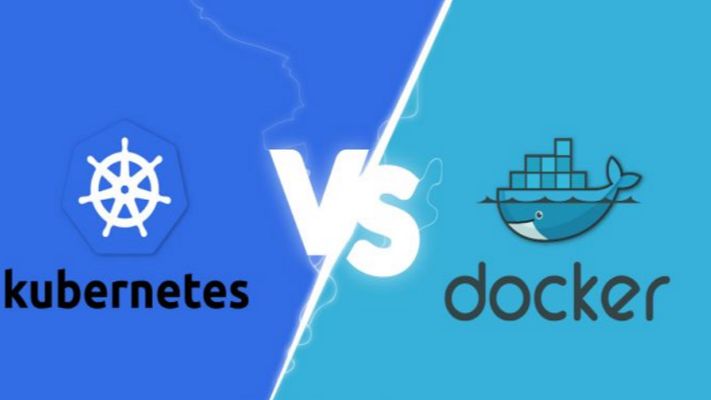
For newcomers and seasoned developers alike, this pairing creates an immediate cloud of confusion. You see debates online framed as a heavyweight boxing match: Docker vs. Kubernetes. Which one should you choose? Which one is better?
But here is the industry secret that clears up the confusion right away: They are not rivals. Comparing Docker to Kubernetes is like comparing an individual engine to an entire commercial airline fleet. They operate at completely different layers of the software delivery stack. In fact, in the vast majority of enterprise enterprise-grade environments, they aren’t competing at all—they are working together on the exact same team.
Whether you are looking to modernise your application architecture, scale your cloud infrastructure, or simply ace your next engineering interview, this comprehensive guide will break down the real differences, use cases, and mechanics of Docker and Kubernetes in a human, practical way.
1. The Core Concepts: Understanding Containers
To understand the relationship between Docker and Kubernetes, we first have to understand the fundamental problem they were both built to solve: Environment Consistency.
Every developer has experienced the dreaded“It works on my machine” dilemma. Code runs beautifully on a developer’s high-spec laptop but completely crashes when deployed to a staging server or production cloud environment. This happens because of micro-variations in operating systems, missing background libraries, conflicting framework versions, or hidden environment variables.
What is a Container?
A container solves this by packaging your application’s source code together with the exact runtime, system tools, libraries, and configurations it needs to execute.
Unlike a traditional Virtual Machine (VM), which requires an entire heavy guest operating system to run, containers share the host machine’s underlying OS kernel. This makes them incredibly lightweight, lightning-fast to start (seconds instead of minutes), and highly resource-efficient.
+-----------------------------+ +-----------------------------+ | VIRTUAL MACHINES | | CONTAINERS | | +-----------+ +-----------+ | | +-----------+ +-----------+ | | | App v1 | | App v2 | | | | App v1 | | App v2 | | | +-----------+ +-----------+ | | +-----------+ +-----------+ | | | Guest OS | | Guest OS | | | | Bin/Libs | | Bin/Libs | | | +-----------+ +-----------+ | | +-----------+ +-----------+ | | | Hypervisor/Host OS | | | | Container Engine (Docker) | | | +-------------------------+ | | +-------------------------+ | | | Physical Hardware | | | | Host OS / Hardware | | +-----------------------------+ +-----------------------------+2. What is Docker? (The Container Creator)
Docker is an open-source platform designed to create, deploy, and run applications inside containers. It popularised the container revolution by making the underlying, complex Linux isolation technologies incredibly user-friendly.
If you want to containerise an application using Docker, your workflow follows a clean three-step process:
-
The Dockerfile: You write a plain-text configuration file that acts as a recipe. It specifies the base operating system, the dependencies to install, the environment variables to set, and the command to run your code.
-
The Docker Image: Docker reads your Dockerfile and compiles it into an immutable, static blueprint called an Image. This image can be shared easily via registries like Docker Hub.
-
The Docker Container: When you tell Docker to run that image, it spins up a live, isolated, executable instance. This is your running container.
Where Docker Excels
Docker is absolutely brilliant forsingle-node management. It gives an individual developer the power to spin up complex development environments—like a Node.js backend, a React frontend, and a PostgreSQL database—locally on their machine in a matter of seconds using a tool calledDocker Compose.
3. What is Kubernetes? (The Fleet Commander)
Now, let’s scale up. Imagine your business grows rapidly. Your simple application is no longer running as a single container on a laptop; it is now running across hundreds of cloud servers to handle millions of concurrent user requests.
Suddenly, managing containers manually via Docker becomes a logistical nightmare:
-
What happens if a server crashes in the middle of the night and kills fifty of your containers?
-
How do you evenly distribute incoming web traffic across hundreds of duplicate containers?
-
How do you upgrade your application to Version 2 without taking down the website?
Docker alone cannot solve these problems because it only cares about managing individual containers on a single machine. It doesn’t see the bigger infrastructure picture.
This is whereKubernetes (often abbreviated asK8s, representing the eight letters between ‘K’ and ‘s’) comes into play. Developed originally by Google, Kubernetes is acontainer orchestration engine. It doesn’t create containers; instead, it hooks into container runtimes to automate the deployment, scaling, management, and networking of containerized applications across a massive cluster of machines.
[ Incoming Web Traffic ] │ ▼ ┌────────────────────────────────────────────────────────┐ │ KUBERNETES CONTROL PLANE │ │ (Monitors traffic, server health, and load balancing) │ └──────────┬───────────────────┬───────────────────┬─────┘ │ │ │ ▼ ▼ ▼ ┌───────────────┐ ┌───────────────┐ ┌───────────────┐ │ Cloud Node 1 │ │ Cloud Node 2 │ │ Cloud Node 3 │ │ [Docker] │ │ [Docker] │ │ [Docker] │ │ [Container] │ │ [Container] │ │ [Container] │ └───────────────┘ └───────────────┘ └───────────────┘The Superpowers of Kubernetes
-
Self-Healing: If a container crashes or a hardware node goes offline, Kubernetes instantly detects the failure and automatically spins up an identical replacement container to maintain your desired state.
-
Auto-Scaling: If your web traffic suddenly spikes during a flash sale, Kubernetes can automatically scale up the number of running containers to handle the load, scaling them back down when traffic subsides to save cloud spend.
-
Service Discovery & Load Balancing: Kubernetes automatically assigns containers their own IP addresses and groups them under a single DNS name, evenly distributing incoming traffic so no single server gets overwhelmed.
4. Key Differences: Side-by-Side Comparison
To clearly draw the boundaries between these two tech giants, let’s look at how they handle core operational challenges side-by-side:
| Operational Feature | Docker | Kubernetes |
| Primary Purpose | To isolate, package, and run an application inside a single container. | To orchestrate, scale, and manage fleets of containers across multiple servers. |
| Operational Scale | Designed for single host/machine deployment and local development. | Designed for multi-node clusters and massive production environments. |
| Installation & Setup | Incredibly fast and simple (Install Docker Desktop and you are ready). | High complexity; requires substantial infrastructure planning and networking configuration. |
| Self-Healing Capabilities | Limited. If a host system fails, your containers stay down until manual intervention. | Advanced. Automatically restarts, replaces, and reschedules failed containers instantly. |
| Storage Architecture | Attaches storage volumes easily to local disks or single machines. | Dynamically provisions complex storage across multi-cloud SAN networks and local nodes. |
5. Better Together: How They Work in Harmony
The most common architectural pattern in modern enterprise environments isn’t choosing Docker over Kubernetes—it’s using them as a unified ecosystem.
Here is exactly how a real-world enterprise deployment lifecycle utilizes both technologies to build a robust continuous delivery pipeline:
1. DEVELOP ──► Developer writes code and packages it using a local DOCKERFILE. 2. BUILD ──► CI pipeline compiles a secure, immutable DOCKER IMAGE asset. 3. REGISTER ──► The Docker Image is pushed up to a secure cloud registry. 4. MANAGE ──► KUBERNETES pulls that image and orchestrates its deployment across production.-
Development Phase: A developer writes their application features locally. They use aDockerfile to compile their code into a predictable Docker Image, ensuring that it behaves perfectly on their laptop.
-
Continuous Integration Phase: The developer pushes their changes to a central repository. An automated CI build server takes that Docker image and runs a battery of automated tests against it.
-
Deployment Phase: Once the image passes verification, Kubernetes takes over. It pulls that identical Docker image from a registry and strategically deploys it across a cluster of fifty live production servers, managing the networking, routing, and availability flawlessly.
By combining them, you get the absolute best of both worlds: Docker simplifies the developer’s packaging workflow, while Kubernetes simplifies the operations team’s infrastructure scaling challenges.
6. What About Docker Swarm?
To be entirely accurate about the tech landscape, we must mentionDocker Swarm.
When Docker realized that developers needed a way to manage containers across multiple servers, they built their own built-in orchestration tool called Docker Swarm.
Docker Swarm is significantly easier to set up and configure than Kubernetes. It uses the exact same syntax as standard Docker commands, making the learning curve very gentle.
However, for massive, highly complex enterprise operations, Docker Swarm lacks the advanced scheduling logic, customizable networking policies, and deep ecosystem support that Kubernetes offers. While Swarm is still alive and excellent for small-to-medium-sized projects, Kubernetes has definitively won the industry standard war for enterprise container orchestration.
7. Architectural Trends to Watch
As container ecosystems evolve, the underlying mechanics under the hood are shifting. A notable change is the deprecation of Docker as a direct runtime engine inside Kubernetes.
Historically, Kubernetes used Docker directly to run containers. However, as the container industry matured, the community established an open standard called theContainer Runtime Interface (CRI). Because Docker was built as a complete developer platform rather than a minimalist, lightweight runtime engine, Kubernetes shifted toward using stripped-down, specialized container runtimes likecontainerd orCRI-O.
Does this mean Docker is dead? Absolute not. It simply means Kubernetes is optimizing its internal production engine. As a developer or engineering team, you still use Docker exactly the same way to build your images, manage local development stacks, and run your CI/CD test pipelines. The artifacts Docker builds remain completely compatible with Kubernetes everywhere.
Conclusion: How to Make the Right Choice for Your Project
When mapping out your engineering strategy, don’t ask whether you should use Dockeror Kubernetes. Instead, look at the scale and current maturity of your project:
-
Choose Docker Exclusively If: You are a small team, a solo developer, or a startup building a minimal viable product (MVP). If your application runs comfortably on a handful of virtual servers and your traffic is predictable, standard Docker combined with Docker Compose or a managed cloud platform (like AWS ECS or Heroku) will keep your operational complexity low and your delivery speed high.
-
Introduce Kubernetes When: Your application is scaling into a complex web of distributed microservices, your traffic patterns spike dynamically, and high availability is an absolute business necessity. If downing a server means losing substantial revenue, the investment in building a Kubernetes architecture is completely justified.
Start small. Master the art of containerizing your code cleanly using Docker first. Once your application outgrows its single container home, unleash the orchestrating power of Kubernetes to scale it to the world.